Ralinwi Nanjing Electronic Technology CON2005A Embedded WiFi module User Manual
Ralinwi Nanjing Electronic Technology Co., Ltd. Embedded WiFi module
User Manual

TinyCon_ATInstruction
1
RalinwiNanjingElectronicTechnologyCo.,Ltd.
TinyCon_AT Instruction
Ver:V1.1.4
Date:2015/06/10
TinyCon_ATInstruction
2
RalinwiNanjingElectronicTechnologyCo.,Ltd.
AT
Introduce
AT is a user terminal interface for TinyCon2005, which provides users a set of
the command operation interface, convenient user testing and checking information.
How to enable AT
Hardware connection
AT work on TinyCon2005 UART interface, so you need to TinyCon2005 UART
interface and through the derivation of additional circuit or device connected to a
computer;If you are using a TinyWiEV - 1000 development board, then TinyWiEV -
1000 development board has UART derivation, using a mini USB cable to connect to
the computer.
Enter AT
Enter AT,Must make TinyWiEV - 1000 board dial switch to 1 (high level) or
input “$$$”at UART interface. In this case, the TinyCon2005 is powered on or reset
automatically enter AT mode.
Note: WiFi module to enter configuration mode to enter $$$, frame wait time defaults
value is 50 ms.
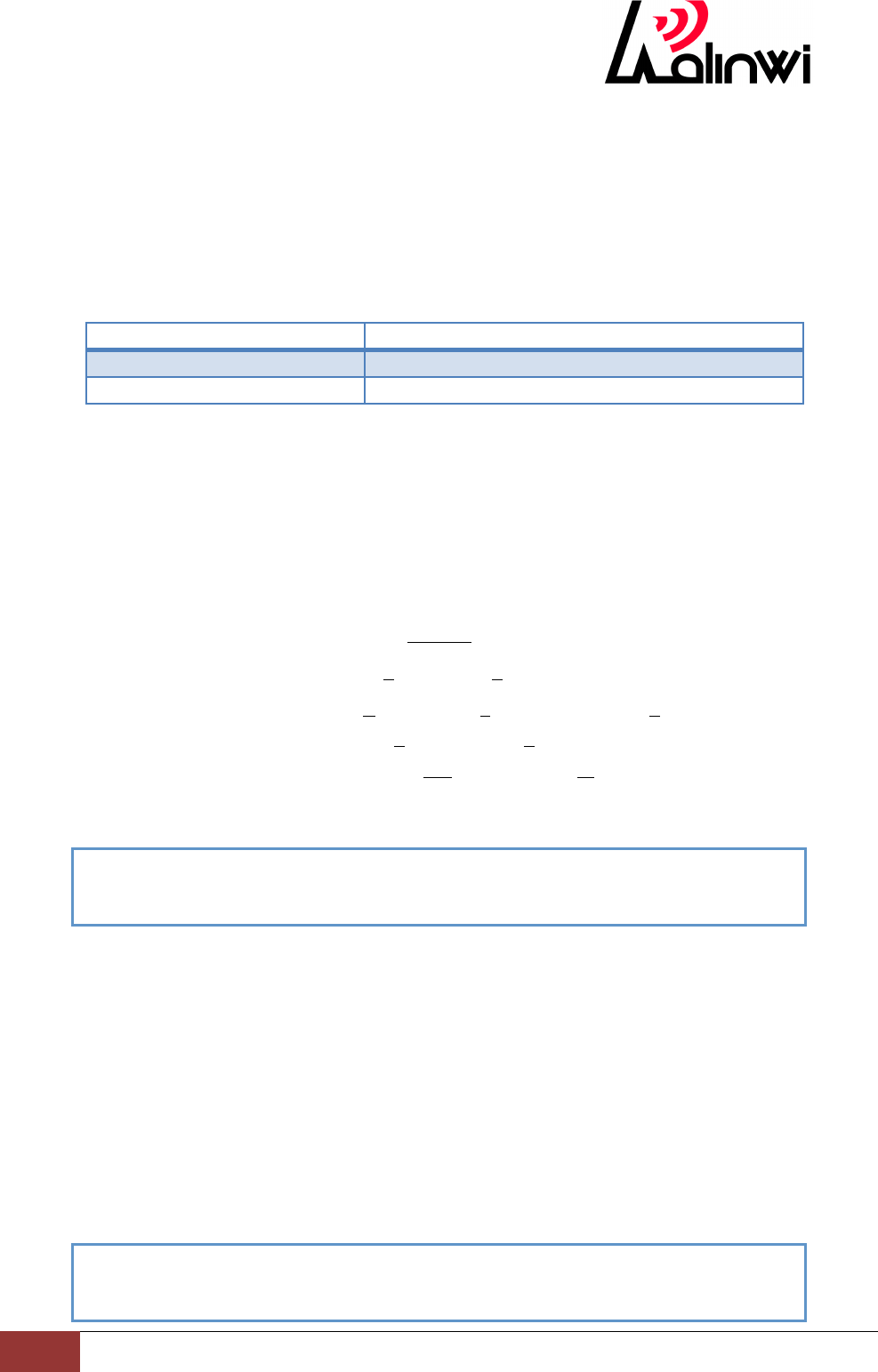
When serial return OK by entering the AT (or at), into command mode.
AT Command Introduce
TINYCON S2W APP
at
OK
AT
OK
TinyCon_ATInstruction
3
RalinwiNanjingElectronicTechnologyCo.,Ltd.
AT Command Classification
TinyCon2005 AT instruction has five instruction set:
! serial port control instruction set
! WiFi interface instruction set
! Network control instruction set
! Auto connect instruction set
! Other instruction set
Serial port control instruction set
AT instruction
Description
ATB
UART parameters take effect after reset
ATSn=p
Set various adapter interface parameters
ATB=
Function: UART parameters take effect after reset.
Format
Settings
ATB=<baudrate>
[[,<databits>][,<parity>][,<stopbits>][,<flowcontrol>]]
Parameter
baudrate Baud rate: 115200(support 9600~921600)
databits Data bits: 7(7bit) 8 (8bit)
parity Parity: n(none) e(even parity) o(odd parity)
stopbits Stop bits 1 (1 stop bit) 2 (2 stop bits)
flowcontrol Flow control nfc (none) fc(hardware)
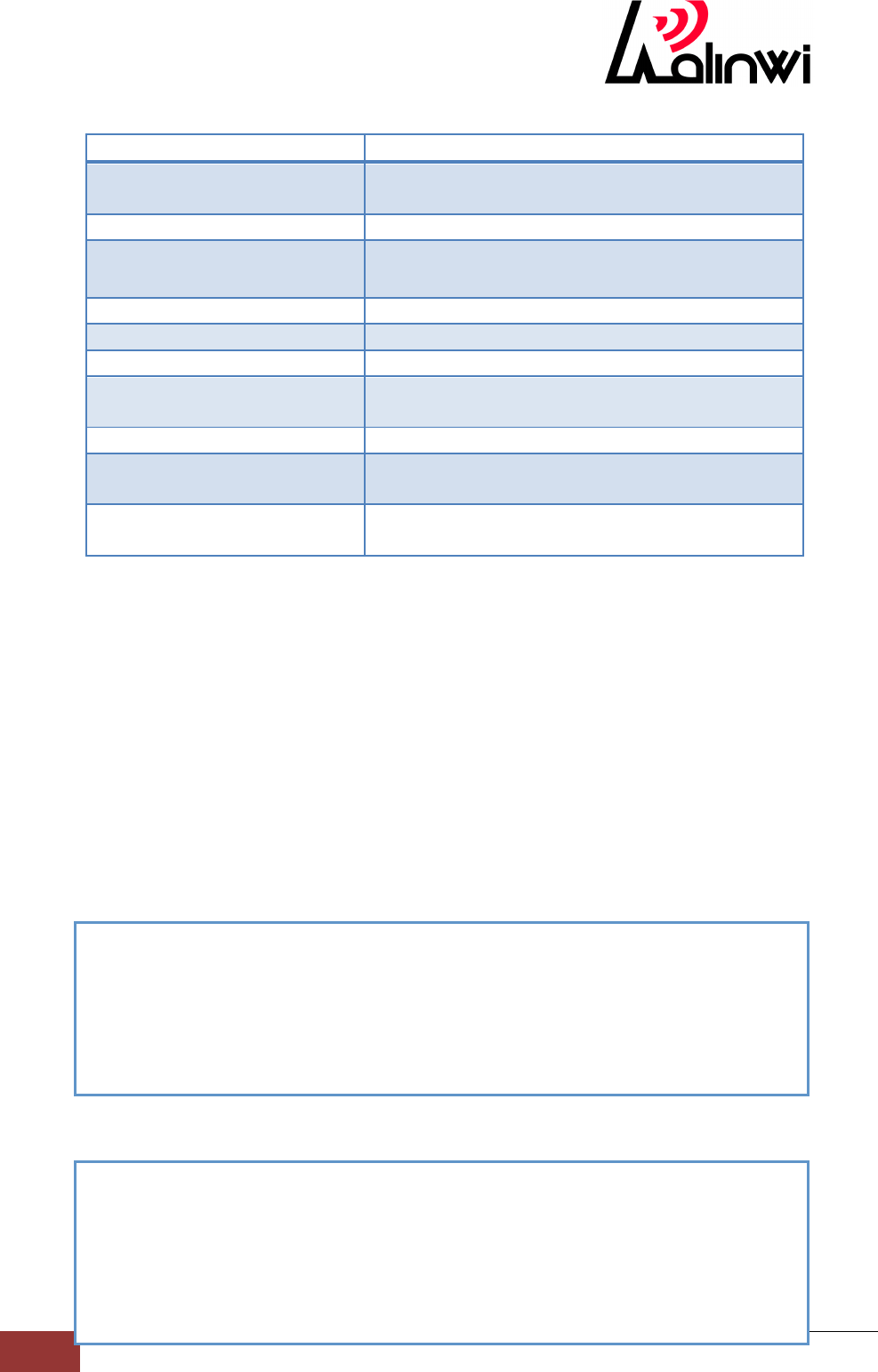
Example: setting up the serial port parameters (baud rate 115200, the data bits of
8, no check, 1 stop bit, and none flow control)
ATSn=p
Function:Set various adapter interface parameters
Format
Settings
ATSn=p
Parameter
n=0 to 2
0=auto frame length
1=auto frame wait time
2=auto frame interval
p=parameter value
Example: Set the frame trigger a length of 1400
ATB=115200,8,n,1,nfc
OK
ATS0=1400
OK
TinyCon_ATInstruction
4
RalinwiNanjingElectronicTechnologyCo.,Ltd.
WiFi interface instruction set
AT instruction
Description
at+wa
Associate to specified SSID, optionally using
specified security parameters.
at+wd
Disassociate from the current network.
at+ws
Network scan, returns list of found networks in
the format.
at+wcountry
Set 802.11 country code.
at+wphymode
Set 802.11 PHY mode:
at+wrssi=?
Current RSSI as ASCII
at+wsetting=?
Adapter reports the current wireless settings to
the serial host
at+nstat=?
Current wireless and network configuration.
at+wap
Create a network on specified channel (only
open and WAP2-PSK supported).
at+sc
Start the simple-config process. Optionally
specify the PIN code to protect the process.
at+wa
Function :Associate to specified SSID, optionally using specified security
parameters.
Format
Settings
at+wa=< ssid >[,<password>,<wep keyindex>]
Parameter
ssid specify the SSID to connect the AP
password set the key, if the security type for wep type 5 or 13 ASCII
characters; If the security type for wpa_psk, wpa2_psk input 8 ~ 32
ASCII characters.
wep keyindex set the wep key SN,for 0 ~ 3。
Example: Join a AP ,SSID is rlwap, encryption for the open
Example: Join a AP , SSID is sytest, the secret key for 123456789, encryption for
wpa2
at+wa=rlwap
Joining Network...
Connected to rlwap
DHCP: started
IP address: 192.168.1.103
OK
at+wa=sytest,123456789
Joining Network...
Connected to sytest
DHCP: started
IP address: 192.168.2.158
OK

TinyCon_ATInstruction
5
RalinwiNanjingElectronicTechnologyCo.,Ltd.
at+wd
Function:Disassociate from the current network.
Format
Settings
at+wd
Example:
at+ws
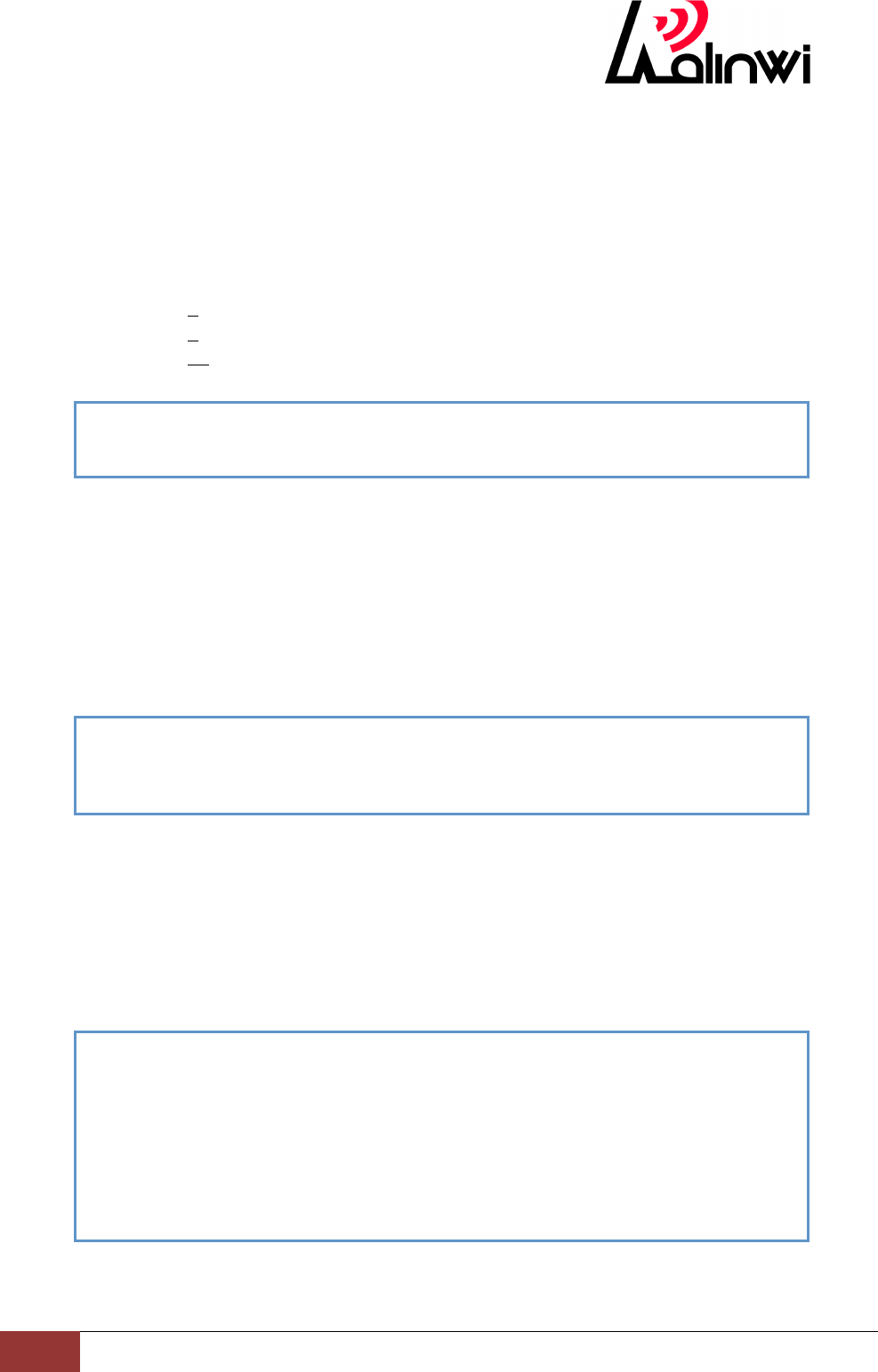
Function:Network scan, returns list of found networks in the format.
Format
Settings
at+ws
Example:
at+wcountry
Function:Set 802.11 country code.
Format
Settings
at+wcountry=< contry string>
Parameter
contry string :
US The United States
EU Europe
JP Japan
CN China
Example:
at+wd
Disassociated
OK
at+ws
Scanning...
[1] c8:3a:35:49:04:e0 -42 1 6 WPA2 AES SC_TEST_AP
[2] 08:10:79:11:cc:5e -44 2 6 Open rlwap
[3] 00:22:c3:81:98:3a -52 1 6 WPA2 AES New AP
[4] 14:75:90:09:42:26 -52 6 6 WPA2 AES sun
[5] d4:ca:6d:87:28:ba -56 1 6 WPA2 AES aibo
[6] b8:c7:5d:0c:5d:81 -62 11 6 WPA2 AES AppleYao
[7] e4:d3:32:ac:a7:8e -62 11 6 Open testTCP
[8] 64:e4:25:11:00:84 -74 1 6 WPA2 AES RLW_LED_64e42511084
[9] 64:e4:25:11:00:9d -84 1 6 WPA2 AES sunwenhaoudptest
WLAN SCAN END
at+wcountry=us
OK
TinyCon_ATInstruction
6
RalinwiNanjingElectronicTechnologyCo.,Ltd.
at+wphymode
Function:Set 802.11 PHY code.
Format
Settings
at+wphymode=n
Parameter
n:
1 802.11 b
3 802.11 b/g
11 802.11 b/g/n
Example: set up to BG mode
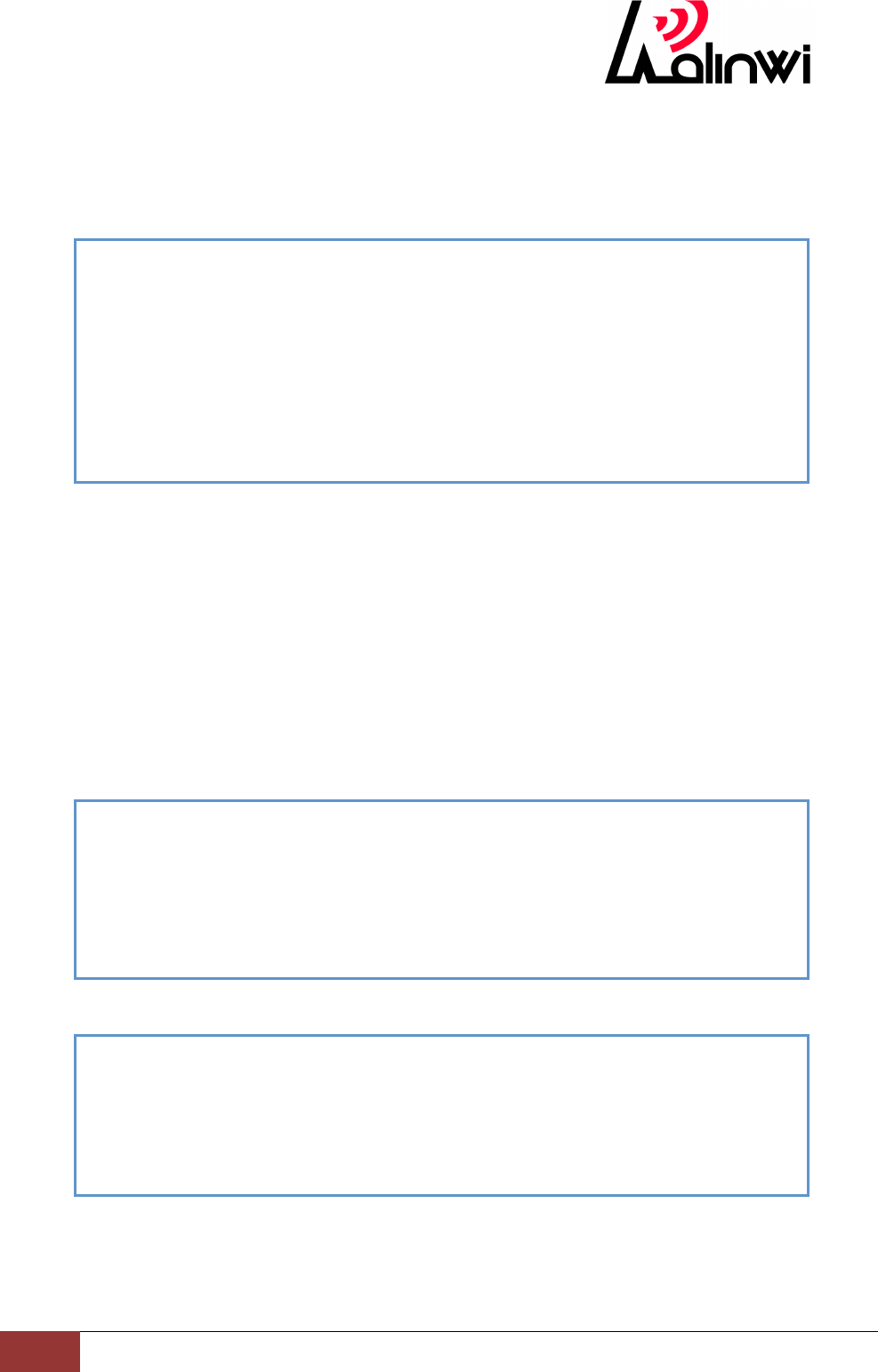
at+wrssi=?
Function:Current RSSI as ASCII
Format
Settings
at+wrssi=?
Parameter
none
Example:
at+wsetting=?
Function:Adapter reports the current wireless settings to the serial host
Format
Settings
at+wsetting=?
Parameter
None
Example:
at+nstat=?
Function:Current wireless and network configuration.
Format
at+wphymode=3
OK
at+wrssi=?
-45
OK
at+wsetting=?
WMODE=STA
SSID=rlwap
CHANNEL=2
SECURITY=OPEN
PASSWORD=
OK
TinyCon_ATInstruction
7
RalinwiNanjingElectronicTechnologyCo.,Ltd.
Settings
at+nstat=?
Parameter
None
Example:
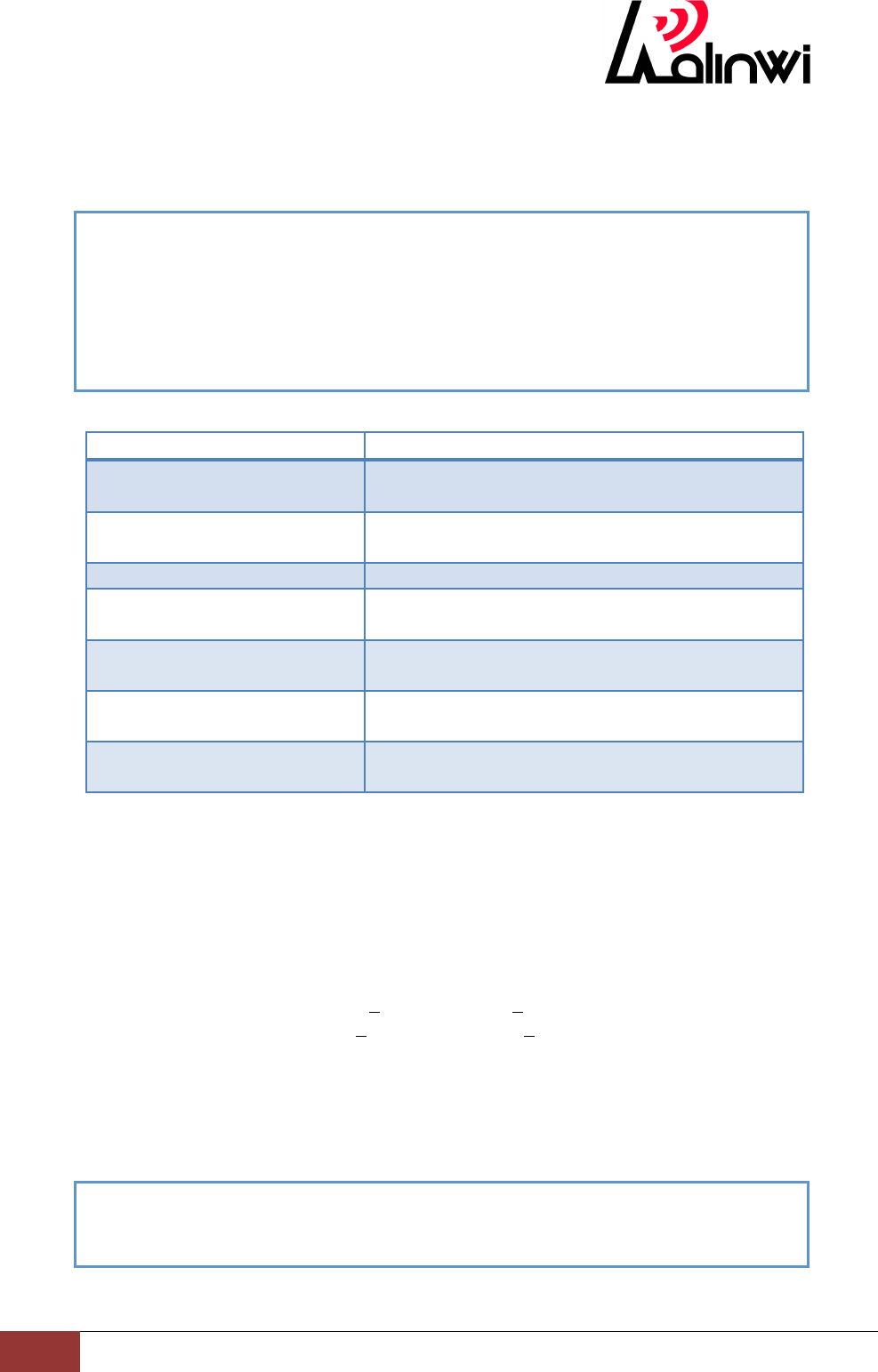
at+wap
Function:Create a network on specified channel (only open and WAP2-PSK
supported).
Format
Settings
at+wap =<SSID>,<Channel>[,<WPA2Password >]
Parameter
ssid To create an AP SSID specified
channel Channel Settings (1~13)
password 8~32 ASCII character
Example:
set the AP ssid is sun, channel 1, encryption mode for the open
set the AP ssid to sun, channel 1, encryption mode for wpa2 ,key is 12345678
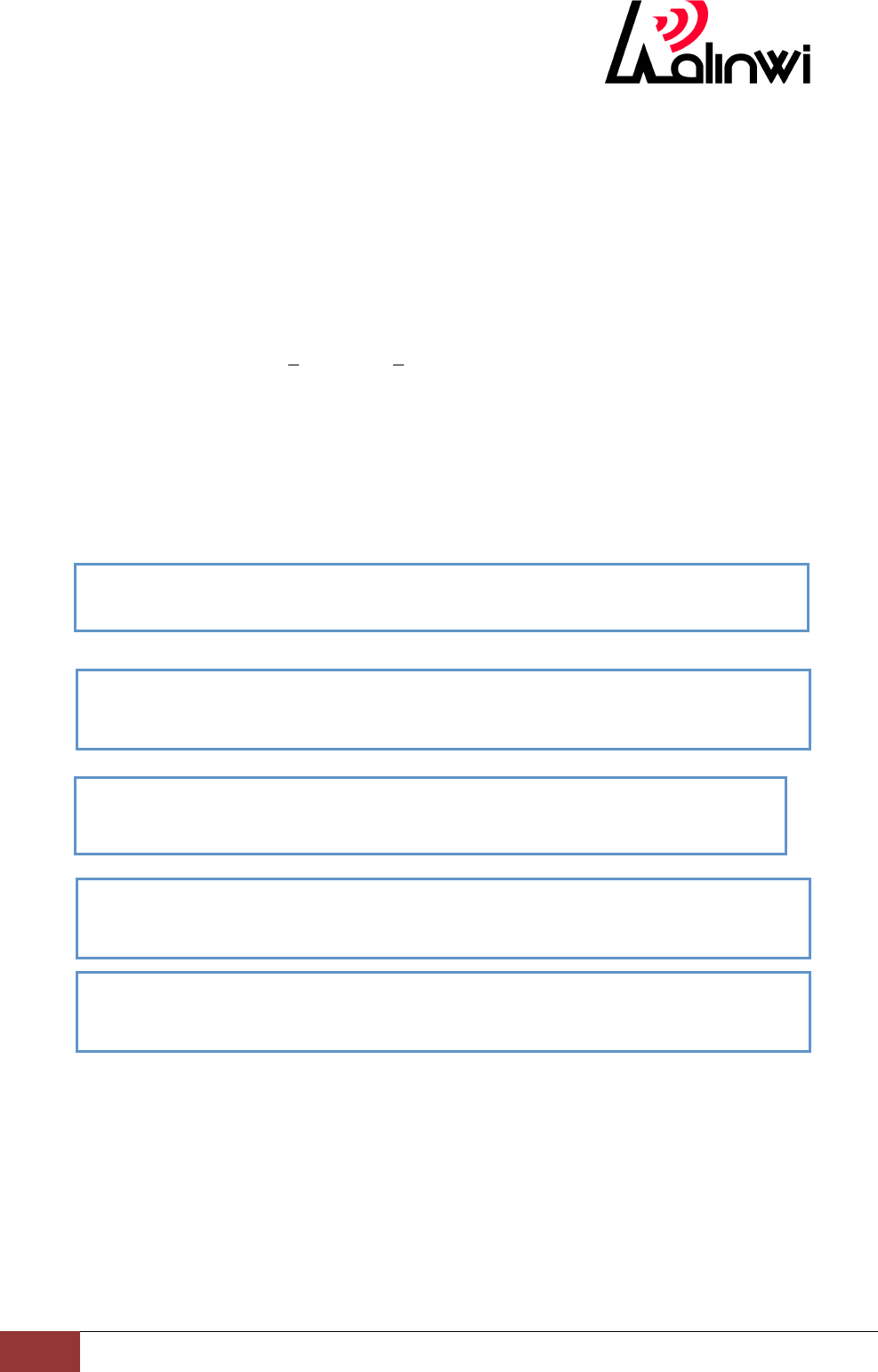
at+sc
Function:Start the simple-config process. Optionally specify the PIN code to
protect the process.
Format
Settings
at+nstat=?
MAC=00:E0:4C:87:00:00
WSTATE=CONNECTED WMODE=STA
BSSID=E4:D3:32:AC:A7:8E SSID="rlwap" CHANNEL=2
SECURITY=OPEN
IP addr=192.168.1.103 SubNet=255.255.255.0 Gateway=192.168.1.1
DNS1=192.168.1.1
O
at+wap=sun,1
Creating network...
"sun" created
IP address: 192.168.1.165
DHCPS: started
OK
at+wap=sun,1,12345678
Creating network...
"sun" created
IP address: 192.168.1.165
DHCPS: started
OK
TinyCon_ATInstruction
8
RalinwiNanjingElectronicTechnologyCo.,Ltd.
at+sc=[<custom PIN code>]
Parameter
custom PIN code : Set the PIN protection configuration program
Example:
Auto connect instruction set
AT instruction
Description
at+nauto
Sets network parameters to be used for Auto
Connect.
at+wauto
Sets WiFi parameters to be used for Auto
Connect.
ato
Return to Auto-Connect mode.
ata
Initiate auto connection using parameters set by
AT+WAUTO and AT+NAUTO.
ata2
Initiate auto connection when the adapter is
already associated with an AP.
atd
Disconnect current network Auto-Connect
session.
atn
Returns the current status of network
Auto-Connect.
at+nauto
Function:Sets network parameters to be used for Auto Connect.
Format
Settings
at+nauto=<Type>,<Protocol>,<Destination IP/ Host Name>,
<Destination Port>,[<Src port>]
Parameter
Type 0 client 1 server
Protocol 0 UDP 1 TCP
Destination ip Destination IP e.g.:192.1.168.1.1
/Host Name / Host Name e.g.:www.ralinwi.com
Destination Port Destination Port e.g.:8080
Src port Src port e.g.:4096
Example:
at+sc
OK
Joining network...
Connected to rlwap
DHCP: started
IP address: 192.168.1.103
at+nauto=0,1,192.168.1.101,5001,5002
OK
TinyCon_ATInstruction
9
RalinwiNanjingElectronicTechnologyCo.,Ltd.
at+wauto
Function:Sets WiFi parameters to be used for Auto Connect.
Format
Settings
STA mode:
at+wauto=<mode><SSID>[,<Password>,<WEP Key Index>]
AP mode:
at+wauto=<mode><SSID>,<channel>[,<WPA2 Password>]
Parameter
mode 0 STA 1 AP
SSID specify the SSID to connect the AP
Password The STA mode, key of the AP
WEP Key Index the STA mode, if you need to connect the AP for
WEP encryption type mode, enter 0
channel AP mode, automatic reconnection channel set (1 ~ 13)
WPA2 Password AP mode keys: set the key security type for wpa_psk,
wpa2_psk, input 8 ~ 32 ASCII characters.
Example:
ato
Function:Return to Auto-Connect mode.
Format
Settings
ato
Parameter
None
Example:
at+wauto=0,test
OK
at+wauto=0,test,12345678
OK
at+wauto=0,test,12345,0
OK
at+wauto=1,testAP,12,12345678
OK
at+wauto=1,testAP,12
OK

TinyCon_ATInstruction
10
RalinwiNanjingElectronicTechnologyCo.,Ltd.
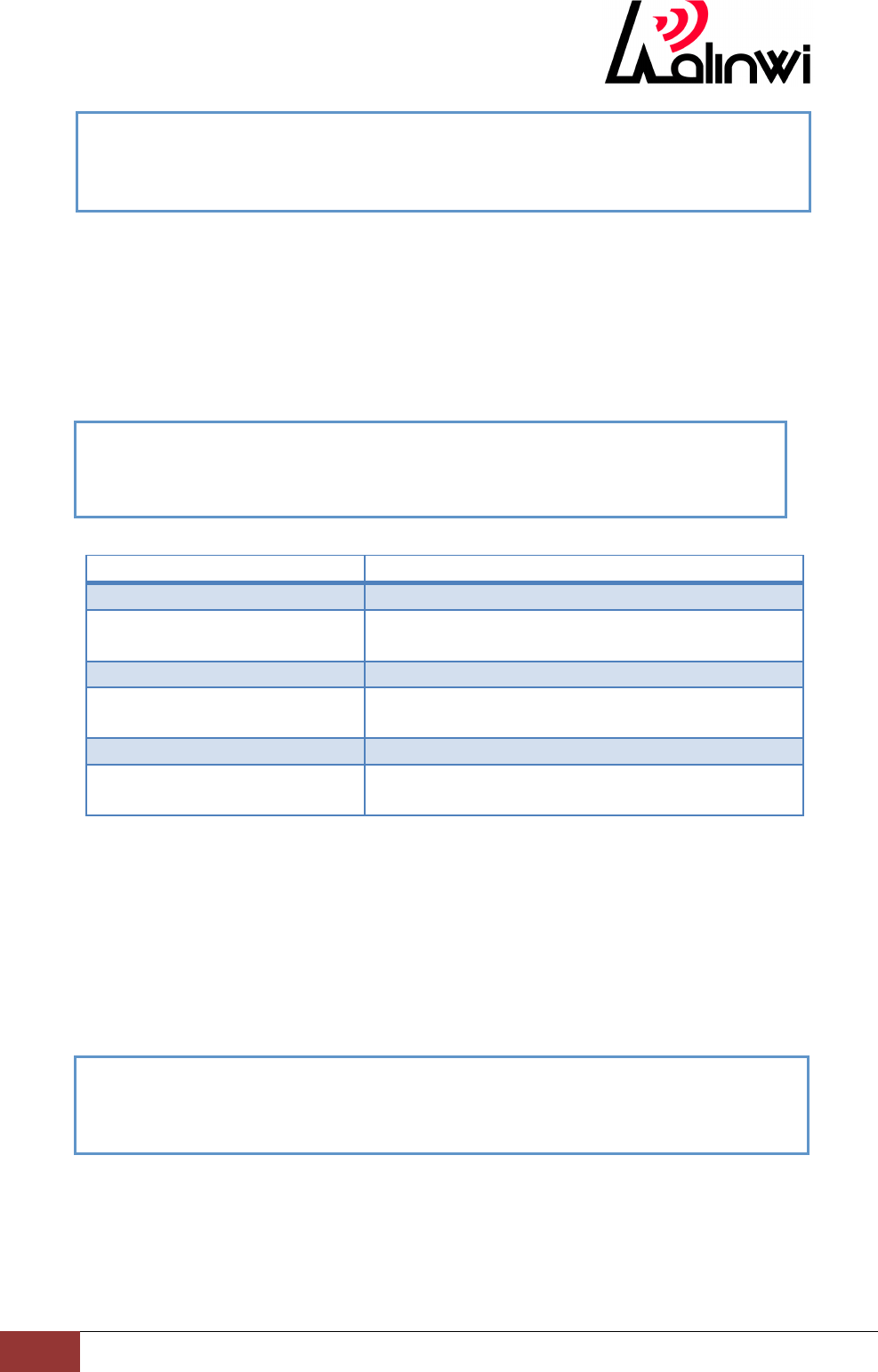
ata
Function:Initiate auto connection using parameters set by AT+WAUTO and
AT+NAUTO.
Format
Settings
ata
Parameter
None
Example:
ata2
Function:Initiate auto connection when the adapter is already associated with an
AP.
Format
Settings
ata2
Parameter
None
Example:
atd
Function:Disconnect current network Auto-Connect session.
Format
Settings
atd
Parameter
None
Example:
ata2
CONNECTING TO REMOTE...
ESTABLISHED
OK
ata
Joining Network...
Connected to New AP
DHCP: started
IP address: 192.168.2.168
CONNECTING TO REMOTE...
ESTABLISHED
OK
ato
OK
TinyCon_ATInstruction
11
RalinwiNanjingElectronicTechnologyCo.,Ltd.
atn
Function:Returns the current status of network Auto-Connect.
Format
Settings
atn
Parameter
None
Example:
Network control instruction set
AT instruction
Description
at+mac=?
Returns the current adapter MAC address.
at+ipset
Static network parameters overrides previous
values.
at+dhcp=n
If 1, DHCP is enabled
at+dhcpsrvr=n
Prior to start the server, the adapter should be
configured with a valid static IP address.
at+dnsset
Sets the DNS server addresses to be used.
at+dnslookup
Queries DNS server for address of hostname
URL.
at+mac=?
Function:Returns the current adapter MAC address.
Format
Settings
at+mac=?
Parameter
None
Example:
at+ipset
Function:Static network parameters overrides previous values.
Format
Settings
at+ipset =<Local ip>,<Net Mask>,<Gateway>
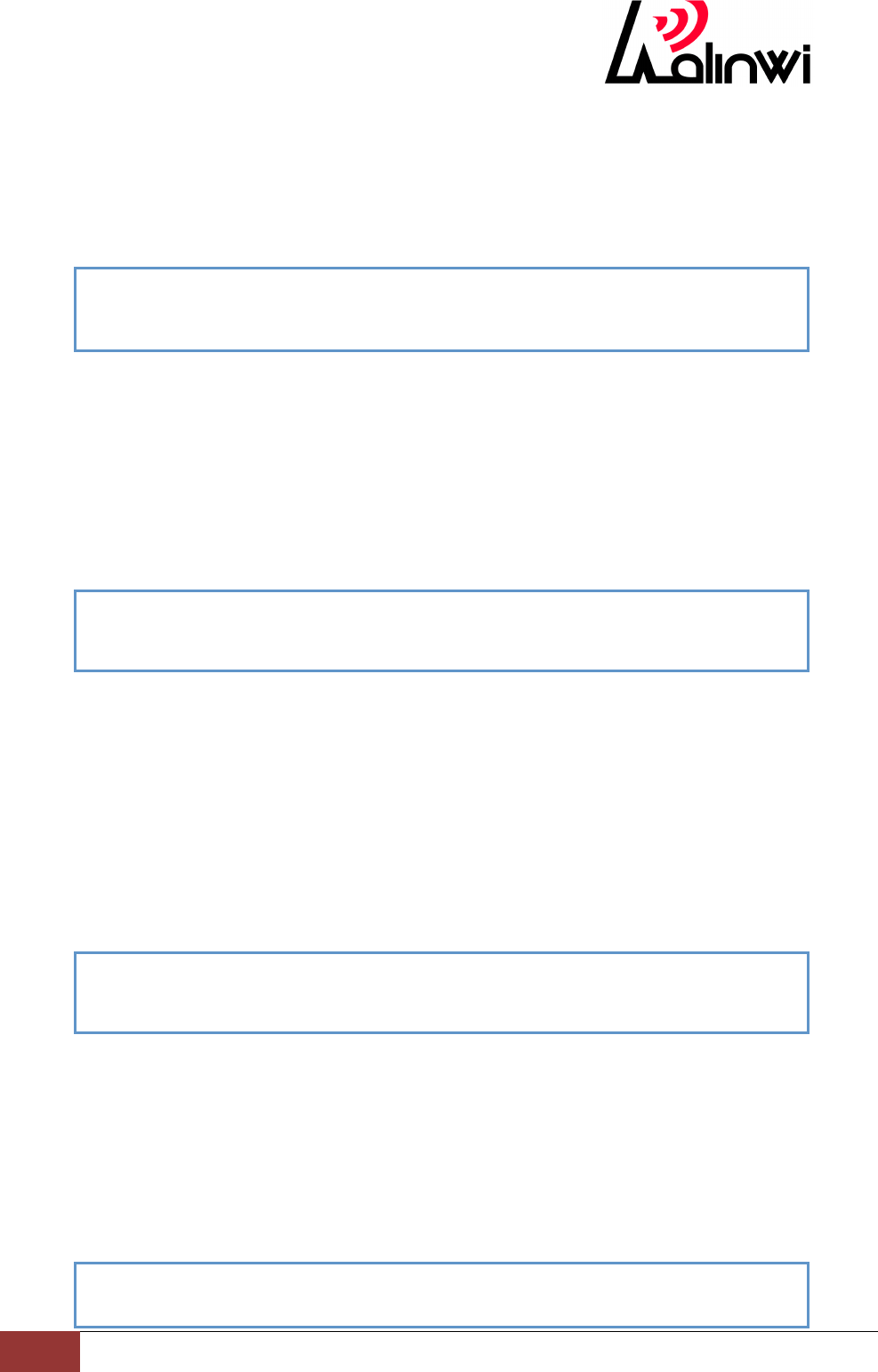
at+mac=?
00:E0:4C:87:00:00
OK
atn
NO NWCONN
OK
atd
NWCONN DIS
OK
TinyCon_ATInstruction
12
RalinwiNanjingElectronicTechnologyCo.,Ltd.
Parameter
Local ip IP address: e.g. 192.168.1.101
Net Mask mask: e.g. 255.255.255.0
Gateway gateway: e.g. 192.168.1.1
Example:
at+dhcp
Function:If 1, DHCP is enabled
Format
Settings
at+dhcp=n
Parameter
n 0 disable dhcp client
1 enable dhcp client
Example:
at+dhcpsrvr
Function:Prior to start the server, the adapter should be configured with a valid
static IP address.
Format
Settings
at+dhcpsrvr=n
Parameter
n 0 disabled dhcp server
1 enable dhcp server
Example:
at+dnsset
Function:Sets the DNS server addresses to be used.
Format
Settings
at+dnsset=<DNS1 ip>
Parameter
DNS1 ip DNS
Example:
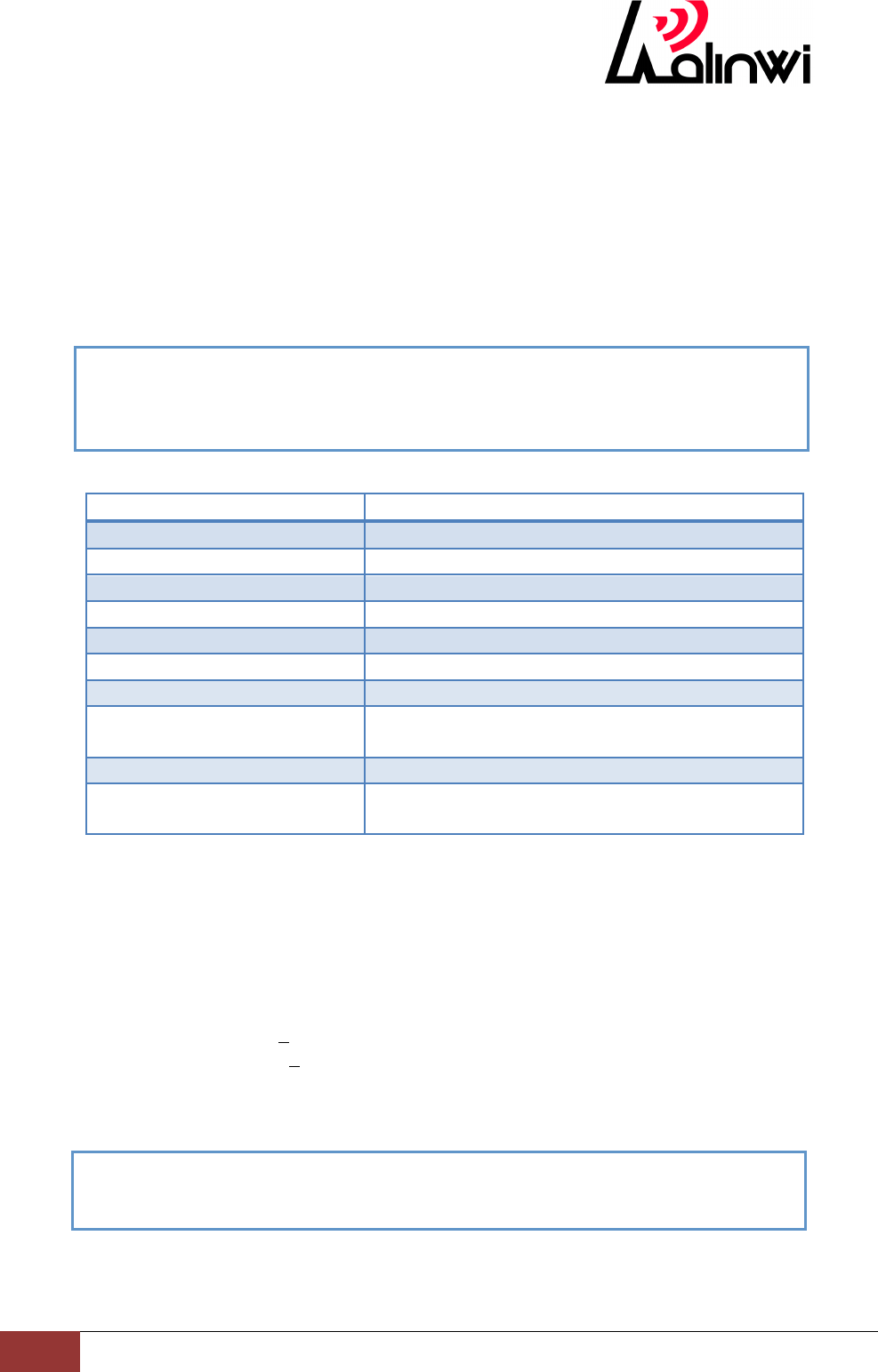
at+ipset=192.168.1.122,255.255.255.0,192.168.1.1
OK
at+dhcp=0
OK
at+ dhcpsrvr =0
OK
at+dnsset=114.114.114.114
OK
TinyCon_ATInstruction
13
RalinwiNanjingElectronicTechnologyCo.,Ltd.
at+dnslookup=www.mtime.com
59.151.32.20
OK
at+dnslookup
Function:Queries DNS server for address of hostname URL.
Format
Settings
at+ dnslookup=<url>
Parameter
url domain
Example:
Other instruction set
AT instruction
Description
at+dsv
if Enable = 1,device discover enable
at+webconfgen=n
if n = 1,web config enabled
ATEn
If 1, echo all inputs
at+fwup=ip,port
The adapter will enter the OTA upgrade mode.
at+reset
Reset the adapter.
at&f
Restore profile settings to factory default values.
at+ver=?
Return the current adapter firmware versions.
at+ping
PING the host provided. Optionally specify the
count.
at&w
Save current profile to NV memory.
at&v
Output current and saved profile values in
ASCII.
at+dsv
Function:if Enable = 1,device discover enable
Format
Settings
at+dsv= <Enable>[<Device Name>, <User ID>]
Parameter
Enable 0 disabled device discovery
1 enable device discovery
Device Name device name
User ID device ID
Example:
at+webcfgen=n
Function:if n = 1,web config enabled
Format
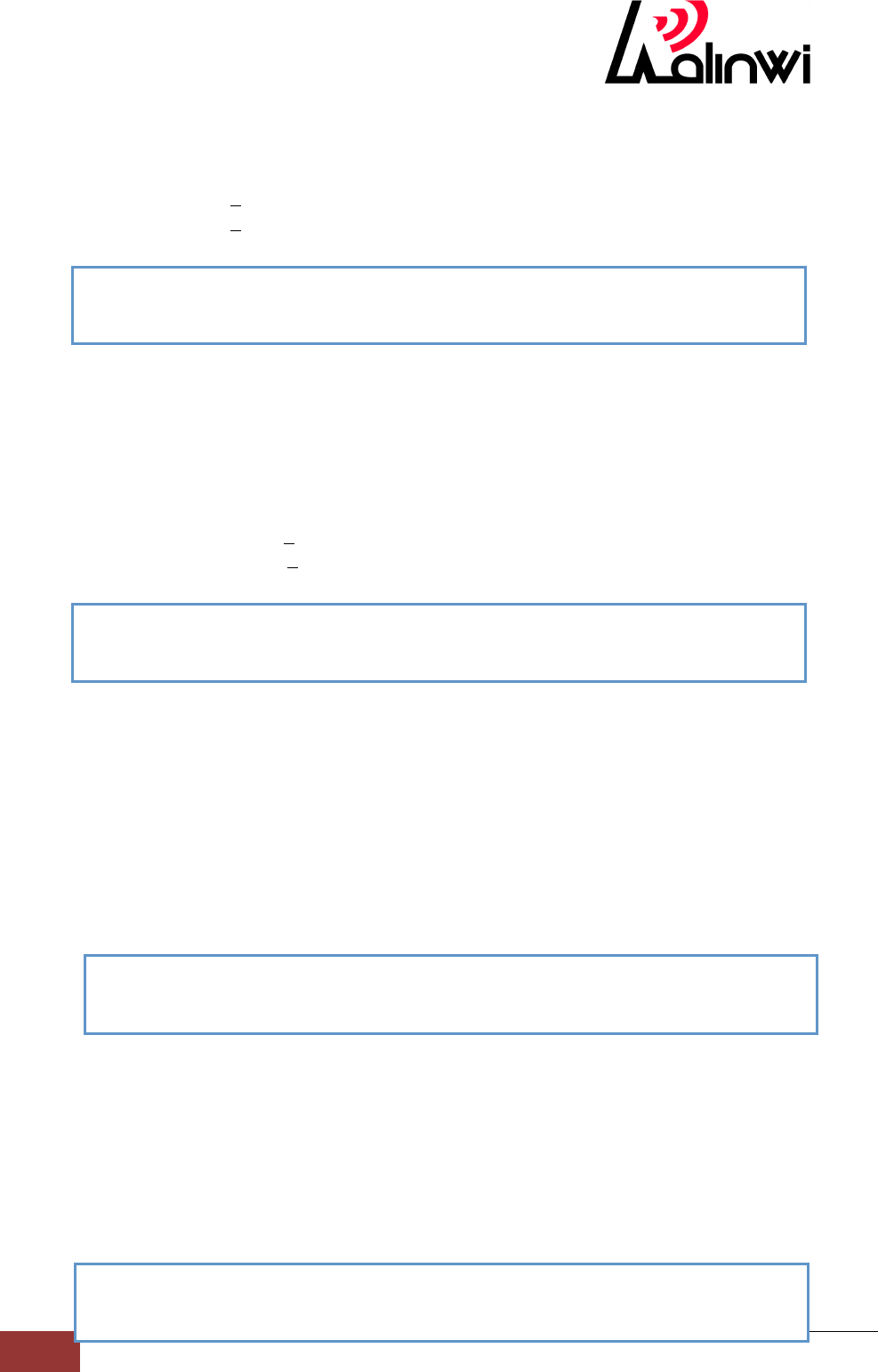
at+dsv=1,RLWLED,9527
OK
TinyCon_ATInstruction
14
RalinwiNanjingElectronicTechnologyCo.,Ltd.
Settings
at+webcfgen=n
Parameter
n 0 disabled web config
1 enable web config
Example:
ATEn
Function:If 1, echo all inputs
Format
Settings
ATEn
Parameter
n 0 disabled echo
1 enable echo
Example:
at+fwup
Function:The adapter will enter the OTA upgrade mode.
Format
Settings
at+fwup=ip,port
Parameter
ip: The target OTA server address
port:The target server port
Example:
at+reset
Function:Reset the adapter.
Format
Settings
at+reset
Parameter
None
Example:
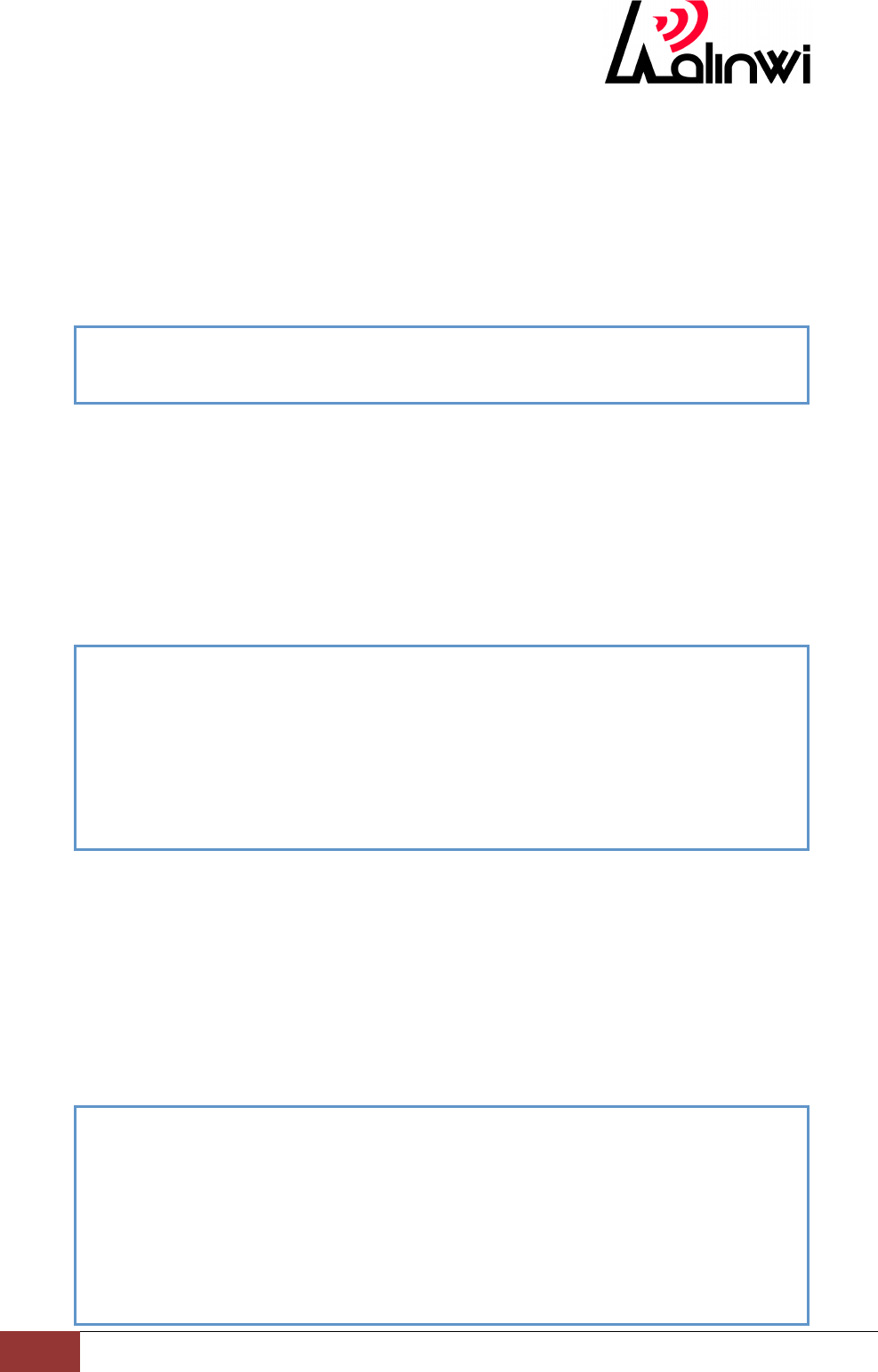
ATE0
OK
at+fwup=192.168.2.198,8082
OK
at+reset
OK
at+webcfgen=1
OK
TinyCon_ATInstruction
15
RalinwiNanjingElectronicTechnologyCo.,Ltd.
at&f
Function:Restore profile settings to factory default values.
Format
Settings
at&f
Parameter
None
Example:
at+ver=?
Function:Return the current adapter firmware versions.
Format
Settings
at+ver=?
Parameter
None
Example:
at+ping
Function:PING the host provided. Optionally specify the count.
Format
Settings
at+ping=<ip/hostname><n>
Parameter
ip/hostname Enter domain name or IP address
n The number of ping
Example:
at&f
OK
at+ver=?
APP VERSION=2.1.0b1
WLAN VERSION=2.6a
APP TYPE=S2W
BUILD TIME=15:51:44
BUILD DATE=Mar 31 2015
OK
at+ping=8.8.8.8
PING 8.8.8.8(8.8.8.8): 120(148) data bytes
72 bytes from 8.8.8.8: icmp_seq=1 time=349 ms
72 bytes from 8.8.8.8: icmp_seq=2 time=332 ms
72 bytes from 8.8.8.8: icmp_seq=3 time=330 ms
72 bytes from 8.8.8.8: icmp_seq=4 time=331 ms
--- 8.8.8.8 ping statistics ---
4 packets transmitted, 4 received, 0% packet loss, time 1342 ms

TinyCon_ATInstruction
16
RalinwiNanjingElectronicTechnologyCo.,Ltd.
at&w
Function:Save current profile to NV memory.
Format
Settings
at&w
Parameter
None
Example:
at&v
Function:Output current and saved profile values in ASCII.
Format
Settings
at&v
Parameter
None
Example:
at&w
OK
at+ping=8.8.8.8,10
PING 8.8.8.8(8.8.8.8): 120(148) data bytes
72 bytes from 8.8.8.8: icmp_seq=1 time=263 ms
72 bytes from 8.8.8.8: icmp_seq=2 time=331 ms
72 bytes from 8.8.8.8: icmp_seq=3 time=330 ms
72 bytes from 8.8.8.8: icmp_seq=4 time=331 ms
72 bytes from 8.8.8.8: icmp_seq=5 time=434 ms
72 bytes from 8.8.8.8: icmp_seq=6 time=322 ms
72 bytes from 8.8.8.8: icmp_seq=7 time=236 ms
72 bytes from 8.8.8.8: icmp_seq=8 time=330 ms
72 bytes from 8.8.8.8: icmp_seq=9 time=331 ms
72 bytes from 8.8.8.8: icmp_seq=10 time=330 ms
--- 8.8.8.8 ping statistics ---
10 packets transmitted, 10 received, 0% packet loss, time 3238 ms
OK

TinyCon_ATInstruction
17
RalinwiNanjingElectronicTechnologyCo.,Ltd.
at&v
E1 B=115200,8,N,1,NFC
+DHCP=1 +IPSET=192.168.1.122,255.255.255.0,192.168.1.1
+DNS1=114.114.114.114
+DHCPSRVR=1
+WAUTO=0,rlwap
+NAUTO=0,1,192.168.1.101,8086,8087
+DISCOVER=1,rlw,www.ralinwi.com
+WEBCFGEN=1
S0=1400 S1=500 S2=0
OK
This module is intended for OEM integrator. The OEM integrator is still responsible for the FCC
compliance requirement of the end product which integrates this module.
20cm minimum distance has to be able to be maintained between the antenna and the users
for the host this module is integrated into. Under such configuration, the FCC radiation
exposure limits set forth for an population/uncontrolled environment can be satisfied.
Antenna used should be limited to same type with equal or lesser antenna gain.
This module is not for sale with antenna, it requires the OEM to complete the antenna. This device has
been tested to operate with a external antenna having a maximum gain of 1dBi.
According to FCC Part 15 Subpart C Section 15.212, the radio elements of the modular
transmitter must have their own power supply. However, due to there is no power supply for
this WIFI Module, this module is granted as a Limited Modular Approval. When this WIFI
Module is installed into the end product, a Class II Permissive Change or a New FCC ID
submission is required to ensure the full compliance of FCC relevant requirements.
FCC Caution: Any changes or modifications not expressly
approved by the party responsible for compliance could void the user's
authority to operate this equipment.
This device complies with Part 15 of the FCC Rules.
Operation is subject to the following two conditions: (1) This device may not
cause harmful interference, and (2) this device must accept any interference
received, including interference that may cause undesired operation.
This device and its antenna(s) must not be co-located or operating in conjunction
with any other antenna or transmitter.
15.105 Information to the user.
(b) For a Class B digital device or peripheral, the instructions furnished the
user shall include the following or similar statement, placed in a prominent
location in the text of the manual:
Note: This equipment has been tested and found to comply
with the limits for a Class B digital device, pursuant to part 15 of the FCC Rules.
These limits are designed to provide reasonable protection against harmful
interference in a residential installation. This equipment generates, uses and
can radiate radio frequency energy and, if not installed and used in
accordance with the instructions, may cause harmful interference to radio
communications. However, there is no guarantee that interference will not
occur in a particular installation. If this equipment does cause harmful
interference to radio or television reception, which can be determined by
turning the equipment off and on, the user is encouraged to try to correct the
interference by one or more of the following measures:
—Reorient or relocate the receiving antenna.
—Increase the separation between the equipment and receiver.
—Connect the equipment into an outlet on a circuit different from that to which
the receiver is connected.
—Consult the dealer or an experienced radio/TV technician for help.
This equipment complies with FCC radiation exposure limits set forth for an uncont
rolled environment. This equipment should be installed and operated with minimum
distance 20cm between the radiator and your body.
Radiation Exposure Statement:
This equipment complies with FCC radiation exposure limits set forth for an
uncontrolled environment.
This transmitter must not be co-located or operating in conjunction with any other
antenna or transmitter.
The availability of some specific channels and/or operational frequency bands
are country dependent and are firmware programmed at the factory to match
the intended destination.
The firmware setting is not accessible by the end user.
The final end product must be labelled in a visible area with the following:
“Contains Transmitter Module 2ADGHCON2005A”