Recoton AW791 900 MHz Wireless Headphones User Manual AW791 MANUAL 12PG 2 B U

Recoton Corporation 900 MHz Wireless Headphones AW791 MANUAL 12PG 2 B U

users manual

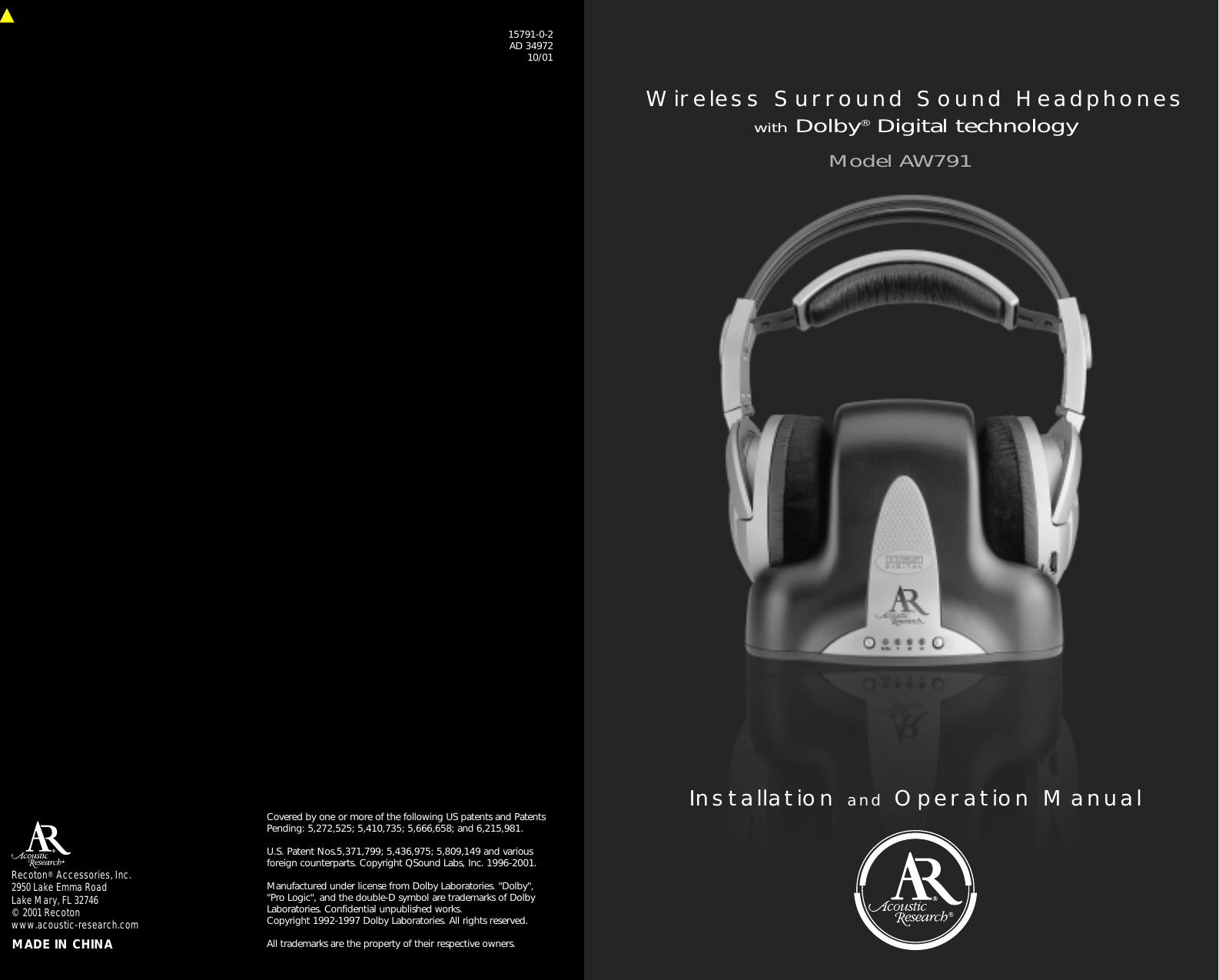
Installation and Operation ManualModel AW791Wireless Surround Sound HeadphoneswithDolby®Digital technologyRecoton® Accessories, Inc.2950 Lake Emma RoadLake Mary, FL 32746© 2001 Recotonwww.acoustic-research.com MADE IN CHINACovered by one or more of the following US patents and PatentsPending: 5,272,525; 5,410,735; 5,666,658; and 6,215,981.  U.S. Patent Nos.5,371,799; 5,436,975; 5,809,149 and variousforeign counterparts. Copyright QSound Labs, Inc. 1996-2001.Manufactured under license from Dolby Laboratories. "Dolby", "Pro Logic", and the double-D symbol are trademarks of DolbyLaboratories. Confidential unpublished works. Copyright 1992-1997 Dolby Laboratories. All rights reserved.All trademarks are the property of their respective owners.15791-0-2AD 3497210/01
TableofContentsI.  Location of Functions. . . . . . . . . . . . . . . . . . . . . . . . . . . . . 2II. Connecting the Headphone System . . . . . . . . . . . . . . . . . . 3III.  Charging the Batteries . . . . . . . . . . . . . . . . . . . . . . . . . . . . 5IV.  Listening to the Headphones . . . . . . . . . . . . . . . . . . . . . . . 6V.  Processing Modes . . . . . . . . . . . . . . . . . . . . . . . . . . . . . . . 6VI.  Troubleshooting. . . . . . . . . . . . . . . . . . . . . . . . . . . . . . . . . 7VII. Specifications. . . . . . . . . . . . . . . . . . . . . . . . . . . . . . . . . . . 8VIII. Warranty . . . . . . . . . . . . . . . . . . . . . . . . . . . . . . . . . . . . . . 9IntroductionAcoustic Research/AR Surround Sound Headphones expand andenhance the enjoyment of your home theater equipment. Today’smovies and concert DVDs are recorded with five-channel audiopositioning to provide the most realistic atmosphere for a completelyimmersive movie or music experience. Surround Sound places thelistener in the middle of the action while watching a movie, or infront of the stage while listening to a concert. AR’s Surround SoundHeadphones provide an acoustic environment that is virtuallyidentical to that of a movie theater or a live musical performance.AR’s Surround Sound Headphones are compatible with most digitaland analog audio/video equipment, i.e., DVD players, TVs, VCRs,and home theater receivers. This manual covers various connection options and detailedoperating procedures for making the AR Surround SoundHeadphones a valuable part of your home entertainment system. Toensure proper operation and prevent damage, please read thismanual carefully before using this equipment. If, after havingreviewed the instructions, you have any questions, please contactour Customer Service Department at 1-800-732-6866.- 1 -
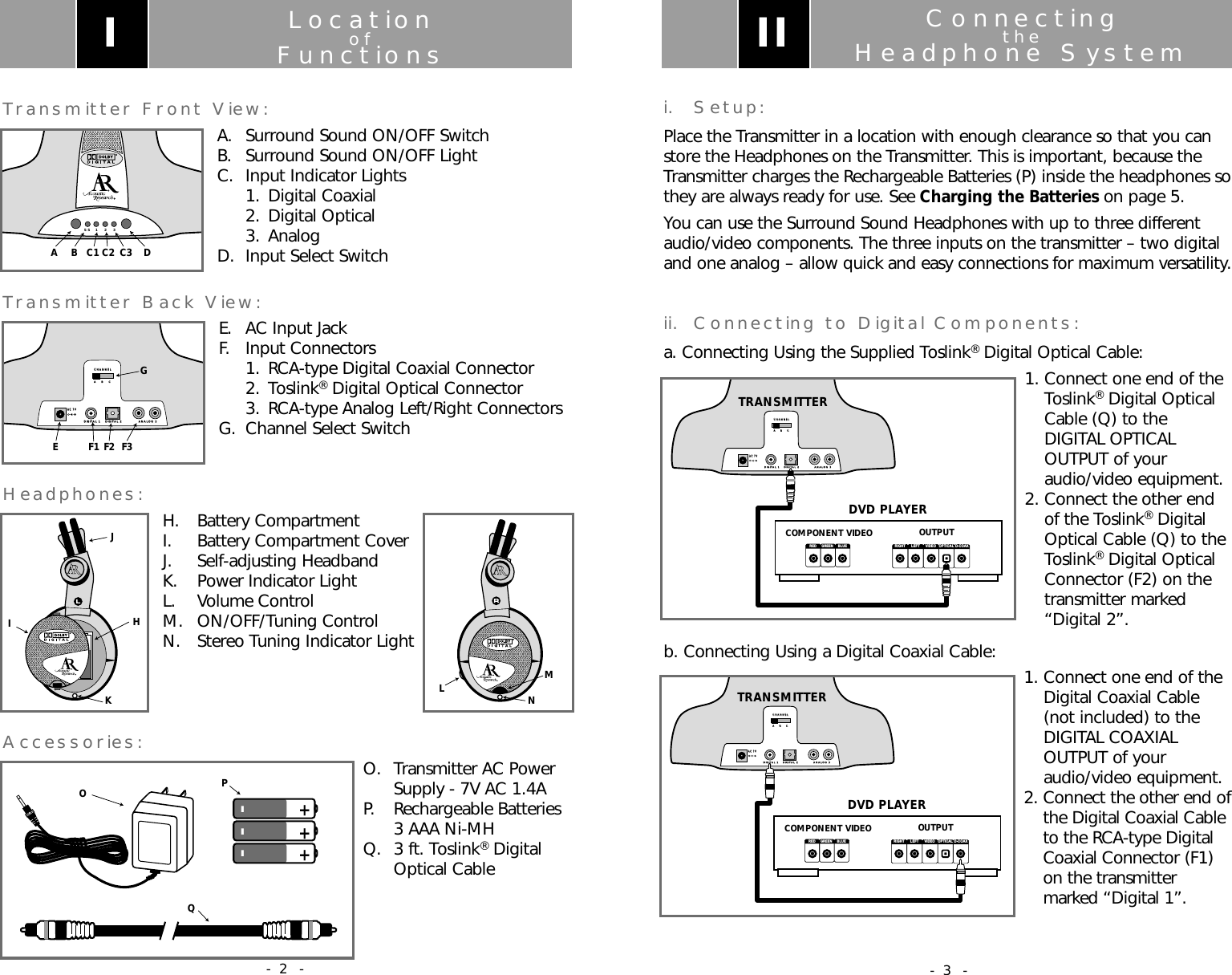
ConnectingtheHeadphone Systemi. Setup:Place the Transmitter in a location with enough clearance so that you canstore the Headphones on the Transmitter. This is important, because theTransmitter charges the Rechargeable Batteries (P) inside the headphones sothey are always ready for use. See Charging the Batteries on page 5.You can use the Surround Sound Headphones with up to three differentaudio/video components. The three inputs on the transmitter – two digitaland one analog – allow quick and easy connections for maximum versatility.ii. Connecting to Digital Components:a. Connecting Using the Supplied Toslink®Digital Optical Cable:1. Connect one end of theToslink®Digital OpticalCable (Q) to theDIGITAL OPTICALOUTPUT of youraudio/video equipment.2. Connect the other endof the Toslink®DigitalOptical Cable (Q) to theToslink®Digital OpticalConnector (F2) on thetransmitter marked“Digital 2”.b. Connecting Using a Digital Coaxial Cable: 1. Connect one end of theDigital Coaxial Cable(not included) to theDIGITAL COAXIALOUTPUT of youraudio/video equipment.2. Connect the other end ofthe Digital Coaxial Cableto the RCA-type DigitalCoaxial Connector (F1)on the transmittermarked “Digital 1”.COMPONENT VIDEORIGHT LEFT VIDEO OPTICAL D-COAXOUTPUTDVD PLAYERRED GREEN BLUEA    B    CA    B    CCHANNELCHANNELDIGITAL 1DIGITAL 1DIGITAL 2DIGITAL 2ANALOG 3ANALOG 3AC 7VAC 7VTRANSMITTERIICOMPONENT VIDEORIGHT LEFT VIDEO OPTICAL D-COAXOUTPUTDVD PLAYERRED GREEN BLUEA    B    CA    B    CCHANNELCHANNELDIGITAL 1DIGITAL 1DIGITAL 2DIGITAL 2ANALOG 3ANALOG 3AC 7VAC 7VTRANSMITTER- 3 -LocationofFunctionsTransmitter Front View:A.  Surround Sound ON/OFF SwitchB.  Surround Sound ON/OFF LightC.  Input Indicator Lights1. Digital Coaxial2. Digital Optical 3. AnalogD.  Input Select SwitchTransmitter Back View:E.  AC Input JackF. Input Connectors1. RCA-type Digital Coaxial Connector2. Toslink®Digital Optical Connector3. RCA-type Analog Left/Right ConnectorsG.  Channel Select SwitchHeadphones: H. Battery Compartment I.  Battery Compartment CoverJ. Self-adjusting HeadbandK.  Power Indicator LightL. Volume ControlM. ON/OFF/Tuning ControlN. Stereo Tuning Indicator LightAccessories: O. Transmitter AC PowerSupply - 7V AC 1.4AP. Rechargeable Batteries3 AAA Ni-MHQ. 3 ft. Toslink®Digital Optical CableSS  1   2   3A B C1 C2 C3 DIA    B    CA    B    CCHANNELCHANNELDIGITAL 1DIGITAL 1DIGITAL 2DIGITAL 2ANALOG 3ANALOG 3AC 7VAC 7VEF1F2F3GIJKHLNM---+++OQP- 2 -
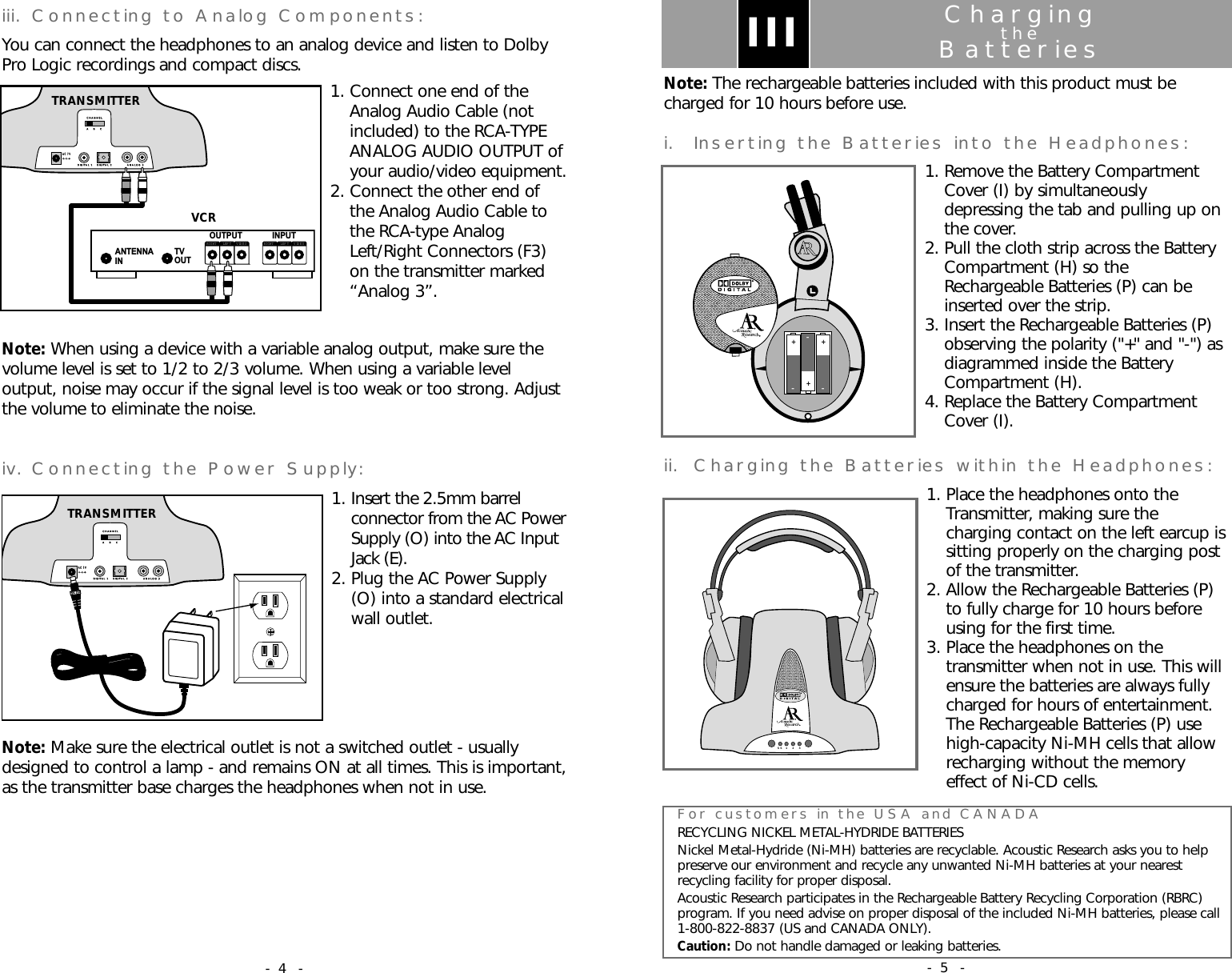
ChargingtheBatteriesNote: The rechargeable batteries included with this product must becharged for 10 hours before use.i. Inserting the Batteries into the Headphones:1. Remove the Battery CompartmentCover (I) by simultaneouslydepressing the tab and pulling up onthe cover.2. Pull the cloth strip across the BatteryCompartment (H) so theRechargeable Batteries (P) can beinserted over the strip.3. Insert the Rechargeable Batteries (P)observing the polarity ("+" and "-") asdiagrammed inside the BatteryCompartment (H).4. Replace the Battery CompartmentCover (I).ii. Charging the Batteries within the Headphones:1. Place the headphones onto theTransmitter, making sure thecharging contact on the left earcup issitting properly on the charging postof the transmitter.2. Allow the Rechargeable Batteries (P)to fully charge for 10 hours beforeusing for the first time.3. Place the headphones on thetransmitter when not in use. This willensure the batteries are always fullycharged for hours of entertainment.The Rechargeable Batteries (P) usehigh-capacity Ni-MH cells that allowrecharging without the memoryeffect of Ni-CD cells.III–+––++For customers in the USA and CANADARECYCLING NICKEL METAL-HYDRIDE BATTERIESNickel Metal-Hydride (Ni-MH) batteries are recyclable. Acoustic Research asks you to helppreserve our environment and recycle any unwanted Ni-MH batteries at your nearestrecycling facility for proper disposal.Acoustic Research participates in the Rechargeable Battery Recycling Corporation (RBRC)program. If you need advise on proper disposal of the included Ni-MH batteries, please call1-800-822-8837 (US and CANADA ONLY).Caution: Do not handle damaged or leaking batteries.SS  1    2   3- 5 -iii. Connecting to Analog Components:You can connect the headphones to an analog device and listen to DolbyPro Logic recordings and compact discs. 1. Connect one end of theAnalog Audio Cable (notincluded) to the RCA-TYPEANALOG AUDIO OUTPUT ofyour audio/video equipment.2. Connect the other end ofthe Analog Audio Cable tothe RCA-type AnalogLeft/Right Connectors (F3)on the transmitter marked“Analog 3”.Note: When using a device with a variable analog output, make sure thevolume level is set to 1/2 to 2/3 volume. When using a variable leveloutput, noise may occur if the signal level is too weak or too strong. Adjustthe volume to eliminate the noise.iv. Connecting the Power Supply:1. Insert the 2.5mm barrelconnector from the AC PowerSupply (O) into the AC InputJack (E).2. Plug the AC Power Supply(O) into a standard electricalwall outlet. Note: Make sure the electrical outlet is not a switched outlet - usuallydesigned to control a lamp - and remains ON at all times. This is important,as the transmitter base charges the headphones when not in use.ANTENNAIN TVOUTINPUTOUTPUTRIGHT LEF T V ID E ORIGHT LEF T VIDEOVCRA    B    CA    B    CCHANNELCHANNELDIGITAL 1DIGITAL 1DIGITAL 2DIGITAL 2ANALOG 3ANALOG 3AC 7VAC 7VTRANSMITTERA    B    CA    B    CCHANNELCHANNELDIGITAL 1DIGITAL 1DIGITAL 2DIGITAL 2ANALOG 3ANALOG 3AC 7VAC 7VTRANSMITTER- 4 -
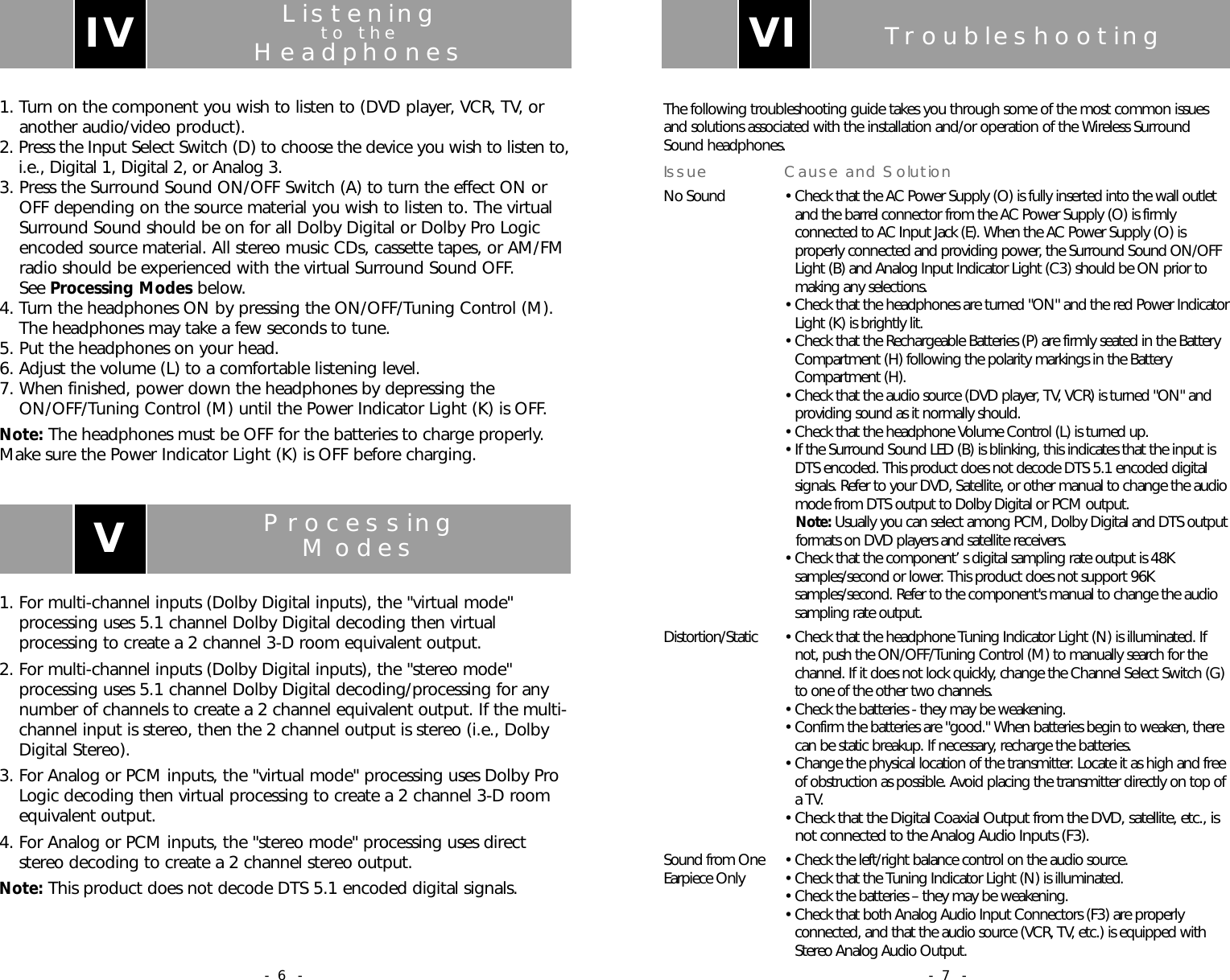
TroubleshootingThe following troubleshooting guide takes you through some of the most common issuesand solutions associated with the installation and/or operation of the Wireless SurroundSound headphones.Issue Cause and SolutionNo Sound • Check that the AC Power Supply (O) is fully inserted into the wall outletand the barrel connector from the AC Power Supply (O) is firmlyconnected to AC Input Jack (E). When the AC Power Supply (O) isproperly connected and providing power, the Surround Sound ON/OFFLight (B) and Analog Input Indicator Light (C3) should be ON prior tomaking any selections.• Check that the headphones are turned "ON" and the red Power IndicatorLight (K) is brightly lit.• Check that the Rechargeable Batteries (P) are firmly seated in the BatteryCompartment (H) following the polarity markings in the BatteryCompartment (H).• Check that the audio source (DVD player, TV, VCR) is turned "ON" andproviding sound as it normally should.• Check that the headphone Volume Control (L) is turned up.• If the Surround Sound LED (B) is blinking, this indicates that the input isDTS encoded. This product does not decode DTS 5.1 encoded digitalsignals. Refer to your DVD, Satellite, or other manual to change the audiomode from DTS output to Dolby Digital or PCM output.Note: Usually you can select among PCM, Dolby Digital and DTS outputformats on DVD players and satellite receivers.• Check that the component’s digital sampling rate output is 48Ksamples/second or lower. This product does not support 96Ksamples/second. Refer to the component's manual to change the audiosampling rate output.Distortion/Static • Check that the headphone Tuning Indicator Light (N) is illuminated. Ifnot, push the ON/OFF/Tuning Control (M) to manually search for thechannel. If it does not lock quickly, change the Channel Select Switch (G)to one of the other two channels.• Check the batteries - they may be weakening.• Confirm the batteries are "good." When batteries begin to weaken, therecan be static breakup. If necessary, recharge the batteries.• Change the physical location of the transmitter. Locate it as high and freeof obstruction as possible. Avoid placing the transmitter directly on top ofa TV.• Check that the Digital Coaxial Output from the DVD, satellite, etc., isnot connected to the Analog Audio Inputs (F3).Sound from One • Check the left/right balance control on the audio source.Earpiece Only  • Check that the Tuning Indicator Light (N) is illuminated.• Check the batteries – they may be weakening.• Check that both Analog Audio Input Connectors (F3) are properlyconnected, and that the audio source (VCR, TV, etc.) is equipped withStereo Analog Audio Output.VI- 7 -Listeningto theHeadphones1. Turn on the component you wish to listen to (DVD player, VCR, TV, oranother audio/video product).2. Press the Input Select Switch (D) to choose the device you wish to listen to,i.e., Digital 1, Digital 2, or Analog 3.3. Press the Surround Sound ON/OFF Switch (A) to turn the effect ON orOFF depending on the source material you wish to listen to. The virtualSurround Sound should be on for all Dolby Digital or Dolby Pro Logicencoded source material. All stereo music CDs, cassette tapes, or AM/FMradio should be experienced with the virtual Surround Sound OFF. See Processing Modes below.4. Turn the headphones ON by pressing the ON/OFF/Tuning Control (M).The headphones may take a few seconds to tune.5. Put the headphones on your head.6. Adjust the volume (L) to a comfortable listening level.7. When finished, power down the headphones by depressing theON/OFF/Tuning Control (M) until the Power Indicator Light (K) is OFF.Note: The headphones must be OFF for the batteries to charge properly.Make sure the Power Indicator Light (K) is OFF before charging.IVProcessingModes1. For multi-channel inputs (Dolby Digital inputs), the "virtual mode"processing uses 5.1 channel Dolby Digital decoding then virtualprocessing to create a 2 channel 3-D room equivalent output.2. For multi-channel inputs (Dolby Digital inputs), the "stereo mode"processing uses 5.1 channel Dolby Digital decoding/processing for anynumber of channels to create a 2 channel equivalent output. If the multi-channel input is stereo, then the 2 channel output is stereo (i.e., DolbyDigital Stereo).3. For Analog or PCM inputs, the "virtual mode" processing uses Dolby ProLogic decoding then virtual processing to create a 2 channel 3-D roomequivalent output.4. For Analog or PCM inputs, the "stereo mode" processing uses directstereo decoding to create a 2 channel stereo output.Note: This product does not decode DTS 5.1 encoded digital signals. V- 6 -
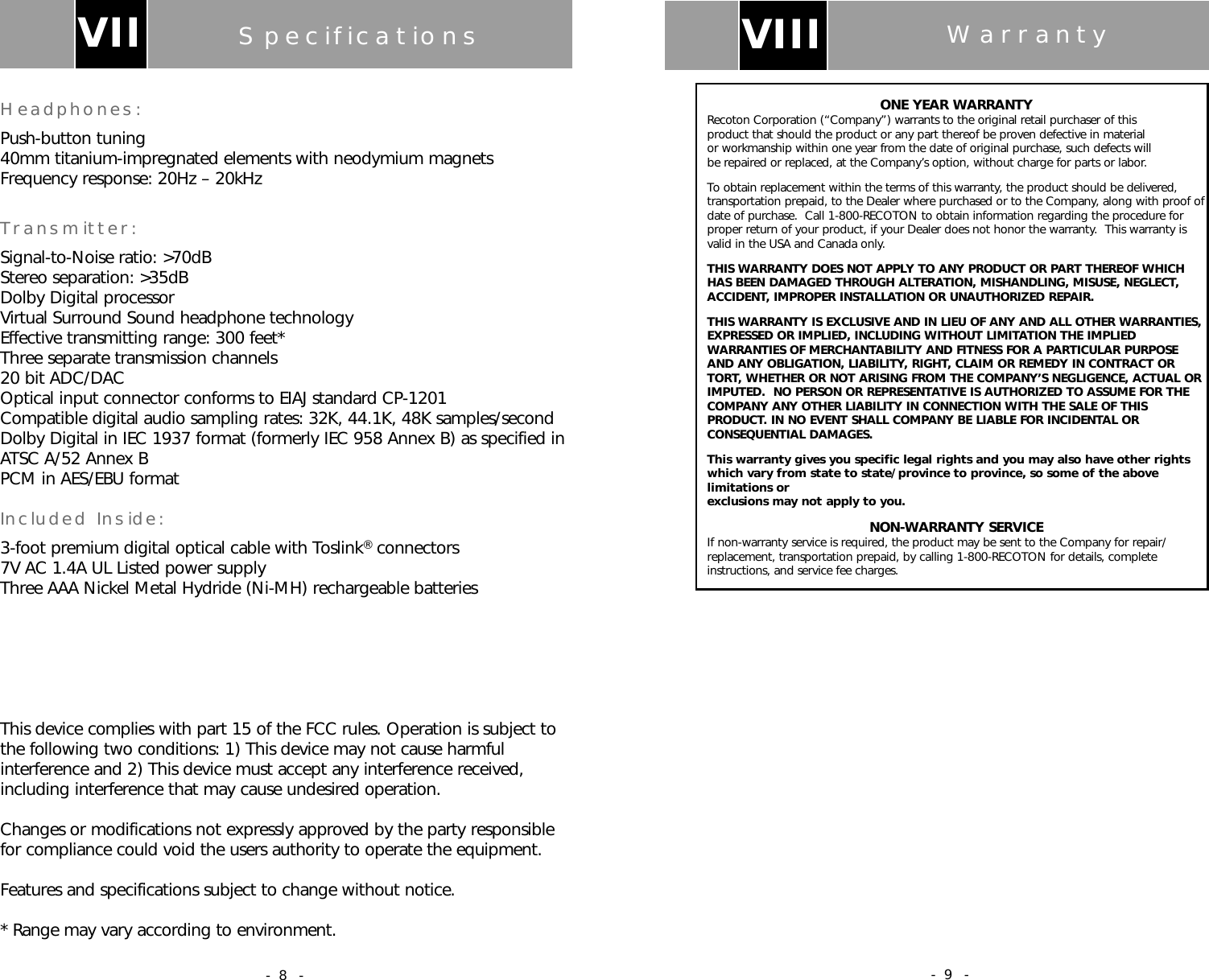
ONE YEAR WARRANTYRecoton Corporation (“Company”) warrants to the original retail purchaser of this product that should the product or any part thereof be proven defective in material or workmanship within one year from the date of original purchase, such defects will be repaired or replaced, at the Company’s option, without charge for parts or labor.To obtain replacement within the terms of this warranty, the product should be delivered,transportation prepaid, to the Dealer where purchased or to the Company, along with proof ofdate of purchase.  Call 1-800-RECOTON to obtain information regarding the procedure forproper return of your product, if your Dealer does not honor the warranty.  This warranty isvalid in the USA and Canada only.THIS WARRANTY DOES NOT APPLY TO ANY PRODUCT OR PART THEREOF WHICH HAS BEEN DAMAGED THROUGH ALTERATION, MISHANDLING, MISUSE, NEGLECT,ACCIDENT, IMPROPER INSTALLATION OR UNAUTHORIZED REPAIR.THIS WARRANTY IS EXCLUSIVE AND IN LIEU OF ANY AND ALL OTHER WARRANTIES,EXPRESSED OR IMPLIED, INCLUDING WITHOUT LIMITATION THE IMPLIEDWARRANTIES OF MERCHANTABILITY AND FITNESS FOR A PARTICULAR PURPOSEAND ANY OBLIGATION, LIABILITY, RIGHT, CLAIM OR REMEDY IN CONTRACT ORTORT, WHETHER OR NOT ARISING FROM THE COMPANY’S NEGLIGENCE, ACTUAL ORIMPUTED.  NO PERSON OR REPRESENTATIVE IS AUTHORIZED TO ASSUME FOR THECOMPANY ANY OTHER LIABILITY IN CONNECTION WITH THE SALE OF THISPRODUCT. IN NO EVENT SHALL COMPANY BE LIABLE FOR INCIDENTAL ORCONSEQUENTIAL DAMAGES.This warranty gives you specific legal rights and you may also have other rightswhich vary from state to state/province to province, so some of the abovelimitations or exclusions may not apply to you.NON-WARRANTY SERVICEIf non-warranty service is required, the product may be sent to the Company for repair/replacement, transportation prepaid, by calling 1-800-RECOTON for details, completeinstructions, and service fee charges.VIII Warranty- 9 -SpecificationsHeadphones:Push-button tuning40mm titanium-impregnated elements with neodymium magnetsFrequency response: 20Hz – 20kHzTransmitter:Signal-to-Noise ratio: >70dBStereo separation: >35dBDolby Digital processorVirtual Surround Sound headphone technologyEffective transmitting range: 300 feet*Three separate transmission channels20 bit ADC/DACOptical input connector conforms to EIAJ standard CP-1201Compatible digital audio sampling rates: 32K, 44.1K, 48K samples/secondDolby Digital in IEC 1937 format (formerly IEC 958 Annex B) as specified inATSC A/52 Annex BPCM in AES/EBU formatIncluded Inside:3-foot premium digital optical cable with Toslink®connectors7V AC 1.4A UL Listed power supplyThree AAA Nickel Metal Hydride (Ni-MH) rechargeable batteriesThis device complies with part 15 of the FCC rules. Operation is subject tothe following two conditions: 1) This device may not cause harmfulinterference and 2) This device must accept any interference received,including interference that may cause undesired operation.Changes or modifications not expressly approved by the party responsiblefor compliance could void the users authority to operate the equipment.Features and specifications subject to change without notice.* Range may vary according to environment.VII- 8 -

Navigation menu