Riedel Communications and Co KG ANT101019 Wireless Intercom System User Manual Bolero Antenna Quick Start Guide A00

Riedel Communications GmbH&Co; KG Wireless Intercom System Bolero Antenna Quick Start Guide A00

user_manual

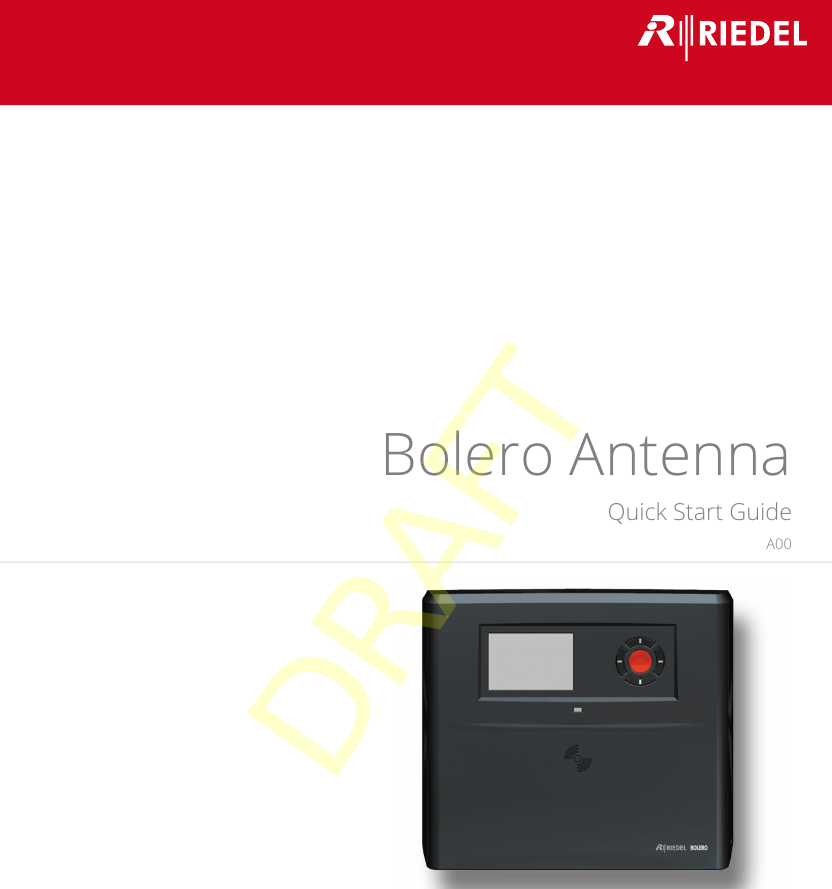
Bolero AntennaQuick Start GuideA0003-301HB01EGDRAFT
© 2017 RIEDEL COMMUNICATIONS GmbH & Co KG. ALL RIGHTS RESERVED.UNDER THE COPYRIGHT LAWS, THIS MANUAL MAY NOT BE COPIED, IN WHOLE OR IN PART, WITHOUT THE WRITTEN CONSENT OF RIEDEL. EVERYEFFORT HAS BEEN MADE TO ENSURE THAT THE INFORMATION IN THIS MANUAL IS ACCURATE. RIEDEL IS NOT RESPONSIBLE FOR PRINTING ORCLERICAL ERRORS. ALL TRADEMARKS ARE THE PROPERTY OF THEIR RESPECTIVE OWNERS.This device complies with Part 15 of the FCC Rules and with Industry Canada licence-exempt RSS standard(s). Operation is subject to the following two conditions: (1) this device may not cause harmful interference, and (2) this device must accept any interference received, including interference that may cause undesired operation.Le présent appareil est conforme aux CNR d'Industrie Canada applicables aux appareils radio exempts de licence. L'exploitation est autorisée aux deux conditions suivantes: (1) l'appareil ne doit pas produire de brouillage, et (2) l'utilisateur de l'appareil doit accepter tout brouillage radioélectrique subi, même si le brouillage est susceptible d'en compromettre le fonctionnement.This equipment has been tested and found to comply with the limits for a Class A digital device, pursuant to Part 15 of the FCC Rules. These limits are designed to provide reasonable protection against harmful interference when the equipment is operated in a commercial environment. This equipmentgenerates, uses, and can radiate radio frequency energy and, if not installed and used in accordance with the instruction manual, may cause harmful interference to radiocommunications. Operation of this equipment in a residential area is likely to cause harmful interference in which case the user will be required to correct the interferenceat his own expense.Changes or modifications made to this equipment not expressly approved by Riedel may void the FCC authorization to operate this equipment.Radiofrequency radiation exposure Information:This equipment complies with FCC radiation exposure limits set forth for an uncontrolled environment.This equipment should be installed and operated with minimum distance of 20 cm between the radiator and your body.This transmitter must not be co-located or operating in conjunction with any other antenna or transmitter.DRAFT
Bolero Antenna Quick Start Guide A00CONTENT1Preface                                                                                                                                                                                         4Information ........................................................................................................................................................ 51.1About Bolero ...................................................................................................................................................... 81.22Bolero Antenna                                                                                                                                                                         9Operating Elements .......................................................................................................................................... 92.1Status LEDs ...................................................................................................................................................... 112.2Getting Started ................................................................................................................................................ 132.3Technical Specifications .................................................................................................................................. 132.43Appendix                                                                                                                                                                                   14Service .............................................................................................................................................................. 143.1Notes ................................................................................................................................................................ 153.2Index .............................................................................................................................................................................. 17DRAFT
4Bolero Antenna Quick Start Guide A001 PrefaceThank you for choosing a Riedel product.This PDF document provides detailed information about the Bolero Antenna, pin outs, mechanical and electrical data.For further information, please refer to the Riedel Website or contact your local distributor or the Riedel headquartersin Wuppertal.NOTICEThis manual, as well as the software and any examples contained herein are provided “as is” and are subject to changewithout notice. The content of this manual is for informational purpose only and should not be construed as acommitment by Riedel Communications GmbH & Co. KG & Co. KG or its suppliers. Riedel Communications GmbH & Co.KG & Co. KG gives no warranty of any kind with regard to this manual or the software, including, but not limited to, theimplied warranties of merchantability and fitness for a particular purpose. Riedel Communications GmbH & Co. KG &Co. KG shall not be liable for any errors, inaccuracies or for incidental or consequential damages in connection with thefurnishing, performance or use of this manual, the software or the examples herein. Riedel Communications GmbH &Co. KG & Co. KG reserves all patent, proprietary design, title and intellectual property rights contained herein, including,but not limited to, any images, text, photographs incorporated into the manual or software. All title and intellectual property rights in and to the content that is accessed through use of the products is theproperty of the respective owner and may be protected by applicable copyright or other intellectual property laws andtreaties. 03-301HB01EG-A00Bolero Antenna Quick Start Guide© April 2017 Copyright Riedel Communications GmbH & Co. KG. All rights reserved.Reproduction, adaptation, or translation of this manual in whole or in part is prohibited without prior writtenpermission of Riedel Communications GmbH & Co. KG, except as allowed under the copyright laws.All other trademarks are the property of their respective owner.DRAFT
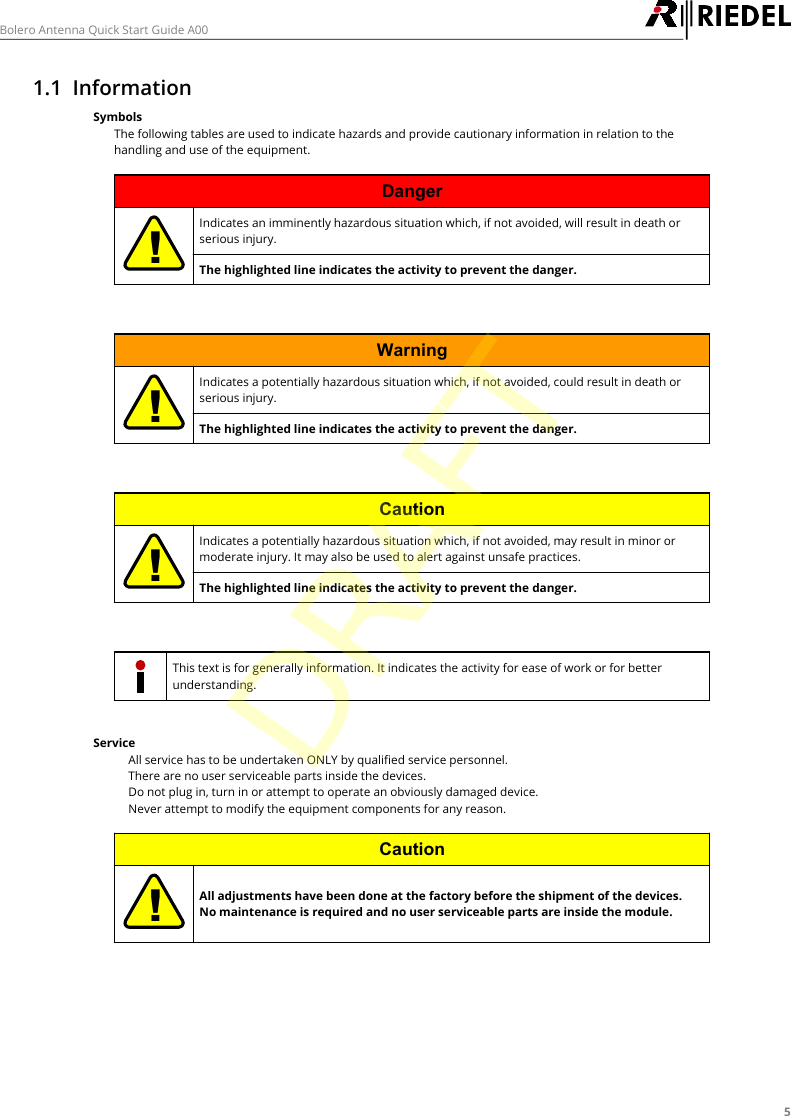
5Bolero Antenna Quick Start Guide A001.1 InformationSymbolsThe following tables are used to indicate hazards and provide cautionary information in relation to thehandling and use of the equipment.Danger!Indicates an imminently hazardous situation which, if not avoided, will result in death orserious injury.The highlighted line indicates the activity to prevent the danger.Warning!Indicates a potentially hazardous situation which, if not avoided, could result in death orserious injury.The highlighted line indicates the activity to prevent the danger.Caution!Indicates a potentially hazardous situation which, if not avoided, may result in minor ormoderate injury. It may also be used to alert against unsafe practices.The highlighted line indicates the activity to prevent the danger.This text is for generally information. It indicates the activity for ease of work or for betterunderstanding.Service·All service has to be undertaken ONLY by qualified service personnel.·There are no user serviceable parts inside the devices.·Do not plug in, turn in or attempt to operate an obviously damaged device.·Never attempt to modify the equipment components for any reason.Caution!All adjustments have been done at the factory before the shipment of the devices.No maintenance is required and no user serviceable parts are inside the module.DRAFT
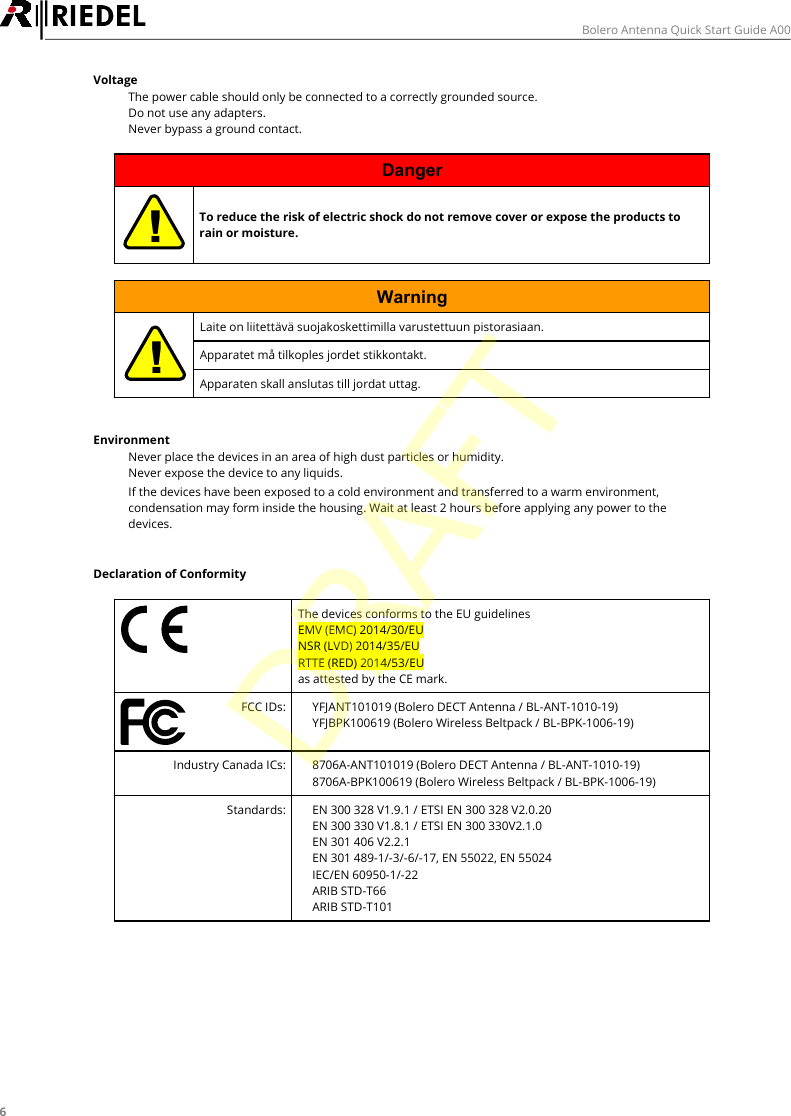
6Bolero Antenna Quick Start Guide A00Voltage·The power cable should only be connected to a correctly grounded source.·Do not use any adapters.·Never bypass a ground contact.Danger!To reduce the risk of electric shock do not remove cover or expose the products torain or moisture.Warning!Laite on liitettävä suojakoskettimilla varustettuun pistorasiaan.Apparatet må tilkoples jordet stikkontakt.Apparaten skall anslutas till jordat uttag.Environment·Never place the devices in an area of high dust particles or humidity.·Never expose the device to any liquids.·If the devices have been exposed to a cold environment and transferred to a warm environment,condensation may form inside the housing. Wait at least 2 hours before applying any power to thedevices.Declaration of ConformityThe devices conforms to the EU guidelines EMV (EMC) 2014/30/EUNSR (LVD) 2014/35/EURTTE (RED) 2014/53/EUas attested by the CE mark.FCC IDs:·YFJANT101019 (Bolero DECT Antenna / BL-ANT-1010-19)·YFJBPK100619 (Bolero Wireless Beltpack / BL-BPK-1006-19)Industry Canada ICs:·8706A-ANT101019 (Bolero DECT Antenna / BL-ANT-1010-19)·8706A-BPK100619 (Bolero Wireless Beltpack / BL-BPK-1006-19)Standards:·EN 300 328 V1.9.1 / ETSI EN 300 328 V2.0.20·EN 300 330 V1.8.1 / ETSI EN 300 330V2.1.0·EN 301 406 V2.2.1·EN 301 489-1/-3/-6/-17, EN 55022, EN 55024·IEC/EN 60950-1/-22·ARIB STD-T66·ARIB STD-T101DRAFT
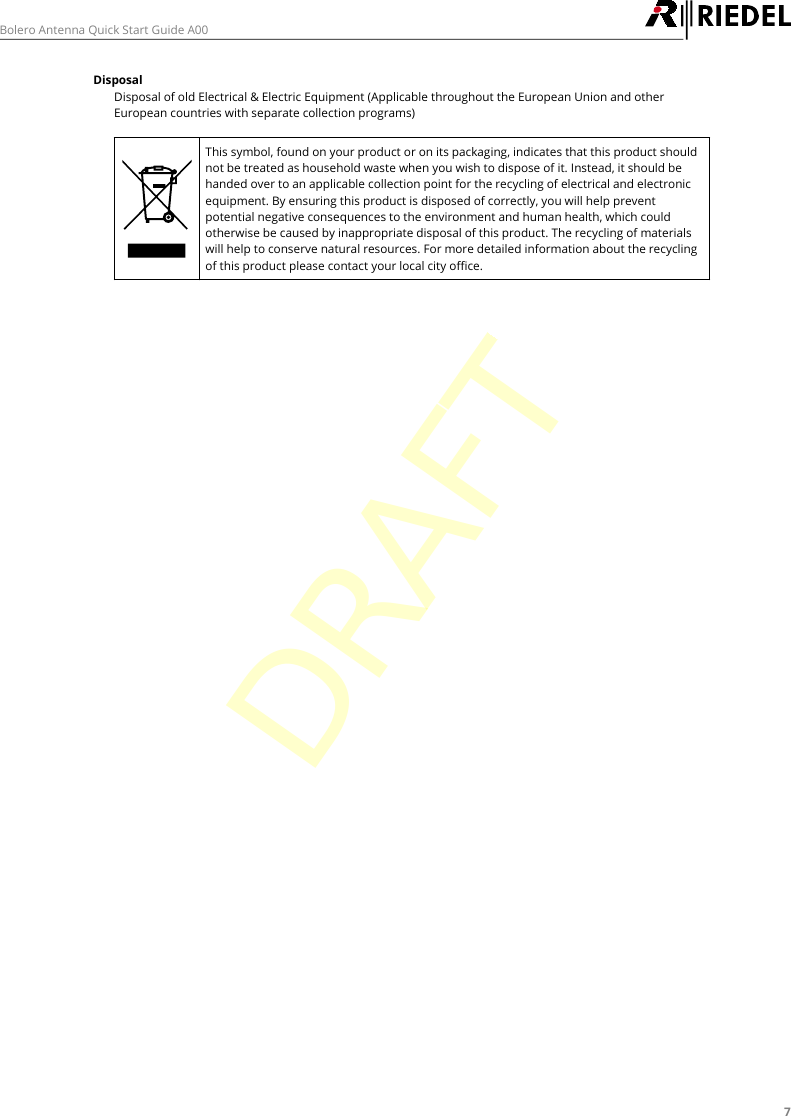
7Bolero Antenna Quick Start Guide A00DisposalDisposal of old Electrical & Electric Equipment (Applicable throughout the European Union and otherEuropean countries with separate collection programs) This symbol, found on your product or on its packaging, indicates that this product shouldnot be treated as household waste when you wish to dispose of it. Instead, it should behanded over to an applicable collection point for the recycling of electrical and electronicequipment. By ensuring this product is disposed of correctly, you will help preventpotential negative consequences to the environment and human health, which couldotherwise be caused by inappropriate disposal of this product. The recycling of materialswill help to conserve natural resources. For more detailed information about the recyclingof this product please contact your local city office.DRAFT
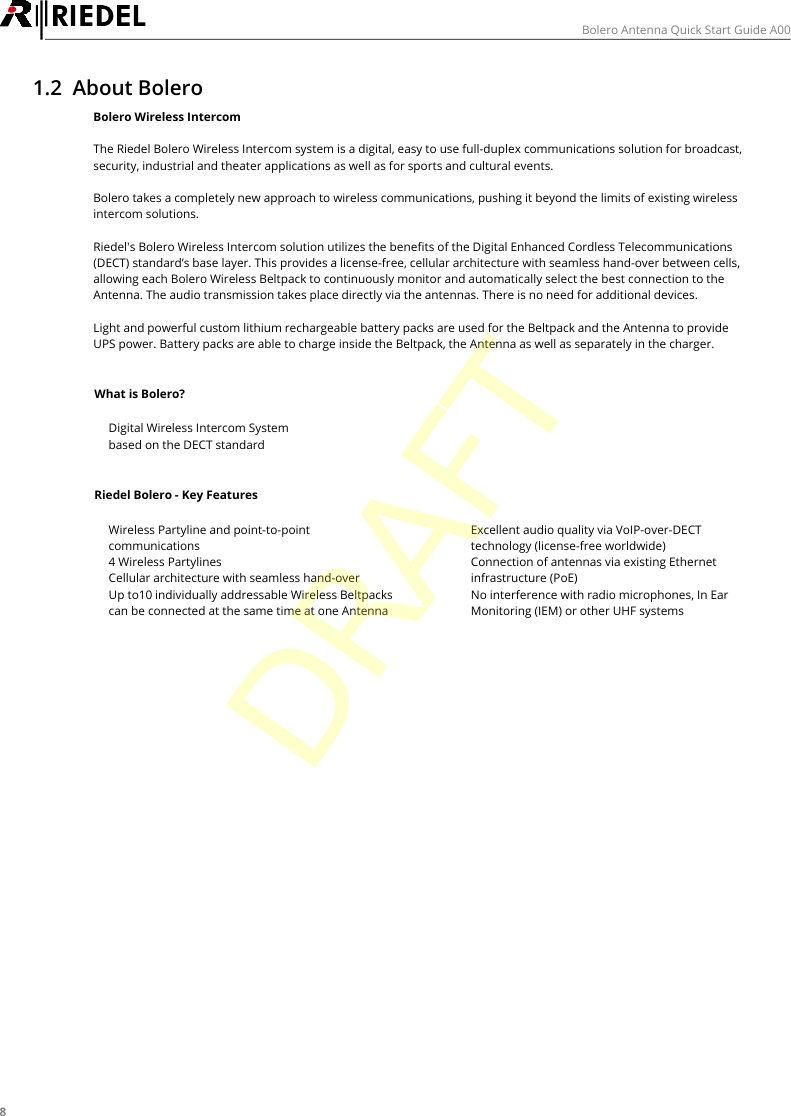
8Bolero Antenna Quick Start Guide A001.2 About BoleroBolero Wireless IntercomThe Riedel Bolero Wireless Intercom system is a digital, easy to use full-duplex communications solution for broadcast,security, industrial and theater applications as well as for sports and cultural events.Bolero takes a completely new approach to wireless communications, pushing it beyond the limits of existing wirelessintercom solutions.Riedel's Bolero Wireless Intercom solution utilizes the benefits of the Digital Enhanced Cordless Telecommunications(DECT) standard’s base layer. This provides a license-free, cellular architecture with seamless hand-over between cells,allowing each Bolero Wireless Beltpack to continuously monitor and automatically select the best connection to theAntenna. The audio transmission takes place directly via the antennas. There is no need for additional devices.Light and powerful custom lithium rechargeable battery packs are used for the Beltpack and the Antenna to provideUPS power. Battery packs are able to charge inside the Beltpack, the Antenna as well as separately in the charger.What is Bolero?·Digital Wireless Intercom System·based on the DECT standardRiedel Bolero - Key Features·Wireless Partyline and point-to-pointcommunications·4 Wireless Partylines·Cellular architecture with seamless hand-over·Up to10 individually addressable Wireless Beltpackscan be connected at the same time at one Antenna·Excellent audio quality via VoIP-over-DECTtechnology (license-free worldwide)·Connection of antennas via existing Ethernetinfrastructure (PoE)·No interference with radio microphones, In EarMonitoring (IEM) or other UHF systemsDRAFT
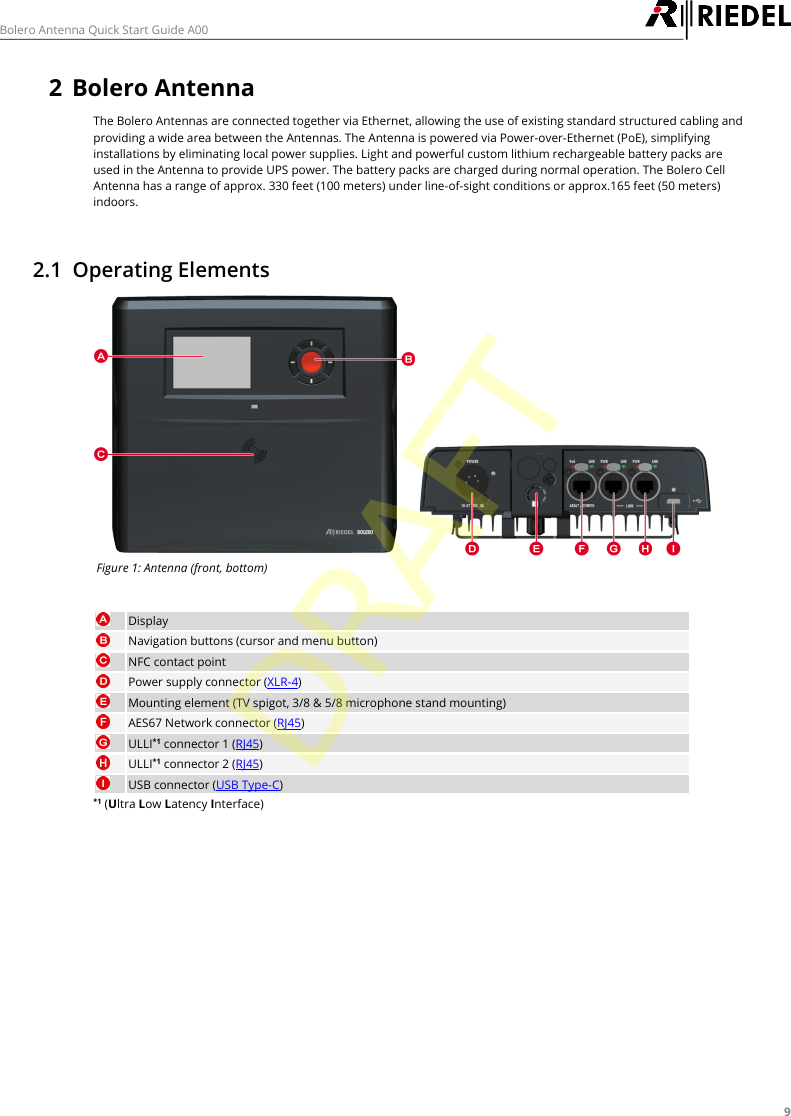
9Bolero Antenna Quick Start Guide A002Bolero AntennaThe Bolero Antennas are connected together via Ethernet, allowing the use of existing standard structured cabling andproviding a wide area between the Antennas. The Antenna is powered via Power-over-Ethernet (PoE), simplifyinginstallations by eliminating local power supplies. Light and powerful custom lithium rechargeable battery packs areused in the Antenna to provide UPS power. The battery packs are charged during normal operation. The Bolero CellAntenna has a range of approx. 330 feet (100 meters) under line-of-sight conditions or approx.165 feet (50 meters)indoors.2.1 Operating ElementsFigure 1: Antenna (front, bottom)DisplayNavigation buttons (cursor and menu button)NFC contact pointPower supply connector (XLR-4)Mounting element (TV spigot, 3/8 & 5/8 microphone stand mounting)AES67 Network connector (RJ45)ULLI*1 connector 1 (RJ45)ULLI*1 connector 2 (RJ45)USB connector (USB Type-C)*1 (Ultra Low Latency Interface)DRAFT
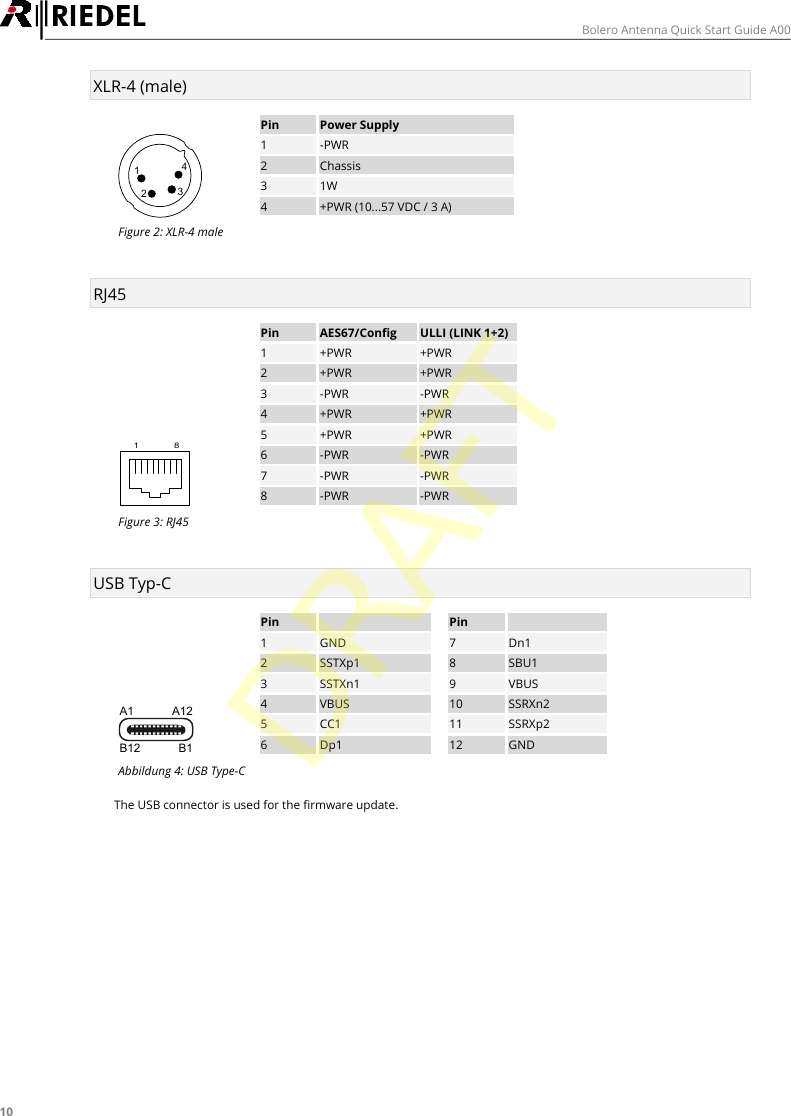
10Bolero Antenna Quick Start Guide A00XLR-4 (male)1234PinPower Supply1-PWR2Chassis31W4+PWR (10...57 VDC / 3 A)Figure 2: XLR-4 maleRJ451 8PinAES67/ConfigULLI (LINK 1+2)1+PWR+PWR2+PWR+PWR3-PWR-PWR4+PWR+PWR5+PWR+PWR6-PWR-PWR7-PWR-PWR8-PWR-PWRFigure 3: RJ45USB Typ-CA1 A12B12 B1PinPin1GND7Dn12SSTXp18SBU13SSTXn19VBUS4VBUS10SSRXn25CC111SSRXp26Dp112GNDAbbildung 4: USB Type-CThe USB connector is used for the firmware update.DRAFT
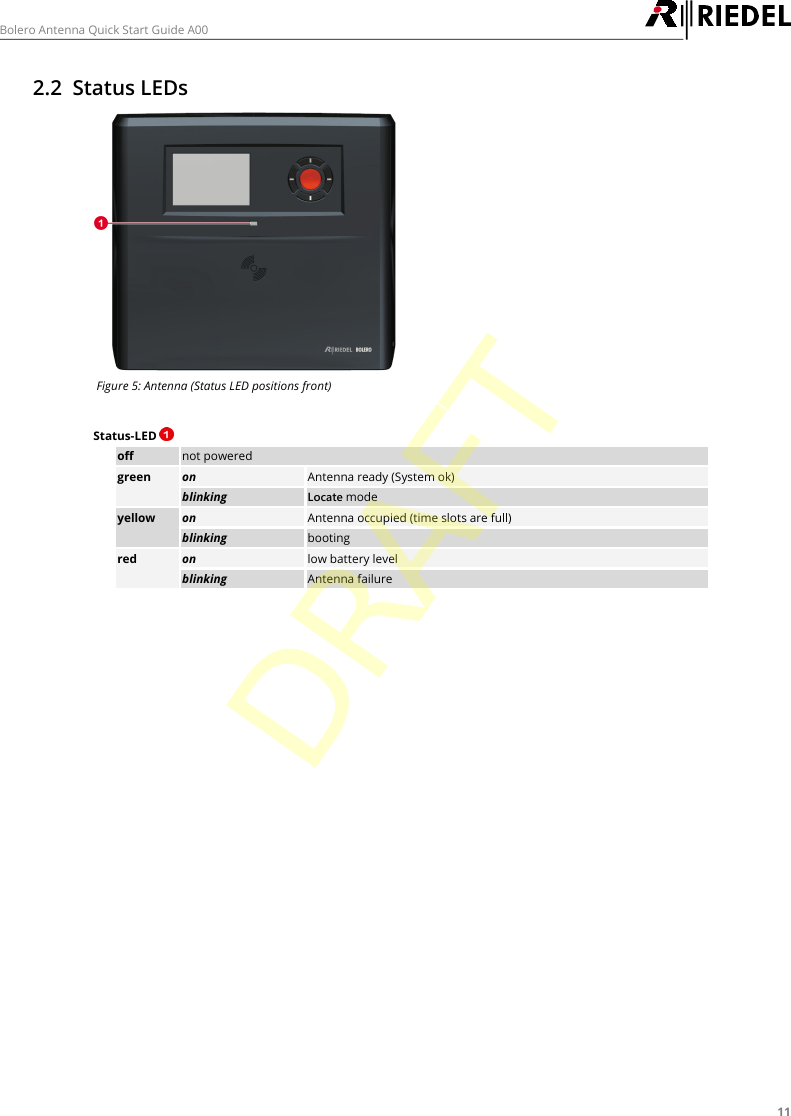
11Bolero Antenna Quick Start Guide A002.2 Status LEDsFigure 5: Antenna (Status LED positions front)Status-LED offnot poweredgreenonAntenna ready (System ok)blinkingLocate modeyellowonAntenna occupied (time slots are full)blinkingbootingredonlow battery levelblinkingAntenna failureDRAFT
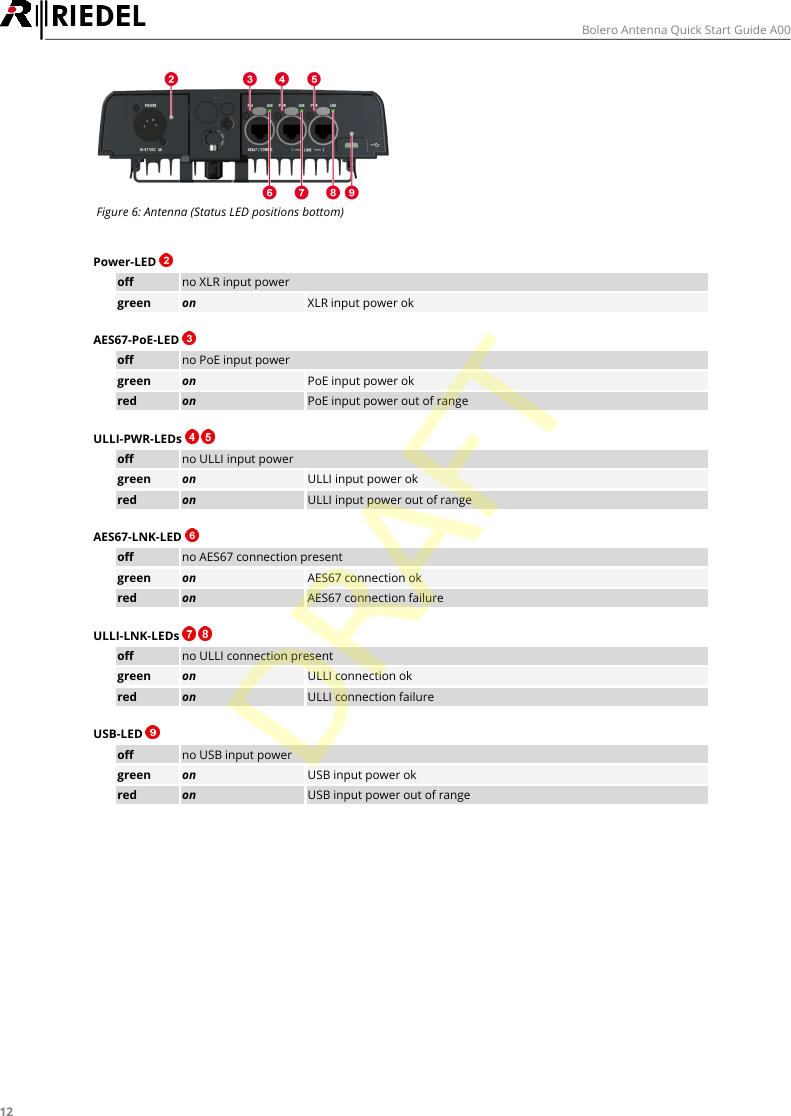
12Bolero Antenna Quick Start Guide A00Figure 6: Antenna (Status LED positions bottom)Power-LED offno XLR input powergreenonXLR input power okAES67-PoE-LED offno PoE input powergreenonPoE input power okredonPoE input power out of rangeULLI-PWR-LEDs   offno ULLI input powergreenonULLI input power okredonULLI input power out of rangeAES67-LNK-LED offno AES67 connection presentgreenonAES67 connection okredonAES67 connection failureULLI-LNK-LEDs   offno ULLI connection presentgreenonULLI connection okredonULLI connection failureUSB-LED offno USB input powergreenonUSB input power okredonUSB input power out of rangeDRAFT
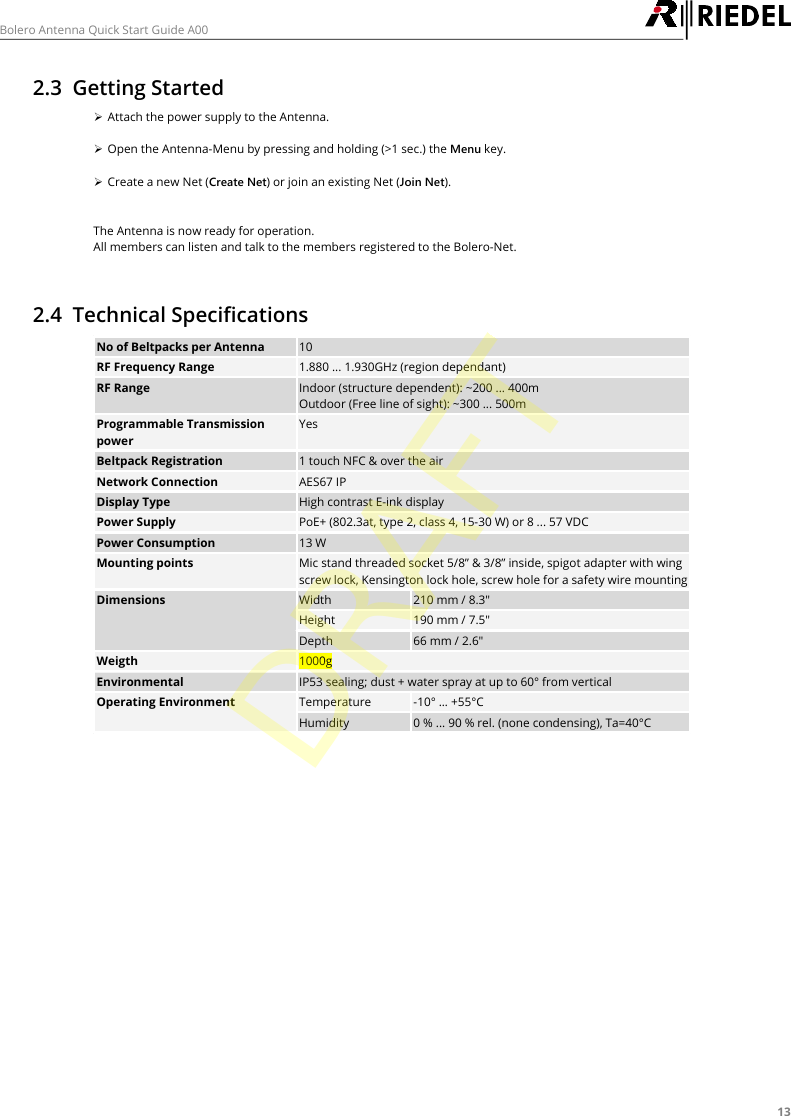
13Bolero Antenna Quick Start Guide A002.3 Getting StartedØAttach the power supply to the Antenna.ØOpen the Antenna-Menu by pressing and holding (>1 sec.) the Menu key.ØCreate a new Net (Create Net) or join an existing Net (Join Net).The Antenna is now ready for operation.All members can listen and talk to the members registered to the Bolero-Net.2.4 Technical SpecificationsNo of Beltpacks per Antenna10RF Frequency Range1.880 ... 1.930GHz (region dependant)RF RangeIndoor (structure dependent): ~200 ... 400mOutdoor (Free line of sight): ~300 ... 500mProgrammable TransmissionpowerYesBeltpack Registration1 touch NFC & over the airNetwork ConnectionAES67 IPDisplay TypeHigh contrast E-ink displayPower SupplyPoE+ (802.3at, type 2, class 4, 15-30 W) or 8 ... 57 VDCPower Consumption13 WMounting pointsMic stand threaded socket 5/8” & 3/8” inside, spigot adapter with wingscrew lock, Kensington lock hole, screw hole for a safety wire mountingDimensionsWidth210 mm / 8.3"Height190 mm / 7.5"Depth66 mm / 2.6"Weigth1000gEnvironmentalIP53 sealing; dust + water spray at up to 60° from verticalOperating EnvironmentTemperature-10° … +55°CHumidity0 % ... 90 % rel. (none condensing), Ta=40°CDRAFT
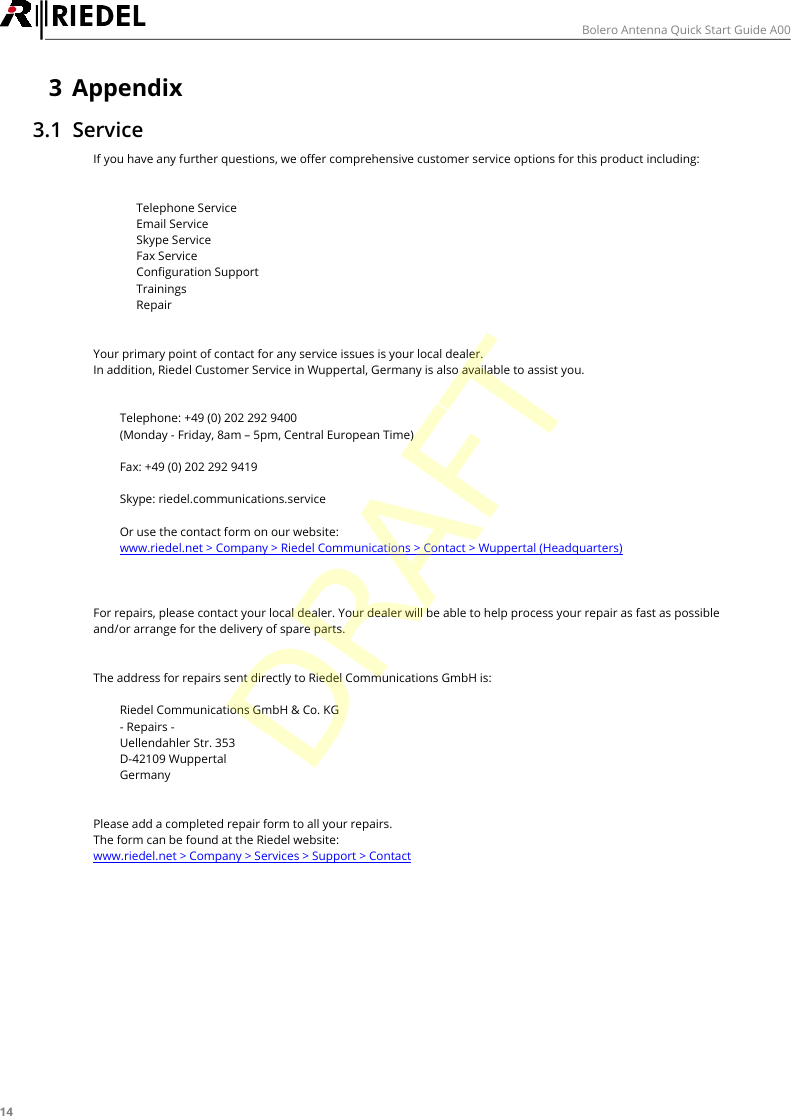
14Bolero Antenna Quick Start Guide A003 Appendix3.1 ServiceIf you have any further questions, we offer comprehensive customer service options for this product including:·Telephone Service·Email Service·Skype Service·Fax Service·Configuration Support·Trainings·RepairYour primary point of contact for any service issues is your local dealer.In addition, Riedel Customer Service in Wuppertal, Germany is also available to assist you.Telephone: +49 (0) 202 292 9400(Monday - Friday, 8am – 5pm, Central European Time)Fax: +49 (0) 202 292 9419Skype: riedel.communications.serviceOr use the contact form on our website:www.riedel.net > Company > Riedel Communications > Contact > Wuppertal (Headquarters)For repairs, please contact your local dealer. Your dealer will be able to help process your repair as fast as possibleand/or arrange for the delivery of spare parts.The address for repairs sent directly to Riedel Communications GmbH is:Riedel Communications GmbH & Co. KG- Repairs -Uellendahler Str. 353D-42109 WuppertalGermanyPlease add a completed repair form to all your repairs.The form can be found at the Riedel website:www.riedel.net > Company > Services > Support > ContactDRAFT
15Bolero Antenna Quick Start Guide A003.2 NotesDRAFT
16Bolero Antenna Quick Start Guide A00NotesDRAFT
17Bolero Antenna Quick Start Guide A00Index- A -About Bolero     8AES67-LNK-LED (Antenna)     12AES67-PoE-LED (Antenna)     12- B -Bolero Antenna     9- C -CE Declaration of Conformity     5Configuration Support     14contact     14- D -Dimensions (Antenna)     13Disposal     5- E -Email     14Environment     5- F -Fax     14Firmware Update     10- G -Getting Started (Antenna)     13- L -Ladebuchsen Pinbelegung     10- N -Notes     15- O -Operating Elements (Antenna)     9Operating Environment (Antenna)     13- P -Power (Antenna)     13Power-LED (Antenna)     12Preface     4- R -Repair     14RJ-45     10- S -Service     5, 14Skype     14Status LEDs (Antenna)     11Status-LED (Antenna)     11Symbols     5- T -Technical Specifications (Antenna)     13Telephone     14Trainings     14- U -ULLI-LNK-LEDs (Antenna)     12ULLI-PWR-LEDs (Antenna)     12USB Type-C     10USB-LED (Antenna)     12- V -Ventilation     5Voltage     5- W -Weight (Antenna)     13- X -XLR-4 männlich     10DRAFT
www.riedel.netRiedel Communications GmbH & Co. KG | Uellendahler Str. 353 | 42109 Wuppertal | GermanyDRAFT

Navigation menu