Royqueen Audio Technology H620 Bluetooth Speaker User Manual
Shenzhen Royqueen Audio Technology Co., Ltd. Bluetooth Speaker
User Manual

H620 User Manual
Dear customer,
Thank you for purchasing the Bluetooth Speaker H620. To ensure correct operation,
please read this user manual carefully before operation.
Important Safety Instructions
◆ Do not use the speaker in special cold, hot, dusty or humid environments.
◆ Please avoid the speaker dropping or hitting with a hard object, it may cause other
hardware damage.
◆ Keep speaker away from any source of heat/fire.
Features
1.Bluetooth Music and Mobile Hands-free Function
Bluetooth 4.2 stereo music playing, support mobile hands-free function.
2.Aux-in mode
Work as the external speaker by connecting to the audio source of computer, mobile,
PSP/MP3/MP4 etc.
3.Support FM radio
Technical Data
Bluetooth 4.2
Output: 4W*2
Working distance: 10M
Speaker drivers: 45mm*2
DC 5V,1A
Size:191.6X85.5X139.2mm
Package Contents
Speaker, Aux in cable, User Manual, 9V 2A adaptor
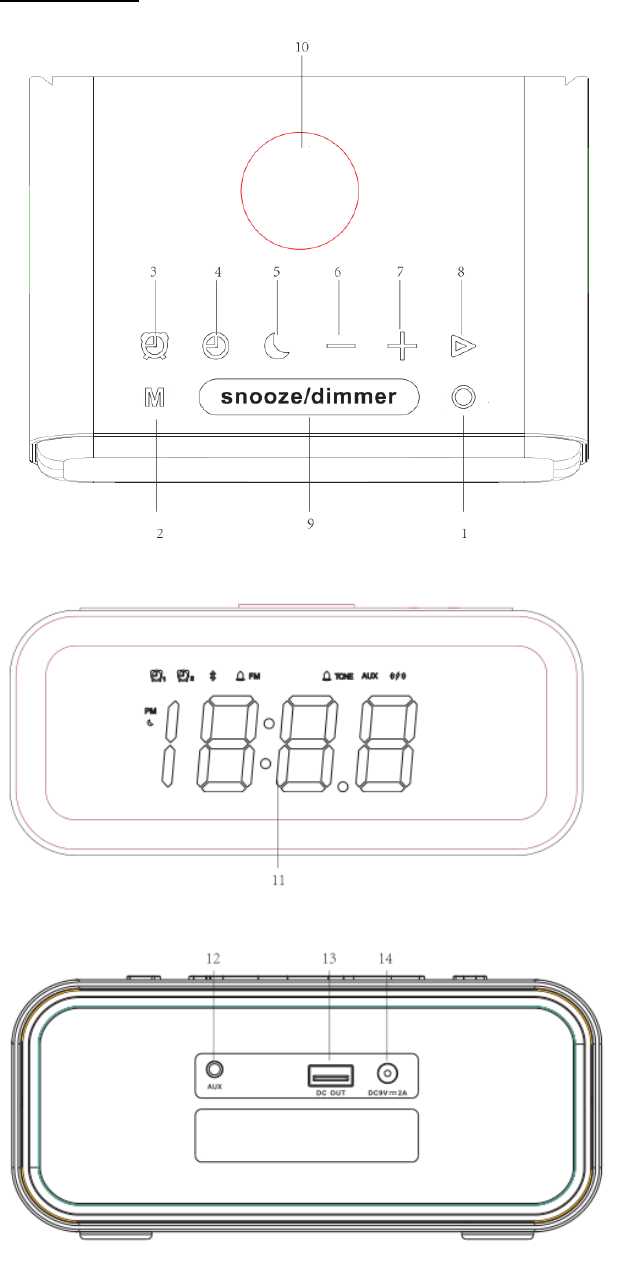
Slot and Keys

1.Power on/off
2. Mode
3. Alarm setting
4. Clock setting
5. Turn off setting
6. Vol-/previous track
7. Vol+/next track
8. Play/pause
9. snooze/dimmer
10. LOGO area
11. LED display
12. Aux In
13. DC OUT (Power bank)
14. DC IN
Instructions
1. Power on/off
Long press button for 2 seconds to power on/off the speaker
Tips: Power off speaker just cut the bluetooth music playing and FM radio, speaker still
can set Clock, Alarm and can support Wireless charging& power bank function.
2. Brightness adjustment
Short press button “snooze-dimmer” button to switch different brightness of display,
30%-70%-100%-OFF. Default brightness is 70%, and 30% when speaker off.
3.Bluetooth mode
(1) Bluetooth paired
Power on speaker, short press button to choose Bluetooth Mode, indicator will
flicker on screen. Turn on Bluetooth of mobile phone, then search device name “VAVA
VOOM 27”, choose it to connect, indicator light will keep on when connected
successfully.
(2) Bluetooth Music
Please turn on the mobile or other devices’ music player, and speaker will play the
selected music. And short press /button to increase/decrease volume,
long press / button switch next/previous song. Short press button to
pause/play.
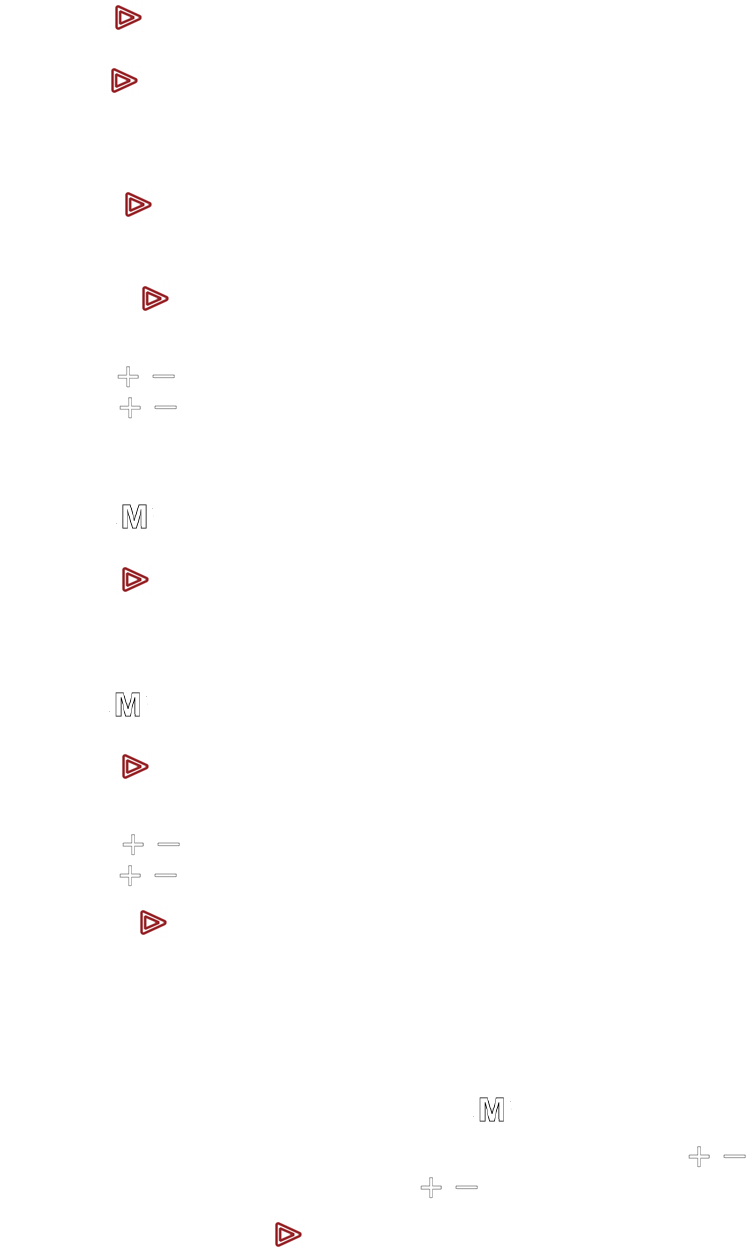
(3) Mobile Hands-free Communication
Answer/Reject the call
Short press button to answer the call
Long press button to reject the call
End the call
Short press button again to end the call
Redial the call
Double press button can dial back the last phone call
Private call
Short press /button to adjust volume
Long press / button to switch the call between the speaker and cellphone
(4) Disconnect the Current Bluetooth Connection
Long press button to disconnect current Bluetooth connection;
Long press button to disconnect current Bluetooth and clear Bluetooth devices list.
5.FM Radio
Short press button to the FM mode
Long press button to auto-search radio channels and save them.
Speaker will play first radio channel after finished auto-search.
Short press /button to next/previous channel
Long press /button to increase /decrease the volume
Short press button to pause/mute
6.Aux In
Use the 3.5mm audio cable included to connect the speaker to an audio
source(PC,MP3/MP4, Mobile phone). Short press button to enter “AUX IN” mode.
The speaker will play the music from the audio source. And short press / button
to increase/decrease volume, long press / to increase/decrease volume
continuously. Short press button to mute/play.
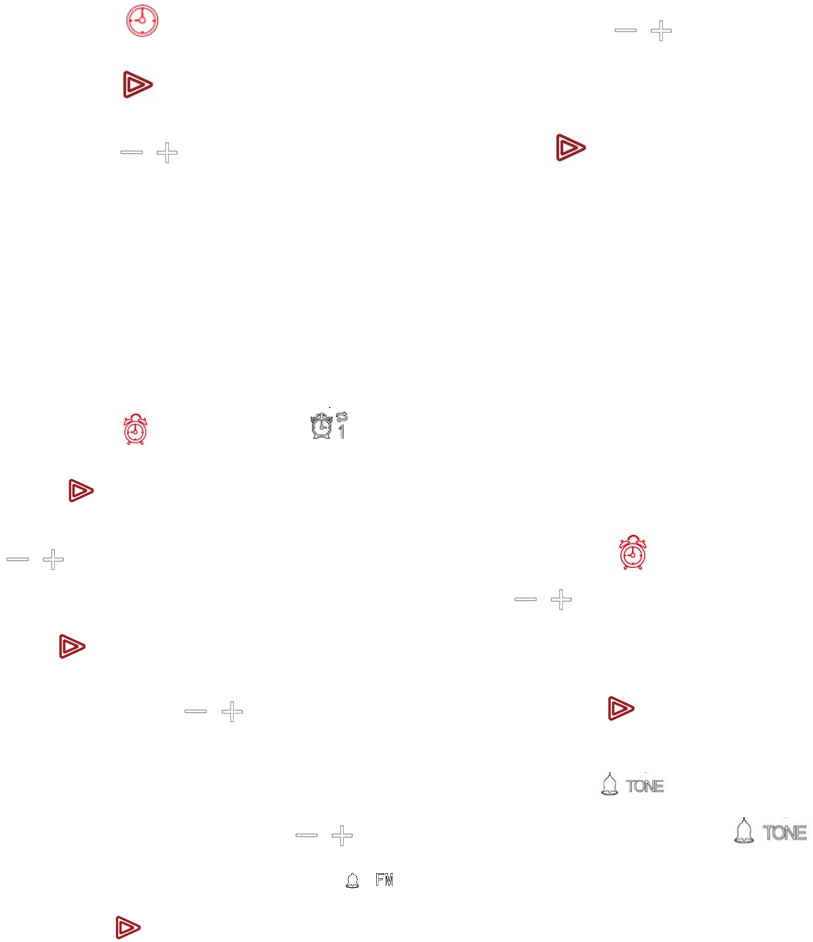
7.Clock setting
Short press button, the hour display will flicker, short press /to set hour, then
short press button to confirm hour, and minutes display will flicker at the same time,
short press / button to set minute, then short press button to confirm it.
Tips: (1) The mark PM light up means p.m., if not, it means a.m.
(2)Speaker will keep time synchronous update with IOS system phone when Bluetooth
connected, but not for Android system.
(3)The speaker can set clock at any mode
8.Alarm setting
(1)Time of alarm setting
Short press button, the mark on the screen will light up and flicker. Then short
press button to choose Alarm1 setting. (If need switch to Alarm2 setting, short press
/ to choose) . When alarm 1/ 2 setting selected, short press button to choose
hour setting, hour display will flicker. Then short press /to set hour, and short
press button to confirm hour, meanwhile the minute display will flicker to enter setting
mode, short press / button to set minute, then short press button to confirm it,
now finished alarm1 setting.
Alarm ringtones setting, after alarm time confirmed, the mark of on screen will
flicker, at the step, short press / button to choose the ringtone you like.
is alarm ringtones built-in speaker, means use the saved FM channel as ringtone,
then press button to confirm alarm ringtone.
Tips (1) Pay attention to the mark PM, to set the right time you need.
(2) Alarm ringtone only can be set the same one both alarm 1 and alarm 2.
(3) When FM radio as ringtone, it’s the latest channel you’ve played.
(2)snooze
When the alarm rings, short press “snooze” button, alarm will stop, the alarm will rings
again after nine minutes. An alarm clock can perform three snoozes.
Tips: (1)The volume of the alarm is 50% of max volume.
(
2
)
Defaut alarm rings as below: Alarm rings for 3 minutes-Pause for 5 minutes- Alarm
rings for 3 minutes-Pause for 5 minutes-Alarm rings for 3 minutes-Alarm off
(
3
)
Short press any button to stop alarm ringing except snooze/dimmer button
(
4
)
The speaker can set Alarm at any mode
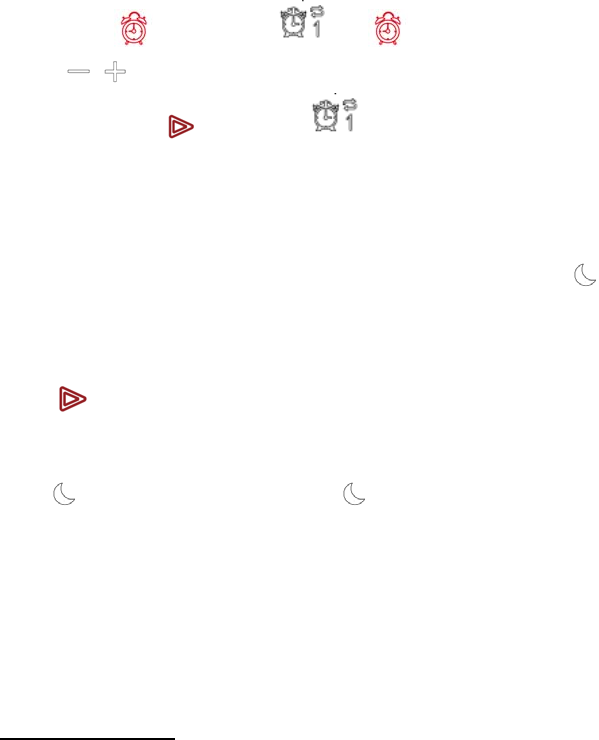
(3)Alarm off
This alarm clock is a daily cycle alarm. Please do following to cancel the Alarm setting:
Long press button, the or 2 on the display will light up and flicker,short
press / to choose you wanted to cancel Alarm( 1 or 2), the display will show OFF,
then short press button, the or Alarm 2 symbol and “OFF” will disappear, it
means alarm cancelled.
9.Timed power off
At bluetooth Mode or FM radio mode, short press the button button to choose time
for power off, screen will display 30/60/90/120 and flicker orderly, it means speaker will be
power off automatically after 30/60/90/120 minutes. Wait for 10 seconds or short
press button to confirm you choosed power off time, then you choosed time number
will stop flicker and disappear, the screen return to clock display interface and the
mark on the screen light up. The button will automatically extinguished after the
timed power off
Tips: (1) No voice prompt when timed power off.
(2) Timed power off only work once, without memory after power on again.
Troubleshooting
What should I do if the speaker can not pair with the Bluetooth device and play
music accordingly?
(1) Please check the specification/ the manual of the Bluetooth device (your mobile or
computer), and check if the device can support the A2DP stereo audio transmission. If
yes, please turn on the A2DP stereo mode.
(2) Ensure the speaker at the Bluetooth status, if there are many bluetooth devices
around you, it may be hard to scan, then please turn off other devices.
FCC WARNING
This device complies with part 15 of the FCC Rules. Operation is subject to the following two
conditions: (1) this device may not cause harmful interference, and (2) this device must accept
any interference received, including interference that may cause undesired operation.
Any changes or modifications not expressly approved by the party responsible for compliance
could void the user's authority to operate the equipment.
NOTE: This equipment has been tested and found to comply with the limits for a Class B
digital device, pursuant to Part 15 of the FCC Rules. These limits are designed to provide
reasonable protection against harmful interference in a residential installation. This equipment
generates, uses and can radiate radio frequency energy and, if not installed and used in
accordance with the instructions, may cause harmful interference to radio communications.
However, there is no guarantee that interference will not occur in a particular installation.
If this equipment does cause harmful interference to radio or television reception,
which can be determined by turning the equipment off and on, the user is encouraged to try to
correct the interference by one or more of the following measures:
-- Reorient or relocate the receiving antenna.
-- Increase the separation between the equipment and receiver.
-- Connect the equipment into an outlet on a circuit different
from that to which the receiver is connected.
-- Consult the dealer or an experienced radio/TV technician for help.
To maintain compliance with FCC’s RF Exposure guidelines, This equipment should be
installed and operated with minimum distance between 20cm the radiator your body: Use
only the supplied antenna.