Royqueen Audio Technology M600D Bluetooth Speaker User Manual M600D

Shenzhen Royqueen Audio Technology Co., Ltd. Bluetooth Speaker M600D

User manual

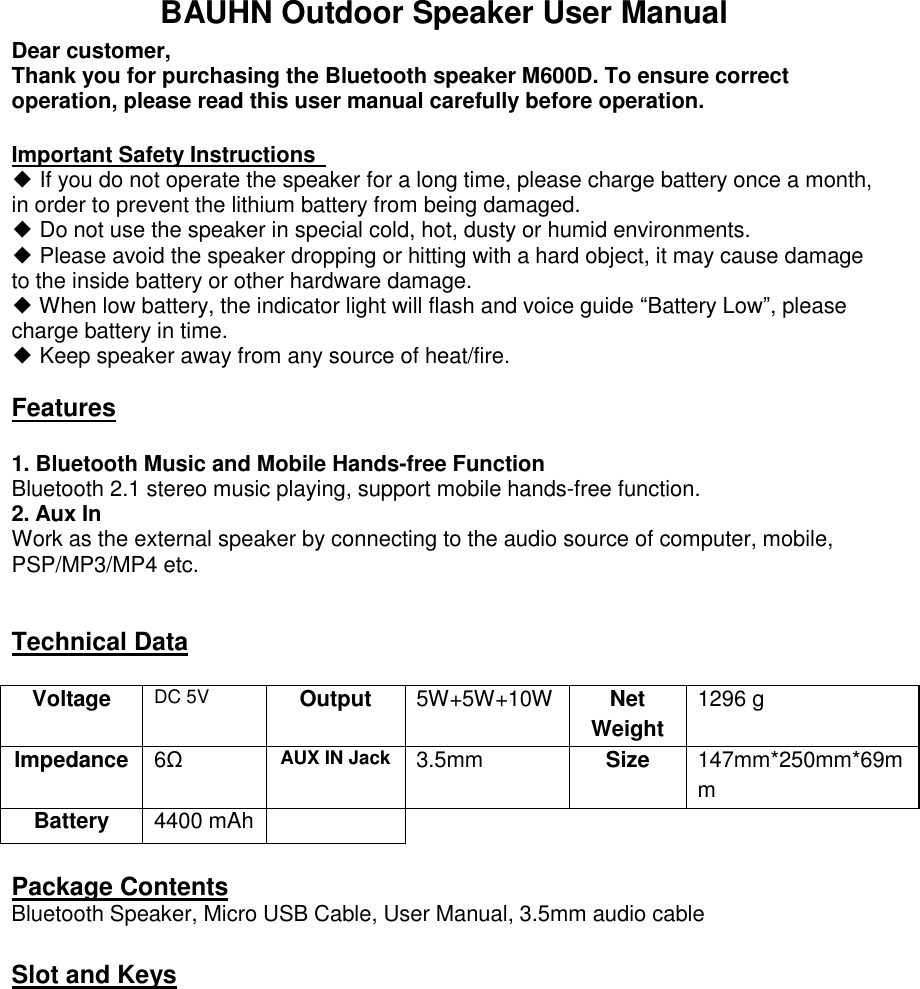
BAUHN Outdoor Speaker User Manual Dear customer,   Thank you for purchasing the Bluetooth speaker M600D. To ensure correct operation, please read this user manual carefully before operation.   Important Safety Instructions   ◆ If you do not operate the speaker for a long time, please charge battery once a month, in order to prevent the lithium battery from being damaged.  ◆ Do not use the speaker in special cold, hot, dusty or humid environments. ◆ Please avoid the speaker dropping or hitting with a hard object, it may cause damage to the inside battery or other hardware damage. ◆ When low battery, the indicator light will flash and voice guide “Battery Low”, please charge battery in time. ◆ Keep speaker away from any source of heat/fire.    Features  1. Bluetooth Music and Mobile Hands-free Function Bluetooth 2.1 stereo music playing, support mobile hands-free function. 2. Aux In Work as the external speaker by connecting to the audio source of computer, mobile, PSP/MP3/MP4 etc.   Technical Data  Voltage DC 5V Output 5W+5W+10W Net Weight 1296 g Impedance 6Ω AUX IN Jack 3.5mm Size 147mm*250mm*69mm Battery 4400 mAh   Package Contents Bluetooth Speaker, Micro USB Cable, User Manual, 3.5mm audio cable                                Slot and Keys
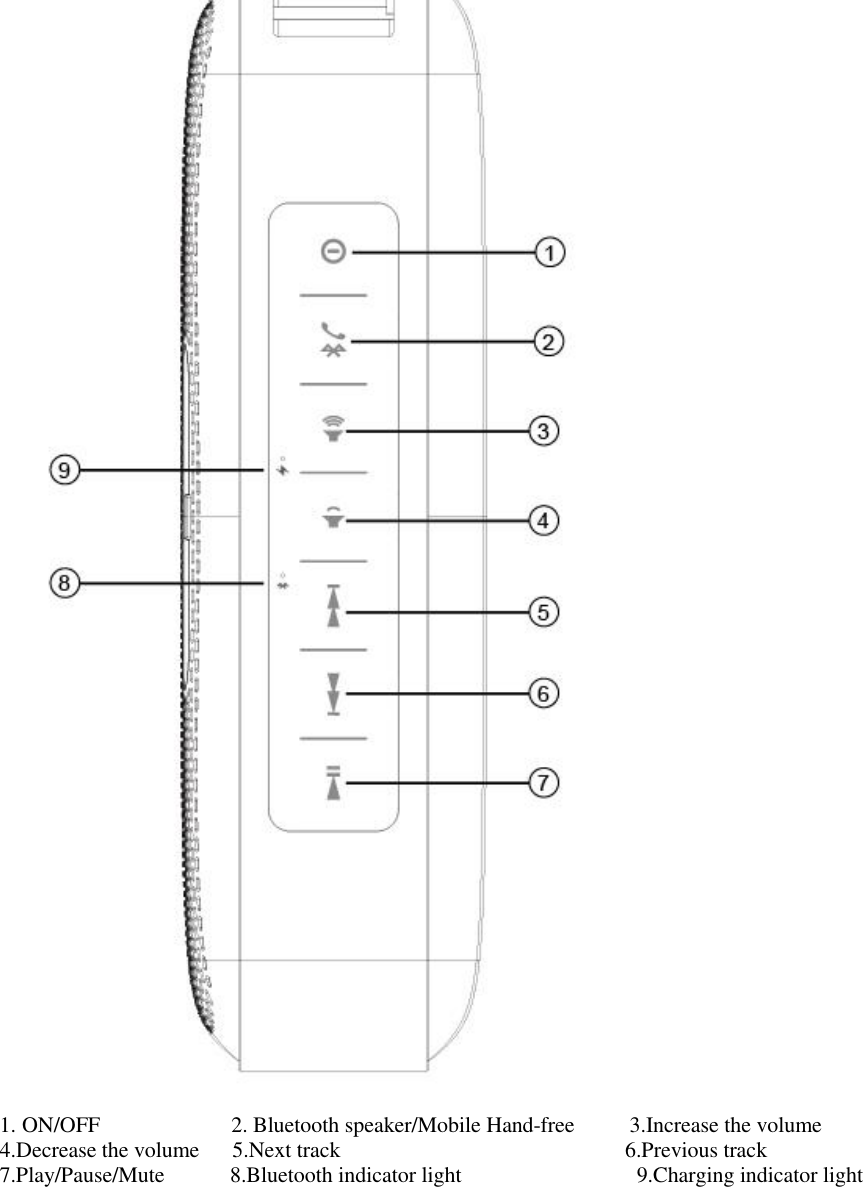
 1. ON/OFF            2. Bluetooth speaker/Mobile Hand-free     3.Increase the volume    4.Decrease the volume   5.Next track                          6.Previous track                        7.Play/Pause/Mute      8.Bluetooth indicator light                9.Charging indicator light
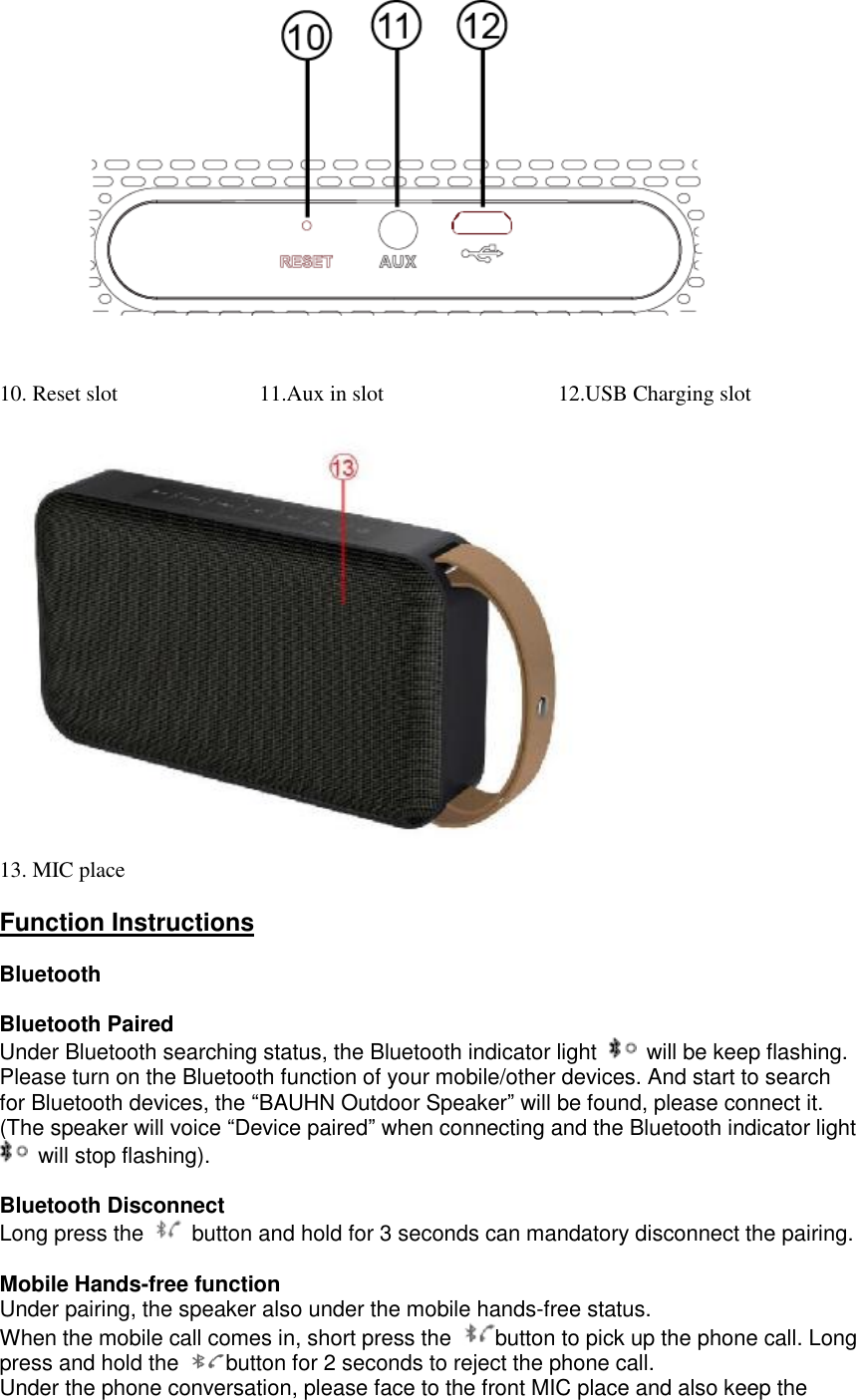
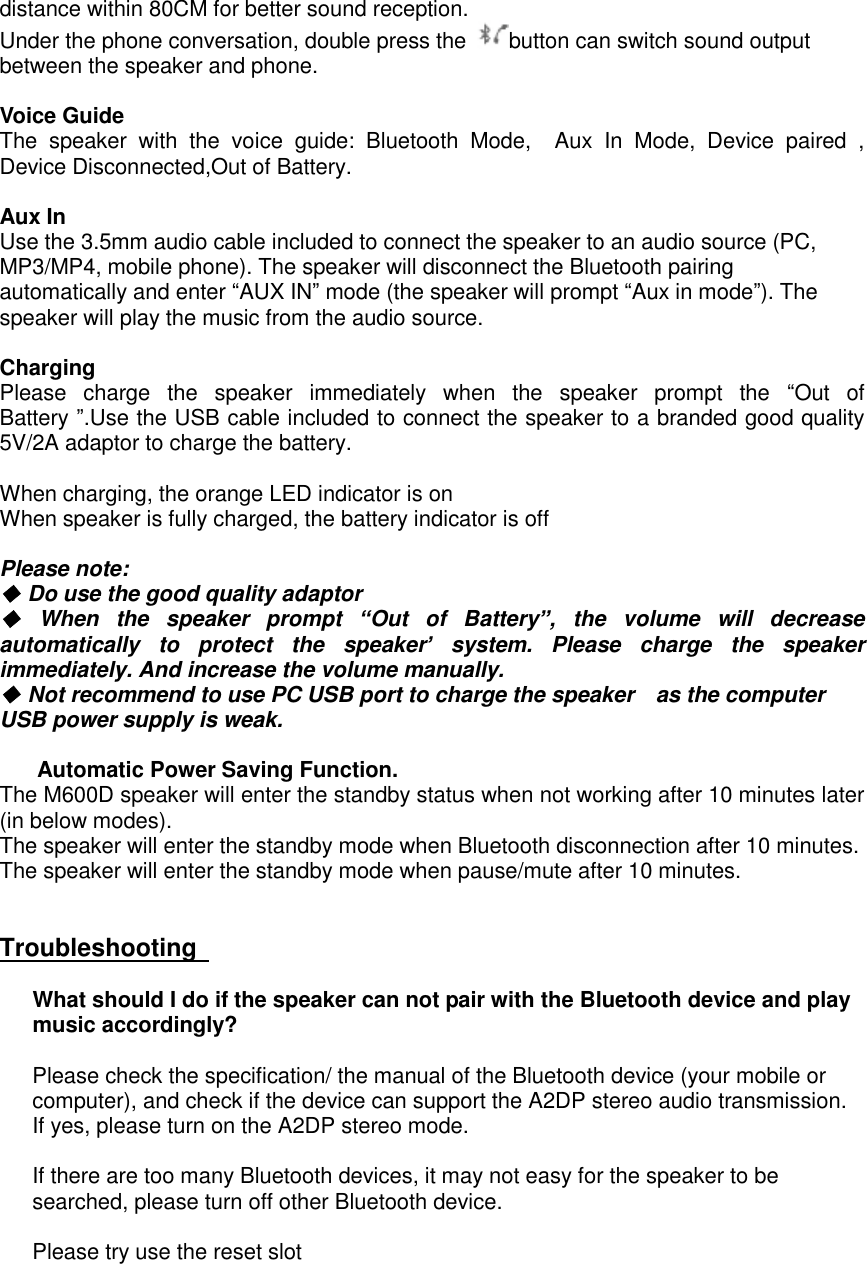
 10. Reset slot             11.Aux in slot                12.USB Charging slot               13. MIC place  Function Instructions  Bluetooth  Bluetooth Paired Under Bluetooth searching status, the Bluetooth indicator light   will be keep flashing. Please turn on the Bluetooth function of your mobile/other devices. And start to search for Bluetooth devices, the “BAUHN Outdoor Speaker” will be found, please connect it. (The speaker will voice “Device paired” when connecting and the Bluetooth indicator light  will stop flashing).  Bluetooth Disconnect Long press the   button and hold for 3 seconds can mandatory disconnect the pairing.  Mobile Hands-free function  Under pairing, the speaker also under the mobile hands-free status.  When the mobile call comes in, short press the  button to pick up the phone call. Long press and hold the  button for 2 seconds to reject the phone call.  Under the phone conversation, please face to the front MIC place and also keep the
distance within 80CM for better sound reception.  Under the phone conversation, double press the  button can switch sound output between the speaker and phone.  Voice Guide The speaker with the voice guide: Bluetooth Mode,  Aux In Mode, Device paired , Device Disconnected,Out of Battery.  Aux In Use the 3.5mm audio cable included to connect the speaker to an audio source (PC, MP3/MP4, mobile phone). The speaker will disconnect the Bluetooth pairing automatically and enter “AUX IN” mode (the speaker will prompt “Aux in mode”). The speaker will play the music from the audio source.   Charging Please charge the speaker immediately when the speaker prompt the  “Out of Battery ”.Use the USB cable included to connect the speaker to a branded good quality 5V/2A adaptor to charge the battery.   When charging, the orange LED indicator is on When speaker is fully charged, the battery indicator is off  Please note:  ◆ Do use the good quality adaptor ◆ When the speaker prompt  “Out of Battery”, the volume will decrease automatically to protect the speaker’ system. Please charge the speaker immediately. And increase the volume manually. ◆ Not recommend to use PC USB port to charge the speaker  as the computer USB power supply is weak.    Automatic Power Saving Function. The M600D speaker will enter the standby status when not working after 10 minutes later (in below modes).  The speaker will enter the standby mode when Bluetooth disconnection after 10 minutes. The speaker will enter the standby mode when pause/mute after 10 minutes.   Troubleshooting       What should I do if the speaker can not pair with the Bluetooth device and play music accordingly?   Please check the specification/ the manual of the Bluetooth device (your mobile or computer), and check if the device can support the A2DP stereo audio transmission. If yes, please turn on the A2DP stereo mode.  If there are too many Bluetooth devices, it may not easy for the speaker to be searched, please turn off other Bluetooth device.  Please try use the reset slot
  FCC Statement This equipment has been tested and found to comply with the limits for a Class B digital device, pursuant to Part 15 of the FCC Rules. These limits are designed to provide reasonable protection against harmful interference in a residential installation. This equipment generates uses and can radiate radio frequency energy and, if not installed and used in accordance with the instructions, may cause harmful interference to radio communications. However, there is no guarantee that interference will not occur in a particular installation. If this equipment does cause harmful interference to radio or television reception, which can be determined by turning the equipment off and on, the user is encouraged to try to correct the interference by one or more of the following measures: -- Reorient or relocate the receiving antenna.   -- Increase the separation between the equipment and receiver.    -- Connect the equipment into an outlet on a circuit different from that to which the receiver is connected.   -- Consult the dealer or an experienced radio/TV technician for help.  This device complies with part 15 of the FCC Rules. Operation is subject to the following two conditions:(1) This device may not cause harmful interference, and (2) this device must accept any interference received, including interference that may cause undesired operation.  Changes or modifications not expressly approved by the party responsible for compliance could void the user's authority to operate the equipment.

Navigation menu