Ruckus SmartCell Gateway™ 200 Release Notes For 2.1.1 SCG (MR) 2 1 Official 20131213
SCG 2.1.1 (MR) Release Notes scg-2-1-1-release-notes-official-20131213
2013-12-17
User Manual: Ruckus SCG 2.1.1 (MR) Release Notes
Open the PDF directly: View PDF  .
.
Page Count: 18

Ruckus Wireless™
SmartCell Gateway™ 200
Release Notes for 2.1.1 Release
Part Number 800-70591-001 Rev B
Published December 2013
www.ruckuswireless.com

SmartCell Gateway 200 Release Notes for 2.1.1 Release, 800-70591-001 Rev B ii
Copyright Notice and Proprietary Information
Copyright 2013. Ruckus Wireless, Inc. All rights reserved.
No part of this documentation may be reproduced, transmitted, or translated, in any form or by any means, electronic,
mechanical, manual, optical, or otherwise, without prior written permission of Ruckus Wireless, Inc. (“Ruckus”), or as
expressly provided by under license from Ruckus.
Destination Control Statement
Technical data contained in this publication may be subject to the export control laws of the United States of America.
Disclosure to nationals of other countries contrary to United States law is prohibited. It is the reader’s responsibility to
determine the applicable regulations and to comply with them.
Disclaimer
THIS DOCUMENTATION AND ALL INFORMATION CONTAINED HEREIN (“MATERIAL”) IS PROVIDED FOR GENERAL
INFORMATION PURPOSES ONLY. RUCKUS AND ITS LICENSORS MAKE NO WARRANTY OF ANY KIND, EXPRESS
OR IMPLIED, WITH REGARD TO THE MATERIAL, INCLUDING, BUT NOT LIMITED TO, THE IMPLIED WARRANTIES
OF MERCHANTABILITY, NON-INFRINGEMENT AND FITNESS FOR A PARTICULAR PURPOSE, OR THAT THE
MATERIAL IS ERROR-FREE, ACCURATE OR RELIABLE. RUCKUS RESERVES THE RIGHT TO MAKE CHANGES OR
UPDATES TO THE MATERIAL AT ANY TIME.
Limitation of Liability
IN NO EVENT SHALL RUCKUS BE LIABLE FOR ANY DIRECT, INDIRECT, INCIDENTAL, SPECIAL OR CONSEQUEN-
TIAL DAMAGES, OR DAMAGES FOR LOSS OF PROFITS, REVENUE, DATA OR USE, INCURRED BY YOU OR ANY
THIRD PARTY, WHETHER IN AN ACTION IN CONTRACT OR TORT, ARISING FROM YOUR ACCESS TO, OR USE
OF, THE MATERIAL.
Trademarks
Ruckus Wireless, Ruckus, the bark logo, ZoneFlex, FlexMaster, ZoneDirector, SmartMesh, ChannelFly, SmartCell,
Dynamic PSK, and Simply Better Wireless are trademarks of Ruckus Wireless, Inc. in the United States and other
countries. All other product or company names may be trademarks of their respective owners.

SmartCell Gateway 200 Release Notes for 2.1.1 Release, 800-70591-001 Rev B iii
Contents
Copyright Notice and Proprietary Information
1 About This Release
What’s New in This Release . . . . . . . . . . . . . . . . . . . . . . . . . . . . . . . . . . . . . . . . . . . . . . . 1
Integration with SmartCell Insight to Provide Network Statistics . . . . . . . . . . . . . . . . . . . 1
AAA Enhancement: Accounting On and Off . . . . . . . . . . . . . . . . . . . . . . . . . . . . . . . . . . 2
List of Release Documentation . . . . . . . . . . . . . . . . . . . . . . . . . . . . . . . . . . . . . . . . . . . . . 2
2 SCG Hardware Compatibility and Supported APs
SCG Hardware Compatibility . . . . . . . . . . . . . . . . . . . . . . . . . . . . . . . . . . . . . . . . . . . . . . 4
Supported Access Point Models. . . . . . . . . . . . . . . . . . . . . . . . . . . . . . . . . . . . . . . . . . . . 4
3 Resolved Issues
AAA . . . . . . . . . . . . . . . . . . . . . . . . . . . . . . . . . . . . . . . . . . . . . . . . . . . . . . . . . . . . . . . . . 6
AP Zones . . . . . . . . . . . . . . . . . . . . . . . . . . . . . . . . . . . . . . . . . . . . . . . . . . . . . . . . . . . . . 6
CLI . . . . . . . . . . . . . . . . . . . . . . . . . . . . . . . . . . . . . . . . . . . . . . . . . . . . . . . . . . . . . . . . . . 6
Hotspot . . . . . . . . . . . . . . . . . . . . . . . . . . . . . . . . . . . . . . . . . . . . . . . . . . . . . . . . . . . . . . 6
Reports. . . . . . . . . . . . . . . . . . . . . . . . . . . . . . . . . . . . . . . . . . . . . . . . . . . . . . . . . . . . . . . 7
Scaling and Performance . . . . . . . . . . . . . . . . . . . . . . . . . . . . . . . . . . . . . . . . . . . . . . . . . 7
Upgrading. . . . . . . . . . . . . . . . . . . . . . . . . . . . . . . . . . . . . . . . . . . . . . . . . . . . . . . . . . . . . 7
Web Interface . . . . . . . . . . . . . . . . . . . . . . . . . . . . . . . . . . . . . . . . . . . . . . . . . . . . . . . . . . 7
4 Caveats, Limitations, and Known Issues
5 Upgrading to This Release
6 Interoperability Information

SmartCell Gateway 200 Release Notes for 2.1.1 Release, 800-70591-001 Rev B 1
1
About This Release
The Ruckus Wireless SmartCell Gateway (SCG) appliance combines a WLAN
access controller with Wi-Fi traffic aggregation, along with a built-in carrier-grade
element management system in a 2U rack-mountable, all-in-one hardware form
factor.
This document provides release information about the SmartCell Gateway features
with notes on known issues, caveats, and workarounds.
What’s New in This Release
This section describes the key features of this SCG release and supplements the
“What’s New” document for release 2.1.
Integration with SmartCell Insight to Provide Network
Statistics
The SCG 2.1.1 is the first SCG release to integrate with SmartCell Insight (SCI) by
providing all raw data for SCI to process and present various network statistics
reports. The SCG implements a JSON over HTTP REST interface for bidirectional
interaction with SCI. Pull and push methods are supported on the SCG to send the
data across.
SCI is a massive scalable application that stores historical raw data from the SCG
for multi-year historical analysis It collects, aggregates, correlates data and provides
the user with the ability to design custom reports with a browser driven, flexible
point-and-click report generation methodology.
SCI is the single point of access into Ruckus Wireless network equipment data and
normalizes the data from multiple SCGs or SCG clusters to simplify the integration
into an existing OSS infrastructure.

About This Release
List of Release Documentation
SmartCell Gateway 200 Release Notes for 2.1.1 Release, 800-70591-001 Rev B 2
AAA Enhancement: Accounting On and Off
This feature enhances the handling of Accounting On and Accounting Off requests
at the SCG. In release 2.1.1, customers have the option of having the SCG sending
Accounting On/Off messages to AAA servers. In previous releases, when an
Accounting On or Account Off was received from the AP, the SCG did not take any
action and sent a dummy acknowledgment for the request back to AP. Some
customers use Accounting Off messages to determine the health of the AP and,
upon the receipt of the same, take selective actions. SCG release 2.1.1 is capable
of forwarding these requests to the AAA servers that are configured for the
corresponding WLAN/zone.
List of Release Documentation
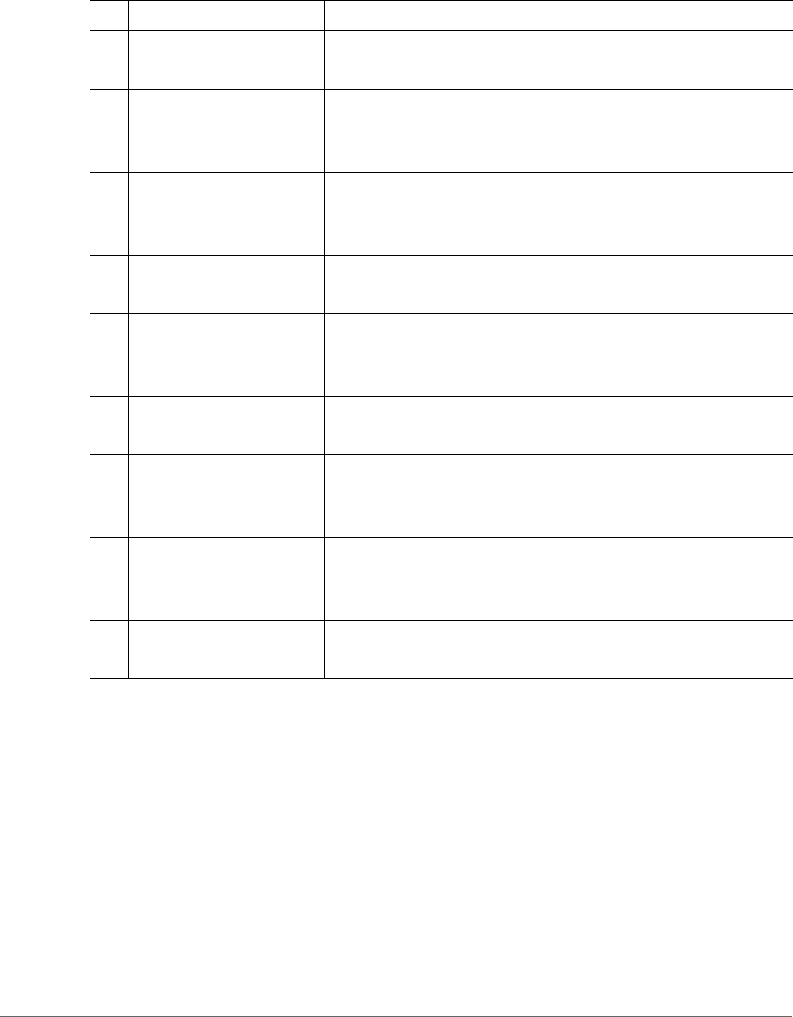
Tabl e 1 lists the documents that accompany this release.
Table 1. List of SCG 2.1.1 documents
# Document Name Description
1These Release Notes Provide notes on known issues, caveats, workarounds,
and interoperability information
2 Tunneling Interface
Reference Guide
Describes the 3rd party networking protocols supported
by the access and core networks
3 AAA (RADIUS)
Interface Reference
Guide
Describes the interface between the SCG and the AAA
(Authentication, Authorization, and Accounting) server
4 Administrator Guide Describes how to configure the SCG and how to use the
web interface to manage access points that are reporting
to the SCG
5 Charging Interface
Reference Guide
Describes the interface between the SCG and the CGF
server when the SCG functions as a tunnel termination
gateway (TTG)
6 CLI Reference Guide Provides the syntaxes and commands for configuring and
managing the SCG from a command line interface
7 Alarm and Event
Reference Guide
Describes the various types of events and alarms that the
SCG generates
8 Getting Started Guide Describes how to set up the SCG appliance on the
network. Topics covered in this guide include mounting,
installation, and basic configuration.
About This Release
List of Release Documentation
SmartCell Gateway 200 Release Notes for 2.1.1 Release, 800-70591-001 Rev B 3
9 Gn Interface Reference
Guide
Describes the interface between the SCG and the GGSN
10 HLR Interface (MAP/
SIGTRAN) Reference
Guide
Describes the interface between the SCG and HLRs
11 Hotspot Portal
Integration Interface
Reference Guide
Describes the SCG RESTful-like/JSON interfaces for
external web portal servers
12 KPI and Report
Reference Guide
Describes statistics, graphs, and reports that can be used
to establish key performance indicators (KPIs) for the SCG
13 Parameters Reference
Guide
Describes the configuration parameters, including their
value types, value ranges, default values (if any), and
descriptions
14 RESTful Interface
Reference Guide
Describes the features provided by the SCG RESTful
interface server
15 S2a Interface (GTPCv2,
GTP-U v1) Reference
Guide
Describes the interface between the SCG and the PDN
Gateway (PGW)
16 SNMP MIB Reference
Guide
Describes the SNMP Management Information Bases
(MIBs) that the SCG supports. It also describes the overall
design of the SCG SNMP agent.
17 Troubleshooting Guide Provides guidance for troubleshooting issues that may
occur when deploying and operating the SCG
Table 1. List of SCG 2.1.1 documents (Continued)
# Document Name Description

SmartCell Gateway 200 Release Notes for 2.1.1 Release, 800-70591-001 Rev B 4
2
SCG Hardware Compatibility and
Supported APs
SCG Hardware Compatibility
This release is compatible with the following SCG hardware models:
• SmartCell Gateway 200 (SCG-200)
Supported Access Point Models
This SCG release version 2.1.1.0.126 consists of control plane software version
2.1.1.0.145 and data plane software version 2.1.1.0.122.
This release supports release build 2.1.1.0.106 on the following AP models:
• SC8800-S
• SC8800-S-AC
•ZF2741
•ZF2942
•ZF7025
•ZF7055
•ZF7321
• ZF7321-U
•ZF7341
• ZF7341-U
•ZF7343
• ZF7343-U
•ZF7351
• ZF7351-U
•ZF7352
• ZF7352-U
•ZF7363
• ZF7363-U

SCG Hardware Compatibility and Supported APs
Supported Access Point Models
SmartCell Gateway 200 Release Notes for 2.1.1 Release, 800-70591-001 Rev B 5
•ZF7372
• ZF7372-E
• ZF7372-U
•ZF7441
• ZF7761CM
•ZF7762
• ZF7762-AC
• ZF7762-S
• ZF7762-S-AC
• ZF7762-T
• ZF7781-M
• ZF7781CM
• ZF7781CM-E
• ZF7781CM-S
• ZF7781FN
• ZF7781FN-E
• ZF7781FN-S
•ZF7782
• ZF7782-E
• ZF7782-N
• ZF7782-S
•ZF7962
•ZF7982

SmartCell Gateway 200 Release Notes for 2.1.1 Release, 800-70591-001 Rev B 6
3
Resolved Issues
This section lists the issues in earlier releases that have been resolved in this release.
AAA
• Resolved an issue where accounting statistics are not updated when the SCG
is functioning as a RADIUS accounting proxy for open authenticated clients.
[SCG-16429]
• Resolved a number of issues in the SCG AAA (RADIUS) Accounting Reference
Guide, including some incorrect descriptions. [SCG-14763]
• Resolved an issue where authentication timeout may occur when the number
of subscribers reaches 50,000. [SCG-14686]
AP Zones
• Resolved an issue where a profile that has been created does not appear on the
Profiles page until the user uses the search option. Also resolved an issue where
the AP registration rule does not appear to be applied to an AP that previously
joined the SCG and therefore already has an existing record. Both reported
issues are design intent and the documentation has been updated to explain
these. [SCG-15598]
CLI
• Resolved an issue where the CLI accepts out-of-range values for the GPS
distance setting when creating an AP registration rule. [SCG-15792]
• Resolved an issue where the CLI command
show running-config zone-template
does not list the existing WLAN groups. [SCG-15863]
Hotspot
• Resolved an issue where a Ruckus Wireless AP-initiated accounting stop does
not get proxied to the external AAA for hotspot (WISPr) calls. [SCG-16557]

Resolved Issues
Reports
SmartCell Gateway 200 Release Notes for 2.1.1 Release, 800-70591-001 Rev B 7
Reports
• Resolved an issue where the timestamp for generated PM reports is 30 minutes
earlier than the actual report generation time.
• Resolved an issue where email notification may not work for any of the reports.
• Resolved an issue where the timestamp for the Client vs Airtime report may be
incorrect. For example, if the report was generated manually at 15:50, the
timestamp may show 13:30. [SCG-15347]
Scaling and Performance
• Resolved an issue where the QinQ to GTPV1+V2:SM process stops responding
during a heavy load. [SCG-16270]
• Resolved an issue where an administrator may be unable to log to the SCG web
interface during a heavy load in a two-node TTG cluster. [SCG-14895]
Upgrading
• Resolved an issue where upgrading from 2.1.1.0.79 to 2.1.1.0.94 may fail in a
two-node cluster. One node may keep the 2.1.1.0.79 image while the other node
may be upgraded successfully to 2.1.1.0.94. [SCG-16460]
Web Interface
• Resolved an issue wherein when deleting a 32 L2oGRE /L3oGRE WLAN zone,
the corresponding service profile for L2oGRE /L3oGRE cannot be removed.
[SCG-16311]
• Resolved an issue where the Monitor > Clients > Associated Clients page
may show only 10,000 associated clients, even when the actual number of
associated clients is more than 10,000. [SCG-14766]
SmartCell Gateway 200 Release Notes for 2.1.1 Release, 800-70591-001 Rev B 8
4
Caveats, Limitations, and Known
Issues
This section lists the caveats, limitations, and known issues in this SCG release.
• The SCG web interface becomes unreachable after the SCG is upgraded to
release 2.1.1.0.126. The workaround to this issue consists of adding a static
route to the management interface – using either the web interface (before the
upgrade) or the CLI (after the upgrade).
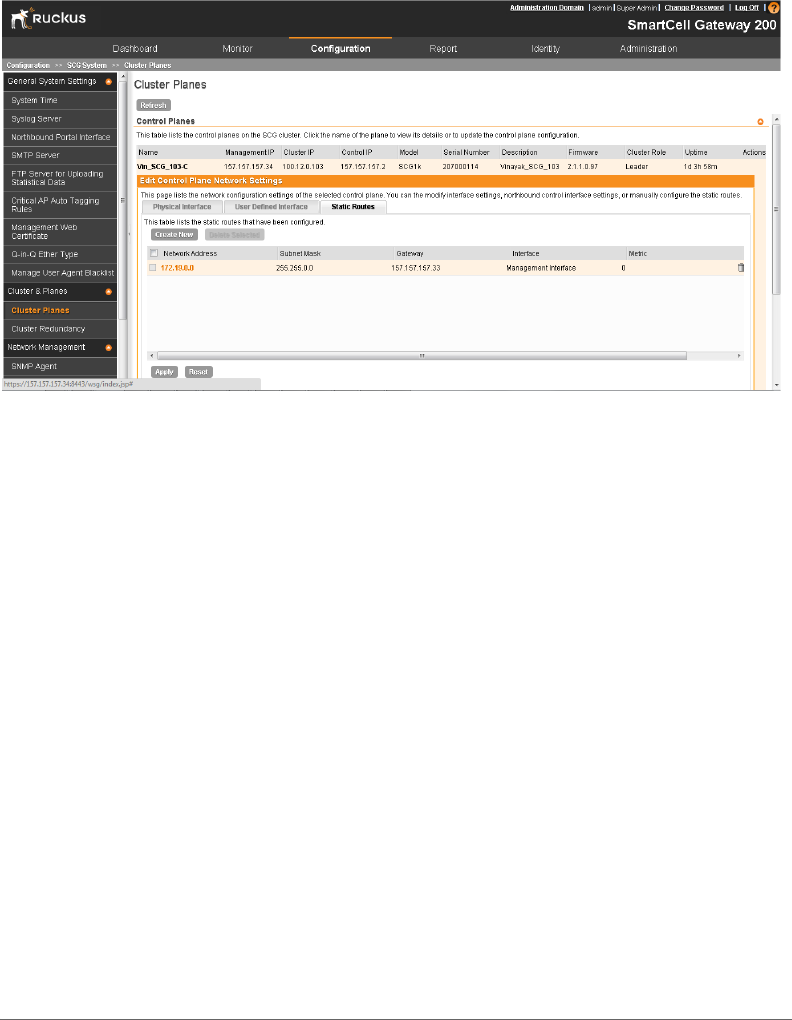
Workaround 1: Before the upgrade, add the static route using the web interface.
Before you perform the upgrade, follow these steps to add the static route to
the management interface from the web interface.
CAUTION! You must perform this procedure BEFORE you perform the upgrade.
aLog on to the web interface.
bGo to Configuration > SCG System > Cluster Planes > Static Route.
cClick Create New, and then configure the following static route settings:
-Network Address: Enter the destination IP address of this route. In the
screen shot below, 172.19.0.0 is an external subnet where the SCG
web interface can be accessed.
-Subnet Mask: Enter a subnet mask for the IP address above.
-Gateway: Enter the IP address of the gateway router. In the screen shot
below, 157.157.157.33 is the gateway router for the management
interface.
-Interface: Select Management Interface.
-Metric: This represents the number of routers between the network and
the destination.
dClick Apply to save the static route.
ePerform the upgrade to release 2.1.1.0.126.
fAfter the upgrade, access the web interface.
Caveats, Limitations, and Known Issues
SmartCell Gateway 200 Release Notes for 2.1.1 Release, 800-70591-001 Rev B 9
Figure 1. Creating a static route to the management interface using the web interface
Workaround 2: After the upgrade, add the static route using the CLI.
If you performed the upgrade without first adding the static route using the web
interface, you can still add the static route to the management interface using
the CLI. Follow these steps.
aLog on to the SCG CLI.
################################
# Welcome to SCG #
################################
Please wait. CLI initializing...
Welcome to the Ruckus SmartCell Gateway 200 Command Line
Interface
Version: 2.1.1.0.126
bSwitch to enable mode.
NMS33> en
Password: ********
cSwitch to config mode to configure the static route.
NMS33# config

Caveats, Limitations, and Known Issues
SmartCell Gateway 200 Release Notes for 2.1.1 Release, 800-70591-001 Rev B 10
dCreate the static route via the management interface.
NMS33(config)# ip route <Destination network IP address>
<Destination network mask> <Next hop IP address>
management
You have completed adding the static route to the management interface. Try
accessing the SCG web interface again.
• On a standalone SCG, the data blade kernel stops responding during a heavy
load in TTG mode. [SCG-15163]
• When the SCG is configured to generate a report on a daily basis, the generated
report displays the time element (for example, 08:00), which may confuse some
users. [SCG-15923]
• In a two-node cluster, not all existing guest access sessions that are using the
same user name are deleted when Disconnect Messages (DMs) are sent from
the AAA server (with RADIUS Accounting proxy enabled) for that user name.
[SCG-14150]
• Hotspot (WISPr) logoff does not work when a UE roams to different AP and
different control blade. [SCG-14011]
• The critical alarm “Data blade disconnected from the network” appears on the
Monitor page of the SCG web interface, even when the data blade is online and
operating normally. [SCG-14232]
• The web interface is inaccessible from Internet Explorer 9 and 10 when compat-
ibility mode is enabled. [SCG-16046]
• Historical client statistics do not list all of the UEs that belong to third party AP
zones. [SCG-16337]
• When a Ruckus Wireless AP is rebooted, Accounting On request is not sent for
all scenarios. [SCG-15466]
• Manual reboot of the SCG is required for the following scenarios:
• Changing the Cluster IP/Gateway
• Changing the Control IP/Gateway [SCG-16877]
• After the SCG is reset to factory default settings, the SCG allows the data blade
interface IP address and gateway address to be on different subnets. [SCG-
16491]
• Handover between mesh APs generates multiple accounting sessions. [SCG-
14826]

Caveats, Limitations, and Known Issues
SmartCell Gateway 200 Release Notes for 2.1.1 Release, 800-70591-001 Rev B 11
• Various issues related to guest pass profile creation and retrieval exist on the
SCG web interface and in the SmartCell Gateway 200 Administrator Guide.
[SCG-15596]
• Unzipping the SCG-AP statistics files generates errors. [SCG-15074]
• The SCG only exports up to 45,000 events to the CSV file, even when more than
45,000 events have been generated. [SCG-8445]
• The framed IP address attribute for Accounting is unsupported for IPv6 clients.
[SCG-15660]
• The datablade sends traffic even after GGSN path failure is detected. [SCG-
15412]
• An invalid RADIUS authenticator is sent towards the AP when RADIUS reject is
initiated by the SCG due to the absence of CUI for a TTG call. [SCG-16864]
• Walled garden services do not provide access to HTTPS web pages. [SCG-
13650]
• The SCG allows the same IP address to be assigned to the control blade, data
blade, and cluster blade interfaces. [SCG-13702]
• After a node is removed from a cluster, the logon page keeps reloading when
an administrator attempts to log on and a high number of APs become
disconnected from the SCG. [SCG-15351]
• The SCG fails over to the secondary AAA server even when the primary AAA
server responds within the configured response window. [SCG-14528]
• If the response window (in AAA Health Check Policy) is set to a value higher than
30 seconds, it automatically reverts to the default setting (30 seconds).
[SCG-14527]
Workaround
Make sure that the response window is set to a value that is equal or lower than
30 seconds.
• The RADIUS failover mechanism does not function correctly when the NAS
failover and health check policy settings are configured incorrectly.
Workaround
To ensure that the RADIUS failover mechanism functions correctly, either accept
the default values for Response Window, Zombie Period, and Revive Interval, or
make sure that the value for Response Window is always higher than the value
for RADIUS NAS request timeout multiplied by the value for RADIUS NAS max
number of retries. [SCG-16092]
Caveats, Limitations, and Known Issues
SmartCell Gateway 200 Release Notes for 2.1.1 Release, 800-70591-001 Rev B 12
• The SCG may display the timestamp of some events and alarms as “2014”
(instead of the complete date and time). This issue occurs when an AP is unable
to join the SCG and, consequently, unable to synchronize its system time with
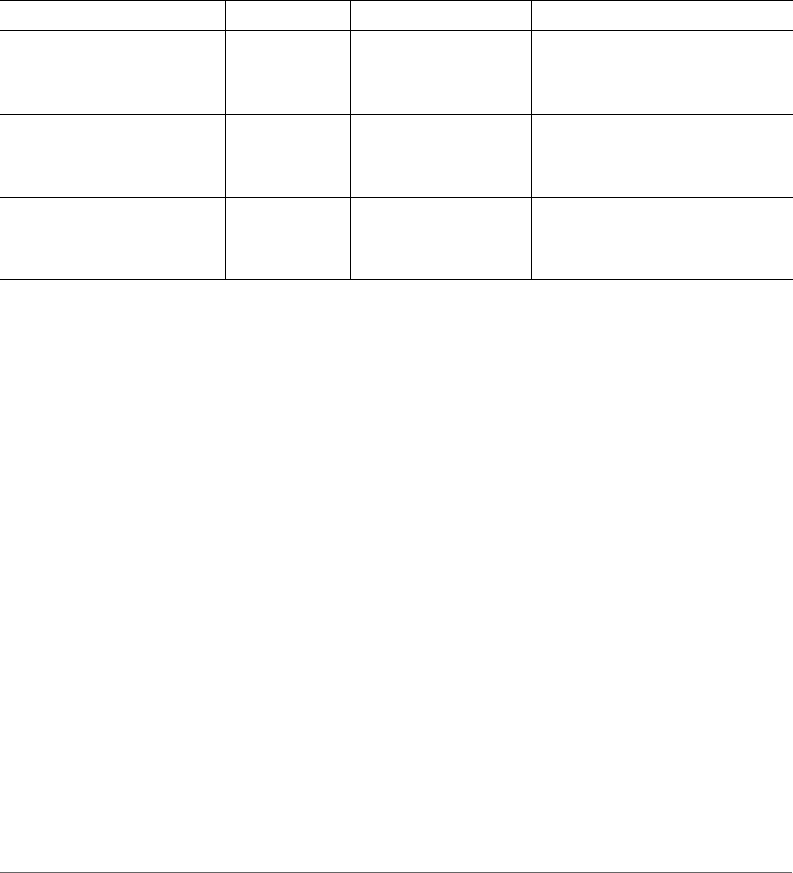
the NTP server configured on the SCG. Tabl e 2 lists the alarms and events that
are affected by this known issue. [SCG-14271]
• The current report system does not support the aggregation of tunnel statistics.
[SCG-15346]
• Statistics files may be generated 15 seconds earlier or later than the configured
time. [SCG-15346]
• A number of issues related to reports exist, including:
• The year is not displayed in all of the PDF reports.
• In the Client Vs Airtime report, there is a discrepancy in the Tx, Rx, and Busy
values between the 15-minute and hourly reports.
• In the PDF of the New Client Association report, the numbers are not
highlighted. [SCG-15347]
Table 2. Alarms and events that are affected by SCG-14271
Alarm/Event Name Severity Type Description
apDiscoverySuccess Informational AP_Communication This event occurs when AP
sends a discovery request to
the SCG successfully.
apJoinedTooManyTimes Minor AP_Communication This event occurs when AP
attempts to connect to the SCG
session multiple times.
apChangeControlBlade Informational AP_State_Change This event occurs when AP
switches from a previous to a
new SCG connection.

SmartCell Gateway 200 Release Notes for 2.1.1 Release, 800-70591-001 Rev B 13
5
Upgrading to This Release
For step-by-step instructions on how to upgrade the SCG to this release, refer to
the SmartCell Gateway 200 Administrator Guide.
Before upgrading the SCG to this release, take note of the following important notes:
• After you obtain the firmware upgrade file, do not modify the firmware file name.
It should be scg-installer_2.1.1.0.126.ximg.
• This release supports the following upgrade paths:
• From 1.1.2.0.128 to 2.1.1.0.126
• From 1.1.2.0.131 to 2.1.1.0. 126
• From 2.1.0.0.279 to 2.1.1.0.126
• From 2.1.0.0.295 to 2.1.1.0.126
• From 2.1.0.0.297 to 2.1.1.0.126
• From 2.1.0.0.304 to 2.1.1.0.126
• From 2.1.1.0.107 to 2.1.1.0.126
• If the SCG that you are managing is running on release 1.1.1, you cannot upgrade
it directly to this release. Refer to the supported upgrade paths listed earlier.
• This release does not support the Ruckus Wireless 9.3 access point firmware.
If there are Ruckus Wireless access points on the network running the 9.3
firmware, make sure you upgrade them to 9.4 firmware (or later) before upgrading
the SCG to this release.
• If hotspot/WISPr services are enabled on the SCG, you will need to create a
user-defined interface after you upgrade to this release. This will ensure that the
hotspot/WISPr services will continue to be available.

SmartCell Gateway 200 Release Notes for 2.1.1 Release, 800-70591-001 Rev B 14
6
Interoperability Information
Note that a supported ZoneFlex AP configured to currently operate with ZoneDi-
rector will require an upgrade to an SCG-200 approved software release prior to
inter operating with a SmartCell Gateway controller. Once an AP switches over to
SmartCell Gateway 200, it will no longer be able to communicate with its old
ZoneDirector controller.

Copyright © 2006-2013. Ruckus Wireless, Inc.
350 West Java Dr. Sunnyvale, CA 94089. USA
www.ruckuswireless.com
