Ruijiahua Technology N1512H1603A Wireless Earbuds User Manual

Shenzhen Ruijiahua Technology CO.,LTD Wireless Earbuds

User Manual

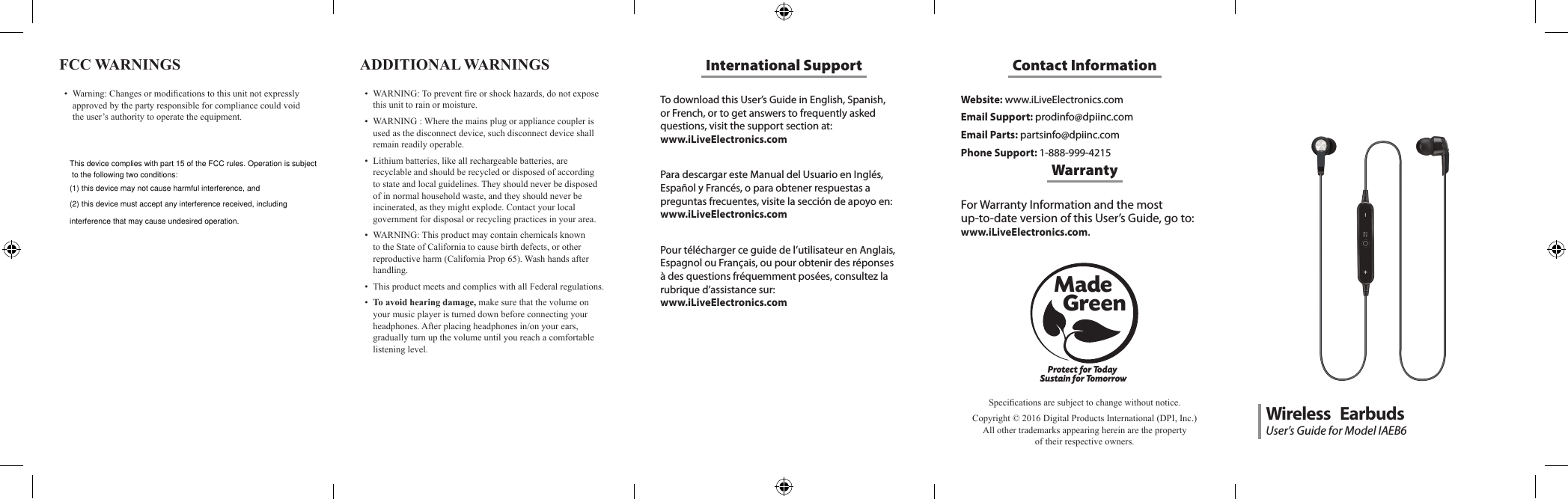
To download this User’s Guide in English, Spanish, or French, or to get answers to frequently asked questions, visit the support section at:  www.iLiveElectronics.comPara descargar este Manual del Usuario en Inglés, Español y Francés, o para obtener respuestas a preguntas frecuentes, visite la sección de apoyo en: www.iLiveElectronics.comPour télécharger ce guide de l’utilisateur en Anglais, Espagnol ou Français, ou pour obtenir des réponses à des questions fréquemment posées, consultez la rubrique d’assistance sur:  www.iLiveElectronics.comInternational SupportFCC WARNINGS • Warning:Changesormodicationstothisunitnotexpresslyapprovedbythepartyresponsibleforcompliancecouldvoidtheuser’sauthoritytooperatetheequipment.Website: www.iLiveElectronics.comEmail Support: prodinfo@dpiinc.comEmail Parts: partsinfo@dpiinc.comPhone Support: 1-888-999-4215Contact InformationFor Warranty Information and the most  up-to-date version of this User’s Guide, go to:  www.iLiveElectronics.com.WarrantyProtect for Today Sustain for TomorrowMade   GreenSpecicationsaresubjecttochangewithoutnotice.Copyright©2016DigitalProductsInternational(DPI,Inc.)Allothertrademarksappearinghereinarethepropertyoftheirrespectiveowners.ADDITIONAL WARNINGS • WARNING:Topreventreorshockhazards,donotexposethisunittorainormoisture.• WARNING:Wherethemainsplugorappliancecouplerisusedasthedisconnectdevice,suchdisconnectdeviceshallremainreadilyoperable.• Lithiumbatteries,likeallrechargeablebatteries,arerecyclableandshouldberecycledordisposedofaccordingtostateandlocalguidelines.Theyshouldneverbedisposedofinnormalhouseholdwaste,andtheyshouldneverbeincinerated,astheymightexplode.Contactyourlocalgovernmentfordisposalorrecyclingpracticesinyourarea.• WARNING:ThisproductmaycontainchemicalsknowntotheStateofCaliforniatocausebirthdefects,orotherreproductiveharm(CaliforniaProp65).Washhandsafterhandling.• ThisproductmeetsandcomplieswithallFederalregulations.• To avoid hearing damage,makesurethatthevolumeonyourmusicplayeristurneddownbeforeconnectingyourheadphones.Afterplacingheadphonesin/onyourears,graduallyturnupthevolumeuntilyoureachacomfortablelisteninglevel.User’s Guide for Model IAEB6Wireless   EarbudsThis device complies with part 15 of the FCC rules. Operation is subject to the following two conditions: (1) this device may not cause harmful interference, and (2) this device must accept any interference received, including interference that may cause undesired operation.
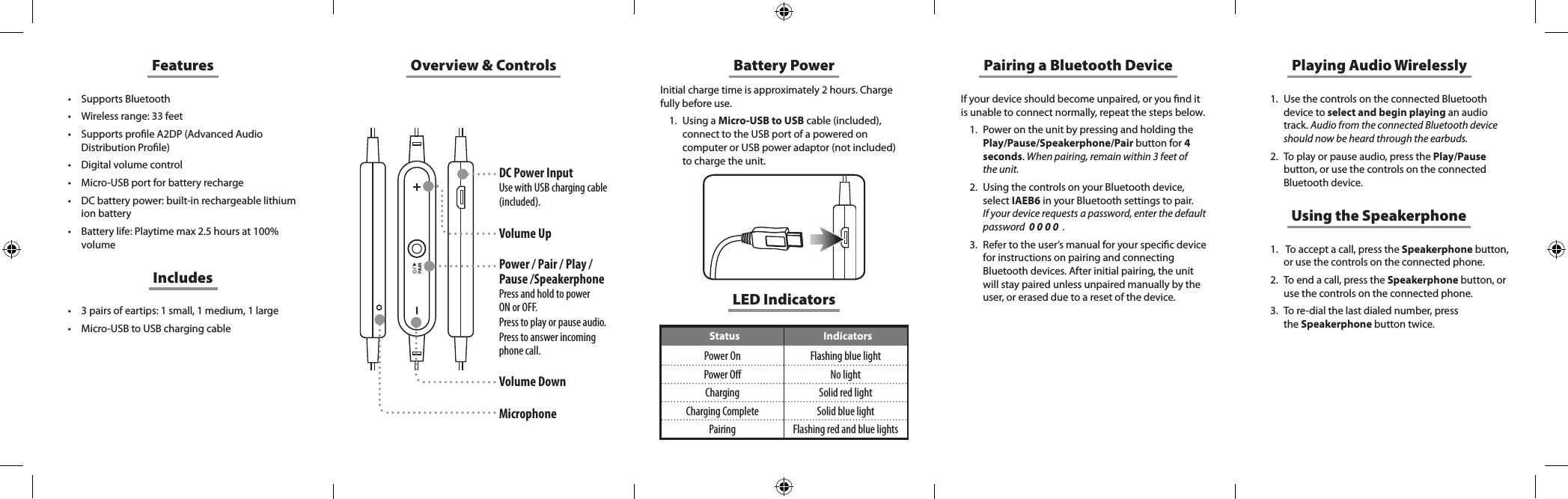
Overview & ControlsDC Power InputUse with USB charging cable (included).Volume UpPower / Pair / Play / Pause /SpeakerphonePress and hold to power  ON or OFF. Press to play or pause audio. Press to answer incoming phone call.  Volume DownMicrophoneFeatures• Supports Bluetooth• Wireless range: 33 feet• Supports prole A2DP (Advanced Audio Distribution Prole)• Digital volume control• Micro-USB port for battery recharge• DC battery power: built-in rechargeable lithium ion battery• Battery life: Playtime max 2.5 hours at 100% volume• 3 pairs of eartips: 1 small, 1 medium, 1 large• Micro-USB to USB charging cableIncludesBattery PowerInitial charge time is approximately 2 hours. Charge fully before use. 1.  Using a Micro-USB to USB cable (included), connect to the USB port of a powered on computer or USB power adaptor (not included) to charge the unit. If your device should become unpaired, or you nd it is unable to connect normally, repeat the steps below. 1.  Power on the unit by pressing and holding the Play/Pause/Speakerphone/Pair button for 4 seconds. When pairing, remain within 3 feet of the unit.2.  Using the controls on your Bluetooth device, select IAEB6 in your Bluetooth settings to pair.  If your device requests a password, enter the default password  0 0 0 0  .3.  Refer to the user’s manual for your specic device for instructions on pairing and connecting Bluetooth devices. After initial pairing, the unit will stay paired unless unpaired manually by the user, or erased due to a reset of the device.Pairing a Bluetooth Device Playing Audio Wirelessly1.  Use the controls on the connected Bluetooth device to select and begin playing an audio track. Audio from the connected Bluetooth device should now be heard through the earbuds.2.  To play or pause audio, press the Play/Pause button, or use the controls on the connected Bluetooth device.Using the Speakerphone1.   To accept a call, press the Speakerphone button, or use the controls on the connected phone. 2.  To end a call, press the Speakerphone button, or use  the  controls  on  the  connected  phone.                                                          3.  To re-dial the last dialed number, press  the Speakerphone button twice. LED IndicatorsStatus IndicatorsPower On Flashing blue lightPower O No lightCharging Solid red lightCharging Complete Solid blue lightPairing Flashing red and blue lights

Navigation menu