SALTON DA1084 Baby Monitor User Manual

SALTON HONG KONG LIMITED. Baby Monitor

User Manual

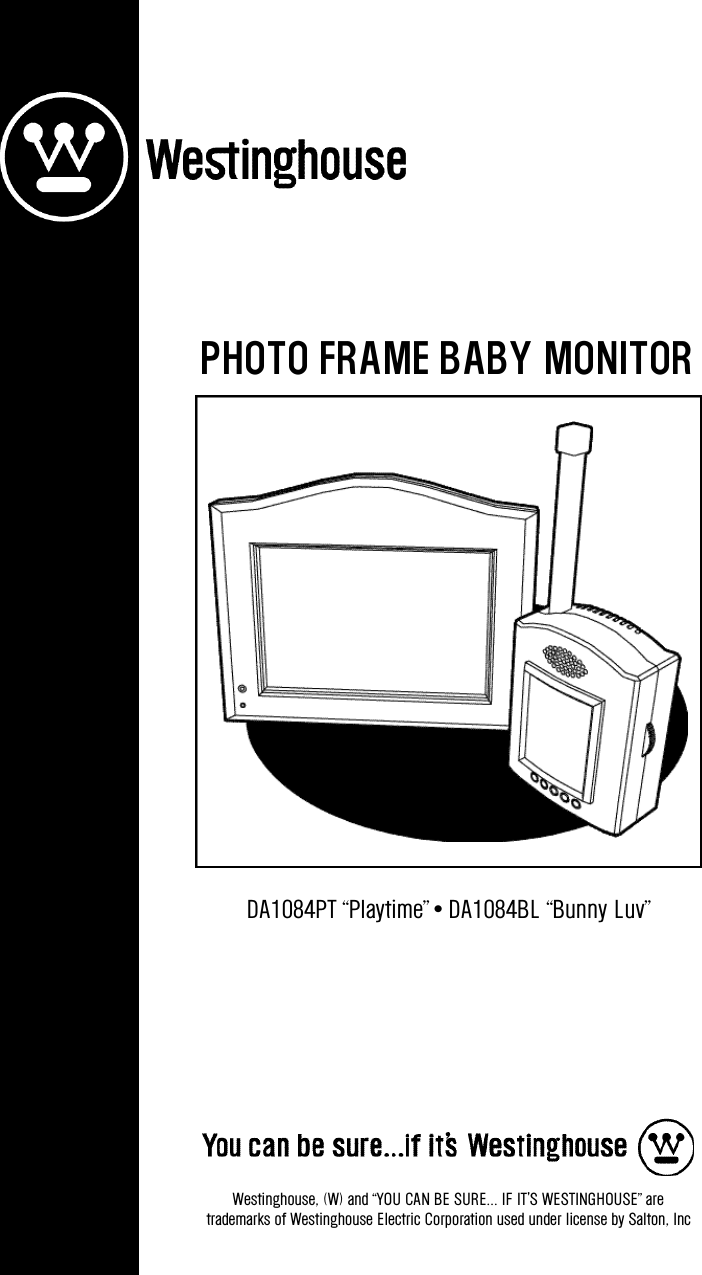
DA1084PT “Playtime” • DA1084BL “Bunny Luv”Westinghouse, (W) and “YOU CAN BE SURE... IF IT'S WESTINGHOUSE” are trademarks of Westinghouse Electric Corporation used under license by Salton, IncPHOTO FRAME BABY MONITOR
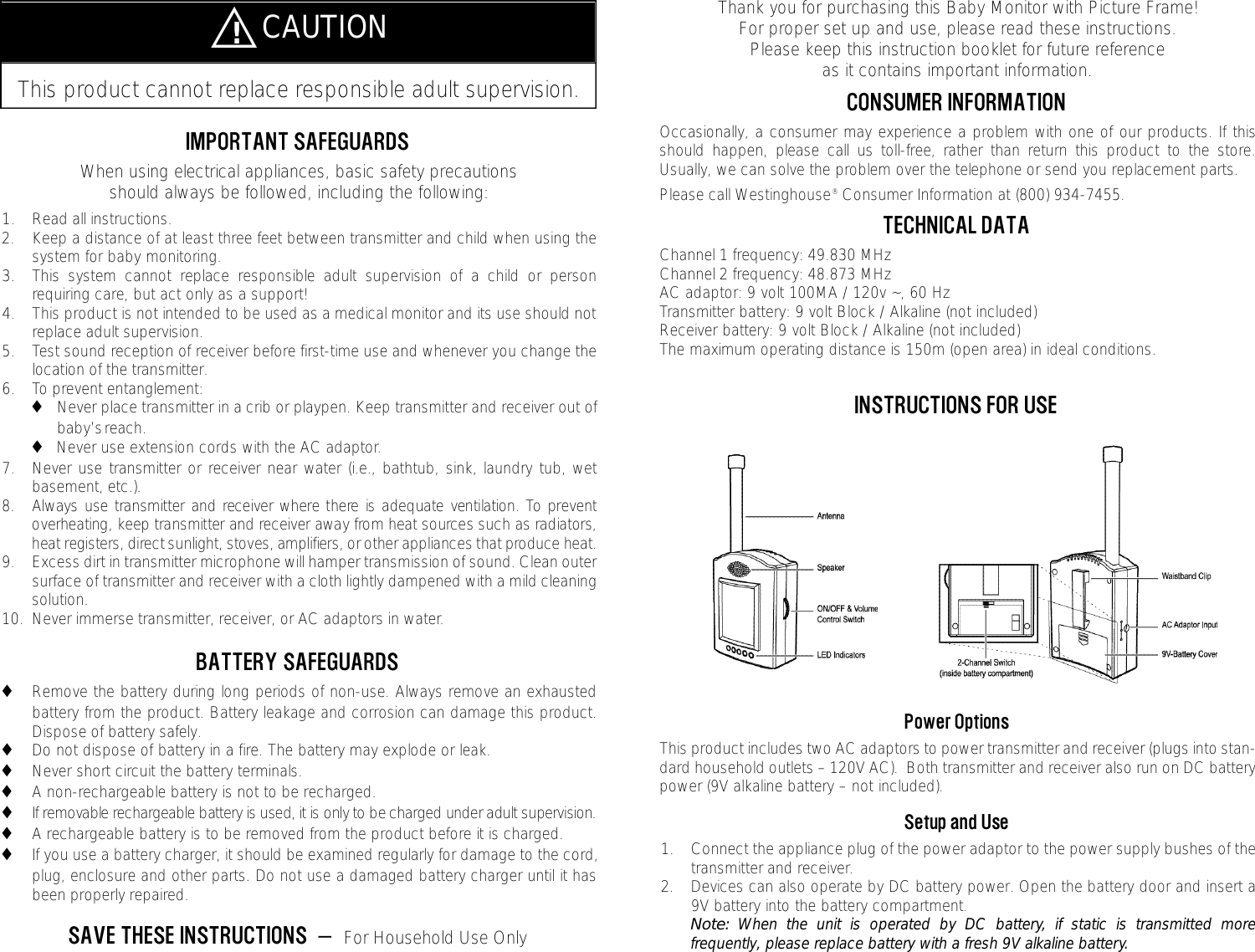
Thank you for purchasing this Baby Monitor with Picture Frame!  For proper set up and use, please read these instructions.  Please keep this instruction booklet for future reference as it contains important information.CONSUMER INFORMATIONOccasionally, a consumer may experience a problem with one of our products. If thisshould happen, please call us toll-free, rather than return this product to the store.Usually, we can solve the problem over the telephone or send you replacement parts.  Please call Westinghouse®Consumer Information at (800) 934-7455.  TECHNICAL DATAChannel 1 frequency: 49.830 MHzChannel 2 frequency: 48.873 MHzAC adaptor: 9 volt 100MA / 120v ~, 60 HzTransmitter battery: 9 volt Block / Alkaline (not included)Receiver battery: 9 volt Block / Alkaline (not included)The maximum operating distance is 150m (open area) in ideal conditions.INSTRUCTIONS FOR USEPower OptionsThis product includes two AC adaptors to power transmitter and receiver (plugs into stan-dard household outlets – 120V AC).  Both transmitter and receiver also run on DC batterypower (9V alkaline battery – not included).Setup and Use1. Connect the appliance plug of the power adaptor to the power supply bushes of thetransmitter and receiver.2. Devices can also operate by DC battery power. Open the battery door and insert a9V battery into the battery compartment.Note: When the unit is operated by DC battery, if static is transmitted morefrequently, please replace battery with a fresh 9V alkaline battery.IMPORTANT SAFEGUARDSWhen using electrical appliances, basic safety precautions should always be followed, including the following:1. Read all instructions.2. Keep a distance of at least three feet between transmitter and child when using thesystem for baby monitoring.  3. This system cannot replace responsible adult supervision of a child or personrequiring care, but act only as a support!4. This product is not intended to be used as a medical monitor and its use should notreplace adult supervision.5. Test sound reception of receiver before first-time use and whenever you change thelocation of the transmitter.6. To prevent entanglement:◆Never place transmitter in a crib or playpen. Keep transmitter and receiver out of baby’s reach.◆Never use extension cords with the AC adaptor.7. Never use transmitter or receiver near water (i.e., bathtub, sink, laundry tub, wetbasement, etc.).8 . Always use transmitter and receiver where there is adequate ventilation. To pre v e n toverheating, keep transmitter and receiver away from heat sources such as radiators,heat registers, direct sunlight, stoves, amplifiers, or other appliances that produce heat.9. Excess dirt in transmitter microphone will hamper transmission of sound. Clean outersurface of transmitter and receiver with a cloth lightly dampened with a mild cleaningsolution.10. Never immerse transmitter, receiver, or AC adaptors in water.BATTERY SAFEGUARDS◆Remove the battery during long periods of non-use. Always remove an exhaustedbattery from the product. Battery leakage and corrosion can damage this product.Dispose of battery safely.◆Do not dispose of battery in a fire. The battery may explode or leak.◆Never short circuit the battery terminals.◆A non-rechargeable battery is not to be recharged.◆If removable rechargeable battery is used, it is only to be charged under adult supervision.◆A rechargeable battery is to be removed from the product before it is charged.◆If you use a battery charger, it should be examined regularly for damage to the cord,plug, enclosure and other parts. Do not use a damaged battery charger until it hasbeen properly repaired.SAVE THESE INSTRUCTIONS  —  For Household Use OnlyThis product cannot replace responsible adult supervision.̅!CAUTION
Picture FrameYou may insert a photo (approximate size 5.79" x 3.78") into the transmitter and a photo(approximate size 2.28" x 1.73") into the receiver.Inserting PhotosTransmitter: ◆Press and push the two OPEN knobs at the bottom and open the panel.  ◆Insert a photo and fix it into the frame.◆Press the front panel back against the rear case until you hear a click. Receiver:◆Simply slide in a photo from the top of the frame.PROBLEMS AND SOLUTIONSProblem SolutionTransmitter power indicator is not lit. Check if power supply has been connected and the power switch has been turned on.Receiver power indicator is not lit. Check if power supply has been connected and the power switch has been turned on.You hear static or buzzing from the receiver. 1. Make sure channel switches on both transmitter and receiver areset to the same channel.2. Receiver is out of transmission range.Note: Range varies depending on surrounding conditions such as noise levels, physical obstructions and signal interference.Hints◆Do not use more than one transmitter and one receiver at the same time in the samehousehold.◆Always remember that you are using public airways when using your monitor.Conversations, even from rooms near transmitter, may broadcast to other nurserymonitors, radios, cordless telephones, or scanners outside of your home. To protectprivacy in your home, always turn transmitter off when not in use.3 . Make sure to connect the power supply(either AC power or DC battery) before use.4 . Set transmitter channel switch (located onback panel above the AC adaptor) to thesame channel as re c e i v e r.5. Turn on the power of the transmitter. TheRED power indicator lights.6. Turn on the power of the receiver. TheRED power indicator lights (one of fiveLEDs  shown  on  the  front  of  the transmitter).Testing Sound ReceptionTest  transmitter  transmission  and  re c e i v e rreception each time you change location of use.1. Place transmitter in room in which youintend to use it. Turn on the transmitterp o w e r.  Tu rn  on  a  radio  for  testing assistance.2 . Place receiver in room in which you intendto use it, or carry it along with you (if oper-ating in DC power mode).  Tu rn on thereceiver power. Adjust the volume level byrotating the volume switch.3. Variable light display will light when sound is received by receiver.4. Keep the units away from other electronic appliances to avoid interference.Note: If buzzing or static can be heard on the channel selected in the receiver, switchboth units to the other channel. Selecting a channel is usually a one-time adjustment.Since transmission takes place on the 49 MHz frequency range, other baby moni-tors or radio installations might use the same frequency, disturbance can occur onrare occasions.  In this case, please change the channel. Disturbances due to otherradio installations are not a device fault and are unavoidable.TipsOn Transmission: When sound is detected by the built-in microphone, the transmitter unitstarts transmitting automatically. The transmission stops when sound is no longer detected.On Receiver: When the receiver is not receiving sound signals, the four RED receiver indi-cators (not including the power light) go out and the loudspeaker is silent. If the soundquality is too poor, the signal might be blocked. In this case, move the receiver unit closerto the transmitter unit to restore sound reception again.
Limited One Year WarrantyWarranty: This Westinghouse®product is warranted by Salton, Inc. to be free from defects in materials or work-manship for a period of one (1) year from the original purchase date. This product covers only the original consumerpurchaser of the product.Warranty Coverage: This warranty is void if the product has unreasonable use, misuse, neglect, improper service,commercial use, repairs by unauthorized personnel, normal wear and improper assembly, installation or mainte-nance abuse or other causes not arising out of defects in materials or workmanship. This warranty is effective onlyif the product is purchased and operated in the USA. Warranty does not extend to any units which have been usedin violation of written instructions furnished with the product, or to units which have been altered or modified, or todamage to products or parts thereof which have had the serial number removed, altered, defaced or rendered illeg-ible.Implied Warranty: ANY IMPLIED WARRANTIES WHICH THE PURCHASER MAY HAVE ARE LIMITED IN DURATIONTO ONE (1) YEAR FROM THE DATE OF PURCHASE. Some states do not allow limitations on how long an impliedwarranty lasts, so the above limitation may not apply to you.Warranty Performance: During the above one-year warranty period, a product with a defect will be either re p a i red orreplaced with a reconditioned comparable model (at our option) when the product is re t u rned to the Repair Center,or the purchase price refunded. The re p a i red or replacement product will be in warranty for the balance of the one-year warranty period and an additional one-month period. No charge will be made for such repair or re p l a c e m e n t .Service and Repair: Should the appliance malfunction, you should first call toll-free (800) 934-7455 between the hours of9am and 5pm Central Standard Time and ask for CONSUMER SERVICE stating that you are a consumer with a pro b l e m .Please refer to model number DA1084PT “Playtime” or DA1084BL “Bunny Luv” (as appropriate) when you call.In-Warranty Service (USA): For an appliance covered under the warranty period, no charge is made for service orpostage. Call for return authorization (800) 934-7455.Out-of Warranty Service: A flat rate charge by model is made for out-of-warranty service. Include       (US) for returnshipping and handling. We will notify you by mail of the amount of the charge for service and require you to pay inadvance for the repair or replacement.For Products Purchased in the USA, but Used in Canada: You may return the product insured, packaged with sufficientprotection, and postage and insurance prepaid to the USA address listed below. Please note that all customsduty/brokerage fees, if any, must be paid by you and we will require you to pay the cost of customs duty/brokeragefees to us in advance of our performing any service.Risk During Shipment: We cannot assume responsibility for loss or damage during incoming shipment. For yourprotection, carefully package the product for shipment and insure it with the carrier. Be sure to enclose the followingitems with your appliance: any accessories related to your problem, your full return address and daytime phonenumber, a note describing the problem you experienced, a copy of your sales receipt or other proof of purchaseto determine warranty status. C.O.D. shipments cannot be accepted.To return the appliance, ship to: To contact us, please write to, call, or email:Attn: Repair Center Salton, Inc.Salton, Inc. P.O. Box 1637708 South Missouri Street Columbia, MO 65205-1637Macon, MO 63552 (800) 934-7455Email: Salton@Saltonusa.comLimitation of Remedies: No representative or person is authorized to assume for Salton, Inc. any other liability inconnection with the sale of our products. There shall be no claims for defects or failure of performance orproduct failure under any theory of tort, contract or commercial law including, but not limited to: negligence,gross negligence, strict liability, breach of warranty and breach of contract. Repair, replacement or refund shall bethe sole remedy of the purchaser under this warranty, and in no event shall Salton be liable for any incidental orconsequential damages, losses or expenses. Some states do not allow the exclusion or limitation of incidental orconsequential damages, so the above limitation or exclusion may not apply to you.Legal Rights:This warranty gives you specific legal rights, and you may also have other rights which vary from state to state.Westinghouse, (W) and "YOU CAN BE SURE... IF IT'S WESTINGHOUSE" are trademarks of WestinghouseElectric Corporation used under license by Salton, Inc.For more information on Salton products: visit our website at www.eSalton.com.© 2003 Salton, Inc. All Rights Reserved              Printed in ChinaFCC NOTEThis equipment has been tested and found to comply with the limits for a Class B digitaldevice, pursuant to part 15 of the FCC rules. These limits are designed to provide reason-able protection against harmful interference in a residential installation. This equipmentgenerates, uses, and can radiate radio frequency energy and, if not installed and used inaccordance with the instructions, may cause harmful interference to radio communica-tions. However, there is no guarantee that interference will not occur in a particular instal-lation.  If this equipment does cause harmful interference to radio or television receptions,which can be determined by turning the equipment off and on, the user is encouraged totry to correct the interference by one or more of the following measures:◆Reorient or relocate the receiving antenna.◆Increase the separation between the equipment and receiver.◆Connect the equipment into an outlet on a circuit different from that to which thereceiver is connected.◆Consult the dealer or an experienced radio/TV technician for help.CAUTION: Changes or modifications not expressly approved by the manufacturerresponsible for compliance could void the user’s authority to operate the equipment.Playtime Baby MonitorModel Number: DA1084PT –and –Bunny Luv Baby MonitorModel Number: DA1084BLThis device complies with Part 15 of the FCC Rules. Operation is subject to the followingtwo conditions: (1) This device may not cause harmful interference and (2) this devicemust accept any interference received, including interference that may cause undesiredoperation.Playtime Baby Monitor or Bunny Luv Baby MonitorSalton, Inc. P.O. Box 1637Columbia, MO 65205-1637(800) 934-7455Email: Salton@Saltonusa.com

Navigation menu