SHFT ApS SHFT1 SHFT User Manual

SHFT ApS SHFT

User manual

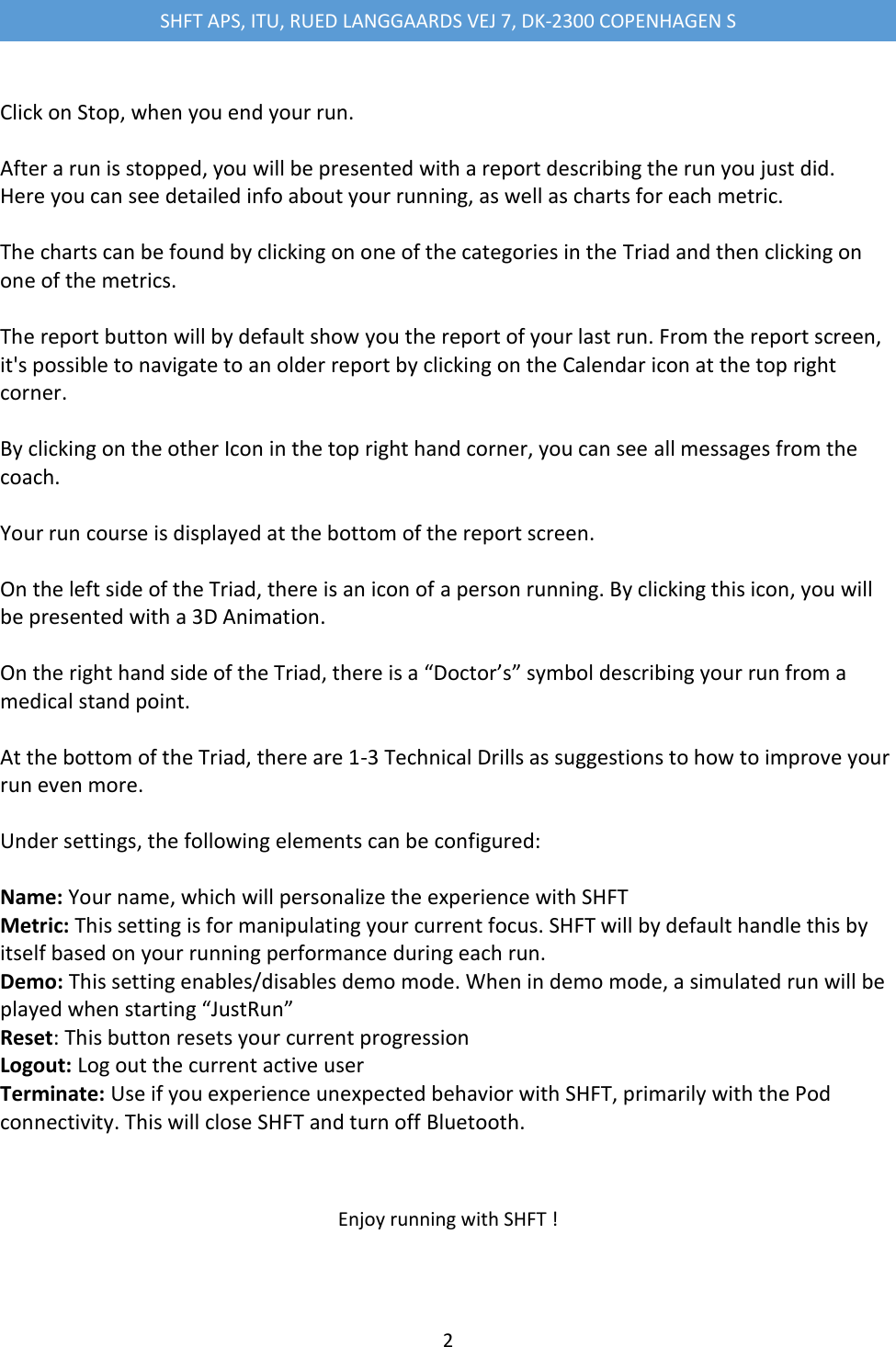
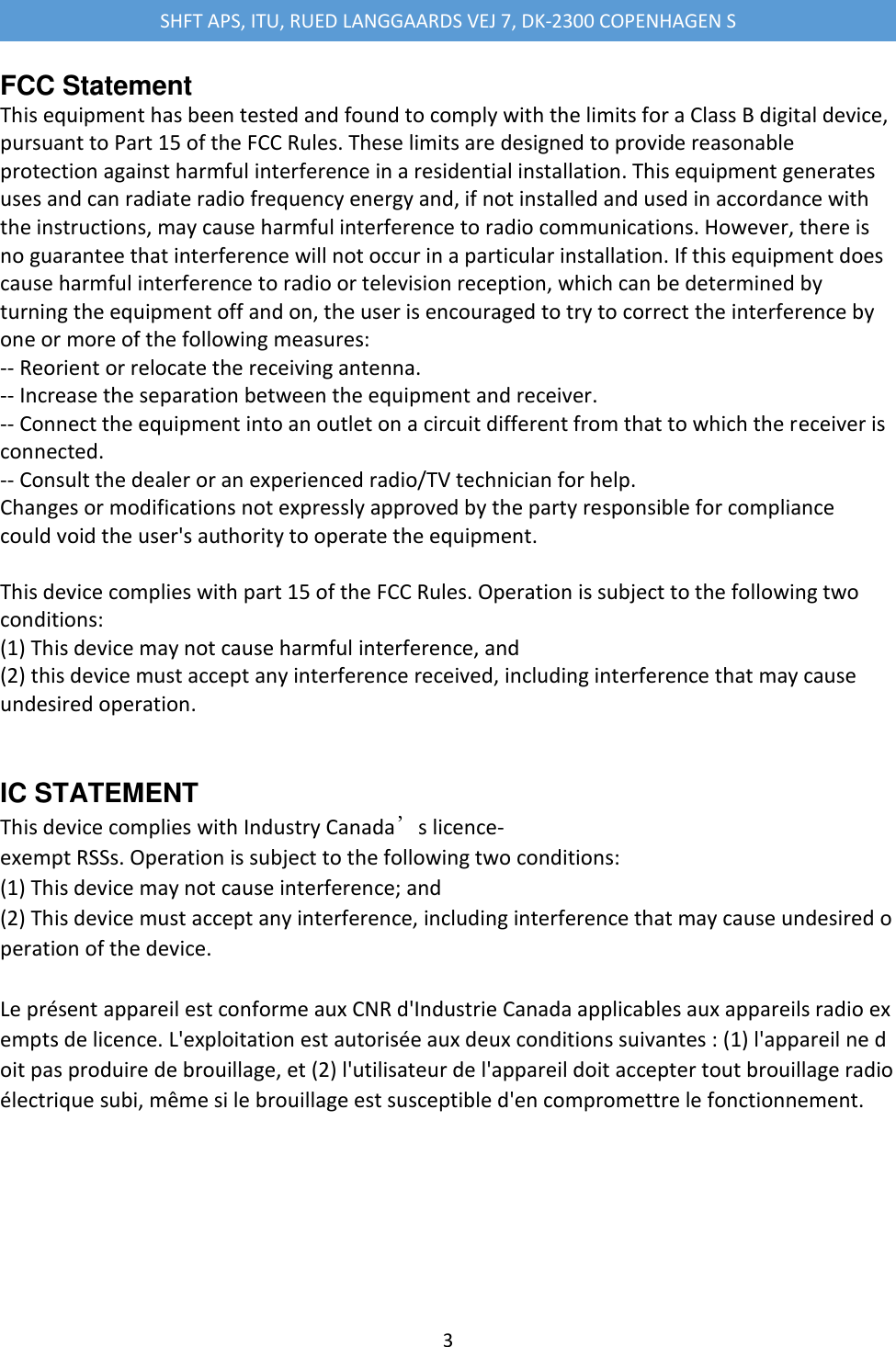
SHFT APS, ITU, RUED LANGGAARDS VEJ 7, DK-2300 COPENHAGEN S  1  SHFT User Guide   Step 1 – Charging the PODs The PODs are a special version, which does not need turning on or off.   POD blink patterns: -               Charging: Constant red light with high intensity. -               Connected: Red blink with high intensity every 1 second. -               Not connected: Red blink with low intensity every 2 seconds.   The POD charger must be placed in a USB outlet. A full charge takes two hours. When a POD is fully charged, it will run for at least 6 hours.   Step 2 – Placing the Pods Place the Foot Pod on your right Foot and the Chest Pod on the Chest Strap as shown on the picture:               Step 3 – Using the APP The app is started from the home screen by clicking on the SHFT icon.  When the app is loaded there are 3 options. -               Just Run -               Reports -               Settings  Click on Just Run and the APP will search for and connect to the two Pods. You are now ready for your run. Click on Start Run.
SHFT APS, ITU, RUED LANGGAARDS VEJ 7, DK-2300 COPENHAGEN S  2   Click on Stop, when you end your run.   After a run is stopped, you will be presented with a report describing the run you just did. Here you can see detailed info about your running, as well as charts for each metric.   The charts can be found by clicking on one of the categories in the Triad and then clicking on one of the metrics.   The report button will by default show you the report of your last run. From the report screen, it's possible to navigate to an older report by clicking on the Calendar icon at the top right corner.  By clicking on the other Icon in the top right hand corner, you can see all messages from the coach.   Your run course is displayed at the bottom of the report screen.  On the left side of the Triad, there is an icon of a person running. By clicking this icon, you will be presented with a 3D Animation.   On the right hand side of the Triad, there is a “Doctor’s” symbol describing your run from a medical stand point.  At the bottom of the Triad, there are 1-3 Technical Drills as suggestions to how to improve your run even more.   Under settings, the following elements can be configured:  Name: Your name, which will personalize the experience with SHFT Metric: This setting is for manipulating your current focus. SHFT will by default handle this by itself based on your running performance during each run. Demo: This setting enables/disables demo mode. When in demo mode, a simulated run will be played when starting “JustRun” Reset: This button resets your current progression Logout: Log out the current active user Terminate: Use if you experience unexpected behavior with SHFT, primarily with the Pod connectivity. This will close SHFT and turn off Bluetooth.   Enjoy running with SHFT !
SHFT APS, ITU, RUED LANGGAARDS VEJ 7, DK-2300 COPENHAGEN S  3  FCC Statement This equipment has been tested and found to comply with the limits for a Class B digital device, pursuant to Part 15 of the FCC Rules. These limits are designed to provide reasonable protection against harmful interference in a residential installation. This equipment generates uses and can radiate radio frequency energy and, if not installed and used in accordance with the instructions, may cause harmful interference to radio communications. However, there is no guarantee that interference will not occur in a particular installation. If this equipment does cause harmful interference to radio or television reception, which can be determined by turning the equipment off and on, the user is encouraged to try to correct the interference by one or more of the following measures: -- Reorient or relocate the receiving antenna. -- Increase the separation between the equipment and receiver. -- Connect the equipment into an outlet on a circuit different from that to which the receiver is connected. -- Consult the dealer or an experienced radio/TV technician for help. Changes or modifications not expressly approved by the party responsible for compliance could void the user's authority to operate the equipment.  This device complies with part 15 of the FCC Rules. Operation is subject to the following two conditions: (1) This device may not cause harmful interference, and (2) this device must accept any interference received, including interference that may cause undesired operation.  IC STATEMENT This device complies with Industry Canada’s licence-exempt RSSs. Operation is subject to the following two conditions: (1) This device may not cause interference; and (2) This device must accept any interference, including interference that may cause undesired operation of the device.  Le présent appareil est conforme aux CNR d'Industrie Canada applicables aux appareils radio exempts de licence. L'exploitation est autorisée aux deux conditions suivantes : (1) l'appareil ne doit pas produire de brouillage, et (2) l'utilisateur de l'appareil doit accepter tout brouillage radioélectrique subi, même si le brouillage est susceptible d'en compromettre le fonctionnement.

Navigation menu