SPEEDCAM HHTU1 LMR UHF TRANSCEIVER User Manual 308S06

SPEEDCAM, Inc. LMR UHF TRANSCEIVER 308S06

USERS MANUAL

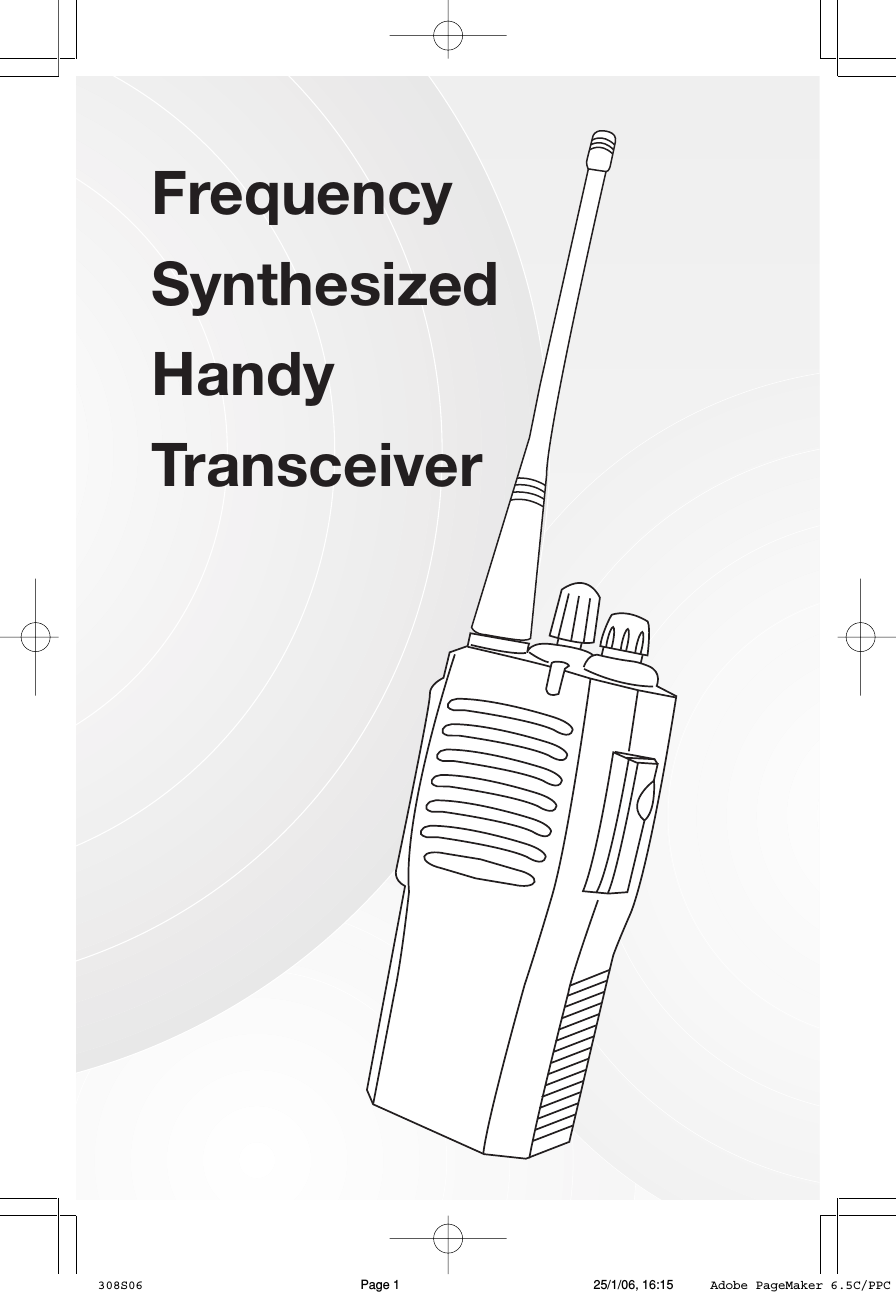
1FrequencySynthesizedHandyTransceiver308S06 25/1/06, 16:15Page 1 Adobe PageMaker 6.5C/PPC
2IntroductionThank you for purchasing our synthesized Handy Transceiver. Your unithas been manufactured and checked under the strictest possible quality con-trol to ensure that each unit leaves the factory in perfect condition. If in theunlikely event you find any defects or have any problem, please contact yourdealer, our branch or service center.Please read this manual carefully to obtain maximum performance &extended service life from the unit.FeaturesVery compact and rugged constructionThe transceiver is housed entirely in a high-impact polycarbonate (PC)cabinet and strengthened by an alloy chassis to achieve professional graderuggedness required in most applications. Rubber gasket seals around all ex-ternal controls & connectors keep out dust, rain or spray, assuring years ofreliable operation even in harsh environment.Easy programmingThe channel frequencies, CTCSS/DCS codes, key functions and scansequence can be programmed using PC.Programmable keysThere are three feature keys which can be programmed to select Hi-Lopower level, normal or deep squelch, talkaround function, monitor function,enable and disable VOX, showing battery status, starts or ends scanning anddirect access to certain channels.MultiTalkIn addition to the PTT button, the three feature keys can be programmedto transmit on different channels for easy access to different parties withoutthe need to turn the channel selector.ScanningScanning can be selectable between normal sequential scan or priorityscan via software.308S06 25/1/06, 16:15Page 2 Adobe PageMaker 6.5C/PPC
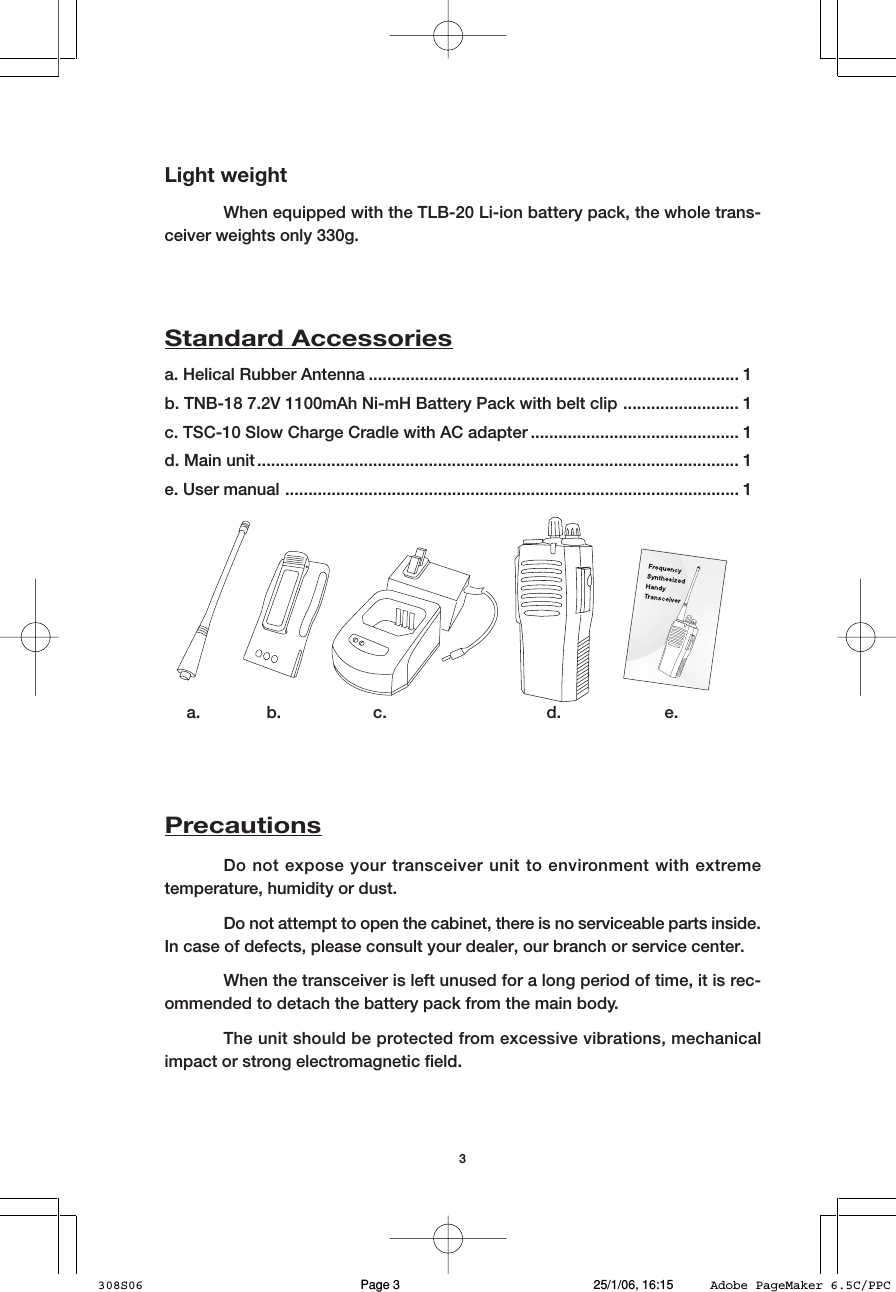
3Light weightWhen equipped with the TLB-20 Li-ion battery pack, the whole trans-ceiver weights only 330g.a. Helical Rubber Antenna ................................................................................ 1b. TNB-18 7.2V 1100mAh Ni-mH Battery Pack with belt clip ......................... 1c. TSC-10 Slow Charge Cradle with AC adapter ............................................. 1d. Main unit ........................................................................................................ 1e. User manual .................................................................................................. 1Standard Accessoriesa. b. c. d. e.PrecautionsDo not expose your transceiver unit to environment with extremetemperature, humidity or dust.Do not attempt to open the cabinet, there is no serviceable parts inside.In case of defects, please consult your dealer, our branch or service center.When the transceiver is left unused for a long period of time, it is rec-ommended to detach the battery pack from the main body.The unit should be protected from excessive vibrations, mechanicalimpact or strong electromagnetic field.308S06 25/1/06, 16:15Page 3 Adobe PageMaker 6.5C/PPC
4GETTING PREPAREDBatteryWhen the battery is new or its charge level is very low, it is necessary tocharge the battery before use to ensure optimum capacity and performance.Always charge a new battery 14–16 hours before initial use. When charging abattery attached to the transceiver, switch off the transceiver to ensure a fullcharge.It is recommended the battery should be at room temperature (about25°C) when charging. Too cold temperature (below 10°C) may result in leakageof electrolyte and ultimately in failure of battery. Too high temperature (above35°C) may reduce discharge capacity and affect the performance of thetransceiver.TQC-70 Intelligent Desk Top Rapid Charger (optional)/TQC-76 6 Gang Rapid Charger (optional)1. Set the position of switch located at the bottom of cradle to suit to the typeof battery being charged (Li-ion or Ni-mH. For Ni-mH, also select the batterycapacity : 1100mAh or 1600mAh). Incorrect setting may lead to battery notfully charged or cause damage to battery.TSC-10 Slow Charger1. Switch off the transceiver.2. Place the battery, either singly or attached to the transceiver, into the slowcharge cradle.3. Plug in the supplied AC adapter to an AC outlet and connect its output plugto the DC jack at the back of the cradle.4. The power indicator shall light up red.5. The charging indicator shall light up green, showing the battery is in slowcharge mode. If indicator does not light up, probably the battery is not in-serted properly or the battery is damaged.6. Leave the battery in cradle for 14 -16 hours if it is new or 10-11 hours if it isunder re-charge. For Li-ion battery (TLB-20), the charging indicator will goesoff once it is fully charged. For Ni-mH battery ( TNB-18/TNB-19), the charg-ing indicator continues to light up green even it is fully charged.308S06 25/1/06, 16:15Page 4 Adobe PageMaker 6.5C/PPC
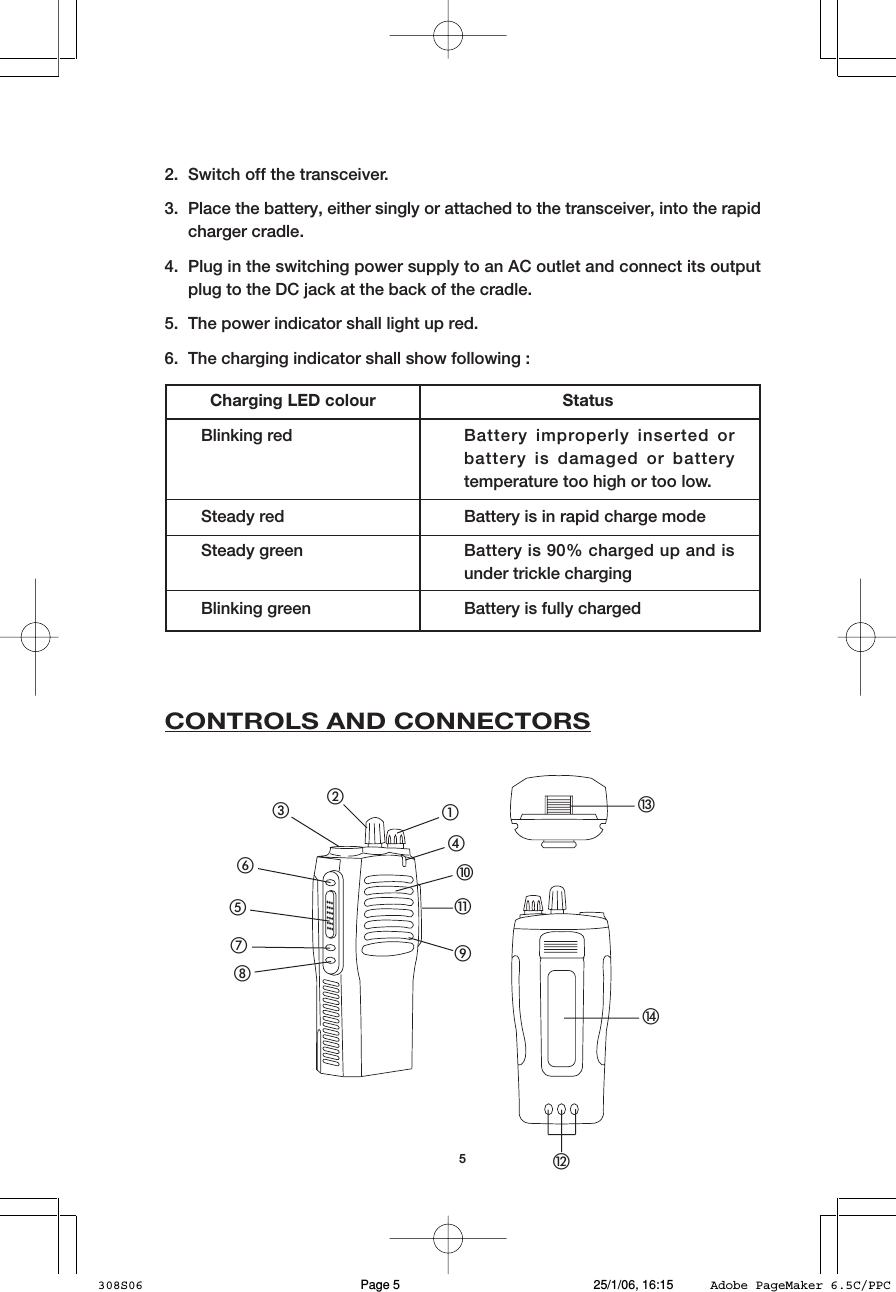
5Charging LED colour StatusBlinking red Battery improperly inserted orbattery is damaged or batterytemperature too high or too low.Steady red Battery is in rapid charge modeSteady green Battery is 90% charged up and isunder trickle chargingBlinking green Battery is fully charged2. Switch off the transceiver.3. Place the battery, either singly or attached to the transceiver, into the rapidcharger cradle.4. Plug in the switching power supply to an AC outlet and connect its outputplug to the DC jack at the back of the cradle.5. The power indicator shall light up red.6. The charging indicator shall show following :CONTROLS AND CONNECTORS햲햳햴햵햶햷햸햹햺햻햽햾햿헀308S06 25/1/06, 16:15Page 5 Adobe PageMaker 6.5C/PPC
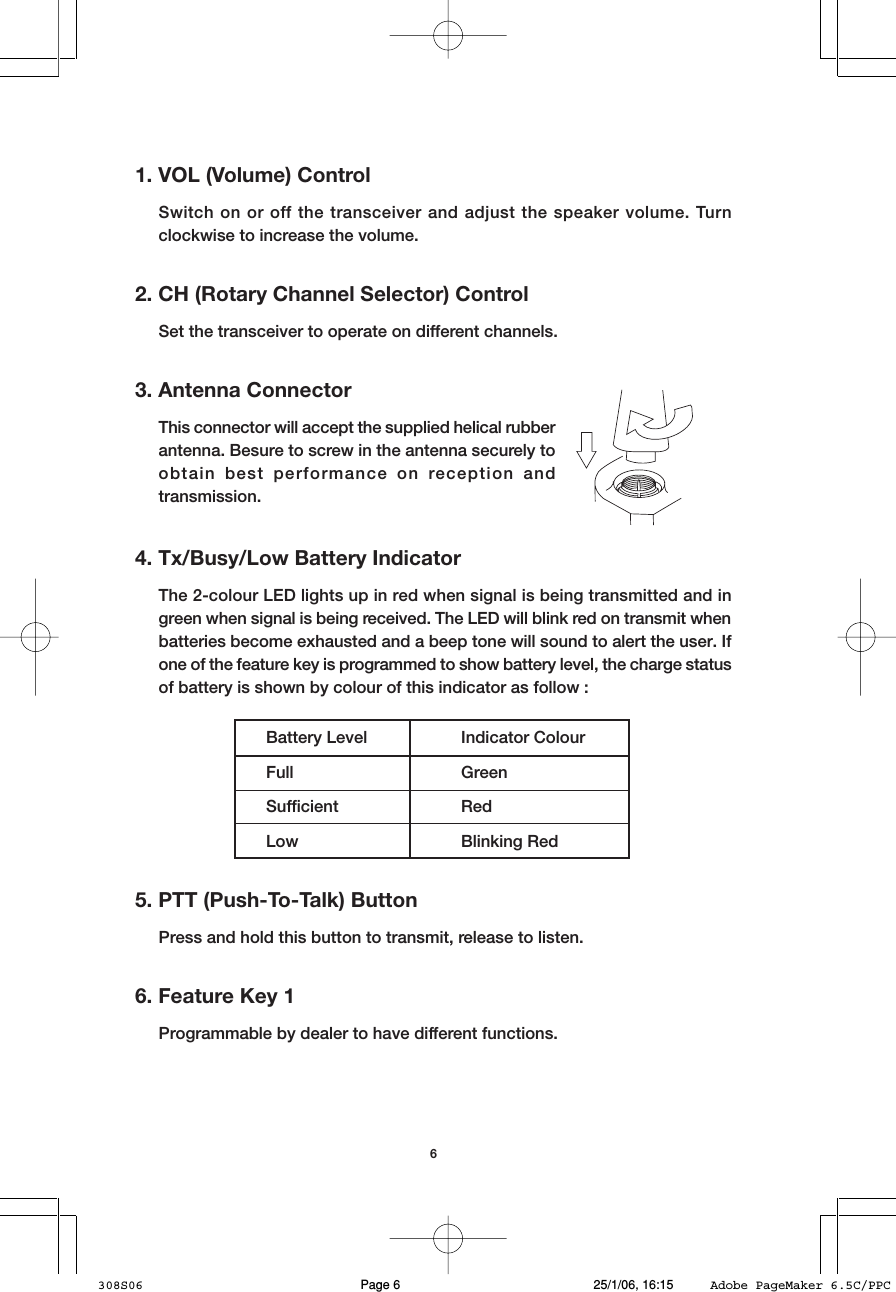
61. VOL (Volume) ControlSwitch on or off the transceiver and adjust the speaker volume. Turnclockwise to increase the volume.2. CH (Rotary Channel Selector) ControlSet the transceiver to operate on different channels.3. Antenna ConnectorThis connector will accept the supplied helical rubberantenna. Besure to screw in the antenna securely toobtain best performance on reception andtransmission.4. Tx/Busy/Low Battery IndicatorThe 2-colour LED lights up in red when signal is being transmitted and ingreen when signal is being received. The LED will blink red on transmit whenbatteries become exhausted and a beep tone will sound to alert the user. Ifone of the feature key is programmed to show battery level, the charge statusof battery is shown by colour of this indicator as follow :Battery Level Indicator ColourFull GreenSufficient RedLow Blinking Red5. PTT (Push-To-Talk) ButtonPress and hold this button to transmit, release to listen.6. Feature Key 1Programmable by dealer to have different functions.308S06 25/1/06, 16:15Page 6 Adobe PageMaker 6.5C/PPC
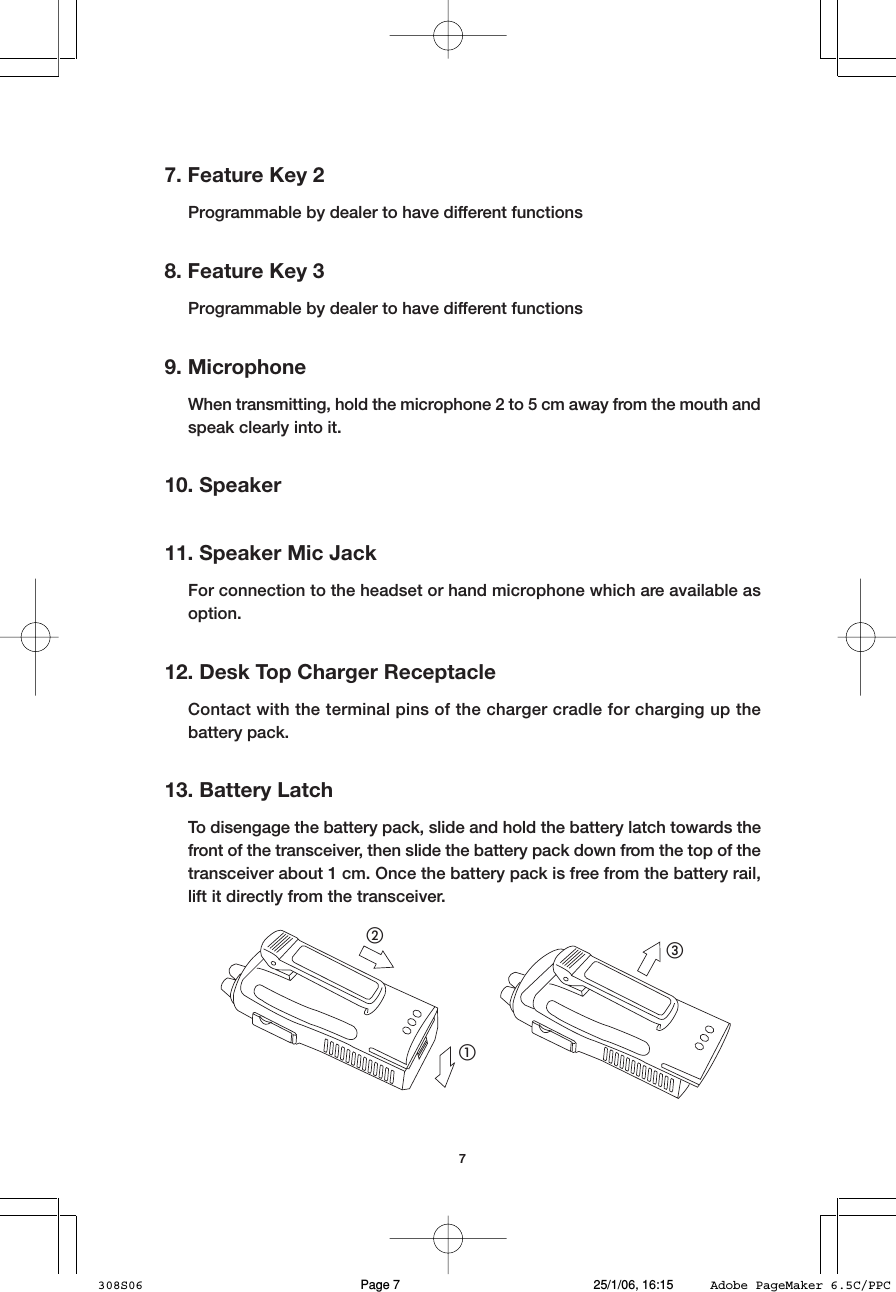
77. Feature Key 2Programmable by dealer to have different functions8. Feature Key 3Programmable by dealer to have different functions9. MicrophoneWhen transmitting, hold the microphone 2 to 5 cm away from the mouth andspeak clearly into it.10. Speaker11. Speaker Mic JackFor connection to the headset or hand microphone which are available asoption.12. Desk Top Charger ReceptacleContact with the terminal pins of the charger cradle for charging up thebattery pack.13. Battery LatchTo disengage the battery pack, slide and hold the battery latch towards thefront of the transceiver, then slide the battery pack down from the top of thetransceiver about 1 cm. Once the battery pack is free from the battery rail,lift it directly from the transceiver.햲햳햴308S06 25/1/06, 16:15Page 7 Adobe PageMaker 6.5C/PPC
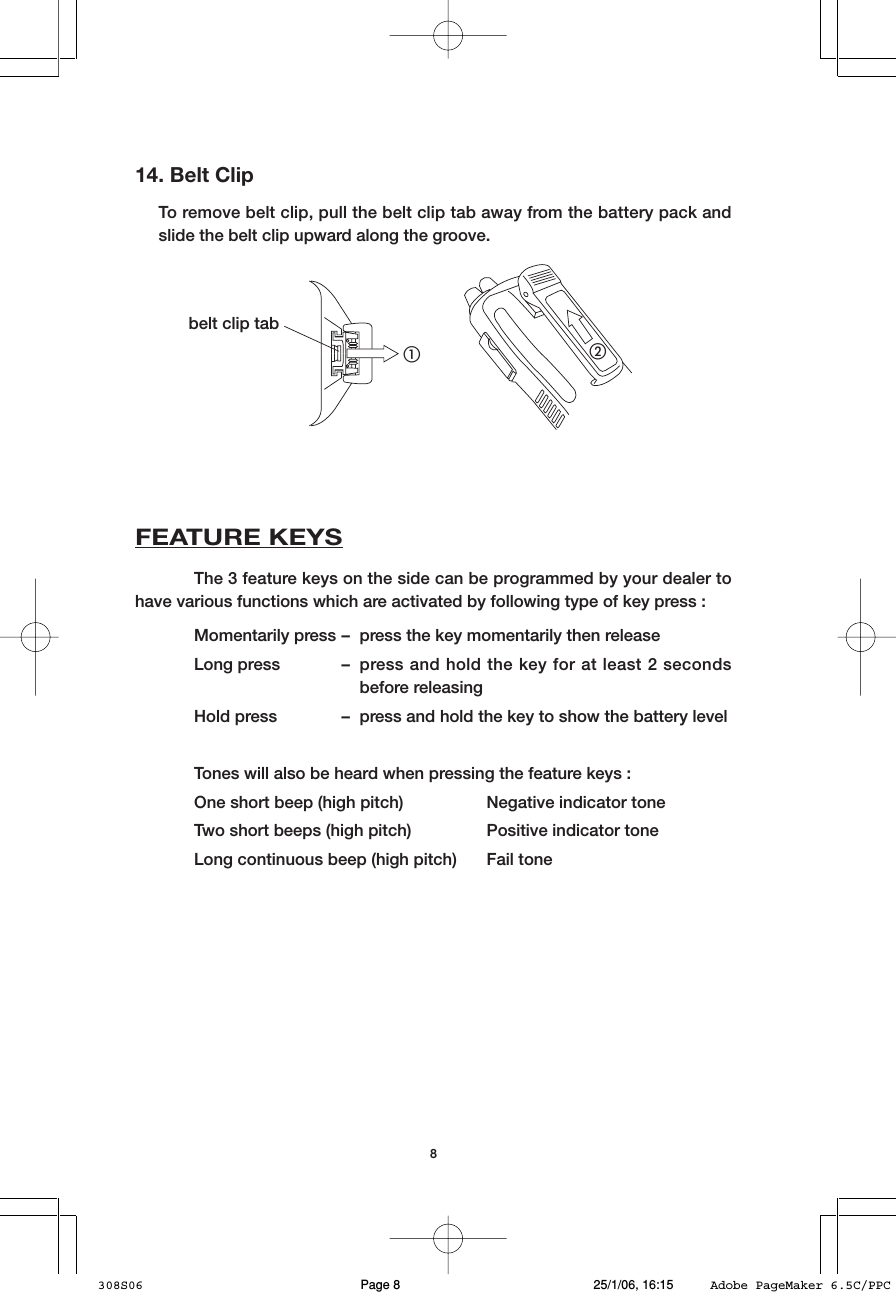
814. Belt ClipTo remove belt clip, pull the belt clip tab away from the battery pack andslide the belt clip upward along the groove.햲햳belt clip tabFEATURE KEYSThe 3 feature keys on the side can be programmed by your dealer tohave various functions which are activated by following type of key press :Momentarily press – press the key momentarily then releaseLong press – press and hold the key for at least 2 secondsbefore releasingHold press – press and hold the key to show the battery levelTones will also be heard when pressing the feature keys :One short beep (high pitch) Negative indicator toneTwo short beeps (high pitch) Positive indicator toneLong continuous beep (high pitch) Fail tone308S06 25/1/06, 16:15Page 8 Adobe PageMaker 6.5C/PPC
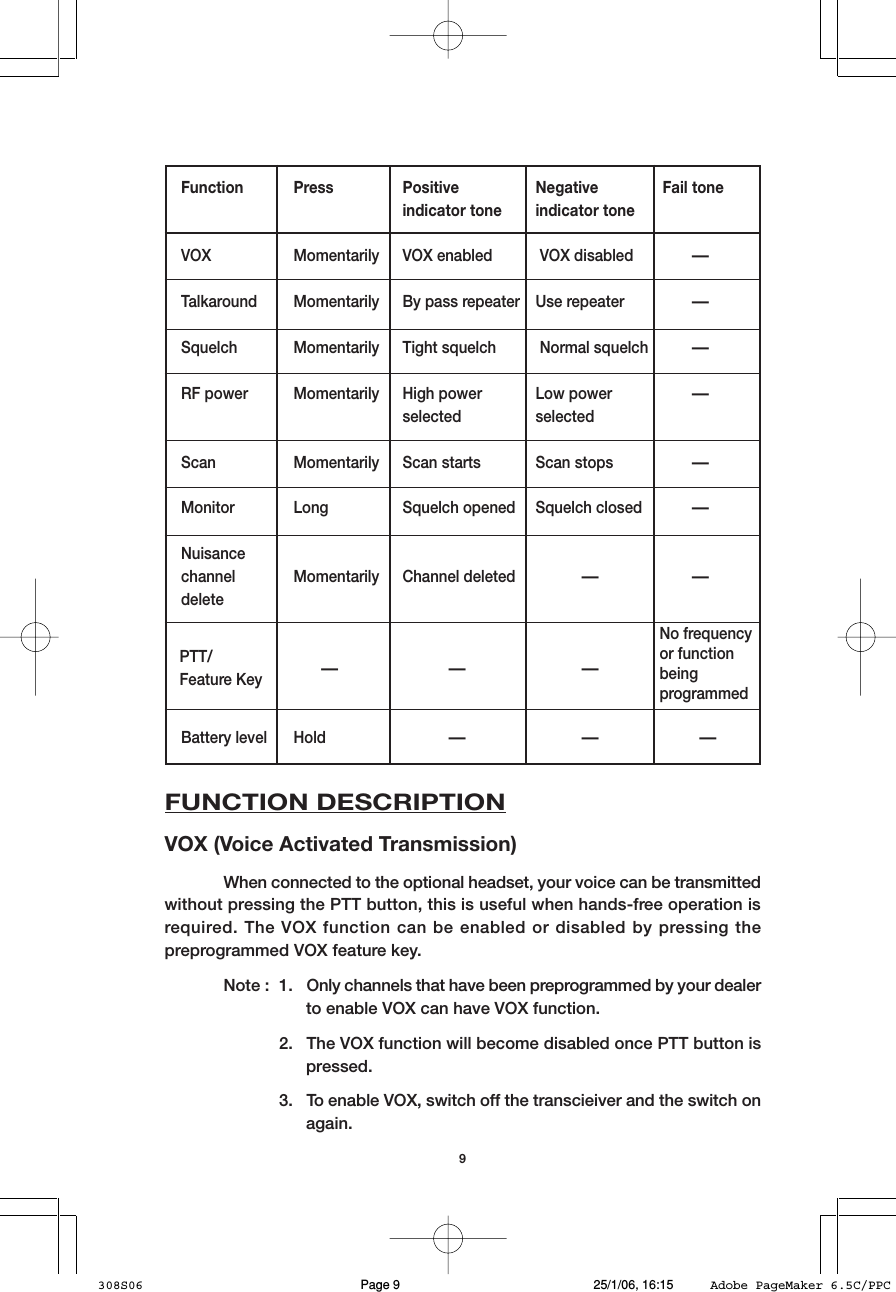
9Function Press Positive Negative Fail toneindicator tone indicator toneVOX Momentarily VOX enabled  VOX disabled–Talkaround Momentarily By pass repeater Use repeater–Squelch Momentarily Tight squelch  Normal squelch–RF power Momentarily High power Low power–selected selectedScan Momentarily Scan starts Scan stops–Monitor Long Squelch opened Squelch closed–Nuisancechannel Momentarily Channel deleted     – –delete   –      –      –Battery level Hold     –      –     –FUNCTION DESCRIPTIONVOX (Voice Activated Transmission)When connected to the optional headset, your voice can be transmittedwithout pressing the PTT button, this is useful when hands-free operation isrequired. The VOX function can be enabled or disabled by pressing thepreprogrammed VOX feature key.Note : 1. Only channels that have been preprogrammed by your dealerto enable VOX can have VOX function.2. The VOX function will become disabled once PTT button ispressed.3. To enable VOX, switch off the transcieiver and the switch onagain.PTT/Feature KeyNo frequencyor functionbeingprogrammed308S06 25/1/06, 16:15Page 9 Adobe PageMaker 6.5C/PPC
10TalkaroundThis function helps you to talk with another transceiver when you areout of the repeater service coverage but within the communication range ofanother transceiver or the repeater is out of order. Press the preprogrammedTalkaround feature key to toggle between repeater mode and by pass repeatermode.SquelchTightening the squelch can filter out nuisance signal and backgroundnoise, however, note that calls from distant locations are filtered off as well.Press the preprogrammed Squelch feature key to toggle between tight andnormal squelch.RF PowerSelecting high power allows you to communicate longer distance whileselecting low power helps to conserve battery’ss charge.Press the preprogrammed RF Power feature key to toggle between highand low power.MonitorThis function allows you to hear all signals on the operating channeldisregard of the CTCSS/DCS code being programmed. A long press of thepreprogrammed Monitor feature key set the transceiver in Sticky monitor mode.A short press of Monitor feature key set the transceiver back to normal squelchmode.PTT (Push-To-Talk)The feature key can be preprogrammed to transmit on any channel oncepressed, this allows quick access to other channels in addition to the operatingchannel. The transmit indicator will light up red when preprogrammed PTTfeature key is pressed.ScanThis refers to sequential scan where all the programmed channels are308S06 25/1/06, 16:15Page 10 Adobe PageMaker 6.5C/PPC
11scanned in a sequential order. The transceiver will stop on a channel when itdetects activity on it. If the CTCSS/DCS code of the received signal correspondsto the same as being programmed in the transceiver, the busy indicator willlight up green, you can hear the signal until it goes off. Otherwise, scanning willcontinue to the next channel.The transceiver will stay on the activity detected channel for a defaultperiod of time after activity has ceased so that you may respond to thetransmission.Press the preprogrammed Scan feature key to start and stop sequentialscan.Nuisance Channel DeleteDuring scanning, there may be some channels that constantly generateunwanted signals or noise and the transceiver becomes lock on to suchchannels. It is possible to remove these channels temporarily from the scansequence using Nuisance Channel Delete function.When the transceiver is on the nuisance channel, a long press of thepreprogrammed Nuisance Channel Delete feature key will temporarily deletethat channel from the scan sequence as confirmed by the positive indicatortone. There are 3 possible ways to restore the deleted channels into scansequence :(1) Switch off the transceiver then switch on again.(2) Select a different channel and once you return to the original channel,the deleted channels will be restored.(3) Press the preprogrammed Scan feature key to stop scanning, thenpress the same key again to start scanning, the deleted channelswill be restored.N.B. It is not possible to delete the last two remaining channels in the scansequence.OPERATION1. Switch on the transceiver by turning the VOL control knob 햲 clockwise, abeep tone will be heard to confirm successful power up. To turn off, turn theVOL control knob 햲 counter-clockwise until a click sound is heard.308S06 25/1/06, 16:15Page 11 Adobe PageMaker 6.5C/PPC
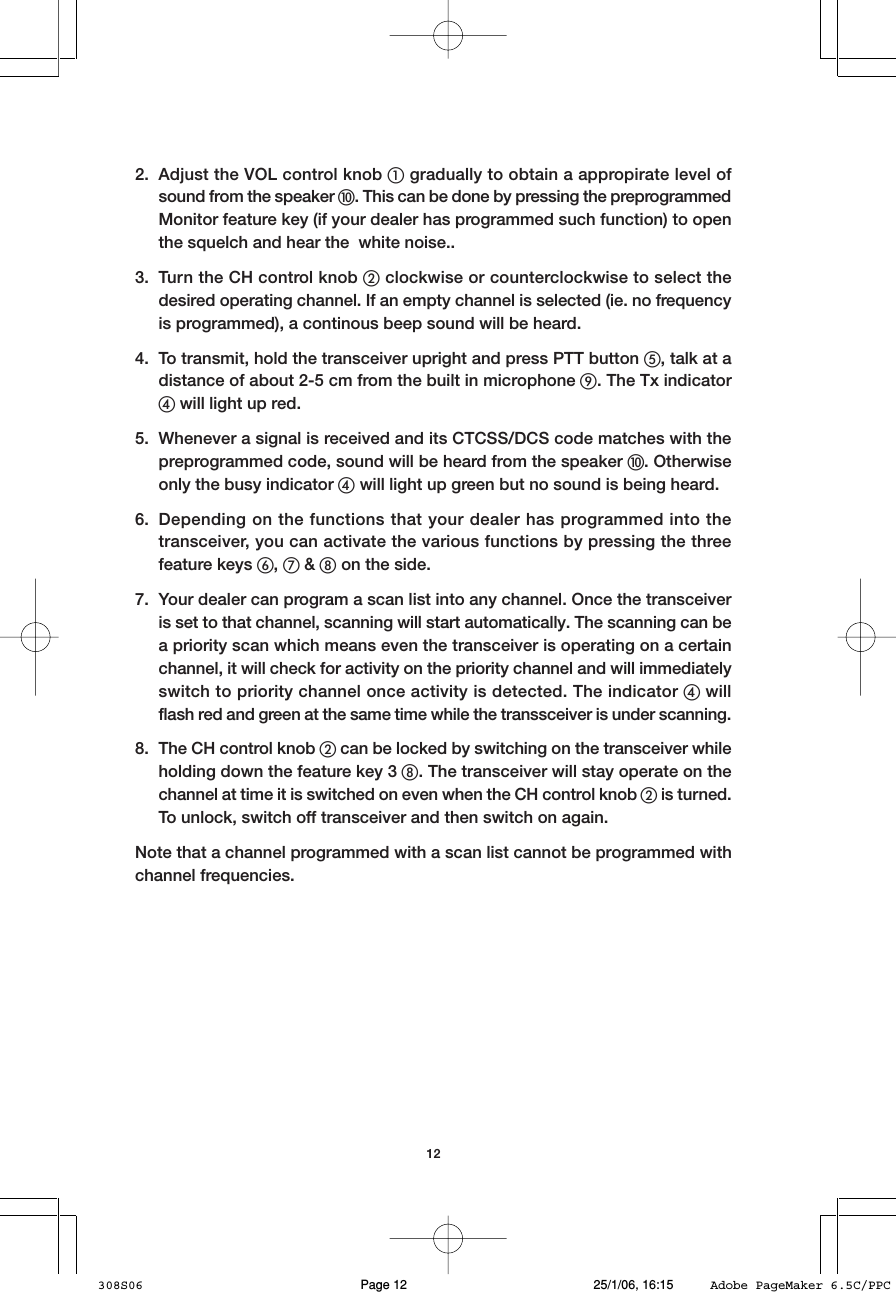
122. Adjust the VOL control knob 햲 gradually to obtain a appropirate level ofsound from the speaker 햻. This can be done by pressing the preprogrammedMonitor feature key (if your dealer has programmed such function) to openthe squelch and hear the  white noise..3. Turn the CH control knob 햳 clockwise or counterclockwise to select thedesired operating channel. If an empty channel is selected (ie. no frequencyis programmed), a continous beep sound will be heard.4. To transmit, hold the transceiver upright and press PTT button 햶, talk at adistance of about 2-5 cm from the built in microphone 햺. The Tx indicator햵 will light up red.5. Whenever a signal is received and its CTCSS/DCS code matches with thepreprogrammed code, sound will be heard from the speaker 햻. Otherwiseonly the busy indicator 햵 will light up green but no sound is being heard.6. Depending on the functions that your dealer has programmed into thetransceiver, you can activate the various functions by pressing the threefeature keys 햷, 햸 & 햹 on the side.7. Your dealer can program a scan list into any channel. Once the transceiveris set to that channel, scanning will start automatically. The scanning can bea priority scan which means even the transceiver is operating on a certainchannel, it will check for activity on the priority channel and will immediatelyswitch to priority channel once activity is detected. The indicator 햵 willflash red and green at the same time while the transsceiver is under scanning.8. The CH control knob 햳 can be locked by switching on the transceiver whileholding down the feature key 3 햹. The transceiver will stay operate on thechannel at time it is switched on even when the CH control knob 햳 is turned.To unlock, switch off transceiver and then switch on again.Note that a channel programmed with a scan list cannot be programmed withchannel frequencies.308S06 25/1/06, 16:15Page 12 Adobe PageMaker 6.5C/PPC
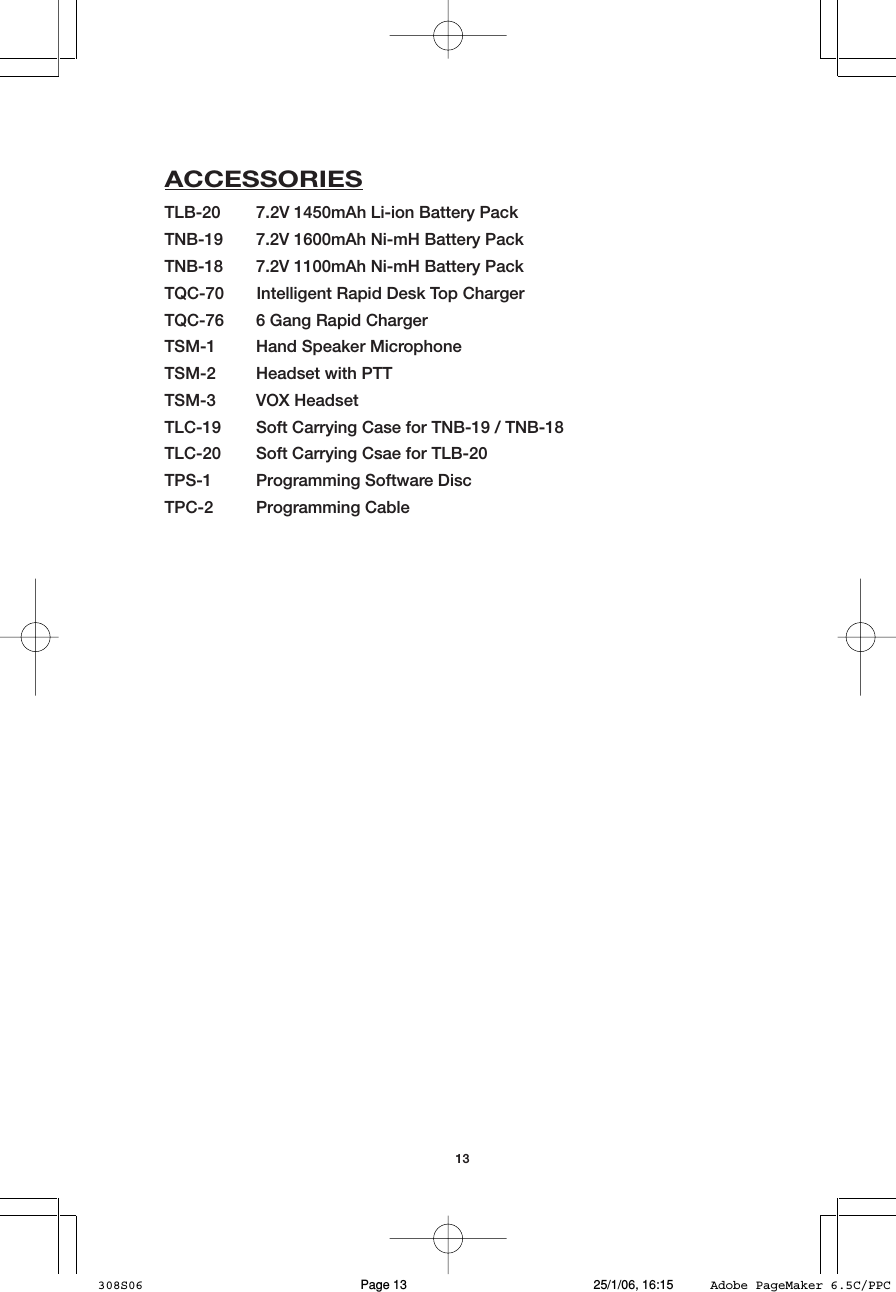
13ACCESSORIESTLB-20 7.2V 1450mAh Li-ion Battery PackTNB-19 7.2V 1600mAh Ni-mH Battery PackTNB-18 7.2V 1100mAh Ni-mH Battery PackTQC-70       Intelligent Rapid Desk Top ChargerTQC-76 6 Gang Rapid ChargerTSM-1 Hand Speaker MicrophoneTSM-2 Headset with PTTTSM-3 VOX HeadsetTLC-19 Soft Carrying Case for TNB-19 / TNB-18TLC-20 Soft Carrying Csae for TLB-20TPS-1 Programming Software DiscTPC-2 Programming Cable308S06 25/1/06, 16:15Page 13 Adobe PageMaker 6.5C/PPC

Navigation menu