Saab Defense and Security USA HGS915A HAND GRENADE SIMULATOR User Manual Hand Grenade Simulator US
Saab Defense and Security USA LLC HAND GRENADE SIMULATOR Hand Grenade Simulator US
Users Manual
mm © Saab Training Systems
8875 809-444
Final 2
User guide
Hand Grenade Simulator
HGS
1 Overview
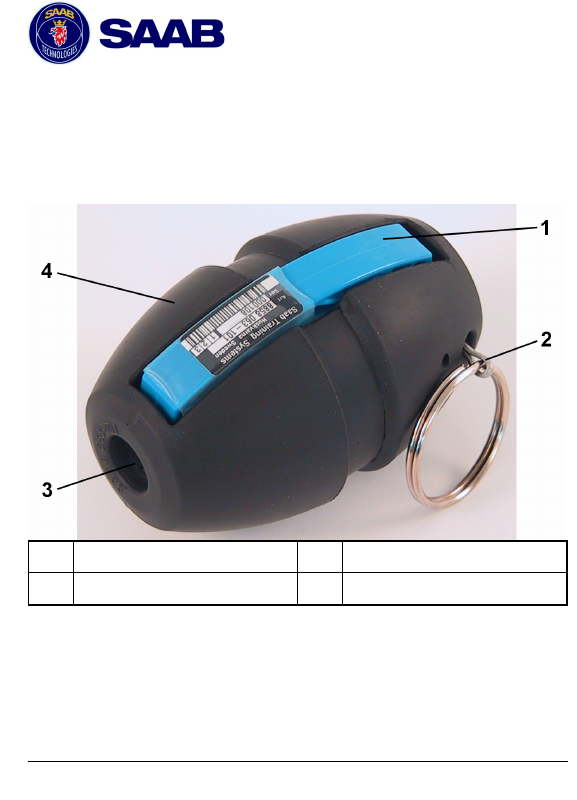
1Safety Lever 3IR interface and LED
2Safety Pin 4Rubber Cover
2 Preface
This manual will quickly guide you through the use of the
simulator for Hand Grenade. See the instructor manual for
more information about the simulator.

2
3 Effective range
The effective range of the Hand Grenade Simulator is similar
to that of a real grenade. This is achieved through short
range radio transmissions from the simulator to target
systems.
4 Pair the simulator with a PDD
(optional)
1. Make sure the LED flashes green once every 5th second
(Rearmed Hand Grenade).
2. Release the safety lever and quickly press the lever to
activate the IR interface.
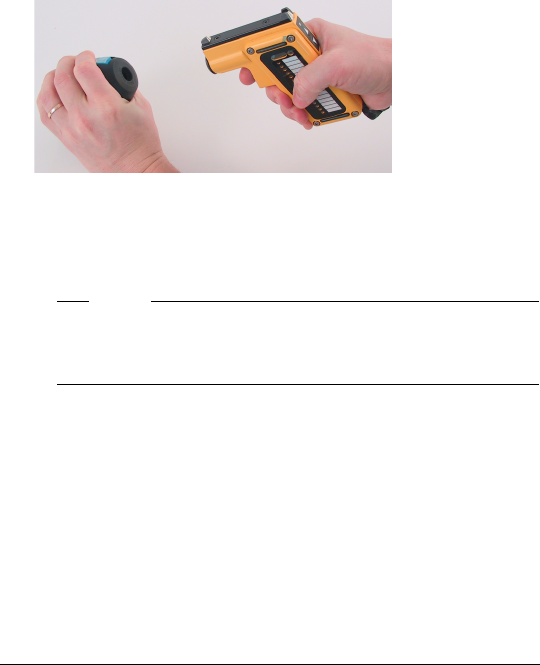
3. Aim immediately the Hand Grenade IR interface
towards the IR interface on the PDD. When the Hand
Grenade Simulator is paired with the PDD, the PDD will
generate a sound message.
3
5 Arm and detonate
1. Make sure the LED flashes green once every 5th second
(Rearmed Hand Grenade).
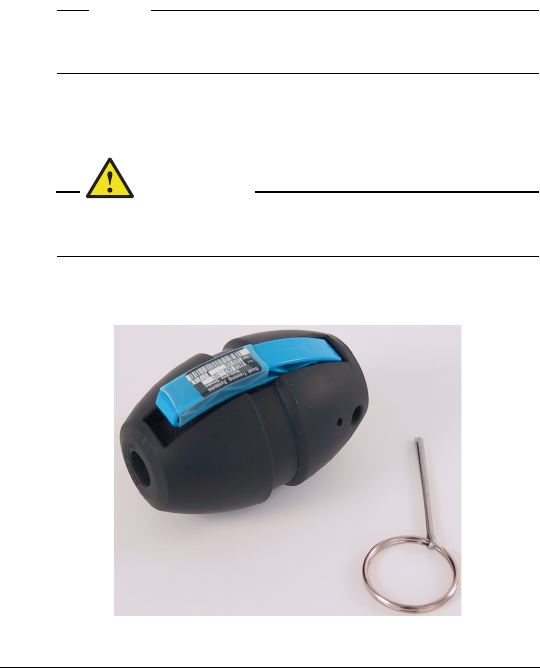
Note!
Always remove the safety pin before the Hand
Grenade is thrown.
2. Hold the safety lever and remove the safety pin (normal
procedure).
WARNING!
Never throw the Hand Grenade Simulator
directly at personnel.
3. Release the safety lever.
4
6 Rearm with CGUN (optional)
1. Press the safety lever and immediately fire a RESET
command with the CGUN (within 10 seconds).
2. Make sure the LED changes from a double flash
(detonated) to a single green flash. If not, release the
safety lever again and repeat step 1.
3. Hold the safety lever and install the safety pin.
Note!
Always rearm the simulator before storage. The
purpose is to prolong the battery life as much as
possible.

5
7 Rearm with time delay (optional)
1. Hold the safety lever and install the safety pin.
2. Wait until the simulator has automatically rearmed. The
rearm delay time (minutes) is predefined according to the
configuration.
3. Make sure that the LED changes from a double flash
(detonated) to a single green flash.
Note!
Always rearm the simulator before storage. The
purpose is to prolong the battery life as much as
possible.
6
8 Troubleshooting
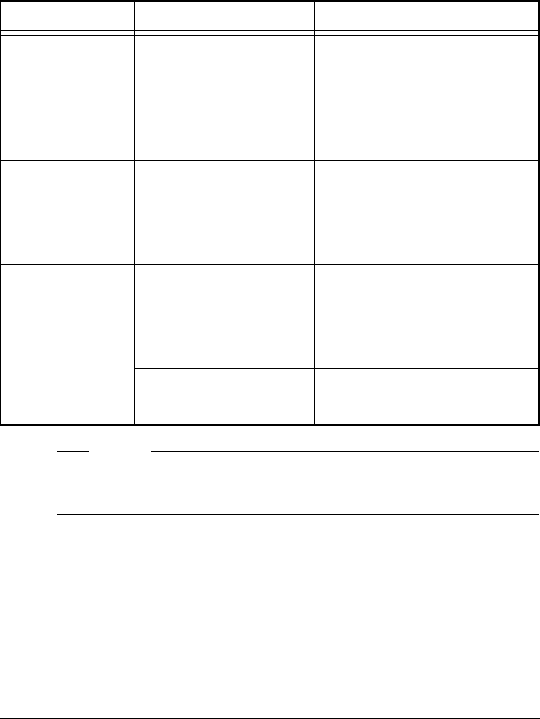
Symptom Cause Corrective action
No flashing
green LED
during
detonation.
Hand Grenade
Simulator not
rearmed.
Press the safety lever
and reset with a CGUN
or wait for the rearm
delay time to elapse
(minutes).
Red flashing
LED.
Low battery. Few simulations left.
Use the simulator until
the battery has
expired.
No flashing
LED.
Lever released
and the Hand
Grenade
detonated.
Press the safety lever.
Battery empty. Replace the hand
grenade.
Note!
The hand grenade has no power switch or user
replaceable battery.

9 Regulatory Statements
FCC Certification
The United States Federal Communication
Commission (FCC) has established certain rules
governing the use of electronic equipment.
Part15, Class B
1. This device is FCC Certified FCC ID:
R4AHGS915A
2. This device complies with Part 15 of FCC
rules. Operation is subject to the following two
conditions:
a) This device may not cause harmful
interference, and
b) This device must accept any interference
received, including interference that may
cause undesired operation. This equipment
has been tested and found to comply with the
limits for a Class B digital device, pursuant to
Part 15 of the FCC Rules.
7
_____________________________________________________

10 Information for User
Caution
Any changes or modifications not expressly approved
by the party responsible for compliance, namely SAAB
Training USA LLC, could void the user’s authority to
operate the Equipment.
8
_______________________________________________________