Saab Defense and Security USA WLN915A WLN ADAPTER User Manual

Saab Defense and Security USA LLC WLN ADAPTER Users Manual

Users Manual

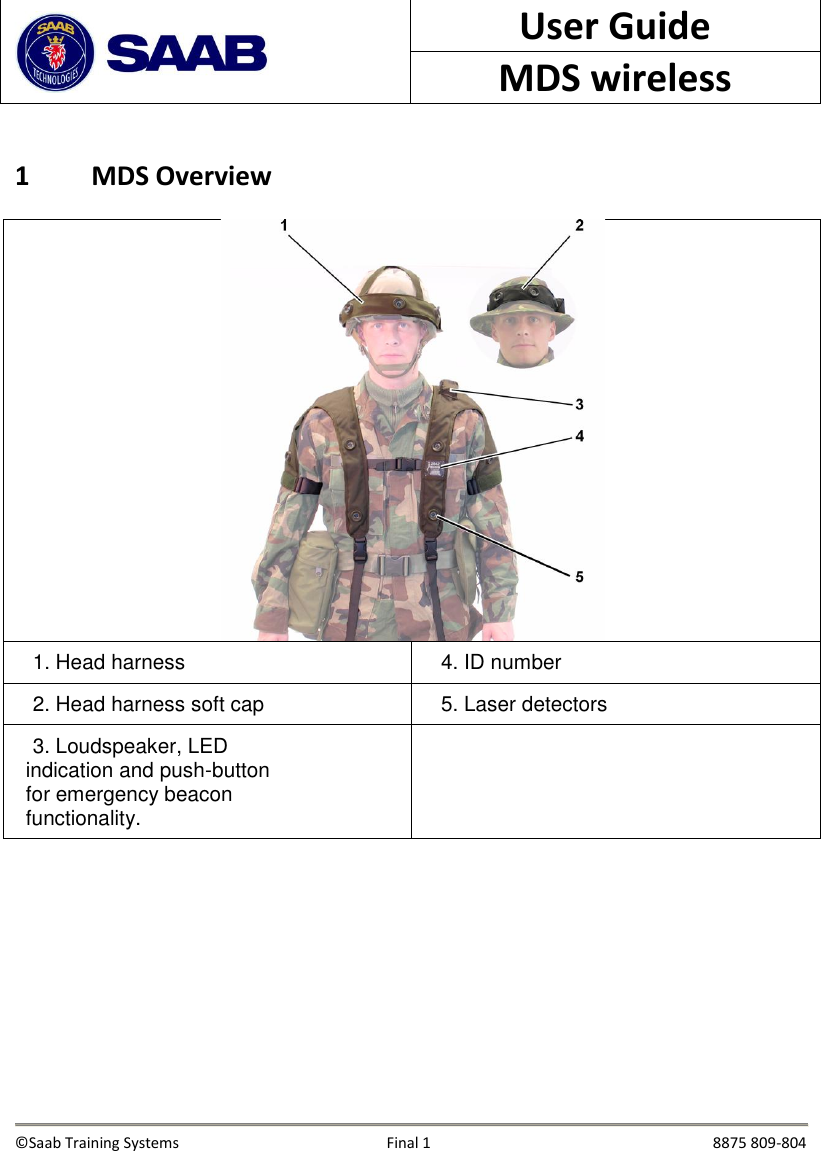
 User Guide MDS wireless  1 MDS Overview   1. Head harness   4. ID number    2. Head harness soft cap   5. Laser detectors   3. Loudspeaker, LED indication and push-button for emergency beacon functionality.         ©Saab Training Systems      Final 1               8875 809-804
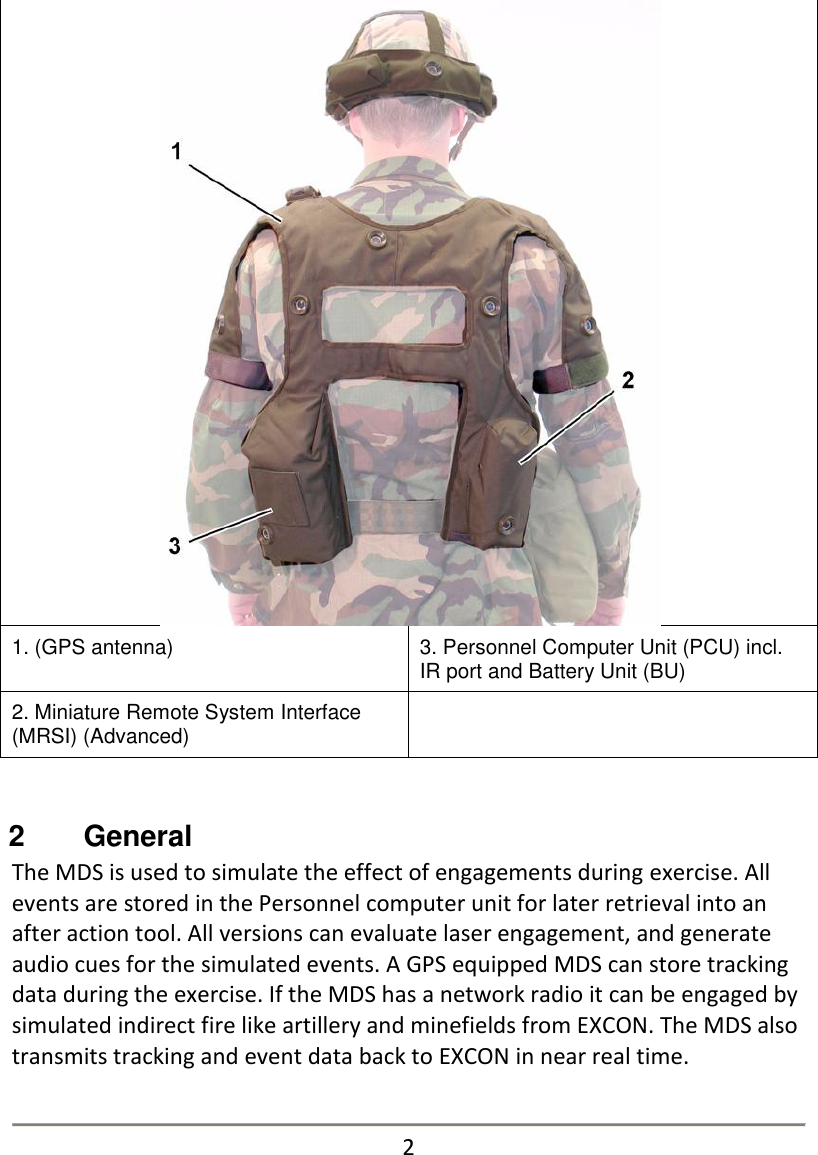
 1. (GPS antenna) 3. Personnel Computer Unit (PCU) incl. IR port and Battery Unit (BU) 2. Miniature Remote System Interface (MRSI) (Advanced)    2   General The MDS is used to simulate the effect of engagements during exercise. All events are stored in the Personnel computer unit for later retrieval into an after action tool. All versions can evaluate laser engagement, and generate audio cues for the simulated events. A GPS equipped MDS can store tracking data during the exercise. If the MDS has a network radio it can be engaged by simulated indirect fire like artillery and minefields from EXCON. The MDS also transmits tracking and event data back to EXCON in near real time.   2
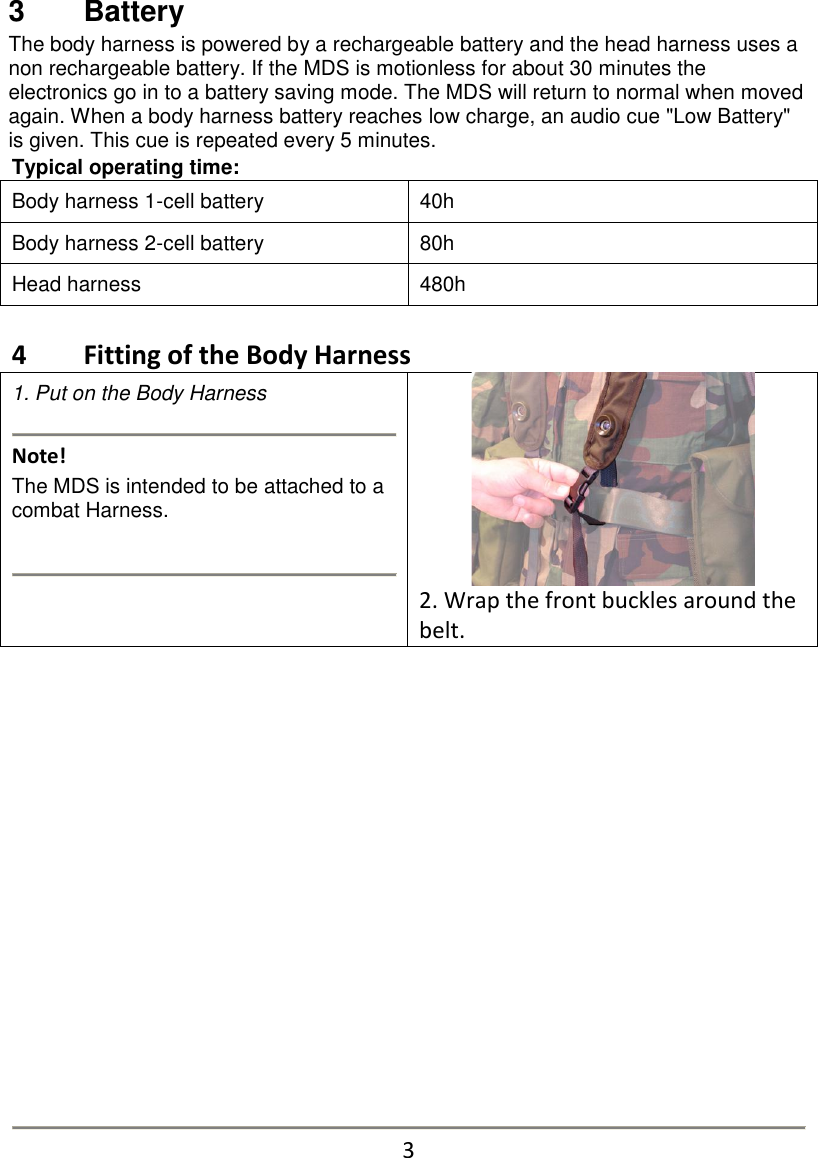
3   Battery The body harness is powered by a rechargeable battery and the head harness uses a non rechargeable battery. If the MDS is motionless for about 30 minutes the electronics go in to a battery saving mode. The MDS will return to normal when moved again. When a body harness battery reaches low charge, an audio cue "Low Battery" is given. This cue is repeated every 5 minutes. Typical operating time: Body harness 1-cell battery 40h Body harness 2-cell battery 80h Head harness 480h   4   Fitting of the Body Harness 1. Put on the Body Harness   Note!         The MDS is intended to be attached to a combat Harness.     2. Wrap the front buckles around the belt.                 3
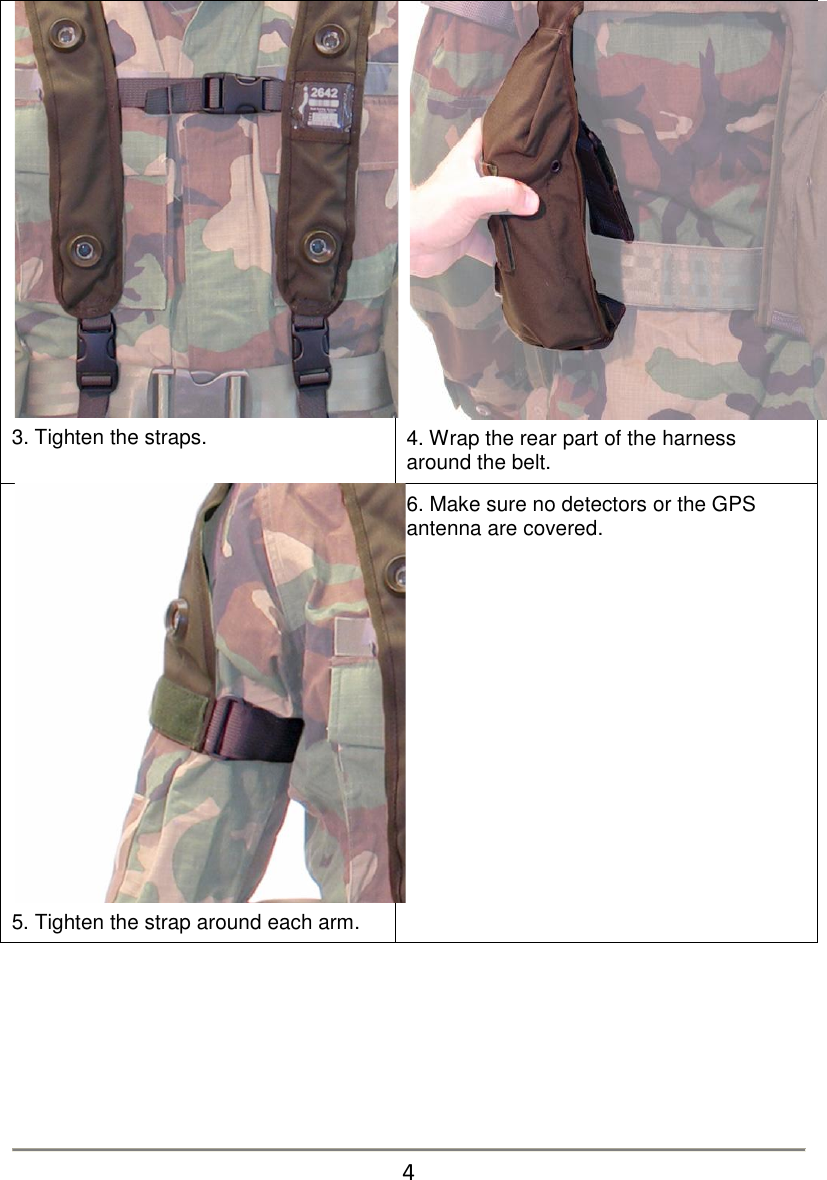
 3. Tighten the straps.  4. Wrap the rear part of the harness around the belt.  5. Tighten the strap around each arm. 6. Make sure no detectors or the GPS antenna are covered.        4
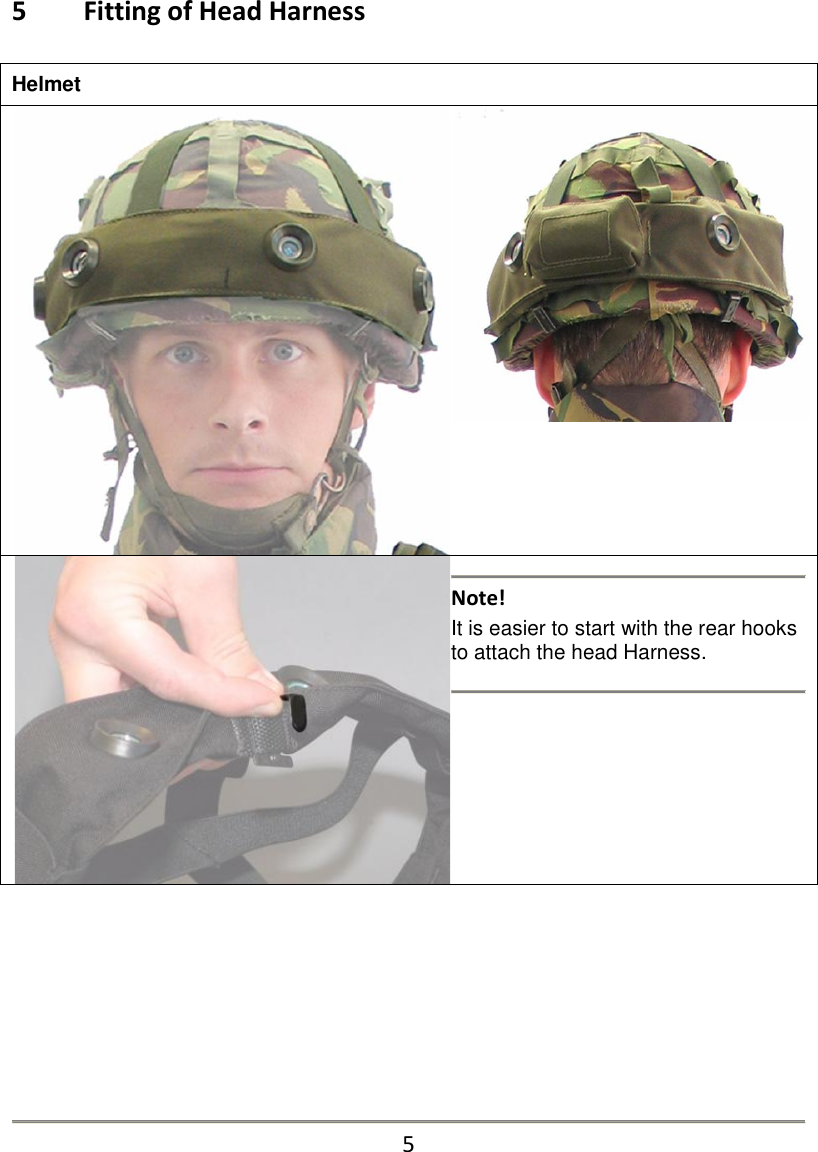
5   Fitting of Head Harness  Helmet     Note!  It is easier to start with the rear hooks to attach the head Harness.          5
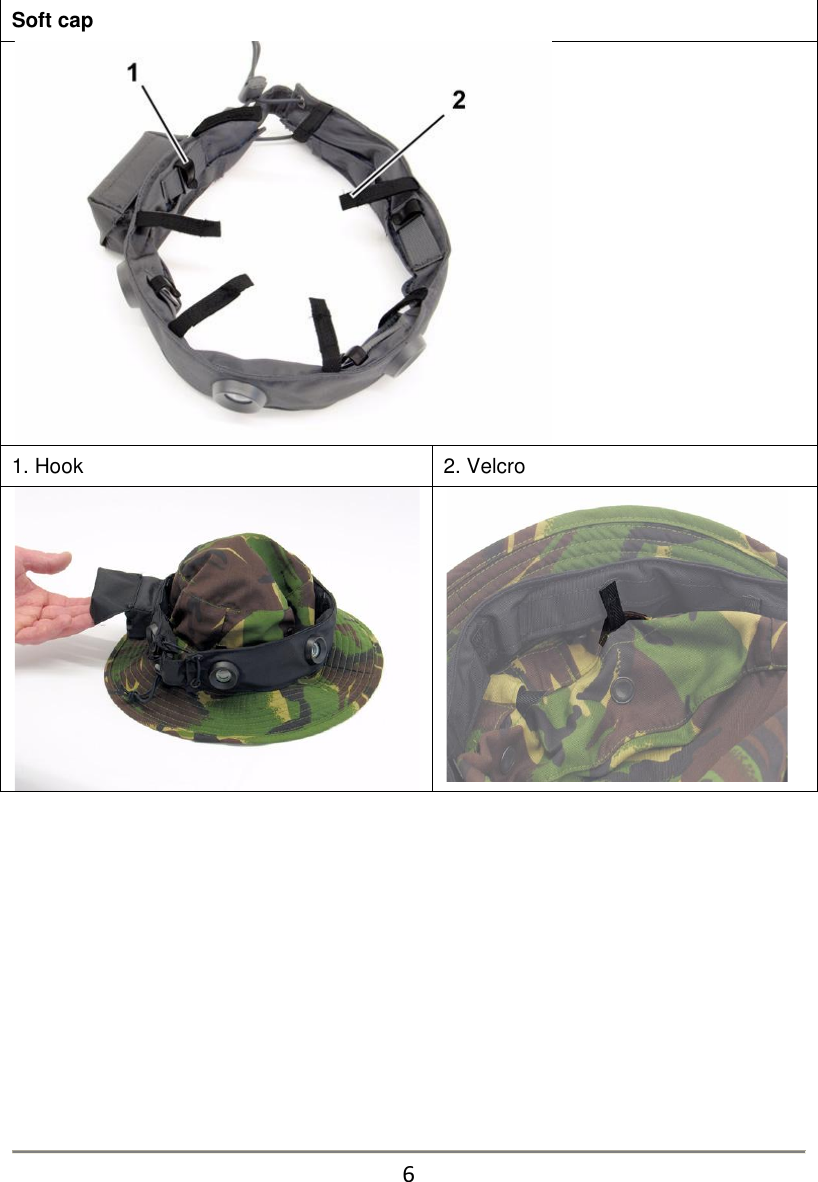
Soft cap   1. Hook 2. Velcro               6
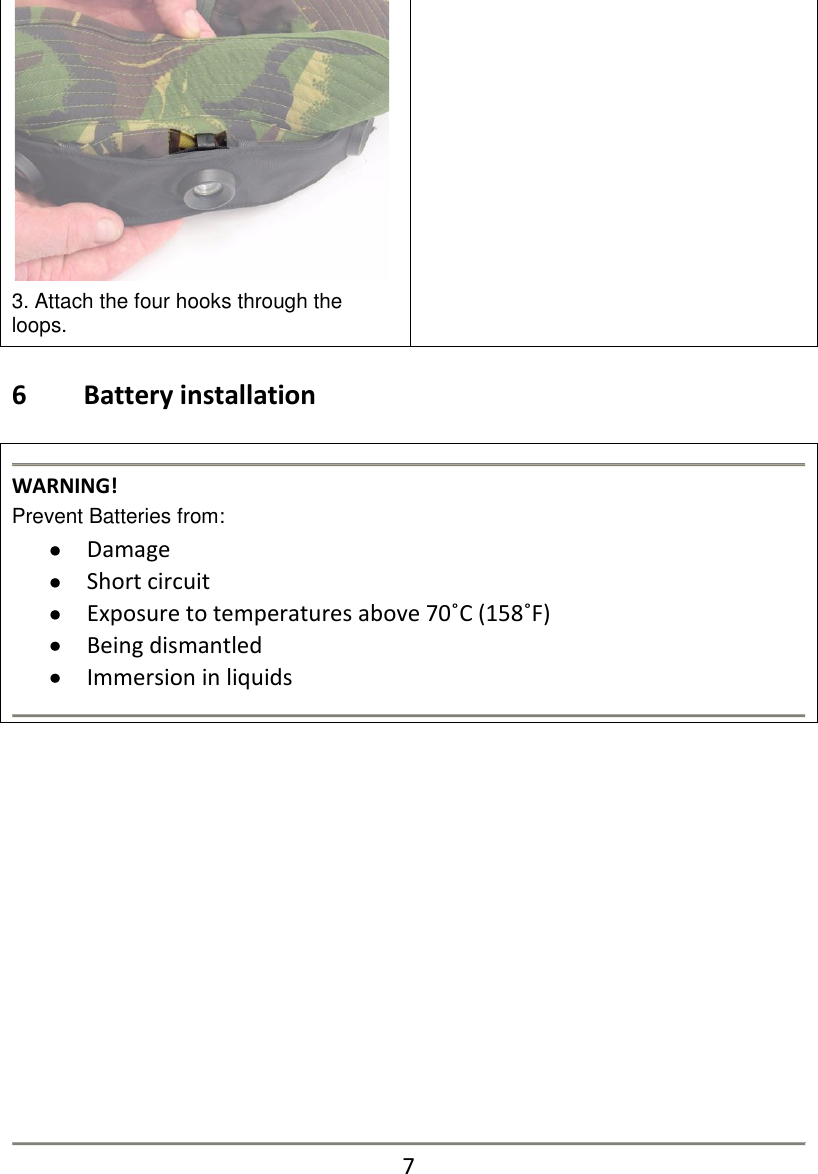
 3. Attach the four hooks through the loops.    6   Battery installation   WARNING! Prevent Batteries from:  Damage  Short circuit  Exposure to temperatures above 70˚C (158˚F)  Being dismantled  Immersion in liquids                7
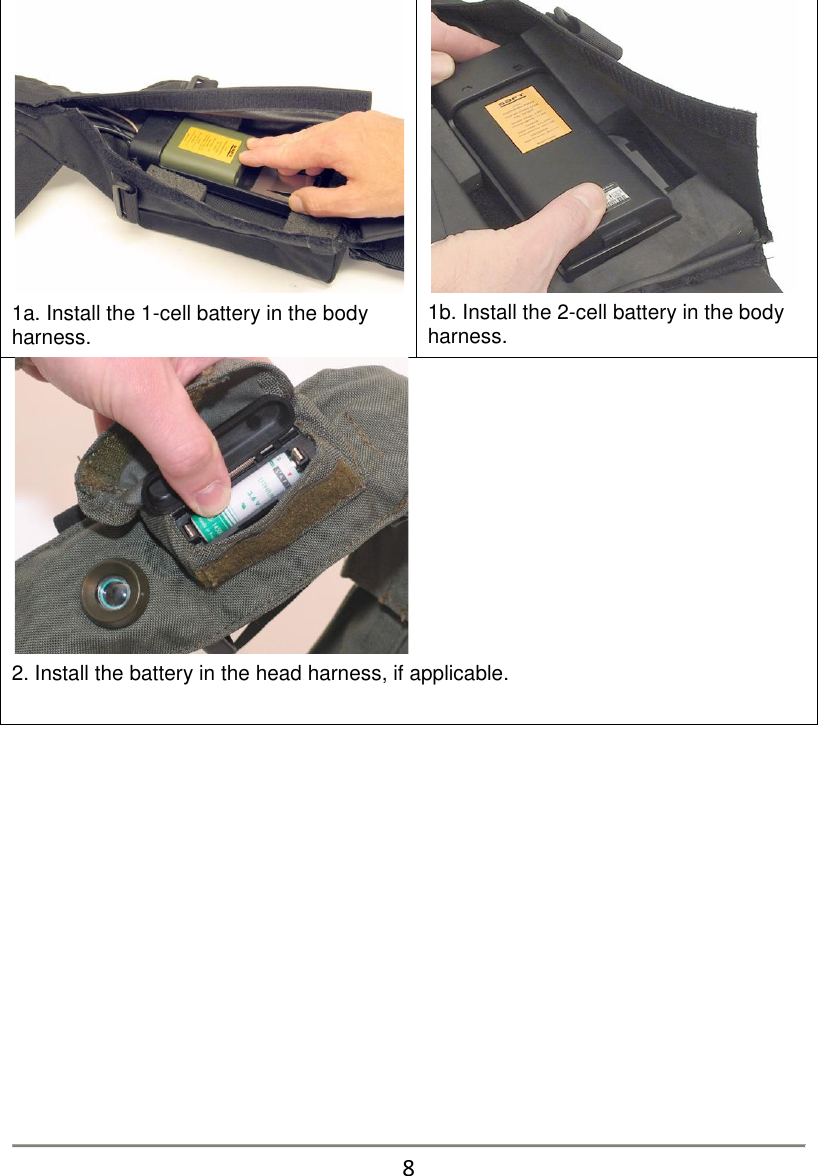
 1a. Install the 1-cell battery in the body harness.  1b. Install the 2-cell battery in the body harness.  2. Install the battery in the head harness, if applicable.                8
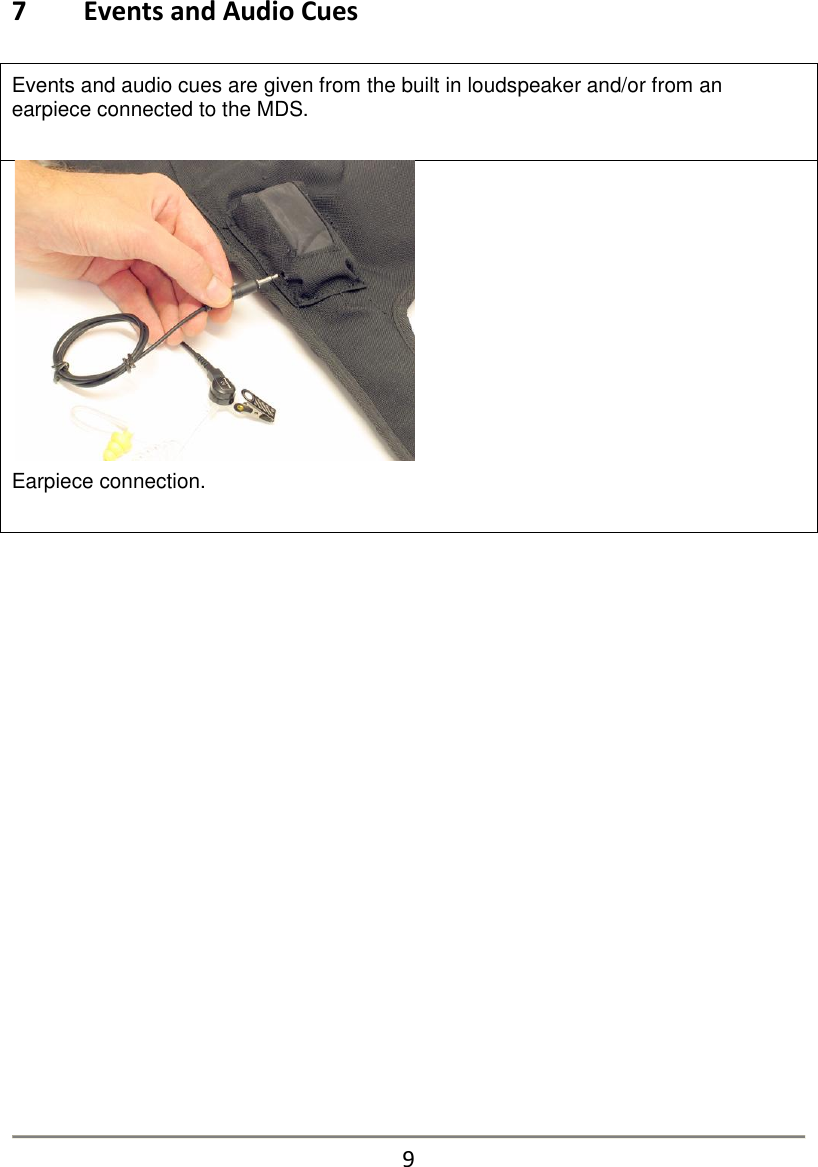
7   Events and Audio Cues  Events and audio cues are given from the built in loudspeaker and/or from an earpiece connected to the MDS.    Earpiece connection.                      9
The MDS generates the following types of audio cues/messages via the built-in speaker:   near miss sounds   wound status   killed   artillery sound with distance and compass direction   minefield effect Hit evaluation: When the MDS evaluates a hit an attention noise is generated. This is followed by a message as to wound type or a killed statement.  The MDS will disable the weapon SAT for about 30 seconds to simulate the shock of being hit. This prevents immediately return fire.  If the hit is evaluated as a kill or a severely/lethally wound the SAT will continue to be disabled. Only light wounds result in the ability to continue firing after 30 seconds. The simulated wound type will dictate the remaining time to live from an untreated wound. In the event of "kill" the wearer presents a combat target and should not move around. If moving around an unrealistic situation during the After Action Review is caused.                      10
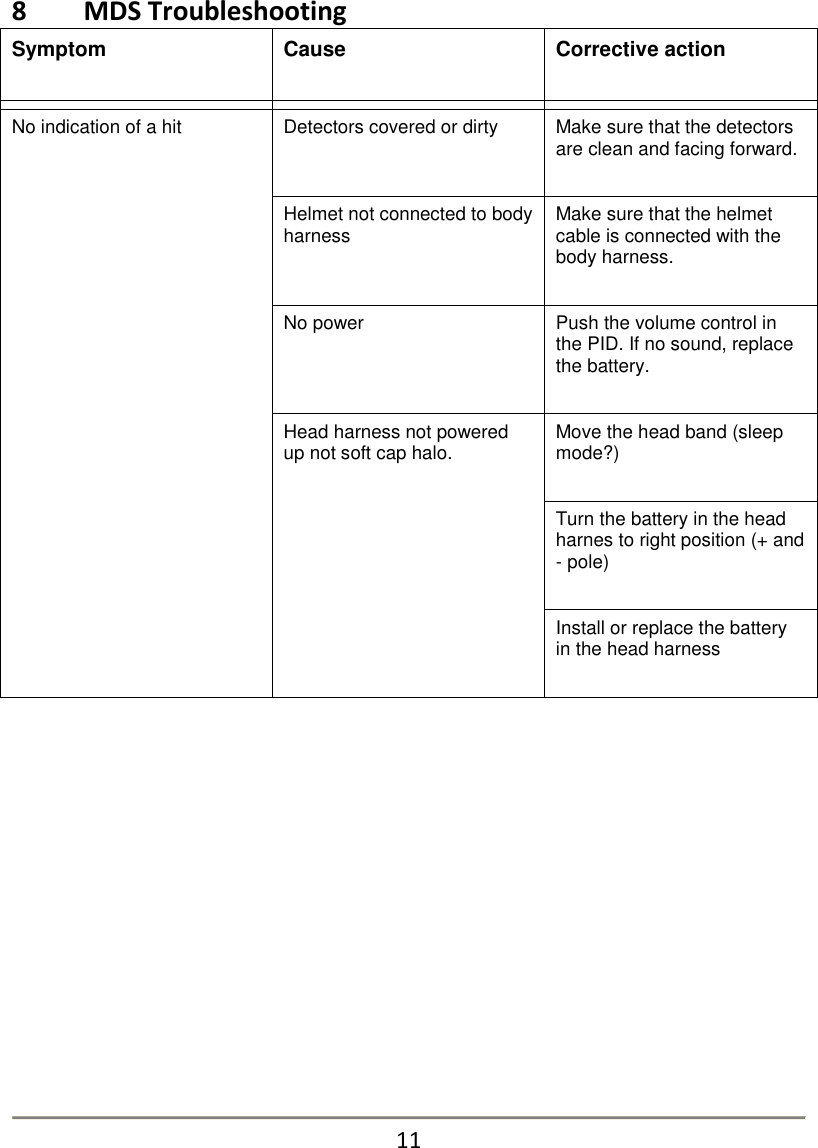
8   MDS Troubleshooting Symptom  Cause  Corrective action     No indication of a hit  Detectors covered or dirty  Make sure that the detectors are clean and facing forward.  Helmet not connected to body harness  Make sure that the helmet cable is connected with the body harness.  No power  Push the volume control in the PID. If no sound, replace the battery.  Head harness not powered up not soft cap halo.  Move the head band (sleep mode?)  Turn the battery in the head harnes to right position (+ and - pole)  Install or replace the battery in the head harness                11
 Symptom Cause Corrective action    No sound from the speakers  No battery in MDS  Install battery.  Low volume  Press the volume control button.  Battery discharged in MDS  Replace the battery.    9   Regulatory Statements  FCC Certification The United States Federal Communication Commission (FCC) has established certain rules governing the use of electronic equipment.  Part15, Class B 1. This device is FCC Certified FCC ID: R4AWLN915A 2. This device complies with Part 15 of FCC rules. Operation is subject to the following two conditions: a) This device may not cause harmful interface, and b) This device must accept any interface received, including interface that may cause undesired operation. This equipment has been tested and found to comply with the limits for a Class B digital device, pursuant to Part 15 of the FCC Rules.   10        Information for User  Caution Any changes or modifications not expressly approved by the party responsible for compliance, namely SAAB Training USA LLC, could void the user’s authority to operate the Equipment.     12

Navigation menu