Samsung Electronics Co WEA453E WLAN Access Point User Manual Model Name Manual Name
Samsung Electronics Co Ltd WLAN Access Point Model Name Manual Name
Contents
- 1. Users Manual
- 2. APC Operation Manual - Professional Installation Guide 1 of 2
- 3. APC Operation Manual - Professional Installation Guide 2 of 2
- 4. APC Operational Manual_Professional Installation Guide 1 of 2
- 5. APC Operational Manual_Professional Installation Guide 2 of 2
APC Operational Manual_Professional Installation Guide 2 of 2
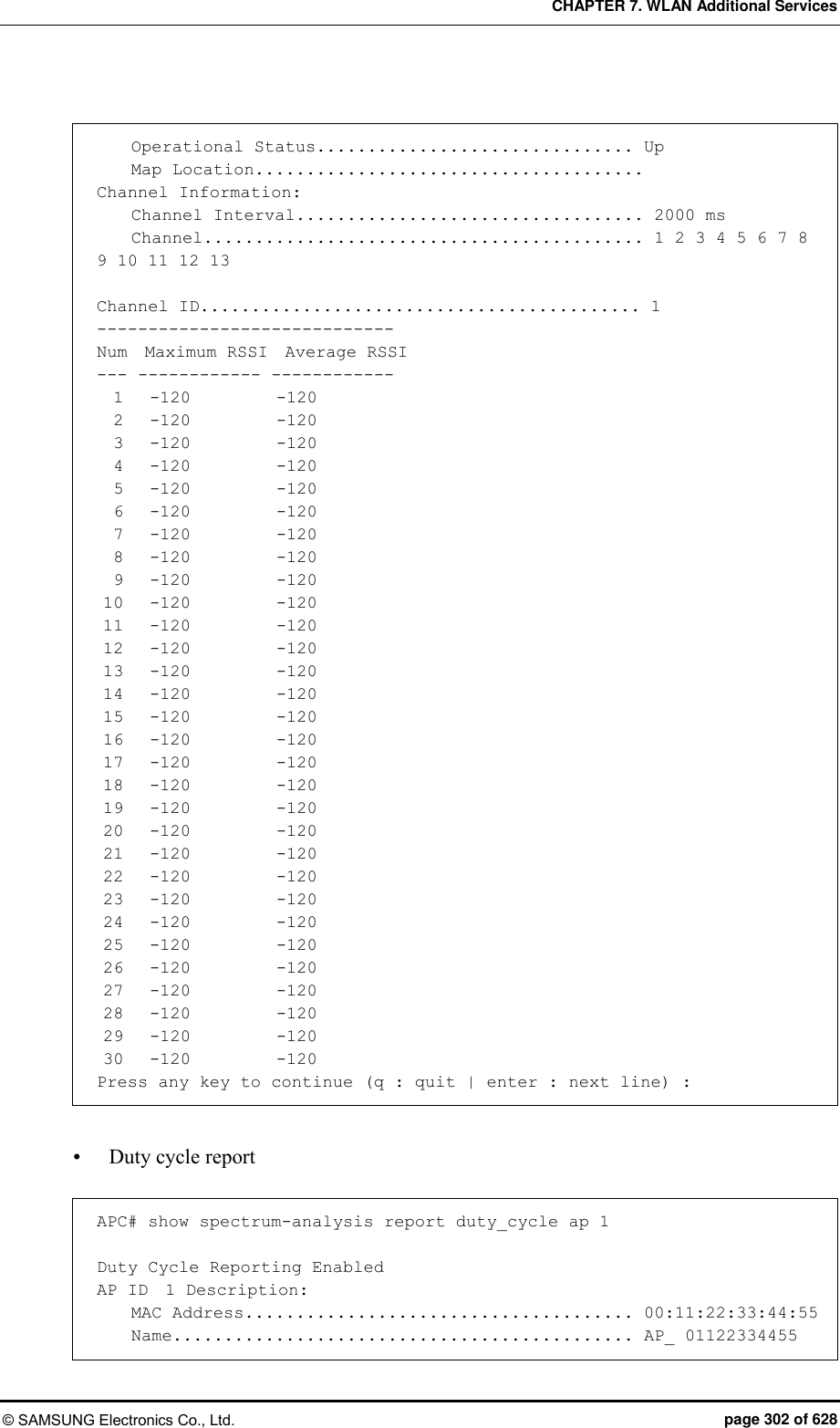
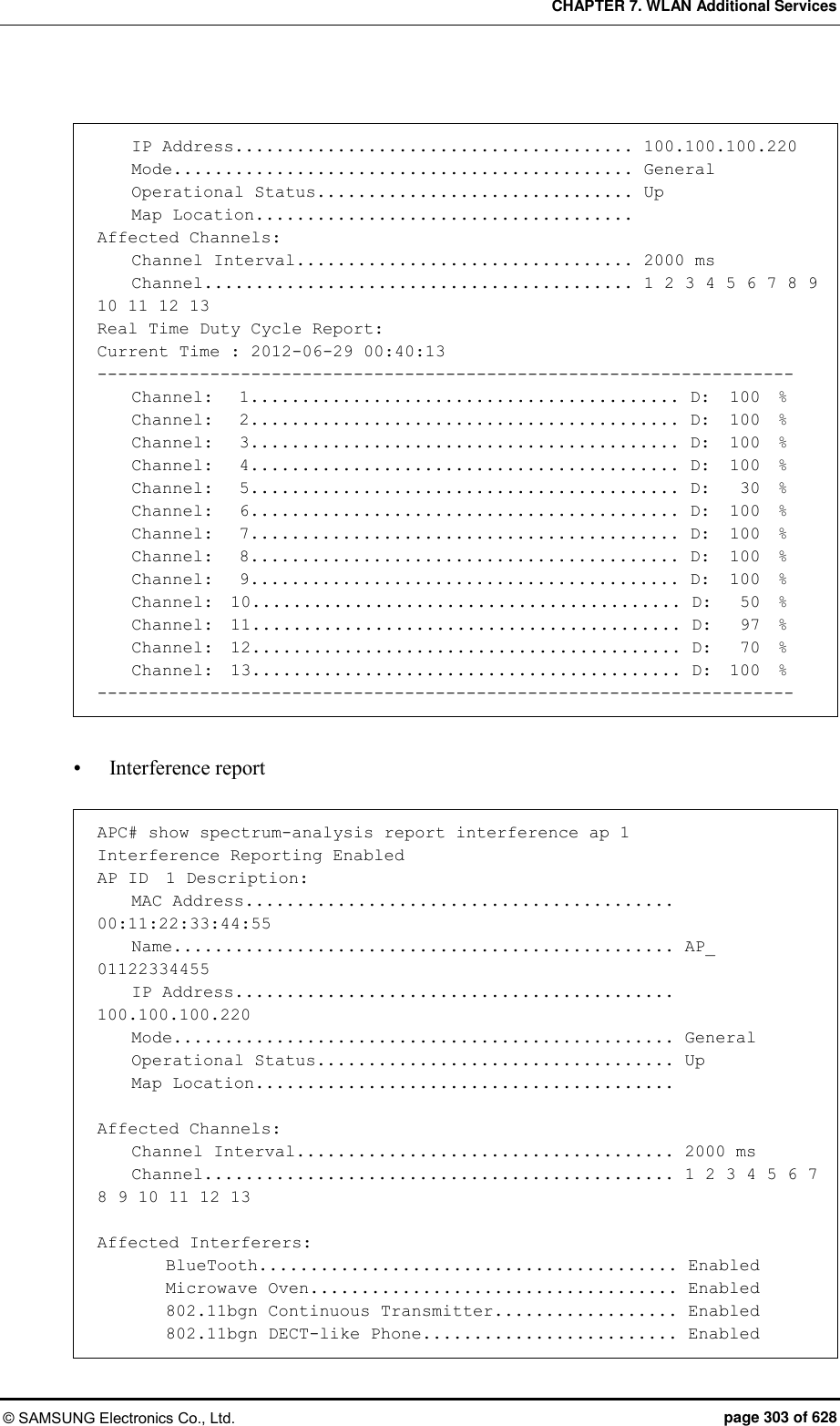
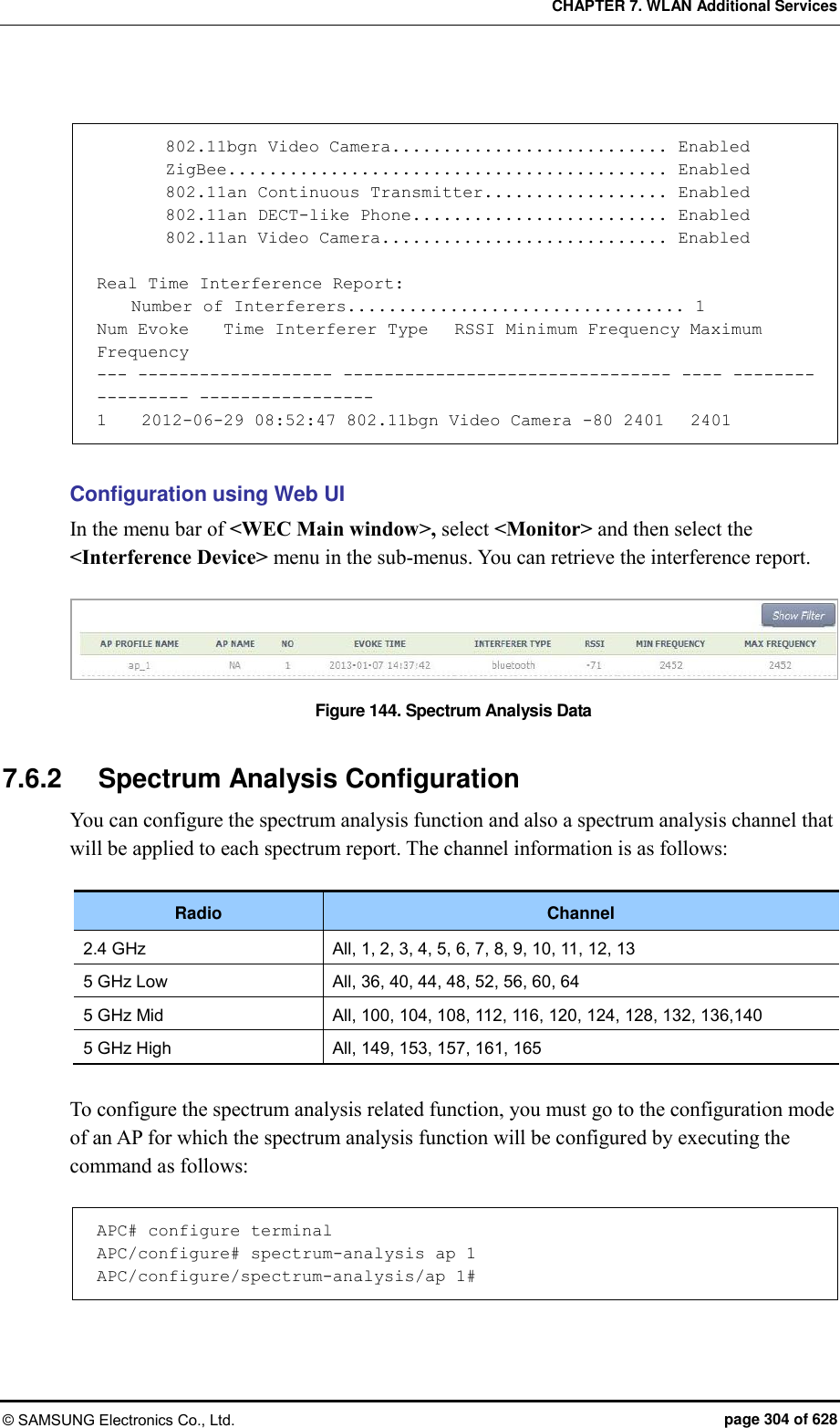
![CHAPTER 7. WLAN Additional Services © SAMSUNG Electronics Co., Ltd. page 301 of 628 7.6 Spectrum Analysis A non-802.11 device such as microwave oven, bluetooth, or Closed Circuit Television (CCTV), etc. deteriorates data transmitting/receiving performance because it causes interference in a wireless LAN environment. As a function that measures surrounding interference, the spectrum analysis analyzes wireless or Radio Frequency (RF) signals to resolve interference problem instantly. 7.6.1 Retrieving Spectrum Analysis Data The spectrum analysis function of APC provides the following data. Sample report: Wireless capture data converted into Fast Fourier Transform (FFT) Duty cycle report: Channel utilization rate Interference report: Interference signal information The FFT report provides the information of an AP and maximum 13 available channels and also maximum/minimum values of Received Signal Strength Indicator (RSSI) for each channel. The duty cycle report provides AP information and affected channel information. In addition, it provides duty cycle transmission data that indirectly provides channel utilization rate. The interference report provides AP information, affected channel, or configuration information of an interferer and also interference information (RSSI or maximum/minimum frequency of an interference signal) in real-time. Configuration using CLI By using the following command, you can check each data. show spectrum-analysis report [DATA] ap [AP_ID] Parameter Description DATA Spectrum analysis data type (sample/duty_cycle/interference) AP_ID AP ID (range: 1-500) An example of command execution and its execution result are as follows: FFT report APC# show spectrum-analysis report sample ap 1 FFT (Fast Fourier Transform) Reporting Enabled AP ID 1 Description: MAC Address...................................... 00:11:22:33:44:55 Name............................................. AP_ 01122334455 IP Address....................................... 100.100.100.220 Mode............................................. General](https://usermanual.wiki/Samsung-Electronics-Co/WEA453E.APC-Operational-Manual-Professional-Installation-Guide-2-of-2/User-Guide-2529438-Page-1.png)
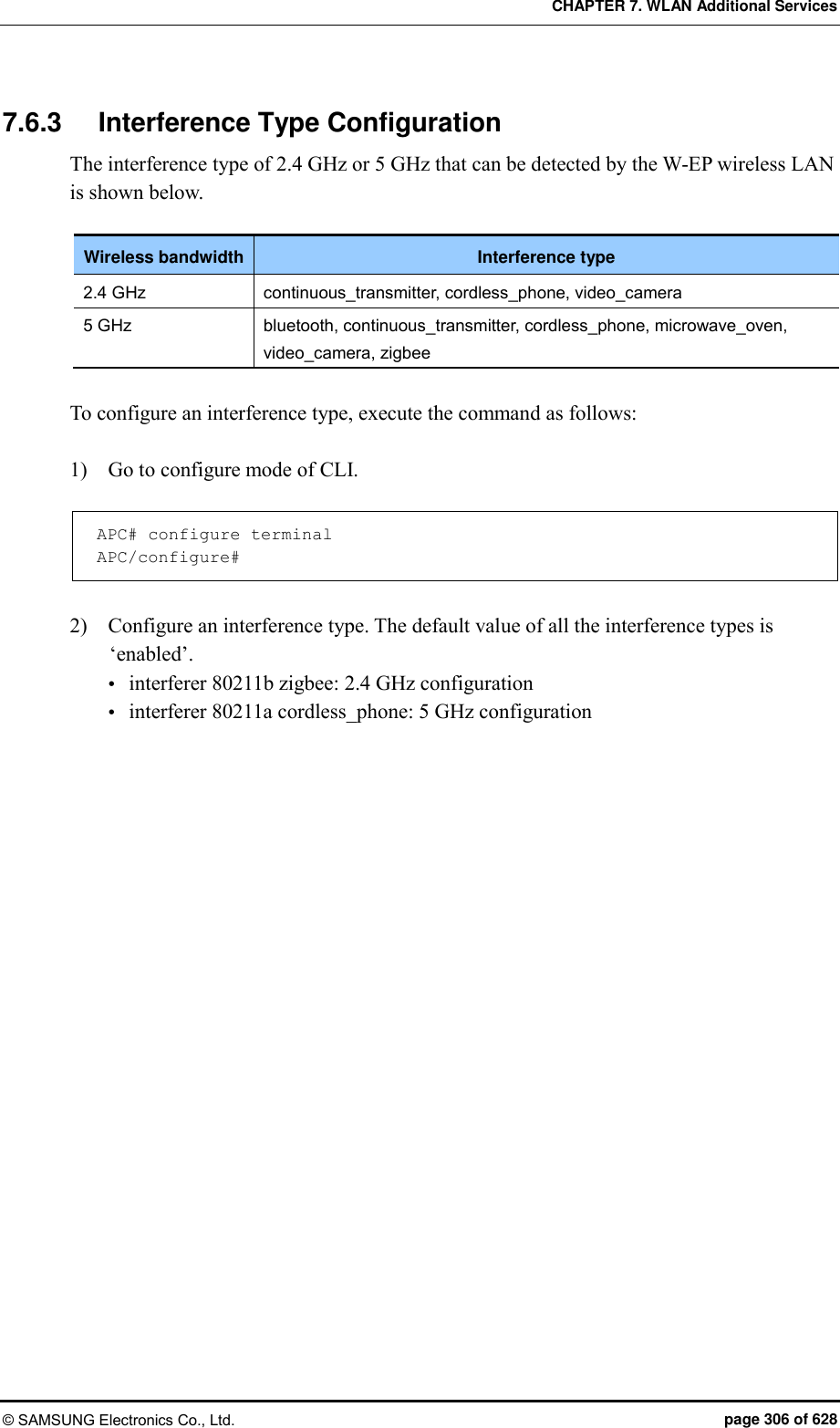
![CHAPTER 7. WLAN Additional Services © SAMSUNG Electronics Co., Ltd. page 305 of 628 [Enable/Disable Spectrum] The command that enables or disables the spectrum analysis function is shown below. service [MODE] Parameter Description MODE Enables or disables spectrum analysis - enable: Enable (default) - disable: Disable [Spectrum Analysis Report Configuration] The command used to enable or disable each spectrum analysis data item is shown below. configuration-request [DATA] [MODE] Parameter Description DATA Type of a report to configure (sample/duty-cycle/interference) - sample: FFT report (default: disabled) - duty-cycle: Duty cycle report (default: disabled) - interference: Interference report (default: enable) MODE Enables or disables each report function. - enable: Enable - disable: Disable [Channel Report Interval Configuration] The command is shown below. channel-interval [INTERVAL] Parameter Description INTERVAL Channel report interval (range: 1000-60000 ms, default: 1000) [Changing Channel] By using the following command, you can change a channel for which the spectrum analysis will be executed. (The default is ‘All’ channels.) dot11b: 2.4 GHz wireless bandwidth dot11aLow: 5 GHz low wireless bandwidth dot11aMid: 5 GHz mid wireless bandwidth dot11aHigh: 5 GHz high wireless bandwidth](https://usermanual.wiki/Samsung-Electronics-Co/WEA453E.APC-Operational-Manual-Professional-Installation-Guide-2-of-2/User-Guide-2529438-Page-5.png)
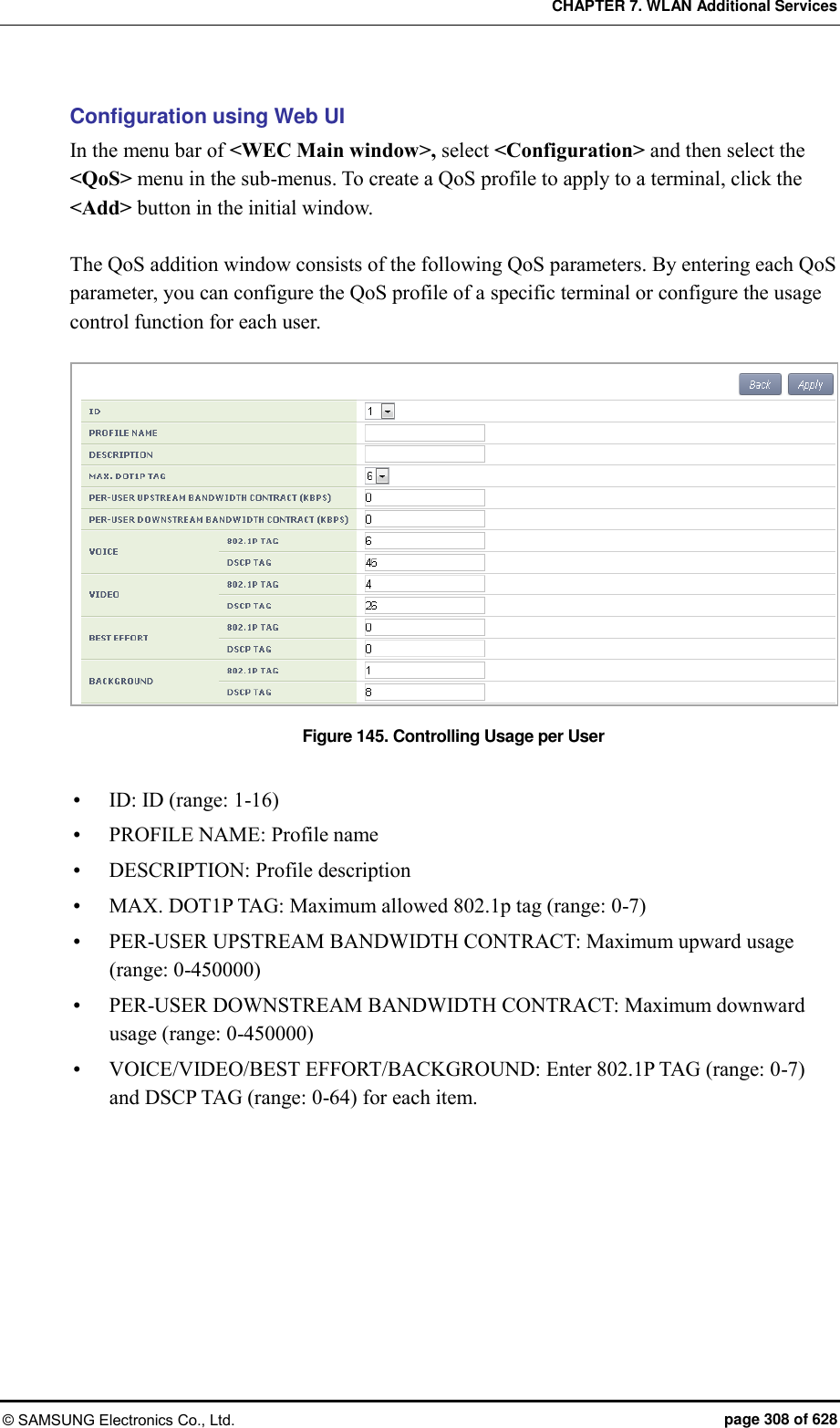
![CHAPTER 7. WLAN Additional Services © SAMSUNG Electronics Co., Ltd. page 307 of 628 7.7 Controlling Usage per User A wireless terminal can control traffic usage per user by receiving a QoS profile that specifies traffic usage (bandwidth) from the RADIUS server at the authentication stage. You can configure upward and downward usage per wireless terminal. Configuration using CLI The procedure of configuring a usage to a profile is as follows: 1) Go to configure mode of CLI. APC# configure terminal 2) Create a QoS profile. APC/configure# qos [PROFILE_NAME] APC/configure/qos samsung# Parameter Description PROFILE_NAME Name of a QoS profile to create 3) Configure the downward usage in kbps. bw-contract-downstream [VALUE] Parameter Description VALUE Downward usage 4) Configure the upward usage in kbps. bw-contract-upstream [VALUE] Parameter Description VALUE Upward usage 5) To check the configured profile information, use the ‘show qos profile’ command.](https://usermanual.wiki/Samsung-Electronics-Co/WEA453E.APC-Operational-Manual-Professional-Installation-Guide-2-of-2/User-Guide-2529438-Page-7.png)
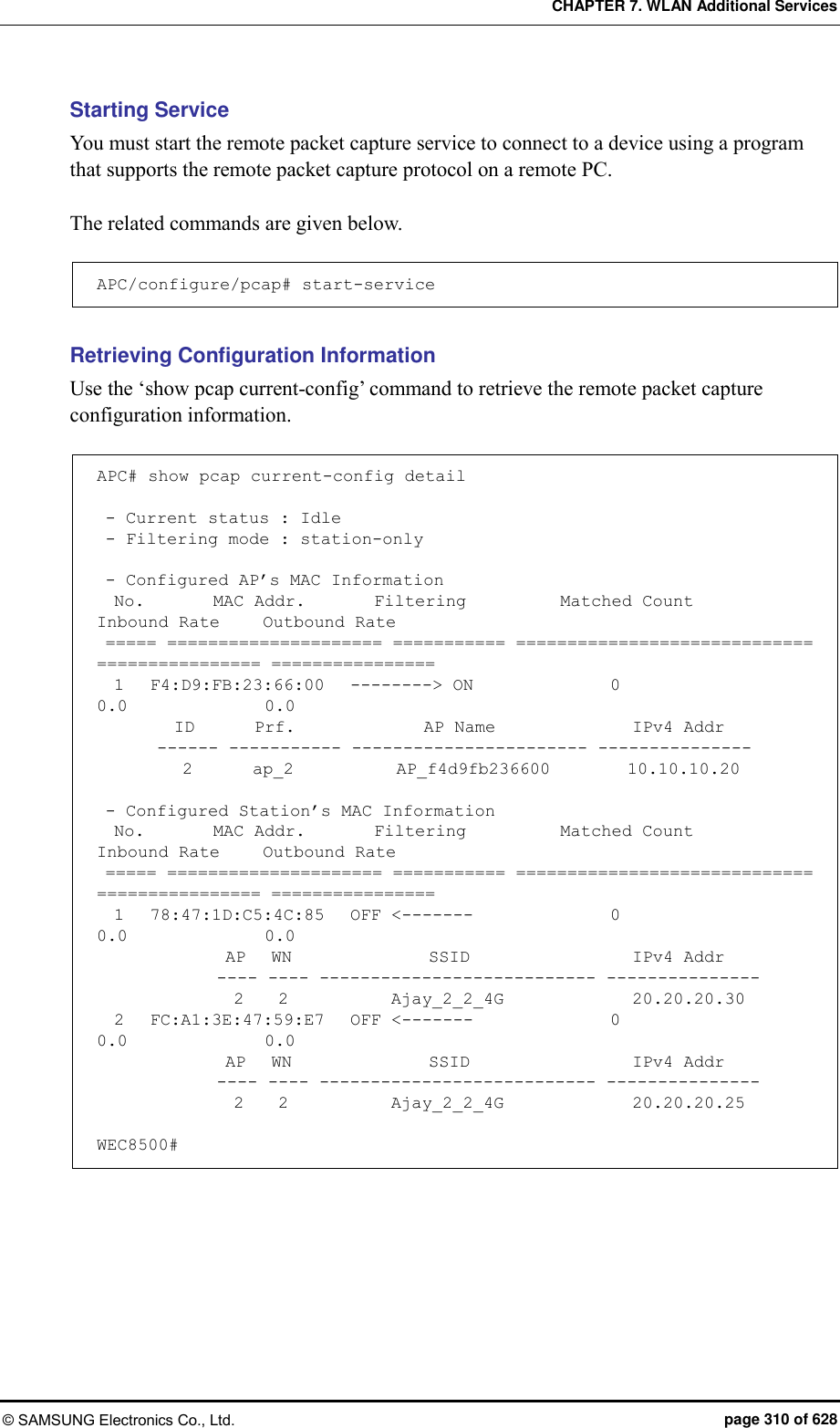
![CHAPTER 7. WLAN Additional Services © SAMSUNG Electronics Co., Ltd. page 309 of 628 7.8 Remote Packet Capture APC can capture a packet exchanged between the wireless terminals on a remote PC in real-time by using the remote packet capture protocol. To configure the remote packet capture function, you must go to the pcap mode by executing the command as follows: APC# configure terminal APC/configure# pcap Configuring the MAC address of a wireless terminal Configure the MAC address of a wireless terminal whose packets will be captured. APC/configure/pcap# config-filter APC/configure/pcap/config-filter# station-mac [MAC_ADDRESS] APC/configure/pcap/config-filter# enable-station-mac [INDEX] Parameter Description MAC_ADDRESS MAC address (11:22:33:44:55:66 format) INDEX Index number of MAC address (range: 1-10) Configuring AP MAC address Configure the MAC address of an AP whose packets will be captured. APC/configure/pcap# config-filter APC/configure/pcap/config-filter# ap-mac [MAC_ADDRESS] APC/configure/pcap/config-filter# enable-ap-mac [INDEX] Parameter Description MAC_ADDRESS MAC address (11:22:33:44:55:66 format) INDEX Index number of MAC address (range: 1-10) Configuring Filtering Mode Capture target can be specified by configuring the filtering mode APC/configure/pcap# filtering-mode [FILTERING MODE] Parameter Description FILTERING MODE Filtering mode - station-only: Use only the configured station MAC information. - ap-only: Use only the configured AP MAC information.](https://usermanual.wiki/Samsung-Electronics-Co/WEA453E.APC-Operational-Manual-Professional-Installation-Guide-2-of-2/User-Guide-2529438-Page-9.png)
![CHAPTER 7. WLAN Additional Services © SAMSUNG Electronics Co., Ltd. page 311 of 628 7.9 Clustering The clustering function comprehensively manages several APC systems in a single wireless LAN when several APC systems are used to manage a wireless LAN that cannot be managed by a single APC. The inter-APC handover function is provided by using clustering. In other words, it can provide the handover function between wireless LANs managed by different APC systems. However, if a model is different, it is not interoperated through clustering. Configuration using CLI [Cluster Setting] To use the clustering function, you must configure each APC according to the following procedure. Maximum 12 WEC8500 can be grouped in a cluster. Maximum 2 WEC8050 can be grouped in a cluster. 1) Go to configure mode of CLI. WEC8500# configure terminal WEC8500/configure# 2) Set the interval and the number of retries to transmit the Keep-alive messages between APCs in the cluster. cluster keep-alive-interval [INTERVAL] cluster keep-alive-retry-count [RETRY_COUNT] Parameter Description INTERVAL Interval to transmit the Keep-alive message (Unit: s, range: 1-30, default: 10) RETRY_COUNT Maximum number of the transmission retries when there is no response to the Keep-alive message (range: 3-20, default: 3) 3) Enable the cluster cluster enable: Enable no cluster enable: Disable 4) To check the configuration information, use the ‘show cluster config’ command. WEC8500# show cluster config ======================================================== CLUSTER CONFIGURATION INFORMATION ======================================================== KEEP-ALIVE-INTERVAL : 10 KEEP-ALIVE-RETRY-COUNT : 3](https://usermanual.wiki/Samsung-Electronics-Co/WEA453E.APC-Operational-Manual-Professional-Installation-Guide-2-of-2/User-Guide-2529438-Page-11.png)
![CHAPTER 7. WLAN Additional Services © SAMSUNG Electronics Co., Ltd. page 312 of 628 ENABLE : YES OWN-APC-INDEX : 1 ======================================================== [Adding APC to APC List] To add an APC to the cluster, the APC must be added to the APC list first. APC information is automatically added to the APC list. 1) Go to apc-list configure mode of CLI. WEC8500# configure terminal WEC8500/configure# apc apc-list WEC8500/configure/apc/apc-list# 2) Add the APC to the APC list. add-apc [APC_NAME] [MAC_ADDRESS] Parameter Description APC_NAME APC name to be added to the APC list MAC_ADDRESS MAC address of the APC to be added to the APC list (system mac address output parameter value of the ‘show system info’ command in the APC) [Adding APC to cluster] After adding APC to the APC list, the APC must be added to a cluster. 1) Go to configure mode of CLI. WEC8500# configure terminal WEC8500/configure# 2) Add the APC to a cluster. cluster add-apc [INDEX] [APC_NAME] [IPV4_ADDRESS] [DB_REFRESH_ INTERVAL] Parameter Description INDEX Index in cluster (range: 1-12) APC_NAME APC name (maximum 18 characters) IPV4_ADDRESS IPv4 address DB_REFRESH_INTERVAL Database update interval (Unit: s, range: 60-5000, default: 120)](https://usermanual.wiki/Samsung-Electronics-Co/WEA453E.APC-Operational-Manual-Professional-Installation-Guide-2-of-2/User-Guide-2529438-Page-12.png)
![CHAPTER 7. WLAN Additional Services © SAMSUNG Electronics Co., Ltd. page 313 of 628 [Deleting APC from cluster] Delete the APC added in cluster. To delete an APC from a cluster, you must delete the APC from the cluster configuration of all the APCs in the cluster. 1) Go to configure mode of CLI. WEC8500# configure terminal WEC8500/configure# 2) Delete an APC from the cluster. To delete all the APC systems in a cluster, enter the ‘cluster del-apc-all’ command. cluster del-apc [INDEX] cluster del-apc-all Parameter Description INDEX Index in cluster (range: 1-12) [Retrieving APC information added in cluster] You can check the added APC information using the ‘show cluster list-apc’ command. WEC8500# show cluster list-apc ====================================================================== INDEX APC-NAME IPv4-ADDRESS DB-REF-INT CONNECT-STATUS ====================================================================== 1 APC-1 192.168.87.146 120 CONNECTED[1] 2 APC-2 192.168.87.217 120 CONNECTED[1] ======================================================================](https://usermanual.wiki/Samsung-Electronics-Co/WEA453E.APC-Operational-Manual-Professional-Installation-Guide-2-of-2/User-Guide-2529438-Page-13.png)
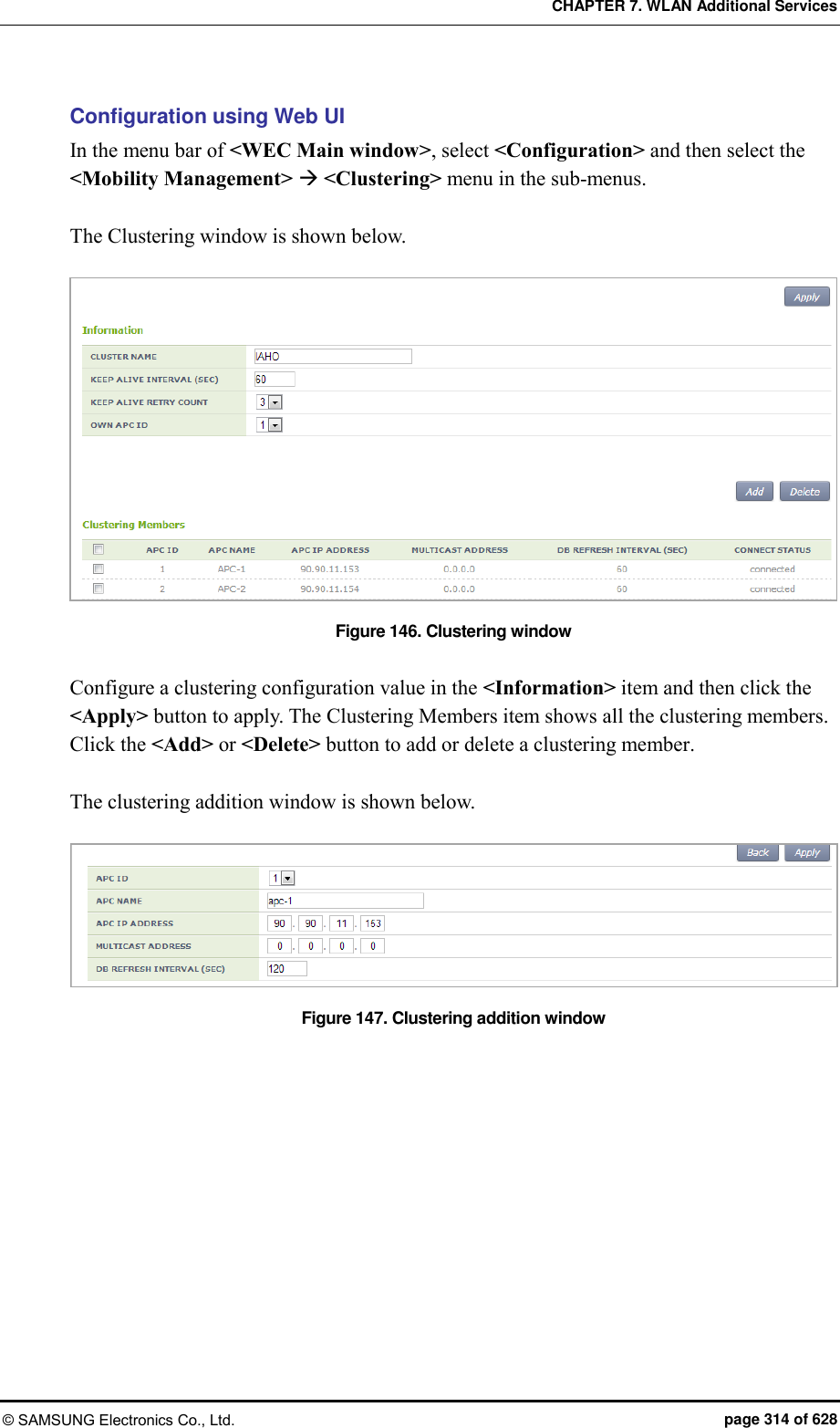
![CHAPTER 7. WLAN Additional Services © SAMSUNG Electronics Co., Ltd. page 315 of 628 7.10 Limiting the Number of Connected Users The W-EP wireless LAN system limits the number of wireless terminals connected to each AP. The limitation is per radio (2.4/5 GHz bandwidth) or WLAN for each AP. 7.10.1 Limiting Connections per Radio Configuration using CLI 1) Go to configure mode of CLI. APC# configure terminal APC/configure# 2) Configure connection limitation. [RADIO] max-associated-stations [MAX_STATION] global: Configures connection limitation per wireless bandwidth. When you enter the ‘global’ parameter at the end, connection limitation is applied to all the APs. [RADIO] max-associated-stations [MAX_STATION] [TARGET] [AP_ID]: Configures connection limitation to a specific AP. Parameter Description RADIO Wireless area to configure [80211bg/80211a] - 80211bg: 2.4 GHz area - 80211a: 5 GHz area MAX-STATION Maximum number of wireless terminals that can be connected (default: 127) TARGET Configuration range - AP: Index of an AP to configure - Global: All APs connected to an APC AP_ID AP ID (range: 1-500) 3) To check the configuration information, use the ‘show 80211bg radio-config global’ command.](https://usermanual.wiki/Samsung-Electronics-Co/WEA453E.APC-Operational-Manual-Professional-Installation-Guide-2-of-2/User-Guide-2529438-Page-15.png)
![CHAPTER 7. WLAN Additional Services © SAMSUNG Electronics Co., Ltd. page 316 of 628 Configuration using Web UI In the menu bar of <WEC Main window>, select <Configuration> and then select the <Radio> <802.11a/n> or <802.11b/g/n> <General> menu in the sub-menus. Figure 148. Configuring connection limitation per radio After configuring MAX CLIENT COUNTS, click the <Apply> button. 7.10.2 Connection Limitation per WLAN Configuration using CLI To configure connection limitation per WLAN, execute the command as follows: 1) Go to configure wlan configuration mode of CLI. APC# configure terminal APC/configure# wlan 1 APC/configure/wlan 1# 2) Disable the WLAN. APC/configure/wlan 1# no enable 3) Configure connection limitation. max-associated-stations [MAX-STATION] Parameter Description MAX-STATION Maximum number of wireless terminals that can be connected (default: 127)](https://usermanual.wiki/Samsung-Electronics-Co/WEA453E.APC-Operational-Manual-Professional-Installation-Guide-2-of-2/User-Guide-2529438-Page-16.png)
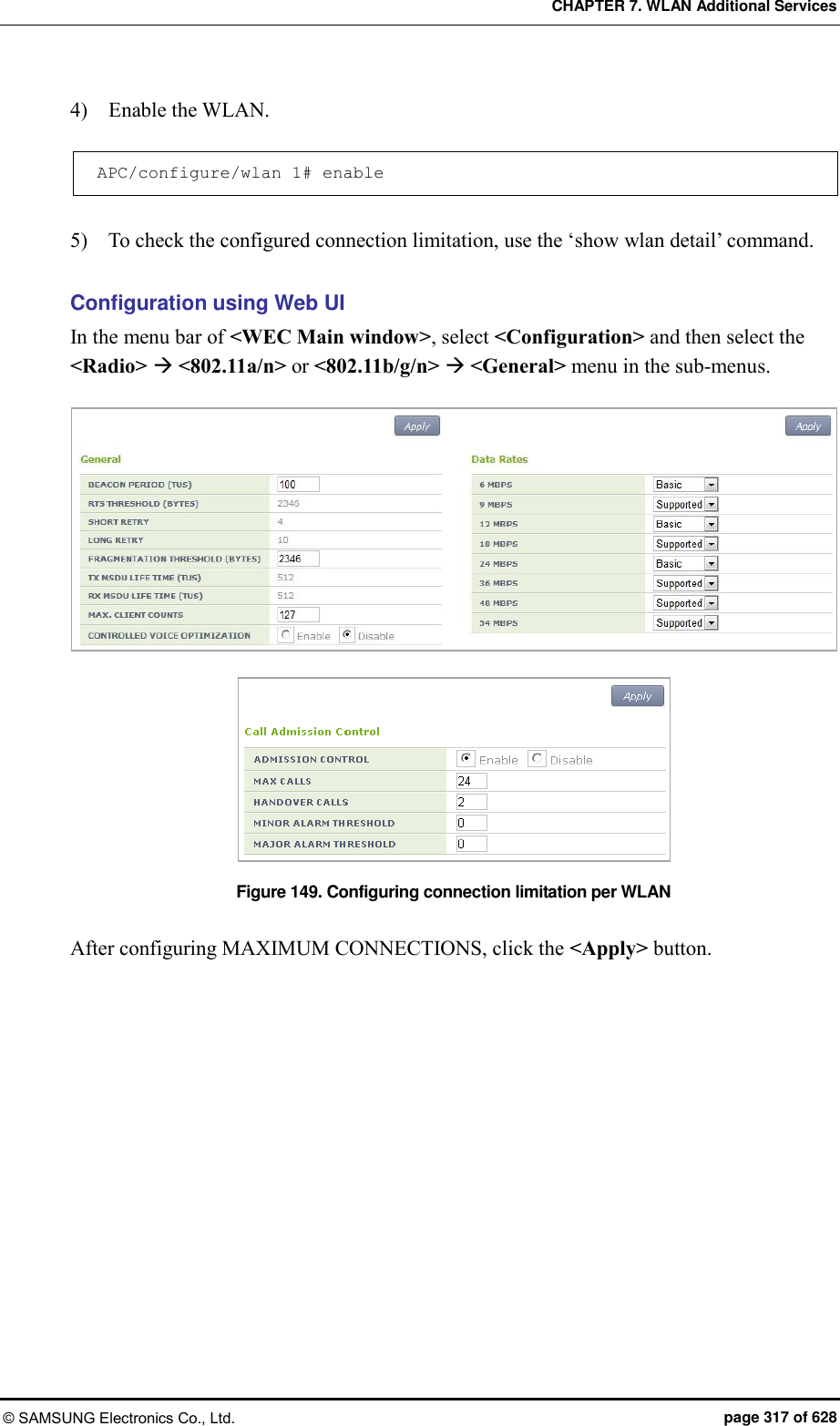
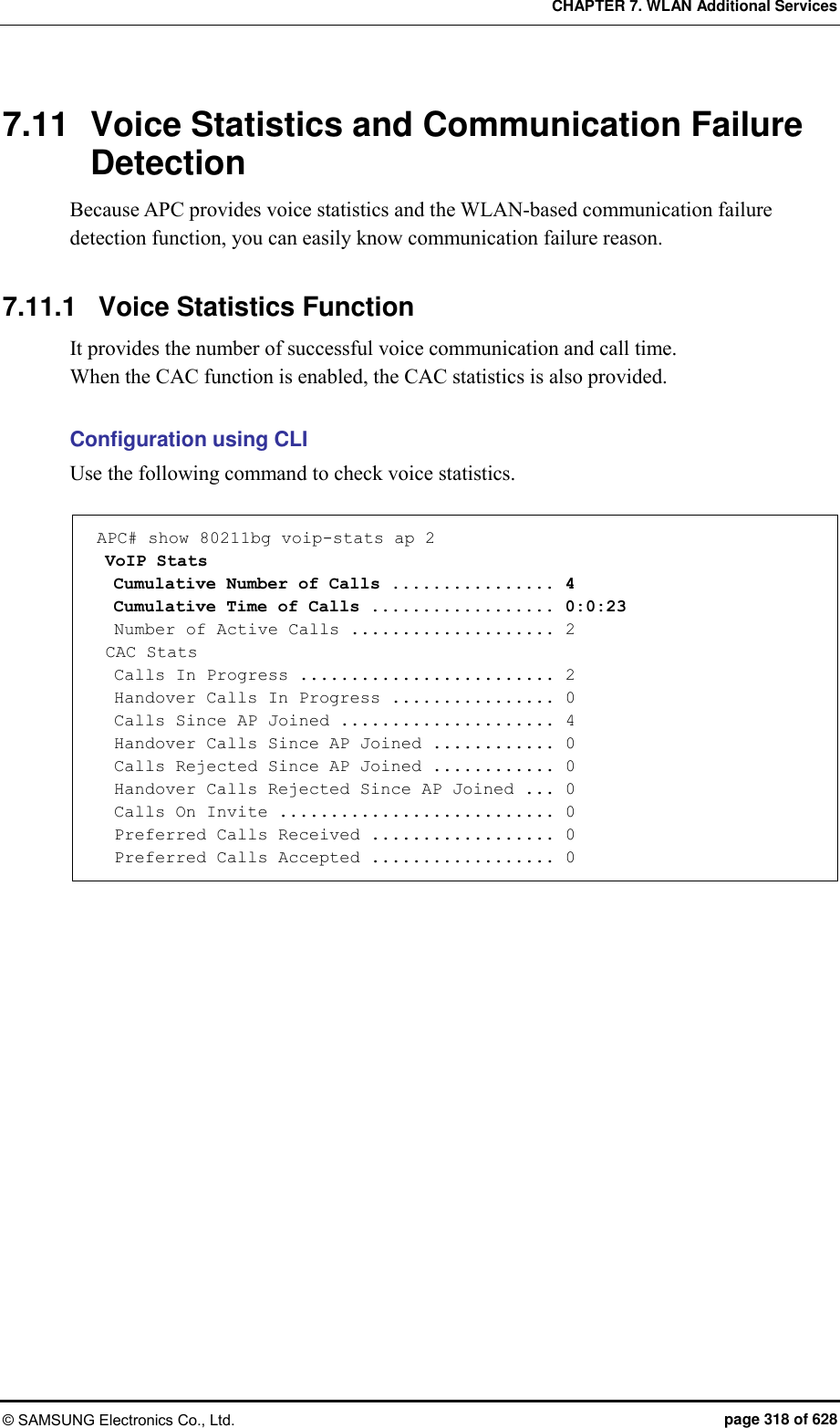
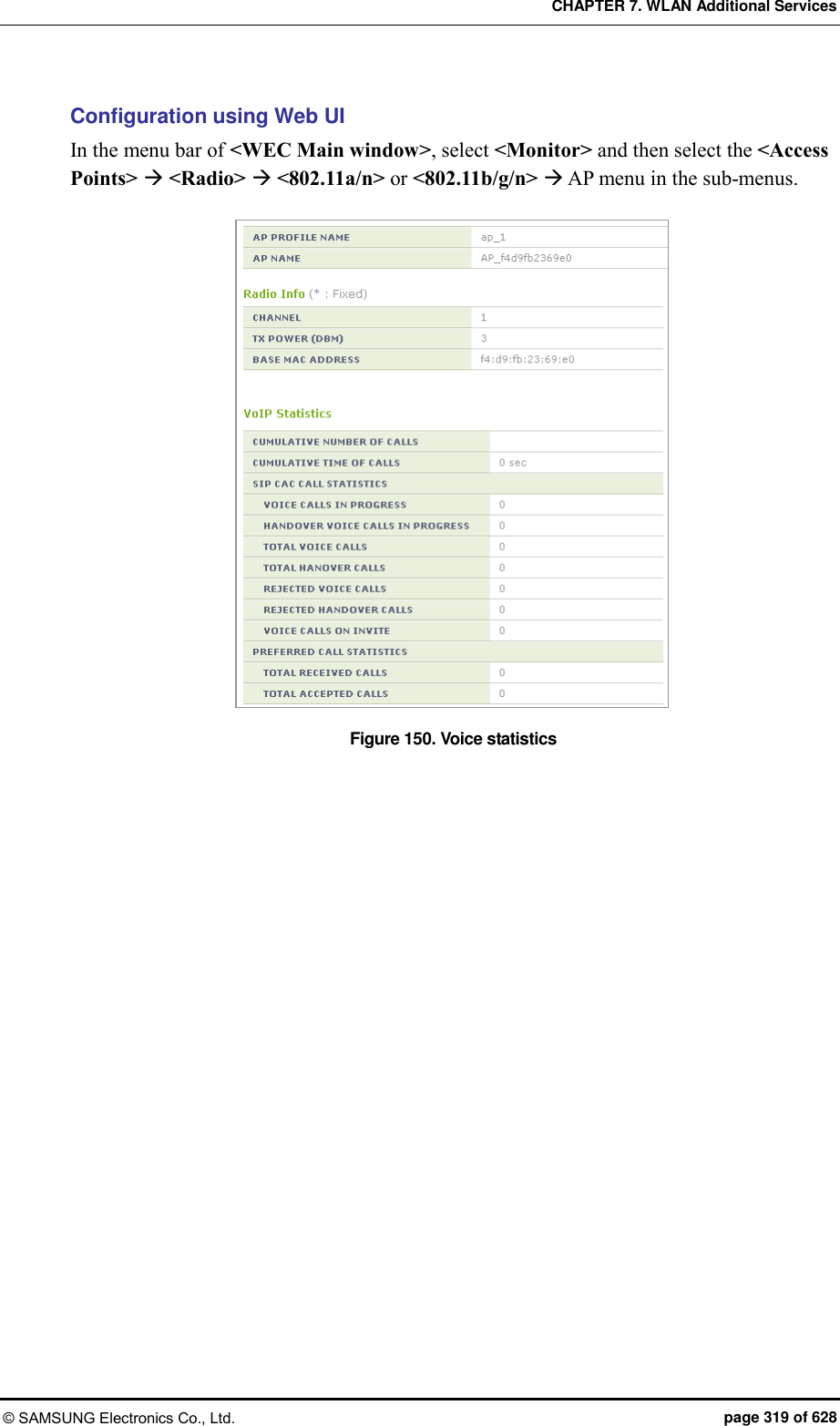
![CHAPTER 7. WLAN Additional Services © SAMSUNG Electronics Co., Ltd. page 320 of 628 7.11.2 Detecting WLAN-based Communication Failure You can configure whether to detect WLAN-based communication failure. Configuration using CLI 1) Go to configure mode of CLI. APC# configure terminal APC/configure# 2) Enable or disable communication failure detection. [no] call-fail-detect [WLAN_ID] Parameter Description WLAN_ID WLAN ID (range: 1-240) 3) To check the configured connection limitation information, use the ‘show voip config [WLAN_ID]’ command. Configuration using Web UI In the menu bar of <WEC Main window>, select <Configuration> and then select the <WLANs> menu in the sub-menus. Select a WLAN ID to change in the WLANs screen and go to the <Advanced> tab. Figure 151. Detecting WLAN-based communication failure After configuring the VOIP FAILURE DETECT item, click the <Apply> button.](https://usermanual.wiki/Samsung-Electronics-Co/WEA453E.APC-Operational-Manual-Professional-Installation-Guide-2-of-2/User-Guide-2529438-Page-20.png)
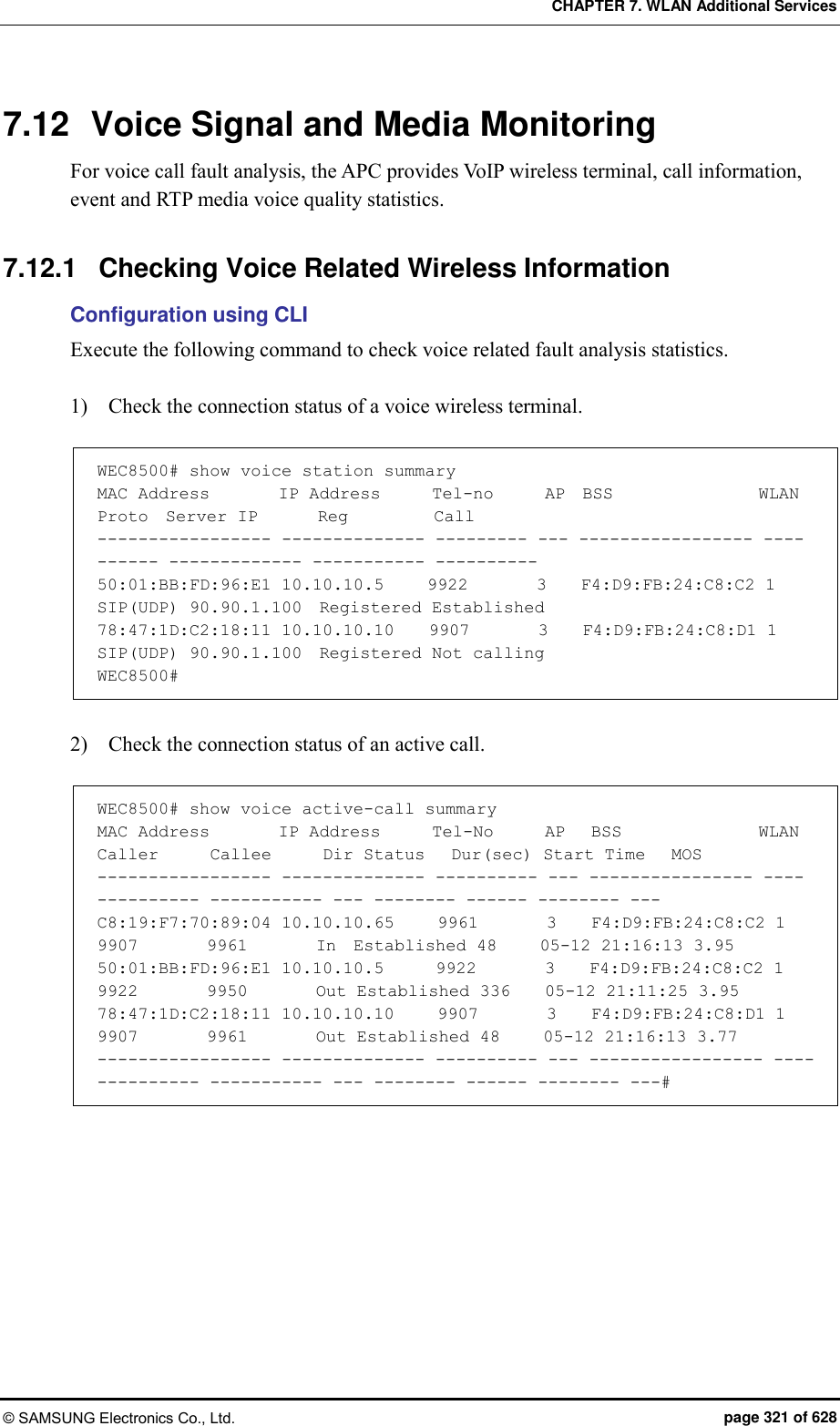
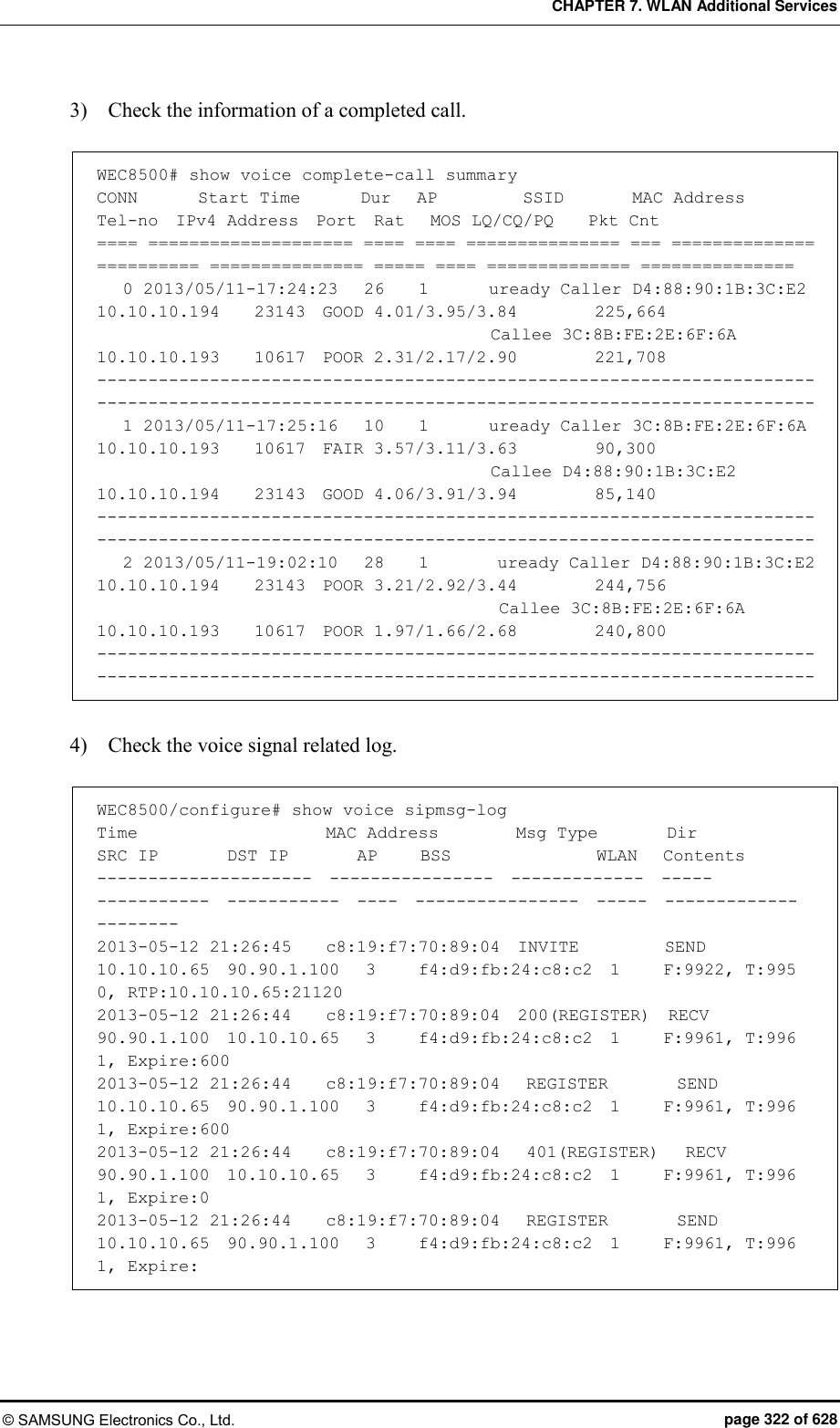
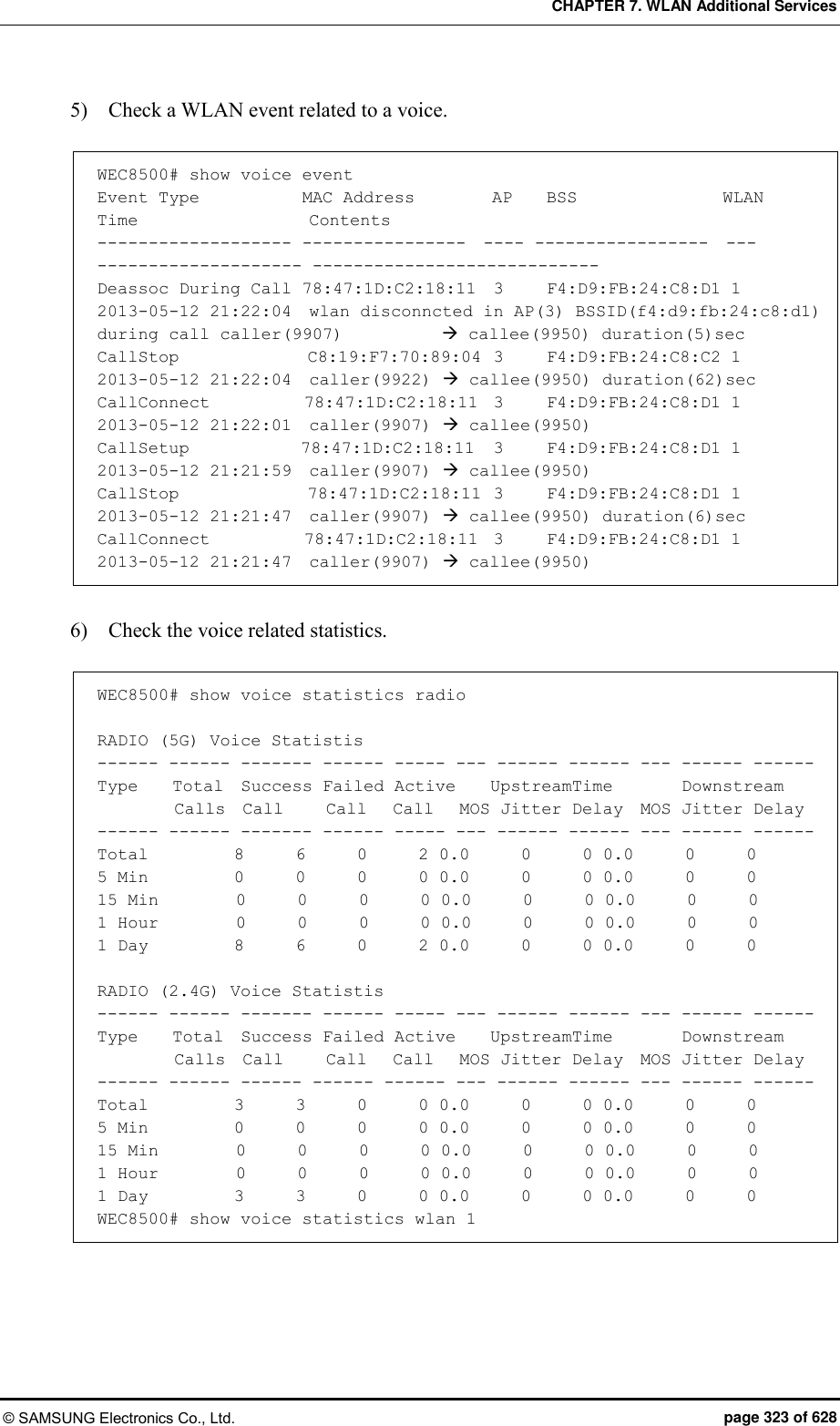
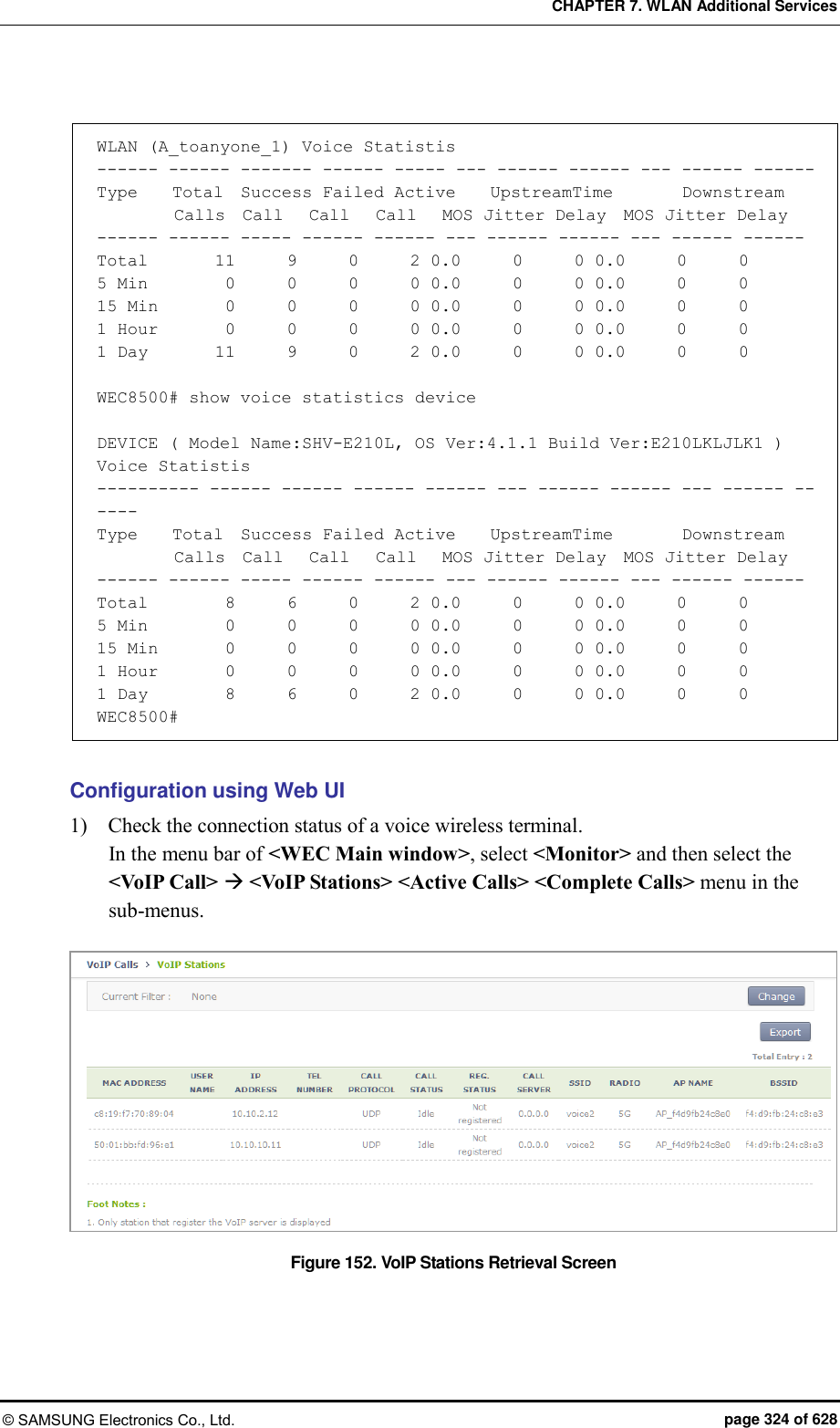
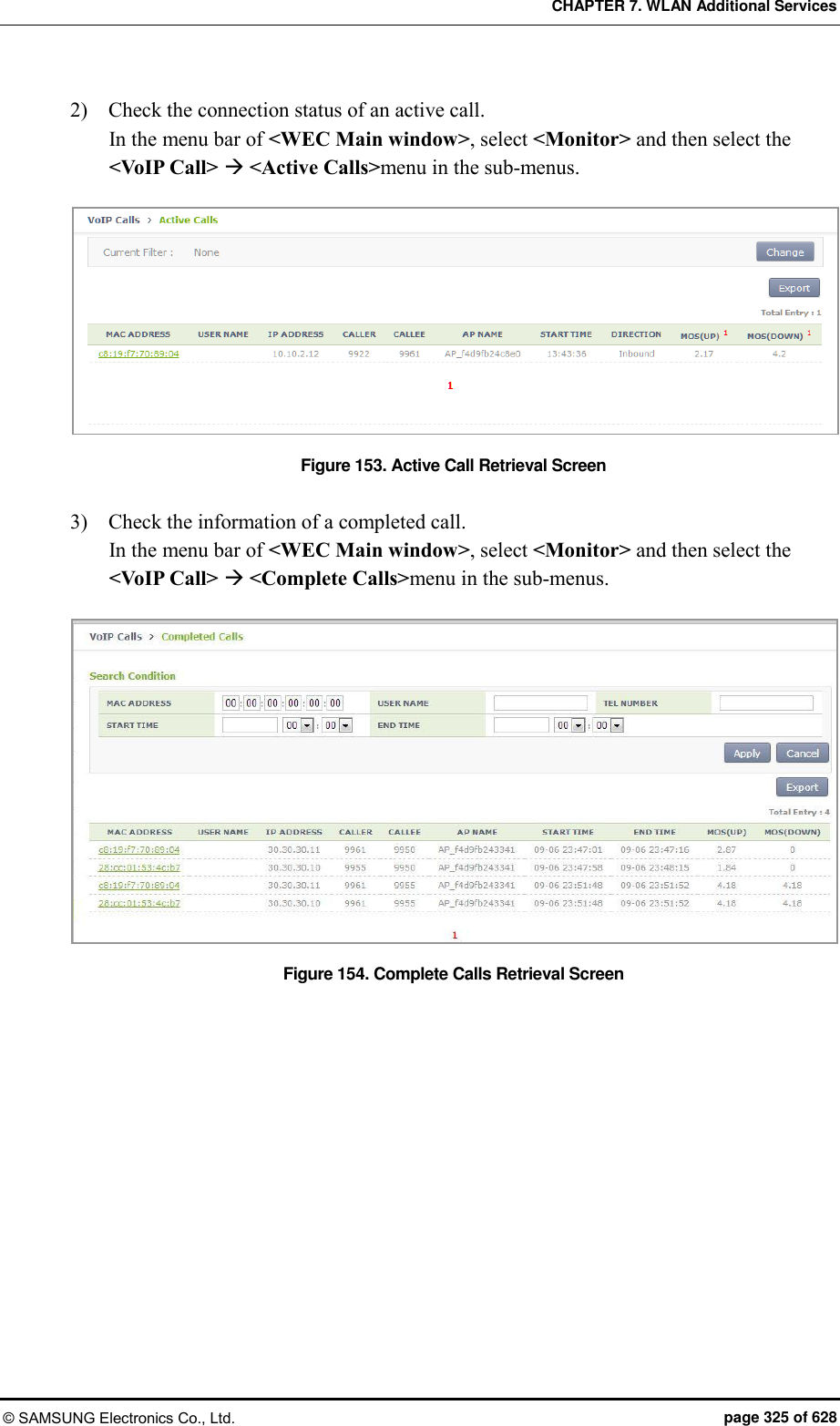
![CHAPTER 7. WLAN Additional Services © SAMSUNG Electronics Co., Ltd. page 326 of 628 7.12.2 Checking Voice Related Quality Information Configuration using CLI Execute the following command to check the voice related quality analysis (Voice Quality Monitoring) information. 1) Operator can check the voice quality analysis information of a wireless terminal that has an active call. WEC8500# show voice vqm current-stats brief ======================================================== [CONN-740 Start Time=2013/7/19.14:47:27, Duration=47 sec(s) Call-ID[f03c77b50564418855587192e12b889d <-> ca371fce-6e10-401a-9a4e-dd53678804c6@ug1.scm.com] Session id :0 SRC [I/F=ge4 Phone-No=9960, IP=20.20.20.30:22458] DST [I/F=ge4 Phone-No=9910, IP=20.20.20.25:25407] RTP Flow Quality Metrics: [Flow-1] DIR=Forward Quality Ratings=Poor [MOS-LQ=3.06, MOS-CQ=2.82, MOS-PQ=3.35] RTP Flow Quality Metrics: [Flow-2] DIR=Reverse Quality Ratings=Good [MOS-LQ=4.04, MOS-CQ=3.95, MOS-PQ=3.89] WEC8500# 2) Operator can check the voice quality analysis information of a wireless terminal that has a completed call. WEC8500# show voice vqm history-stats brief ======================================================== [CONN-1 Start Time=2013/7/19.14:47:27, Duration=75 sec(s) Station Mac [78:47:1d:c5:4c:85:fc:a1:3e:47:59:e7:] startBssid [f4:d9:fb:23:66:10f4:d9:fb:23:66:10] endBssid [f4:d9:fb:23:66:10f4:d9:fb:23:66:10] ssid [Ajay_2_2_4GAjay_2_2_4G] Direction [12] wlanId [22] startApId [22] endApId [22] Session id :0 SRC [I/F=ge4 Call-ID=f03c77b50564418855587192e12b889d Phone-No=9960, IP=20.20.20.30:22458] DST [I/F=ge4 Call-ID=ca371fce-6e10-401a-9a4e-dd53678804c6@ug1.scm.com Phone-No=9910, IP=20.20.20.25:25407] RTP Flow Quality Metrics: [Flow-1] DIR==Forward Quality Ratings=Poor [MOS-LQ=2.21, MOS-CQ=1.33, MOS-PQ=2.84] RTP Flow Quality Metrics: [Flow-2] DIR==Reverse Quality Ratings=Poor [MOS-LQ=2.46, MOS-CQ=1.50, MOS-PQ=3.00] ======================================================== [CONN-2 Start Time=2013/7/19.14:52:36, Duration=30 sec(s) Station Mac [fc:a1:3e:47:59:e7:78:47:1d:c5:4c:85:] startBssid [f4:d9:fb:23:66:10f4:d9:fb:23:66:10] endBssid [f4:d9:fb:23:66:10f4:d9:fb:23:66:10]](https://usermanual.wiki/Samsung-Electronics-Co/WEA453E.APC-Operational-Manual-Professional-Installation-Guide-2-of-2/User-Guide-2529438-Page-26.png)
![CHAPTER 7. WLAN Additional Services © SAMSUNG Electronics Co., Ltd. page 327 of 628 ssid [Ajay_2_2_4GAjay_2_2_4G] Direction [12] wlanId [22] startApId [22] endApId [22] Session id :1 SRC [I/F=ge4 Call-ID=035be38a40032eb8edb0b94e944d58d4 Phone-No=9910, IP=20.20.20.25:25407] DST [I/F=ge4 Call-ID=917a913e-83ae-497f-ad84-bf0ee80edf36@ug1.scm.com Phone-No=9960, IP=20.20.20.30:22458] RTP Flow Quality Metrics: [Flow-1] DIR==Forward Quality Ratings=Fair [MOS-LQ=3.73, MOS-CQ=3.65, MOS-PQ=3.72] RTP Flow Quality Metrics: [Flow-2] DIR==Reverse Quality Ratings=Poor [MOS-LQ=3.30, MOS-CQ=3.06, MOS-PQ=3.49] ======================================================== [CONN-3 Start Time=2013/7/19.14:53:12, Duration=24 sec(s) Station Mac [78:47:1d:c5:4c:85:fc:a1:3e:47:59:e7:] startBssid [f4:d9:fb:23:66:10f4:d9:fb:23:66:10] endBssid [f4:d9:fb:23:66:10f4:d9:fb:23:66:10] ssid [Ajay_2_2_4GAjay_2_2_4G] Direction [12] wlanId [22] startApId [22] endApId [22] Session id :2 SRC [I/F=ge4 Call-ID=a47241e5f5d3d6b7f942d0aaeddbd8ef Phone-No=9960, IP=20.20.20.30:22458] DST [I/F=ge4 Call-ID=65031276-a4dd-4b1c-a718-4ed3188e44a5@ug1.scm.com Phone-No=9910, IP=20.20.20.25:25407] RTP Flow Quality Metrics: [Flow-1] DIR==Forward Quality Ratings=Poor [MOS-LQ=3.25, MOS-CQ=2.96, MOS-PQ=3.47] RTP Flow Quality Metrics: [Flow-2] DIR==Reverse Quality Ratings=Fair [MOS-LQ=3.65, MOS-CQ=3.57, MOS-PQ=3.68] WEC8500# 3) Operator can check the call statistics information. WEC8500# show voice vqm summary-stats ======================================================== VQM Summary Stats for last YEAR:0 MONTH:0 DAY:0 0 HR:26 MN:44 SEC Calls Active = 0 Calls Terminated = 3 Flows Quality Summary (Total/Good/Fair/Poor) = 6/0/2/4 Listening Call Quality (MOS) min/ave/max = 2.21/3.10/3.73 Conversational Call Quality (MOS) min/ave/max = 1.33/2.68/3.65 P.862 Raw Quality (MOS) min/ave/max = 2.84/3.36/3.72 Listening Call Quality (R-factor) min/ave/max = 45/63/77 Conversational Call Quality (R-factor) min/ave/max = 24/53/75 Packet Delay Variation (msec) ave/max = 13/25 Packet Received/Processed/Lost/Discarded = 12980/12909/93/1154 Packet Duplicate/OutOfseq = 0/135 Packet Error Stats: Ignored/Errors = 71/1 System Error Stats: Resource Unavail/Filter Mismatch/Limit Exceeded = 0/0/0 Voice Quality Alerts: Low R-factor/Excess Loss/Excess Delay/Upload = 1/6/5/0](https://usermanual.wiki/Samsung-Electronics-Co/WEA453E.APC-Operational-Manual-Professional-Installation-Guide-2-of-2/User-Guide-2529438-Page-27.png)
![CHAPTER 7. WLAN Additional Services © SAMSUNG Electronics Co., Ltd. page 328 of 628 Upload Count = 1141 Upload Ok Count = 0 Upload Fail Count = 0 Requested Count = 1141 WEC8500# 4) Operator can check the alarm information that occurs during call. WEC8500# show voice vqm alarms brief ======================================================== VQM ActiveRfactor/ActivePktLoss/ActivePktDly/ActiveMos = 1/1/1/1 VQM QualityThresh/LossThresh/DelayThresh/MOSThresh = 50/50/195/35 ALARMS REPORTED : Src Call Id = f03c77b50564418855587192e12b889d Dst Call Id = ca371fce-6e10-401a-9a4e-dd53678804c6@ug1.scm.com Session = 0 Direction :Forward Type : [Low-Quality] [Excessive Burst] [Excessive delay] Direction :Reverse Type : [Excessive Burst] [Excessive delay] ALARMS REPORTED : Src Call Id = 035be38a40032eb8edb0b94e944d58d4 Dst Call Id = 917a913e-83ae-497f-ad84-bf0ee80edf36@ug1.scm.com Session = 1 Direction :Forward Type : [Excessive Burst] Direction :Reverse Type : [Excessive Burst] [Excessive delay] ALARMS REPORTED : Src Call Id = a47241e5f5d3d6b7f942d0aaeddbd8ef Dst Call Id = 65031276-a4dd-4b1c-a718-4ed3188e44a5@ug1.scm.com Session = 2 Direction :Forward Type : [Excessive Burst] Direction :Reverse Type : [Excessive Burst] WEC8500#](https://usermanual.wiki/Samsung-Electronics-Co/WEA453E.APC-Operational-Manual-Professional-Installation-Guide-2-of-2/User-Guide-2529438-Page-28.png)
![CHAPTER 7. WLAN Additional Services © SAMSUNG Electronics Co., Ltd. page 329 of 628 7.13 Multicast Stream Admission Control The multicast stream admission control is provided to protect the currently running multicast streams from new streams that flow into the wireless LAN. When the maximum allowed usage of streams or channels per radio is reached, the APC does not allow any additional streams. 7.13.1 Configuring Admission Control The multicast stream admission control function configures the maximum number of streams or the maximum usage of channels to protect the currently running multicast streams. It denies multicast streaming requests once the maximum number of streams or the maximum usage of channels is reached. You can set the number of marginal streams or the usage of channels with consideration for handover. Configuration using CLI To set multicast stream admission control, execute the following commands: 1) Configuration mode of CLI enter the multicast stream admission control mode of the desired wireless section. APC# configure terminal APC/configure# [80211a/80211bg] msac APC/configure/80211a/msac# 2) Enable or disable the multicast stream admission control function. acm [MODE] Parameter Description Mode Whether or not to use the multicast stream admission control (enable/disable) - enable: Enable - disable: Disable 3) Configure the maximum allowed number of streams. max-streams [VALUE] Parameter Description VALUE Maximum allowed number of streams](https://usermanual.wiki/Samsung-Electronics-Co/WEA453E.APC-Operational-Manual-Professional-Installation-Guide-2-of-2/User-Guide-2529438-Page-29.png)
![CHAPTER 7. WLAN Additional Services © SAMSUNG Electronics Co., Ltd. page 330 of 628 4) Set the maximum allowed usage of channels. max-chan-util [VALUE] Parameter Description VALUE Maximum allowed usage of channels 5) Configure the number of marginal streams with consideration for handover. reserved-ho-streams [VALUE] Parameter Description VALUE Number of marginal streams with consideration for handover 6) Configure the usage of marginal channels with consideration for handover. reserved-ho-chan-util [VALUE] Parameter Description VALUE Usage of marginal channels with consideration for handover 7) You can view the information you configured by using the ‘show[80211a | 80211bg] msac configuration’ command. Configuration using Web UI From the menu bar of <WEC Main Window>, select <Configuration> and then select <Radio> <802.11a/n> or <802.11b/g/n> <Admission Control> in the submenus. Figure 155. 802.11a/n Admission Control Configuration Window](https://usermanual.wiki/Samsung-Electronics-Co/WEA453E.APC-Operational-Manual-Professional-Installation-Guide-2-of-2/User-Guide-2529438-Page-30.png)
![CHAPTER 7. WLAN Additional Services © SAMSUNG Electronics Co., Ltd. page 331 of 628 After configuring the items below in the Multicast Stream Admission Control, click the <Apply> button. ADMISSION CONTROL: Configure the CAC function METHOD: Select the method of admission control MAX STREAMS: Maximum allowed number of streams (range: 1-20) HANDOVER STREAMS: Number of marginal streams with consideration for handover (range: 0-6) The maximum allowed number of streams becomes MAX STREAMS-HANDOVER STREAMS. MAX CHANNEL UTILIZATION (%): Maximum allowed usage of channels (range: 5-85) HANDOVER CHANNEL UTILIZATION (%): Usage of marginal channels with consideration for handover (range: 0-30) 7.14 Wi-Fi Band Steering This is a function of leading a UE which supports the Dual Band (2.4/5.0 GHz) to be connected to 2.4 GHz or 5.0 GHz to secure more stabilized performance if many resources are used in a specific radio. 7.14.1 Activating Band Steering Function You can activate the Band Steering function by WLAN and the 5.0 GHz band steering is set as default upon Band Steering On. Configuration using CLI To activate or deactivate the Band Steering function, execute the command as follows: 1) Configure a specific WLAN which requires the steering band. APC# configure terminal APC/configure# wlan 1 APC/configure/wlan 1# 2) Activate or deactivate the Band Steering function. band-steering [MODE] Parameter Description Mode Whether to configure the Band Steering function - enable: Setting - disable: Release (by default)](https://usermanual.wiki/Samsung-Electronics-Co/WEA453E.APC-Operational-Manual-Professional-Installation-Guide-2-of-2/User-Guide-2529438-Page-31.png)
![CHAPTER 7. WLAN Additional Services © SAMSUNG Electronics Co., Ltd. page 332 of 628 WEC8500/configure/wlan 1# band-steering enable WLAN (1) band steering is On (5-GHz preferred) WEC8500/configure/wlan 1# no band-steering enable WLAN (1) band steering is Off 3) Select a steering band. band-steering [VALUE] Parameter Description VALUE 1 (5.0 GHz), 2 (2.4 GHz) WEC8500/configure/wlan 1# band-steering 1 WLAN (1) band steering is On (5-GHz preferred) WEC8500/configure/wlan 1# band-steering 2 WLAN (1) band steering is On (2.4-GHz preferred) 4) Add an entry to the dual band station database. band-steering add-station [MAC] Parameter Description MAC Station MAC Address WEC8500/configure/wlan 1# band-steering add-station 00:00:00:00:00:01 WLAN(1): add station(00:00:00:00:00:01), prefer a band(5-GHz) are set 5) Delete an entry from the dual band station database. band-steering delete-station [MAC] Parameter Description MAC Station MAC Address WEC8500/configure/wlan 1# band-steering delete-station 00:00:00:00:00:01 Deleted... 6) Delete all entries from the dual band station database. band-steering delete-all WEC8500/configure/wlan 1# band-steering delete-all WLAN(1): all stations are deleted...](https://usermanual.wiki/Samsung-Electronics-Co/WEA453E.APC-Operational-Manual-Professional-Installation-Guide-2-of-2/User-Guide-2529438-Page-32.png)
![CHAPTER 7. WLAN Additional Services © SAMSUNG Electronics Co., Ltd. page 333 of 628 Configuration using Web UI WLAN > Advanced > BAND STEERING [Disable][2.4 GHz preferred][5 GHz preferred] Figure 156. Band Steering Function On/Off and Band Setting](https://usermanual.wiki/Samsung-Electronics-Co/WEA453E.APC-Operational-Manual-Professional-Installation-Guide-2-of-2/User-Guide-2529438-Page-33.png)
![CHAPTER 7. WLAN Additional Services © SAMSUNG Electronics Co., Ltd. page 334 of 628 7.15 Wi-Fi Load Balancing The load balancing function in the AP Controller is a function of load balancing by transferring the message that the connections to wireless stations among APs have been permitted or cannot be permitted based on the set threshold value and then controlling the number of stations connected to APs. 7.15.1 Activating Load Balancing Function The setting can be made based on the WLAN and it is possible to check the load balancing function among APs for stations attempting at association to APs with the threshold value and the maximum denial count value based on station count. Configuration using CLI For the load balancing function, execute the command as follows: 1) Configure a specific WLAN which requires load balancing. APC# configure terminal APC/configure# wlan 1 APC/configure/wlan 1# 2) Activate or deactivate the Load Balancing function. load-balancing [MODE] Parameter Description Mode Whether to configure the Load Balancing function - enable: Setting - disable: Release (by default) WEC8500/configure/wlan 1# load-balancing enable WLAN (1), Wi-Fi Load Balancing: Enable WEC8500/configure/wlan 1# no load-balancing enable WLAN (1), Wi-Fi Load Balancing: Disable 3) Configure the load balancing station count threshold value. load-balancing threshold_station [VALUE] Parameter Description VALUE 1-127 (127 by default)](https://usermanual.wiki/Samsung-Electronics-Co/WEA453E.APC-Operational-Manual-Professional-Installation-Guide-2-of-2/User-Guide-2529438-Page-34.png)
![CHAPTER 7. WLAN Additional Services © SAMSUNG Electronics Co., Ltd. page 335 of 628 WEC8500/configure/wlan 1# load-balancing threshold_station 100 Wi-Fi Load Balancing threshold: 100 stations 4) Configure the maximum denial count value. load-balancing denial_count [VALUE] Parameter Description VALUE 1-10 (2 by default) WEC8500/configure/wlan 1# load-balancing denial_count 4 Wi-Fi Load Balancing MAX denial count: 4 Configuration using Web UI Configure WLAN > Advanced > LOAD BALANCING[Enable] [Disable] WLAN > Advanced > THRESHOLD[Value] WLAN > Advanced > MAXIMUM DENIAL COUNT[Value]. Figure 157. Configuring Load Balancing Function](https://usermanual.wiki/Samsung-Electronics-Co/WEA453E.APC-Operational-Manual-Professional-Installation-Guide-2-of-2/User-Guide-2529438-Page-35.png)
![CHAPTER 7. WLAN Additional Services © SAMSUNG Electronics Co., Ltd. page 336 of 628 7.16 Station-based Adaptive Load Balancing Station-based Adaptive Load Balancing performs load balancing based on the number of stations and RSSI in an individual radio unit of the AP group. Configuring Basic Function and Setting Load Balancing Parameters of AP Group are available and the settings of the load balancing parameters in individual APs are available to apply a different value set only for a specific AP. 7.16.1 Basic Setting of Station-based Adaptive Load Balancing Station-based Adaptive Load Balancing operates only when it is enabled in the setting of the basic functions and configures options applied to the overall function operation. Configuration using CLI To configure the basic function, execute the commands as follows: 1) Go to the configure load-balancing configuration mode of CLI. APC# configure terminal APC/configure# load-balancing APC/configure/load-balancing# 2) Activate the Station-based Adaptive Load Balancing function. enable 3) If a function of distributing stations uniformly among APs is necessary, activate the Active Load Balancing function (Default: no active). active 4) To activate the Active Load Balancing function, set up the interval for attempting to distribute uniformly. interval [NUMBER] Parameter Description NUMBER Interval for performing active load balancing (sec) 5) To allow load balancing among APs which use the same channel, set the following option (Default: no allow-channel): allow-channel](https://usermanual.wiki/Samsung-Electronics-Co/WEA453E.APC-Operational-Manual-Professional-Installation-Guide-2-of-2/User-Guide-2529438-Page-36.png)
![CHAPTER 7. WLAN Additional Services © SAMSUNG Electronics Co., Ltd. page 337 of 628 6) To calibrate the RSSI value depending on types of stations, the calibration value must be set. calibration mobile [NUMBER] calibration pc [NUMBER] calibration others [NUMBER] Parameter Description NUMBER RSSI calibration value (-dbm) - Default value: 0 dbm 7) To exclude stations where the traffic occurs from load balancing, the following option must be set (Default: no idle-station): idle-station 7.16.2 Setting AP Group Parameter Station-based Adaptive Load Balancing must set operating parameters to the radio of the corresponding AP group because it operates in a radio unit of the AP group. Configuration using CLI To set AP group parameters, execute the command as follows: 1) Go to the load-balancing configuration mode in configure AP Group of CLI. APC# configure terminal APC/configure# ap-group lb APC/configure/ap-group lb# load-balancing APC/configure/ap-group lb/load-balancing# 2) Go to the radio to perform the Station-based Adaptive Load Balancing function. APC/configure/ap-group lb/load-balancing# radio 1 APC/configure/ap-group lb/load-balancing/radio 1# 3) Activate load balancing in the corresponding radio. enable 4) Set the interval to attempt at the Load Balancing function. interval [NUMBER] Parameter Description NUMBER Interval for performing load balancing (sec)](https://usermanual.wiki/Samsung-Electronics-Co/WEA453E.APC-Operational-Manual-Professional-Installation-Guide-2-of-2/User-Guide-2529438-Page-37.png)
![CHAPTER 7. WLAN Additional Services © SAMSUNG Electronics Co., Ltd. page 338 of 628 5) Set the station threshold to perform the Load Balancing function. threshold [NUMBER] Parameter Description NUMBER Station threshold as the standard for the performance of load balancing 6) Set the time of blocking the reconnection after the load of the station is now balanced. kickout-timeout [NUMBER] Parameter Description NUMBER Reconnection limit time (0~100 sec.) 7) To lead the station which performs load balancing to connect to a specific AP, set the probe response limit time to other APs. no-probe-timeout [NUMBER] Parameter Description NUMBER Probe response limit time (0~100 sec.) 8) The rssi-high value is a criterion for excluding candidates for load balancing to be selected. The station with the RSSI value higher than the set value does not attempt at load balancing (In case of the active mode, N/A). rssi-high [NUMBER] Parameter Description NUMBER RSSI reference value (-100~0 dbm) 9) The rssi-low value is a criterion for selecting a sticky station. The station with the RSSI value lower than the set value always attempts at load balancing. rssi-low [NUMBER] Parameter Description NUMBER RSSI reference value (-100~0 dbm)](https://usermanual.wiki/Samsung-Electronics-Co/WEA453E.APC-Operational-Manual-Professional-Installation-Guide-2-of-2/User-Guide-2529438-Page-38.png)
![CHAPTER 7. WLAN Additional Services © SAMSUNG Electronics Co., Ltd. page 339 of 628 7.16.3 Setting AP Parameters Station-based Adaptive Load Balancing operates as the default value of the setting of the AP group but it is possible to set other parameter value to an individual AP. Because it operates in a radio unit, the parameters to change must be set to the individual radio of the corresponding AP must be set. Configuration using CLI To set AP parameters, execute the command as follows: 1) Go to the load-balancing configuration mode in configure AP of CLI. APC# configure terminal APC/configure# ap ap_1 APC/configure/ap ap_1# load-balancing APC/configure/ap ap_1/load-balancing# 2) Go to the radio to perform the Station-based Adaptive Load Balancing function. APC/configure/ap ap_1/load-balancing# radio 1 APC/configure/ap ap_1/load-balancing/radio 1# 3) Activate load balancing in the corresponding radio. enable 4) Set the station threshold to perform the Load Balancing function. interval [NUMBER] Parameter Description NUMBER Interval for performing load balancing (sec) 5) Set the station threshold to perform the Load Balancing function. threshold [NUMBER] Parameter Description NUMBER Station threshold as the standard for the performance of load balancing](https://usermanual.wiki/Samsung-Electronics-Co/WEA453E.APC-Operational-Manual-Professional-Installation-Guide-2-of-2/User-Guide-2529438-Page-39.png)
![CHAPTER 7. WLAN Additional Services © SAMSUNG Electronics Co., Ltd. page 340 of 628 6) Set the time of blocking the reconnection after the load of the station is now balanced. kickout-timeout [NUMBER] Parameter Description NUMBER Reconnection limit time (0~100 sec.) 7) To lead the station which performs load balancing to connect to a specific AP, set the probe response limit time to other APs. no-probe-timeout [NUMBER] Parameter Description NUMBER Probe response limit time (0~100 sec.) 8) The rssi-high value is a criterion for excluding candidates for load balancing to be selected. The station with the RSSI value higher than the set value does not attempt at load balancing (In case of the active mode, N/A). rssi-high [NUMBER] Parameter Description NUMBER Probe response limit time (0~100 sec.) 9) The rssi-high value is a criterion for excluding candidates for load balancing to be selected. The station with the RSSI value higher than the set value does not attempt at load balancing (In case of the active mode, N/A). rssi-low [NUMBER] Parameter Description NUMBER RSSI reference value (-100~0 dbm)](https://usermanual.wiki/Samsung-Electronics-Co/WEA453E.APC-Operational-Manual-Professional-Installation-Guide-2-of-2/User-Guide-2529438-Page-40.png)
![CHAPTER 8. Security © SAMSUNG Electronics Co., Ltd. page 341 of 628 CHAPTER 8. Security The W-EP wireless LAN system supports the security function, required in a wire/wireless network environment, such as RADIUS server interoperation function, system user management, guest connection service, unauthorized AP/terminal detection and simple blocking function, firewall, access control (ACL), etc. In this chapter, how to configure various security functions supported in the system is described. 8.1 RADIUS Server Configuration The W-EP wireless LAN system provides the security and authentication function by interoperating with an external RADIUS server. The WEC8050 also provides the internal RADIUS server function. 8.1.1 External RADIUS Server The W-EP wireless LAN system provides the security and authentication function by interoperating with an external RADIUS server. Follow the below procedure to interoperate with a RADIUS server. 8.1.1.1 Basic Settings The basic steps for configuring a RADIUS server are as follows: Configuration using CLI 1) Go to configure security radius configuration mode of CLI. WEC8500# configure terminal WEC8500/configure# security WEC8500/configure/wlan 1/security# radius 1 WEC8500/configure/security/radius 1# 2) Configure the IP address of a RADIUS server. WEC8500/configure/security/radius 1# serverIp [IP_ADDRESS]](https://usermanual.wiki/Samsung-Electronics-Co/WEA453E.APC-Operational-Manual-Professional-Installation-Guide-2-of-2/User-Guide-2529438-Page-41.png)
![CHAPTER 8. Security © SAMSUNG Electronics Co., Ltd. page 342 of 628 Parameter Description IP_ADDRESS The IP address of a RADIUS server 3) Configure the key of a RADIUS server. WEC8500/configure/security/radius 1# secret [KEY_TYPE] [KEY_STRING] Parameter Description KEY_TYPE RADIUS server key input format - ASCII: ASCII character string - HEX: Hexadecimal value KEY_STRING RADIUS server key 4) Enable the accounting function of a RADIUS server and configure the port number. WEC8500/configure/security/radius 1# acct [PORT_NUMBER] Parameter Description PORT_NUMBER Accounting port number of a RADIUS server (range: 1-65535, default: 1813) 5) Configure the authentication port number of a RADIUS server. WEC8500/configure/security/radius 1# auth [PORT_NUMBER] Parameter Description PORT_NUMBER Accounting port number of a RADIUS server (range: 1-65535, default: 1812) 6) Configure the items related to retransmissions in RADIUS communications. You can use default values without changing configuration. WEC8500/configure/security/radius 1# retransmit-interval [RETRY_INTERVAL] WEC8500/configure/security/radius 1# retransmit-count [RETRY_COUNT] WEC8500/configure/security/radius 1# fo-retransmit-count [FO_RETRY_COUNT]](https://usermanual.wiki/Samsung-Electronics-Co/WEA453E.APC-Operational-Manual-Professional-Installation-Guide-2-of-2/User-Guide-2529438-Page-42.png)
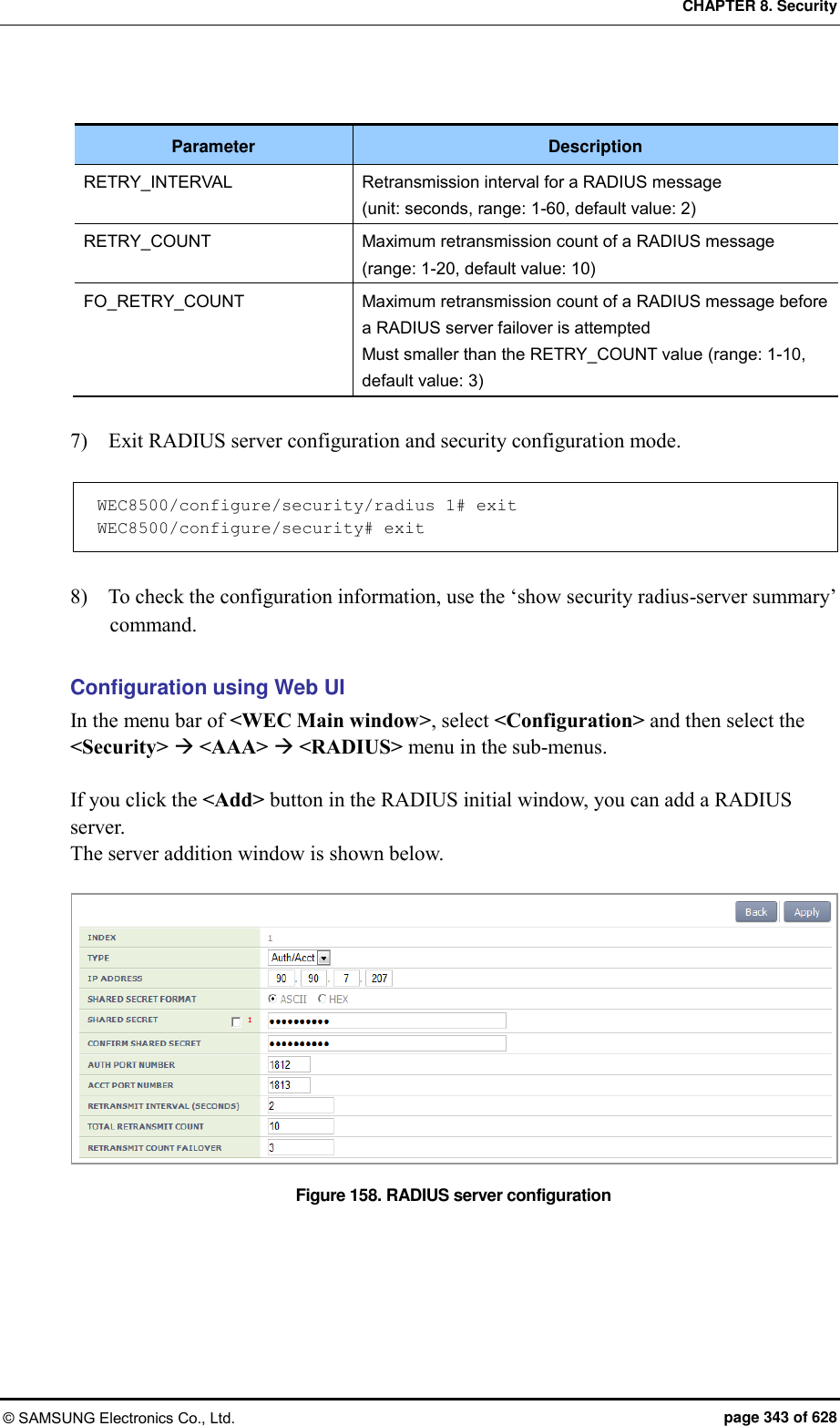
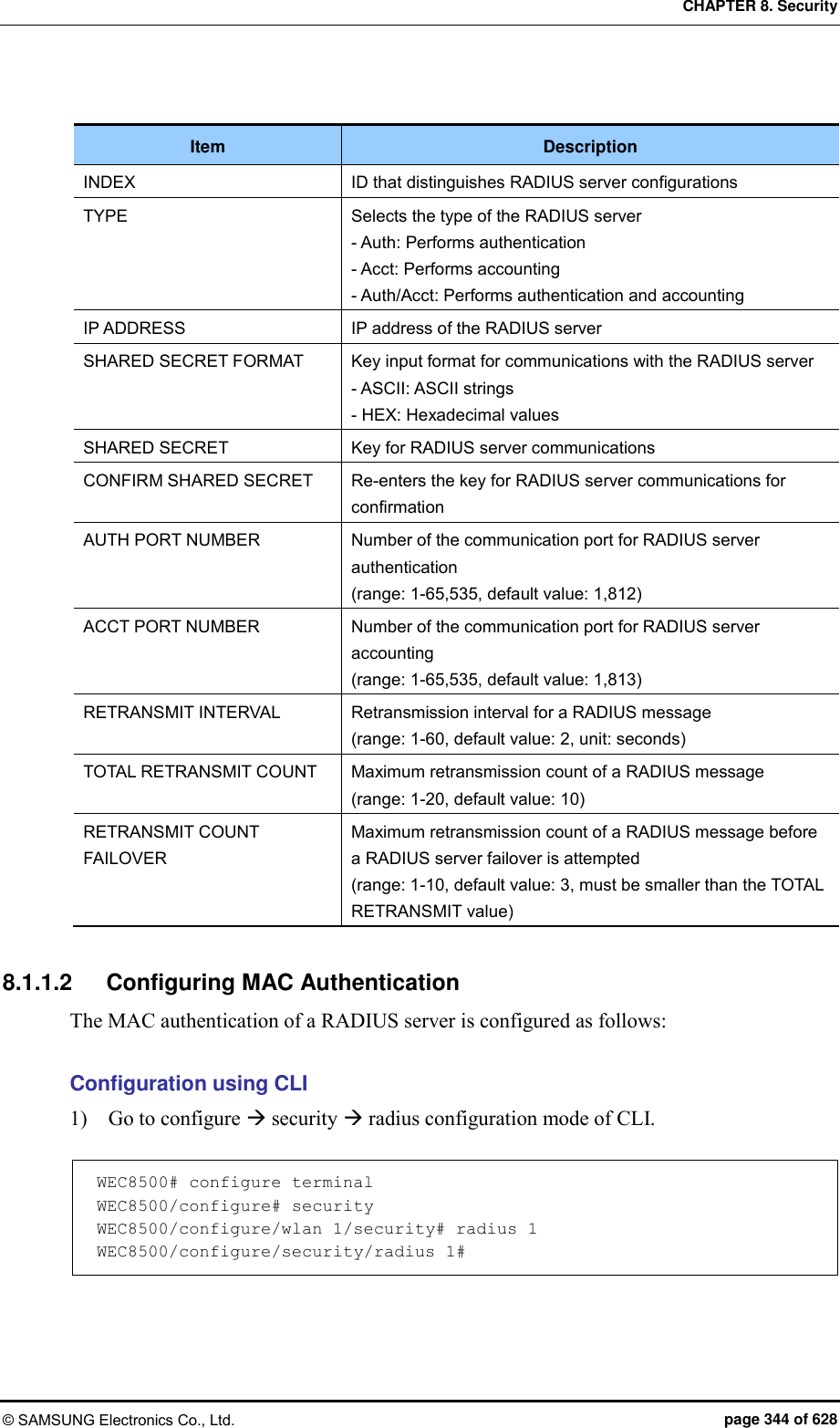
![CHAPTER 8. Security © SAMSUNG Electronics Co., Ltd. page 345 of 628 2) Set the password type that will be used for the MAC authentication of the device. WEC8500/configure/security/radius 1# mac-auth-pw-type [PW_TYPE] Parameter Description PW_TYPE Password type (default value: mac) - mac: MAC address of the device. Note: it must be a string whose type must be the same as that of the MAC string which is used as a user ID when the MAC authentication of the device is performed - shared-secret: Key shared between the APC and RADIUS server 3) Set the type of separator of the device’s MAC string which is used as a user ID when the MAC authentication of the device is performed. WEC8500/configure/security/radius 1# mac-auth-delimiter [DELIMITER_TYPE] Parameter Description DELIMITER_TYPE Type of the MAC string separator (default: none) - none: no separator (xxxxxxxxxxxx) - colon: Uses ‘:’ as a separator (xx:xx:xx:xx:xx:xx) - hyphen: Uses ‘-’ as a separator (xx-xx-xx-xx-xx-xx) - single-hyphen: Uses only one ‘-’ in the middle (xxxxxx-xxxxxx) 4) Configure whether to use lowercase characters or uppercase characters for the device’s MAC string that will be used as an ID upon the MAC authentication of the device. WEC8500/configure/security/radius 1# mac-auth-case [CASE_TYPE] Parameter Description CASE_TYPE Case type of the device’s MAC string (default value: lower) - lower: Uses lowercase - upper: Uses uppercase 5) Exit RADIUS server configuration and then security configuration mode. WEC8500/configure/security/radius 1# exit WEC8500/configure/security# exit 6) You can view configuration information by using the ‘show security radius-server detail <server-id>’ command.](https://usermanual.wiki/Samsung-Electronics-Co/WEA453E.APC-Operational-Manual-Professional-Installation-Guide-2-of-2/User-Guide-2529438-Page-45.png)
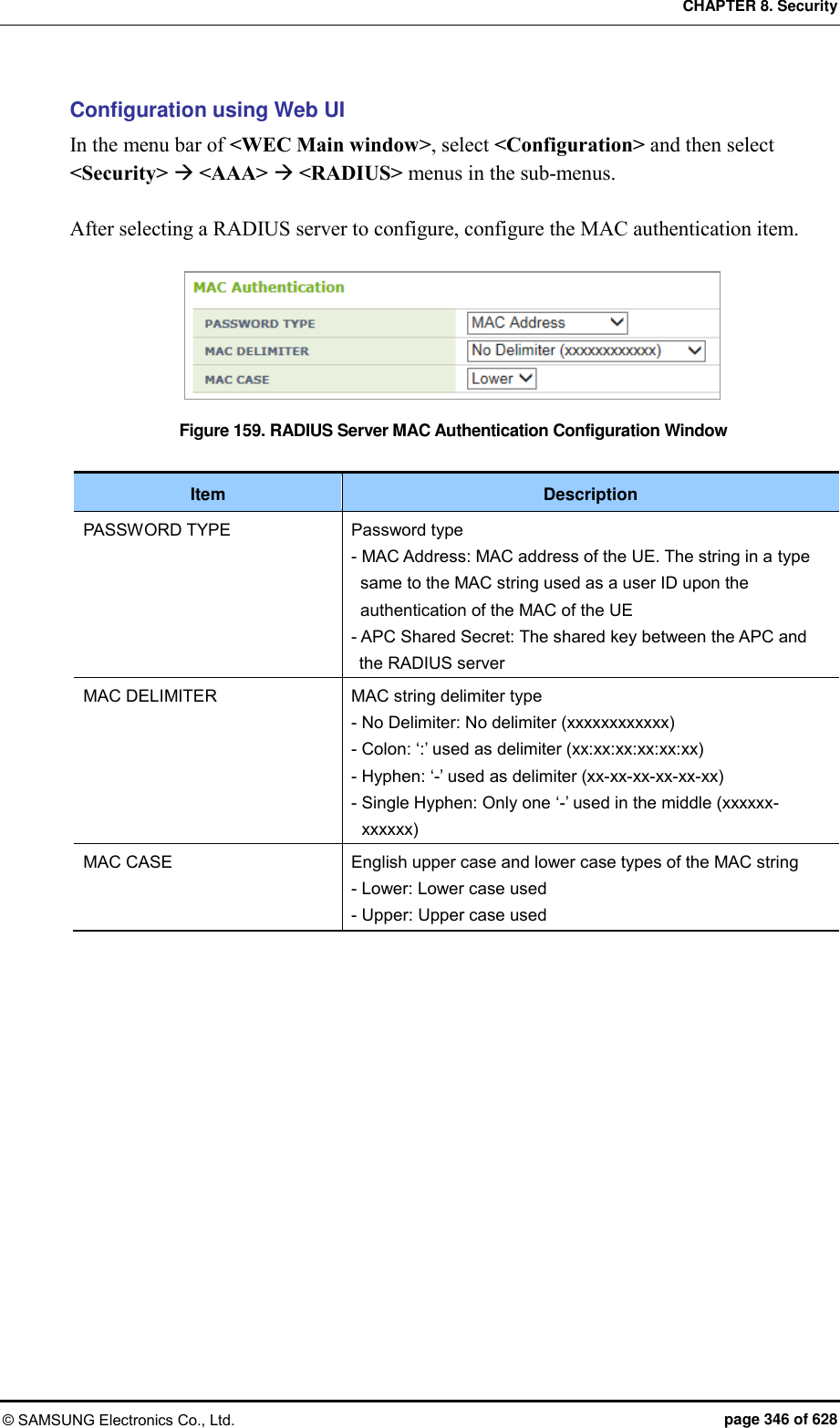
![CHAPTER 8. Security © SAMSUNG Electronics Co., Ltd. page 347 of 628 8.1.2 Internal RADIUS Server The W-EP wireless LAN system provides the security and authentication function by interoperating with an internal RADIUS server. To use the internal RADIUS server, operator can add, delete, or edit a user (WEC8500: maximum 2048 users, WEC8050: maximum 512 users). Configuration using CLI To configure a local network user related function, enter into the ‘radiuscm’ of configure mode by executing the following command. WEC8050# configure terminal WEC8050/configure# radiuscm Operator can execute various commands for Local Net Users. [Adding User] To add a user to the Local Net Users, execute the following command. Add-local-userdb {username} {password} [name] [email] [department] [home_phone] [work_phone] [mobile_phone] Parameter Description Username Login ID of a user - Character varying (1-63) - MANDATORY - Korean is not allowed. - Special characters {, }, (, ), ,, ;, +=, -=,:=, =, !=, >=, >, <=, <, = - , ! - , =*, !*, ==, #, “”, ‘‘, ``, *, ?, \, space, & Cannot be used. Password User’s password - Character varying (1-63) - MANDATORY - Korean is not allowed. - Special characters {, }, (, ), ,, ;, +=, -=,:=, =, !=, >=, >, <=, <, = - , ! - , =*, !*, ==, #, “”, ‘‘, ``, *, ?, \, space, & Cannot be used. Name Name - Character varying (1-63) - OPTIONAL - Korean is not allowed. - Special characters ‘, *, ?, \, ; cannot be used. email email address - Character varying (1-63) - OPTIONAL](https://usermanual.wiki/Samsung-Electronics-Co/WEA453E.APC-Operational-Manual-Professional-Installation-Guide-2-of-2/User-Guide-2529438-Page-47.png)
![CHAPTER 8. Security © SAMSUNG Electronics Co., Ltd. page 348 of 628 Parameter Description - Korean is not allowed. - Special characters ‘, *, ?, \, ; cannot be used. department Division information - Character varying (1-63) - OPTIONAL - Korean is not allowed. - Special characters ‘, *, ?, \, ; cannot be used. Home_phone Home phone number - Character varying (1-63) - OPTIONAL - Korean is not allowed. - Special characters ‘, *, ?, \, ; cannot be used. Work_phone Office phone number - Character varying (1-63) - OPTIONAL - Korean is not allowed. - Special characters ‘, *, ?, \, ; cannot be used. Mobile_phone Mobile phone number. - Character varying (1-63) - OPTIONAL - Korean is not allowed. - Special characters ‘, *, ?, \, ; cannot be used. [Modifying User] To modify a user from the Local Net Users, execute the following command. modify-local-userdb {username} {password} [name] [email] [department] [home_phone] [work_phone] [mobile_phone] [Deleting User] To delete one user from the Local Net Users, execute the following command. delete-local-userdb {username} Parameter Description Username User’s ID - Character varying (1-63) - MANDATORY - Korean is not allowed. - Special characters {, }, (, ), ,, ;, +=, -=,:=, =, !=, >=, >, <=, <, = - , ! - , =*, !*, ==, #, “”, ‘‘, ``, *, ?, \, space, & Cannot be used. To delete all the users from the Local Net Users, execute the following command. Remove-all-local-userdb](https://usermanual.wiki/Samsung-Electronics-Co/WEA453E.APC-Operational-Manual-Professional-Installation-Guide-2-of-2/User-Guide-2529438-Page-48.png)
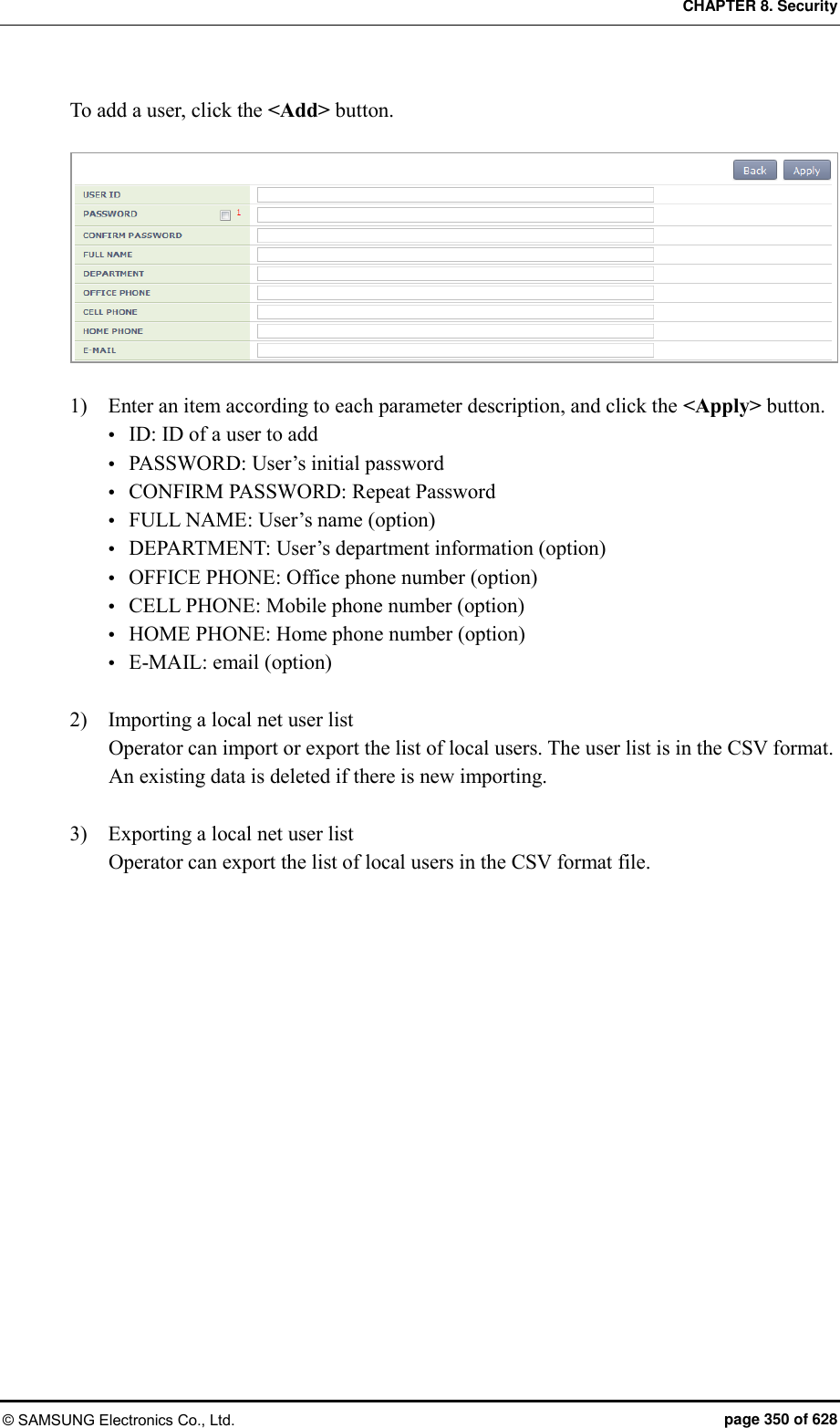
![CHAPTER 8. Security © SAMSUNG Electronics Co., Ltd. page 349 of 628 [Importing User] To import the Local Net Users list file, execute the following command. Import-local-userdb {filename} Parameter Description Filename File to import - CSV file format - Filename (1-512) [Exporting User] To export the Local Net Users list file, execute the following command. Export-local-userdb {filename} Parameter Description Filename File to export - CSV file format - Filename (1-512) [Checking User] To check one local net user, execute the following command. Show radiuscm username {username} To check all the local net users, execute the following command. Show radiuscm all-user Configuration using Web UI In the menu bar of <WEC Main window>, select <Configuration> and then select the <Security> <AAA> <Local User> menu in the sub-menus.](https://usermanual.wiki/Samsung-Electronics-Co/WEA453E.APC-Operational-Manual-Professional-Installation-Guide-2-of-2/User-Guide-2529438-Page-49.png)
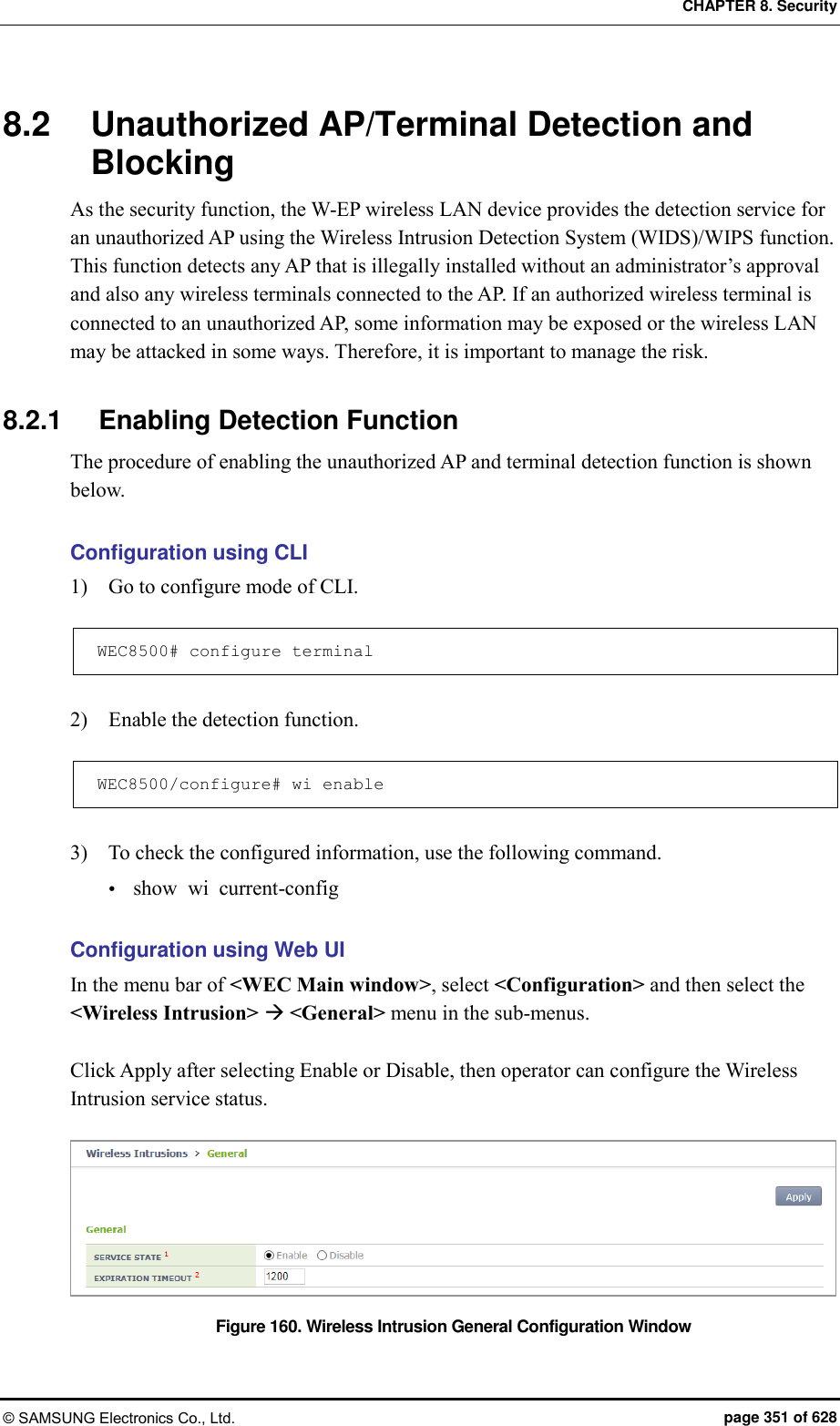
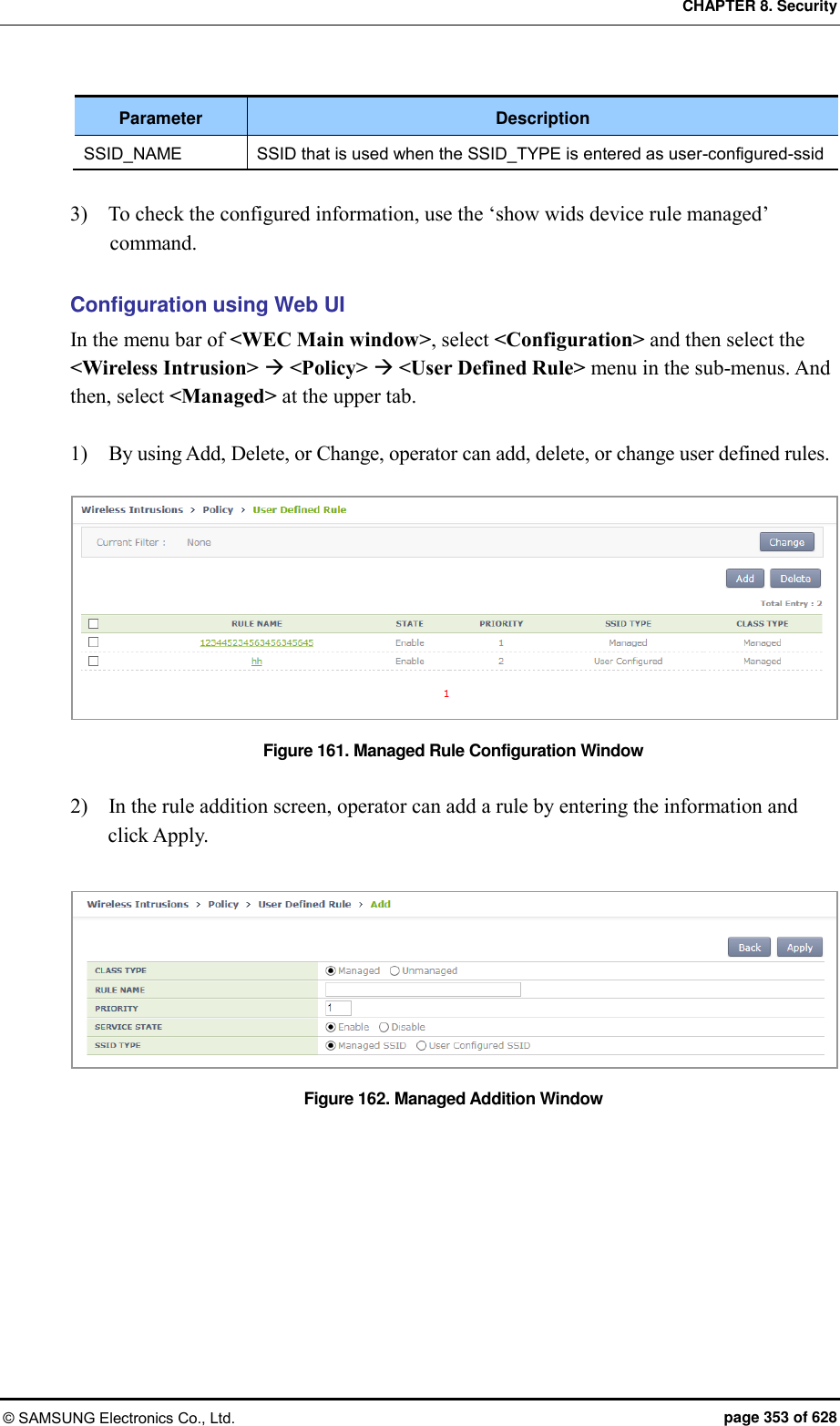
![CHAPTER 8. Security © SAMSUNG Electronics Co., Ltd. page 352 of 628 8.2.2 Detection The W-EP wireless LAN system detects all the packets in a wireless LAN network, classifies unauthorized APs and wireless terminals, and creates related alarms and logs. The detected unauthorized APs are classified as follows according to the configured classification policy. Classification type Description Managed AP AP that is allowed to be used by an administrator among the detected unauthorized APs - Configures the managed AP classification policy. - An administrator can classify a specific AP as a managed AP among the manually detected unauthorized APs. Unmanage AP AP that is not allowed to be used by an administrator among the detected unauthorized APs and AP that can be used maliciously - Configures the unmanaged AP classification policy. - An administrator can classify a specific AP as a unmanaged AP among the manually detected unauthorized APs. 8.2.2.1 Configuring the managed AP classification policy To configure the managed type authorized AP classification policy, execute the command as follows: Configuration using CLI 1) Go to configure wi device configuration mode of CLI. WEC8500# configure terminal WEC8500/configure# wi WEC8500/configure/wi# device WEC8500/configure/wi/device# 2) Configure the managed type authorized AP policy. add-classification-rule- managed [RULE_NAME] enable [PRIORITY] [SSID_TYPE] [SSID] Parameter Description RULE_NAME Classification policy name PRIORITY Priority number SSID_TYPE SSID type - managed-ssid: SSID that is used in an authorized AP that is connected to the APC. - user-configured-ssid [SSID]: Entered SSID (An AP that has SSID as SSID_NAME is classified as a friendly type unauthorized AP.)](https://usermanual.wiki/Samsung-Electronics-Co/WEA453E.APC-Operational-Manual-Professional-Installation-Guide-2-of-2/User-Guide-2529438-Page-52.png)
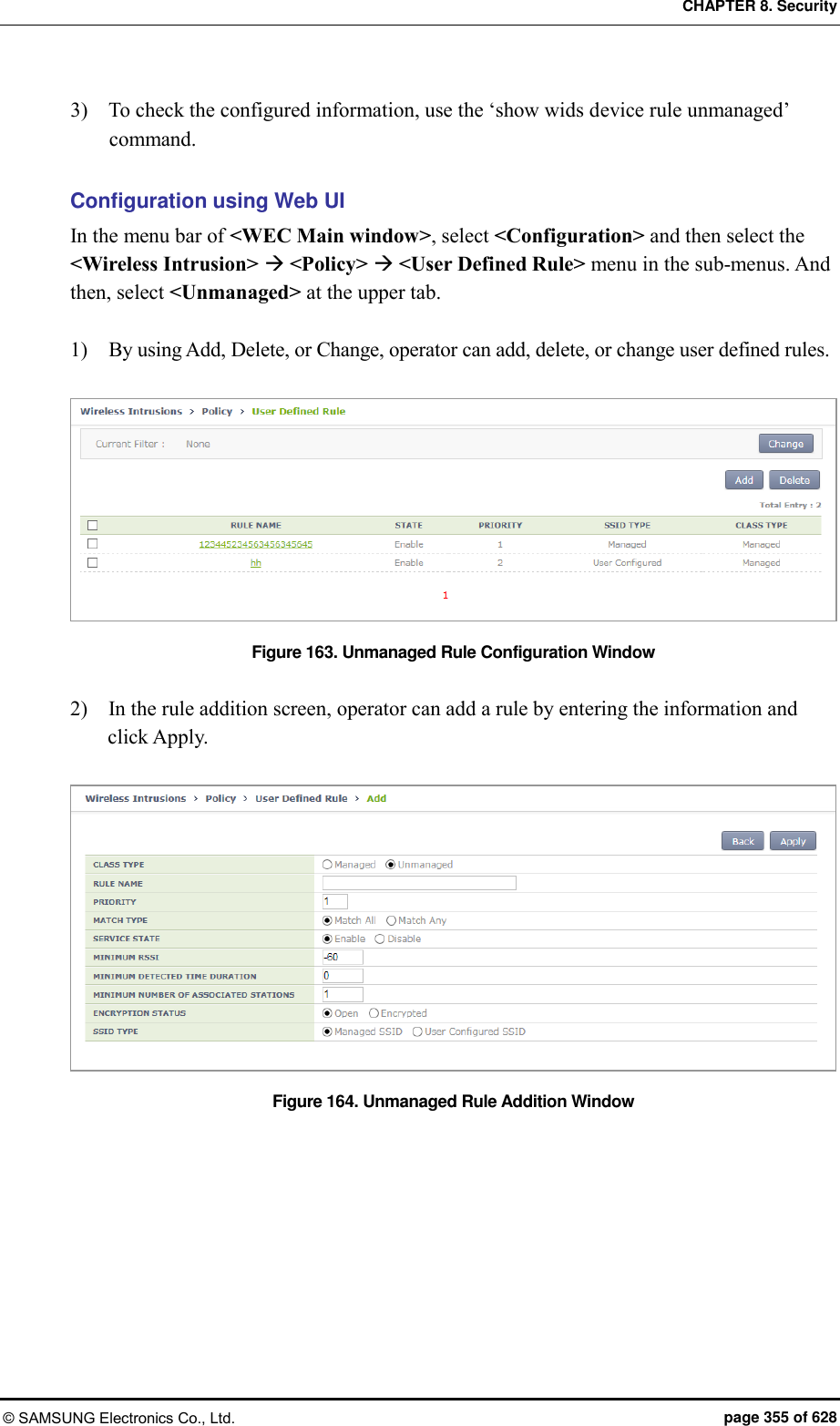
![CHAPTER 8. Security © SAMSUNG Electronics Co., Ltd. page 354 of 628 8.2.2.2 Configuring the unmanaged AP classification policy To configure the unmanaged type unauthorized AP classification policy, execute the command as follows: Configuration using CLI 1) Go to configure wi device configuration mode of CLI. WEC8500# configure terminal WEC8500/configure# wi WEC8500/configure/wi# device WEC8500/configure/wi/device# 2) Configure the unmanaged type unauthorized AP policy. add-classification-rule-unmanaged [RULE_NAME] enable [PRIORITY] [MATCH_TYPE] [MIN_RSSI] [MIN_DURATION] [NO_OF_MIN_ASSOC CLIENTS] [ENCRYPTION] [SSID_TYPE] [SSID] Parameter Description RULE_NAME Classification policy name PRIORITY Rule priority number MATCH_TYPE Enter either match-all or match-any. - match-all: Classifies as a unmanaged unauthorized AP when the detection criteria entered thereafter are all satisfied. - match-any: Classifies as a unmanaged unauthorized AP when any one of the detection criteria entered thereafter is satisfied. MIN_RSSI Minimum RSSI. When the RSSI value is higher than this value, it is classified as a unmanaged unauthorized AP. MIN_DURATION Minimum lasting time (unit: s). When the signal lasting time is higher than this value, it is classified as a unmanaged unauthorized AP. NO_OF_MIN_ASSOCCLIENTS Minimum number of connected terminals When the number of connected terminals is higher than this value, it is classified as a unmanaged unauthorized AP. ENCRYPTION Whether to use encryption - 0: Does not use encryption. If encryption is not used, it is classified as a unmanaged unauthorized AP. - 1: Uses encryption. If encryption is used, it is classified as a malicious unauthorized AP. SSID TYPE SSID type - managed-ssid: SSID that is used in an authorized AP that is connected to the APC. - user-configured-ssid [SSID]: Entered SSID (An AP that has SSID as SSID_NAME is classified as a friendly type unauthorized AP.) SSID_ NAME SSID that is used when the SSID_TYPE is entered as user-configured-ssid](https://usermanual.wiki/Samsung-Electronics-Co/WEA453E.APC-Operational-Manual-Professional-Installation-Guide-2-of-2/User-Guide-2529438-Page-54.png)
![CHAPTER 8. Security © SAMSUNG Electronics Co., Ltd. page 356 of 628 8.2.2.3 Manual configuration (Move) A user can change the classification of an unauthorized AP that is detected by the WI or that is classified according to the rule configured by a user. Configuration using CLI 1) Go to configure wi device configuration mode of CLI. WEC8500# configure terminal WEC8500/configure# wi WEC8500/configure/wi# device WEC8500/configure/wi/device# By using the MAC of an unauthorized AP to change, execute the move command. move [MAC] [FROM] [TO] Parameter Description MAC MAC address of a detected AP FROM Previous classification of a MAC TO Classification to change 2) To check the changed configuration, use the following command. show wi device ap list managed show wi device ap list unmanaged Configuration using Web UI In the menu bar of <WEC Main window>, select <Monitor> and then select the <Wireless Intrusion> <AP> menu in the sub-menus. And when the AP list is displayed, select one out of the AP list to go to the detail view screen. In the detail view screen, operator can manually change the classification of an AP by using the top down menu of MOVE CLASSIFICATION MANUALLY.](https://usermanual.wiki/Samsung-Electronics-Co/WEA453E.APC-Operational-Manual-Professional-Installation-Guide-2-of-2/User-Guide-2529438-Page-56.png)
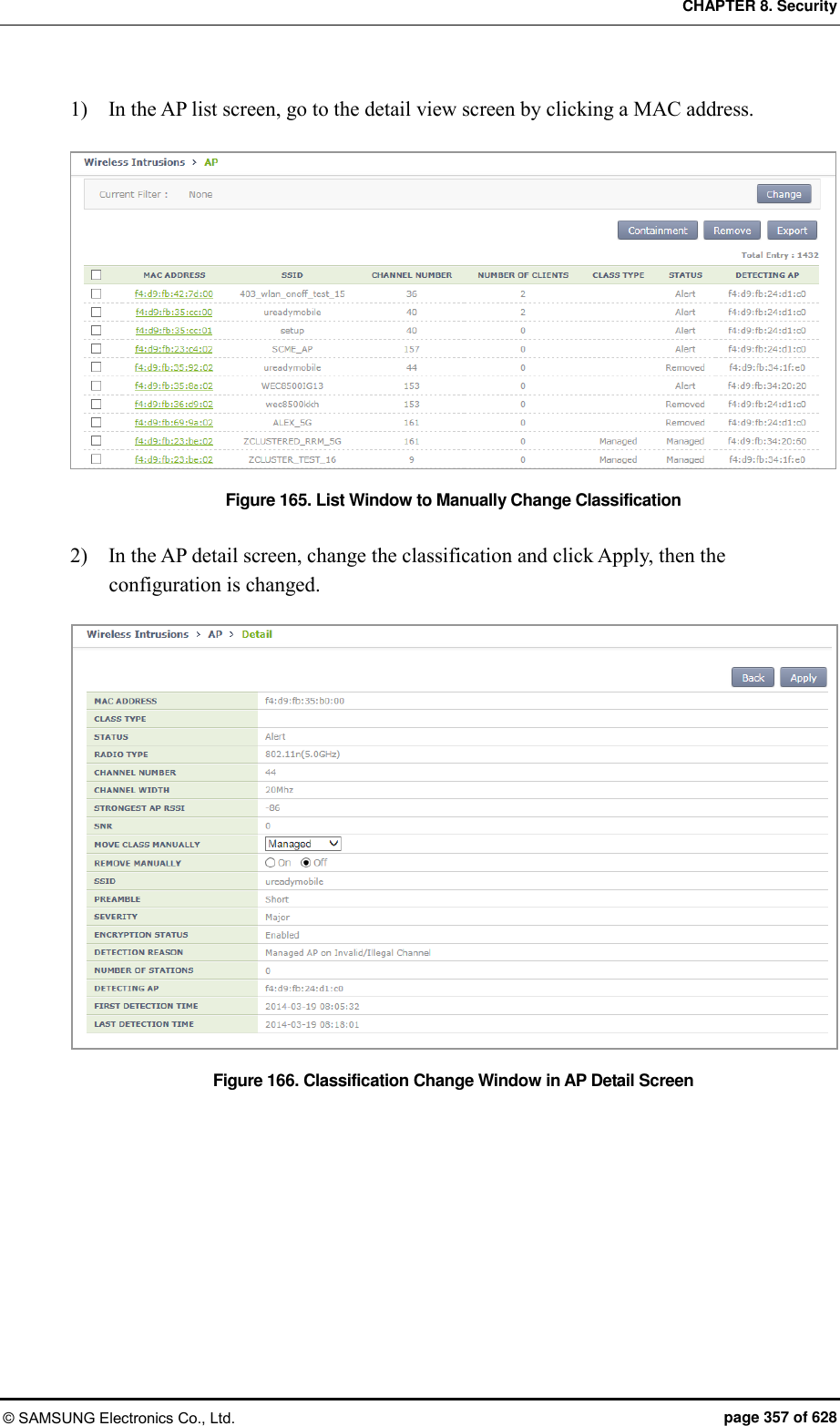
![CHAPTER 8. Security © SAMSUNG Electronics Co., Ltd. page 358 of 628 8.2.2.4 Manual configuration (Remove) A user can manually change the status of an unauthorized AP to ‘Removed’, that is detected by the WIDS or that is classified according to the rule configured by a user. Configuration using CLI 1) Go to configure wi device configuration mode of CLI. WEC8500# configure terminal WEC8500/configure# wi WEC8500/configure/wi# device WEC8500/configure/wi/device# 2) By using the MAC of an unauthorized AP to change, execute the remove command. remove [MAC] Parameter Description MAC MAC address of an unauthorized AP 3) To check the changed configuration, use the following command. show wi device ap list removed Configuration using Web UI In the menu bar of <WEC Main window>, select <Monitor> and then select the <Wireless Intrusion> <AP> menu in the sub-menus. And when the AP list is displayed, check a desired MAC in the list and click the <Remove> button to manually remove an AP. In addition, after going into the detail view screen by selecting one out of the AP list, operator can also remove an AP by changing the REMOVE MANUALLY option to On. 1) In the AP list screen, operator can change the status of several APs to ‘Removed’ by clicking <Remove> button. Figure 167. List Window to Manually Remove](https://usermanual.wiki/Samsung-Electronics-Co/WEA453E.APC-Operational-Manual-Professional-Installation-Guide-2-of-2/User-Guide-2529438-Page-58.png)
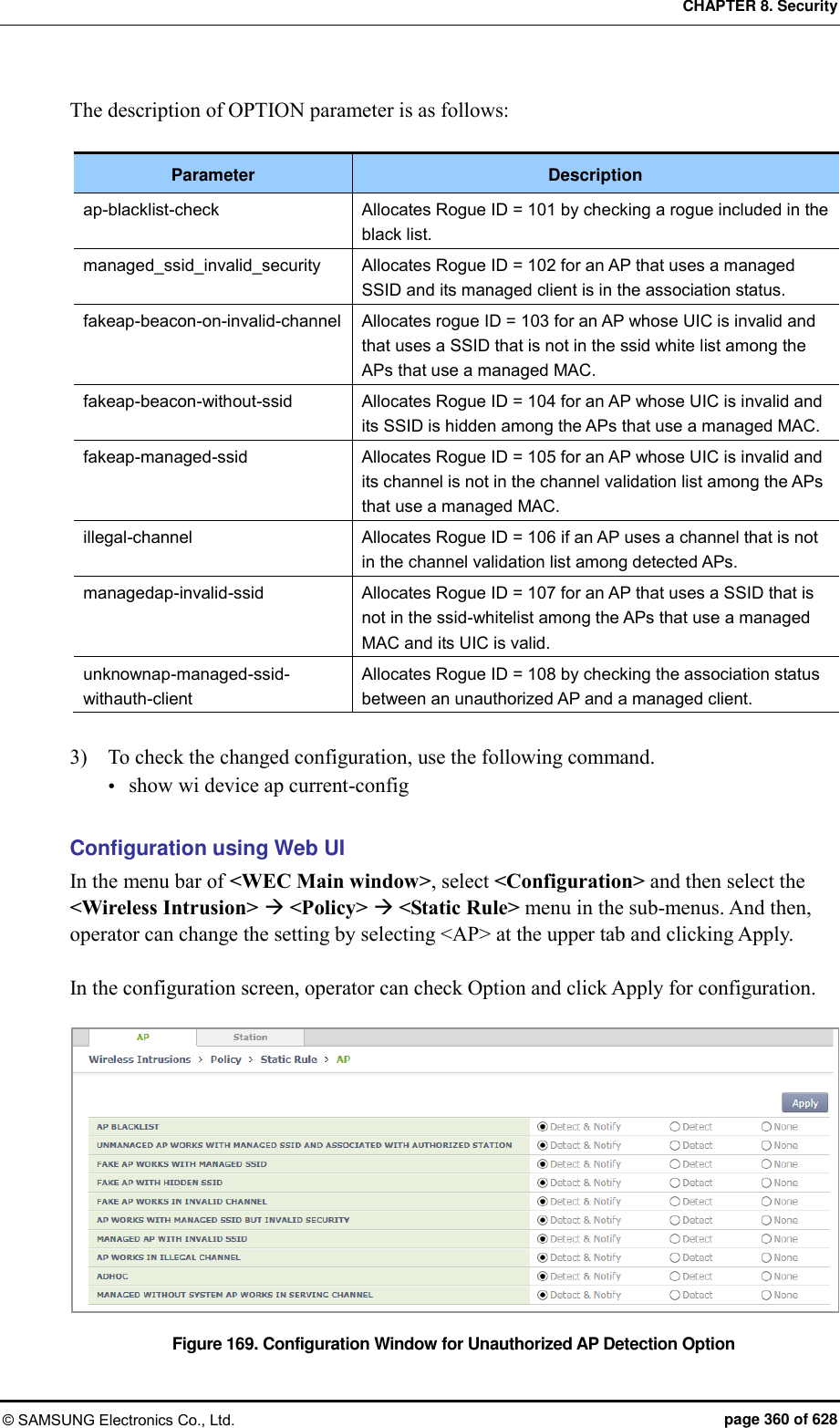
![CHAPTER 8. Security © SAMSUNG Electronics Co., Ltd. page 359 of 628 2) If you change the setting of REMOVE MANUALLY to ‘On’ in the AP detail screen and click Apply, the AP status is changed to ‘Removed’. Figure 168. Manual Remove Change Window in AP Detail Screen 8.2.2.5 Unauthorized AP detection option Operator can enable or disable the AP detection option pre-defined in the system. Configuration using CLI 1) Go to configure wi device ap configuration mode. WEC8500# configure terminal WEC8500/configure# wi WEC8500/configure/wi# device WEC8500/configure/wi/device# ap WEC8500/configure/wi/device/ap# 2) Using the following command, configure the unauthorized AP detection option. [OPTION] [NOTI_TYPE] Parameter Description OPTION Unauthorized AP detection option NOTI_TYPE Event save option - notify: Notify the state with alarm - detect: Save the state with sys log](https://usermanual.wiki/Samsung-Electronics-Co/WEA453E.APC-Operational-Manual-Professional-Installation-Guide-2-of-2/User-Guide-2529438-Page-59.png)
![CHAPTER 8. Security © SAMSUNG Electronics Co., Ltd. page 361 of 628 8.2.2.6 Unauthorized client detection option Operator can enable or disable the client detection option pre-defined in the system. Configuration using CLI 1) Go to configure wi device client configuration mode. WEC8500# configure terminal WEC8500/configure# wi WEC8500/configure/wi# rogue WEC8500/configure/wi/device# client WEC8500/configure/wi/device /client# 2) Configure the unauthorized client detection option by using the following command. [OPTION] [NOTI_TYPE] Parameter Description OPTION Rogue Client detect option NOTI_TYPE Event save option - notify: Notify the state with alarm - detect: Save the state with sys log The description of OPTION parameter is as follows: Parameter Description assoc-fail-det Classifies a client that exceeds the association fail threshold as an unauthorized client. auth-fail-det Classifies a client that exceeds the authentication fail threshold as an unauthorized client. auth-request-det Classifies a client that exceeds the authentication request threshold as an unauthorized client. deauth-request-det Classifies a client that exceeds the de-authentication request threshold as an unauthorized client. exclusion-list-check Classifies a MAC that does not exist in the client blacklist as an unauthorized client. oneXauth-fail-det Classifies a client that exceeds the 802.1X authentication fail threshold as an unauthorized client. oui-list-check Classifies an OUI that does not exist in the OUI list white list as an unauthorized client. probe-request-det Classifies a client that exceeds the probe request threshold as an unauthorized client. webauth-fail-det Classifies a client that exceeds the WEB authentication fail threshold as an unauthorized client.](https://usermanual.wiki/Samsung-Electronics-Co/WEA453E.APC-Operational-Manual-Professional-Installation-Guide-2-of-2/User-Guide-2529438-Page-61.png)
![CHAPTER 8. Security © SAMSUNG Electronics Co., Ltd. page 362 of 628 3) To check the changed configuration, use the following command. show wi device client current-config Configuration using Web UI In the menu bar of <WEC Main window>, select <Configuration> and then select the <Wireless Intrusion> <Policy> <Static Rule> menu in the sub-menus. And then, operator can change the setting by selecting <Station> at the upper tab and clicking Apply. In the configuration screen, operator can check Option and click Apply for configuration. Figure 170. Configuration Window for Unauthorized Station Detection Option 8.2.2.7 Unauthorized Channel Validation Configuration The unauthorized channel validation function helps an operator detect an AP that uses an unauthorized channel other than configured channels. The configuration procedure is as follows: Configuration using CLI 1) Go to configure wi channel-validation configuration mode of CLI. WEC8500# configure terminal WEC8500/configure# wi WEC8500/configure/wi# channel-validation 2) Enable the unauthorized channel validation function. WEC8500/configure/wi/channel-validation# enable 3) Configure an authorized channel. add [CHANNEL]](https://usermanual.wiki/Samsung-Electronics-Co/WEA453E.APC-Operational-Manual-Professional-Installation-Guide-2-of-2/User-Guide-2529438-Page-62.png)
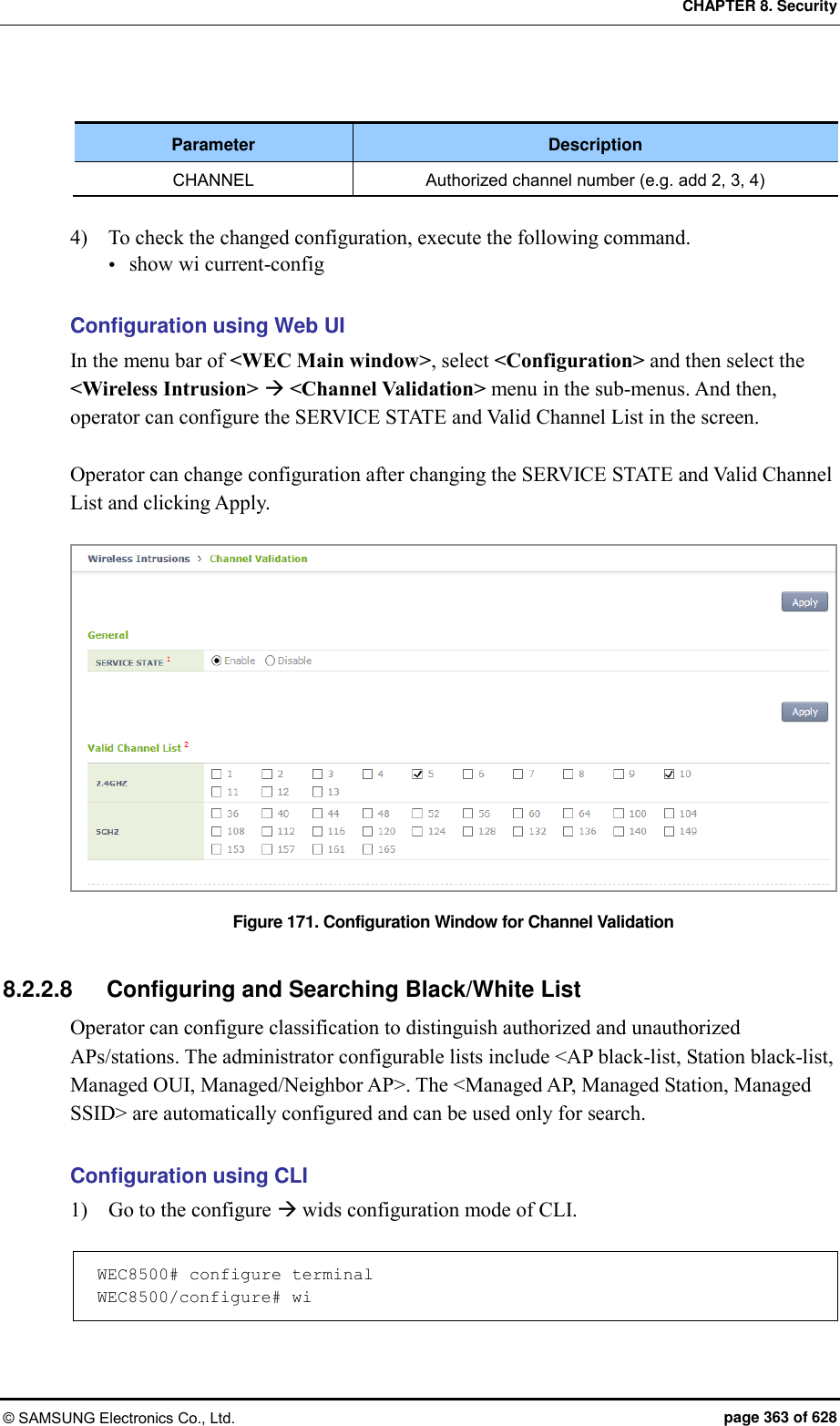
![CHAPTER 8. Security © SAMSUNG Electronics Co., Ltd. page 364 of 628 2) Configure the AP black-list. ap-blacklist [MAC] Parameter Description MAC MAC address that will be used as AP black-list 3) Configure the station black-list. client-black-list [MAC] Parameter Description MAC MAC address that will be used as a black-list of the station 4) Configure the Managed Organizationally Unique Identifier (OUI). oui-whitelist [OUI] Parameter Description OUI First 3 bytes of station MAC address 5) Configure the Managed/Neighbor AP. Managed [MAC] [TYPE] Parameter Description MAC AP MAC address of Managed/Neighbor AP TYPE - Managed: Indicates that the address is located internally during configuration - Neighbor: Indicates that the address is located externally during configuration 6) To check the changed configuration, execute the following command. show wi lists managed-ap show wi lists ap-blacklist show wi lists managed-stat show wi lists client-blacklist show wi lists managed ssid show wi lists oui-list show wi lists neighbor-ap](https://usermanual.wiki/Samsung-Electronics-Co/WEA453E.APC-Operational-Manual-Professional-Installation-Guide-2-of-2/User-Guide-2529438-Page-64.png)
![CHAPTER 8. Security © SAMSUNG Electronics Co., Ltd. page 365 of 628 Configuration using Web UI In the menu bar of <WEC Main window>, select <Configuration> and then select the <Wireless Intrusion> <Classifiation> menu in the sub-menus. And then, operator can configure and search by using the upper tab in the screen. 1) In the [AP Blacklist] tab, operator can add an AP blacklist by entering a MAC and click Add. Operator can also delete it by using Delete. Figure 172. AP blacklist Configuration Window 2) In the [Managed AP] tab, operator can search for a Managed AP. Figure 173. Managed AP Window](https://usermanual.wiki/Samsung-Electronics-Co/WEA453E.APC-Operational-Manual-Professional-Installation-Guide-2-of-2/User-Guide-2529438-Page-65.png)
![CHAPTER 8. Security © SAMSUNG Electronics Co., Ltd. page 366 of 628 3) In the [Station Blacklist] tab, operator can add a station blacklist by entering a MAC and click Add. Operator can also delete it by using Delete. Figure 174. Station blacklist Search/Configuration Window 4) In the [Managed Station] tab, operator can search Managed Station. Figure 175. Managed Station Search Window](https://usermanual.wiki/Samsung-Electronics-Co/WEA453E.APC-Operational-Manual-Professional-Installation-Guide-2-of-2/User-Guide-2529438-Page-66.png)
![CHAPTER 8. Security © SAMSUNG Electronics Co., Ltd. page 367 of 628 5) In the [Managed OUI] tab, operator can add a Managed OUI by entering an OUI and click Add. Operator can also delete it by using Delete. 6) In the [Managed SSID] tab, you can check the SSID that the WLAN is using. Figure 176. Managed SSID Window](https://usermanual.wiki/Samsung-Electronics-Co/WEA453E.APC-Operational-Manual-Professional-Installation-Guide-2-of-2/User-Guide-2529438-Page-67.png)
![CHAPTER 8. Security © SAMSUNG Electronics Co., Ltd. page 368 of 628 7) If you click Add in the [Managed/Neighbor AP] tab, operator can go to the Managed/ Neighbor AP list addition screen and can add a Managed/Neighbor AP list. Operator can also delete it by using Delete. [Managed/Neighbor AP] tab main screen Figure 177. Managed/Neighbor AP Search/Configuration Window Managed/Neighbor AP list addition screen Figure 178. Managed/Neighbor AP List Addition Window 8.2.2.9 Station Allow Limit The WIDS counts the number of frames and number of authentication failures to distinguish a station that generates too many management frames in a network or that is continuously failed for authentication. A threshold value is defined for the count and a station is recognized as an unauthorized station if the count exceeds the threshold. Configuration using CLI 1) Go to the configure wi device client configuration mode. WEC8500# configure terminal WEC8500/configure# wi WEC8500/configure/wi# device WEC8500/configure/wi/device# client WEC8500/configure/wi/device/client#](https://usermanual.wiki/Samsung-Electronics-Co/WEA453E.APC-Operational-Manual-Professional-Installation-Guide-2-of-2/User-Guide-2529438-Page-68.png)
![CHAPTER 8. Security © SAMSUNG Electronics Co., Ltd. page 369 of 628 2) Configure a threshold. allowed-limit [OPTION] [COUNT] Parameter Description OPTION - 80211-auth-req: Authentication requests threshold per second - 80211-probe-req: Probe requests threshold per second - 80211-deauth-req: De-authentication requests threshold per second - 80211-assoc-fail: Association failures threshold per second - 80211-auth-fail: Authentication failures threshold per second - 8021x-auth-fail: 802.1x authentication failures threshold per WIDS interval - web-auth-fail: Web authentication failures threshold that occurs continuously COUNT Threshold value of [OPTION] ranging from 3 to 20 Configuration using Web UI In the menu bar of <WEC Main window>, select <Configuration> and then select the <Wireless Intrusion> <Station Allow Limit> menu in the sub-menus. And then, enter a threshold value and click Apply to configure the value in the screen. Figure 179. Station Allowed Limit Configuration Window](https://usermanual.wiki/Samsung-Electronics-Co/WEA453E.APC-Operational-Manual-Professional-Installation-Guide-2-of-2/User-Guide-2529438-Page-69.png)
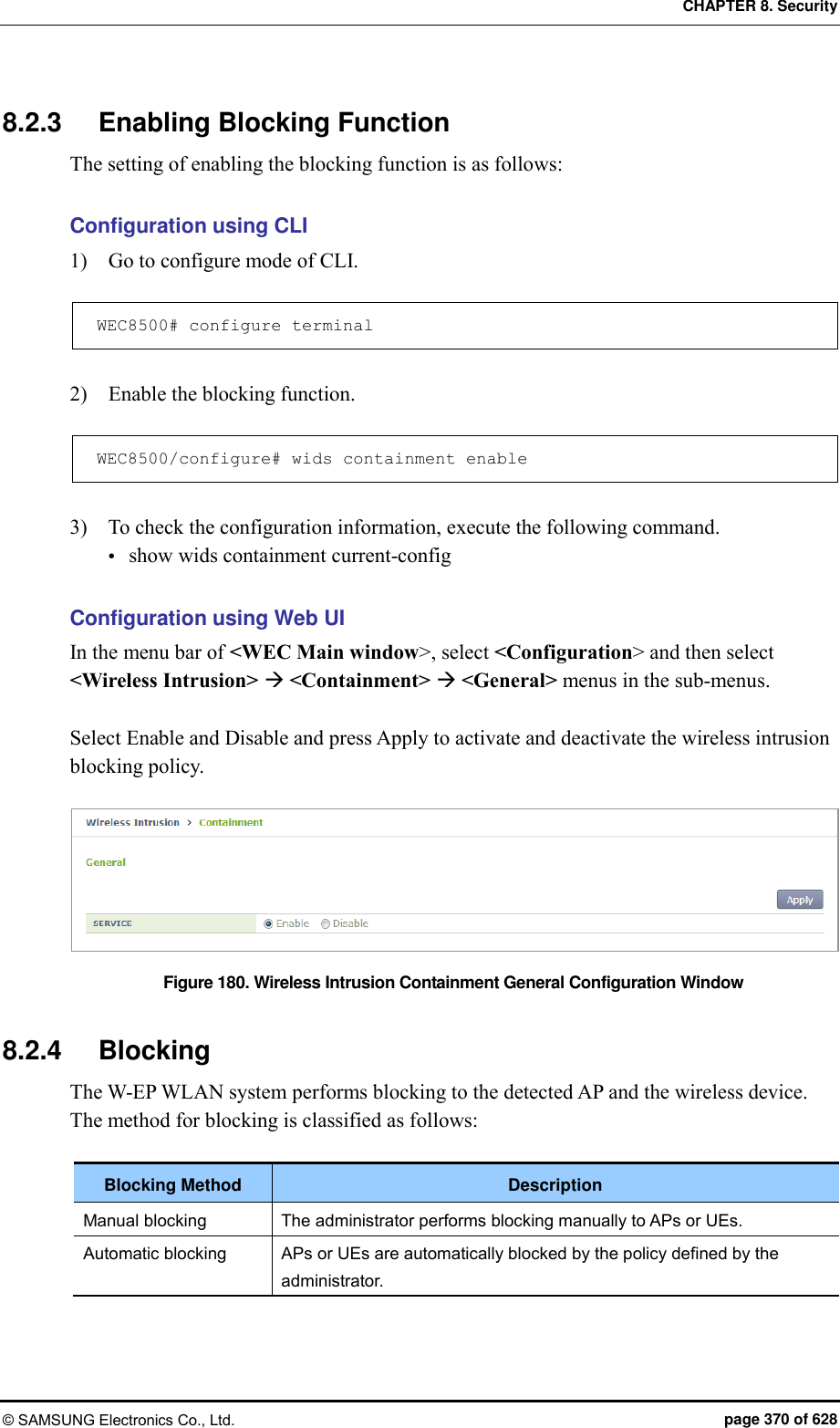
![CHAPTER 8. Security © SAMSUNG Electronics Co., Ltd. page 371 of 628 8.2.4.1 Configuring Manual Blocking To configure manual blocking, execute the command as follows: Configuration using CLI 1) Go to configure wids containment configuration mode of CLI. WEC8500# configure terminal WEC8500/configure# wids WEC8500/configure/wids# containment WEC8500/configure/wids/containment# 2) Configure manual blocking. manual[TARGET] enable[MAC] Parameter Description TARGET Select either AP or station which is the target for manual blocking. MAC MAC address of the target for manual blocking Configuration using Web UI In the menu bar of <WEC Main window>, select <Monitor> and then select <Wireless Intrusion> menu in the sub-menus. Select the target and perform containment to perform manual blocking. 1) After selecting an AP in the AP list, possible to block by using the containment. Figure 181. List Window for Blocking AP](https://usermanual.wiki/Samsung-Electronics-Co/WEA453E.APC-Operational-Manual-Professional-Installation-Guide-2-of-2/User-Guide-2529438-Page-71.png)
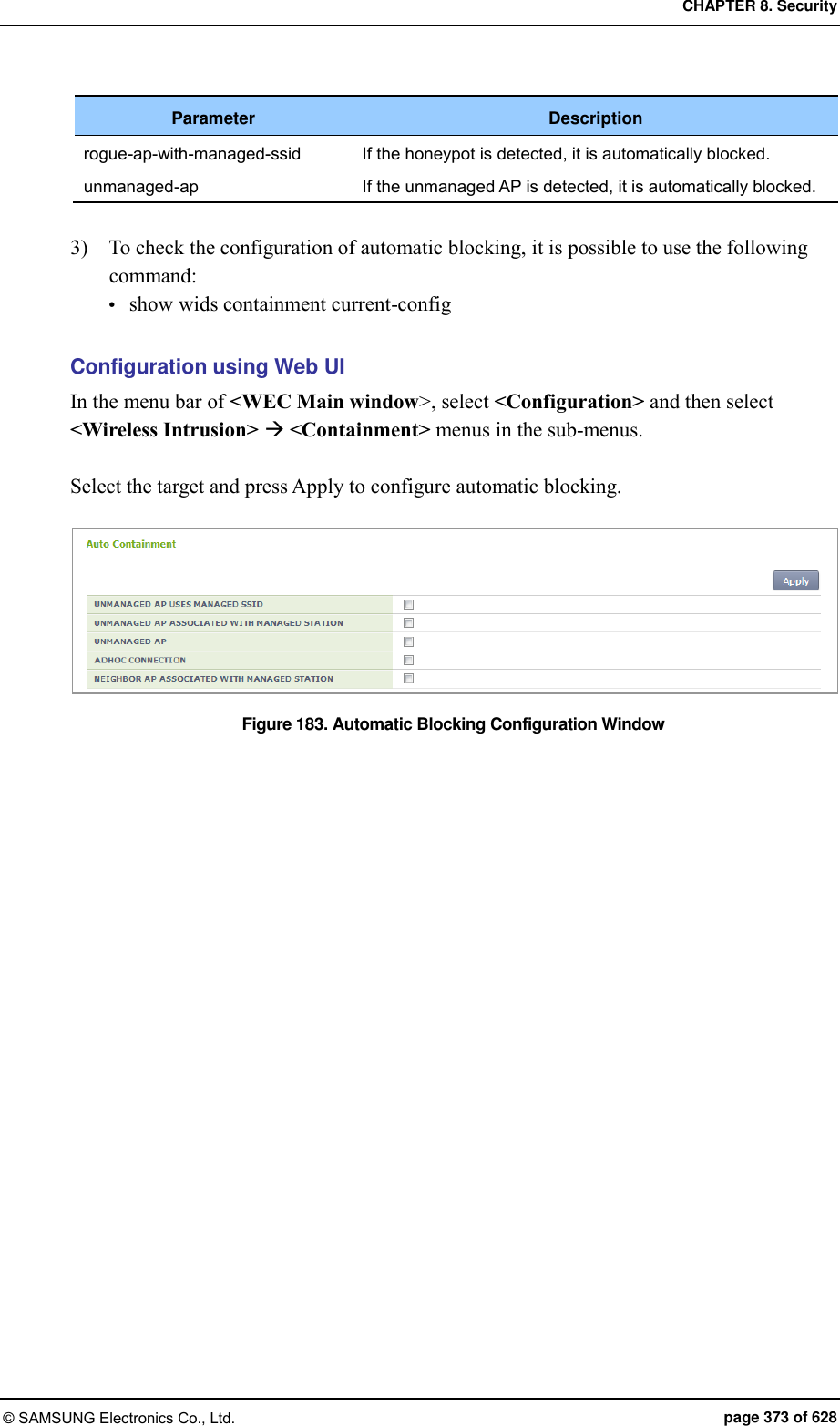
![CHAPTER 8. Security © SAMSUNG Electronics Co., Ltd. page 372 of 628 2) After selecting a station in the station list, possible to block by using the containment. Figure 182. List Window for Blocking Station 8.2.4.2 Configuring Automatic Blocking To configure automatic blocking, execute the command as follows: Configuration using CLI 1) Go to configure wids containment configuration mode of CLI. WEC8500# configure terminal WEC8500/configure# wids WEC8500/configure/wids# containment WEC8500/configure/wids/containment# 2) Configure automatic blocking. auto[OPTION] The description of OPTION parameter is as follows: Parameter Description adhoc-connection If adhoc is detected, it is automatically blocked. managed-station-associated-with-friendly-external If the managed station and the neighbor AP are connected, it is automatically blocked. rogue-ap-with-auth-station If the managed station and the unmanaged AP are connected, it is automatically blocked.](https://usermanual.wiki/Samsung-Electronics-Co/WEA453E.APC-Operational-Manual-Professional-Installation-Guide-2-of-2/User-Guide-2529438-Page-72.png)
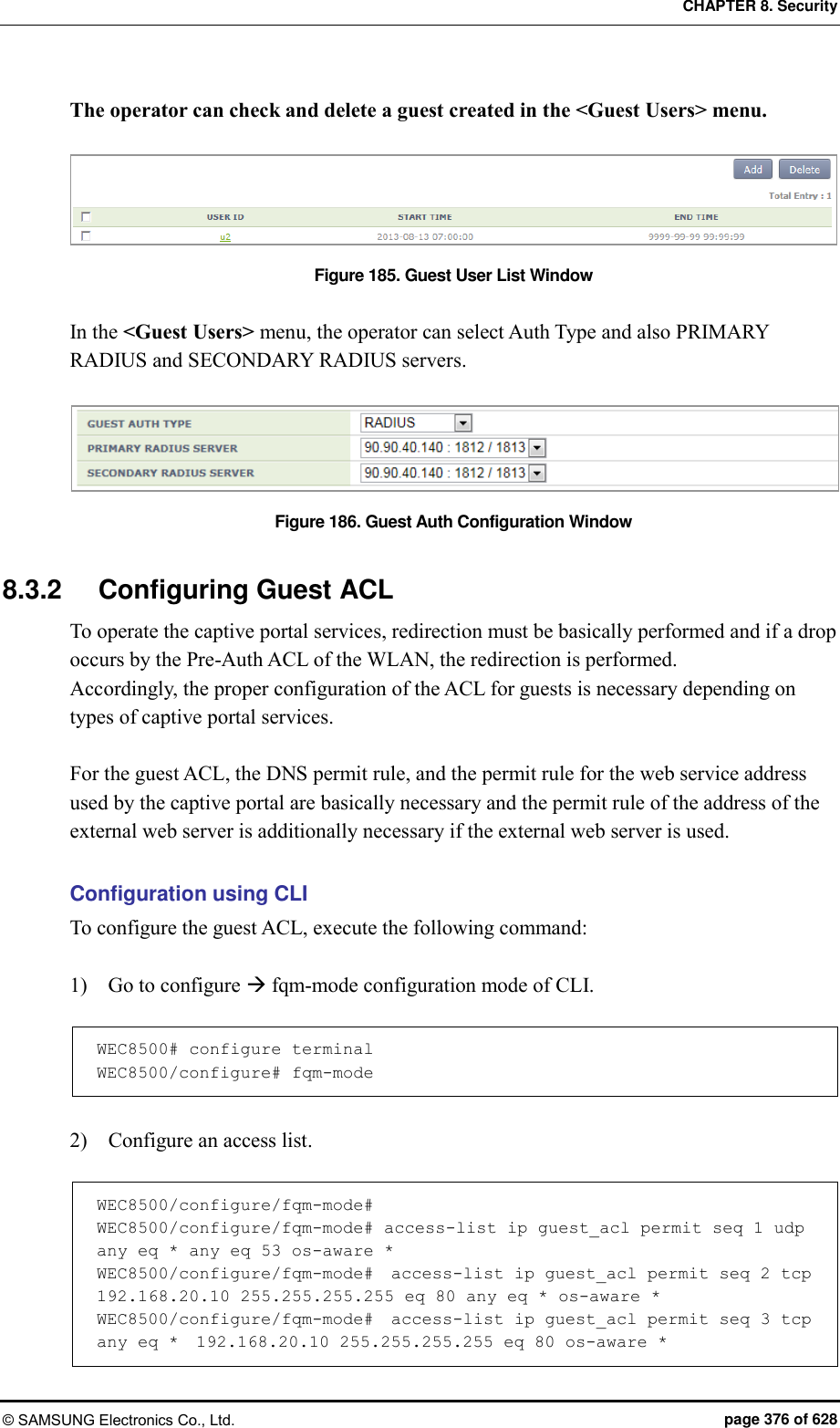
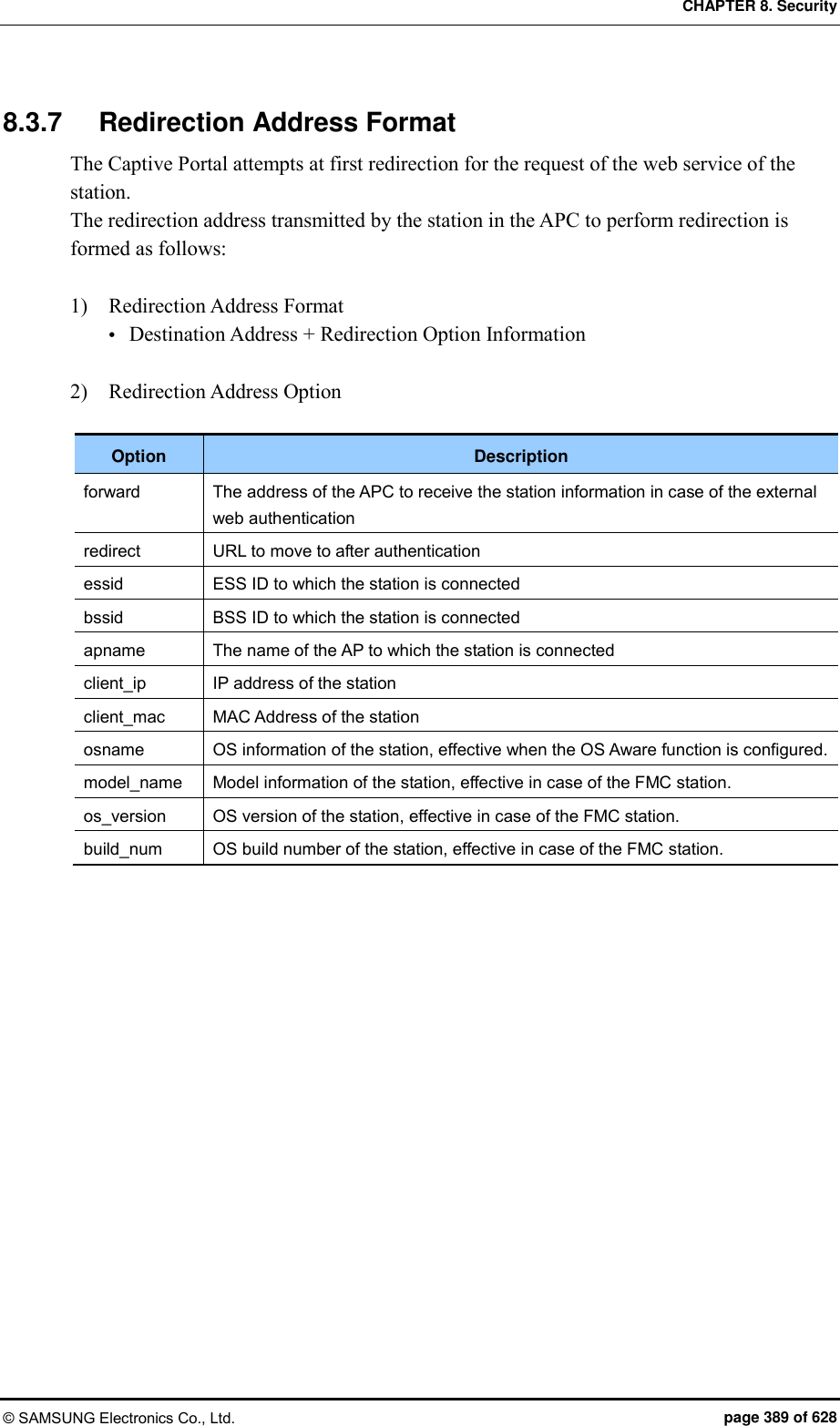
![CHAPTER 8. Security © SAMSUNG Electronics Co., Ltd. page 374 of 628 8.3 Captive Portal The W-EP WLAN system provides the Captive Portal function. A guest user can receive a normal service after connected to a specific WLAN (SSID) and going through user authentication. 8.3.1 Configuring Guest Authentication Configuration using CLI To configure guest authentication, go to the Configure mode and execute the command. 1) Go to configure security captive-portal configuration mode of CLI. APC# configure terminal APC/configure# security APC/configure/security# captive-portal APC/configure/security/captive-portal# 2) The command to add a guest user is as follows: guest add [ID][PASSWD][START_TIME][END_TIME] Parameter Description ID Login ID of a user PASSWD Password START_TIME Start time (YYYY-MM-DD:HH:MM:SS format) END_TIME End time (YYYY-MM-DD:HH:MM:SS format) 3) The command to add a guest user is as follows: guest delete [ID] Parameter Description ID User ID 4) To select the authentication method for a guest service, execute the command as follows: auth-type[FLAG] Parameter Description FLAG Authentication method - local-only: Uses internal authentication. - radius-only: Uses the authentication of the RADIUS server. - local-radius: Uses the authentication of the RADIUS if the internal authentication is failed.](https://usermanual.wiki/Samsung-Electronics-Co/WEA453E.APC-Operational-Manual-Professional-Installation-Guide-2-of-2/User-Guide-2529438-Page-74.png)
![CHAPTER 8. Security © SAMSUNG Electronics Co., Ltd. page 375 of 628 Parameter Description - radius-local: Uses the internal authentication if the RADIUS server authentication is failed. 5) For RADIUS authentication, the operator can configure the primary and secondary servers by using a profile ID. radius-primary [PROFILE_ID] radius-secondary [PROFILE_ID] Parameter Description PROFILE_ID Profile ID Configuration using Web UI In the menu bar of <WEC Main window>, select <Configuration> and then select <Security> <CaptivePortal> <Guest Users> menus in the sub-menus. Figure 184. Guest User Configuration Window](https://usermanual.wiki/Samsung-Electronics-Co/WEA453E.APC-Operational-Manual-Professional-Installation-Guide-2-of-2/User-Guide-2529438-Page-75.png)
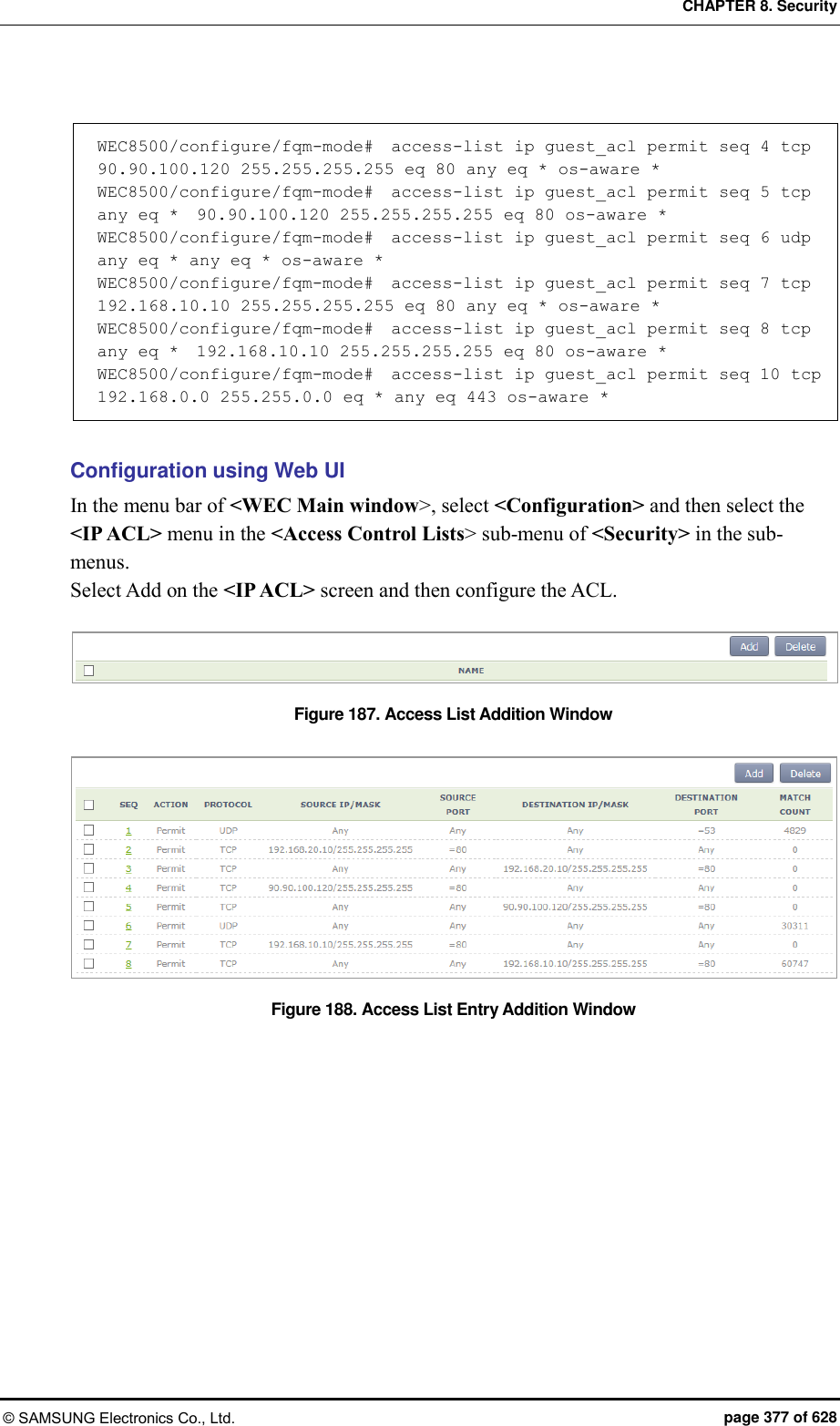
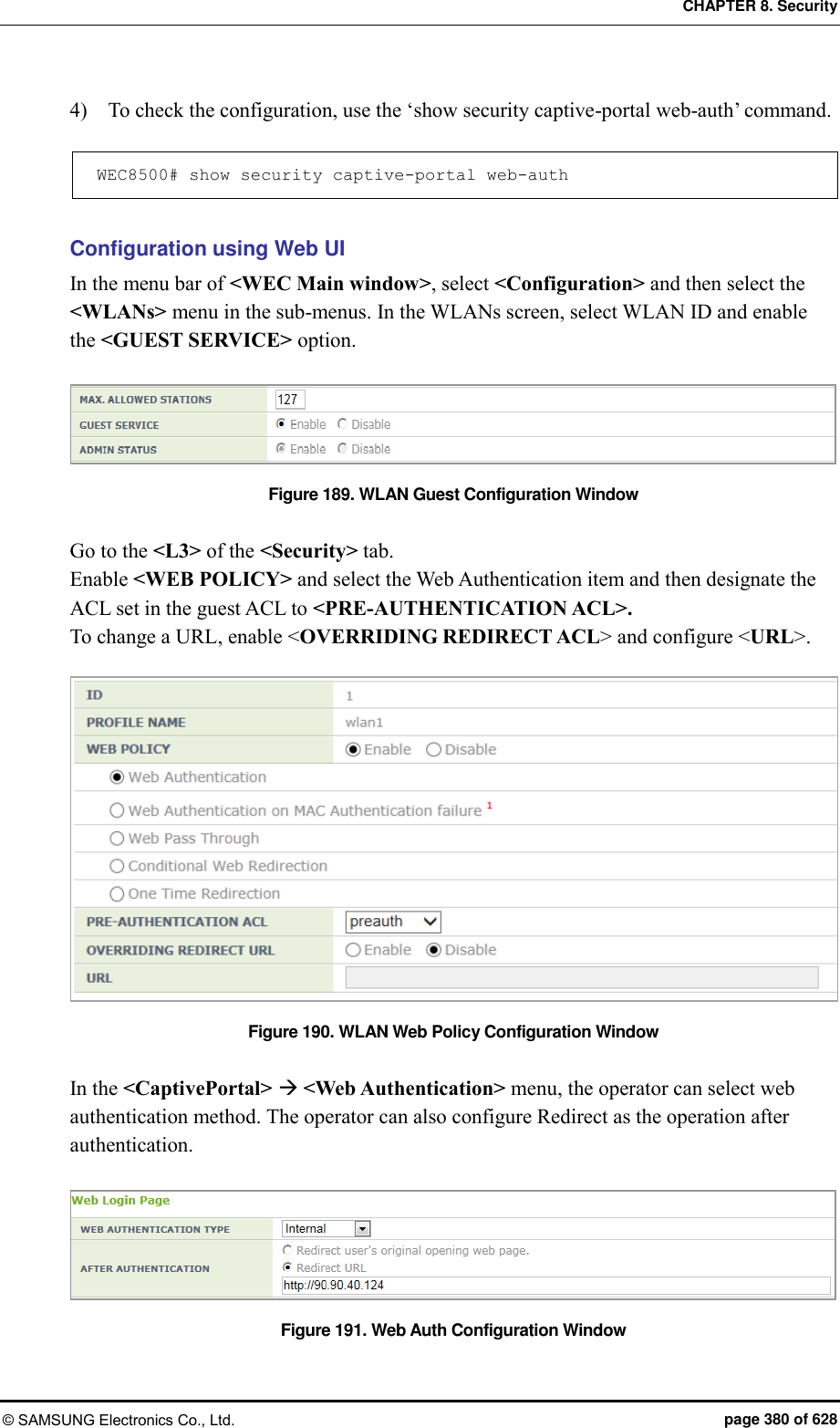
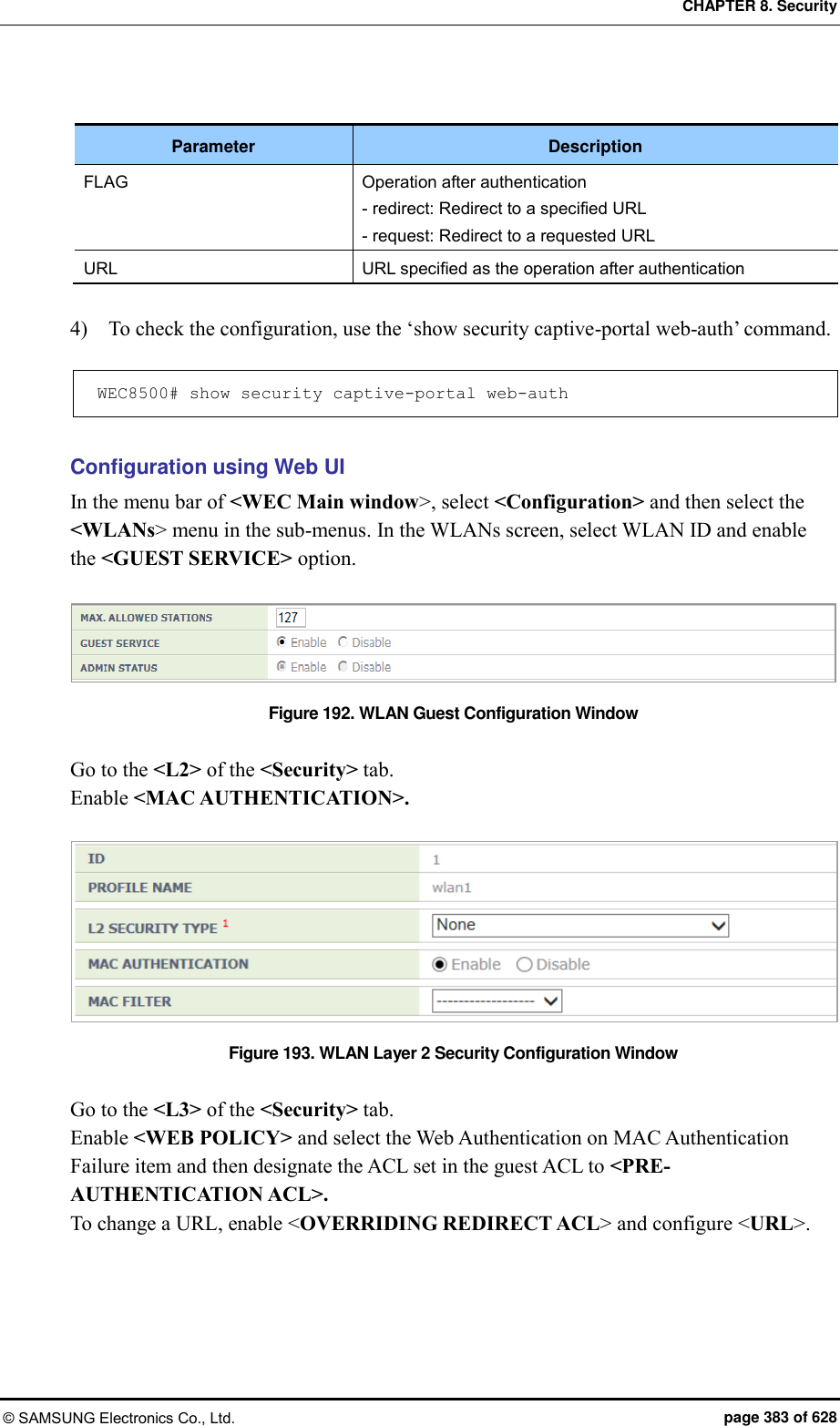
![CHAPTER 8. Security © SAMSUNG Electronics Co., Ltd. page 378 of 628 8.3.3 Configuring Web Authentication To provide the web authentication service, the security L3 item of the WLAN and the web authentication of the captive portal must be configured. Configuration using CLI [WLAN Configuration] To configure web authentication in the WLAN, execute the command as follows: 1) Go to configure WLAN configuration mode of CLI. WEC8500# configure terminal WEC8500/configure# wlan 1 2) Configure a guest flag (default: disabled). guest-flag WEC8500/configure/wlan 1# guest-flag 3) Go to configure WLAN security layer 3 configuration mode of CLI. WEC8500/configure/wlan 1# security WEC8500/configure/wlan 1/security# layer3 WEC8500/configure/wlan 1/security/layer3# 4) Enable the WEB authentication (default: disabled). web-policy authentication WEC8500/configure/wlan 1/security/layer3# web-policy authentication 5) Configure the Pre-Authentication ACL. pre-auth-acl [ACL] Parameter Description ACL ACL applied before the guest is authenticated 6) To change the redirection of the basic captive portal configuration to another address, configure an overriding URL. redirect-URL-override [URL]](https://usermanual.wiki/Samsung-Electronics-Co/WEA453E.APC-Operational-Manual-Professional-Installation-Guide-2-of-2/User-Guide-2529438-Page-78.png)
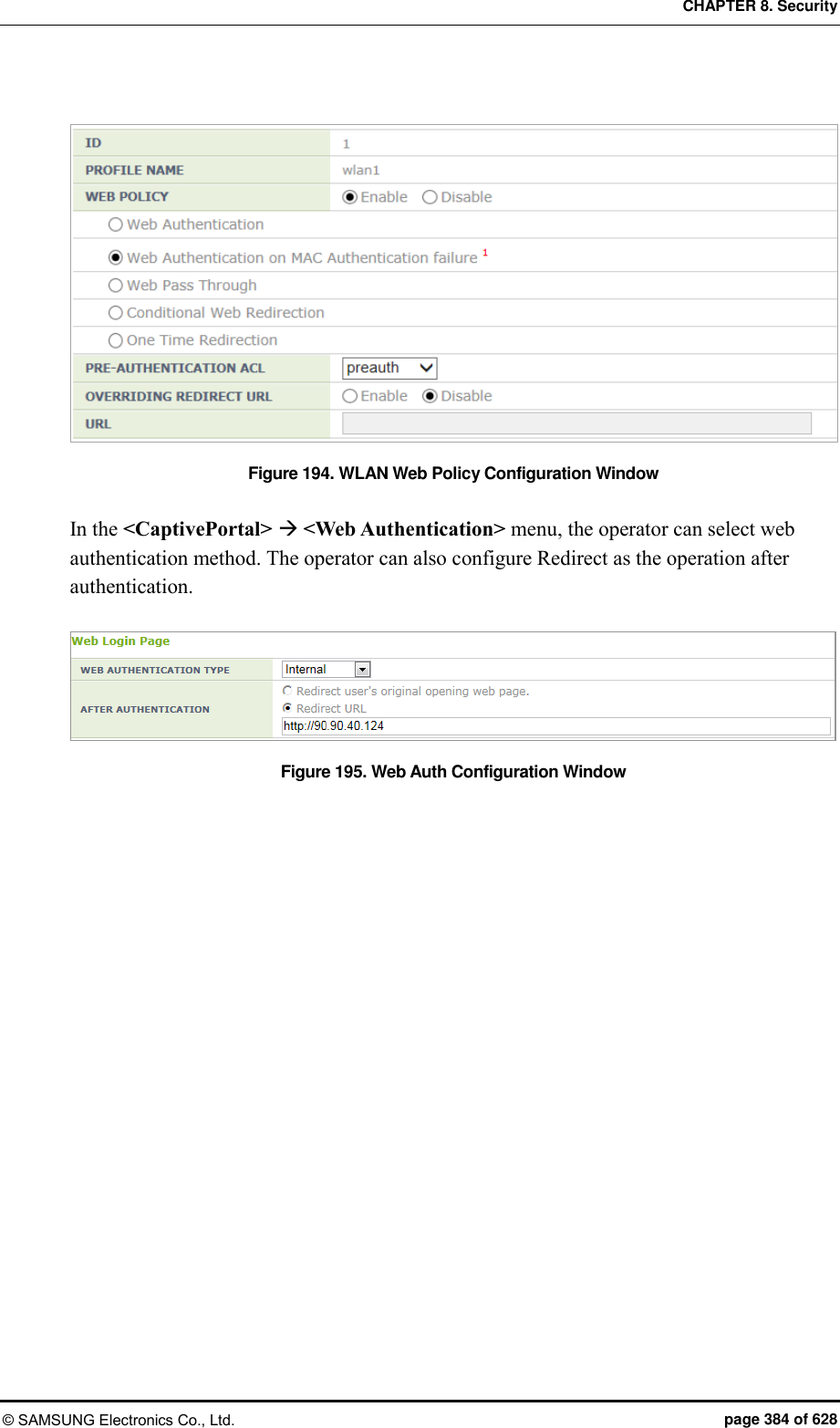
![CHAPTER 8. Security © SAMSUNG Electronics Co., Ltd. page 379 of 628 Parameter Description URL URL to which the guest is redirected 7) To check the configuration, use the ‘show wlan security detail’ command. WEC8500# show wlan security detail 1 [Captive Portal Configuration] 1) Go to configure security captive-portal configuration mode of CLI. WEC8500# configure terminal WEC8500/configure# security WEC8500/configure/security# captive-portal WEC8500/configure/security/captive-portal# 2) To configure the web authentication method of web authentication in the captive portal, execute the command as follows: web-auth web-type [FLAG] web-auth external-url [URL] Parameter Description FLAG Web Authentication Method - internal: Uses the internal authentication page. - external: Uses the authentication page of an external web server. - downloaded: Uses the authentication page downloaded from the system. - customized: Uses the authentication page created through configuration. URL Address of an external authentication server 3) To configure the operation after authentication, execute the command as follows: web-auth after-auth [FLAG] web-auth redirect-url [URL] Parameter Description FLAG Operation after authentication - redirect: Redirect to a specified URL - request: Redirect to a requested URL URL URL specified as the operation after authentication](https://usermanual.wiki/Samsung-Electronics-Co/WEA453E.APC-Operational-Manual-Professional-Installation-Guide-2-of-2/User-Guide-2529438-Page-79.png)
![CHAPTER 8. Security © SAMSUNG Electronics Co., Ltd. page 381 of 628 8.3.4 Configuring Web Authentication on MAC Authentication Failure To provide the service of Web Authentication on MAC Authentication Failure, the MAC Authentication of security L2 of the WLAN must be enabled and the web policy of L3 and the web authentication of the captive portal must be configured. Configuration using CLI [WLAN Configuration] To configure Web Authentication on MAC Authentication Failure in the WLAN, execute the command as follows: 1) Go to configure WLAN configuration mode of CLI. WEC8500# configure terminal WEC8500/configure# wlan 1 2) Configure a guest flag (default: disabled). guest-flag WEC8500/configure/wlan 1# guest-flag 3) Go to configure WLAN security layer 3 configuration mode of CLI. WEC8500/configure/wlan 1# security WEC8500/configure/wlan 1/security# layer3 WEC8500/configure/wlan 1/security/layer3# 4) Enable the WEB authentication (default: disabled). web-policy authentication WEC8500/configure/wlan 1/security/layer3# web-policy macAuthFailure 5) Configure the Pre-Authentication ACL. pre-auth-acl [ACL] Parameter Description ACL ACL applied before the guest is authenticated](https://usermanual.wiki/Samsung-Electronics-Co/WEA453E.APC-Operational-Manual-Professional-Installation-Guide-2-of-2/User-Guide-2529438-Page-81.png)
![CHAPTER 8. Security © SAMSUNG Electronics Co., Ltd. page 382 of 628 6) To change the redirection of the basic captive portal configuration to another address, configure an overriding URL. redirect-URL-override [URL] Parameter Description URL URL to which the guest is redirected 7) To check the configuration, use the ‘show wlan security detail’ command. WEC8500# show wlan security detail 1 [Captive Portal Configuration] 1) Go to configure security captive-portal configuration mode of CLI. WEC8500# configure terminal WEC8500/configure# security WEC8500/configure/security# captive-portal WEC8500/configure/security/captive-portal# 2) To configure the web authentication method of web authentication in the captive portal, execute the command as follows: web-auth web-type [FLAG] web-auth external-url [URL] Parameter Description FLAG Web Authentication Method - internal: Uses the internal authentication page. - external: Uses the authentication page of an external web server. - downloaded: Uses the authentication page downloaded from the system. - customized: Uses the authentication page created through configuration. URL Address of an external authentication server 3) To configure the operation after authentication, execute the command as follows: web-auth after-auth [FLAG] web-auth redirect-url [URL]](https://usermanual.wiki/Samsung-Electronics-Co/WEA453E.APC-Operational-Manual-Professional-Installation-Guide-2-of-2/User-Guide-2529438-Page-82.png)
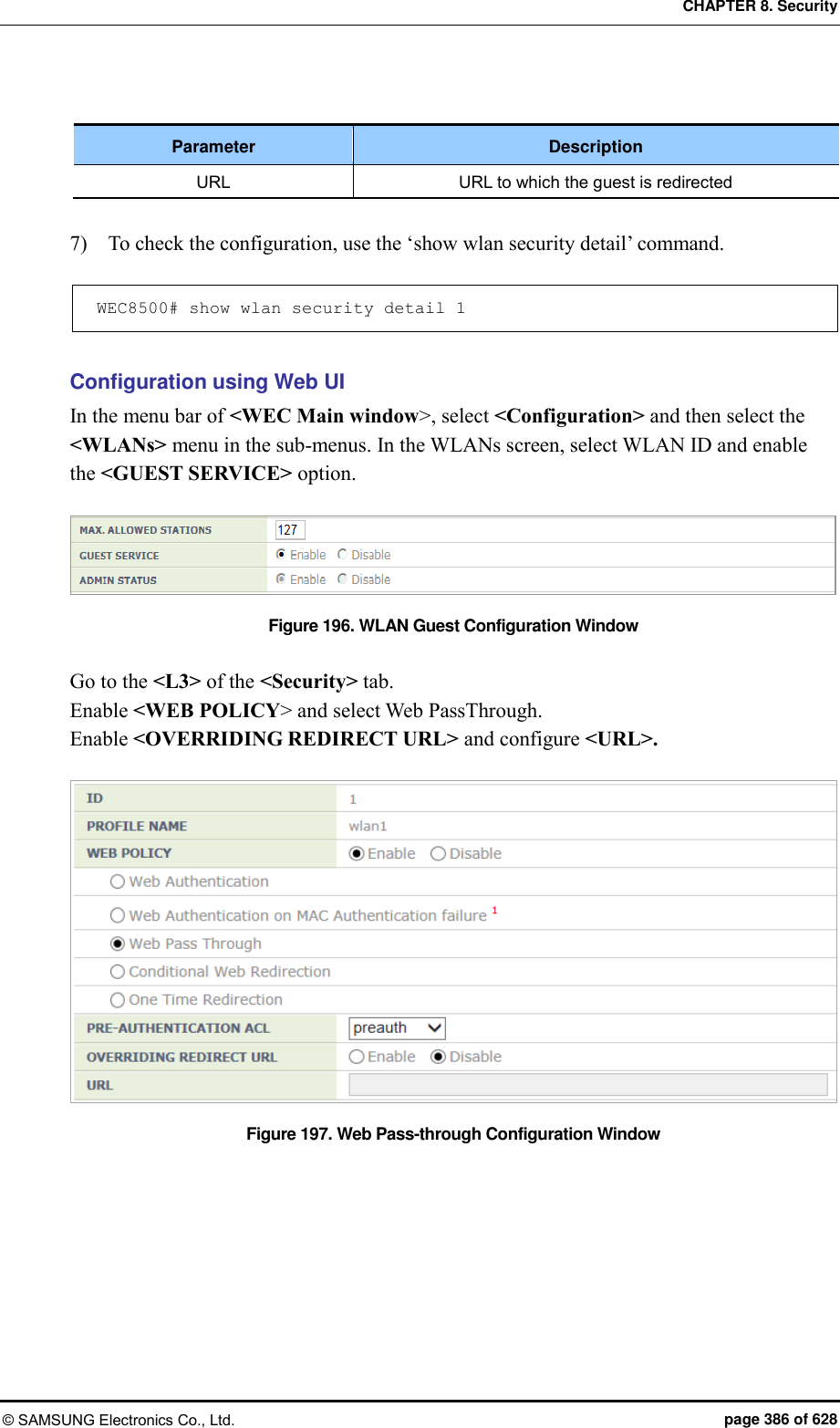
![CHAPTER 8. Security © SAMSUNG Electronics Co., Ltd. page 385 of 628 8.3.5 Configuring Web Pass-through The APC provides the web pass-through function to move to a specific address all the time when the user uses the web. Configuration using CLI [WLAN Configuration] To configure web pass-through in the WLAN, execute the command as follows: 1) Go to configure WLAN configuration mode of CLI. WEC8500# configure terminal WEC8500/configure# wlan 1 2) Configure a guest flag (default: disabled). guest-flag WEC8500/configure/wlan 1# guest-flag 3) Go to configure WLAN security layer 3 configuration mode of CLI. WEC8500/configure/wlan 1# security WEC8500/configure/wlan 1/security# layer3 WEC8500/configure/wlan 1/security/layer3# 4) Enable the WEB authentication (default: disabled). web-policy pass-through WEC8500/configure/wlan 1/security/layer3# web-policy pass-through 5) Configure the Pre-Authentication ACL. pre-auth-acl [ACL] Parameter Description ACL ACL for occurrence of redirection 6) To change the redirection of the basic captive portal configuration to another address, configure an overriding URL. redirect-URL-override [URL]](https://usermanual.wiki/Samsung-Electronics-Co/WEA453E.APC-Operational-Manual-Professional-Installation-Guide-2-of-2/User-Guide-2529438-Page-85.png)
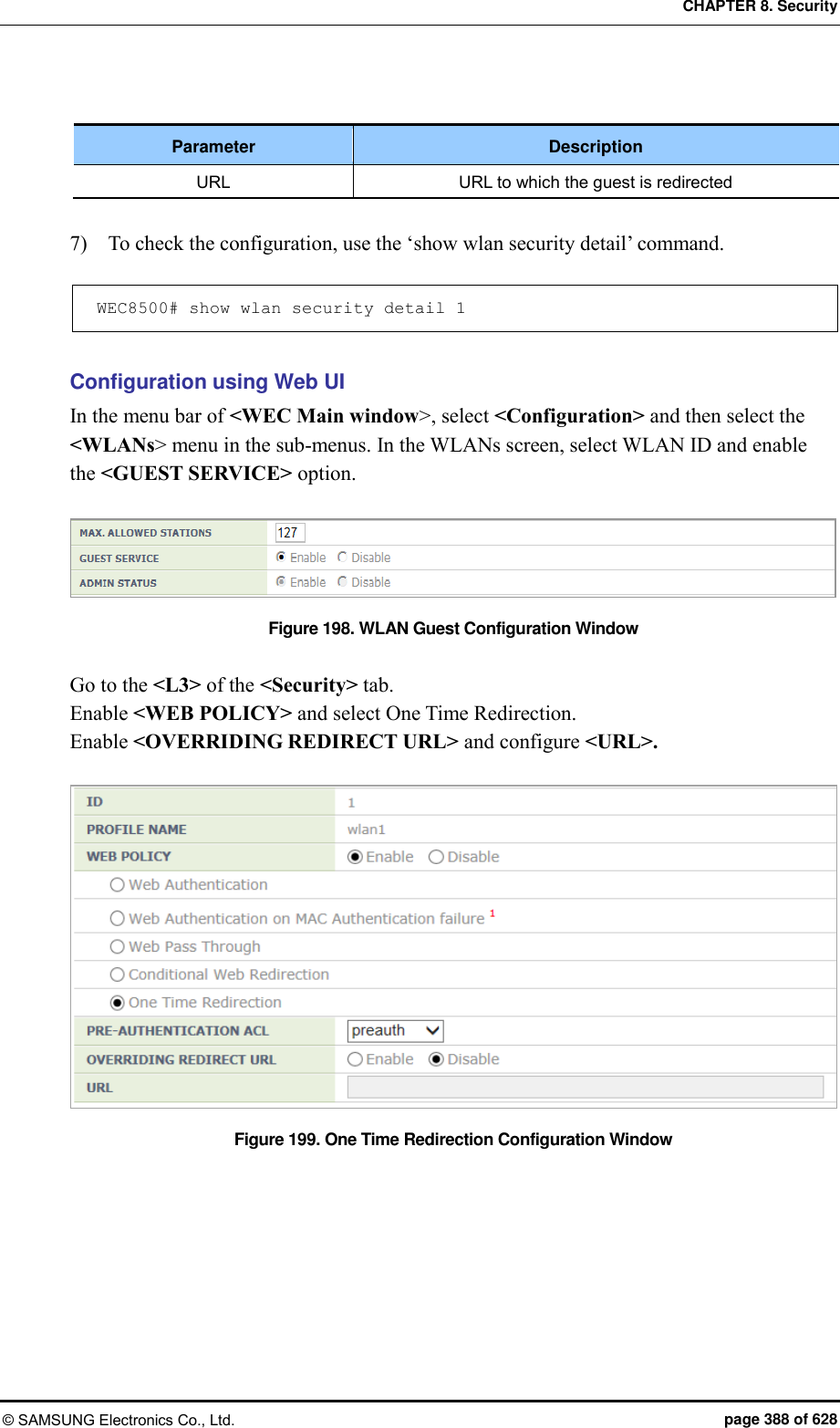
![CHAPTER 8. Security © SAMSUNG Electronics Co., Ltd. page 387 of 628 8.3.6 Configuring One Time Redirection To provide the One Time Redirection service, the security L3 of the WLAN must be configured. Configuration using CLI [WLAN Configuration] To configure one time redirection in the WLAN, execute the command as follows: 1) Go to configure WLAN configuration mode of CLI. WEC8500# configure terminal WEC8500/configure# wlan 1 2) Configure a guest flag (default: disabled). guest-flag WEC8500/configure/wlan 1# guest-flag 3) Go to configure WLAN security layer 3 configuration mode of CLI. WEC8500/configure/wlan 1# security WEC8500/configure/wlan 1/security# layer3 WEC8500/configure/wlan 1/security/layer3# 4) Enable the WEB authentication (default: disabled). web-policy oneTimeRedirection WEC8500/configure/wlan 1/security/layer3# web-policy oneTimeRedirection 5) Configure the Pre-Authentication ACL. pre-auth-acl [ACL] Parameter Description ACL ACL to perform redirection 6) To change the redirection of the basic captive portal configuration to another address, configure an overriding URL. redirect-URL-override [URL]](https://usermanual.wiki/Samsung-Electronics-Co/WEA453E.APC-Operational-Manual-Professional-Installation-Guide-2-of-2/User-Guide-2529438-Page-87.png)
![CHAPTER 8. Security © SAMSUNG Electronics Co., Ltd. page 390 of 628 8.4 NAT and Firewall Configuration The APC provides the NAT and firewall function to provide stable network to a WLAN user. 8.4.1 Firewall Configuration Configuration using CLI [Firewall Configuration] 1) Go to configure mode of CLI. WEC8500# configure terminal 2) Configure the accelerator function of a firewall. WEC8500/configure# firewall enable [Firewall Configuration using Access List] 1) Go to configure mode of CLI. WEC8500# configure terminal 2) Create an access-list. WEC8500/configure# access-list fw fw4 deny tcp any any eq 23 3) Configure a firewall to the interface using an access-list. WEC8500/configure# interface vlan1.10 WEC8500/configure/interface vlan1.10# ip access-group fw forward fw4 WEC8500/configure/interface vlan1.10# exit Configuration using Web UI In the menu bar of <WEC Main window>, select <Configuration> and then select the <Security> <Firewall> <General> menu in the sub-menus. You can configure whether to use a firewall. Figure 200. Firewall configuration (1)](https://usermanual.wiki/Samsung-Electronics-Co/WEA453E.APC-Operational-Manual-Professional-Installation-Guide-2-of-2/User-Guide-2529438-Page-90.png)
![CHAPTER 8. Security © SAMSUNG Electronics Co., Ltd. page 391 of 628 In the menu bar of <WEC Main window>, select <Configuration> and then select the <Security> <Firewall> <Interface> menu in the sub-menus. You can configure an interface for which a firewall will be applied by clicking the <Add> button of Interface window. Figure 201. Firewall configuration (2) 8.4.2 Access List Configuration Configuration using CLI 1) Go to configure mode of CLI. WEC8500# configure terminal WEC8500/configure# 2) Create an access-list. access-list fw [ACL_NAME] [ACTION] [SRC_ADDRESS (SRC_PORT)] [DST_ADDRESS (DST_PORT)] [PROTOCOL] Parameter Description ACL_NAME ACL name to configure ACTION Action configuration (deny/permit) SRC_ADDRESS(SRC_PORT) Source IP address and port DST_ADDRESS(DST_PORT) Destination IP address and port PROTOCOL Protocol](https://usermanual.wiki/Samsung-Electronics-Co/WEA453E.APC-Operational-Manual-Professional-Installation-Guide-2-of-2/User-Guide-2529438-Page-91.png)
![CHAPTER 8. Security © SAMSUNG Electronics Co., Ltd. page 392 of 628 Configuration using Web UI In the menu bar of <WEC Main window>, select <Configuration> and then select the <Security> <Firewall> <<Policy> menu in the sub-menus. Click the <Add> button to configure the firewall Policy. Figure 202. Access-list configuration 8.4.3 NAT Configuration Configuration using CLI [SNAT Configuration using Access List] To add Source NAT (SNAT) using an access-list, execute the command as follows: 1) Go to configure mode of CLI. WEC8500# configure terminal 2) Create an access-list. WEC8500/configure# access-list fw fw1 deny any 10.10.10.10/32 any 3) Create a NAT pool. WEC8500/configure# ip nat pool pool1 30.30.30.1 30.30.30.1 255.255.255.0 4) Configure a NAT to the interface. WEC8500/configure# interface vlan1.30 WEC8500/configure/interface vlan1.30# ip nat inside WEC8500/configure/interface vlan1.30#exit 5) Add the NAT rule by using access-list and pool. WEC8500/configure# ip nat outside source list fw1 pool pool1](https://usermanual.wiki/Samsung-Electronics-Co/WEA453E.APC-Operational-Manual-Professional-Installation-Guide-2-of-2/User-Guide-2529438-Page-92.png)
![CHAPTER 8. Security © SAMSUNG Electronics Co., Ltd. page 393 of 628 [SNAT Configuration using Static IP] To add SNAT using a static IP, execute the command as follows: 1) Go to configure mode of CLI. WEC8500# configure terminal 2) Configure a NAT to the interface. WEC8500/configure# interface vlan1.30 WEC8500/configure/interface vlan1.30#ip nat outside WEC8500/configure/interface vlan1.30#exit 3) Configure a NAT rule using a static IP. WEC8500/configure# ip nat outside source static 10.10.10.10 30.30.30.1 [DNAT Configuration using Access List] To add Destination NAT (DNAT) using an access-list, execute the command as follows: 1) Go to configure mode of CLI. WEC8500# configure terminal 2) Create a NAT pool. WEC8500/configure# ip nat pool pool2 10.10.10.10 10.10.10.10 255.255.255.0 3) Configure a NAT to the interface. WEC8500/configure# interface vlan1.30 WEC8500/configure/interface vlan1.30#ip nat outside WEC8500/configure/interface vlan1.30#exit 4) Add the NAT rule by using access-list and pool. WEC8500/configure# ip nat outside destination list fw6 pool pool2](https://usermanual.wiki/Samsung-Electronics-Co/WEA453E.APC-Operational-Manual-Professional-Installation-Guide-2-of-2/User-Guide-2529438-Page-93.png)
![CHAPTER 8. Security © SAMSUNG Electronics Co., Ltd. page 394 of 628 [DNAT Configuration using Static IP] To add DNAT using a static IP, execute the command as follows: 1) Go to configure mode of CLI. WEC8500# configure terminal 2) Configure a NAT to the interface. WEC8500/configure# interface vlan1.30 WEC8500/configure/interface vlan1.30#ip nat outside WEC8500/configure/interface vlan1.30#exit 3) Configure a NAT rule using a static IP (A port can be also specified for DNAT). WEC8500/configure# ip nat outside destination static tcp 10.10.10.1 4300 30.30.30.2 23 [Checking NAT Configuration] To check the created NAT, use the following command. WEC8500/configure# show nat Configuration using Web UI 1) In the menu bar of <WEC Main window>, select <Configuration> and then select the <Security> <NAT> <Pool> menu in the sub-menus. Click the <Add> button and configure the NAT pool. Figure 203. NAT configuration (1)](https://usermanual.wiki/Samsung-Electronics-Co/WEA453E.APC-Operational-Manual-Professional-Installation-Guide-2-of-2/User-Guide-2529438-Page-94.png)
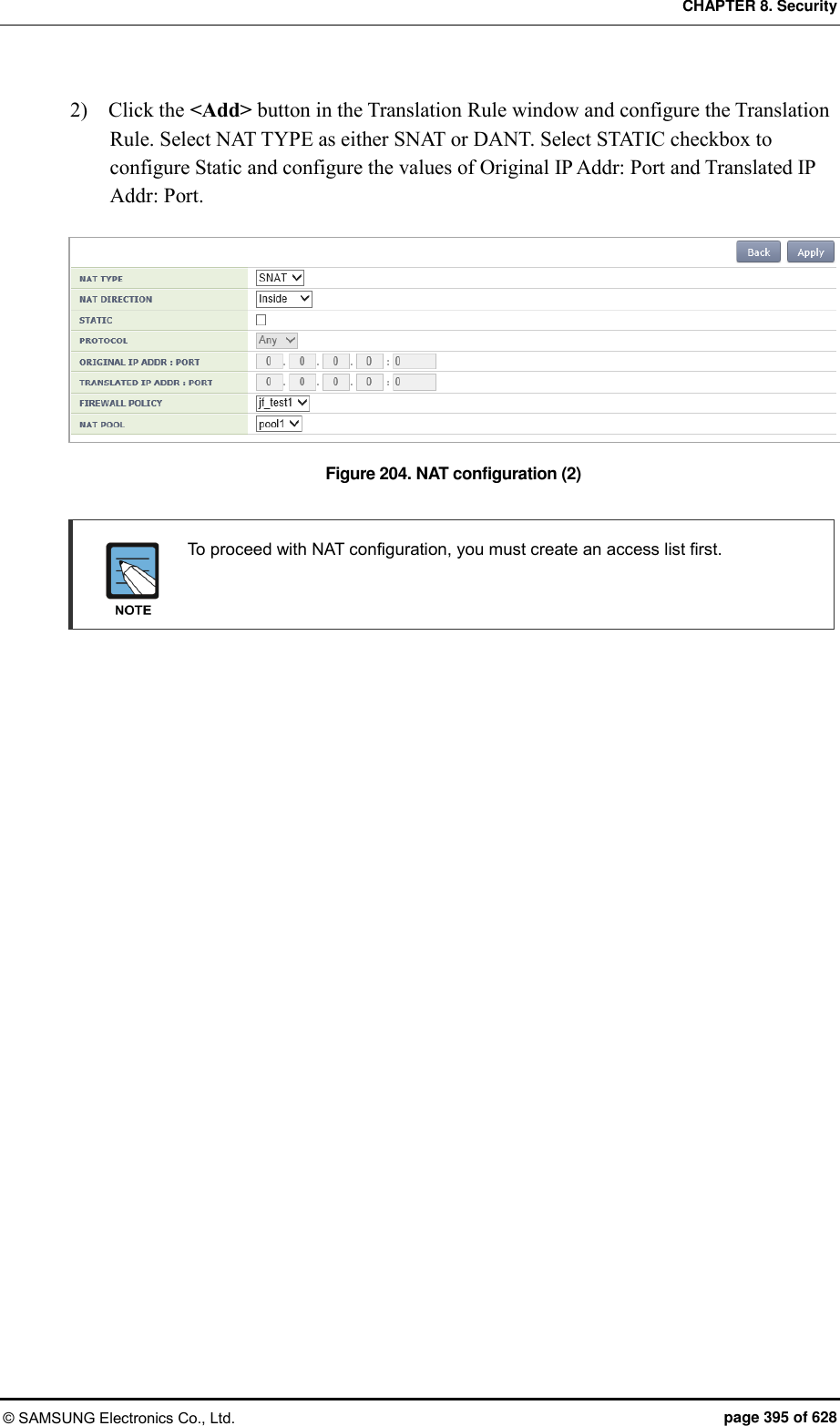
![CHAPTER 8. Security © SAMSUNG Electronics Co., Ltd. page 396 of 628 8.5 MAC Filter The W-EP wireless LAN system provides the MAC filter function. A user may experience connection restriction due to MAC filtering when connecting to a specific WLAN (SSID). Configuration using CLI To configure a MAC list for connection control by the MAC filter, execute the command as follows: 1) Go to configure security configuration mode of CLI. WEC8500# configure terminal WEC8500/configure# security 2) Creates a MAC filter list. WEC8500/configure/security# mac-filter [ID] Parameter Description ID MAC filter list table ID (range: 1-20) 3) Configure the filtering policy. WEC8500/configure/security/mac-filter 1# policy [POLICY] Parameter Description POLICY Table policy of MAC filtering list 4) Configure a MAC entry. WEC8500/configure/security/mac-filter 1# mac [MAC_ADDRESS] Parameter Description MAC_ADDRESS MAC address (XX:XX:XX:XX:XX:XX format) 5) Specify the MAC filter ID that is configured in the WLAN to which a MAC filter will be applied. WEC8500/configure/wlan 1/security# mac-filter <MAC_FILTER_ID>](https://usermanual.wiki/Samsung-Electronics-Co/WEA453E.APC-Operational-Manual-Professional-Installation-Guide-2-of-2/User-Guide-2529438-Page-96.png)
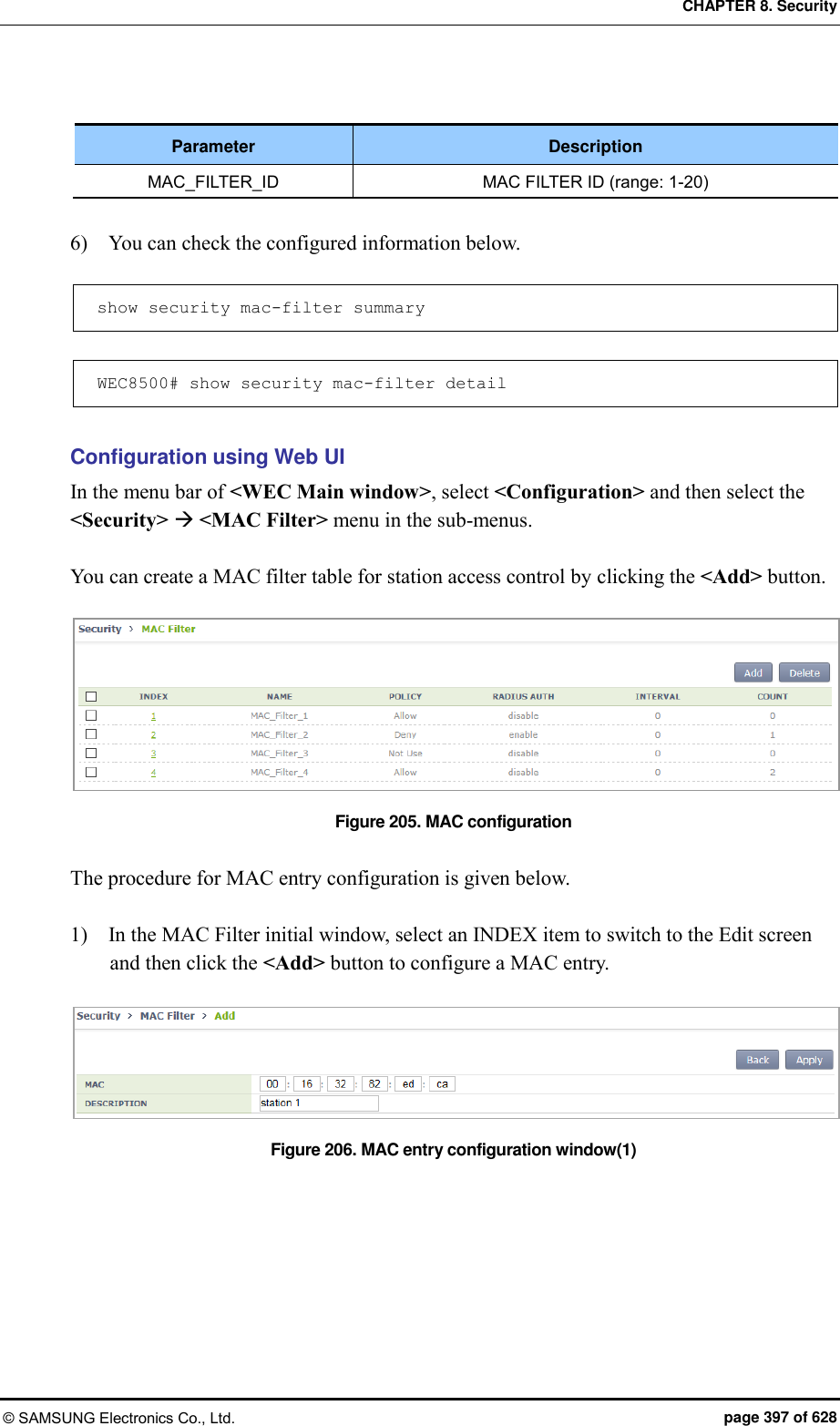
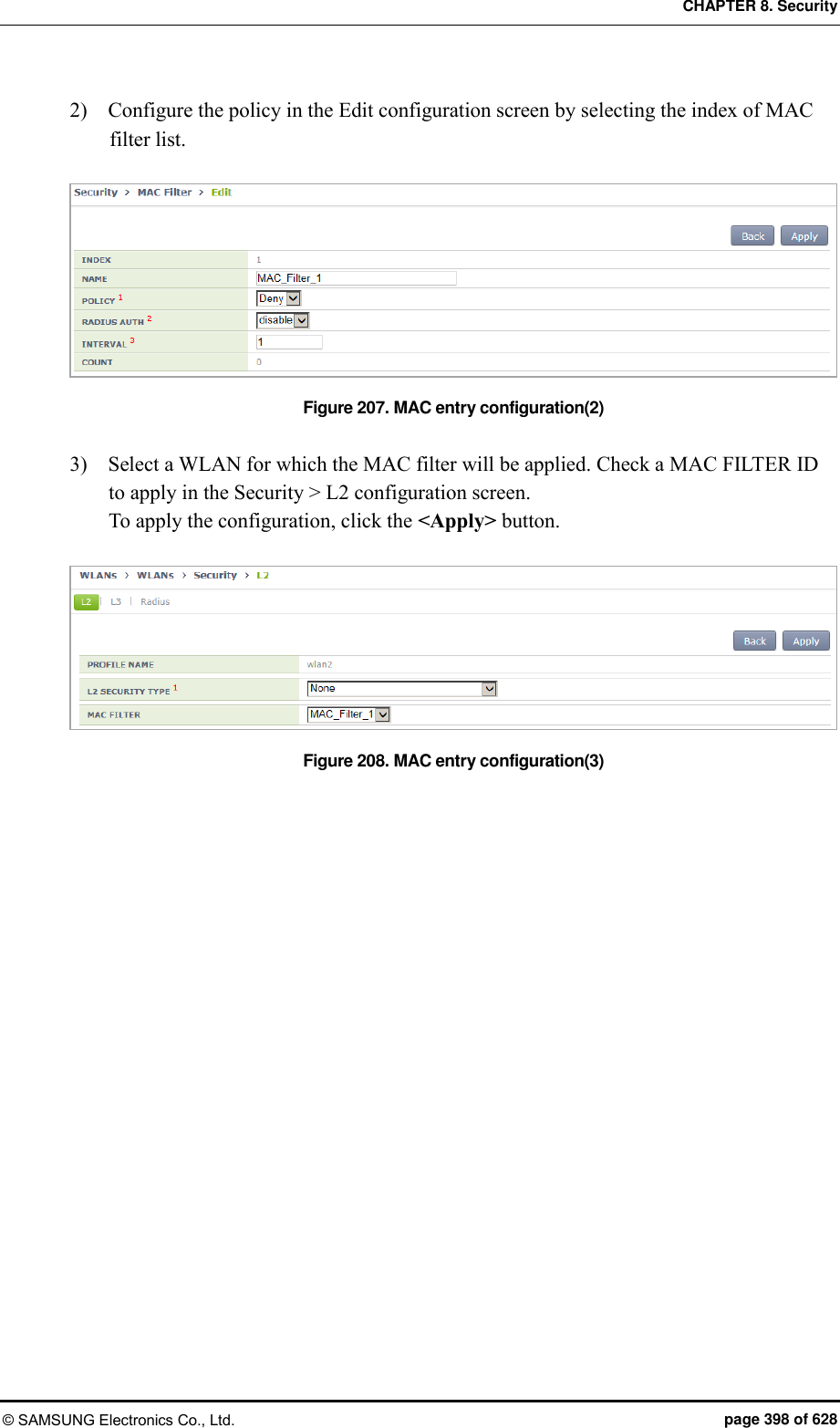
![CHAPTER 8. Security © SAMSUNG Electronics Co., Ltd. page 399 of 628 8.6 Operator Authentication through Interoperation with TACACS+ Server A W-EP wireless LAN system provides an operator authentication function by interoperating with an external TACACS+ server. 8.6.1 Configuring External TACACS+ Server A W-EP wireless LAN system provides an operator authentication function by interoperating with an external TACACS+ server and the procedure detailed below is carried out for interoperation with a TACACS+ server. 8.6.1.1 Basic Settings The default configuration of the TACACS+ server is as follows: Configuration using CLI 1) Go to configure security tacacs configuration mode of CLI. WEC8500# configure terminal WEC8500/configure# security WEC8500/configure/security# tacacs 1 WEC8500/configure/security/tacacs 1# 2) Configure the IP address of the TACACS+ server. WEC8500/configure/security/tacacs 1# server-ip [IP_ADDRESS] Parameter Description IP_ADDRESS IP address of the TACACS+ server 3) Set the public key of the TACACS+ server. WEC8500/configure/security/tacacs 1# shared-secret [KEY_STRING] Parameter Description KEY_STRING Public key of the TACACS+ server 4) Configure the port number of the TACACS+ server. WEC8500/configure/security/tacacs 1# server-port [PORT_NUMBER]](https://usermanual.wiki/Samsung-Electronics-Co/WEA453E.APC-Operational-Manual-Professional-Installation-Guide-2-of-2/User-Guide-2529438-Page-99.png)
![CHAPTER 8. Security © SAMSUNG Electronics Co., Ltd. page 400 of 628 Parameter Description PORT_NUMBER Port number of the TACACS+ server (range: 1-65,535, default value: 49) 5) Configure the items related to retransmissions in TACACS+ communications. You can use default values without changing configuration. WEC8500/configure/security/tacacs 1# retransmit-interval [RETRY_INTERVAL] WEC8500/configure/security/tacacs 1# retransmit-count [FO_RETRY_COUNT] Parameter Description RETRY_INTERVAL Retransmission interval for a TACACS+ message (unit: seconds, range: 1-5, default value: 3) FO_RETRY_COUNT Maximum message retransmission count before a TACACS+ server failover is attempted (range: 0-3, default value: 2) 6) If necessary, configure the source IP address of the TACACS+ message. WEC8500/configure/security/tacacs 1# source-ip [IP_ADDRESS] Parameter Description IP_ADDRESS Source IP address of the TACACS+ message Note: it must be one of the IP addresses configured in the W-EP wireless LAN system. 7) Configure whether to transfer packets to the TACACS+ server. You can use default values without changing configuration. WEC8500/configure/security/tacacs 1# status [STATUS] Parameter Description STATUS Status indicating whether packets are transferred to the TACACS+ server (default value: enable) 8) Exit TACACS+ server configuration and then security configuration mode. WEC8500/configure/security/tacacs 1# exit WEC8500/configure/security# exit](https://usermanual.wiki/Samsung-Electronics-Co/WEA453E.APC-Operational-Manual-Professional-Installation-Guide-2-of-2/User-Guide-2529438-Page-100.png)
![CHAPTER 8. Security © SAMSUNG Electronics Co., Ltd. page 401 of 628 9) You can view configuration information by using the ‘show security tacacs server config’ and ‘show security tacacs server detail [SERVER ID]’ commands. Configuration using Web UI In the menu bar of <WEC Main Window>, select <Configuration>, and then select <Security> <AAA> <TACACS+> in the submenus. If you click the <Add> button in the TACACS+ initial window, you can add a TACACS+ server. The server addition window is shown below. Figure 209. TTACACS+ Server Configuration Window Item Description INDEX (PRIORITY) ID that distinguishes TACACS+ server configurations IP ADDRESS IP address of the TACACS+ server SHARED SECRET Public key of the TACACS+ server CONFIRM SHARED SECRET Re-enters the key for TACACS+ server communications for confirmation PORT NUMBER Communication port number of the TACACS+ server (range: 1-65,535, default value: 49) RETRANSMIT INTERVAL Retransmission interval for a TACACS+ message (range: 1-5, default value: 2, unit: seconds) RETRANSMIT COUNT BEFORE FAILOVER Maximum message retransmission count before a TACACS+ server failover is attempted (range: 0-3, default value: 2) SOURCE IP ADDRESS Source IP address of the TACACS+ message - Note: it must be one of the IP addresses configured in the W-EP wireless LAN system. STATUS Status indicating whether packets are transferred to the TACACS+ server (default value: enable)](https://usermanual.wiki/Samsung-Electronics-Co/WEA453E.APC-Operational-Manual-Professional-Installation-Guide-2-of-2/User-Guide-2529438-Page-101.png)
![CHAPTER 8. Security © SAMSUNG Electronics Co., Ltd. page 402 of 628 8.6.2 Configuring Authentication Type of Operator Account The steps for configuring the authentication type of the operator account are as follows: Configuration using CLI 1) Go to configure mode of CLI. WEC8500# configure terminal WEC8500/configure# 2) Configure the type of operator account authentication. WEC8500/configure# mgmt-user auth-type [AUTH_TYPE] Parameter Description AUTH_TYPE Authentication type of the operator account (default value: local) - local: Authentication is performed using the database stored inside. - tacacs: Authentication is performed using the TACACS+ server. - local-tacacs: Authentication is performed using the database stored inside first, and, failing that, an authentication request is transmitted to the TACACS+ server. - tacacs-local: An authentication request is transmitted to the TACACS+ server first, and, failing that, authentication is performed using the DB stored inside. 3) You can view the configuration information by using the ‘show mgmt-users auth-type’ command. Configuration using Web UI In the menu bar of <WEC Main Window>, select <Configuration>, and then select <Security> <AAA> <Management User> in the submenus. Figure 210. Operator Account Authentication Type Configuration Window](https://usermanual.wiki/Samsung-Electronics-Co/WEA453E.APC-Operational-Manual-Professional-Installation-Guide-2-of-2/User-Guide-2529438-Page-102.png)
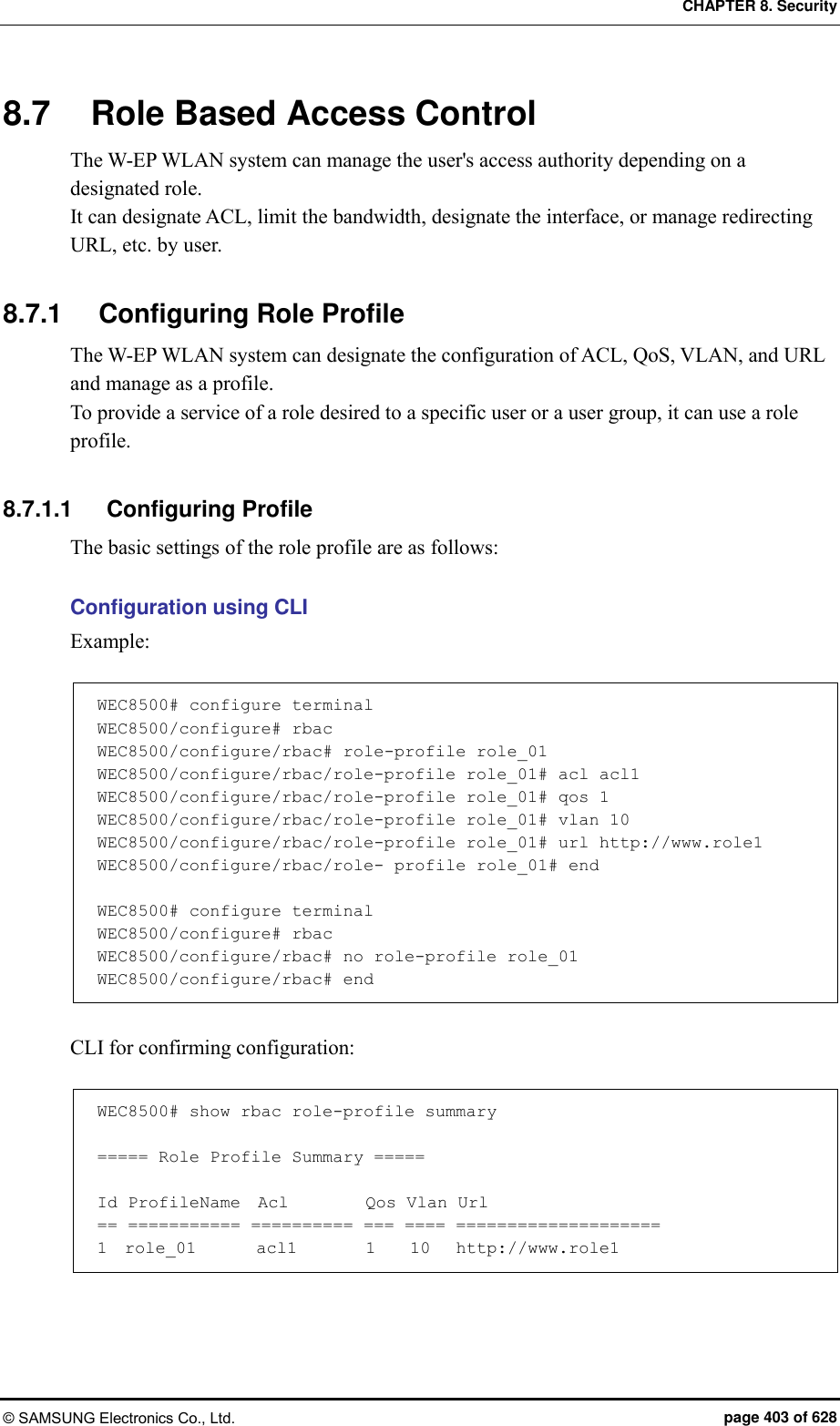
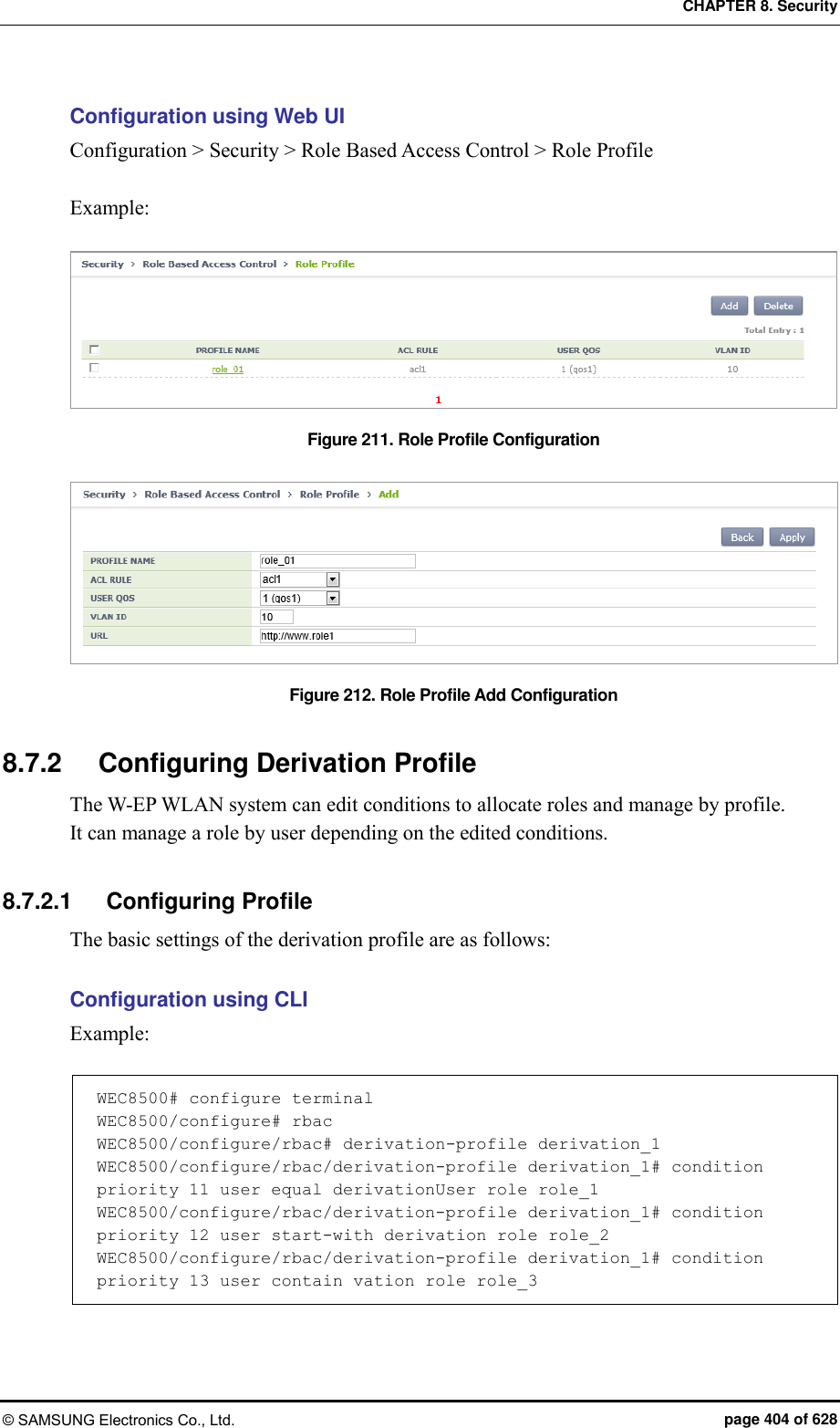
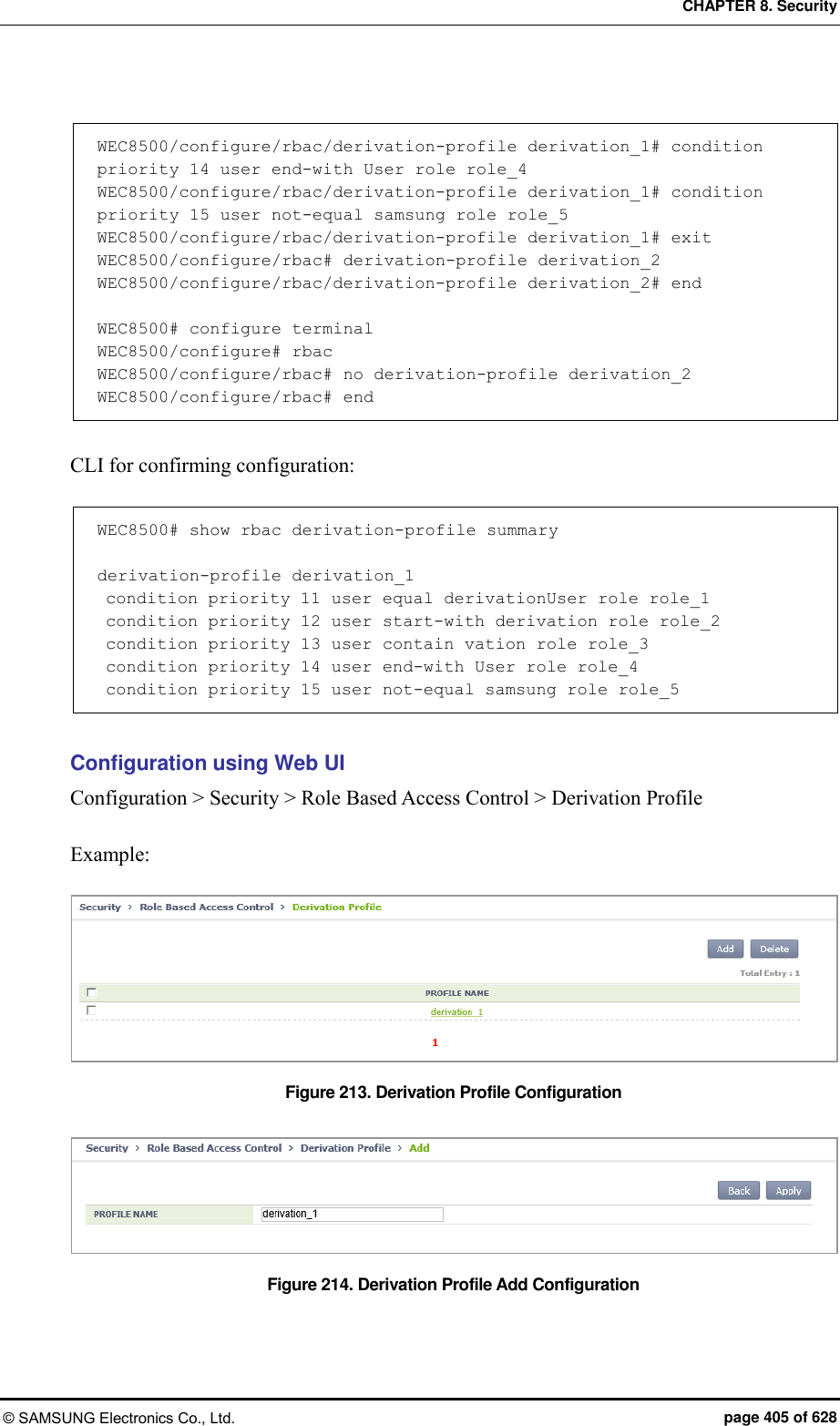
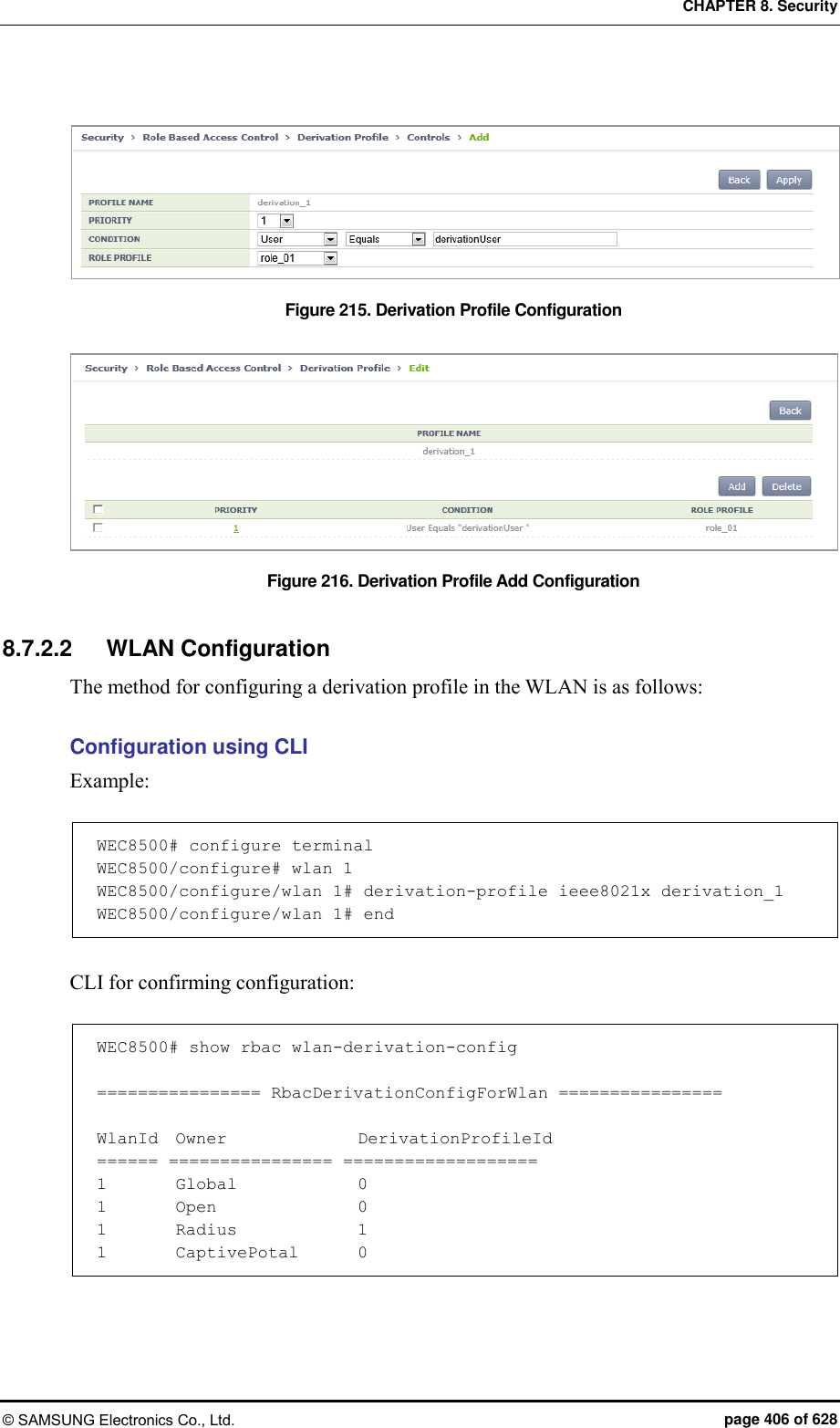
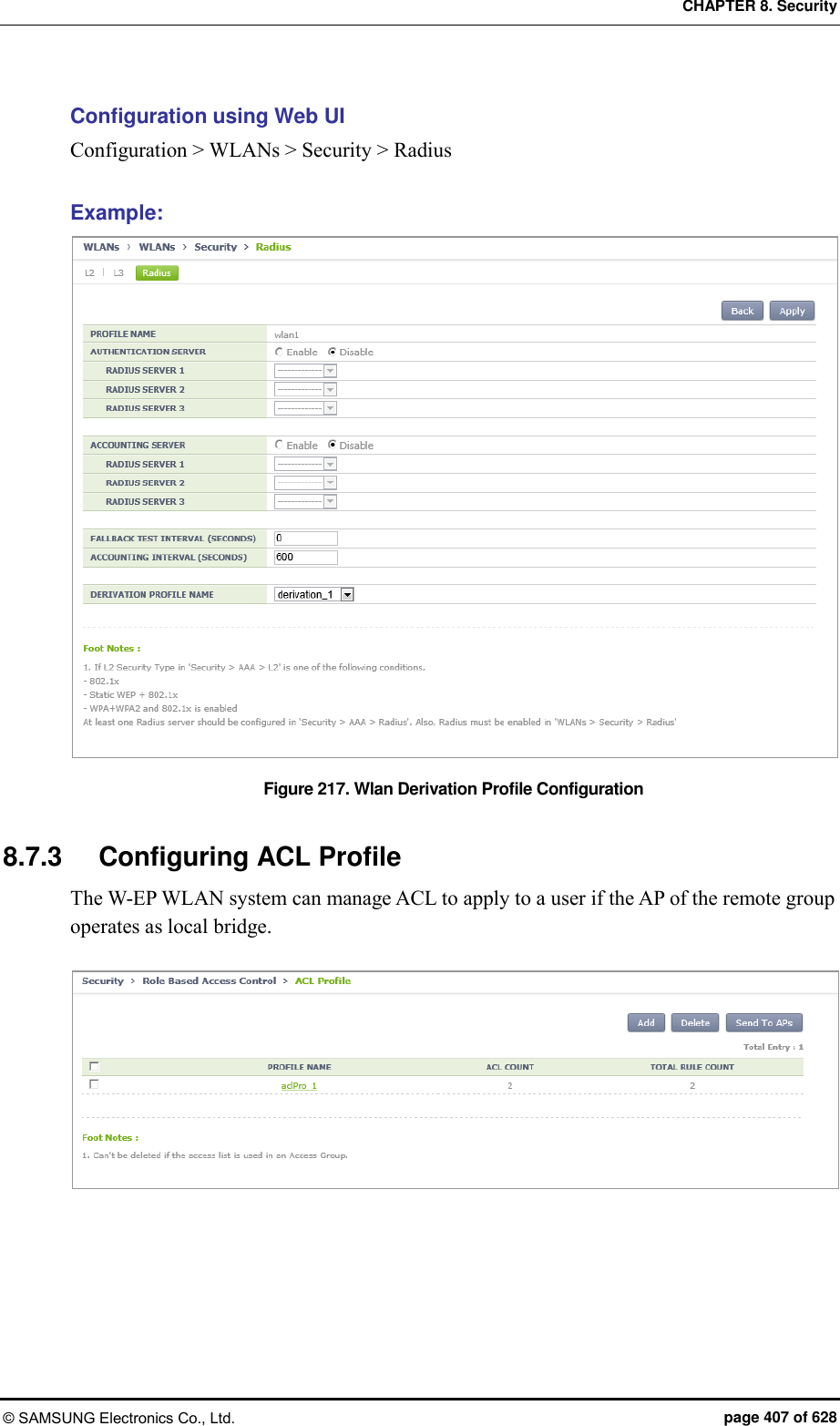
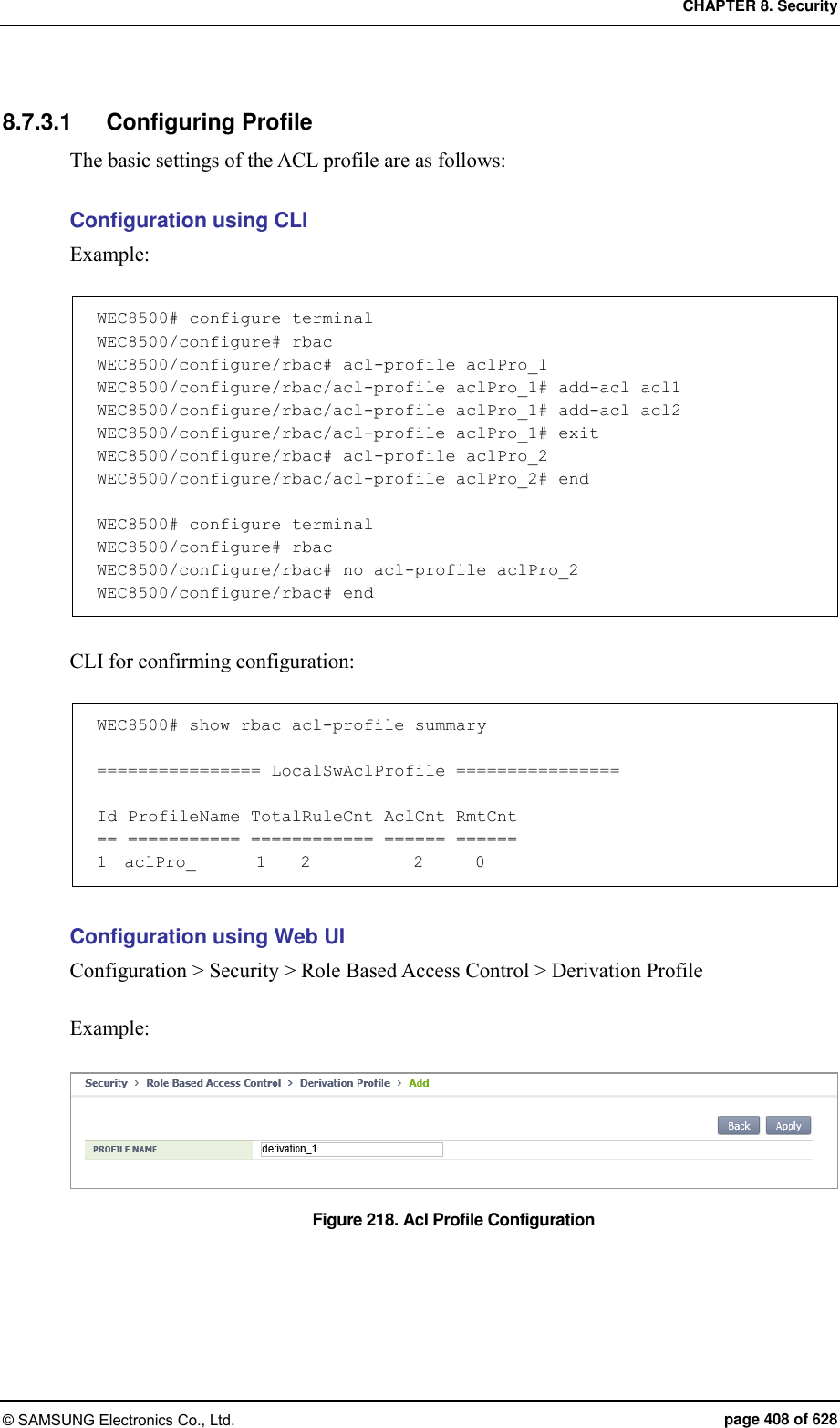
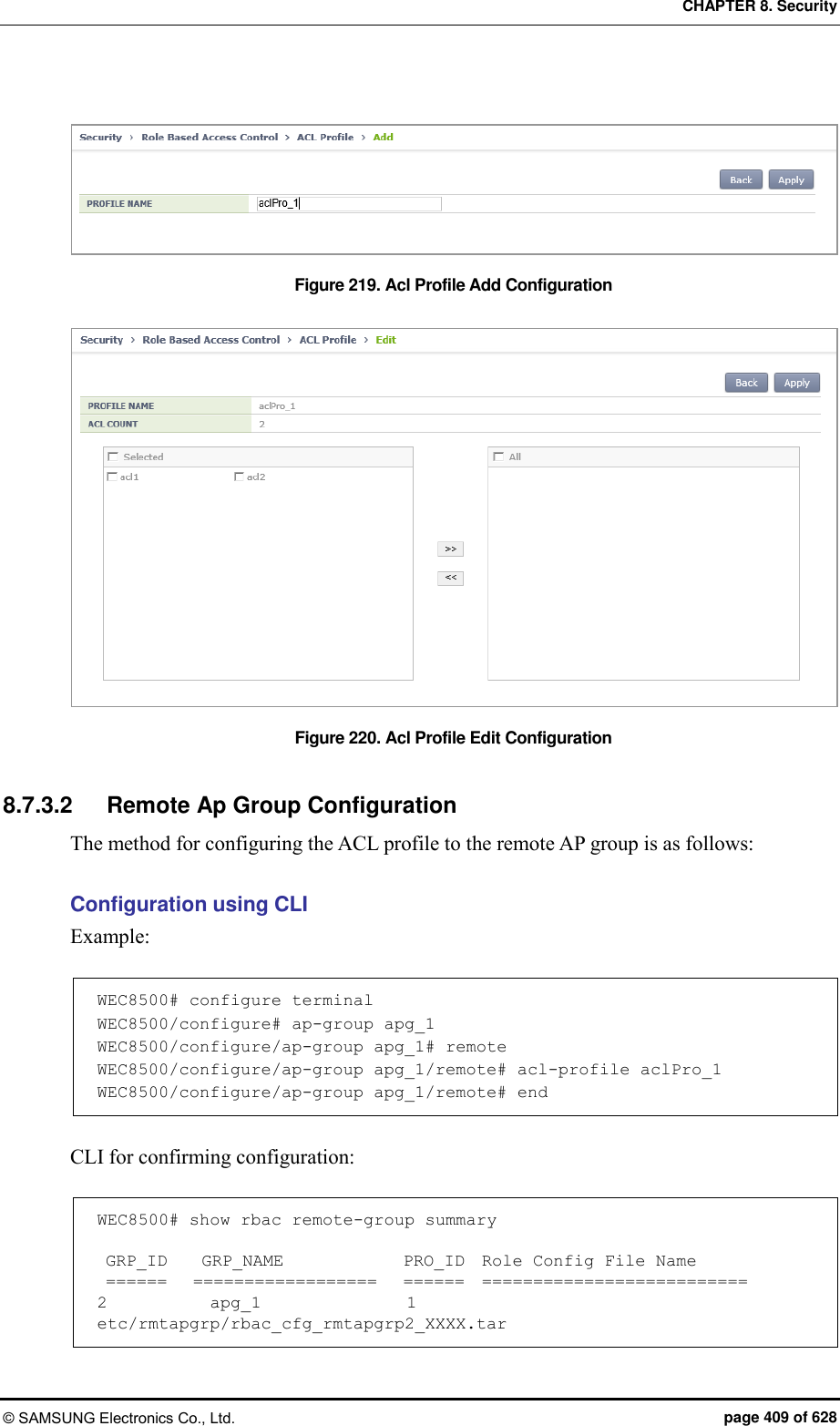
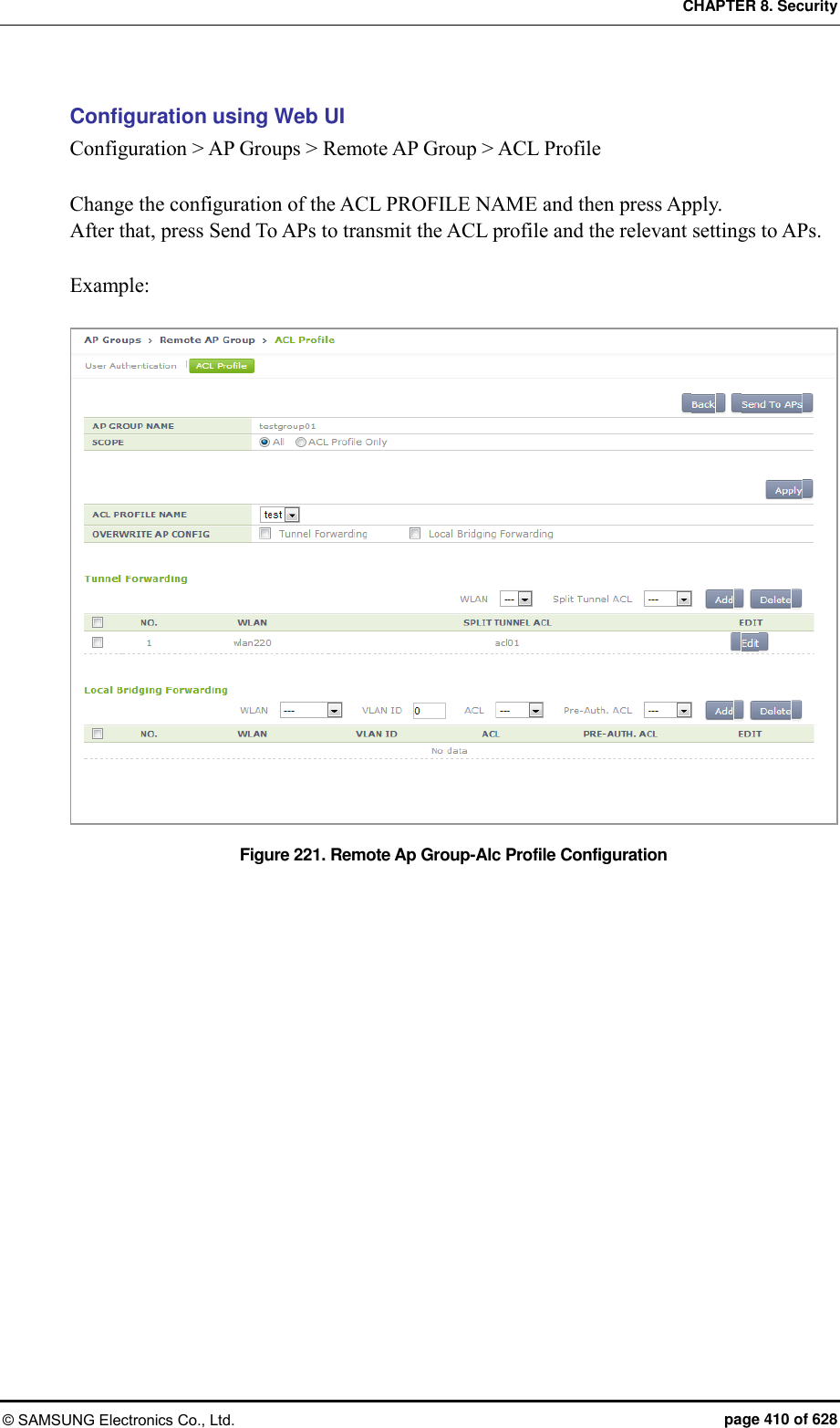
![CHAPTER 8. Security © SAMSUNG Electronics Co., Ltd. page 411 of 628 8.7.4 Configuration Synchronization (Remote AP Group) The W-EP WLAN system provides a function of synchronizing the configuration of the AP of the remote group and ACL if the AP of the remote group operates as a local bridge. 8.7.4.1 Requesting Synchronization If the remote AP operates with the local switching mode, the configuration of the ACL between APC and AP must be synchronized. If AP and CAPWAP run, the configuration of the ACL is automatically synchronized, but if the operator changes the ACL of the APC, the synchronization of ACL configuration must be performed as follows: Configuration using CLI The synchronization of the AP of the remote group uses the following CLI: WEC8500# configure terminal WEC8500/configure# rbac WEC8500/configure/rbac# sync-config ? acl-profile Sync-config Acl profile all Sync-config All ap Sync-config Remote Ap Group remote-ap-group Sync-config Remote Ap Group all: Perform synchronization for all APs of the remote group. remote-ap-group [group-name]: Performs synchronization only for the APs included in the corresponding remote group. acl-profile [profile-name]: Performs synchronization only for the APs included in the remote group which uses the corresponding ACL profile (CLI only). ap [ap-profile-name]: Performs synchronization only for a specific AP (CLI only). Synchronization can be confirmed as follows: WEC8500# show rbac remote-group summary GRP_ID GRP_NAME PRO_ID Role Config File Name ====== ================== ====== ========================== 2 rmt_grp_01 1 etc/rmtapgrp/rbac_cfg_20140305094752849046.tar](https://usermanual.wiki/Samsung-Electronics-Co/WEA453E.APC-Operational-Manual-Professional-Installation-Guide-2-of-2/User-Guide-2529438-Page-111.png)
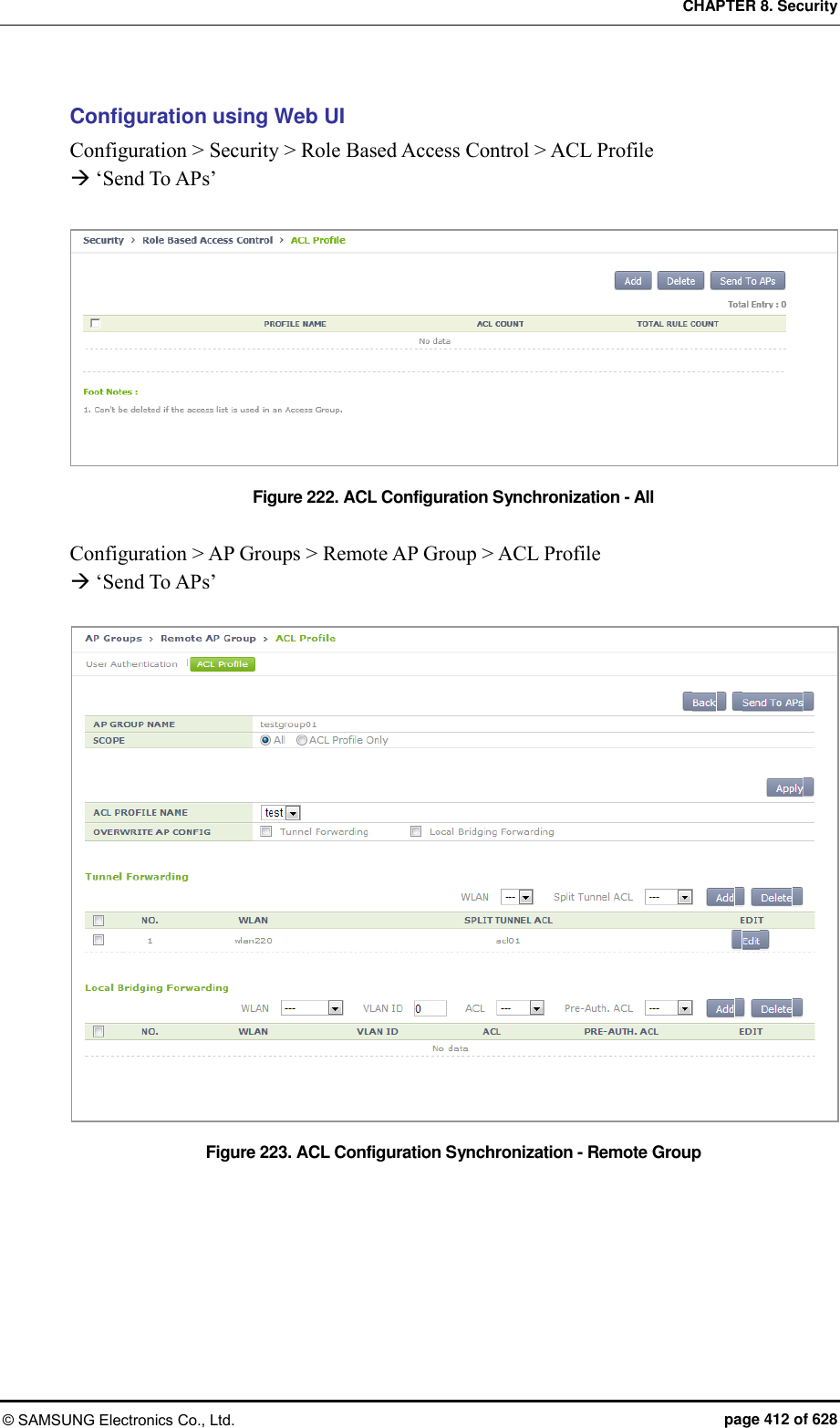
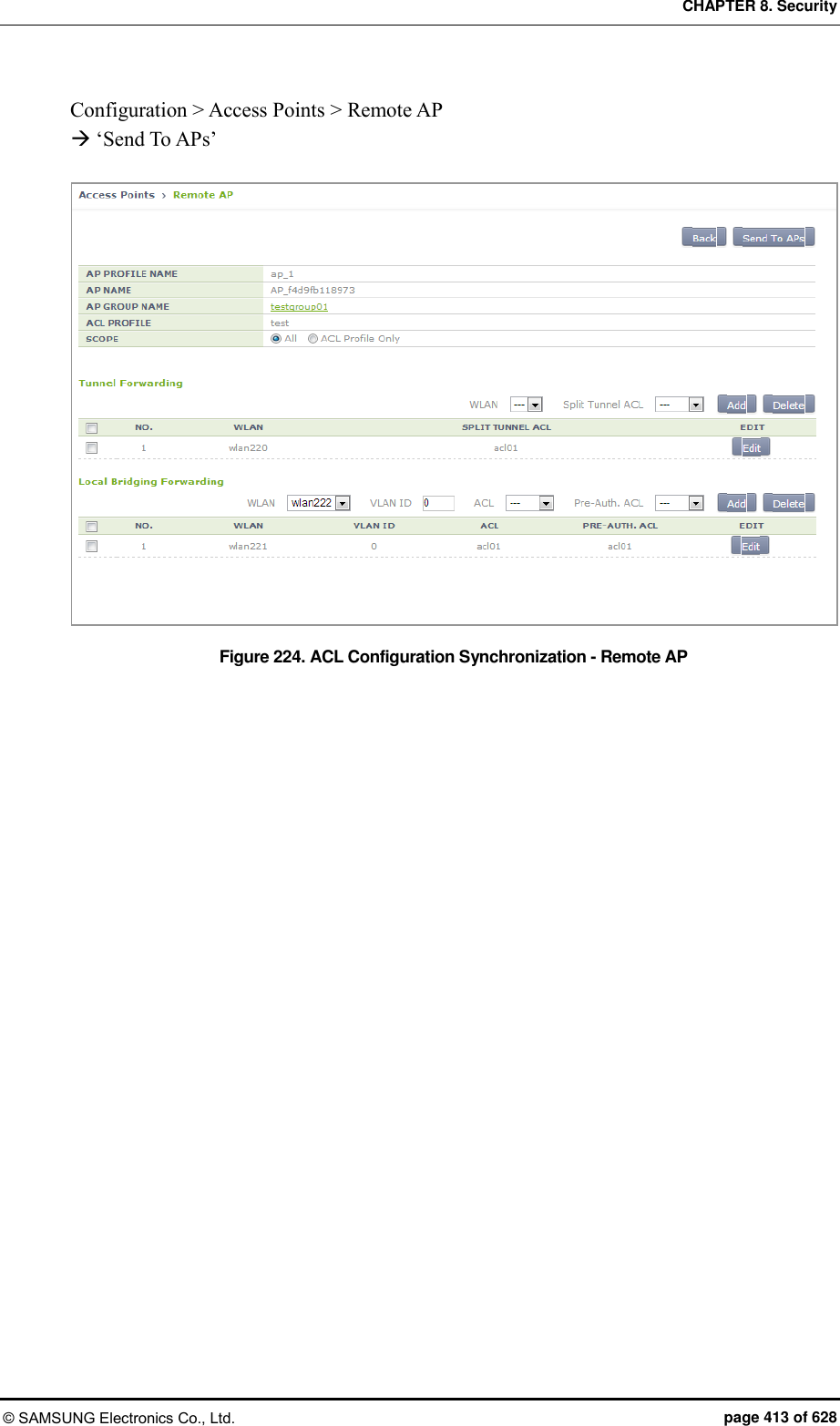
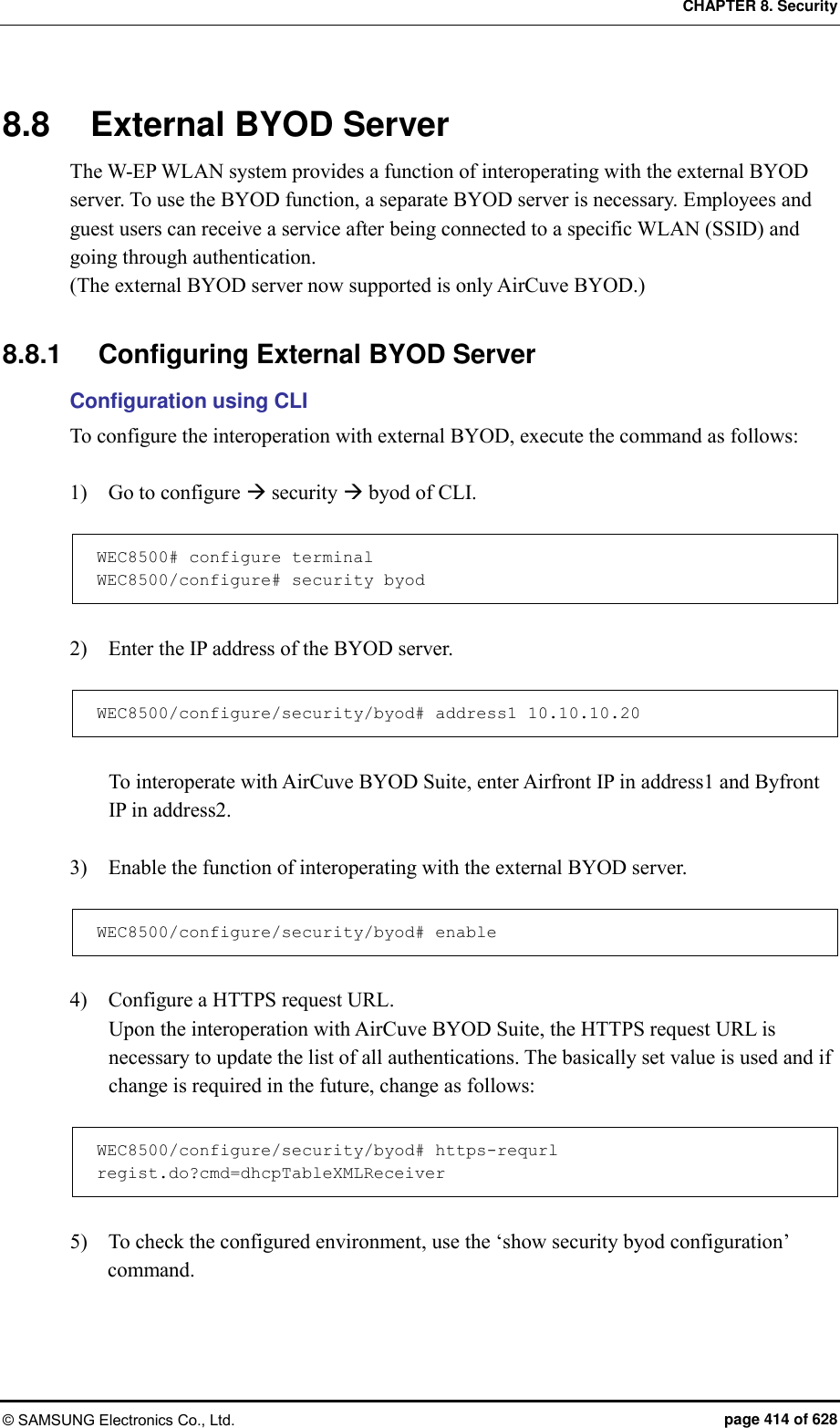
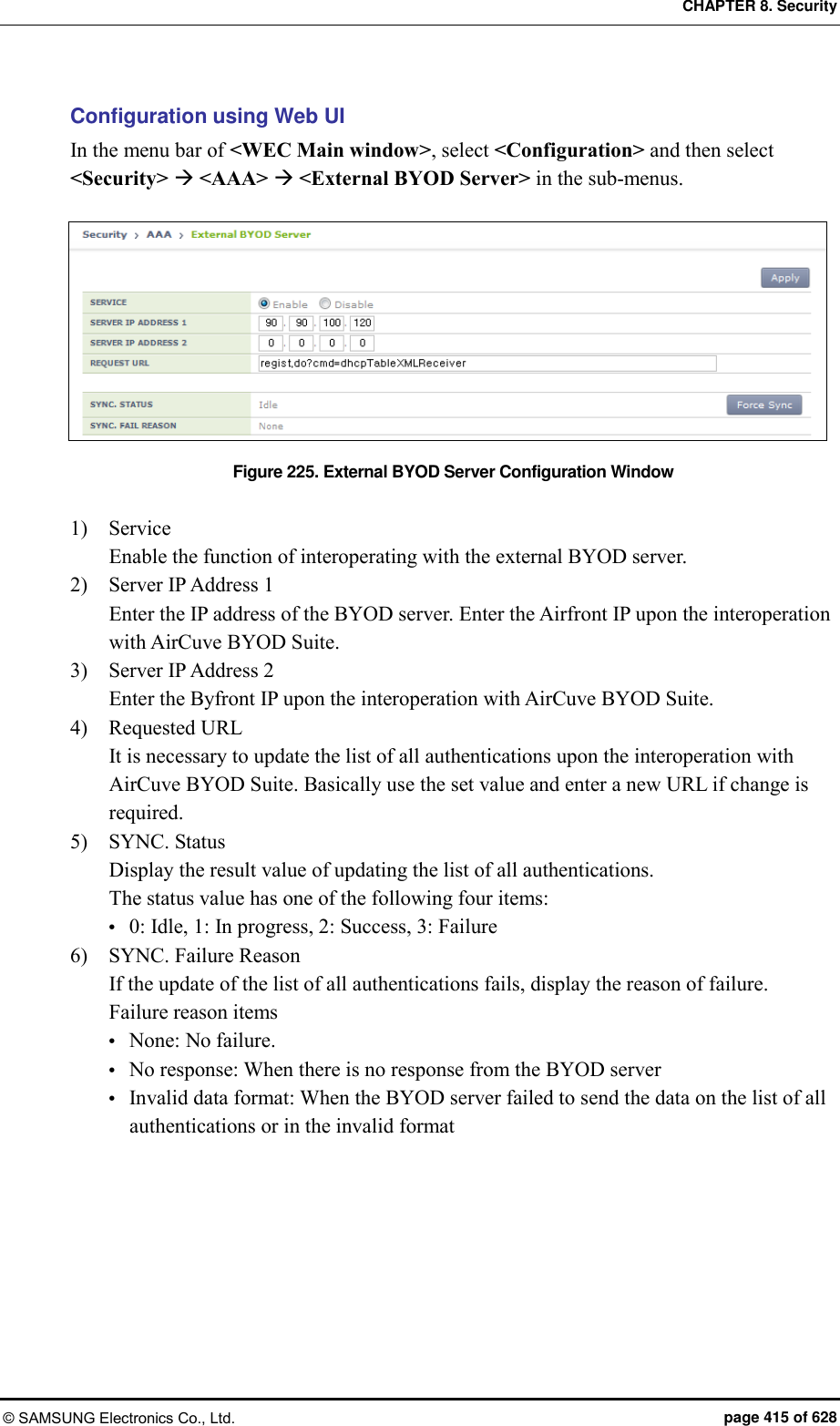
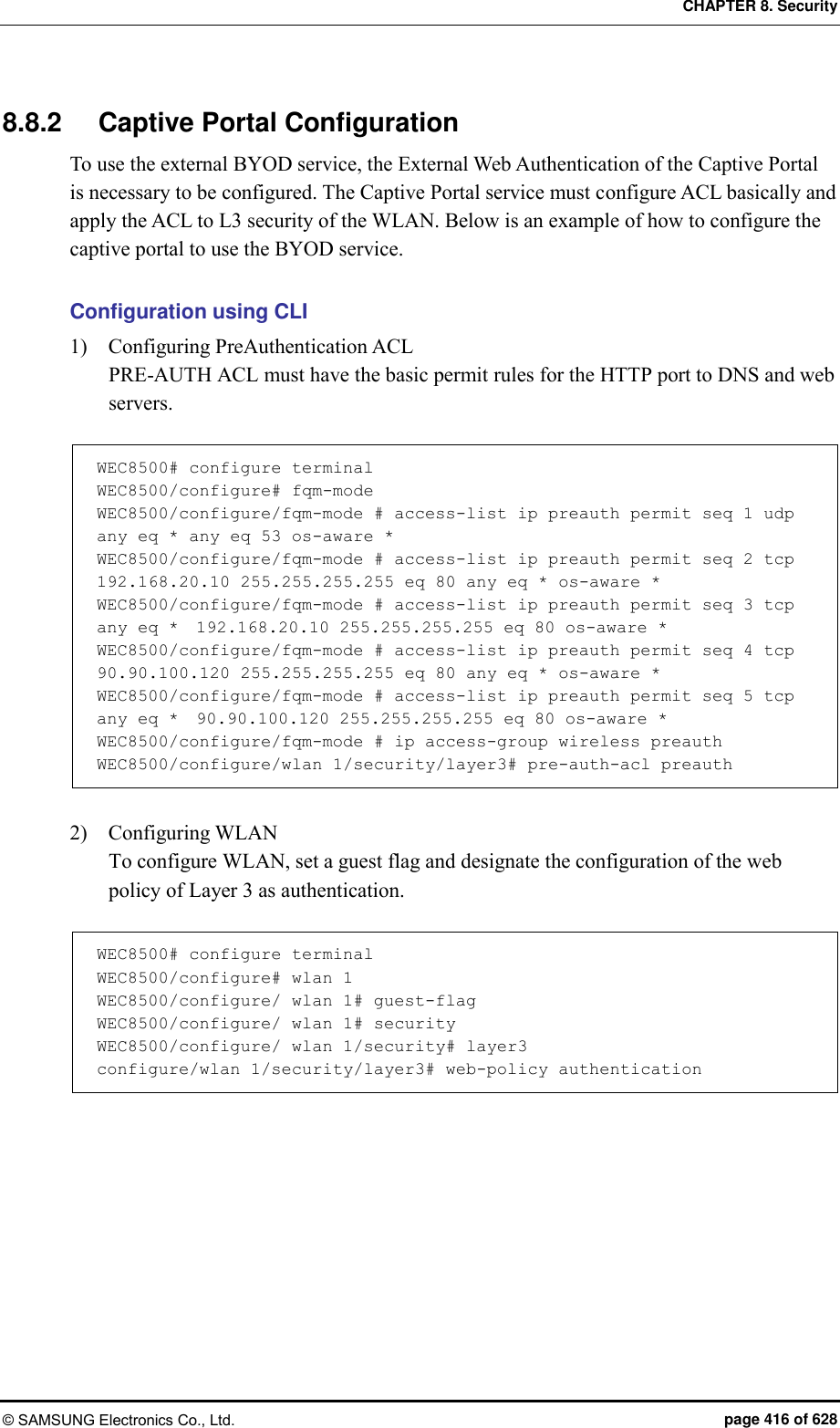
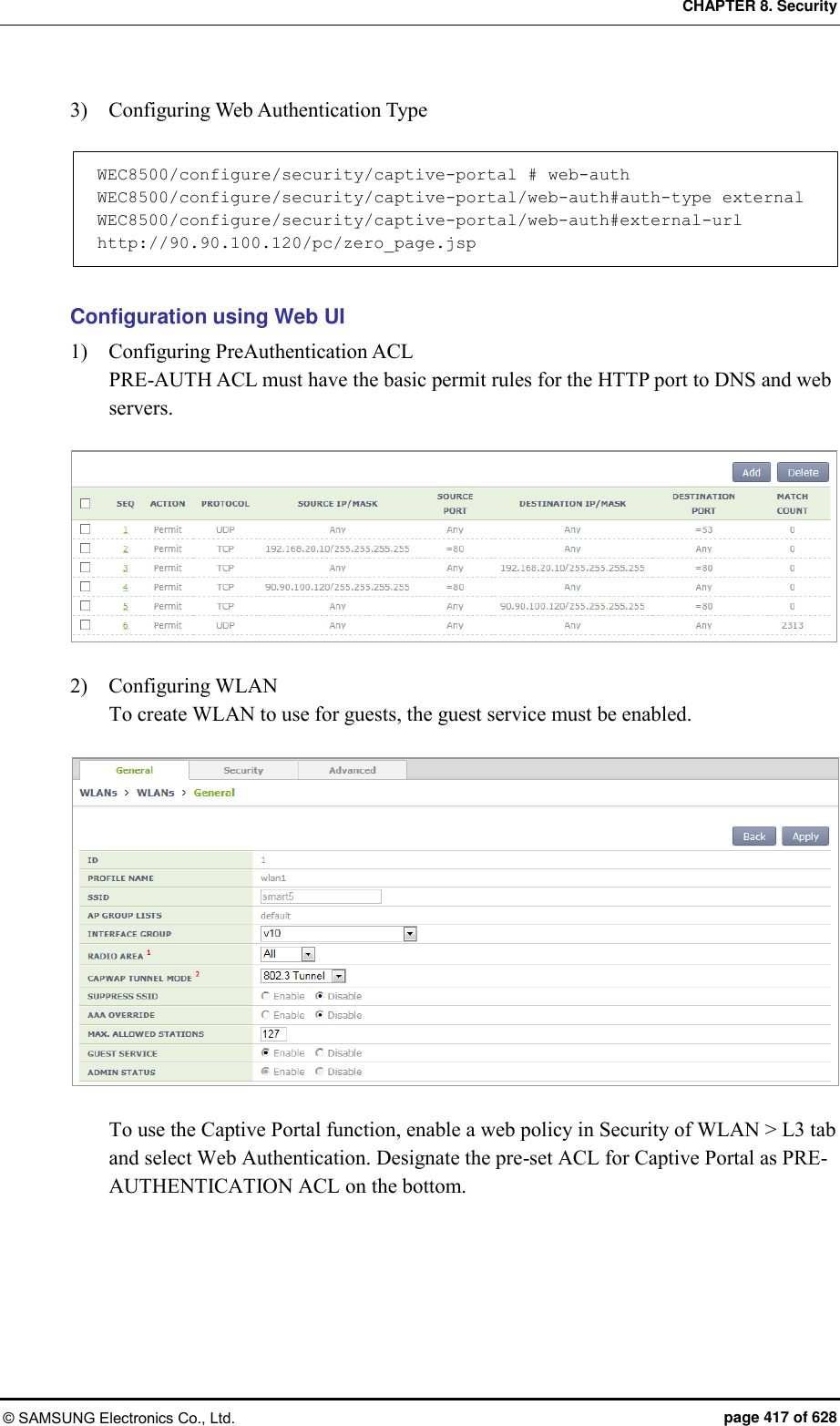
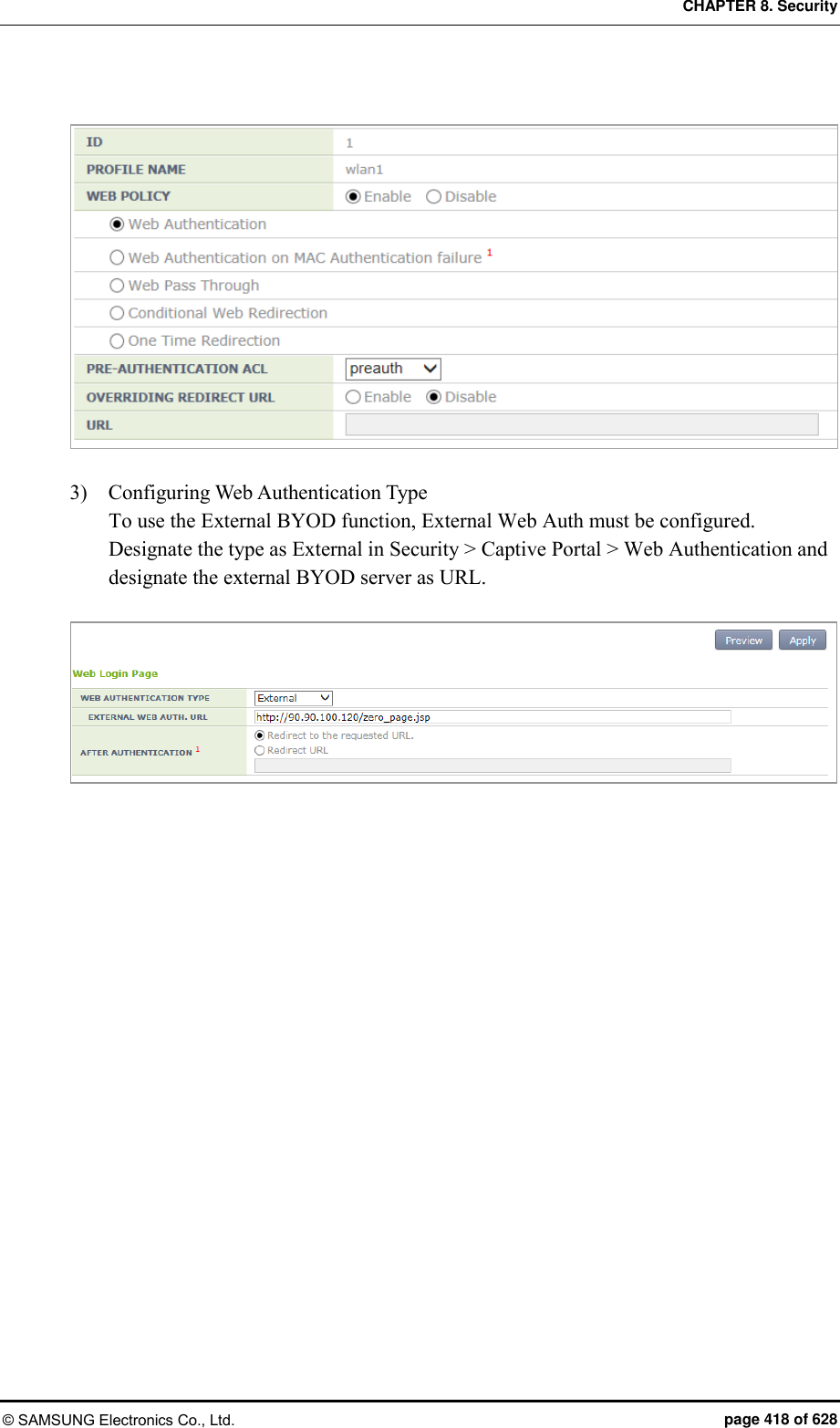
![CHAPTER 9. IP Application © SAMSUNG Electronics Co., Ltd. page 419 of 628 CHAPTER 9. IP Application In this chapter, the IP application functions available in the APC and each configuration method are described. 9.1 DNS The DNS is a network service that interprets a domain or host name into an IP address. The APC gets DNS information from a DNS server and provides the DNS relay function that relays the DNS server and a client. If a wireless terminal connected to the APC configures the APC as a DNS server, it can receive the DNS service. If a DNS server is connected to the APC and a DNS proxy is configured, a station connected to the APC can receive the DNS service by configuring the APC as a DNS server. 9.1.1 DNS Client Configuration Configuration using CLI 1) Go to configure mode of CLI. WEC8500# configure terminal 2) Configure a DNS client. ip dns client enable: Enable no ip dns client enable: Disable 3) Configure a DNS server to which DNS will be requested. You can enter maximum 3 DNS server addresses. ip dns name-server [A.B.C.D]: Configures a DNS server. no ip dns name-server [A.B.C.D]: Deletes a configured DNS server. no ip dns name-server all: Deletes all the DNS servers.](https://usermanual.wiki/Samsung-Electronics-Co/WEA453E.APC-Operational-Manual-Professional-Installation-Guide-2-of-2/User-Guide-2529438-Page-119.png)
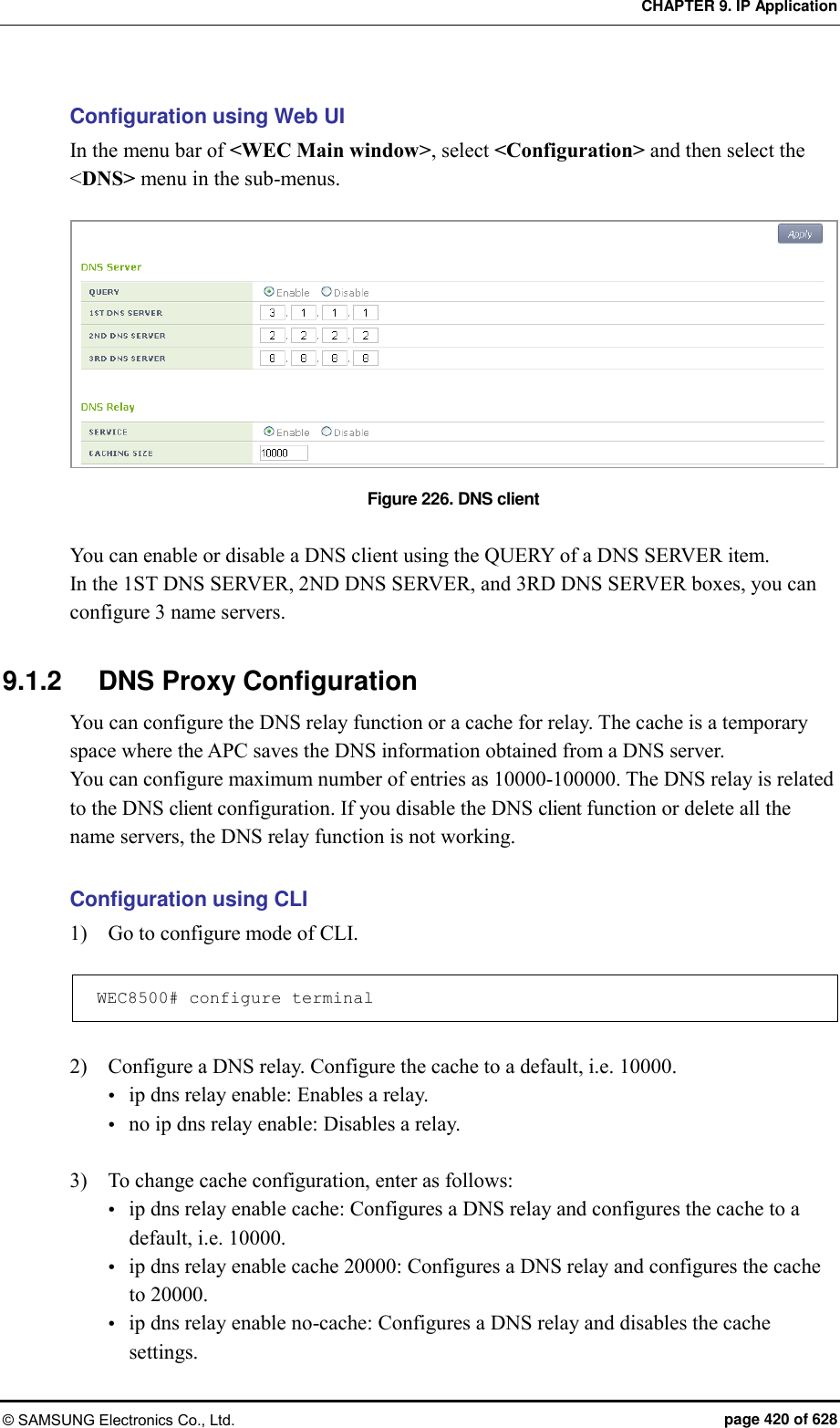
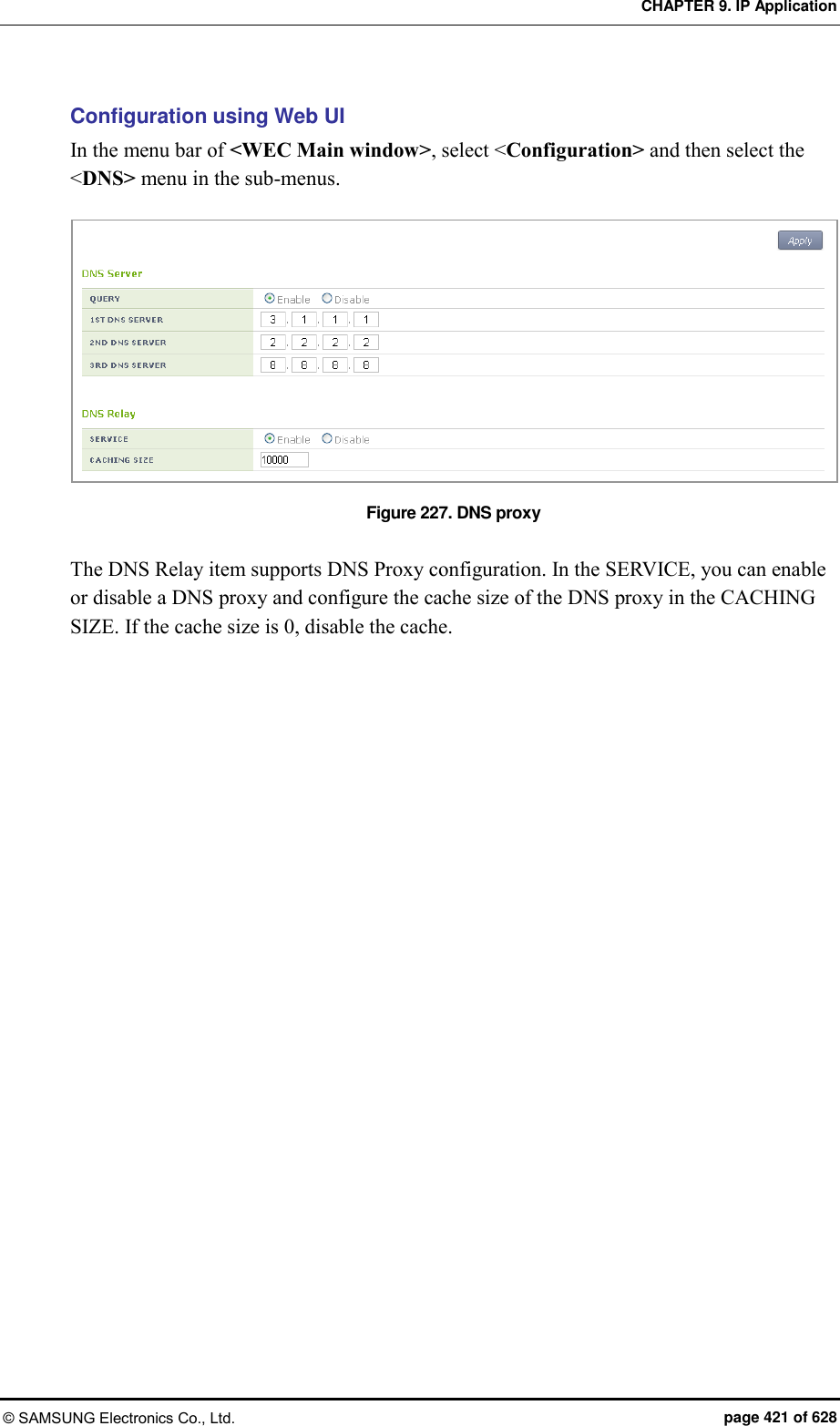
![CHAPTER 9. IP Application © SAMSUNG Electronics Co., Ltd. page 422 of 628 9.2 NTP The Network Time Protocol (NTP) is a protocol used to receive time from a configured server and synchronize the local time. The APC can operate as a NTP server and a client. If you configure the APC as a NTP client, it receives the Coordinated Universal Time (UTC) information from the configured NTP server and synchronizes the local time. In addition, if you configure the APC as a NTP server, it transmits a local time when it receives a NTP request from a NTP client. Configuration using CLI [Configuring NTP Client] The time server that is referred to when the APC is working as a NTP client can be used based on a domain name and IP address. But, if it is working based on a domain name, there must be a configured DNS server. 1) Go to configure mode of CLI. WEC8500# configure terminal 2) Enable or disable a NTP client. ntp client enable: Enable no ntp client enable: Disable 3) Configure the interval of a NTP client. ntp client interval [INTERVAL]: Configures an interval. no ntp client interval: Disables an interval. Parameter Description INTERVAL Interval (range: 3-14) 4) Configure a server that a NTP client will refer to. [Configuring based on a domain name] Enables or disables. ntp client server-addr hostname <WORD>: Enable no ntp client server-addr hostname <WORD>: Disable Configure the index of a server that a NTP client will refer to. (Use a default value 1 if it is not configured.) ntp client server-addr hostname <WORD> index [INDEX]: Enable no ntp client server-addr hostname <WORD> index [INDEX]: Disable](https://usermanual.wiki/Samsung-Electronics-Co/WEA453E.APC-Operational-Manual-Professional-Installation-Guide-2-of-2/User-Guide-2529438-Page-122.png)
![CHAPTER 9. IP Application © SAMSUNG Electronics Co., Ltd. page 423 of 628 Parameter Description INDEX Server index (range: 1-5) Configure the version of a server that a NTP client will refer to. (Use a default value 1 if it is not configured.) ntp client server-addr hostname <WORD> version [1-4]: Enable no ntp client server-addr hostname <WORD> version [1-4]: Disable [Configuring based on IP address] Enable or disable. ntp client server-addr ip <A.B.C.D>: Enable no ntp client server-addr ip <A.B.C.D>: Disable Configure the index of a server that a NTP client will refer to. (Use a default value 1 if it is not configured.) ntp client server-addr ip <A.B.C.D> index [1-5]: Enable no ntp client server-addr ip <A.B.C.D> index [1-5]: Disable Configure the version of a server that a NTP client will refer to. (Use a default value 1 if it is not configured.) ntp client server-addr ip <A.B.C.D> version [1-4] no ntp client server-addr ip <A.B.C.D> version [1-4] You can proceed with configurations simultaneously as shown below. ntp client server-addr hostname <WORD> index [1-5] version [1-4] ntp client server-addr hostname <WORD> version [1-4] index [1-5] ntp client server-addr ip <A.B.C.D> index [1-5] version [1-4] ntp client server-addr ip <A.B.C.D> version [1-4] index [1-5] no ntp client server-addr hostname <WORD> index [1-5] version [1-4] no ntp client server-addr hostname <WORD> version [1-4] index [1-5] no ntp client server-addr ip <A.B.C.D> index [1-5] version [1-4] no ntp client server-addr ip <A.B.C.D> version [1-4] index [1-5]](https://usermanual.wiki/Samsung-Electronics-Co/WEA453E.APC-Operational-Manual-Professional-Installation-Guide-2-of-2/User-Guide-2529438-Page-123.png)
![CHAPTER 9. IP Application © SAMSUNG Electronics Co., Ltd. page 424 of 628 [NTP Server Configuration] The NTP server configuration is as follows: 1) Go to configure mode of CLI. WEC8500# configure terminal 2) Configure a NTP server. ntp server enable: Configures a NTP server. no ntp server enable: Disables a NTP server. [Checking NTP Configuration Status] To check the status of a NTP client or server, enter the ‘show ntp’ command. Configuration using Web UI In the menu bar of <WEC Main window>, select <Configuration> and then select the <NTP> menu in the sub-menus. The NTP initial window is shown below. Figure 228. NTP client configuration The Enable/Disable of a NTP server can be performed using a radio box. You can configure polling interval enable/disable of a NTP client and also configure the polling interval during enabling. The range of polling interval is 3-14. Click the <Add> or <Delete> button to add or delete a NTP proxy server. Click the <Add> button to configure a specific ‘Server IP’ or ‘Server DOMAIN NAME’ that will be used by a NTP proxy.](https://usermanual.wiki/Samsung-Electronics-Co/WEA453E.APC-Operational-Manual-Professional-Installation-Guide-2-of-2/User-Guide-2529438-Page-124.png)
![CHAPTER 9. IP Application © SAMSUNG Electronics Co., Ltd. page 425 of 628 9.3 FTP/sFTP The FTP is a network service for file transmission. The APC support the client and server function for FTP and sFTP (Secure FTP). Configuration using CLI [SFTP Server Configuration] The secure FTP server configuration is as follows: 1) Go to configure mode of CLI. WEC8500# configure terminal 2) Enable or disable the sFTP server. sftp-server enable: Enable no sftp-server enable: Disable 3) Enter as follows to change a user’s ID and password. sftp-server chguser [ID] [PASSWORD] Parameter Description ID User ID of a server PASSWORD User password of a server 4) To check the status of sFTP server, enter the ‘show sftp-server’ command. [FTP Server Configuration] 1) Go to configure mode of CLI. WEC8500# configure terminal 2) Enable or disable the sFTP server. ftp-server enable: Enable no ftp-server enable: Disable 3) Enter as follows to change a user’s ID and password. ftp-server chguser [ID] [PASSWORD] Parameter Description ID User ID of a server PASSWORD User password of a server](https://usermanual.wiki/Samsung-Electronics-Co/WEA453E.APC-Operational-Manual-Professional-Installation-Guide-2-of-2/User-Guide-2529438-Page-125.png)
![CHAPTER 9. IP Application © SAMSUNG Electronics Co., Ltd. page 426 of 628 4) To change the idle timeout, enter the command below. The unit of timeout is minutes and the default value is 15 minutes. ftp-server idle-timeout [timeout] 5) To check the status of FTP server, enter the ‘show ftp-server’ command. [Using as Client] Using the following commands, you can download or upload a file using a FTP/sFTP client. file download file upload A usage example is provided below. File download using a sFTP client WEC8500# file download samsung Samsung 90.90.21.108 wec8500 wec8500 sftp File upload using a sFTP client WEC8500# file upload samsung Samsung 90.90.21.108 wec8500 wec8500 sftp File download using a FTP client WEC8500# file download samsung Samsung 90.90.21.108 wec8500 wec8500 File upload using a FTP client WEC8500# file upload samsung Samsung 90.90.21.108 wec8500 wec8500](https://usermanual.wiki/Samsung-Electronics-Co/WEA453E.APC-Operational-Manual-Professional-Installation-Guide-2-of-2/User-Guide-2529438-Page-126.png)
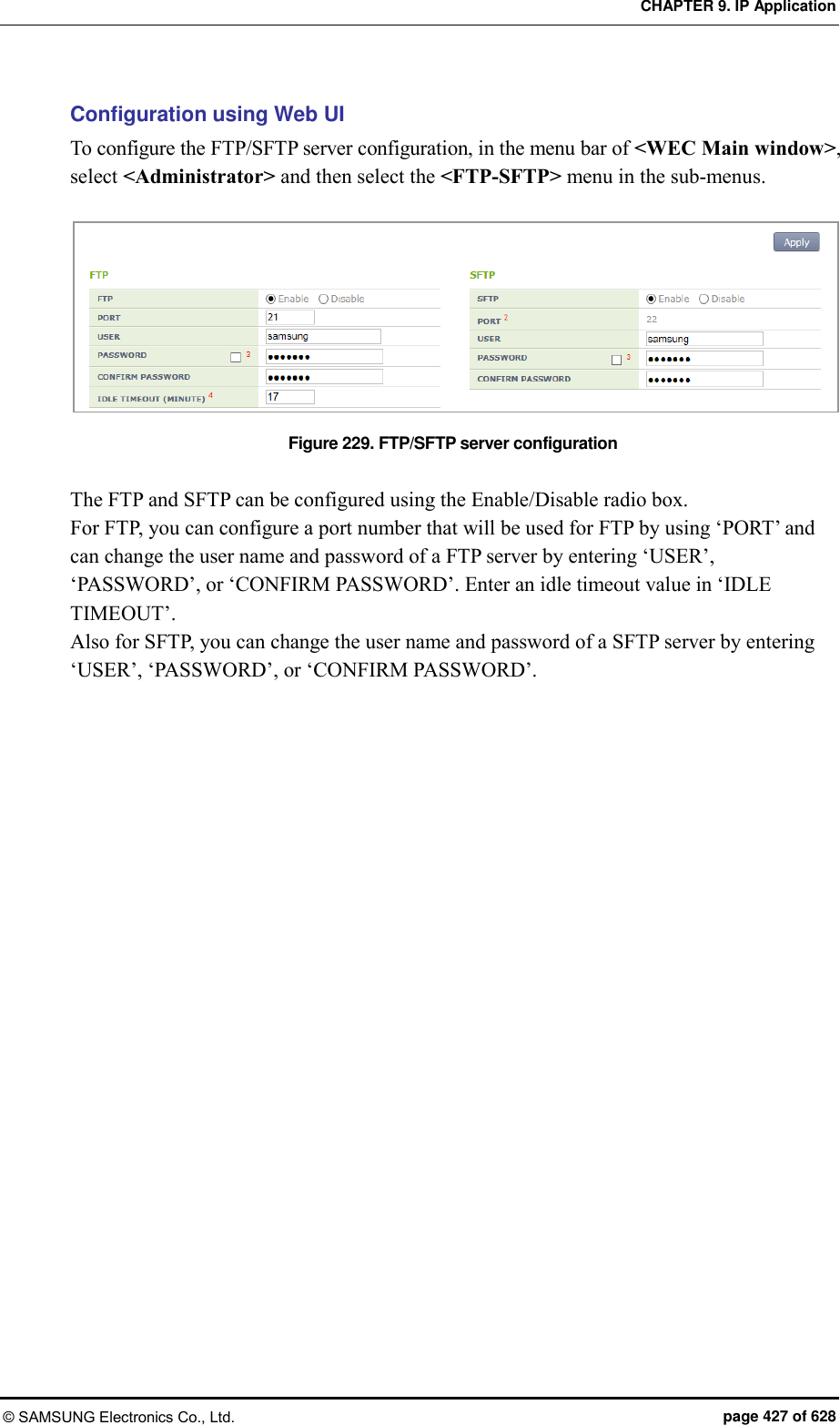
![CHAPTER 9. IP Application © SAMSUNG Electronics Co., Ltd. page 428 of 628 9.4 Telnet/SSH The telnet or Secure Shell (SSH) is an Internet protocol that helps login to another computer in a network or connects to a virtual remote system. Using telnet or SSH, you can connect to another computer while staying at a current computer. Because the SSH can access a remote system and transmit an encrypted message by using public key-based encryption method, it provides better security. Configuration using CLI [Telnet Server Configuration] The Telnet server configuration is as follows: 1) Go to configure mode of CLI. WEC8500# configure terminal 2) Enable or disable the telnet service. If you configure the telnet service, you can use the APC as a telnet server. telnet-server enable: Enable no telnet-server enable: Disable 3) If you configure the telnet service, specify the port number of telnet server. telnet-server port [PORT_NUMBER] Parameter Description PORT_NUMBER Port number to configure (range: 1-65535) [SSH Server Configuration] The SSH server configuration is as follows: 1) Go to configure mode of CLI. WEC8500# configure terminal 2) Enable or disable the SSH server. ssh-server enable: Enable no ssh-server enable: Disable 3) Specify the port number of SSH server. ssh-server port [PORT_NUMBER] Parameter Description PORT_NUMBER Port number to configure (range: 1-65535)](https://usermanual.wiki/Samsung-Electronics-Co/WEA453E.APC-Operational-Manual-Professional-Installation-Guide-2-of-2/User-Guide-2529438-Page-128.png)
![CHAPTER 9. IP Application © SAMSUNG Electronics Co., Ltd. page 429 of 628 [Checking Server Configuration Status] To check the status of telnet or ssh server, enter the following command. You can retrieve the configured port number as well as server status. show ssh-server: Retrieves the status of SSH server show telnet-server: Retrieves the status of telnet server [Using as Client] By using the APC as a telnet or SSH client, you can connect to a server. Enter as follows in CLI. telnet [IP_ADDRESS] [PORT_NUMBER] ssh [IP_ADDRESS] [ID] [PORT_NUMBER] Parameter Description IP_ADDRESS IP address or domain name of a server to connect ID login ID PORT_NUMBER Port number (range: 1-65535) If the port number is not entered, its default is shown below. - telnet: 23 - ssh: 22 Configuration using Web UI To configure the Telnet/SSH server configuration, in the menu bar of <WEC Main window>, select <Administrator> and then select the <Telnet-SSH> menu in the sub-menus. Figure 230. Telnet/SSH server configuration You can configure the service by using the Enable/Disable radio box of ‘TELNET SERVICE’ or ‘SSH SERVICE’. You can configure the port number of service by using ‘TELNET PORT’ or ‘SSH PORT’. By using ‘SESSION TIMEOUT’, you can configure the session timeout of TELNET or SSH in min. and can also configure maximum number of sessions by using ‘MAXIMUM NUMBER OF SESSIONS’.](https://usermanual.wiki/Samsung-Electronics-Co/WEA453E.APC-Operational-Manual-Professional-Installation-Guide-2-of-2/User-Guide-2529438-Page-129.png)
![CHAPTER 9. IP Application © SAMSUNG Electronics Co., Ltd. page 430 of 628 9.5 Utilities The APC provides the functions such as ping, traceroute, or tcpdump to check a network and its problems. [ping] Used to check network connection status. ping [IP_ADDRESS] [traceroute] Used to check a route path. traceroute [IP_ADDRESS] [tcpdump] Used to check the packet of a specific interface. tcpdump [INTERFACE_NAME]](https://usermanual.wiki/Samsung-Electronics-Co/WEA453E.APC-Operational-Manual-Professional-Installation-Guide-2-of-2/User-Guide-2529438-Page-130.png)
![CHAPTER 10. System Management © SAMSUNG Electronics Co., Ltd. page 431 of 628 CHAPTER 10. System Management In this chapter, the various functions used by an operator to manage the system and troubleshooting method are described. In addition, the configurations required for system operation such as system configuration management, resource management, alarm management, and package management, etc. and checking methods are described. 10.1 SNMP Configuration 10.1.1 SNMP Community To use an external management server or to manage the system through a web server after initial system installation, you must configure the SNMP community using CLI. When creating the SNMP community, you can restrict configuration privilege by allocating the access right such as read-only or read-write and can also restrict an IP to connect. You can configure maximum 10 SNMP communities. Configuration using CLI To add a SNMP community, execute the command as follows: 1) Go to configure mode of CLI. WEC8500# configure terminal WEC8500/configure# 2) Use the ‘snmp community’ command to add a SNMP community. snmp community [COMMUNITY_NAME] [ACCESS] [IP_VERSION] [IP_ADDRESS] [NET MAST] Parameter Description COMMUNITY_NAME Name of a community to add ACCESS Access privilege (rw/ro) - rw: read-write privilege - ro: read-only privilege IP_VERSION IP address version type (v4/v6) IP_ADDRESS, NETMAST IP address area that can be connected 3) To check the created SNMP community, use the ‘show snmp community’ command.](https://usermanual.wiki/Samsung-Electronics-Co/WEA453E.APC-Operational-Manual-Professional-Installation-Guide-2-of-2/User-Guide-2529438-Page-131.png)
![CHAPTER 10. System Management © SAMSUNG Electronics Co., Ltd. page 432 of 628 Configuration using Web UI In the menu bar of <WEC Main window>, select <Administrator> and then select the <SNMP> <Community> menu in the sub-menus. When you click the <Add> button in the Community window, the community creation window is displayed. When you enter a configuration value and click the <Apply> button, the configuration is applied. Figure 231. Adding SNMP community 10.1.2 SNMP Trap All the alarms of the APC system are basically transmitted to outside through the SNMP trap. Therefore, to receive a system alarm from an external management server, the server address must be registered as a trap target. The trap supports v1/v2. Configuration using CLI To add a SNMP trap target, execute the command as follows: 1) Go to configure mode of CLI. WEC8500# configure terminal WEC8500/configure# 2) Add a SNMP trap target. snmp trap [TRAP_VERSION] [COMMUNITY_NAME] [IP_VERSION] [IP_ADDRESS] [PORT_NUMBER] Parameter Description TRAP_VERSION Trap version (v1/v2) COMMUNITY_NAME Name of a community to be transmitted IP_VERSION IP address type (v4/v6) IP_ADDRESS IP address to which a trap will be transmitted PORT_NUMBER Port number to which a trap will be transmitted (default: 162) 3) To check the added trap target, use the ‘show snmp trap’ command.](https://usermanual.wiki/Samsung-Electronics-Co/WEA453E.APC-Operational-Manual-Professional-Installation-Guide-2-of-2/User-Guide-2529438-Page-132.png)
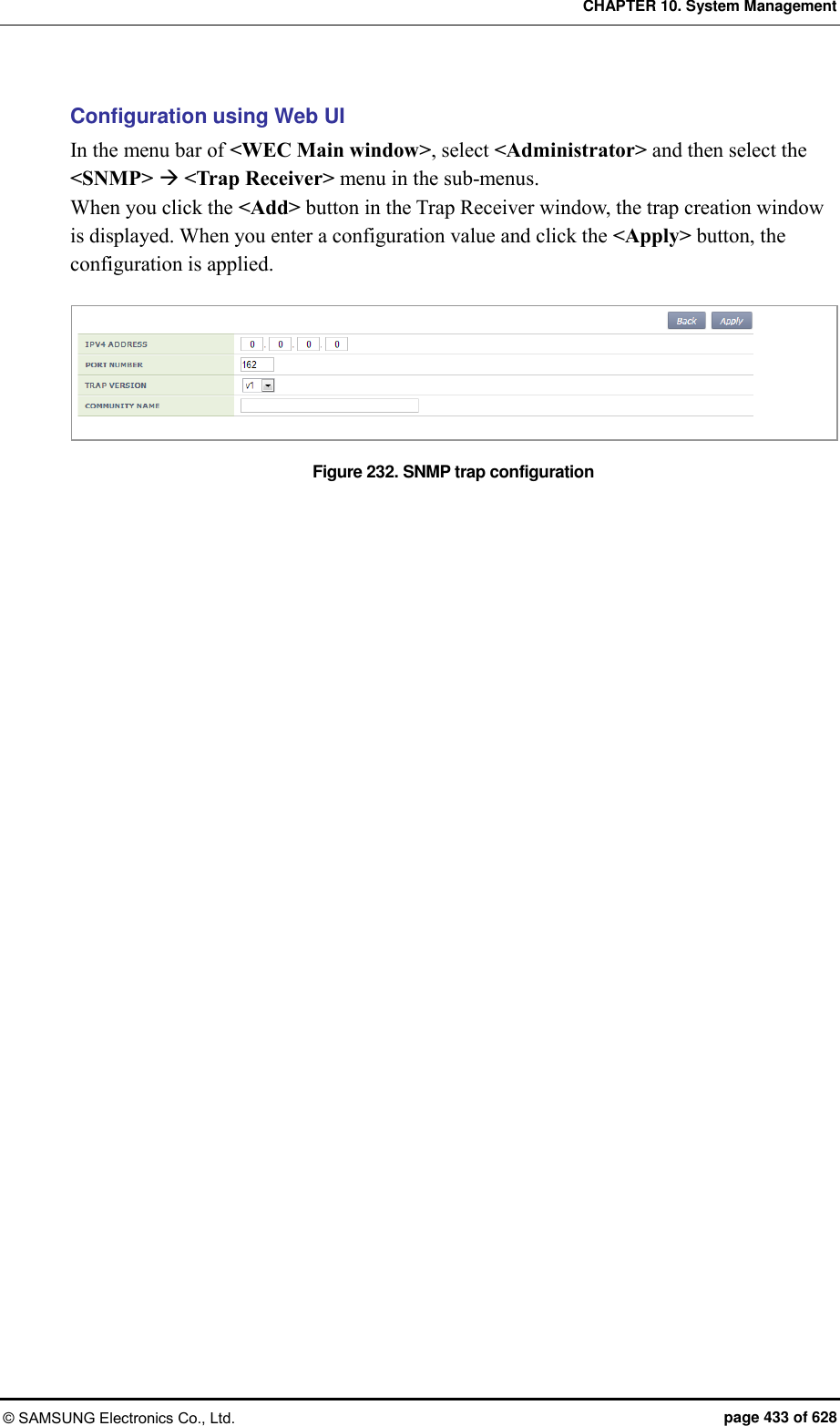
![CHAPTER 10. System Management © SAMSUNG Electronics Co., Ltd. page 434 of 628 10.2 System Management 10.2.1 Retrieving System Information Retrieving with CLI By using the ‘show system info’ command, you can check the system configuration information of the APC system such as version information, memory information, disk information, temperature sensor and fan status, etc. The execution results of the command in WEC8500 are as follows: WEC8500/configure# show system info ----------------------------------------------------- Item System Info ----------------------------------------------------- System Info : model type WEC8500 system description Samsung AP Controller board version 0.1 cpld version 0.5 system mac address 00:7e:37:00:1e:70 system total memory 16046580 KBytes system total disk 13520032 KBytes Temperature Sensor Status : cpu upside sensor OK cpu downside sensor OK board sensor OK Fan Status : fan[0] OK fan[1] OK fan[2] OK fan[3] OK Power Supply Status : Power Supply[0] Equipped Status OK Power Supply[1] Not Equipped Status - -----------------------------------------------------](https://usermanual.wiki/Samsung-Electronics-Co/WEA453E.APC-Operational-Manual-Professional-Installation-Guide-2-of-2/User-Guide-2529438-Page-134.png)
![CHAPTER 10. System Management © SAMSUNG Electronics Co., Ltd. page 435 of 628 The execution results of the command in WEC8050 are as follows: WEC8050# show system info ----------------------------------------------------- Item System Info ----------------------------------------------------- System Info : model type WEC8050 system description Samsung AP Controller board version 0.0 cpld version 0.1 serial number system mac address 00:7e:37:00:21:d4 system total memory 4855272 KBytes system total disk 12191593 KBytes Temperature Sensor Status : CPU sensor1 OK CPU sensor2 OK Fan Status : fan[0] OK fan[1] OK ----------------------------------------------------- The descriptions of the output parameters are as follows: [System Info] Parameter Description model type Product model name system description Product type board version Hardware version of a board cpld version System cpld version system mac address System MAC address system total memory System total memory capacity system total disk System total disk capacity [Temperature Sensor Status] Parameter Description cpu upside sensor CPU upside sensor status (OK, NOK) cpu downside sensor CPU downside sensor status (OK, NOK) board sensor Board sensor status (OK, NOK)](https://usermanual.wiki/Samsung-Electronics-Co/WEA453E.APC-Operational-Manual-Professional-Installation-Guide-2-of-2/User-Guide-2529438-Page-135.png)
![CHAPTER 10. System Management © SAMSUNG Electronics Co., Ltd. page 436 of 628 [Fan Status] For WEC8500: Parameter Description Fan [0]~[3] Fan operation status (OK, NOK) For WEC8050: Parameter Description Fan [0]~[1] Fan operation status (OK, NOK) [Power Supply Status] The WEC8500 has dual detachable power module as shown below. Parameter Description Power Supply [0]~[1] Whether a power module is equipped (Equipped, Not Equipped) Status Power module operation status (OK, NOK) The WEC8050 has only one power module as shown below. Parameter Description Power Supply Status Power module operation status (OK, NOK)](https://usermanual.wiki/Samsung-Electronics-Co/WEA453E.APC-Operational-Manual-Professional-Installation-Guide-2-of-2/User-Guide-2529438-Page-136.png)
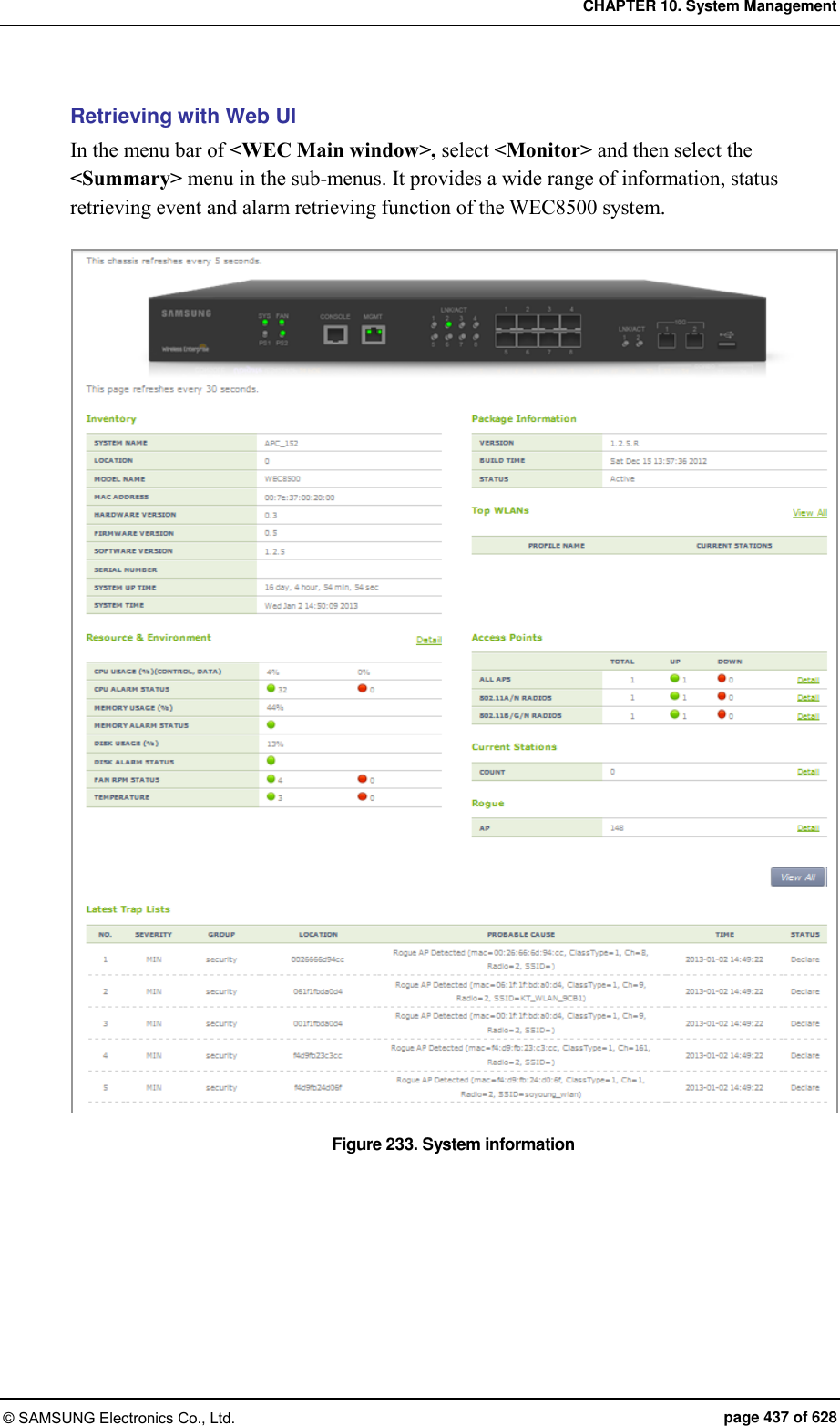
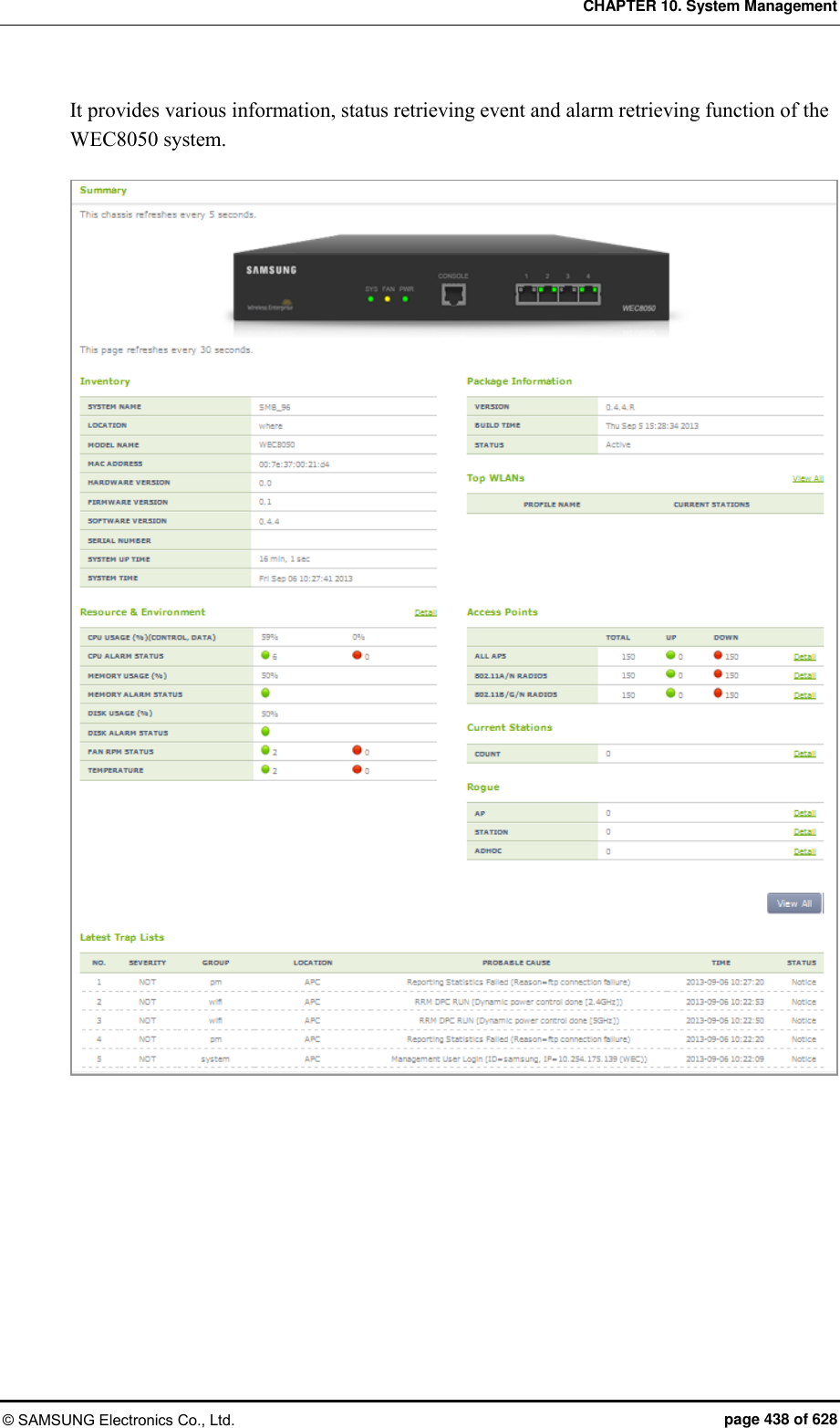
![CHAPTER 10. System Management © SAMSUNG Electronics Co., Ltd. page 439 of 628 10.2.2 System Reboot There is a command that can reboot the system. Rebooting can be reserved and you can cancel or retrieve the reservation. Configuration using CLI Use the ‘reboot’ command to reboot the system. WEC8500# reboot Use the ‘reboot in HH:MM:SS’ command to reserve system reboot. Once the reservation is completed, the system is rebooted after a specified time (HH:MM:SS). WEC8500# reboot in 12:00:00 Do you want to save the configuration? (y/n): y Do you want to restart the system? (y/n): y Notice: The system WILL reboot in 12:00:00. WEC8500# show reboot schedule The reboot has scheduled in 11:58:41. To cancel the reservation, enter the ‘no reboot’ command. WEC8500# no reboot Configuration using Web UI To configure a reboot related function, in the menu bar of <WEC Main window>, select <Administrator> and then select the <Reboot> menu in the sub-menus. The Reboot window is shown below. [APC] Figure 234. Reboot (APC)](https://usermanual.wiki/Samsung-Electronics-Co/WEA453E.APC-Operational-Manual-Professional-Installation-Guide-2-of-2/User-Guide-2529438-Page-139.png)
![CHAPTER 10. System Management © SAMSUNG Electronics Co., Ltd. page 440 of 628 [AP] Figure 235. Reboot (AP)](https://usermanual.wiki/Samsung-Electronics-Co/WEA453E.APC-Operational-Manual-Professional-Installation-Guide-2-of-2/User-Guide-2529438-Page-140.png)
![CHAPTER 10. System Management © SAMSUNG Electronics Co., Ltd. page 441 of 628 10.3 System Resource Management 10.3.1 Retrieving System Status Retrieving with CLI By using the ‘show system’ command, you can check the status of each system resource such as CPU load, memory usage, disk usage, Fan RPM level, or system temperature, etc. show system cpu: Retrieves CPU load. If there are several cores, the CPU load of each core is displayed. show system memory: Retrieves memory usage. show system disk: Retrieves disk usage. show system fan: Retrieves system fan speed (RPM level range: 0-3) show system temp: Retrieves system temperature (°C). The result of system status retrieval using each command is as follows: [CPU Load] The retrieving CLI execution result of WEC8500 is as follows: WEC8500# show system cpu Average CPU usage (%) control plane : 3.84 data plane : 0.00 WEC8500# show system cpu detail ----------------------------------------------------------------- Average CPU usage (%) control plane 2.12 data plane 0.00 ----------------------------------------------------------------- Detail CPU usage (%) control plane [10.00] [04.23] [00.00] [02.74] [00.00] [00.00] [00.00] [00.00] data plane [00.00] [00.00] [00.00] [00.00] [00.00] [00.00] [00.00] [00.00] [00.00] [00.00] [00.00] [00.00] [00.00] [00.00] [00.00] [00.00] The retrieving CLI execution result of WEC8050 is as follows: WEC8050# show system cpu Average CPU usage (%) control plane : 39.43 data plane : 0.01 WEC8050# show system cpu detail ----------------------------------------------------------------- Average CPU usage (%) control plane 21.97 data plane 0.01](https://usermanual.wiki/Samsung-Electronics-Co/WEA453E.APC-Operational-Manual-Professional-Installation-Guide-2-of-2/User-Guide-2529438-Page-141.png)
![CHAPTER 10. System Management © SAMSUNG Electronics Co., Ltd. page 442 of 628 ----------------------------------------------------------------- Detail CPU usage (%) control plane [23.29] [25.71] [16.90] data plane [00.01] [00.00] [00.00] [Memory usage] WEC8500# show system memory Total Memory : 7657960 KBytes Used Memory : 3341868 KBytes Available Memory : 4316092 KBytes Reserved Memory : 8900608 Kbytes [Disk usage] WEC8500# show system disk Total Disk : 13520032 KBytes Used Disk : 4338296 KBytes Free Disk : 9181736 KBytes [Fan RPM Level] The retrieving CLI execution result of WEC8500 is as follows: WEC8500# show system fan FAN ID rpm Level(0-3) ------- -------------- FAN[0] 1 level FAN[1] 1 level FAN[2] 1 level FAN[3] 1 level The retrieving CLI execution result of WEC8050 is as follows: WEC8050# show system fan FAN ID rpm Level(0-3) ------- -------------- FAN[0] 1 level FAN[1] 1 level](https://usermanual.wiki/Samsung-Electronics-Co/WEA453E.APC-Operational-Manual-Professional-Installation-Guide-2-of-2/User-Guide-2529438-Page-142.png)
![CHAPTER 10. System Management © SAMSUNG Electronics Co., Ltd. page 443 of 628 [System Temperature (°C)] The retrieving CLI execution result of WEC8500 is as follows: WEC8500# show system temp Sensor Location Temperature --------------- ----------- CPU sensor 1 33 CPU sensor 2 38 Board 29 The retrieving CLI execution result of WEC8050 is as follows: WEC8050# show system temp Sensor Location Temperature(‘C) --------------- --------------- CPU sensor 1 45 CPU sensor 2 52 Retrieving with Web UI In the menu bar of <WEC Main window>, select <Monitor> and then select the <Summary> menu in the sub-menus. For more information about detail window, see ‘10.2.1 Retrieving System Information’.](https://usermanual.wiki/Samsung-Electronics-Co/WEA453E.APC-Operational-Manual-Professional-Installation-Guide-2-of-2/User-Guide-2529438-Page-143.png)
![CHAPTER 10. System Management © SAMSUNG Electronics Co., Ltd. page 444 of 628 10.3.2 Retrieving and Configuring Threshold If each resource of the system exceeds its configured threshold, there occurs an alarm. The APC helps an operator check and configure each threshold. Configuration using CLI To check each threshold, use the below command. show system threshold cpu: CPU load (%) show system threshold memory: Memory usage (%) show system threshold disk: Disk usage (%) show system threshold fan: Fan RPM level show system threshold temp: Retrieves system temperature (°C). To change a threshold related to CPU load or memory usage, enter the command as follows: system monitor cpu threshold [THRESHOLD]: Configures the CPU load threshold. system monitor memory threshold [THRESHOLD]: Configures the memory usage threshold. Parameter Description THRESHOLD Threshold to configure (%) Configuration using Web UI In the menu bar of <WEC Main window>, select <Administrator> and then select the <SNMP> <Trap Control> <Alarm Threshold> menu in the sub-menus. You can retrieve and configure a threshold at which CPU load, disk usage, temperature alarm, memory usage, or fan alarm occurs. Enter a value for each item, and click the <Apply> button to make the configuration applied. Figure 236. Configuring SNMP alarm threshold](https://usermanual.wiki/Samsung-Electronics-Co/WEA453E.APC-Operational-Manual-Professional-Installation-Guide-2-of-2/User-Guide-2529438-Page-144.png)
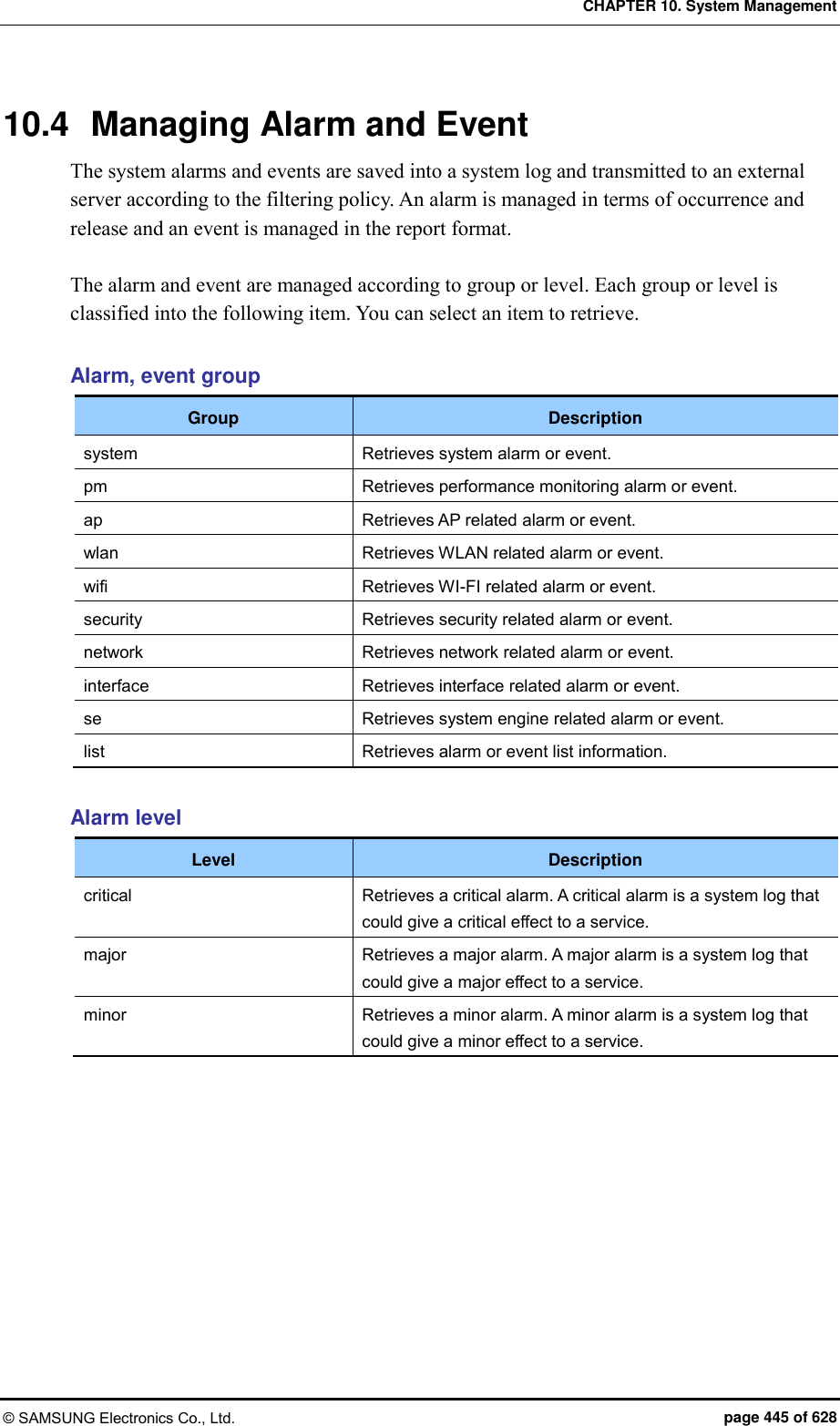
![CHAPTER 10. System Management © SAMSUNG Electronics Co., Ltd. page 446 of 628 10.4.1 Retrieving Current Alarm All the system alarms are basically recorded into a system log. The procedure of retrieving current alarms is as follows: Retrieving with CLI To retrieve current alarms, execute the command as follows: WEC8500# show alarm list all 1 network 2012-12-17 09:56:13 MAJ APC ge8 1301 NET Link dn AdminStatus[up] OperStatus[down] 2 network 2012-12-17 09:56:13 MAJ APC xe1 1301 NET Link dn AdminStatus[up] OperStatus[down] 3 network 2012-12-17 09:56:13 MAJ APC xe2 1301 NET Link dn AdminStatus[up] OperStatus[down] … To selectively retrieve a group or level, execute the command as follows: WEC8500# show alarm list group network 1 network 2012-12-17 09:56:13 MAJ APC ge8 1301 NET Link dn AdminStatus[up] OperStatus[down] WEC8500# show alarm history level major 1 network 2012-12-17 09:56:13 MAJ APC ge8 1301 NET Link dn AdminStatus[up] OperStatus[down] Retrieving with Web UI To retrieve the list of current alarms, in the menu bar of <WEC Main window>, select <Monitor> and then select the <Active Alarm> menu in the sub-menus. Figure 237. Current alarm](https://usermanual.wiki/Samsung-Electronics-Co/WEA453E.APC-Operational-Manual-Professional-Installation-Guide-2-of-2/User-Guide-2529438-Page-146.png)
![CHAPTER 10. System Management © SAMSUNG Electronics Co., Ltd. page 447 of 628 10.4.2 Retrieving History Retrieving with CLI The APC retrieves the history of alarm and event using the following command. [Alarm History] WEC8500# show alarm history all 1 ap 2012-12-20 13:13:25 MAJ AP_f4:d9:fb:24:cf:80 r=1 AP RADIO CARD TX FAIL Clear radio(1) 2 ap 2012-12-20 13:13:25 MAJ AP_f4:d9:fb:24:cf:80 r=2 AP RADIO CARD TX FAIL Clear radio(2) 3 ap 2012-12-20 13:13:25 MAJ AP_f4:d9:fb:24:cf:80 r=1,w=1 BSS … Because all the alarms are managed per group or level, you can retrieve it selectively using the following command. WEC8500# show alarm history group system 1 system 2012-12-21 17:49:45 MAJ APC core2 CPU Load Alarm Declare LOAD(100.00) … WEC8500# show alarm history level major 1 system 2012-12-21 17:49:45 MAJ APC core 2 CPU Load Alarm Declare LOAD(100.00) … [Event History] You can retrieve event information using the following command. WEC8500# show event 1 system 2012-08-31 13:59:46 NOT APC MGMT User Login ID=samsung, IP=192.168.0.91 2 system 2012-08-31 13:48:33 NOT SWM:system Boot Complete - … An event is managed per group and you can retrieve it selectively using the following command. WEC8500# show event group interface 1 interface 2012-08-31 13:48:32 NOT APC Index[1] Name[ge1] IF Admin No Shut AdminStatus[up] OperStatus[up] …](https://usermanual.wiki/Samsung-Electronics-Co/WEA453E.APC-Operational-Manual-Professional-Installation-Guide-2-of-2/User-Guide-2529438-Page-147.png)
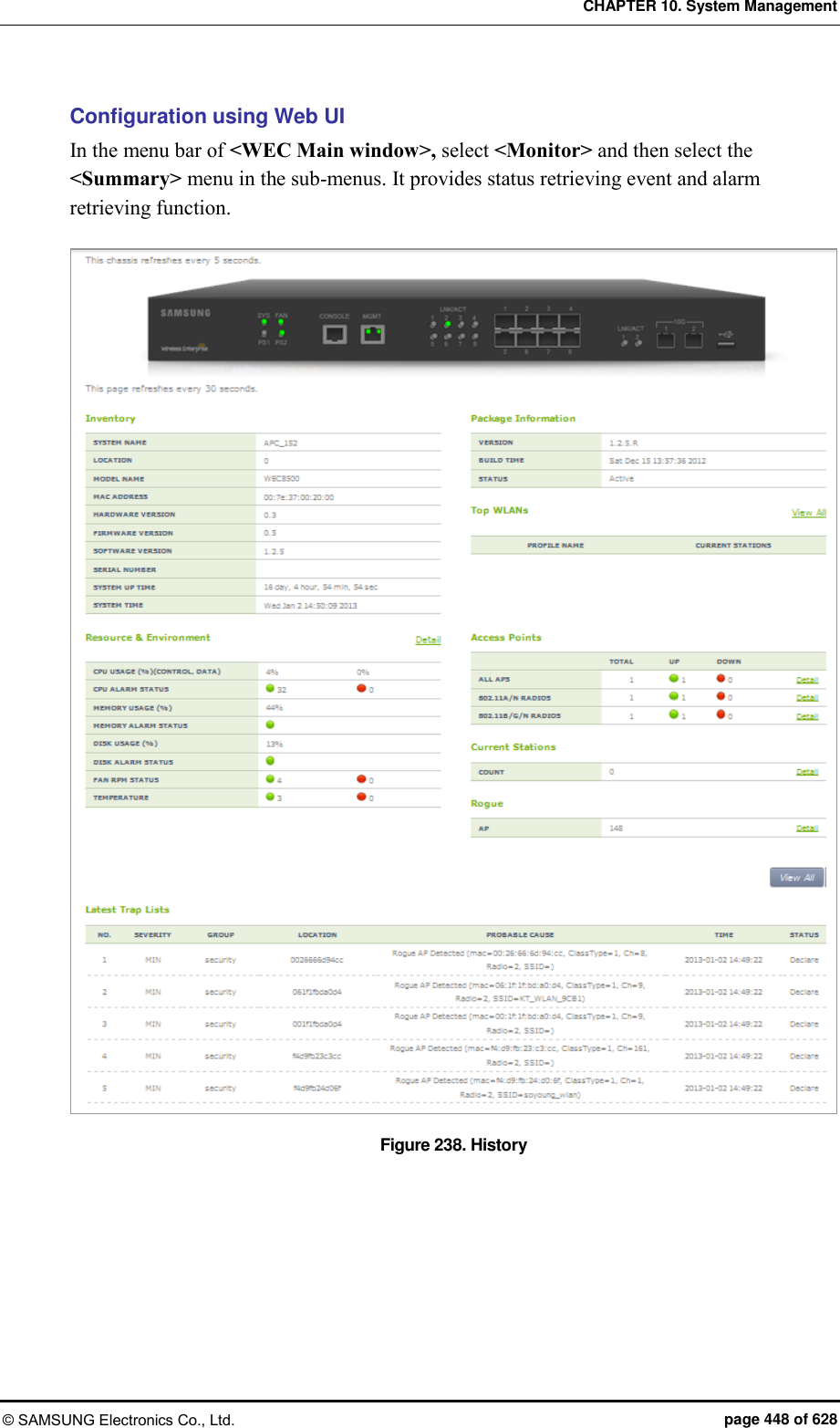
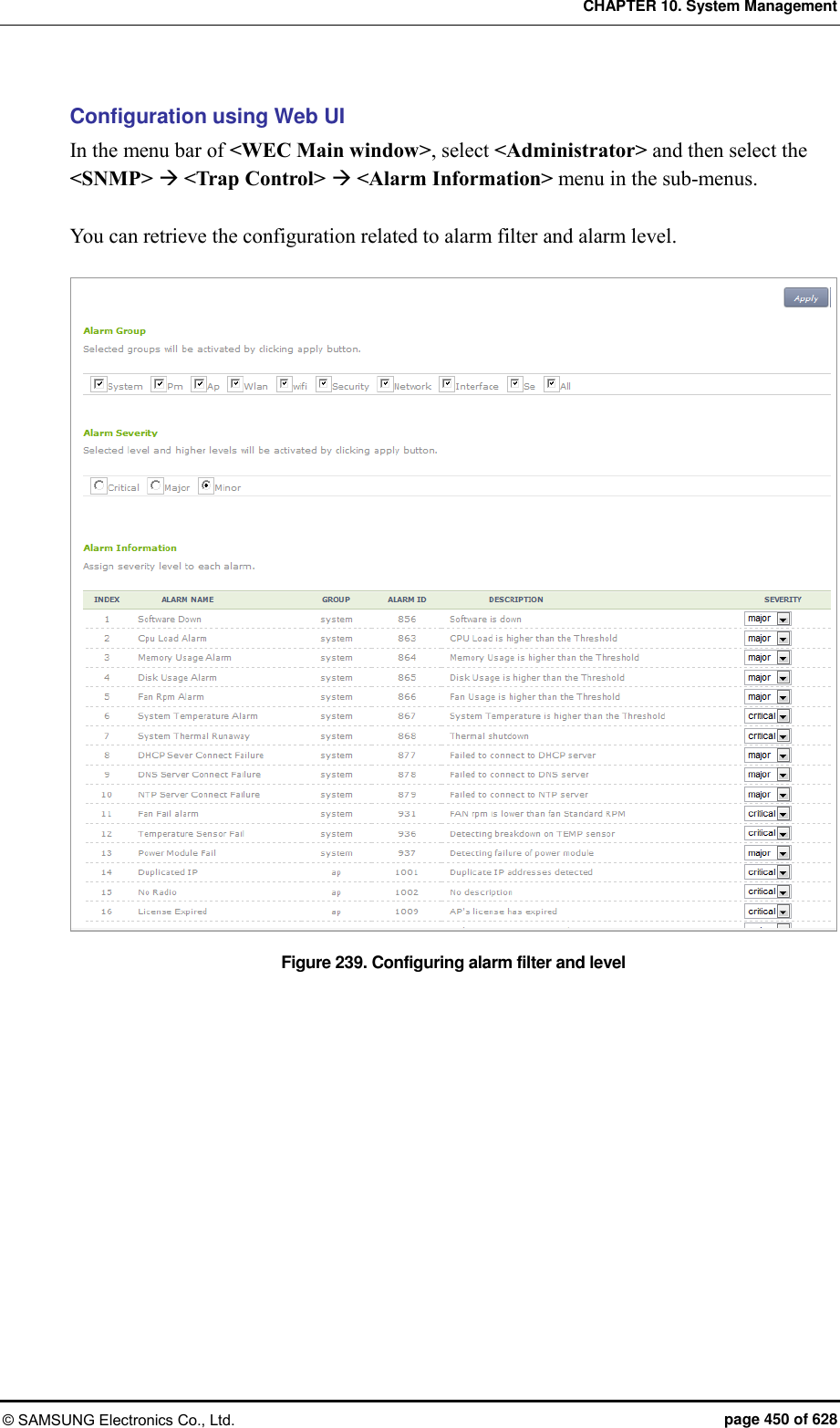
![CHAPTER 10. System Management © SAMSUNG Electronics Co., Ltd. page 451 of 628 10.5 Managing Traffic Performance You can manage the traffic performance statistics information and accumulated data for the APC system and the interface of each AP. 10.5.1 Managing History Information When the traffic performance information management is enabled, the APC system creates history information at every 5 minute. But, if the FTP server information is not configured, the history information is not transmitted to outside although it is created. Collecting information 1) Go to configure mode of CLI. WEC8500# configure terminal WEC8500/configure# 2) Configure the traffic performance information. WEC8500/configure# stats-report enable 3) Configure a FTP server to transmit history information. stats-report target ip [IP_ADDRESS] port [PORT_NUMBER] id [ID] password [PASSWORD] path [PATH] Parameter Description IP_ADDRESS IP address of a target server PORT_NUMBER Port number of a target server ID User ID of a target server PASSWORD User password of a target server PATH File storage path of a target server 4) To check the information of traffic performance information management, use the ‘show stats-report conf’ command. 5) Configure so that the performance information is uploaded to the FTP server. But, because the default is the ‘start’ status, this step may be skipped. WEC8500/configure# stats-report upload start](https://usermanual.wiki/Samsung-Electronics-Co/WEA453E.APC-Operational-Manual-Professional-Installation-Guide-2-of-2/User-Guide-2529438-Page-151.png)
![CHAPTER 10. System Management © SAMSUNG Electronics Co., Ltd. page 452 of 628 Stopping information collection 1) Go to configure mode of CLI. WEC8500# configure terminal 2) ‘Disable’ the traffic performance information management. WEC8500/configure# no stats-report enable 3) To check the configured information, use the ‘show stats-report conf’ command. 10.5.2 Managing Real-time Information Collection 1) Go to configure mode of CLI. WEC8500# configure terminal WEC8500/configure# 2) To collect real-time information, execute the following command. At this time, you must specify the name and status of an interface whose information will be collected. stats-report current-stats [INTERFACE_NAME] [STATE] Parameter Description INTERFACE_NAME Name of an interface to collect or stop collection STATE Status of real-time information (start/stop) - start: Starts real-time information collection - stop: Stops or initializes the real-time information collection. 3) To check the entered information, use the ‘show stats-report conf’ command. 4) To check the information of a configured interface when the real-time information collection is configured, execute the following command. show stats-report current-stats [INTERFACE_NAME] If the real-time information collection is suspended or initialized, you cannot check the real-time information of the interface. WEC8500/configure# show stats-report current-stats ge3 Error: This interface was not configured to gather statistics.](https://usermanual.wiki/Samsung-Electronics-Co/WEA453E.APC-Operational-Manual-Professional-Installation-Guide-2-of-2/User-Guide-2529438-Page-152.png)
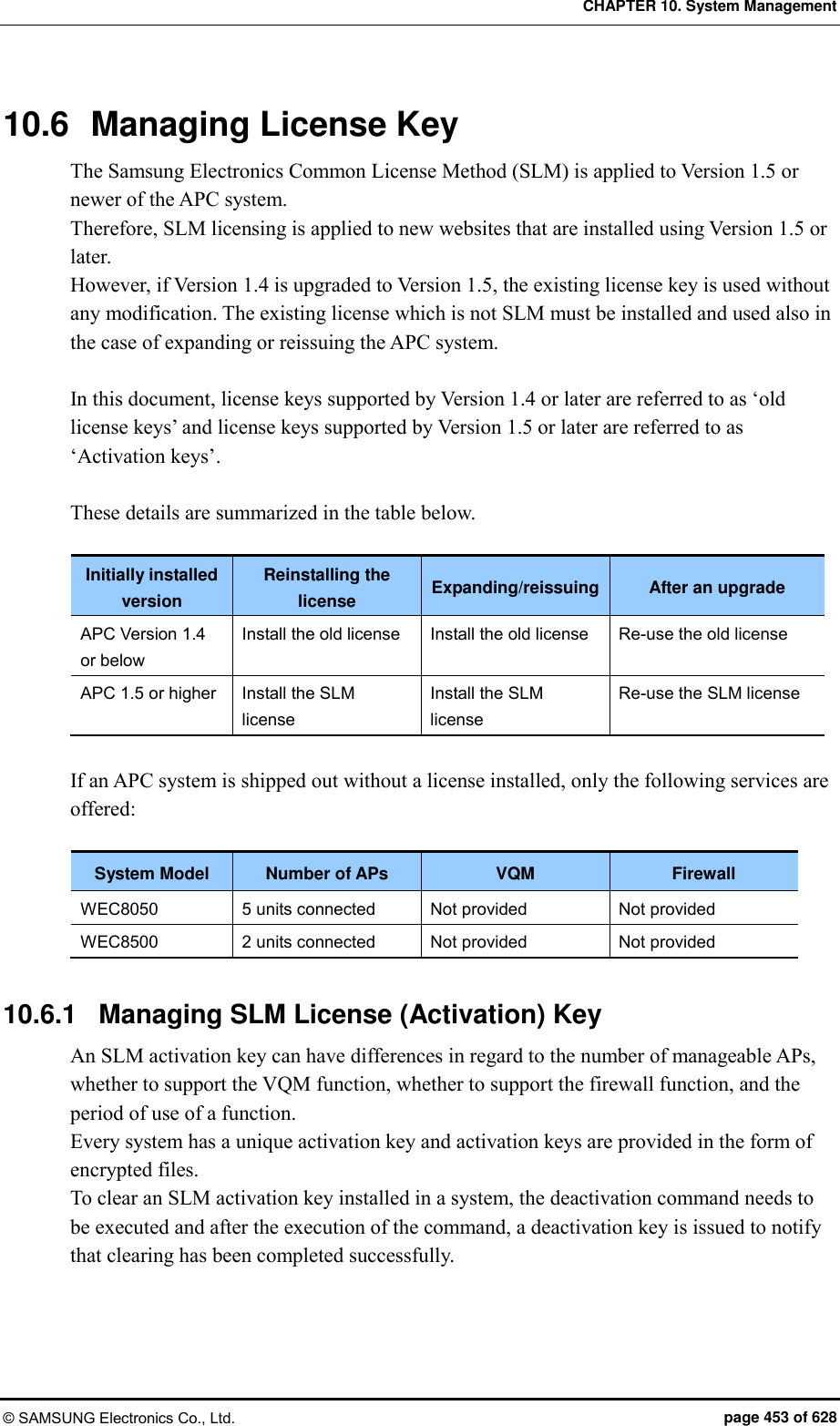
![CHAPTER 10. System Management © SAMSUNG Electronics Co., Ltd. page 454 of 628 Installation Only two activation keys can be installed/registered in an APC system. If two unexpired activation keys co-exist, available services are offered as shown in the following example: (Example) - Activation Key 1: AP (100 units), VQM (Disable), Firewall (Disable) - Activation Key 2: AP (50 units), VQM (Enable), Firewall (Disable) - result: AP (100 units), VQM (Enable), Firewall (Disable) Period of Use Each activation key has its own information regarding the start and end times, and if the current time is not within the set period, the activation key expires. Application An activation key only functions correctly after the system is rebooted after deletion or installation of a key. Configuration using CLI To configure an activation key, first execute the following commands and enter license mode: WEC8500# configure terminal WEC8500/configure# system license WEC8500/configure/system/license# [Installing Activation Key] When the system is shipped out, there is no registered license key. Therefore, you must install the license key you received immediately after the first system installation. You can install a license key directly or remotely using CLI. activate-key [Fullpath filename] Registers an activation key file. If a license key file exists in a specified folder, use the license key file for registration. When entering the file name of an activation key, you must enter the file name including its full path. [Clearing Activation Key] no activate-key [the activation key’s license key] Clears an activation key registered in the system. You can view the license key information of an activation key in the ‘License’ field of the activation key by executing the ‘show system license-key’ command. After clearance, you can view information about the deactivation key in the ‘License Key’ of the key after executing the ‘show system license-key’ command.](https://usermanual.wiki/Samsung-Electronics-Co/WEA453E.APC-Operational-Manual-Professional-Installation-Guide-2-of-2/User-Guide-2529438-Page-154.png)
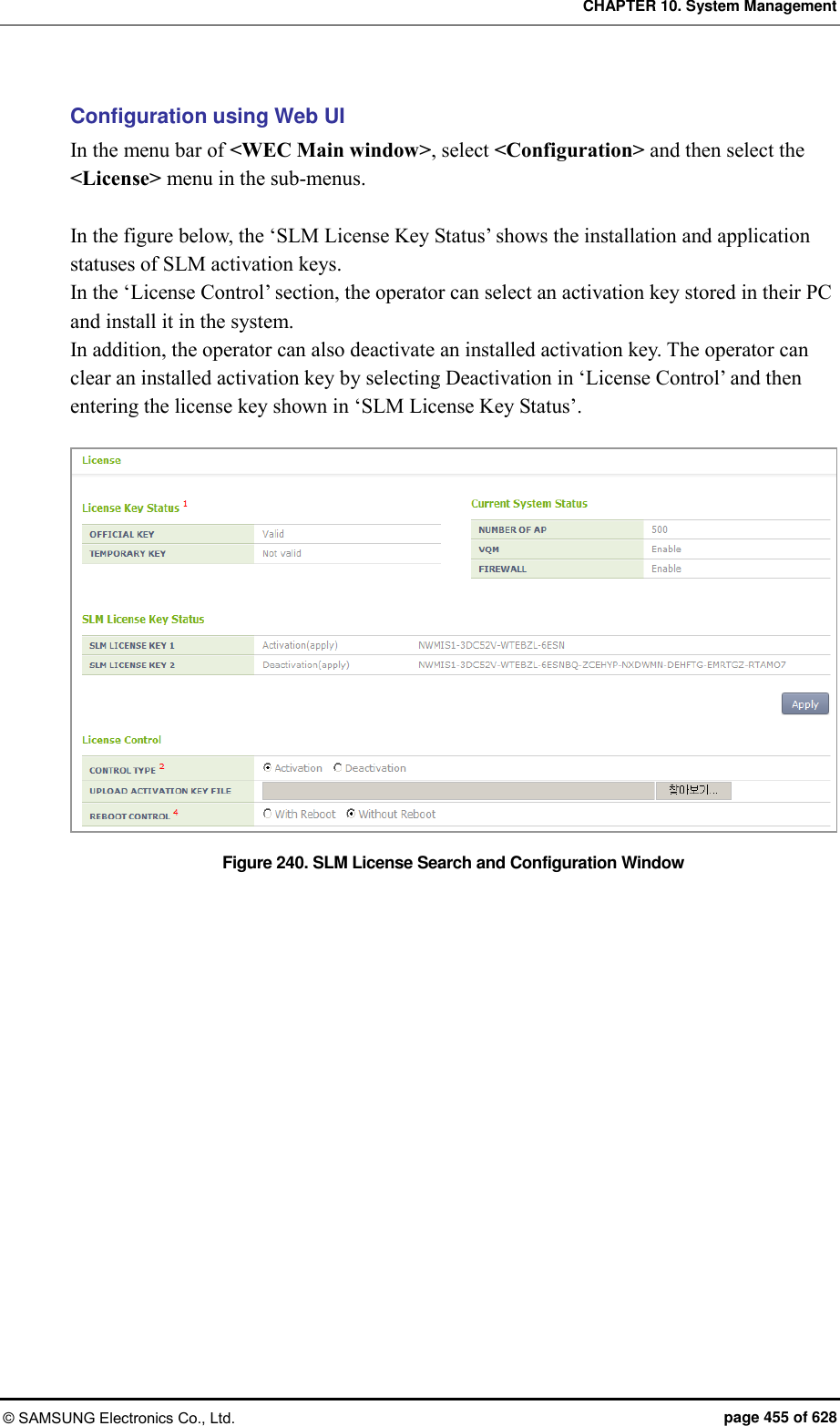
![CHAPTER 10. System Management © SAMSUNG Electronics Co., Ltd. page 456 of 628 10.6.2 Managing Old License Key An old license key can differ in regard to the number of manageable APs, whether to support the VQM function, whether to support the firewall function, and the period of use of a function. A license key is unique for each system and it consists of encrypted 53 characters. A license key is distributed in a file or text format. Installation APC system can install/register only one official license key and one temporary license key. A license key (temporary license Key) with time duration can be installed only 3 times. Use period An official license key has no restriction on use period. A temporary license key has a restriction on use period and the period can be 1, 30, or 60-day. Apply A license key becomes active only after system rebooting after the key is installed or deleted. Configuration using CLI To configure a license key related function, go to license mode by executing the following command. WEC8500# configure terminal WEC8500/configure# system license WEC8500/configure/system/license# [Installing License Key] When the system is shipped out, basically there is no registered license key. Therefore, you must install the license key you received right after the first system installation. You can install a license key directly or remotely using CLI. install-key: Registers a file. If a license key file exists in a specified folder, use the license key file for registration. Once it is installed, the license key file is deleted from the system. install-key [LICENSE_KEY]: Direct registration install-key [IP_ADDRESS] [PORT_NUMBER] [ID] [PASSWORD] [PATH]: Remote registration](https://usermanual.wiki/Samsung-Electronics-Co/WEA453E.APC-Operational-Manual-Professional-Installation-Guide-2-of-2/User-Guide-2529438-Page-156.png)
![CHAPTER 10. System Management © SAMSUNG Electronics Co., Ltd. page 457 of 628 Parameter Description LICENSE_KEY Issued license key IP_ADDRESS IP address PORT_NUMBER Port number ID login ID PASSWORD Password PATH Server path [Deleting License Key] You can delete a license key directly. no install-key [LICENSE_KEY] Parameter Description LICENSE_KEY License key to delete [Retrieving License Key Information] To check the license key information, use the ‘show system license-key’ command. ===== Current System Status ====== Number of APs : 2 VQM : Disabled Firewall : Disabled ===== License Information ====== * Old License - Official License Key License Key : YNHSHPWP-5MNMTE04-UJHKDO4U-A2WGSBGX-OJZ2MJ5R-7Z5DBYMT MAC Address : F4D9FB236C01 System Model : Any Lifetime : Permanet Number of APs : 75 VQM : Eanbed Firewall : Eanbed Installation Time : 00 [Analyzing License Key] Before registering a license key to the system, you can check the functions supported by the license key. analyze-key [LICENSE-KEY] Parameter Description LICENSE_KEY License key](https://usermanual.wiki/Samsung-Electronics-Co/WEA453E.APC-Operational-Manual-Professional-Installation-Guide-2-of-2/User-Guide-2529438-Page-157.png)
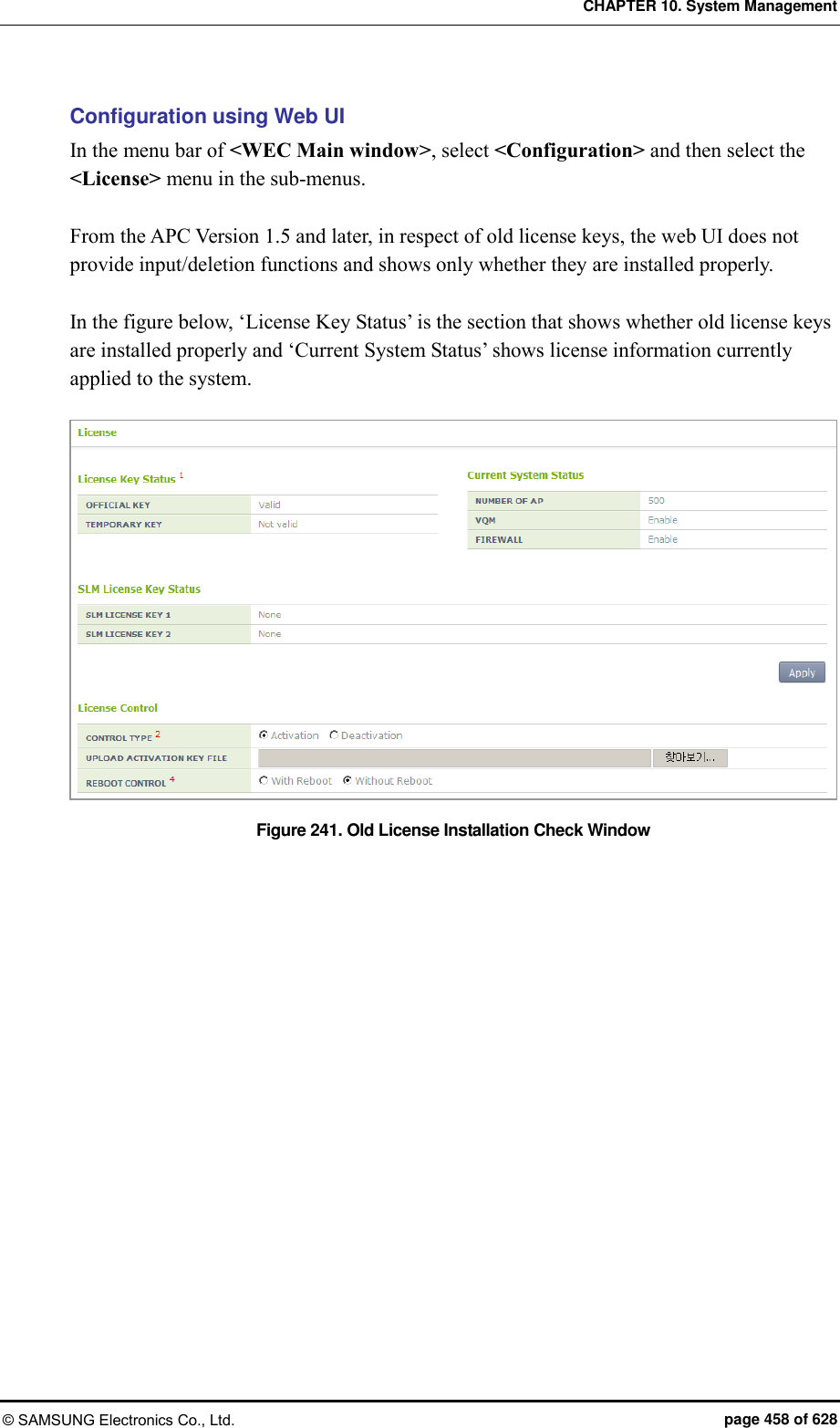
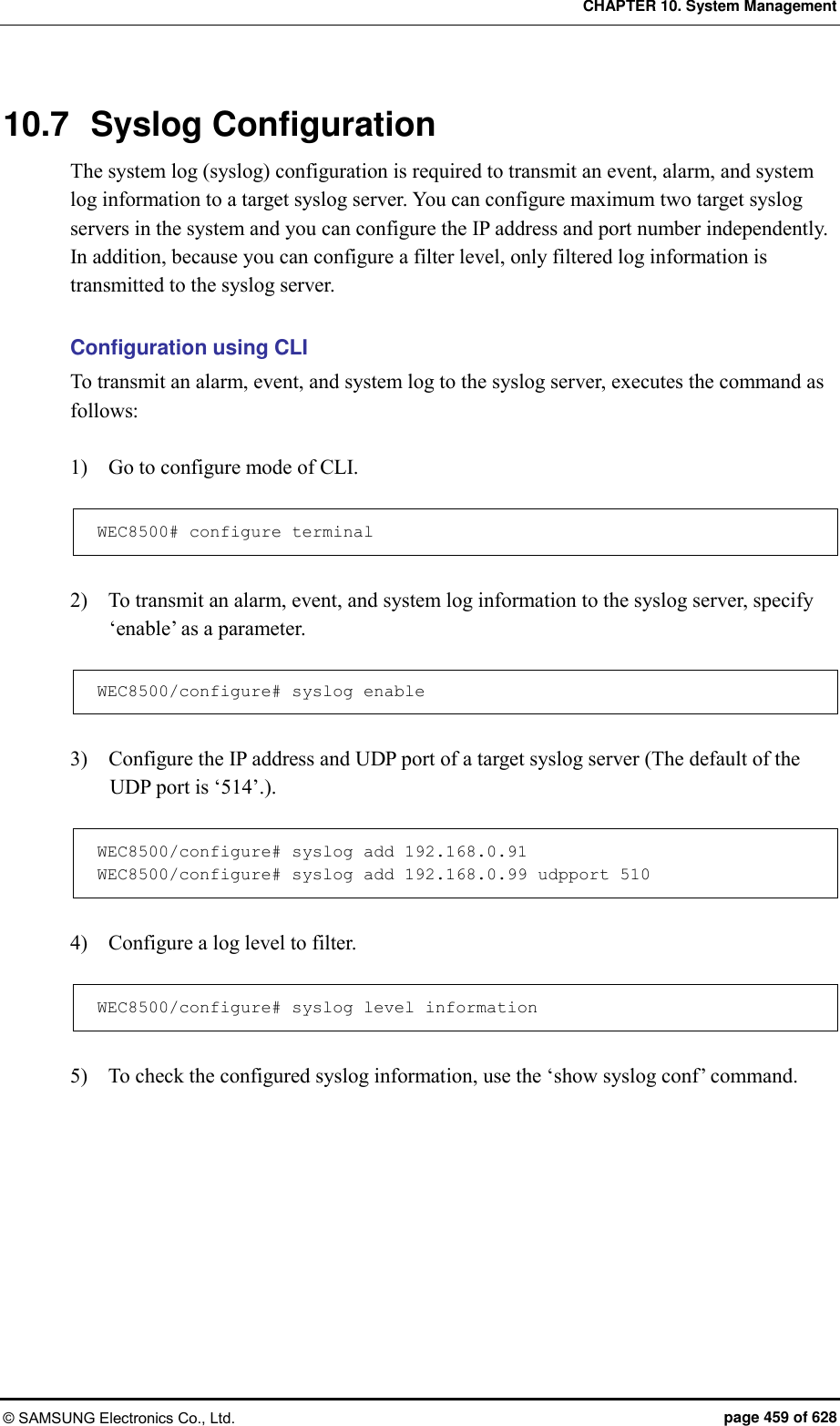
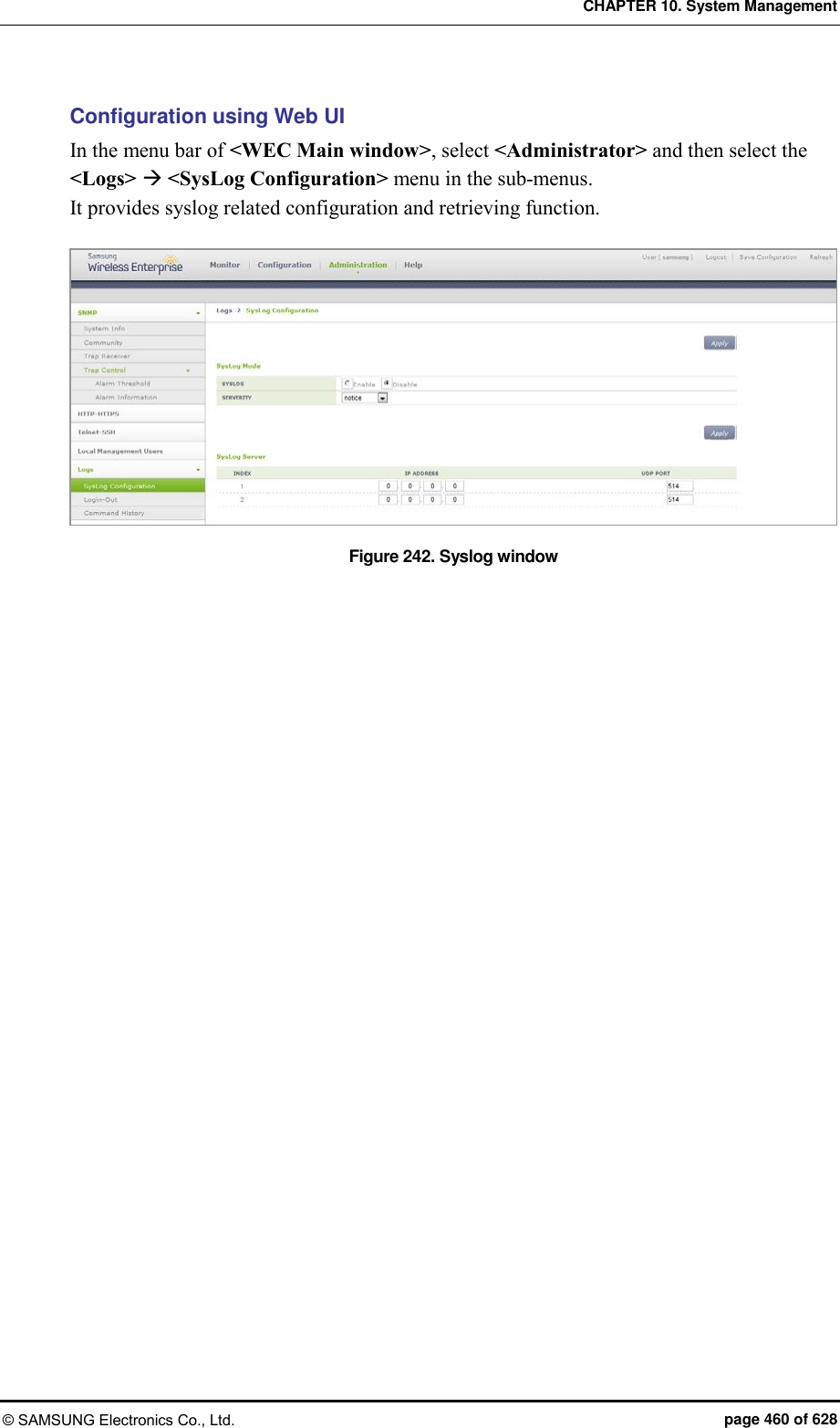
![CHAPTER 10. System Management © SAMSUNG Electronics Co., Ltd. page 461 of 628 10.8 Upgrade The APC provides the upgrade function and version checking function that applies a new version of package when it is distributed. 10.8.1 Checking Package Version You can check the version of a current system by using the following command. show version The following shows the execution results of the command: WEC8500# show version Samsung package version information Primary (currently running) ver : 1.4.4.R buildTime : Fri Sep 6 06:08:35 2013 builder : apcbuild buildDir : /home2/apcbuild/release/wec8500_1.4.4 Backup ver : 1.4.4.R buildTime : Fri Sep 6 06:08:35 2013 builder : apcbuild buildDir : /home2/apcbuild/release/wec8500_1.4.4 Boot rom version information ver : GC15 10.8.2 System Upgrade The APC does system upgrade using CLI and Web UI. Configuration using CLI Apply a new package to the system by using the following command. 1) Go to configure mode of CLI. WEC8500# configure terminal WEC8500/configure# 2) Perform upgrade by using a package. package upgrade [FILE_NAME] Parameter Description FILE_NAME Package file to upgrade The package must be located in the /user/package directory.](https://usermanual.wiki/Samsung-Electronics-Co/WEA453E.APC-Operational-Manual-Professional-Installation-Guide-2-of-2/User-Guide-2529438-Page-161.png)
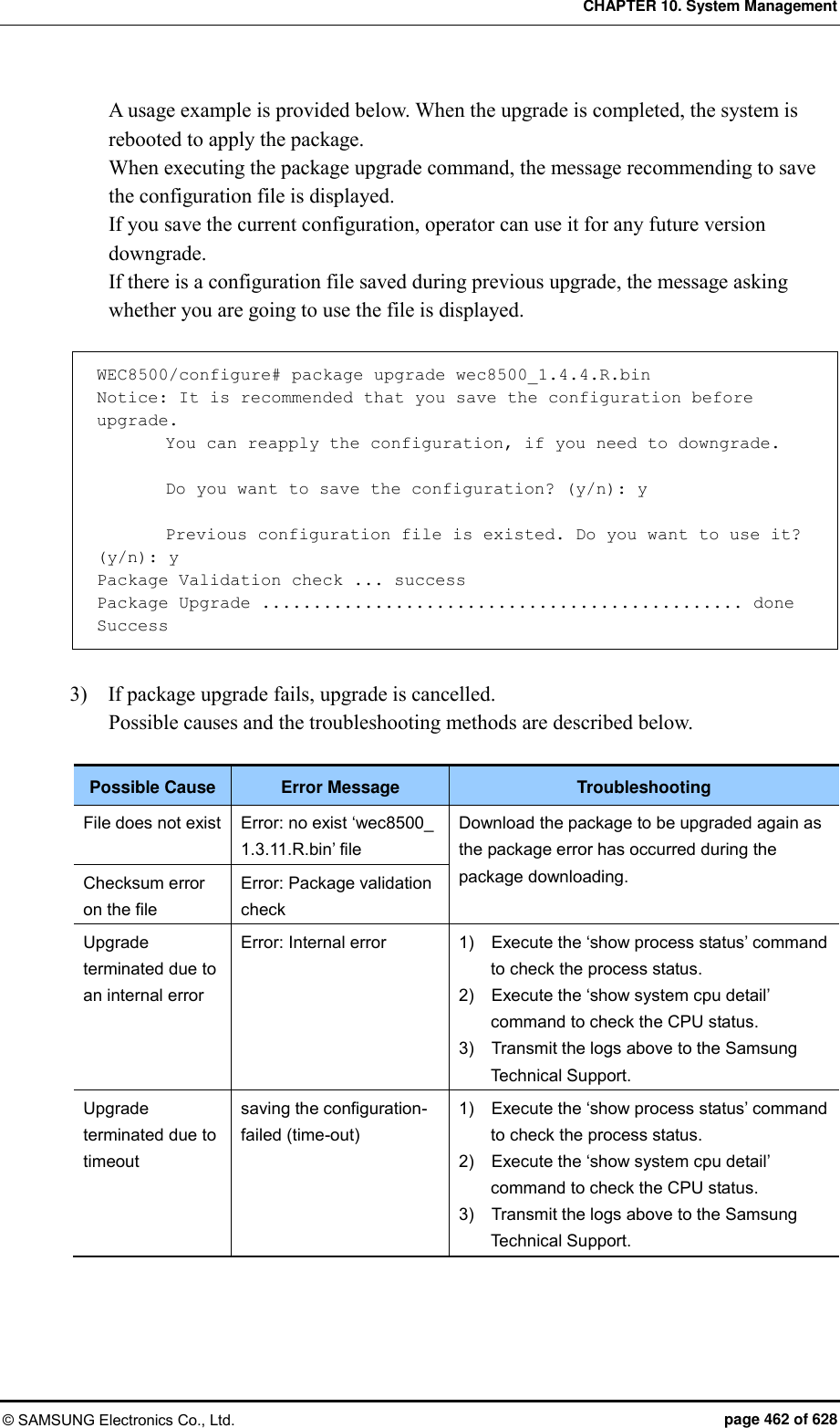
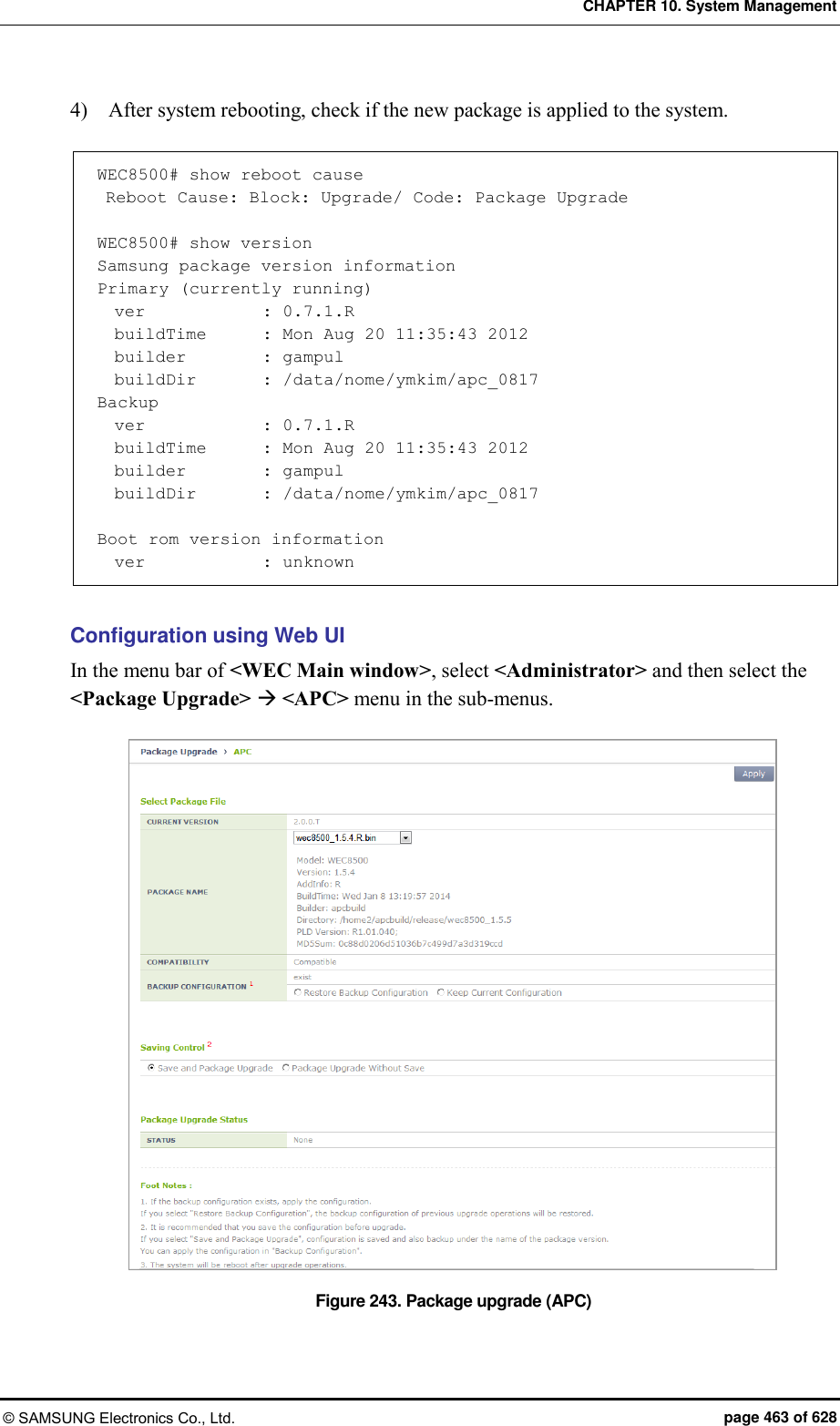
![CHAPTER 10. System Management © SAMSUNG Electronics Co., Ltd. page 464 of 628 10.9 Configuration Management The APC supports the following functions for configuration management. Saves the current configuration information. Exports/imports the current configuration information (import/export). Initializes system Configuration using CLI To save the current configuration information in the system, execute the command as follows: WEC8500# save local To transmit the current configuration information in the system to outside, execute the command as follows: When you execute the command, the configuration information is compressed into the entered ‘FILENAME’ as a file. WEC8500# export [FILENAME] In addition, to apply a file (‘FILENAME’) from outside to the current system, execute the command as follows: WEC8500# import [FILENAME] To initialize the current configuration information to the factory default, execute the command as follows: If the ‘full-erase’ parameter is not entered, only the configuration information is initialized. WEC8500# factory-reset (full-erase)](https://usermanual.wiki/Samsung-Electronics-Co/WEA453E.APC-Operational-Manual-Professional-Installation-Guide-2-of-2/User-Guide-2529438-Page-164.png)
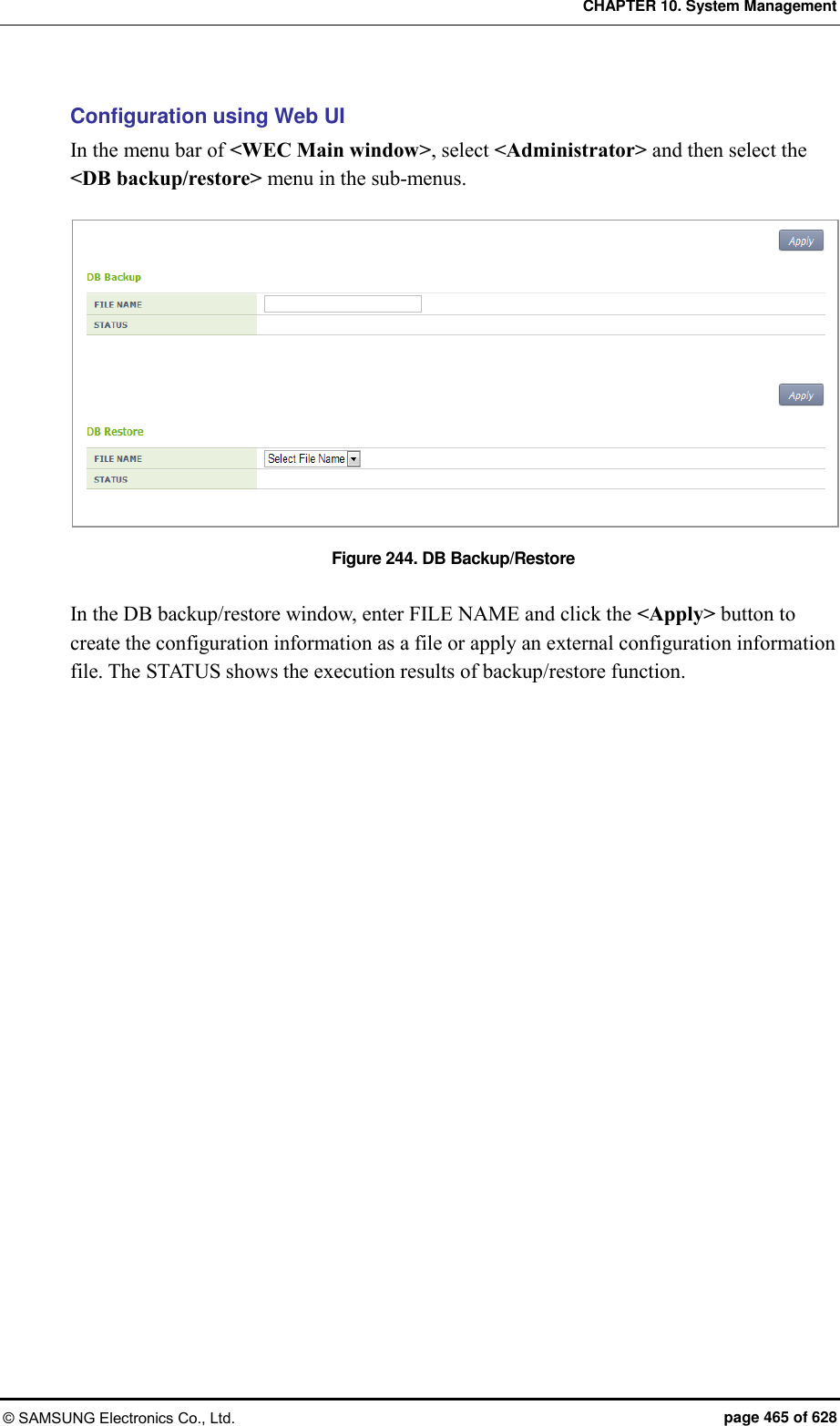
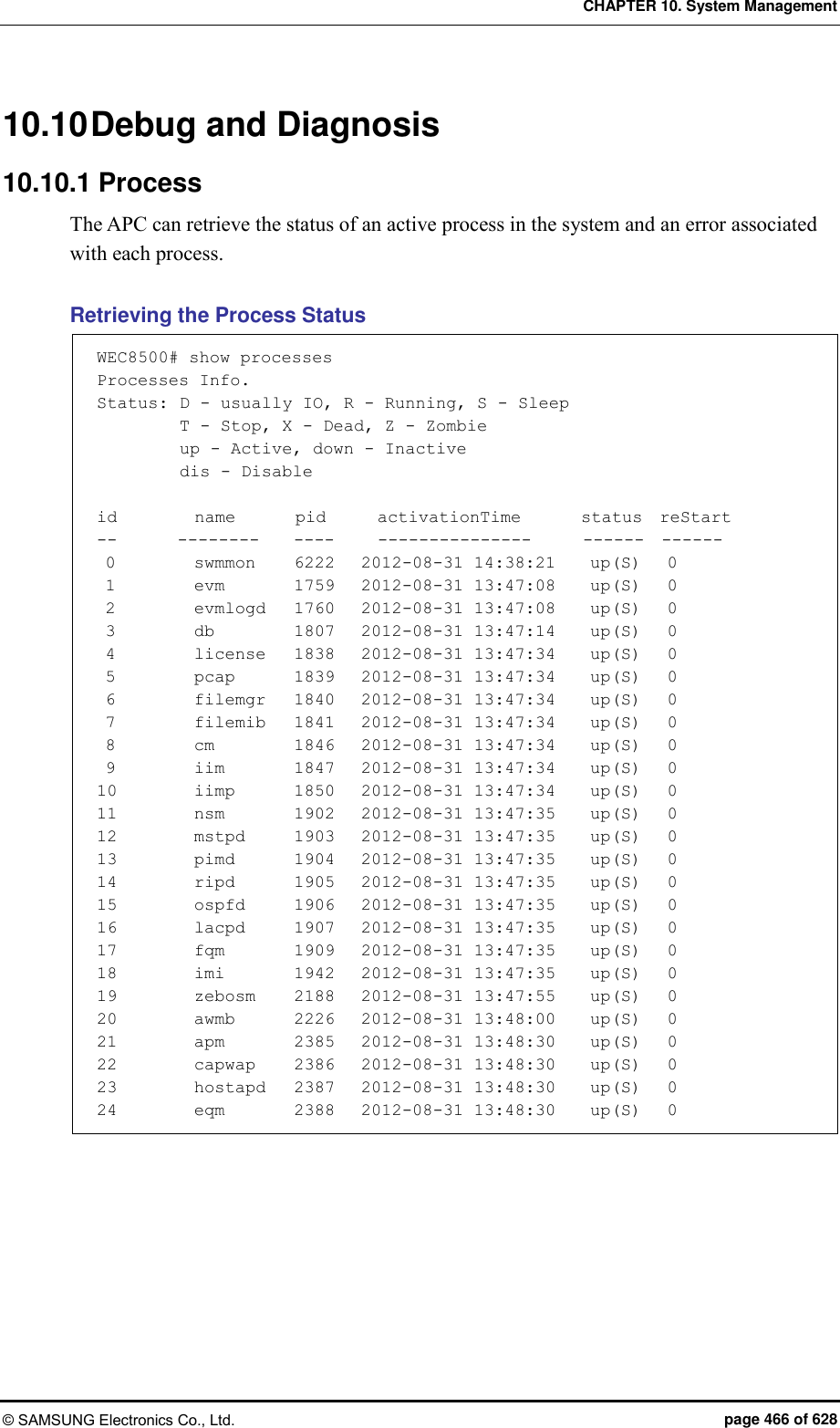
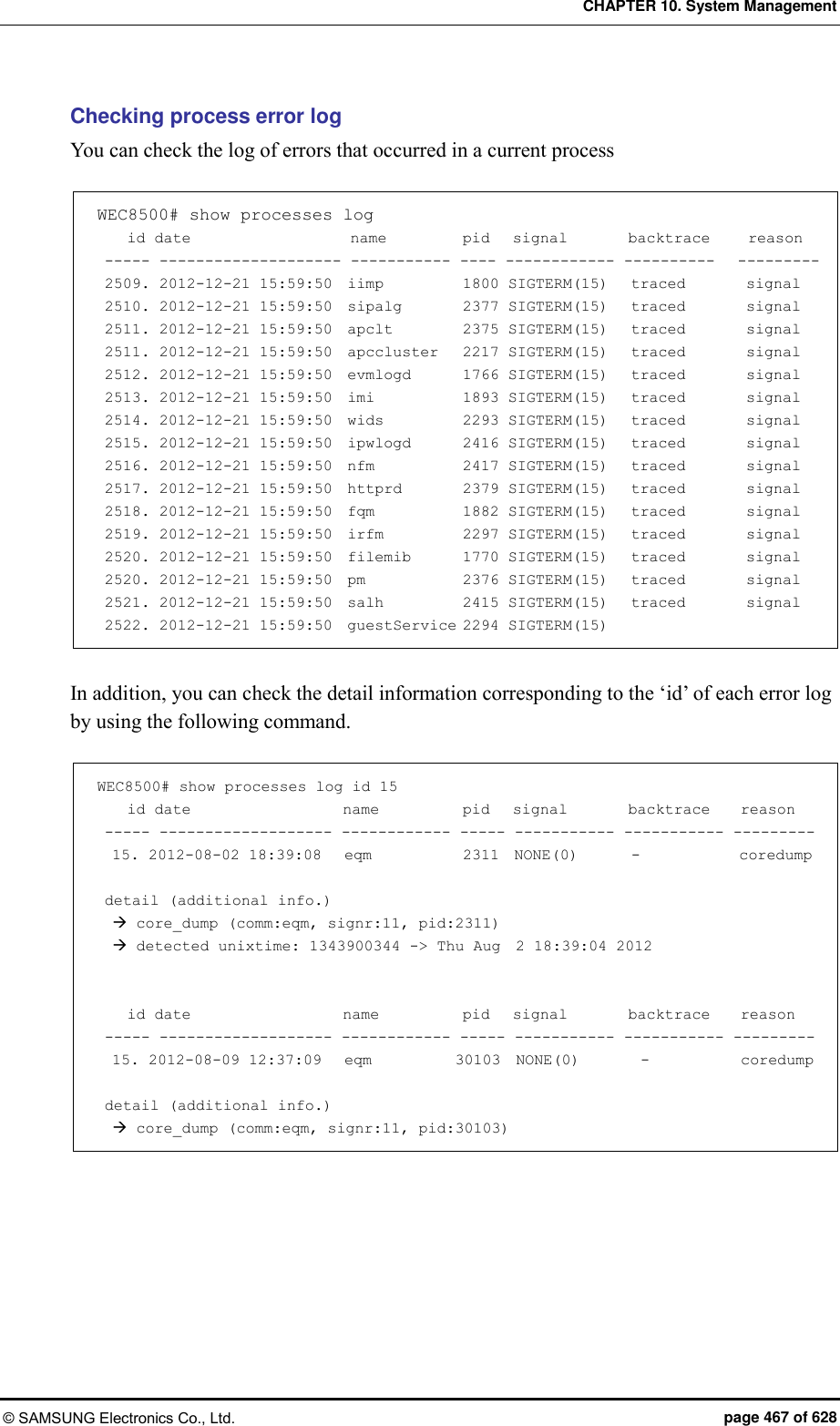
![CHAPTER 10. System Management © SAMSUNG Electronics Co., Ltd. page 468 of 628 10.10.2 Retrieving Crash Information When a critical problem occurs in the system platform during operation, the APC saves important system information at that time to provide the crash information that can be used for post mortem analysis. The crash information includes the Crash Detect and Report (CDR) information that has the context about the crash status and the core dump information that has the memory dump about the crash status of a user process. 10.10.2.1 Managing CDR Information To manage the CDR information, the system provides the following function. Retrieving CDR Information Exports CDR history information Deletes CDR history information [Retrieving Summarized CDR History Information] To retrieve the entire history information for all the rebooting including rebooting due to a crash, enter the ‘show debug reboot summary’ command. show debug reboot summary WEC8500# show debug reboot summary ========================================================================================================== ID EVENT_NAME EVENT_DESCRIPTION REBOOT_TIME ========================================================================================================== 0001 DIE DIE_VAL[1] - Unhandled kernel unaligned access 03:56:00, Aug 22 2012 0000 PANIC softlockup: hung tasks 03:51:51, Aug 22 2012 [Retrieving Detail CDR History Information] To check the detail crash information, execute the ‘show debug reboot info [id/all]’ command. By using this command, you can view the key information including a kernel log that exists before the system is rebooted due to a critical crash. The description of each parameter is shown below. show debug reboot info [DATA] Parameter Description DATA Selects crash information (id/all) - id: A specific CDR ID value to view - all: Retrieve all the CDR histories](https://usermanual.wiki/Samsung-Electronics-Co/WEA453E.APC-Operational-Manual-Professional-Installation-Guide-2-of-2/User-Guide-2529438-Page-168.png)
![CHAPTER 10. System Management © SAMSUNG Electronics Co., Ltd. page 469 of 628 If no parameter is entered, the most recent reboot information is retrieved. WEC8500# show debug reboot info ###################################################################### [REBOOT_SUMMARY]====================================================== ID : 0001 EVENT NAME : DIE EVENT DESC : DIE_VAL[1] - Unhandled kernel unaligned access REBOOT TIME : 03:56:00, Aug 22 2012 [KERNEL_LOG]========================================================== console [cdr-1] enabled Creating 1 MTD partitions on “nor0”: 0x000000dc0000-0x000000fc0000 : “crash_raw” CDR connector initialized (ID = {8.1}) … … [Exporting CDR history information] The crash information of system can be extracted to text file for post analysis. By entering the ‘show debug reboot export’ command, you can send the system crash information created in a text file to outside using the ‘transfer’ command. show debug reboot export [Deleting CDR history information] To delete CDR information remaining in a device, execute the following command. debug reboot erase [DATA] Parameter Description DATA If there is no reboot information selection (id/all) option, the most recent system reboot information is deleted. - id: A specific CDR ID value to delete - all: Delete all the CDR histories](https://usermanual.wiki/Samsung-Electronics-Co/WEA453E.APC-Operational-Manual-Professional-Installation-Guide-2-of-2/User-Guide-2529438-Page-169.png)
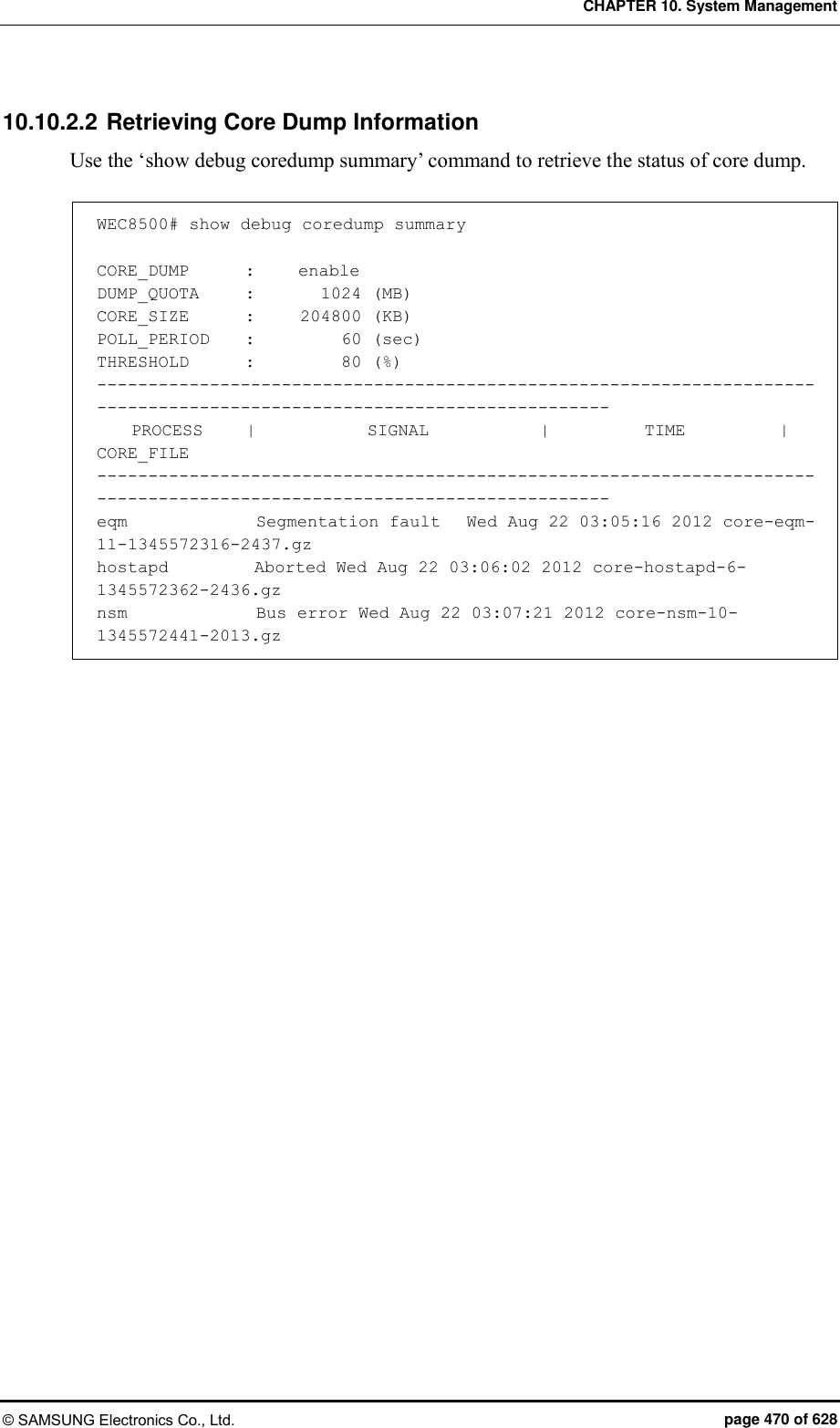
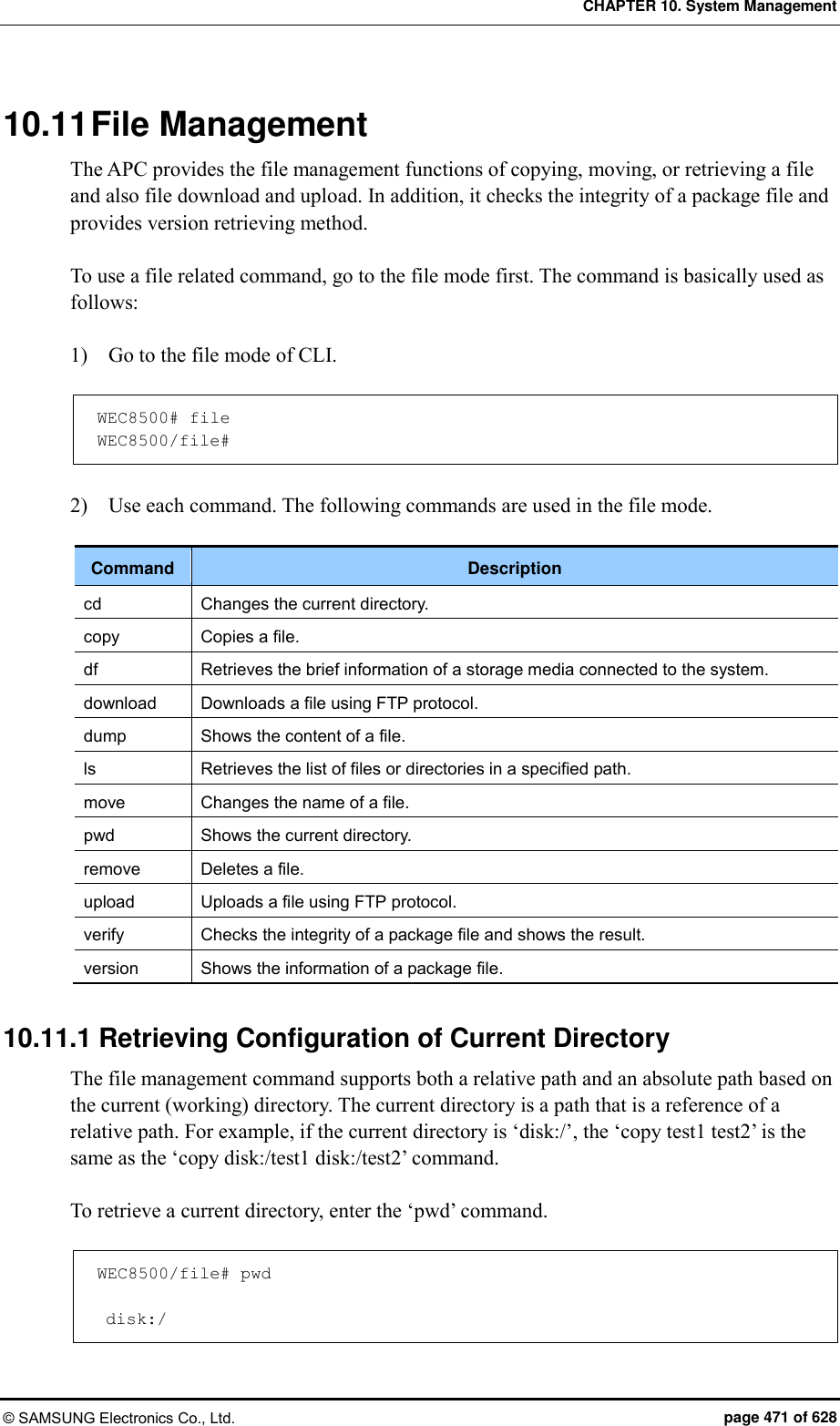
![CHAPTER 10. System Management © SAMSUNG Electronics Co., Ltd. page 472 of 628 To change a directory, use the ‘cd [TARGET_DIR]’ command. WEC8500/file# cd etc WEC8500/file# pwd disk:/etc Parameter Description TARGET_DIR Name of a directory to change 10.11.2 Retrieving Directory List To retrieve a file or directory in a specific directory, use the ‘ls’ command. If you enter only ‘ls’, all the contents in the current directory are displayed. To check only a specific directory, enter the ‘ls [TARGET_DIR]’ command. A usage example is provided below. WEC8500/file# ls Current working directory: disk:/ directory 4.0K Jul 5 13:49:49 etc directory 16K Jan 1 09:00:39 lost+found directory 4.0K Jun 9 15:36:02 opt directory 4.0K Jun 9 16:46:59 stats directory 4.0K Jun 12 01:11:01 var WEC8500/file# ls etc Current working directory: disk:/ directory 4.0K Jun 9 15:36:02 ap directory 4.0K Jun 9 15:36:02 config directory 4.0K Jun 9 15:36:02 db file 168 Jul 5 13:49:49 PKG_INFO_STANDBY WEC8500/file# ls disk:/etc Current working directory: disk:/ directory 4.0K Jun 9 15:36:02 ap directory 4.0K Jun 9 15:36:02 config directory 4.0K Jun 9 15:36:02 db file 168 Jul 5 13:49:49 P KG_INFO_STANDBY WEC8500/file#](https://usermanual.wiki/Samsung-Electronics-Co/WEA453E.APC-Operational-Manual-Professional-Installation-Guide-2-of-2/User-Guide-2529438-Page-172.png)
![CHAPTER 10. System Management © SAMSUNG Electronics Co., Ltd. page 473 of 628 10.11.3 Revising File To copy a file, use the ‘copy [SRC_FILENAME] [DES_FILENAME]’ command. The below command copies the ‘test’ file into ‘disk:/test2’. WEC8500/file# copy test disk:/test2 To delete a file, use the ‘remove [FILENAME]’ command. If you enter the below command and enter ‘y’, the ‘test2’ file is deleted. WEC8500/file# remove test2 ‘disk:/test2’ Do you really want to remove it ? (y/n) y To change a filename, use the ‘move [SRC_FILENAME] [DES_FILENAME]’ command. If you enter the below command, the ‘test’ file is changed to ‘test2’. WEC8500/file# move test test2 10.11.4 Retrieve File Content To retrieve the content of a file, use the ‘dump’ command. It can be displayed in the hexa or ascii format. WEC8500/file# dump test2 0000000 7f45 4c46 0202 0100 0000 0000 0000 0000 |.ELF............ | 0000010 0002 0008 0000 0001 0000 0001 2000 4950 |............ .IP | 0000020 0000 0000 0000 0040 0000 0000 0002 9600 |.......@........ | 0000030 808d 0007 0040 0038 0007 0040 001e 001d |.....@.8...@.... | 0000040 0000 0006 0000 0005 0000 0000 0000 0040 |...............@ | 0000050 0000 0001 2000 0040 0000 0001 2000 0040 |.... ..@.... ..@ | 0000060 0000 0000 0000 0188 0000 0000 0000 0188 |................ | 0000070 0000 0000 0000 0008 0000 0003 0000 0004 |................ | 0000080 0000 0000 0002 5b40 0000 0001 2002 5b40 |......[@.... .[@ | 0000090 0000 0001 2002 5b40 0000 0000 0000 000f |.... .[@........ |](https://usermanual.wiki/Samsung-Electronics-Co/WEA453E.APC-Operational-Manual-Professional-Installation-Guide-2-of-2/User-Guide-2529438-Page-173.png)
![CHAPTER 10. System Management © SAMSUNG Electronics Co., Ltd. page 474 of 628 10.11.5 File Download and Upload A file is downloaded or uploaded through FTP protocol. To download a file, use the ‘download’ command. An example of downloading the ‘test’ file from ‘192.168.1.1’ to ‘disk:/test’ is shown below. WEC8500/file# download guest guest 192.168.1.1 test disk:/test To upload a file, use the ‘upload’ command. An example of uploading the ‘disk:/uploadtest’ file to ‘192.168.1.1’ is shown below. WEC8500/file# upload guest guest 192.168.1.1 disk:/uploadtest uploadtest 10.11.6 Package File You can use a package file by downloading it from a network or copying it from a USB memory. The APC checks the integrity of a package file and provides the information retrieving function. Checking the integrity of a package file Checking if a package file is damaged is called integrity checking. An example of checking integrity using the ‘verify’ command is shown below. [Checking APC package file] WEC8500/file# verify package/wec8500_0.3.0.R.bin Verify: success!! [Checking AP package file] WEC8500/file# verify package/ap/wea302.img Verify: success!!](https://usermanual.wiki/Samsung-Electronics-Co/WEA453E.APC-Operational-Manual-Professional-Installation-Guide-2-of-2/User-Guide-2529438-Page-174.png)
![CHAPTER 10. System Management © SAMSUNG Electronics Co., Ltd. page 475 of 628 Retrieving the information of a package file A package file includes the information such as version information, model information, package build information, etc. To check the content of a package file, use the ‘version’ command. [Retrieving the information of APC package file] WEC8500/file# version package/wec8500_0.3.0.R.bin ===================================================== Model : WEC8500 Version : 0.3.0.R Build Date : Sat Jun 30 15:57:09 2012 Builder : apcbuild Build Path : /home2/apcbuild/release/apc MD5SUM : b715450abf1be81616fd7e6391e12cee [Retrieving the information of AP package file] WEC8500/file# version package/ap/wea302.img ===================================================== Model : wea302 Version : 0.1.0.R Build Date : Fri Apr 13 18:41:26 KST 2012 Sisze : 31998080 CRC : d5aa76ad](https://usermanual.wiki/Samsung-Electronics-Co/WEA453E.APC-Operational-Manual-Professional-Installation-Guide-2-of-2/User-Guide-2529438-Page-175.png)
![CHAPTER 10. System Management © SAMSUNG Electronics Co., Ltd. page 476 of 628 10.11.7 Retrieving Storage Media The WEC8500 supports a disk and USB memory as a storage media. And the WEC8050 supports only a disk as a storage media. Both current directory-based relative path and absolute path are all supported during command execution and the path of each device is shown in the below table. Device Path Description Disk disk:/ Uses the system disk as a storage media. (basic path) USB memory usb [N]:/ Uses a USB memory as a storage media. (‘N’ represents a partition number in a USB memory.) The check the information of a storage media connected to the APC, use the ‘df’ command. WEC8500/file# df Device : disk Filesystem : ext4 Total size : 12.9G Free space: 11.3G Device : usb1 Filesystem : vfat Total size : 7.4G Free space: 7.0G Using the results of entering the above command, an operator can check the below information. The disk and USB memory are connected. Disk free space: 11.3 GB USB memory free space: 7 GB](https://usermanual.wiki/Samsung-Electronics-Co/WEA453E.APC-Operational-Manual-Professional-Installation-Guide-2-of-2/User-Guide-2529438-Page-176.png)
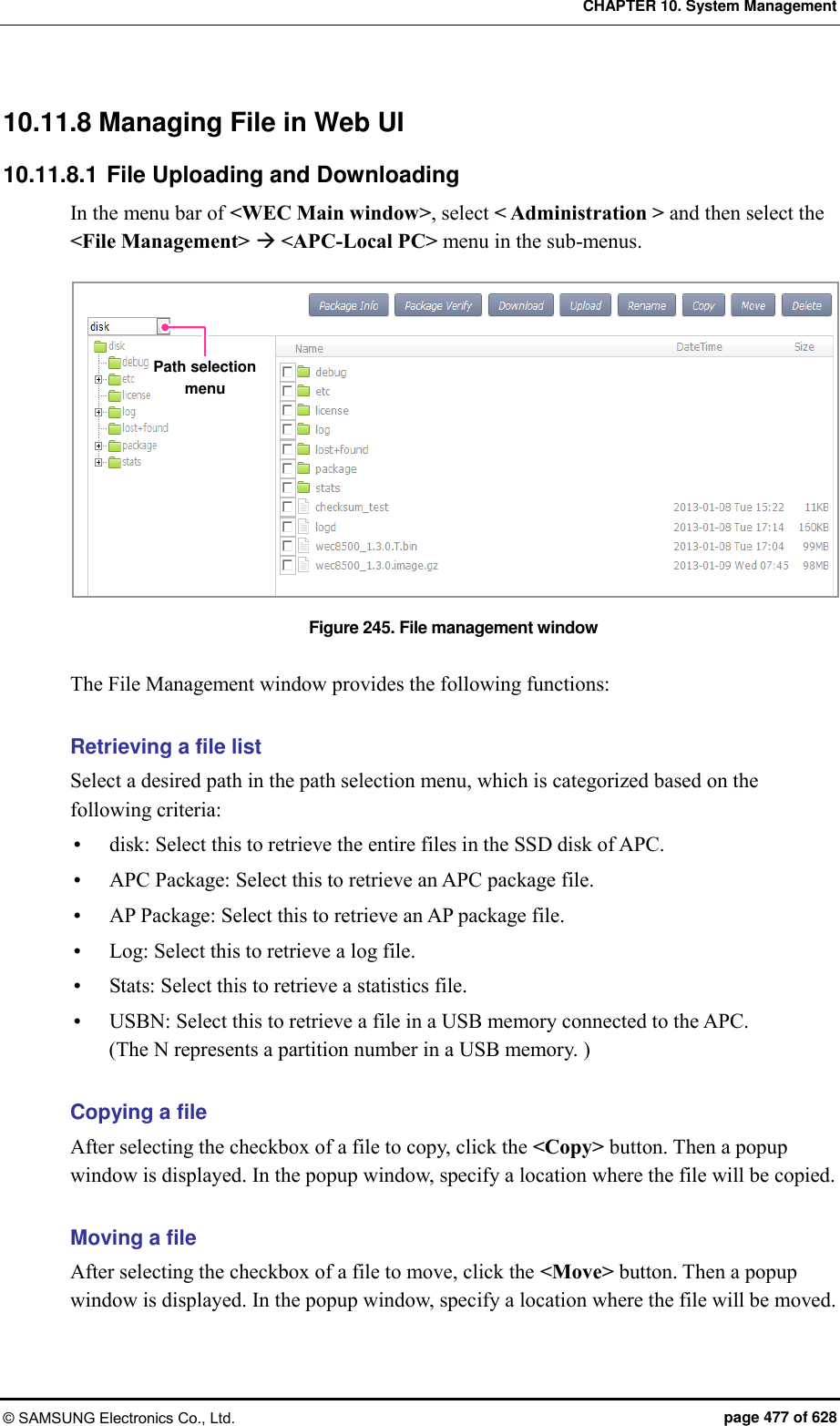
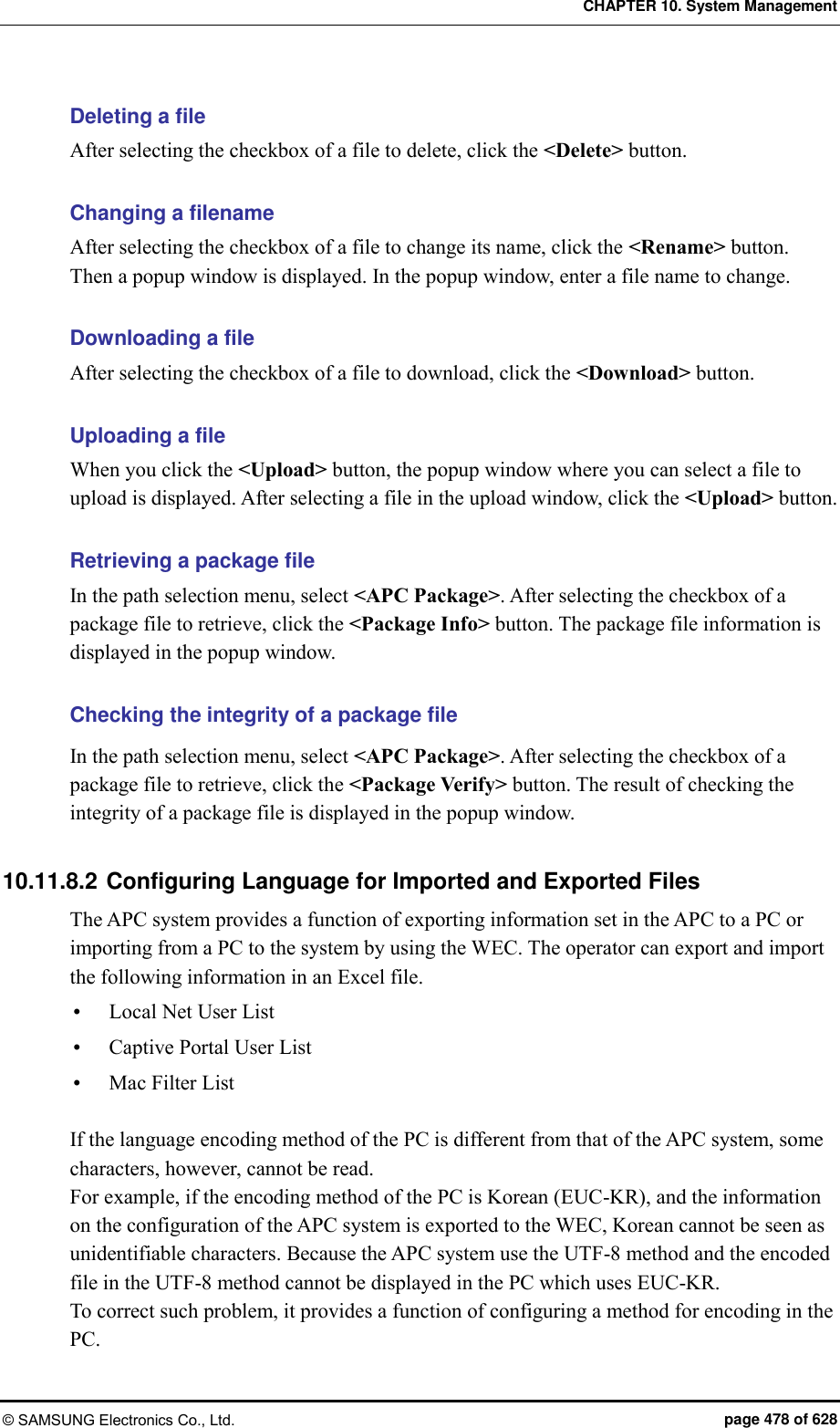
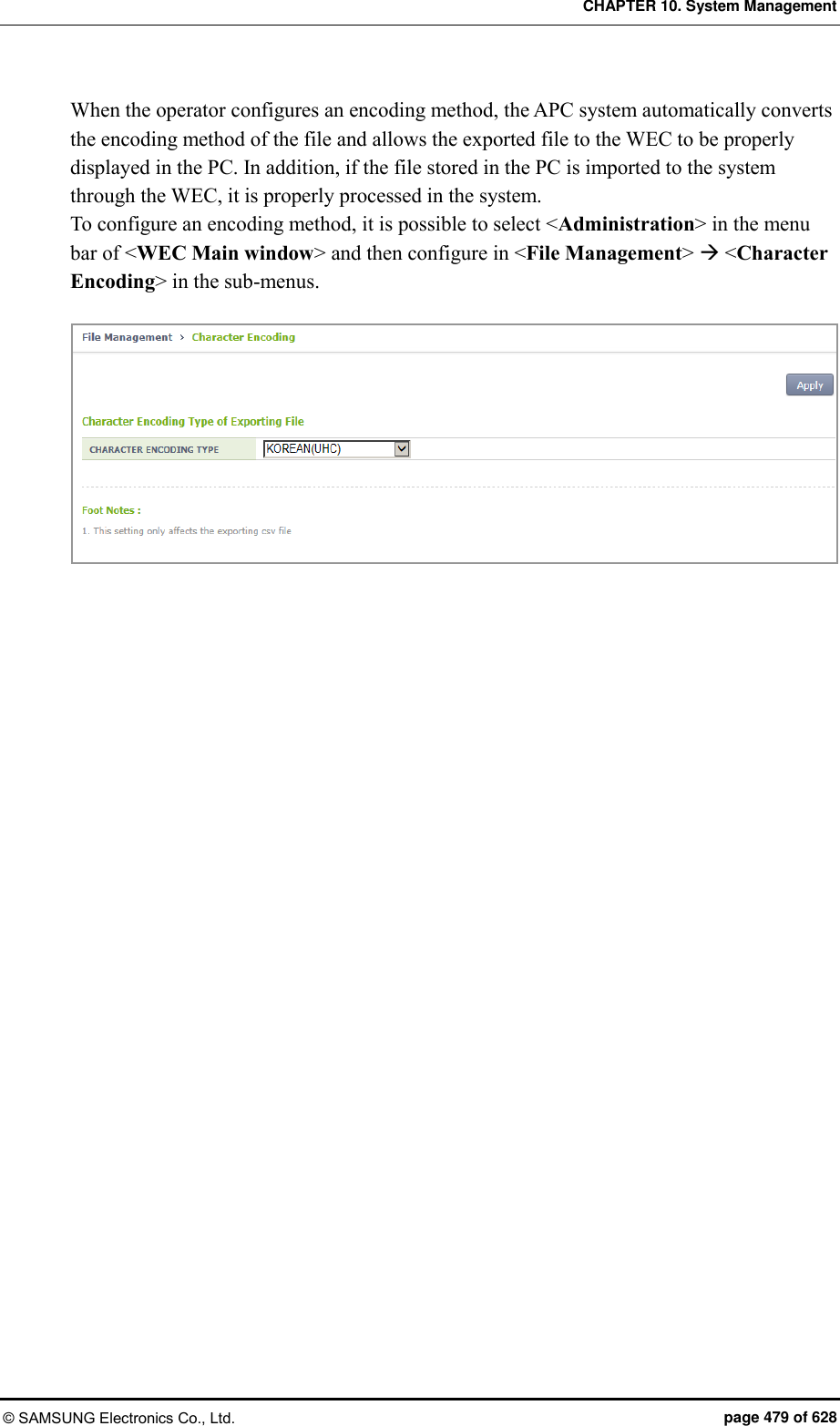
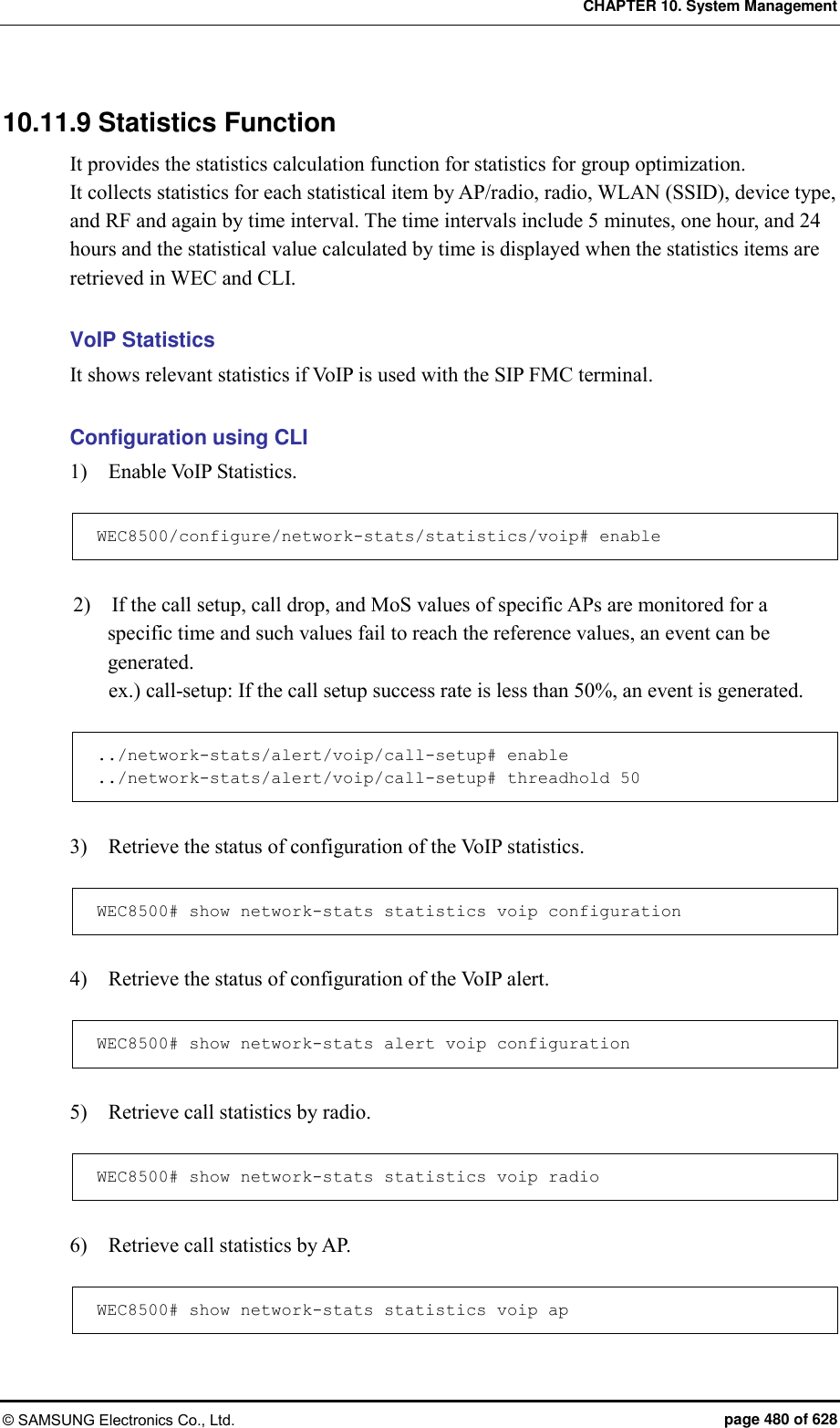
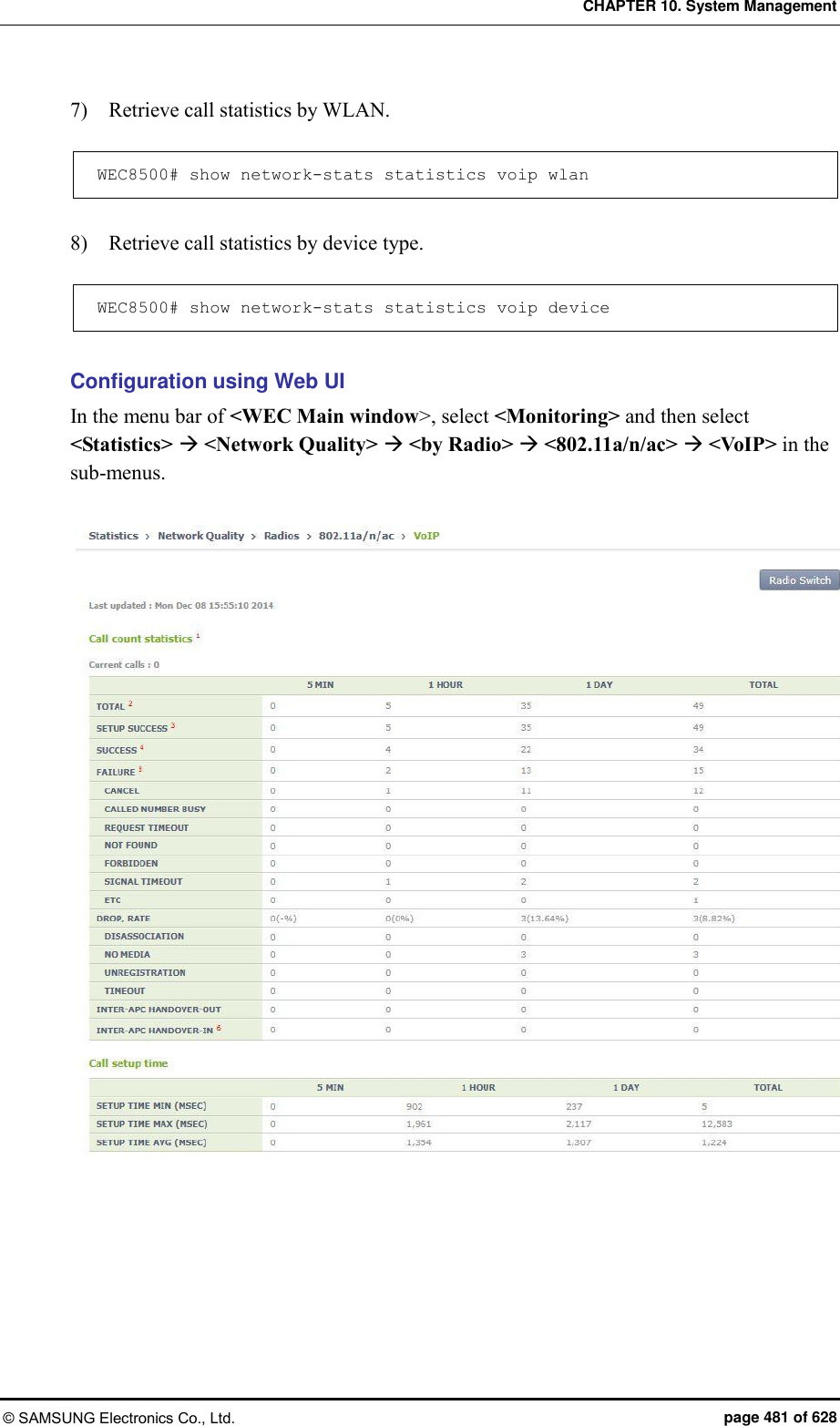
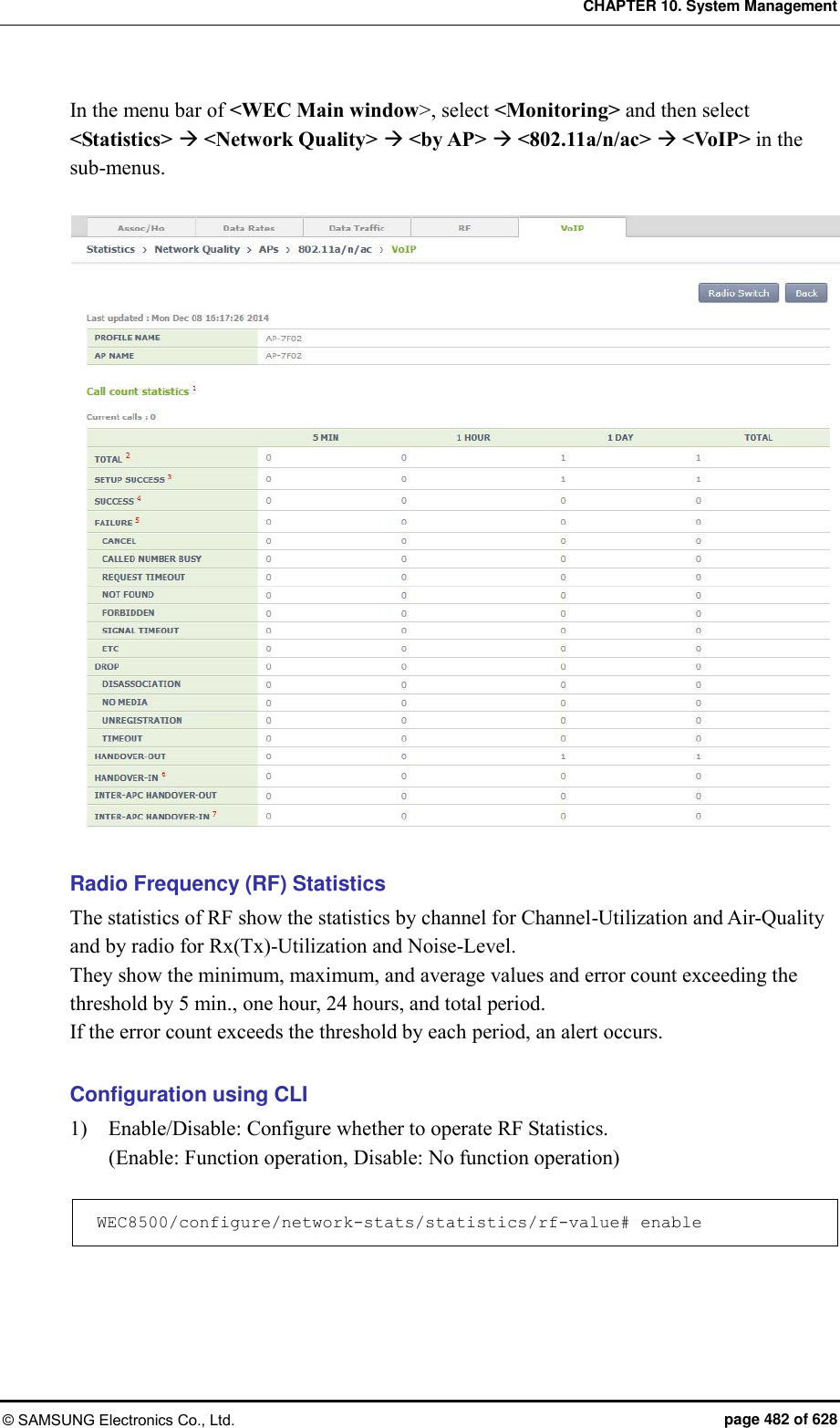
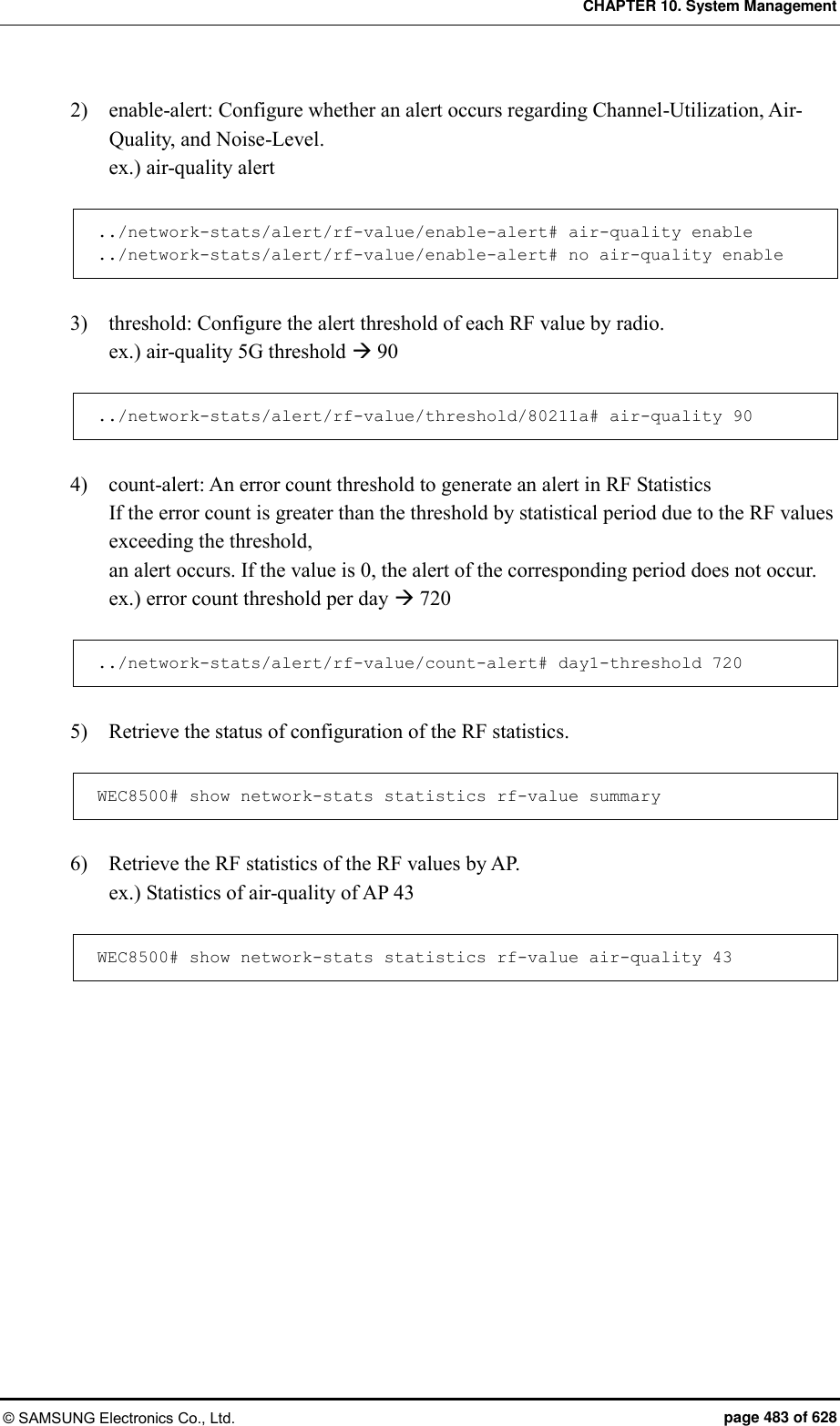
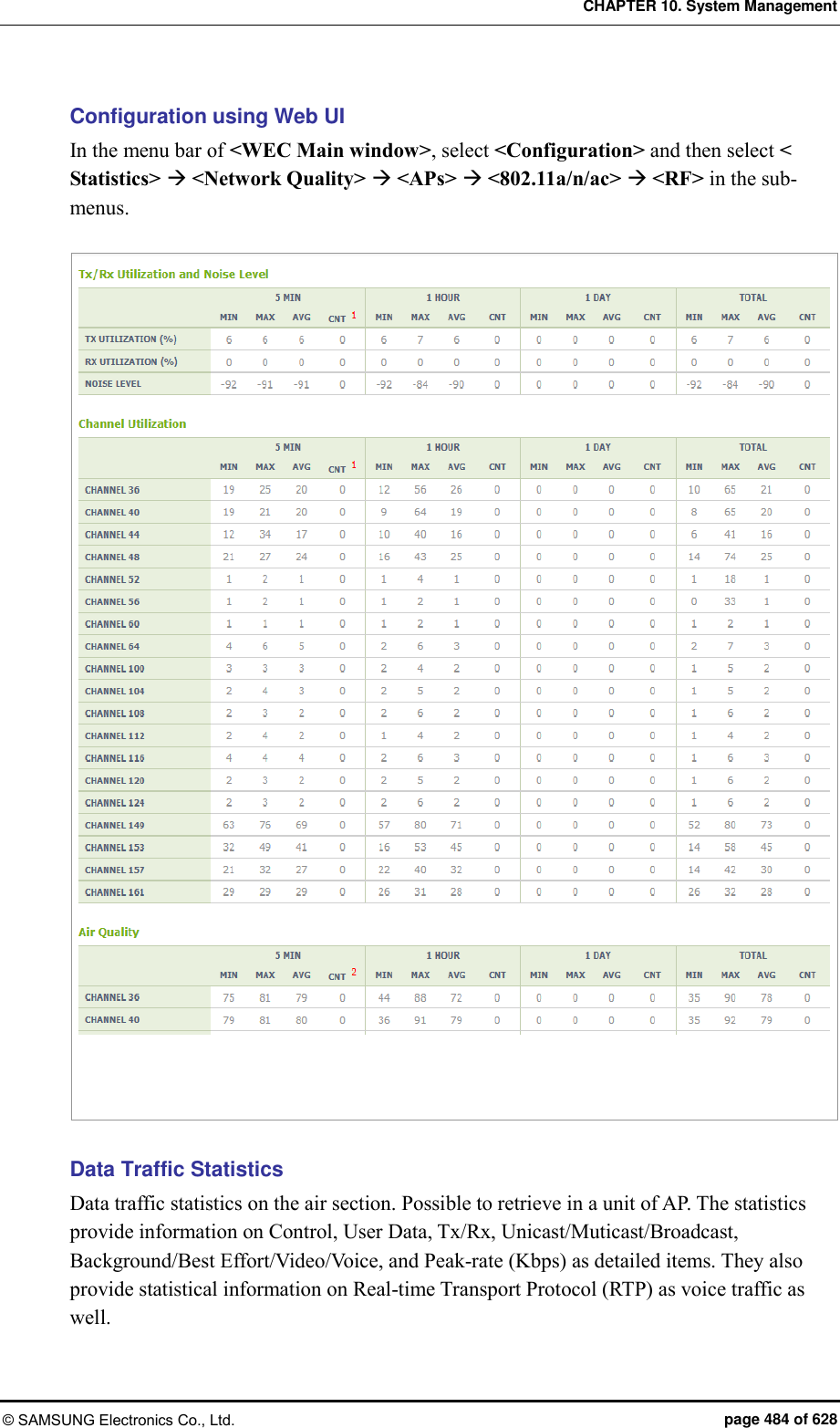
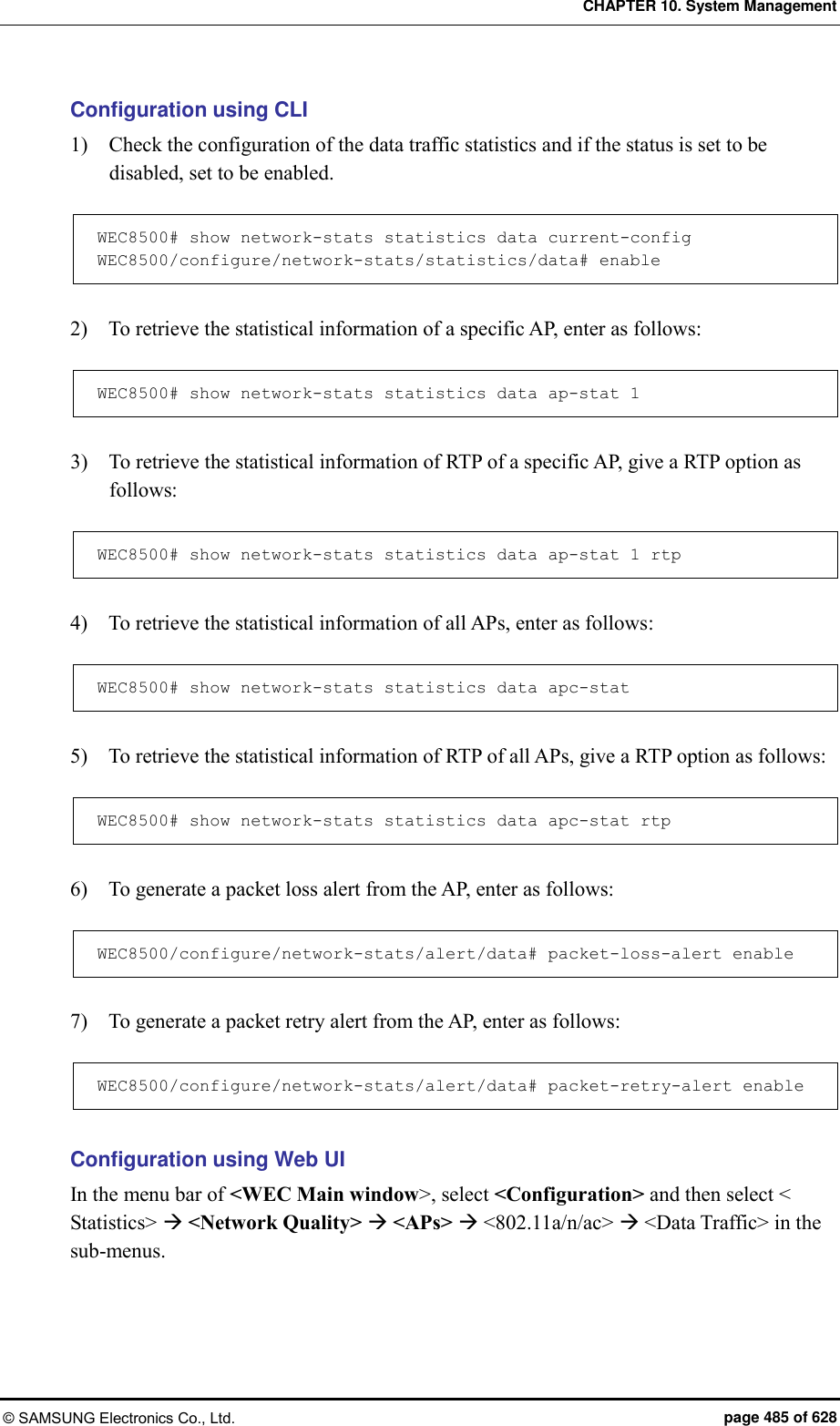
![CHAPTER 10. System Management © SAMSUNG Electronics Co., Ltd. page 486 of 628 Station Statistics They provide the statistics of the network optimization to check service, tracking, debugging, status transition, etc. of a station. Main statistics items provided include station latency upon connection and handover, attempt count, statistics by failure reason, RSSI, success rate, data rate by AP, Disassoc/Deauth statistics, statistics by reason, handover path statistics, kickout statistics by AP, number of users, scanning statistics by AP, etc. and provide such statistics by 5 min., one hour, 24 hours, and total period by WLAN, AP, Radio, and Device Type. Configuration using CLI 1) Enable or disable station network statistics. network-stats statistics station [MODE] Parameter Description Mode Whether to configure network statistics - enable: Setting - disable: Release (by default) APC# configure terminal APC/configure# network-stats statistics station enable Enabled Station Net-Stats APC/configure# no network-stats statistics station enable Disabled Station Net-Stat 2) Enable or disable station statistics alert. network-stats alert station [MODE] Parameter Description Mode Whether to configure network statistics alert - enable: Set (by default) - disable: Cleared APC/configure# network-stats alert station enable Enabled Station Net-Stats Alert APC/configure# no network-stats alert station enable Disabled Station Net-Stats Alert](https://usermanual.wiki/Samsung-Electronics-Co/WEA453E.APC-Operational-Manual-Professional-Installation-Guide-2-of-2/User-Guide-2529438-Page-186.png)
![CHAPTER 10. System Management © SAMSUNG Electronics Co., Ltd. page 487 of 628 3) Configure the alert period (Duration). network-stats alert station alert-duration [VALUE] Parameter Description VALUE 30~60 Min. (default: 30 min) APC/configure# network-stats alert station alert-duration 40 Alert Duration: 40 4) Configure the alert boundary value of the assoc. success rate. network-stats alert station alert-assoc-rate [VALUE] Parameter Description VALUE 10-90 % (default: 30 %) APC/configure# network-stats alert station alert-assoc-rate 50 Assoc. Success Rate Alert Threshold: 50 % 5) Configure the alert boundary value of the assoc. RSSI. network-stats alert station alert-assoc-rssi [VALUE] Parameter Description VALUE -100~-50 dBm (default: -85 dBm) APC/configure# network-stats alert station alert-assoc-rssi -90 Assoc & Reassoc RSSI Alert Threshold: -90 % 6) Configure the alert boundary value of the disassoc. attempt count. network-stats alert station alert-assoc-try [VALUE] Parameter Description VALUE 10~1000 (default: 30) APC/configure# network-stats alert station alert-assoc-try 40 Assoc Try Alert Threshold: 40](https://usermanual.wiki/Samsung-Electronics-Co/WEA453E.APC-Operational-Manual-Professional-Installation-Guide-2-of-2/User-Guide-2529438-Page-187.png)
![CHAPTER 10. System Management © SAMSUNG Electronics Co., Ltd. page 488 of 628 7) Configure the alert boundary value of the disassoc. attempt count. network-stats alert station alert-disassoc-try [VALUE] Parameter Description VALUE 2~1000 (default: 30) APC/configure# network-stats alert station alert-disassoc-try 40 Disassoc Try Alert Threshold: 40 8) Configure the alert boundary value of the handover success rate. network-stats alert station alert-handover-rate [VALUE] Parameter Description VALUE 10-90 % (default: 50 %) APC/configure# network-stats alert station alert-handover-rate 50 Handover Rate Alert Threshold: 50 % 9) Configure the alert boundary value of the handover attempt count. network-stats alert station alert-handover-try [VALUE] Parameter Description VALUE 10~1000 (default: 30) APC/configure# network-stats alert station alert-handover-try 40 Handover Try Alert Threshold: 40 10) Configure the max entry value of the target in the station network statistics. network-stats alert station alert-max-db [MODE] Parameter Description VALUE 1000~50000 (default: 10000) APC/configure# network-stats alert station alert-max-db 5000 Max Alert DB Number : 5000](https://usermanual.wiki/Samsung-Electronics-Co/WEA453E.APC-Operational-Manual-Professional-Installation-Guide-2-of-2/User-Guide-2529438-Page-188.png)
![CHAPTER 10. System Management © SAMSUNG Electronics Co., Ltd. page 489 of 628 Checking Statistical Information Using CLI 1) Check the station association latency (by AP/Device/Radio/WLAN). ex.) by WLAN APC# show network-stats statistics station association latency wlan 1 Station Association Latency [WLAN ID (1)]: [Total] Station Association Latency Minimum............... 0 ms Station Association Latency Maximum............... 0 ms Station Association Latency Average............... 0 ms Station Association Latency Total Count........... 0 [5 Min] Station Association Latency Minimum............... 0 ms Station Association Latency Maximum............... 0 ms Station Association Latency Average............... 0 ms Station Association Latency Total Count........... 0 [1 Hour] Station Association Latency Minimum............... 0 ms Station Association Latency Maximum............... 0 ms Station Association Latency Average............... 0 ms Station Association Latency Total Count........... 0 [1 Day] Station Association Latency Minimum............... 0 ms Station Association Latency Maximum............... 0 ms Station Association Latency Average............... 0 ms Station Association Latency Total Count........... 0 2) Check the station association attempt count (by AP/Device/Radio/WLAN). ex.) by WLAN APC# show network-stats statistics station association num-of-attempt-assoc wlan 1 [WLAN ID (1)] Reason Total 5Min 1Hour 1Day ============================================================================== AssocAttempt 0 0 0 0](https://usermanual.wiki/Samsung-Electronics-Co/WEA453E.APC-Operational-Manual-Professional-Installation-Guide-2-of-2/User-Guide-2529438-Page-189.png)
![CHAPTER 10. System Management © SAMSUNG Electronics Co., Ltd. page 490 of 628 3) Check the statistics by station association failure reason (by AP/Device/Radio/WLAN). ex.) by WLAN APC# show network-stats statistics station association num-of-fail-by-reason wlan 1 [WLAN ID (1)] Reason Total 5Min 1Hour 1Day ============================================================================== UNSPECIFIED 0 0 0 0 PREV_AUTH_NOT_VALID 0 0 0 0 DEAUTH_LEAVING 0 0 0 0 DISASSOC_DUE_TO_INACTIVITY 0 0 0 0 DISASSOC_AP_BUSY 0 0 0 0 CLASS2_FRAME_FROM_NONAUTH_STA 0 0 0 0 CLASS3_FRAME_FROM_NONASSOC_STA 0 0 0 0 DISASSOC_STA_HAS_LEFT 0 0 0 0 STA_REQ_ASSOC_WITHOUT_AUTH 0 0 0 0 PWR_CAPABILITY_NOT_VALID 0 0 0 0 SUPPORTED_CHANNEL_NOT_VALID 0 0 0 0 INVALID_IE 0 0 0 0 MICHAEL_MIC_FAILURE 0 0 0 0 4WAY_HANDSHAKE_TIMEOUT 0 0 0 0 GROUP_KEY_UPDATE_TIMEOUT 0 0 0 0 IE_IN_4WAY_DIFFERS 0 0 0 0 GROUP_CIPHER_NOT_VALID 0 0 0 0 PAIRWISE_CIPHER_NOT_VALID 0 0 0 0 AKMP_NOT_VALID 0 0 0 0 UNSUPPORTED_RSN_IE_VERSION 0 0 0 0 INVALID_RSN_IE_CAPAB 0 0 0 0 IEEE_802_1X_AUTH_FAILED 0 0 0 0 CIPHER_SUITE_REJECTED 0 0 0 0 TDLS_TEARDOWN_UNREACHABLE 0 0 0 0 TDLS_TEARDOWN_UNSPECIFIED 0 0 0 0 TOO_MANY 0 0 0 0 STAION_RETRY_THRESHOLD 0 0 0 0 ACL_KICKOUT 0 0 0 0 AUTH_IDLE_TIMEOUT 0 0 0 0 AUTH_IN_ASSOC_STATE 0 0 0 0 WRONG_STA 0 0 0 0 EXPIRED_SERVICE_TIME 0 0 0 0 MAC_AUTH_TIMEOUT 0 0 0 0 MAC_AUTH_REJECT 0 0 0 0 MANUAL_KICKOUT 0 0 0 0 MALICIOUS_STA_STATISTICS 0 0 0 0 KICKOUT_MAC_FILTER 0 0 0 0 KICKOUT_INVALID_IP 0 0 0 0 KICKOUT_ACL 0 0 0 0 INTER_APC_HO 0 0 0 0 CLUSTER_DOWN 0 0 0 0 VAP_DOWN 0 0 0 0](https://usermanual.wiki/Samsung-Electronics-Co/WEA453E.APC-Operational-Manual-Professional-Installation-Guide-2-of-2/User-Guide-2529438-Page-190.png)
![CHAPTER 10. System Management © SAMSUNG Electronics Co., Ltd. page 491 of 628 4) Check the station association RSSI MIN/MAX/AVG statistics (by AP/Device/Radio/WLAN). ex.) by WLAN APC# show network-stats statistics station association rssi wlan 1 [WLAN ID (1)] Reason Total 5Min 1Hour 1Day ============================================================================== Minimum 0 0 0 0 Maximum 0 0 0 0 Average 0 0 0 0 5) Check the station association success rate statistics (by AP/Device/Radio/WLAN). ex.) by WLAN APC# show network-stats statistics station association success-rate wlan 1 Station Association Success Rate [WLAN ID (1)]: [Total] Station Association Succ Try...................... 0 Station Association Succ Success.................. 0 Station Association Succ Failure.................. 0 Station Association Succ Rate(%).................. 0.000000 % [5 Min] Station Association Succ Try...................... 0 Station Association Succ Success.................. 0 Station Association Succ Failure.................. 0 Station Association Succ Rate(%).................. 0.000000 % [1 Hour] Station Association Succ Try...................... 0 Station Association Succ Success.................. 0 Station Association Succ Failure.................. 0 Station Association Succ Rate(%).................. 0.000000 % [1 Day] Station Association Succ Try...................... 0 Station Association Succ Success.................. 0 Station Association Succ Failure.................. 0 Station Association Succ Rate(%).................. 0.000000 % 6) Check the statistics of station data rate (by AP/Radio). ex.) by AP/Radio APC# show network-stats statistics station data-rate 1 [AP ID (1), Radio 5-GHz] 802.11b/g_TxCount](https://usermanual.wiki/Samsung-Electronics-Co/WEA453E.APC-Operational-Manual-Professional-Installation-Guide-2-of-2/User-Guide-2529438-Page-191.png)
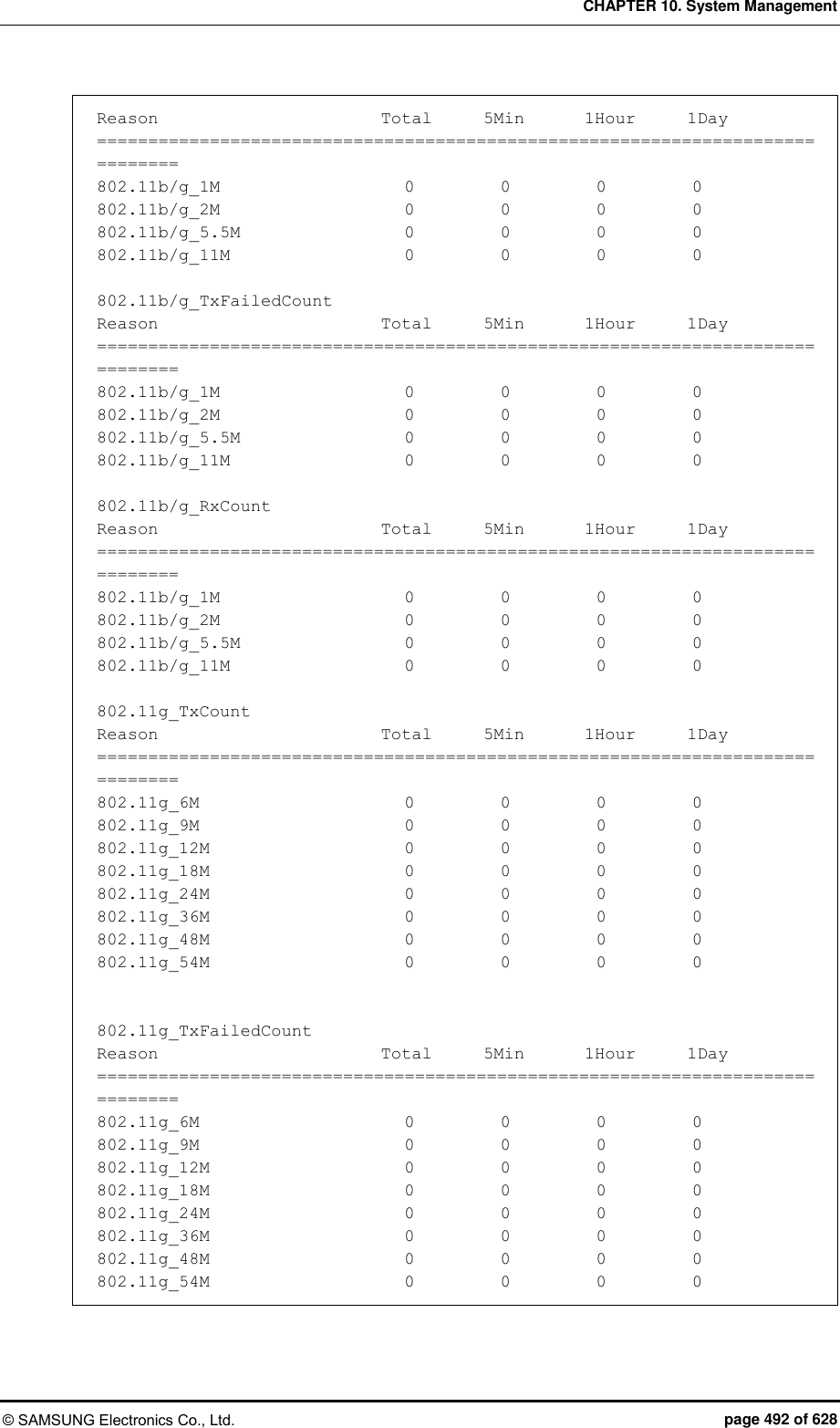
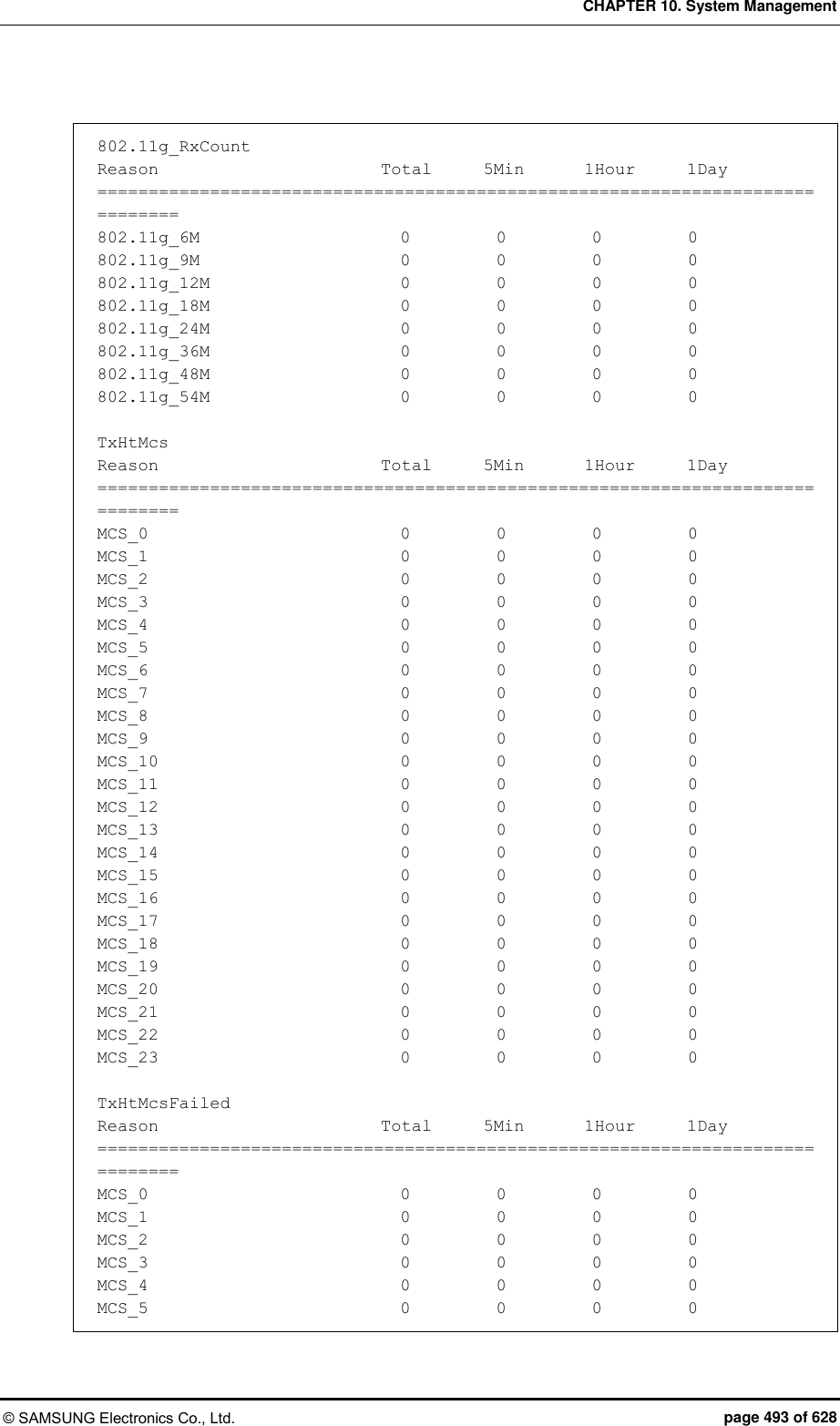
![CHAPTER 10. System Management © SAMSUNG Electronics Co., Ltd. page 495 of 628 11AC_MCS[0][0] 0 0 0 0 11AC_MCS[0][1] 0 0 0 0 11AC_MCS[0][2] 0 0 0 0 11AC_MCS[0][3] 0 0 0 0 11AC_MCS[0][4] 0 0 0 0 11AC_MCS[0][5] 0 0 0 0 11AC_MCS[0][6] 0 0 0 0 11AC_MCS[0][7] 0 0 0 0 11AC_MCS[0][8] 0 0 0 0 11AC_MCS[0][9] 0 0 0 0 11AC_MCS[1][0] 0 0 0 0 11AC_MCS[1][1] 0 0 0 0 11AC_MCS[1][2] 0 0 0 0 11AC_MCS[1][3] 0 0 0 0 11AC_MCS[1][4] 0 0 0 0 11AC_MCS[1][5] 0 0 0 0 11AC_MCS[1][6] 0 0 0 0 11AC_MCS[1][7] 0 0 0 0 11AC_MCS[1][8] 0 0 0 0 11AC_MCS[1][9] 0 0 0 0 11AC_MCS[2][0] 0 0 0 0 11AC_MCS[2][1] 0 0 0 0 11AC_MCS[2][2] 0 0 0 0 11AC_MCS[2][3] 0 0 0 0 11AC_MCS[2][4] 0 0 0 0 11AC_MCS[2][5] 0 0 0 0 11AC_MCS[2][6] 0 0 0 0 11AC_MCS[2][7] 0 0 0 0 11AC_MCS[2][8] 0 0 0 0 11AC_MCS[2][9] 0 0 0 0 TxVhtMcsFailed Reason Total 5Min 1Hour 1Day ============================================================================== 11AC_MCS[0][0] 0 0 0 0 11AC_MCS[0][1] 0 0 0 0 11AC_MCS[0][2] 0 0 0 0 11AC_MCS[0][3] 0 0 0 0 11AC_MCS[0][4] 0 0 0 0 11AC_MCS[0][5] 0 0 0 0 11AC_MCS[0][6] 0 0 0 0 11AC_MCS[0][7] 0 0 0 0 11AC_MCS[0][8] 0 0 0 0 11AC_MCS[0][9] 0 0 0 0 11AC_MCS[1][0] 0 0 0 0 11AC_MCS[1][1] 0 0 0 0 11AC_MCS[1][2] 0 0 0 0 11AC_MCS[1][3] 0 0 0 0 11AC_MCS[1][4] 0 0 0 0 11AC_MCS[1][5] 0 0 0 0 11AC_MCS[1][6] 0 0 0 0](https://usermanual.wiki/Samsung-Electronics-Co/WEA453E.APC-Operational-Manual-Professional-Installation-Guide-2-of-2/User-Guide-2529438-Page-195.png)
![CHAPTER 10. System Management © SAMSUNG Electronics Co., Ltd. page 496 of 628 11AC_MCS[1][7] 0 0 0 0 11AC_MCS[1][8] 0 0 0 0 11AC_MCS[1][9] 0 0 0 0 11AC_MCS[2][0] 0 0 0 0 11AC_MCS[2][1] 0 0 0 0 11AC_MCS[2][2] 0 0 0 0 11AC_MCS[2][3] 0 0 0 0 11AC_MCS[2][4] 0 0 0 0 11AC_MCS[2][5] 0 0 0 0 11AC_MCS[2][6] 0 0 0 0 11AC_MCS[2][7] 0 0 0 0 11AC_MCS[2][8] 0 0 0 0 11AC_MCS[2][9] 0 0 0 0 RxVhtMcs Reason Total 5Min 1Hour 1Day ============================================================================== 11AC_MCS[0][0] 0 0 0 0 11AC_MCS[0][1] 0 0 0 0 11AC_MCS[0][2] 0 0 0 0 11AC_MCS[0][3] 0 0 0 0 11AC_MCS[0][4] 0 0 0 0 11AC_MCS[0][5] 0 0 0 0 11AC_MCS[0][6] 0 0 0 0 11AC_MCS[0][7] 0 0 0 0 11AC_MCS[0][8] 0 0 0 0 11AC_MCS[0][9] 0 0 0 0 11AC_MCS[1][0] 0 0 0 0 11AC_MCS[1][1] 0 0 0 0 11AC_MCS[1][2] 0 0 0 0 11AC_MCS[1][3] 0 0 0 0 11AC_MCS[1][4] 0 0 0 0 11AC_MCS[1][5] 0 0 0 0 11AC_MCS[1][6] 0 0 0 0 11AC_MCS[1][7] 0 0 0 0 11AC_MCS[1][8] 0 0 0 0 11AC_MCS[1][9] 0 0 0 0 11AC_MCS[2][0] 0 0 0 0 11AC_MCS[2][1] 0 0 0 0 11AC_MCS[2][2] 0 0 0 0 11AC_MCS[2][3] 0 0 0 0 11AC_MCS[2][4] 0 0 0 0 11AC_MCS[2][5] 0 0 0 0 11AC_MCS[2][6] 0 0 0 0 11AC_MCS[2][7] 0 0 0 0 11AC_MCS[2][8] 0 0 0 0 11AC_MCS[2][9] 0 0 0 0 [AP ID (1), Radio 2.4-GHz] 802.11b/g_TxCount Reason Total 5Min 1Hour 1Day](https://usermanual.wiki/Samsung-Electronics-Co/WEA453E.APC-Operational-Manual-Professional-Installation-Guide-2-of-2/User-Guide-2529438-Page-196.png)
![CHAPTER 10. System Management © SAMSUNG Electronics Co., Ltd. page 500 of 628 ============================================================================== 11AC_MCS[0][0] 0 0 0 0 11AC_MCS[0][1] 0 0 0 0 11AC_MCS[0][2] 0 0 0 0 11AC_MCS[0][3] 0 0 0 0 11AC_MCS[0][4] 0 0 0 0 11AC_MCS[0][5] 0 0 0 0 11AC_MCS[0][6] 0 0 0 0 11AC_MCS[0][7] 0 0 0 0 11AC_MCS[0][8] 0 0 0 0 11AC_MCS[0][9] 0 0 0 0 11AC_MCS[1][0] 0 0 0 0 11AC_MCS[1][1] 0 0 0 0 11AC_MCS[1][2] 0 0 0 0 11AC_MCS[1][3] 0 0 0 0 11AC_MCS[1][4] 0 0 0 0 11AC_MCS[1][5] 0 0 0 0 11AC_MCS[1][6] 0 0 0 0 11AC_MCS[1][7] 0 0 0 0 11AC_MCS[1][8] 0 0 0 0 11AC_MCS[1][9] 0 0 0 0 11AC_MCS[2][0] 0 0 0 0 11AC_MCS[2][1] 0 0 0 0 11AC_MCS[2][2] 0 0 0 0 11AC_MCS[2][3] 0 0 0 0 11AC_MCS[2][4] 0 0 0 0 11AC_MCS[2][5] 0 0 0 0 11AC_MCS[2][6] 0 0 0 0 11AC_MCS[2][7] 0 0 0 0 11AC_MCS[2][8] 0 0 0 0 11AC_MCS[2][9] 0 0 0 0 TxVhtMcsFailed Reason Total 5Min 1Hour 1Day ============================================================================== 11AC_MCS[0][0] 0 0 0 0 11AC_MCS[0][1] 0 0 0 0 11AC_MCS[0][2] 0 0 0 0 11AC_MCS[0][3] 0 0 0 0 11AC_MCS[0][4] 0 0 0 0 11AC_MCS[0][5] 0 0 0 0 11AC_MCS[0][6] 0 0 0 0 11AC_MCS[0][7] 0 0 0 0 11AC_MCS[0][8] 0 0 0 0 11AC_MCS[0][9] 0 0 0 0 11AC_MCS[1][0] 0 0 0 0 11AC_MCS[1][1] 0 0 0 0 11AC_MCS[1][2] 0 0 0 0 11AC_MCS[1][3] 0 0 0 0 11AC_MCS[1][4] 0 0 0 0](https://usermanual.wiki/Samsung-Electronics-Co/WEA453E.APC-Operational-Manual-Professional-Installation-Guide-2-of-2/User-Guide-2529438-Page-200.png)
![CHAPTER 10. System Management © SAMSUNG Electronics Co., Ltd. page 501 of 628 11AC_MCS[1][5] 0 0 0 0 11AC_MCS[1][6] 0 0 0 0 11AC_MCS[1][7] 0 0 0 0 11AC_MCS[1][8] 0 0 0 0 11AC_MCS[1][9] 0 0 0 0 11AC_MCS[2][0] 0 0 0 0 11AC_MCS[2][1] 0 0 0 0 11AC_MCS[2][2] 0 0 0 0 11AC_MCS[2][3] 0 0 0 0 11AC_MCS[2][4] 0 0 0 0 11AC_MCS[2][5] 0 0 0 0 11AC_MCS[2][6] 0 0 0 0 11AC_MCS[2][7] 0 0 0 0 11AC_MCS[2][8] 0 0 0 0 11AC_MCS[2][9] 0 0 0 0 RxVhtMcs Reason Total 5Min 1Hour 1Day ============================================================================== 11AC_MCS[0][0] 0 0 0 0 11AC_MCS[0][1] 0 0 0 0 11AC_MCS[0][2] 0 0 0 0 11AC_MCS[0][3] 0 0 0 0 11AC_MCS[0][4] 0 0 0 0 11AC_MCS[0][5] 0 0 0 0 11AC_MCS[0][6] 0 0 0 0 11AC_MCS[0][7] 0 0 0 0 11AC_MCS[0][8] 0 0 0 0 11AC_MCS[0][9] 0 0 0 0 11AC_MCS[1][0] 0 0 0 0 11AC_MCS[1][1] 0 0 0 0 11AC_MCS[1][2] 0 0 0 0 11AC_MCS[1][3] 0 0 0 0 11AC_MCS[1][4] 0 0 0 0 11AC_MCS[1][5] 0 0 0 0 11AC_MCS[1][6] 0 0 0 0 11AC_MCS[1][7] 0 0 0 0 11AC_MCS[1][8] 0 0 0 0 11AC_MCS[1][9] 0 0 0 0 11AC_MCS[2][0] 0 0 0 0 11AC_MCS[2][1] 0 0 0 0 11AC_MCS[2][2] 0 0 0 0 11AC_MCS[2][3] 0 0 0 0 11AC_MCS[2][4] 0 0 0 0 11AC_MCS[2][5] 0 0 0 0 11AC_MCS[2][6] 0 0 0 0 11AC_MCS[2][7] 0 0 0 0 11AC_MCS[2][8] 0 0 0 0 11AC_MCS[2][9] 0 0 0 0](https://usermanual.wiki/Samsung-Electronics-Co/WEA453E.APC-Operational-Manual-Professional-Installation-Guide-2-of-2/User-Guide-2529438-Page-201.png)
![CHAPTER 10. System Management © SAMSUNG Electronics Co., Ltd. page 502 of 628 7) Check the statistics by station disassoc./Deauth reason (by AP/Device/Radio/WLAN). ex.) by WLAN APC# show network-stats statistics station disassoc-deauth wlan 1 [WLAN ID (1)] number of In/Out Reason Total 5Min 1Hour 1Day ============================================================================== DisassocIn 0 0 0 0 DeauthIn 0 0 0 0 DisassocOut 0 0 0 0 DeauthOut 0 0 0 0 DisassocInReason Reason Total 5Min 1Hour 1Day ============================================================================== UNSPECIFIED 0 0 0 0 PREV_AUTH_NOT_VALID 0 0 0 0 DEAUTH_LEAVING 0 0 0 0 DISASSOC_DUE_TO_INACTIVITY 0 0 0 0 DISASSOC_AP_BUSY 0 0 0 0 CLASS2_FRAME_FROM_NONAUTH_STA 0 0 0 0 CLASS3_FRAME_FROM_NONASSOC_STA 0 0 0 0 DISASSOC_STA_HAS_LEFT 0 0 0 0 STA_REQ_ASSOC_WITHOUT_AUTH 0 0 0 0 PWR_CAPABILITY_NOT_VALID 0 0 0 0 SUPPORTED_CHANNEL_NOT_VALID 0 0 0 0 INVALID_IE 0 0 0 0 MICHAEL_MIC_FAILURE 0 0 0 0 4WAY_HANDSHAKE_TIMEOUT 0 0 0 0 GROUP_KEY_UPDATE_TIMEOUT 0 0 0 0 IE_IN_4WAY_DIFFERS 0 0 0 0 GROUP_CIPHER_NOT_VALID 0 0 0 0 PAIRWISE_CIPHER_NOT_VALID 0 0 0 0 AKMP_NOT_VALID 0 0 0 0 UNSUPPORTED_RSN_IE_VERSION 0 0 0 0 INVALID_RSN_IE_CAPAB 0 0 0 0 IEEE_802_1X_AUTH_FAILED 0 0 0 0 CIPHER_SUITE_REJECTED 0 0 0 0 TDLS_TEARDOWN_UNREACHABLE 0 0 0 0 TDLS_TEARDOWN_UNSPECIFIED 0 0 0 0 TOO_MANY 0 0 0 0 STAION_RETRY_THRESHOLD 0 0 0 0 ACL_KICKOUT 0 0 0 0 AUTH_IDLE_TIMEOUT 0 0 0 0 AUTH_IN_ASSOC_STATE 0 0 0 0 WRONG_STA 0 0 0 0 EXPIRED_SERVICE_TIME 0 0 0 0 MAC_AUTH_TIMEOUT 0 0 0 0](https://usermanual.wiki/Samsung-Electronics-Co/WEA453E.APC-Operational-Manual-Professional-Installation-Guide-2-of-2/User-Guide-2529438-Page-202.png)
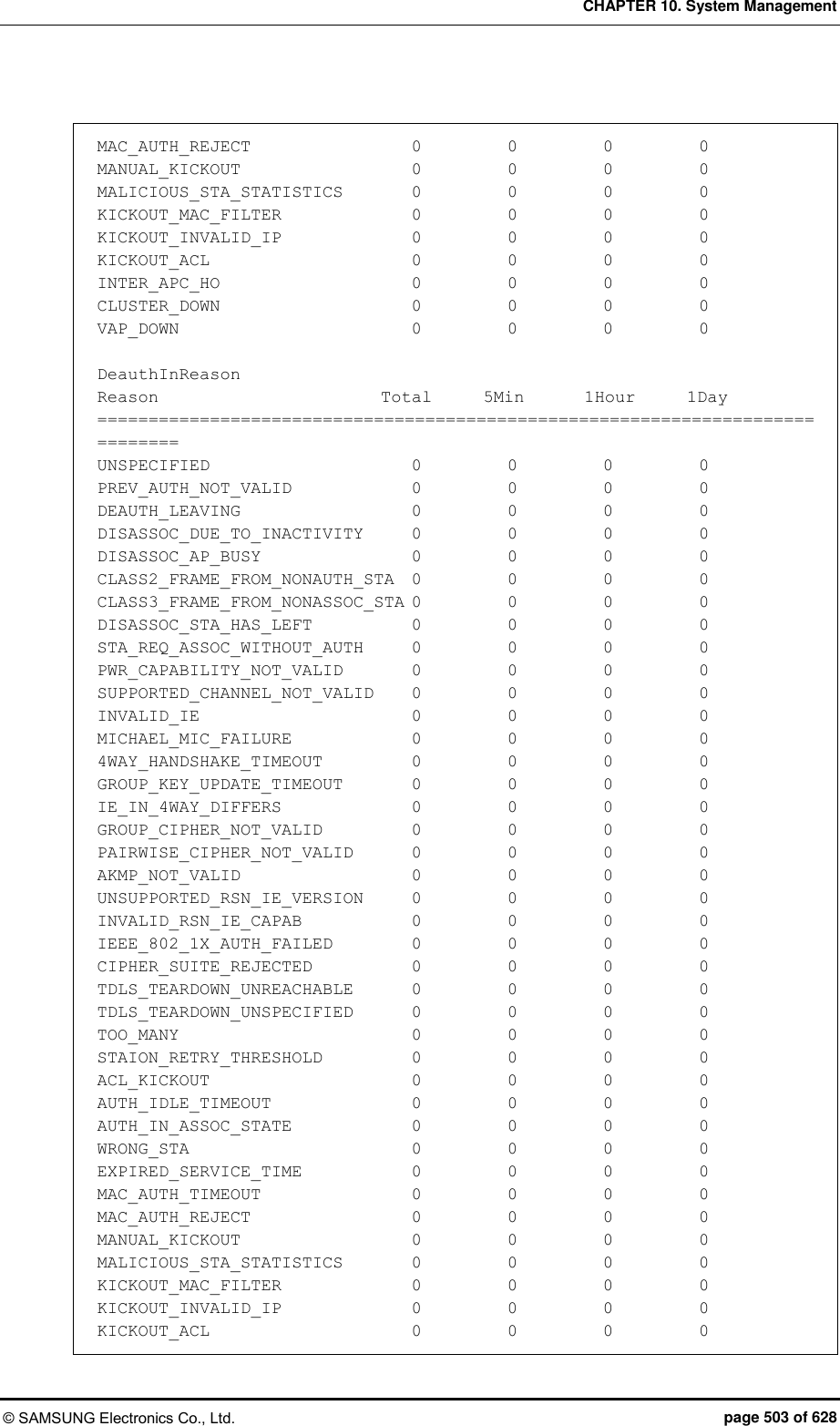
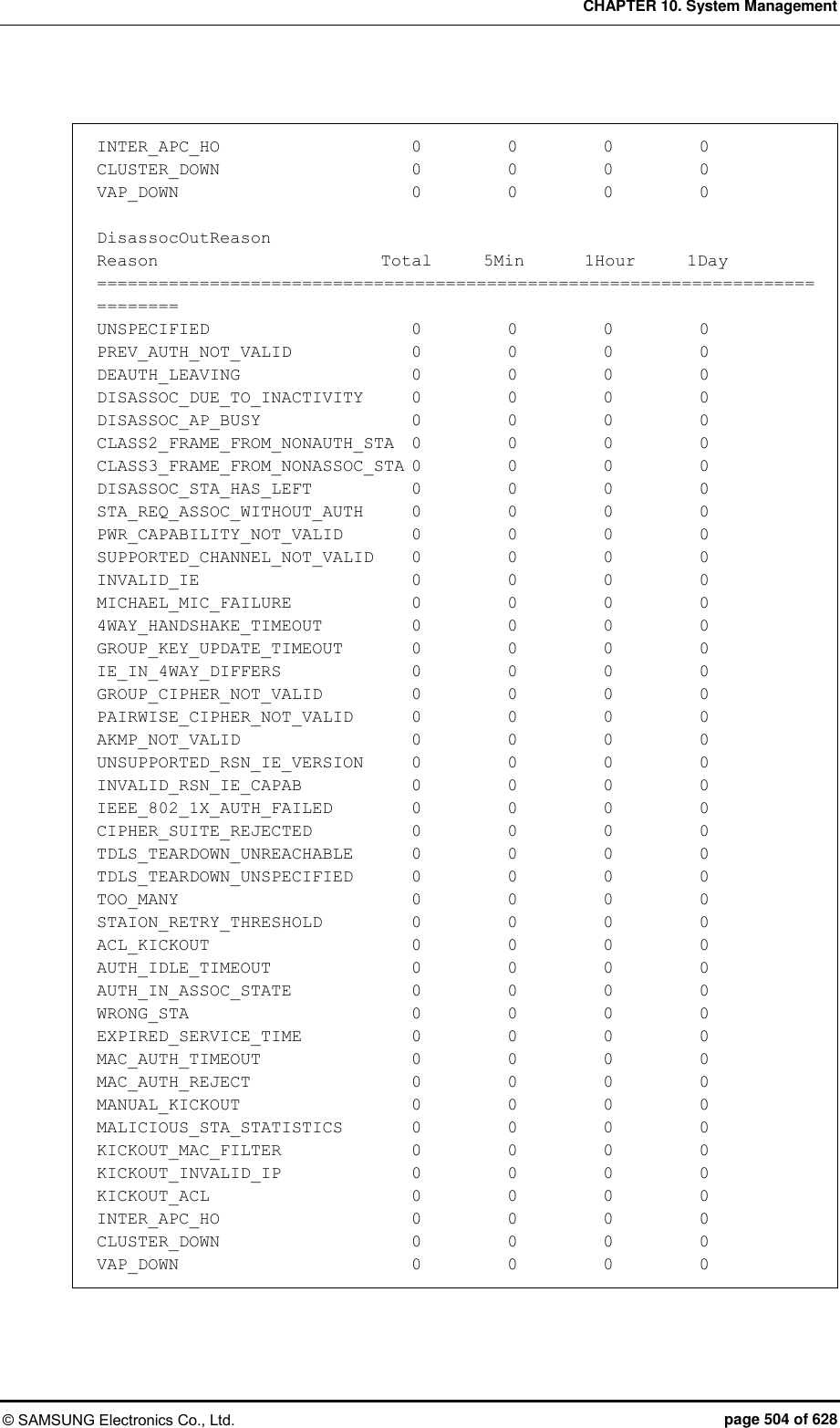
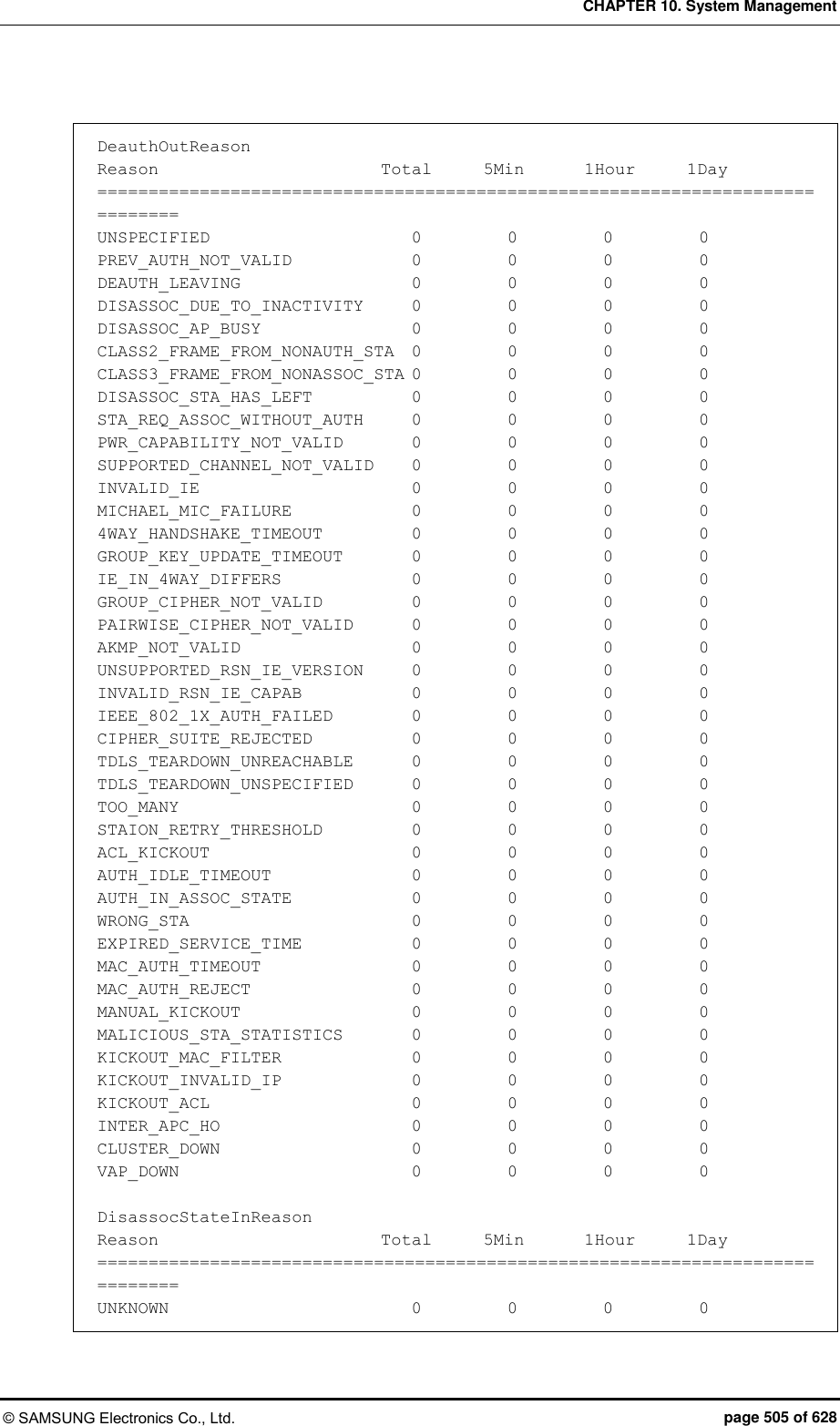
![CHAPTER 10. System Management © SAMSUNG Electronics Co., Ltd. page 506 of 628 AUTH 0 0 0 0 AUTH_SUCCESS 0 0 0 0 AUTH_FAILURE 0 0 0 0 IPFAIL 0 0 0 0 NORMAL 0 0 0 0 DeauthStateInReason Reason Total 5Min 1Hour 1Day ============================================================================== UNKNOWN 0 0 0 0 AUTH 0 0 0 0 AUTH_SUCCESS 0 0 0 0 AUTH_FAILURE 0 0 0 0 IPFAIL 0 0 0 0 NORMAL 0 0 0 0 DsassocStateOutReason Reason Total 5Min 1Hour 1Day ============================================================================== UNKNOWN 0 0 0 0 AUTH 0 0 0 0 AUTH_SUCCESS 0 0 0 0 AUTH_FAILURE 0 0 0 0 IPFAIL 0 0 0 0 NORMAL 0 0 0 0 DeauthStateOutReason Reason Total 5Min 1Hour 1Day ============================================================================== UNKNOWN 0 0 0 0 AUTH 0 0 0 0 AUTH_SUCCESS 0 0 0 0 AUTH_FAILURE 0 0 0 0 IPFAIL 0 0 0 0 NORMAL 0 0 0 0 8) Check the station handover latency (by AP/Device/Radio/WLAN). ex.) by WLAN APC# show network-stats statistics station hand-over latency wlan 1 Station H/O Latency [WLAN ID (1)]: [Total] Station H/O Latency Minimum....................... 0 ms Station H/O Latency Maximum....................... 0 ms Station H/O Latency Average....................... 0 ms Station H/O Latency Total Count................... 0](https://usermanual.wiki/Samsung-Electronics-Co/WEA453E.APC-Operational-Manual-Professional-Installation-Guide-2-of-2/User-Guide-2529438-Page-206.png)
![CHAPTER 10. System Management © SAMSUNG Electronics Co., Ltd. page 507 of 628 [5 Min] Station H/O Latency Minimum....................... 0 ms Station H/O Latency Maximum....................... 0 ms Station H/O Latency Average....................... 0 ms Station H/O Latency Total Count................... 0 [1 Hour] Station H/O Latency Minimum....................... 0 ms Station H/O Latency Maximum....................... 0 ms Station H/O Latency Average....................... 0 ms Station H/O Latency Total Count................... 0 [1 Day] Station H/O Latency Minimum....................... 0 ms Station H/O Latency Maximum....................... 0 ms Station H/O Latency Average....................... 0 ms Station H/O Latency Total Count................... 0 9) Check the station handover attempt count (by AP/Device/Radio/WLAN). ex.) by WLAN APC# show network-stats statistics station hand-over num-of-attempt-ho wlan 1 [WLAN ID (1)] Reason Total 5Min 1Hour 1Day ============================================================================== HandoverAttempt 0 0 0 0 10) Check the statistics by station handover failure reason (by AP/Device/Radio/WLAN). ex.) by WLAN APC# show network-stats statistics station hand-over num-of-fail-by-reason wlan 1 [WLAN ID (1)] Reason Total 5Min 1Hour 1Day ============================================================================== UNSPECIFIED 0 0 0 0 PREV_AUTH_NOT_VALID 0 0 0 0 DEAUTH_LEAVING 0 0 0 0 DISASSOC_DUE_TO_INACTIVITY 0 0 0 0 DISASSOC_AP_BUSY 0 0 0 0 CLASS2_FRAME_FROM_NONAUTH_STA 0 0 0 0 CLASS3_FRAME_FROM_NONASSOC_STA 0 0 0 0 DISASSOC_STA_HAS_LEFT 0 0 0 0 STA_REQ_ASSOC_WITHOUT_AUTH 0 0 0 0](https://usermanual.wiki/Samsung-Electronics-Co/WEA453E.APC-Operational-Manual-Professional-Installation-Guide-2-of-2/User-Guide-2529438-Page-207.png)
![CHAPTER 10. System Management © SAMSUNG Electronics Co., Ltd. page 508 of 628 PWR_CAPABILITY_NOT_VALID 0 0 0 0 SUPPORTED_CHANNEL_NOT_VALID 0 0 0 0 INVALID_IE 0 0 0 0 MICHAEL_MIC_FAILURE 0 0 0 0 4WAY_HANDSHAKE_TIMEOUT 0 0 0 0 GROUP_KEY_UPDATE_TIMEOUT 0 0 0 0 IE_IN_4WAY_DIFFERS 0 0 0 0 GROUP_CIPHER_NOT_VALID 0 0 0 0 PAIRWISE_CIPHER_NOT_VALID 0 0 0 0 AKMP_NOT_VALID 0 0 0 0 UNSUPPORTED_RSN_IE_VERSION 0 0 0 0 INVALID_RSN_IE_CAPAB 0 0 0 0 IEEE_802_1X_AUTH_FAILED 0 0 0 0 CIPHER_SUITE_REJECTED 0 0 0 0 TDLS_TEARDOWN_UNREACHABLE 0 0 0 0 TDLS_TEARDOWN_UNSPECIFIED 0 0 0 0 TOO_MANY 0 0 0 0 STAION_RETRY_THRESHOLD 0 0 0 0 ACL_KICKOUT 0 0 0 0 AUTH_IDLE_TIMEOUT 0 0 0 0 AUTH_IN_ASSOC_STATE 0 0 0 0 WRONG_STA 0 0 0 0 EXPIRED_SERVICE_TIME 0 0 0 0 MAC_AUTH_TIMEOUT 0 0 0 0 MAC_AUTH_REJECT 0 0 0 0 MANUAL_KICKOUT 0 0 0 0 MALICIOUS_STA_STATISTICS 0 0 0 0 KICKOUT_MAC_FILTER 0 0 0 0 KICKOUT_INVALID_IP 0 0 0 0 KICKOUT_ACL 0 0 0 0 INTER_APC_HO 0 0 0 0 CLUSTER_DOWN 0 0 0 0 VAP_DOWN 0 0 0 0 11) Check the station handover RSSI MIN/MAX/AVG statistics (by AP/Device/Radio/ WLAN). ex.) by WLAN APC# show network-stats statistics station hand-over rssi wlan 1 [WLAN ID (1)] Reason Total 5Min 1Hour 1Day ============================================================================== Minimum 0 0 0 0 Maximum 0 0 0 0 Average 0 0 0 0](https://usermanual.wiki/Samsung-Electronics-Co/WEA453E.APC-Operational-Manual-Professional-Installation-Guide-2-of-2/User-Guide-2529438-Page-208.png)
![CHAPTER 10. System Management © SAMSUNG Electronics Co., Ltd. page 509 of 628 12) Check the statistics of the station handover success rate (by AP/Device/Radio/WLAN). ex.) by WLAN APC# show network-stats statistics station hand-over success-rate wlan 1 Station H/O Success Rate [WLAN ID (1)]: [Total] Station H/O Succ Try.............................. 0 Station H/O Succ Success.......................... 0 Station H/O Succ Failure.......................... 0 Station H/O Succ Rate(%).......................... 0.000000 % [5 Min] Station H/O Succ Try.............................. 0 Station H/O Succ Success.......................... 0 Station H/O Succ Failure.......................... 0 Station H/O Succ Rate(%).......................... 0.000000 % [1 Hour] Station H/O Succ Try.............................. 0 Station H/O Succ Success.......................... 0 Station H/O Succ Failure.......................... 0 Station H/O Succ Rate(%).......................... 0.000000 % [1 Day] Station H/O Succ Try.............................. 0 Station H/O Succ Success.......................... 0 Station H/O Succ Failure.......................... 0 Station H/O Succ Rate(%).......................... 0.000000 % 13) Check the statistics of station handover path tracking (by AP/Radio). ex.) by AP/Radio APC# show network-stats statistics station hand-over trace 1 [AP ID (1), Radio 5-GHz] Reason Total 5Min 1Hour 1Day ============================================================================== destAp(1)[destAp/statsCnt] 0/ 0 0/ 0 0/ 0 0/ 0 destAp(2)[destAp/statsCnt] 0/ 0 0/ 0 0/ 0 0/ 0 destAp(3)[destAp/statsCnt] 0/ 0 0/ 0 0/ 0 0/ 0 destAp(4)[destAp/statsCnt] 0/ 0 0/ 0 0/ 0 0/ 0 destAp(5)[destAp/statsCnt] 0/ 0 0/ 0 0/ 0 0/ 0 destAp(6)[destAp/statsCnt] 0/ 0 0/ 0 0/ 0 0/ 0 destAp(7)[destAp/statsCnt] 0/ 0 0/ 0 0/ 0 0/ 0 destAp(8)[destAp/statsCnt] 0/ 0 0/ 0 0/ 0 0/ 0 destAp(9)[destAp/statsCnt] 0/ 0 0/ 0 0/ 0 0/ 0 destAp(10)[destAp/statsCnt] 0/ 0 0/ 0 0/ 0 0/ 0 destAp(11)[destAp/statsCnt] 0/ 0 0/ 0 0/ 0 0/ 0 destAp(12)[destAp/statsCnt] 0/ 0 0/ 0 0/ 0 0/ 0 destAp(13)[destAp/statsCnt] 0/ 0 0/ 0 0/ 0 0/ 0 destAp(14)[destAp/statsCnt] 0/ 0 0/ 0 0/ 0 0/ 0](https://usermanual.wiki/Samsung-Electronics-Co/WEA453E.APC-Operational-Manual-Professional-Installation-Guide-2-of-2/User-Guide-2529438-Page-209.png)
![CHAPTER 10. System Management © SAMSUNG Electronics Co., Ltd. page 510 of 628 destAp(15)[destAp/statsCnt] 0/ 0 0/ 0 0/ 0 0/ 0 destAp(16)[destAp/statsCnt] 0/ 0 0/ 0 0/ 0 0/ 0 destAp(17)[destAp/statsCnt] 0/ 0 0/ 0 0/ 0 0/ 0 destAp(18)[destAp/statsCnt] 0/ 0 0/ 0 0/ 0 0/ 0 destAp(19)[destAp/statsCnt] 0/ 0 0/ 0 0/ 0 0/ 0 destAp(20)[destAp/statsCnt] 0/ 0 0/ 0 0/ 0 0/ 0 destAp(21)[destAp/statsCnt] 0/ 0 0/ 0 0/ 0 0/ 0 destAp(22)[destAp/statsCnt] 0/ 0 0/ 0 0/ 0 0/ 0 destAp(23)[destAp/statsCnt] 0/ 0 0/ 0 0/ 0 0/ 0 destAp(24)[destAp/statsCnt] 0/ 0 0/ 0 0/ 0 0/ 0 destAp(25)[destAp/statsCnt] 0/ 0 0/ 0 0/ 0 0/ 0 destAp(26)[destAp/statsCnt] 0/ 0 0/ 0 0/ 0 0/ 0 destAp(27)[destAp/statsCnt] 0/ 0 0/ 0 0/ 0 0/ 0 destAp(28)[destAp/statsCnt] 0/ 0 0/ 0 0/ 0 0/ 0 destAp(29)[destAp/statsCnt] 0/ 0 0/ 0 0/ 0 0/ 0 destAp(30)[destAp/statsCnt] 0/ 0 0/ 0 0/ 0 0/ 0 destAp(31)[destAp/statsCnt] 0/ 0 0/ 0 0/ 0 0/ 0 destAp(32)[destAp/statsCnt] 0/ 0 0/ 0 0/ 0 0/ 0 [AP ID (1), Radio 2.4-GHz] Reason Total 5Min 1Hour 1Day ============================================================================== destAp(1)[destAp/statsCnt] 0/ 0 0/ 0 0/ 0 0/ 0 destAp(2)[destAp/statsCnt] 0/ 0 0/ 0 0/ 0 0/ 0 destAp(3)[destAp/statsCnt] 0/ 0 0/ 0 0/ 0 0/ 0 destAp(4)[destAp/statsCnt] 0/ 0 0/ 0 0/ 0 0/ 0 destAp(5)[destAp/statsCnt] 0/ 0 0/ 0 0/ 0 0/ 0 destAp(6)[destAp/statsCnt] 0/ 0 0/ 0 0/ 0 0/ 0 destAp(7)[destAp/statsCnt] 0/ 0 0/ 0 0/ 0 0/ 0 destAp(8)[destAp/statsCnt] 0/ 0 0/ 0 0/ 0 0/ 0 destAp(9)[destAp/statsCnt] 0/ 0 0/ 0 0/ 0 0/ 0 destAp(10)[destAp/statsCnt] 0/ 0 0/ 0 0/ 0 0/ 0 destAp(11)[destAp/statsCnt] 0/ 0 0/ 0 0/ 0 0/ 0 destAp(12)[destAp/statsCnt] 0/ 0 0/ 0 0/ 0 0/ 0 destAp(13)[destAp/statsCnt] 0/ 0 0/ 0 0/ 0 0/ 0 destAp(14)[destAp/statsCnt] 0/ 0 0/ 0 0/ 0 0/ 0 destAp(15)[destAp/statsCnt] 0/ 0 0/ 0 0/ 0 0/ 0 destAp(16)[destAp/statsCnt] 0/ 0 0/ 0 0/ 0 0/ 0 destAp(17)[destAp/statsCnt] 0/ 0 0/ 0 0/ 0 0/ 0 destAp(18)[destAp/statsCnt] 0/ 0 0/ 0 0/ 0 0/ 0 destAp(19)[destAp/statsCnt] 0/ 0 0/ 0 0/ 0 0/ 0 destAp(20)[destAp/statsCnt] 0/ 0 0/ 0 0/ 0 0/ 0 destAp(21)[destAp/statsCnt] 0/ 0 0/ 0 0/ 0 0/ 0 destAp(22)[destAp/statsCnt] 0/ 0 0/ 0 0/ 0 0/ 0 destAp(23)[destAp/statsCnt] 0/ 0 0/ 0 0/ 0 0/ 0 destAp(24)[destAp/statsCnt] 0/ 0 0/ 0 0/ 0 0/ 0 destAp(25)[destAp/statsCnt] 0/ 0 0/ 0 0/ 0 0/ 0 destAp(26)[destAp/statsCnt] 0/ 0 0/ 0 0/ 0 0/ 0 destAp(27)[destAp/statsCnt] 0/ 0 0/ 0 0/ 0 0/ 0 destAp(28)[destAp/statsCnt] 0/ 0 0/ 0 0/ 0 0/ 0 destAp(29)[destAp/statsCnt] 0/ 0 0/ 0 0/ 0 0/ 0](https://usermanual.wiki/Samsung-Electronics-Co/WEA453E.APC-Operational-Manual-Professional-Installation-Guide-2-of-2/User-Guide-2529438-Page-210.png)
![CHAPTER 10. System Management © SAMSUNG Electronics Co., Ltd. page 511 of 628 destAp(30)[destAp/statsCnt] 0/ 0 0/ 0 0/ 0 0/ 0 destAp(31)[destAp/statsCnt] 0/ 0 0/ 0 0/ 0 0/ 0 destAp(32)[destAp/statsCnt] 0/ 0 0/ 0 0/ 0 0/ 0 14) Check the station kickout statistics (by AP/Radio). ex.) by AP/Radio APC# show network-stats statistics station kick-out 1 [AP ID (1), Radio 5-GHz] Reason Total 5Min 1Hour 1Day ============================================================================== retryCount 0 0 0 0 exceedConsecutiveRetryCount 0 0 0 0 stationKickOutCount 0 0 0 0 [AP ID (1), Radio 2.4-GHz] Reason Total 5Min 1Hour 1Day ============================================================================== retryCount 0 0 0 0 exceedConsecutiveRetryCount 0 0 0 0 stationKickOutCount 0 0 0 0 15) Check the number of users connecting with the station (MIN/MAX/AVG) (by AP/Radio/WLAN). ex.) by WLAN APC# show network-stats statistics station num-of-station wlan 1 [WLAN ID (1)] Reason Total 5Min 1Hour 1Day ============================================================================== Minimum 0 0 0 0 Maximum 0 0 0 0 Average 0 0 0 0](https://usermanual.wiki/Samsung-Electronics-Co/WEA453E.APC-Operational-Manual-Professional-Installation-Guide-2-of-2/User-Guide-2529438-Page-211.png)
![CHAPTER 10. System Management © SAMSUNG Electronics Co., Ltd. page 512 of 628 16) Check the station scanning count statistics (by AP/Radio). ex.) by AP/Radio APC# show network-stats statistics station scan 1 [AP ID (1), Radio 5-GHz] Reason Total 5Min 1Hour 1Day ============================================================================== ScanStat 0 0 0 0 [AP ID (1), Radio 2.4-GHz] Reason Total 5Min 1Hour 1Day ============================================================================== ScanStat 0 0 0 17) Check the AP packet loss statistics (by AP/Radio). ex.) by AP/Radio APC# show network-stats statistics station ap-packet-loss ap 1 Station Statistics for AP Packet Loss Data [AP ID (1)]: [RADIO 5-GHz] AP Packet Loss Tx Failure Count................... 0 AP Packet Loss Tx Retry Succes Count.............. 0 AP Packet Loss Tx Success Count................... 0 AP Packet Loss Tx Fail Rate....................... 0.000000% AP Packet Loss Tx Retry Rate...................... 0.000000% [RADIO 2.4-GHz] AP Packet Loss Tx Failure Count................... 0 AP Packet Loss Tx Retry Succes Count.............. 0 AP Packet Loss Tx Success Count................... 0 AP Packet Loss Tx Fail Rate....................... 0.000000% AP Packet Loss Tx Retry Rate...................... 0.000000% 18) Check the AP packet loss raw data statistics (by AP/Radio). ex.) by AP/Radio APC# show network-stats statistics station ap-packet-loss-raw ap 1 Station Statistics for AP Packet Loss Raw Data [AP ID (1)]: [RADIO 5-GHz] AP Total Transmitted Success Data Frame Count .... 0 AP Total Transmission Failure Data Frame Count ... 0 AP Total Retry Success Data Frame Count .......... 0 AP Total Transmitted Success Mgmt Frame Count .... 0](https://usermanual.wiki/Samsung-Electronics-Co/WEA453E.APC-Operational-Manual-Professional-Installation-Guide-2-of-2/User-Guide-2529438-Page-212.png)
![CHAPTER 10. System Management © SAMSUNG Electronics Co., Ltd. page 513 of 628 AP Total Transmission Failure Mgmt Frame Count ... 0 AP Total Retry Success Mgmt Frame Count .......... 0 [RADIO 2.4-GHz] AP Total Transmitted Success Data Frame Count .... 0 AP Total Transmission Failure Data Frame Count ... 0 AP Total Retry Success Data Frame Count .......... 0 AP Total Transmitted Success Mgmt Frame Count .... 0 AP Total Transmission Failure Mgmt Frame Count ... 0 AP Total Retry Success Mgmt Frame Count .......... 0 Checking and Configuring Using Web UI Configure and check an alert. Alert configuration: [Configuration Management] > [Statistics] > [Network Quality] > Association/Handover](https://usermanual.wiki/Samsung-Electronics-Co/WEA453E.APC-Operational-Manual-Professional-Installation-Guide-2-of-2/User-Guide-2529438-Page-213.png)
![CHAPTER 10. System Management © SAMSUNG Electronics Co., Ltd. page 514 of 628 Alert checking: [Monitoring] > [Network Quality] > Alert List Checking Statistical Value of Network Network Statistics Root Path: [Monitoring] > [Statistics] > [Network Quality] 1) Check the station association latency and success rate (by AP/Device/Radio/WLAN). ex.) by WLAN [Monitoring] > [Statistics] > [Network Quality] > [by WLAN] > [Association/Handover] > General](https://usermanual.wiki/Samsung-Electronics-Co/WEA453E.APC-Operational-Manual-Professional-Installation-Guide-2-of-2/User-Guide-2529438-Page-214.png)
![CHAPTER 10. System Management © SAMSUNG Electronics Co., Ltd. page 515 of 628 2) Check the station association and handover statistics (by AP/Device/Radio/WLAN). ex.) by WLAN [Monitoring] > [Statistics] > [Network Quality] > [by WLAN] > [Association/Handover] > General 3) Check the station handover latency and success rate (by AP/Device/Radio/WLAN). ex.) by WLAN [Monitoring] > [Statistics] > [Network Quality] > [by WLAN] > [Association/Handover] > General 4) Check the number of users connecting to the station (by AP/Radio/WLAN). ex.) by WLAN [Monitoring] > [Statistics] > [Network Quality] > [by WLAN] > [Association/Handover] > General 5) Check the minimum, maximum, and average statistics of station association and handover RSSI (by AP/Device/Radio/WLAN). ex.) by WLAN [Monitoring] > [Statistics] > [Network Quality] > [by WLAN] > [Association/Handover] > RSSI/SKO](https://usermanual.wiki/Samsung-Electronics-Co/WEA453E.APC-Operational-Manual-Professional-Installation-Guide-2-of-2/User-Guide-2529438-Page-215.png)
![CHAPTER 10. System Management © SAMSUNG Electronics Co., Ltd. page 516 of 628 6) Check the statistics by cause of station association and handover failure (by AP/Device/Radio/WLAN). ex.) by WLAN [Monitoring] > [Statistics] > [Network Quality] > [by WLAN] > [Association/Handover] > Cause of Failure ※ Check the association/handover statistics by using the tab on the top of the right.](https://usermanual.wiki/Samsung-Electronics-Co/WEA453E.APC-Operational-Manual-Professional-Installation-Guide-2-of-2/User-Guide-2529438-Page-216.png)
![CHAPTER 10. System Management © SAMSUNG Electronics Co., Ltd. page 517 of 628 7) Check the statistics of disassoc. and deauth count (by AP/Device/Radio/WLAN). ex.) by WLAN [Monitoring] > [Statistics] > [Network Quality] > [by WLAN] > [Association/Handover] > Disassoc/Deauth ※ Check the disassoc/deauth statistics by station/system by using the tab on the top of the right. 8) Check the statistics of disassoc. count of the UE by cause (by AP/Device/Radio/ WLAN). ex.) by WLAN [Monitoring] > [Statistics] > [Network Quality] > [by WLAN] > [Association/Handover] > Disassoc/Deauth ※ Check the disassoc/deauth statistics by station/system by using the tab on the top of the right.](https://usermanual.wiki/Samsung-Electronics-Co/WEA453E.APC-Operational-Manual-Professional-Installation-Guide-2-of-2/User-Guide-2529438-Page-217.png)
![CHAPTER 10. System Management © SAMSUNG Electronics Co., Ltd. page 518 of 628 9) Check the statistics of disassoc. count of the UE by status (by AP/Device/Radio/ WLAN). ex.) by WLAN [Monitoring] > [Statistics] > [Network Quality] > [by WLAN] > [Association/Handover] > Disassoc/Deauth ※ Check the disassoc/deauth statistics by station/system by using the tab on the top of the right.](https://usermanual.wiki/Samsung-Electronics-Co/WEA453E.APC-Operational-Manual-Professional-Installation-Guide-2-of-2/User-Guide-2529438-Page-218.png)
![CHAPTER 10. System Management © SAMSUNG Electronics Co., Ltd. page 519 of 628 10) Check the statistics of disassoc. count of the UE by status (by AP/Radio). ex.) by AP/Radio [Monitoring] > [Statistics] > [Network Quality] > [by AP] > [802.11a/n/ac] > Transmission Speed ※ To change a radio, press 'Convert Radio' button by using the tab on the top of the right.](https://usermanual.wiki/Samsung-Electronics-Co/WEA453E.APC-Operational-Manual-Professional-Installation-Guide-2-of-2/User-Guide-2529438-Page-219.png)
![CHAPTER 10. System Management © SAMSUNG Electronics Co., Ltd. page 520 of 628 11) Check the statistics of disassoc. count of the UE by status (by AP/Radio). ex.) by AP/Radio [Monitoring] > [Statistics] > [Network Quality] > [by AP] > [802.11a/n/ac] > Handover Trace ※ To change a radio, press 'Convert Radio' button by using the tab on the top of the right.](https://usermanual.wiki/Samsung-Electronics-Co/WEA453E.APC-Operational-Manual-Professional-Installation-Guide-2-of-2/User-Guide-2529438-Page-220.png)
![CHAPTER 10. System Management © SAMSUNG Electronics Co., Ltd. page 521 of 628 12) Check the statistics of scan count of the UE (by AP/Radio). ex.) by AP/Radio [Monitoring] > [Statistics] > [Network Quality] > [by AP] > [802.11a/n/ac] > [Association/Handover] > RSSI/SKO ※ To change a radio, press 'Convert Radio' button by using the tab on the top of the right. 13) Check the statistics of extracted UEs (by AP/Radio). ex.) by AP/Radio [Monitoring] > [Statistics] > [Network Quality] > [by AP] > [802.11a/n/ac] > [Association/Handover] > RSSI/SKO ※ To change a radio, press 'Convert Radio' button by using the tab on the top of the right. 14) Check the statistics of wireless packet loss (by AP/Radio). ex.) by AP/Radio [Monitoring] > [Statistics] > [Network Quality] > [by AP] > [802.11a/n/ac] > Data Traffic ※ To change a radio, press 'Convert Radio' button by using the tab on the top of the right.](https://usermanual.wiki/Samsung-Electronics-Co/WEA453E.APC-Operational-Manual-Professional-Installation-Guide-2-of-2/User-Guide-2529438-Page-221.png)
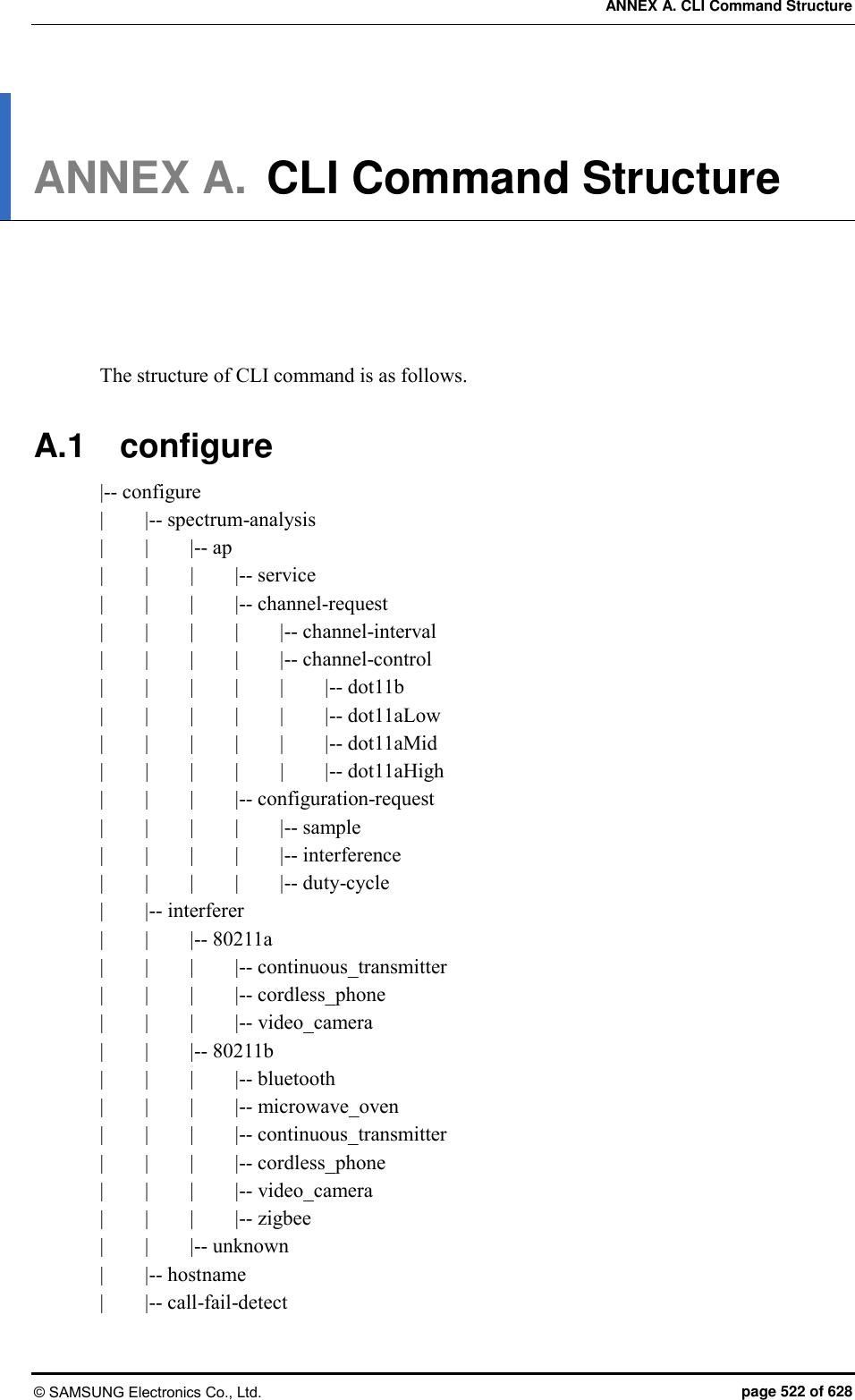
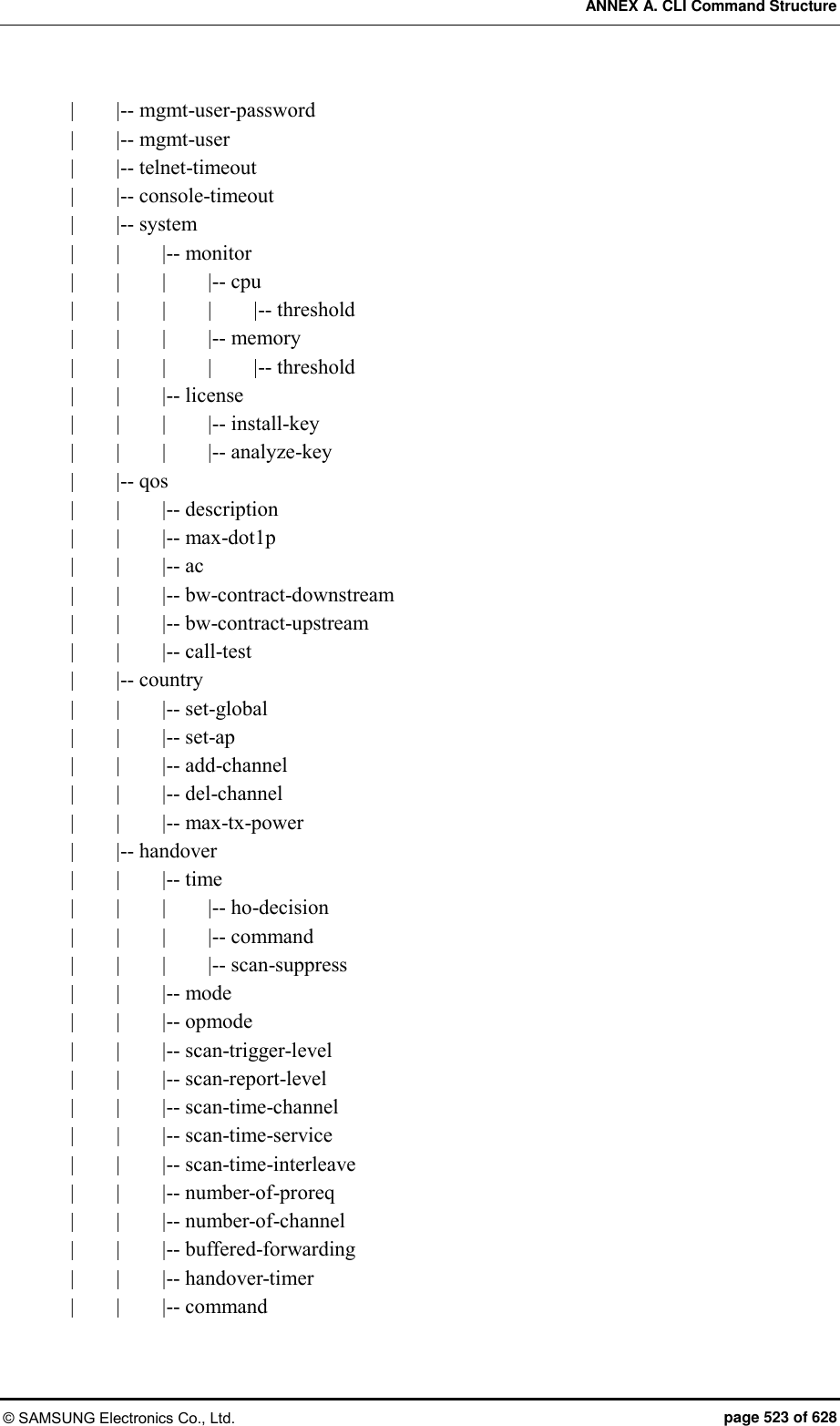
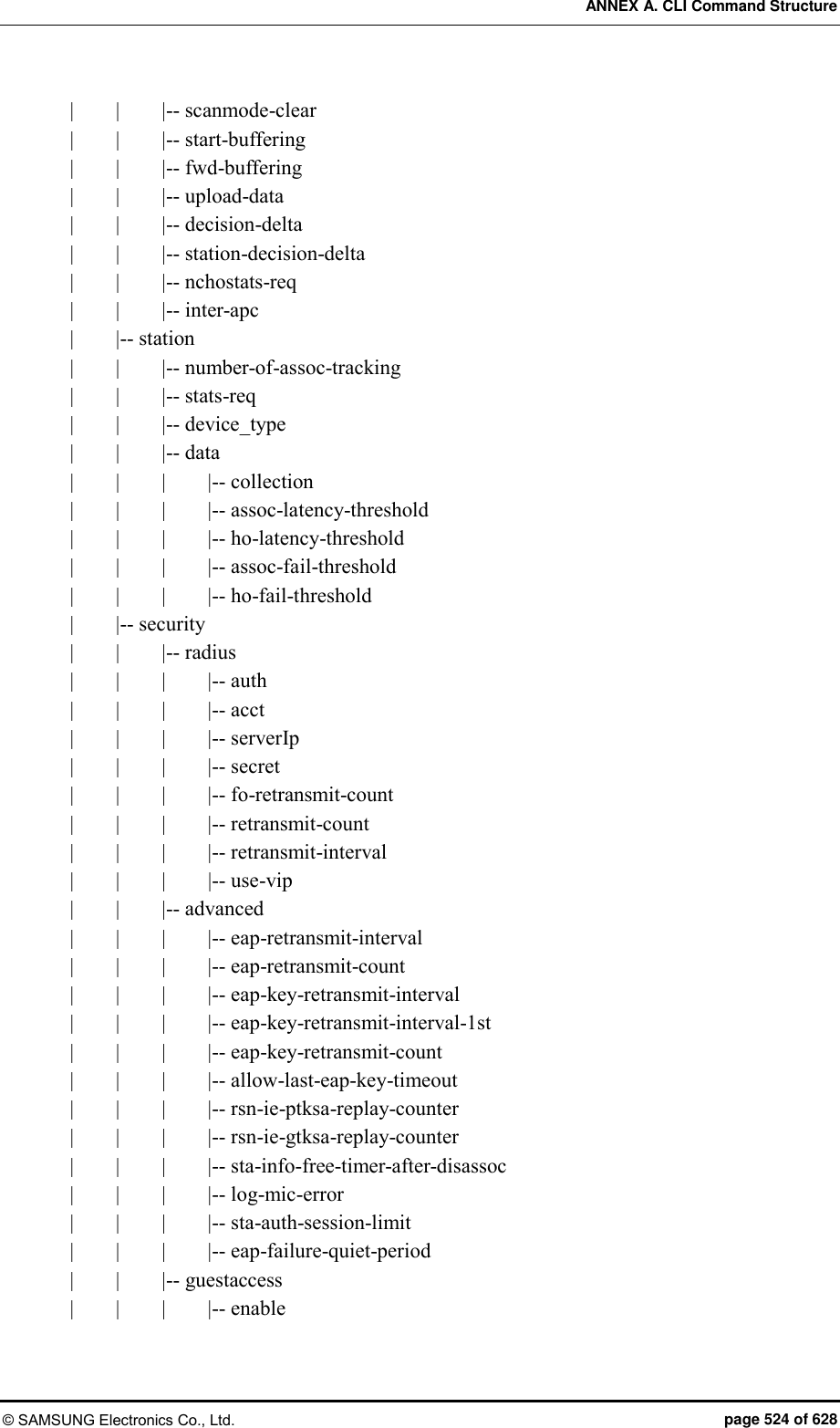
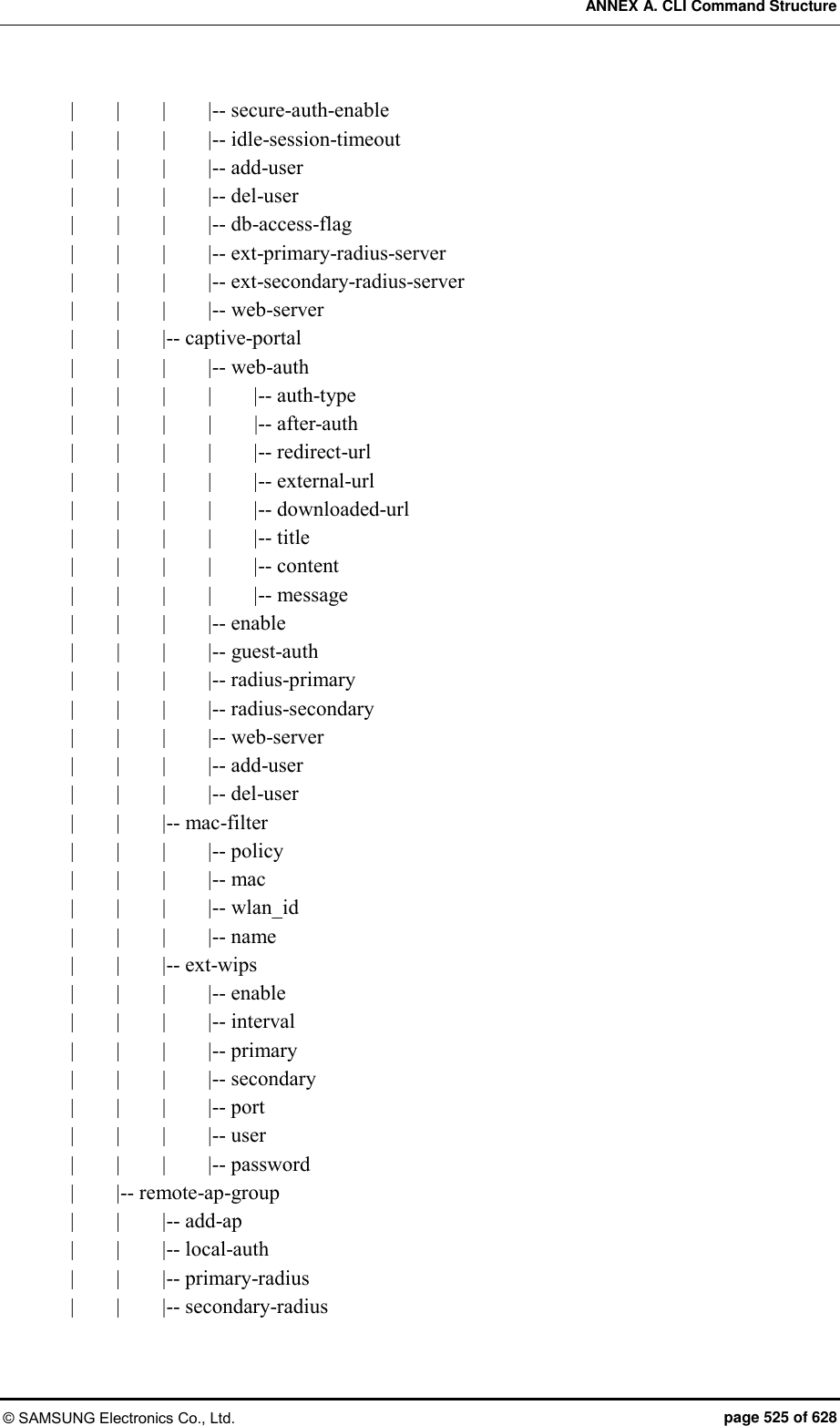
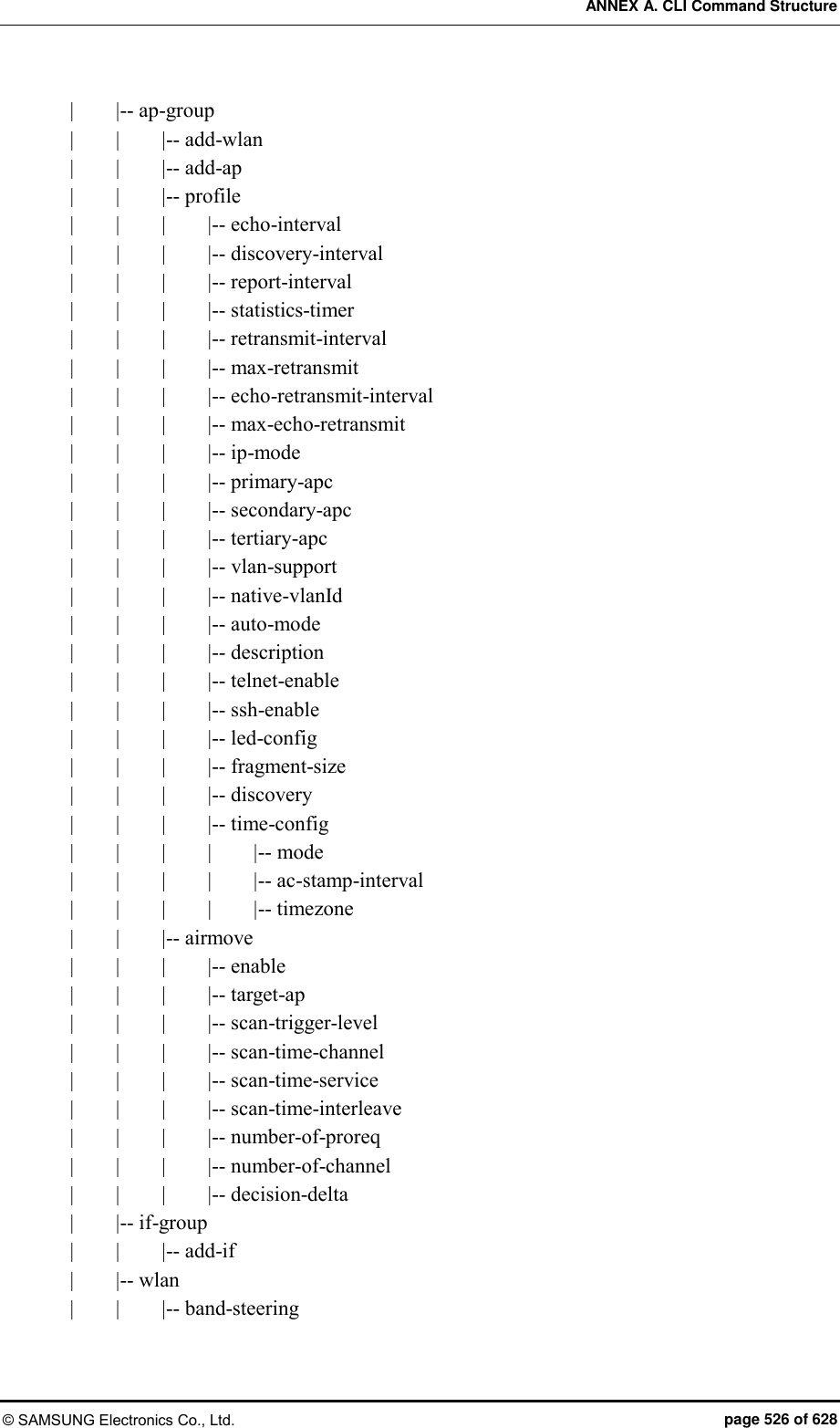
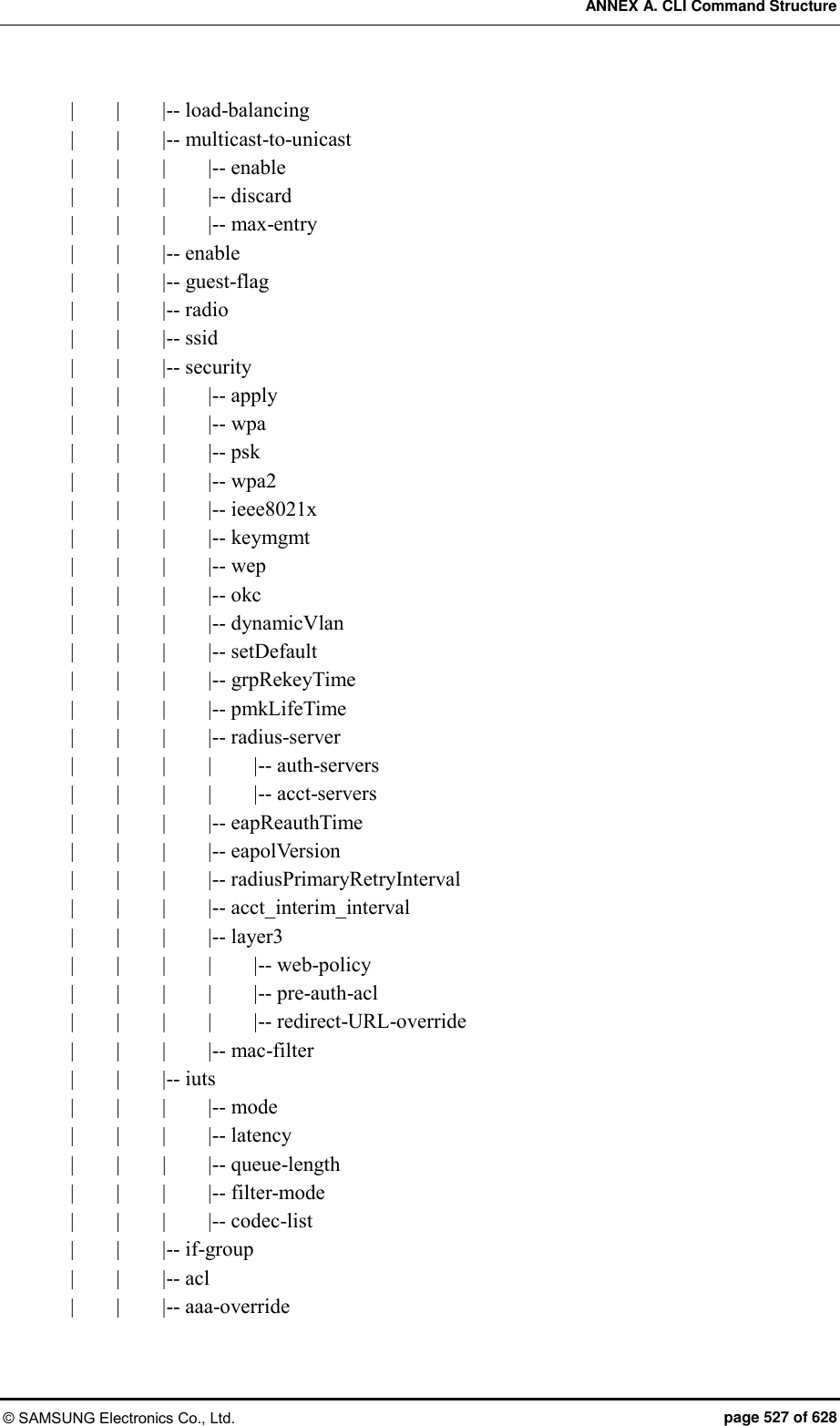
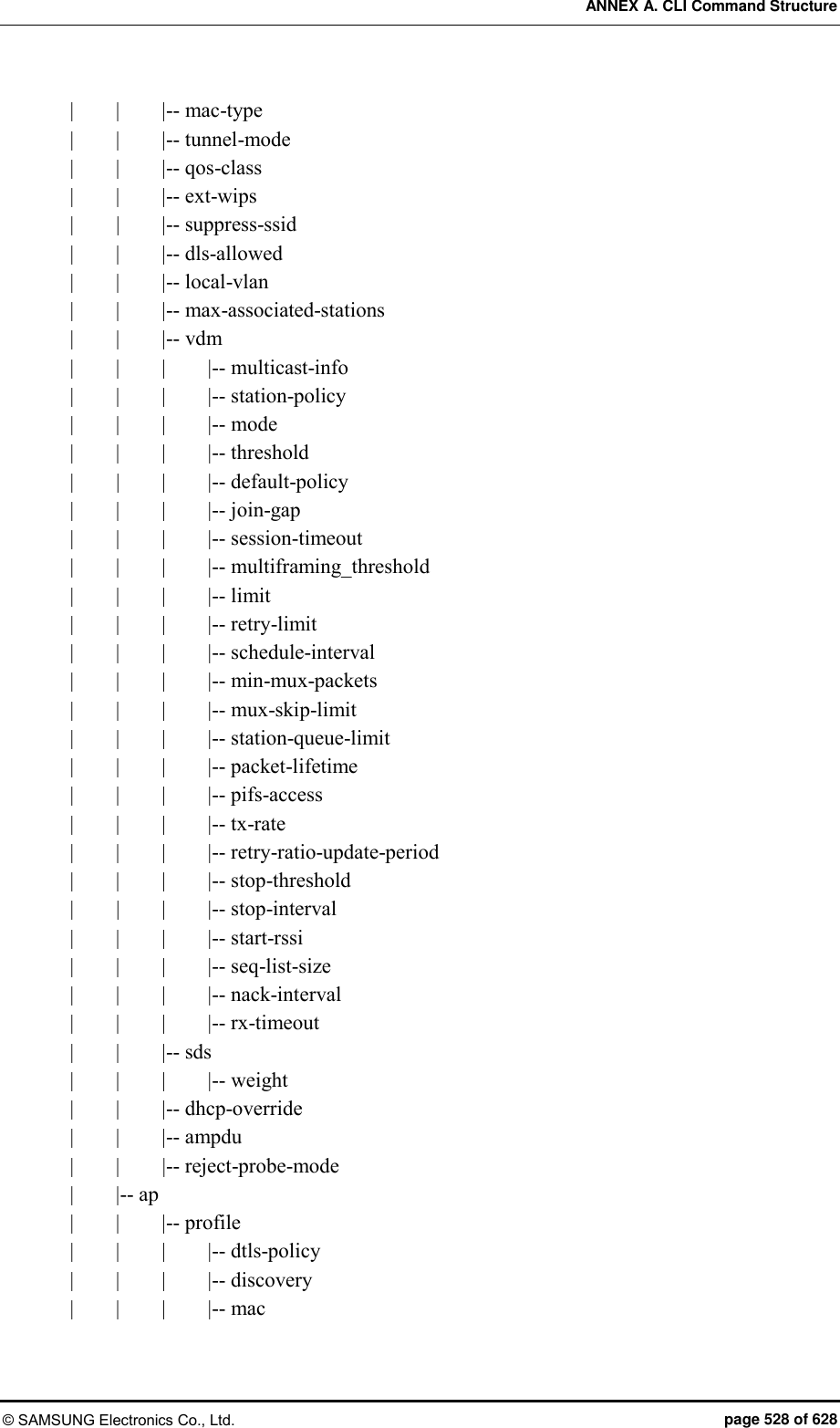
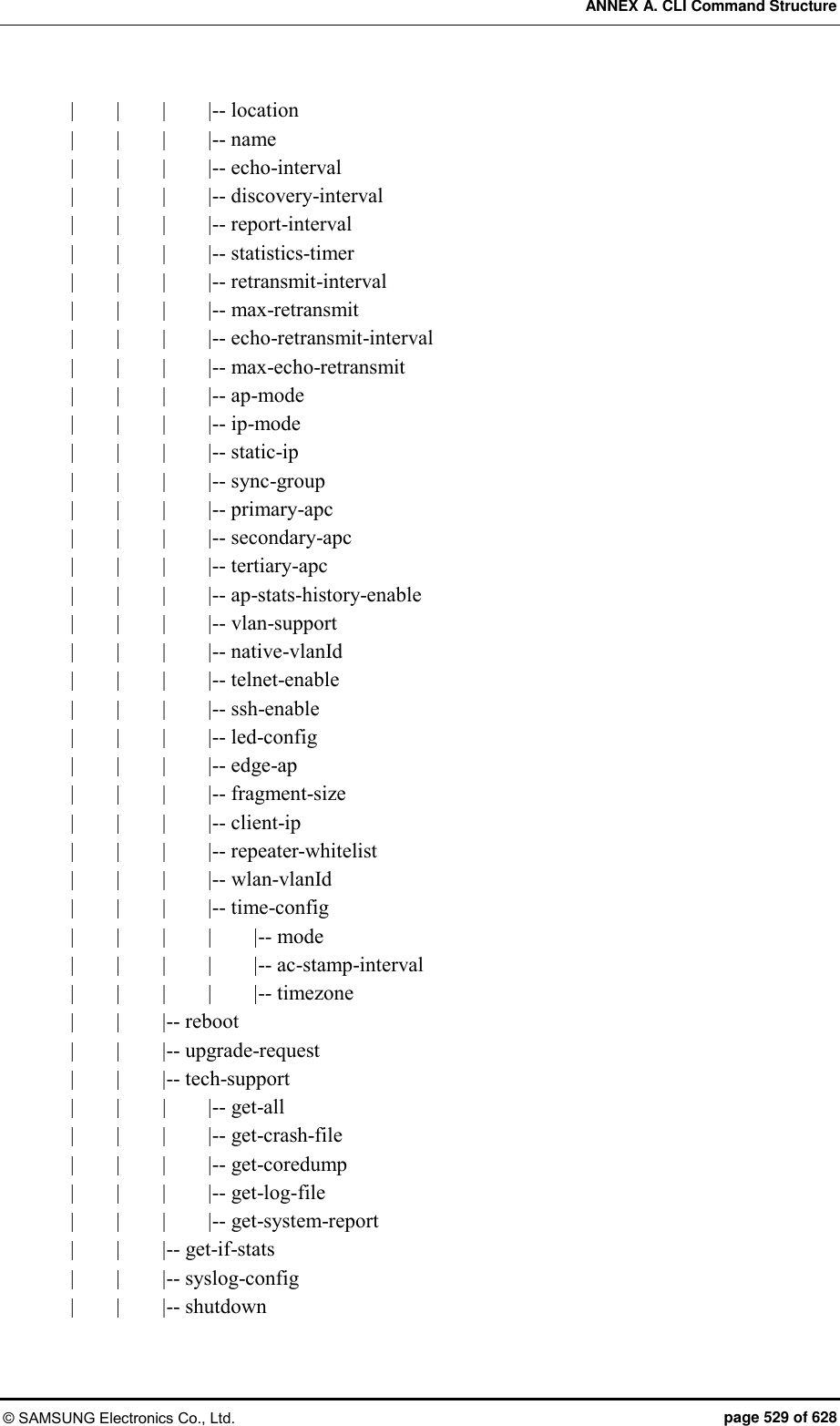
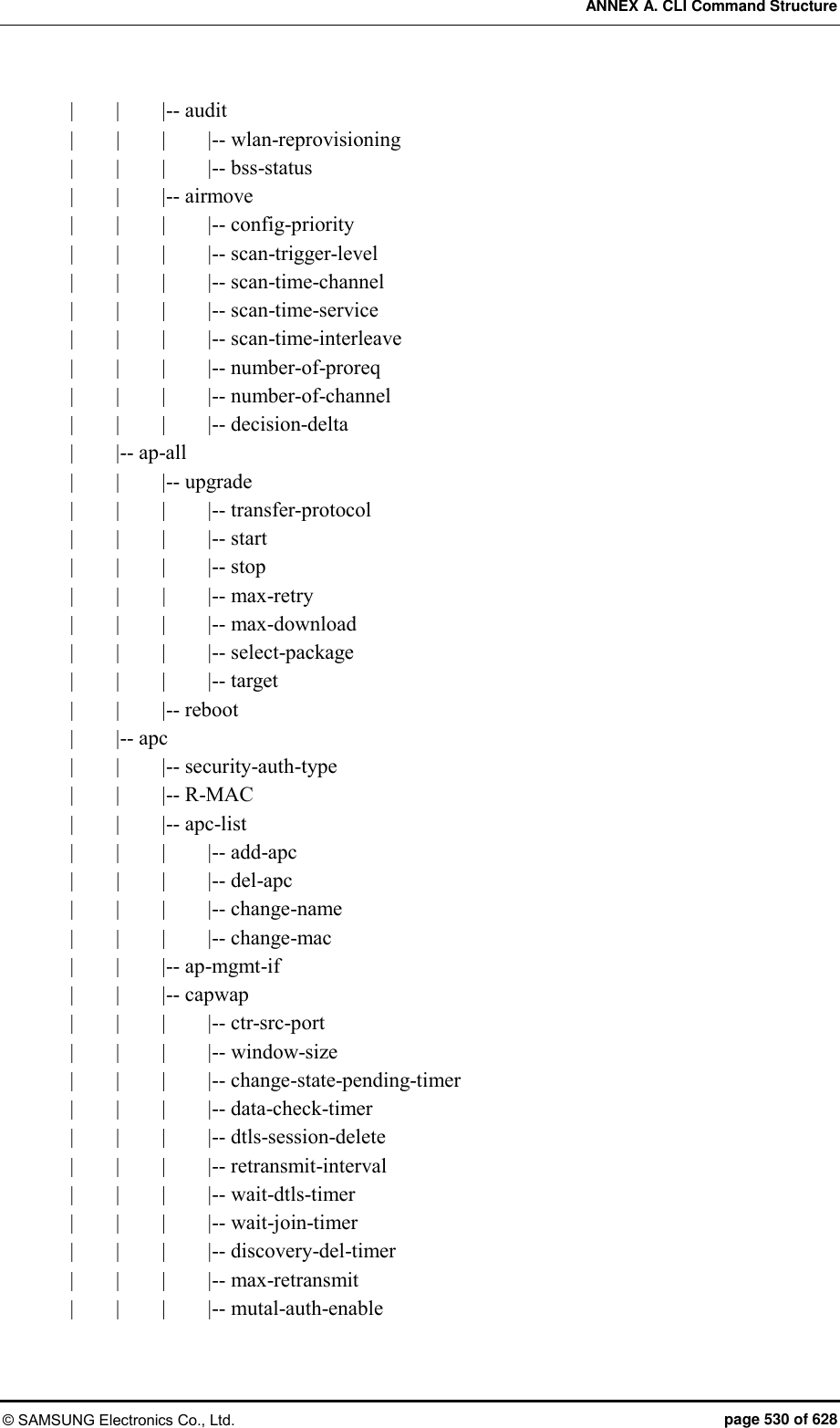
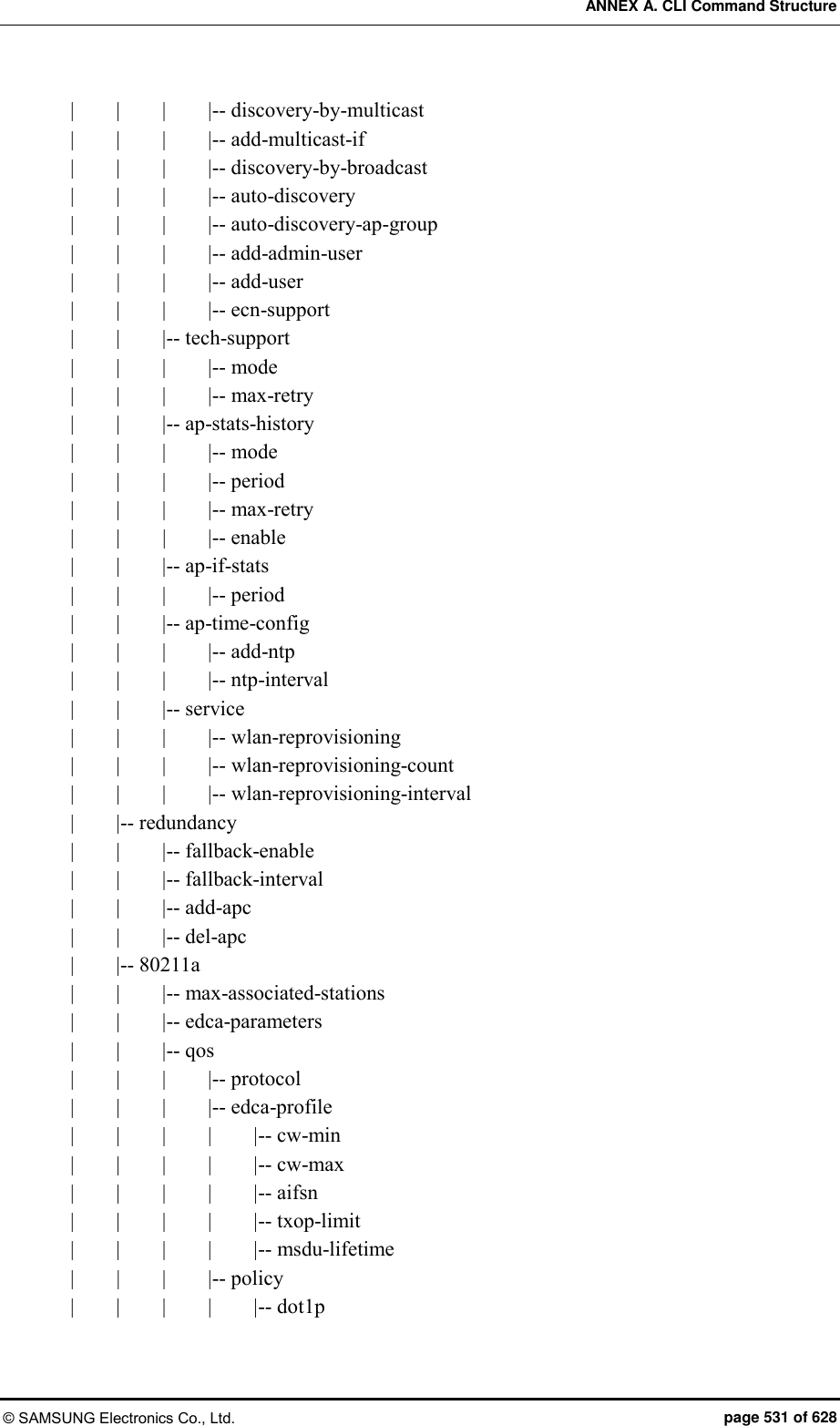
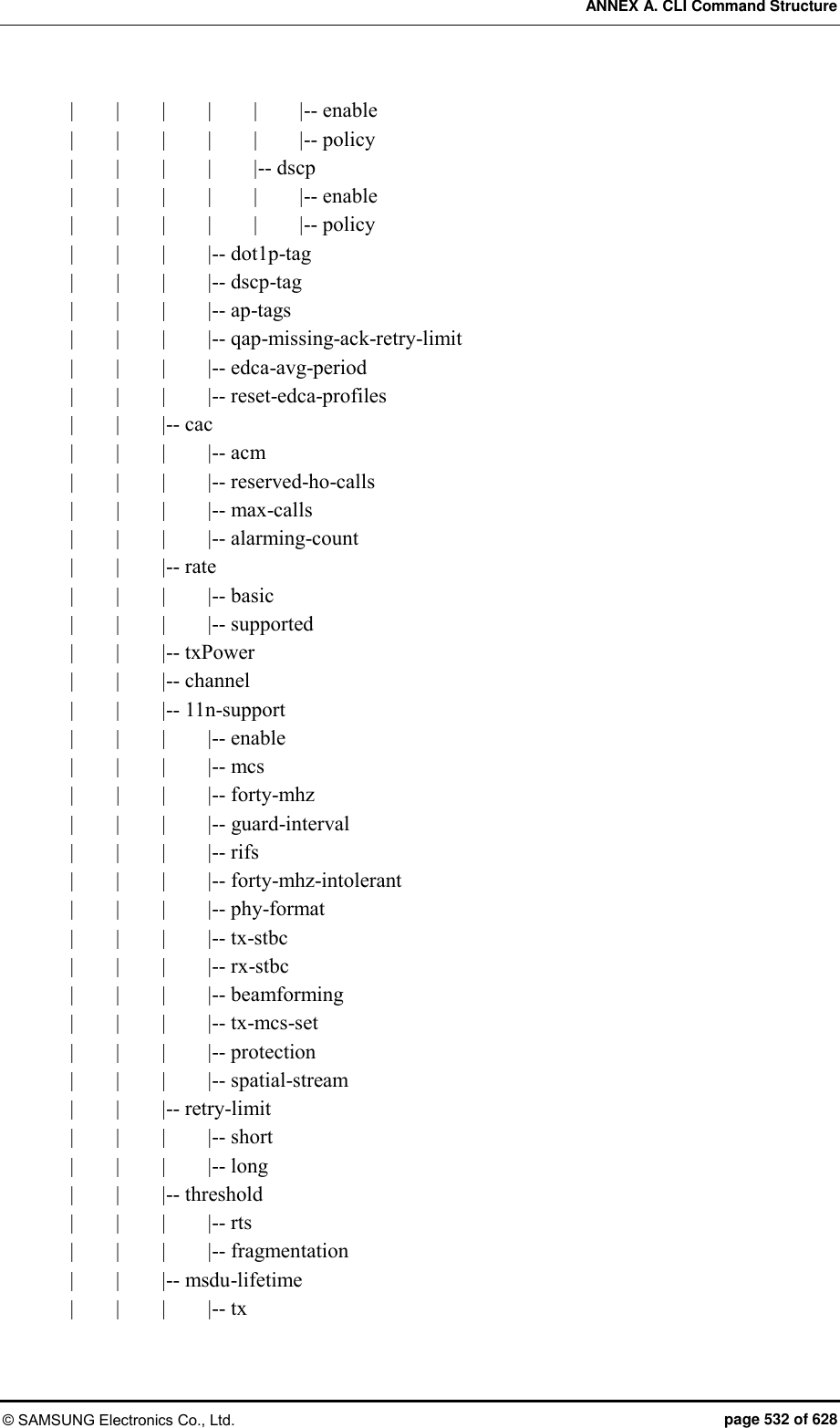
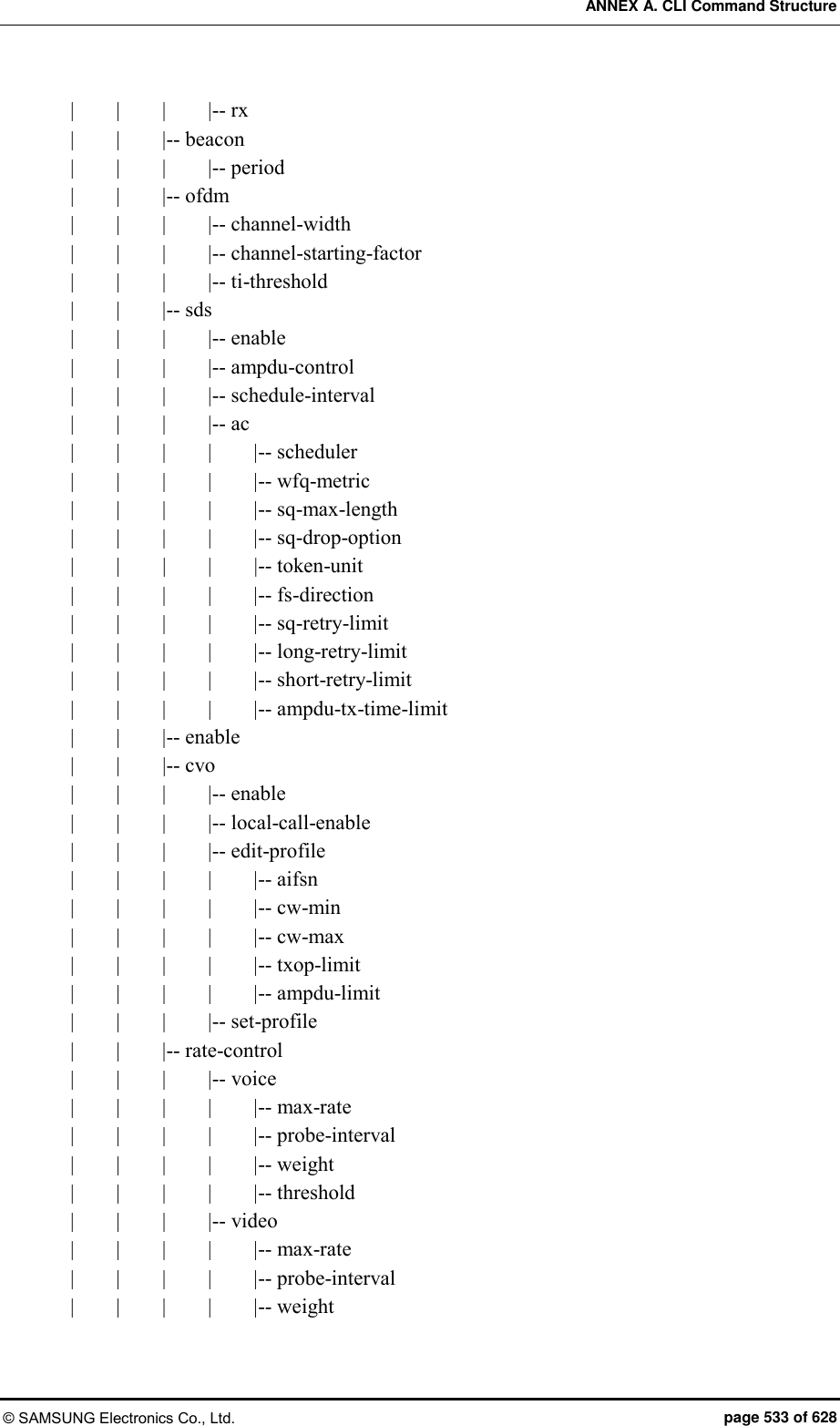
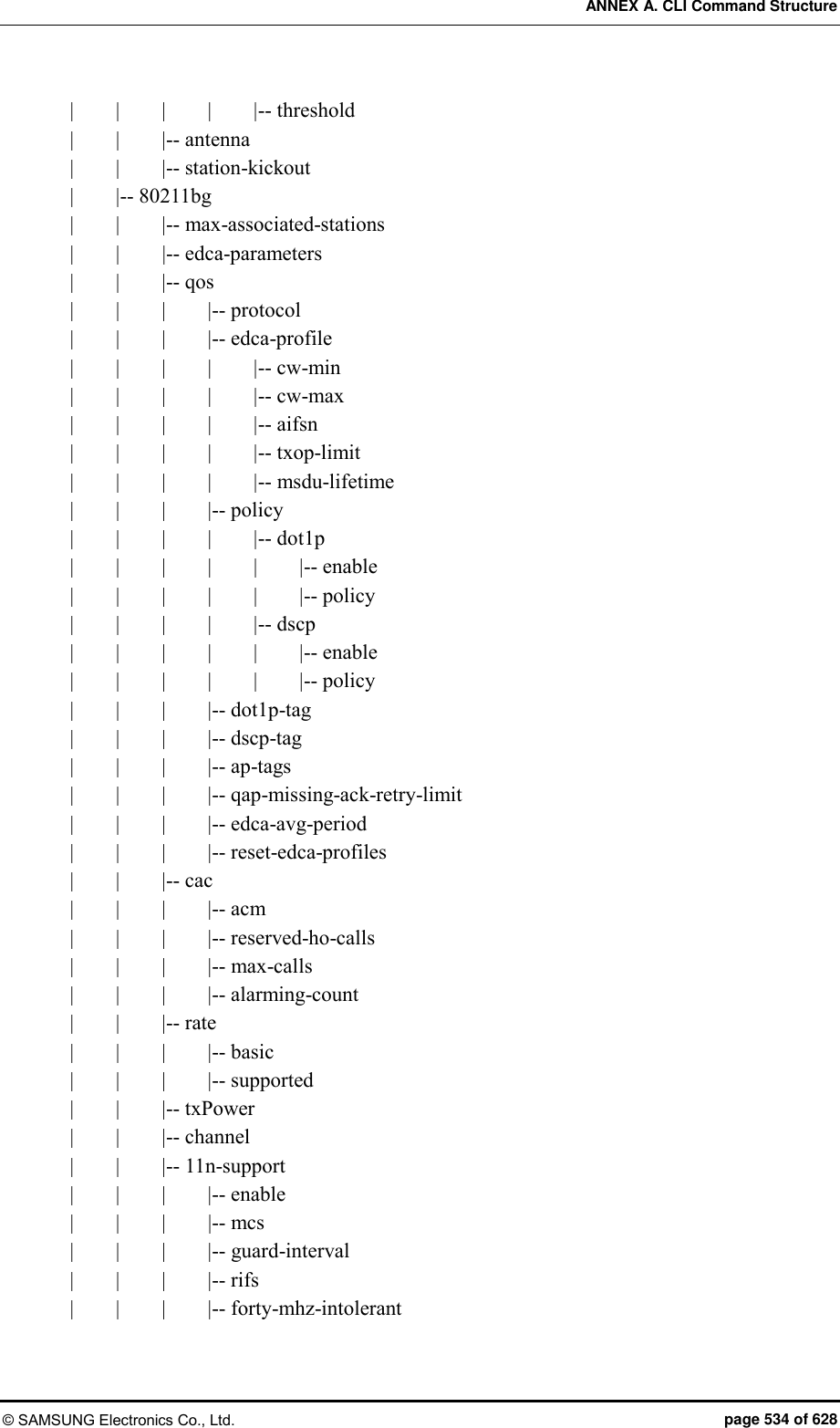
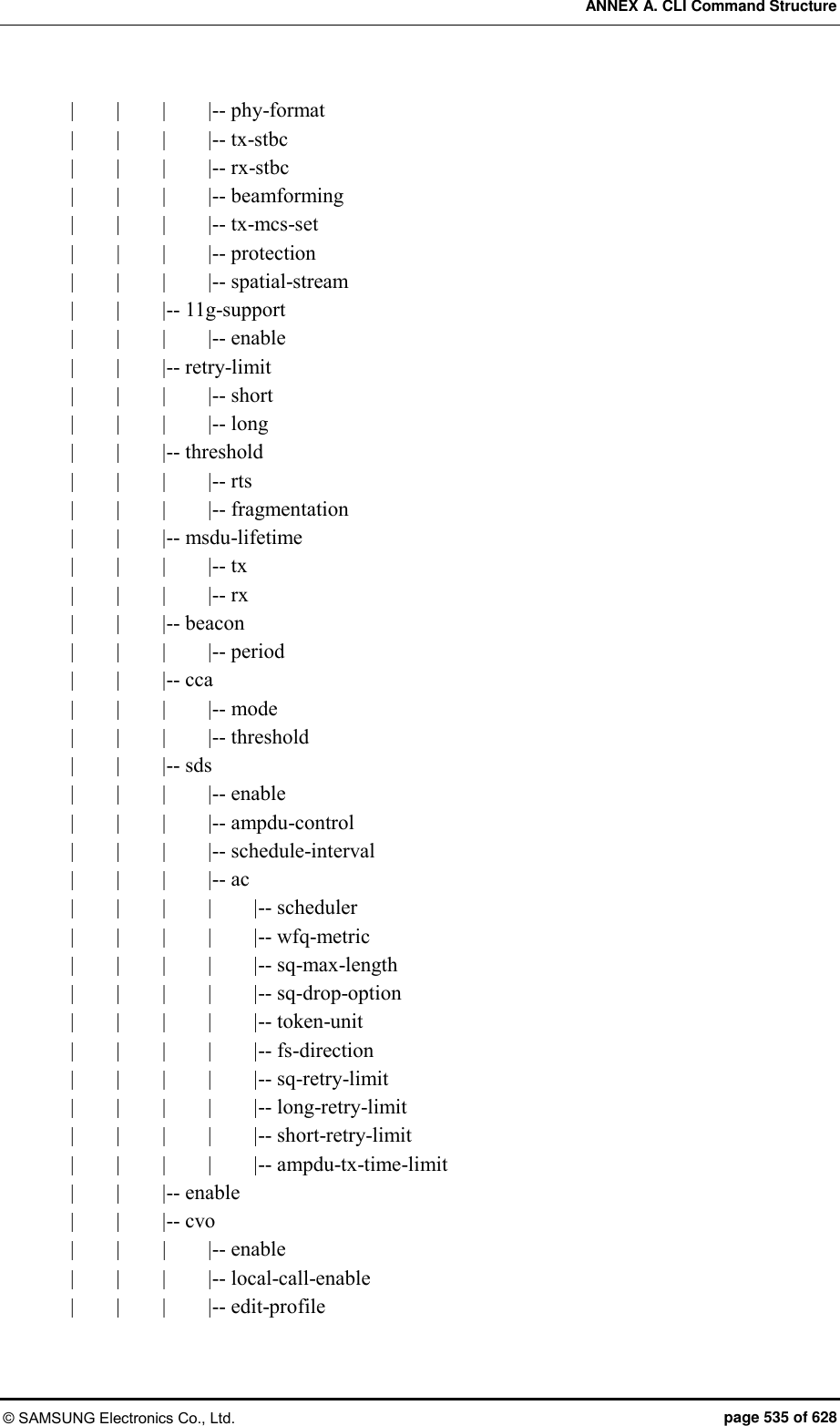
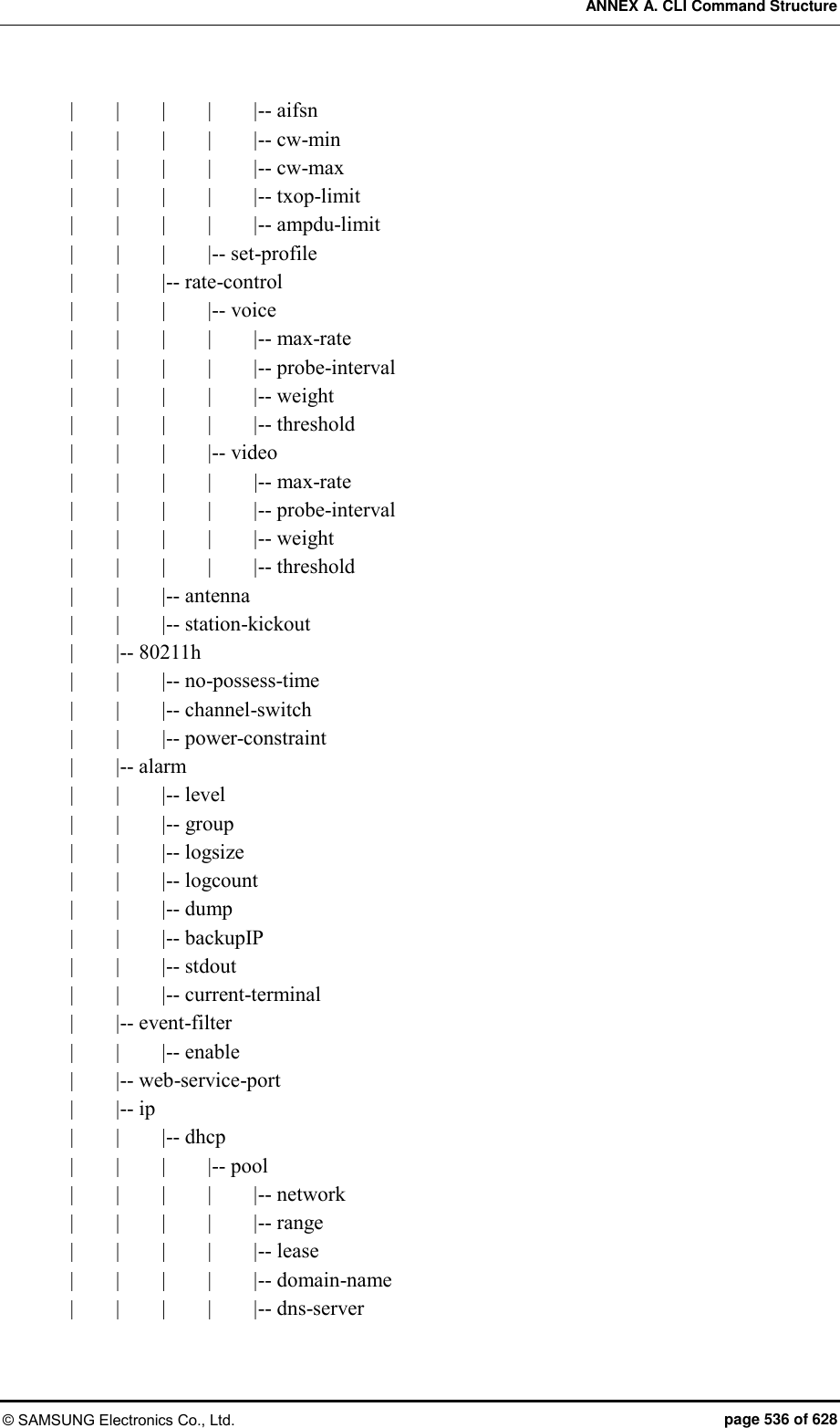
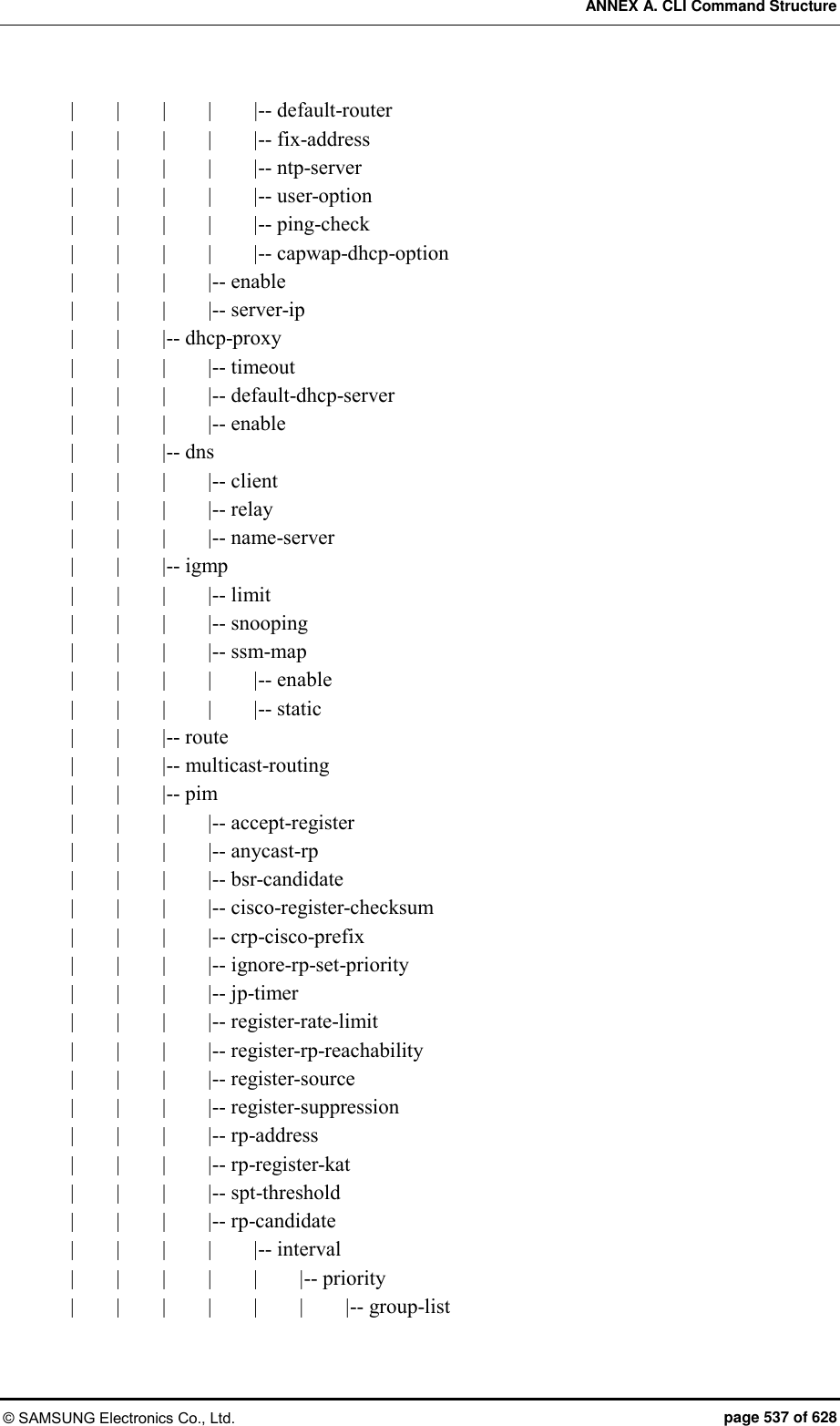
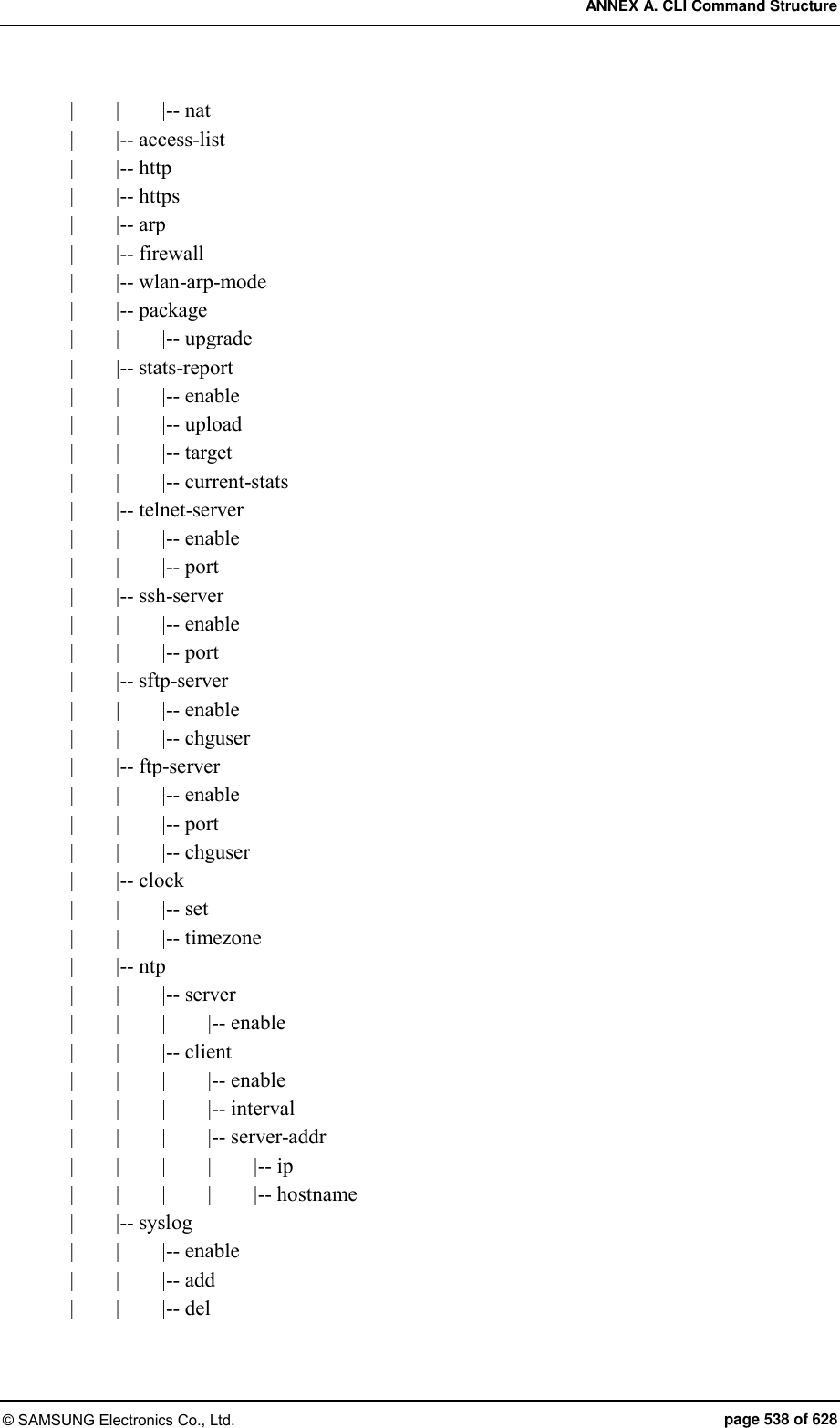
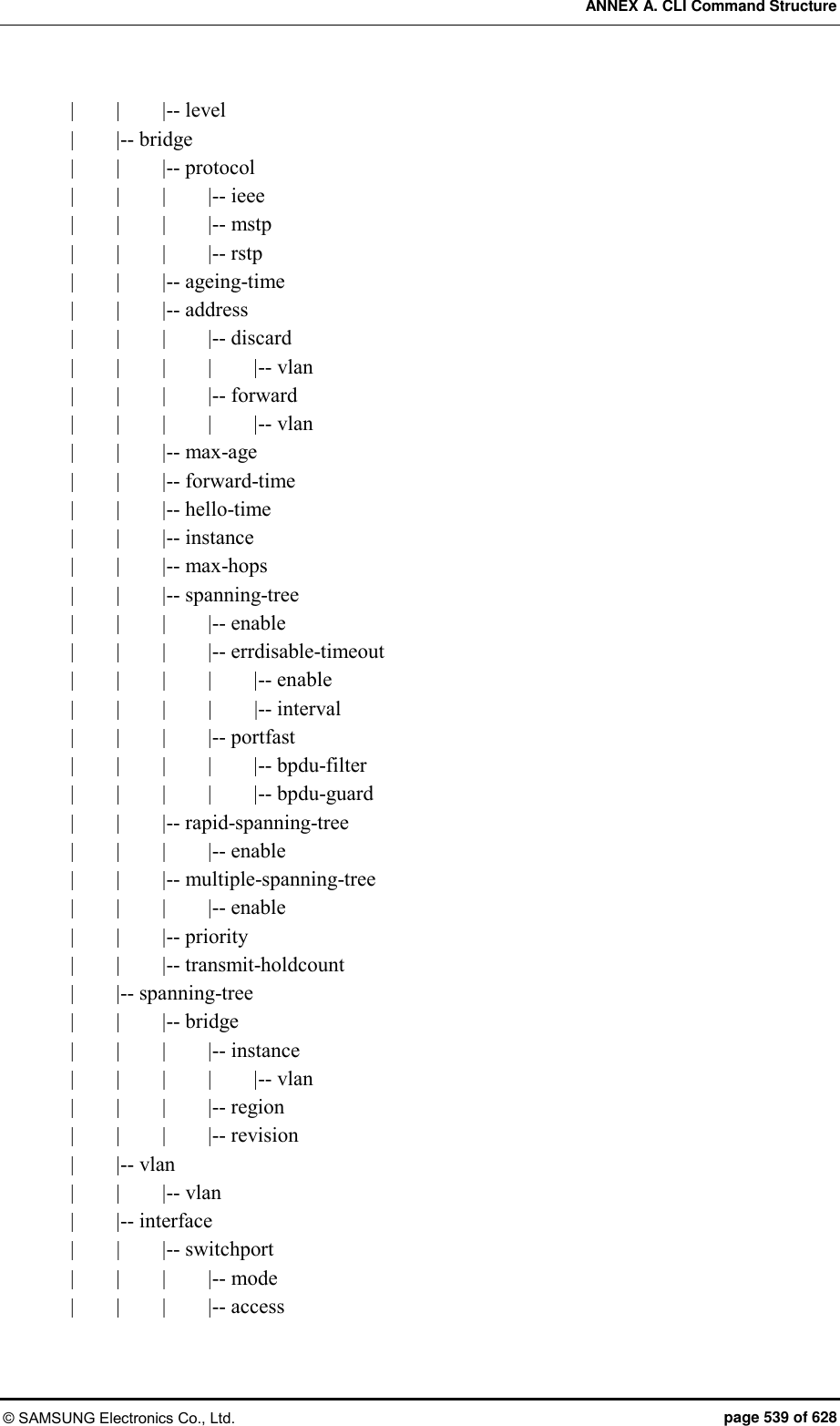
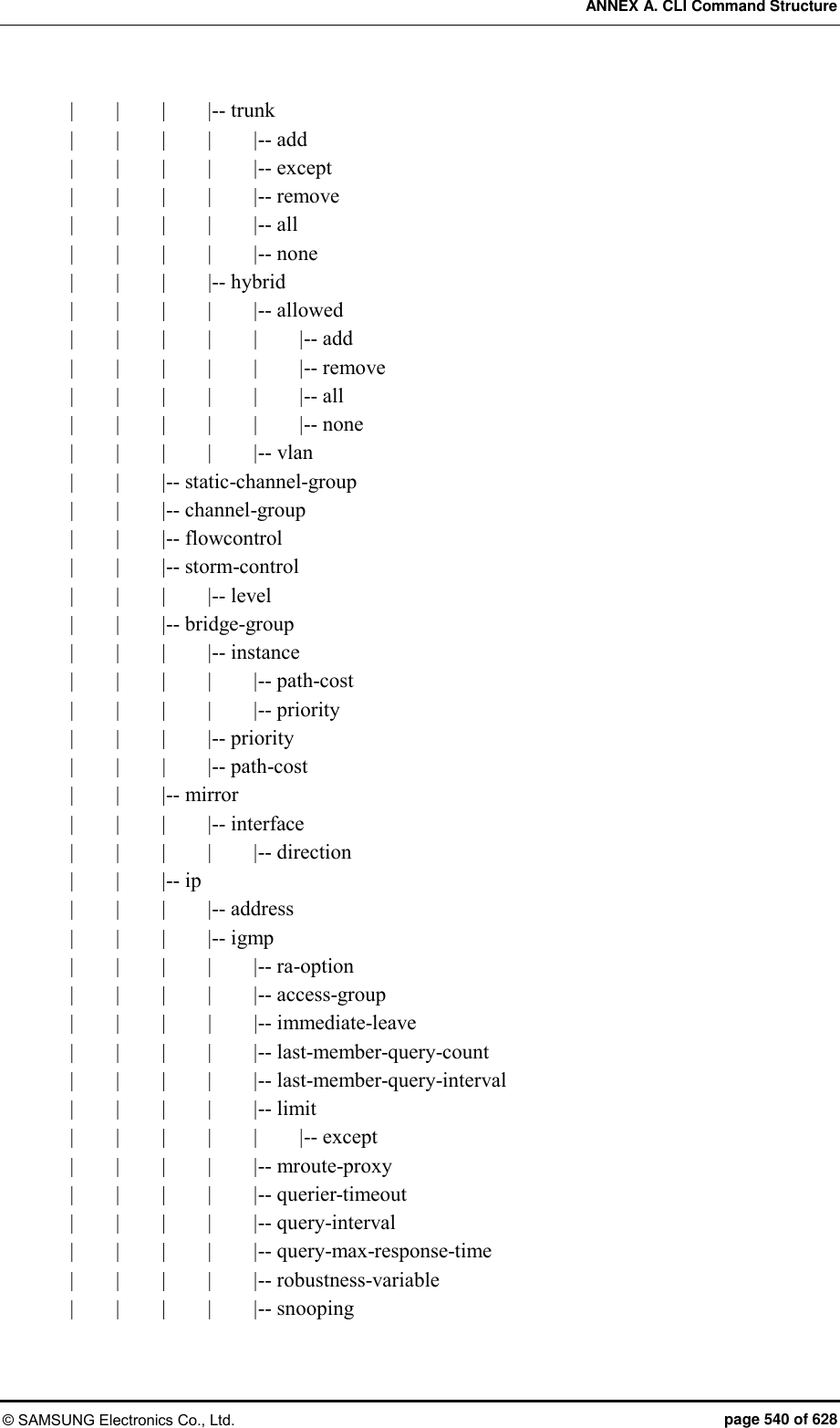
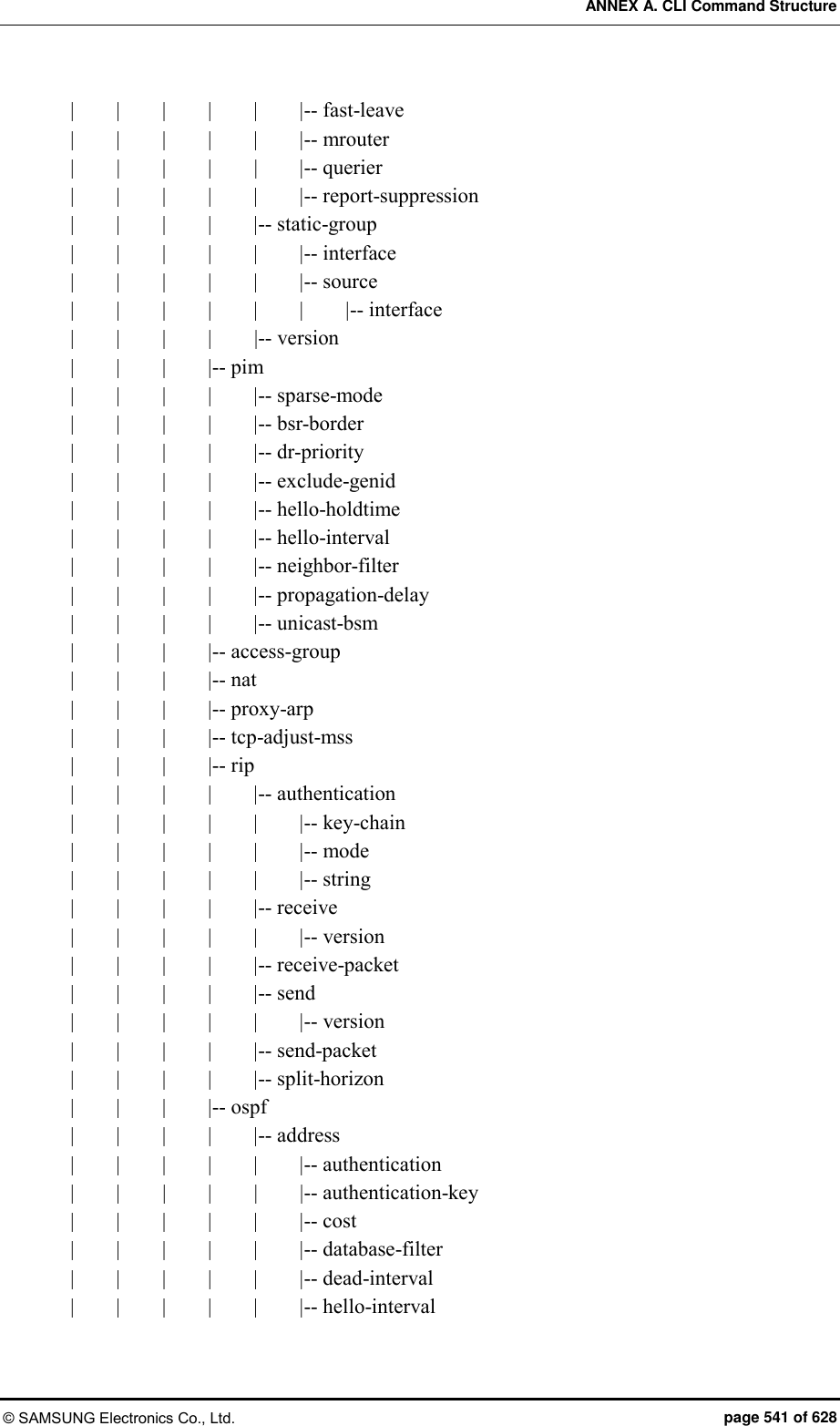
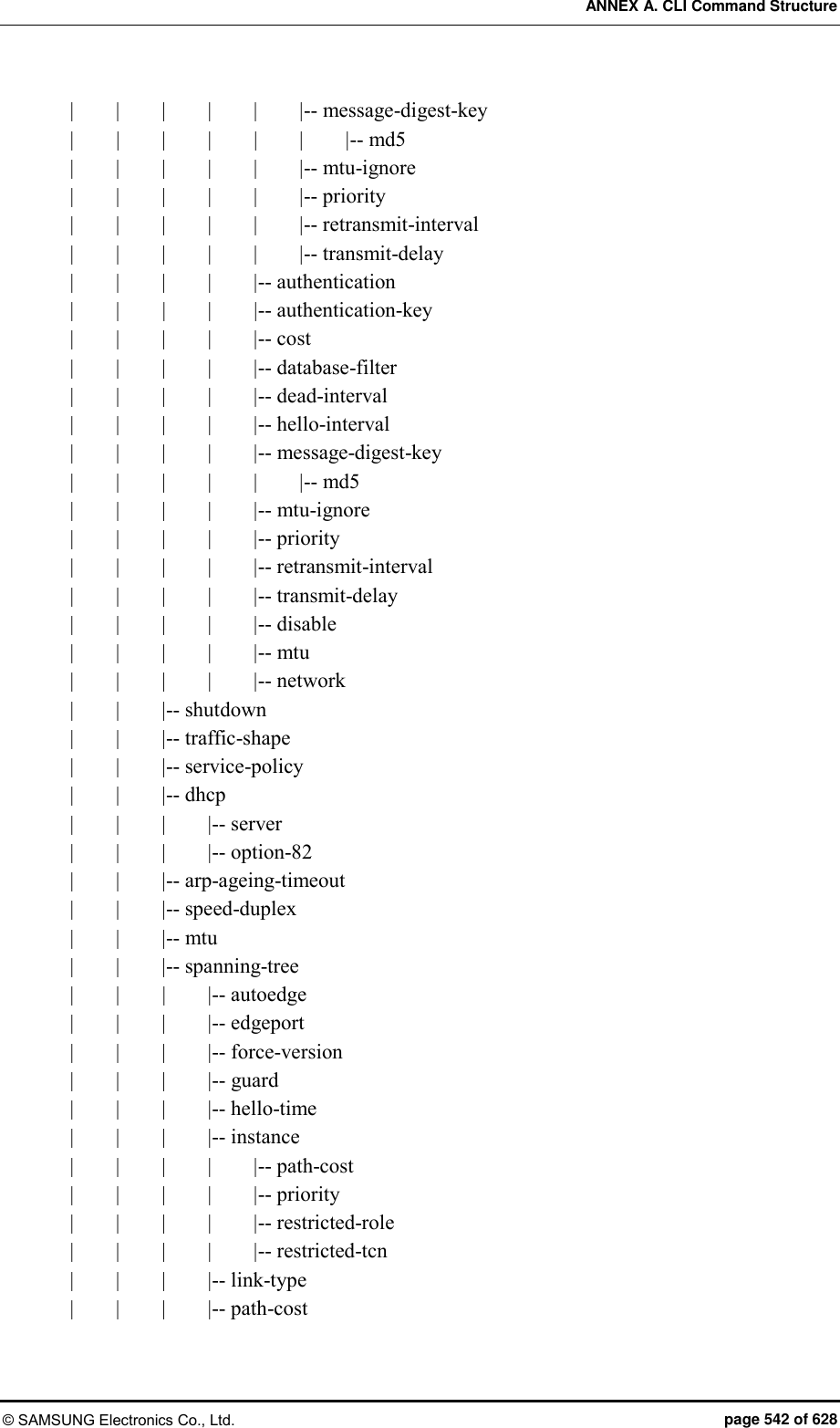
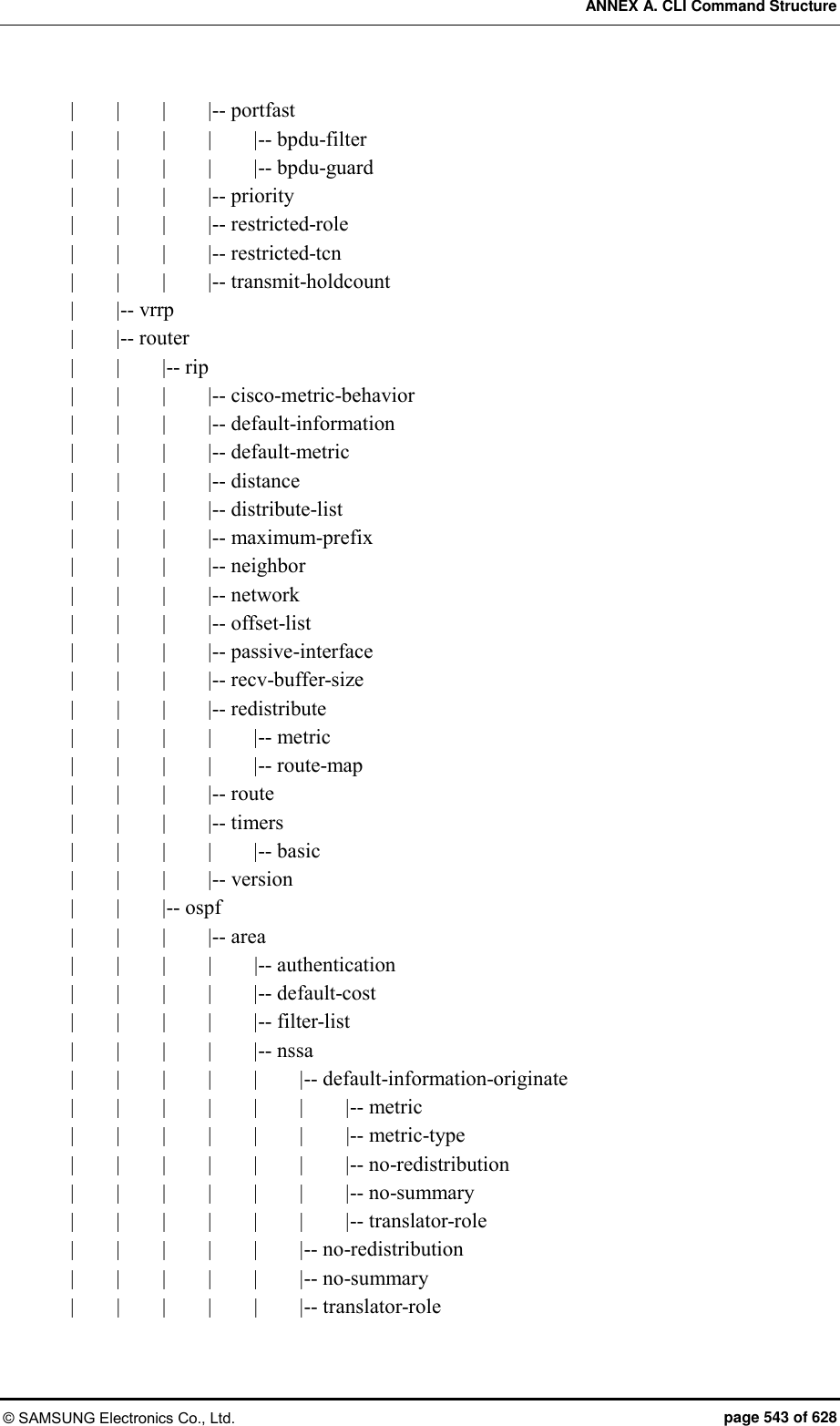
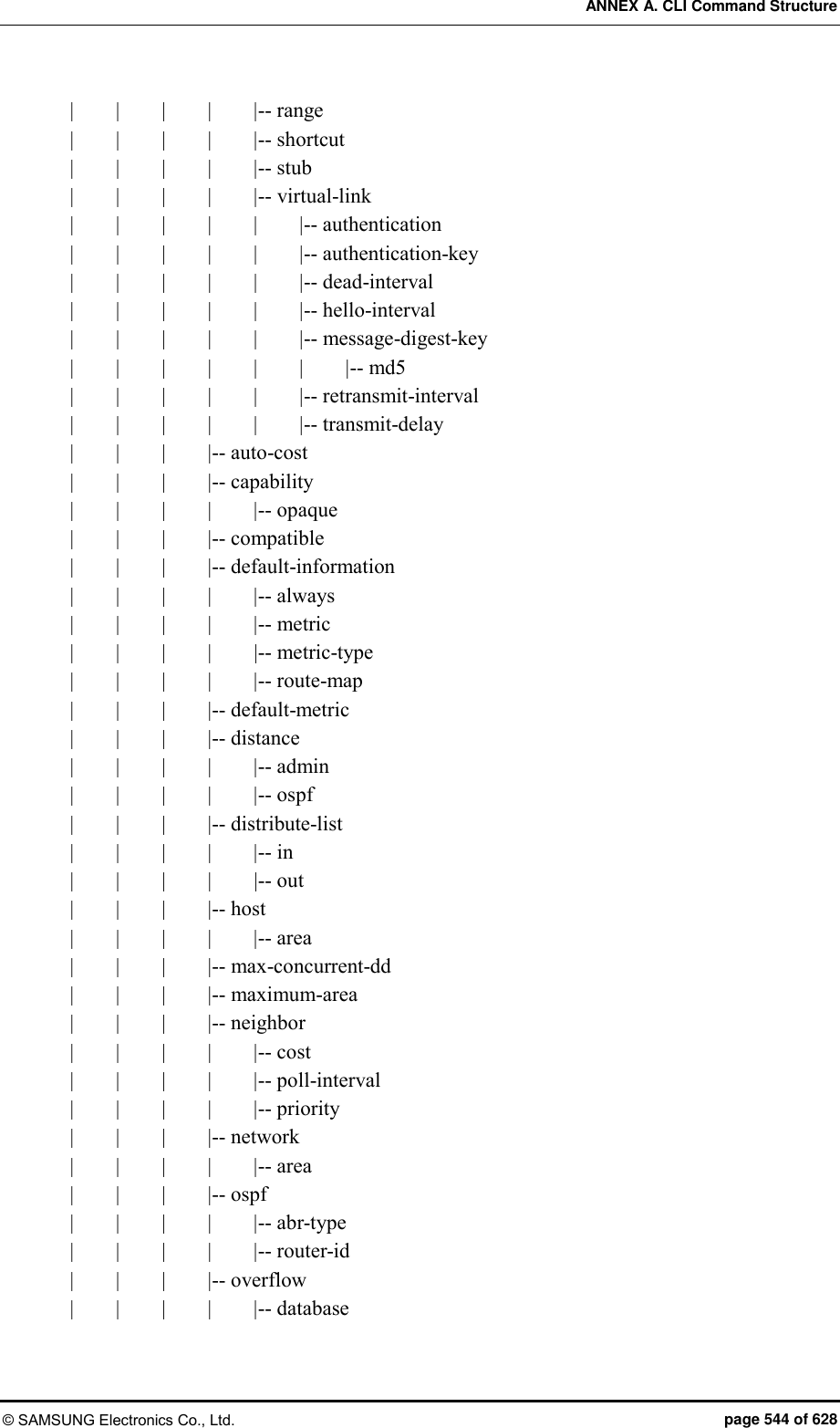
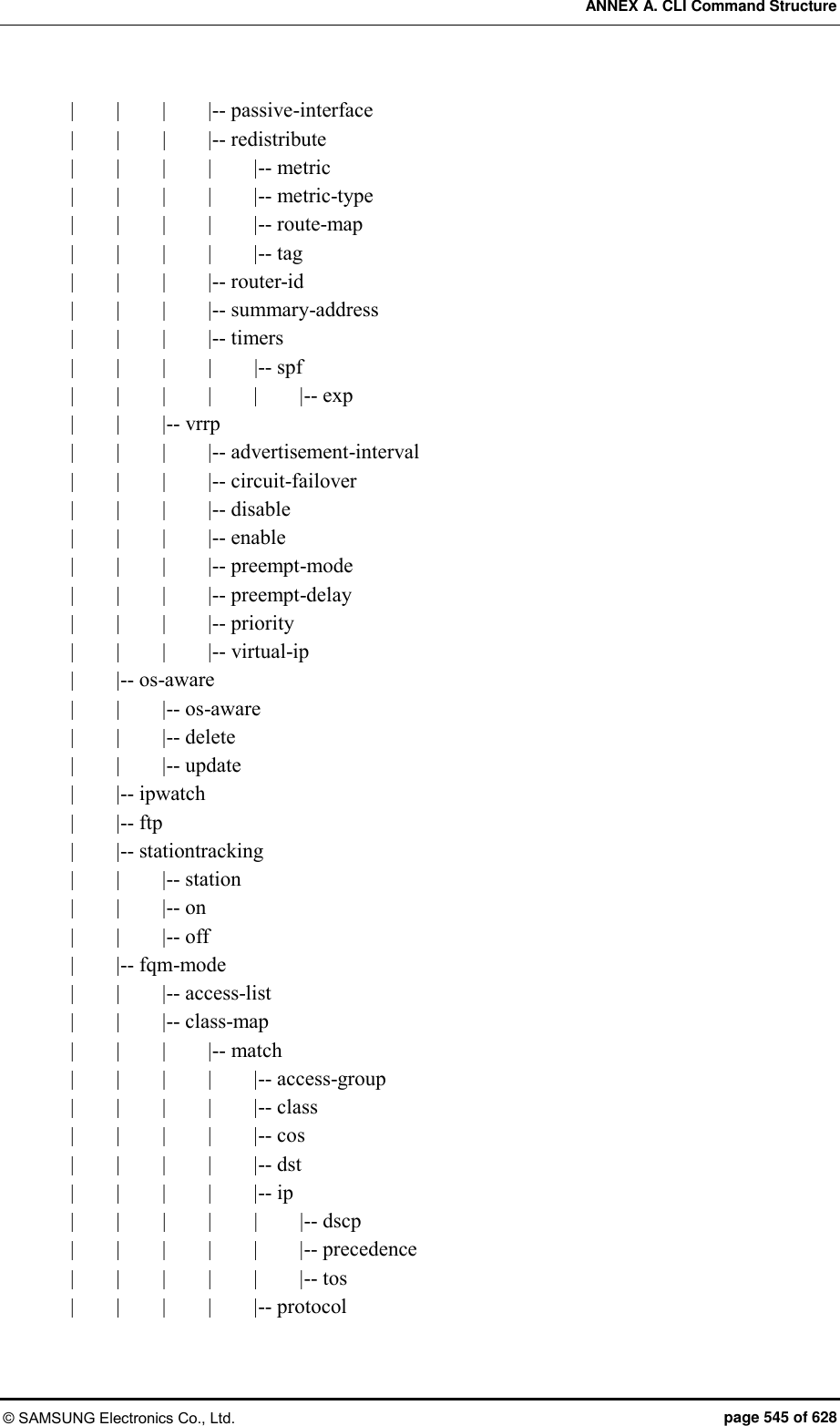
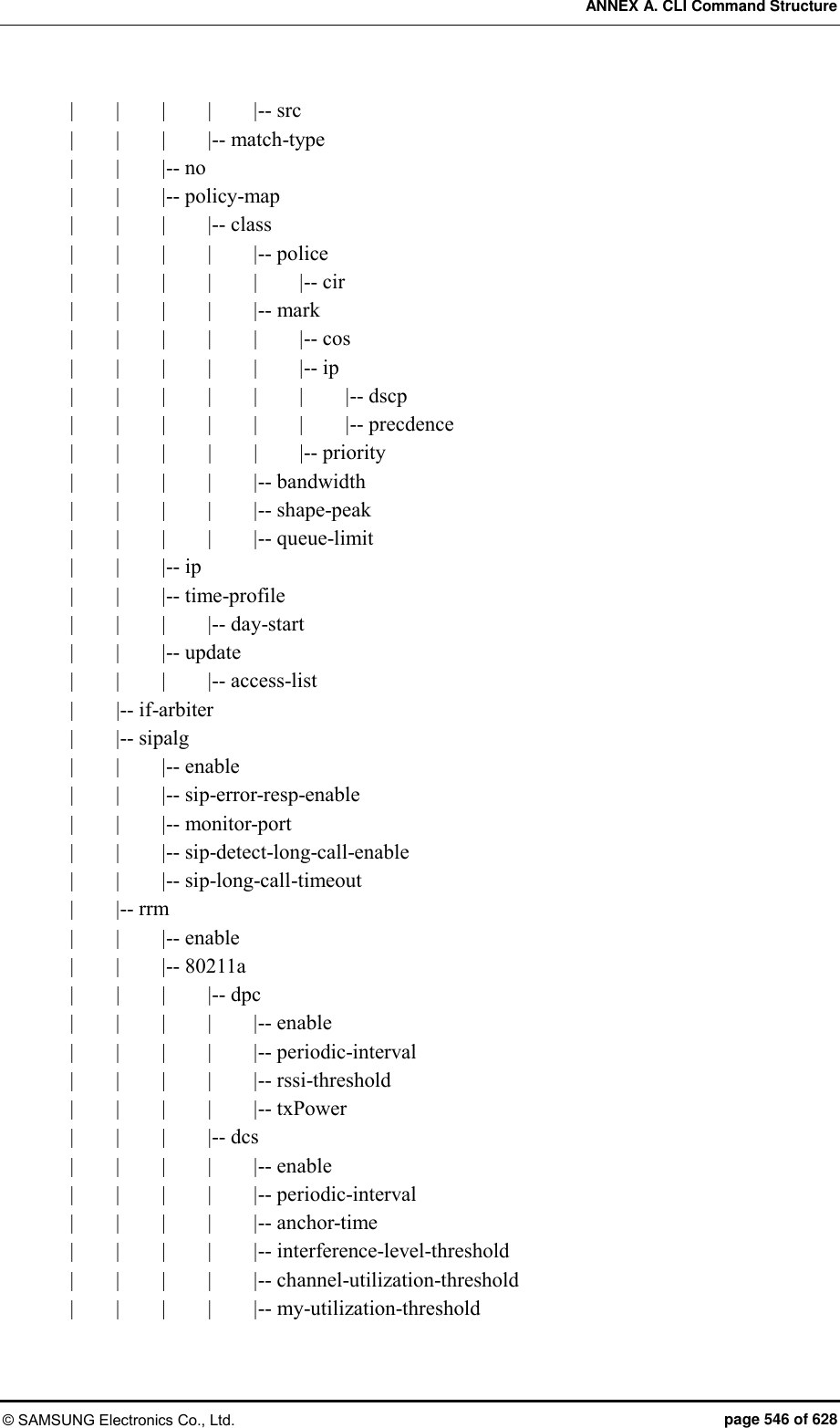
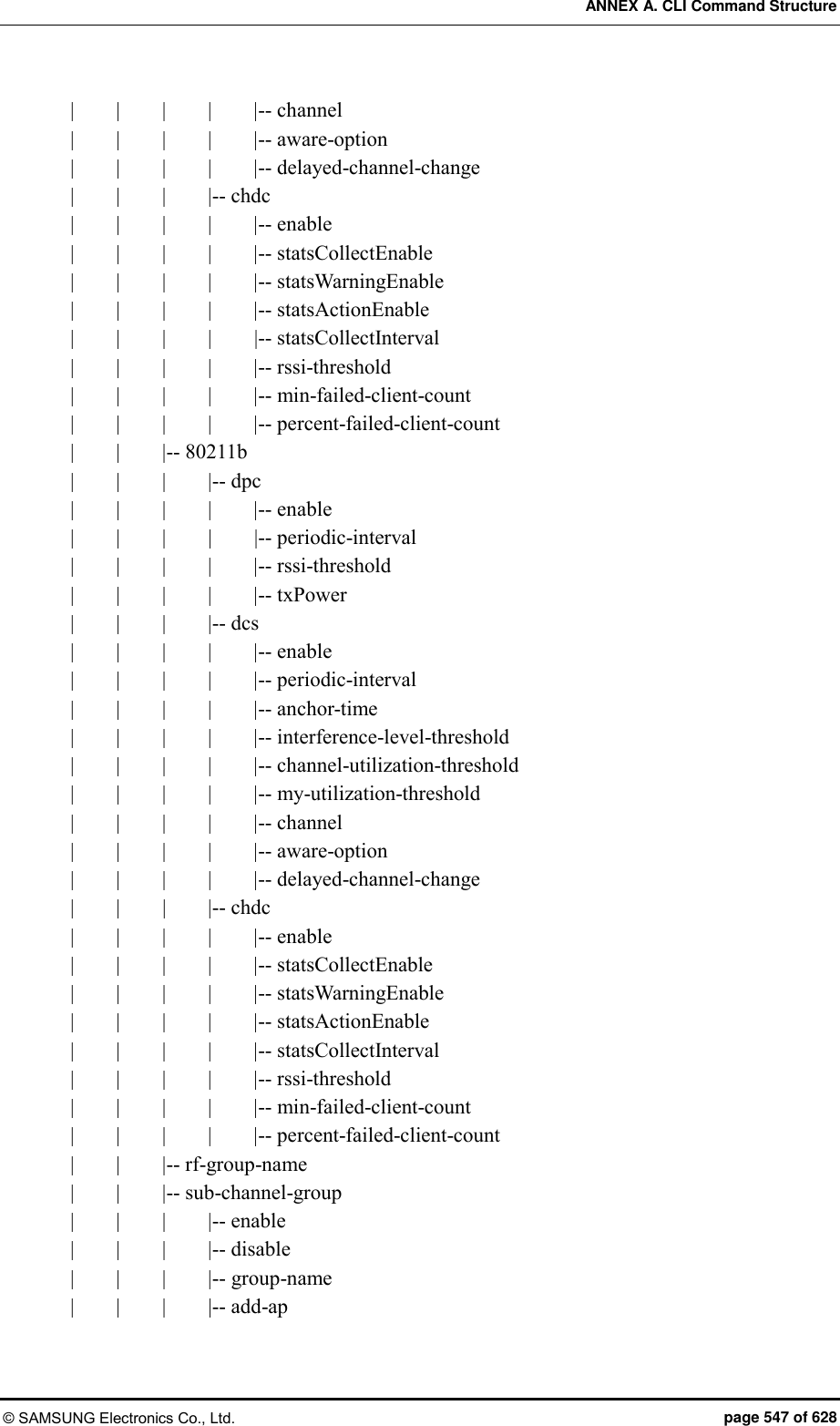
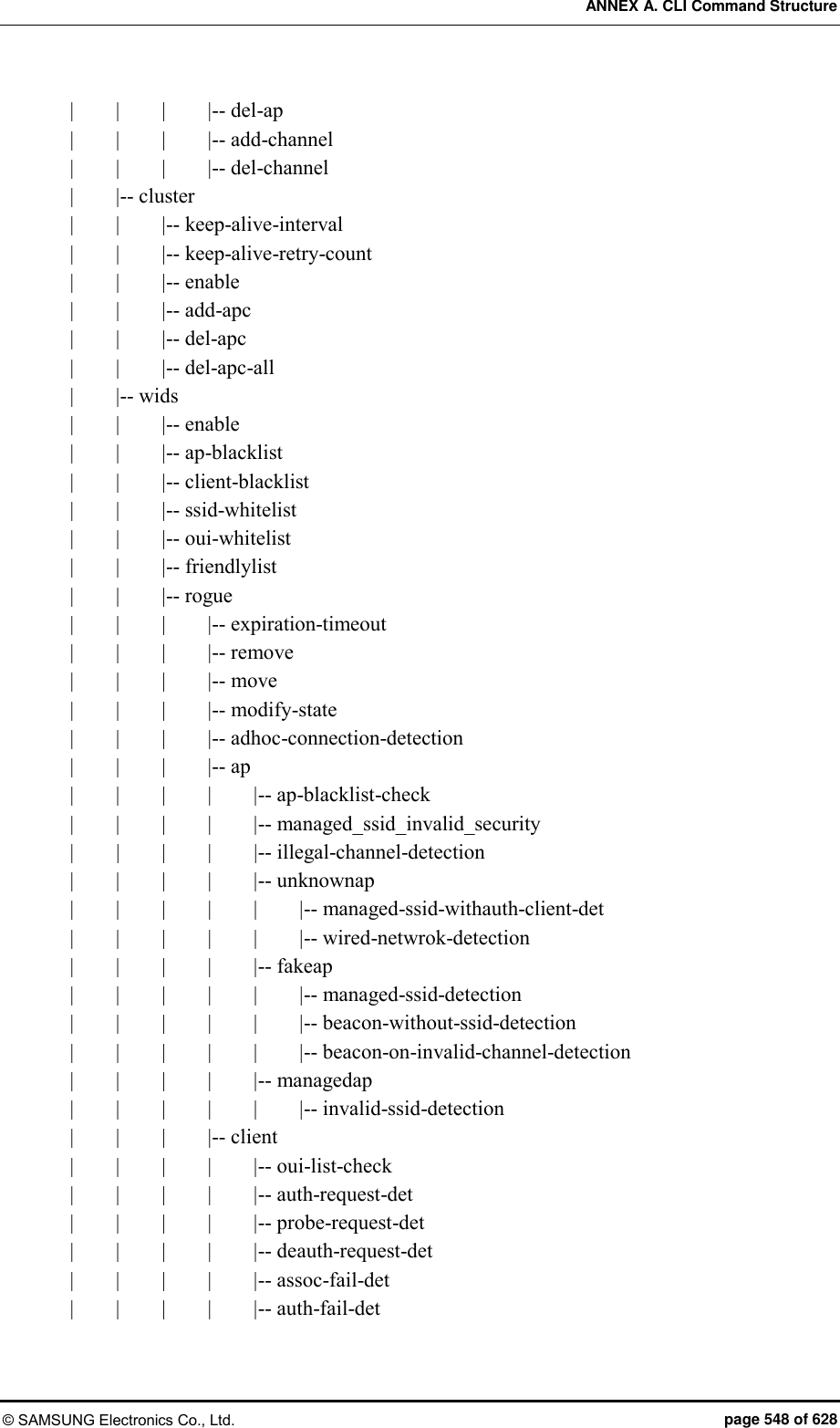
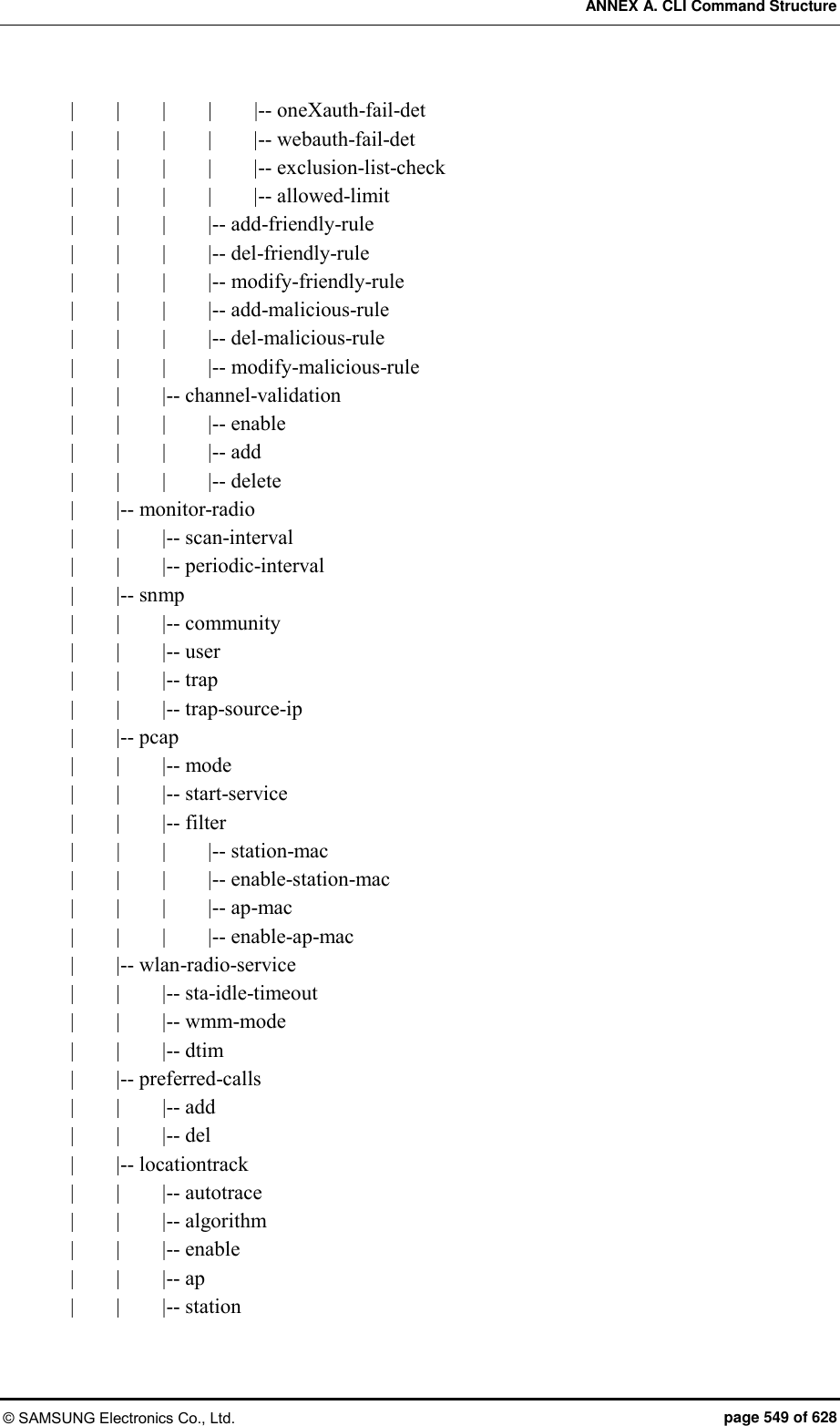
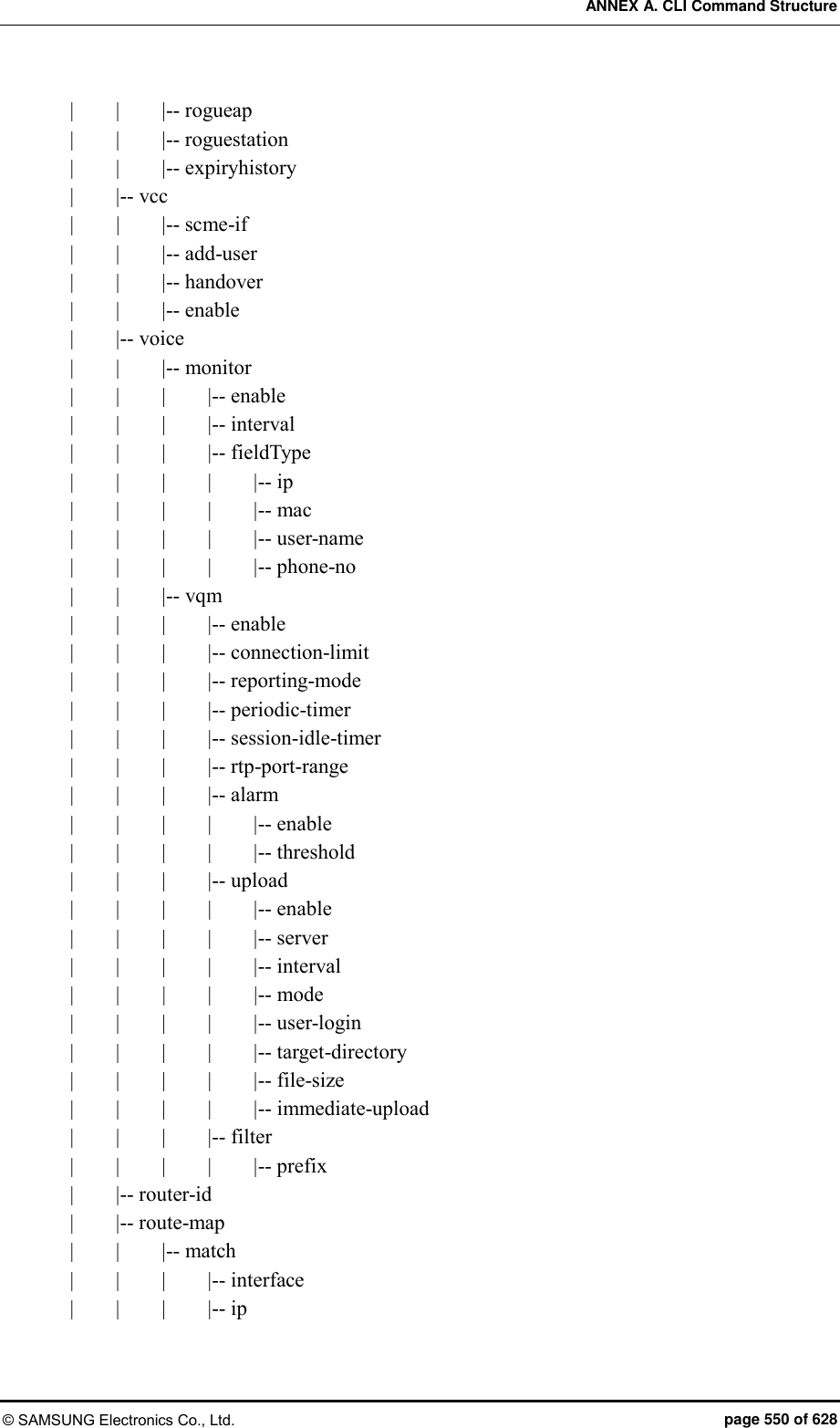

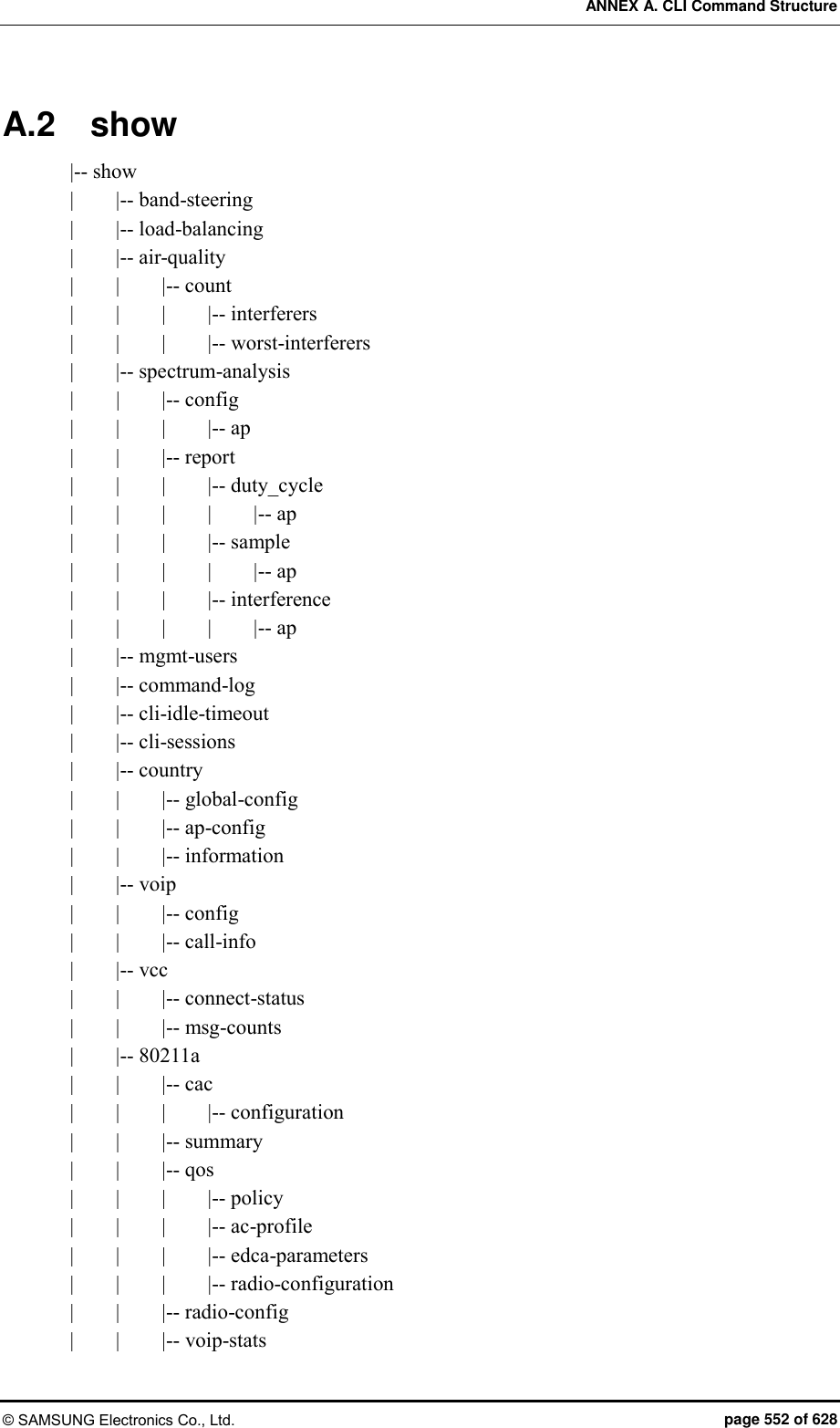
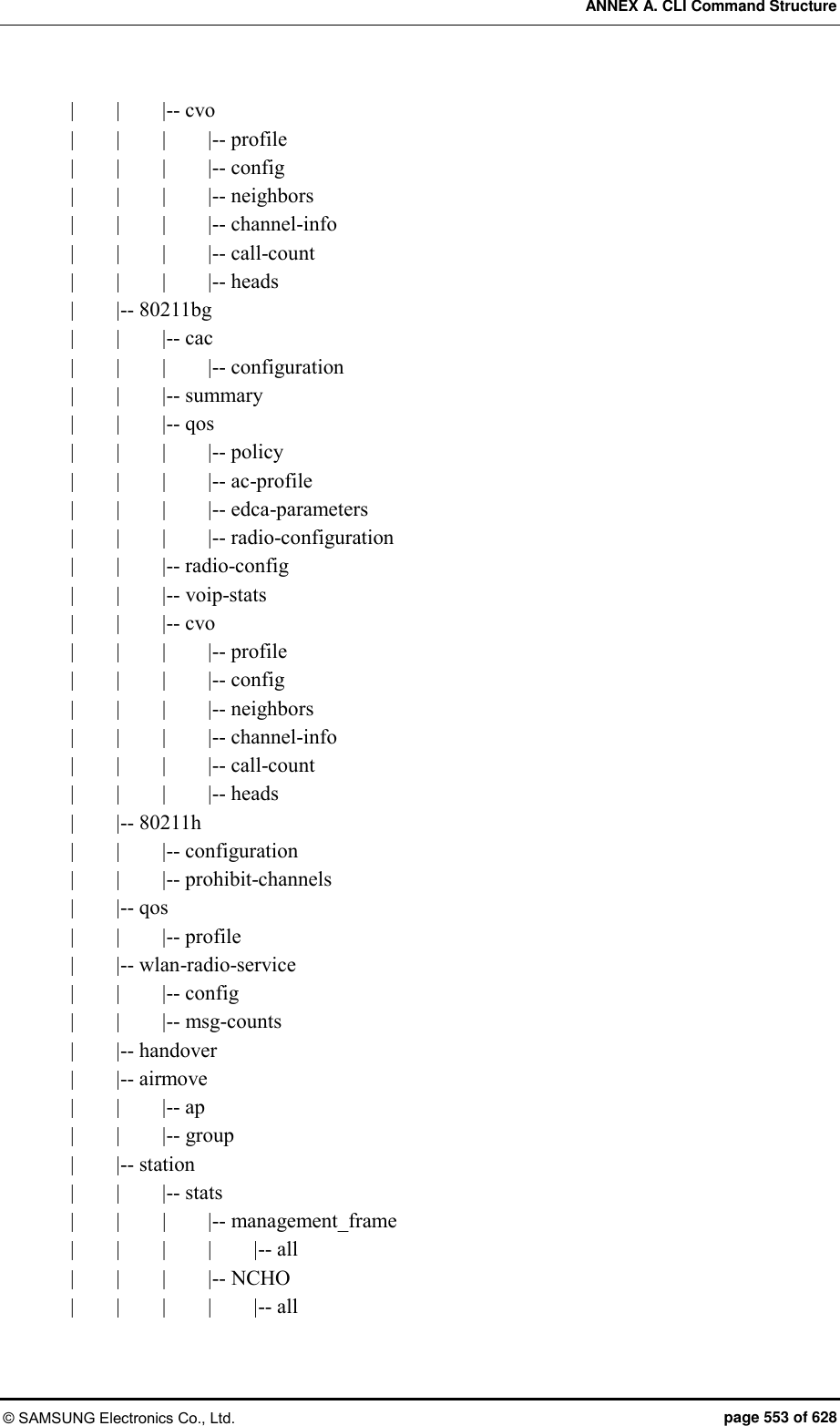
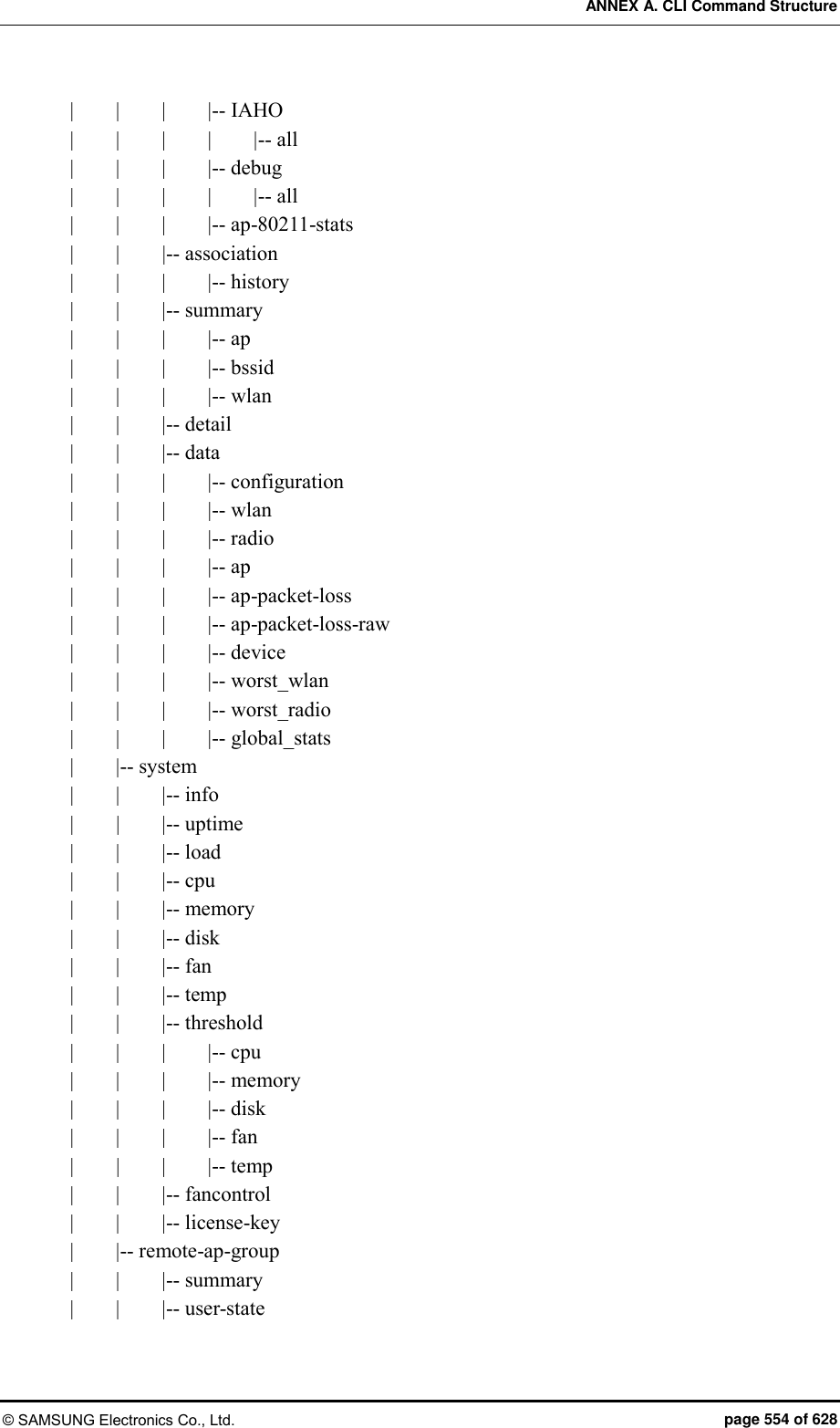
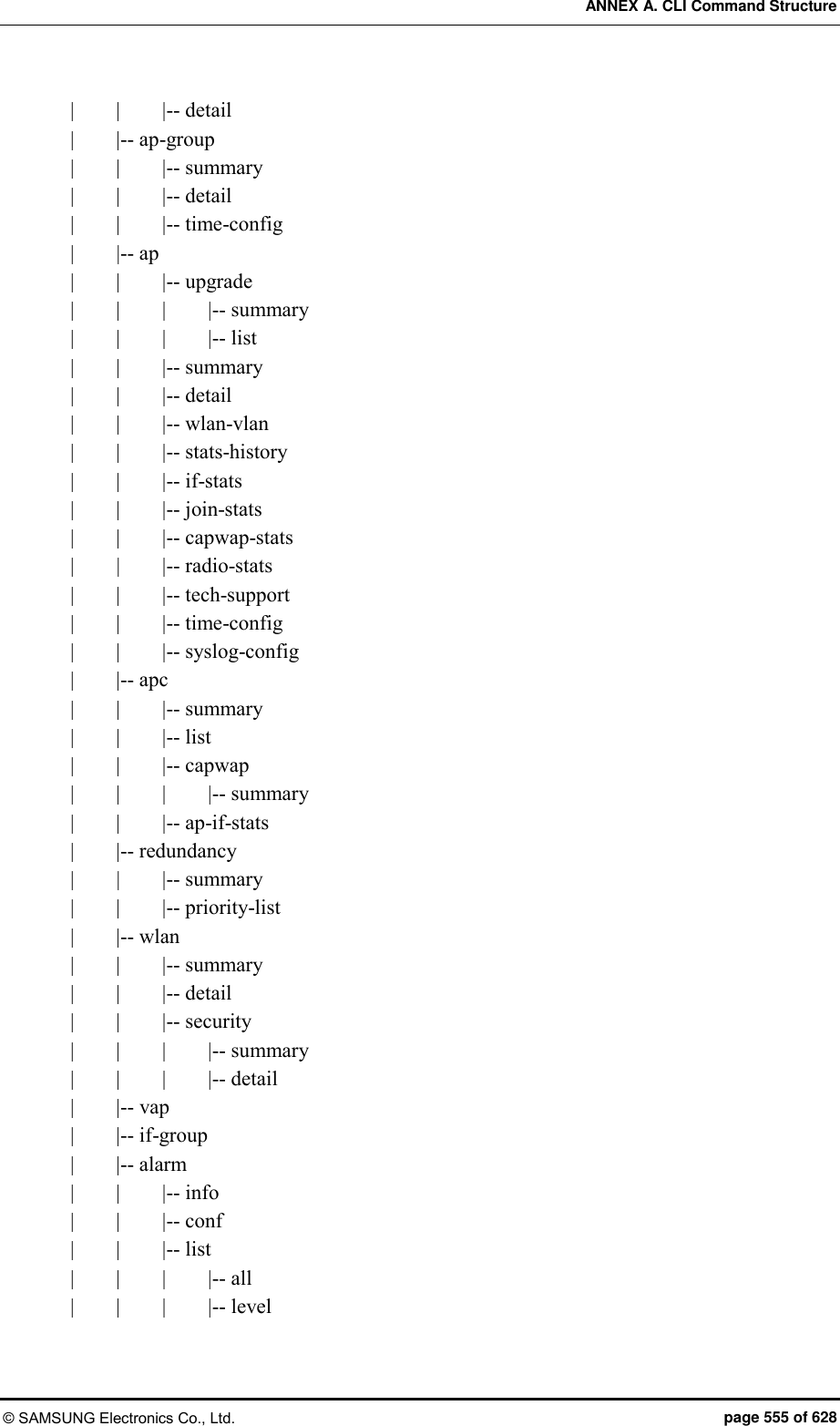
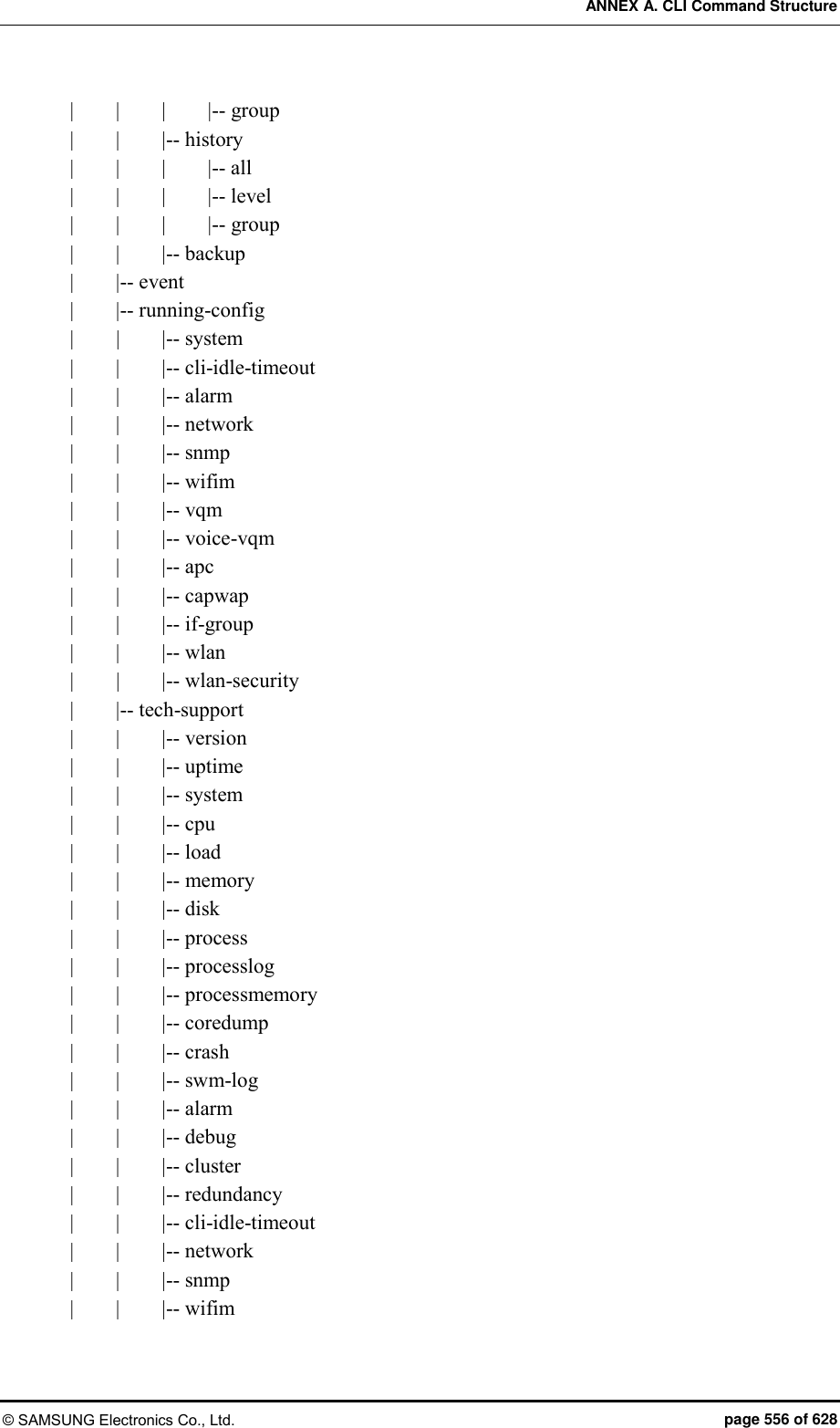
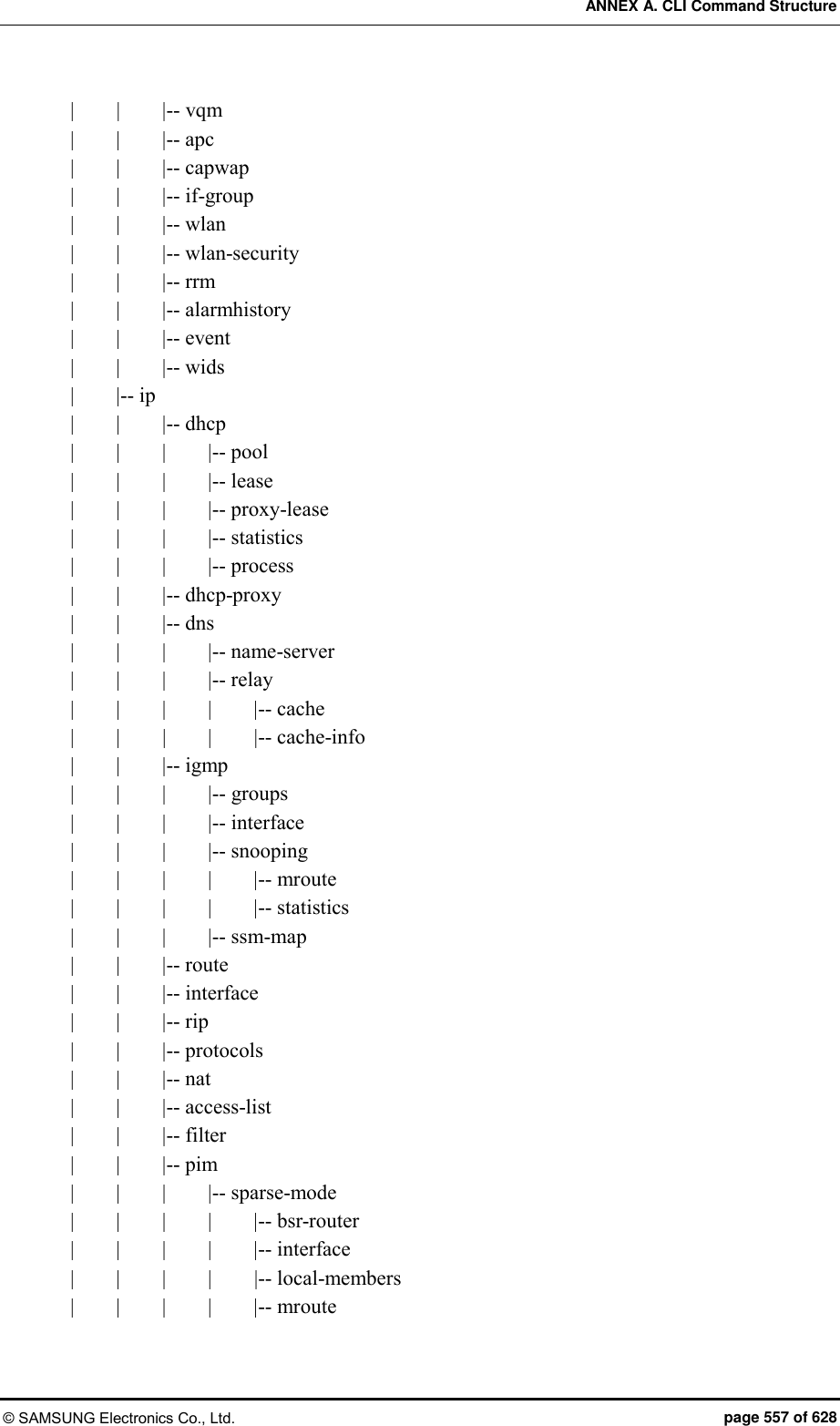
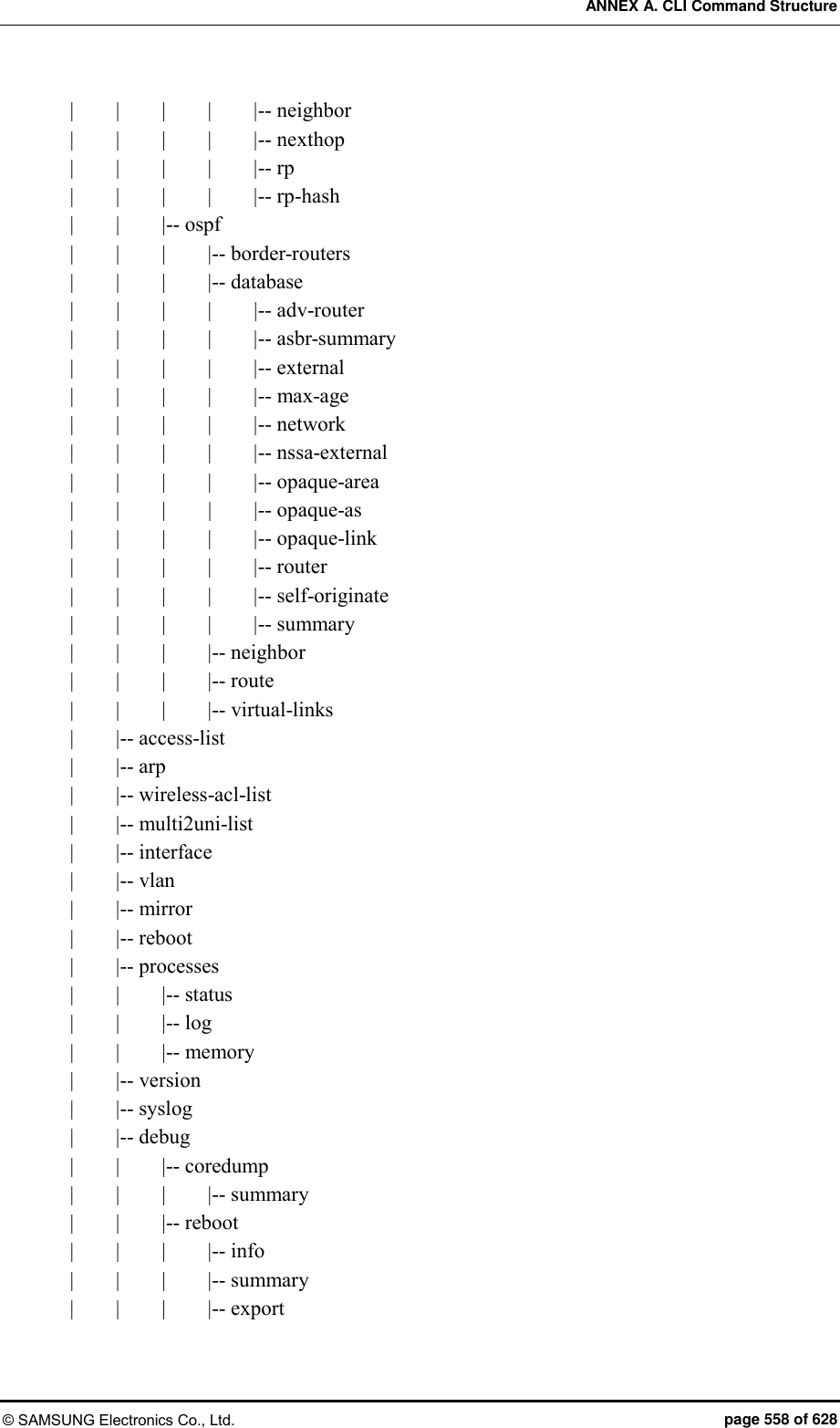
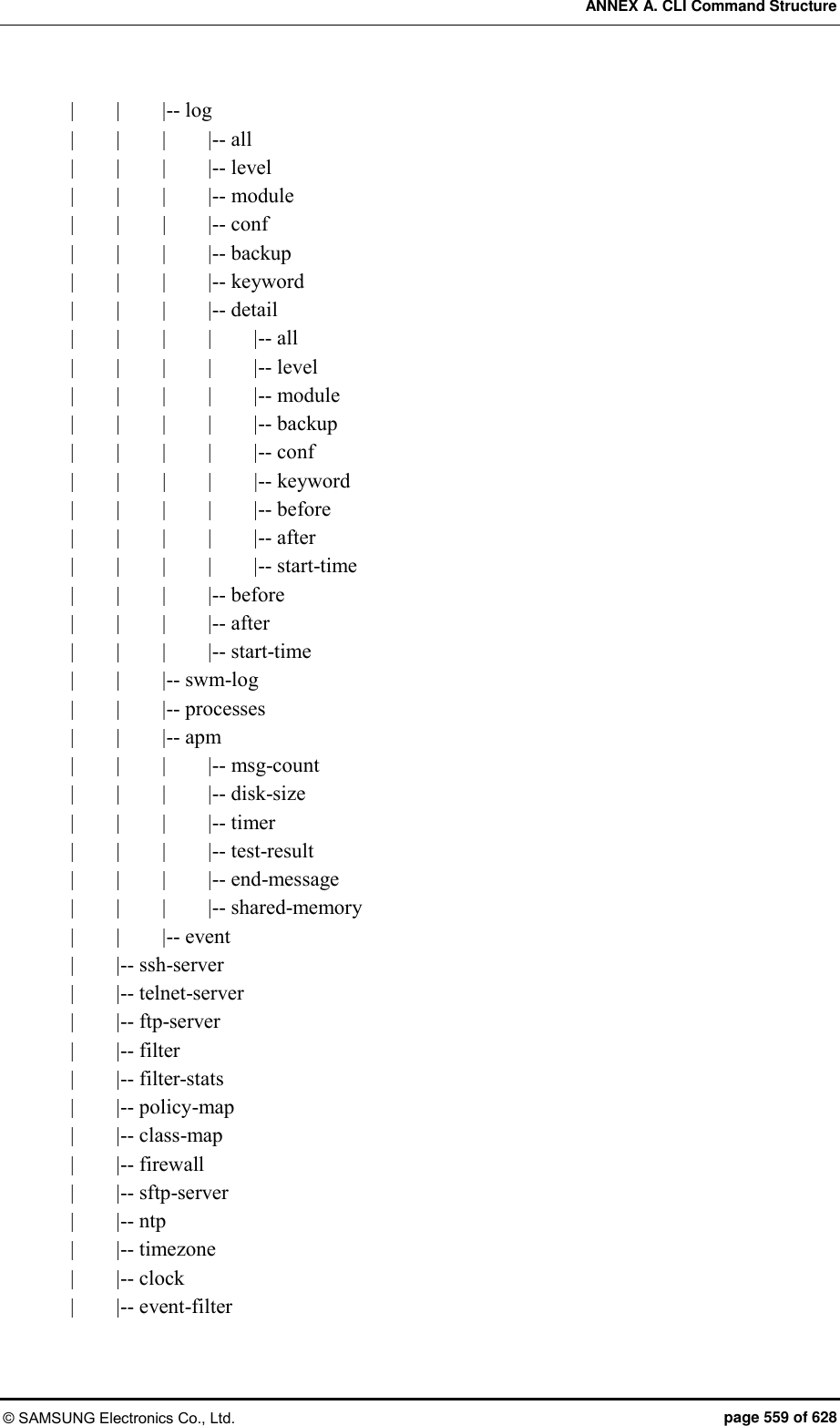
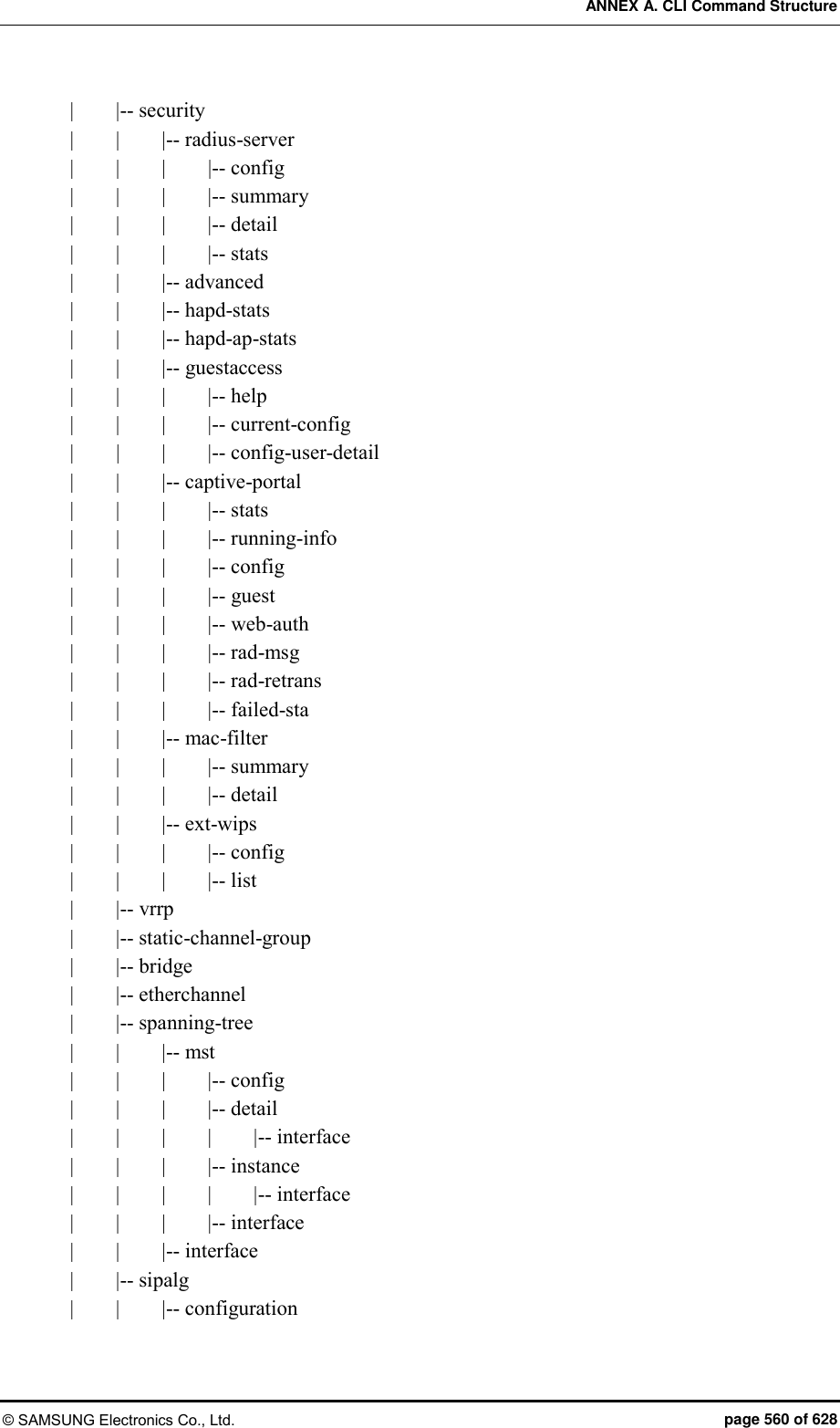
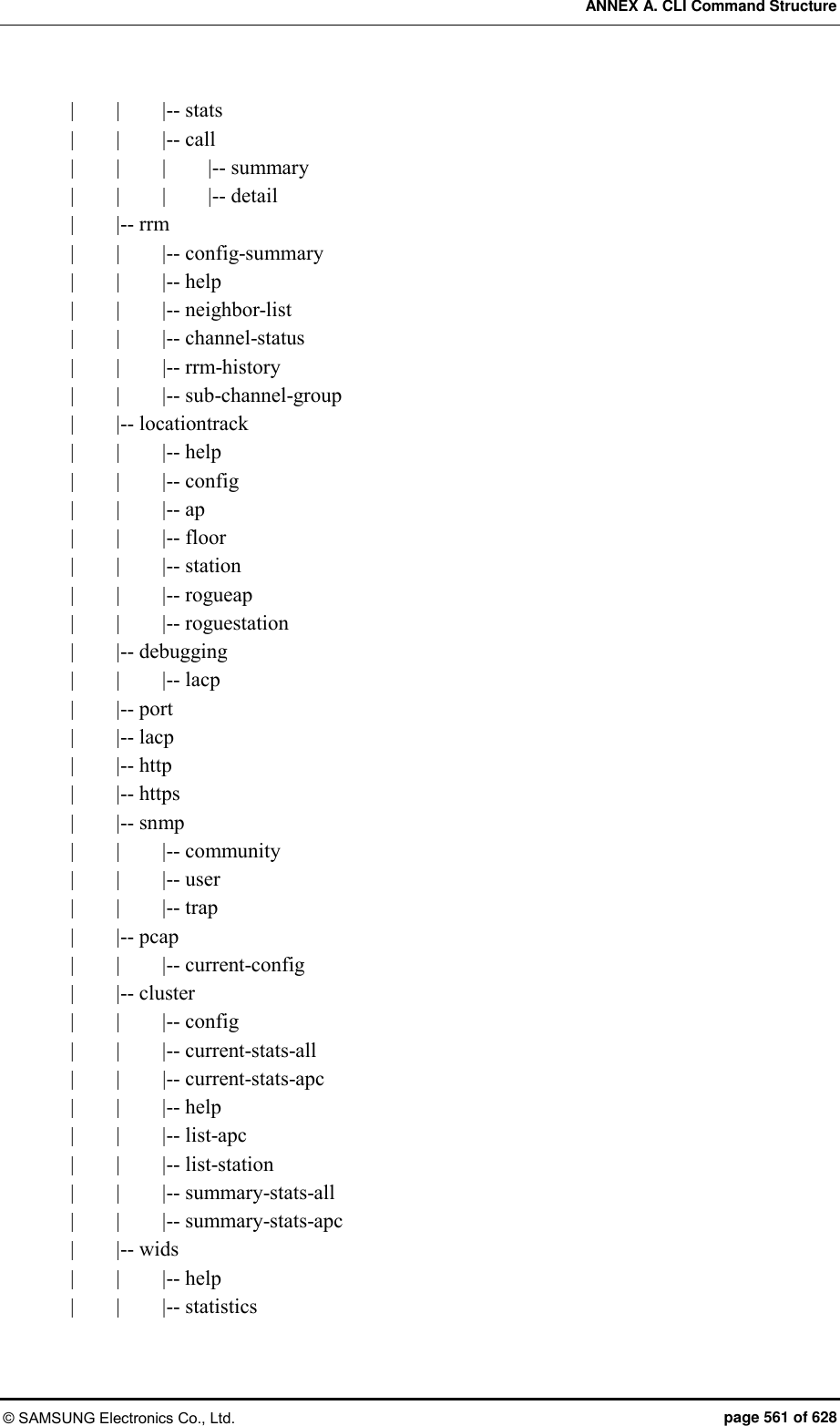
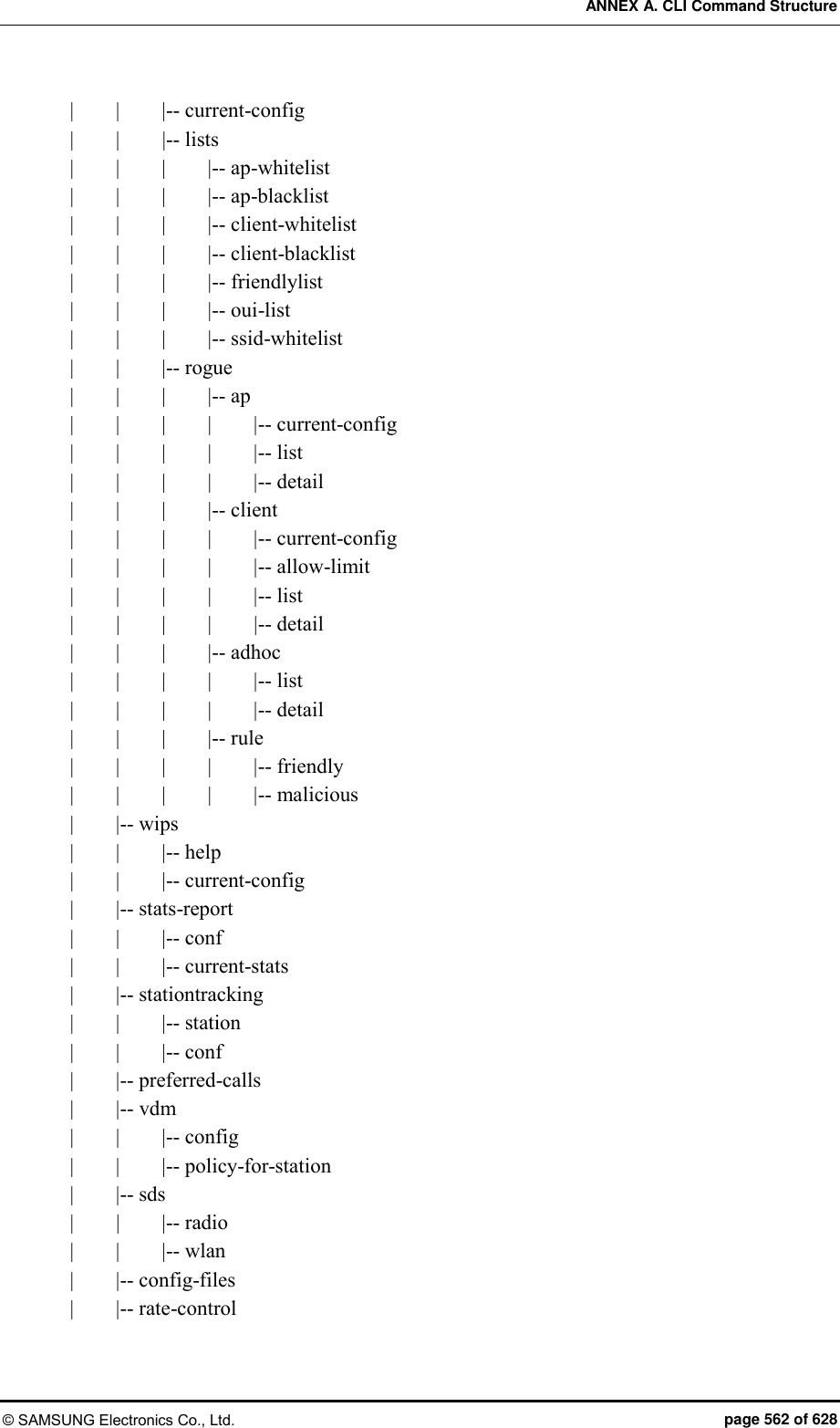
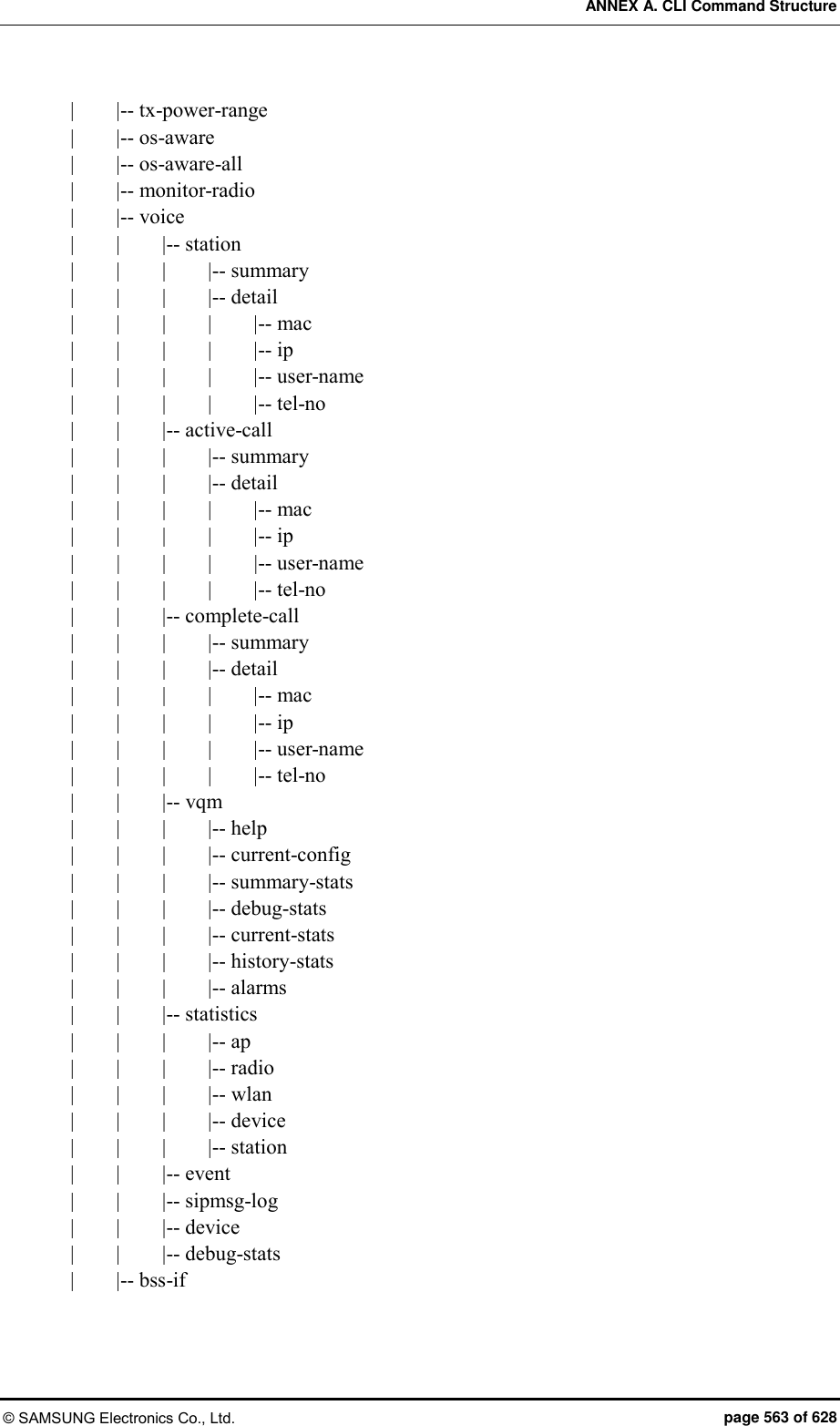
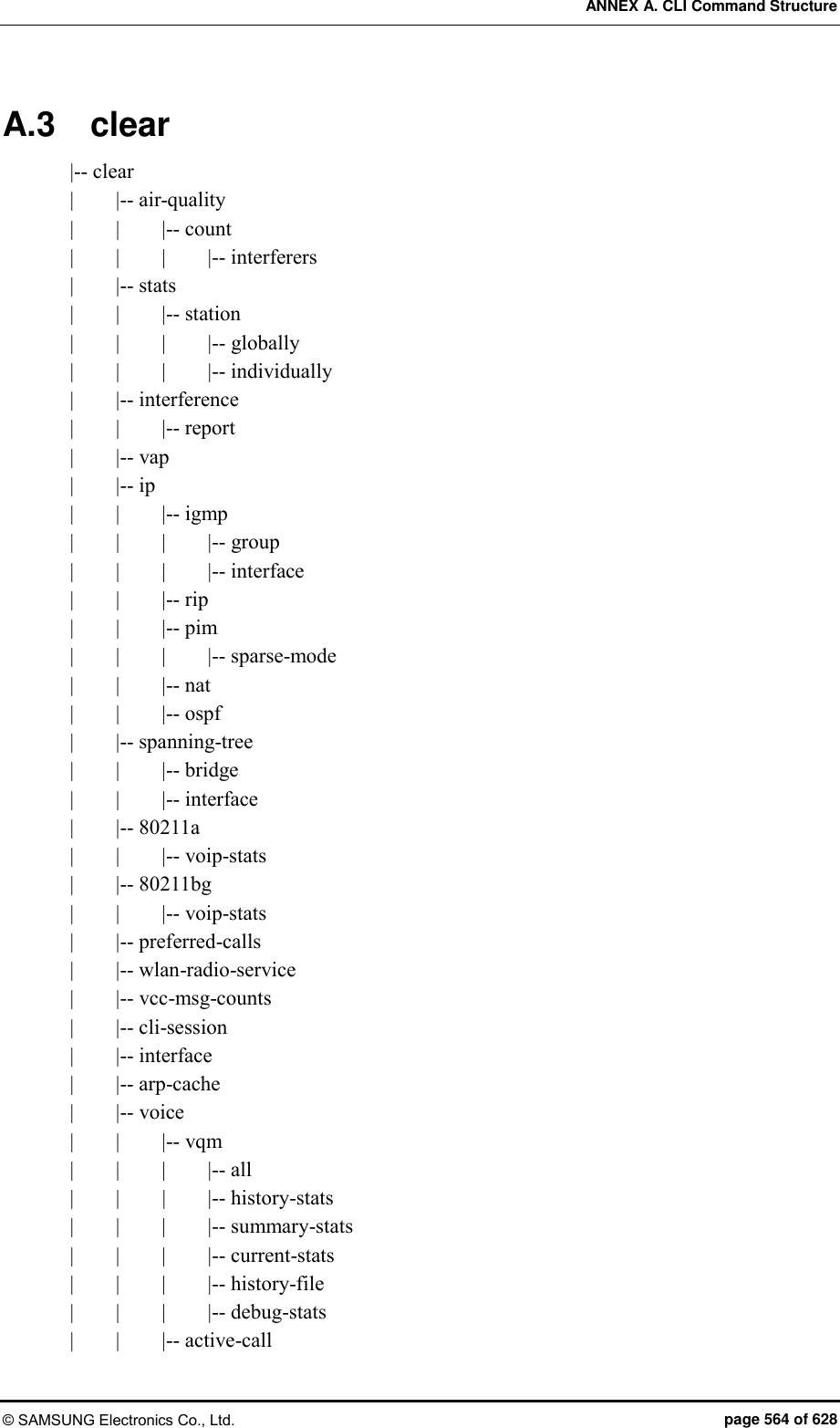
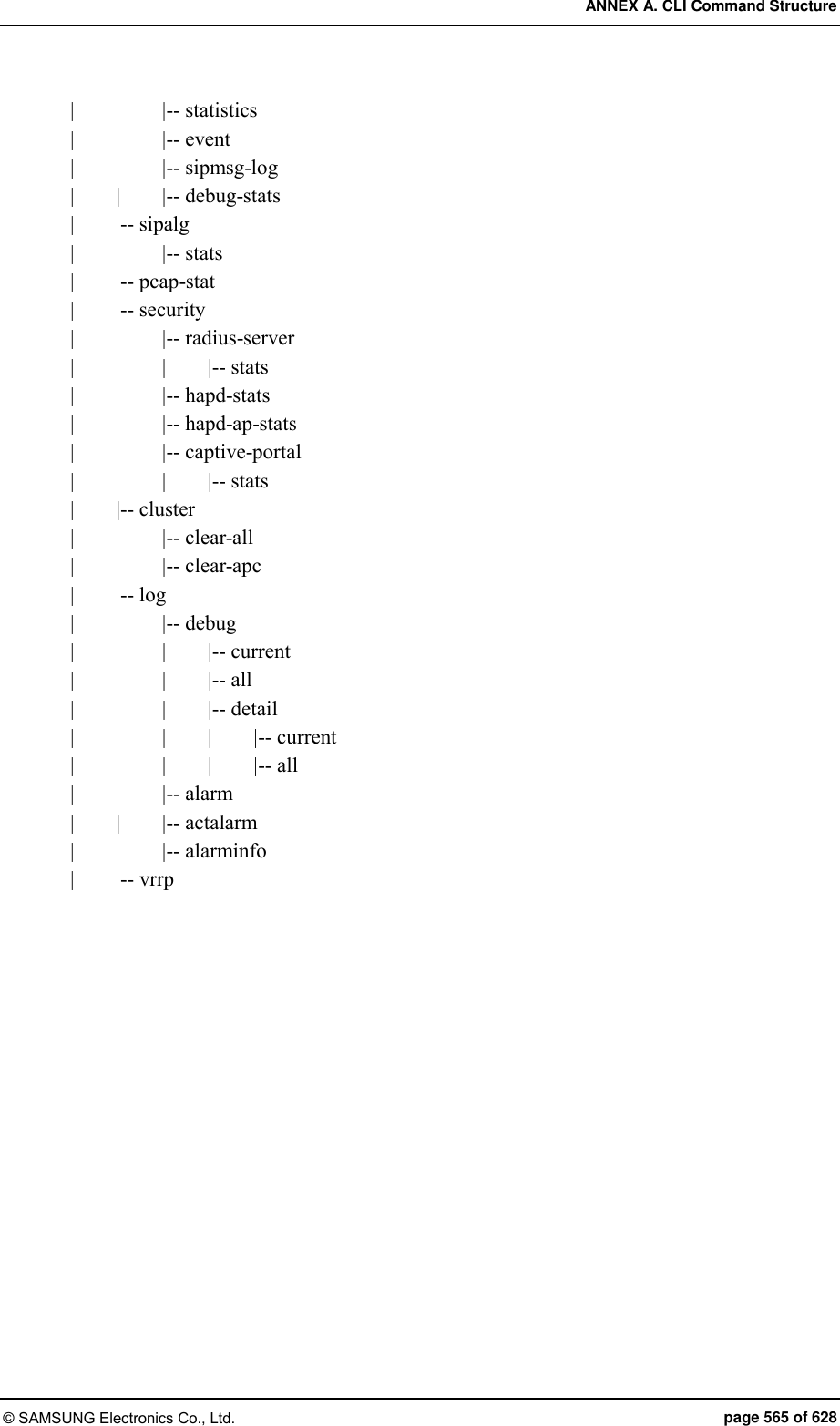
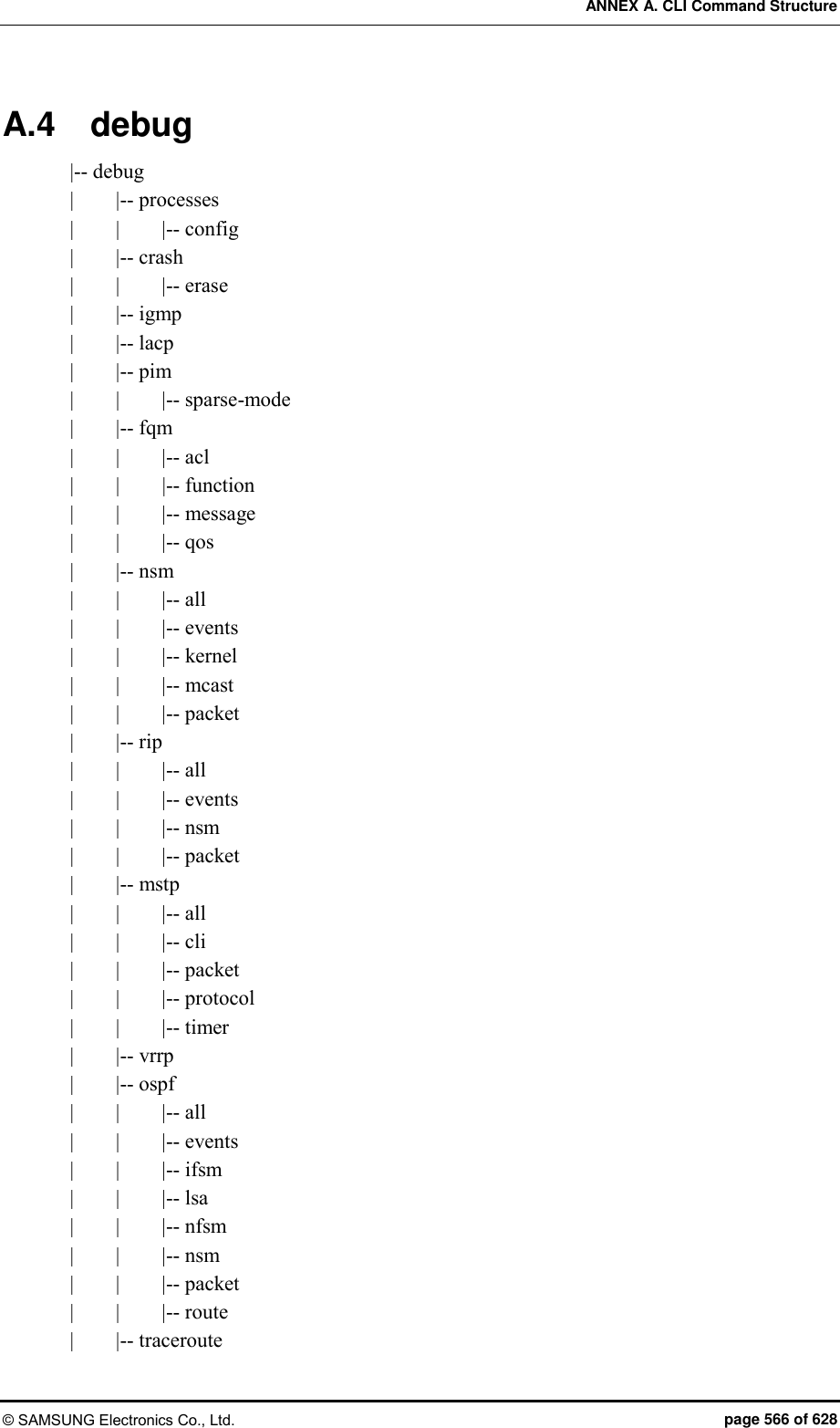
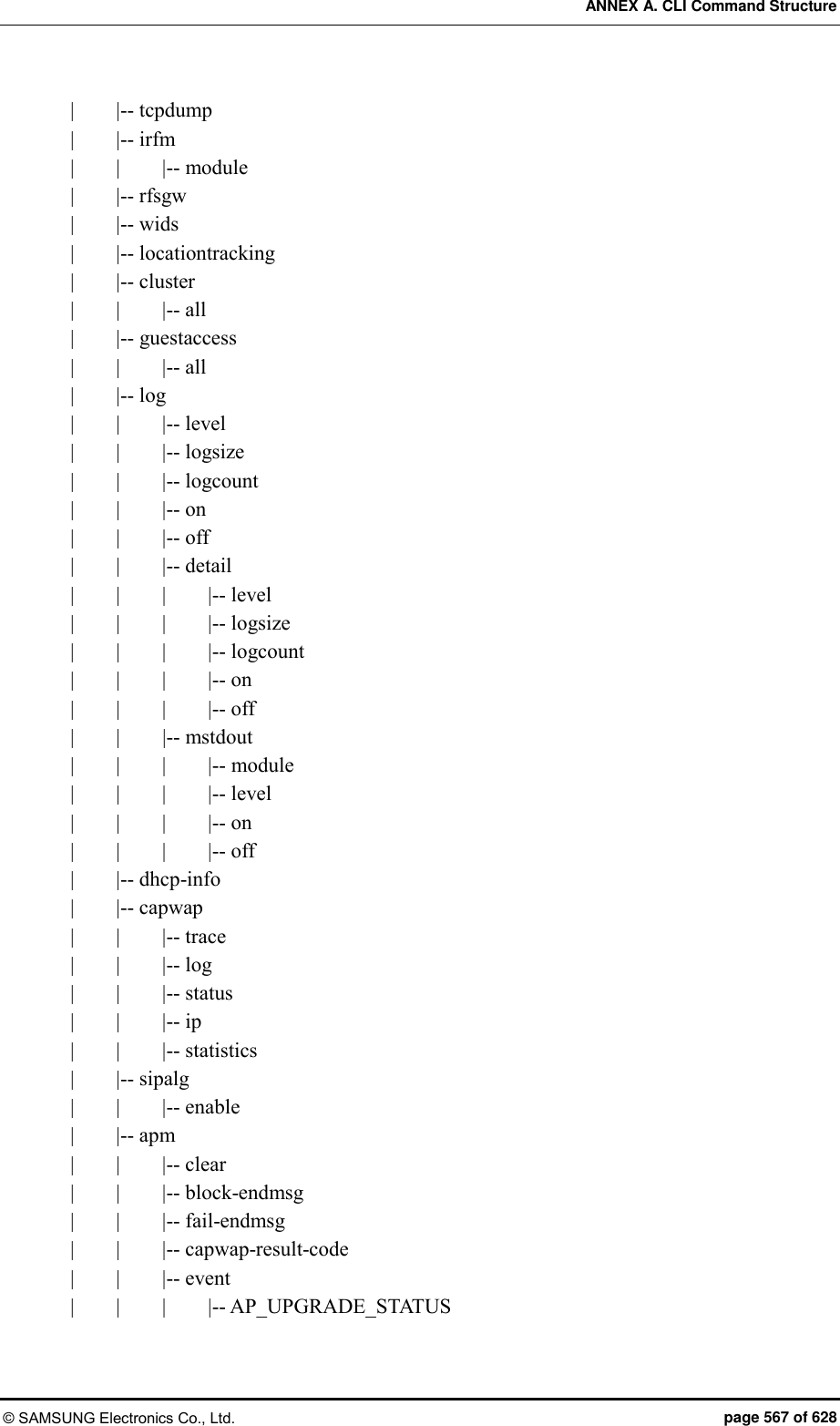

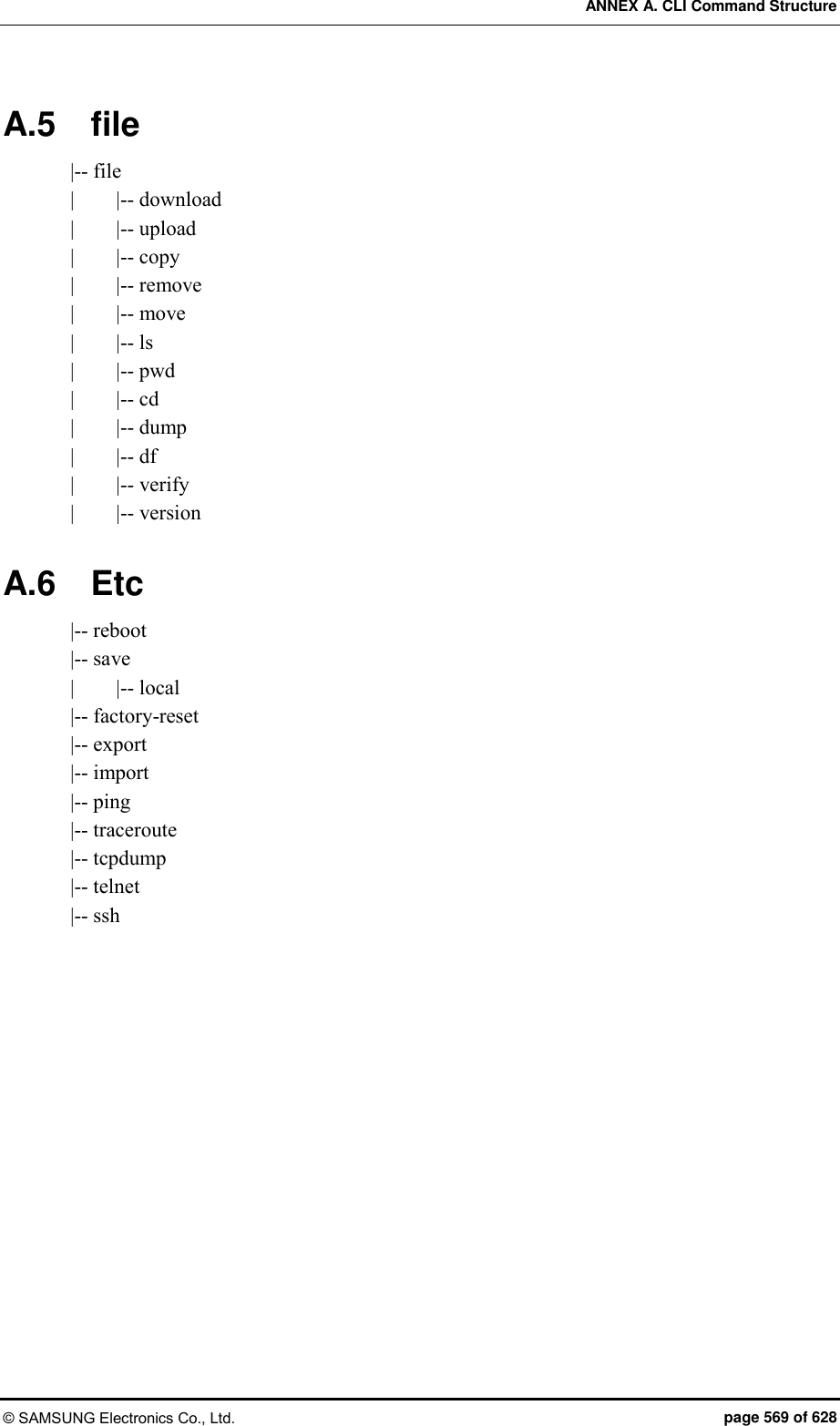
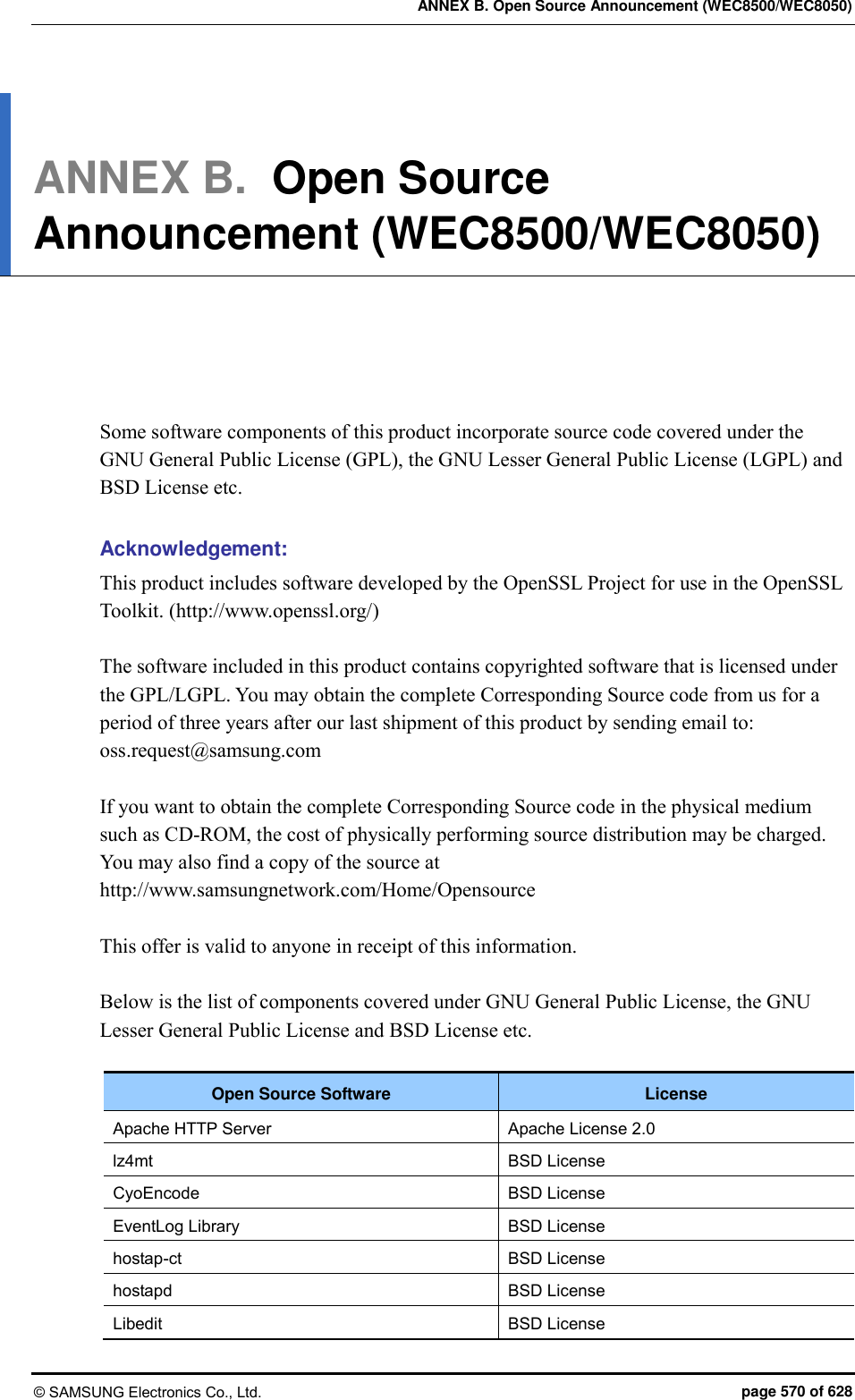
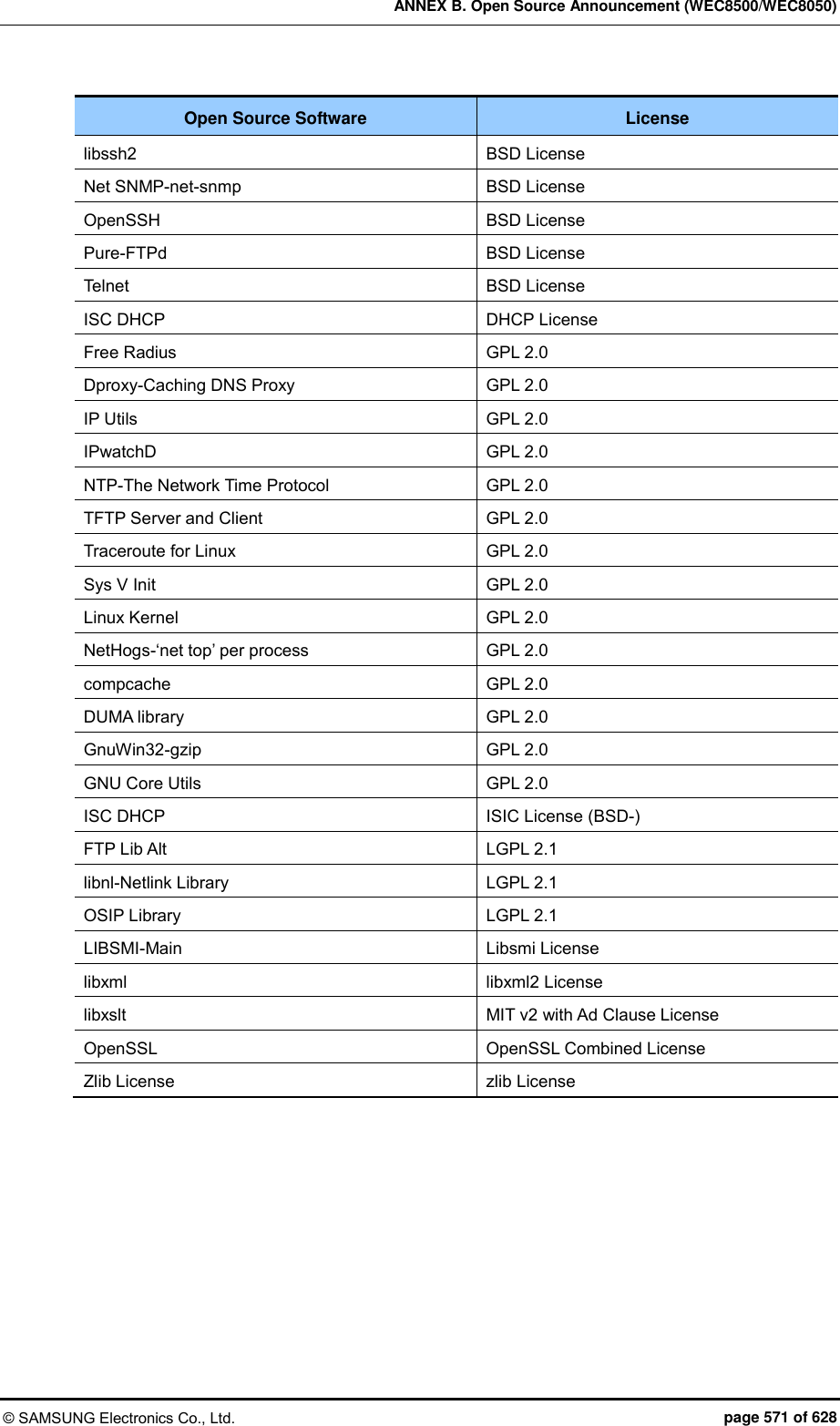



![ANNEX B. Open Source Announcement (WEC8500/WEC8050) © SAMSUNG Electronics Co., Ltd. page 575 of 628 9. Accepting Warranty or Additional Liability. While redistributing the Work or Derivative Works thereof, You may choose to offer, and charge a fee for, acceptance of support, warranty, indemnity, or other liability obligations and/or rights consistent with this License. However, in accepting such obligations, You may act only on Your own behalf and on Your sole responsibility, not on behalf of any other Contributor, and only if You agree to indemnify, defend, and hold each Contributor harmless for any liability incurred by, or claims asserted against, such Contributor by reason of your accepting any such warranty or additional liability. END OF TERMS AND CONDITIONS APPENDIX: How to apply the Apache License to your work. To apply the Apache License to your work, attach the following boilerplate notice, with the fields enclosed by brackets “[]” replaced with your own identifying information. (Don’t include the brackets!) The text should be enclosed in the appropriate comment syntax for the file format. We also recommend that a file or class name and description of purpose be included on the same “printed page” as the copyright notice for easier identification within third-party archives. Copyright [yyyy] [name of copyright owner] Licensed under the Apache License, Version 2.0 (the “License”); you may not use this file except in compliance with the License. You may obtain a copy of the License at http://www.apache.org/licenses/LICENSE-2.0 Unless required by applicable law or agreed to in writing, software distributed under the License is distributed on an “AS IS” BASIS, WITHOUT WARRANTIES OR CONDITIONS OF ANY KIND, either express or implied. See the License for the specific language governing permissions and limitations under the License.](https://usermanual.wiki/Samsung-Electronics-Co/WEA453E.APC-Operational-Manual-Professional-Installation-Guide-2-of-2/User-Guide-2529438-Page-275.png)


![ANNEX B. Open Source Announcement (WEC8500/WEC8050) © SAMSUNG Electronics Co., Ltd. page 584 of 628 GNU LESSER GENERAL PUBLIC LICENSE Version 2.1, February 1999 Copyright(c) 1991, 1999 Free Software Foundation, Inc. 51 Franklin Street, Fifth Floor, Boston, MA 02110-1301 USA Everyone is permitted to copy and distribute verbatim copies of this license document, but changing it is not allowed. [This is the first released version of the Lesser GPL. It also counts as the successor of the GNU Library Public License, version 2, hence the version number 2.1.] Preamble The licenses for most software are designed to take away your freedom to share and change it. By contrast, the GNU General Public Licenses are intended to guarantee your freedom to share and change free software--to make sure the software is free for all its users. This license, the Lesser General Public License, applies to some specially designated software packages--typically libraries--of the Free Software Foundation and other authors who decide to use it. You can use it too, but we suggest you first think carefully about whether this license or the ordinary General Public License is the better strategy to use in any particular case, based on the explanations below. When we speak of free software, we are referring to freedom of use, not price. Our General Public Licenses are designed to make sure that you have the freedom to distribute copies of free software (and charge for this service if you wish); that you receive source code or can get it if you want it; that you can change the software and use pieces of it in new free programs; and that you are informed that you can do these things. To protect your rights, we need to make restrictions that forbid distributors to deny you these rights or to ask you to surrender these rights. These restrictions translate to certain responsibilities for you if you distribute copies of the library or if you modify it. For example, if you distribute copies of the library, whether gratis or for a fee, you must give the recipients all the rights that we gave you. You must make sure that they, too, receive or can get the source code. If you link other code with the library, you must provide complete object files to the recipients, so that they can relink them with the library after making changes to the library and recompiling it. And you must show them these terms so they know their rights. We protect your rights with a two-step method: (1) we copyright the library, and (2) we offer you this license, which gives you legal permission to copy, distribute and/or modify the library. To protect each distributor, we want to make it very clear that there is no warranty for the free library.](https://usermanual.wiki/Samsung-Electronics-Co/WEA453E.APC-Operational-Manual-Professional-Installation-Guide-2-of-2/User-Guide-2529438-Page-284.png)


![ANNEX B. Open Source Announcement (WEC8500/WEC8050) © SAMSUNG Electronics Co., Ltd. page 598 of 628 The license and distribution terms for any publically available version or derivative of this code cannot be changed. i.e. this code cannot simply be copied and put under another distribution license [including the GNU Public Licence.] The zlib/libpng License Copyright(c) <year> <copyright holders> This software is provided ‘as-is’, without any express or implied warranty. In no event will the authors be held liable for any damages arising from the use of this software. Permission is granted to anyone to use this software for any purpose, including commercial applications, and to alter it and redistribute it freely, subject to the following restrictions: 1) The origin of this software must not be misrepresented; you must not claim that you wrote the original software. If you use this software in a product, an acknowledgment in the product documentation would be appreciated but is not required. 2) Altered source versions must be plainly marked as such, and must not be misrepresented as being the original software. 3) This notice may not be removed or altered from any source distribution.](https://usermanual.wiki/Samsung-Electronics-Co/WEA453E.APC-Operational-Manual-Professional-Installation-Guide-2-of-2/User-Guide-2529438-Page-298.png)
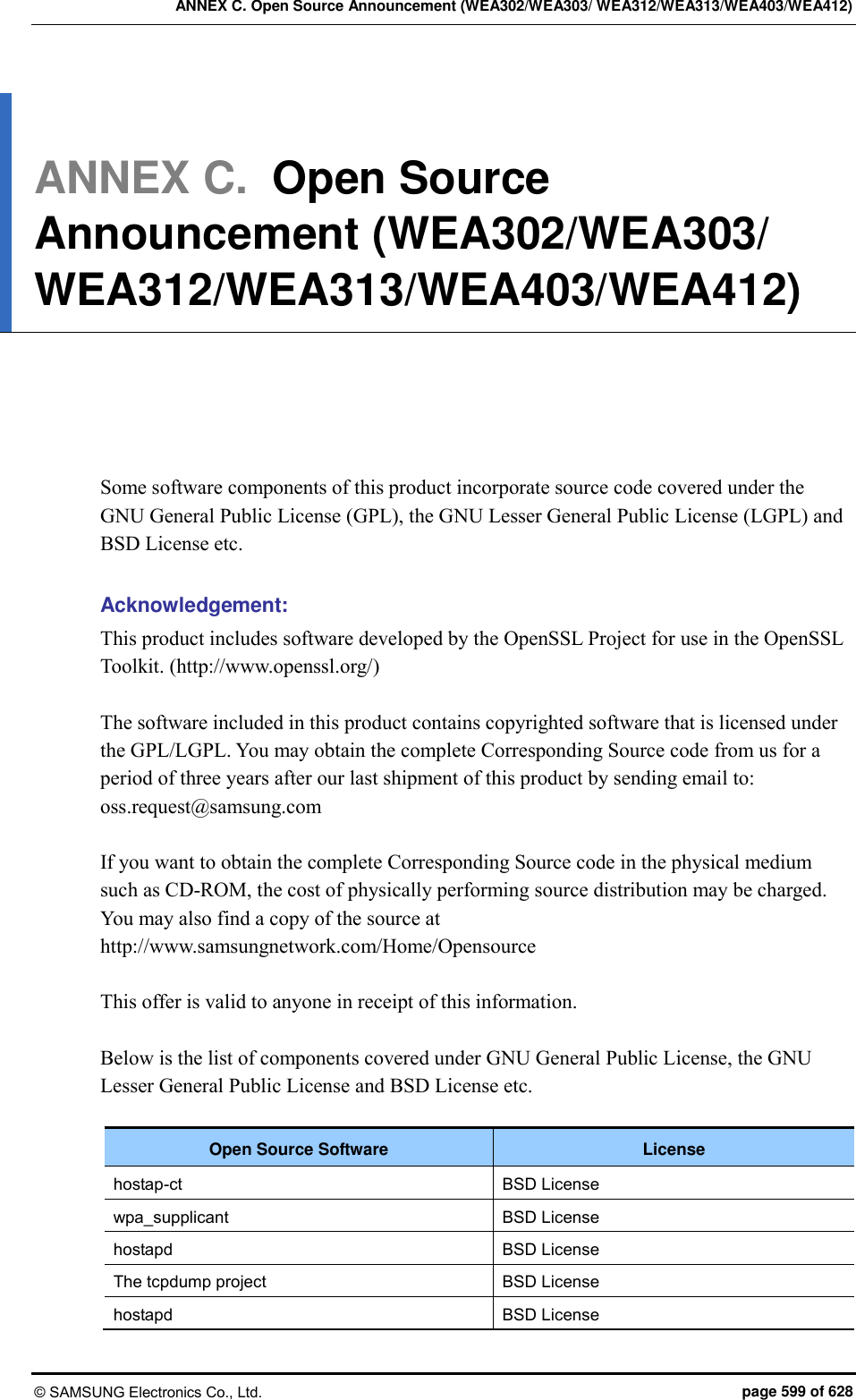
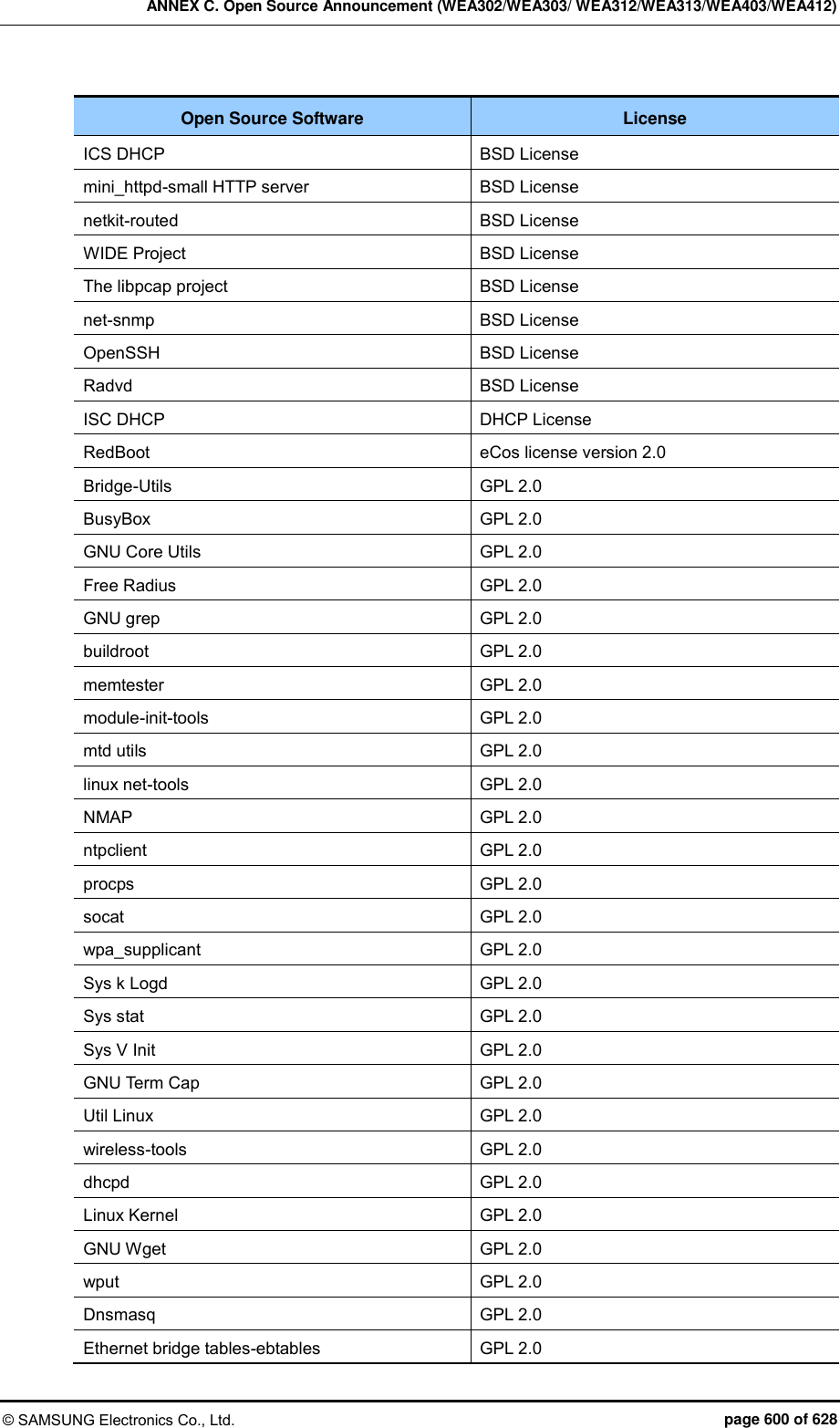
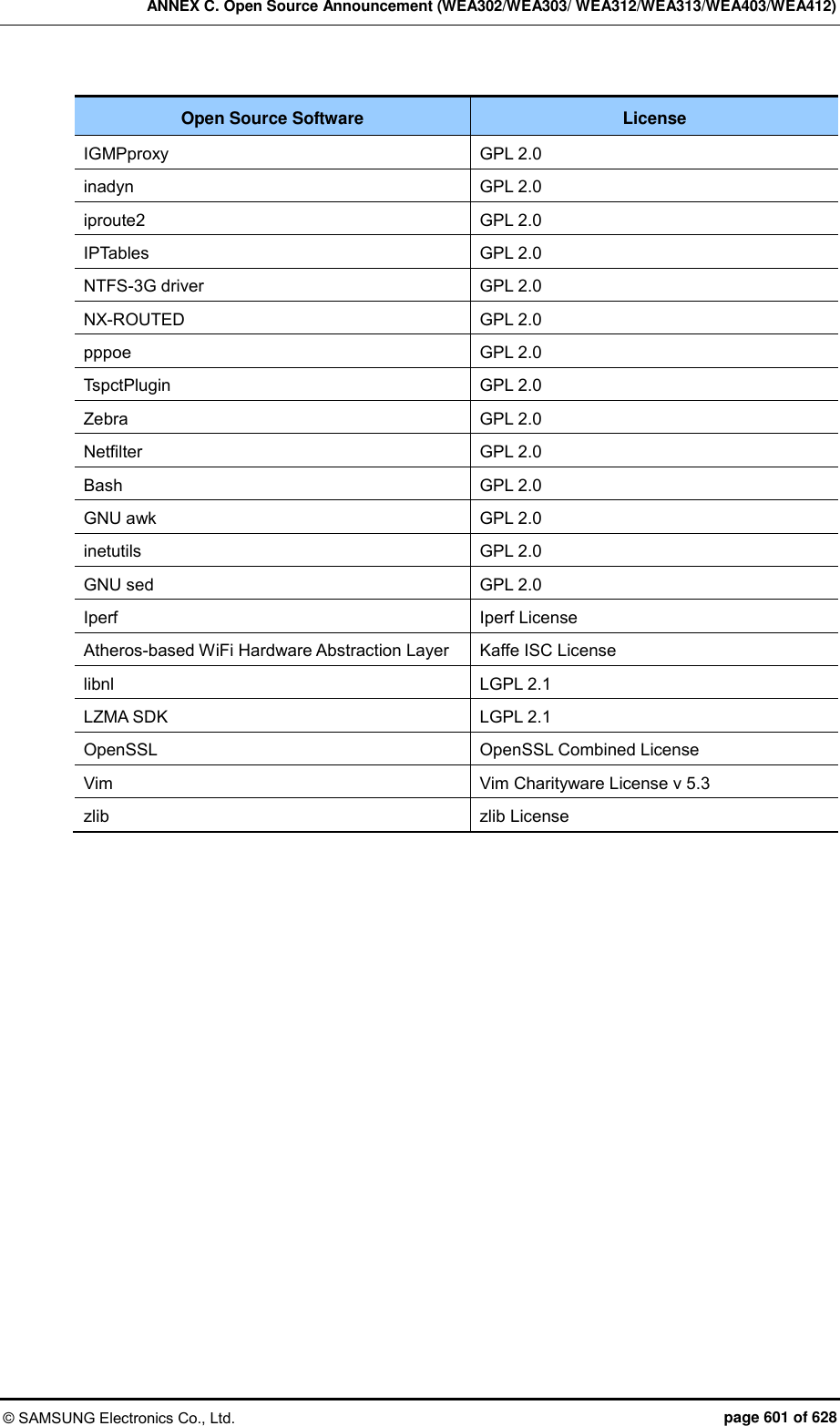

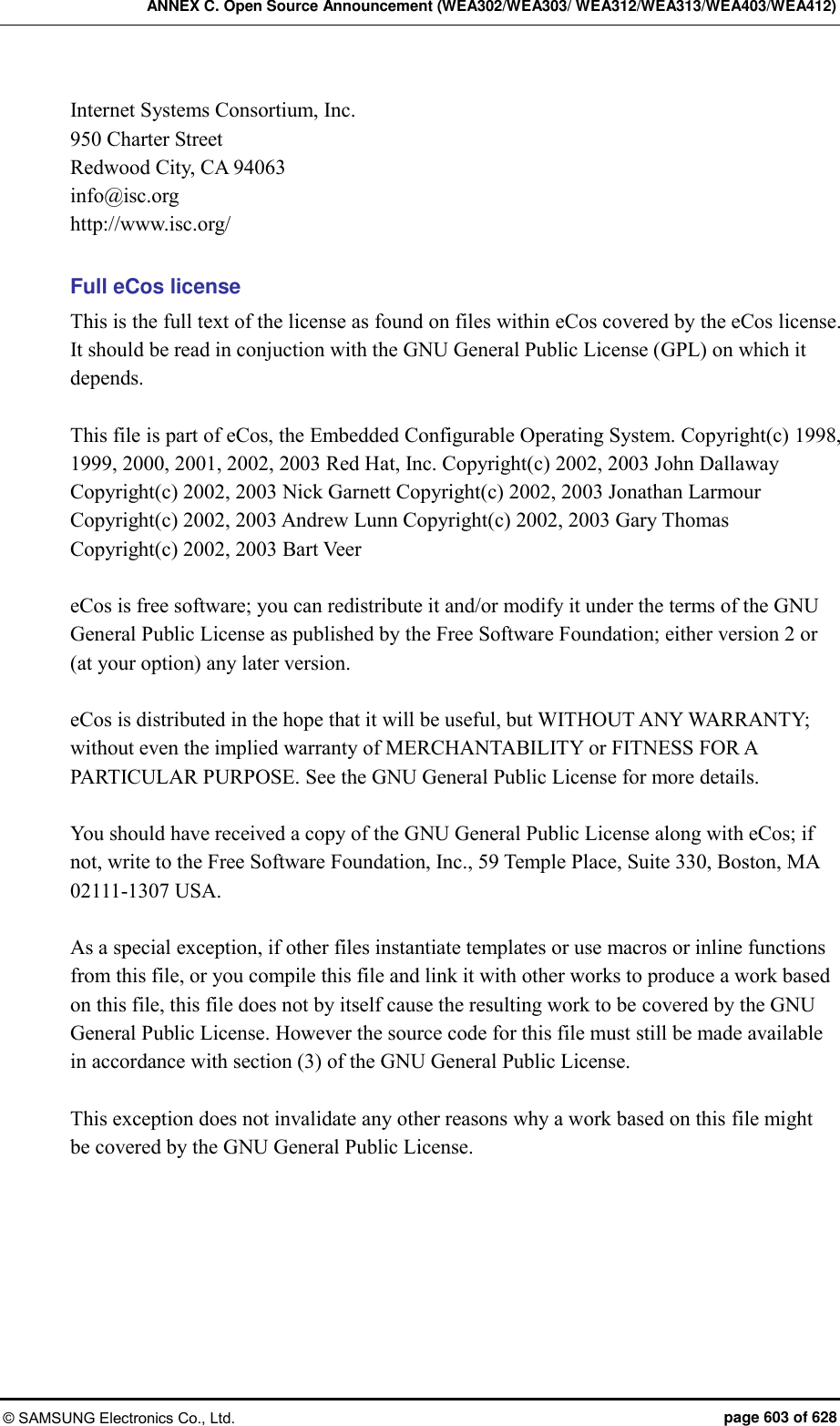

![ANNEX C. Open Source Announcement (WEA302/WEA303/ WEA312/WEA313/WEA403/WEA412) © SAMSUNG Electronics Co., Ltd. page 611 of 628 GNU LESSER GENERAL PUBLIC LICENSE Version 2.1, February 1999 Copyright(c) 1991, 1999 Free Software Foundation, Inc. 51 Franklin Street, Fifth Floor, Boston, MA 02110-1301 USA Everyone is permitted to copy and distribute verbatim copies of this license document, but changing it is not allowed. [This is the first released version of the Lesser GPL. It also counts as the successor of the GNU Library Public License, version 2, hence the version number 2.1.] Preamble The licenses for most software are designed to take away your freedom to share and change it. By contrast, the GNU General Public Licenses are intended to guarantee your freedom to share and change free software--to make sure the software is free for all its users. This license, the Lesser General Public License, applies to some specially designated software packages--typically libraries--of the Free Software Foundation and other authors who decide to use it. You can use it too, but we suggest you first think carefully about whether this license or the ordinary General Public License is the better strategy to use in any particular case, based on the explanations below. When we speak of free software, we are referring to freedom of use, not price. Our General Public Licenses are designed to make sure that you have the freedom to distribute copies of free software (and charge for this service if you wish); that you receive source code or can get it if you want it; that you can change the software and use pieces of it in new free programs; and that you are informed that you can do these things. To protect your rights, we need to make restrictions that forbid distributors to deny you these rights or to ask you to surrender these rights. These restrictions translate to certain responsibilities for you if you distribute copies of the library or if you modify it. For example, if you distribute copies of the library, whether gratis or for a fee, you must give the recipients all the rights that we gave you. You must make sure that they, too, receive or can get the source code. If you link other code with the library, you must provide complete object files to the recipients, so that they can relink them with the library after making changes to the library and recompiling it. And you must show them these terms so they know their rights. We protect your rights with a two-step method: (1) we copyright the library, and (2) we offer you this license, which gives you legal permission to copy, distribute and/or modify the library. To protect each distributor, we want to make it very clear that there is no warranty for the free library. Also, if the library is modified by someone else and passed on, the recipients should know that what they have is not the original version, so that the original author’s reputation will not be affected by problems that might be introduced by others.](https://usermanual.wiki/Samsung-Electronics-Co/WEA453E.APC-Operational-Manual-Professional-Installation-Guide-2-of-2/User-Guide-2529438-Page-311.png)



![ANNEX C. Open Source Announcement (WEA302/WEA303/ WEA312/WEA313/WEA403/WEA412) © SAMSUNG Electronics Co., Ltd. page 622 of 628 OR BUSINESS INTERRUPTION) HOWEVER CAUSED AND ON ANY THEORY OF LIABILITY, WHETHER IN CONTRACT, STRICT LIABILITY, OR TORT (INCLUDING NEGLIGENCE OR OTHERWISE) ARISING IN ANY WAY OUT OF THE USE OF THIS SOFTWARE, EVEN IF ADVISED OF THE POSSIBILITY OF SUCH DAMAGE. The license and distribution terms for any publically available version or derivative of this code cannot be changed. i.e. this code cannot simply be copied and put under another distribution license [including the GNU Public Licence.] VIM LICENSE 1) There are no restrictions on distributing unmodified copies of Vim except that they must include this license text. You can also distribute unmodified parts of Vim, likewise unrestricted except that they must include this license text. You are also allowed to include executables that you made from the unmodified Vim sources, plus your own usage examples and Vim scripts. 2) It is allowed to distribute a modified (or extended) version of Vim, including executables and/or source code, when the following four conditions are met: a) This license text must be included unmodified. b) The modified Vim must be distributed in one of the following five ways: i) If you make changes to Vim yourself, you must clearly describe in the distribution how to contact you. When the maintainer asks you (in any way) for a copy of the modified Vim you distributed, you must make your changes, including source code, available to the maintainer without fee. The maintainer reserves the right to include your changes in the official version of Vim. What the maintainer will do with your changes and under what license they will be distributed is negotiable. If there has been no negotiation then this license, or a later version, also applies to your changes. The current maintainer is Bram Moolenaar {Bram@vim.org}. If this changes it will be announced in appropriate places (most likely vim.sf.net, www.vim.org and/or comp.editors). When it is completely impossible to contact the maintainer, the obligation to send him your changes ceases. Once the maintainer has confirmed that he has received your changes they will not have to be sent again. ii) If you have received a modified Vim that was distributed as mentioned under a) you are allowed to further distribute it unmodified, as mentioned at I). If you make additional changes the text under a) applies to those changes. iii) Provide all the changes, including source code, with every copy of the modified Vim you distribute. This may be done in the form of a context diff. You can choose what license to use for new code you add. The changes and their license must not restrict others from making their own changes to the official version of Vim. When you have a modified Vim which includes changes as mentioned under c), you can distribute it without the source code for the changes if the following three conditions are met:](https://usermanual.wiki/Samsung-Electronics-Co/WEA453E.APC-Operational-Manual-Professional-Installation-Guide-2-of-2/User-Guide-2529438-Page-322.png)