Samzuk Technology Development Co FPDN10A FRS walkie talkie User Manual FPDN10A Operation manua

Guangdong Samzuk Technology Development Co,Ltd FRS walkie talkie FPDN10A Operation manua

User manual

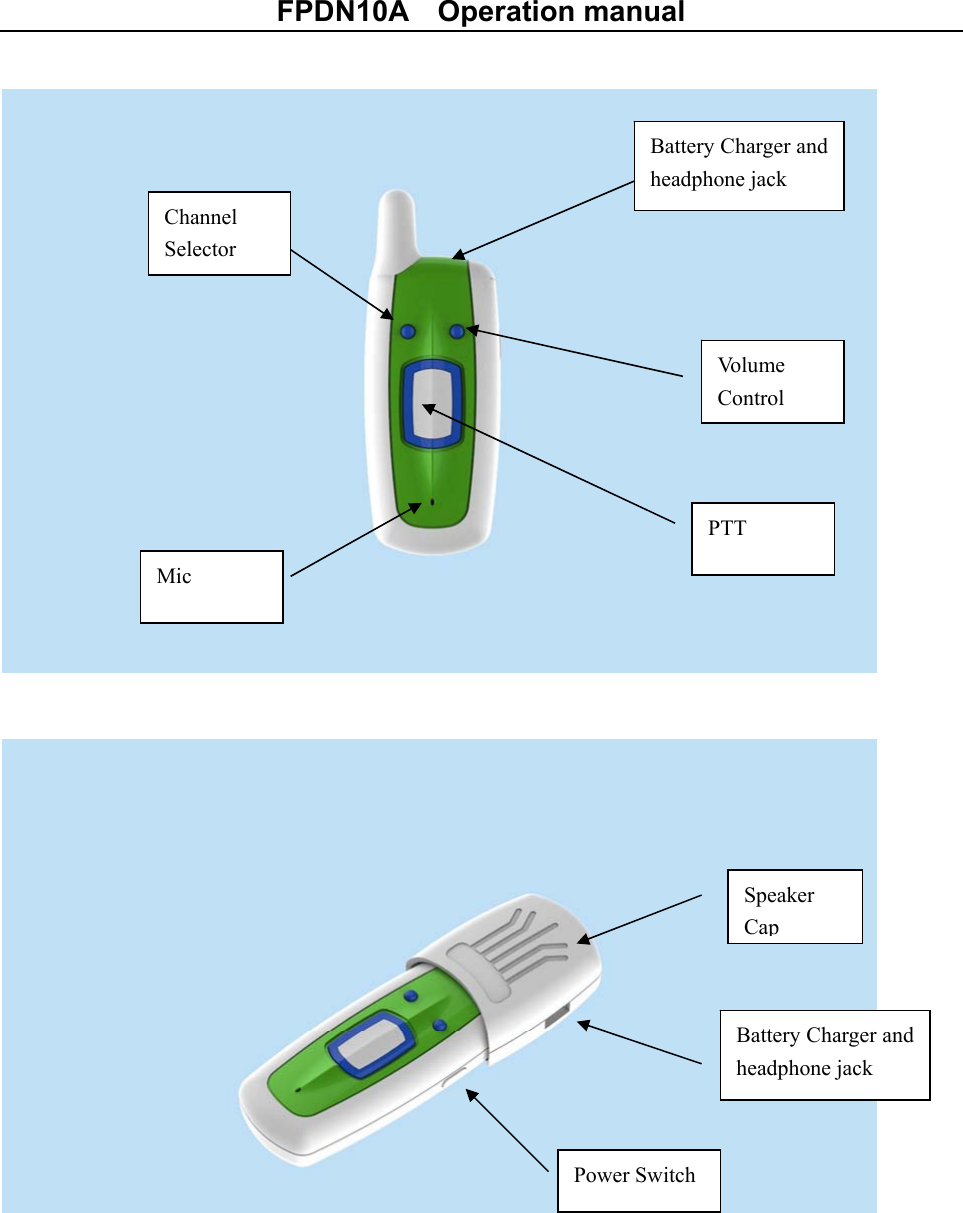
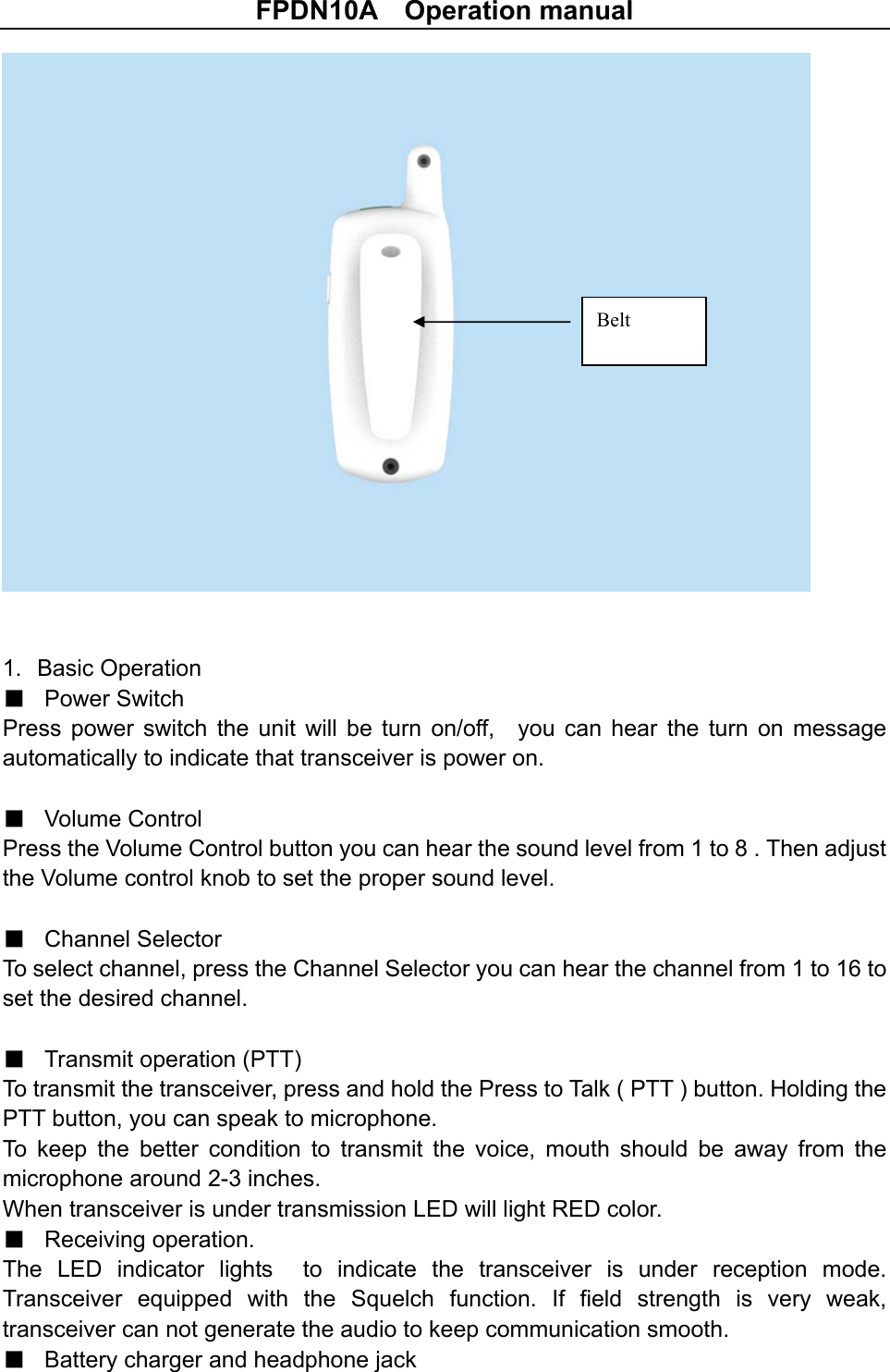
FPDN10A    Operation manual                             Vo l u m e    Control PTT Channel Selector Mic Battery Charger and headphone jack Speaker Cap Battery Charger and headphone jack Power Switch
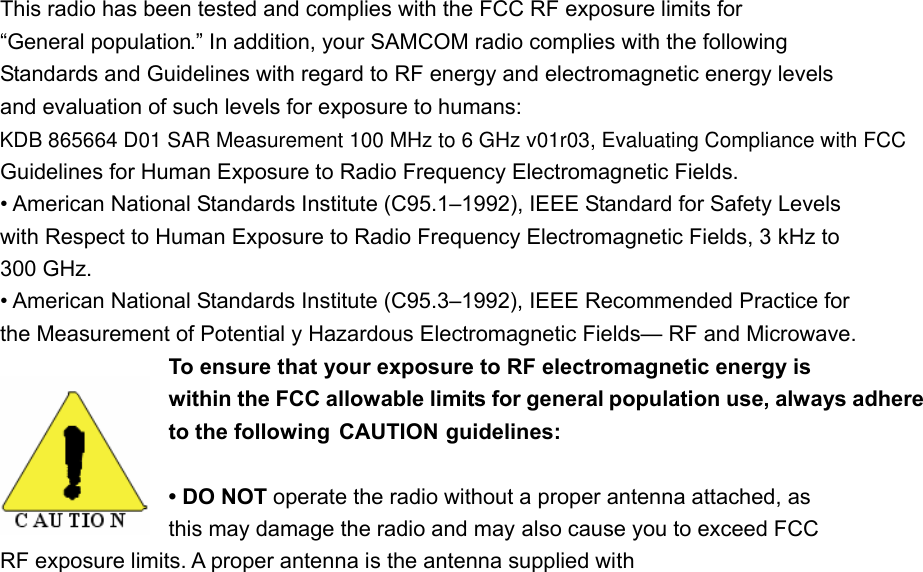
FPDN10A    Operation manual   1.  Basic Operation ■ Power Switch Press  power  switch  the unit will  be  turn  on/off,    you  can  hear  the  turn  on  message automatically to indicate that transceiver is power on.  ■ Volume Control Press the Volume Control button you can hear the sound level from 1 to 8 . Then adjust the Volume control knob to set the proper sound level.  ■ Channel Selector To select channel, press the Channel Selector you can hear the channel from 1 to 16 to set the desired channel.  ■ Transmit operation (PTT) To transmit the transceiver, press and hold the Press to Talk ( PTT ) button. Holding the PTT button, you can speak to microphone.   To  keep  the  better  condition  to  transmit  the  voice,  mouth  should  be  away  from  the microphone around 2-3 inches. When transceiver is under transmission LED will light RED color. ■ Receiving operation. The  LED  indicator  lights    to  indicate  the  transceiver  is  under  reception  mode. Transceiver  equipped  with  the  Squelch  function.  If  field  strength  is  very  weak, transceiver can not generate the audio to keep communication smooth.   ■ Battery charger and headphone jack   Belt
FPDN10A    Operation manual You can charge battery or use headphone jack to listen   ■ Speaker Cap Put into the speaker cap you can hear the sound not need use earphone ■   Low Battery Alert If battery is very low level, Battery low alert will be generated to indicate that you need to charge the battery.  THE FCC WANTS YOU TO KNOW Your intercom might cause TV or radio interference even when it is operating properly. To determine whether your intercom is causing the interference, turn off the stations, if the interference goes away, your intercom is causing the in Moving your stations away from the receiver. Connecting  your  stations  to  an  outlet  that  is  on  a  different  electrical  circuit  from  the receiver. If  you  cannot  eliminate  the  interference,  the  FCC  requires  that  you  stop  using  your intercom. Changes or modifications not expressly approved by the party responsible for compliance could void the user’s authority to operate the equipment. Important:  Do  not  hold  down  CALL  for  more  than  10  seconds.  The  FCC  does  not allow  you  to  send  a  continuous  tone  for  more  than  10  seconds  at  a  time  on  FRS frequencies.
This radio has been tested and complies with the FCC RF exposure limits for “General population.” In addition, your SAMCOM radio complies with the following Standards and Guidelines with regard to RF energy and electromagnetic energy levels and evaluation of such levels for exposure to humans: Guidelines for Human Exposure to Radio Frequency Electromagnetic Fields. • American National Standards Institute (C95.1–1992), IEEE Standard for Safety Levels with Respect to Human Exposure to Radio Frequency Electromagnetic Fields, 3 kHz to 300 GHz. • American National Standards Institute (C95.3–1992), IEEE Recommended Practice for the Measurement of Potential y Hazardous Electromagnetic Fields— RF and Microwave. To ensure that your exposure to RF electromagnetic energy is within the FCC allowable limits for general population use, always adhere to the following  CAUTION guidelines: • DO NOT operate the radio without a proper antenna attached, as   this may damage the radio and may also cause you to exceed FCC   RF exposure limits. A proper antenna is the antenna supplied with KDB 865664 D01 SAR Measurement 100 MHz to 6 GHz v01r03, Evaluating Compliance with FCC
this radio by the manufacturer or an antenna specifically authorized by the manufacturerfor use with this radio. • DO NOT transmit for more than 50% of total radio use time (“50% duty cycle”). Transmitting more than 50% of the time can cause FCC RF exposure compliance requirements to be exceeded. The radio is transmitting when the “TX indicator” lights red. You can cause the radio to transmit by pressing the “PTT” switch. • ALWAYS use SAMCOM authorized accessories (antennas, batteries, belt clips, speaker/mics, etc). Use of unauthorized accessories can cause the FCC RF exposure compliance requirements to be exceeded. Body-worn operations are restricted to belt-clips, holsters or similar accessories that have no metallic component in the assembly and that provide at least 1.5 cm separation between the device, including its antenna, and the user's body. To provide the recipients of your transmission the best sound quality, hold the antenna at least 5 cm (2 inches) from mouth, and slightly off to one side. The information listed above provides the user with the information needed to make him or her aware of RF exposure, and what to do to assure that this radio operates within the FCC RF exposure limits of this radio. Electromagnetic Interference/Compatibility During transmissions, your SAMCOM radio generates RF energy that can possibly cause interference with other devices or systems. To avoid such interference, turn off the radio in areas where signs are posted to do so. DO NOT operate the transmitter in areas that are   sensitive to electromagnetic radiation such as hospitals, aircraft, and blasting sites. This device complies with Part 95 of the FCC rules. Operation is subject to the following two conditions: (1) This device may not cause harmful interference, and (2) this device must except any interference received,  including interference that may cause undesired operation. Changesormodificationsnotexpresslyapprovedbythepartyresponsibleforcompliancecouldvoidtheuser’sauthoritytooperatetheequipment. Important: Do not hold down CALL for more than 10 seconds. The FCC does not allow you to send a continuous tone for more than 10 seconds at a time on FRS frequencies.

Navigation menu