Saris Cycling Group SL24TT1 Bicycle Fitness Monitoring Transmitter User Manual powerbeam ISv1 Layout 1
Saris Cycling Group Inc Bicycle Fitness Monitoring Transmitter powerbeam ISv1 Layout 1
Contents
- 1. powerbeam user manaul
- 2. pro 300pt user manual
- 3. powertap sl24
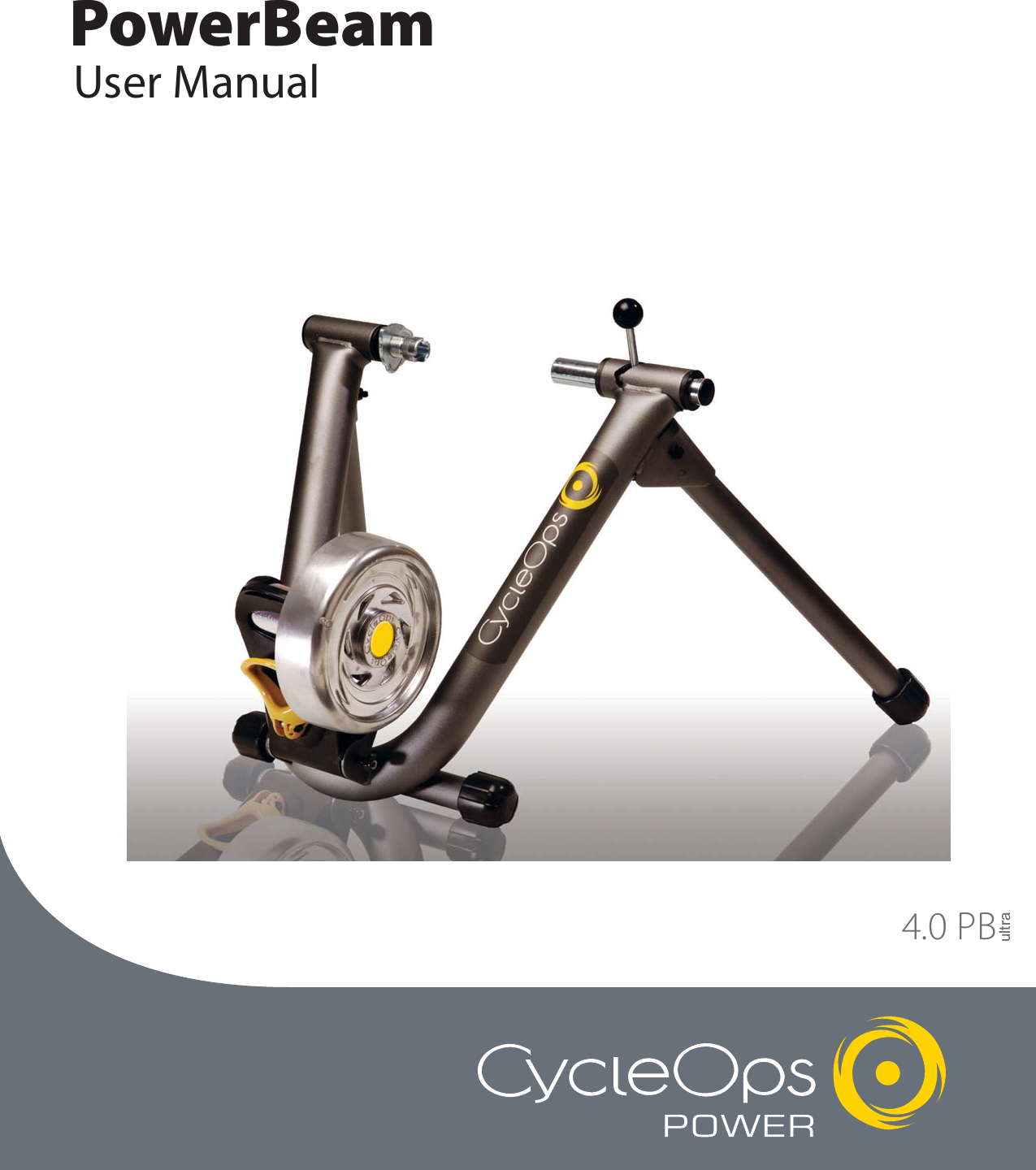
powerbeam user manaul
![5BatteriesThe console ships with batteries. In the event the batteries need to be replaced over time, follow these simple steps:1. Remove the back cover with a small philips head screwdriver2. Remove batteries3. Replace with fresh AAA batteries, paying attention to properly line up the poles4. Replace battery door and secure with small philips head screwdriverIMPORTANT! How To Zero TorqueThe torque must be zeroed to ensure that the PowerTap displays the most accurate power information. If the instantaneous power is positive, or nega-tive, the torque needs to be zeroed. These operations must be done with NO tension on the chain or while stationary with NO force being placed on thepedals. Also, the transmission icon must be illuminated.To zero torque first ensure the transmission icon is showing then press [DOWN ARROW] to move the cursor to [WATTS]. Press [SELECT] to change to[INCH-LBS]. Then hold down [SELCT] again until "0" is shown. Press [SELECT] to return to [WATTS]. The torque value will now read zero.](https://usermanual.wiki/Saris-Cycling-Group/SL24TT1.powerbeam-user-manaul/User-Guide-828428-Page-5.png)
![6Console NavigationUP and DOWN ARROWS[UP ARROW] and [DOWN ARROW] are usedto scroll through the different fields on theconsole. [UP ARROW] and [DOWN ARROW]can also be used to move the navigationcursor on the [MAIN MENU]. Additionally,these arrows are used to increase ordecrease values when establishing user pro-file features.MODE and SELECT ButtonsUse [MODE] to toggle between differentmenu options and to enter the intervalmode (See [INTERVAL MODE] for furtherdetails). Use [SELECT] to enter a new menuscreen. It also functions as an "enter" func-tion to escape a screen after making yourselection.SELECTMODEDisplay Definitions (Scrolling Top Bar)SCROLLING TOP BAR - From the dashboarddisplay press [UP ARROW] or [DOWNARROW] to move the cursor to the top barand press [SELECT] to toggle through func-tions.RIDE TIME 00:00:00MPHCADMENUWATTS HRHSELECTMODE SELECTMODEDistanceDISTANCE - Total trip or interval distance isdisplayed in miles or kilometers from 0.00to 999.99. Distance displays in the sameunits as speed.DISTANCE 0.00MPHCADMENUWATTS HRHConsole Navigation FunctionsDashboard Display](https://usermanual.wiki/Saris-Cycling-Group/SL24TT1.powerbeam-user-manaul/User-Guide-828428-Page-6.png)
![7SELECTMODERide TimeTotal time that the user has ridden thebike. Time is displayed in (hours : minutes :seconds).RIDE TIME 00:00:00MPHCADMENUWATTS HRHSELECTMODEEnergy in KJThis value is a measure of the total workdone over the course of your ride. Power isdisplayed in watts and is a measure of theintensity of work. Energy is calculated usingthe following equation. See Table 1 for anaccurate estimate of Kjoules to Kcal conver-sion.Work or Energy (Joules) = Watts (Power) xTime (Seconds)ENERGY IN KJ 0MPHCADMENUWATTS HRHSELECTMODEOdometerThis is a rolling tally of the distance that youhave ridden the CycleOps PowerBeamTrainer. This can be displayed in Miles orKilometers (see "Settings (Recording Rate,Speed, Odometer, Audible)" for details).ODOMETER 255MPHCADMENUWATTS HRHEstimated Caloric Correlation Factor- For anaccurate estimate of Kcals, multiply the[ENERGY IN KJ] by the correlation factor bestdescribing your riding experience.Table 1](https://usermanual.wiki/Saris-Cycling-Group/SL24TT1.powerbeam-user-manaul/User-Guide-828428-Page-7.png)
![8SELECTMODEMAX, AVG, and CURRENT Field This line displays the current, maximum or average values for the ride or interval. From the dashboard display, press [UP ARROW] or [DOWN ARROW] tomove two spaces above [MENU]. Press [SELECT] to toggle between [MAX], [AVG], and current readings. Current readings are displayed when field is blank.CLOCK 02:06:07PMPHCADMENUWATTS HRHSELECTMODEClockA real-time display of the current time of theday (see "Setup (Time and Date)" for details)CLOCK 02:05:28PMPHCADMENUWATTS HRHMAX00000SELECTMODEAverageCLOCK 02:06:07PMPHCADMENUWATTS HRHAVG00000SELECTMODECurrentCLOCK 02:05:28PMPHCADMENUWATTS HRHSELECTMODETRANSMISSION ICONWhen this icon is showing, there is a signaltransmitting from the hub to the receiver.CLOCK 02:05:28PMPHCADMENUWATTS HRHMaximum](https://usermanual.wiki/Saris-Cycling-Group/SL24TT1.powerbeam-user-manaul/User-Guide-828428-Page-8.png)
![9SELECTMODEInterval ModeThe console works as a lap marker, and isessentially always on.1) From any location on the dashboard dis-play press and release [MODE] and[SELECT] simultaneously. [INT] and thenew interval # will briefly appear before dis-appearing again to the background in thefield located above [MENU].CLOCK 02:06:07PMPHCADMENUWATTS HRHSELECTMODETachometerThis functions as a visual interpretation ofhow hard you are working compared to afixed wattage value. From the dashboarddisplay press [UP ARROW] or [DOWNARROW] to move the cursor to [H]. Press[SELECT] to change the maximum tachome-ter value (400, 600, 800 or 1000 watts).CLOCK 02:06:07PMPHCADMENUWATTS HRHSELECTMODEWattsReal-time display of the current wattageplaced on the flywheel. This is your powerreading. Watts is derived from the follow-ing equation:Watts (Power) = Torque x Angular VelocityCLOCK 02:06:07PMPHCADMENUWATTS HRH00000SELECTMODEWatts INCH-LBSNOTE: If you press [SELECT] while the cur-sor is pointing to [WATTS] the line changesto [INCH-LBS]. This is the raw torque valuethat is being applied to the hub, NOT yourpower in watts.CLOCK 02:06:07PMPHCADMENUINCH-LBS HRHSELECTMODEInterval Mode2) To view interval specific data in the dash-board display press [UP ARROW] or [DOWNARROW] until the cursor icon is in the spaceabove [MENU]. Press and hold [MODE] fortwo (2) seconds. This brings interval modeto the foreground and [INT] and the inter-val number will constitute a third line in thedisplay. CLOCK 02:06:07PMPHCADMENUWATTS HRHINT: 1SELECTMODEInterval Mode3) When you wish to relegate the intervalinformation to the background press[MODE] for two (2) secondsCLOCK 02:06:07PMPHCADMENUWATTS HRHINT: 1](https://usermanual.wiki/Saris-Cycling-Group/SL24TT1.powerbeam-user-manaul/User-Guide-828428-Page-9.png)
![10SELECTMODEInterval Memory Mode1) To access stored interval informationpress [UP ARROW] or [DOWN ARROW] toscroll to the interval line (See IntervalMode) and hold [MODE] for two (2) sec-onds. This brings interval mode to the fore-ground. Press [MODE] to move intervalnumbers up, and [SELECT] to move intervalnumbers down. Current intervals read black[INT] and memory intervals read white[INT] in a black box.CLOCK 02:06:07PMPHCADMENUWATTS HRHINT: 2](https://usermanual.wiki/Saris-Cycling-Group/SL24TT1.powerbeam-user-manaul/User-Guide-828428-Page-10.png)
![11SELECTMODEConsole Setup 11) From the dashboard display press [UPARROW] or [DOWN ARROW] to move the cur-sor to [MENU] and press [SELECT].CLOCK 02:06:07PMPHCADMENUWATTS HRHConsole SetupSELECTMODEConsole Setup 22) Press [SELECT] to enter [RETURN TORIDE].MAIN MENURETURN TO RIDESETUP USER RIDECLEAR MEMORYTESTSETUPSELECTMODEConsole Setup 33) Press [DOWN ARROW] to scroll throughsix (6) [USER] files and press [SELECT] tochoose the user. (See "Setting UserInformation" to establish a user profile).RETURN TORIDE1 USER A2 USER B3 USER C4 USER D5 USER E6 USER FConsole Setup 44) Press [DOWN ARROW] to choose ridetype and press [SELECT] to return to dash-board display.Ride Type SelectionPress any button to wake up and turn on theconsole. If you are using it for the first time,all data will be stored under [USER A] withthe default settings for a 150 lb male born onJan 1, 2004. You may need to reset the con-sole if there is data from a previous ridestored on the console (see "Clear Memory"for details). NOTE: Parameters such as weightand age do not affect power output readingson the console. These settings apply onlywhen analyzing the data on your PC. SELECTMODERIDE TYPECYCLE COMPUTERPOWER ZONEHEART RATE ZONE](https://usermanual.wiki/Saris-Cycling-Group/SL24TT1.powerbeam-user-manaul/User-Guide-828428-Page-11.png)
![12Setup User Information 11) From [MAIN MENU] press [DOWNARROW] to scroll to [SETUP USER RIDE] andpress [SELECT].SELECTMODEMAIN MENURETURN TO RIDESETUP USER RIDECLEAR MEMORYTESTSETUPSetup User Information 22) Press [DOWN ARROW] to scroll to [USER]files and press [SELECT] to chose a user.(See "Setting User Information" to establisha user profile).SELECTMODECYCLE COMPUTERPOWER ZONEHEART RATE ZONEUSER INFORMATIONSETTINGSRETURNSetting User InformationThis option allows you to set the personal profileof up to six different individuals.Setup User Information 33) Press [DOWN ARROW] to scroll to [USERINFORMATION] and press [SELECT].4) Press [SELECT] and [UP ARROW] or[DOWN ARROW] to enter letters. Press[SELECT] to toggle through letters. Press[SELECT] to accept changes and reenterscrolling menu.Setup User Information 45) Repeat step 3 to set [BRITH DATE],[WEIGHT], and [GENDER] information.NOTE: This data does not affect consolepower data.6) To reset user settings, press [DOWNARROW] to scroll to [RESET] and press[SELECT].SELECTMODEUSER INFORMATIONNAMEUSER ABIRTH DATE 05-01-43WEIGHT 199GENDER MALERESETRETURNSELECTMODEUSER INFORMATIONNAMEUSER ABIRTH DATE 05-01-43WEIGHT 199GENDER MALERESETRETURNSetup User Information 57) To begin a ride, press [DOWN ARROW] toscroll to [RETURN] and press [SELECT].Press [DOWN ARROW] to scroll to [RETURN]and press [SELECT].SELECTMODEUSER INFORMATIONNAMEUSER ABIRTH DATE 05-01-43WEIGHT 199GENDER MALERESETRETURN](https://usermanual.wiki/Saris-Cycling-Group/SL24TT1.powerbeam-user-manaul/User-Guide-828428-Page-12.png)
![13Power Zone 55) Press [DOWN ARROW] to scroll to [ZONE1] and press [SELECT] to enter the upper %training zone. Press [UP ARROW] or [DOWNARROW] to adjust value and press [SELECT]to reenter the scrolling menu. SELECTMODEPower Zone 44) Press [SELECT] to manually input a previ-ously determined anaerobic threshold (AT)value (displayed in watts) for which % val-ues will be based. Press [SELECT] to togglethrough digit values. Press [SELECT] toreenter scrolling menu.Power Zone 22) Press [DOWN ARROW] to scroll throughsix (6) [USER] files and press [SELECT] toselect a user file. (See "Setting UserInformation" to establish a user profile).Power Zone 33) Press [DOWN ARROW] to scroll to[POWER ZONE]. Press [SELECT] to enterPower Zone 1.SELECTMODERETURN TORIDE1 USER A2 USER B3 USER C4 USER D5 USER E6 USER FSELECTMODERIDE TYPECYCLE COMPUTERPOWER ZONEHEART RATE ZONEPOWER ZONE 1ANAR TH 450ZONE 1 0%-55%ZONE 2 55%-75%ZONE 3 75%-90%ZONE 4 90%-105%NEXT ZONERETURNSELECTMODEPOWER ZONE 1ANAR TH 450ZONE 1 0%-55%ZONE 2 55%-75%ZONE 3 75%-90%ZONE 4 90%-105%NEXT ZONERETURNSELECTMODEPower Zone 11) From [MAIN MENU] press [DOWNARROW] to scroll through to [SETUP USERRIDE] and press [SELECT].MAIN MENURETURN TO RIDESETUP USER RIDECLEAR MEMORYTESTSETUPPower Zone Based Ride SetupPower zones separate your power data intodiscrete bins, or intervals, specific to a par-ticular energy or physiological system. Fromshort maximal efforts to long maximalefforts these energy systems run along acontinuum from anaerobic to aerobic meta-bolic pathways. These bins help to separatethese efforts to better quantify your train-ing stimulus.](https://usermanual.wiki/Saris-Cycling-Group/SL24TT1.powerbeam-user-manaul/User-Guide-828428-Page-13.png)
![14Power Zone 89) To reset default zone settings, press[DOWN ARROW] to scroll to [RESET] andpress [SELECT].10) To begin a power zone based ride, press[DOWN ARROW] to scroll to [RETURN] andpress [SELECT]. Press [DOWN ARROW] toscroll to [RETURN] and press [SELECT] onceagain.SELECTMODEPOWER ZONE 2ZONE 5 105%-120%ZONE 5 120%-133%ZONE 5 133%-165%PREVIOUS ZONERESETRETURNPower Zone 78) In Power Zone 2 screen repeat steps 3, 4,and 5 to set information for [ZONE 5-6].SELECTMODEPOWER ZONE 2ZONE 5 105%-120%ZONE 5 120%-133%ZONE 5 133%-165%PREVIOUS ZONERESETRETURNPower Zone 66) Press [DOWN ARROW] and then press[SELECT] to adjust [ZONE 2]. Repeat steps3, 4, and 5 to set [ZONES 2-4]. NOTE: Thelower % training zone will automatically setto the previous zone's upper limit. 7) Once [ZONE 1-4] information has beenset, press [DOWN ARROW] to scroll to[NEXT ZONE] and press [SELECT].SELECTMODEPOWER ZONE 1ANAR TH 450ZONE 1 0%-55%ZONE 2 55%-75%ZONE 3 75%-90%ZONE 4 90%-105%NEXT ZONERETURN](https://usermanual.wiki/Saris-Cycling-Group/SL24TT1.powerbeam-user-manaul/User-Guide-828428-Page-14.png)
![15Heart Rate Zone 33) Press [DOWN ARROW] to scroll to [HEARTRATE ZONE] and press [SELECT].Heart Rate Zone 22) Press [DOWN ARROW] to scroll to [USER]files and press [SELECT] to chose a user.(See "Setting User Information" to establisha user profile).Heart Rate Zone 44) Press [SELECT] and press [DOWNARROW] to toggle between [AT] or [MAX]settings. Press [SELECT] to reenter scrollingmenu. NOTE: [AT] sets % heart rate valuesto be based off a previously determined ATtest, and [MAX] sets % heart rate values tobe based off either a predicted or previous-ly determined MAX heart rate value. Heart Rate Zone 11) From [MAIN MENU] press [DOWNARROW] to scroll to [SETUP USER RIDE] andpress [SELECT].Heart Rate Zone 55) Select [ANAR TH] to set the heart ratevalue for which % values will be based.Press [SELECT] to toggle through digit val-ues. Press [SELECT] to accept changes andreenter scrolling menu.SELECTMODEHEART RATE ZONETYPE MAXANAR TH 162ZONE 1 50%-83%ZONE 2 83%-91%ZONE 3 91%-93%ZONE 4 93%-160%RESET RETURNSELECTMODEMAIN MENURETURN TO RIDESETUP USER RIDECLEAR MEMORYTESTSETUPSELECTMODERETURN TORIDE1 USER A2 USER B3 USER C4 USER D5 USER E6 USER FSELECTMODECYCLE COMPUTERPOWER ZONEHEART RATE ZONEUSER INFORMATIONSETTINGSRETURNSELECTMODEHEART RATE ZONETYPE MAXANAR TH 162ZONE 1 50%-83%ZONE 2 83%-91%ZONE 3 91%-93%ZONE 4 93%-160%RESET RETURNHeart Rate Zone Based Ride SetupHeart rate zones separate your heart rate datainto discrete bins, or intervals, specific to a par-ticular energy or physiological system. Fromshort maximal efforts to long maximal effortsthese energy systems run along a continuumfrom anaerobic to aerobic metabolic pathways.These bins help to separate these efforts to bet-ter quantify your training stimulus.](https://usermanual.wiki/Saris-Cycling-Group/SL24TT1.powerbeam-user-manaul/User-Guide-828428-Page-15.png)
![16Heart Rate Zone 66) Press [DOWN ARROW] and [SELECT] toadjust [ZONE 2]. Continue this process toset [ZONES 1-4]. NOTE: The lower % train-ing zone will automatically set to the previ-ous zone's upper limit. Heart Rate Zone 77) To reset default [ZONE] settings selectand press [RESET].8) To begin a ride, press [DOWN ARROW] toscroll to [RETURN] and press [SELECT].Press [DOWN ARROW] to scroll to [RETURN]and press [SELECT].SELECTMODEHEART RATE ZONETYPE MAXANAR TH 162ZONE 1 50%-83%ZONE 2 83%-91%ZONE 3 91%-93%ZONE 4 93%-160%RESET RETURNSELECTMODEHEART RATE ZONETYPE MAXANAR TH 162ZONE 1 50%-83%ZONE 2 83%-91%ZONE 3 91%-93%ZONE 4 93%-160%RESET RETURN](https://usermanual.wiki/Saris-Cycling-Group/SL24TT1.powerbeam-user-manaul/User-Guide-828428-Page-16.png)
![17Settings 33) Press [DOWN ARROW] to scroll to [SET-TINGS] and press [SELECT].Settings 22) Press [DOWN ARROW] to scroll to [USER]files and press [SELECT] to enter the file.(See "Setting User Information" to establisha user profile).Settings 44) Press [SELECT] to enter [COMPUTER]mode.Settings 11) From [MAIN MENU] press [DOWNARROW] to scroll to [SETUP USER RIDE] andpress [SELECT].Settings 55) Press [SELECT] to enter [RATE]. Use [UPARROW] or [DOWN ARROW] to togglebetween 1, 2, 5, 10, 30 seconds for therecording rate of the console. Press[SELECT] to accept changes and reenterscrolling menu. NOTE: Different recordingrates yield different amounts of total stor-age time. Refer to the chart on left to selectthe most appropriate storage rate. SeeTable 2 at left.SELECTMODESETTINGSCOMPUTERAVERAGEZEROSRETURNSELECTMODECYCLE COMPUTERPOWER ZONEHEART RATE ZONEUSER INFORMATIONSETTINGSRETURNSELECTMODEMAIN MENURETURN TO RIDESETUP USER RIDECLEAR MEMORYTESTSETUPSELECTMODECOMPUTERRATE 10MPH-KPH MPHODOMETER 00255AUDIBLE OFFRETURNSettings (RecordingRate, Speed, Odometer,Audible)SELECTMODERETURN TORIDE1 USER A2 USER B3 USER C4 USER D5 USER E6 USER FTable 2](https://usermanual.wiki/Saris-Cycling-Group/SL24TT1.powerbeam-user-manaul/User-Guide-828428-Page-17.png)
![18Settings 910) To begin a ride, press [DOWNARROW] to scroll to [RETURN] andpress [SELECT]. Press [DOWN ARROW]to scroll to [RETURN] and press[SELECT].Settings 89) Press [DOWN ARROW] and scroll to[AUDIBLE] and press [SELECT]. Use [UPARROW] or [DOWN ARROW] to togglebetween [ON] and [OFF] and press[SELECT] to accept changes and reenterscrolling menu. Settings 66) Press [DOWN ARROW] to scroll to [MPH-KPH] and press [SELECT].7) Press [DOWN ARROW] to togglebetween [MPH] and [KPH] and press[SELECT] to reenter scrolling menu.Settings 78) Press [DOWN ARROW] and scroll to[ODOMETER] and press [SELECT]. Use [UPARROW] or [DOWN ARROW] to manuallyenter the starting odometer reading. Press[SELECT] to toggle through digit values.Press [SELECT] to reenter the scrollingmenu.SELECTMODECOMPUTERRATE 10MPH-KPH MPHODOMETER 00255AUDIBLE OFFRETURNSELECTMODECOMPUTERRATE 10MPH-KPH MPHODOMETER 00255AUDIBLE OFFRETURNSELECTMODECOMPUTERRATE 10MPH-KPH MPHODOMETER 00255AUDIBLE OFFRETURNSELECTMODECOMPUTERRATE 10MPH-KPH MPHODOMETER 00255AUDIBLE OFFRETURN](https://usermanual.wiki/Saris-Cycling-Group/SL24TT1.powerbeam-user-manaul/User-Guide-828428-Page-18.png)
![19Settings (Averages)These settings allow for better pacing duringTime Trial efforts by allowing for a slower updateof the display. Changing these settings appliesonly the display console and does not affect therecording rate for downloadSetting (Averages) 11) From [MAIN MENU] press [DOWNARROW] to scroll to [SETUP USER RIDE] andpress [SELECT].Setting (Averages) 22) Press [DOWN ARROW] to scroll throughsix (6) [USER] files and press [SELECT] toselect a user file. (See "Setting UserInformation" to establish a user profile).SELECTMODEMAIN MENURETURN TO RIDESETUP USER RIDECLEAR MEMORYTESTSETUPSELECTMODERETURN TORIDE1 USER A2 USER B3 USER C4 USER D5 USER E6 USER FSetting (Averages) 55) Press [SELECT] to enter [WATTS AVG].Press [UP ARROW] or [DOWN ARROW] todetermine the number of previous datapoints used (1, 2, 3, 5, 10, 30) to determinethe average metric display on the console.This function applies only to console dataaverages and does not apply to down-loaded information. Press [SELECT] toaccept changes and reenter the scrollingmenu.Setting (Averages) 33) Press [DOWN ARROW] to scroll to [SET-TINGS] and press [SELECT].Setting (Averages) 44) Press [DOWN ARROW] to scroll to [AVER-AGE] and press [SELECT].SELECTMODEAVERAGEWATTS AVG 2SPEED AVG 3CADENCE AVG 5HEART AVG REGULARTORQUE AVG 1RESETRETURNSELECTMODECYCLE COMPUTERPOWER ZONEHEART RATE ZONEUSER INFORMATIONSETTINGSRETURNSELECTMODESETTINGSCOMPUTERAVERAGEZEROSRETURN](https://usermanual.wiki/Saris-Cycling-Group/SL24TT1.powerbeam-user-manaul/User-Guide-828428-Page-19.png)
![20Setting (Averages) 66) Repeat steps 3, 4, and 5 for [SPEED AVG]and [CADENCE AVG]. Press [SELECT] toaccept changes and reenter scrollingmenu.7) Press [DOWN ARROW] to scroll to [HEARTAVG] and press [SELECT].8) Press [UP ARROW] or [DOWN ARROW] totoggle between [FAST], [SLOW], and [REGU-LAR] averaging. Press [SELECT] to acceptchanges and reenter scrolling menu.Selecting a slower rate of display it allowsfor better pacing during a time trial effortby allowing for a slower update of the dis-play.9) Press [SELECT] to enter [TORQUE AVG].Press [UP ARROW] or [DOWN ARROW] todetermine the number of previous datapoints used (1, 2, 3, 5, 10, 30) to determinethe average. Press [SELECT] to acceptchanges and reenter the scrolling menu.Selecting a higher number of previous datapoints used allows for better pacing duringa time trial effort by allowing for a slowerupdate of the display.10) To reset user settings press [DOWNARROW] to scroll to [RESET] and press[SELECT].11) To begin a ride, press [DOWN ARROW]to scroll to [RETURN] and press [SELECT].Press [DOWN ARROW] to scroll to [RETURN]and press [SELECT].SELECTMODEAVERAGEWATTS AVG 2SPEED AVG 3CADENCE AVG 5HEART AVG REGULARTORQUE AVG 1RESETRETURN](https://usermanual.wiki/Saris-Cycling-Group/SL24TT1.powerbeam-user-manaul/User-Guide-828428-Page-20.png)
![21SELECTMODEMAIN MENURETURN TO RIDESETUP USER RIDECLEAR MEMORYTESTSETUPSELECTMODERETURN TORIDE1 USER A2 USER B3 USER C4 USER D5 USER E6 USER FSELECTMODECYCLE COMPUTERPOWER ZONEHEART RATE ZONEUSER INFORMATIONSETTINGSRETURNSettings (Zeros)These settings determine if zero readings will beincluded in average readings. For example,when coasting zero powering readings arerecorded. This setting determines if these zerocoasting readings are included in the averageconsole display.Settings (Zeros)1) From [MAIN MENU] press [DOWN ARROW]to scroll to [SETUP USER RIDE] and press[SELECT].Settings (Zeros)2) Press [DOWN ARROW] to scroll to throughsix (6) [USER] files and press [SELECT] toselect a user file. (See "Setting UserInformation" to establish a user profile).Settings (Zeros)3) Press [DOWN ARROW] to scroll to [SET-TINGS] and press [SELECT].SELECTMODESETTINGSWATTS AVG ZEROS YESSPEED AVG ZEROS YESCAD AVG ZEROS YESRESETRETURNSettings (Zeros)4) Press [DOWN ARROW] to scroll to [ZEROS] andpress [SELECT].5) Press [SELECT] to enter [WATTS AVG ZEROS].Press [UP ARROW] or [DOWN ARROW] to togglebetween [YES] or [NO]. Press [SELECT] to acceptchanges and reenter the scrolling menu.6) Repeat steps 3, 4, and 5 for [SPEED AVG ZEROS]and [CAD AVG ZEROS]. Press [SELECT] to acceptchanges and reenter scrolling menu.7) To reset user settings press [DOWN ARROW] toscroll to [RESET] and press [SELECT].SELECTMODESETTINGSWATTS AVG ZEROS YESSPEED AVG ZEROS YESCAD AVG ZEROS YESRESETRETURNSettings (Zeros)8) To begin a ride, press [DOWN ARROW] toscroll to [RETURN] and press [SELECT]. Press[DOWN ARROW] to scroll to [RETURN] andpress [SELECT].](https://usermanual.wiki/Saris-Cycling-Group/SL24TT1.powerbeam-user-manaul/User-Guide-828428-Page-21.png)
![22Setup (Time & Date) 11) From [MAIN MENU] press [DOWNARROW] to scroll to [SETUP] and press[SELECT].Setup (Time & Date) 22) Press [SELECT] to enter [TIME ANDDATE].SELECTMODEMAIN MENURETURN TO RIDESETUP USER RIDECLEAR MEMORYTESTSETUPSELECTMODESETUPTIME AND DATEMODESRETURNSetup (Time and Date)Note: Changes made in setup mode apply toALL users.Setup (Time & Date) 33) Press [SELECT] and [DOWN ARROW] to toggle between a12 or 24 hour clock. Press [SELECT] to acceptchanges and reenter the scrolling menu.4) Press [DOWN ARROW] to scroll to [TIME] and press [SELECT].5) Press [SELECT] and [UP ARROW] or [DOWN ARROW] to enter time digits. Press [SELECT] to togglethrough numbers. Press [SELECT] to accept changes and reenter scrolling menu. NOTE: Scroll throughhour digits to select AM or PM times. The user is unable to modify the metric of "seconds" time function.6) Press [DOWN ARROW] to scroll to [DATE] and press [SELECT].7) Press [SELECT] and [UP ARROW] or [DOWN ARROW] to enter date digits. Press [SELECT] to togglethrough numbers. Press [SELECT] to accept changes and reenter scrolling menu. 8) To begin a ride, press [DOWN ARROW] to scroll to [RETURN] and press [SELECT]. Press the [DOWNARROW] to scroll to [RETURN] and press [SELECT].SELECTMODETIME AND DATE12-24 12TIME 01:14:55AMDATE 12-13-05RETURN](https://usermanual.wiki/Saris-Cycling-Group/SL24TT1.powerbeam-user-manaul/User-Guide-828428-Page-22.png)
![23Setup Modes 11) From [MAIN MENU] press [DOWN ARROW] to scrollto through to [SETUP] and press [SELECT].2) Press [SELECT] to enter [MODES].Setup Modes 23) Press [SELECT] to enter [SLEEP TIME].4) Press [UP ARROW] or [DOWN ARROW] to toggle between 1-9 (displayed inminutes). This determines duration of time before the console goes to sleepwithout input from the bike or a heart rate signal is detected. Press [SELECT] toaccept changes and reenter scrolling menu. 5) Press [DOWN ARROW] to scroll to [COMP MODE] and press [SELECT].6) Press [DOWN ARROW] to toggle between [200E] or [PT300]. Select settingdepending CycleOps PowerBeam Trainer model you own. Press [SELECT] toaccept changes and reenter scrolling menu. 7) Press [DOWN ARROW] to scroll to [RECORD CNTR] and press [SELECT].8) Press [DOWN ARROW] to toggle between [SPEED] and [HEART]. Press[SELECT] to accept changes and reenter scrolling menu. This function setswhen the ride time clock auto starts and stops. In [SPEED] mode, the run timeclock will stop when speed reaches zero. In [HEART] mode, the run time clocktime will continue to record as long as heart rate signal is detected.9) Press [DOWN ARROW] twice to scroll to [BACKLIGHT] and press [SELECT].10) Press [DOWN ARROW] to select either [UI], [UI DATA] or [OFF]. This functiondetermines when the backlight will be illuminated. [UI] = User Interface (whenbuttons are pushed), [UI DATA] = User Interface and Data input, [OFF] =Backlight is never illuminated. Press [SELECT] to accept changes and reenterscrolling menu. NOTE: Use of backlight will reduce battery life.11) To reset user settings select press [DOWN ARROW] and press [SELECT].12) Press [DOWN ARROW] to scroll to [RETURN] and press [SELECT] to return to[MAIN MENU].SELECTMODEMODESSETUP TIME 9COMP MODE PT300RECORD CNTR SPEEDLANGUAGE ENGLISHBACKLIGHT UIRESETRETURNSELECTMODESETUPTIME AND DATEMODESRETURNSetup (Modes)Changes made in setup mode apply to ALL users.](https://usermanual.wiki/Saris-Cycling-Group/SL24TT1.powerbeam-user-manaul/User-Guide-828428-Page-23.png)
![24About3) Press [SELECT] to reenter [TEST] mode.Press [DOWN ARROW] and press [SELECT].4) Press [DOWN ARROW] to scroll to [LCDTEST] and press [SELECT].5) Press [SELECT] to end test.6) Repeat steps 4 and 5 [BACKLIGHT], [HUBHEART WHEEL], [TORQUE], [DATA RIDE], and[DATA TEST]. 7) Press [DOWN ARROW] to scroll to[RETURN] and press [SELECT] to return to[MAIN MENU].SELECTMODEABOUTSARIS CYCLING GROUPVERSION 01:13800-783-7257Test Information1) From [MAIN MENU] press [DOWNARROW] to scroll to through to [TEST] andpress [SELECT]. 2) Press [SELECT] and current firmware ver-sion information is listed. For updatesplease visit www.cycleops.com or contactSaris Cycling Group 1-800-783-7257 (001608 274 6550 international).SELECTMODEMAIN MENURETURN TO RIDESETUP USER RIDECLEAR MEMORYTESTSETUPClear MemoryOption 1-1) In dashboard display press and holdboth [MODE] and [SELECT] for two (2) sec-onds and press [SELECT] to execute clear.Option 2-1) From [MAIN MENU] press [DOWNARROW] to scroll to [CLEAR MEMORY] andpress [SELECT] to execute clear.2) Press [SELECT] to execute memory clear. SELECTMODECLEAR MEMORYEXECUTE CLEARRETURNClear MemoryThere are two methods to clear memory.When the memory clear is complete, theconsole will return to dashboard display.Test Information (Current Firmware Version, LCD,Backlight, Hub Heart Wheel, Torque, Data Ride andData Test)These tests only need to be performed when instructed by customer support staff. For questionsplease contact Saris Cycling Group at 1-800-783-7257 (001 608 274 6550 international).](https://usermanual.wiki/Saris-Cycling-Group/SL24TT1.powerbeam-user-manaul/User-Guide-828428-Page-24.png)