Sato Vicinity PSC-6040 Smart PJM RFID Cabinet User Manual
Sato Vicinity Pty Ltd Smart PJM RFID Cabinet
User Manual

Page 1 of 18
EMC Technologies Pty Ltd
ABN 82 057 105 549
Unit 3/87 Station Road
Seven Hills NSW 2147 Australia
Telephone +61 2 9624 2777
Facsimile +61 2 9838 4050
Email syd@emctech.com.au
www.emctech.com.au
Melbourne
176 Harrick Road
Keilor Park, Vic 3042
Tel: +61 3 9365 1000
Fax: +61 3 9331 7455
Sydney
Unit 3/87 Station Road
Seven Hills NSW 2147
Tel: +61 2 9624 2777
Fax: +61 2 9838 4050
Auckland (NZ)
47 MacKelvie Street
Grey Lynn Auckland
Tel: +64 9 360 0862
Fax: +64 9 360 0861
APPENDIX L
OF
TEST REPORT T160221_F
USER MANUAL
FCC ID:
2ACXQ-PSC-6040
Manufacturer:
Sato Vicinity Pty Ltd
Test Sample:
RFID Smart Cabinet
Model Number:
PSC-6040
Serial Number:
Production Prototype
Date:
5
th
April 2016
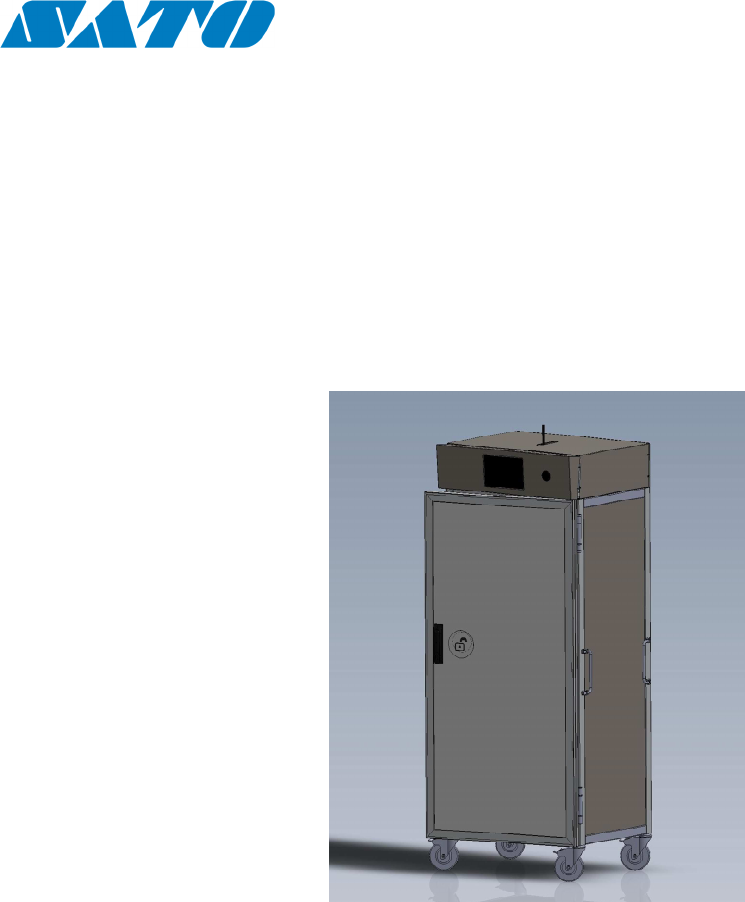
User Manual
PSC-6040
PJM Smart Cabinet
Copyright © SATO Vicinity 2016
Commercial in Confidence

Content
1. INTRODUCTION --------------------------------------------------------------------------------------------------------------- 3
1.1 R
EGULATION AND
S
TANDARDS
-------------------------------------------------------------------------------------------- 3
1.2 W
ARRANTY
------------------------------------------------------------------------------------------------------------------ 4
1.3 L
IMITATION OF
L
IABILITY
-------------------------------------------------------------------------------------------------- 4
1.4 C
HANGES IN
P
RODUCT
F
AMILY
, S
PECIFICATIONS AND
U
SER
M
ANUALS
---------------------------------------------- 5
1.5 C
OPYRIGHTS AND
C
OPY
P
ERMISSION
------------------------------------------------------------------------------------- 5
1.6 M
EANING OF
A
LERT
S
YMBOLS AND
S
IGNAL
W
ORDS
------------------------------------------------------------------- 5
1.7 G
LOSSARY OF
T
ERMS AND
A
BBREVIATIONS
----------------------------------------------------------------------------- 6
2. PRODUCT OVERVIEW ------------------------------------------------------------------------------------------------------ 7
2.1 PSC-6040 ------------------------------------------------------------------------------------------------------------------- 7
3. GETTING STARTED GUIDE ----------------------------------------------------------------------------------------------- 8
3.1 U
NPACKING AND
I
NSPECTION
---------------------------------------------------------------------------------------------- 8
3.2 B
EFORE
Y
OU
B
EGIN
--------------------------------------------------------------------------------------------------------10
3.2.1 Installation Environment --------------------------------------------------------------------------------------------10
3.2.2 Recommended System Requirements ------------------------------------------------------------------------------10
3.2.3 Working with Tags ---------------------------------------------------------------------------------------------------11
3.2.4 Installation Requirements -------------------------------------------------------------------------------------------11
4. REPORTING A PROBLEM -------------------------------------------------------------------------------------------------12
4.1 T
ROUBLESHOOTING
--------------------------------------------------------------------------------------------------------13
4.2 S
ERVICE
F
ORM
--------------------------------------------------------------------------------------------------------------14
5. CONTACT US ------------------------------------------------------------------------------------------------------------------15
6. REVISION HISTORY ---------------------------------------------------------------------------------------------------------16
!
Please read before proceeding
Please read and understand this document before using SATO Vicinity’s Readers. If you have
any questions, comment or suggestions about the User Manual please contact SATO Vicinity.
Important Information
Installation Environment
For indoor use only unless otherwise specified.
Install SATO Vicinity’s Readers within the temperature and humidity range according to the
product specification.
The environment must not contain corrosive, flammable or explosive agents or be subject to
rapid changes in temperature, to direct vibration or shock.
ƒ
Installation
SATO Vicinity’s RFID reader-writers communicate with data carriers (RFID inlets, labels and tags)
using the 13.56 MHz High Frequency (HF) band. Some industrial devices can generate
unwanted noise which may degrade communication. Make sure that other equipment is
properly installed, grounded and at a reasonable distance.
Wireless communication can be degraded by high-voltage and high-current lines and other
sources of strong electric and magnetic fields. Installation in such locations should be avoided.
ƒ
Maintenance
All SATO Vicinity’s RFID readers-writers are low maintenance equipment. Except for externally
accessible fuses there are no user-serviceable parts in any Reader. There is no requirement to
remove the cover of the Reader.
Removal of the Reader cover by unauthorised personnel will void the product
warranty.
Do not attempt to clean internally. Periodic cleaning of external case parts with a damp cloth is
advisable. Turn off the Reader before cleaning. Do not use a solvent of any kind.
ƒ
Electrical Safety
In order to avoid electric shock do not remove the Reader cover
or attempt to repair. The equipment must be maintained by
authorised, qualified and service-trained personnel only.
ƒ
Environmental
For disposal purposes Readers should be treated as industrial
waste.
This symbol on the Reader or on its packaging indicates that this Reader shall not be treated
as household waste. Instead it shall be handed over to an appropriate collection point for the
recycling of electrical and electronic equipment. By ensuring this Reader is disposed off
correctly, you will help prevent potential negative consequences for the environment and
human health, which could otherwise be caused by inappropriate waste handling of this
product. The recycling of materials will help to conserve natural resources. For more detailed
information about recycling of this Reader, please contact your local city office, your household
waste disposal service or the SATO Vicinity office.
PSC-6040 USER MANUAL 2
!
1. Introduction
Thank you for your recent purchase of a SATO Vicinity RFID reader-
writer.
This User Manual will provide you with information to rapidly adopt SATO
Vicinity’s PJM technology for your needs, to install the Reader hardware and
ReaderManager software and get the Reader running.
Refer to the ReaderManager User Manual (40-01-006-DOC) for a
description of the various tools and advanced options available in
ReaderManager.
Programming is covered in the Programmer Guide (40-01-000-DOC).
1.1 Regulation and Standards
RFID equipment is subject to national and international regulations.
The FCC regards RFID equipment as low-power transmitting devices and,
therefore, does not require users of RFID devices to obtain a license to
operate them.
FCC Radio Frequency Interference Statement (USA)
These devices comply with Part 15 of the FCC rules. Operation is subject to
the following two conditions: (1) these devices may not cause harmful
interference, and (2) these devices must accept any interference received,
including interference that may cause undesired operation.
This equipment has been tested and found to comply with the limit for a Class
A digital device and intentional radiator, pursuant to Part 15 of the FCC
rules. These limits are designed to provide reasonable protection against
harmful interference when the equipment is operated in a commercial
environment. This equipment generates, uses, and can radiate radio
frequency energy and, if not installed and used in accordance with the
instructions, may cause harmful interference to radio communications.
Operation of this equipment in a residential area is likely to cause harmful
interference, in which case the user will be required to correct the interference
at his own expense.
Any changes or modifications to the equipment that are not
expressly approved by the party responsible for compliance
could void the user’s authority granted under FCC Rules to
operate this equipment.
FCC ID: 2ACXQ-PSC-6040
CE Declaration of Conformity (European Union)
This equipment has been declared as compliant in accordance with R&TTE
EU Council Directive 1999/5/EC and displays the CE mark accordingly.
Products with CE marking comply with EMC Directive (89/336/EEC
amended by 93/68/EEC) issued by the Commission of the European
Community.
This apparatus complies with ETSI EN 301 489-1 RF common mode immunity
requirements on Ethernet Port with shielded CAT5 Ethernet Cable.
PSC-6040 USER MANUAL 3
!
WARNING
This is a Class A product. In a domestic
environment this product may cause radio
interference in which case the user may be required
to take adequate measures.
ACMA Declaration of Conformity (Australia)
This product complies with the Australian Communications and Media
Authority (ACMA) Radiocommunications regulations and carries the RCM
mark accordingly.
!
WARNING
This is a Class A product. In a domestic
environment this product may cause radio
interference in which case the user may be required
to take adequate measures.
ISO/IEC 18000 – 3 Mode 2 (Air Interface at 13.56 MHz) Compliance
SATO Vicinity’s Readers fully complies with the ISO/IEC 18000 Part 3 Mode
2 (Information technology – Radio frequency identification for item
management. Part 3: Parameters for air interface communications at 13.56
MHz) published in August, 2004.
1.2 Warranty
SATO Vicinity’s warranty and liability with respect to products and/or services
is for a period of 12 months from date of delivery and is limited to the
rectification of faulty workmanship and/or non-compliance by SATO Vicinity.
Any liability with respect to components including purchased or free issued
items and other materials used in the manufacture of products are covered by,
and limited to, any warranty provided by the original manufacturer.
1.3 Limitation of Liability
SATO Vicinity’s warranty excludes products that have been improperly
installed or maintained, modified or misused. Notification of claims must occur
within the warranty period.
End-users should contact the company from whom they purchase the
products for replacement, repair or refund.
If u s e r purchases the Reader directly from SATO Vicinity, contact
SATO Vicinity for a
Return Authorization Number (RAN) before shipment.
PSC-6040 USER MANUAL 4
1.4 Changes in Product Family, Specifications and User
Manuals
This document is subject to change without notice in future editions. SATO
Vicinity reserves the rights to change its product design, specifications and
product range.
1.5 Copyrights and Copy Permission
This document shall not be copied, reproduced or transmitted in any form or
by any means without written permission from SATO Vicinity Pty Ltd. This
document is protected by copyrights and is intended solely for use in
conjunctions with SATO Vicinity’s products only.
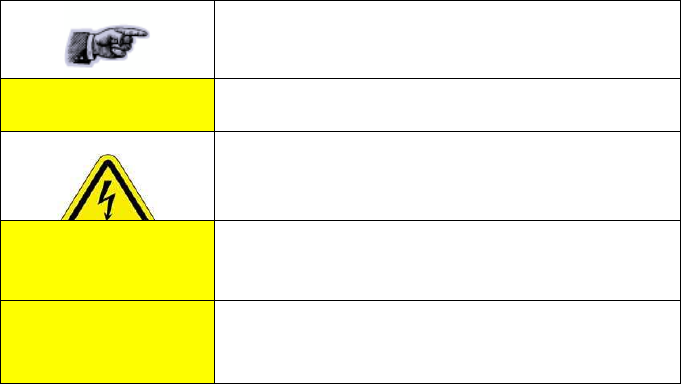
1.6 Meaning of Alert Symbols and Signal Words
Notes and Tips. Application Notes.
!
This part of the Manual requires your attention.
Warning!
In order to avoid electric shock follow the instructions
provided.
!
CAUTION
Indicates a potentially hazardous situation which,
if not avoided, will result in minor or moderate injury.
Can cause property damage.
!
WARNING
Indicates a potentially hazardous situation which,
if not avoided, will result in minor or moderate injury, or may
result in serious injury or death.
Can cause significant property damage.
PSC-6040 USER MANUAL 5
1.7 Glossary of Terms and Abbreviations
D/C
Date Code (month/year)
DSB
Digital Support Board
HDF
High Density Fiberboard (for MARS only)
HF
High Frequency
IT
ItemTag (chips, inlets and labels)
ItemTag tags (IT tags)
SATO Vicinity’s labels and inlets for item
tagging
(separated items) that work with SATO
Vicinity’s family of reader-writers
LAN
Local Area Network
LED
Light Emitting Diode
MDF
Medium Density Fiberboard (for MARS only)
MLC
Machine Level Control (System Configuration
Control)
MRD
Maximum Read-Write Distance
OEM label
Original Equipment Manufacture label is located
on the back of the equipment. It includes the
Model Number, P/N, D/C, S/N and MLC.
PJM
Phase Jitter Modulation or PJM™ is a registered
Trade Mark of SATO Vicinity Pty Ltd. PJM is a
RFID communication technology developed and
patented by SATO Vicinity Pty Ltd and complies
with ISO/IEC
18000-3 Mode 2. PJM technology products
include a range of RFID chips, inlets, tags and
Readers.
PJM ItemTag®
Registered Trade Mark for SATO Vicinty’s
ItemTag
tags
PJM StackTag®
Registered Trade Mark for SATO Vicinity’s
StackTag tags
P/N
Part Number
RAN
Return Authorisation Number
Reader/s
SATO Vicinity’s RFID reader-writer/s
ReaderManager
Graphical user application for Windows/Linux
which provides a platform for testing,
demonstrations and application development
ReaderServer
Embedded application that provides
standard Application Programmer Interface to
serve end-user applications. This application
runs on the Reader.
RFID
Radio Frequency IDentification
RFID inlet
A RFID device comprising a microchip and a
printed antenna (copper/aluminium/conductive
inks) on a flexible substrate (PET plastic film)
RFID label
RFID inlet with adhesive backing (sticky label)
RFID tag
- generic name for RFID inlet and label;
- RFID inlet or label inserted into a
housing (glass, polycarbonate,
polyamid, epoxy, ABS, etc.)
RFID reader-writer
Device for reading and writing to RFID tags
S/N
Serial Number
ST
StackTag (chips, inlets and labels)
StackTag tags
(ST tags)
SATO Vicinity’s labels and inlets for item
tagging
(stacked, touched or overlapping items) that
work with SATO Vicinity’s family of reader-writers
PSC-6040 USER MANUAL 6
2. Product Overview
Intended use of SATOI Vicinity’s RFID Reader is to read and write
information to individual SATO Vicinity ItemTags and multiple SATO Vicinity
StackTags.
The communication protocol used by the Reader is compliant with ISO/IEC
18000 - 3 Mode 2 (Air Interface at 13.56 MHz).
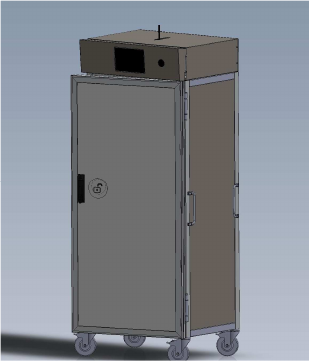
2.1 PSC-6040
PJM smart cabinet
Multiple RFID shelves
3 Dimensional reading antennas
8 communication channels
PSC-6040 USER MANUAL 7

!
3. Getting Started Guide
3.1 Unpacking and Inspection
When you receive your system, inspect it for any
obvious damage that may have occurred during
shipment. If there is damage, notify the shipping
carrier and the supplier of the equipment or SATO
Vicinity if purchased directly from SATO Vicinity.
Until you have checked the system, save the
shipping carton and packaging materials in the
event the unit has to be returned.
Included with the PSC-6040 should be the following components:
•
ƒ
Smart Cabinet
The Cabinet connection to the power source is realized via mains
between 100V and 250V.
!
CAUTION
A power cable is not included with the supply.
End-users should purchase a power cable
suitable for the country of use.
Only power cables and adaptors that are
compliant with the regulations in the country of
use may be connected to SATO Vicinity’s
equipment.
As shielded cables (USB and Ethernet) are generally required
in order to comply with EMC emissions limits, only shielded
communication cables should be used.
Quick Start
Guide
Ethernet cable is not included with the supply.
SATO Vicinity recommends CAT5 Ethernet
cable.
PSC-6040 USER MANUAL 8

CD-ROM
The CD-ROM should contain the following files:
AdbeRdrxx_enu_full.exe
Self-extracting installation kit for the
Adobe Acrobat reader, which is
required to read and print PDF files.
40-01-000-DOC
Programmer Guide.pdf
PDF document describing how to
program all of SATO Vicinity’s Readers.
40-01-006-DOC
ReaderManager User Manual
PDF document describing various
tools and advanced options available
in ReaderManager
45-00-001-SPC BT & ST Chip
Logical Specification
Defines the functionality of IT and ST
chips.
ReaderManager-Install.exe
Self-extracting installation kit for the
ReaderManager.
Test tags (required for Hardware Functionality Test and
Communication Test)
PSC-6040 USER MANUAL 9
!
3.2 Before You Begin
3.2.1 Installation Environment
SATO Vicinity’s Readers are designed to operate in indoor environments
where temperature and humidity are controlled unless other conditions
are specified for customised Readers.
For standard Readers the temperature range is from +10
o
C to +45
o
C. The
humidity range is from 10% to 80% (non-condensing humidity).
Install the Readers within the temperature and humidity ranges according to
the product specification.
The environment must not contain corrosive, flammable or explosive agents
and conductive dust or be subject to rapid changes in temperature, direct
vibration or shock.
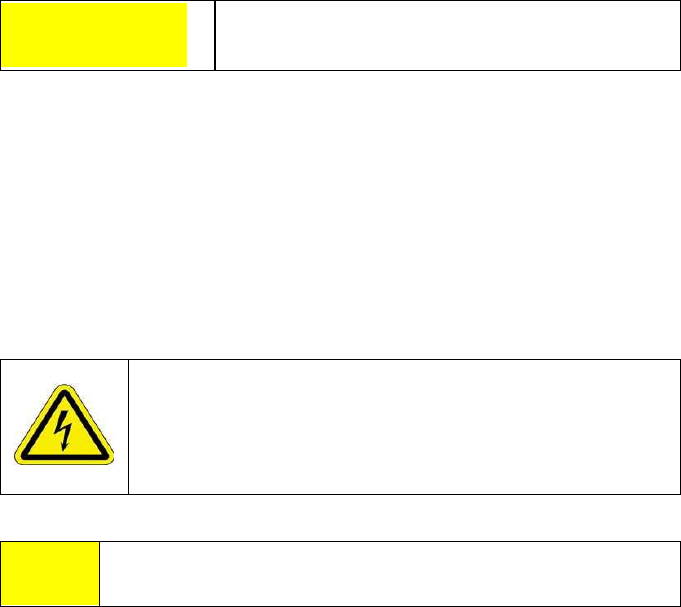
!
WARNING
Do not operate this Reader in an environment
which contains flammable or explosives gases or
fumes.
SATO Vicinity’s RFID reader-writers communicate with data carriers (RFID
inlets, labels and tags) using the 13.56 MHz High Frequency (HF) band. Some
industrial devices can generate unwanted noise which may degrade
communication. Make sure that other equipment is properly installed,
grounded and are at a reasonable distance.
Wireless communication can be degraded by high-voltage and high-current
lines and other sources of strong electric and magnetic fields. Installation in
such locations should be avoided.
In order to avoid electric shock do not remove the Reader
cover or attempt to repair. SATO VIcinity’s reader-writers are
to be maintained by authorised, qualified and service-trained
personnel only.
Removal of the Reader cover by unauthorised personnel will
void the product warranty.
3.2.2 Standalone Application
PSC-6040 smart cabinet can be used as a standalone application or with back-end software
management system.
PSC-6040 USER MANUAL 10
3.2.3 Working with Tags
Do not stack ItemTags on top of each other. Only
StackTags can be stacked, overlapped or touch
each other.
Single-axis Readers are tag orientation
sensitive. Refer to Tag-to-Reader/Tag-to-Antenna
section of this document.
Reading and writing speeds depend on
reader-tag communication speeds and channel
numbers (communication protocol), amount of
information to be read and/or written and
number of tags presented at a time. The
additional number of tags and information to be read
and especially written slow down read-write
communication. Please consult SATO Vicinity or
your support organisation regarding these issues for
your specific application.
Be aware that tags and Readers can be
incompatible with each other. Bigger tags can work
with all types of Readers. Smaller tags require
higher field strengths to communicate with a Reader
and as a result they do not communicate with some
Readers or have to be closer to a Reader antenna.
Refer to the Reader-Tag Compatibility section of
this document.
3.2.4 Installation Requirements
PSC-6040 is a stand-alone peripheral desktop device that does not require
special installation or tuning of an internal antenna.
Power supply requirements:
Mains input:
110 - 240 VAC @ 50/60 Hz
PSC-6040 USER MANUAL 11
4. Reporting a Problem
If you are having a problem with a SATO Vicinity Reader, you will need to
send a report to your support organisation. To make the diagnosis quicker and
easier, please supply your problem report on a Service Form along with the
following information:
What kind of tags are you using and
how many are you putting inside the
Reader at one time?
Have this Reader and the tags you are using
worked at any time in the past?
Have you tried connecting to the Reader with
a different PC?
Have you successfully installed
the ReaderManager application?
In the ReaderManager, select the Help/About
ReaderManager menu item and record on
the Service Form what version numbers
are shown in the window that appears.
The required information about Model Number, S/N, P/N and D/C is located
on OEM label on the back of the equipment.
Warranty Repairs
Before shipping any Reader a Return Authorisation Number (RAN) must be
obtained.
End-users should contact the company from
whom they purchased the Reader for repair,
replacement or refund.
If you purchased the Reader directly from SATO
Vicinity, contact SATO Vicinity for a Return
Authorization Number (RAN) before shipment.
The copy of the Service Form with RAN must be enclosed in the original or
equivalent packing with the RAN number clearly marked on the outside of
the box.
Non-Warranty Repairs
If a Reader needs repairing after one year warranty period expires, your
support organization or SATO Vicinity if you purchased directly from SATO
Vicinity will first provide an estimate of repair charges. Then upon receiving
approval from you the Reader can be sent for repair. Refer to above
Warranty Repairs information for return procedures.
PSC-6040 USER MANUAL 12

4.1 Troubleshooting
Problem
Re
a
son
Solution
Red LED light is off
Power
connected
cable
not
Ensure the power cable is connected correctly to both
the mains power and to the Reader.
Power cable faulty Replace the cable.
Power adaptor faulty Replace the power adaptor.
Reader faulty Send a service report on a Service Form.
Absence of the flashing
green LED light during
tag reading
Green LED was sighted
but tag did not appear on
the computer screen
Incorrectly orientated
tag/tags
Faulty tag/tags
The Powering Field is off
Reader faulty
USB or Ethernet
connection is not
functioning
Ensure tag/tags are oriented correctly for the Reader
(see Tag-to-Reader/Tag-to-Antenna Orientation).
Replace tag/tags. Do not use tags with a black dot or
black square marking (faulty tags).
Ensure the powering field is on. Go to Tools>
System>Reader Setting. Tick the Powering Field box.
Send a service report on a Service Form.
Ensure cable is connected correctly. Cycle the power
on the Reader. Shut down and restart the host
computer and ReaderManager.
Can not find and connect
to the Reader as the
Reader is not shown on
the Connection menu list
The reader is not
Connected
The tag type is
incompatible with the
Reader
A communication tool
has not been chosen
The Reader was not in
operational mode when
you connected a
communication cable
and/or open the
Connection menu
Ensure the Reader is turned on and a communication
cable is plugged in. The status bar in bottom right
corner of the ReaderManager window has to show an
indication Connected, the tag type and the IP address.
Use appropriate tag type according to the chart in section
Reader-Tag Compatibility.
Choose Grid or Table from Tools> System menu as a
communication tool.
Unplug and plug in the communication cable. Open the
Connection menu. Find the Reader you want to
connect to on the list.
Plug in the power and communication cables. Wait for
about 1 minute after you apply the power to the
Reader. The red or blue LED/LEDs must to be
permanently lit and the green LED off. Open the
Connection menu. Find the Reader you want to
connect to on the list.
PSC-6040 USER MANUAL 13
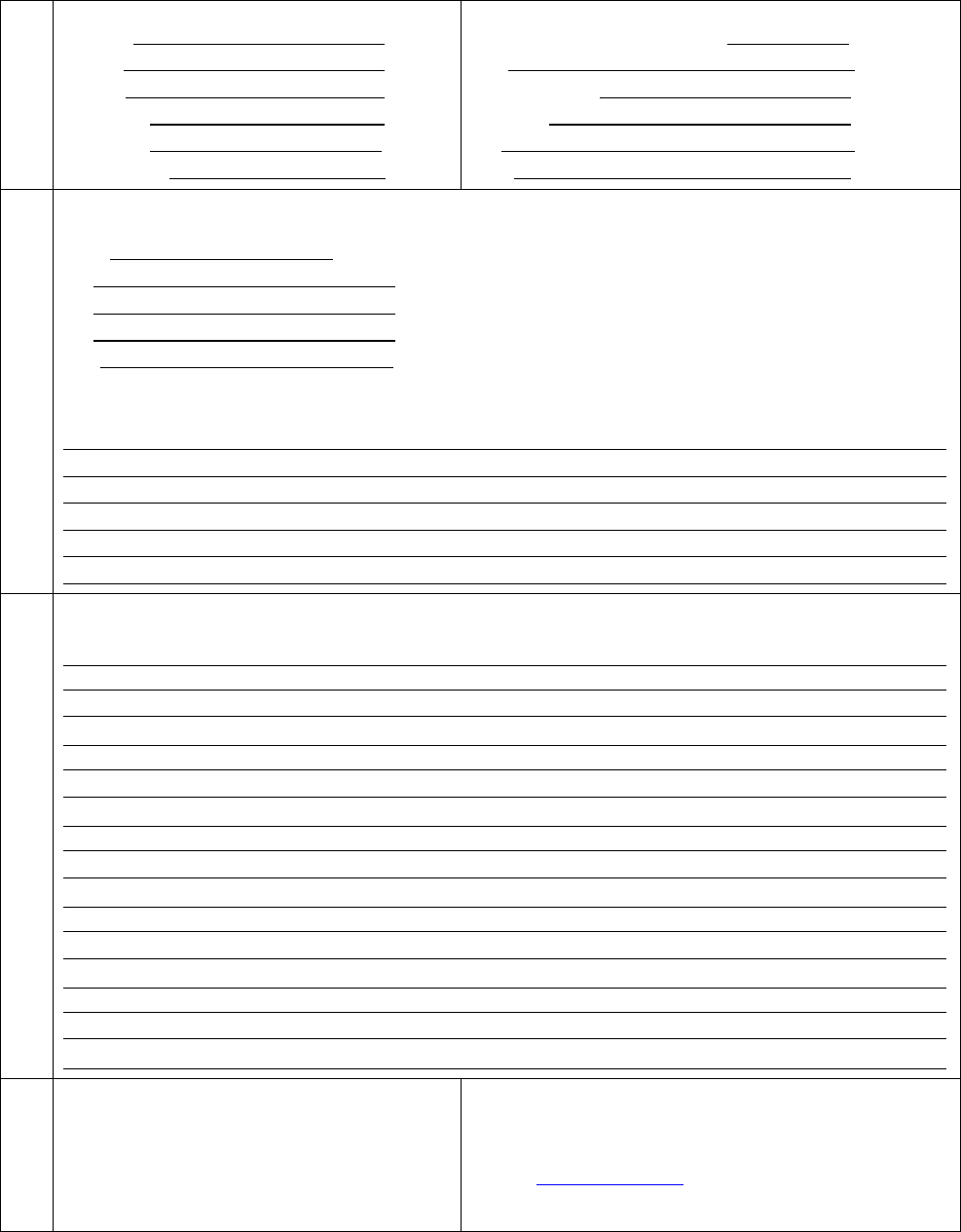
CONTACT
Company
Address
Country
Sales
Order
PO
Number
Purchase
Date
Return Authorisation Number
(RAN)
Date
Technical
Contact
Telephone
Fax
Email
PRODUCT
From OEM label on the back of the equipment:
Model
P/N
D/C
S/N
MLC
(first number in order after black dots)
Describe any hardware modifications made to the unit and modification date:
REASON FOR RETURN
Describe problems (see 3.2 Reporting a Problem):
RETURN TO*
If purchased from SATO Vicinity:
SATO Vicinity Pty Limited
Mailbox:
PO Box 408, Camperdown, NSW 1450
Tel.: +61 2 9562 9800
Fax: +61 2 9518 7620
Email: contact@satovicinity.com
Website: www.satovicinity.com
4.2 Service Form
Always return a copy of this
form along with the product
* End-users should contact the company from whom they purchased the Reader
PSC-6040 USER MANUAL 14

5. Contact Us
SATO VICINITY PTY. LTD.
8 Guihen Street, Annandale, NSW 2038, Australia
TEL.: +61 2 9562 9800
FAX: +61 2 9518 7620
EMAIL: contact@satovicinity.com
WEBSITE: www.satovicinity.com
PSC-6040 USER MANUAL 15

6. Revision History
Version
Da
t
e
Re
a
son
Ver.1
05.2016
Initial released
PSC-6040 USER MANUAL 16