Security Iqd Gba Quickinstallguide User Manual Quick Install Guide
2017-08-09
User Manual: Security Iqd-Gba Quickinstallguide IQD-GBA_QuickInstallGuide uploads wp-content
Open the PDF directly: View PDF  .
.
Page Count: 2
IQD-GBA Alliance-mini Dome
Electrical Gang Box Adapter
Installation Instructions
This Quick Install Guide covers the IQD-GBA Flush Ceiling mount for the Alliance-mini camera domes. Be sure to
go to our website www.vicon-security.com to assure you have the most current documentation.
1 Service
If the unit needs repair service or parts, the customer should contact Vicon Industries for authorization to return, as
well as shipping instructions.
2 Unpacking
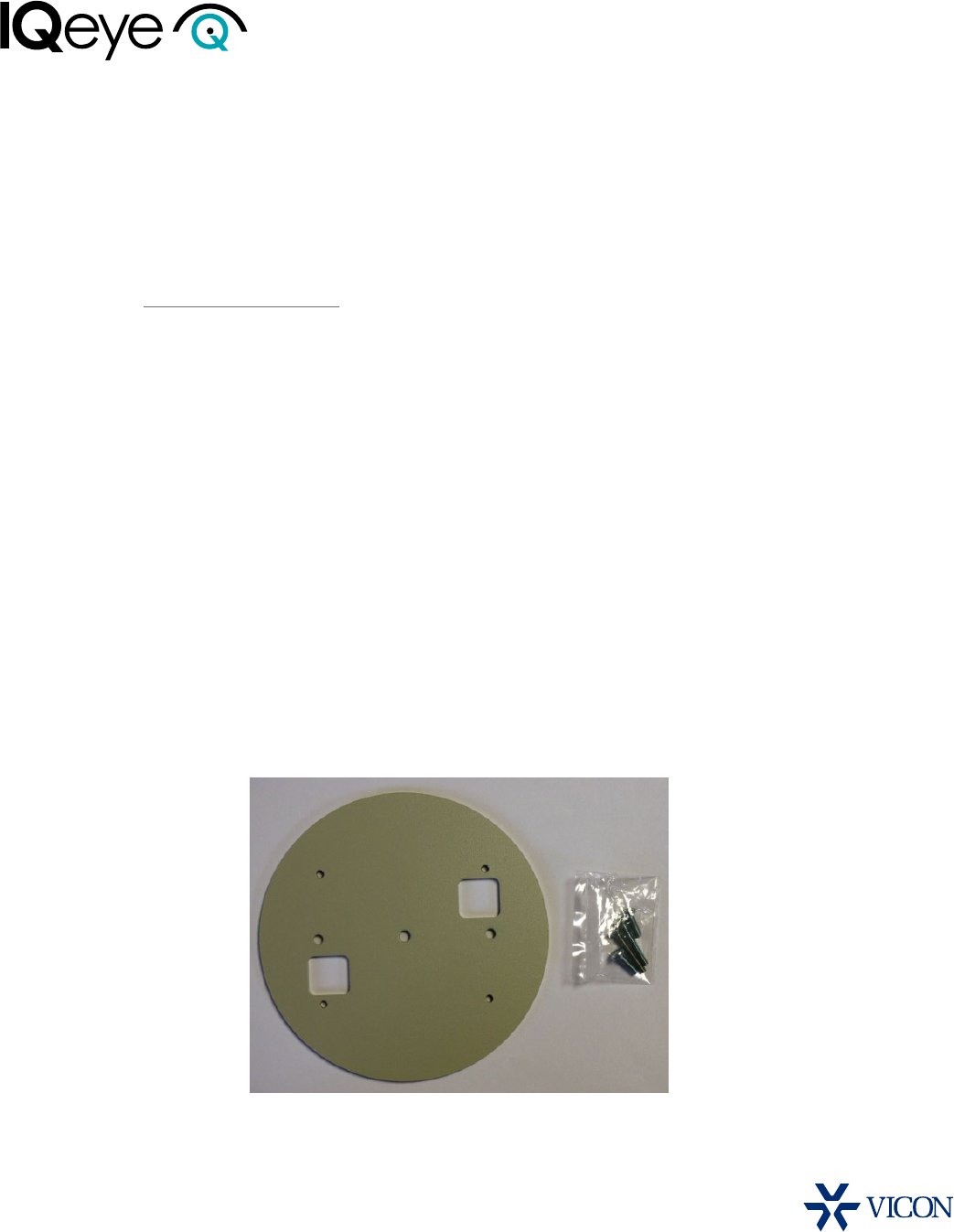
The IQD-GBA Alliance-mini Electrical Gang Box Adapter assembly should include the following:
1. Electrical Gang Box Adapter
2. Pack of (4) machine screws
(2) Flat Head machine screws
(2) Pan Head machine screws
Figure 1
3 Installation
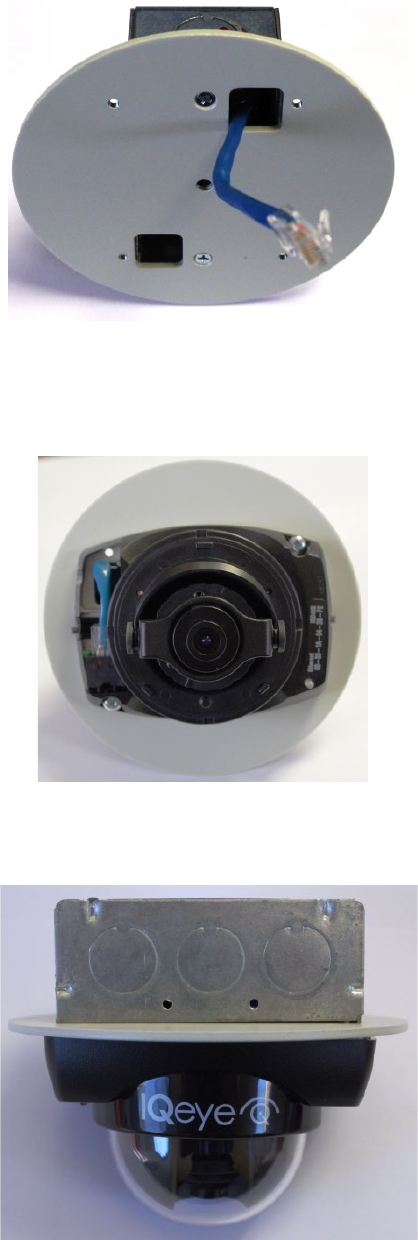
1. Route the Ethernet cable through the opening in the Electrical Gang Box Adapter, and attach the adapter as
shown in Figure 2 using the two supplied Flat Head machine screws.
2. Route the Ethernet cable through the cable pass through in the camera base plate. Attach the Alliance-mini
camera to the adapter as shown Figure 3 with the two Pan Head machine screws.
3. After the field-of-view and focus are completed, attach the dome cover and tighten the dome cover to the camera
base using the supplied Torx T-10 security wrench supplied with the Alliance-mini dome camera.
901-0264 Rev B
Figure 2
Figure 3
Figure 4
