Security Web Mobile Server Design Guide User Manual
Web-Mobile-Server-Design-Guide Web-mobile-server-design-guide Web-mobile-server-design-guide uploads wp-content cdn.vicon-security.com
2017-08-09
User Manual: Security Web-Mobile Server Design Guide Web-mobile server design guide CalculatorTools Common s Collateral
Open the PDF directly: View PDF  .
.
Page Count: 4

Design Guide
Written by Guy Arazi
Determining how many web servers are needed
This is a general guide-line on how to determine the number of web servers needed on a ViconNet
system to support the web based viewers and / or the mobile based ones.
The number of servers required to support a certain system’s needs is determined by a few key factors
and their impact on the amount of processing required from the server. The higher the processing
requirements are, the more servers will be required in order to provide constant, high quality service to
all concurrent devices asking for video. These are the parameters that need to be considered:
Web clients, mobile clients or both
Streaming video to standard web browser clients (H.264 for the most of it) has been done by the server
since the web viewer has been released 2 years ago, this has not changed. Streaming to mobile devices
requires video transcoding to MJPEG and requires a much more processing power from the web server.
Camera resolution
Cameras with a resolution of up to 2MP (1080P) can be sent directly to the standard web viewer
transcoding while resolutions over 2MP require transcoding even to the web viewer. In addition when
mobile devices are being used, the resolution has a direct impact on the server’s processing power.
Existence of a 2nd, lower resolution stream
This parameter is the most significant one in the design. Most of the IP cameras have the ability to be
configured with a 2nd stream at a lower resolution than the first one (this has always been Vicon’s
recommended setting as it allowed displaying more cameras in split screen modes). When this stream is
available, the web browser will use it for the split screen pictures (both web and mobile) which will
control the processing required thanks to that lower resolution.
Cameras with MPEG4 compression
Former versions of the web viewer did not support MPEG4 video streams (due to a Microsoft Silver Light
limitation). With the new version, these are supported by transcoding them into MJEPG even for the web
viewer. This means that systems using MPEG4 based cameras need to design as if there are mobile
devices used even if there are truly only web viewers
Vicon Design Guide
2
Written by Guy Arazi
Follow these steps in order to determine how many web servers are needed and in what configuration to
set them up to achieve an optimal design.
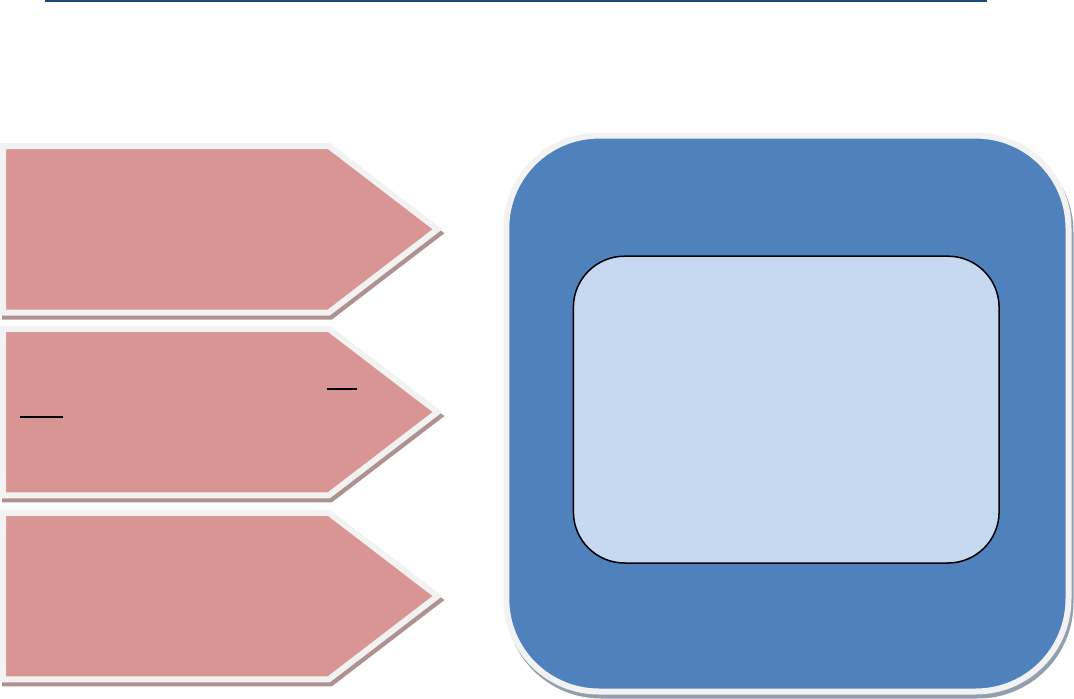
If the answer to any of the questions above is YES you need to proceed and use the table below
to estimate the required number of web servers:
DO YOU NEED TO SUPPORT MOBILE
DEVICES OR JUST THE STANDARD
WEB VIEWER?
DOES THE SYSTEM HAVE CAMERAS
OVER 2MP IN RESOLUTION THAT DO
NOT HAVE A 2ND LOWER RESOLUTION
STREAM?
DOES THE SYSTEM INCLUDE MPEG4
BASED CAMERAS?
If the answer to all three questions is NO, you may
use the current performance specs below:
* if multiple stand-alone servers are used, set the
Nucleus as to load balance mode.
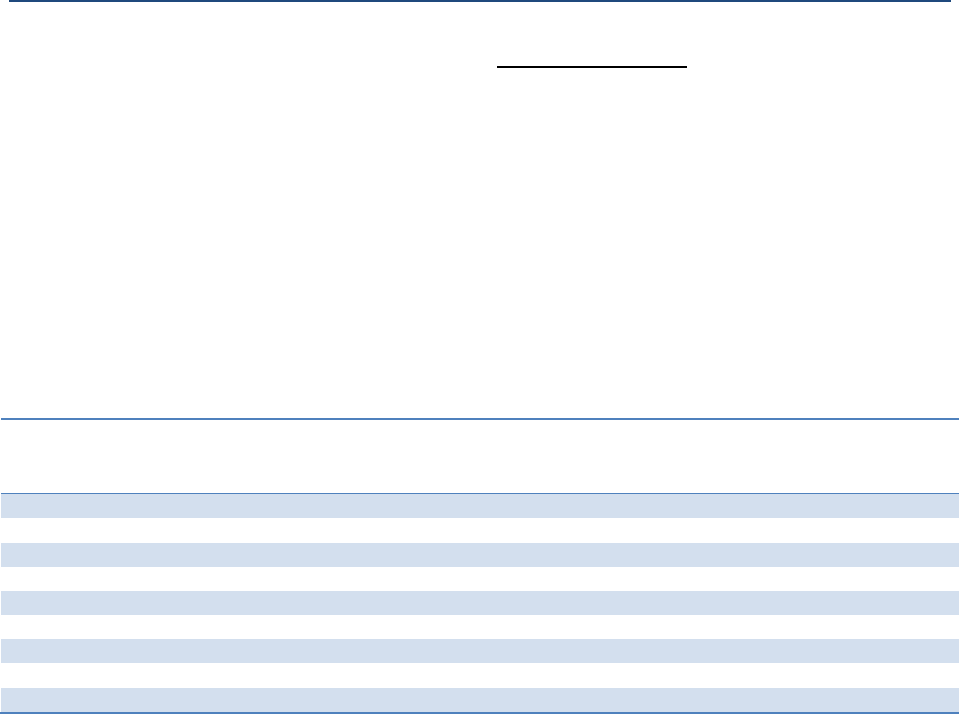
Web server running in the Nucleus:
Up to 10 Concurrent web viewers
Stand-alone web server:
Up to 25 concurrent web viewers
Vicon Design Guide
3
Written by Guy Arazi
For mobile and web combined, when the server is running on the Nucleus, it can support up to 8
concurrent streams to a mobile devices, Vicon strongly recommends using a stand-alone web
server instead of the one in the Nucleus.
If wireless networks or internet is being used, you need to ensure sufficient bandwidth exists on
those in order to support all streams.
Concurrent streams are the total number of video streams actively sent to all mobile devices at
any given time (you may have multiple mobile devices but if only one is used a time, it is just its
streams that you need to account for).
o Multiple cameras on the same device, each camera is a separate stream
o Same camera to different devices, each one is a separate stream
If cameras higher than 2MP (with no 2nd lower stream) or MPEG4 based ones are being used by
web viewers, those are counted as mobile streams.
Resolution
H.264 based cameras
@ 30 fps
Number of concurrent
streams supported by
a single web server
Estimated bandwidth
per stream from
server to client
Additional web
viewers supported
by same server
D1
35
~ 2Mbps
15
720P and 1.3MP
20
~ 3Mbps
12
1080P and 2MP
12
~ 3.5Mpbs
10
3MP
8
~ 3.5Mbps
8
5MP
5
~ 3.5Mbps
6
Important notes:
If all cameras have the second stream at D1, only the first row can is used. And the base
performance of a single server is very cost effective.
Additional servers can always be added to increase overall performance. By using the Nucleus in
a load balance mode, the user only need to connect to its address and it will then utilize all
servers for optimal performance.
Using a lower FPS in the camera does not offer a significant saving of resources (the transcoding
process is still demanding).
A storage calculator for the above is being developed to allow an easier design process.
Vicon Design Guide
4
Written by Guy Arazi
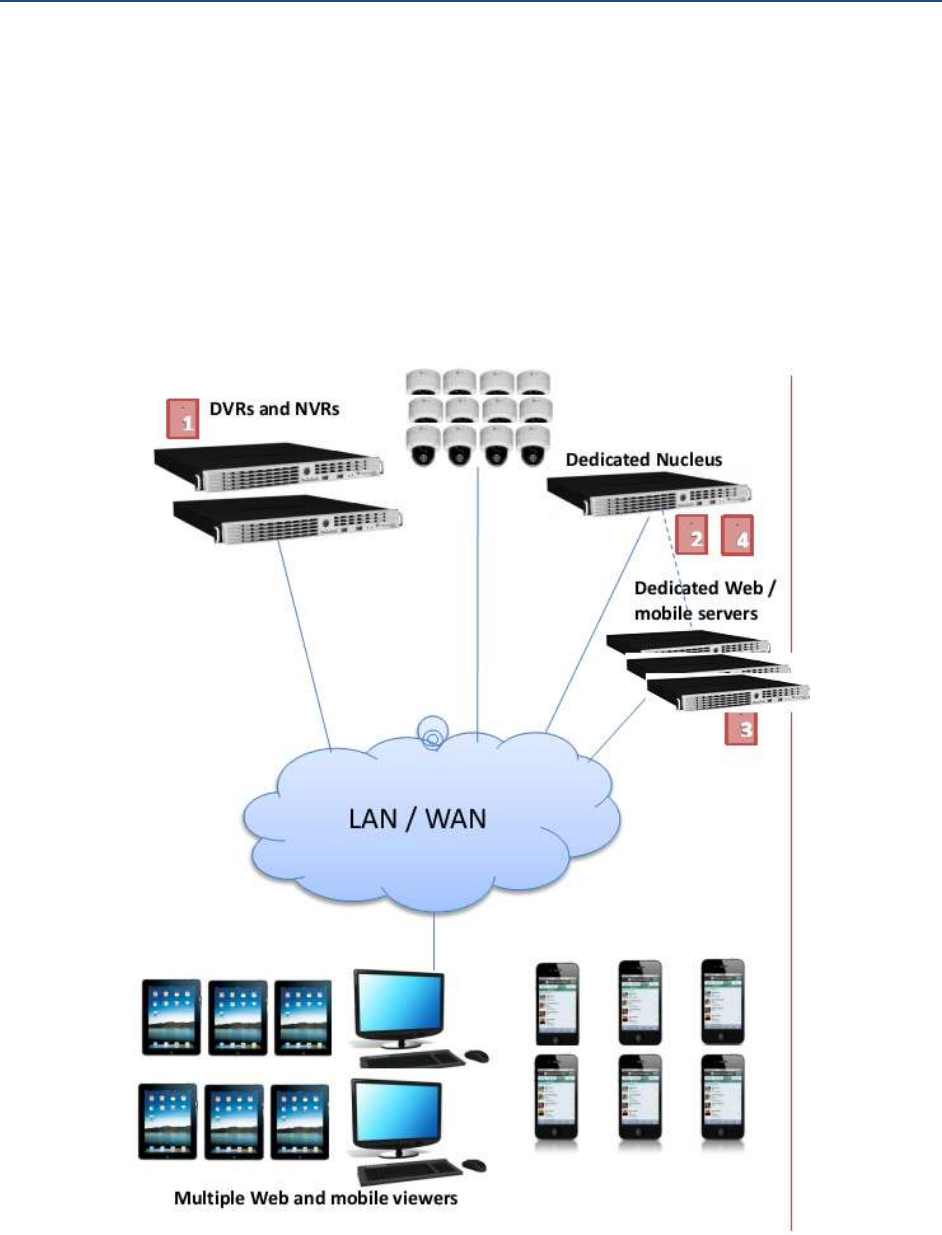
Best practice system design:
A separate Nucleus with the web server set to run as a load-balace server (this means it is no
longer a web server but only a traffic cop balancing the load between the available stand-alone
web servers)
Stand-alone (or multiple) web server to support the required number of concurrent web and
mobile clients.
The web and mobile viewer will always connect to the Nucleus address which will optimize the
load between available servers (this is done automaticaly and in a transparent manner).
Additional design examples are in the Vicon mobile system white paper
