Semilink SC100 HISY User Manual

Semilink Inc. HISY Users Manual

Users Manual

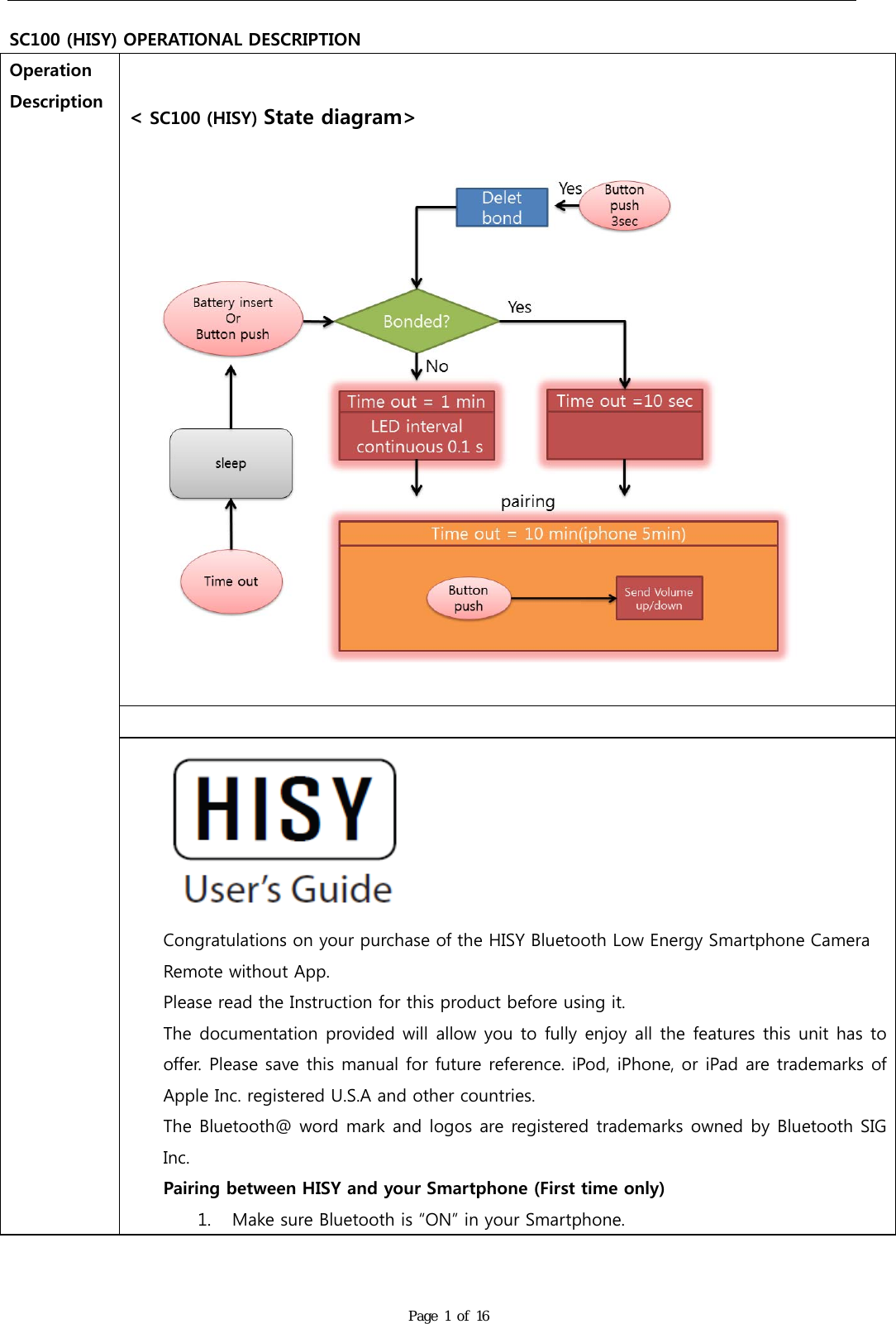
  SC100 (HISY) OPERATIONAL DESCRIPTION Page 1 of 16 Operation Description   < SC100 (HISY) State diagram>     Congratulations on your purchase of the HISY Bluetooth Low Energy Smartphone Camera Remote without App. Please read the Instruction for this product before using it. The documentation provided will allow you to fully enjoy all the features this unit has to offer. Please save this manual for future reference. iPod, iPhone, or iPad are trademarks of Apple Inc. registered U.S.A and other countries. The Bluetooth@ word mark and logos are registered trademarks owned by Bluetooth SIG Inc. Pairing between HISY and your Smartphone (First time only) 1. Make sure Bluetooth is “ON” in your Smartphone.
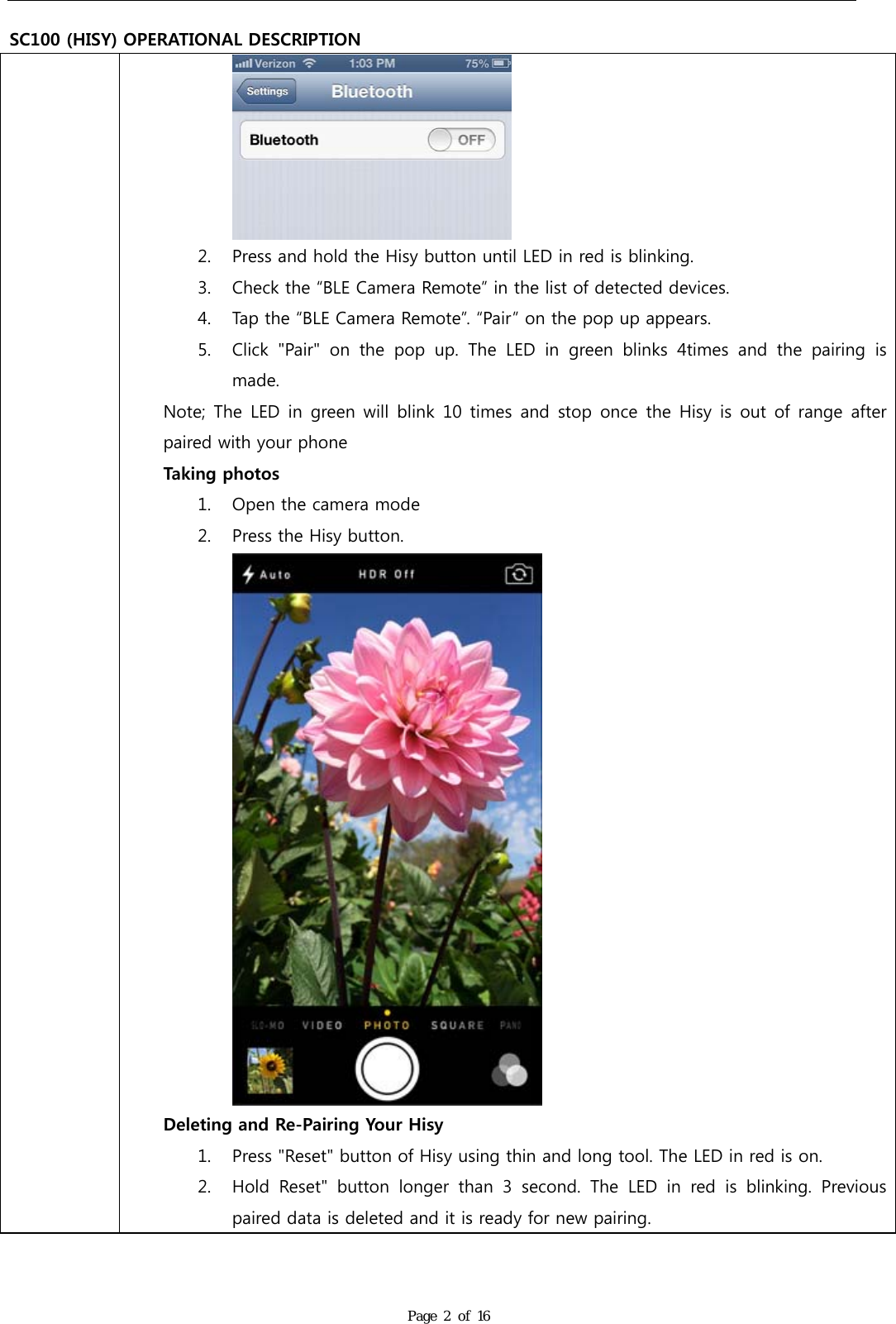
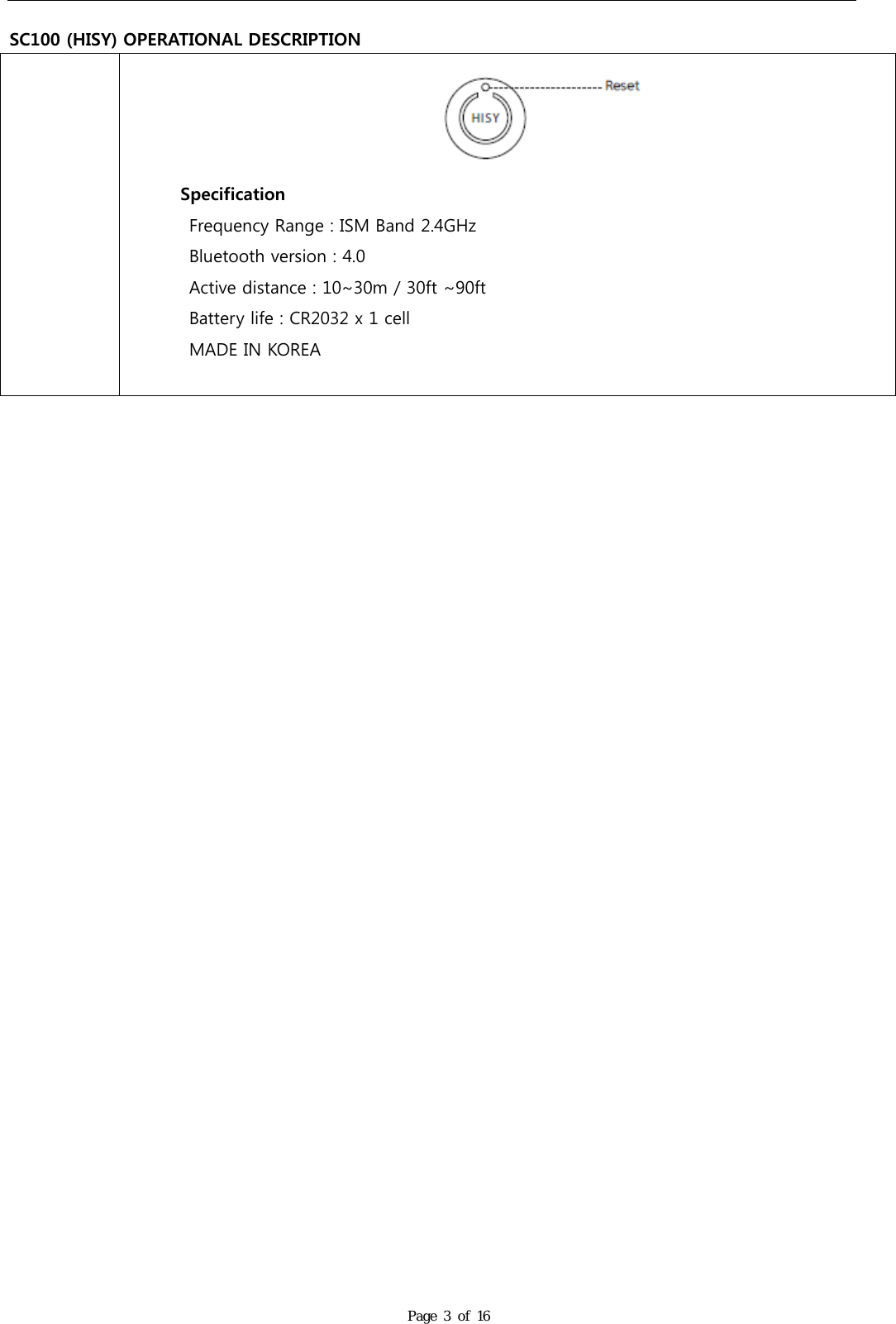
  SC100 (HISY) OPERATIONAL DESCRIPTION Page 2 of 16  2. Press and hold the Hisy button until LED in red is blinking. 3. Check the “BLE Camera Remote” in the list of detected devices. 4. Tap the “BLE Camera Remote”. “Pair” on the pop up appears. 5. Click  "Pair"  on  the  pop  up.  The  LED  in  green  blinks  4times  and  the  pairing  is made. Note; The  LED in  green will  blink 10  times and  stop once  the Hisy is out of range after paired with your phone Taking photos 1. Open the camera mode 2. Press the Hisy button.  Deleting and Re-Pairing Your Hisy 1. Press "Reset" button of Hisy using thin and long tool. The LED in red is on. 2. Hold  Reset"  button  longer  than  3  second.  The  LED  in  red  is  blinking.  Previous paired data is deleted and it is ready for new pairing.
  SC100 (HISY) OPERATIONAL DESCRIPTION Page 3 of 16         Specification Frequency Range : ISM Band 2.4GHz Bluetooth version : 4.0 Active distance : 10~30m / 30ft ~90ft Battery life : CR2032 x 1 cell MADE IN KOREA
FCC Statement  FCC Part 15.19 This  device  complies  with  part  15  of  the  FCC  Rules.  Operation  is  subject  to  the  following  two conditions: (1) This device may not cause harmful interference, and (2) this device must accept any interference received, including interference that may cause undesired operation.  FCC Part 15.21 Any  changes  or  modifications  (including  the  antennas)  made  to  this  device  that  are  not  expressly approved by the manufacturer may void the user's authority to operate the equipment.   RF Exposure Statement (2.1091) FCC  RF  Radiation  Exposure  Statement:  This  equipment  complies  with  FCC  RF  Radiation  exposure limits set forth for an uncontrolled environment. This device and its antenna must not be co-located or operating in conjunction with any other antenna or transmitter.  This equipment should be installed and operated with a minimum distance of 5 mm between the radiator and your body.  RF  du  FCC  d'exposition  aux  radiations:  Cet  équipement  est  conforme  à  l'exposition  de  la  FCC rayonnements  RF  limites  établies  pour  un  environnement  non  contrôlé.  L’antenne  pour  ce transmetteur  ne  doit  pas  être  même  endroit  avec  d’autres  émetteur  sauf  conformément  à  la  FCC procédures de produits Multi-émetteur.   Cet équipement doit être installé et utilisé avec une distance minimale de 5 mm entre le radiateur et votre corps.    IC Statement  This device complies with Industry Canada licence-exempt RSS standard(s).  Operation is subject to the following two conditions: (1) this device may not cause interference, and (2) this device must accept any interference, including interference that may cause undesired operation of the device.  Le présent appareil est conforme aux CNR d'Industrie Canada applicables aux appareils radio exempts de licence.   L'exploitation  est  autorisée  aux  deux  conditions  suivantes  :  (1)  l'appareil  ne  doit  pas  produire  de brouillage, et (2) l'utilisateur de l'appareil doit accepter tout brouillage radioélectrique subi, même si le brouillage est susceptible d'en compromettre le fonctionnement.

Navigation menu