Shantou Yike hobby YK022 2.4G Control RC Quadcopter/Helicopter User Manual

Shantou Yike hobby Industrial Co., Ltd 2.4G Control RC Quadcopter/Helicopter Users Manual

Users Manual

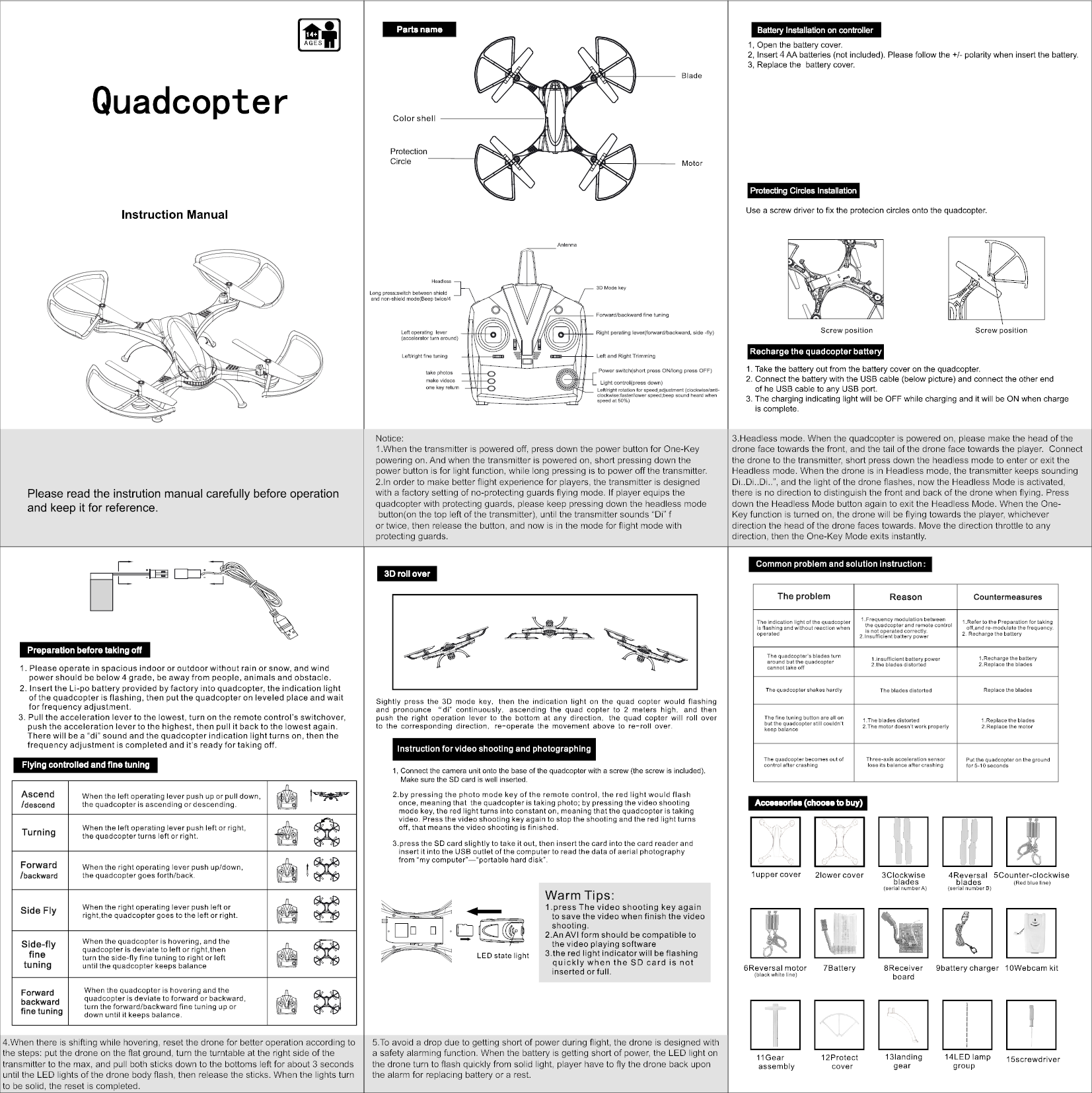
Notice:1.When the transmitter is powered off, press down the power button for One-Key powering on. And when the transmitter is powered on, short pressing down the power button is for light function, while long pressing is to power off the transmitter. 2.In order to make better flight experience for players, the transmitter is designed with a factory setting of no-protecting guards flying mode. If player equips the quadcopter with protecting guards, please keep pressing down the headless mode button(on the top left of the transmitter), until the transmitter sounds “Di” for twice, then release the button, and now is in the mode for flight mode with protecting guards.3.Headless mode. When the quadcopter is powered on, please make the head of the drone face towards the front, and the tail of the drone face towards the player.  Connect the drone to the transmitter, short press down the headless mode to enter or exit the Headless mode. When the drone is in Headless mode, the transmitter keeps sounding Di..Di..Di..”, and the light of the drone flashes, now the Headless Mode is activated, there is no direction to distinguish the front and back of the drone when flying. Press down the Headless Mode button again to exit the Headless Mode. When the One-Key function is turned on, the drone will be flying towards the player, whichever direction the head of the drone faces towards. Move the direction throttle to any direction, then the One-Key Mode exits instantly.4.When there is shifting while hovering, reset the drone for better operation according to the steps: put the drone on the flat ground, turn the turntable at the right side of the transmitter to the max, and pull both sticks down to the bottoms left for about 3 seconds until the LED lights of the drone body flash, then release the sticks. When the lights turn to be solid, the reset is completed.5.To avoid a drop due to getting short of power during flight, the drone is designed with a safety alarming function. When the battery is getting short of power, the LED light on the drone turn to flash quickly from solid light, player have to fly the drone back upon the alarm for replacing battery or a rest.4

Navigation menu