Shenyang Tongfang Multimedia Technology RCTF31 Remote control User Manual

Shenyang Tongfang Multimedia Technology Co., Limited Remote control

User Manual

REMOTE CONTROL
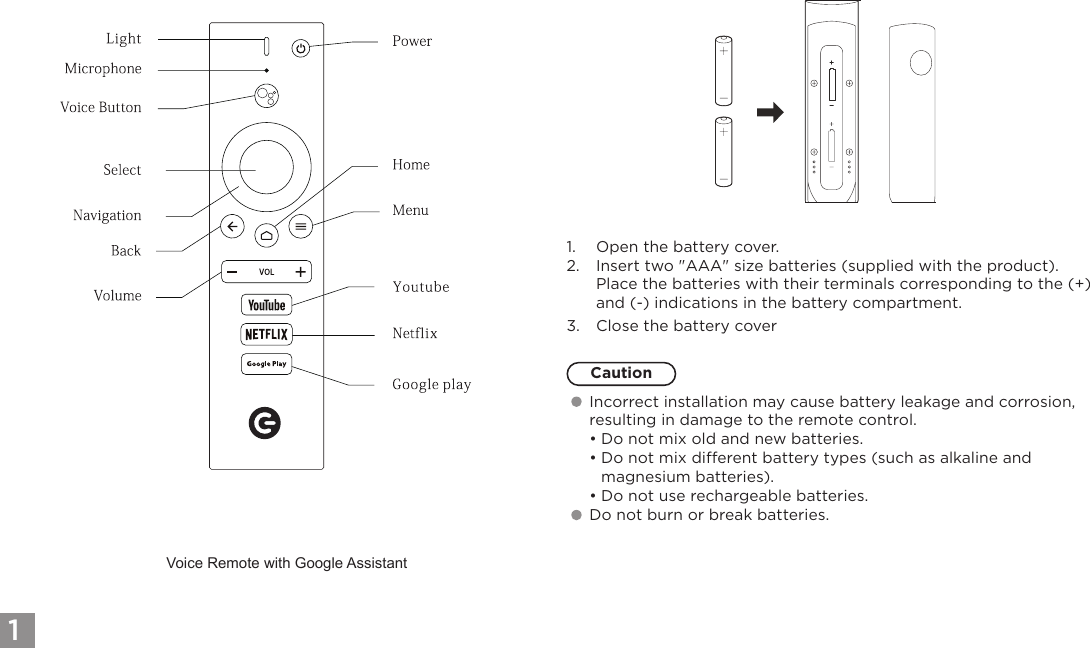
11. Open the battery cover.2. Insert two "AAA" size batteries (supplied with the product).Place the batteries with their terminals corresponding to the (+)and (-) indications in the battery compartment.3. Close the battery coverCautionIncorrect installation may cause battery leakage and corrosion,resulting in damage to the remote control.• Do not mix old and new batteries.• Do not mix different battery types (such as alkaline andmagnesium batteries).• Do not use rechargeable batteries.Do not burn or break batteries.Voice Remote with Google Assistant
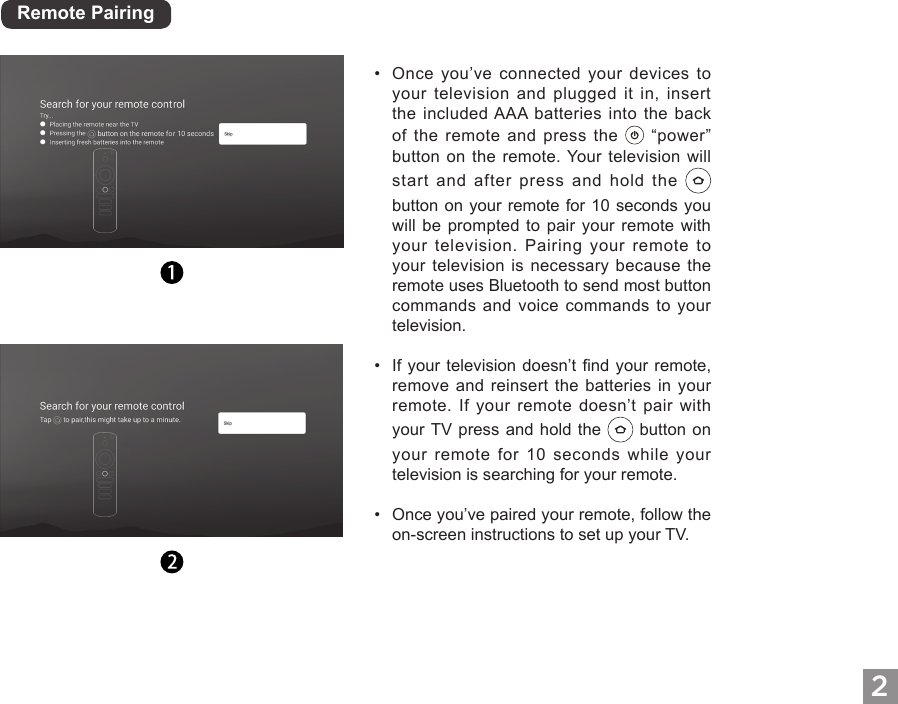
2Remote Pairing•Once you’ve connected your devices toyour television and plugged it in, insertthe included AAA batteries into the backof the remote and press the   “power”button on the remote. Your television willstart and after press and hold thebutton on your remote for 10 seconds youwill be prompted to pair your remote withyour television. Pairing your remote toyour television is necessary because theremote uses Bluetooth to send most buttoncommands and voice commands to yourtelevision.•If your television doesn’t nd your remote,remove and reinsert the batteries in yourremote. If your remote doesn’t pair withyour TV press and hold the   button onyour remote for 10 seconds while yourtelevision is searching for your remote.•Once you’ve paired your remote, follow theon-screen instructions to set up your TV.
3FCC STATEMENT This device complies with Part 15 of the FCC Rules. Operation is subject to the following two conditions:(1) This device may not cause harmful interference, and(2) This device must accept any interference received, including interference that may cause undesired operation. Changes or  not expressly approved by the party responsible for compliance could void the user's authority to operate the equipment. NOTE: This equipment has been tested and found to comply with the limits for a Class B digital device, pursuant to Part 15 of the FCC Rules. These limits are designed to provide reasonable protection against harmful interference in a residential installation. This equipment generates uses and can radiate radio frequency energy and, if not installed and used in accordance with the instructions, may cause harmful interference to radio communications. However, there is no guarantee that interference will not occur in a particular installation. If this equipment does cause harmful interference to radio or television reception, which can be determined by turning the equipment off and on, the user is encouraged to try to correct the interference by one or more of the following measures:  Reorient or relocate the receiving antenna.  Increase the separation between the equipment and receiver. Connect the equipment into an outlet on a circuit different from that to which the receiver is connected. Consult the dealer or an experienced radio technician for help. FCC Radiation Exposure Statement(3) The device has been evaluated to meet general RF exposure requirement. The devicecan be used in portable exposure condition without restriction. For customer support: 1-888-338-5666 Please send all correspondence to: Element TV Company, LP. Customer Service customerservice@elementelectronics.com www.elementelectronics.comThe device has been evaluated to meet general RF exposure requirement. The devicecan be used

Navigation menu