Sierra Innotek CVA1 VHF Transmitter User Manual v2
Sierra Innotek, Inc VHF Transmitter Users Manual v2
Users Manual v2
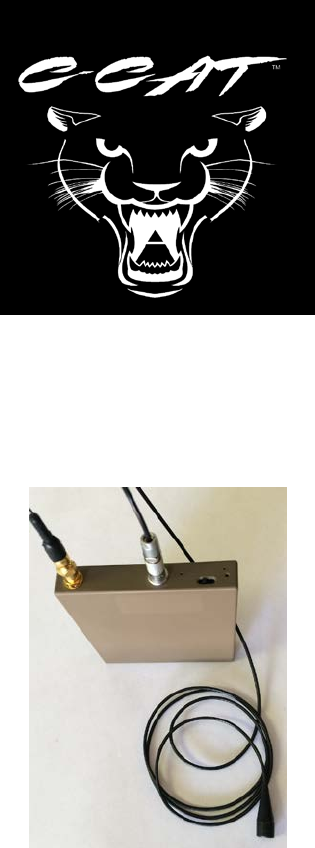
C-CAT® 1 Watt Audio Transmitter
User’s Manual
© Sierra Innotek, Inc.
June 16, 2016

C-CAT User’s Manual Revised June 16, 2016 Page 2 of 8
NOTICE: THIS PRODUCT IS RESTRICTED TO LAW ENFORCEMENT USE
FCC Information
FCC ID: 2AIQACVA1
NOTE: This equipment has been tested and found to comply with the limits for a Class B
digital device, pursuant to part 15 of the FCC Rules. These limits are designed to provide
reasonable protection against harmful interference in a residential installation. This equipment
generates, uses and can radiate radio frequency energy and, if not installed and used in
accordance with the instructions, may cause harmful interference to radio communications.
However, there is no guarantee that interference will not occur in a particular installation. If this
equipment does cause harmful interference to radio or television reception, which can be
determined by turning the equipment off and on, the user is encouraged to try to correct the
interference by one or more of the following measures:
—Reorient or relocate the receiving antenna.
—Increase the separation between the equipment and receiver.
—Connect the equipment into an outlet on a circuit different from that to which the
receiver is connected.
—Consult the dealer or an experienced radio/TV technician for help.
Changes or modifications not expressly approved by Sierra Innotek, Inc could void the
user's authority to operate the equipment.
Contains FCCID: VPYLBZY
C-CAT User’s Manual Revised June 16, 2016 Page 3 of 8
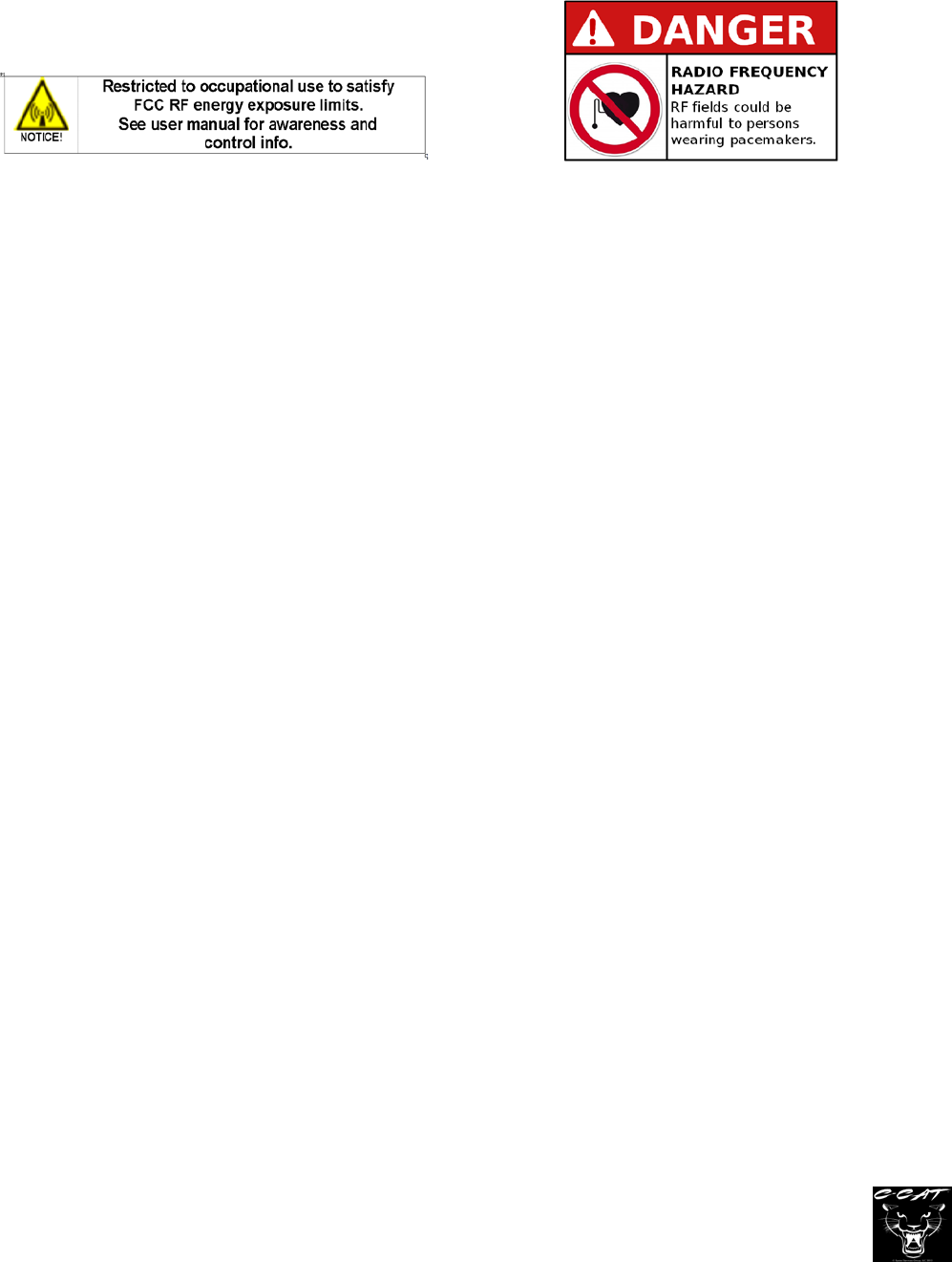
RF Exposure Guidelines and Training
Highest reported SAR values: Body: 3.03 W/kg (Occupational limit).
WARNING: Occupational use only, qualified users must be provided with training information
for meeting occupational exposure requirement.
Occupational Exposure information.
The effect of RF exposure to human body is of a complex nature. While this product has been
evaluated to satisfy SAR limit for occupational limit, to minimize the effect of RF exposure, it is
advised to minimize the exposure time, increase the distance between the transmitting
antenna element and human body, particularly from vital organs.
RF Exposure Compliance and Control Guidelines and Operating Instructions
To control exposure to yourself and others and to ensure compliance with the RF exposure limits,
always adhere to the following procedures:
• Always operate the transmitter with the proper antenna attached.
• Transmit for the minimal time required, and turn the transmitter off when not in use.
• Keep the antenna away from other body-worn metallic objects.
• Any persons that have pacemakers, metal implants, or other body-worn medical devices will be
required to obtain medical authorization from a physician knowledgeable in radiofrequency
interference with the particular medical device.
• Do not install antenna near head or groin area.
• Separate antenna from the body with clothing or other non-metallic material where practical.
• Transmit using low power setting when possible.
• Do not remove the RF exposure label from the transmitter
• Avoid any areas near electrically activated explosive devices.
• Avoid areas with flammable materials or explosive atmospheres.
• Ensure that this RF exposure information accompanies the transmitter when it is transferred to
others.
C-CAT User’s Manual Revised June 16, 2016 Page 4 of 8
C-CAT Overview
The C-CAT VHF audio transmitter is a compact, rugged, portable transmitter. The
transmitter is capable of RF power output up to 1 Watt nominal and “off” (not
transmitting). It can record up to 135 hours of stereo audio on a MicroSD card.
C-CAT’s state-of-the-art digital signal processor permits crystal clear audio to be
transmitted and recorded to the user removable MicroSD memory card.
C-CAT uses an internal clock to time and date stamp recordings saved to the SD
Memory card.
1) Setting up C-CAT
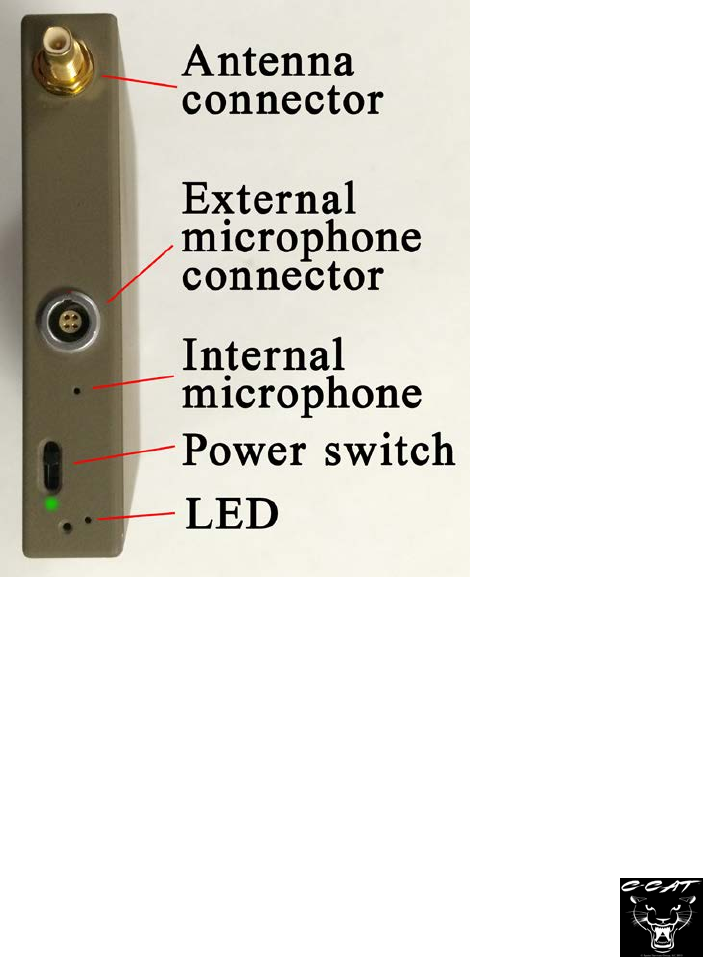
A. C-CAT external features – A connector is provided for the antenna, a jack for the
optional external microphone, a small hole for the internal microphone, a status LED
and power switch. See Figure 1.
Figure 1
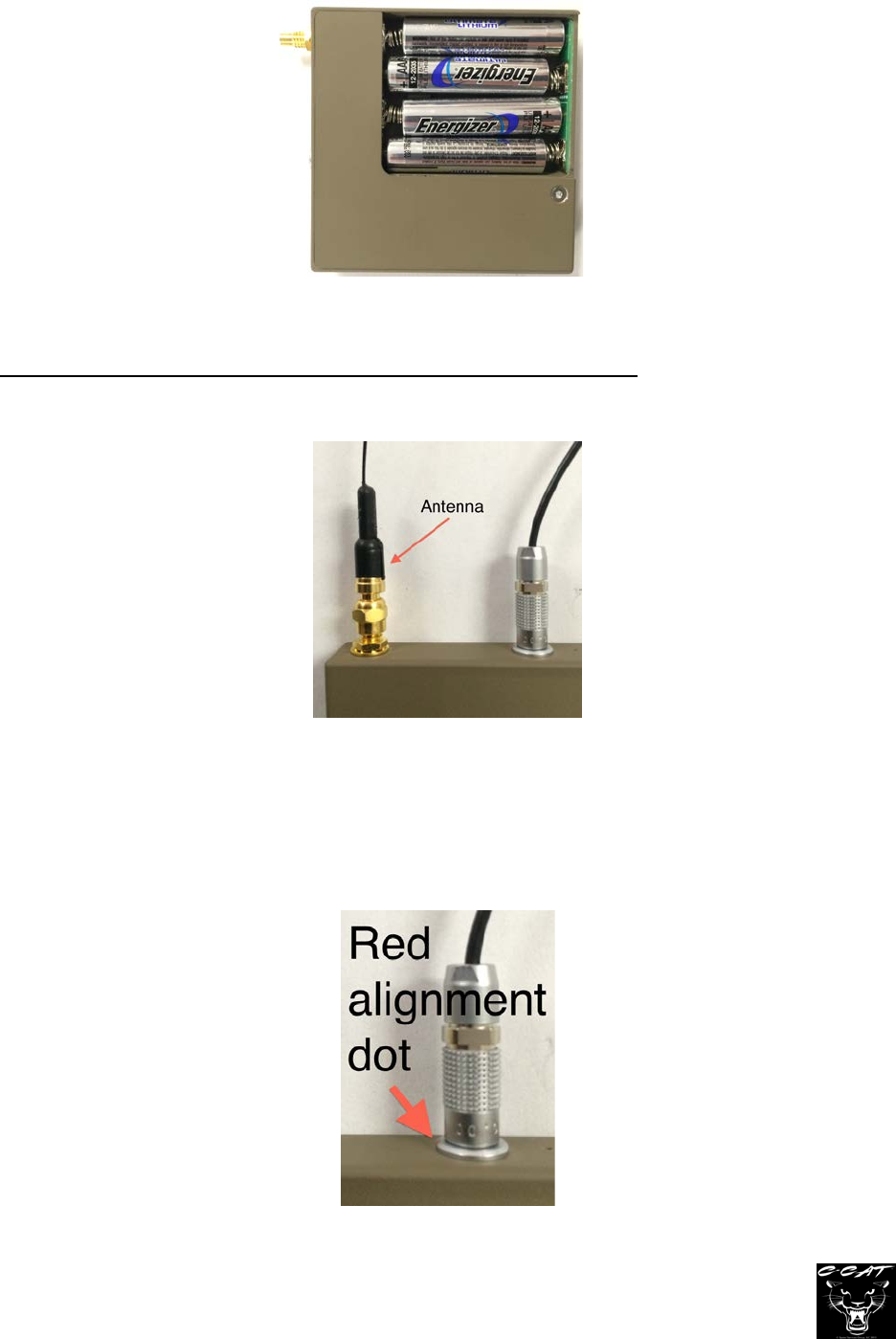
B. Batteries – C-CAT requires four AAA batteries. For longest transmission time use
lithium, non-rechargeable batteries such as Energizer’s Ultimate Lithium battery. To
insert batteries, remove the slide cover on the back of C-CAT and insert the batteries in
the proper orientation. Always use fresh batteries. See Figure 2
C-CAT User’s Manual Revised June 16, 2016 Page 5 of 8
Figure 2
C. Antenna – Connect C-CAT’s antenna to the antenna jack and hand tighten until snug.
Do not over-tighten and do not use tools to tighten the antenna as this may damage the
connectors. For best radio transmission, C-CAT’s antenna should be kept straight and
away from objects. See Figure 3.
Figure 3
D. External microphone - If C-CAT’s external microphone is to be used, insert the
microphone connector into C-CAT’s microphone jack. The microphone connectors
must be aligned properly to fully insert. Small red marks on the microphone plug and
jack must be aligned. Press the microphone plug firmly into the jack. See Figures 3
and 4.
Figure 4
C-CAT User’s Manual Revised June 16, 2016 Page 6 of 8
E. To remove the external microphone, pull the metal part of the plug away from C-CAT.
NEVER pull the microphone by its wire. C-CAT’s microphones are EXTREMELY
sensitive. Do not blow into the microphone, tap on the ends or cover the end with tape.
F. Transmitting audio – In most uses C-CAT will be configured to transmit audio when the
unit is powered up. If radio transmission of audio is not desired, C-CAT’s transmitter
can be turned off. C-CAT’s transmitter settings may be set by your agency’s technical
support personnel. Contact your department’s technical support for assistance, if
needed.
G. Audio recording – If a MicroSD card with available space is inserted, C-CAT will
record audio. C-CAT always records the internal microphone’s audio and, if the
external microphone is attached, will record its audio as well. Audio is recorded in
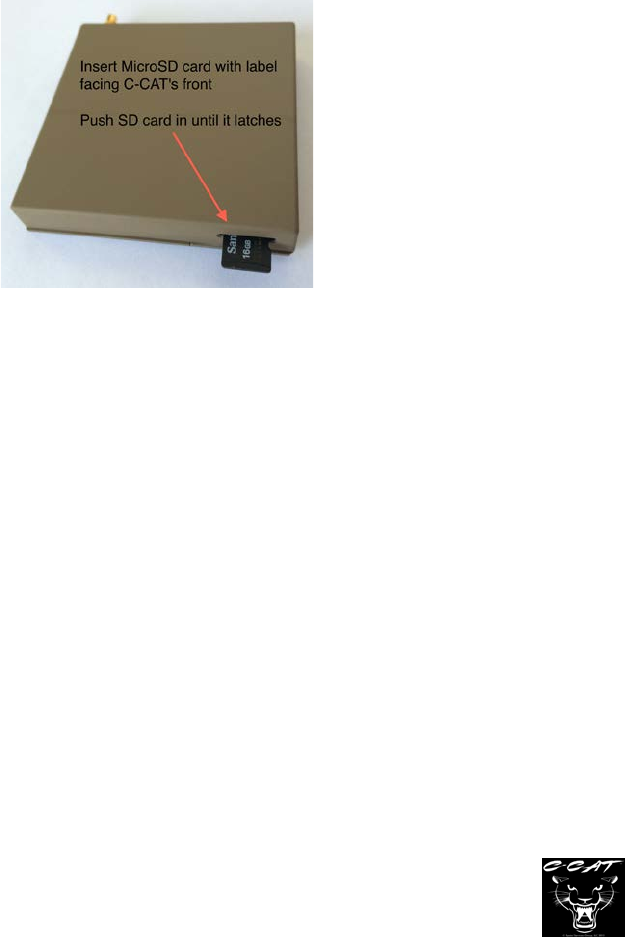
stereo. To record audio to a MicroSD card, insert the card into the MicroSD card socket
at the bottom of C-CAT. The SD card’s label should face the front of C-CAT, not the
battery door. See Figure 5.
Figure 5
I. C-CAT records audio in a 16bit, 16 KSPS WAV audio file. The file format is FAT32.
Each recording is date and time stamped as part of the file name. The file name
format is C-CAT_YYYYMMDD_HHMMSS and reflects the time and date that the
recording was started. For example a recording starting at 9:05 pm on August 4,
2016 would create a time stamp of “C-CAT_20160804_210500.” The file’s “date
modified” information will indicate when the recording stopped.
II. Because FAT32 files are limited to 2GB in file size, C-CAT will record approximately
8 hours and 50 minutes of audio to a single file. If card memory is available, C-CAT
will automatically continue to record by creating a new file and repeat this process
until C-CAT is turned off, batteries are exhausted, or the SD card is full. Each file
will have its own time and date stamp.

C-CAT User’s Manual Revised June 16, 2016 Page 7 of 8
H. Powering on – To power on C-CAT, slide the switch toward the green dot.
I. LED Indicator – C-CAT has an LED to indicate status. The LED is visible by looking into
the smaller hole near the power switch (see Figure 1).
LED indications:
• Solid YELLOW – C-CAT is loading settings (about 3 seconds)
• Solid GREEN – SD card present, C-CAT operating
• Flashing YELLOW – NO SD CARD PRESENT. Transmitter operating
• Solid RED – BATTERIES LOW – REPLACE
• Flashing RED – Configuration error. Turn power off and then on to reset. Check
to make sure batteries are installed correctly and turn C-CAT off
and back on. If the error persists, contact technical support.
NOTE: LEDs will only light during power-up, when placed in Configuration mode, or if
an SD card is inserted after power-up.
2. Cleaning and maintenance
A. To clean, wipe with damp (not wet) cloth. Avoid getting water into openings.
B. Internal clock battery – C-CAT incorporates an internal battery to maintain the current
time and date. This battery has an estimated life of 5 years and is not user replaceable.
If audio recordings file names are not correct (wrong date or time), have your technician
check the clock battery indication using software available to the technician.
C. Battery compartment – On each use, check to make sure the battery contacts are clean.
Transmission duration may be reduced if contacts are dirty.
D. Do not leave batteries in C-CAT when not in use as leaking batteries may result in
damage to the device.
C-CAT User’s Manual Revised June 16, 2016 Page 8 of 8
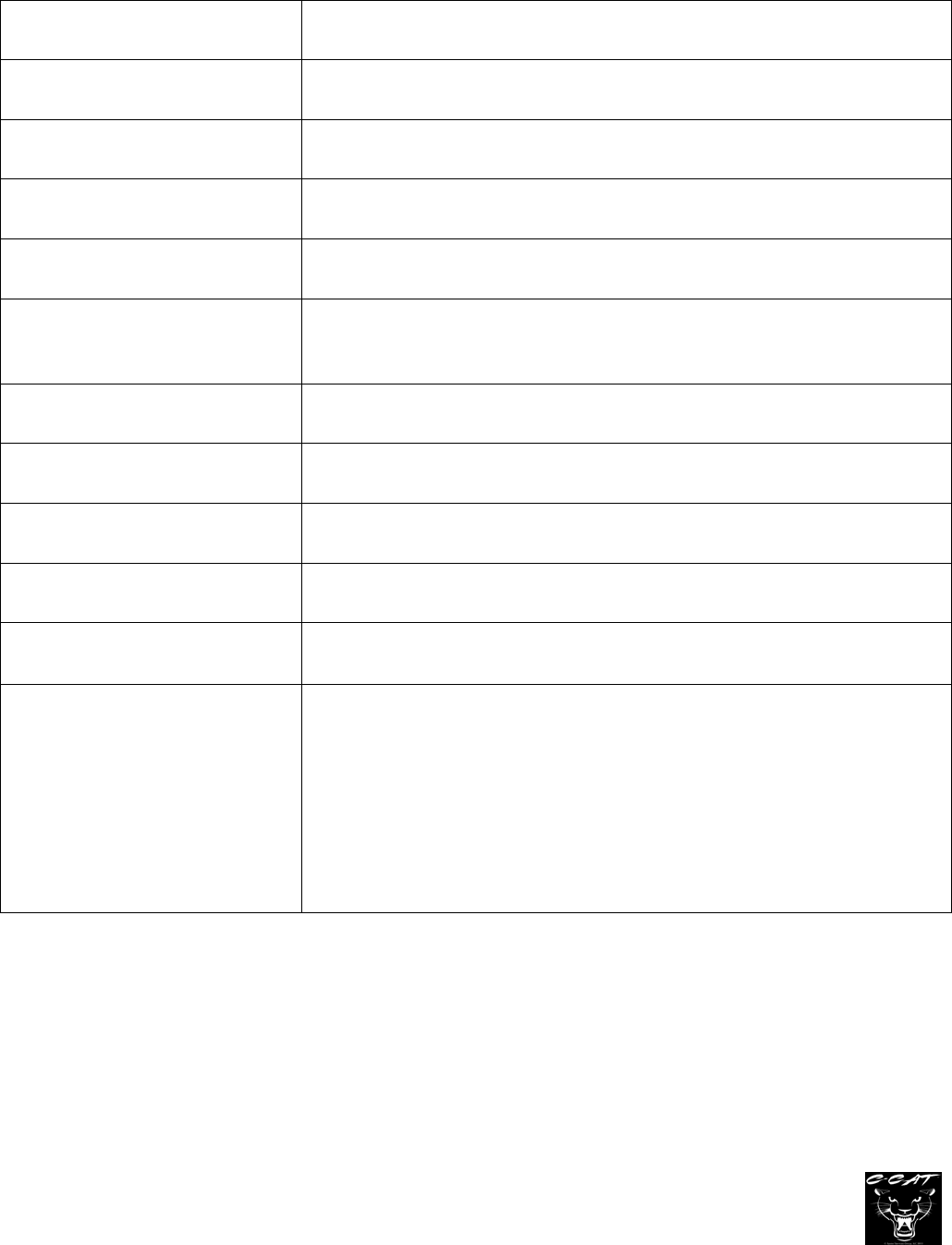
Specifications
Power (RF) 1W nominal
Frequency Range 150.000 to 173.390
Modulation Narrow Band FM Voice (11K2F3E)
Microphones Internal and External Digital Mics
Antenna SMC terminated ¼ wavelength wire
Spurious emissions and
Harmonics Meets FCC part 90 and 15 requirements.
Operating Temperature -30˚C to +50˚C
Power source Four AAA 1.5V lithium cells
Dimensions 2.75” x 2.75” x 0.5”
Weight (without batteries) 70 grams
Highest SAR values: Body: 3.03 W/kg (Occupational)
SD card compatibility SDHC MicroSD card Class 10 or faster
32 GB Maximum
Recording time is approximately 8 hours and 50 mins per
2GB file