Sony Pfm 42B2 Users Manual MK10071V1
PFM-42B2 to the manual f52df7fd-a729-413e-aa18-8d6030c8ef34
2015-01-23
: Sony Sony-Pfm-42B2-Users-Manual-292807 sony-pfm-42b2-users-manual-292807 sony pdf
Open the PDF directly: View PDF  .
.
Page Count: 6
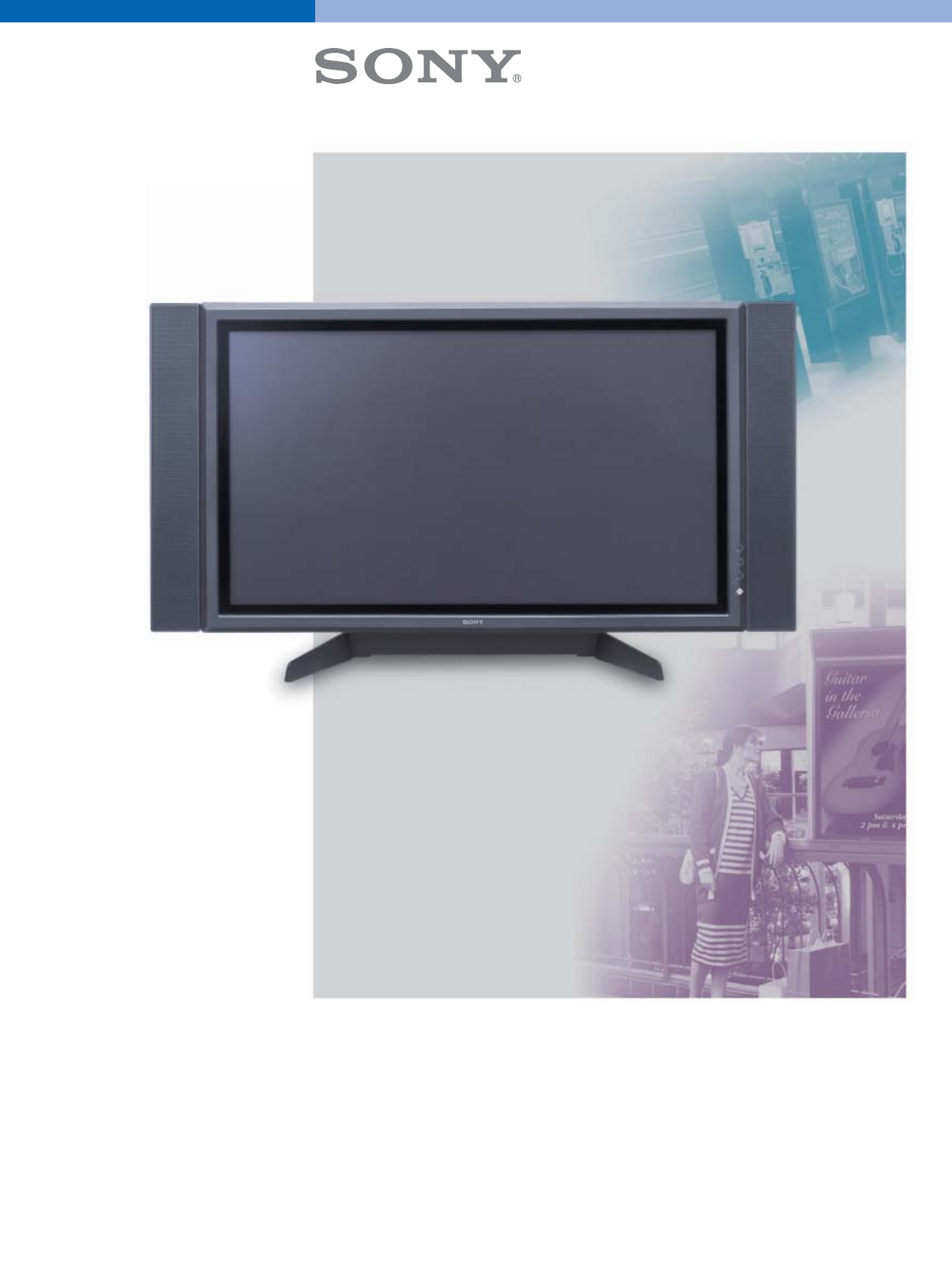
Professional Flat Panel Plasma Displays
PFM Series
PFM-50C1
PFM-50C1E
PFM-42B2
PFM-42B2E
PFM-42V1
PFM-42V1E
PFM-42V1P
PFM-42V1A
The PFM-42V1 incorporates a WVGA plasma
display panel that achieves a high brightness and
high contrast ratio. Its slim and lightweight
design combined with precise images and smooth
picture edges make it ideal for digital signage at
retail stores, shopping malls, airports, train
stations, entertainment venues, hospitality rooms
- and anywhere you need to grasp the attention
of visitors.
The PFM-50C1 and PFM-42B2 models combine a
plasma display panel with XGA resolution, to
produce clearer and more legible images of small
characters, which makes these displays ideal for
presentations and meetings to gain your
audiences’ attention.
Make Your Digital Signage And
Presentations More Powerful
With Sony Plasma Displays
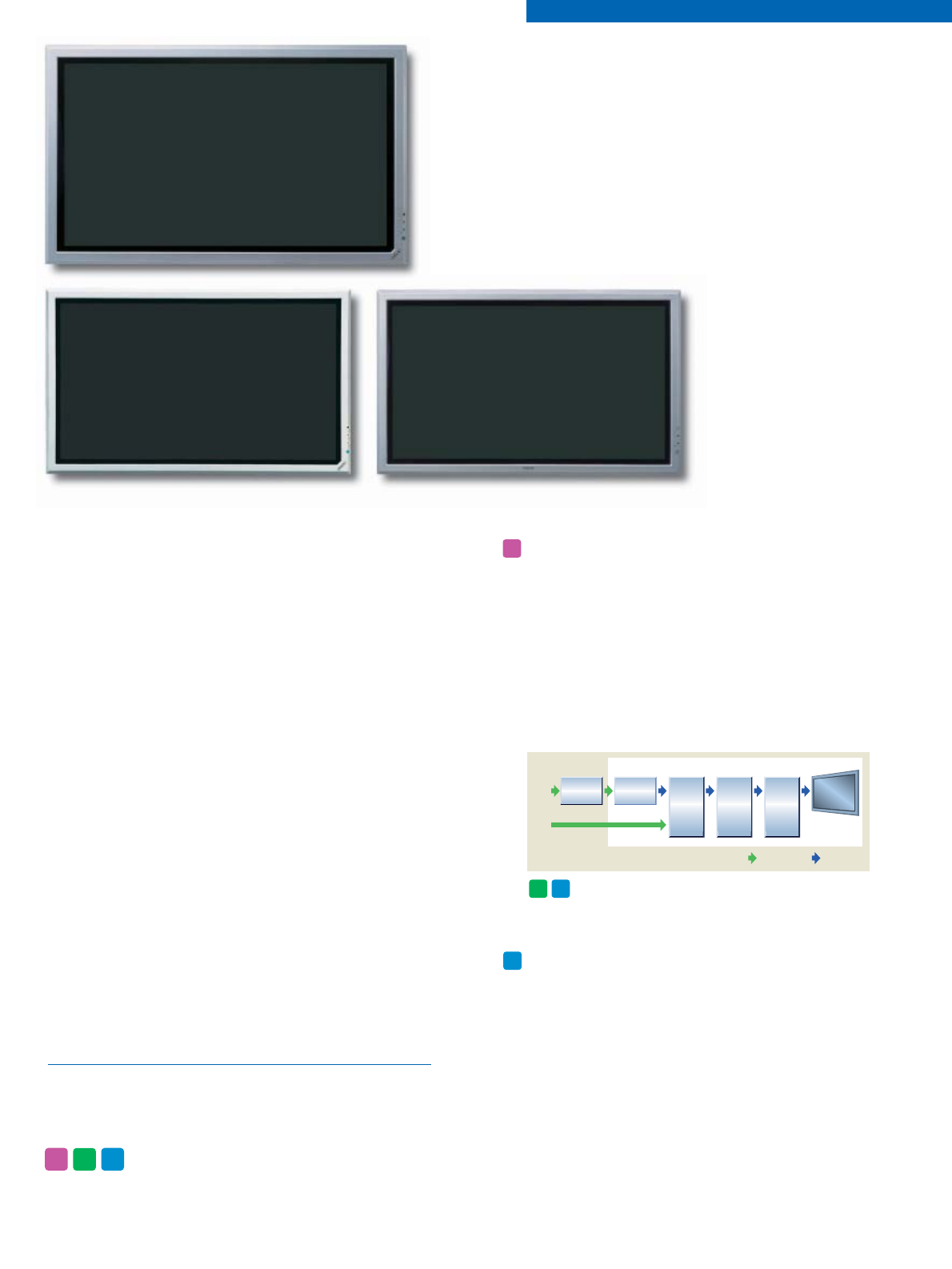
Excellent I/P Conversion Quality
With Sony’s Real Digital System technology, all signals
are processed digitally to reproduce highly accurate
images. A bi-pixel I/P (Interlace/Progressive)
conversion circuit, developed exclusively for Sony
plasma displays, converts interlaced signals to
progressive images of a higher definition quality.
For film-originated sources, the Cinema Drive
function (3-2 pull-down technology) is incorporated
to naturally reproduce scene movement.
Digital Video Input (DVI-D)
The DVI input function offers a high picture quality
when used with a DVI-equipped PC (DVI video cable
is supplied).
FEATURES AND BENEFITS
PFM-50C1/50C1E
PFM-42B2/42B2E PFM-42V1/42V1E
PFM
50
PFM
42V1
*The combination of a high-quality plasma display
panel and excellent I/P conversion technology
produces clear and smooth images.
Video
Signal
Analog Signal Digital Signal
Video
Decoder
Bi-pixel IP
Conversion
Real Digital System
Scaling
(Resolution
conversion)
Video
Signal
Processing
Panel
Drive
PFM-Series
PC
Signal
Real Digital System Concept Chart
PFM
42V1
PFM
42B2
Note: in this brochure, references to the PFM-42V1, PFM-42B2, and
PFM-50C1 also refer to models with an “E” suffix.
NOTE: These icons indicate which features are available
for each model.
PFM
42V1
PFM
42B2
PFM
50
Network Capability (with the
optional BKM-B30NW adapter)
The optional BKM-B30NW network adapter provides
an Ethernet 10Base-T/100Base-TX interface, plus a
PC Card slot, enabling the PFM-42B2 to connect to a
network. Users can then put the display to use in
the expanding world of visual network
communications, both in wired and wireless
environments. The adapter also provides a Y/C and
a composite analog input.
File sharing through a network
When the PFM-42B2 is connected to a network,
files can be shared over that network and opened
for display*.
*Microsoft®PowerPoint®(PPT, PPS), Microsoft Excel (XLS),
JPEG, GIF, BMP, and PNG file types are supported.
Remote control from networked PCs
Any PC residing on the network can communicate
with the PFM-42B2 display via a web browser*.
Conducting presentations, organizing files, and
controlling both the display’s functions and setup
parameters can all be done with a simple, familiar
web-based operation.
*System requirements
Operating system: Microsoft Windows®98,
Windows 98 SE, Windows Me, or Windows 2000
Web browser: Internet Explorer 4.0 or later, or
Netscape®Communicator 4.5x or 4.7x
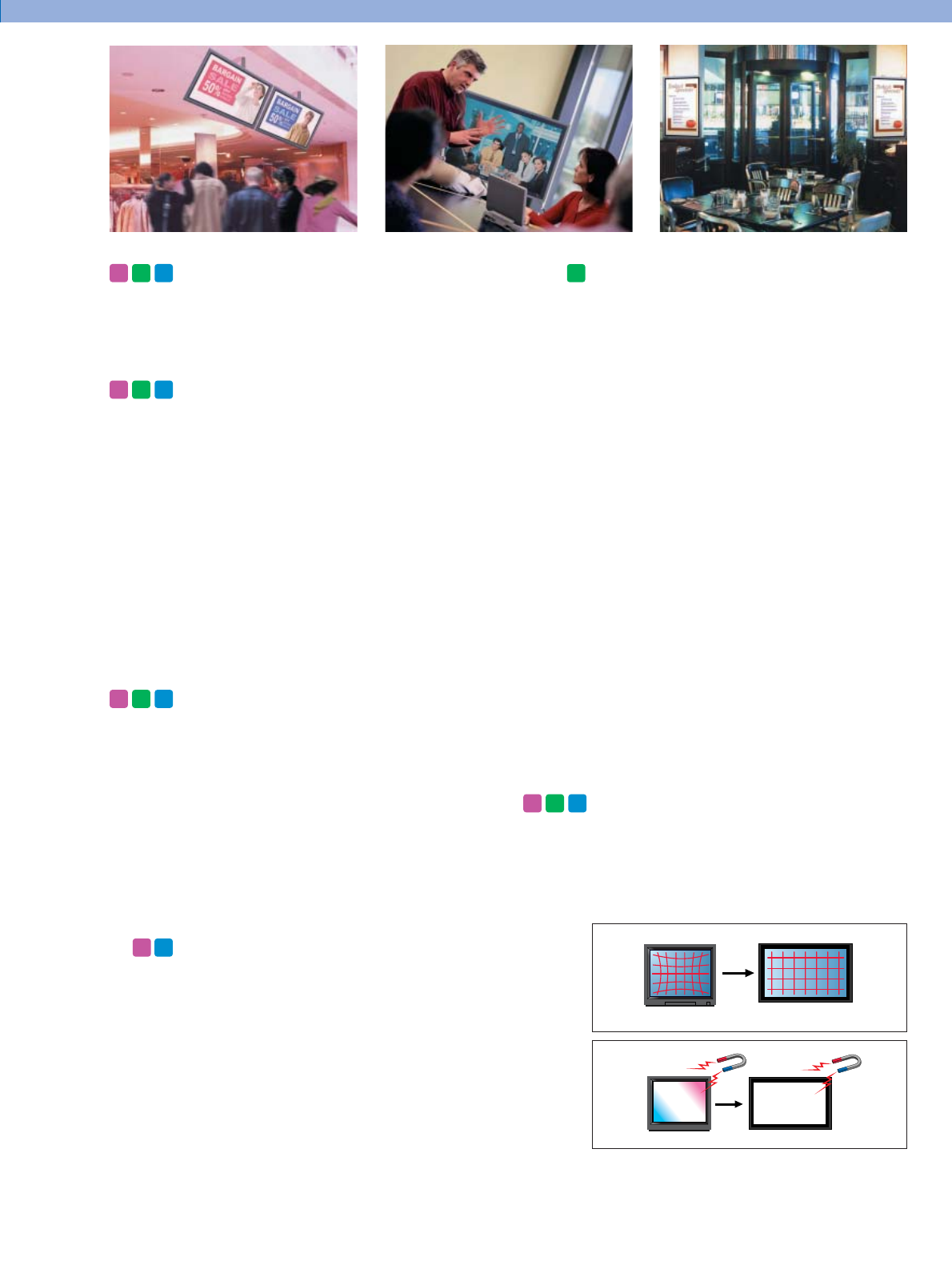
Flat Panel Advantages
•Flat panel displays produce an accurate image
geometry due to the linear alignment of the pixels.
•Unlike conventional CRTs, flat panel displays are
resistant to magnetic fields - providing drift-free
color uniformity.
Multi-Layer, AR-Coated,
Protection Panel
The anti-reflection (AR) coating on the glass
protection panel reduces light reflection for clear,
high-contrast picture viewing.
Multiple Inputs and High-Performance
Scan Converter
The PFM Series utilizes 16:9 aspect ratio flat panels
that provide smooth, high-quality images across the
entire screen. Display signals range from standard
SDTV* to HDTV, and RGB computer signals with
resolutions up to UXGA. A range of optional input
adapters is available, providing convenient system
flexibility. In addition, an integrated high-performance
scan converter provides accurate pixel-by-pixel image
reproduction, offering optimum image quality
whatever the signal format.
*An optional adapter is required to accept composite video
signals. The PFM-50C1E and PFM-42B2E models require
the BKM-B10 adapter, and the PFM-42V1E requires the
BKM-V10 adapter.
Versatile and Stylish Design
With its simple yet sophisticated appearance, the
PFM Series offers a stylish, high-impact way to
convey graphical messages.
With excellent installation flexibility, these slim and
lightweight displays provide large, superb-quality
images in minimal space.
*The bezel of the PFM-42B2 is available in warm silver or
dark gray.
*The bezel of the PFM-50C1 is available in cool silver.
*The bezel of the PFM-42V1 is available in cool silver or
bluish black. There is also a vertical bezel version
(PFM-42V1P) available in bluish black.
High-Quality
Digital Audio Amplifier
These two models give exceptionally clear audio
reproduction due to their high-quality integrated
digital amplifiers. In addition, the amplifiers feed
Speaker Out (L/R) connectors so that optional
speakers can be connected - further enhancing audio
performance and quality.
PFM
42V1
PFM
42B2
PFM
50
PFM
42V1
PFM
42B2
PFM
50
PFM
42V1
PFM
42B2
PFM
50
PFM
42B2
PFM
42V1
PFM
50
CRT
PFM
42V1
PFM
42B2
PFM
50
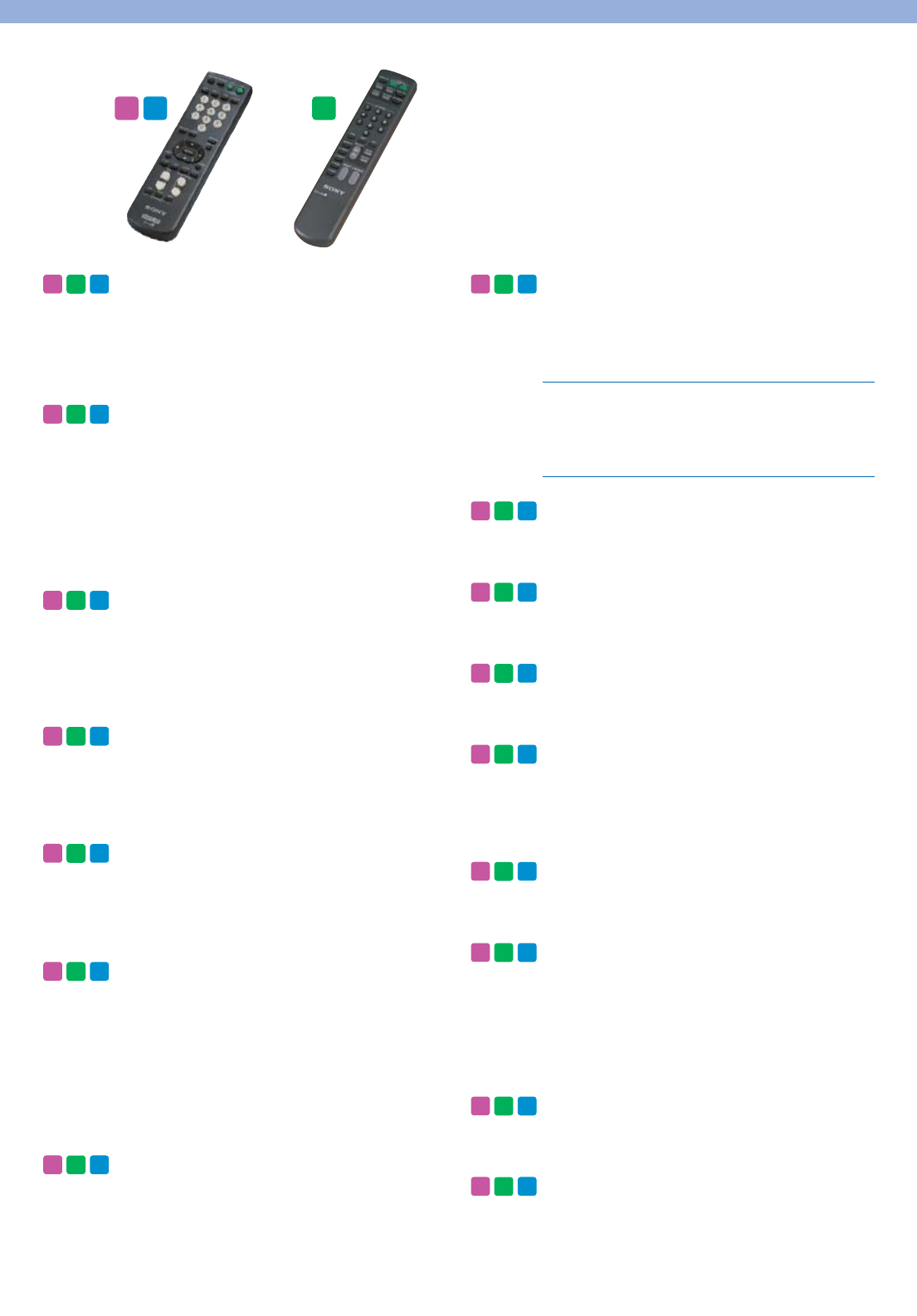
Easy-To-Use Remote Control
Easy display control is provided with a supplied
remote control unit.
*RM-971 for the PFM-50C1 and PFM-42V1, RM-42B for
the PFM-42B2.
*PFM Series displays also offer RS-232C control.
Mounting Flexibility
All models can be mounted in various positions to
meet different user applications - whether placed on
the optional stand*, installed on a wall, or hung
from a ceiling. They can also be mounted
horizontally or vertically.
*Optional stand SU-P50C is available for PFM-50C1, and
optional stand SU-42B is available for PFM-42B2 and
PFM-42V1.
Selectable Aspect Ratio
Aspect ratios can be selected from Widescreen 16:9
(Full), Wide Zoom (Expanded 4:3), Letter Box Zoom,
or Standard 4:3 displays. The PFM-50C1 and
PFM-42V1 displays additionally provide a Subtitle
mode.
Precise Color Temperature Control
Up to three color temperature settings can be
registered with the PFM-50C1 and PFM-42V1, and
up to six settings with the PFM-42B2 to meet the
specific needs of your display environment.
Picture Zoom Control
Zoom in to a section of a picture for a closer look
using the Picture Zoom Control function. This also
allows up to 16 units arranged in a 4 by 4 matrix to
be used in video-wall applications.
Dot Phase Adjustment
(for analog RGB input from a PC)
The sampling phase for signal digitizing can be
precisely adjusted to the input RGB analog signal,
creating clearer pictures. When the display receives
an input signal, it automatically adjusts the picture’s
sharpness (phase/pitch) and ensures that a clear
picture appears on the screen. Users can also adjust
the setting manually.
Size and Position Adjustment
If a picture is not properly sized or correctly
positioned on the screen, the size and position of the
image can be manually adjusted.
Picture Setting Memory
Up to 20 individual patterns of picture settings can
be saved and loaded. This function is convenient for
multiple users to operate the display. The following
settings are available.
Six-Language On-Screen Display
A quick and simple setup is available in English,
French, German, Italian, Spanish, and Japanese.
Closed Caption Decoder
This enables the closed caption data embedded in a
video signal to be displayed.
Screen Saver
Residual images are reduced effectively with Picture
Orbiting and Picture Inversion.
Energy-Saving Mode
The energy-saving mode decreases the power
consumption by reducing the emission level of the
Plasma panel saving cost throughout the lifespan of
the display.
24-Hour On/Off Timer
The power can conveniently be turned on and off
using the built-in 24-hour on/off timer.
Picture Modes
The PFM series offers several pictures modes to allow
images to be displayed according to different user
preferences and viewing environments. Two factory
presets; Standard Mode and Vivid Mode, allow for
quick and easy display setup. Also available are three
User Modes for storage of user defined settings.
Auto Wide Function
The Auto Wide function automatically enlarges the
video image to fill the 16:9 wide aspect screen.
Worldwide Power Supply
PFM
42V1
PFM
42B2
PFM
50
PFM
42V1
PFM
42B2
PFM
50
PFM
42V1
PFM
42B2
PFM
50
PFM
42V1
PFM
42B2
PFM
50
PFM
42V1
PFM
42B2
PFM
50
PFM
42V1
PFM
42B2
PFM
50
PFM
42V1
PFM
42B2
PFM
50
PFM
42V1
PFM
42B2
PFM
50
PFM
42V1
PFM
42B2
PFM
50
PFM
42V1
PFM
42B2
PFM
50
PFM
42V1
PFM
42B2
PFM
50
PFM
42V1
PFM
42B2
PFM
50
PFM
42V1
PFM
42B2
PFM
50
PFM
42V1
PFM
42B2
PFM
50
PFM
42V1
PFM
42B2
PFM
50
PFM
42V1
PFM
42B2
PFM
50
•Contrast •Brightness •Chroma
•Phase •Sharpness •Noise Reduction
•Color Temperature •Color Correct •Gamma Correct
•Resize and Position •Aspect Ratio Adjustment
•Pixel Adjustment
RM-971 RM-42B
PFM
42V1
PFM
50
PFM
42B2
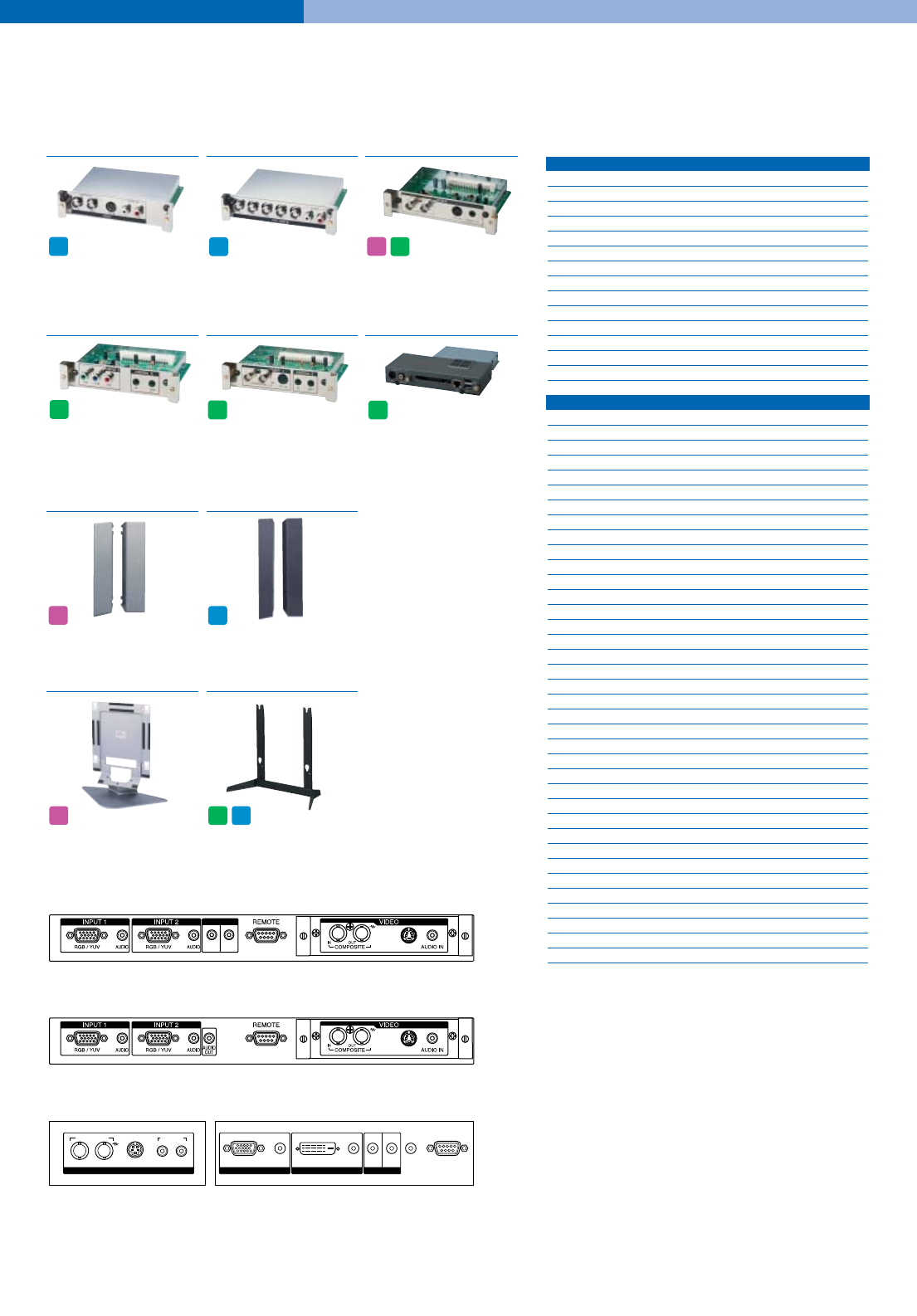
Connector Panel
SS-SP10A
Speaker System
OPTIONAL ACCESSORIES
BKM-V10
Video Input Adapter
•Composite input/output
•Y/C input
•Audio input (x1)
CONTROL S
IN OUT
RGB/YUV AUDIO DVI IN OUT
AUDIO AUDIO
OUT
INPUT 1
AUDIO INCOMPOSITE
IN OUT Y/C IN
VIDEO
LR
INPUT 2
CONTROL S
REMOTE
MAJOR PRESET SIGNALS
VIDEO fH (kHz)
Frame rate*1(Hz)
Resolution (Active)
●■NTSC 15.734 60 480 lines
●■PAL 15.625 50 575 lines
●■SECAM 15.625 50 575 lines
●■NTSC4.43 15.734 60 480 lines
●■PAL60 15.734 60 480 lines
●■PAL-M 15.734 60 480 lines
●■PAL-N*215.734 60 480 lines
●■575/50I 15.625 50 575 lines
●■480/60I 15.734 60 480 lines
●■1080/24PsF 27.000 24 1080 lines
●■1080/50I 28.125 50 1080 lines
●■576/50P 31.250 50 576 lines
●■480/60P 31.469 60 480 lines
●■1080/60I 33.750 60 1080 lines
●■720/60P 45.000 60 720 lines
COMPUTER INPUT fH (kHz) fV (Hz)
Resolution (Active)
●■VGA-1 (VGA 350) 31.5 70 640 x 480 dots
●640 x 350 @85 (VESA STD) 37.9 85 640 x 350 dots
●640 x 400 @85 (VESA STD) 37.9 85 640 x 400 dots
●■640 x 480 @60 (VESA STD) 31.5 60 640 x 480 dots
●■Mac 13" 35.0 67 640 x 480 dots
●640 x 480 @72 (VESA STD) 37.9 72 640 x 480 dots
●640 x 480 @75 (VESA STD) 37.5 75 640 x 480 dots
●640 x 480 @85 (VESA STD) 43.3 85 640 x 480 dots
●852 x 480 @60 (I-O DATA)*331.7 60 852 x 480 dots
●■VGA (VGA TEXT) 31.5 70 720 x 400 dots
●720 x 400 @85 (VESA STD) 37.9 85 720 x 400 dots
●800 x 600 @56 (VESA STD) 35.2 56 800 x 600 dots
●■800 x 600 @60 (VESA STD) 37.9 60 800 x 600 dots
●800 x 600 @72 (VESA STD) 48.1 72 800 x 600 dots
●800 x 600 @75 (VESA STD) 46.9 75 800 x 600 dots
●800 x 600 @85 (VESA STD) 53.7 85 800 x 600 dots
●■Mac 16" 49.7 75 832 x 624 dots
●■1024 x 768 @60 (VESA STD) 48.4 60 1024 x 768 dots
●1024 x 768 @70 (VESA STD) 56.5 70 1024 x 768 dots
●■1024 x 768 @75 (VESA STD) 60.0 75 1024 x 768 dots
●■1024 x 768 @85 (VESA STD) 68.7 85 1024 x 768 dots
●■1152 x 864 @75 (VESA STD) 67.5 75 1152 x 864 dots
●■Mac 21" 68.7 75 1152 x 870 dots
●■1280 x 960 @60 (VESA STD) 60.0 60 1280 x 960 dots
●1280 x 960 @85 (VESA STD) 85.9 85 1280 x 960 dots
●■1280 x 1024 @60 (VESA STD) 64.0 60 1280 x 1024 dots
●1280 x 1024 @75 (VESA STD) 80.0 75 1280 x 1024 dots
●1280 x 1024 @85 (VESA STD)*491.1 85 1280 x 1024 dots
●■1600 x 1200 @60 (VESA STD)*5 *775.0 60 1600 x 1200 dots
●856 x 480 @60 (Matrox)*630.2 60 856 x 480 dots
●856 x 480 @59.6 (Matrox)*630.1 59.6 856 x 480 dots
●856 x 480 @60.1 (Matrox)*630.1 60.1 856 x 480 dots
■848 x 480 @60 (VESA STD)*729.8 60 848 x 480 dots
■848 x 480 @60 (VESA STD) 29.5 60 848 x 480 dots
■848 x 480 @75 37.7 75 848 x 480 dots
■1280 x 768 @60 47.8 60 1280 x 768 dots
■1280 x 768 @60 47.4 60 1280 x 768 dots
*1 Compatible with 1/1.001
*2 Applicable to PFM-50C1
*3 With a graphics accelerator board from I-O Data Device, Inc.
*4 Applicable to PFM-42B1 and PFM-50C1
*5 Dot phase adjustment not applicable to UXGA resolution (1600 x 1200)
*6 With a graphics card from Matrox Graphics Inc.
*7 The DVI-D does not accept these signals.
BKM-V11
Component/RGB Input Adapter
•YUV input
•Audio input (x1)
BKM-B10
Video Input Adapter
•Composite input/output
•Y/C input
•Audio input (x1)
BKM-B30NW
Network Adapter
•Y/C input
•Composite input
•Ethernet 10Base-T/100Base-TX
interface
•PC Card slot (Type II)
•Two USB ports (A type)
BKM-B13
Composite Video Input and
Control-S Adapter
•Composite input/output
•Y/C input
•Control-S input/output
BKM-B12
Component Video Input
Adapter
•Component input
•Control-S input/output
SS-SP20B
Speaker System
*Available in bluish black or
cool silver.
SU-42B
Monitor Stand
SU-P50C
Monitor Stand
PFM
42V1
PFM
42V1
PFM
42B2
PFM
50
PFM
42B2
PFM
50
PFM
50
PFM
42B2
PFM
42B2
PFM
42V1
PFM
42V1
PFM
42B2
PFM-50C1 Control Panel. PFM-50C1E requires an optional BKM-B10 adapter
to accept video signals.
PFM-42B2 Control Panel. PFM-42B2E requires an optional BKM-B10 adapter
to accept video signals.
PFM-42V1 Control Panel. PFM-42V1E requires an optional BKM-V10 adapter
to accept video signals.
●PFM-42B2, PFM-50C1
■PFM-42V1
ON
STANDBY
44.5
1,246 (49)
755 (29 6/8)
430
44.5
100 (4)
11.5
44.5 44.5
35.5
1,033 (40 3/4)
631 (24 7/8)
35.5
35.5 35.5
35.5
1,033 (40 3/4)
631 (24 7/8)
400
35.5
83 (3 3/8)
11.5
400
83 (3 3/8)
21.6
35.5 35.5
INPUT 1
RGB / YUV
AUDIO
INPUT 2
CONTROL S
REMOTE
RGB / YUV
AUDIO
IN OUT COMPOSITE
IN OUT
Y/C IN AUDIO IN
VIDEO
MK10071V1OHB03SEP
Printed in Japan on recycled paper
Distributed by ©2003 Sony Corporation. All rights reserved.
Reproduction in whole or in part without permission is prohibited.
Features and specifications are subject to change without notice.
All non-metric weights and measures are approximate.
Sony is a registered trademark of Sony Corporation.
All other trademarks are the property of their respective owners.
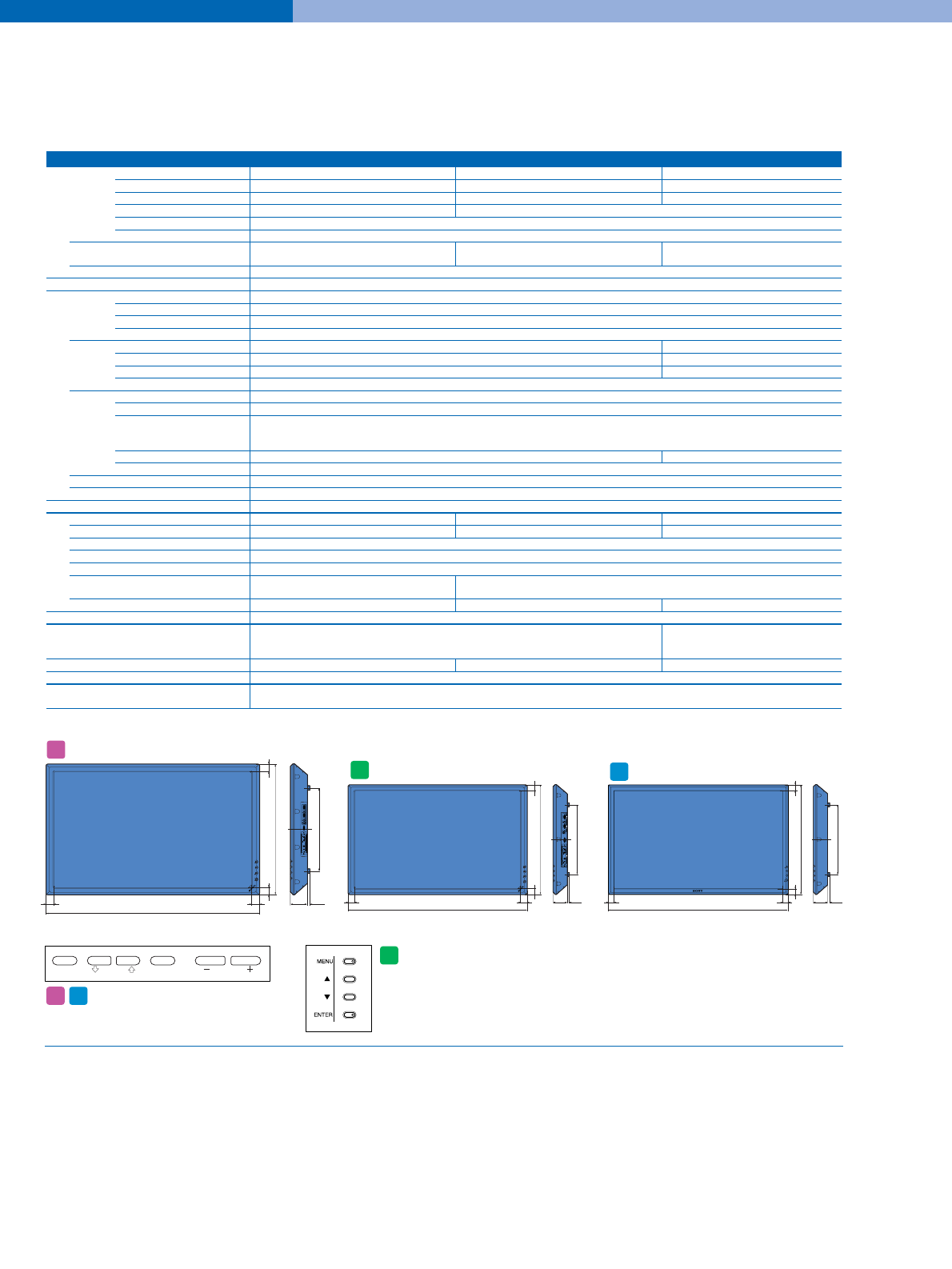
SPECIFICATIONS
Picture Performance PFM50C1/50C1E PFM42B2/42B2E PFM42V1/42V1E/42V1P/42V1A
Panel Resolution 1365 x 768 pixels 1024 x 1024 pixels 852 x 480 pixels
Pixel pitch 0.81 x 0.81 mm 0.90 x 0.51 mm 1.08 x 1.08 mm
Active area (W/H) 1,106 x 622 mm 921 x 522 mm 920 x 518 mm
Viewable picture area 50-inch/1,270 mm (measured diagonally) 42-inch/1,058 mm (measured diagonally)
Colors 16.8 million colors simultaneously
Type AC-type Plasma Display Panel with anti-reflection screen
Color system NTSC, PAL, SECAM, NTSC4.43, PAL60, PAL-M, NTSC, PAL, SECAM, NTSC4.43, PAL60, PAL-M NTSC, PAL, SECAM, NTSC4.43, PAL60,
PAL-N PAL-M, PAL-N
Sampling rate 13.5 to 140 MHz
Input/Output
INPUT1 D-sub 15-pin
RGB 0.7 Vp-p/non composite, 1.0 Vp-p composite, 75 Ω
YUV 0.7 Vp-p/non composite (U/V), 1.0 Vp-p/composite (Y), 75 Ω
AUDIO Stereo mini jack, 500 mVrms, high impedance
INPUT2 D-sub 15-pin DVI
RGB 0.7 Vp-p/non composite, 1.0 Vp-p composite, 75 Ω–
YUV 0.7 Vp-p/non composite (U/V), 1.0 Vp-p/composite (Y), 75 Ω–
AUDIO Stereo mini jack, 500 mVrms, high impedance
VIDEO*1COMPOSITE IN BNC, 1.0 Vp-p ±2 dB sync negative, 75 Ωautomatic termination
Y/C IN Mini DIN 4-pin
Y: 1.0 Vp-p ±2 dB sync negative, 75 Ωautomatic termination
C: 0.286 Vp-p ±2 dB sync negative (NTSC), 75 Ω
0.3 Vp-p ±2 dB sync negative (PAL), 75 Ω
AUDIO IN Stereo mini jack, 500 mVrms, high impedance Phono jack (L/R), 500 mVrms, high impedance
COMPOSITE OUT BNC, loop-through
AUDIO OUT Stereo mini jack, 500 mVrms, high impedance
REMOTE (RS-232C) D-sub 9-pin
General
Power requirements AC 100 to 240 V, 50/60 Hz, 5.4 to 2.2 A AC 100 to 240 V, 50/60 Hz, 4.2 to 1.5 A AC 100 to 240 V, 50/60 Hz, 3.7 to 1.5 A
Power consumption 490 W 360 W 360 W
Operating temperature 0 to 35 °C (32 to 95 °F)
Storage temperature -10 to 40 °C (14 to 104 °F)
Humidity 20 to 90 %, no condensation
Dimensions*2(W/H/D) 1,246 x 755 x 100 mm 1,033 x 631 x 83 mm
(49 x 29 6/8 x 4 inches) (40 3/4 x 24 7/8 x 3 3/8 inches)
Mass 46.7 kg (103 lb 9 oz) 28.4 kg (62 lb 9 oz) 27.0 kg (59 lb 8 oz)
Supplied Accessories
AC Power Cord, AC Plug Holder (2), AA/R6 size Battery (2), Cable Holder A (2), Cable Holder B (4), DVI-D Cable, AC Power Cord,
Operating Instructions AC Plug Holder (2), AA/R6 size Battery (2),
Cable Holder (4), Operating Instructions
Remote Commander RM-971 Remote Commander RM-42B Remote Commander RM-971
Regulation Compliance
UL1950, CSA No.950 (c-UL), CE LVD (EN60950), FCC Class B, IC Class B, VCCI Class B,
CE EMC (EN55022 Class-B, EN55024, EN61000-3-2, EN61000-3-3), C-Tick (AS/NZS 3548/95, AS/NZS 4252.1), CCIB, JEIDA, CB, KTL, MIC
*1 The PFM-42B2E and PFM-50C1E require an optional BKM-B10 adapter to accept video signals.
The PFM-42V1E requires an optional BKM-V10 adapter to accept video signals.
*2 Excluding protruding parts.
Dimensions
PFM
42B2
PFM
42V1
PFM
50
Unit: mm (inches)
MENU ENTER VOLUME
Control Panel
The control panel is located on
the top of the unit.
PFM
50
PFM
42V1
Note: The power switch is positioned on the front of the display.
The control panel is located on the rear of the unit.
PFM
42B2
