Sony Portable Minidisc Recorder Mz N1 Users Manual
sony_MZ-N1_service_manual sony_MZ-N1_service_manual
MZ-N1 to the manual 92244c5a-cad2-44ce-aa11-f37ae7c475e5
2015-01-23
: Sony Sony-Portable-Minidisc-Recorder-Mz-N1-Users-Manual-294764 sony-portable-minidisc-recorder-mz-n1-users-manual-294764 sony pdf
Open the PDF directly: View PDF  .
.
Page Count: 64
- COVER
- TABLE OF CONTENTS
- SERVICING NOTES
- GENERAL
- DISASSEMBLY
- DISASSEMBLY FLOW
- BOTTOM PANEL ASSY
- UPPER PANEL SECTION
- LCD MODULE, UPPER PANEL ASSY
- MAIN BOARD SECTION
- BATTERY CASE ASSY, MAIN BOARD
- MD MECHANISM DECK (MT-MZN1-171), CHASSIS ASSY
- OP SERVICE ASSY (LCX-5R)
- HOLDER ASSY
- DC MOTOR (SLED) (M602)
- DC SSM18B MOTOR (SPINDLE) (M601), DC MOTOR (OVER WRITE HEAD UP/DOWN) (M603)
- TEST MODE
- ELECTRICAL ADJUSTMENTS
- DIAGRAMS
- BLOCK DIAGRAM – SERVO/USB Section –
- BLOCK DIAGRAM – AUDIO Section –
- BLOCK DIAGRAM – DISPLAY/KEY CONTROL/POWER SUPPLY Section –
- NOTE FOR PRINTED WIRING BOARD AND SCHEMATIC DIAGRAMS
- PRINTED WIRING BOARD – MAIN board (Component Side) –
- PRINTED WIRING BOARD – MAIN board (Conductor Side) –
- SCHEMATIC DIAGRAM – MAIN Board (1/4) –
- SCHEMATIC DIAGRAM – MAIN Board (2/4) –
- SCHEMATIC DIAGRAM – MAIN Board (3/4) –
- SCHEMATIC DIAGRAM – MAIN Board (4/4) –
- Waveforms
- IC Block Diagrams
- IC PIN FUNCTION DESCRIPTION
- EXPLODED VIEWS
- ELECTRICAL PARTS LIST
- REVISION HISTORY
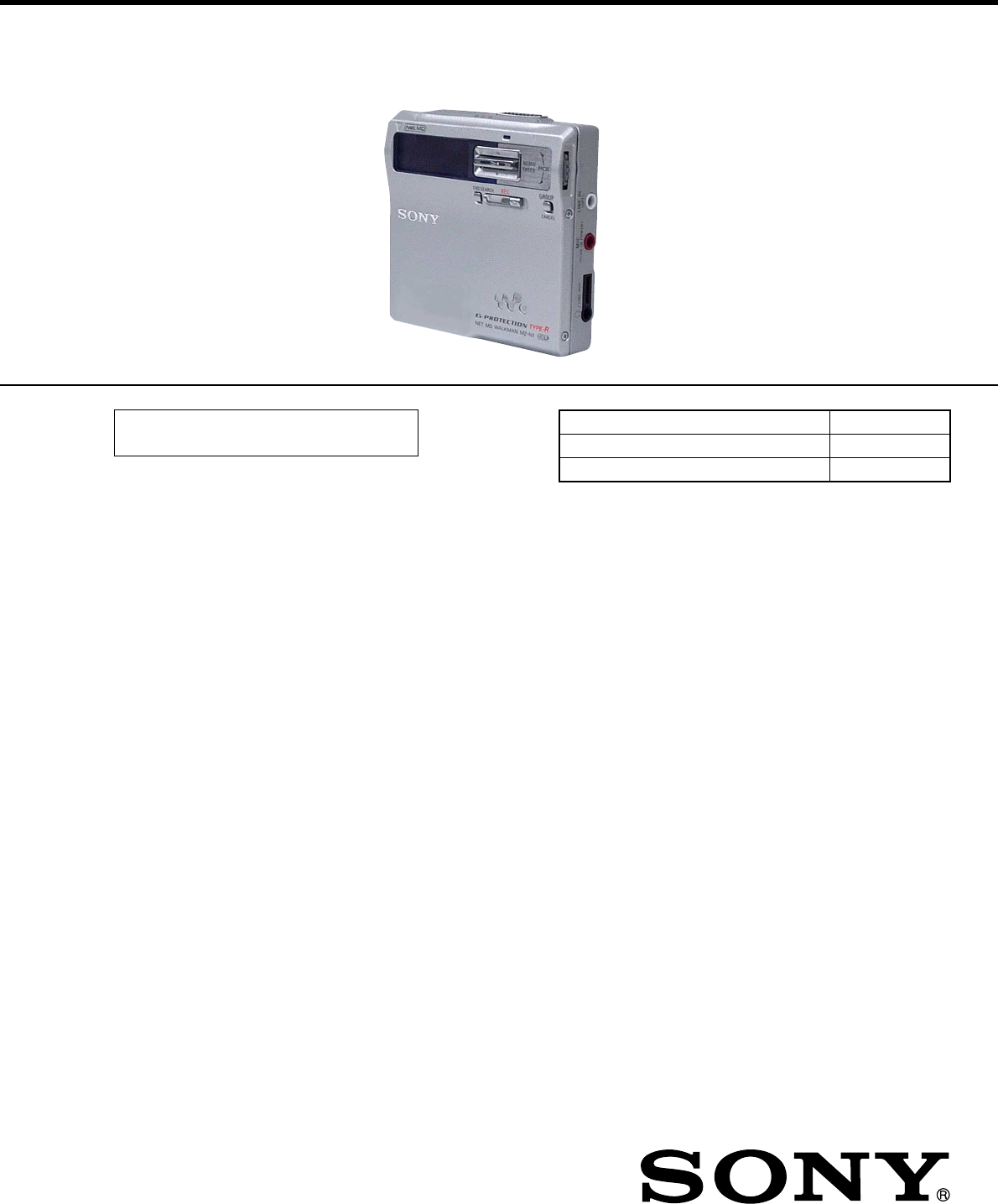
SERVICE MANUAL
PORTABLE MINIDISC RECORDER
AEP Model
UK Model
E Model
SPECIFICATIONS
MZ-N1
US and foreign patents licensed from Dolby
Laboratories.
– Continued on next page –
Model Name Using Similar Mechanism NEW
Mechanism Type MT-MZN1-171
Optical Pick-up Name LCX-5R
Ver 1.0 2002. 01
9-873-443-01 Sony Corporation
2002A0500-1 Personal Audio Company
C 2002.1 Published by Sony Engineering Corporation
•OpenMG, “MagicGate”, “MagicGate Memory Stick”, “Memory Stick”,
VAIO,MusicClip and their logos are trademarks of Sony Corporation.
•“WALKMAN” is a trademark of Sony Corporation.
•Microsoft,Windows,Windows NT and Windows Media are trademarks
or registered trademarks of Microsoft Corporation in the United States
and/or other countries.
•IBM and PC/AT are registered trademarks of International Business
Machines Corporation.
•Macintosh is a trademark of Apple Computer,Inc.in the United States
and/or other countries.
•All other trademarks are trademarks of their respective owners. ™ and
® marks are omitted in this manual.
Audio playing system
MiniDisc digital audio system
Laser diode properties
Ma terial: GaAlAs
Wavelength: λ = 790 nm
Emission duration: continuous
Laser output : less than 44. 6 µW
(This output is the value measured at a distance
of 200 mm from the lens surface on the op tica l
pick-up block with 7 mm aperture.)
Recording and playback time (when
using MDW-80)
Maximum 160 min. in monaural
Maximum 320 min. in stereo
Revolutions
382 rpm to 2,700 rpm (CLV)
Error correction
ACIRC (Advanced Cross Interleave Reed
Solomon Code)
Sampling frequency
44.1 kHz
Sampling rate converter
Input: 32 kHz/44. 1 kHz/48 kHz
Coding
ATRAC (Adaptive TRansform Acoustic
Coding)
AT R AC 3 — LP2/LP4

2
MZ-N1
SAFETY-RELATED COMPONENT WARNING!!
COMPONENTS IDENTIFIED BY MARK 0 OR DOTTED
LINE WITH MARK 0 ON THE SCHEMATIC DIAGRAMS
AND IN THE PARTS LIST ARE CRITICAL TO SAFE
OPERATION. REPLACE THESE COMPONENTS WITH
SONY PARTS WHOSE PART NUMBERS APPEAR AS
SHOWN IN THIS MANUAL OR IN SUPPLEMENTS PUB-
LISHED BY SONY.
Modulation system
EFM (Eight to Fourteen Modula tion)
Frequency response
20 to 20, 000 Hz ± 3 dB
Wow and Flutter
Below measurable limit
Inputs1)
MIC: stereo mini-jack
(minimum input level 0.25 mV)
Line in:
stereo mini-jack for anolog input
(minimum input level 49 mV)
optical (digital) mini-jack for optical
(digital) input
Outputs
i/LINE OUT
2)
: stereo mini-jac k (dedicated
remo te control jack)/194 mV (10 kohm )
Maximum output (DC) 2)
Headphones: 5 mW + 5 mW (16 ohm)
Power requirement
Sony AC Power Adaptor connected at the DC
IN 3V jack (country model in parentheses):
220 V AC, 50/60 Hz (Continental Europe)
230 - 240 V AC, 50 Hz (U.K. and Hong
Kong)
100 - 240 V AC, 50/60 Hz (Other countries)
Battery life
1)
When recording2)
(Unit: approxi.hours)(JEITA3))
Batteries SP
Stereo LP2
Stereo LP4
Stereo
Nickel metal
hydride
rechargeable
battery4)
12 17 21
LR6 (SG)
Sony alkaline
dry battery 5)
12 19 23
Nickel metal
hydride
rechargeable
battery 4)
+ One LR6
(SG)5)
30 43 52
The recorder:
Nickel metal hydride rechargeable battery
NH-14WM(A) 1.2V 135 0 mAh (MIN) Ni-
MH
LR6 (SG) alkaline battery
USB cradle:
AC power adaptor DC 3V
Dimensions
Approx. 77.7 × 71.4 ×16.4 mm (w/h/d)
(3
1
/
8
× 2
7
/
8
×
21
/
32
in.)
Mass
Approx. 87 g (3.0 oz) the recorder only
1)
The LINE IN (OPT) jack is used to connect
either a digital (optical) cable or a line
(analog) cable.
2)
The i/LINE OUT jack connects either
headphones/earphones or a line cable.
Design and specitications are subject to change
without not ice.
Supplied accessories
AC power adaptor (1)
Headphones/earphones with a remote control (1)
Optical cable (1)
US B cable (1)
Nickel metal hydride rechargeable
battery NH-14WM(A) (1)
CD-ROM (1)*
Dry battery case (1)
Rechargeable battery carrying case (1)
Carrying pouch/carrying case with a belt clip (1)
*Do not play a CD-ROM on an audio CD player.
1)
The battery life may be shorter due to operating
conditions and the temperature of the location.
2)
When you record , use a fully charged
rechargeable battery.
Recording time may
differ according to the alkaline batteries.
3)
Measured in accordance with the JEITA (Japan
Electronics and Information Technology
Industries Association) standard.
4)
When using a 100% fully charged
nickel
metal hydride
rechargeable battery (NH-
14WM(A)).
5)
When us ing a Sony LR6 (SG) “STAMINA”
alkaline dry battery (produced in Japan).
When playing
(Unit
Batteries SP
Stereo LP2
Stereo LP4
Stereo
Nickel metal
hydride
rechargeable
battery2)
30 38 42
LR6 (SG)
Sony alkaline
dry battery 3)
44 52 62
Nickel metal
hydride
rechargeable
battery2)
+ One LR6
(SG)3)
79 95 110
1)
Measured in accordance woth the JEITA
(Japan Electronics and Information
Technology Industries Association) standard.
2)
When us ing a 100% fully charged
nickel
metal hydride
rechargeable battery (NH-
14WM(A)).
3)
When using a Sony LR6 (SG) “STAMINA”
alkaline dry battery (produced in Japan)
: approxi.hours)(JEITA1))
3
MZ-N1
TABLE OF CONTENTS
1. SERVICING NOTES ............................................... 4
2. GENERAL ................................................................... 5
3. DISASSEMBLY
3-1. Disassembly Flow ........................................................... 6
3-2. Bottom Panel Assy .......................................................... 7
3-3. Upper Panel Section........................................................ 7
3-4. LCD Module, Upper Panel Assy .................................... 8
3-5. MAIN Board Section ...................................................... 8
3-6. Battery Case Assy, MAIN Board.................................... 9
3-7. MD Mechanism Deck (MT-MZN1-171),
Chassis Assy .................................................................... 9
3-8. OP Service Assy (LCX-5R) ............................................ 10
3-9. Holder Assy ..................................................................... 11
3-10. DC Motor (Sled) (M602) ................................................ 11
3-11. DC SSM18B Motor (Spindle) (M601),
DC Motor (Over Write Head UP/DOWN) (M603) ....... 12
4. TEST MODE.............................................................. 13
5. ELECTRICAL ADJUSTMENTS......................... 19
6. DIAGRAMS
6-1. Block Diagram – SERVO/USB Section –...................... 30
6-2. Block Diagram – AUDIO Section –............................... 31
6-3. Block Diagram – DISPLAY/KEY CONTROL/
POWER SUPPLY Section –........................................... 32
6-4. Note for Printed Wiring Board and
Schematic Diagrams ....................................................... 33
6-5. Printed Wiring Board
– MAIN Board (Component Side) –............................. 34
6-6. Printed Wiring Board
– MAIN Board (Conductor Side) –............................... 35
6-7. Schematic Diagram – MAIN Board (1/4) –.................. 36
6-8. Schematic Diagram – MAIN Board (2/4) –.................. 37
6-9. Schematic Diagram – MAIN Board (3/4) –.................. 38
6-10. Schematic Diagram – MAIN Board (4/4) –.................. 39
6-11. IC Pin Function Description ........................................... 46
7. EXPLODED VIEWS
7-1. Upper Panel Section........................................................ 53
7-2. Bottom Panel Section...................................................... 54
7-3. Chassis Section ............................................................... 55
7-4. MAIN Board Section ...................................................... 56
7-5. MD Mechanism Deck Section (MT-MZN1-171) .......... 57
8. ELECTRICAL PARTS LIST ............................... 58
CAUTION
Use of controls or adjustments or performance of procedures
other than those specified herein may result in hazardous ra-
diation exposure.
Notes on chip component replacement
•Never reuse a disconnected chip component.
•Notice that the minus side of a tantalum capacitor may be dam-
aged by heat.
Flexible Circuit Board Repairing
•Keep the temperature of the soldering iron around 270 ˚C dur-
ing repairing.
•Do not touch the soldering iron on the same conductor of the
circuit board (within 3 times).
•Be careful not to apply force on the conductor when soldering
or unsoldering.
UNLEADED SOLDER
Boards requiring use of unleaded solder are printed with the lead-
free mark (LF) indicating the solder contains no lead.
(Caution: Some printed circuit boards may not come printed with
the lead free mark due to their particular size)
: LEAD FREE MARK
Unleaded solder has the following characteristics.
•Unleaded solder melts at a temperature about 40 ˚C higher than
ordinary solder.
Ordinary soldering irons can be used but the iron tip has to be
applied to the solder joint for a slightly longer time.
Soldering irons using a temperature regulator should be set to
about 350 ˚C .
Caution: The printed pattern (copper foil) may peel away if the
heated tip is applied for too long, so be careful!
•Strong viscosity
Unleaded solder is more viscous (sticky, less prone to flow) than
ordinary solder so use caution not to let solder bridges occur
such as on IC pins, etc.
•Usable with ordinary solder
It is best to use only unleaded solder but unleaded solder may
also be added to ordinary solder.
On power sources
•Use house current, nikel metal hyd ride
rechargeable battery, LR6 (SG) battery, or car
battery.
•
For use in your house: For the supplied battery
charging stand, use the AC power adaptor
supplied with this recorder. Do not use an y other
AC power adaptor since it may cause the recorder
to malfuncti on.
Polarity of the
plug
4
MZ-N1
NOTES ON HANDLING THE OPTICAL PICK-UP
BLOCK OR BASE UNIT
The laser diode in the optical pick-up block may suffer electro-
static break-down because of the potential difference generated
by the charged electrostatic load, etc. on clothing and the human
body.
During repair, pay attention to electrostatic break-down and also
use the procedure in the printed matter which is included in the
repair parts.
The flexible board is easily damaged and should be handled with
care.
NOTES ON LASER DIODE EMISSION CHECK
Never look into the laser diode emission from right above when
checking it for adjustment. It is feared that you will lose your sight.
NOTES ON HANDLING THE OPTICAL PICK-UP BLOCK
(LCX-5R)
The laser diode in the optical pick-up block may suffer electro-
static break-down easily. When handling it, perform soldering
bridge to the laser-tap on the flexible board. Also perform mea-
sures against electrostatic break-down sufficiently before the op-
eration. The flexible board is easily damaged and should be handled
with care.
OPTICAL PICK-UP FLEXIBLE BOARD
SECTION 1
SERVICING NOTES
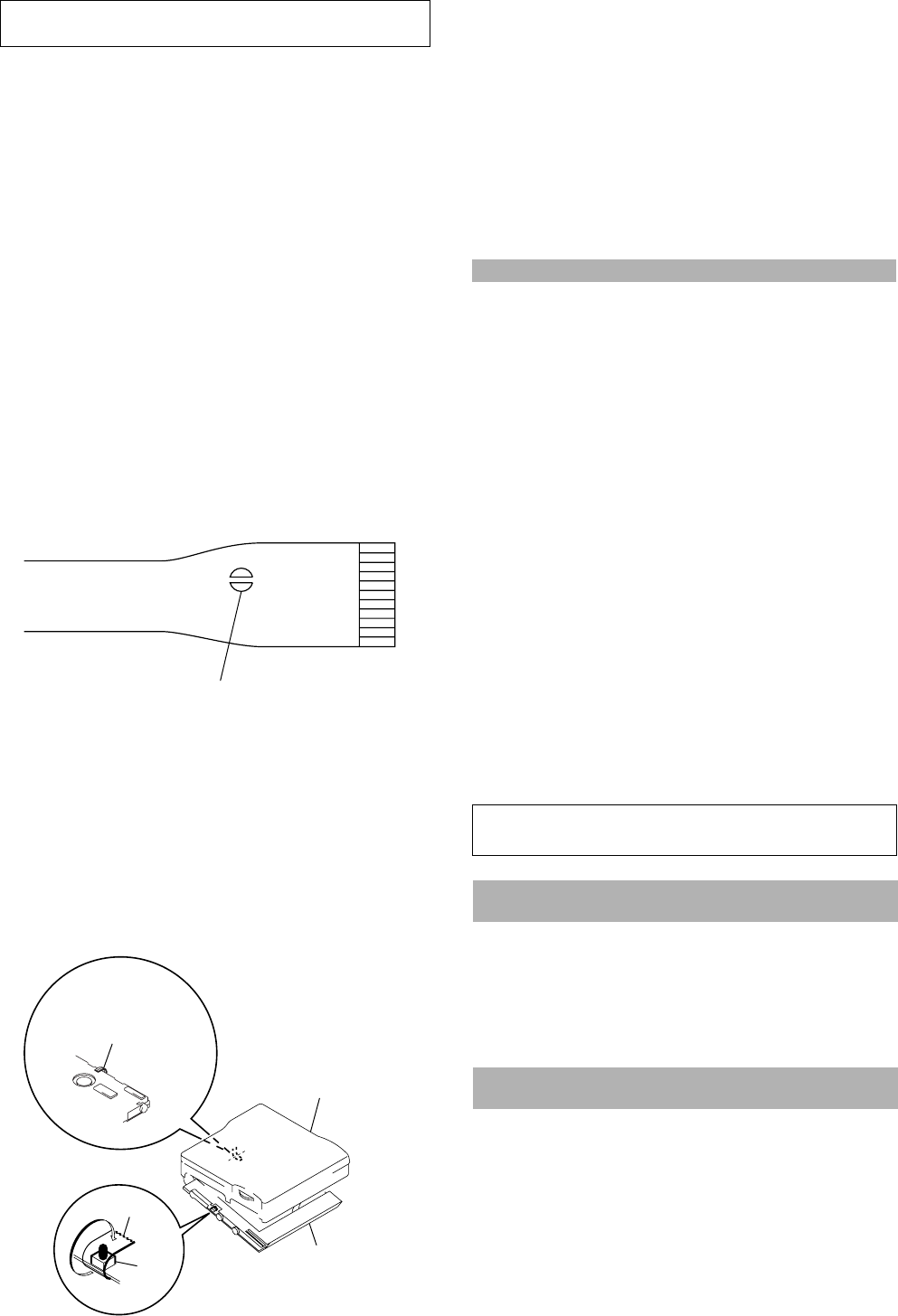
• In performing the repair with the power supplied to the set, re-
moving the MAIN board causes the set to be disabled.
In such a case, fix a convex part of the open/close detect switch
(S804 on MAIN board) with a tape in advance.
Handle the FLEXIBLE board (overwrite head) with care, as it
has been soldered directly to the MAIN board.
In repairing the component side of MAIN board, connect the
FLEXIBLE board (overwrite head) and the MAIN board with
the lead wires in advance. (See page 8)
laser-tap
upper panel assy
MAIN boar
d
Tape
S804
FLEXIBLE board
(Over write head)
• Replacement of CXD2677-202GA (IC801) used in this set re-
quires a special tool.
• The shipment data will be cleared when the NV is reset. There-
fore, change the NV adjusted values following the Change of
NV Adjusted Values immediately after the NV was reset. (See
page 19)
• This set requires the patch data in the nonvolatile memory
(IC802) to be rewritten using the application, when the MAIN
board or nonvolatile memory (IC802) was replaced. (See page
27)
System requirements
• IBM PC/AT or Compatible (The software does not run on Macintosh.)
CPU: MMX™ Pentium® 233 MHz or higher (Pentium® II 400 MHz or higher is
recommended.)
Hard disk drive space: 60 MB or more (The amount of necessary space depends on
the version of the Windows OS or the size of your audio files.)
RAM: 64 MB or higher (128 MB or higher is recommended for Windows® XP Home
Edition/Windows® XP Professional.)
CD-ROM drive (capable of digital playback by WDM)
Sound Board
USB port (supports USB 2.0 Full Speed (previously USB 1.1))
• Operating System: Windows® 98/Windows® 98 Second Edition/Windows® 2000
Professional/Windows® Me/Windows® XP Home Edition/Windows® XP
Professional (manufacturer installed)
The NTFS format of Windows® 2000 Professional, Windows® XP Home Edition, or
Windows® XP Professional (manufacturer-installed) is supported only when used
with the standard (factory) settings.
This software is not supported by the following environments.
– Windows® 95, Windows® NT, or other versions of Windows® NT (such as Server)
– An environment that is an upgrade of the original manufacturer-installed
operating system, as in the following examples:
Windows® 3.1/Windows® 95 t Windows® 98 (or Windows® 98 Second Edition/
Windows® Me)
Windows® Me/Windows® 2000 Professional t Windows® XP
– Multi-boot environment with Windows® 2000 (or Windows® XP) and Windows®
98 (or Windows® 98 Second Edition/Windows®Me)
• Display: High (16bit) Color or more (800 × 480 dot or more)
• Internet access: for Web registration and EMD services
• Windows Media Player (version 7.0 or higher) installed for playing WMA files.
Notes
• Trouble-free operation is not assured within a multiple-monitor environment.
• We do not assure trouble-free operation for all computers satisfying the system requirements.
• Trouble-free operation is not guaranteed following the self-conducted upgrade of home-built
PCs or operating systems.
• We do not assure trouble-free operation of the system suspend, sleep, or hibernation function on
all computers.
• For details, refer to “Net MD Help” of the online help.
Note
The optical digital output connector (on computers provided with one) may be disabled
during playback for the protection of copyrights.
Notes on using OpenMG Jukebox with Windows
2000/Windows XP
If your computer is Windows 2000 Professional, Windows XP Home Edition, or
Windows XP Professional, please be aware of the following before instaling OpenMG
Jukebox.
1 With Windows 2000 Professional, you must log on as “Administrators” (or with the
user name “Administrator”) to install OpenMG Jukebox.
2With Windows XP Home Edition or Windows XP Professional, you must log on
with user name “Computer Administrator” to install OpenMG Jubebox. To check
whether a user name has the attribute of “Computer Administrator” or not, go to
[Control Panel] - [User Account].
Notes on using OpenMG Jukebox with Windows XP/
Windows Me
If Windows XP/Windows Me is installed in your computer, and you perform the
“System Restore” function of the Windows “System Tools,” the songs managed by
OpenMG Jukebox may become corrupted and rendered unplayable.
Therefore, before executing “System Restore,” back up the songs using “OpenMG
Jukebox Backup Tool” first.
Then, after the “System Restore” function is finished, restore the songs using
“OpenMG Jukebox Backup Tool” to ensure the integrity and reliability of song
playback.
For more information about backup, refer to the online Help for OpenMG Jukebox.
Note
When songs become unplayable by executing “System Restore,” an error dialog box may be
displayed. In this case, follow the displayed messages.
5
MZ-N1
SECTION 2
GENERAL This section is extracted from
instruction manual.
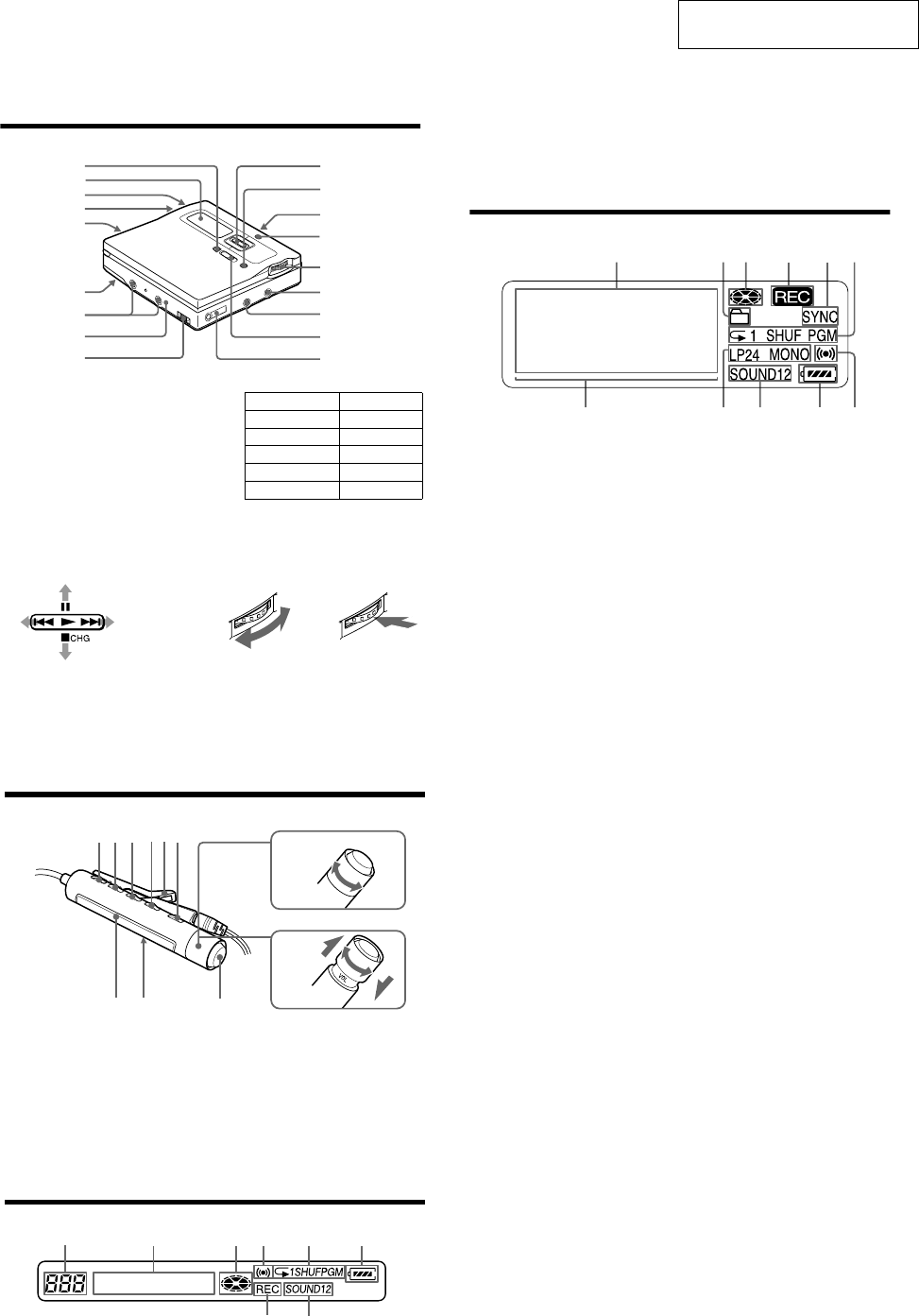
12
Looking at controls
The recorder
AEND SEARCH button
BDisplay window
CVOLUME +/– buttons
The VOLUME + button has a tactile dot.
DBattery compartment
ET MARK button
FHOLD switch (at the rear)
GTerminals for attaching dry battery
case
HDC IN 3V jack
IUSB cradle connecting jack
JControl bar
•Moves the cursor in the display.
•Other operations
KGROUP/CANCEL button
LOPEN switch
MCharge lamp
NJog dial (MENU/ENTER)
OLINE IN (OPT) jack
J
1
2
3
5
4
6
qj
qk
qh
qd
qa
qf
qg
qs
8
9
7
Operation Function
Press N 1)
1) The N button has a tactile dot.
play/enter
Press . rewind
Press> fast forward
Flip towards X pause
Flip towards x stop
Turn to select Push to enter
13
PMIC (PLUG IN POWER) jack
There is a tactile dot beside the MIC
(PLUG IN POWER) jack.
QREC (record) switch
Ri (headphones/earphones)/LINE
OUT jack
The display window of the recorder
ACharacter information display
Displays the disc and track names,
date, error messages, track numbers,
etc.
BGroup indication
CDisc indication
Shows that the disc is rotating for
recording, playing or editing an MD.
DREC indication
Lights up while recording. When
flashing, the recorder is in record
standby mode.
ESYNC (synchro-recording) indication
FPlay mode indication
Shows the play mode (shuffle play,
program play, repeat play, etc.) of the
MD.
GLevel meter
HLP2 (LP2 stereo), LP4 (LP4 stereo),
MONO (monaural) indication
ISound indication
Lights up when Digital Sound Preset
is on.
JBattery indication
Shows approximate battery condition.
KMelody timer indication
1342 56
qa9 q;87
14
The headphones/earphones with a remote control
ADISPLAY button
BPLAY MODE button
CRPT/ENT (repeat/enter) button
DSOUND button
EClip
F X (pause) button
GControl (./N>)
N> : play, AMS, FF
. : REW
Turn or turn and hold to play, fast
forward or rewind.
You can quickly fast forward or
rewind without listening to the
playback sound.
HControl (VOLUME +/–)
Pull and turn to adjust the volume.
IDisplay window
JHOLD switch
Kx (stop) button
May be used as the “Enter” button,
depending on the function.
The display window of the remote control
ATrack number display
BCharacter information display
CDisc indication
DMelody timer indication
EPlay mode indication
FBattery level indication
GREC indication
HSOUND indication
+
–
A B C DE
K
F
IJ
G
H
F
HG
ABCDE
6
MZ-N1 SECTION 3
DISASSEMBLY
• This set can be disassembled in the order shown below.
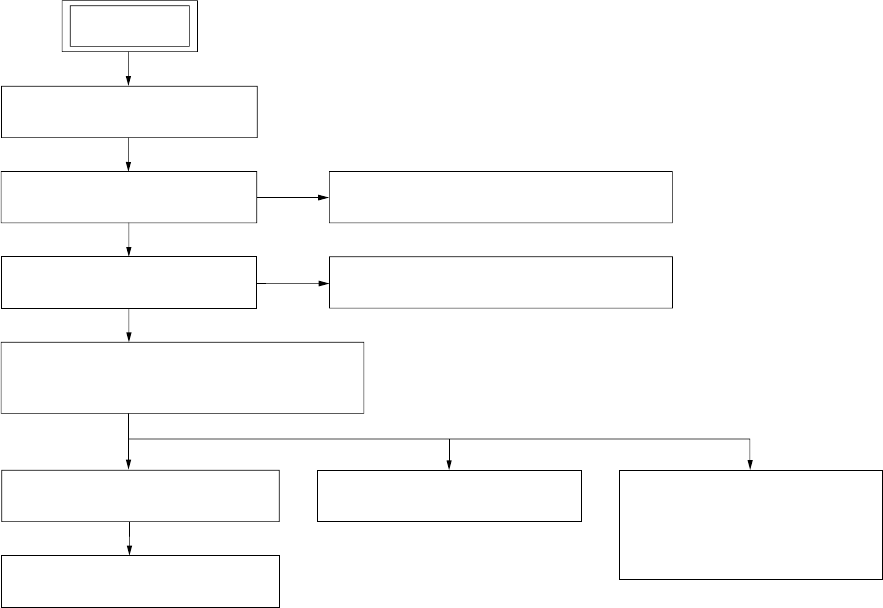
3-1. DISASSEMBLY FLOW
3-2. BOTTOM PANEL ASSY
(Page 7)
3-3. UPPER PANEL SECTION
(Page 7)
SET
3-5. MAIN BOARD SECTION
(Page 8)
3-4. LCD MODULE, UPPER PANEL ASSY
(Page 8)
3-6. BATTERY CASE ASSY, MAIN BOARD
(Page 9)
3-7. MD MECHANISM DECK (MT-MZN1-171),
CHASSIS ASSY
(Page 9)
3-8. OP SERVICE ASSY (LCX-5R)
(Page 10)
3-9. HOLDER ASSY
(Page 11)
3-10. DC MOTOR (SLED) (M602)
(Page 11) 3-11. DC SSM18B MOTOR
(SPINDLE) (M601),
DC MOTOR (OVER WRITE
HEAD UP/DOWN) (M603)
(Page 12)
7
MZ-N1
Note: Follow the disassembly procedure in the numerical order given.
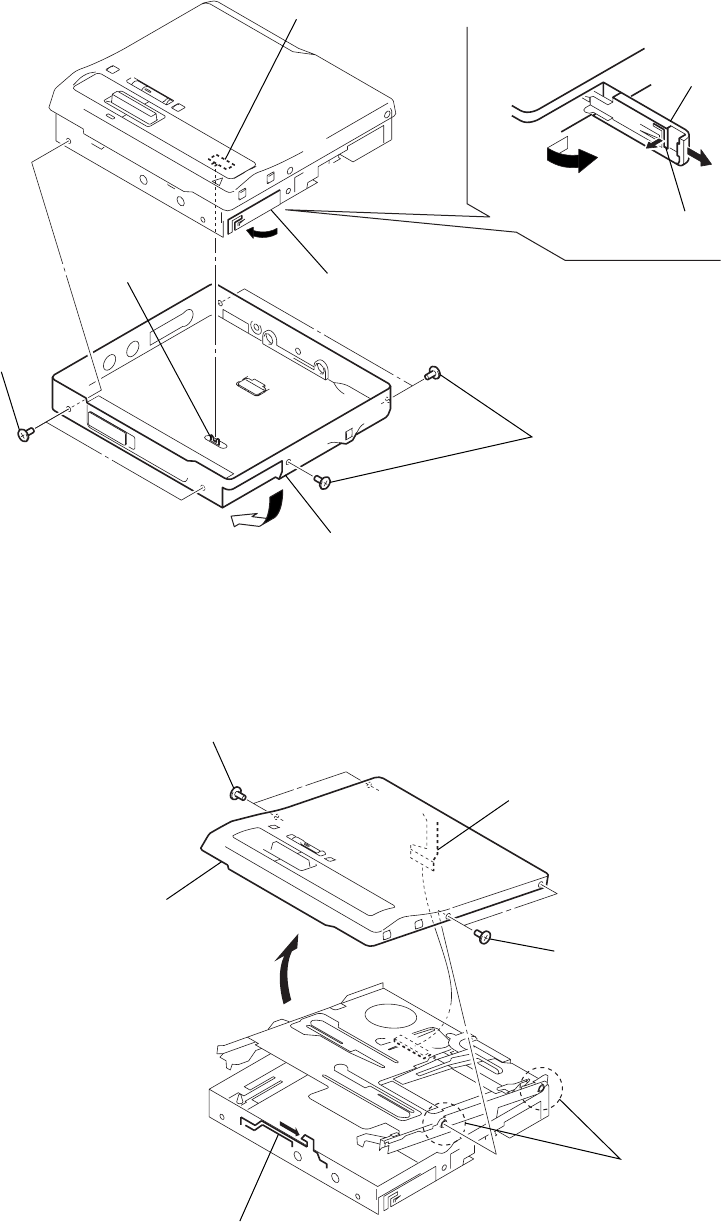
3-2. BOTTOM PANEL ASSY
S801
1
Open the battery
case lid.
4
Close the battery terminal (plus).
6
Remove the bottom panel assy
in the direction of arrow
A
.
knob (hold)
3
Remove the battery
case lid.
2
claw
A
Note : On installation, adjust the position of
both switch (S801) and knob (hold).
5
two screws
(M1.4)
5
three screws (M1.4)
3-3. UPPER PANEL SECTION
6
upper panel section
4
1
flexible board (CN801)
2
Slide the lever (open) in the direction of the arrow,
and open the upper panel section.
3
two screws (M1.4)
3
two screws (M1.4)
5
two convex holes
for screws
8
MZ-N1
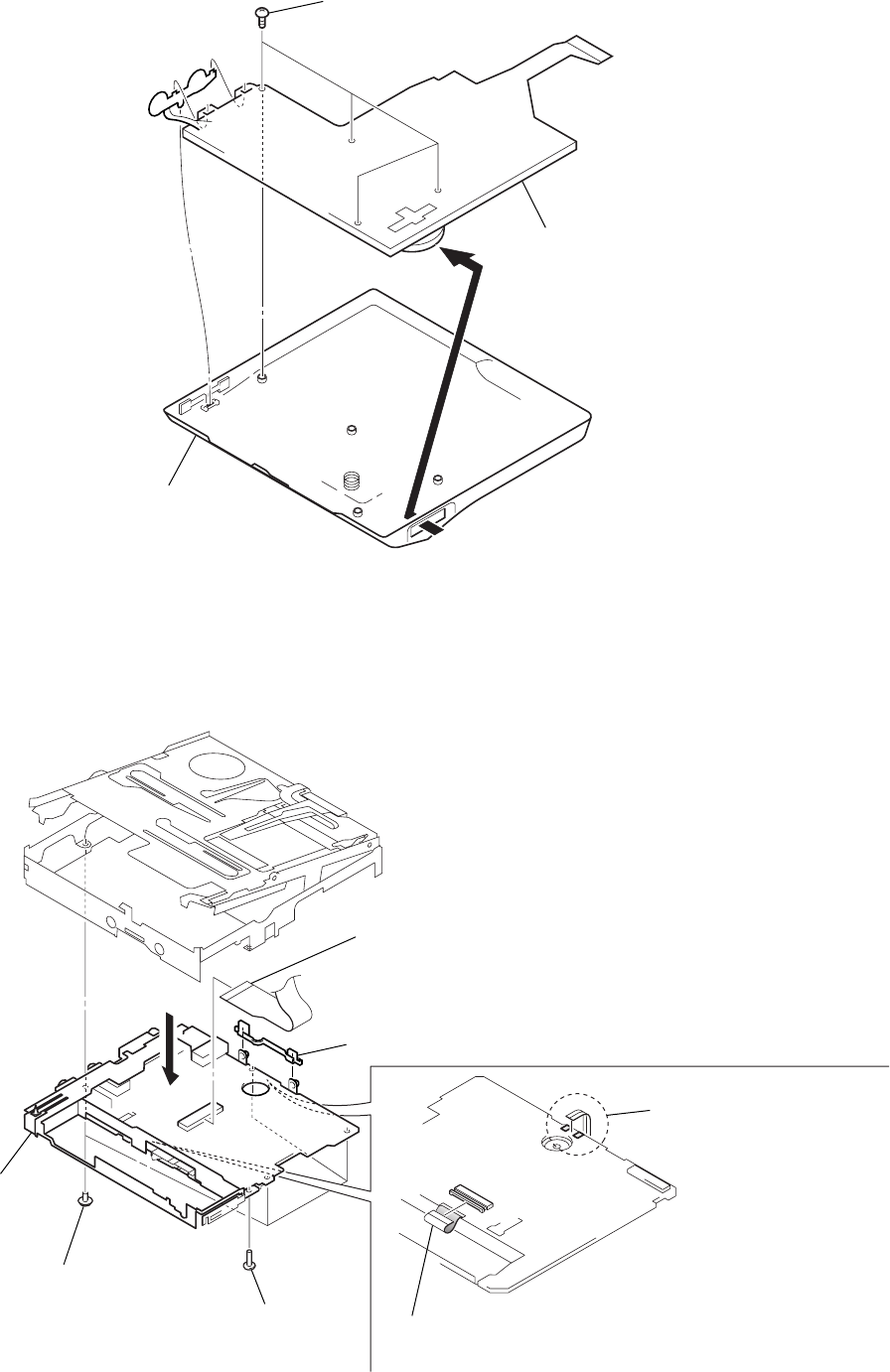
3-4. LCD MODULE, UPPER PANEL ASSY
3-5. MAIN BOARD SECTION
1
four screws (1.7)
3
upper panel section
2
Remove the LCD module
in the direction of the arrow.
1
Remove two solders of the
flexible board (over write head).
2
flexible board (motor) (CN502)
6
flexible board (optical pick-up) (CN501)
7
holder (terminal)
5
3
four screws (M1.4)
8
main board section
4
screw
(M1.4)
9
MZ-N1
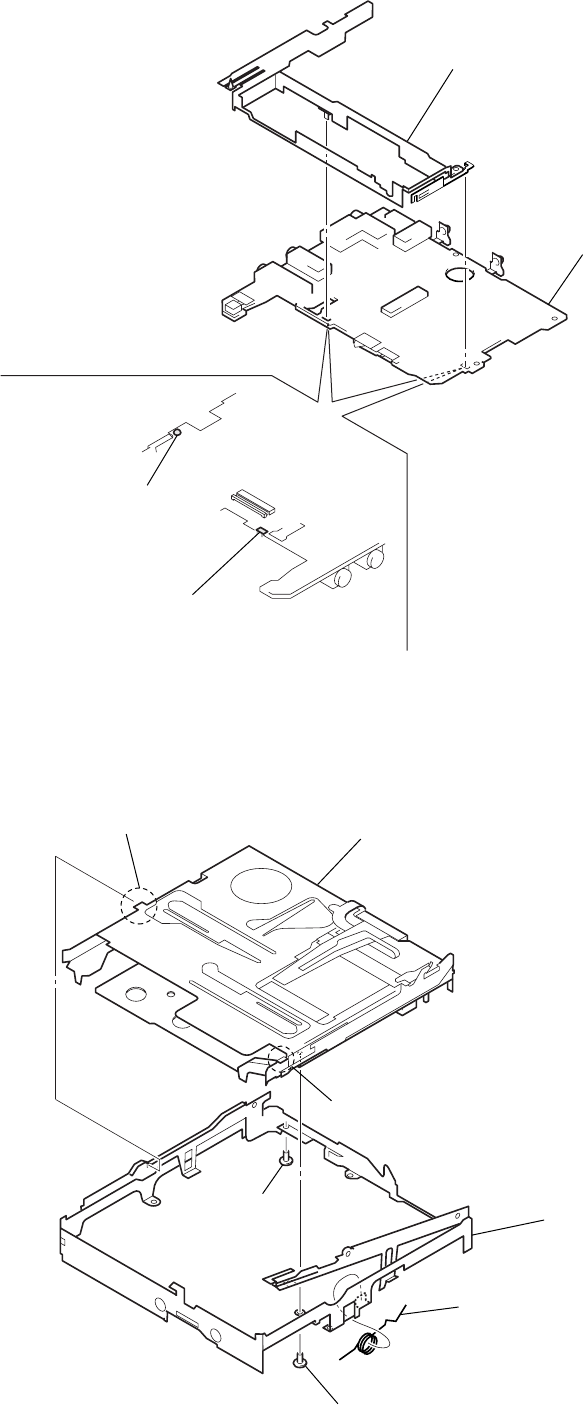
3-6. BATTERY CASE ASSY, MAIN BOARD
3-7. MD MECHANISM DECK (MT-MZN1-171), CHASSIS ASSY
2
battery case assy
3
main boar
d
1
Remove the solder of
terminal (plus).
1
Remove the solder of
terminal (minus).
2
boss
4
spring (POP)
5
chassis assy
1
screw (M1.4)
1
screw
(M1.4)
3
MD mechanism deck (MT-MZN1-171)
2
boss
10
MZ-N1
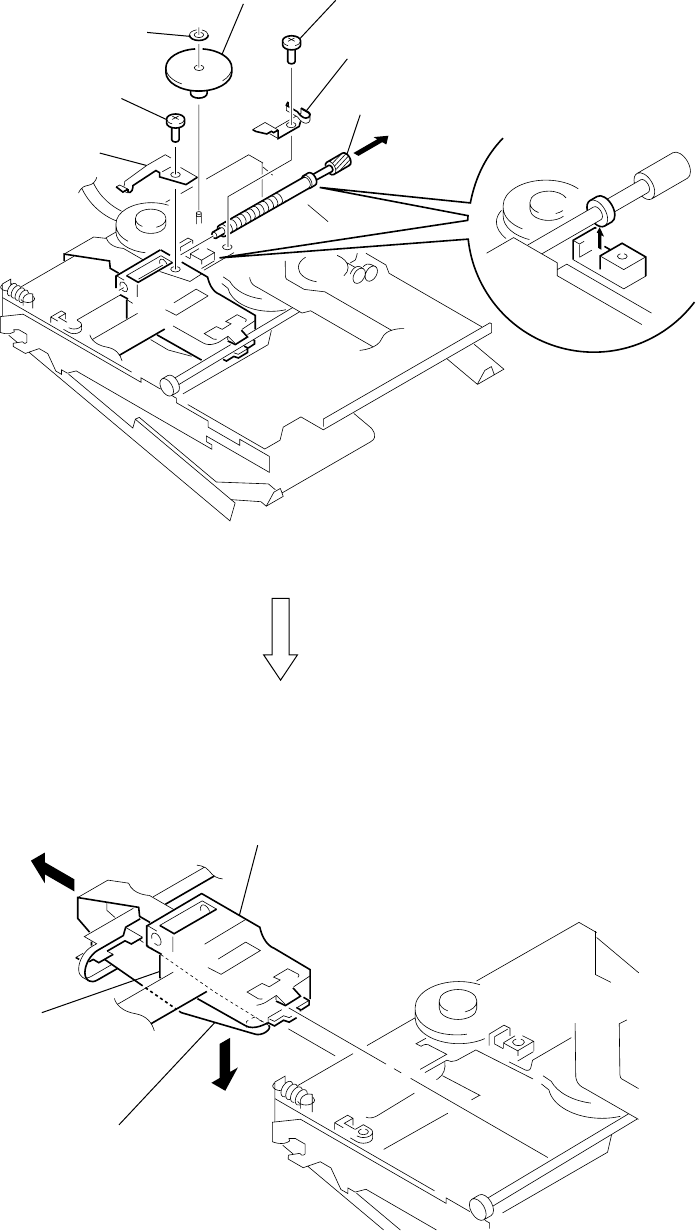
3-8. OP SERVICE ASSY (LCX-5R)
4
rack spring
3
screw (M1.4)
1
washer (0.8-2.5)
2
gear (SA)
5
screw (M1.4)
6
thrust detent spring
8
Pull off lead screw.
7
over write head section
OP service assy (LCX-5R)
9
Opening the over write head
toward the direction
A
, remove the OP service assy
(LCX-5R) toward the direction
B
.
A
B
Note: Do not open the entire assy forcibly,
when opening the over write head.
11
MZ-N1
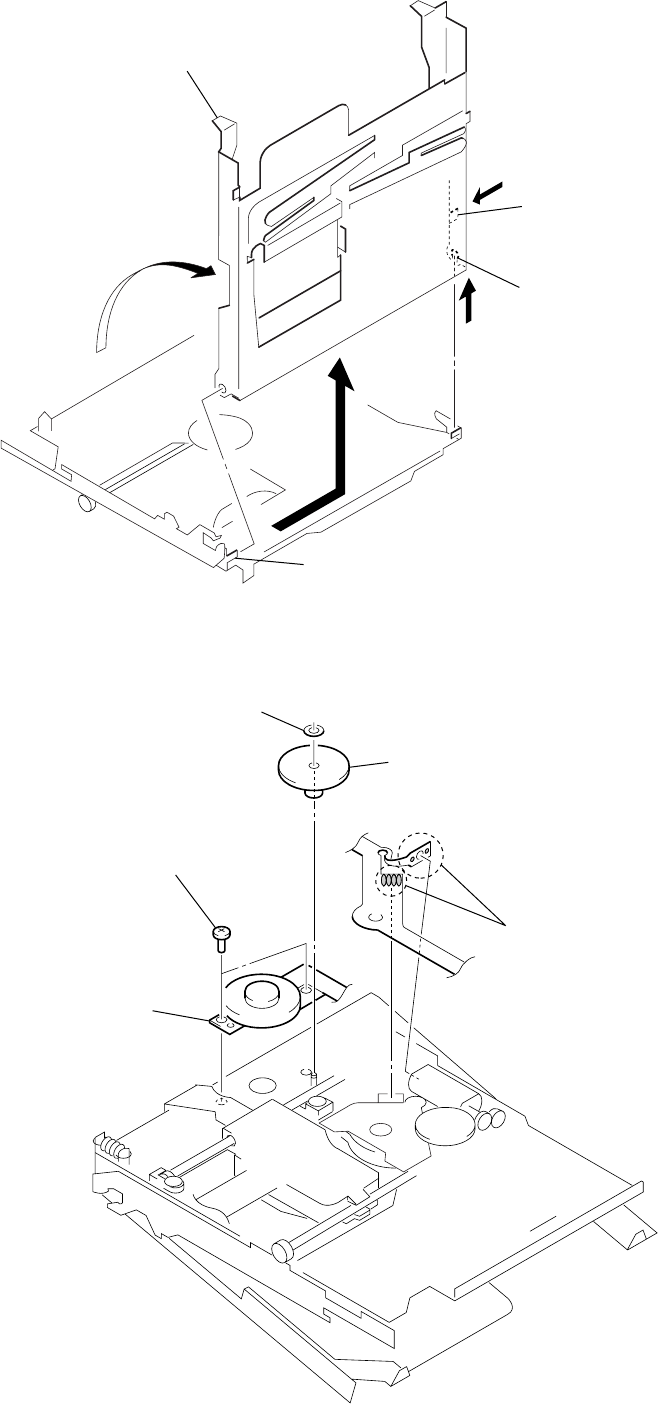
3-9. HOLDER ASSY
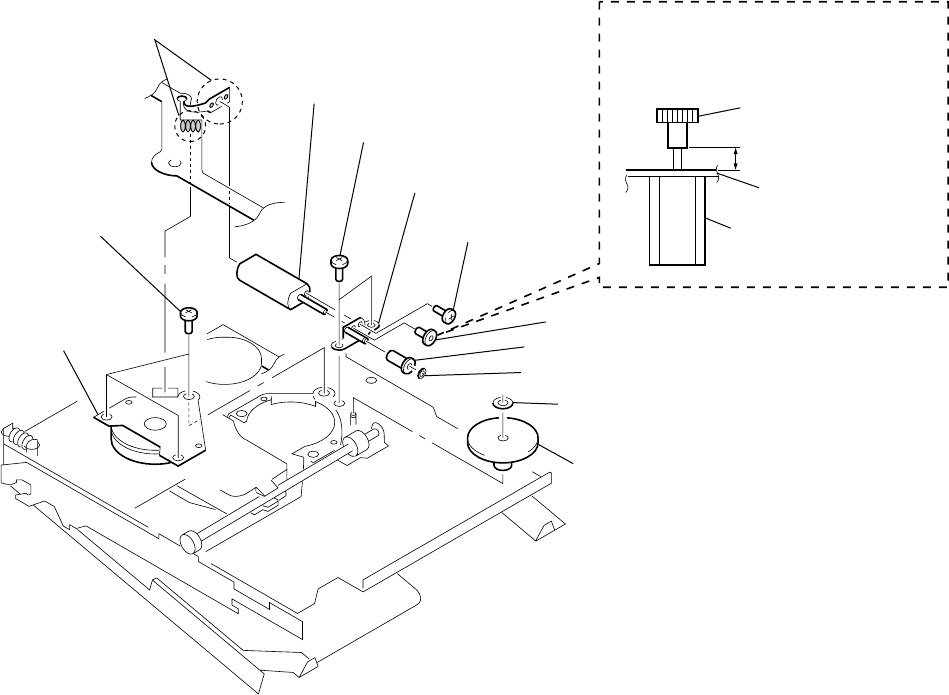
3-10. DC MOTOR (SLED) (M602)
5
Remove the holder assy
in the direction of arrow
D
.
2
Push the convex portion toward the
direction
B
and open the holder assy
toward the direction
A
to erect uprightly.
3
Remove the concave portion
in the direction of arrow
C
.
4
convex portion
1
Open the holder assy.
A
B
C
D
2
washer (0.8-2.5)
5
DC motor (sled) (M602)
4
two screws (M1.4)
3
gear (SA)
1
Remove six solders
of the motor flexible board.
12
MZ-N1
3-11. DC SSM18B MOTOR (SPINDLE) (M601), DC MOTOR (OVER WRITE HEAD UP/DOWN) (M603)
4
three screws
(M1.4)
6
two screws (M1.4)
9
screw
(M1.2
×
1.5)
qs
gear chassis assy
q;
gear (HA)
gear (HA)
8
gear (HB)
3
gear (HC)
7
washer (0.8-2.5)
2
washer (0.8-2.5)
1
Remove six solders of
the motor flexible board.
qa
DC motor
(over write head up/down)
(M603)
5
DC SSM18B motor
(spindle) (M601)
2.65mm
gear chassis assy
DC motor
(over write head up/down)
(M603)
Note : Press-fit the gear (HA) up to the
position of the DC motor (over write
head up/down) (M603) as shown below.
13
MZ-N1
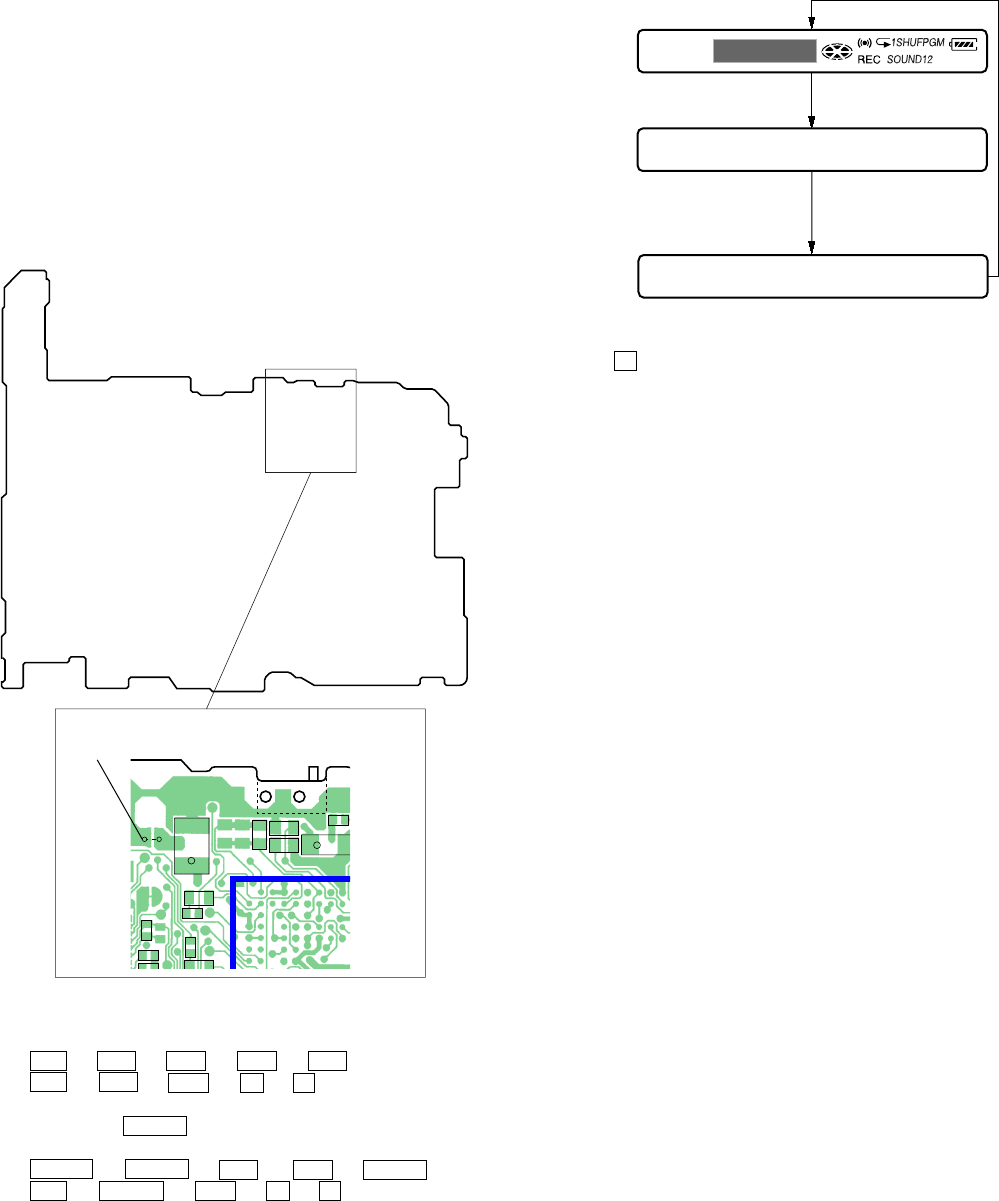
Operation in Setting the Test Mode
• When the test mode becomes active, first the display check mode
is selected.
• Other mode can be selected from the display check mode.
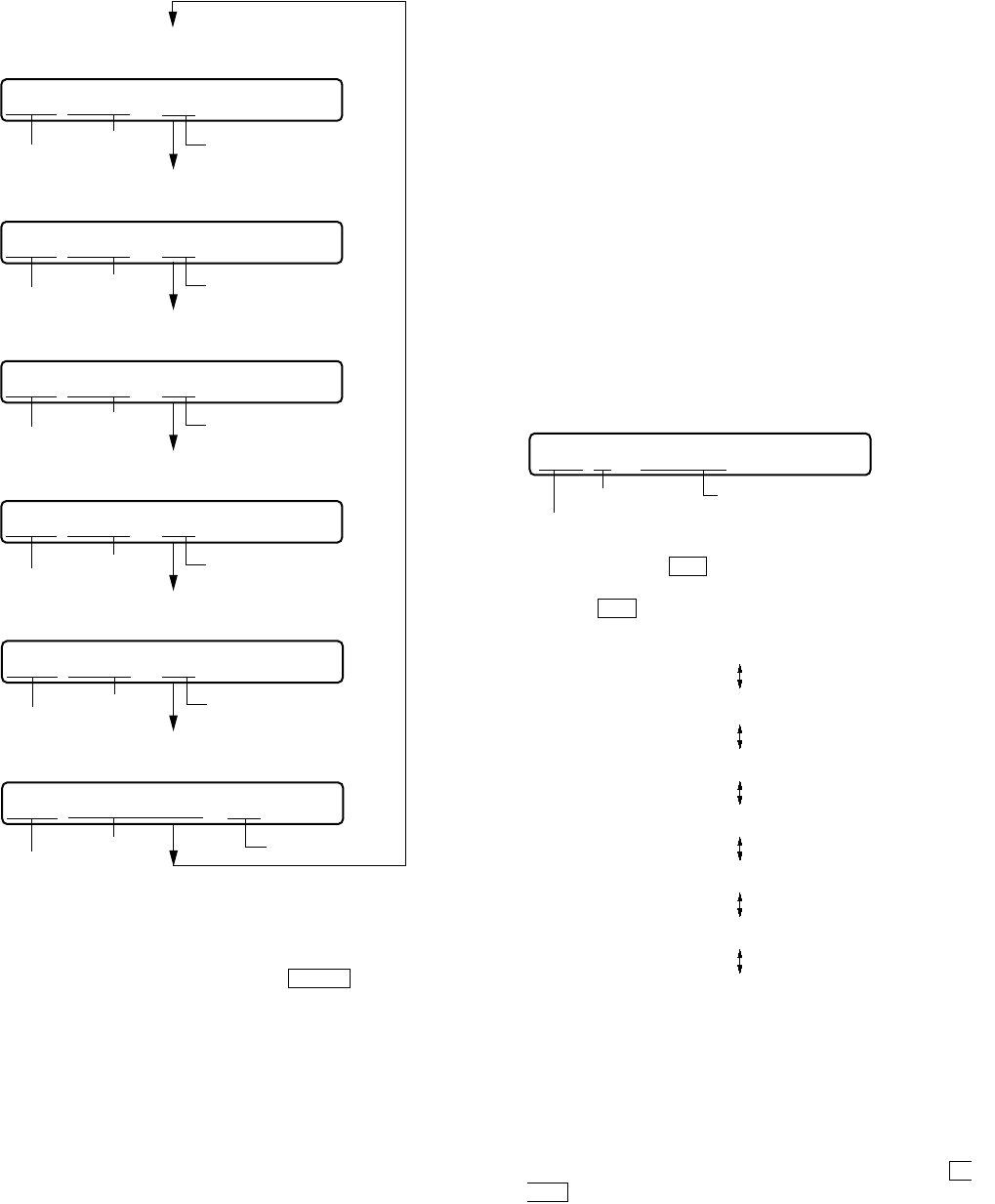
• When the test mode is set, the LCD repeats the following dis-
play.
Remote commander LCD display
•When the Xkey is pressed and hold down, the display at that
time is held so that display can be checked.
Releasing the Test Mode
For test mode set with the method 1:
Turn off the power and open the solder bridge on SL801 (TEST)
on the MAIN board.
Note: Remove the solders completely. Remaining could be shorted with
the chassis, etc.
For test mode set with the method 2 or 3:
Turn off the power.
888
001 V1.000
Microcomputer
version
display
All off
All lit
C510
C511
R842
R841
C509
FB802
FB801
C821
C818
C813
C850
C820
+
C810
+
195 199 178 174 170 166 164 158 1
203 180 176 172 168 162 160 1
175 171 169 167 163 159 1
197193
191189
185187
173 179 177 201 165 161 1183182
207 181184186
215 188209190
SL506
SL801
(TEST)
SL801
(TEST) S801
[HOLD]
switch
OFF
t
ON (HOLD)
– MAIN Board (Conductor Side) –
2In the normal mode, turn on the [HOLD] switch. While press-
ing the [VOLUME --] key press the following order:
>t>t.t.t>t
.t > t.tXtX
3In the normal mode, turn on the [HOLD] switch. While
pressing the x/CHG key, press the keys on the remote
commander with the following order:
N > tN > t.t.tN > t
.t N > t.tXtX
Note: If electrical adjustment (CD and MO overall adjustment) has not
been finished completely, “NV Error” is displayed on LCDs of the
set and the remote commander.
SECTION 4
TEST MODE
Outline
• This set provides the Overall adjustment mode that allows CD
and MO discs to be automatically adjusted when in the test mode.
In this overall adjustment mode, the disc is discriminate between
CD and MO, and each adjustment is automatically executed in
order. If a fault is found, the system displays its location. Also,
the manual mode allows each individual adjustment to be auto-
matically adjusted.
• Operation in the test mode is performed with the set. A key
having no particular description in the text, indicates a set key.
• For the LCD display, the LCD on the remote commander is
shown, but the contents of LCD display on the set are same.
Setting Method of Test Mode
There are three different methods to set the test mode:
1Short SL801 (TEST) on the MAIN board with a solder bridge
(connect pin <zvn of IC801 to the ground) and turn on the [HOLD]
switch. Then, turn on the power.
14
MZ-N1
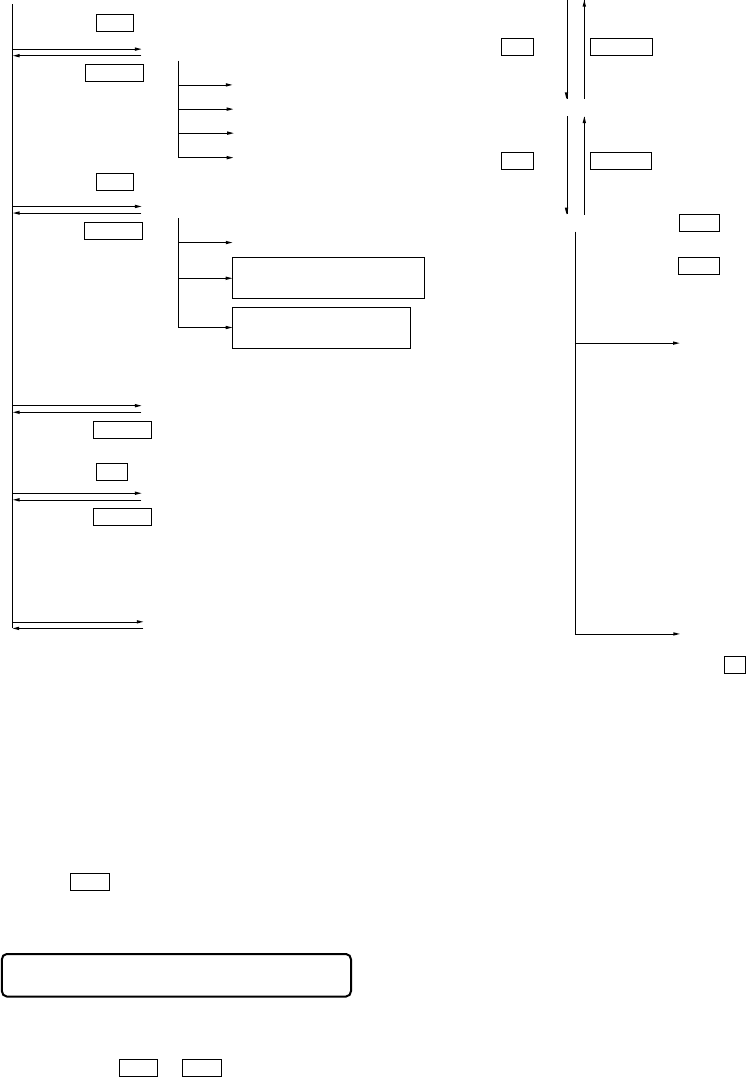
Configuration of Test Mode
Manual Mode
Mode to adjust or check the operation of the set by function.
Normally, the adjustment in this mode is not executed.
However, the Manual mode is used to clear the memory, power
supply adjustment, and laser power check before performing
automatic adjustments in the Overall Adjustment mode.
• Transition method in manual mode
1. Set the test mode (see page 13).
2. Press the >or[VOLUME +] key activates the manual mode
where the LCD display as shown below.
3. During each test, the optical pick-up moves outward or in-
ward while the >or .key is pressed for several sec-
onds respectively.
4. Each test item is assigned with a 3-digit item number;
100th place is a major item, 10th place is a medium item, and
unit place is a minor item.
The values adjusted in the test mode are written to the
nonvolatile memory (for the items where adjustment was
made).
Press the
x/CHG key
[Manual Mode]
[Servo Adjustment]
[Audio Adjustment]
[Power Supply Adjustment]
[OP Alignment Adjustment]
[Overall Adjustment Mode]
[Sound Skip Check Result Display Mode]
[Key Check Mode]
[Test Mode $Display Check Mode%]
Press the
x/CHG key
Press the
. or [VOLUME --] key
Press the
N or [REC] key
Press the
> or [VOLUME +] key
[Electrical Offset Adjustment]
Power Supply Adjustment
Auto Item Feed
CD Overall Adjustment/
MO Overall Adjustment
[Self-Diagnosis Result Display Mode]
Turn the jog dial (down),
or press the
[DISPLAY]
key on the remote commander
Press the
[T MARK]
key, or
[DISPLAY]
key
on the remote commander for several
seconds (about 3 seconds)
The key check quits, or open the upper panel
Press the
x/CHG key
Press the
x/CHG key
x/CHG key
x/CHG key
[VOLUME +] key: 100th place of item
number increase.
[VOLUME --] key: 100th place of item
number decrease.
[Major item switching]
[VOLUME +] key: 10th place of item
number increase.
[VOLUME --] key: 10th place of item
number decrease.
[VOLUME +] key: Increases the adjusted
value of the 1st digit
[VOLUME --] key: Decreases the adjusted
value of the 1st digit
[Medium item switching]
N
key
N
key
[Minor item switching]
[Adjusted value variation]
X key: When adjusted value is
changed:
Adjusted value is written.
When adjusted value is
not changed:
That item is adjusted
automatically.
[Adjusted value write]
> key: Unit place of item number
increase.
. key: Unit place of item number
decrease.
[PLAY MODE] key of
the remote commander:
Increase the adjusted value
of the 2nd digit
[SOUND] key of the remote commander:
Decrease the adjusted value
of the 2nd digit
Remote commander LCD display
Manual
000
15
MZ-N1
Self-Diagnosis Result Display Mode
This set uses the self-diagnostic function system in which if an
error occurred during the recording or playing, the mechanism
control block and the power supply control block in the
microcomputer detect it and record its cause as history in the
nonvolatile memory.
By checking this history in the test mode, you can analyze a fault
and determine its location.
Total recording time is recorded as a guideline of how long the
optical pickup has been used, and by comparing it with the total
recording time at the time when an error occurred in the self-
diagnosis result display mode, you can determine when the error
occurred.
Clear both self-diagnosis history data and total recording time, if
the optical pickup was replaced.
• Self-diagnosis result display mode setting method
1. Set the test mode (see page 13).
2. In the display check mode, turn the jog dial (down) or press the
[DISPLAY] key on the remote commander activates the self-
diagnosis result display mode where the LCD display as shown
below.
3. Then, each time the >key is pressed, LCD display descends
by one as shown below. Also, the LCD display ascends by one
when the .key is pressed.
If the jog dial (down) is turned or the [DISPLAY] key on remote
commander is pressed with this display, the LCD switches to the
simple display mode.
4. Quit the self-diagnosis result display mode, and press the x/
CHG key to return to the test mode (display check mode).
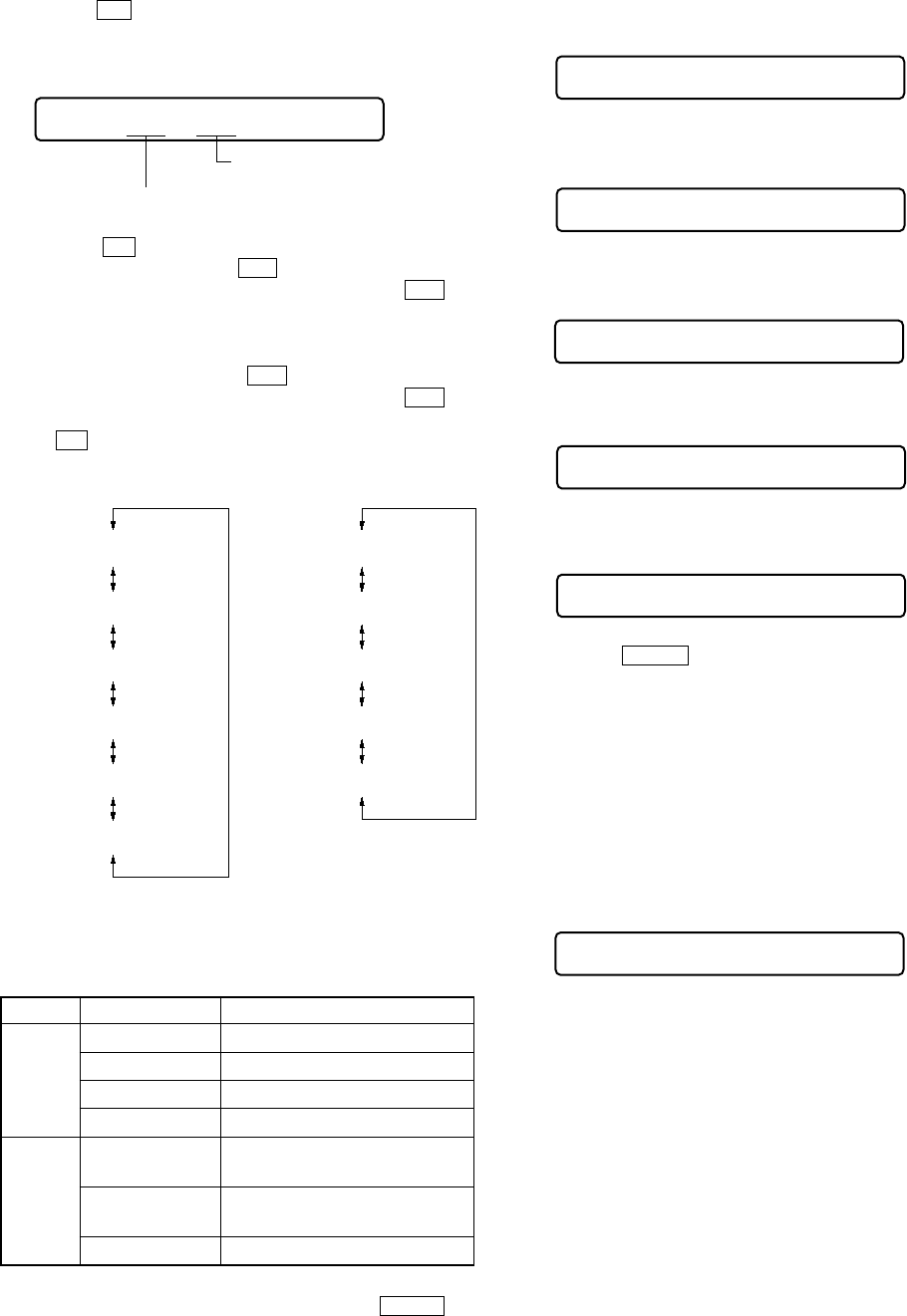
5. The display changes a shown below each time the jog
dial (down) is turned or the [DISPLAY] key on the remote
commander is pressed.
However in the power mode (item number 700’s), only the
item is displayed.
6. Quit the manual mode, and press the x/CHG key to return to
the test mode (display check mode).
Overall Adjustment Mode
Mode to adjust the servo automatically in all items.
Normally, automatic adjustment is executed in this mode at the
repair.
For further information, refer to “SECTION 5 ELECTRICAL
ADJUSTMENTS” (see page 19).
item numberaddress adjusted value
item number
jitter value adjusted value
item number
block error
value adjusted value
item number
ADIP error
value
Focus drive
value
adjusted value
item number adjusted value
item numberitem title adjusted value
• Address & Adjusted Value Display
Remote commander LCD display
• Jitter Value & Adjusted Value Display
Remote commander LCD display
C68S01
011
• Block Error Value & Adjusted Value Display
Remote commander LCD display
• ADIP Error Value & Adjusted Value Display
Remote commander LCD display
• Focus Drive Value & Adjusted Value Display
Remote commander LCD display
• Item Title Display
Remote commander LCD display
063B01
011
059A01
011
015F01
011
OFFJ01
011
LrefPw 01
011
Remote commander LCD display
history code
Total recording time
when error occurred
error display code
1 0000
0XX
0XX 1 ****
0XX N ****
0XX N1****
0XX N2****
0XX R_****
1
1
XX
: Error code
****
: Total recording time
16
MZ-N1
• Description of indication history
History code number Description
1 The first error
N The last error
N1 One error before the last.
N2 Two errors before the last.
R_ Total recording time
Reset the Error Display Code
After servicing, reset the error display code.
• Setting method of reset the error display code
1. Set the test mode (see page 13).
2. Turn the jog dial (down) or press the [DISPLAY] key on the
remote commander activates the self-diagnosis result display
mode.
3. To reset the error display code, press the Xkey (twice) when
the code is displayed (except “R_****”).
(All the data on the 1, N, N1, and N2 will be reset)
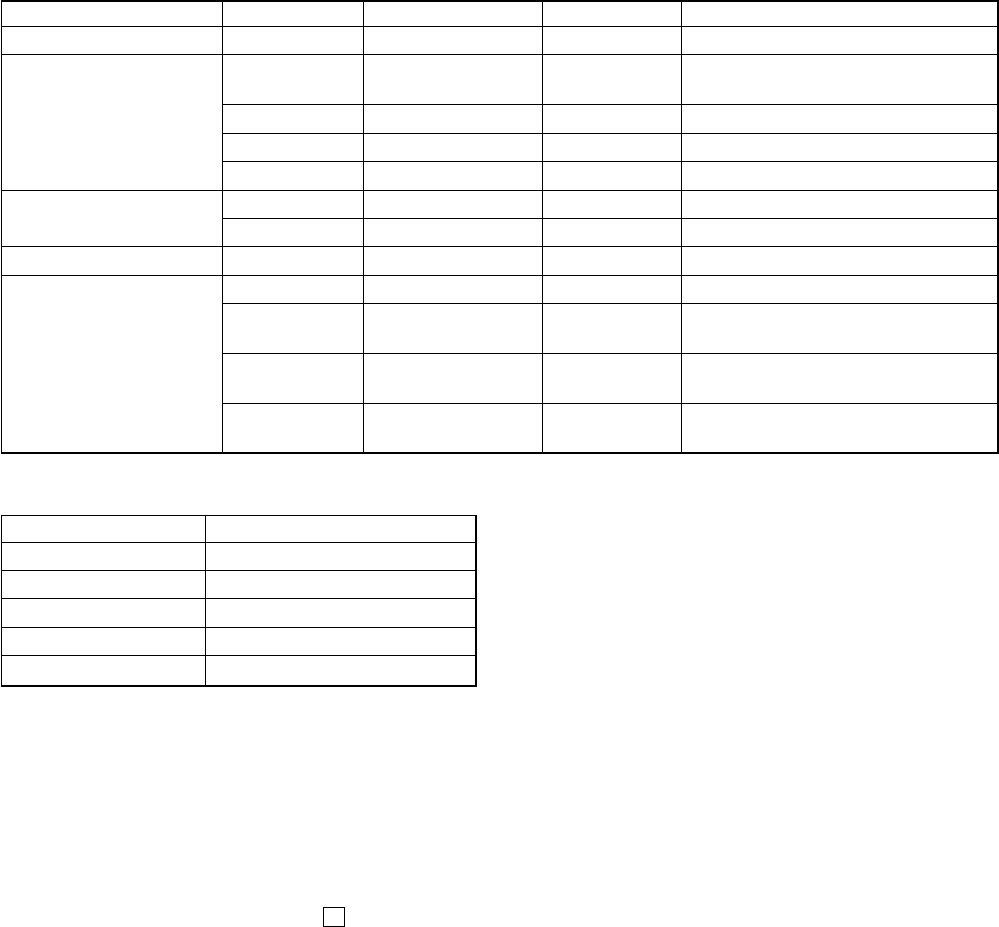
• Description of error indication codes
Problem Indication code Meaning of code Simple display Description
No error 00 No error --- No error
01 Illegal access target Adrs Attempt to access an abnormal address
address was specified
Servo system error 02 High temperature Temp High temperature detected
03 Focus error Fcus Disordered focus or can not read an address
04 Spindle error Spdl Abnormal rotation of disc
TOC error 11 TOC error TOC Faulty TOC contents
12 Data reading error Data Data could not be read at SYNC
Power supply system error 22 Low battery LBat Momentary interruption detected
31 Offset error Ofst Offset error
32 Focus error ABCD ABCD Focus error ABCD offset error
offset error
Offset system error 33 Tracking error TE Tracking error Offset error
Offset error
34 X1 tracking error X1TE X1 tracking error Offset error
Offset error
17
MZ-N1
Jog and Key Check Mode
This set can check if the set and remote commander function nor-
mally.
• Setting method of jog check mode
1. Set the test mode (see page 13).
2. Press the jog button to activate the jog check mode and display as
below.
3. Turn the jog dial downwards one click.
4. Turn the jog dial downwards three more clicks.
5. Turn the jog dial upwards one click.
6. Turn the jog dial upwards three more clicks.
7. When the x/CHG key is pressed, it changes over to the key
check mode.
Note: To enter the key check mode, it is not necessary to enter via the jog
dial check mode. (Refer to next item)
• Setting method of key check mode
1. Set the test mode (see page 13).
2. Press the [T MARK] key or [DISPLAY] key on the remote com-
mander for several seconds (about 3 seconds) activates the key
check mode. (At the last two digits, AD value of remote com-
mander key line is displayed in hexadecimal)
3. When each key on the set and on remote commander is pressed,
its name is displayed on the remote commander LCD. (The
operated position is displayed for 4 seconds after the slide
switch is operated. If any other key is pressed during this dis-
play, the remote commander LCD switches to its name dis-
play)
Sound Skip Check Result Display Mode
This set can display the count of errors that occurred during the
recording/playing for checking.
• Setting method of sound skip check result display
mode
1. Set the test mode (see page 13).
2. Press the Nkey or [REC] key, and the playing or recording
sound skip result display mode becomes active respectively
where the LCD displays the following.
3. When the Nkey is pressed, total error count is displayed on
the LCD, and each time the >key is pressed, the display
item moves down by one as shown below. Also, if the .key
is pressed, the display item moves up by one, then if the [REC]
key is pressed, the display in the record mode appears.
When the [REC] key is pressed, total error count is displayed
on the LCD, and each time the >key is pressed, the display
item moves down by one as shown below. Also, if the .key
is pressed, the display item moves up by one, then if
the Nkey is pressed, the display in the play mode appears.
• Cause of sound skip error
Cause of error Description of error
EIB Sound error correction error
Play Stat Decoder status error
Adrs Address access error
BEmp Buffer is empty
BOvr Buffer is full, and sounds were
dumped
Record Bful Buffer capacity becomes less,
and forcible writing occurred
Rtry Retry times over
4. To quit the sound skip check result display mode and to return
to the test mode (display check mode), press the x/CHG key.
Remote commander LCD display
Total count of play
system errors (hex.)
Total count of record
system errors (hex.)
P**R**
000
000 P**R**
000 EIB **
000 Stat**
000 Adrs**
000 BEmp**
000 ######
000 P**R**
000 BOvr**
000 Bful**
000 Rtry**
000 ######
P**R**
: Total play/record errors (hex.)
**
: Counter of sound skip check each item (hex.)
######
: 6-digit address where sound was skipped last (hex.)
Playing sound skip
result display Recording sound skip
result display
Remote commander LCD display
PUSH
000
Remote commander LCD display
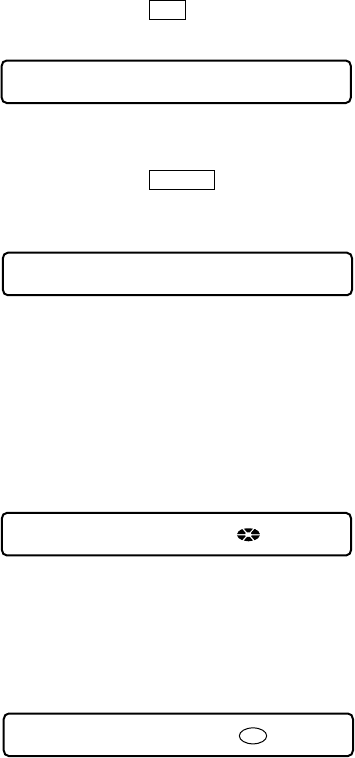
JOG+ 1
000
Remote commander LCD display
JOG+OK
000
Remote commander LCD display
JOG- 1
000
Remote commander LCD display
JOG OK
000
Remote commander LCD display
**
000
**
: AD value of the remote commander key
(hexadecimal 00 to FF)
18
MZ-N1
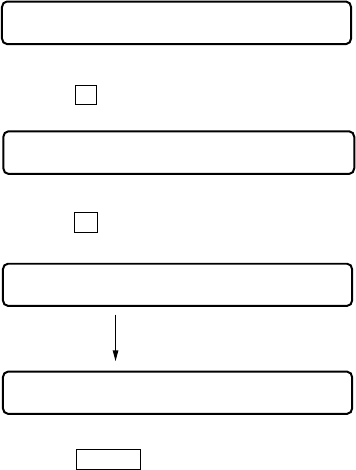
Example1: When the >key on the set is pressed:
Example2: When the N >key on the remote commander
is pressed:
4. When all the keys on the set and on the remote commander are
considered as OK, the following displays are shown for 4 sec-
onds.
Example1: When the keys on the set are considered as OK:
Example2: When the keys on the remote commander are con-
sidered as OK:
5. When all keys were checked or if the upper panel is opened,
the key check mode quits and the test mode (display check
mode) comes back.
Remote commander LCD display
**
: AD value of the remote commander key
(hexadecimal 00 to FF)
FF **
000
Remote commander LCD display
**
: AD value of the remote commander key
(hexadecimal 00 to FF)
rPLAY **
000
Remote commander LCD display
**
: AD value of the remote commander key
(hexadecimal 00 to FF)
SET OK **
888
Remote commander LCD display
**
: AD value of the remote commander key
(hexadecimal 00 to FF)
RMC OK **
888
19
MZ-N1
SECTION 5
ELECTRICAL ADJUSTMENTS
Outline
• In this set, automatic adjustment of CD and MO can be per-
formed by entering the test mode.
However, before starting automatic adjustment, the memory
clear, power supply adjustment, and laser power check must be
performed in the manual mode.
• A key having no particular description in the text, indicates a
set key.
• For the LCD display, the LCD on the remote commander is
shown, but the contents of LCD display on the set are same.
Precautions for Adjustment
1. Adjustment must be done in the test mode only.
After adjusting, release the test mode.
2. Use the following tools and measuring instruments.
• Test CD disc TDYS-1
(Part No. : 4-963-646-01)
• SONY MO disc available on the market
• Digital voltmeter
• Laser power meter LPM-8001
(Part No. : J-2501-046-A)
• Thermometer (using the Temperature Correction)
3. Unless specified otherwise, supply DC 3V from the DC IN
3V jack (J601).
4. Switch position
HOLD switch ............................................... ON
Adjustment Sequence
1. NV Reset (EEPROM clear) Manual Mode
r
2. Power Supply Manual Adjustment Manual Mode
r
3. Temperature Correction (item number: 015)
rManual Mode
4. Laser Power Check
r
5. Electrical Offset Adjustment
Caution: This adjustment must be made with
no disc loaded.
rOverall Mode
6. CD Overall Adjustment
r
7. MO Overall Adjustment
rManual Mode
8. RESUME Clear
Note: If the version of the microcomputer is 1.000 or later, “3. Tempera-
ture Correction” and “2. Power Supply Manual Adjustment” can
be performed continuously in reverse order with pressing the [PLAY
MODE] key on the remote commander in the overall adjustment
mode.
NV Reset
Caution: The shipment data will be cleared when the NV is reset.
Therefore, change the NV adjusted values following the
Change of NV Adjusted Values immediately after the
NV was reset.
Change the NV adjustment values according to the mi-
crocomputer version.
• Setting method of NV reset
1. Select the manual mode of the test mode, and set item number
021 NV Reset (see page 14).
2. Press the Xkey.
3. Press the Xkey once more.
4. Press the x/CHG key to quit the manual mode, and return
the test mode (display check mode).
• Change of NV adjusted values (version 1.000)
Caution: Change the NV adjustment values according to the mi-
crocomputer version.
In this set, some adjusted values were set in the manual mode at
the shipment, but these will be cleared when the NV is reset. There-
fore, modify the NV adjusted values through the following proce-
dure immediately after the NV was reset.
1. Item numbers in which the NV adjusted values are to be modi-
fied
– Change ABCD gain [Hpit] initial value (item number 336)
Caution:The ABCD gain [Hpit] initial value must be
changed before the overall adjustment.
– Change DFTC threshold value (item number 151)
– Turn off sound generation speed-up (item numbers 861 to
864)
– Change CLV drive voltage limiter (item numbers 865, 866)
– Change x2 CLV speed gain, +6dB compared to conventional
(item numbers 867, 868)
– Change x2 CLV phase gain, +3dB compared to conventional
(item numbers 871, 872)
– Change x2/x1 switching temperature threshold value
(+10°C t +5°C) (item numbers 873, 874)
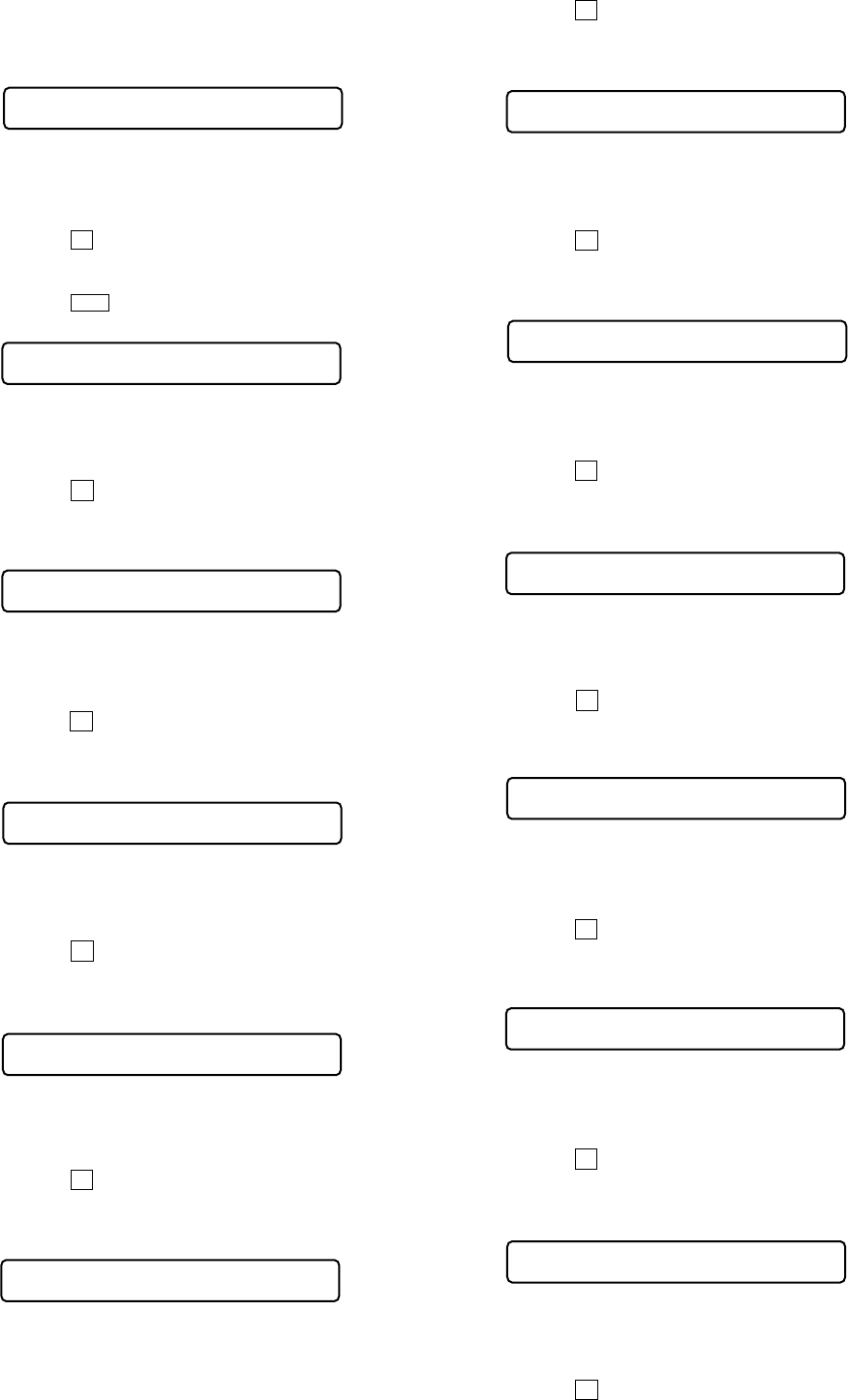
Remote commander LCD display
NV reset (after several seconds)
Res***
021
Reset!
021
Remote commander LCD display
ResNV CC
021
Remote commander LCD display
ResOK?
021
20
MZ-N1
2. NV adjusted values modifying procedure
1) Select manual mode of the test mode, and set item number
336 (see page 14).
2) Adjust with the [VOLUME +] key (adjusted value up) or [VOL-
UME --] key (adjusted value down) so that the adjusted value
becomes 8.
3) Press the Xkey to write the adjusted value.
4) Select manual mode of the test mode, and set item number
149 (see page 14).
5) Press the >key to set item number 151.
6) Adjust with the [VOLUME +] key (adjusted value up) or [VOL-
UME --] key (adjusted value down) so that the adjusted value
becomes 07.
7) Press the Xkey to write the adjusted value.
8) Select manual mode of the test mode, and set item number
861 (see page 14).
9) Adjust with the [VOLUME +] key (adjusted value up) or [VOL-
UME --] key (adjusted value down) so that the adjusted value
becomes 79.
10) Press the Xkey to write the adjusted value.
11) Select manual mode of the test mode, and set item number
862 (see page 14).
12) Adjust with the [VOLUME +] key (adjusted value up) or [VOL-
UME --] key (adjusted value down) so that the adjusted value
becomes 00.
13) Press the Xkey to write the adjusted value.
14) Select manual mode of the test mode, and set item number
863 (see page 14).
15) Adjust with the [VOLUME +] key (adjusted value up) or [VOL-
UME --] key (adjusted value down) so that the adjusted value
becomes EA.
16) Press the Xkey to write the adjusted value.
17) Select manual mode of the test mode, and set item number
864 (see page 14).
18) Adjust with the [VOLUME +] key (adjusted value up) or [VOL-
UME --] key (adjusted value down) so that the adjusted value
becomes 01.
19) Press the Xkey to write the adjusted value.
20) Select manual mode of the test mode, and set item number
865 (see page 14).
21) Adjust with the [VOLUME +] key (adjusted value up) or [VOL-
UME --] key (adjusted value down) so that the adjusted value
becomes 2C.
22) Press the Xkey to write the adjusted value.
23) Select manual mode of the test mode, and set item number
866 (see page 14).
24) Adjust with the [VOLUME +] key (adjusted value up) or [VOL-
UME --] key (adjusted value down) so that the adjusted value
becomes B9.
25) Press the Xkey key to write the adjusted value.
26) Select manual mode of the test mode, and set item number
867 (see page 14).
27) Adjust with the [VOLUME +] key (adjusted value up) or [VOL-
UME --] key (adjusted value down) so that the adjusted value
becomes C9.
28) Press the Xkey to write the adjusted value.
29) Select manual mode of the test mode, and set item number
868 (see page 14).
30) Adjust with the [VOLUME +] key (adjusted value up) or [VOL-
UME --] key (adjusted value down) so that the adjusted value
becomes 80.
31) Press the Xkey to write the adjusted value.
32) Select manual mode of the test mode, and set item number
871 (see page 14).
33) Adjust with the [VOLUME +] key (adjusted value up) or [VOL-
UME --] key (adjusted value down) so that the adjusted value
becomes CA.
34) Press the Xkey to write the adjusted value.
35) Select manual mode of the test mode, and set item number
872 (see page 14).
36) Adjust with the [VOLUME +] key (adjusted value up) or [VOL-
UME --] key (adjusted value down) so that the adjusted value
becomes 2D.
37) Press the Xkey to write the adjusted value.
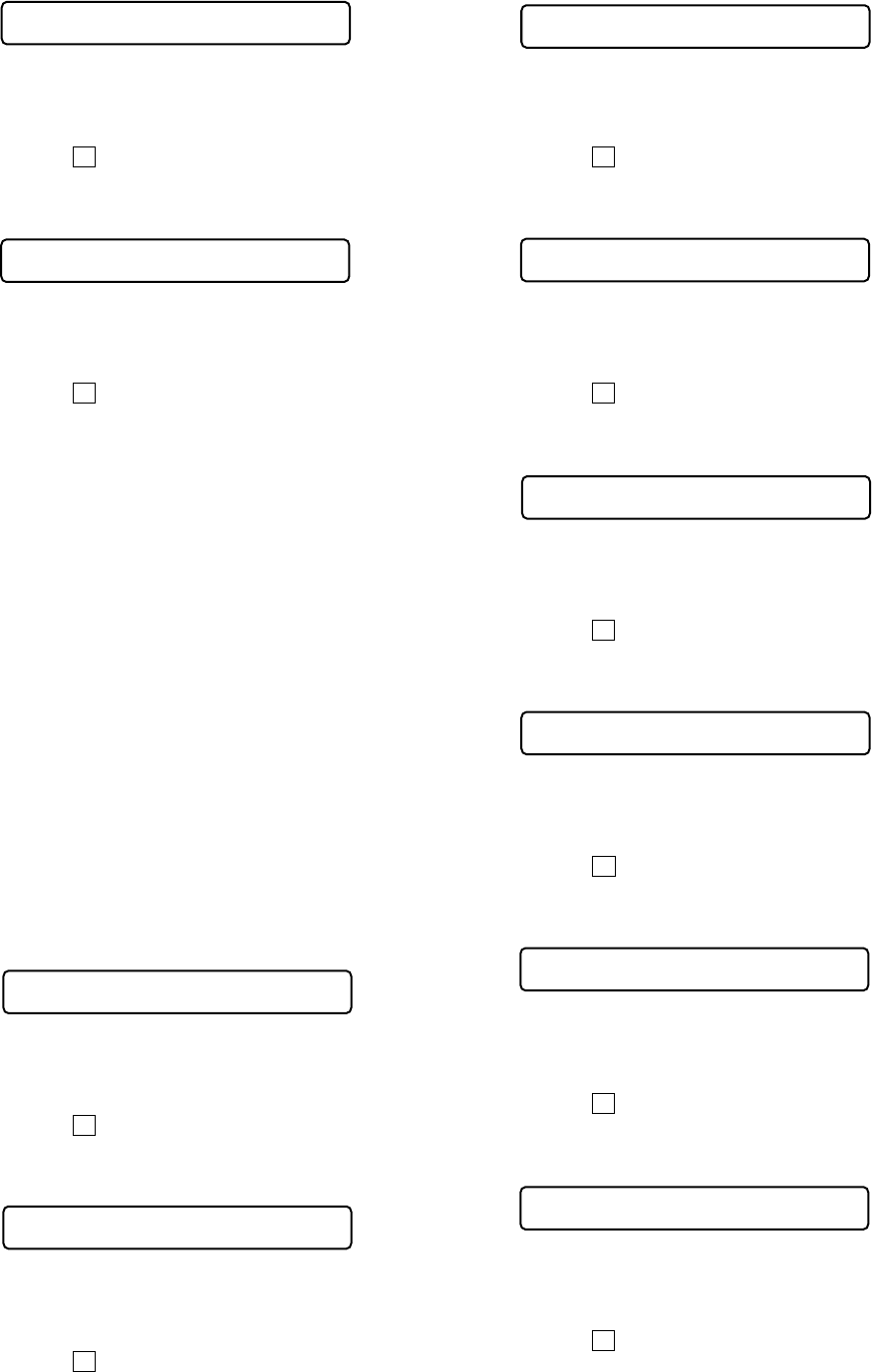
Remote commander LCD display
**
: Adjusted value
V1 dat **
862
Remote commander LCD display
**
: Adjusted value
V2 num **
863
Remote commander LCD display
**
: Adjusted value
V3 dat **
864
Remote commander LCD display
**
: Adjusted value
V3 num **
865
Remote commander LCD display
**
: Adjusted value
V3 dat **
866
Remote commander LCD display
**
: Adjusted value
V4 num **
867
Remote commander LCD display
**
: Adjusted value
V4 dat **
868
Remote commander LCD display
**
: Adjusted value
V5 num **
871
Remote commander LCD display
**
: Adjusted value
V5 dat **
872
Remote commander LCD display
**
: Adjusted value
AbcdGn **
336
Remote commander LCD display
**
: Adjusted value
Dfct 1 **
151
Remote commander LCD display
**
: Adjusted value
V1 num **
861
21
MZ-N1
38) Select manual mode of the test mode, and set item number
873 (see page 14).
39) Adjust with the [VOLUME +] key (adjusted value up) or [VOL-
UME --] key (adjusted value down) so that the adjusted value
becomes BB.
40) Press the Xkey to write the adjusted value.
41) Select manual mode of the test mode, and set item number
874 (see page 14).
42) Adjust with the [VOLUME +] key (adjusted value up) or [VOL-
UME --] key (adjusted value down) so that the adjusted value
becomes 05.
43) Press the Xkey to write the adjusted value.
• Change of NV adjusted values (version 1.100)
Caution: Change the NV adjustment values according to the mi-
crocomputer version.
In this set, some adjusted values were set in the manual mode at
the shipment, but these will be cleared when the NV is reset.
Therefore, modify the NV adjusted values through the following
procedure immediately after the NV was reset.
1. Item numbers in which the NV adjusted values are to be modi-
fied
–Change ABCD gain [Hpit] initial value (item number 336)
Caution: The ABCD gain [Hpit] initial value must be
changed before the overall adjustment.
–Change CLV drive voltage limiter (item numbers 865, 866)
–Change x2 CLV speed gain, +6dB compared to conventional
(item numbers 867, 868)
–Change x2 CLV phase gain, +3dB compared to conventional
(item numbers 871, 872)
–Change x2/x1 switching temperature threshold value
(+10°C t +5°C) (item numbers 873, 874)
2. NV adjusted values modifying procedure
1) Select manual mode of the test mode, and set item number
336 (see page 14).
2) Adjust with the [VOLUME +] key (adjusted value up) or [VOL-
UME --] key (adjusted value down) so that the adjusted value
becomes 08.
3) Press the Xkey to write the adjusted value.
4) Select manual mode of the test mode, and set item number
865 (see page 14).
5) Adjust with the [VOLUME +] key (adjusted value up) or [VOL-
UME --] key (adjusted value down) so that the adjusted value
becomes 2C.
6) Press the Xkey to write the adjusted value.
Remote commander LCD display
**
: Adjusted value
V6 num **
873
Remote commander LCD display
**
: Adjusted value
V6 dat **
874
7) Select manual mode of the test mode, and set item number
866 (see page 14).
8) Adjust with the [VOLUME +] key (adjusted value up) or [VOL-
UME --] key (adjusted value down) so that the adjusted value
becomes B9.
9) Press the Xkey to write the adjusted value.
10) Select manual mode of the test mode, and set item number
867 (see page 14).
11) Adjust with the [VOLUME +] key (adjusted value up) or [VOL-
UME --] key (adjusted value down) so that the adjusted value
becomes C9.
12) Press the Xkey to write the adjusted value.
13) Select manual mode of the test mode, and set item number
868 (see page 14).
14) Adjust with the [VOLUME +] key (adjusted value up) or [VOL-
UME --] key (adjusted value down) so that the adjusted value
becomes 80.
15) Press the Xkey to write the adjusted value.
16) Select manual mode of the test mode, and set item number
871 (see page 14).
17) Adjust with the [VOLUME +] key (adjusted value up) or [VOL-
UME --] key (adjusted value down) so that the adjusted value
becomes CA.
18) Press the Xkey to write the adjusted value.
19) Select manual mode of the test mode, and set item number
872 (see page 14).
20) Adjust with the [VOLUME +] key (adjusted value up) or [VOL-
UME --] key (adjusted value down) so that the adjusted value
becomes 2D.
21) Press the Xkey to write the adjusted value.
22) Select manual mode of the test mode, and set item number
873 (see page 14).
23) Adjust with the [VOLUME +] key (adjusted value up) or [VOL-
UME --] key (adjusted value down) so that the adjusted value
becomes BB.
24) Press the Xkey to write the adjusted value.
Remote commander LCD display
**
: Adjusted value
AbcdGn **
336
Remote commander LCD display
**
: Adjusted value
V3 num **
865
Remote commander LCD display
**
: Adjusted value
V3 dat **
866
Remote commander LCD display
**
: Adjusted value
V4 num **
867
Remote commander LCD display
**
: Adjusted value
V4 dat **
868
Remote commander LCD display
**
: Adjusted value
V5 num **
871
Remote commander LCD display
**
: Adjusted value
V5 dat **
872
Remote commander LCD display
**
: Adjusted value
V6 num **
873
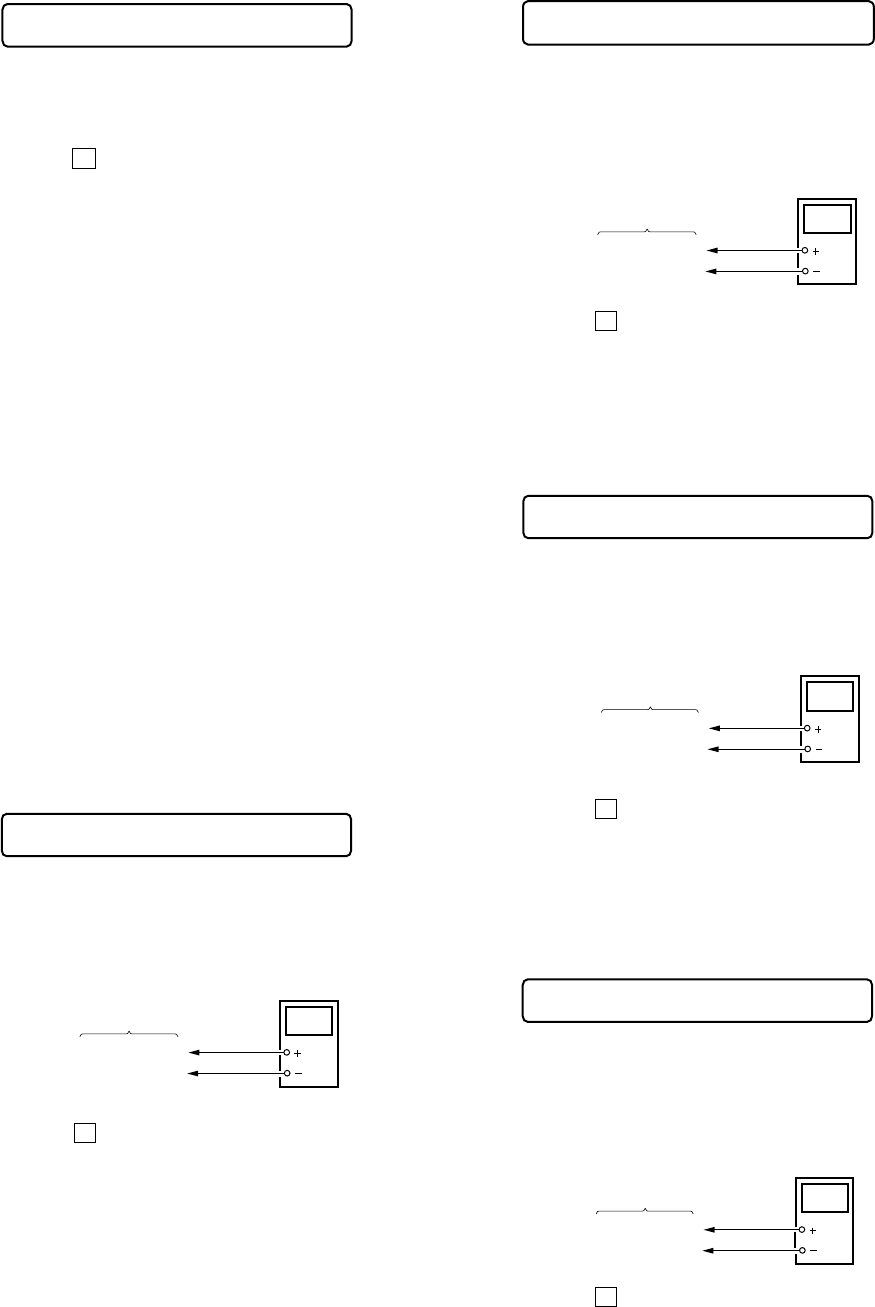
22
MZ-N1
25) Select manual mode of the test mode, and set item number
874 (see page 14).
26) Adjust with the [VOLUME +] key (adjusted value up) or [VOL-
UME --] key (adjusted value down) so that the adjusted value
becomes 05.
27) Press the Xkey to write the adjusted value.
Power Supply Manual Adjustment
• Adjustment sequence
Adjustment must be done with the following steps.
1. Vc PWM Duty (L) adjustment (item number: 762)
r
2. Vc PWM Duty (H) adjustment (item number: 763)
r
3. Vl PWM Duty (L) adjustment (item number: 764)
r
4. Vl PWM Duty (H) adjustment (item number: 765)
r
5. Vrec PWM Duty (L) adjustment (item number: 766)
r
6. Vrec PWM Duty (H) adjustment (item number: 767)
r
7. Vd PWM Duty adjustment (item number: 768)
• Setting method of power supply manual adjustment
1. Make sure that the power supply voltage is 3V.
2. Select the manual mode of the test mode (see page 14).
3. Set item number.
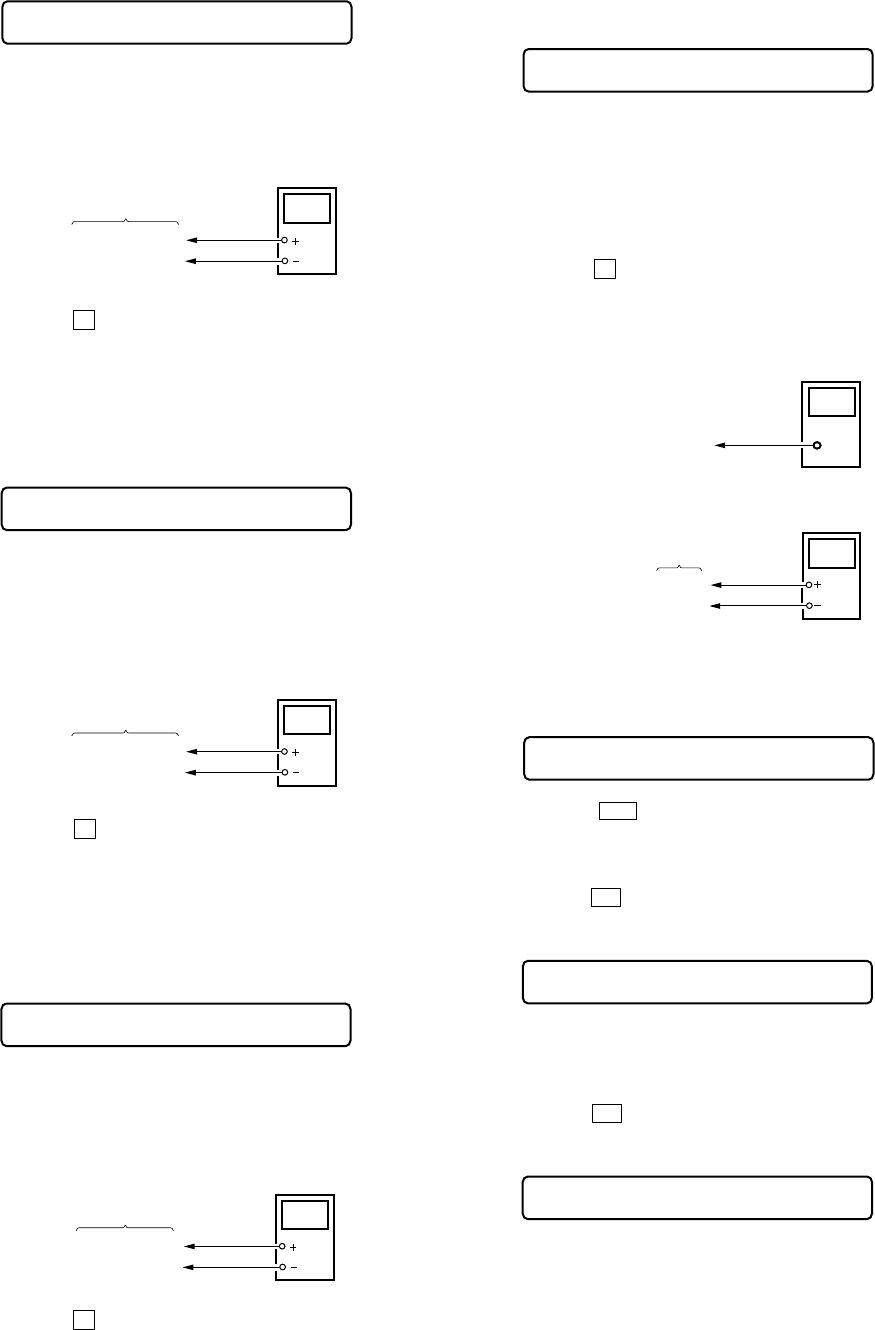
• Adjustment method of Vc PWM Duty (L)
(item number: 762)
1. Connect a digital voltmeter to the AP914 (VC) on the MAIN
board, and adjust [VOLUME +] key (voltage up) or [VOLUME --]
key (voltage down) so that the voltage becomes 2.40 V.
2. Press the Xkey to write the adjusted value.
Adjustment and Connection Location:MAIN board
(see page 24)
• Adjustment method of Vc PWM Duty (H)
(item number: 763)
1. Connect a digital voltmeter to the AP914 (VC) on the MAIN
board, and adjust [VOLUME +] key (voltage up) or [VOLUME
--] key (voltage down) so that the voltage becomes 2.75 ± 0.015
V.
2. Press the Xkey to write the adjusted value.
Adjustment and Connection Location:MAIN board
(see page 24)
• Adjustment method of Vl PWM Duty (L)
(item number: 764)
1. Connect a digital voltmeter to the AP915 (VL) on the MAIN
board, and adjust [VOLUME +] key (voltage up) or [VOLUME
--] key (voltage down) so that the voltage becomes 2.30 V.
2. Press the Xkey to write the adjusted value.
Adjustment and Connection Location:MAIN board
(see page 24)
• Adjustment method of Vl PWM Duty (H)
(item number: 765)
1. Connect a digital voltmeter to the AP915 (VL) on the MAIN
board, and adjust [VOLUME +] key (voltage up) or [VOLUME
--] key (voltage down) so that the voltage becomes 2.55 V.
2. Press the Xkey to write the adjusted value.
Adjustment and Connection Location:MAIN board
(see page 24)
digital
voltmete
r
MAIN board
AP914 (VC)
AP912 (GND)
digital
voltmete
r
MAIN board
AP915 (VL)
AP912 (GND)
Remote commander LCD display
**
: Adjusted value
VchPWM **
763
+ 0.005
– 0.01
+ 0.005
– 0.01
Remote commander LCD display
**
: Adjusted value
VclPWM **
762
digital
voltmete
r
MAIN board
AP914 (VC)
AP912 (GND)
Remote commander LCD display
**
: Adjusted value
VLpwmL **
764
Remote commander LCD display
**
: Adjusted value
VLpwmH **
765
+ 0.005
– 0.01
digital
voltmeter
MAIN board
AP915 (VL)
AP912 (GND)
Remote commander LCD display
**
: Adjusted value
V6 dat **
874
23
MZ-N1
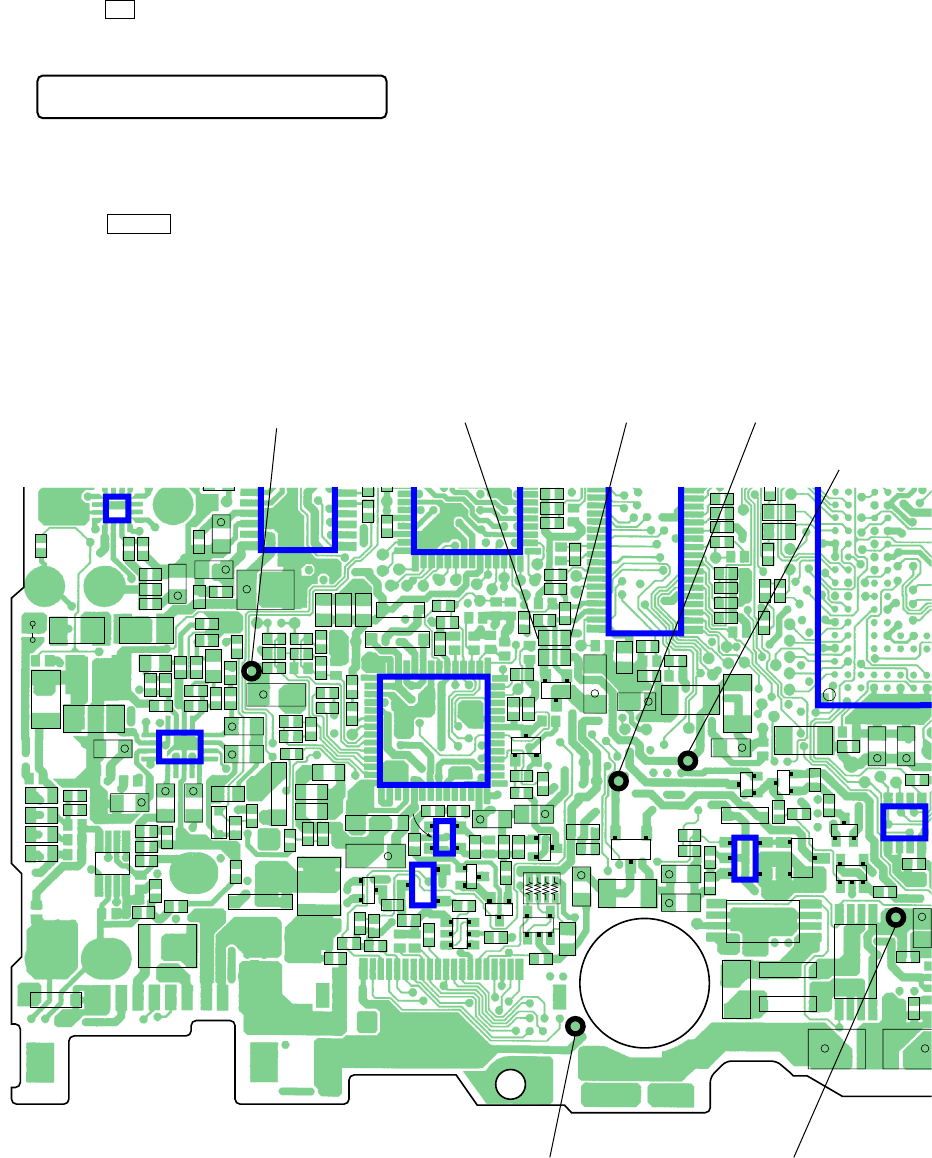
• Adjustment method of Vrec PWM Duty (L)
(item number: 766)
1. Connect a digital voltmeter to the AP611 (VREC) on the MAIN
board, and adjust [VOLUME +] key (voltage up) or [VOLUME
--] key (voltage down) so that the voltage becomes 1.08 V.
2. Press the Xkey to write the adjusted value.
Adjustment and Connection Location:MAIN board
(see page 24)
• Adjustment method of Vrec PWM Duty (H)
(item number: 767)
1. Connect a digital voltmeter to the AP611 (VREC) on the MAIN
board, and adjust [VOLUME +] key (voltage up) or [VOLUME
--] key (voltage down) so that the voltage becomes 1.65 to 1.70
V.
2. Press the Xkey to write the adjusted value.
Adjustment and Connection Location:MAIN board
(see page 24)
• Adjustment method of Vd PWM Duty
(item number: 768)
1. Connect a digital voltmeter to the AP911 (VD) on the MAIN
board, and adjust [VOLUME +] key (voltage up) or [VOLUME
--] key (voltage down) so that the voltage becomes 1.31 ± 0.010
V.
2. Press the Xkey to write the adjusted value.
Adjustment and Connection Location:MAIN board
(see page 24)
digital
voltmeter
MAIN board
AP611 (VREC)
AP912 (GND)
Remote commander LCD display
**
: Adjusted value
RECpwL **
766
+ 0.025
– 0.005
Remote commander LCD display
**
: Adjusted value
RECpwH **
767
digital
voltmeter
MAIN board
AP611 (VREC)
AP912 (GND)
Remote commander LCD display
**
: Adjusted value
VD_PWM **
768
digital
voltmeter
MAIN board
AP911 (VD)
AP912 (GND)
Temperature Correction
• Adjustment method of temperature correction
1. Select the manual mode of test mode, and set the item number
015 (see page 14).
2. Measure the ambient temperature.
3. Adjust with [VOLUME +], [VOLUME --] key so that the ad-
justed value (hexadecimal value) becomes the ambient tem-
perature.
(Initial value: 19h = 25 °C, Adjusting range: 80h to 7fh (–128
°C to +127 °C)
4. Press the Xkey to write the adjusted value.
Laser Power Check
Connection :
Checking Method :
1. Select the manual mode of test mode (see page 14), and set the
laser power adjusting mode (item number 010).
2. Press the .key continuously until the optical pick-up
moves to the most inward track.
3. Open the cover and set the laser power meter on the objective
lens of the optical pick-up.
4. Press the Nkey, and set the laser MO read adjustment mode
(item number 011).
5. Check that the laser power meter reading is 0.81 ± 0.08 mW.
6. Check that the voltage both ends (TP (+) and TP (–)) of resis-
tor R521 at this time is below 44 mV.
7. Press the Nkey, and set the laser CD read adjustment mode
(item number 012).
8. Check that the laser power meter reading is 0.97 ± 0.10 mW.
9. Check that the voltage both ends (TP (+) and TP (–)) of resis-
tor R521 at this time is below 44 mV.
Remote commander LCD display
**
: Adjusted value
SetTmp **
015
digital voltmeter
MAIN board
laser
power meter
Optical pick-up
objective lens
TP (+)
TP (–)
Remote commander LCD display
Laser
010
Remote commander LCD display
LrefPw **
011
Remote commander LCD display
HrefPw **
012
24
MZ-N1
10. Press the Nkey, and set the laser MO write adjustment mode
(item number 013).
11. Check that the laser power meter reading is 4.95 ± 0.50 mW.
12. Check that the voltage both ends (TP (+) and TP (–)) of resis-
tor R521 at this time is below 80 mV.
13. Press the x/CHG key to quit the manual mode, and activate
the test mode (display check mode).
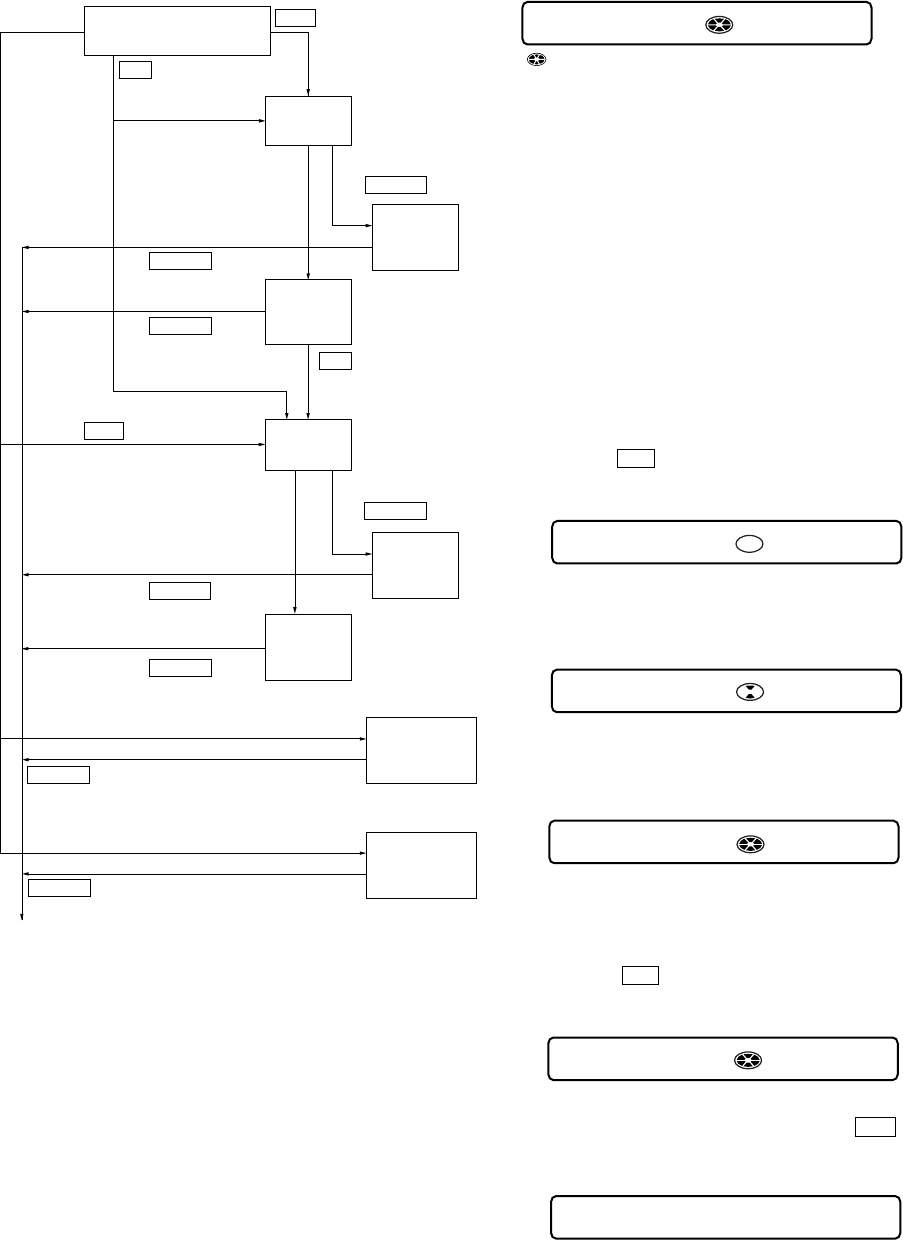
Checking and Connection Location: MAIN board
Adjustment/checking and Connection Location:
R319
C217
C216
C306
1
5
8
16
13
4
129
IC303
C218
R218
R206
L302 L301
L303
C304
C302
R101
R102
C102
C202
C108 C208
R201
C103
C203
R301
R312
R202
R303
R909
C922
R941
R910
R905
R934
C906
R937R935
R902
R903
R607
C905
C908
C921
R813
C335
R105
R103
R104
C107
R203
R205
R204
FB301
FB303
FB304
FB306
TH602
C307
R309
R311
C207
R628
C636
R629
R616
R605
R604
R
3
R304
C
C521
R920
C913
C914
R517
C530
R503
C502
C527
C504
C505
C926
R505
R519
C932
C915
R960
R961 C936
R956
R958
R911
R915
R954
C935
R955
R953
R952
R951 R950
R630
C637
R846
C628
C632
R959
C839
C510
C511
C513
C519
C532
C514
C515
C516
R8
4
R843
R866
C851
R865
C507
C506
C526
C925
C924
C923
C101
C201
R522
R521
C523
FB801
FB803
C826
R916
R922
R938C931
R928
R929
R925
R927
R930
C840
R845
C829
C604
C608
C615
C301
+
C305 +
C320
+
89 142
5643
IC301
C902
+
C303 +
C316
+
C315
+
C105 +
C205 +
C312 +
C309 +
C601
C529
+
C518 +L501
L502
L802
C901 +
C920
+C919 +
C929
+
C928
+
C934 +
L907
C524 +
C609 +
C603
+C626 +
C825
+
C828
+
D612
KA
D303
AK
KA
D602
AK
AK
D603
D901
KA
AK
D903
D902
KA
D904 KA
D905
D606
D608
KA
KA
F801
TH601
A
K
A
D604
EB
Q910
B
C
C
E
Q909
C
Q911
E1
C1
B2
B1
E2
C2
Q607
RB801
Q801
C2C1
B2B1 E
S
D
G
Q903
S
S
G
D
D
G
Q901
B
C
E
Q905
Q906
C2C1
B2B1 E
4
Q604
1
14
85
58
G1
S1
S1
D1
G2
S2
S2
D2
Q605
1
4
G1
S1
S1
D1
G2
S2
S2
D2
8
5
Q908
B
BE
C
E
Q501
1
1
2
3
1
2
3
4
14
85
5
8
16
13
4
129
IC302
D301
IC551
IC901
IC903
IC603
IC501
22 23
E
B
C
Q907 Q904
ECB
IC803
29 42
14
15
28
1
207 181184186
215 188209190
211 213192194
217 204198196
221 219202200
226 224206205
227 225210208
243 241214212
237 1218216
230 228222220
35
4
231223
242 9 11 6235239
244 7 8 245232229
234233
240 17 18 19 16 36238236
23 12 40 24
1
3
5
4
IC902
SL804
56
43
AP914 (VC) TP (+) TP (–) AP911 (VD)
AP915 (VL)
AP912 (GND) AP611 (VREC)
IC801
– MAIN Board (Conductor Side) –
Remote commander LCD display
WritPw **
013
25
MZ-N1
Note: Adjust the CD first, when performing adjustment.
•Electrical offset adjusting method
Caution: The electrical offset adjustment must be made with no
disc loaded.
1. Make sure that the power supply voltage is 3 V.
2. Set the test mode (see page 13).
3. Press the .or [VOLUME --] key to activate the overall ad-
justment mode.
4. Turn the jog dial (down), or press the [DISPLAY] key on the
remote commander.
5. Electrical offset adjustment is over, if the following display
appears.
•Adjustment method of CD and MO overall adjustment
mode
1. Set the test mode (see page 13).
2. Press the .or [VOLUME --] key to activate the overall ad-
justment mode.
3. Insert CD disc in the set, and press thethe .key to set the
CD overall adjustment mode. Automatic adjustments are made.
x/CHG
key
>
key
.
key
Overall adjustment mode
(Title display)
CD overall
adjusting
CD overall
adjustment
OK
MO overall
adjusting
MO overall
adjustment
OK
CD overall
adjustment
NG
MO overall
adjustment
NG
All item
OK
Protect switch
ON
Protect switch
OFF
Jog dial (down) or
[DISPLAY] key on the remote commander
NG item exists
or
NG item exists
or
x/CHG
key
Jog dial (up) or
[PLAYMODE] key on the remote commander
[Test mode $display check mode%]
N
key
N
key
Electrical
offset
adjustment
Power supply
adjustment
auto item feed
x/CHG
key
x/CHG
key
x/CHG
key
x/CHG
key
x/CHG
key
x/CHG
key
Overall Adjustment Mode
•Configuration of overall adjustment mode
•Overall adjustment mode (title display)
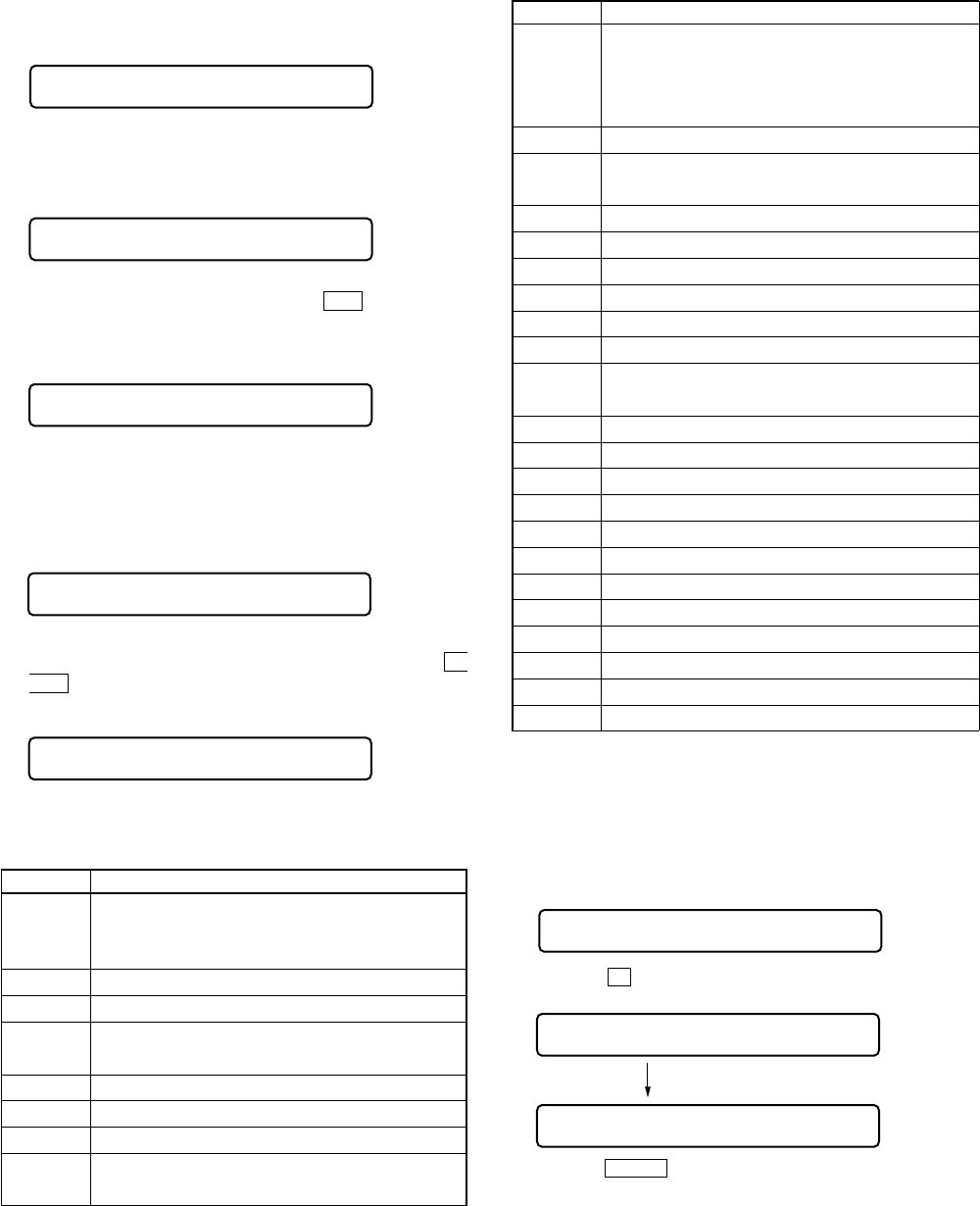
Remote commander LCD display
: (Disc mark) At end of power supply adjustment: Outside lit
At end of electrical offset adj.: Inside lit
Note: On the set having microcomputer version 1.000, the disc
mark is displayed on the remote commander LCD only.
**
: Left side = MO overall adjustment information
F*
: MO overall adjustment completed
1*
: Manual adjustment exists (overall adj. not completed)
0*
: Not adjusted
Right side = CD overall adjustment information
*F
: CD overall adjustment completed
*1
: Manual adjustment exists (overall adj. not completed)
*0
: Not adjusted
Assy**
000
Remote commander LCD display
Assy11
000
Remote commander LCD display
Ofst**
035
Remote commander LCD display
OfstOK
000
Remote commander LCD display
Assy11
000
XXX CD RUN
Remote commander LCD display
XXX
: Item number for which an adjustment is being executed.
26
MZ-N1
Resume Clear
Perform the Resume clear when all adjustments completed.
•Resume clear setting method
1. Select the manual mode of the test mode, and set item number
043 (see page 14).
2. Press the Xkey.
3. Press the x/CHG key to return to the test mode (display check
mode).
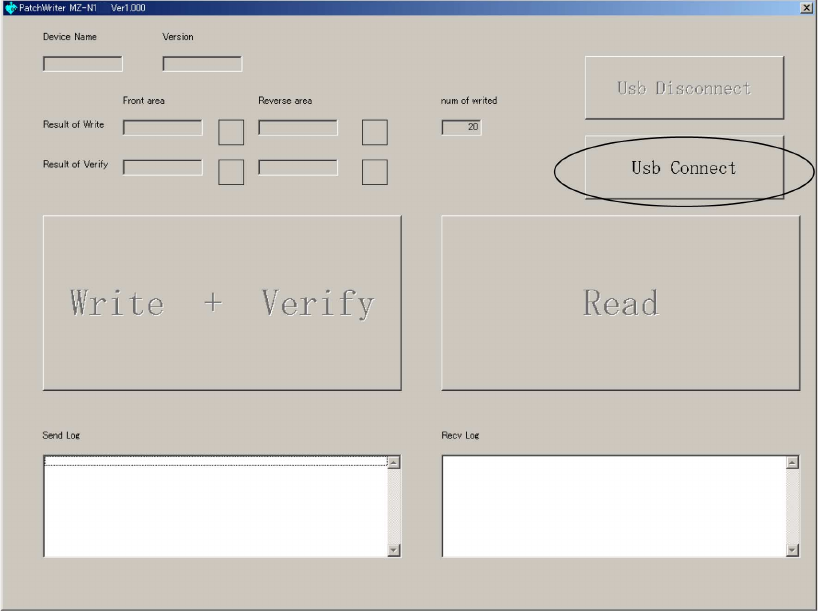
Remote commander LCD display
Resume clear complete
Res***
043
ResClr
043
4. In case of CD overall adjustment NG, reset the NV (see page
19), then readjust from the temperature correction (see page
21).
5. If OK through the CD overall adjustments, then perform MO
overall adjustments.
6. Insert MO disc in the set, and press the >key to set the
MO overall adjustment mode. Automatic adjustments are
made.
7. In case of MO overall adjustment NG, reset the NV (see page
19), then readjust from the temperature correction (see page
21).
8. If OK through the MO overall adjustments, press the x/
CHG key to return to the test mode and terminate the overall
adjustment mode.
Remote commander LCD display
Resume CC
043
Remote commander LCD display
CD OK
000
•CD and MO overall adjustment items
1. CD overall adjustment items
Item No. Description
312
313 CD electrical offset adjustment
314
321 CD tracking error gain adjustment
328 CD TWPP gain adjustment
324 CD tracking error offset adjustment
332
336 CD ABCD gain adjustment
344 CD focus gain adjustment
345 CD tracking gain adjustment
521 CD two-axis sensitivity adjustment
522
XXX MO RUN
Remote commander LCD display
XXX
: Item number for which an adjustment is being executed.
Remote commander LCD display
**
: NG item number.
*** NG
000
Remote commander LCD display
MO OK
000
Remote commander LCD display
**
: NG item number.
*** NG
000
2. MO overall adjustment items
Item No. Description
112
113 MO electrical offset adjustment
114
118
221 Low reflective CD tracking error gain adjustment
224 Low reflective CD tracking error offset adjustment
232
236 Low reflective CD ABCD gain adjustment
244 Low reflective CD focus gain adjustment
245 Low reflective CD tracking gain adjustment
121 MO tracking error gain adjustment
122 MO TON offset adjustment
134 MO TWPP gain adjustment
131 MO triple speed read TWPP offset adjustment
132
136 MO ABCD gain adjustment
144 MO focus gain adjustment
145 MO tracking gain adjustment
138 MO RF gain adjustment
434 MO write TWPP gain adjustment
431 MO write TWPP offset adjustment
432 MO tracking error offset adjustment
436 MO write ABCD gain adjustment
445 MO write tracking gain adjustment
411 MO normal speed read TWPP offset adjustment
412 MO tracking error offset adjustment
448 20 sec full recording
27
MZ-N1
Rewriting the Patch Data at Replacement of Main Board or Nonvolatile Memory (IC802)
This set requires the patch data in the nonvolatile memory (IC802) to be rewritten using the application, when the MAIN board or
nonvolatile memory (IC802) was replaced.
Caution: The application that meets the microcomputer version in this set must be used when rewriting the patch data. Rewriting the
patch data using the application not suitable for the microcomputer version could cause the set to malfunction.
For a checking method of the microcomputer version, see “SECTION 4 TEST MODE” (page 13).
•Preparation
1. USB cradle (attached to the set)
2. USB cable (attached to the set)
3. Personal computer in which the Net MD Driver has been installed. (For further information, see “System requirements” (page 4) in
“SECTION 1 SERVICING NOTES”)
4. Application “PatchWriter” for patch data rewriting
•How to get the application “PatchWriter” for patch data rewriting
Download it from the following homepage.
Name: ESI HomePage
URL: http: //43.7.134.23/index.htm
•Pre-check
1. Check the microcomputer version in this set. (For a checking method of the microcomputer version, see “SECTION 4 TEST MODE”
(page 13).)
2. Check that the Net MD Driver has been installed in the personal computer.
3. Make sure that the set is in the Normal mode.
Note: Do not rewrite the patch data in the Test mode.
•Rewriting the patch data
1. Connect the USB cradle to the personal computer with the USB cable, and place the set on the USB cradle.
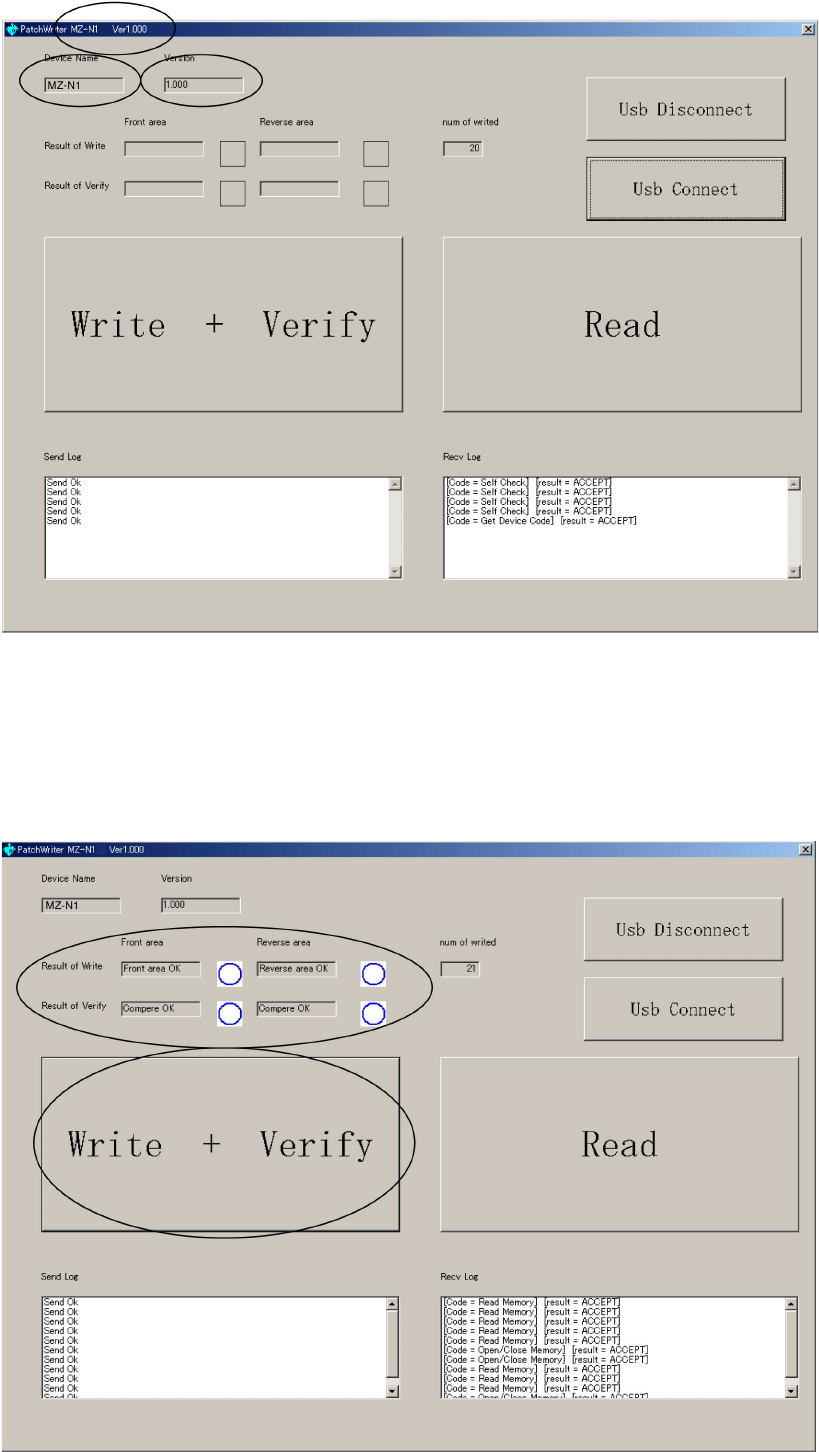
2. Start the application “PatchWriter”.
3. Make sure that the following window opens.
4. Click the [Usb Connect] button.
28
MZ-N1
5. Confirm that the model and version indicated on the title bar coincide with the codes displayed in the Device Name block and the
Version block in the window.
6. Click the [Write + Verify] button.
The patch data writing and the verify processing will be executed automatically in the following order:
1) Writing to patch area (front area)
2) Writing to patch area (reverse area)
3) Verifying patch area (front area)
4) Verifying patch area (reverse area)
7. The operation will terminate with the a mark given to all areas.
If the × mark is given to any area, the nonvolatile memory will be faulty.
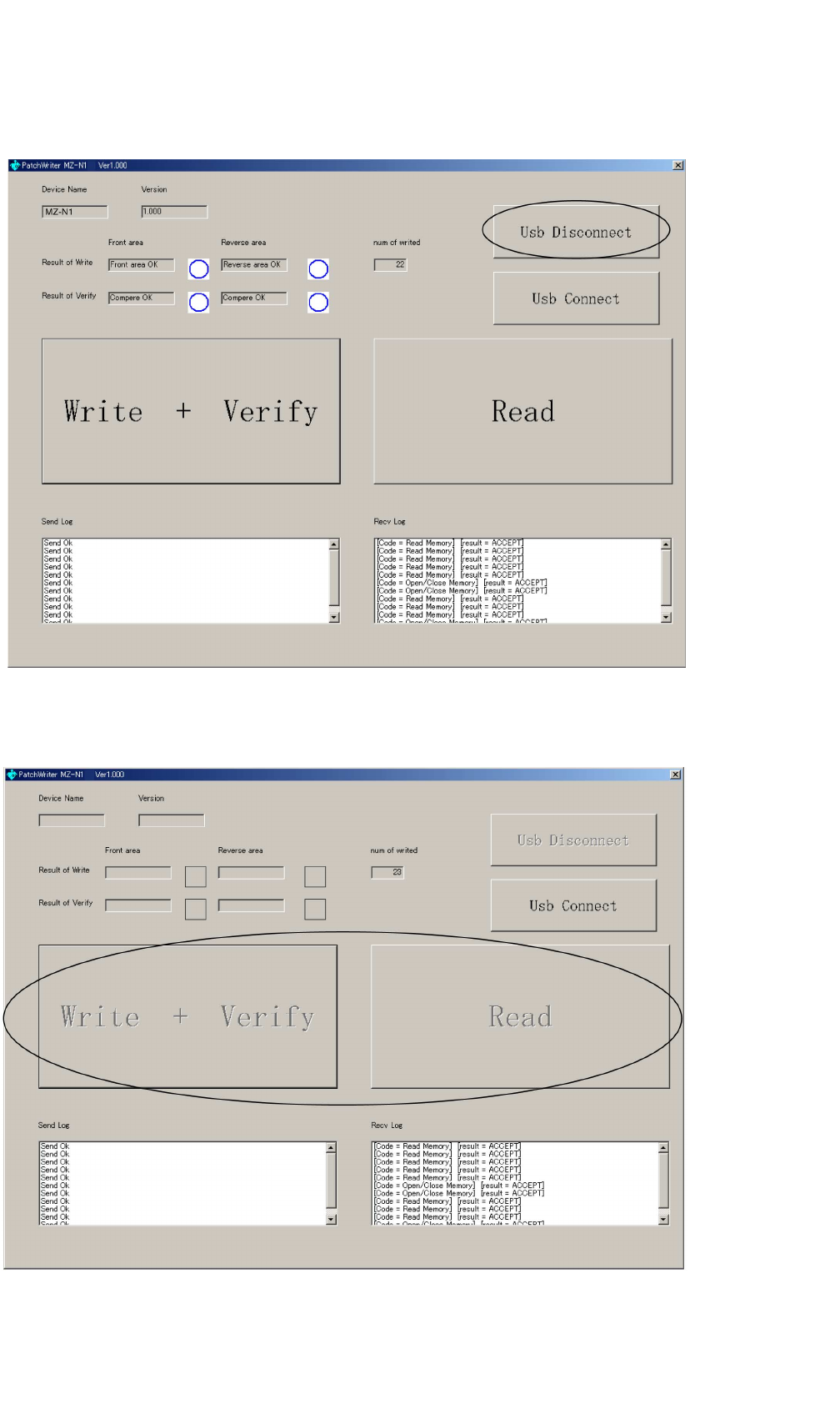
MZ-N1
2929
8. Click the [Usb Disconnect] button.
9. Confirm that the window becomes as shown below where the [Write + Verify] button and [Read] button are inactive.
10. Disconnect the USB cable from the personal computer and the USB cradle.
11. Remove the set from the USB cradle.
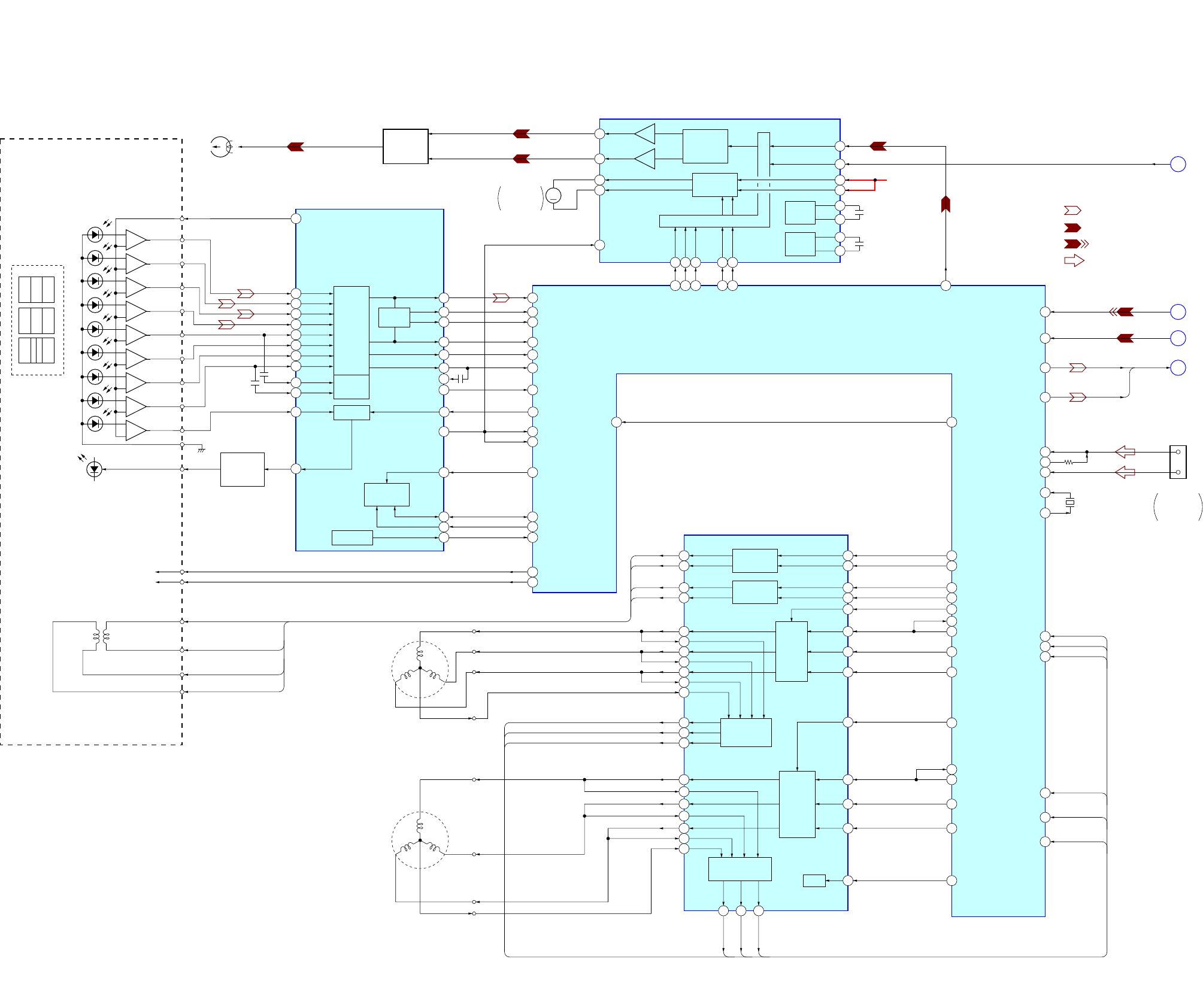
MZ-N1
3030
SECTION 6
DIAGRAMS
6-1. BLOCK DIAGRAM – SERVO/USB Section –
33
29
28
41
42
1
44
21
31
25
43
24
23
4
8
9
10
11
12
14
5
6
13
7
18 19
JX JY JX
IX IY
IY
IX
JX
JY
A
B
C
D
MON
IX
ABCD
OPTICAL PICK-UP BLOCK
(LCX-5R)
HR601
OVER
WRITE
HEAD
S0
S1
D
D-C
PD-NI
PD-O
C
B
A
VREF
A-C
JY
JX
IX
IY
RF AMP,
FOCUS/
TRACKING
ERROR
AMP
TPP/WPP
APC
S-MONITER
RF OUT
PEAK
BOTM
ABCD
FE
ADIP IN
TE
ADFG
PD-I
VC
SBUS
SCK
S-MON
XRST
PEAK
/BOTM
RF AMP, FOCUS/TRACKING ERROR AMP
IC501
M603
OVER WRITE
HEAD
UP/DOWN
+
–
+
–
+
–
+
–
+
–
+
–
+
–
+
–
+
–
AUTOMATIC
POWER
CONTROL
Q501
20
LD
SERIAL
INTERFACE
TRK+
FCS+
FCS–
FCS+
FCS–
TRK–
TRK+
TRK–
163
169
170
171
172
181
202
174
108
75
180
28
80
81
27
26
206
35
33
41
38
37
42
25 30
31
1 2 3 5 6
142 141 140 145 143
4
7
CHARGE
PUMP 2
27
28
CHARGE
PUMP 1
225
226
216
217
218
212
76
222
220
221
219
84
210
209
207
208
16
15
27
28
11
13
32
30
214
215
26
41
44
42
43
1
2
6
4
52 53 54
48 74
35
37
24
39
25
23
45
46
56
55
8
18
19
20
17
230
190
195
155
LD-A
(TRACKING)
(FOCUS)
2-AXIS
DEVICE
OVER WRITE
HEAD DRIVE
Q604, 605
MM
EFM
PRE DRIVER
H-BRIDGE
PRE DRIVER
SYSTEM CONTROL (1/2)
HB
HA
OUTA
OUTB
VREF
C1H
C1L
C2H
C2L
VRECIN2
CLK
EFM
VRECIN1
VRECO
B+
SW
RECON
OE
RI
FI
MODE3
MODE2
MODE1
HD CON2
HD CON1
EFMO
OVER WRITE HEAD DRIVE
IC601 (1/2)
RFI
PEAK
BOTM
ABCD
FE
TE
ADFG
VC
VREF MON
XRF RST
SE
SSB CLK
PD S0
PD S1
SSB DATA
APCREF
SYSTEM CONTROLLER,
DIGITAL SIGNAL PROCESSOR,
16M BIT D-RAM
IC801 (1/3)
• SIGNAL PATH
: PLAYBACK
: REC (ANALOG IN)
: REC (DIGITAL IN)
: USB CHECK OUT
A
B
C
D
DIN1
ADDT
AOUTL
156AOUTR
134UDP
DIN1
ADDT
AOUTL,
AOUTR
AOUTL
CLK
SLCU
SLCV
SPCU
SPCV
SPCW
SLD MON U
SLD MON V
CLV MON U
CLV MON V
CLV MON W
SPRD
SPDL MON
SLDW
SFDR
SLDV
SLDR
SLD MON
FRDR
FFDR
TRDR
TFDR
SPDV
SPDW
XRST MTR DRV
RI1
FI1
RI2
FI2
WI2
PWM2
VI2
UI2
VI1
WI1
CPWO1
CPVO1
CPUO1
CLV MON W
CLV MON V
CLV MON U
OE
UI1
PWM1
RO1
FO1
RO2
FO2
FCS–
FCS+
TRK–
TRK+
COM2
VO1
WO1
UO2
VO2
CPVI2
WO2
CPUI2
CPWI2
CPUO2
CPVO2
UO1
CPUI1
CPVI1
CPWI1
COM1
TRACKING
COIL DRIVE
FOCUS
COIL DRIVE
SPINDLE
VOLTAGE MONITOR
SLED
MOTOR
DRIVE
SPINDLE
MOTOR
DRIVE
FOCUS/TRACKING
COIL DRIVE,
SPINDLE/SLED
MOTOR DRIVE
IC551
BIAS
M601
(SPINDLE)
U
WV
M602
(SLED)
U
WV
47 CPWO2
SLD MON U
SLD MON V
SLD MON W
SLED VOLTAGE
MONITER
AOUTR
227SLCW SLD MON W
213 SPFD
234 MNT3
OFTRK
135UPUEN
133UDM
5
4
D+
D–
CN601 (1/2)
USB
CRADLE
CONNECTOR
138UOSCO
137UOSCI X801
48MHz
(Page 32)
(Page 31)
(Page 31)
(Page 31)
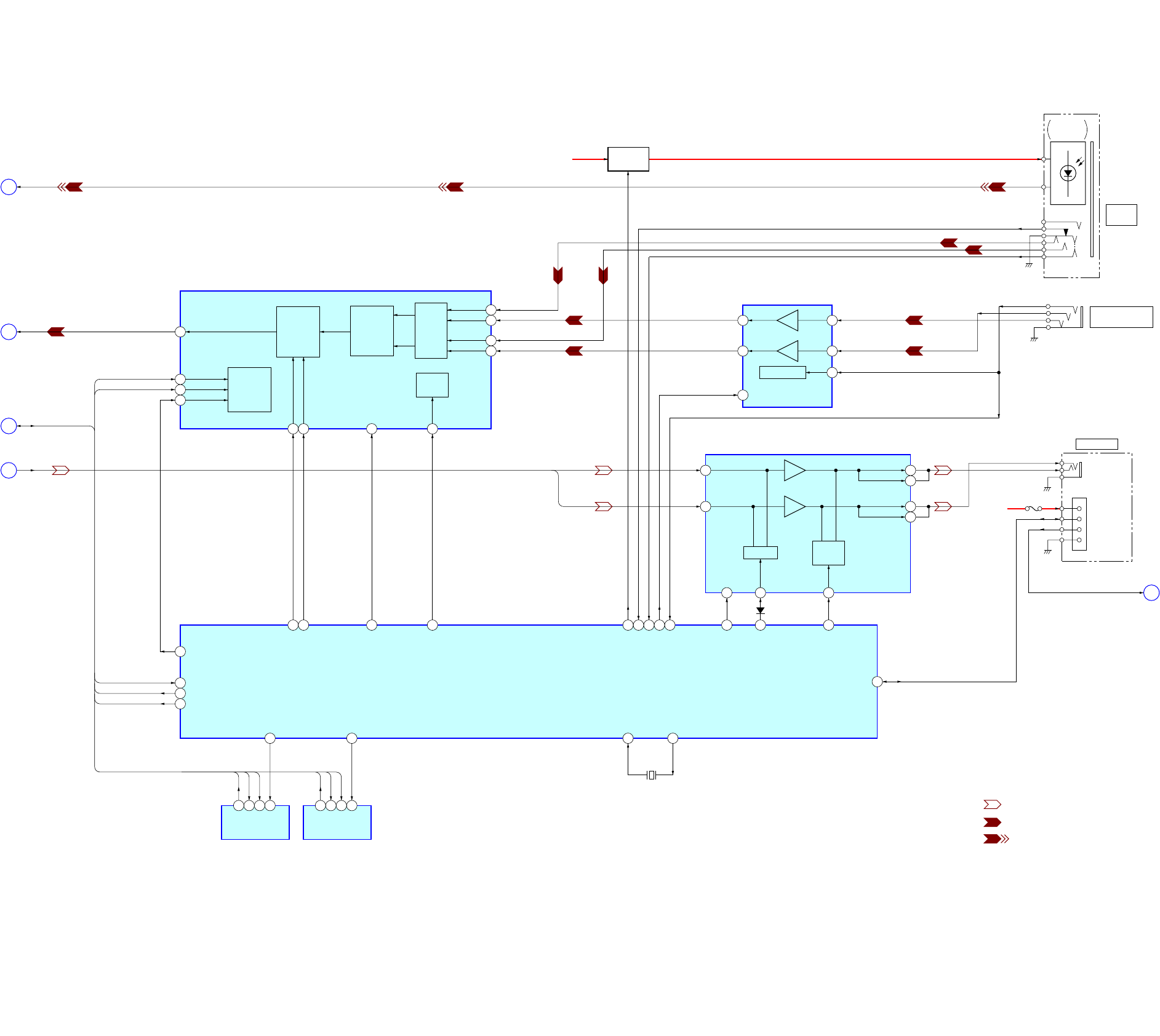
MZ-N1
3131
6-2. BLOCK DIAGRAM – AUDIO Section –
VC B+ F801
F
RMC KEY
RVDD
DTCK
KEY-R
RGND
(LINE IN JACK)
OPTICAL
RECEIVER
J302
i/LINE OUT
J301
LINE IN
(OPT)
J303
MIC
(PLUG IN POWER)
• SIGNAL PATH
: PLAYBACK
: REC (ANALOG IN)
: REC (DIGITAL IN)
2
1113
5
4
16
10
9
12
13
3
1
14 15 16
49 103 60
AOUT
SEL
120
3758 36 65 38198
151
197
45
46
47
1
71
234
B+ SWITCH
Q302
VIF B+
REGULATOR
MUTING
MIC AMP
IC303
IN2
IN1
STBY
GV
OUT1
OUT2
HP/LINE
SWITCH
HEADPHONE AMP
IC302
LOUT
ROUT
GA-L
GA-R
L-IN
R-IN
HP/L
MUTE
BEEP
BEEP
XMUTE
XJAC DET
XOPT CTL
FS256
XBCK
OSCO
OSCI
XCS NV1
SDI0
SCK0
SDO0
OPT DET
MIC SENSE
XMIC DET
RMC DTCK
SYSTEM CONTROLLER,
DIGITAL SIGNAL PROCESSOR
16M BIT D-RAM
IC801 (2/3)
150
X802
45.1584MHz
SI0
SO0
SCK0
SDI0
SDO0
SCK0
SCK0
SDO0
AOUTL,
AOUTR
ADDT
DIN1
SDO0, SDI0, SCK0
XCS
SK
DI
DO
B
A
C
E
EEPROM
IC802
1
94
234
XCS NV2
SDIO
SCK0
SDO0
XCS
SK
DI
DO
EEPROM
IC803
2
4
1
3
10
15
14
13
9GAIN
AMP
CLOCK
DIVIDER
AUDIO
I/F
CONTROL
CONTROL
REGISTER
I/F
A/D
CONVERTER
&
HPF RIN1
RIN2
LIN1
LIN2
A/D CONVERTER
IC301
SDTO
CCLK
CSN
CDTI
12
LRCK
BCLK
16
PDN
11
MCLK
196
LRCK
148
XPD ADC
147 XCS ADC
AOUTL
AOUTR
D303
(Page 30)
(Page 30)
(Page 32)
(Page 30)
(Page 32)
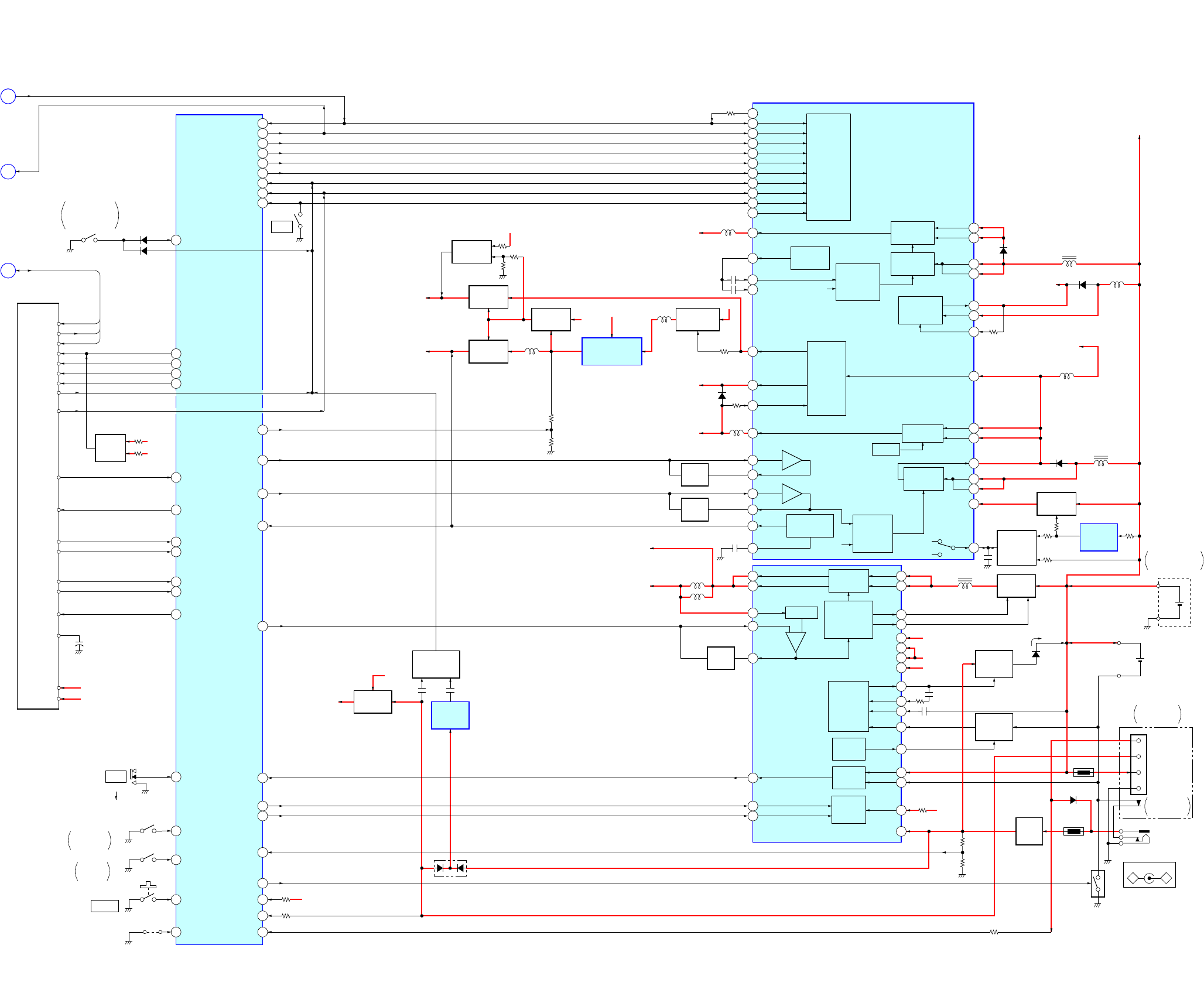
MZ-N1
3232
6-3. BLOCK DIAGRAM – DISPLAY/KEY CONTROL/POWER SUPPLY Section –
7
4
56
52
54
55
1
2
3
5
116
211
64
89
88
85
113
114
115
10
49
24
25
42
41
35
22
23
26
46
47
50
28
32
34
11
14
10
15
22
16
19
20
51
54
55
21
8
9
26
49
47
46
45
43
44
56
50
48
33
36
45
18
19
16
12
11
9
27
53
+–
30
31
104
29
107
90
91
112
66
106
70
82
61
109
110
67
68
102
48
146
VB
HEADPHONE AMP (IC302),
MOTOR/COIL DRIVER (IC551)
B+
POWER CONTROL
IC901
SWITCHING
REGURATOR
SYSTEM
CONTROL
BANDGAP
REFERENCE
SERIES
PASS
REGULATOR
REGURATOR
STEP-UP
DC/DC
CONVERTER
STEP-UP
PRE DRIVER
&
PWM
D902
D903
L902
L905
VG
MOTOR/COIL
DRIVER (IC551)
B+
VL
VL
VG
LG
VC2
VGFB
VC
VC
VCOUT
L1
L1
VB
6
L2
L2
RF2
VRMC
XWK3
CLK
CLK SEL
FFCLR
SLEEP
VLON
XWK1
XWK2
XWK4
VAIFON
VLO
VREF
DTC2
DTC1
VIF
VA
VCO
INM2
INM1
RF2
RF1
XRST
CRST DTC1
D904
L904
L906
L907
SYSTEM CONTROLLER
IC801 (3/3)
RMC KEY
CLK
SDO0, SDI0, SCK0
VL
LASER APC CIRCUIT
B+
RMC KEY
FS4
CLK SEL
FFCLR
SLEEP
VLON
WK DET
REC KEY
HALF LOCK SW
OPEN
S806
CS RTC
VA B+
VB B+
XCS LCD
LCD STB
LCD RST
F
D
E
SDO0
SDI0
SCK0
SD0
SI0
SCK
RST
STB
CS
CS RTC
REC
PAUSE
REC LED
SET KEY 1
SET KEY 2
DVDD
BACKUP
UNREG
XWK1
+
VA B+
VB B+
SWITCH & LCD
MUDULE
SL801
(TEST)
S803
RECHARGEABLE
BATTERY IN
DETECT
XGUM ON
XTEST
CHG MON
CHG GAIN
CHG CTL
HIDC MON
GND SW
111VBUS DET
105STAND DET
VB MON
PAUSE KEY
REC OPR LED
SET KEY 1
SET KEY 2
VB B+
VL PWM
VC PWM
XRST
VREC PWM
RESET
SWITCH
Q801
NOISE
FILTER
NOISE
FILTER
NOISE
FILTER
L603
L602
VREC
OVER WRITE
HEAD DRIVE
CIRCUIT
B+ SWITCH
SWITCHING
REGULATOR
RESET SIGNAL
GENERATOR
SWITCHING
REGULATOR
CHARGE
CONTROL
CHARGE
MONITOR
POWER
CONTROL
IC601 (2/2)
STEP-UP DOWN
PRE DRIVER
&
PWM
STEP-UP
PRE DRIVER
&
PWM
BATTERY
CHARGER
&
REGULATOR
SYSTEM
CONTROL
(2/2)
VRECO1
VRECO2
VREC
INM1
RF1
CHGMON
GAIN
CHG
L1 1
L1 2
DW BT
DW TP
VIO
VC2
VC
RF2
INM2
INP2
RS
CHG SW
VB
BATM
DREG
DCIN
VIF
B+
VC B+
VIF B+
L601
D901
D603
B+ SWITCH
Q603
CHARGE
CONTROL
Q602 (2/2)
CHARGE
CONTROL
Q602 (1/2)
LINE
FILTER
T601
CHARGE
RECHARGEABLE
BATTERY
NH-14WM
1.2V 1350mAh
–+
DC IN 3V
J601
GROUND
LINE
SWITCHING
Q601
TH601
TH602
(BATTERY CASE)
DRY BATTERY
SIZE “AA”
IEC DESIGNATION
R6
1PC. 1.5V
REGULATOR
SWITCH
36
VG VG B+
79
JOG B JOG B
78
JOG A JOG A
11
12
13
15
9
8
16
5
3
2
6
4
17
7
19
10
14
18
98
CHG LED CHG LED
20
D804
D803
L901
20
39
S804
OPEN/CLOSE
DETECT
OPEN CLOSE SW
77
HOLD
S801
OFF
HOLD
XHOLD SW
39 VOFB
B+ SWITCH
Q902
DC/DC
CONVERTER
D905, IC902, Q901
VC B+
VG B+
B+ SWITCH
Q904, 905
B+ SWITCH
Q907
B+ SWITCH
Q903
VB B+
VA
ADC (IC301),
SYSTEM CONTROLLER
(IC801) B+
VC
HEADPHONE AMP (IC302),
MIC AMP (IC303),
SYSTEM CONTROLLER (IC801),
REMOTE CONTROL CIRCUIT
B+
VIF
ADC (IC301),
RF AMP (IC501),
MOTOR/COIL DRIVER (IC551),
SYSTEM CONTROLLER (IC801),
EEPROM (IC802, 803) B+
SWITCHING
Q906
VG B+
VD
SYSTEM CONTROLLER
(IC801) B+
32VD PWM
VCOUT
SYSTEM CONTROLLER
(IC801) B+
WAKE UP
SWITCH
Q607
VOLTAGE
DETECTOR
IC603
VRECO
OVER WRITE HEAD
DRIVE (IC601) B+
B+ SWITCH
Q804
USBIFVDD
SYSTEM CONTROLLER
(IC801) B+
VA B+
D604
1
2
3
6
DC-IN
VBUS REG
VB
GND
D612
USB CRADLE
DETECT
B+ SWITCH
Q908, 909
SWITCHING
Q910, 911
VOLTAGE
DETECTOR
IC903
CN601 (2/2)
USB CRADLE
CONNECTOR
L903
97 T MARK SW
T MARK
S805
83
S802
PROTECT
DETECT
PROTECT
L801
VB
VC
(Page 31)
(Page 30)
(Page 31)

MZ-N1
3333
Note on Schematic Diagram:
• All capacitors are in µF unless otherwise noted. pF: µµF
50 WV or less are not indicated except for electrolytics
and tantalums.
• All resistors are in Ω and 1/4 W or less unless otherwise
specified.
• % : indicates tolerance.
•C: panel designation.
•A: B+ Line.
• Total current is measured with MD installed.
• Power voltage is dc 3 V and fed with regulated dc power
supply from DC IN 3 V jack (J601).
• Voltages and waveforms are dc with respect to ground in
playback mode.
no mark : PLAYBACK
( ) : REC
〈〈 〉〉 : USB
∗: Impossible to measure
• Voltages are taken with a VOM (Input impedance 10 MΩ).
Voltage variations may be noted due to normal produc-
tion tolerances.
• Waveforms are taken with a oscilloscope.
Voltage variations may be noted due to normal produc-
tion tolerances.
• Circled numbers refer to waveforms.
• Signal path.
E: PLAYBACK
j: REC (ANALOG IN)
l: REC (DIGITAL IN)
F: USB CHECK OUT
• The voltage and waveform of CSP (chip size package)
cannot be measured, because its lead layout is different
form that of conventional IC.
6-4. NOTE FOR PRINTED WIRING BOARD AND SCHEMATIC DIAGRAMS
Note on Printed Wiring Board:
•X: parts extracted from the component side.
•Y: parts extracted from the conductor side.
•: Pattern from the side which enables seeing.
(The other layers' patterns are not indicated.)
Caution:
Pattern face side: Parts on the pattern face side seen from
(Conductor Side) the pattern face are indicated.
Parts face side: Parts on the parts face side seen from
(Component Side) the parts face are indicated.
• MAIN board is four-layer printed board.
However, the patterns of layers 2 and 3 have not been
included in this diagrams.
*Replacement of IC801 used in this set requires a spe-
cial tool.
• Lead Layouts
surfac
e
Lead layout of conventional IC CSP (chip size package)
Note: The components identified by mark 0 or dotted line
with mark 0 are critical for safety.
Replace only with part number specified.
*Replacement of IC801 used in this set requires a spe-
cial tool.
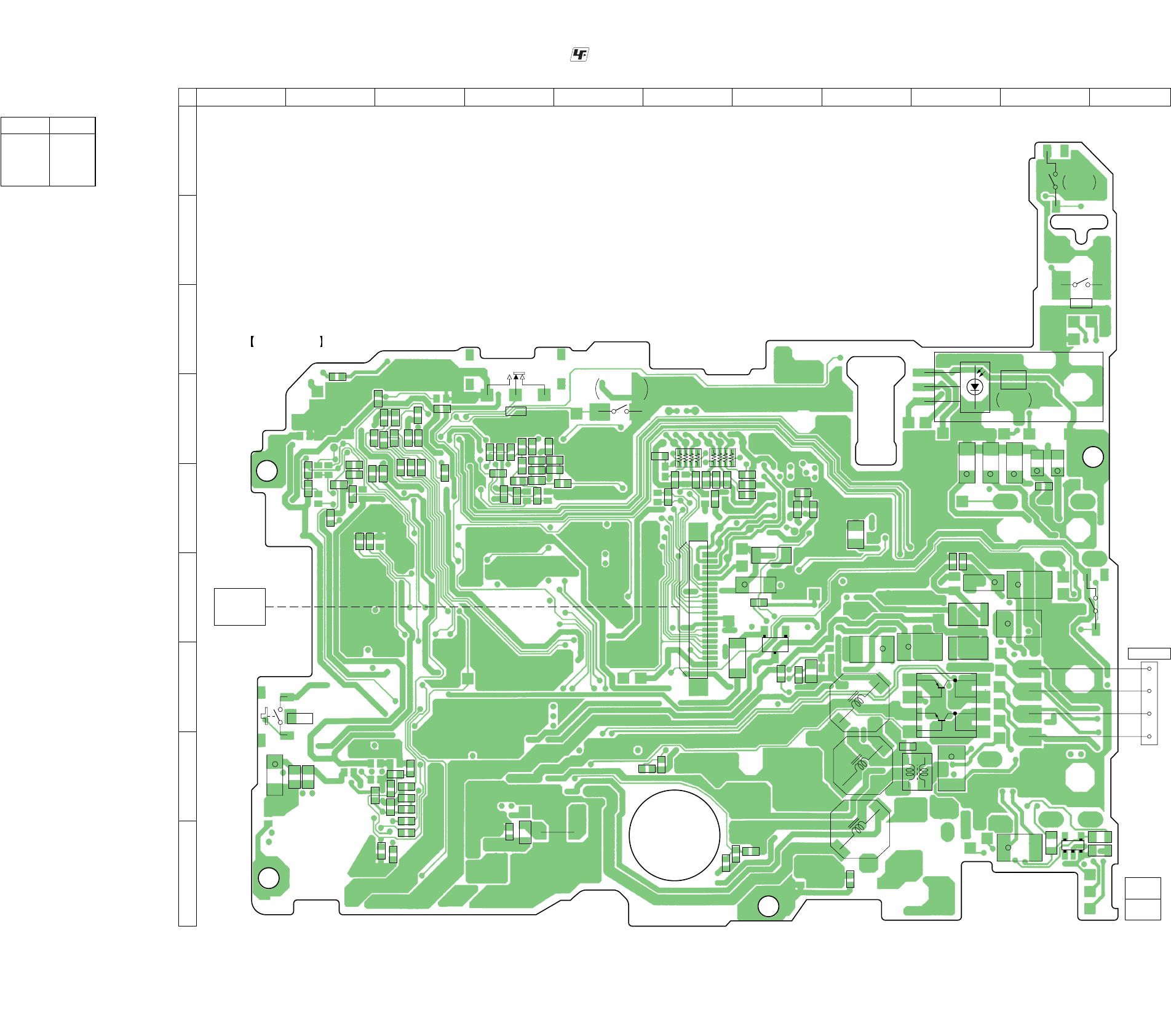
MZ-N1
3434
6-5. PRINTED WIRING BOARD – MAIN board (Component Side) – :Uses unleaded solder.
• Semiconductor
Location
Ref. No. Location
D611 I-10
Q602 G-9
Q902 G-7
Q602
1
4
8
5
S802
PROTECT
DETECT
S806
OPEN
J301(1/2)
LINE IN
(OPT)
C213
+
C322
+
C113
+
C332
+
C323
+
C314
C344
R917
C561
C512
C313 +
C831 +
C311
+
C310
+
C903
+
C204
+
S804
(OPEN/CLOSE DETECT)
L905
L903
i
/ LINE OUT
J302 (1/2)
C104 +
C602
FB602
FB603
T601
FB601
D611
13
54
C836
R603
R602
C605
C907
C566
L902
L901
L601
C917
R933
C930
R924
L906
L904
C904
+
E
C
B
Q902
RB552
RB551
C559
C572
C571
C558
R507
C503
C830
R860
R831R833
R823
R822
R828
R830
R832
C822
C570
C557
C564
C563
C562
R923
C933
C633
R622
C629
C630
C619
C613 R612
R610
R606
R613
C621
R614
C622
C627
C625 +
CN501
1
20
S803
RECHARGEABLE
BATTERY IN
DETECT
S801
HOLD
HOLD
T
OFF
C846
C833
R837
R861
C819
C847
C835
R840
R819
R820
R825
R824
R826
C832
R802R859
R867
R814
R812
R804
C812
R863
R862
R864
C816
R821
C814
C817
C815 C849
C838
R805
R803
C806
OPTICAL
PICK-UP BLOCK
(LCX-5R)
MAIN BOARD
(COMPONENT SIDE)
(11, 12)
11, 12
1-682-863-
A
B
C
D
E
F
G
H
I
1 2 3 4 5 6 7 8 9 10 11
S805
OPTICAL
RECEIVER
RVDD
DTCK
KEY-R
RGND
T MARK
–1
–2
R631
R623
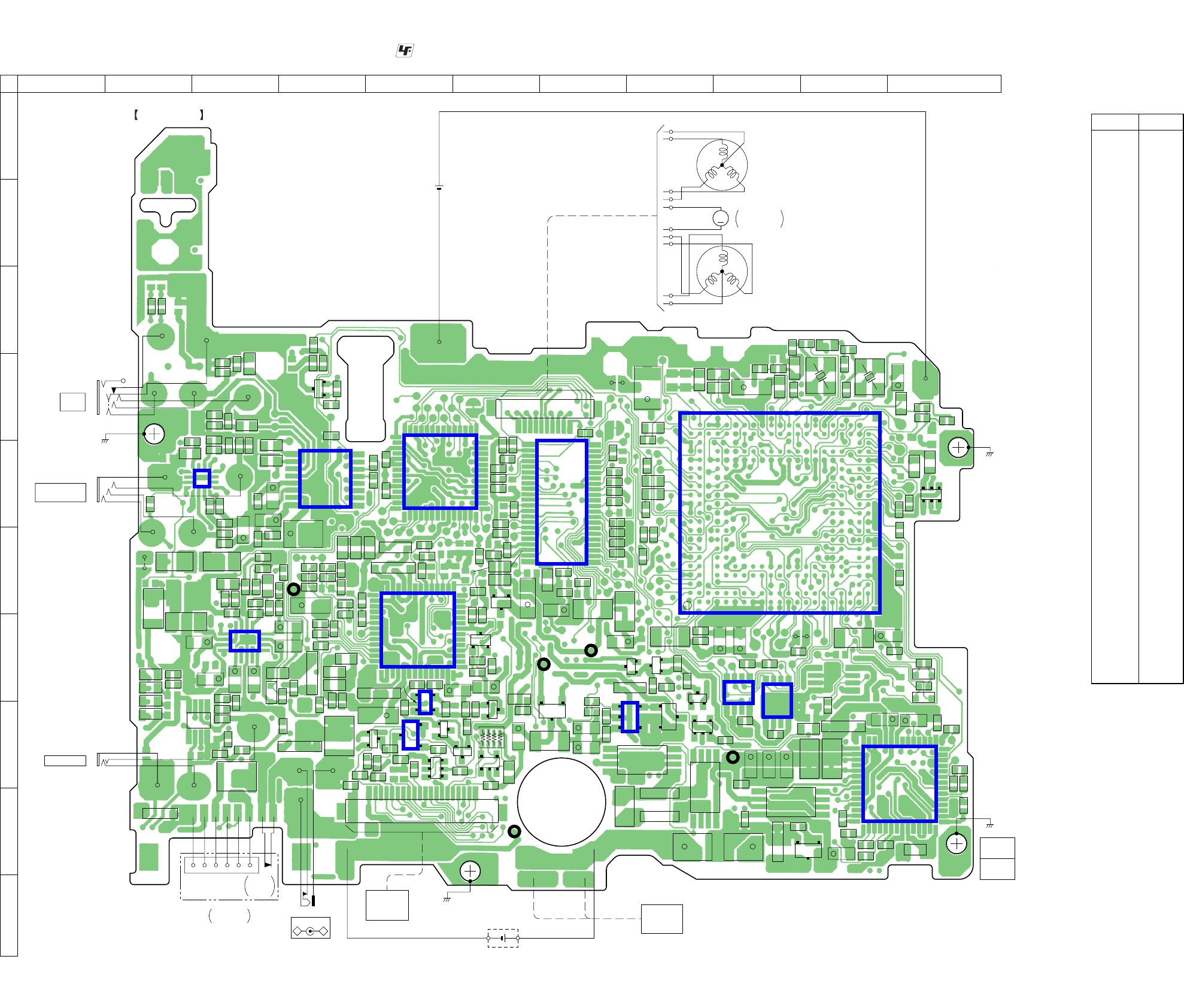
MZ-N1
3535
D301 H-3
D303 G-3
D601 I-9
D602 H-4
D603 G-4
D604 H-5
D606 I-8
D607 H-10
D608 I-8
D612 I-2
D803 G-11
D804 G-11
D901 G-5
D902 F-5
D903 F-5
D904 G-6
D905 G-8
IC301 E-4
IC302 G-3
IC303 E-3
IC501 E-7
IC551 E-5
IC601 H-11
IC603 H-5
IC801 E-9
IC802 G-9
IC803 G-9
IC901 G-5
IC902 H-8
IC903 H-5
Q302 D-4
Q501 F-6
Q601 I-10
Q603 I-9
Q604 H-8
Q605 H-8
Q607 H-5
Q801 H-6
Q804 E-11
Q901 H-8
Q903 H-7
Q904 G-8
Q905 G-8
Q906 H-8
Q907 G-8
Q908 G-6
Q909 H-6
Q910 H-5
Q911 H-6
6-6. PRINTED WIRING BOARD – MAIN board (Conductor Side) – :Uses unleaded solder.
• Semiconductor
Location
Ref. No. Location
MAIN BOARD
(CONDUCTOR SIDE)
R318
R317
R212
C210
R211
C211
C111
R111
R112
C118
R118
R106
C110
R306
C336
C112
C212
C116
C117
R307
C330
R302
R313
R314
C308
B
C
E
Q302
R319
C217
C216
C306
1
5
8
16
13
4
129
IC303
C218
R218
R206
L302 L301
L303
C304
C302
R101
R102
C102
C202
C108 C208
R201
C103
C203
R301
R312
R202
R303
R909
C922
R941
R910
R905
R934
C906
R937R935
R902
R903
R607
C905
C908
C921
R813
C335
R105
R103
R104
C107
R203
R205
R204
FB301
FB303
FB304
FB306
TH602
C307
R309
R311
C207
R628
C636
R629
R616
R605
R604
R305R304
C522C521
R920
C913
C914
R517
C530 R502
R501
C501
R503
C502
C527
C504
C505
C926
R505
R519
C932
C915
R960
R961 C936
R956
R958
R911
R915
R954
C935
R955
R953
R952
R951 R950
R630
C637
R846
C628
C632
R959
C839
C508
C510
C511
C513
C519
C532
C514
C515
C516
R842
R841
C509
R843
R866
C851
R865
C507
C506
C526
C925
C924
C923
C101
C201
R522
R521
C523
FB802
FB801
FB803
C826
R916
R922
R938C931
R928
R929
R925
R927
R930
C840
C841
R845 R847
C829
C821
C818
C813
C850 R855
C811
C808 C809
R815
FB805
FB804 C807
R854
R810
R809
R835
R852 R808
R807
L803
C804
R806
R850R801
C805
R858
C845
R620
R621
R608
C607
R615C606
R609
C618
C614
R611
C610
C616
R601
C604
C608
R838
R836
R839
C615
C301
+
C305 +
C320
+
1
8
16
91
1
14
42
29
1528
5643
IC301
C902
+
C303 +
C316
+
C315
+
C105 +
C205 +
C312 +
C309 +
C601
C529
+
C518 +L501
L502
L802
C901 +
C920
+C919 +
C929
+
C928
+
C934 +
L907
C524 +
C609 +
C623 +
C624 +
L602
L603
C631
+
C603
+C626 +
C612 +C611
+
C803
+
C825
+
C828
+
C820
+
C810
+
C848
+
L801
D612
KA
D303
AK
KA
D602
AK
AK
D603
D901
KA
AK
D903
D902
KA
D904
KA
D905
D606
D608
KA
KA
KA
D601
D607
KA
D803
KA
AK
D804
X801
X802
SL505
F801
TH601
A
K
A
D604
EB
Q910
B
C
C
E
Q909
C
Q911
E1
B1
C2
C1
E2
B2
Q607
RB801
Q801
C2C1
B2B1 E
S
D
G
Q903
S
S
G
D
D
G
Q901
B
C
E
Q905
Q906
C2C1
B2B1 E
S
D
G
Q601
Q603
1
114
15
28
56
43
4229
4
4
G1
S1
S1
D1
G2
S2
S2
D2
8
5
Q604
1
14
14
85
85
58
G1
S1
S1
D1
G2
S2
S2
D2
Q605
1
4
G1
S1
S1
D1
G2
S2
S2
D2
8
5
Q804
E1B1C2
C1E2 B2
Q908
B
BE
C
E
Q501
1
1
2
3
1
2
3
4
14
85
5
8
16
13
4
129IC302
D301
IC551
IC901
IC903
IC603
IC501
22
44
23
E
B
C
Q907 Q904
ECB
IC803
IC802
IC601
*
IC801
J301(2/2)
LINE IN
(OPT)
J303
MIC
(PLUG IN POWER)
CN801
120
29 42
14
15
28
1
SWITCH
&
LCD MODULE
DC IN 3V
–+
J601
DRY BATTERY
SIZE “AA”
(IEC DESIGNATION R6)
1PC. 1.5V
(BATTERY CASE)
HR601
OVER WRITE
HEAD
1-682-863-
CN502
1
110
M
10
U
U
NVW
N
VW
M602
(SLED)
M601
(SPINDLE)
M603
OVER WRITE
HEAD UP/DOWN
RECHARGEABLE BATTERY
NH-14WM
1.2V 1350mAh
195 199 178 174 170 166 164 158 156 152 148 143 139 147 130 128 124 120 103
203 180 176 172 168 162 160 154 150 146 142 138 134 137 126 122
175 171 169 167 163 159 155 157 145 151 140 131 133 123 125
135 105 107197193
109 111191189
141 113185187
173 179 177 201 165 161 153 149 144 136 132 129 119 121 127 115 118183182
207 181 117 99 101 116184186
215 188 96 97 114 112209190
211 213 93 91 108 110192194
217 204 87 89 104 106198196
221 219 83 85 100 102202200
226 224 79 75 94 98206205
227 225 81 76 92 95210208
243 241 77 78 88 90214212
237 1 59 74 84 86218216
230 228 57 65 80 82222220
35
4
72 67 63 61231223
242 9 11 6 21 25 31 34 10 41 45 49 53 55 71 69235239
244 7 8 245 27 33 37 39 43 47 51 54 70 73232229
66 68234233
240 17 18 19 16 36 28 26 29 32 15 14 44 48 52 58 62 64238236
23 12 40 24 35 38 30 13 22 20 42 46 50 56 602
A
B
C
D
E
F
G
H
I
J
1 2 3 4 5 6 7 8 9 10 11
SL506
SL801
(TEST)
SL802
1
3
5
4
IC902
SL804
56
43
(LINE IN JACK)
(CHASSIS)
i
/ LINE OUT
J302 (2/2)
16
USB
CRADLE
DETECT
CN601
USB CRADLE
CONNECTOR
(CHASSIS)
AP609 AP610
(CHASSIS)
(CHASSIS)
TP (+)
TP (–)
AP914 (VC)
AP911
(VD)
AP915
(VL)
AP912
(GND)
AP611
(VREC)
(11, 12)
11, 12
C818
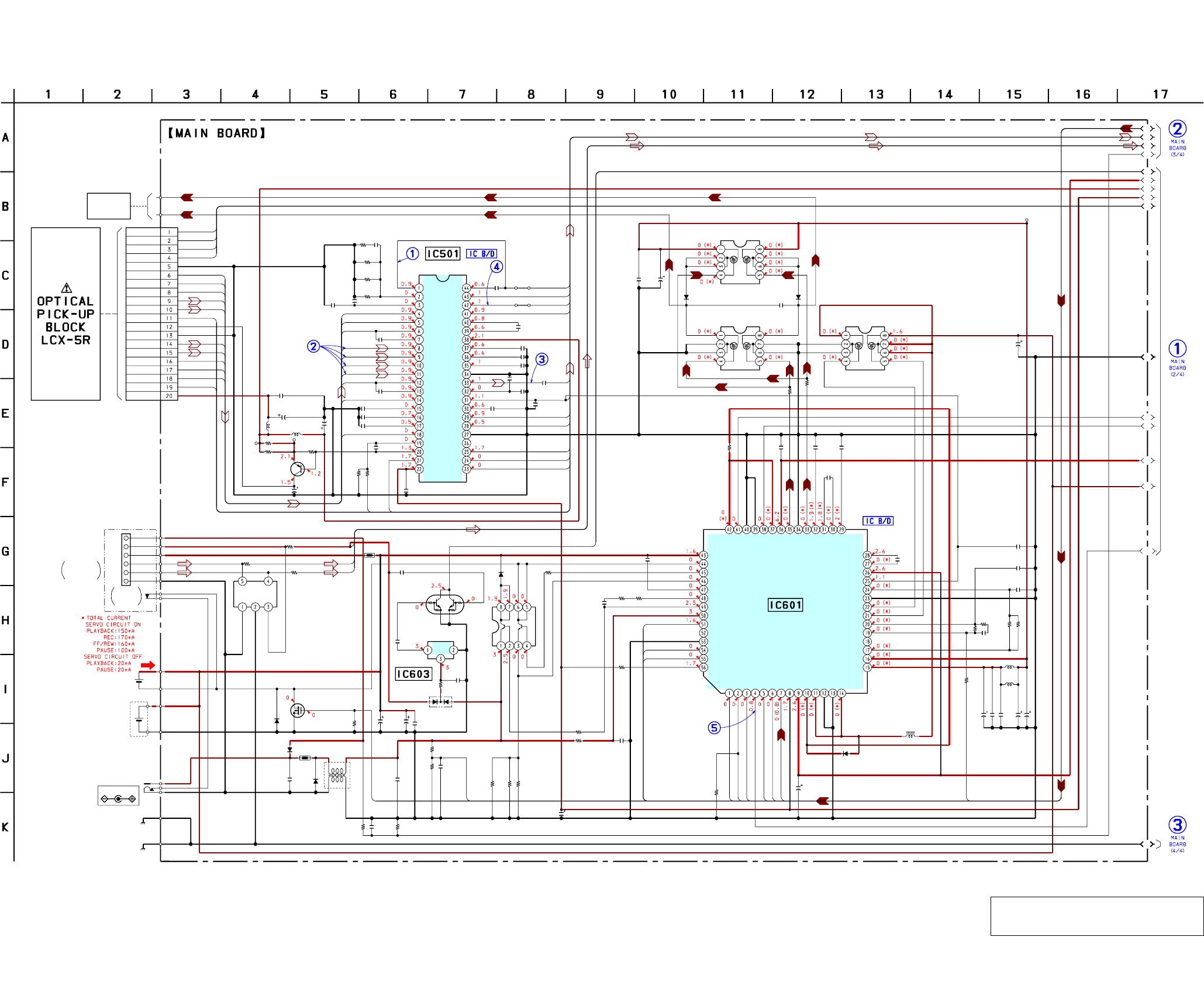
MZ-N1
3636
R502
R507 C501
R501
R503
C527
C502
R522
C509
C629
C630
R614
C625
C627
C622
C624
C623
L603
L602
R601
C524
L502
C518
C526
L501
Q501
R521
R517
C604
C602
C611
R602
R603 C605
R604
R629
IC603
C628
R615
R605
IC501
C523
R505
C530
C529
R628
C601 D602
D612
TH601
D601
TH602
D611
FB603
C503
C504
C505 C515
C508
C510
C511
C513
C532
C514
C516
C519
R606
C606
R608
R621
R607
R622
D603
Q602
R620
D607
C619
C618
R609 C610 C613 C616
C614
R610
D608
Q605
C609
C608
Q604
C603
C626
D604
C607
C637
C615
C632
C636
T601
AP610
AP609
J601
AP611
TP R519TP
SL505
SL506
L601
R611
FB601
FB602
C631
D606
Q601
CN501
R630
R623
C506
C507
C633
R616
R613
R631
R612 C621
C612
470k
1k 100p
47k
220k
0.01
0.022
1
2200p
0.01
100p
10k
47 4V
1
1
22 4V
22
4V
1M
10
6.3V
4.7
6.3V
0.1
2SA1577
-T106-QR
1
1k
0.5%
0.01
0.1
10
6.3V
220k
100k 1000p
1
1k
XC61FS1YXXMR
0.1
100k
2.2
SN761057A
1
10k
0.5%
2200p
10
6.3V
2.2k
0.01 MA2YD15
MA2YD15
MA2YD15
DF5A6.8LFU
0
2200p
2200p
0.01
0.1
0.1
10p
10p
10p
0.047
0.022
0.1
4700p
470
100p
220k
10k
220
10
RB160M
ZDT6718TA
10k
MA2YD15
0.1
0.1
1 0.1 0.1 0.1
0.1
0
MA2YD17
HAT2050T
10
4V
0.1
HAT2051T
47
6.3V
47
6.3V
RB715W
100p
0.1
100p
100V
0.1
1000p
(VREC)
(-) 100k(+)
0
0
0
10
6.3V
MA2YD17
SI2302DS
20P
470
22k
0.022
0.022
0.1
1
2.2k
47k
470k 0.01
10
6.3V
A1
A2
A3
A4
A5
A6
A7
A8
A9
A10
C1
B2
B3
B4
A0
B1
MODE1
MODE2
MODE3
EFM
ADIP
TRK-
TRK+
FCS-
FCS+
A2
A3
A1
A4
A5
A6
A7
A8
A9
A10
UDM
UDP
AREF
CHGG
CHGC
CHGM
VRP
HMON
GSW
HC2
HC1
UVDD WDET
VB
BATM
CHGSW
RS
INP2
INM2
RF2
DCIN
CHGMON
SVREF
GND
GAIN
CHG
DREG
SW
RECON
OE
CLK
RI
FI
EFM
VIO
VC
VRECO1
L1 1
PGND1
PGND1
L1 2
C1
C1
C2
C2
E2
B2
E1
B1
S
(BATTERY CASE)
(CHASSIS)
DC IN 3V
(CHASSIS)
TE
REXT
VREF
C
D
D-C
Iy
Ix
Jx
Jy
A
A-C
B
TON-C
CIG
CDN
PD-O
DVDD
-LPF
WPP
PD-NI
PD-I
ADFG
DC-IN
VBUS REG
VB
D-
D+
GND
D1 D2
S1 S2
G1 G2
Q602
CHARGE
CONTROL
VOLTAGE
O
I
G
LINE FILTER
D1 D2
S1 S2
G1 G2
D1 D2
S1 S2
G1 G2
RECHARGEABLE BATTERYRECHARGEABLE BATTERY
NH-14WM 1.2V 1350mAh
-1 -2
USB
CRADLE
DETECT
1
6
DETECTOR
(1/4)
10µH10µH
10µH
10µH
10µH
HR601
OVER WRITE
HEAD
TRK-
TRK+
FCS-
FCS+
AGND
VREF
C
D
S0
LD-A
LD-K
A
B
MON
SI
AVCC
Iy
Ix
Jx
Jy
A1
A2
A3
A4
A5
A6
A7
A8
A9
A10
PDS1
PDS0
Q501
AUTOMATIC
POWER CONTROL
USB
CRADLE
CN601
CONNECTOR
DRY BATTERY
SIZE"AA"
(IEC DESIGNATION R6)
1PC. 1.5V
IC601
XPC18A22AFCR2
OVER WRITE HEAD DRIVE,
POWER CONTROL
C1H
C1L
VC2
VREF
CVREF
GND
DW BT
DW TP
RF1
INM1
INP1
DTC
VREC
VRECO2
VRECIN1
OUTA
PGND2
PGND2
OUTB
VRECIN2
VG
HB
PGND3
HA
VG3
C2L
VG2
C2H
Q603
TS8K1TB
B+ SWITCH
Q604,605
OVER WRITE
HEAD DRIVE
ABCD
FE
TE
SMON
BOTM
PEAK
RFI
SDAT
SCLK
XRST
VMON
S-MON
FE
ABCD
OFC-1
OFC-2
AVCC
PS
LP
EQ
AGND
RFOUT
CCSL2
VC
PEAK
BOTM
DGND
OFTRK
SCK
SBUS
ADIP
-IN
075
VREF
XRST
RF AMP,
FOCUS/TRACKING ERROR AMP
Q607
UMH2N
WAKE UP
SWITCH
Q601
GROUND LINE
SWITCHING
(Page 38)
(Page 37)
The components identified by mark 0 or dotted
line with mark 0 are critical for safety.
Replace only with part number specified.
6-7. SCHEMATIC DIAGRAM – MAIN Board (1/4) – • See page 40 for Waveforms. • See page 41 for IC Block Diagrams.
(Page 39)
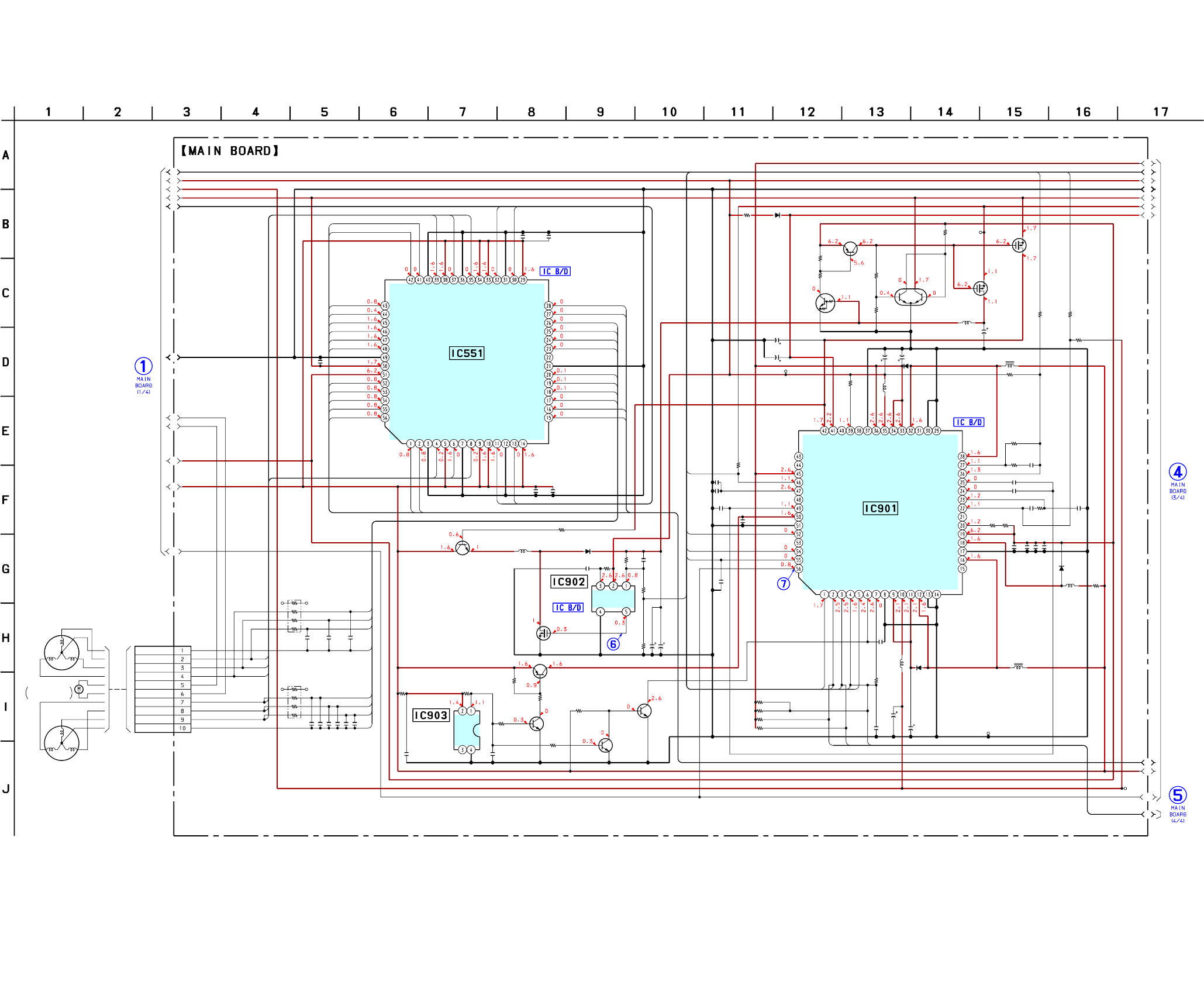
MZ-N1
3737
R934
C922
C921
C908
R917
C905R903
R902
R941
R937R935
RB552
C915
C932
L904
R909 R910
RB551
D901
R950
R951
R952
R953
C557
C570
C558
C571
C559
C572
C914
C936
R956
R960
R911
C917
C930C566C512
C929
C928
R938 R923 C933
R916
R922
Q901
D905L906
C931
C919
C920
R933
C902 C901
C934
R915 D904
R929
R928
Q904
Q905
R925
D902
L905
Q910
C561
R924
C521 C522
R955
R959
Q911
C935
Q908
Q909
R958
C562 C563 C564
AP912
AP915
L902
R927
R930
L901
C926
AP914
C906
D903
R920
C913
R954R961
AP911
CN502
C907
C925
C924
C923
R905
IC902
L903
C903
C904
L907
22k
1000p
0.1
0.1
0
0.12.2k
470k
22k
470k1M
10k
X4
0.1
0.1
10k 10k
2.2k
X4
MA2YD15
100k
470k
220k
470k
0.022
0.01
0.022
0.01
0.022
0.01
0.1
0.1
1M
220k
470
0.1
0.220.10.1
22 4V
22 4V
0470k
0.5% 100p
1M
0.5%
100k 0.5%
XP151A13A0MR
MA2Z748
100p
10 6.3V
10 6.3V
1M
10
6.3V
10
6.3V
10
4V
100 MA2S111
1M
1M
2SB1462J
UN9214J
1M
MA2YD15
2SD2216J
0.1
2.2k
0.1 0.1
220k
220k
2SD2216J
0.1
2SA1745
2SD2216J
100k
0.047 0.047 0.047
(GND)
(VL)
1M
1M
1000p
(VC)
0.01
MA729
10k
0.5%
4700p
47k
0.5%
10k
0.5%
(VD)
10P
2.2
0.47
0.47
0.47
2.2k
XC6368D101MR
100
6.3V
10
6.3V
A1
A2
A3
A4
A5
A6
A7
A8
A9
A10
A0
D1
D2
D3
D4
D5
D6
D7
D8
D9
D10
E1
VLON
FCS- FCS+
TRK-
TRK+
C1
C2
C3
C1
C2
C3
C4
C5
C6
D1
D2
D3
TF1
TR1
FR1
FF1
C4
C5
C6
D1
D2
D3
D5
D6
D7
D5
D6
D7
D4
D8
D4
D8
XRST
SCW
SCV
SCU
SP
SMU
SMV
SMW
XMD
CMW
CMV
CMU
CP
CCU
CCV
CCW
RECK
HALF
RMCK
WDET
VCP VLP
VDP
CSEL
FF
SL
ZZ1ZZ2 ZZ3
PGND2
NC
VD
VC2
XRST
CRST
RSTREF
VREF
VB
GND
CLKSEL
VAIFON
FFCLR
SLEEP
CLK
VLON
XWK1
XWK2
XWK4
XWK3
VSTB
VRMC
GND
VL
VLO
VL
L2
PGND2
UI2
PWM2
CPUO2
CPVO2
CPWO2
OE
GND1
VC
VG
CPWO1
CPVO1
CPUO1
PWM1
UI1
VI1
WI1
PGNDW1
WO1
VMVW1
VO1
PGNDUV1
UO1
VMU1
VMR1
RO1
PGND1
FO1
VMF1
SLEDN
SLEDU
SLEDV
SLEDW
HD DRV-
HD DRV+
CLVW
CLVV
CLVU
CLVN
S
S
S
DC/DC
CONVERTER
CE VDD FB
GND EXT
B+ SWITCH
Q908,909
Q910,911
SWITCHING
VIN
VOUT
NC
VSS
Q904,905
B+ SWITCH
-1 -2
V
UN
W
(SPINDLE)
V
UN
W
M601
1
10
(2/4)
100µH
10µH
10µH
100µH
100µH
22µH
10µH
IC551
SC111258FCR2
FOCUS/TRACKING COIL DRIVE,
SPINDLE/SLED MOTOR DRIVE
WMF2
FO2
PGND2
RO2
VMR2
VMU2
UO2
PGNDUV2
VO2
VMVW2
WO2
PGNDW2
WI2
VI2
FI1
RI1
COM1
CPUI1
CPVI1
CPWI1
GND2
NC
CPWI2
CPVI2
CPUI2
COM2
RI2
FI2
DC/DC
CONVERTER
D905,Q901
Q902
2SD2114KT146
B+ SWITCH
IC903
XC61CN0802NR
VOLTAGE
DETECTOR
(SLED)
M602
M603
OVER WRITE
HEAD UP/DOWN
IC901
XPC18A32AFCR2
POWER CONTROL
PGND1
NC
L1
VCOUT
VC
VCO
VC
GND
VIFFB
VDFB
VAFB
VA
VIF
PGND1
NC
L2
PGND2
LG
VG
INM2
RF2
DTC2
DTC1
INM1
RF1
L1
VGFB
VDRF
Q906
XP1501
SWITCHING
Q907
3LN01SS
B+ SWITCH
Q903
S12302DS-T1
B+ SWITCH
6-8. SCHEMATIC DIAGRAM – MAIN Board (2/4) – • See page 40 for Waveforms. • See page 41 for IC Block Diagrams.
(Page 36)
(Page 38)
(Page 39)
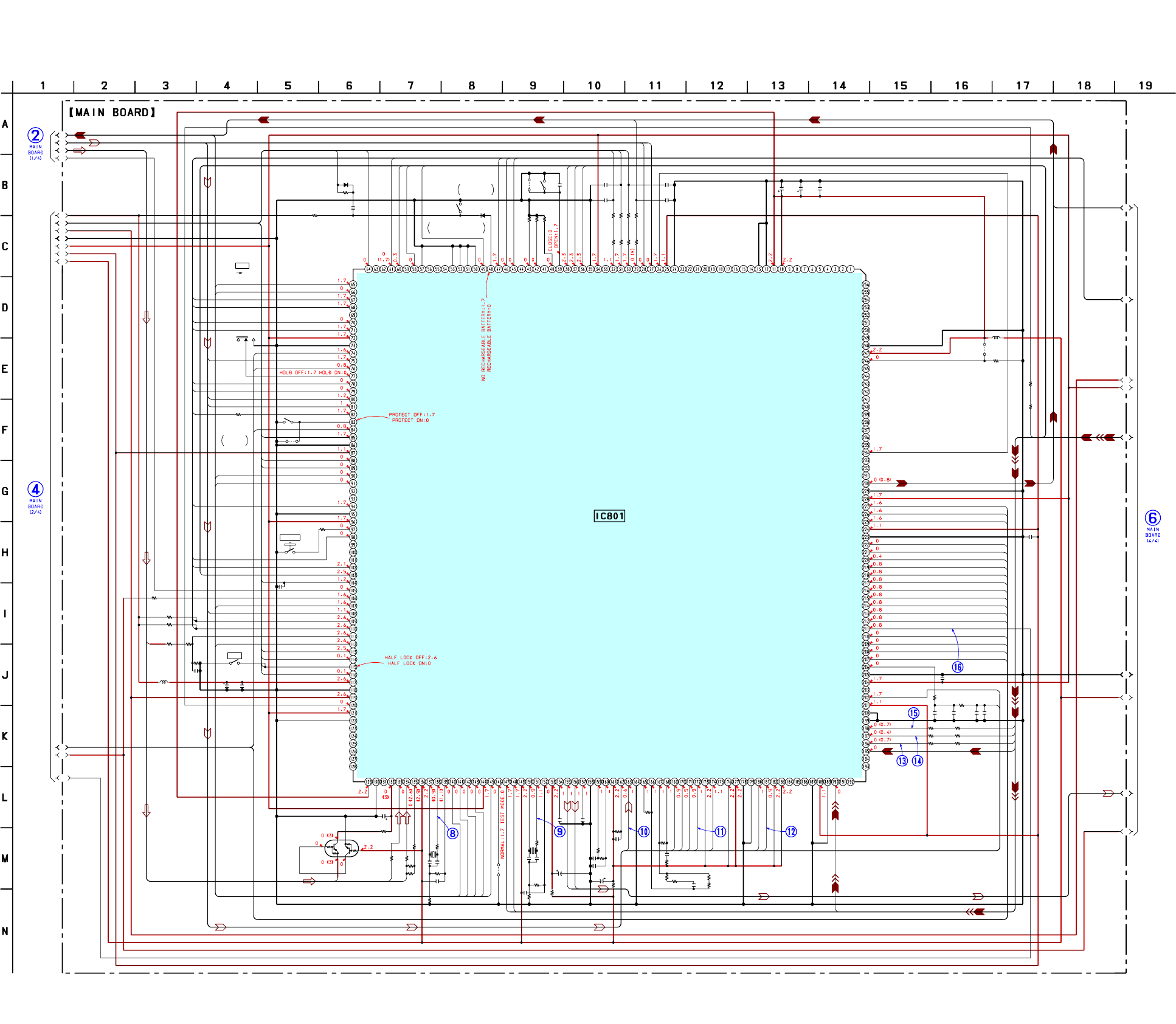
MZ-N1
3838
R839
C812
S804
C822
C811
C808
R823
C810
C806
R810
C807
R803
R862
R863
R864
R865
C851
S802
C804
C832
R840
C846 C833 C847
R837
FB801
FB802
FB803
R841
R842
R843
S801
R831 R860
R819
R804
R806
R867
L801
C830
C825 C828 C829
R815
C849
R830
C820
C818
C814
R821
C819
L802
R805
R802
R859
C838
SL803
R801
S806
C803
C805
R808
S805
C848
L803
SL801
R828
C821 R861
R833
R838R836
R866
R814
SL804
C845
C817
C815
C816
R858
D804
R807
R835R852
R809
FB804
R854
C809
FB805
C850
R855
C835
D803
X801
X802
C813
SL802
R850
R832
R818R812
R824
R825
R826
R820
R822
0
0.01
0.1
1
10p
10
10
6.3V
10p
470
10p
47k
0.5%
1k
1k
1k
2.2k
0.1
0.01
0.1
2.2k
0.5%
0.01 0.022 0.01
2.2k
0.5%
0
0
0
0
0
0
2.2k
1k
10
47k
0.5%
220k
470k
0.1
10
6.3V
10
6.3V 0.1
470
1000p
1k
47 6.3V
0.47
0.01
100k
470p
470k
100k
68k
1000p
0
10
6.3V 0.1
4.7k
4.7 10V
0
220k
11M
2.2M
00
1k
00.01
0.047
0.047
0.047
1M
MA2S728
22
2.2k0
22
0
0
10p
0
1000p
0
0.022
MA2S728
48MHz
45.1584MHz
1
1k
220
00
2.2k
2.2k
2.2k
10k
100k
B1
B2
B3
B4
D1
D2
D3
D4
D5
D6
D7
D8
D9
D10
F1
F2
F3
F4
F5
F6
F7
F8
F9
XMDET
XJDET
OPDET
XOCTL
ASEL
BEEP
SCLK
SDAT
XRST
PDS0
PDS1
VMON
RFI
PEAK
BOTM
ABCD
FE
VMON
SMON
TE
ADIP
AREF
XCS ADC
XPD ADC
DIN1
MUTE
KEY1
KEY2
EFM
VRP
MICS
GSW
CHGG
CHGC
CHGM
HMON
MODE1
MODE2
MODE3
HC1
HC2
UDM
UVDD
UVDD
UDP
WDET
RECK
HALF
HALF
VLP
VCP
VDP
WDET
CSEL
LCDR
CHGL
NV2
PAUSE
JOGB
JOGA
NV1
CS
LSTB
XCS
REC
SCK0
SDO0
SDI0
XRST
FF
SL
VLON
SCU
CCU
XMD
FS256
XBCK
LRCK
ADDT
RMC
B1
B2
MODE1
MODE2
MODE3
HD CON 1
HD CON 2
LCD STB
PROTECT
SLEEP
FFCLR
CHG GAIN
XRST
VB MON
CHG MON
VREF MON
SET KEY 1
SET KEY 2
HIDC MON
WK DET
REC KEY
HALF LOCK SW
RMC KEY
AVDD
AVSS
JOG A
JOG B
XTEST
XHP STBY
PD S0
PD S1
PAUSE KEY
SLD MON
VLON
DVSS1
DVDD1
CHG CTL
CHGI CTL
IFVSS2
IFVDD2
T MARK SW
CHG LED
NC
NC
VBUS DET
TSMVDD
RMC DTCK
TSLVDD
NC
NC
TAT
TAN
NAR
IDO
SAK
XMUTE
STAND DET
LCD RST
XUDP UP ON
XCS NV2
XCS ADC
XPD ADC
PBVDD
XCS LCD
CLK SEL
SENSE
MIC
GND SW
MUTE
CS RTC
XCS NV1
IFVDD1
IFVSS1
XRST MTR DRV
XRF RST
SPDL MON
XHOLD SW
VDIOSC
OSCI
OSCO
VSIOSC
DAVDD
VREFL
AUTOL
AUTOR
VREFR
DAVSS
ASYO
ASYI
AVD1
BIAS
RFI
AVS1
PCO
FILI
FILO
CLTV
PEAK
BOTM
ABCD
FE
AUX1
VC
ADIO
ADRT
AVD2
AVS2
ADRB
SE
TE
DCHG
APC
CKRF
DTRF
XLRF
DVSS2
DVDD2
XTSL
DIN1
NC
NC
ITO
MITY
SUSPEND
USBIFVDD
UDM
UDP
UPUEN
USBOSCVDD
UOSCI
UOSCO
USBOSCVSS
S801
HOLD
OFF HOLD
OPEN
-1
-2
(TEST)
T MARK
(3/4)
10µH
10µH
IC801
CXD2677-202GA
∗
CSP(Chip Size Package)
SYSTEM CONTROLLER,
16M BIT D-RAM
DIGITAL SIGNAL PROCESSOR,
PROTECT
DETECT
S802
S803
RECHARGEABLE
BATTERY IN DETECT
OPEN/CLOSE
DETECT
S804
NC
NC
AOUT SEL
DRAMVSS1
DRAMVDD1
NC
NC
NC
NC
NC
NC
NC
DRAMVDD0
DRAMVSS0
NC
NC
NC
NC
NC
NC
NC
NC
NC
NC
DVSS0
DVDD0
OFTRK
SSB DATA
SSB CLK
VREC PWM
VL PWM
VC PWM
VD PWM
NC
IFVDD0
IFVSS0
OPT DET
XJACK DET
XMIC DET
OPEN CLOSE SW
SET CODE0
SET CODE1
SET CODE2
SET CODE3
XPATCH
SI0
SO0
SCK0
XGUM ON
BEEP
TEST1
TEST0
KDI
KDO
TRST
XOPT CTL
VG CTL
KRB
KCLK
KCS
TSB SSB CTL
REC OPR LED
GND SW2
IFVSS3
IFVSS4
RECP
TX
MNT3
MNT2
MNT1
MNT0
EFMO
SLCW
SLCV
SLCU
SLDW
SLDV
SFDR
SRDR
FRDR
FFDR
TFDR
TRDR
APCREF
ADFG
FS256
XBCK
LRCK
ADDT
DADT
IFVDD3
NC
DVDD3
DVSS3
NC
NC
FS4
SPRD
SPFD
SPDV
SPDW
SPCU
SPCW
SPCV
DVSS4
DVDD4
IFVDD4
SENS
LRCKI/XELT
XBCKI/ECK
DATAI/EDT
XERQ
A11
XOE
XWE
TSTDR3
EVA
FLASHVDD
FLASHVSS
NC
NC
NC
NC
NC
NC
NC
NC
SMW
SMV
SMU
SCW
SCV
SP
SCU
CMW
CMV
CMU
CCW
CCV
CP
CCU
FR1
FF1
TF1
TR1
Q804
UMD12N
B+ SWITCH
0.5%
0.5%
0.5%
6-9. SCHEMATIC DIAGRAM – MAIN Board (3/4) – • See page 40 for Waveforms.
(Page
37)
(Page 36)
(Page 39)
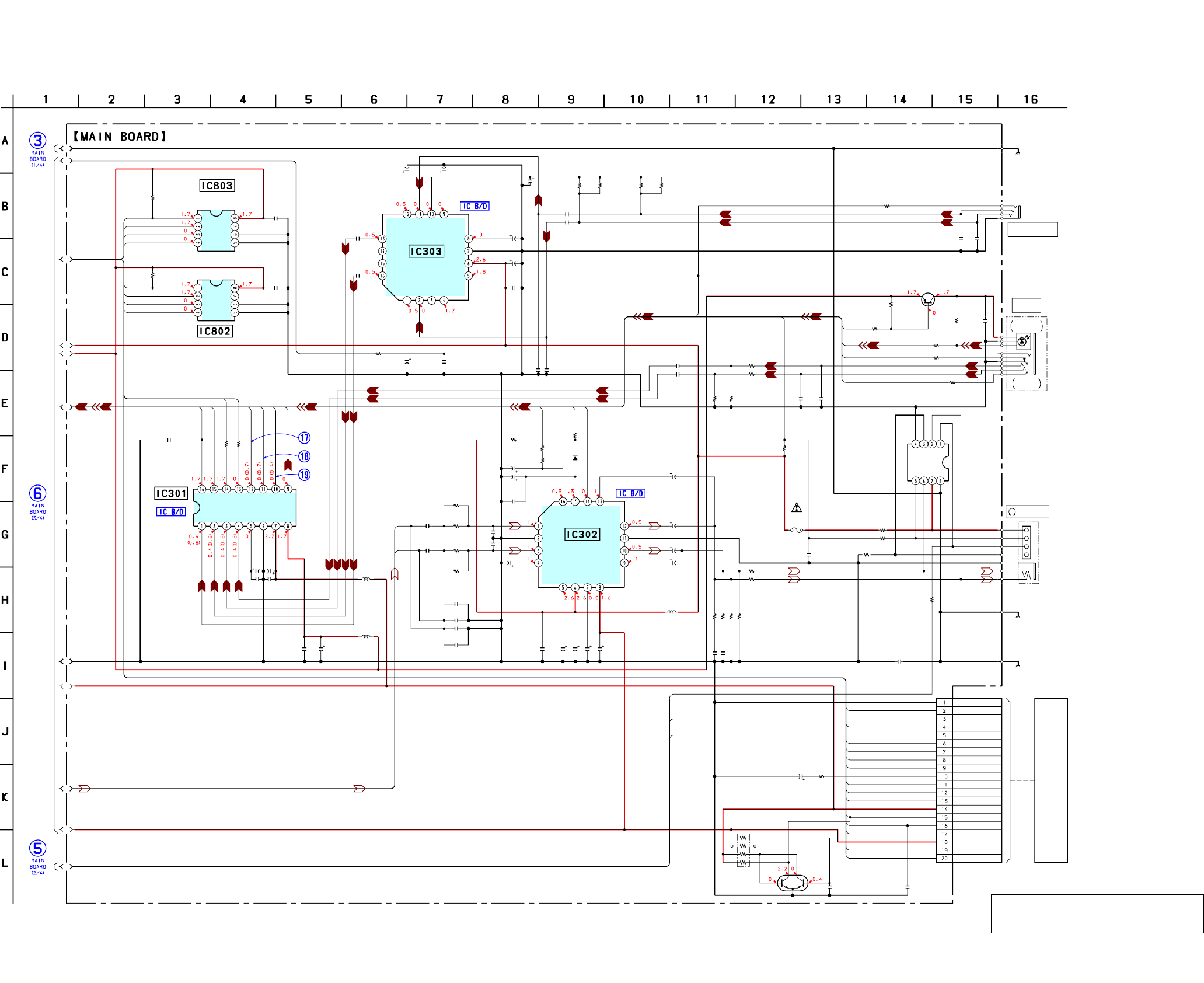
MZ-N1
3939
IC303
R106R118 R206R218
R813
D301
R312
R202
R201
R102
R101
C108
C208
C203
C202
C103
C102
C839C826
RB801
R846
C831
R103
R203
R105
R205
C207
C107
C104
L303
C344
C312
D303
R301
R309
R303
C335
C201
C101
L301
L302
C303
C304
C301
C302C306
C305
R304
R305
C308
R845
C840
IC803
R847
C841
C212
C112
C336
C216
C116
C314
C323
C332
C117
C217
C110
C210
R211 R111
R212
R112
C211 C111
R318
R302 C330
R307
R317
R313
R319
IC802
R306
C836
FB304
C313
C213
C322
C113
C316
C315
C307
C309
C310 C311
C205
C204
C105
F801
FB303FB306
FB301
R314
IC301
IC302
J302
C118C218
C320
Q801
CN801
R104
R204
NJM2173APC1
10k
0.5%
22k
0.5%
10k
0.5%
22k
0.5%
1M
DF8A6.8FK
100k
10k
0.5%
22k
0.5%
10k
0.5%
22k
0.5% 470p
470p
2200p
4700p
2200p
4700p
0.010.22
100k
X4
100
100
6.3V
10k
10k
22
22
0.01
0.01
220 2.5V
0.01
22 4V
MA2S111
10k
0.5%
220k
0.5%
220k
220p
1
1
10
6.3V
0.1
47
6.3V
0.10.1
2.2 6.3V
1k
1k
0.1
1M
0.1
AK6480BL
1M
0.1
1
1
1
1000p
1000p
0.047
10
6.3V
10
6.3V 0.1
0.1
1
1
22k
0.5%
22k
0.5%
47k
0.5%
47k
0.5%
100p 100p
100
1k 0.1
100
100
100k
100
AK6417AL
470k
0.1
100
22 6.3V
47
4V 47 4V
47
4V
4.7
6.3V
2.2
6.3V
1
22
4V
220
4V
100
6.3V
2.2
6.3V
220
2.5V
2.2
6.3V
0.25A
125V
1000
0
10k
AK5354VT
AN17020
2200p2200p
10
6.3V
XP1501
20P
C1
F1
F2
F3
F4
F5
F6
F7
F8
F9
E1
BEEP
MUTE
ASEL
RMC
SCK0
SDO0
SDI0
DIN1
ADDT
XBCK
FS256
LRCK
SCK0
SDO0
JOG A
JOG B
SDO0
SDI0
SCK0
B1
B2
NV1
NV2
SCK0
SDO0
SDI0
MICS
XMDET
XPD ADC
XCS ADC
LCDR
CHGL
KEY2
CS
LSTB
XCS
REC
KEY1
PAUSE
ZZ1
ZZ2
ZZ3
OPDET
XJDET
XOCTL
*
*
(CHASSIS)
NOISE
GND
V+
STBY
OUT1
NC
NC
OUT2
IN2
GV
IN1
REG
CUT1
DC
V+1
MIC
CUT2
DC
V+2
MIC
XCS
SK
DI
DO
HP/L
MUTE
BEEP
GA-R
CR
VCC1
VCC2
R-IN
GND
L-IN
ROUT
GND
LOUT
GA-L
(CHASSIS)
-F2
RIP
RIP
-F1
LIN1
RIN1
LIN2
RIN2
VCOM
AGND
VA
VD
DGND3
PAUSE
XWK1
SET KEY 1
REC
REC LED
JOG A
CS
STB
BACKUP
SDO
SIO
SCK
DVDD
RST
SET KEY 2
UNREG
JOG B
CS RTC
(CHASSIS)
XCS
SK
DI
DO
CHG LED
-1 -2
RESET
SWITCH
HEADPHONE AMP
A/D CONVERTER
MIC AMP
EEPROM
EEPROM
SWITCH
LCD
MODULE
&
/LINE OUT
(4/4)
*
R104,204
4.7
10 0.5% (FR)
(EXCEPT FR)
10µH
10µH
10µH
VCC
XBUSY
RST
GND
VCC
XBUSY
RST
GND
PDN
CSN
CCLK
CDTI
LRCK
MCLK
BCLK
SDTO
RVDD
DTCK
KEY-R
RGND
LINE IN
JACK
J301
OPTICAL
RECEIVER
LINE IN
(OPT)
Q302
2SA2018
B+ SWITCH
J303
MIC
(PLUG IN POWER)
6-10. SCHEMATIC DIAGRAM – MAIN Board (4/4) – • See page 40 for Waveforms. • See page 41 for IC Block Diagrams.
(Page
38)
(Page 37)
The components identified by mark 0 or dotted
line with mark 0 are critical for safety.
Replace only with part number specified.
(Page
36)
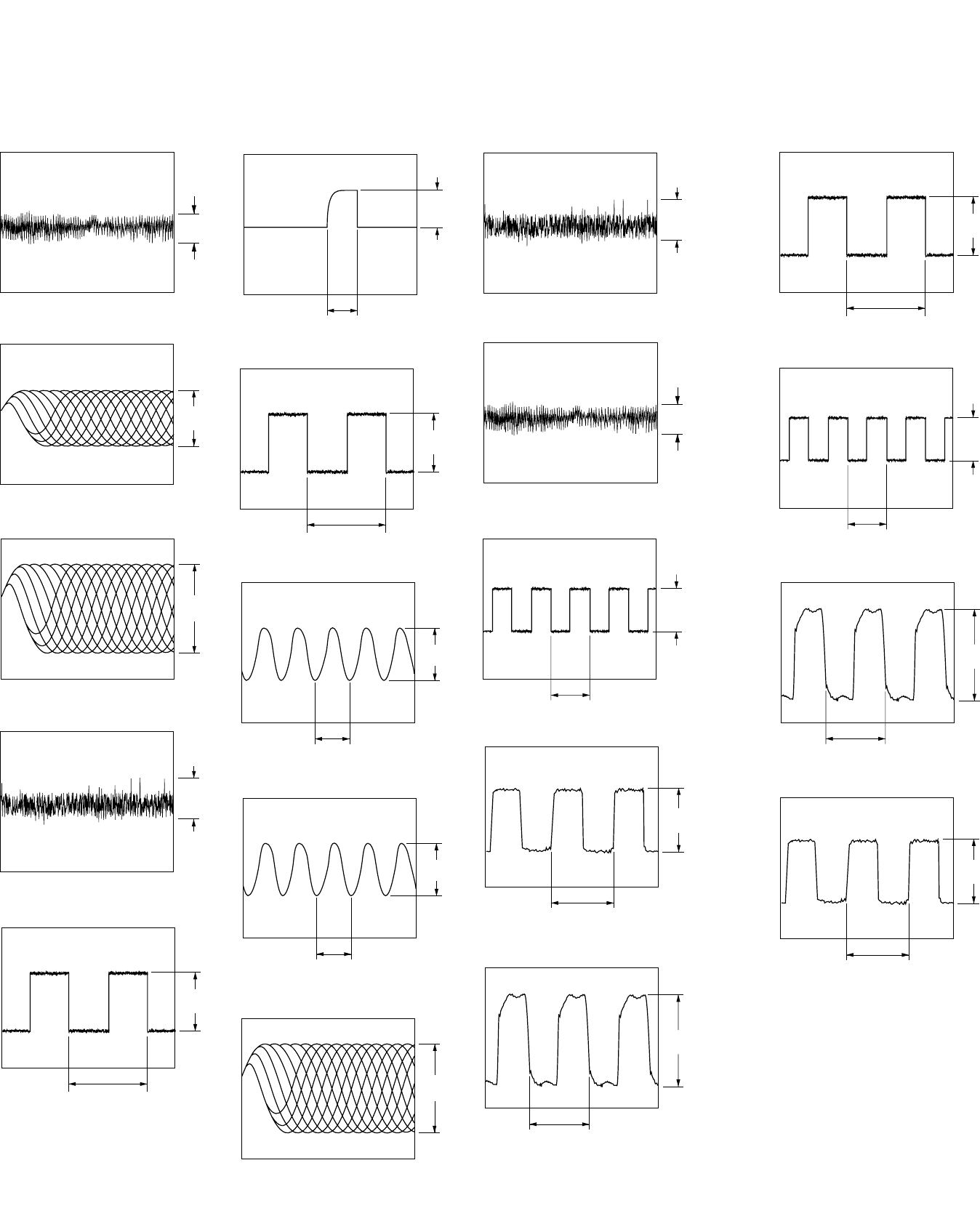
MZ-N1
4040
760 mVp-p
1.7 Vp-p
• Waveforms
1IC501 1 (TE)
840 mVp-p
4IC501 rs (FE)
5IC601 4 (CLK)
700 mVp-p
5.67 ns
3.7 Vp-p
2.6 µs
6IC902 5 (EXT)
7IC901 th (CLK)
8IC801 <zc, (UOSCO) (USB mode)
1.9 Vp-p
20.8 ns
700 mVp-p
5.67 ns
9IC801 <zbz (OSCO)
3 Vp-p
22.1 ns
2IC501 8, 9, 0, qa (IY, IX, JX, JY)
1 Vp-p
3IC501 ed (RF OUT)
840 mVp-p
0IC801 <znc (RFI)
qa IC801 <zmx (FE)
qs IC801 <z,z (TE)
1.7 Vp-p
760 mVp-p
qd IC801 <z.n (LRCK) (REC mode)
2 Vp-p
22.7 µs
qf IC801 <z.m (XBCK) (REC mode)
qg IC801 <z., (FS256) (REC mode)
2.2 Vp-p
354 ns
2.5 Vp-p
88.6 ns
qh IC801 <xzz (FS4)
700 mVp-p
5.67 ns
qj IC301 qs (LRCK) (REC mode)
2 Vp-p
22.7 µs
qk IC301 qa (MCLK) (REC mode)
2.5 Vp-p
88.6 ns
ql IC301 0 (BCLK) (REC mode)
2.2 Vp-p
354 ns
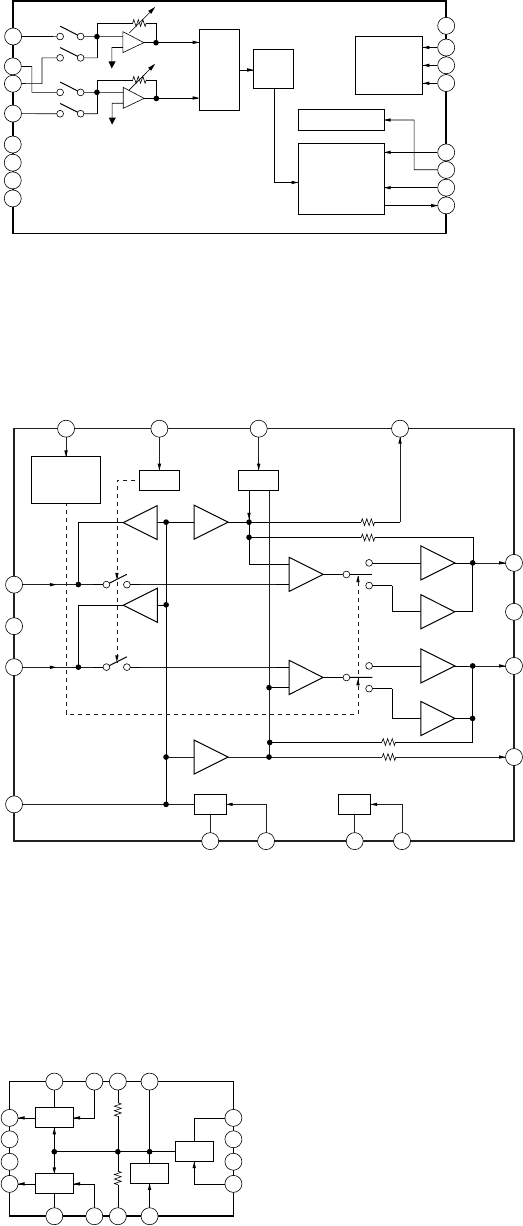
41
MZ-N1
• IC Block Diagrams
IC301 AK5354VT-E2
8
7
6
5
ADC
CONTROL
REGISTER
I/F
AUDIO I/F
CONTROLLER
HPF
CLOCK DIVIDER
VD
VA
AGND
VCOM
1
2
3
4
LIN1
LIN2
RIN1
RIN2
16 PDN
15 CSN
14 CCLK
13 CDTI
11 MCLK
10 BCLK
9 SDTO
12 LRCK
IPGA
IC302 AN17020A-VB
1
2
5
3
4
6 7 8
13141516
12
11
10
9
+
–
+
–
MUTE
RF1 RF2
BEEP
HEADPHONE
/LINE
SWITCH
GA-R
BEEP
MUT
E
HP/L
R-IN
GND
L-IN
RIP-F1
CR
VCC1
RIP-F2
VCC2
ROUT
GND
LOUT
GA-L
IC303 NJM2173APC1 (TE2)
9
8
7
6
5
101112
4321
13
14
15
16
AMP 1
AMP 2 GV
REG
REG
MIC V+1
IN1
DC CUT 1
GV
MIC V+2
IN2
D
C CUT 2
NOISE
GND
V+
STBY
OUT 1
NC
NC
OUT 2
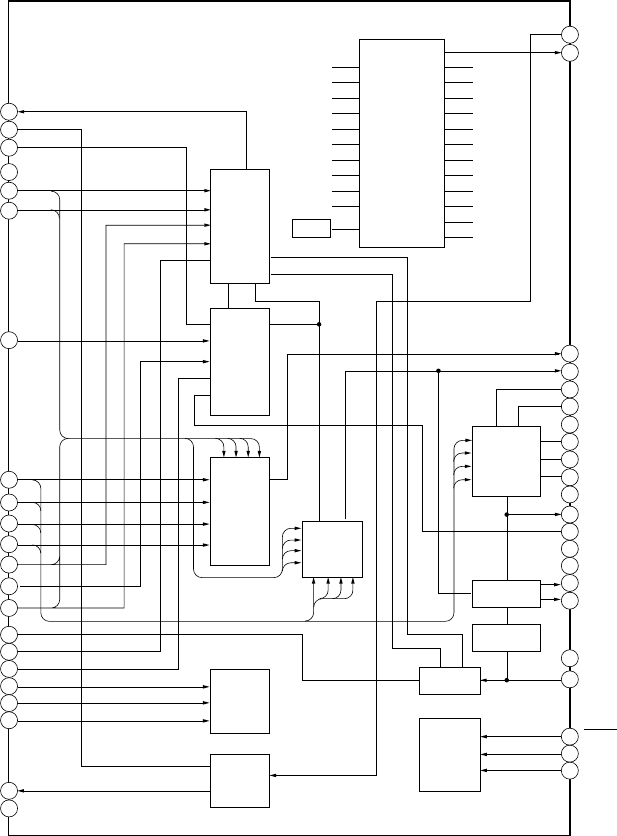
42
MZ-N1
IC501 SN761057A
1
TE
REXT
Wpp LPF
VREF
C
D
D-C
Iy
Ix
Jx
Jy
A
A-C
B
ADIP-IN
FE
ABCD
OFC-C1
OFC-C2
PS
LP
EQ
AGND
RF
CCSL2
VC
RESET
SCK
SBUS
VREF075
PEAK
BOTM
DGND
OFTRK
S-MON
TON-C
CIG
CDN
ADFG
DVDD
PD-NI
PD-I
PD-O
43
44
TWpp
PK/BTM
Aw
CSLO
VREF075
A-C
D-C
Malfa
Mij
AwBPF
Dw
DwBPF
42
39
AVCC
38
37
36
35
34
31
30
29
28
27
26
25
24
23
40
41
2
3
4
5
6
7
8
9
10
11
12
13
14
15
16
17
18
19
20
21
22
A+B+C+D
I+J
NPP
TON
CSL
Aw+Dw
TON Peak
TON Botm
ADIP
TE
TEMP
33
32
S-MONITOR
TE
RF
FE
APC
ADIP
T-ON
SERIAL
I/F
PEAK/BOTM
OF TRK
ABCD
Tpp/Wpp
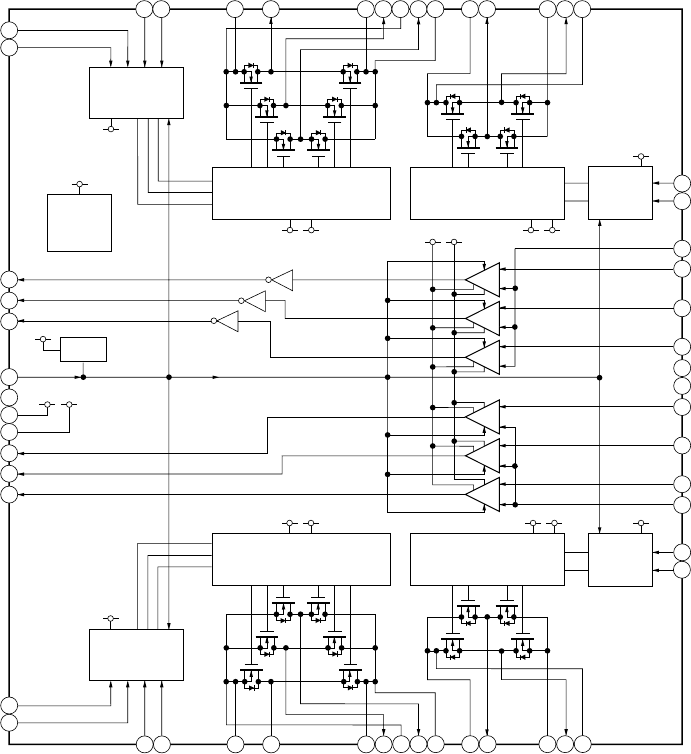
43
MZ-N1
IC551 SC111258FCR2
VC VG
VC
43
48
47
44
45
46
49
50
51
52
53
54
55
56
1 2 3 4 5
42 41 39 373840
6
35 34 3336 31 30 2932
8 9 10712 13 14
15
11
26
27
28
24
23
22
21
20
25
17
16
18
19
UI2
OE
CPWO2
PWM2
CPUO2
CPVO2
GND1
VC
VG
CPWO1
CPVO1
CPUO1
PWM1
UI1
VI1
WI1
PGNDW1
WO1
VMVW1
VO1
UO1
VMU1
VMR1
PGNDUV1
PGND1
FO1
VMF1
RO1
FI1
COM2
RI2
FI2
CPVI2
CPWI2
NC
GND2
CPWI1
CPUI2
COM1
RI1
CPUI1
CPVI1
VI2
WI2
WO2
VO2
VMVW2
PGNDW2
UO2
VMU2
VMR2
PGNDUV
2
PGND2
FO2
VMF2
RO2
3PHASE
CONTROL
CH1
3PHASE
PRE DRIVER
CH1
H-BRIDGE
PRE DRIVER
CH1
H-BRIDGE
CONTROL
CH1
+
–
+V
W
–
U
+
–
3PHASE
CONTROL
CH2
3PHASE
PRE DRIVER
CH2
H-BRIDGE
PRE DRIVER
CH2
H-BRIDGE
CONTROL
CH2
+
–
+V
U
–
W
+
–
BIAS
VC LOW
VOLTAGE
DETECTOR
VG
VG
VC
VC
VG
VC
VG
VC
VC
VG
VC
VG
VC
VC
VC
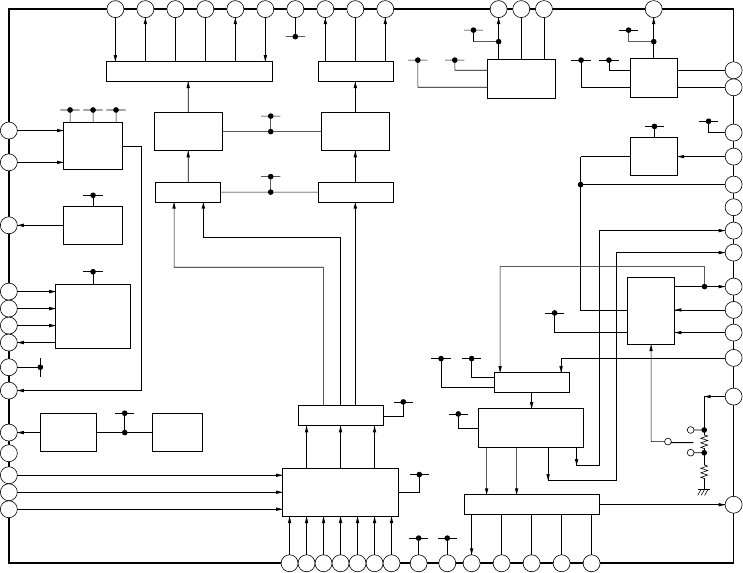
44
MZ-N1
IC601 XPC18A22AFCR2
2930313233343536373839404142
43
44
45
46
47
48
49
50
51
52
54
55
56
1
53
2 3 4 5 6 7 8 9 10 11 12 13 14
15
16
17
18
19
20
21
22
24
23
25
26
27
28
VB
BATM
CHGSW
RS
INP2
INM2
RF2
DCIN
CHGMON
SVREF
GAIN
CHG
DREG
GND
SW
RECON
OE
CLK
RI
FI
EFM
VIO
VC
V
RECO1
LI1
PGND1
PGND1
LI1
VRECO2
VREC
DTC
INP1
INM1
RF1
DW TP
DW BT
CVREF
GND
VREF
VC2
C1L
C1H
VG2
C2L
C2H
VG3
HA
PGND3
HB
VG
VRECIN
2
OUTB
PGND2
PGND2
OUTA
VRECIN1
OUTPUT SW
CONTROL
OUTPUT SW
CONTROL
PWM
SYSTEM
OUTPUT SW
CHARGE
CONTROL
DC IN
DETECT
DC IN
BANDGAP
HI-BRIDGE
PRE DRIVER
EFM
PRE DRIVER
CHARGE
PUMP 2
CHARGE
PUMP 1
VREF
BUFFER
SET-UP DOWN
PRE DRIVER
LEVEL
SHIFT
VC AMP
CHARGE
MONITOR
X2/X4
BATTERY
CHARGER
&
REGULATOR
VC VG DC IN
DC IN
DC IN
DC IN
DC IN
VIO
VIO VC
VC
VC
VC VC2
VC2 VG
VC
VG
VG2
SW
VG2
VG3
VG3VG2
VG
VC
VG3
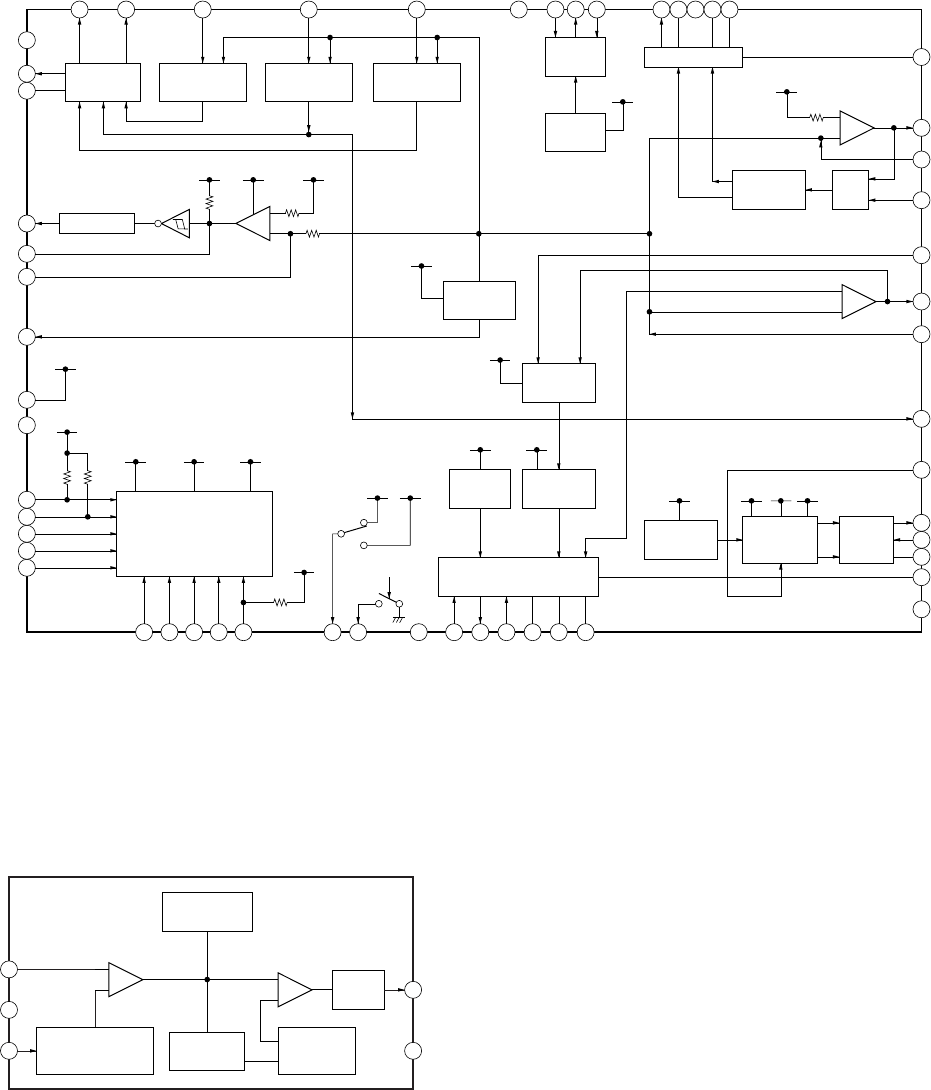
45
MZ-N1
IC901 XPC18A32AFCR2
42 41 40 39 38 36 35 34 33 32 31 30 2937
28
27
26
25
24
23
22
20
19
18
17
16
15
1413121110987654321
56
55
54
53
52
51
50
49
48
47
46
45
44
43
+
–
+
–
CLK
SLEEP
FFCLR
VAIFON
CLKSEL
GND
VB
VREF
RSTREF
CRST
XRST
VC2
VD
NC
P
GND2
P
GND2
L2
VL
VLO
VL
GND
VRMC
VSTB
XWK4
XWK3
XWK2
XWK1
VLON
L1
RF1
INM1
DTC1
DTC2
RF2
INM2
VGFB
VG
LG
PGND2
L2
NC
VIF
VA
VAFB
VDFB
VIFFB
VC
VCO
VC
VC OUT
L1
NC
PGND1
PGND1
GND
SERIES PASS
REGULATOR VA
SERIES PASS
REGULATOR VD
POWER
SWITCH 2
STEP-UP
PRE DRIVER
STEP-UP
PRE DRIVER
POWER
SWITCH 1
OUTPUT
SW
PWM
START-UP
PWM
OUTPUT SW
SERIES PASS
REGULATOR VIF
BANDGAP
REFERENCE
OUTPUT SW
SYSTEM
CONTROL
STEP-UP
DC/DC
CONVERTER
OUTPUT
SW
OUTPUT SW
OUTPUT SW
VC VC VC
VC
VC
VC
VSTB
VSTB
VB VG VG
VB VB VC VG
VC
VB
VG
VC
FFCLR
VB VC
21 VDRF
IC902 XC6368D101MR
1
2
3
5
4
+
–+
–
PHASE
COMPENSATION
BUFFER,
DRIVER
PWM/PFM
CONTROLLER
REFERENCE VOLTAGE
WITH SOFT START,
CHIP ENABLE
RAMP WAVE
GENERATOR,
OSC
FB
VDD
CE
EXT
GND
ERROR AMP PWM
COMPARATOR

46
MZ-N1
6-11. IC PIN FUNCTION DESCRIPTION
• IC501 SN761057A (RF AMP, FOCUS/TRACKING ERROR AMP)
Pin No. Pin Name I/O Description
1 TE O Tracking error signal output to the system controller
2 REXT — Connect terminal to the external resistor for the ADIP amplifier control
3 WPP-LPF —Connect terminal to the external capacitor for the TPP/WPP low-pass filter
4 VREF O Reference voltage output terminal
5 C I Signal (C) input from the optical pickup detector
6 D I Signal (D) input from the optical pickup detector
7 D-C I Signal (D) input from the optical pickup detector (AC input)
8 IY I I-V converted RF signal (IY) input from the optical pickup detector
9 IX I I-V converted RF signal (IX) input from the optical pickup detector
10 JX I I-V converted RF signal (JX) input from the optical pickup detector
11 JY I I-V converted RF signal (JY) input from the optical pickup detector
12 A I Signal (A) input from the optical pickup detector
13 A-C I Signal (A) input from the optical pickup detector (AC input)
14 B I Signal (B) input from the optical pickup detector
15 TON-C —Connect terminal to the external capacitor for TON hold
16 CIG —Connect terminal to the external capacitor for the low-pass filter of NPP divider
denominator
17 CDN —Connect terminal to the external capacitor for the low-pass filter of CSL divider
denominator
18 PD-NI I Light amount monitor input terminal (non-invert input)
19 PD-I I Reference PWM signal input for the laser automatic power control from the system controller
20 PD-O O Light amount monitor output terminal
21 ADFG O ADIP duplex FM signal (22.05kHz ± 1kHz) output to the system controller
22 DVDD —Power supply terminal (+1.7V) (digital system)
23 SBUS I/O SSB serial data input/output with the system controller
24 SCK I SSB serial clock signal input from the system controller
25 XRST I Reset signal input from the system controller “L”: reset
26 OFTRK I Off track signal input terminal Not used
27 DGND —Ground terminal (digital system)
28 BOTM O Bottom hold signal output of the light amount signal (RF/ABCD) to the system controller
29 PEAK O Peak hold signal output of the light amount signal (RF/ABCD) to the system controller
30 VREF075 —Connect terminal to the external capacitor for the internal reference voltage
31 VC O Middle point voltage (+1.1V) generation output terminal
32 CCSL2 —Connect terminal to the external capacitor for the TPP/WPP low-pass filter
33 RF OUT O Playback EFM RF signal output to the system controller
34 AGND —Ground terminal (analog system)
35 to 37 EQ, LP, PS —Connect terminal to the external capacitor for the RF equalizer
38 AVCC —Power supply terminal (+2.1V) (analog system)
39, 40 OFC-2, OFC-1 —Connect terminal to the external capacitor for the RF AC coupling
41 ABCD O Light amount signal (ABCD) output to the system controller
42 FE O Focus error signal output to the system controller
43 S-MON O Servo signal monitor output to the system controller
44 ADIP-IN I ADIP duplex FM signal (22.05kHz ± 1kHz) input terminal Not used

47
MZ-N1
• IC801 CXD2677-202GA (SYSTEM CONTROLLER, DIGITAL SIGNAL PROCESSOR, 16M BIT D-RAM)
Pin No. Pin Name I/O Description
1NC OLoad address strobe signal output terminal for D-RAM Not used
2NC ITest input terminal for D-RAM Not used
3 to 7 NC OAddress signal output terminal for D-RAM Not used
8, 9 NC I/O Two-way data bus terminal for D-RAM Not used
10, 11 DRAMVDD0, 1 —Power supply terminal (for D-RAM) (+2.2V)
12, 13 DRAMVSS0, 1 —Ground terminal (for D-RAM)
14, 15 NC I/O Two-way data bus terminal for D-RAM Not used
16 to 19 NC OAddress signal output terminal for D-RAM Not used
20 NC OColumn address strobe signal output terminal for D-RAM Not used
21 NC ITest input terminal for D-RAM Not used
22, 23 NC OAddress signal output terminal for D-RAM Not used
24 DVSS0 —Ground terminal (for the DSP block)
25 DVDD0 —Power supply terminal (for the DSP block) (+1.1V)
26 OFTRK IOff track signal input from the DSP monitor (3)
27 SSB DATA I/O SSB data input/output with the RF amplifier
28 SSB CLK O SSB clock output to the RF amplifier
29 VREC PWM O PWM signal output for the Over write head drive power supply voltage control to the power
control
30 VL PWM O PWM signal output for the laser power supply voltage control to the power control
31 VC PWM O PWM signal output for the system power supply voltage control to the power control
32 VD PWM O VD power supply voltage control signal output to the DC/DC converter
33 NC —Not used
34 IFVDD0 —Power supply terminal (for the microcomputer I/F block) (+1.7V)
35 IFVSS0 —Ground terminal (for the microcomputer I/F block)
36 OPT DET I DIN plug detection signal input terminal “H”: DIN plug detect
37 XJACK DET I LINE IN plug detection signal input terminal “L”: LINE or OPT plug detect
38 XMIC DET I Microphone plug detection signal input terminal “L”: microphone plug detect
39 OPEN CLOSE
SW IOpen/close detection switch of the upper panel input terminal
“L”: when upper panel close
40 SET CODE0 I Input terminal for the set (fixed at “L” in this set)
41 SET CODE1 I Input terminal for the set (open in this set)
42, 43 SET CODE1, 2 I Input terminal for the set (fixed at “L” in this set)
44 XPATCH I Patch function detection terminal “L”: patch function Not used
45 SI0 I Serial data input from the nonvolatile memory and liquid crystal display element module
46 SO0 O Serial data output to the nonvolatile memory, A/D converter and liquid crystal display element
module
47 SCK0 O Serial clock signal output to the nonvolatile memory, A/D converter and liquid crystal display
element module
48 XGUM ON I Rechargeable battery detection switch input terminal “L”: rechargeable battery in detect
49 BEEP O Beep sound control signal output to the headphone amplifier
50, 51 TEST1, TEST0 I Input terminal for the main test (normally fixed at “L”)
52 KDO OData output terminal Not used
53 KRB IReady/busy signal input terminal Not used
54 KCLK OClock signal output terminal Not used
55 KCS OChip select signal output terminal Not used

48
MZ-N1
Pin No. Pin Name I/O Description
56 KDI IData input terminal Not used
57 TRST ISetting terminal for the test mode (normally fixed at “L”)
58 XOPT CTL O Power supply ON/OFF control signal output for the DIN PD drive
59 VG CTL O VG power supply voltage control signal output terminal Not used
60 AOUT SEL O HP/LINE changeover signal output to the headphone amplifier
61 REC OPR LED O LED ON/OFF control signal output for the REC display
62 TSB SSB CTL O TSB/SSB changeover control signal output terminal Not used
63 GND SW2 O Battery for Cradle ON/OFF switch control signal output terminal Not used
64 CLK SEL O System clock select signal output to the power control
65 MIC SENSE O Mic sensitivity control signal output to the mic amplifier
“L”: Low sensitivity “H”: High sensitivity (normally: “H”)
66 GND SW O GND changeover control signal output terminal
67 XCS LCD O Chip select signal output to the liquid crystal display element module
68 LCD STB O Strobe signal output to the liquid crystal display element module
69 MUTE O Analog muting control signal output “H”: muting ON Not used
70 CS RTC O Chip select signal output to the clock IC
71 XCS NV1 O Chip select signal (1) output to the nonvolatile memory
72 IFVDD1 —Power supply terminal (for the microcomputer I/F block) (+1.7V)
73 IFVSS1 —Ground terminal (for the microcomputer I/F block)
74 XRST MTR
DRV O Reset control signal output to the motor driver “L”: reset
75 XRF RST O Reset control signal output to the RF amplifier “L”: reset
76 SPDL MON I Spindle servo monitor signal input
77 XHOLD SW I HOLD switch input terminal “L”: hold ON
78, 79 JOG A, B I Jog dial pulse input terminal from the switch & liquid crystal display element module
80, 81 PD S0, PD S1 O PD IC mode changeover signal output to the optical pick up
82 PAUSE KEY I Pause key input terminal from the switch & liquid crystal display element module
83 PROTECT I Detection input terminal of the record check claw from the protect detection switch “H”: protect
84 SLD MON I Sled servo monitor signal input terminal
85 VLON O Power supply control signal output for the laser diode drive to the power control
86 DVSS1 —Ground terminal (for the DSP block)
87 DVDD1 —Power supply terminal (for the DSP block) (+1.1V)
88 SLEEP O System sleep control signal output to the power control “H”: sleep ON
89 FFCLR O Input latch output for the start switching to the power control
90 CHG GAIN O Charge gain control signal output to the power control
91 CHG CTL O Charge ON/OFF control signal output to the power control “H”: charge ON
92 CHGI CTL O Charge current control signal output terminal Not used
93 XHP STBY OPower supply control signal output terminal Not used
94 XCS NV2 O Chip select signal (2) output to the nonvolatile memory
95 IFVSS2 —Ground terminal (for the microcomputer I/F block)
96 IFVDD2 —Power supply terminal (for the microcomputer I/F block) (+1.7V)
97 T MARK SW I T MARK (track mark) switch input terminal “L”: track mark detection
98 CHG LED O LED ON/OFF control signal output for CHG (charge display) from the switch & liquid crystal
display element module
99 NC I Initial switch detection input terminal Not used
100 NC —Not used

49
MZ-N1
Pin No. Pin Name I/O Description
101 XUDP UP ON O Pull-up resistor changeover control signal output of USB data (+) output terminal Not used
102 LCD RST O Reset control signal output to the liquid crystal display element module “L”: reset
103 XMUTE O Analog muting control signal output to the headphone amplifier “L”: muting ON
104 XRST ISystem reset signal input from the power control “L”: reset
105 STAND DET I USB cradle detection signal input terminal
106 VB MON IVoltage monitor input terminal (A/D input) of the UNREG power supply
107 CHG MON ICharge voltage monitor input (A/D input) from the power control
108 VREF MON I Clear reference voltage monitor input (A/D input) from the RF amplifier
109, 110 SET KEY 1, 2 I Key input terminal (A/D input) from the switch & liquid crystal display element module
111 VBUS DET I USB power supply voltage detection terminal
112 HIDC MON IHIGH DC voltage monitor input terminal (A/D input)
113 WK DET ISet key and USB start switching detection signal input terminal (A/D input)
114 REC KEY IREC key input terminal (A/D input)
115 HALF LOCK
SW IOpen button detection switch input terminal (A/D input)
Input “L” when the open button is pressed. Input “H” in other cases.
116 RMC KEY IKey input terminal (A/D input) from the remote commander attached headphone
117 AVDD —Power supply terminal (for the microcomputer analog) (+2.6V)
118 AVSS —Ground terminal (for the microcomputer analog)
119 TSMVDD —Power supply terminal (for the TSB master communication) (+2.6V)
120 RMC DTCK I/O Serial data input/output with the remote commander attached headphone
121 TSLVDD —Power supply terminal (for the I/F to TSB slave) (+1.7V)
122, 123 NC —Not used
124 TAT —Not used
125 TAN —Not used
126 NAR —Not used
127 ID0 —Not used
128 SAK —Not used
129 IT0 —Not used
130 MITY —Not used
131 SUSPEND OUSB suspend signal output terminal Not used
132 USBIFVDD —Power supply terminal (for USB I/F) (+3V)
133 UDM I USB data (-) input terminal
134 UDP I USB data (+) input terminal
135 UPUEN O USB pull-up resistor connection control output terminal
136 USBOSCVDD —Power supply terminal (for the USB oscillation circuit) (+2.2V)
137 UOSCI I Clock (48MHz) input terminal for the USB
138 UOSCO O Clock (48MHz) output terminal for the USB
139 USBOSCVSS —Ground terminal (for the USB oscillation circuit)
140 to
142 MODE1 to 3 O Power supply control signal output for the over write head to the over write head drive
143 HD CON 1 O Over write head control signal output to the over write head drive
144 PBVDD —Power supply terminal (+1.7V)
145 HD CON 2 O Over write head control signal output to the over write head drive
146 XTEST I Terminal for test mode set (normally: open) “L”: test mode
147 XCS ADA O Chip select signal output to the A/D converter
148 XPD ADA O Power supply control signal output for the drive to the A/D converter

50
MZ-N1
Pin No. Pin Name I/O Description
149 VDIOSC —Power supply terminal (for the OSC cell) (+2.2V)
150 OSCI ISystem clock (45.1584MHz) input terminal
151 OSCO OSystem clock (45.1584MHz) output terminal
152 VSIOSC I Ground terminal (for the OSC cell)
153 DAVDD —Power supply terminal (for the built-in D/A converter) (+2.2V)
154 VREFL I Reference voltage input terminal (for the built-in D/A converter L-CH)
155 AOUTL OBuilt-in D/A converter (L-CH) output terminal
156 AOUTR OBuilt-in D/A converter (R-CH) output terminal
157 VREFR IReference voltage input terminal (for the built-in D/A converter R-CH)
158 DAVSS —Ground terminal (for the built-in D/A converter)
159 ASYO OPlayback EFM duplex signal output terminal
160 ASYI I Playback EFM comparison slice level input terminal
161 AVD1 —Power supply terminal (for the DSP asymmetry system analog) (+2.2V)
162 BIAS IBias current input terminal for the playback EFM comparison
163 RFI IPlayback EFM the RF signal input from the RF amplifier
164 AVS1 —Ground terminal (for the DSP asymmetry system analog)
165 PCO O Phase comparison output terminal for the playback EFM system master PLL
166 FILI IFilter input terminal for the playback EFM system master PLL
167 FILO O Filter output terminal for the playback EFM system master PLL
168 CLTV I Internal VCO control voltage input terminal for the playback EFM system master PLL
169 PEAK IPeak hold signal input of the light amount signal (RF/ABCD) from the RF amplifier
170 BOTM IBottom hold signal input of the light amount signal (RF/ABCD) from the RF amplifier
171 ABCD I Light amount signal (ABCD) input from the RF amplifier
172 FE I Focus error signal input from the Focus error amplifier
173 AUX1 I Support signal (I
3
signal/temperature signal) input terminal (A/D input)
174 VC I Middle point voltage (+1.1V) input terminal
175 ADIO O Monitor output terminal of A/D converter input signal Not used
176 ADRT I A/D converter the upper limit voltage input terminal (fixed at “H” in this set)
177 AVD2 —Power supply terminal (for the DSP servo analog system) (+2.2V)
178 AVS2 —Ground terminal (for the DSP servo analog system)
179 ADRB IA/D converter the lower limit voltage input terminal (fixed at “L” in this set)
180 SE IServo signal monitor input terminal (A/D input) from the RF amplifier
181 TE ITracking error signal input from the Tracking error amplifier
182 DCHG —Connecting terminal with the analog power supply of the low impedance (fixed at “H” in this set)
183 APC IError signal input for the laser automatic power control (fixed at “H” in this set)
184 CKRF O Clock output terminal for the RF amplifier control Not used
185 DTRF O Data output terminal for the RF amplifier control Not used
186 XLRF O Latch signal output terminal for the RF amplifier control Not used
187 DVSS2 —Ground terminal (for the DSP block)
188 DVDD2 —Power supply terminal (for the DSP block) (+1.1V)
189 XTSL IInput terminal for the frequency set up of the system clock
“L”: 45.1584MHz, “H”: 22.5792MHz (fixed at “L” in this set)
190 DIN1 IInput terminal of the record system digital audio signal
191 to
193 NC O D/A converter PWM signal output terminal Not used
194 DADT O Audio data output terminal Not used

51
MZ-N1
Pin No. Pin Name I/O Description
195 ADDT IData input from the external A/D converter
196 LRCK O L/R sampling clock signal (44.1KHz) output to the external A/D converter
197 XBCK O Bit clock signal (2.8224MHz) output to the external A/D converter
198 FS256 O11.2896MHz clock signal output to the external A/D converter
199 NC IClock signal input from the external VCO Not used
200 DVSS3 —Ground terminal (for the DSP block)
201 DVDD3 —Power supply terminal (for the DSP block) (+1.1V)
202 ADFG IADIP duplex FM signal (20.05±1kHz) input from the RF amplifier
203 NC OFilter cut off control signal output terminal Not used
204 IFVDD3 —Power supply terminal (for the microcomputer I/F block) (+1.7V)
205 IFVSS3 —Ground terminal (for the microcomputer I/F block)
206 APCREF O Reference PWM signal output for the laser automatic power control to the RF amplifier
207 TRDR O Tracking servo drive PWM signal output (–) to the coil driver
208 TFDR O Tracking servo drive PWM signal output (+) to the coil driver
209 FFDR O Focus servo drive PWM signal output (+) to the coil driver
210 FRDR O Focus servo drive PWM signal output (–) to the coil driver
211 FS4 O 176.4kHz clock signal output to the power control
212 SPRD O Spindle motor drive control signal output (U) to the motor driver
213 SPFD O Spindle servo drive PWM signal output to the motor driver
214 SPDV O Spindle motor drive control signal output (V) to the motor driver
215 SPDW O Spindle motor drive control signal output (W) to the motor driver
216 SPCU I Spindle motor drive comparison signal input (U) from the motor driver
217 SPCV I Spindle motor drive comparison signal input (V) from the motor driver
218 SPCW I Spindle motor drive comparison signal input (W) from the motor driver
219 SRDR O Sled motor drive control signal output (U) to the motor driver
220 SFDR O Sled servo drive PWM signal output to the motor driver
221 SLDV O Sled motor drive control signal output (V) to the motor driver
222 SLDW O Sled motor drive control signal output (W) to the motor driver
223 DVSS4 —Ground terminal (for the DSP block)
224 DVDD4 —Power supply terminal (for the DSP block) (+1.1V)
225 SLCU I Sled motor drive comparison signal input (U) from the motor driver
226 SLCV I Sled motor drive comparison signal input (V) from the motor driver
227 SLCW I Sled motor drive comparison signal input (W) from the motor driver
228 IFVDD4 —Power supply terminal (for the microcomputer I/F block) (+1.7V)
229 IFVSS4 —Ground terminal (for the microcomputer I/F block)
230 EFMO O EFM encode data output for the record to the over write head drive
231 to
233 MNT0 to 2 O DSP monitor (0) to (2) output terminal Not used
234 MNT3 O Off track signal output from the DSP monitor (3)
235 SENSE O DSP internal status (DSP SENS monitor) signal output terminal Not used
236 TX O Record data output enable signal output monitor terminal of the DSP Not used
237 RECP O Laser power changeover signal output terminal Not used
238 LRCKI/XELT IInput terminal for the PCM data I/F/ ATRAC data I/F Not used
239 XBCKI/ECK IInput terminal for the PCM data I/F/ ATRAC data I/F Not used
240 DATAI/EDT IInput terminal for the PCM data I/F/ ATRAC data I/F Not used
241 XERQ IInput terminal for the ATRAC data I/F Not used

52
MZ-N1
Pin No. Pin Name I/O Description
242 A11 OAddress signal output terminal for D-RAM Not used
243 XOE OOutput enable signal output terminal for D-RAM Not used
244 XWE OData write enable signal output terminal for D-RAM Not used
245 TSTDR3 ITest input terminal for D-RAM Not used
246 EVA I EVA/FLASH chip discrimination terminal “L”: FLASH chip, “H”: EVA chip
(fixed at “L” in this set)
247 FLASHVDD —Power supply terminal (for the built-in flash memory) (+2.2V)
248 FLASHVSS —Ground terminal (for the built-in flash memory)
249 to
256 NC — Not used
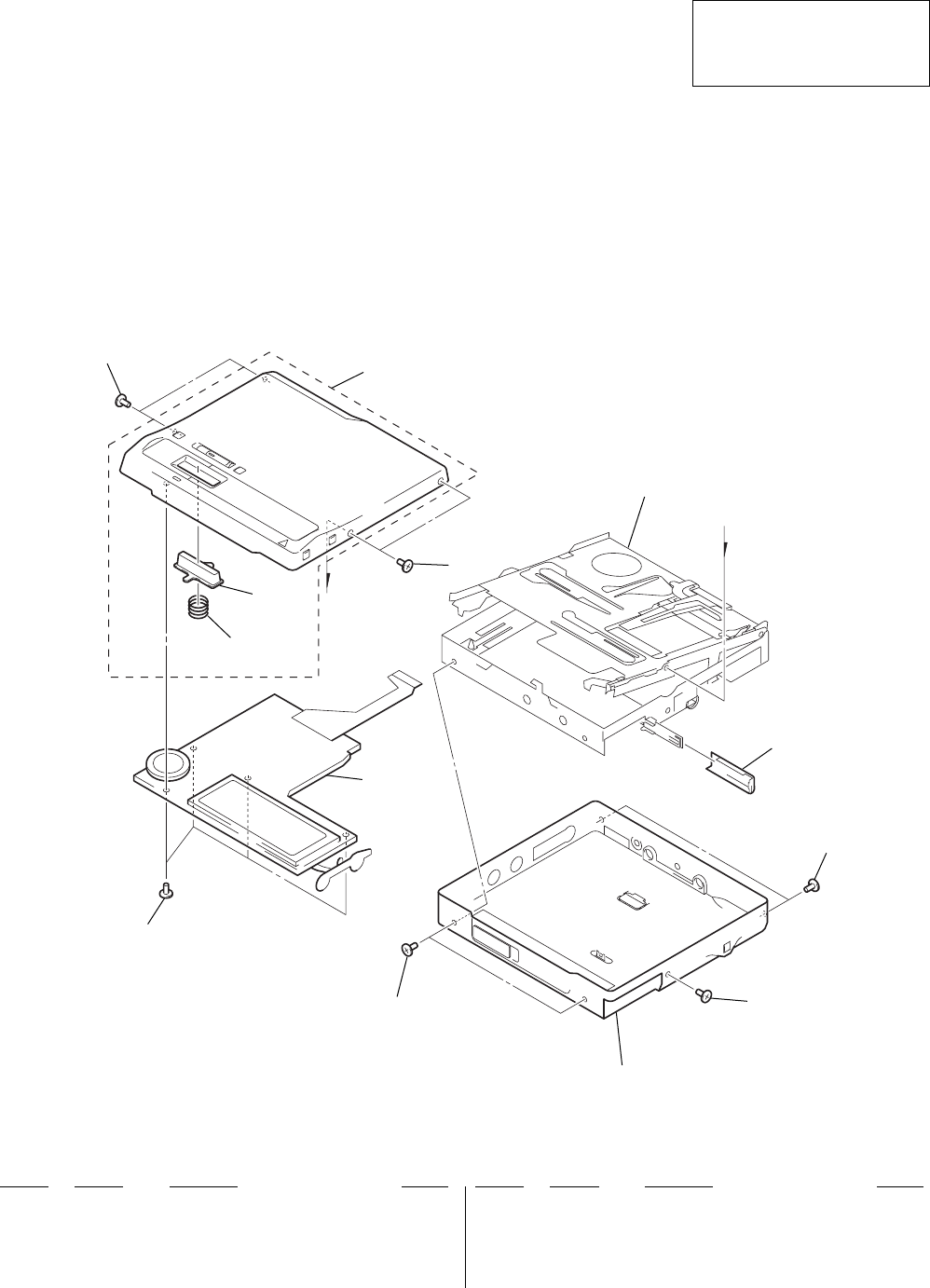
53
MZ-N1
7-1. UPPER PANEL SECTION
SECTION 7
EXPLODED VIEWS
• Items marked “*” are not stocked since they
are seldom required for routine service. Some
delay should be anticipated when ordering
these items.
• The mechanical parts with no reference num-
ber in the exploded views are not supplied.
• Accessories are given in the last of the elec-
trical parts list.
NOTE:
• -XX and -X mean standardized parts, so they
may have some difference from the original
one.
• Color Indication of Appearance Parts
Example:
KNOB, BALANCE (WHITE) . . . (RED)
↑↑
Parts Color Cabinet's Color
2
bottom panel section
chassis section
1
2
4
3
5
6
22
2
7
• Abbreviation
FR : French model
HK : Hong Kong model
KR : Korean model
The components identified by mark
0 or dotted line with mark 0 are
critical for safety.
Replace only with part number
specified.
Ref. No. Part No. Description Remark Ref. No. Part No. Description Remark
1 X-3381-786-1 UPPER PANEL (S) SERVICE ASSY (SILVER)
1 X-3381-787-1 UPPER PANEL (L) SERVICE ASSY (BLUE)
2 3-234-449-09 SCREW (M1.4) (for BLUE)
2 3-234-449-11 SCREW (M1.4) (for SILVER)
3 3-236-392-01 KNOB (CONTROL)
4 3-236-393-01 SPRING, COMPRESSION
5 1-804-528-11 LCD MODULE
6 4-984-017-01 SCREW (1.7), TAPPING
7 3-236-418-01 LID, BATTERY CASE (SILVER)
7 3-236-418-11 LID, BATTERY CASE (BLUE)
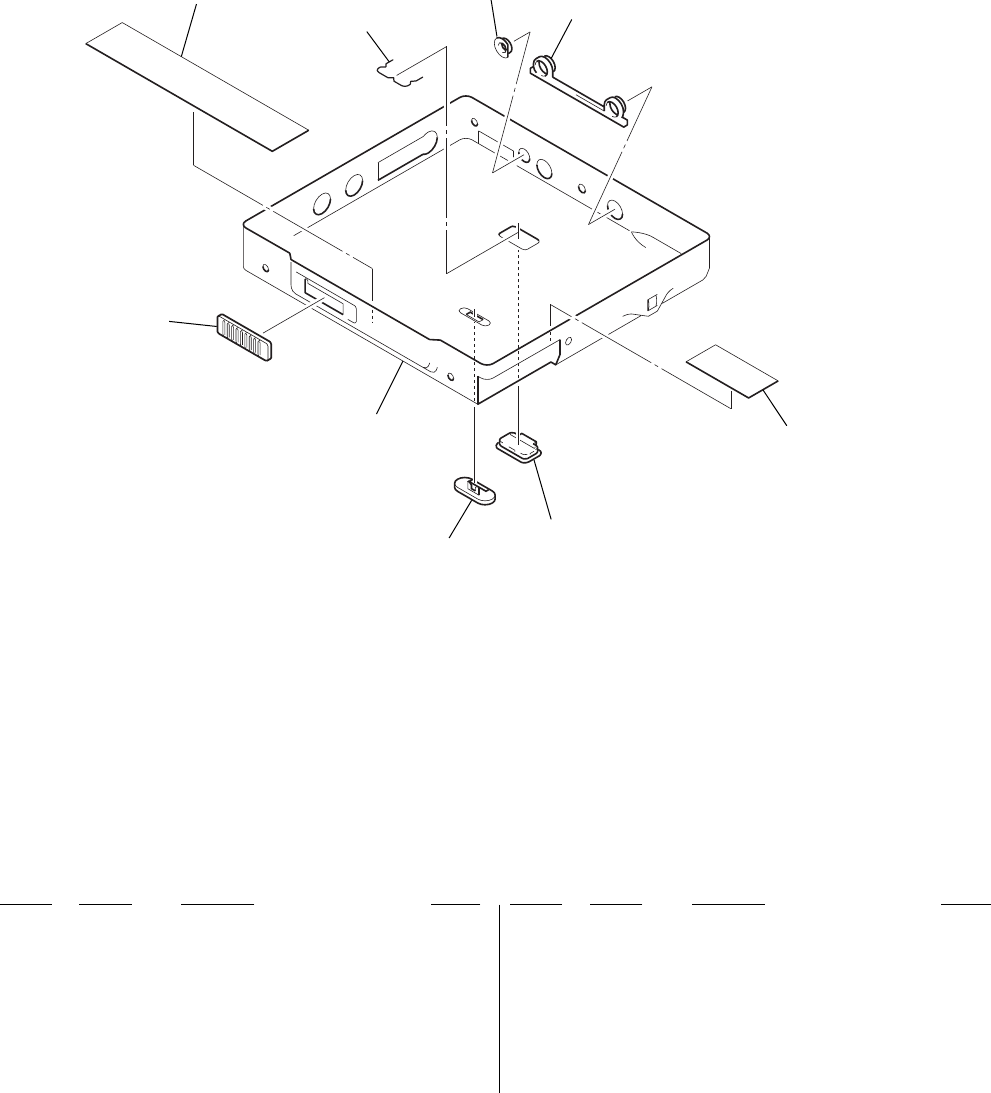
54
MZ-N1
7-2. BOTTOM PANEL SECTION
52
51
57 56
58
55
54
53
not supplied
Ref. No. Part No. Description Remark Ref. No. Part No. Description Remark
51 X-3381-790-1 BOTTOM PANEL (CE-S) SERVICE ASSY
(SILVER) (AEP, UK, FR)
51 X-3381-791-1 BOTTOM PANEL (CE-L) SERVICE ASSY (BLUE)
(AEP, UK, FR)
51 X-3381-792-1 BOTTOM PANEL (NON-CE-S) SERVICE ASSY
(SILVER) (HK, KR)
51 X-3381-793-1 BOTTOM PANEL (NON-CE-L) SERVICE ASSY
(BLUE) (HK, KR)
52 3-236-423-01 KNOB (OPEN)
53 3-236-425-01 SPRING (CRADLE)
54 3-010-287-01 COLLAR (DC IN)
55 3-236-422-01 ESCUTCHEON
56 3-236-412-01 ORNAMENT (CRADLE) (for SILVER)
56 3-236-412-11 ORNAMENT (CRADLE) (for BLUE)
57 3-236-410-01 KNOB (HOLD) (for SILVER)
57 3-236-410-11 KNOB (HOLD) (for BLUE)
58 3-239-451-01 SHEET (S)
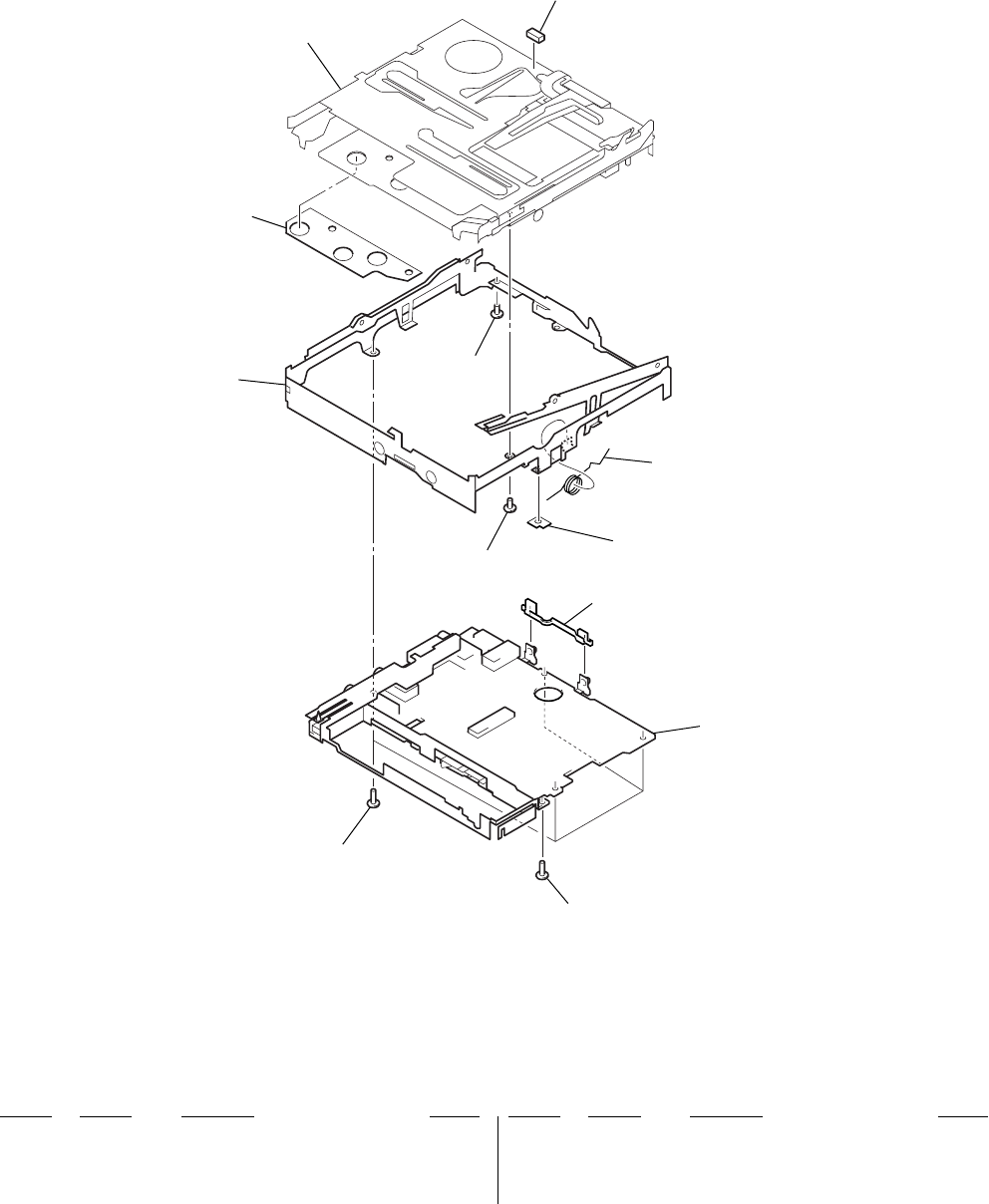
55
MZ-N1
7-3. CHASSIS SECTION
MT-MZN1-171
not supplied
101 102
107
108
102
103
104
106
105
main board section
Ref. No. Part No. Description Remark Ref. No. Part No. Description Remark
101 X-3381-264-1 CHASSIS ASSY
102 3-234-449-05 SCREW (M1.4)
103 3-236-416-01 SPRING (POP)
104 3-236-414-01 HOLDER (TERMINAL)
105 3-232-536-02 SCREW (M1.4) (EG)
106 3-238-876-01 SCREW (M1.4), TOOTHED LOCK
107 3-240-548-01 SHEET (H)
108 3-239-193-01 SHEET (INSULATE MD)
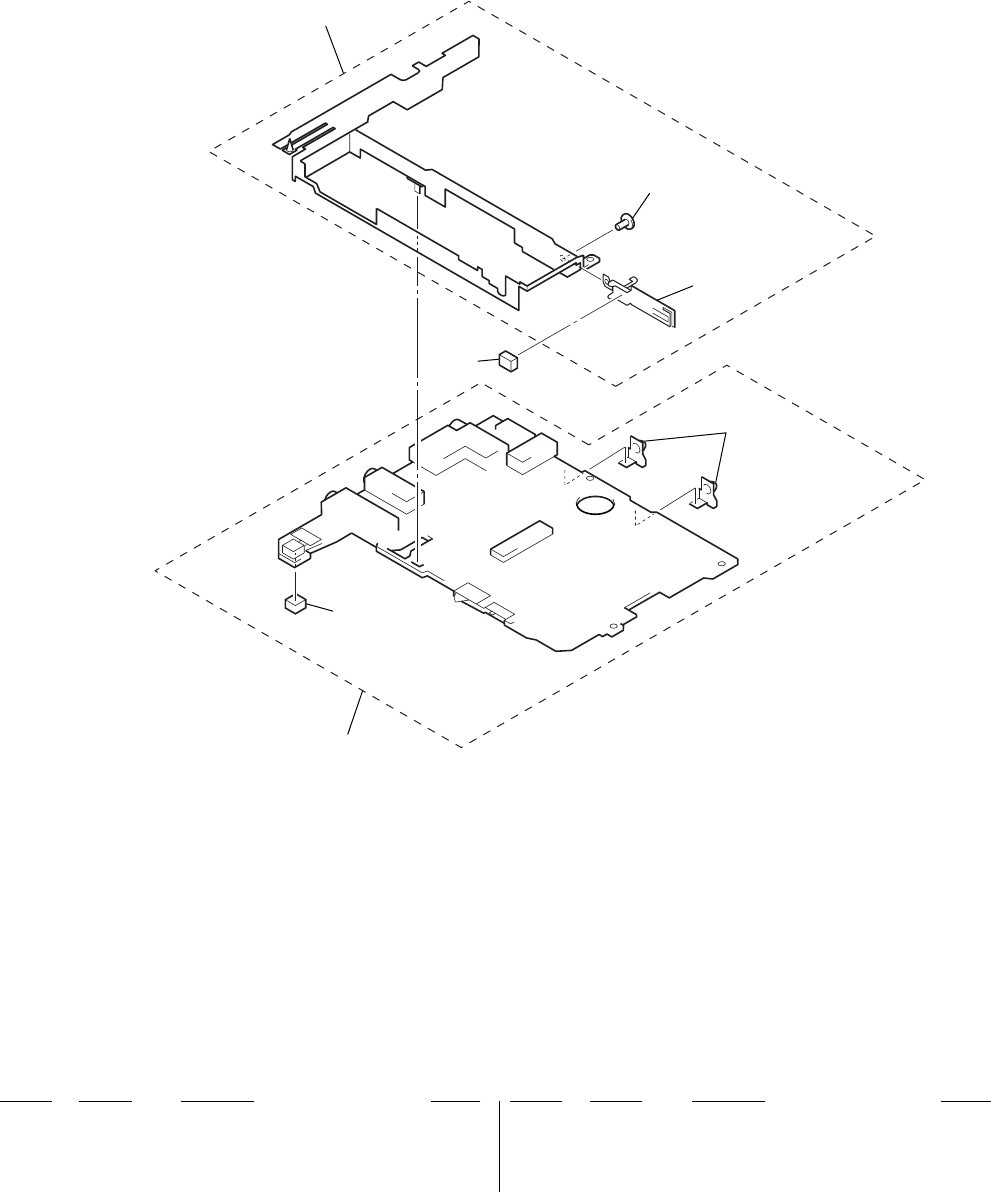
56
MZ-N1
7-4. MAIN BOARD SECTION
155
156
157
154
153
151
152
Ref. No. Part No. Description Remark Ref. No. Part No. Description Remark
151 MAIN BOARD, COMPLETE (EXCEPT FR)
151 MAIN BOARD, COMPLETE (FR)
152 3-236-413-01 TERMINAL
153 3-240-738-01 CUSHION (PROTECT)
154 3-235-763-01 SHEET (PLUS)
155 X-3381-266-1 CASE ASSY, BATTERY
156 3-225-873-05 SCREW (M1.4)
157 X-3381-265-1 TERMINAL (PLUS) ASSY, BATTERY
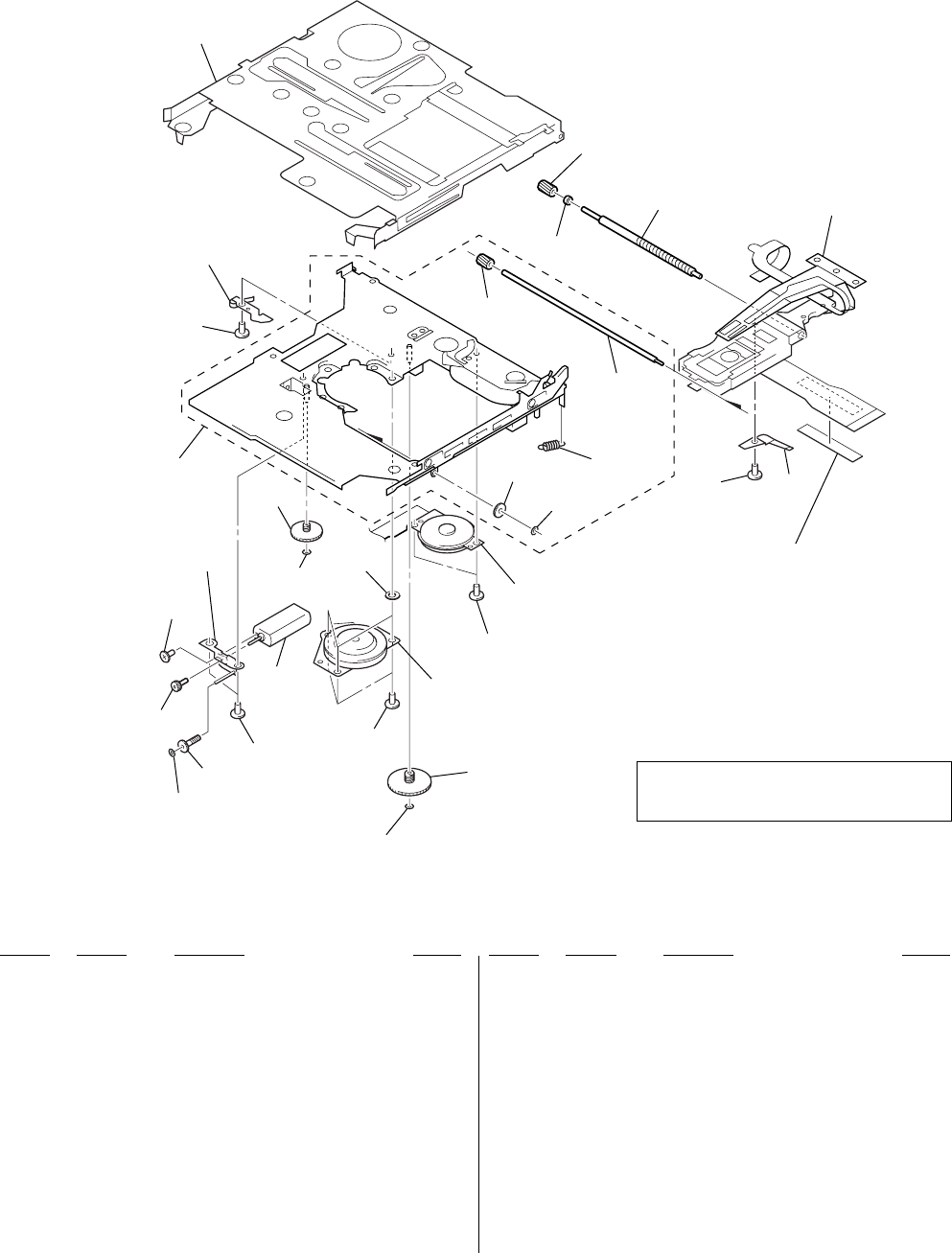
57
MZ-N1
7-5. MD MECHANISM DECK SECTION
(MT-MZN1-171)
M603 M601
M602
not supplied
301
302
305
306
307
308
309 315 321
320
319
318
317
303
304
310
322
311
309
312
303
309
313
315
314
309
316
303
AA
The components identified by mark 0 or dotted
line with mark 0 are critical for safety.
Replace only with part number specified.
Ref. No. Part No. Description Remark Ref. No. Part No. Description Remark
301 X-3381-232-1 HOLDER ASSY
302 3-224-779-02 SPRING, THRUST DETENT
303 3-225-996-01 SCREW (M1.4) (EG), PRECISION PAN
304 X-3381-231-1 CHASSIS ASSY
305 4-222-218-02 GEAR (HD)
306 4-222-223-01 SHAFT, SUB
307 4-222-226-01 SPRING (EJECT), TENSION
308 4-222-222-01 GEAR (RACK)
309 3-338-645-31 WASHER (0.8-2.5)
310 X-4951-918-3 CHASSIS ASSY, GEAR
311 3-222-545-01 GEAR (HB)
312 4-224-885-01 SCREW (M1.2X1.5)
313 4-222-215-01 GEAR (HC)
314 4-997-677-11 WASHER
315 3-225-996-06 SCREW (M1.4) (EG), PRECISION PAN
316 4-222-216-01 GEAR (SA)
317 4-222-208-01 GEAR (SB)
318 3-043-237-02 BEARING (N)
319 4-222-203-02 SCREW, LEAD
0320 X-3381-760-1 SERVICE ASSY, OP (LCX-5R)
321 4-222-205-11 SPRING, RACK
322 3-222-544-01 GEAR (HA)
M601 8-835-744-01 MOTOR, DC SSM18B (SPINDLE)
(WITH TURN TABLE)
M602 1-763-727-11 MOTOR, DC (SLED) (WITH GEAR)
M603 1-763-400-21 MOTOR, DC (OVER WRITE HEAD UP/DOWN)

58
MZ-N1 SECTION 8
ELECTRICAL PARTS LIST
MAIN
Ref. No. Part No. Description Remark Ref. No. Part No. Description Remark
NOTE:
• Due to standardization, replacements in the
parts list may be different from the parts speci-
fied in the diagrams or the components used
on the set.
• -XX and -X mean standardized parts, so they
may have some difference from the original
one.
• RESISTORS
All resistors are in ohms.
METAL: Metal-film resistor.
METAL OXIDE: Metal oxide-film resistor.
F: nonflammable
• Items marked “*” are not stocked since they
are seldom required for routine service.
Some delay should be anticipated when order-
ing these items.
• SEMICONDUCTORS
In each case, u: µ, for example:
uA. . : µA. . uPA. . : µPA. .
uPB. . : µPB. . uPC. . : µPC. .
uPD. . : µPD. .
• CAPACITORS
uF: µF
• COILS
uH: µH
• Abbreviation
FR : French model
HK : Hong Kong model
KR : Korean model
MAIN BOARD, COMPLETE (EXCEPT FR)
MAIN BOARD, COMPLETE (FR)
**********************
3-239-480-01 SHEET (J2) (FR)
3-239-481-01 SHEET (J1) (FR)
3-236-413-01 TERMINAL
3-240-738-01 CUSHION (PROTECT)
< CAPACITOR >
C101 1-125-837-11 CERAMIC CHIP 1uF 10% 6.3V
C102 1-164-941-11 CERAMIC CHIP 0.0047uF 10% 16V
C103 1-164-939-11 CERAMIC CHIP 0.0022uF 10% 50V
C104 1-135-868-11 TANTALUM CHIP 220uF 20% 2.5V
C105 1-113-600-11 TANTALUM CHIP 2.2uF 20% 6.3V
C107 1-164-943-11 CERAMIC CHIP 0.01uF 10% 16V
C108 1-164-935-11 CERAMIC CHIP 470PF 10% 50V
C110 1-125-837-11 CERAMIC CHIP 1uF 10% 6.3V
C111 1-164-874-11 CERAMIC CHIP 100PF 5% 50V
C112 1-125-837-11 CERAMIC CHIP 1uF 10% 6.3V
C113 1-131-862-11 TANTALUM CHIP 47uF 20% 4V
C116 1-164-937-11 CERAMIC CHIP 0.001uF 10% 50V
C117 1-125-777-11 CERAMIC CHIP 0.1uF 10% 10V
C118 1-164-939-11 CERAMIC CHIP 0.0022uF 10% 50V
C201 1-125-837-11 CERAMIC CHIP 1uF 10% 6.3V
C202 1-164-941-11 CERAMIC CHIP 0.0047uF 10% 16V
C203 1-164-939-11 CERAMIC CHIP 0.0022uF 10% 50V
C204 1-135-868-11 TANTALUM CHIP 220uF 20% 2.5V
C205 1-113-600-11 TANTALUM CHIP 2.2uF 20% 6.3V
C207 1-164-943-11 CERAMIC CHIP 0.01uF 10% 16V
C208 1-164-935-11 CERAMIC CHIP 470PF 10% 50V
C210 1-125-837-11 CERAMIC CHIP 1uF 10% 6.3V
C211 1-164-874-11 CERAMIC CHIP 100PF 5% 50V
C212 1-125-837-11 CERAMIC CHIP 1uF 10% 6.3V
C213 1-131-862-11 TANTALUM CHIP 47uF 20% 4V
C216 1-164-937-11 CERAMIC CHIP 0.001uF 10% 50V
C217 1-125-777-11 CERAMIC CHIP 0.1uF 10% 10V
C218 1-164-939-11 CERAMIC CHIP 0.0022uF 10% 50V
C301 1-125-839-11 TANTALUM CHIP 47uF 20% 6.3V
C302 1-107-820-11 CERAMIC CHIP 0.1uF 16V
C303 1-117-919-11 TANTALUM CHIP 10uF 20% 6.3V
C304 1-125-777-11 CERAMIC CHIP 0.1uF 10% 10V
C305 1-113-600-11 TANTALUM CHIP 2.2uF 20% 6.3V
C306 1-107-820-11 CERAMIC CHIP 0.1uF 16V
C307 1-125-837-11 CERAMIC CHIP 1uF 10% 6.3V
The components identified by
mark 0 or dotted line with mark
0 are critical for safety.
Replace only with part number
specified.
C308 1-107-820-11 CERAMIC CHIP 0.1uF 16V
C309 1-127-895-11 TANTALUM CHIP 22uF 20% 4V
C310 1-125-899-11 TANTALUM CHIP 220uF 20% 4V
C311 1-128-964-11 TANTALUM CHIP 100uF 20% 6.3V
C312 1-127-895-11 TANTALUM CHIP 22uF 20% 4V
C313 1-119-750-11 TANTALUM CHIP 22uF 20% 6.3V
C314 1-119-923-11 CERAMIC CHIP 0.047uF 10% 10V
C315 1-113-600-11 TANTALUM CHIP 2.2uF 20% 6.3V
C316 1-125-926-11 TANTALUM CHIP 4.7uF 20% 6.3V
C320 1-117-919-11 TANTALUM CHIP 10uF 20% 6.3V
C322 1-131-862-11 TANTALUM CHIP 47uF 20% 4V
C323 1-117-919-11 TANTALUM CHIP 10uF 20% 6.3V
C330 1-107-820-11 CERAMIC CHIP 0.1uF 16V
C332 1-117-919-11 TANTALUM CHIP 10uF 20% 6.3V
C335 1-164-933-11 CERAMIC CHIP 220PF 10% 50V
C336 1-125-837-11 CERAMIC CHIP 1uF 10% 6.3V
C344 1-164-943-11 CERAMIC CHIP 0.01uF 10% 16V
C501 1-164-874-11 CERAMIC CHIP 100PF 5% 50V
C502 1-107-819-11 CERAMIC CHIP 0.022uF 10% 16V
C503 1-164-939-11 CERAMIC CHIP 0.0022uF 10% 50V
C504 1-164-939-11 CERAMIC CHIP 0.0022uF 10% 50V
C505 1-164-943-11 CERAMIC CHIP 0.01uF 10% 16V
C506 1-107-819-11 CERAMIC CHIP 0.022uF 10% 16V
C507 1-107-819-11 CERAMIC CHIP 0.022uF 10% 16V
C508 1-125-777-11 CERAMIC CHIP 0.1uF 10% 10V
C509 1-164-939-11 CERAMIC CHIP 0.0022uF 10% 50V
C510 1-164-850-11 CERAMIC CHIP 10PF 0.5PF 50V
C511 1-164-850-11 CERAMIC CHIP 10PF 0.5PF 50V
C512 1-125-777-11 CERAMIC CHIP 0.1uF 10% 10V
C513 1-164-850-11 CERAMIC CHIP 10PF 0.5PF 50V
C514 1-107-819-11 CERAMIC CHIP 0.022uF 10% 16V
C515 1-125-777-11 CERAMIC CHIP 0.1uF 10% 10V
C516 1-125-777-11 CERAMIC CHIP 0.1uF 10% 10V
C518 1-125-926-11 TANTALUM CHIP 4.7uF 20% 6.3V
C519 1-164-941-11 CERAMIC CHIP 0.0047uF 10% 16V
C521 1-125-777-11 CERAMIC CHIP 0.1uF 10% 10V
C522 1-125-777-11 CERAMIC CHIP 0.1uF 10% 10V
C523 1-125-837-11 CERAMIC CHIP 1uF 10% 6.3V
C524 1-117-919-11 TANTALUM CHIP 10uF 20% 6.3V
C526 1-125-777-11 CERAMIC CHIP 0.1uF 10% 10V
C527 1-164-943-11 CERAMIC CHIP 0.01uF 10% 16V
C529 1-125-840-11 TANTALUM 10uF 20% 6.3V
C530 1-164-939-11 CERAMIC CHIP 0.0022uF 10% 50V
When indicating parts by reference
number, please include the board.

Ref. No. Part No. Description Remark Ref. No. Part No. Description Remark
59
MZ-N1
C532 1-119-923-11 CERAMIC CHIP 0.047uF 10% 10V
C557 1-107-819-11 CERAMIC CHIP 0.022uF 10% 16V
C558 1-107-819-11 CERAMIC CHIP 0.022uF 10% 16V
C559 1-107-819-11 CERAMIC CHIP 0.022uF 10% 16V
C561 1-125-777-11 CERAMIC CHIP 0.1uF 10% 10V
C562 1-119-923-11 CERAMIC CHIP 0.047uF 10% 10V
C563 1-119-923-11 CERAMIC CHIP 0.047uF 10% 10V
C564 1-119-923-11 CERAMIC CHIP 0.047uF 10% 10V
C566 1-125-777-11 CERAMIC CHIP 0.1uF 10% 10V
C570 1-164-943-11 CERAMIC CHIP 0.01uF 10% 16V
C571 1-164-943-11 CERAMIC CHIP 0.01uF 10% 16V
C572 1-164-943-11 CERAMIC CHIP 0.01uF 10% 16V
C601 1-164-943-11 CERAMIC CHIP 0.01uF 10% 16V
C602 1-125-777-11 CERAMIC CHIP 0.1uF 10% 10V
C603 1-125-839-11 TANTALUM CHIP 47uF 20% 6.3V
C604 1-164-943-11 CERAMIC CHIP 0.01uF 10% 16V
C605 1-164-937-11 CERAMIC CHIP 0.001uF 10% 50V
C606 1-164-874-11 CERAMIC CHIP 100PF 5% 50V
C607 1-164-874-11 CERAMIC CHIP 100PF 5% 50V
C608 1-125-777-11 CERAMIC CHIP 0.1uF 10% 10V
C609 1-137-762-11 TANTALUM 10uF 20% 4V
C610 1-125-777-11 CERAMIC CHIP 0.1uF 10% 10V
C611 1-117-919-11 TANTALUM CHIP 10uF 20% 6.3V
C612 1-117-919-11 TANTALUM CHIP 10uF 20% 6.3V
C613 1-125-777-11 CERAMIC CHIP 0.1uF 10% 10V
C614 1-125-777-11 CERAMIC CHIP 0.1uF 10% 10V
C615 1-137-760-11 MICA CHIP 100PF 5% 100V
C616 1-125-777-11 CERAMIC CHIP 0.1uF 10% 10V
C618 1-125-777-11 CERAMIC CHIP 0.1uF 10% 10V
C619 1-125-777-11 CERAMIC CHIP 0.1uF 10% 10V
C621 1-164-943-11 CERAMIC CHIP 0.01uF 10% 16V
C622 1-125-837-11 CERAMIC CHIP 1uF 10% 6.3V
C623 1-127-895-11 TANTALUM CHIP 22uF 20% 4V
C624 1-127-895-11 TANTALUM CHIP 22uF 20% 4V
C625 1-131-862-11 TANTALUM CHIP 47uF 20% 4V
C626 1-125-839-11 TANTALUM CHIP 47uF 20% 6.3V
C627 1-125-837-11 CERAMIC CHIP 1uF 10% 6.3V
C628 1-125-777-11 CERAMIC CHIP 0.1uF 10% 10V
C629 1-164-943-11 CERAMIC CHIP 0.01uF 10% 16V
C630 1-164-874-11 CERAMIC CHIP 100PF 5% 50V
C631 1-117-919-11 TANTALUM CHIP 10uF 20% 6.3V
C632 1-125-777-11 CERAMIC CHIP 0.1uF 10% 10V
C633 1-125-777-11 CERAMIC CHIP 0.1uF 10% 10V
C636 1-164-937-11 CERAMIC CHIP 0.001uF 10% 50V
C637 1-125-777-11 CERAMIC CHIP 0.1uF 10% 10V
C803 1-117-919-11 TANTALUM CHIP 10uF 20% 6.3V
C804 1-164-943-11 CERAMIC CHIP 0.01uF 10% 16V
C805 1-125-777-11 CERAMIC CHIP 0.1uF 10% 10V
C806 1-164-850-11 CERAMIC CHIP 10PF 0.5PF 50V
C807 1-164-850-11 CERAMIC CHIP 10PF 0.5PF 50V
C808 1-164-850-11 CERAMIC CHIP 10PF 0.5PF 50V
C809 1-164-850-11 CERAMIC CHIP 10PF 0.5PF 50V
C810 1-125-840-11 TANTALUM 10uF 20% 6.3V
C811 1-125-837-11 CERAMIC CHIP 1uF 10% 6.3V
C812 1-164-943-11 CERAMIC CHIP 0.01uF 10% 16V
C813 1-125-837-11 CERAMIC CHIP 1uF 10% 6.3V
C814 1-164-943-11 CERAMIC CHIP 0.01uF 10% 16V
C815 1-119-923-11 CERAMIC CHIP 0.047uF 10% 10V
C816 1-119-923-11 CERAMIC CHIP 0.047uF 10% 10V
C817 1-119-923-11 CERAMIC CHIP 0.047uF 10% 10V
C818 1-125-891-11 CERAMIC CHIP 0.47uF 10% 10V
C819 1-164-935-11 CERAMIC CHIP 470PF 10% 50V
C820 1-125-839-11 TANTALUM CHIP 47uF 20% 6.3V
C821 1-125-837-11 CERAMIC CHIP 1uF 10% 6.3V
C822 1-125-777-11 CERAMIC CHIP 0.1uF 10% 10V
C825 1-117-919-11 TANTALUM CHIP 10uF 20% 6.3V
C826 1-127-715-11 CERAMIC CHIP 0.22uF 10% 16V
C828 1-117-919-11 TANTALUM CHIP 10uF 20% 6.3V
C829 1-125-777-11 CERAMIC CHIP 0.1uF 10% 10V
C830 1-125-777-11 CERAMIC CHIP 0.1uF 10% 10V
C831 1-128-964-11 TANTALUM CHIP 100uF 20% 6.3V
C832 1-125-777-11 CERAMIC CHIP 0.1uF 10% 10V
C833 1-107-819-11 CERAMIC CHIP 0.022uF 10% 16V
C835 1-107-819-11 CERAMIC CHIP 0.022uF 10% 16V
C836 1-125-777-11 CERAMIC CHIP 0.1uF 10% 10V
C838 1-164-937-11 CERAMIC CHIP 0.001uF 10% 50V
C839 1-164-943-11 CERAMIC CHIP 0.01uF 10% 16V
C840 1-107-820-11 CERAMIC CHIP 0.1uF 16V
C841 1-107-820-11 CERAMIC CHIP 0.1uF 16V
C845 1-164-943-11 CERAMIC CHIP 0.01uF 10% 16V
C846 1-164-943-11 CERAMIC CHIP 0.01uF 10% 16V
C847 1-164-943-11 CERAMIC CHIP 0.01uF 10% 16V
C848 1-131-860-11 TANTALUM CHIP 4.7uF 20% 10V
C849 1-164-937-11 CERAMIC CHIP 0.001uF 10% 50V
C850 1-164-937-11 CERAMIC CHIP 0.001uF 10% 50V
C851 1-125-777-11 CERAMIC CHIP 0.1uF 10% 10V
C901 1-125-840-11 TANTALUM 10uF 20% 6.3V
C902 1-125-840-11 TANTALUM 10uF 20% 6.3V
C903 1-128-964-11 TANTALUM CHIP 100uF 20% 6.3V
C904 1-125-840-11 TANTALUM 10uF 20% 6.3V
C905 1-125-777-11 CERAMIC CHIP 0.1uF 10% 10V
C906 1-164-943-11 CERAMIC CHIP 0.01uF 10% 16V
C907 1-125-889-11 CERAMIC CHIP 2.2uF 10% 10V
C908 1-125-777-11 CERAMIC CHIP 0.1uF 10% 10V
C913 1-164-941-11 CERAMIC CHIP 0.0047uF 10% 16V
C914 1-125-777-11 CERAMIC CHIP 0.1uF 10% 10V
C915 1-125-777-11 CERAMIC CHIP 0.1uF 10% 10V
C917 1-125-777-11 CERAMIC CHIP 0.1uF 10% 10V
C919 1-117-919-11 TANTALUM CHIP 10uF 20% 6.3V
C920 1-117-919-11 TANTALUM CHIP 10uF 20% 6.3V
C921 1-125-777-11 CERAMIC CHIP 0.1uF 10% 10V
C922 1-164-937-11 CERAMIC CHIP 0.001uF 10% 50V
C923 1-125-891-11 CERAMIC CHIP 0.47uF 10% 10V
C924 1-125-891-11 CERAMIC CHIP 0.47uF 10% 10V
C925 1-125-891-11 CERAMIC CHIP 0.47uF 10% 10V
C926 1-164-937-11 CERAMIC CHIP 0.001uF 10% 50V
C928 1-127-895-11 TANTALUM CHIP 22uF 20% 4V
C929 1-127-895-11 TANTALUM CHIP 22uF 20% 4V
C930 1-127-715-11 CERAMIC CHIP 0.22uF 10% 16V
C931 1-164-874-11 CERAMIC CHIP 100PF 5% 50V
C932 1-125-777-11 CERAMIC CHIP 0.1uF 10% 10V
C933 1-164-874-11 CERAMIC CHIP 100PF 5% 50V
C934 1-137-762-11 TANTALUM 10uF 20% 4V
C935 1-125-777-11 CERAMIC CHIP 0.1uF 10% 10V
C936 1-125-777-11 CERAMIC CHIP 0.1uF 10% 10V
MAIN

Ref. No. Part No. Description Remark Ref. No. Part No. Description Remark
60
MZ-N1
MAIN
@Replacement of CXD2677-202GA (IC801)
used in this set requires a special tool.
< CONNECTOR >
*CN501 1-778-168-11 CONNECTOR, FFC/FPC (ZIF) 20P
*CN502 1-815-790-21 CONNECTOR, FPC (ZIF) 10P
CN601 1-815-951-11 CONNECTOR (USB CRADLE CONNECTOR)
*CN801 1-794-772-21 CONNECTOR, FPC (ZIF) 20P
< DIODE >
D301 8-719-081-71 DIODE DF8A6.8FK (TE85R)
D303 8-719-046-91 DIODE MA2S111-TX
D601 8-719-081-33 DIODE MA2YD1500LS0
D602 8-719-081-33 DIODE MA2YD1500LS0
D603 8-719-081-34 DIODE RB160M-30TR
D604 8-719-082-45 DIODE RB715W-TL
D606 8-719-081-35 DIODE MA2YD1700LS0
D607 8-719-081-33 DIODE MA2YD1500LS0
D608 8-719-081-35 DIODE MA2YD1700LS0
D611 6-500-164-01 DIODE DF5A6.8LFU (TE85R)
D612 8-719-081-33 DIODE MA2YD1500LS0
D803 8-719-046-85 DIODE MA2S728-(K8).SO
D804 8-719-046-85 DIODE MA2S728-(K8).SO
D901 8-719-081-33 DIODE MA2YD1500LS0
D902 8-719-081-33 DIODE MA2YD1500LS0
D903 8-719-420-51 DIODE MA729-TX
D904 8-719-046-91 DIODE MA2S111-TX
D905 8-719-072-27 DIODE MA2Z748001S0
< FUSE >
0F801 1-576-439-21 FUSE (SMD) 0.25A 125V
< RESISTOR >
FB301 1-216-864-11 METAL CHIP 0 5% 1/16W
FB303 1-216-809-11 METAL CHIP 100 5% 1/16W
FB304 1-216-809-11 METAL CHIP 100 5% 1/16W
FB306 1-216-864-11 METAL CHIP 0 5% 1/16W
FB601 1-216-864-11 METAL CHIP 0 5% 1/16W
FB602 1-216-864-11 METAL CHIP 0 5% 1/16W
FB603 1-216-864-11 METAL CHIP 0 5% 1/16W
FB801 1-216-864-11 METAL CHIP 0 5% 1/16W
FB802 1-216-864-11 METAL CHIP 0 5% 1/16W
FB803 1-216-864-11 METAL CHIP 0 5% 1/16W
FB804 1-216-864-11 METAL CHIP 0 5% 1/16W
FB805 1-216-864-11 METAL CHIP 0 5% 1/16W
< IC >
IC301 8-759-694-88 IC AK5354VT-E2
IC302 6-700-662-01 IC AN17020A-VB
IC303 8-759-699-54 IC NJM2173APC1 (TE2)
IC501 6-701-391-01 IC SN761057A
IC551 6-700-680-01 IC SC111258FCR2
IC601 6-701-477-01 IC XPC18A22AFCR2
IC603 6-700-958-01 IC XC61FS1YXXMR
@ IC801 8-752-930-27 IC CXD2677-202GA
IC802 8-759-680-85 IC AK6417AL-L
IC803 8-759-680-84 IC AK6480BL-L
IC901 6-700-880-01 IC XPC18A32AFCR2
IC902 6-701-832-01 IC XC6368D101MR
IC903 6-701-978-01 IC XC61CN0802NR
< JACK >
J301 1-815-950-11 JACK (LINE IN (OPT))
J302 1-816-153-21 JACK (i/LINE OUT)
J303 1-793-620-21 JACK (MIC PLUG IN POWER)
J601 1-785-383-11 JACK, DC (POLARITY UNIFIED TYPE)
(DC IN 3V)
< COIL/RESISTOR >
L301 1-469-535-21 INDUCTOR 10uH
L302 1-469-535-21 INDUCTOR 10uH
L303 1-469-535-21 INDUCTOR 10uH
L501 1-469-535-21 INDUCTOR 10uH
L502 1-469-535-21 INDUCTOR 10uH
L601 1-428-912-21 CHOKE COIL 10uH
L602 1-469-535-21 INDUCTOR 10uH
L603 1-469-535-21 INDUCTOR 10uH
L801 1-469-535-21 INDUCTOR 10uH
L802 1-469-535-21 INDUCTOR 10uH
L803 1-216-864-11 METAL CHIP 0 5% 1/16W
L901 1-419-953-21 CHOKE COIL 100uH
L902 1-419-949-21 CHOKE COIL 22uH
L903 1-469-367-21 INDUCTOR 10uH
L904 1-414-398-11 INDUCTOR 10uH
L905 1-469-426-21 INDUCTOR 100uH
L906 1-414-404-41 INDUCTOR 100uH
L907 1-469-535-21 INDUCTOR 10uH
< TRANSISTOR >
Q302 8-729-051-23 TRANSISTOR 2SA2018TL
Q501 8-729-922-10 TRANSISTOR 2SA1577-T106-QR
Q601 8-729-046-45 FET SI2302DS-T1
Q602 8-729-046-44 TRANSISTOR ZDT6718TA
Q603 8-729-053-71 FET TS8K1TB
Q604 8-729-046-43 FET HAT2051T-EL
Q605 8-729-046-42 FET HAT2050T-EL
Q607 8-729-427-47 TRANSISTOR UMH2NTN
Q801 8-729-429-44 TRANSISTOR XP1501-TXE
Q804 8-729-047-48 TRANSISTOR UMD12N-TR
Q901 8-729-052-37 FET XP151A13A0MR
Q902 8-729-023-22 TRANSISTOR 2SD2114KT146
Q903 8-729-046-45 FET SI2302DS-T1
Q904 8-729-037-53 TRANSISTOR 2SB1462J-QR (TX).SO
Q905 8-729-037-75 TRANSISTOR UN9214J-(TX).SO
Q906 8-729-429-44 TRANSISTOR XP1501-TXE
Q907 8-729-055-32 FET 3LN01SS-TL
Q908 8-729-034-59 TRANSISTOR 2SA1745-6.7-TL
Q909 8-729-037-92 TRANSISTOR 2SD2216J-R (TX).SO
Q910 8-729-037-92 TRANSISTOR 2SD2216J-R (TX).SO
Q911 8-729-037-92 TRANSISTOR 2SD2216J-R (TX).SO
< RESISTOR >
R101 1-208-715-11 METAL CHIP 22K 0.5% 1/16W
R102 1-208-707-11 METAL CHIP 10K 0.5% 1/16W
R103 1-218-965-11 RES-CHIP 10K 5% 1/16W
R104 1-208-635-11 METAL CHIP 10 0.5% 1/16W
(FR)
The components identified by mark 0 or dotted
line with mark 0 are critical for safety.
Replace only with part number specified.

Ref. No. Part No. Description Remark Ref. No. Part No. Description Remark
61
MZ-N1
R104 1-220-803-11 RES-CHIP 4.7 5% 1/16W
(EXCEPT FR)
R105 1-208-643-11 RES-CHIP 22 5% 1/16W
R106 1-208-707-11 METAL CHIP 10K 0.5% 1/16W
R111 1-208-715-11 METAL CHIP 22K 0.5% 1/16W
R112 1-208-927-11 METAL CHIP 47K 0.5% 1/16W
R118 1-208-715-11 METAL CHIP 22K 0.5% 1/16W
R201 1-208-715-11 METAL CHIP 22K 0.5% 1/16W
R202 1-208-707-11 METAL CHIP 10K 0.5% 1/16W
R203 1-218-965-11 RES-CHIP 10K 5% 1/16W
R204 1-208-635-11 METAL CHIP 10 0.5% 1/16W
(FR)
R204 1-220-803-11 RES-CHIP 4.7 5% 1/16W
(EXCEPT FR)
R205 1-208-643-11 RES-CHIP 22 5% 1/16W
R206 1-208-707-11 METAL CHIP 10K 0.5% 1/16W
R211 1-208-715-11 METAL CHIP 22K 0.5% 1/16W
R212 1-208-927-11 METAL CHIP 47K 0.5% 1/16W
R218 1-208-715-11 METAL CHIP 22K 0.5% 1/16W
R301 1-208-707-11 METAL CHIP 10K 0.5% 1/16W
R302 1-218-953-11 RES-CHIP 1K 5% 1/16W
R303 1-218-981-11 RES-CHIP 220K 5% 1/16W
R304 1-218-953-11 RES-CHIP 1K 5% 1/16W
R305 1-218-953-11 RES-CHIP 1K 5% 1/16W
R306 1-218-985-11 RES-CHIP 470K 5% 1/16W
R307 1-218-941-11 RES-CHIP 100 5% 1/16W
R309 1-208-943-11 METAL CHIP 220K 0.5% 1/16W
R312 1-218-977-11 RES-CHIP 100K 5% 1/16W
R313 1-218-977-11 RES-CHIP 100K 5% 1/16W
R314 1-218-965-11 RES-CHIP 10K 5% 1/16W
R317 1-218-941-11 RES-CHIP 100 5% 1/16W
R318 1-218-941-11 RES-CHIP 100 5% 1/16W
R319 1-218-941-11 RES-CHIP 100 5% 1/16W
R501 1-218-973-11 RES-CHIP 47K 5% 1/16W
R502 1-218-985-11 RES-CHIP 470K 5% 1/16W
R503 1-218-981-11 RES-CHIP 220K 5% 1/16W
R505 1-208-707-11 METAL CHIP 10K 0.5% 1/16W
R507 1-218-953-11 RES-CHIP 1K 5% 1/16W
R517 1-208-683-11 METAL CHIP 1K 0.5% 1/16W
R519 1-218-977-11 RES-CHIP 100K 5% 1/16W
R521 1-218-446-11 METAL CHIP 1 5% 1/16W
R522 1-218-446-11 METAL CHIP 1 5% 1/16W
R601 1-218-989-11 RES-CHIP 1M 5% 1/16W
R602 1-218-981-11 RES-CHIP 220K 5% 1/16W
R603 1-218-977-11 RES-CHIP 100K 5% 1/16W
R604 1-218-446-11 METAL CHIP 1 5% 1/16W
R605 1-216-789-11 METAL CHIP 2.2 5% 1/16W
R606 1-218-949-11 RES-CHIP 470 5% 1/16W
R607 1-218-945-11 RES-CHIP 220 5% 1/16W
R608 1-218-981-11 RES-CHIP 220K 5% 1/16W
R609 1-218-446-11 METAL CHIP 1 5% 1/16W
R610 1-218-990-11 SHORT 0
R611 1-218-990-11 SHORT 0
R612 1-218-985-11 RES-CHIP 470K 5% 1/16W
R613 1-218-957-11 RES-CHIP 2.2K 5% 1/16W
R614 1-218-965-11 RES-CHIP 10K 5% 1/16W
R615 1-218-977-11 RES-CHIP 100K 5% 1/16W
R616 1-218-446-11 METAL CHIP 1 5% 1/16W
R620 1-218-965-11 RES-CHIP 10K 5% 1/16W
R621 1-218-965-11 RES-CHIP 10K 5% 1/16W
R622 1-216-797-11 METAL CHIP 10 5% 1/16W
R623 1-218-969-11 RES-CHIP 22K 5% 1/16W
R628 1-218-957-11 RES-CHIP 2.2K 5% 1/16W
R629 1-218-953-11 RES-CHIP 1K 5% 1/16W
R630 1-218-949-11 RES-CHIP 470 5% 1/16W
R631 1-218-973-11 RES-CHIP 47K 5% 1/16W
R801 1-218-990-11 SHORT 0
R802 1-208-935-11 RES-CHIP 100K 0.5% 1/16W
R803 1-208-927-11 METAL CHIP 47K 0.5% 1/16W
R804 1-208-927-11 METAL CHIP 47K 0.5% 1/16W
R805 1-208-951-11 RES-CHIP 100K 0.5% 1/16W
R806 1-218-981-11 RES-CHIP 220K 5% 1/16W
R807 1-216-801-11 METAL CHIP 22 5% 1/16W
R808 1-218-961-11 RES-CHIP 4.7K 5% 1/16W
R809 1-216-801-11 METAL CHIP 22 5% 1/16W
R810 1-218-949-11 RES-CHIP 470 5% 1/16W
R812 1-218-990-11 SHORT 0
R813 1-218-989-11 RES-CHIP 1M 5% 1/16W
R814 1-218-990-11 SHORT 0
R815 1-218-949-11 RES-CHIP 470 5% 1/16W
R818 1-218-990-11 SHORT 0
R819 1-208-635-11 RES-CHIP 10 5% 1/16W
R820 1-218-965-11 RES-CHIP 10K 5% 1/16W
R821 1-218-977-11 RES-CHIP 100K 5% 1/16W
R822 1-218-977-11 RES-CHIP 100K 5% 1/16W
R823 1-208-635-11 RES-CHIP 10 5% 1/16W
R824 1-218-957-11 RES-CHIP 2.2K 5% 1/16W
R825 1-218-957-11 RES-CHIP 2.2K 5% 1/16W
R826 1-218-957-11 RES-CHIP 2.2K 5% 1/16W
R828 1-218-981-11 RES-CHIP 220K 5% 1/16W
R830 1-218-953-11 RES-CHIP 1K 5% 1/16W
R831 1-218-957-11 RES-CHIP 2.2K 5% 1/16W
R832 1-218-945-11 RES-CHIP 220 5% 1/16W
R833 1-220-804-11 RES-CHIP 2.2M 5% 1/16W
R835 1-218-957-11 RES-CHIP 2.2K 5% 1/16W
R836 1-218-990-11 SHORT 0
R837 1-208-691-11 METAL CHIP 2.2K 0.5% 1/16W
R838 1-216-864-11 METAL CHIP 0 5% 1/16W
R839 1-218-990-11 SHORT 0
R840 1-208-691-11 METAL CHIP 2.2K 0.5% 1/16W
R841 1-218-990-11 SHORT 0
R842 1-218-990-11 SHORT 0
R843 1-218-990-11 SHORT 0
R845 1-218-989-11 RES-CHIP 1M 5% 1/16W
R846 1-218-941-11 RES-CHIP 100 5% 1/16W
R847 1-218-989-11 RES-CHIP 1M 5% 1/16W
R850 1-218-953-11 RES-CHIP 1K 5% 1/16W
R852 1-218-990-11 SHORT 0
R854 1-218-990-11 SHORT 0
R855 1-218-990-11 SHORT 0
R858 1-218-989-11 RES-CHIP 1M 5% 1/16W
R859 1-208-931-11 RES-CHIP 68K 0.5% 1/16W
R860 1-218-953-11 RES-CHIP 1K 5% 1/16W
R861 1-218-989-11 RES-CHIP 1M 5% 1/16W
R862 1-218-953-11 RES-CHIP 1K 5% 1/16W
MAIN

Ref. No. Part No. Description Remark Ref. No. Part No. Description Remark
62
MZ-N1
The components identified by mark 0 or dotted
line with mark 0 are critical for safety.
Replace only with part number specified.
R863 1-218-953-11 RES-CHIP 1K 5% 1/16W
R864 1-218-953-11 RES-CHIP 1K 5% 1/16W
R865 1-218-957-11 RES-CHIP 2.2K 5% 1/16W
R866 1-218-953-11 RES-CHIP 1K 5% 1/16W
R867 1-218-985-11 RES-CHIP 470K 5% 1/16W
R902 1-218-985-11 RES-CHIP 470K 5% 1/16W
R903 1-218-957-11 RES-CHIP 2.2K 5% 1/16W
R905 1-218-957-11 RES-CHIP 2.2K 5% 1/16W
R909 1-218-965-11 RES-CHIP 10K 5% 1/16W
R910 1-218-965-11 RES-CHIP 10K 5% 1/16W
R911 1-218-949-11 RES-CHIP 470 5% 1/16W
R915 1-218-941-11 RES-CHIP 100 5% 1/16W
R916 1-218-989-11 METAL CHIP 1M 0.5% 1/16W
R917 1-218-990-11 SHORT 0
R920 1-208-707-11 METAL CHIP 10K 0.5% 1/16W
R922 1-208-935-11 METAL CHIP 100K 0.5% 1/16W
R923 1-218-985-11 METAL CHIP 470K 0.5% 1/16W
R924 1-218-957-11 RES-CHIP 2.2K 5% 1/16W
R925 1-218-989-11 RES-CHIP 1M 5% 1/16W
R927 1-218-989-11 RES-CHIP 1M 5% 1/16W
R928 1-218-989-11 RES-CHIP 1M 5% 1/16W
R929 1-218-989-11 RES-CHIP 1M 5% 1/16W
R930 1-218-989-11 RES-CHIP 1M 5% 1/16W
R933 1-218-989-11 RES-CHIP 1M 5% 1/16W
R934 1-218-969-11 RES-CHIP 22K 5% 1/16W
R935 1-218-989-11 RES-CHIP 1M 5% 1/16W
R937 1-218-985-11 RES-CHIP 470K 5% 1/16W
R938 1-218-990-11 SHORT 0
R941 1-218-969-11 RES-CHIP 22K 5% 1/16W
R950 1-218-977-11 RES-CHIP 100K 5% 1/16W
R951 1-218-985-11 RES-CHIP 470K 5% 1/16W
R952 1-218-981-11 RES-CHIP 220K 5% 1/16W
R953 1-218-985-11 RES-CHIP 470K 5% 1/16W
R954 1-208-927-11 METAL CHIP 47K 0.5% 1/16W
R955 1-218-981-11 RES-CHIP 220K 5% 1/16W
R956 1-218-989-11 RES-CHIP 1M 5% 1/16W
R958 1-218-977-11 RES-CHIP 100K 5% 1/16W
R959 1-218-981-11 RES-CHIP 220K 5% 1/16W
R960 1-218-981-11 RES-CHIP 220K 5% 1/16W
R961 1-208-707-11 METAL CHIP 10K 0.5% 1/16W
< COMPOSITION CIRCUIT BLOCK >
RB551 1-233-963-21 RES, NETWORK (CHIP TYPE) 2.2K
RB552 1-233-967-11 RES, NETWORK (CHIP TYPE) 10K
RB801 1-233-973-11 RES, NETWORK (CHIP TYPE) 100K
< SWITCH >
S801 1-786-030-21 SWITCH, SLIDE (HOLD)
S802 1-771-860-21 SWITCH, PUSH (1 KEY) (PROTECT DETECT)
S803 1-771-806-61 SWITCH, PUSH (1 KEY)
(RECHARGEABLE BATTERY IN DETECT)
S804 1-762-805-21 SWITCH, PUSH (1 KEY) (OPEN/CLOSE
DETECT)
S805 1-786-260-21 SWITCH, TACTILE (T MARK)
S806 1-762-947-12 SWITCH, PUSH (1 KEY) (OPEN)
< EMI FILTER >
T601 1-416-405-21 FILTER, CHIP EMI
< THERMISTOR >
TH601 1-804-616-21 THERMISTOR, POSITIVE
TH602 1-804-616-21 THERMISTOR, POSITIVE
< VIBRATOR >
X801 1-795-462-21 VIBRATOR, CRYSTAL (48MHz)
X802 1-795-047-21 VIBRATOR, CRYSTAL (45.1584MHz)
**************************************************************
MISCELLANEOUS
**************
5 1-804-528-11 LCD MODULE
0320 X-3381-760-1 SERVICE ASSY, OP (LCX-5R)
M601 8-835-744-01 MOTOR, DC SSM18B (SPINDLE)
(WITH TURN TABLE)
M602 1-763-727-11 MOTOR, DC (SLED) (WITH GEAR)
M603 1-763-400-21 MOTOR, DC (OVER WRITE HEAD UP/DOWN)
************************************************************
MAIN
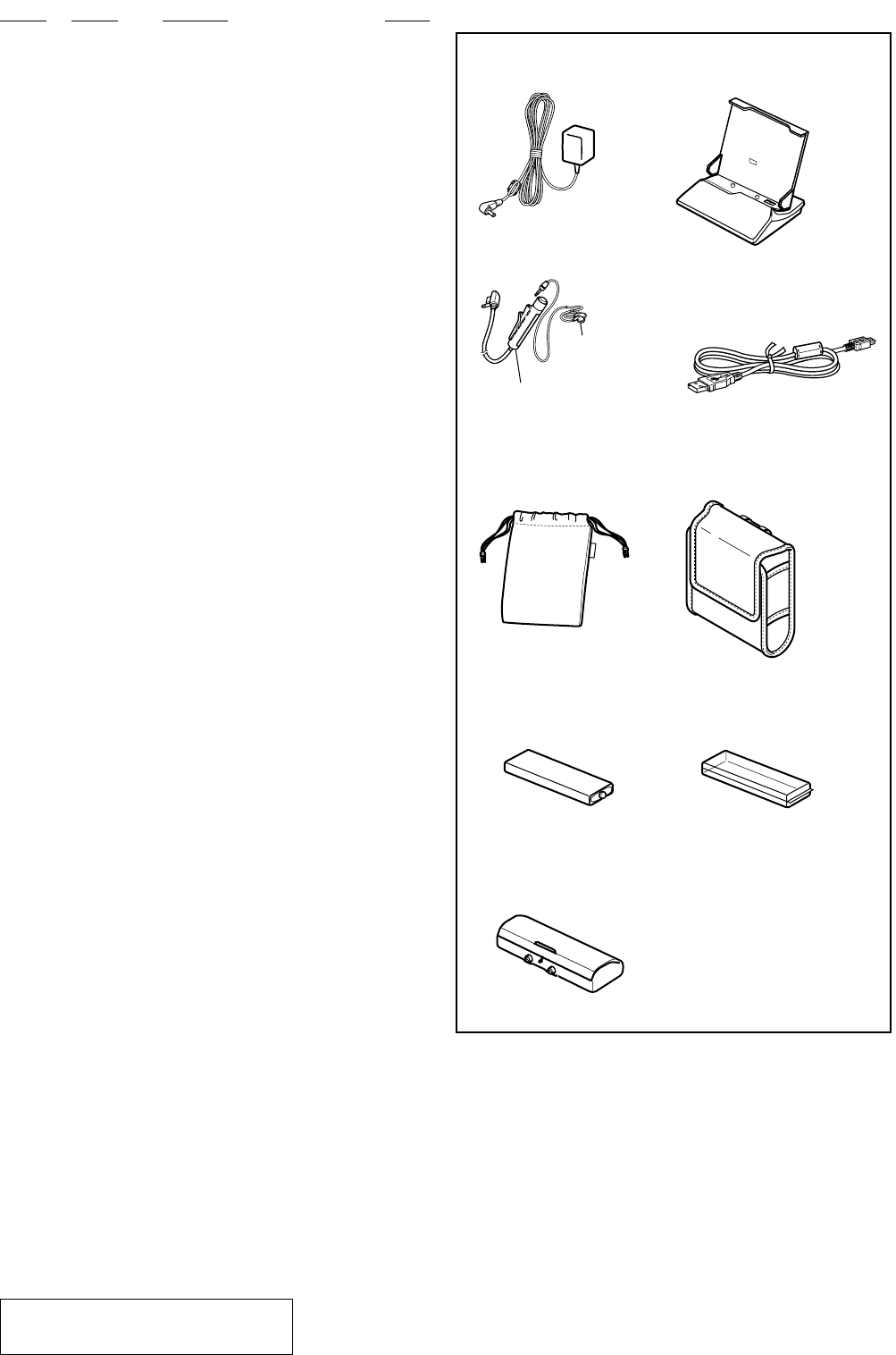
Ref. No. Part No. Description Remark Ref. No. Part No. Description Remark
63
MZ-N1
501
AC ADAPTOR (AC-ES305) 502
CRADLE UNIT (BCA-WM20U)
508
CHARGE CASE
507
NICKEL HYDROGEN BATTERY
509
BATTERY CASE
505
CONNECTION CORD (USB)
506
CARRYING CASE (HK, KR)
506
BELT CLIP CARRYING CASE
(AEP, UK, FR)
503
REMOTE CONTROL UNIT
(RM-MC11EL)
504
RECEIVER
MDR-E805SP
ACCESSORIES
************
3-234-039-11 MANUAL, INSTRUCTION (ENGLISH)
(AEP, UK, HK, KR)
3-234-039-21 MANUAL, INSTRUCTION (FRENCH) (AEP, FR)
3-234-039-31 MANUAL, INSTRUCTION (GERMAN) (AEP)
3-234-039-41 MANUAL, INSTRUCTION (SPANISH) (AEP)
3-234-039-51 MANUAL, INSTRUCTION (DUTCH) (AEP)
3-234-039-61 MANUAL, INSTRUCTION (SWEDISH) (AEP)
3-234-039-71 MANUAL, INSTRUCTION (ITALIAN) (AEP)
3-234-039-81 MANUAL, INSTRUCTION (PORTUGUES) (AEP)
3-234-039-91 MANUAL, INSTRUCTION (FINNISH) (AEP)
3-236-743-11 MANUAL, INSTRUCTION (Open MG Jukebox)
(ENGLISH) (AEP, UK, HK, KR)
3-236-743-21 MANUAL, INSTRUCTION (Open MG Jukebox)
(FRENCH) (AEP, FR)
3-236-743-31 MANUAL, INSTRUCTION (Open MG Jukebox)
(GERMAN) (AEP)
3-236-743-41 MANUAL, INSTRUCTION (Open MG Jukebox)
(SPANISH) (AEP)
3-236-743-51 MANUAL, INSTRUCTION (Open MG Jukebox)
(DUTCH) (AEP)
3-236-743-61 MANUAL, INSTRUCTION (Open MG Jukebox)
(SWEDISH) (AEP)
3-236-743-71 MANUAL, INSTRUCTION (Open MG Jukebox)
(ITALIAN) (AEP)
3-236-743-81 MANUAL, INSTRUCTION (Open MG Jukebox)
(PORTUGUESE) (AEP)
3-236-743-91 MANUAL, INSTRUCTION (Open MG Jukebox)
(FINNISH) (AEP)
3-237-042-01 SOFT (CD-ROM), APPLICATION
3-238-089-11 MANUAL, INSTRUCTION (Open MG Jukebox)
(TRADITIONAL CHINESE) (HK)
3-238-089-31 MANUAL, INSTRUCTION (Open MG Jukebox)
(KOREAN) (KR)
3-238-322-11 MANUAL, INSTRUCTION (Open MG Jukebox)
(TRADITIONAL CHINISE) (HK)
3-238-322-31 MANUAL, INSTRUCTION (Open MG Jukebox)
(KOREAN) (KR)
0501 1-476-857-11 ADAPTOR, AC (AC-ES305) (AEP, FR)
0501 1-476-858-11 ADAPTOR, AC (AC-ES305) (UK, HK)
0501 1-477-075-11 ADAPTOR, AC (AC-ES305) (KR)
0502 1-476-915-11 CRADLE UNIT (BCA-WM20U) (SILVER)
0502 1-476-915-21 CRADLE UNIT (BCA-WM20U) (BLUE)
503 1-476-395-12 REMOTE CONTROL UNIT (RM-MC11EL)
504 8-954-008-91 RECEIVER, EAR MDR-E808SP
505 1-823-647-11 CORD, CONNECTION (USB)
506 3-220-749-01 CASE, CARRYING (HK, KR)
506 3-228-300-01 CASE, BELT CLIP CARRYING (AEP, UK, FR)
507 1-756-194-21 BATTERY, NICKEL HYDROGEN
508 3-043-060-01 CASE, CHARGE (C/D)
509 1-251-895-11 BATTERY CASE
The components identified by mark 0 or dotted
line with mark 0 are critical for safety.
Replace only with part number specified.