Sound Crush HR-701L Bluetooth Speaker User Manual

Sound Crush Company Limited Bluetooth Speaker

User Manual

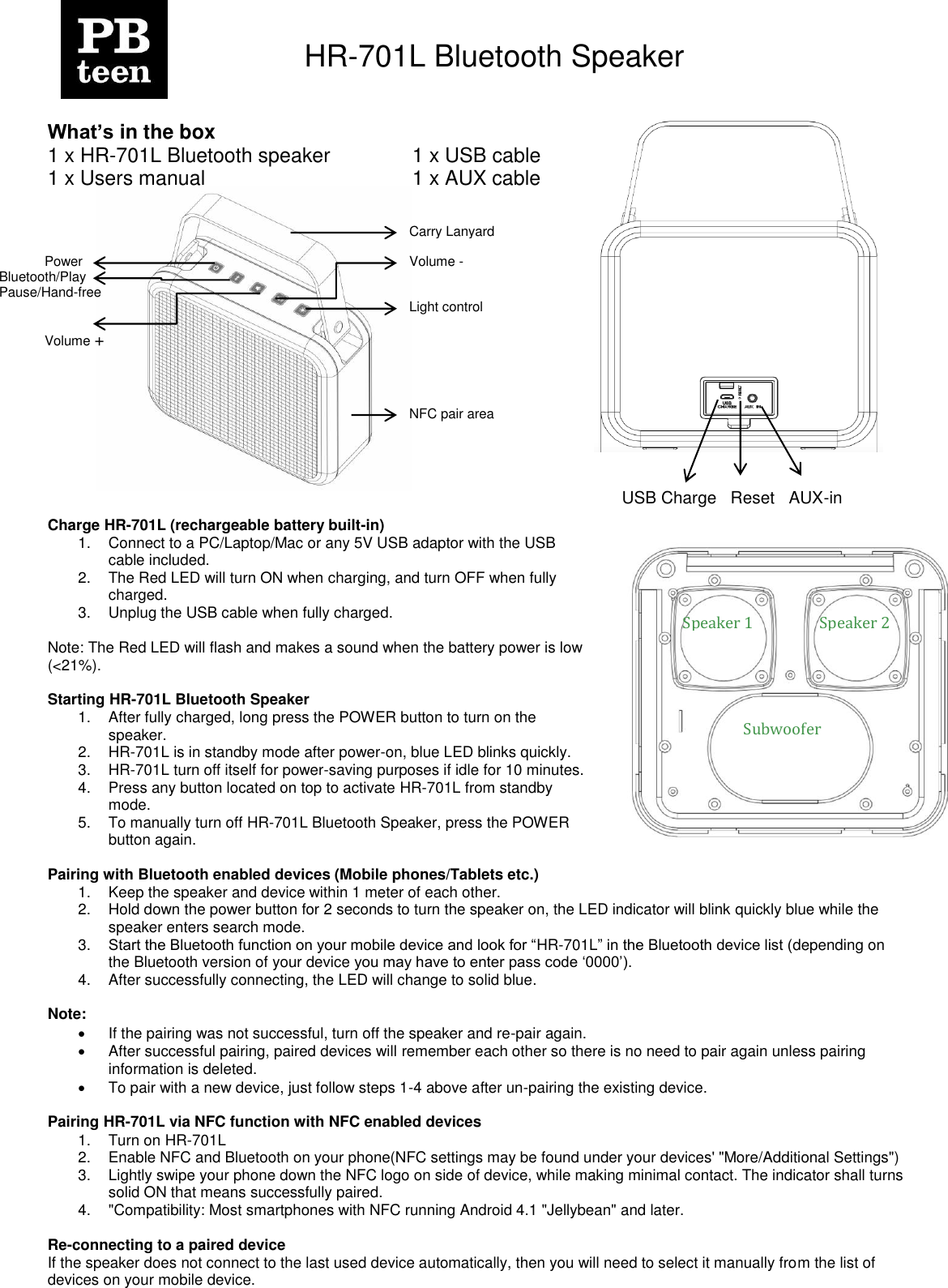
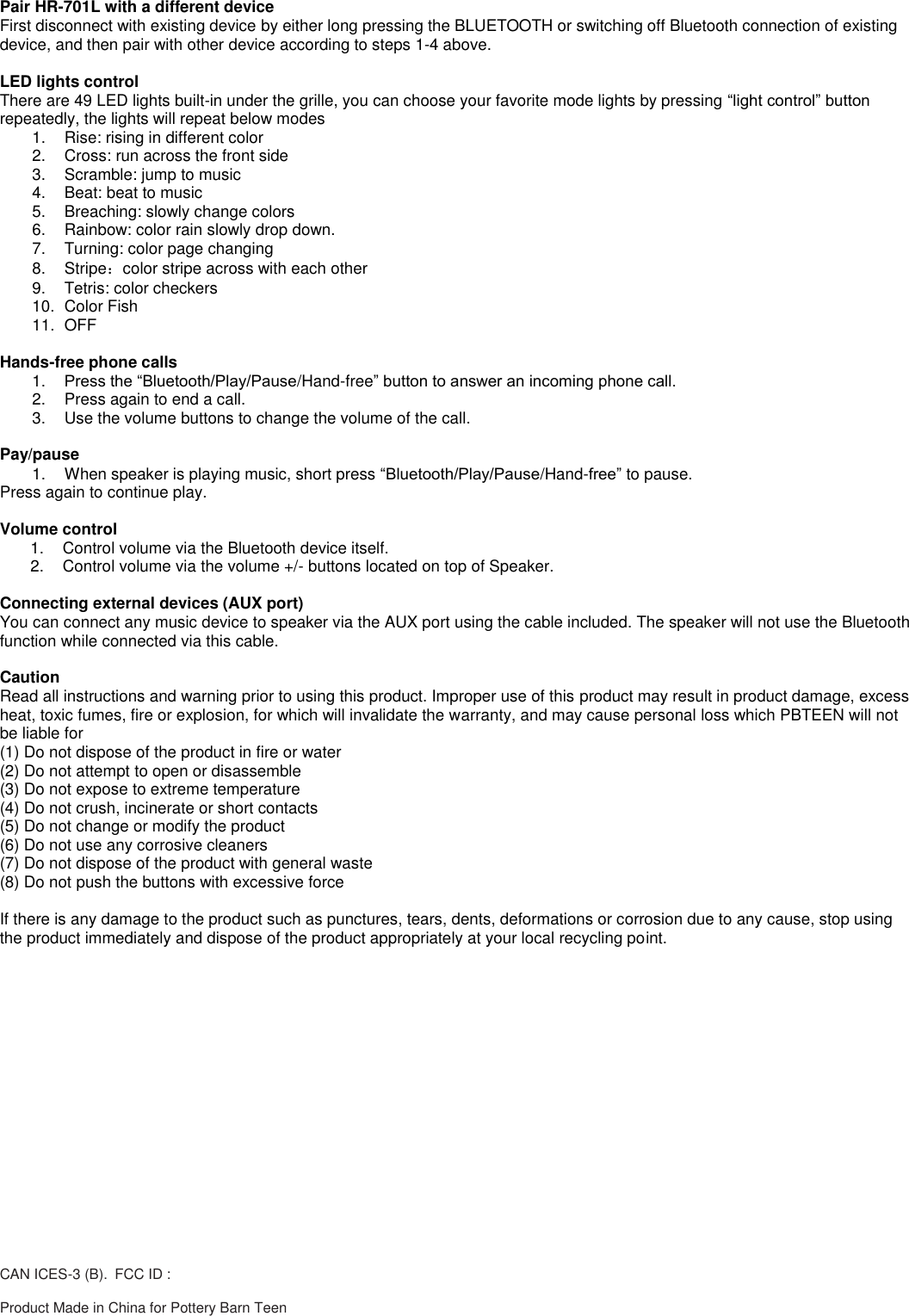
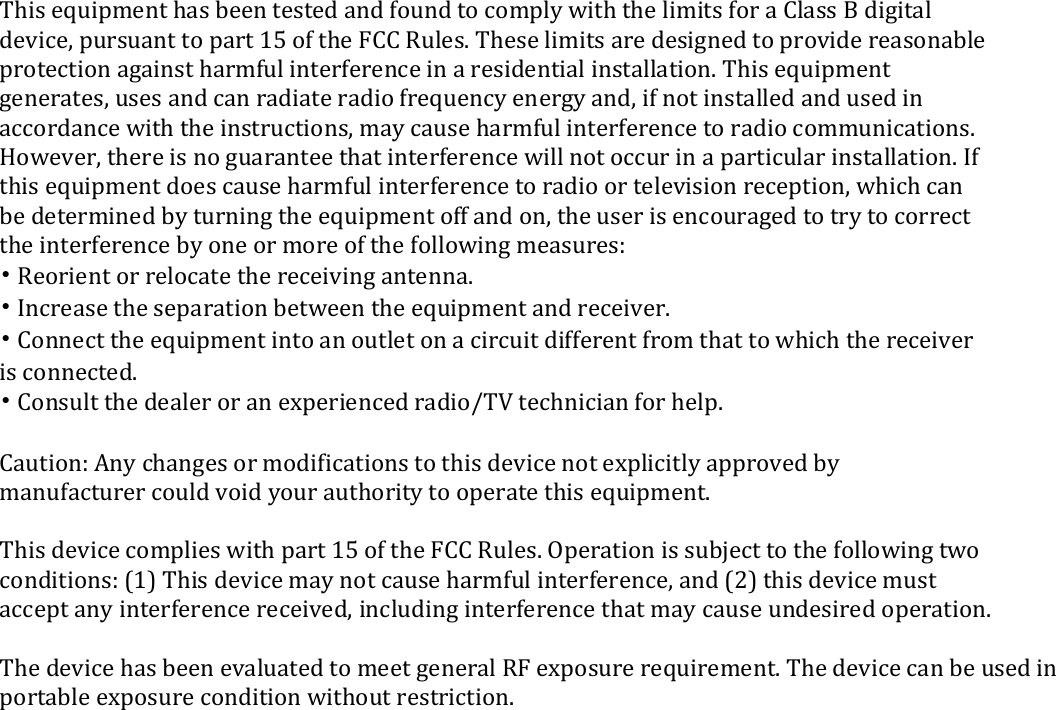
    HR-701L Bluetooth Speaker    What’s in the box 1 x HR-701L Bluetooth speaker    1 x USB cable 1 x Users manual                          1 x AUX cable               Charge HR-701L (rechargeable battery built-in) 1.  Connect to a PC/Laptop/Mac or any 5V USB adaptor with the USB cable included. 2.  The Red LED will turn ON when charging, and turn OFF when fully charged. 3.  Unplug the USB cable when fully charged.  Note: The Red LED will flash and makes a sound when the battery power is low (<21%).  Starting HR-701L Bluetooth Speaker 1.  After fully charged, long press the POWER button to turn on the speaker. 2. HR-701L is in standby mode after power-on, blue LED blinks quickly. 3. HR-701L turn off itself for power-saving purposes if idle for 10 minutes. 4.  Press any button located on top to activate HR-701L from standby mode. 5.  To manually turn off HR-701L Bluetooth Speaker, press the POWER button again.   Pairing with Bluetooth enabled devices (Mobile phones/Tablets etc.) 1.  Keep the speaker and device within 1 meter of each other. 2.  Hold down the power button for 2 seconds to turn the speaker on, the LED indicator will blink quickly blue while the speaker enters search mode. 3. Start the Bluetooth function on your mobile device and look for “HR-701L” in the Bluetooth device list (depending on the Bluetooth version of your device you may have to enter pass code „0000‟). 4.  After successfully connecting, the LED will change to solid blue.  Note:    If the pairing was not successful, turn off the speaker and re-pair again.   After successful pairing, paired devices will remember each other so there is no need to pair again unless pairing information is deleted.   To pair with a new device, just follow steps 1-4 above after un-pairing the existing device.  Pairing HR-701L via NFC function with NFC enabled devices  1.  Turn on HR-701L 2.  Enable NFC and Bluetooth on your phone(NFC settings may be found under your devices' "More/Additional Settings") 3.  Lightly swipe your phone down the NFC logo on side of device, while making minimal contact. The indicator shall turns solid ON that means successfully paired. 4.  "Compatibility: Most smartphones with NFC running Android 4.1 "Jellybean" and later.  Re-connecting to a paired device If the speaker does not connect to the last used device automatically, then you will need to select it manually from the list of devices on your mobile device.  Power USB Charge   Reset   AUX-in                           Speaker 1 Speaker 2 Subwoofer Bluetooth/Play Pause/Hand-free Volume + Carry Lanyard Volume -  Light control NFC pair area
Pair HR-701L with a different device First disconnect with existing device by either long pressing the BLUETOOTH or switching off Bluetooth connection of existing device, and then pair with other device according to steps 1-4 above.  LED lights control There are 49 LED lights built-in under the grille, you can choose your favorite mode lights by pressing “light control” button repeatedly, the lights will repeat below modes 1.  Rise: rising in different color 2.  Cross: run across the front side 3.  Scramble: jump to music 4.  Beat: beat to music 5.  Breaching: slowly change colors 6.  Rainbow: color rain slowly drop down. 7.  Turning: color page changing 8.  Stripe:color stripe across with each other 9.  Tetris: color checkers  10.  Color Fish 11.  OFF  Hands-free phone calls 1. Press the “Bluetooth/Play/Pause/Hand-free” button to answer an incoming phone call. 2.  Press again to end a call. 3.  Use the volume buttons to change the volume of the call.  Pay/pause 1.  When speaker is playing music, short press “Bluetooth/Play/Pause/Hand-free” to pause. Press again to continue play.   Volume control 1.  Control volume via the Bluetooth device itself. 2.  Control volume via the volume +/- buttons located on top of Speaker.  Connecting external devices (AUX port) You can connect any music device to speaker via the AUX port using the cable included. The speaker will not use the Bluetooth function while connected via this cable.  Caution Read all instructions and warning prior to using this product. Improper use of this product may result in product damage, excess heat, toxic fumes, fire or explosion, for which will invalidate the warranty, and may cause personal loss which PBTEEN will not be liable for (1) Do not dispose of the product in fire or water (2) Do not attempt to open or disassemble (3) Do not expose to extreme temperature (4) Do not crush, incinerate or short contacts (5) Do not change or modify the product (6) Do not use any corrosive cleaners (7) Do not dispose of the product with general waste (8) Do not push the buttons with excessive force  If there is any damage to the product such as punctures, tears, dents, deformations or corrosion due to any cause, stop using the product immediately and dispose of the product appropriately at your local recycling point.  CAN ICES-3 (B). FCC ID :  Product Made in China for Pottery Barn Teen
  This equipment has been tested and found to comply with the limits for a Class B digital device, pursuant to part 15 of the FCC Rules. These limits are designed to provide reasonable protection against harmful interference in a residential installation. This equipment generates, uses and can radiate radio frequency energy and, if not installed and used in accordance with the instructions, may cause harmful interference to radio communications. However, there is no guarantee that interference will not occur in a particular installation. If this equipment does cause harmful interference to radio or television reception, which can be determined by turning the equipment off and on, the user is encouraged to try to correct the interference by one or more of the following measures: • Reorient or relocate the receiving antenna. • Increase the separation between the equipment and receiver. • Connect the equipment into an outlet on a circuit different from that to which the receiver is connected. • Consult the dealer or an experienced radio/TV technician for help.  Caution: Any changes or modifications to this device not explicitly approved by manufacturer could void your authority to operate this equipment.  This device complies with part 15 of the FCC Rules. Operation is subject to the following two conditions: (1) This device may not cause harmful interference, and (2) this device must accept any interference received, including interference that may cause undesired operation.  The device has been evaluated to meet general RF exposure requirement. The device can be used in portable exposure condition without restriction.

Navigation menu