Spwertech POWERTATA Tata-punch User Manual
Spwertech.Co., Ltd Tata-punch
User Manual
User's Guide
Product Introduction
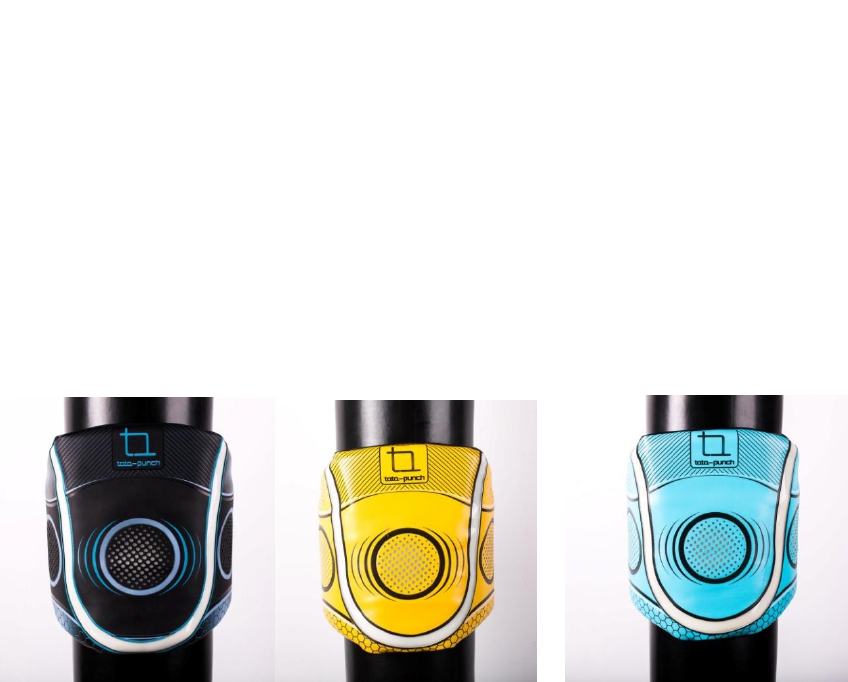
tata-punch is a boxing product combined with APP. Regarding the hardware,
we integrate light and sound with the product to achieve interaction with the user. In
addition, through the wireless transmission technology we can connect to multiple tata-
punch at the same time to realize group training, as well as PK mode.
three characteristics in software
free mode, Athletes can quickly become familiar with the use of tata-punch which is
tailored to fit the user's exercise intensity. Tata punch will make reasonable
arrangements, set daily practice volume and goals, and analyze the data for the user.
Training mode. It is a special teaching assistant interaction function which will help to set
the speed of training, response, and strength for the user through an entertaining way.
Its target is to improve the fighting skills of fighting athletes.
Entertaining mode: this mode introduced PK race and combine music rhythm with
fighting to make the users feel relaxed and joyful with the movement. After boxing, the
users can share their records through regional or friend circle ranking.
Product operation
Hardware use
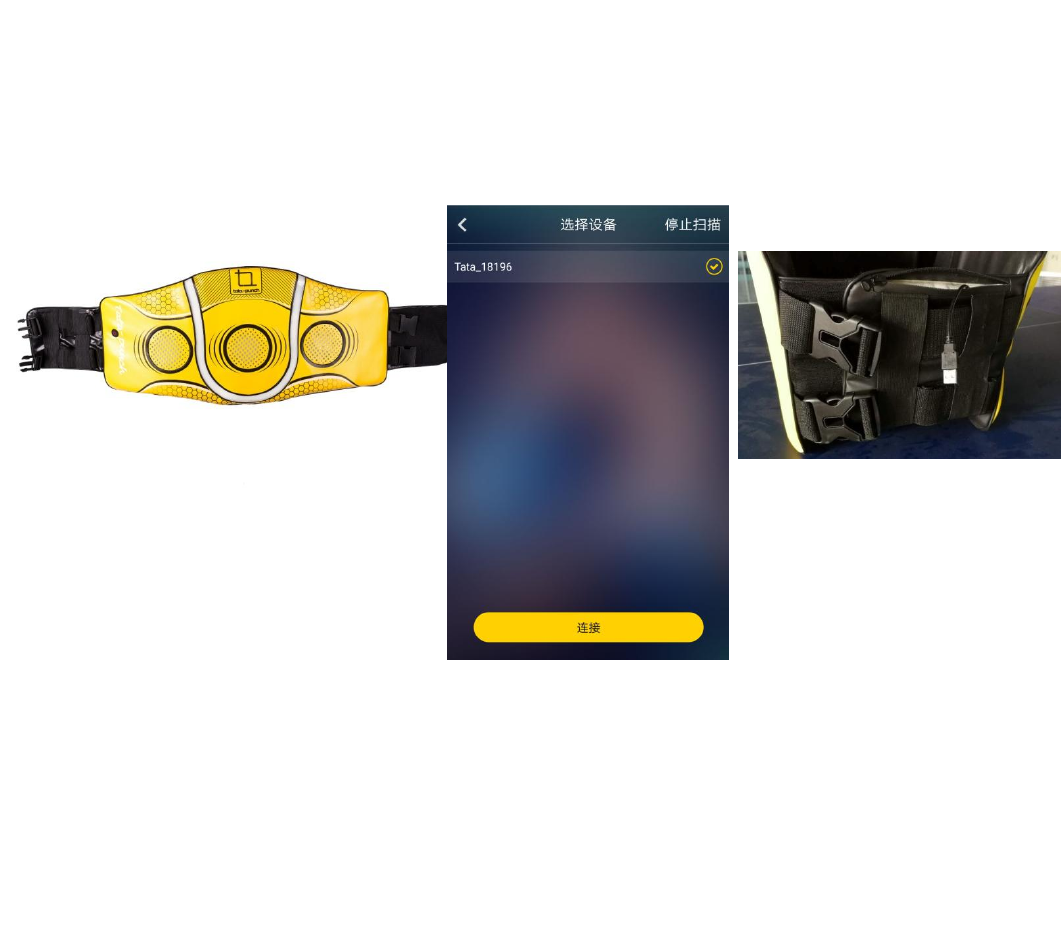
Fix tata-punch intelligent pad (hereinafter referred to as the pad)on the boxing column.
Adjust the stability through the buckle and elastic band
Open the power pocket on the back of the product and connect the USB cable to the
charger.
1.
Long press the power button on the left part of the pad for three seconds,
Note that the voice prompt "online", "waiting for connection". Press the switch again,
when the voice prompts "offline", the user can use the product without app connection.
Individual Device Use
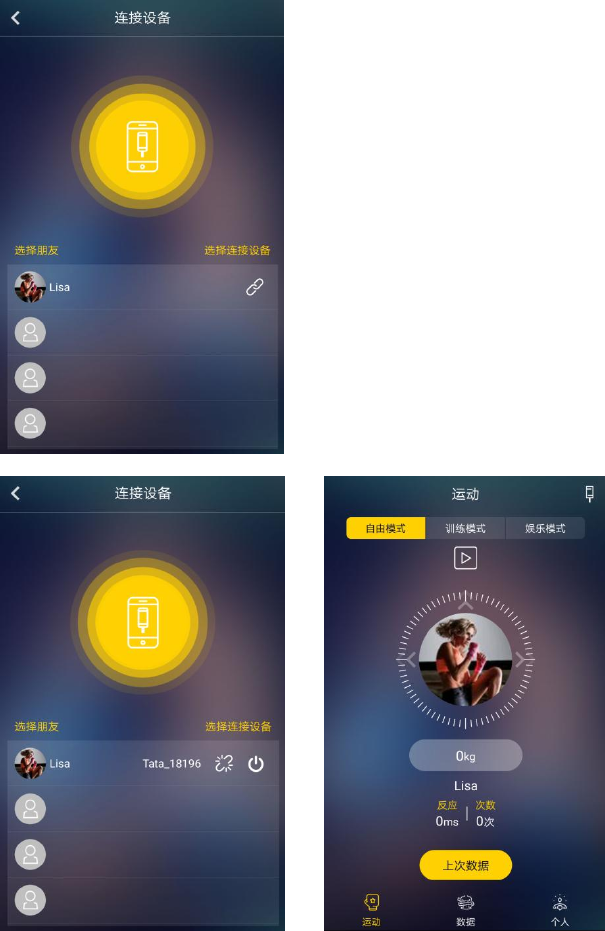
Open the phone APP, follow the prompts to turn on the Bluetooth. Click the device icon
in the upper right corner of the motion mode to enter the device connection interface.
Select the user, click the connection icon, enter the device search, by pressing the
hardware switch, the device voice prompt "waiting for connection" to search for the device.
Select the device, and connect, when the device connection is successful, it will
automatically jump to the previous interface。
Group device Use
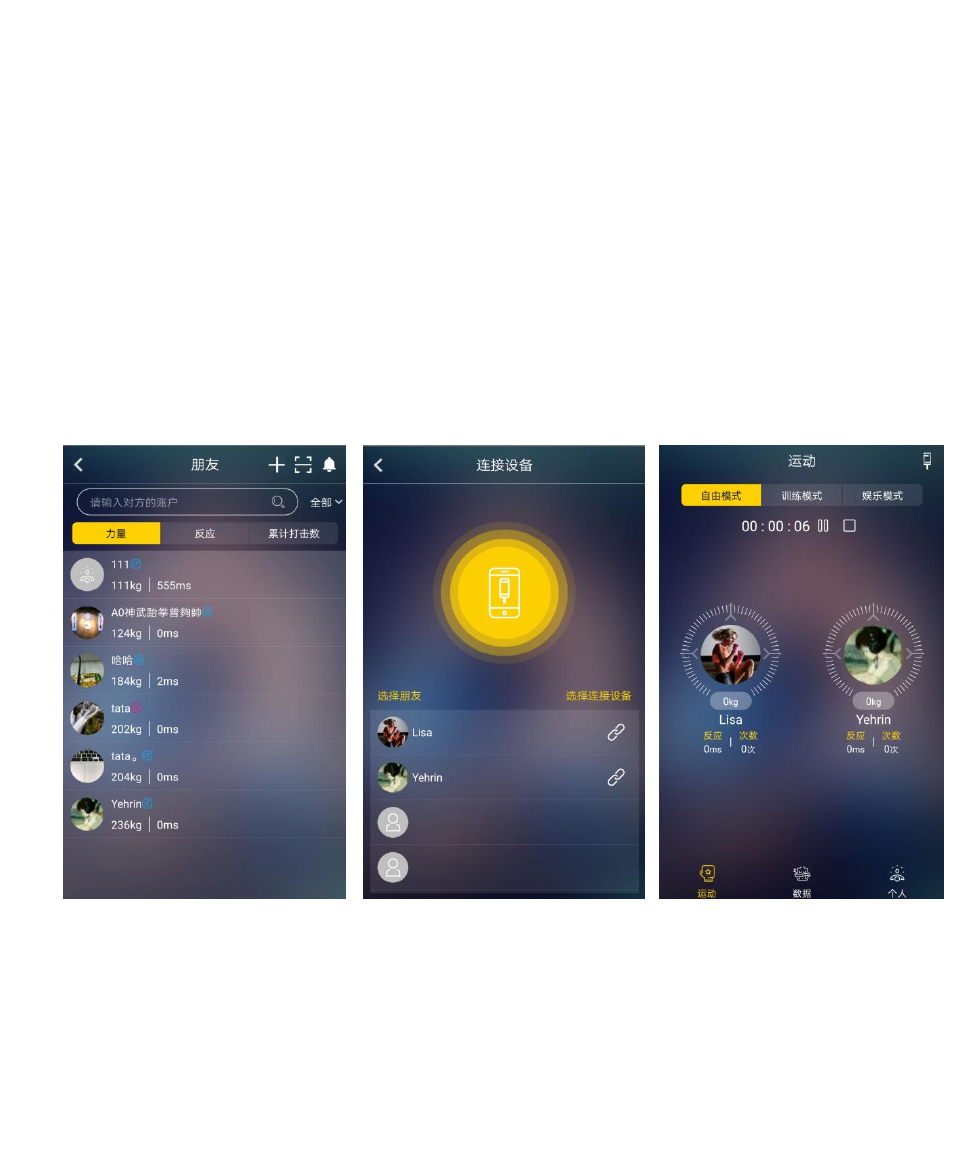
Go to the "Personal" center, tab on "Friends" , enter the friend interface, through the
"search", "sweep away" to add new friends.
Return to the Home page, go to the "Sports" page, click "device" on the upper right
corner, enter the device connection interface.
Select the user, click the connection icon, enter the device search, by pressing the
hardware switch, the device voice prompt "waiting for connection" to search for the
device. Select the device and connect, when the device is connected successfully, the
interface will automatically jump to the previous interface.
Repeat the above steps, to add the other friend’s device, this app can connect to 4 tata
- punch at one time.
APP use instructions (using App picture flow chart)
Download tata-punch App by scanning the two-dimensional code
Open the App, under the guidance of the use of App user registration (please fill out the
personal information, tata-punch intelligent fighting will collect and analyze data based
on your physical information)
App consists of three parts, namely "sports", "data" and "personal"
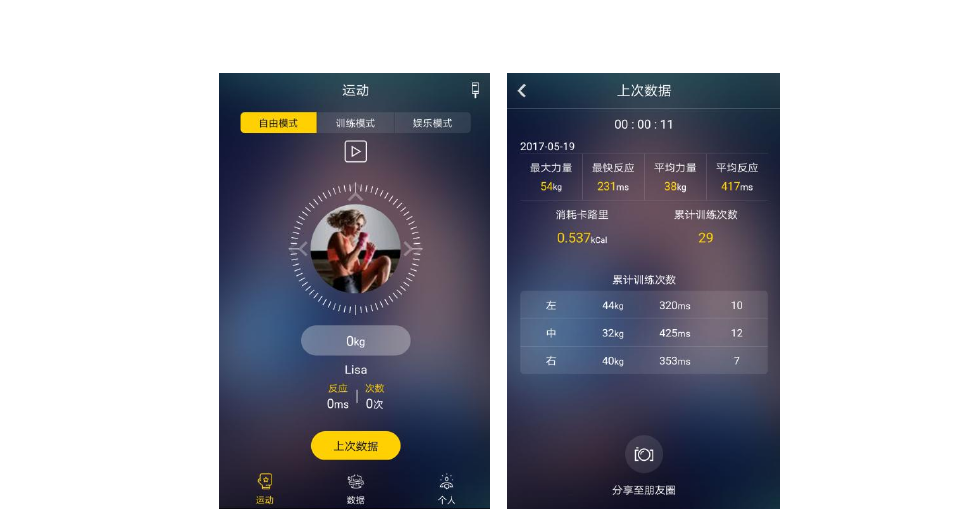
free mode
After exercise, tap the "last data" to learn more about the movement details
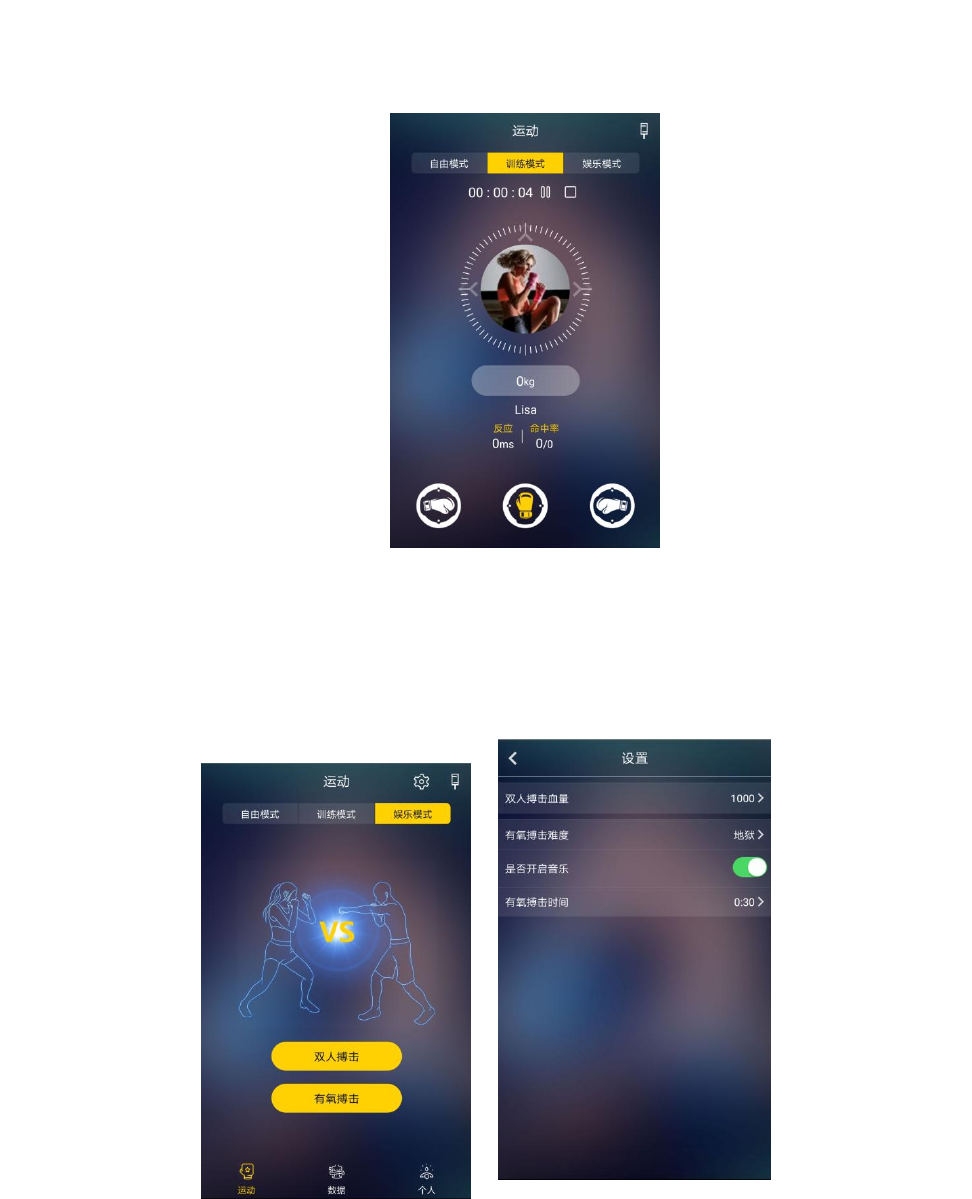
training mode
By clicking on the three directions "glove" icon, you can control the direction of the
hardware lights, and then do the reaction training
Game mode
Tap the "Settings" icon in the upper right corner to set parameters such as "Blood", "Music",
"Round Time" and "Oxygen Fighting Difficulty" in Entertainment Mode
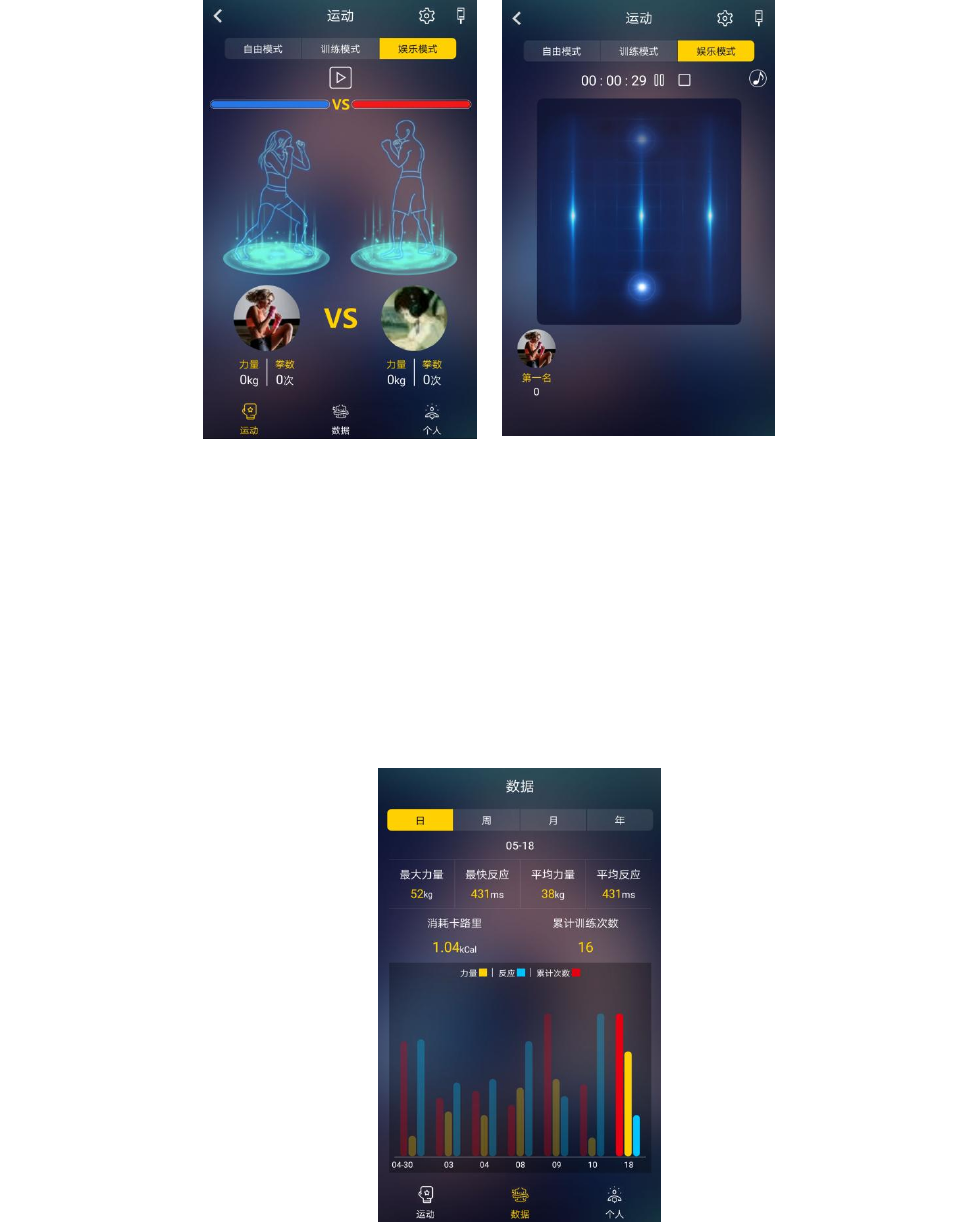
Data
Through the data page, you can understand the daily, weekly, monthly, annual movement
data changes
Consolidated data: maximum strength, fastest response, average strength, average
response, calorie consumption and cumulative hit count
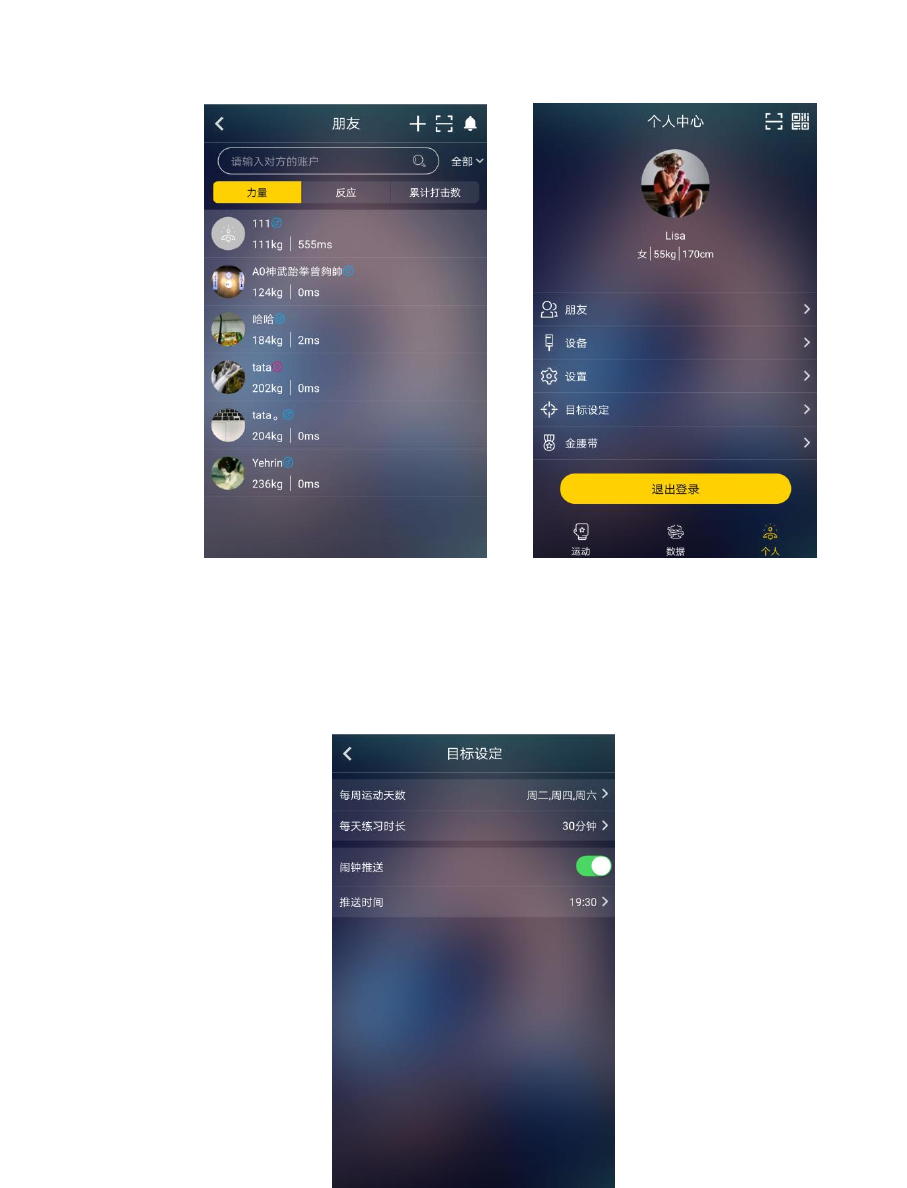
Personal
Friends: users can add friends through scan or search, and to check friends rankings;
Set training goal : the user can set the fighting exercise plan according to their own
conditions.
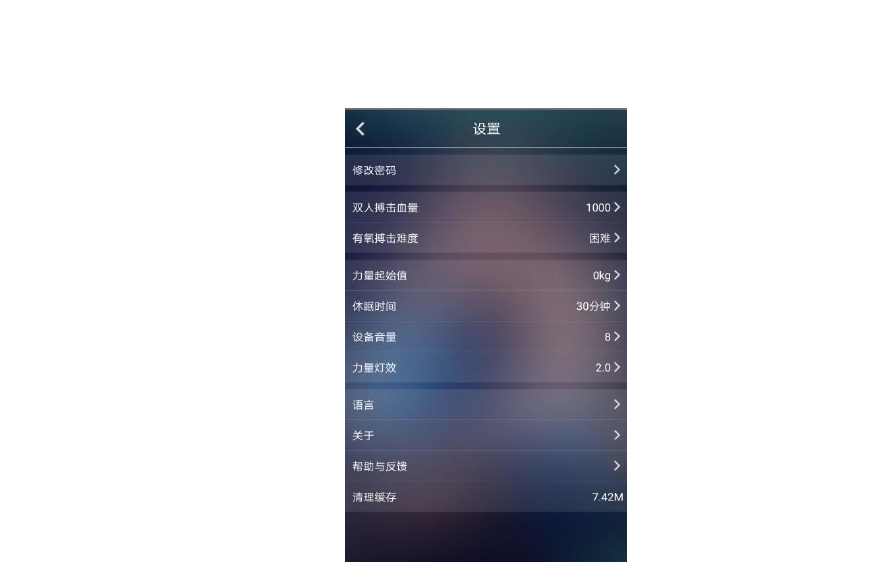
Setting: the user can set the strength of tainning according to their own situation, the
hardware lighting effects, volume, and sleep time;
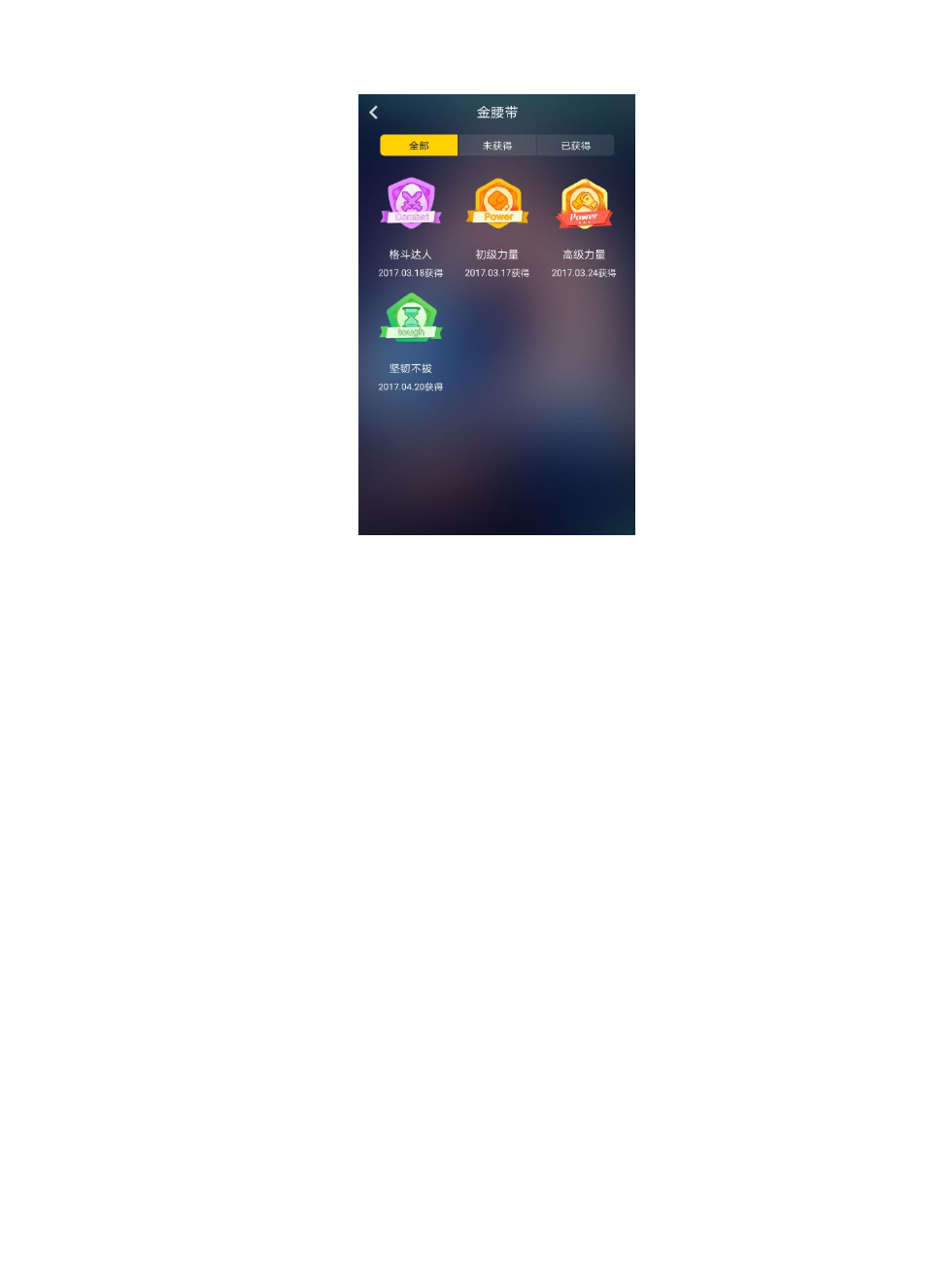
Gold belt: through the practice, users can continue to get gold belt reward and user rights
upgrade;
Q & A
Q;How long will Tata-punch last when it is fully charged?
A: once fully charged, Tata punch can be used up to 24 hours or more.
Q; If I have any problem, how to contact you?
A:You can send your questions or concerns to 165338041@qq.com, 523524257@qq.com,
349448483@qq.com, we will answer your questions.
Q: Can I sell in my store / shop / region?
A: You can follow our WeChat public account "smart fight", enter the online store? to buy. If
you need a wholesale price, please email us
Q:How can I know more about Tata-punch?

A:You can follow tata-punch's facebook platform, or WeChat public account "smart fight",
where we have our own community, users can communicate with each other, we will serve
your problems at any time .
Product parameter
product parameter
size:1240*420*30mm
weight:2kg
input Voltage:5V
Max input current:2A
Battery capacity:5000mAh
Standby time:30h
attention
Since boxing is an intense exercise, it can easily cause broken skin, please wear speical
fighting gears when using the product.
As boxing is anintense exercise, easily lead to wrist, ankle and other bone dislocation
injury, please play under the guidance of professionals to warm up and use the product;
Do not use weapons to puncture the product, or hard objects (metal, sticks, etc.) to
beat violently, otherwise it’s likely to cause damage to the product;
Youth under 18 should use under the guidance of parent or coach;
Waterproof: This equipment is not water resistant , please keep it dry. ;
Fire: the equipment does not have fire performance, please stay away from fire.
Warranty
Please understand, the tata-punch equipments listed in the warranty card, can enjoy a one-
year warranty service from the date of purchase. Except for insurance, postal delivery,
shipping and other miscellaneous fees, the warranty service providedthe following services
for free:
Warranty card must have detailed information including user name and address, date of
purchase, product name, model and equipment number. When a warranty service is
required, this warranty card must be presented for identification.

Product damage or equipment failure due to accidental damage, unauthorized
maintenance, dismantling, and improper storage, etc. are not included in the warranty.
Packaging accessories
tata-punch
A set of tata-punch smart pad
5000mAh
5000mAh supporting mobile power
Instructions for use
A Warranty card
FCC Warning
This equipment has been tested and found to comply with the limits for a Class B digital
device, pursuant to part 15 of the FCC Rules. These limits are designed to provide
reasonable protection against harmful interference in a residential installation. This
equipment generates uses and can radiate radio frequency energy and, if not installed and
used in accordance with the instructions, may cause harmful interference to radio
communications. However, there is no guarantee that interference will not occur in a
particular installation. If this equipment does cause harmful interference to radio or
television reception, which can be determined by turning the equipment off and on, the user
is encouraged to try to correct the interference by one or more of the following measures:
-Reorient or relocate the receiving antenna.
-Increase the separation between the equipment and receiver.
-Connect the equipment into an outlet on a circuit different from that to which the receiver is
connected.
-Consult the dealer or an experienced radio/TV technician for help.
This device complies with part 15 of the FCC Rules. Operation is subject to the following
two conditions: (1) This device may not cause harmful interference, and (2) this device must
accept any interference received, including interference that may cause undesired
operation.
Any Changes or modifications not expressly approved by the party responsible for
compliance could void the user's authority to operate the equipment.