Swann Communications SWWHDINTCAM Swann Wireless HD Smart Security Camera User Manual

SWANN COMMUNICATIONS LIMITED Swann Wireless HD Smart Security Camera Users Manual

Users Manual

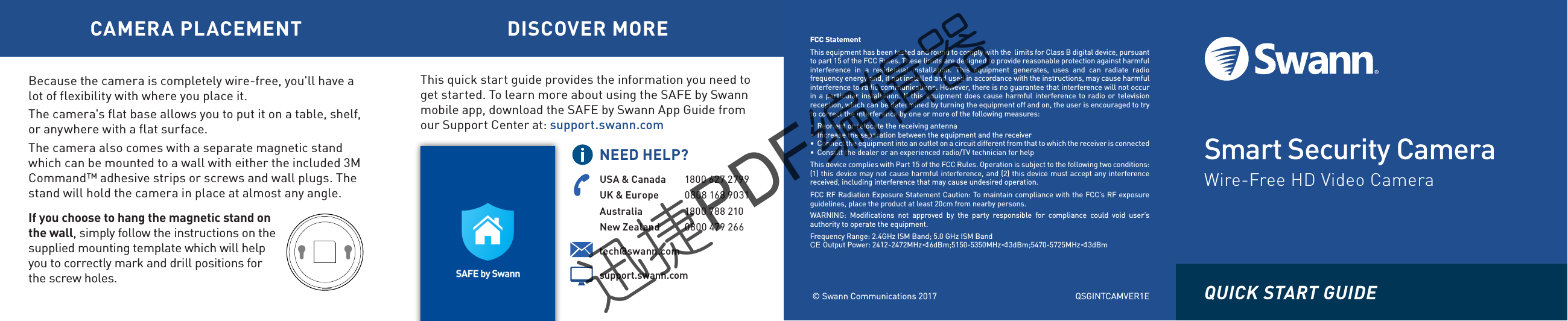
Smart Security CameraWire-Free HD Video Camera© Swann Communications 2017FCC StatementThis equipment has been tested and found to comply with the  limits for Class B digital device, pursuantto part 15 of the FCC Rules. These limits are designed to provide reasonable protection against harmfulinterference  in  a  residential  installation.  This  equipment  generates,  uses  and  can  radiate  radiofrequency energy and, if not installed and used in accordance with the instructions, may cause harmfulinterference to radio communications. However, there is no guarantee that interference will not occurin a particular installation. If this equipment does cause harmful interference  to  radio or televisionreception, which can be determined by turning the equipment off and on, the user is encouraged to tryto correct the interference by one or more of the following measures:•  Reorient or relocate the receiving antenna•  Increase the separation between the equipment and the receiver•  Connect the equipment into an outlet on a circuit different from that to which the receiver is connected•  Consult the dealer or an experienced radio/TV technician for helpThis device complies with Part 15 of the FCC Rules. Operation is subject to the following two conditions:(1) this device may not cause harmful interference, and (2) this device must accept any interferencereceived, including interference that may cause undesired operation.FCC RF Radiation Exposure Statement Caution: To maintain compliance with the FCC’s RF exposureguidelines, place the product at least 20cm from nearby persons.WARNING:  Modifications  not  approved  by  the  party  responsible  for  compliance  could  void  user’sauthority to operate the equipment.Frequency Range: 2.4GHz ISM Band; 5.0 GHz ISM Bandtech@swann.com CE Output Power: 2412-2472MHz<16dBm;5150-5350MHz<13dBm;5470-5725MHz<13dBmsupport.swann.comUSA & Canada 1800 627 2799UK & Europe 0808 168 9031Australia 1800 788 210New Zealand 0800 479 266NEED HELP?CAMERA PLACEMENT DISCOVER MOREThis quick start guide provides the information you need to get started. To learn more about using the SAFE by Swann mobile app, download the SAFE by Swann App Guide from our Support Center at: support.swann.comQUICK START GUIDE Because the camera is completely wire-free, you'll have a lot of flexibility with where you place it.The camera's flat base allows you to put it on a table, shelf, or anywhere with a flat surface. The camera also comes with a separate magnetic stand which can be mounted to a wall with either the included 3M Command™ adhesive strips or screws and wall plugs. The stand will hold the camera in place at almost any angle.If you choose to hang the magnetic stand on the wall, simply follow the instructions on the supplied mounting template which will help you to correctly mark and drill positions for the screw holes.QSGINTCAMVER1E迅捷PDF编辑器迅捷PDF编辑器迅捷PDF编辑器迅捷PDF编辑器
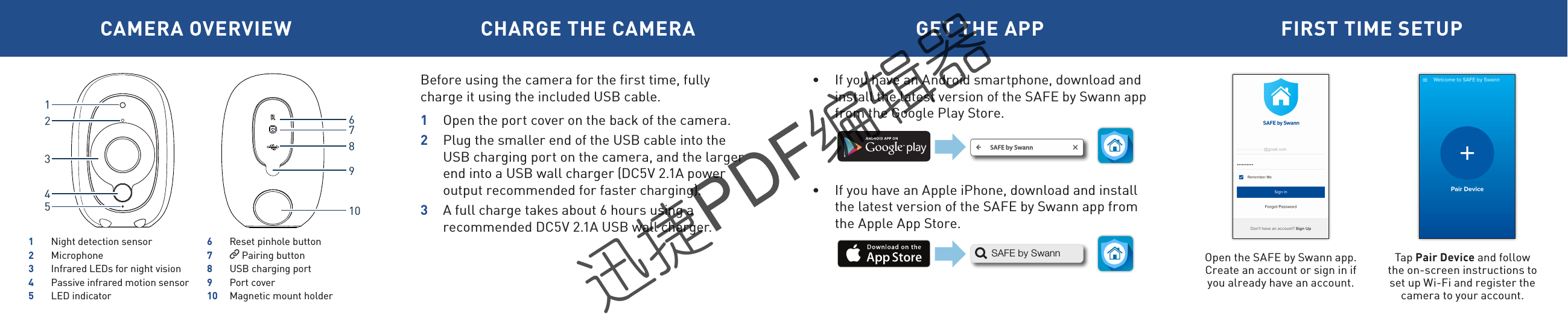
CAMERA OVERVIEW CHARGE THE CAMERA GET THE APP FIRST TIME SETUPBefore using the camera for the first time, fully charge it using the included USB cable. 1  Open the port cover on the back of the camera.2  Plug the smaller end of the USB cable into the USB charging port on the camera, and the larger end into a USB wall charger (DC5V 2.1A power output recommended for faster charging). 3  A full charge takes about 6 hours using a recommended DC5V 2.1A USB wall charger.Open the SAFE by Swann app.Create an account or sign in if you already have an account.Tap Pair Device and follow the on-screen instructions to set up Wi-Fi and register the camera to your account. •  If you have an Android smartphone, download and install the latest version of the SAFE by Swann app from the Google Play Store.•  If you have an Apple iPhone, download and install the latest version of the SAFE by Swann app from the Apple App Store. SAFE by SwannSAFE by Swann162789103451  Night detection sensor2 Microphone3  Infrared LEDs for night vision4  Passive infrared motion sensor5  LED indicator6  Reset pinhole button7   Pairing button8  USB charging port9  Port cover10  Magnetic mount holder迅捷PDF编辑器迅捷PDF编辑器迅捷PDF编辑器迅捷PDF编辑器

Navigation menu