Swetz Sound Technology SS-IE034B Cobra Bluetooth Earbuds User Manual MZ 503 MZIE034

Shenzhen Swetz Sound Technology Co., Limited Cobra Bluetooth Earbuds MZ 503 MZIE034

User Manual

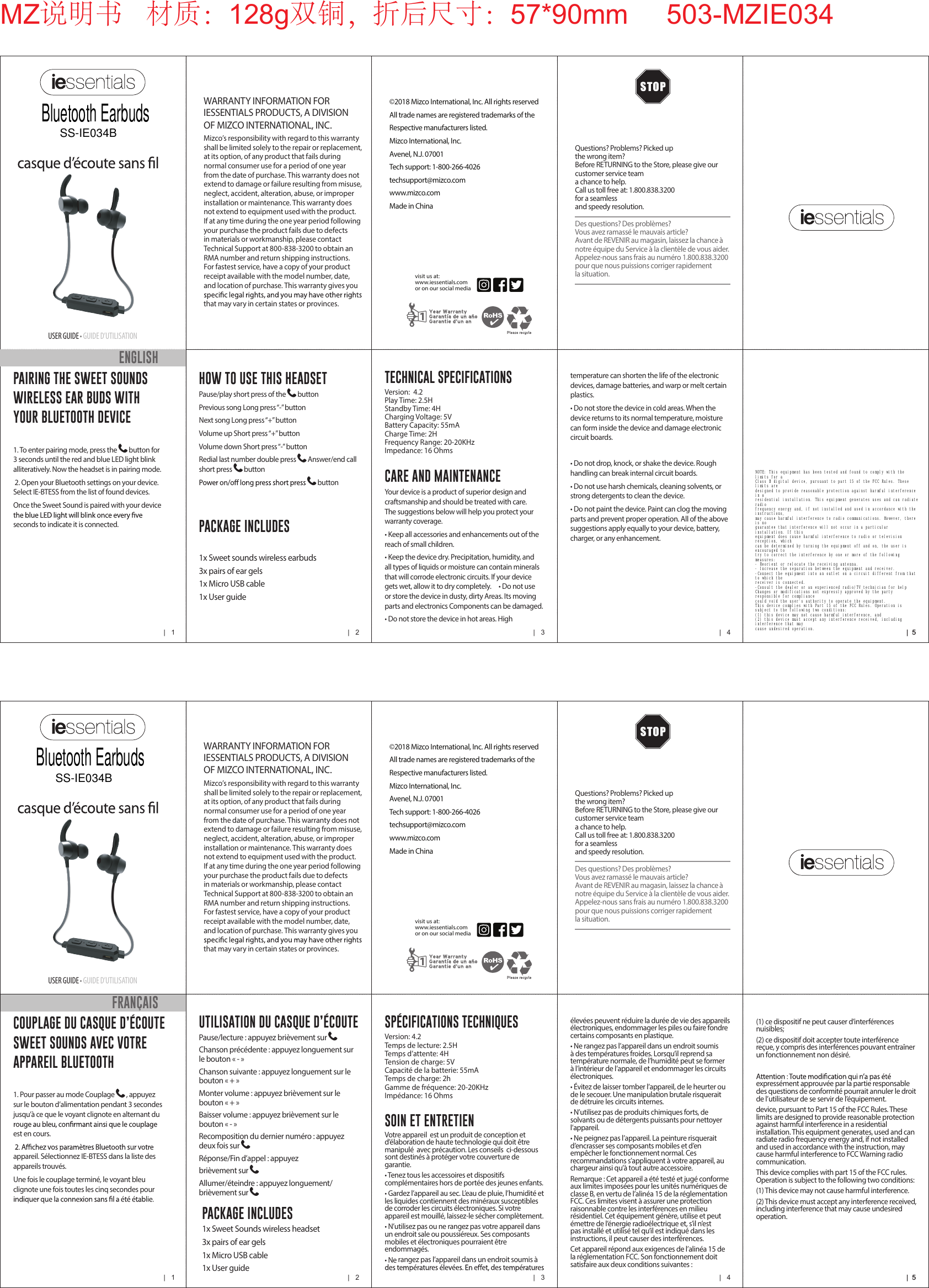
|   1 |   2 |   3 |   4 |  5|  5USER GUIDE • GUIDE D’UTILISATIONWARRANTY INFORMATION FOR IESSENTIALS PRODUCTS, A DIVISION OF MIZCO INTERNATIONAL, INC. Mizco’s responsibility with regard to this warranty shall be limited solely to the repair or replacement, at its option, of any product that fails during normal consumer use for a period of one year from the date of purchase. This warranty does not extend to damage or failure resulting from misuse, neglect, accident, alteration, abuse, or improper installation or maintenance. This warranty does not extend to equipment used with the product. If at any time during the one year period following your purchase the product fails due to defects in materials or workmanship, please contact Technical Support at 800-838-3200 to obtain an RMA number and return shipping instructions. For fastest service, have a copy of your product receipt available with the model number, date, and location of purchase. This warranty gives you that may vary in certain states or provinces.Questions? Problems? Picked up  the wrong item?Before RETURNING to the Store, please give our  customer service team  a chance to help.  Call us toll free at: 1.800.838.3200 for a seamless  and speedy resolution.Des questions? Des problèmes?Vous avez ramassé le mauvais article?Avant de REVENIR au magasin, laissez la chance  à notre équipe du Service à la clientèle de vous aider.Appelez-nous sans frais au numéro 1.800.838.3200 pour  que nous puissions corriger rapidement  la situation.©2018 Mizco International, Inc. All rights reservedAll trade names are registered trademarks of theRespective manufacturers listed.Mizco International, Inc.Avenel, N.J. 07001Tech support: 1-800-266-4026techsupport@mizco.comwww.mizco.comMade in Chinavisit us at:www.iessentials.com or on our social media COUPLAGE DU CASQUE D’ÉCOUTE SWEET SOUNDS AVEC VOTRE APPAREIL BLUETOOTH 1. Pour passer au mode Couplage  , appuyez sur le bouton d’alimentation pendant 3 secondes jusqu’à ce que le voyant clignote en alternant du est en cours.appareil. Sélectionnez IE-BTESS dans la liste des appareils trouvés.Une fois le couplage terminé, le voyant bleu clignote une fois toutes les cinq secondes pour SOIN ET ENTRETIENVotre appareil  est un produit de conception et d’élaboration de haute technologie qui doit être manipulé  avec précaution. Les conseils  ci-dessous sont destinés à protéger votre couverture de garantie.• Tenez tous les accessoires et dispositifs complémentaires hors de portée des jeunes enfants.• Gardez l’appareil au sec. L’eau de pluie, l’humidité et les liquides contiennent des minéraux susceptibles de corroder les circuits électroniques. Si votre appareil est mouillé, laissez-le sécher complètement. • N’utilisez pas ou ne rangez pas votre appareil dans un endroit sale ou poussiéreux. Ses composants mobiles et électroniques pourraient être endommagés.• Ne rangez pas l’appareil dans un endroit soumis à (1) ce dispositif ne peut causer d’interférences nuisibles;(2) ce dispositif doit accepter toute interférence reçue, y compris des interférences pouvant entraîner un fonctionnement non désiré.expressément approuvée par la partie responsable des questions de conformité pourrait annuler le droit de l’utilisateur de se servir de l’équipement.device, pursuant to Part 15 of the FCC Rules. These limits are designed to provide reasonable protection against harmful interference in a residential installation. This equipment generates, used and can radiate radio frequency energy and, if not installed and used in accordance with the instruction, may cause harmful interference to FCC Warning radio communication.This device complies with part 15 of the FCC rules. Operation is subject to the following two conditions:(1) This device may not cause harmful interference.(2) This device must accept any interference received, including interference that may cause undesired operation.FRANÇAISUTILISATION DU CASQUE D’ÉCOUTEPause/lecture : appuyez brièvement sur Chanson précédente : appuyez longuement sur le bouton « - »Chanson suivante : appuyez longuement sur le bouton « + »Monter volume : appuyez brièvement sur le bouton « + »Baisser volume : appuyez brièvement sur le bouton « - »Recomposition du dernier numéro : appuyez deux fois sur Réponse/Fin d’appel : appuyez brièvement sur Allumer/éteindre : appuyez longuement/brièvement sur   PACKAGE INCLUDES1x Sweet Sounds wireless headset3x pairs of ear gels 1x Micro USB cable1x User guideSPÉCIFICATIONS TECHNIQUESVersion: 4.2Temps de lecture: 2.5HTemps d’attente: 4HTension de charge: 5VCapacité de la batterie: 55mATemps de charge: 2hGamme de fréquence: 20-20KHzImpédance: 16 Ohmsélevées peuvent réduire la durée de vie des appareils électroniques, endommager les piles ou faire fondre certains composants en plastique.• Ne rangez pas l’appareil dans un endroit soumis à des températures froides. Lorsqu’il reprend sa température normale, de l’humidité peut se former à l’intérieur de l’appareil et endommager les circuits électroniques.• Évitez de laisser tomber l’appareil, de le heurter ou de le secouer. Une manipulation brutale risquerait de détruire les circuits internes.• N’utilisez pas de produits chimiques forts, de solvants ou de détergents puissants pour nettoyer l’appareil.• Ne peignez pas l’appareil. La peinture risquerait d’encrasser ses composants mobiles et d’en empêcher le fonctionnement normal. Ces recommandations s’appliquent à votre appareil, au chargeur ainsi qu’à tout autre accessoire.Remarque : Cet appareil a été testé et jugé conforme aux limites imposées pour les unités numériques de classe B, en vertu de l’alinéa 15 de la réglementation FCC. Ces limites visent à assurer une protection raisonnable contre les interférences en milieu résidentiel. Cet équipement génère, utilise et peut émettre de l’énergie radioélectrique et, s’il n’est pas installé et utilisé tel qu’il est indiqué dans les instructions, il peut causer des interférences.Cet appareil répond aux exigences de l’alinéa 15 de la réglementation FCC. Son fonctionnement doit satisfaire aux deux conditions suivantes :|   1 |   2 |   3 |   4 |  5|  5USER GUIDE • GUIDE D’UTILISATIONWARRANTY INFORMATION FOR IESSENTIALS PRODUCTS, A DIVISION OF MIZCO INTERNATIONAL, INC. Mizco’s responsibility with regard to this warranty shall be limited solely to the repair or replacement, at its option, of any product that fails during normal consumer use for a period of one year from the date of purchase. This warranty does not extend to damage or failure resulting from misuse, neglect, accident, alteration, abuse, or improper installation or maintenance. This warranty does not extend to equipment used with the product. If at any time during the one year period following your purchase the product fails due to defects in materials or workmanship, please contact Technical Support at 800-838-3200 to obtain an RMA number and return shipping instructions. For fastest service, have a copy of your product receipt available with the model number, date, and location of purchase. This warranty gives you that may vary in certain states or provinces.Questions? Problems? Picked up  the wrong item?Before RETURNING to the Store, please give our  customer service team  a chance to help.  Call us toll free at: 1.800.838.3200 for a seamless  and speedy resolution.Des questions? Des problèmes?Vous avez ramassé le mauvais article?Avant de REVENIR au magasin, laissez la chance  à notre équipe du Service à la clientèle de vous aider.Appelez-nous sans frais au numéro 1.800.838.3200 pour  que nous puissions corriger rapidement  la situation.©2018 Mizco International, Inc. All rights reservedAll trade names are registered trademarks of theRespective manufacturers listed.Mizco International, Inc.Avenel, N.J. 07001Tech support: 1-800-266-4026techsupport@mizco.comwww.mizco.comMade in Chinavisit us at:www.iessentials.com or on our social media PAIRING THE SWEET SOUNDS WIRELESS EAR BUDS WITH YOUR BLUETOOTH DEVICE1. To enter pairing mode, press the  button for 3 seconds until the red and blue LED light blink alliteratively. Now the headset is in pairing mode.2. Open your Bluetooth settings on your device. Select IE-BTESS from the list of found devices.Once the Sweet Sound is paired with your device seconds to indicate it is connected. CARE AND MAINTENANCEYour device is a product of superior design and craftsmanship and should be treated with care. The suggestions below will help you protect your warranty coverage.• Keep all accessories and enhancements out of the reach of small children.• Keep the device dry. Precipitation, humidity, and all types of liquids or moisture can contain minerals that will corrode electronic circuits. If your device gets wet, allow it to dry completely.     • Do not use or store the device in dusty, dirty Areas. Its moving parts and electronics Components can be damaged.• Do not store the device in hot areas. High ENGLISHHOW TO USE THIS HEADSETPause/play short press of the  buttonPrevious song Long press “-” buttonNext song Long press “+” buttonVolume up Short press “+” buttonVolume down Short press “-” buttonRedial last number double press  Answer/end call short press  button  buttonPACKAGE INCLUDES1x Sweet sounds wireless earbuds 3x pairs of ear gels 1x Micro USB cable1x User guideTECHNICAL SPECIFICATIONSVersion:  4.2Play Time: 2.5HStandby Time: 4HCharging Voltage: 5VBattery Capacity: 55mACharge Time: 2HFrequency Range: 20-20KHzImpedance: 16 Ohmstemperature can shorten the life of the electronic devices, damage batteries, and warp or melt certain plastics.• Do not store the device in cold areas. When the device returns to its normal temperature, moisture can form inside the device and damage electronic circuit boards.• Do not drop, knock, or shake the device. Rough handling can break internal circuit boards.• Do not use harsh chemicals, cleaning solvents, or strong detergents to clean the device.• Do not paint the device. Paint can clog the moving parts and prevent proper operation. All of the above suggestions apply equally to your device, battery, charger, or any enhancement.MZ说明书   材质:128g双铜,折后尺寸:57*90mm     503-MZIE034Bluetooth EarbudsSS-IE034BBluetooth EarbudsSS-IE034BNOTE: This equipment has been tested and found to comply with the limits for a Class B digital device, pursuant to part 15 of the FCC Rules. These limits are designed to provide reasonable protection against harmful interference in a residential installation. This equipment generates uses and can radiate radio frequency energy and, if not installed and used in accordance with the instructions, may cause harmful interference to radio communications. However, there is no guarantee that interference will not occur in a particular installation. If this equipment does cause harmful interference to radio or television reception, which can be determined by turning the equipment off and on, the user is encouraged to try to correct the interference by one or more of the following measures: - Reorient or relocate the receiving antenna. - Increase the separation between the equipment and receiver. -Connect the equipment into an outlet on a circuit different from that to which the receiver is connected. -Consult the dealer or an experienced radio/TV technician for help Changes or modifications not expressly approved by the party responsible for compliance could void the user's authority to operate the equipment. This device complies with Part 15 of the FCC Rules. Operation is subject to the following two conditions: (1) this device may not cause harmful interference, and (2) this device must accept any interference received, including interference that may cause undesired operation.

Navigation menu