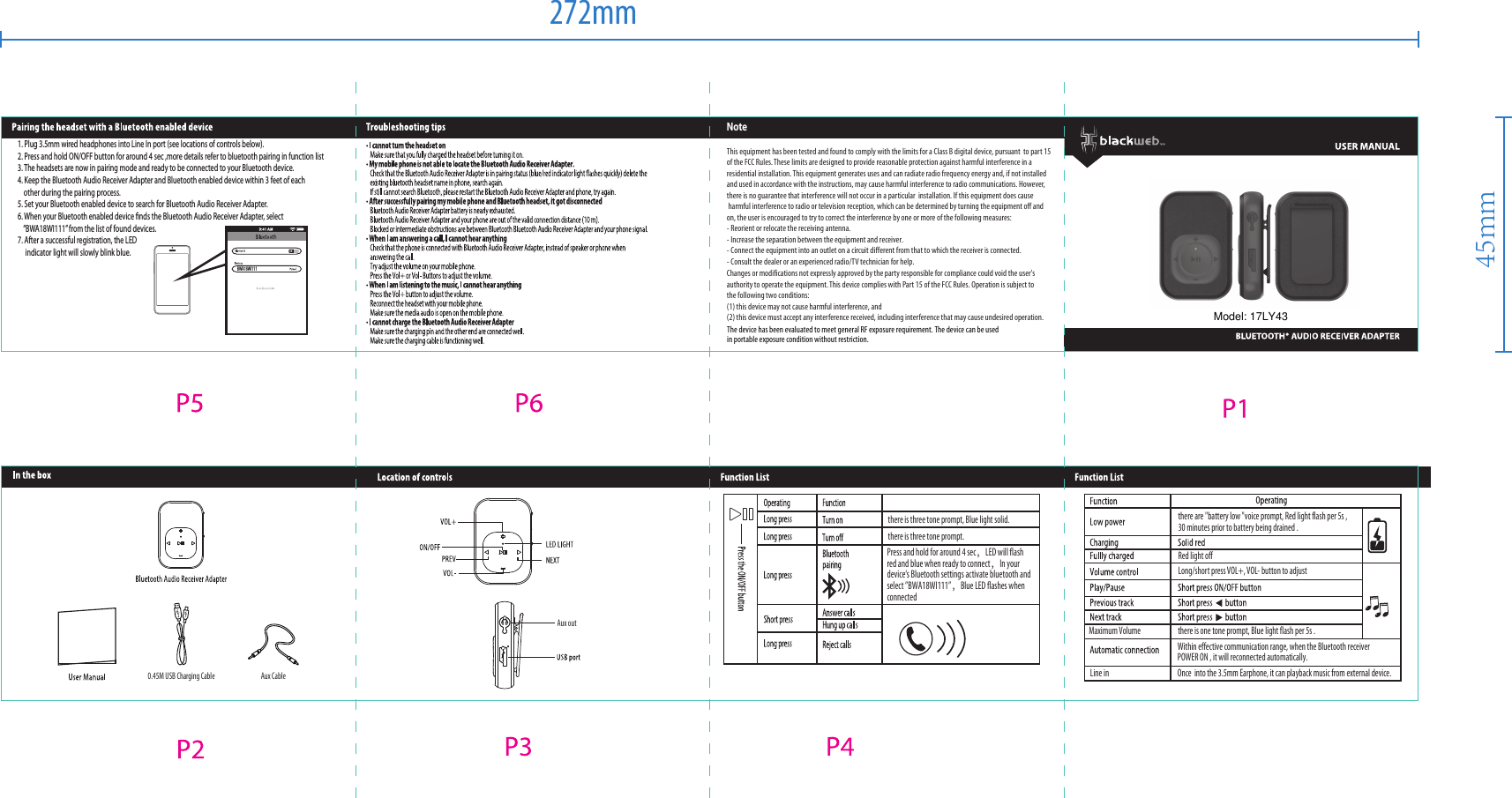
TOPWAY EM ENTERPRISE BWBTRECEIVER BLUETOOTH AUDIO RECEIVER ADAPTER User Manual

TOPWAY EM ENTERPRISE LTD. BLUETOOTH AUDIO RECEIVER ADAPTER

User Manual

BWA18WI111NoteThis equipment has been tested and found to comply with the limits for a Class B digital device, pursuant  to part 15 of the FCC Rules. These limits are designed to provide reasonable protection against harmful interference in a residential installation. This equipment generates uses and can radiate radio frequency energy and, if not installed and used in accordance with the instructions, may cause harmful interference to radio communications. However, there is no guarantee that interference will not occur in a particular  installation. If this equipment does cause harmful interference to radio or television reception, which can be determined by turning the equipment off and on, the user is encouraged to try to correct the interference by one or more of the following measures:- Reorient or relocate the receiving antenna.- Increase the separation between the equipment and receiver.- Connect the equipment into an outlet on a circuit different from that to which the receiver is connected.- Consult the dealer or an experienced radio/TV technician for help.Changes or modifications not expressly approved by the party responsible for compliance could void the user's authority to operate the equipment. This device complies with Part 15 of the FCC Rules. Operation is subject to the following two conditions:(1) this device may not cause harmful interference, and(2) this device must accept any interference received, including interference that may cause undesired operation.Press and hold for around 4 sec,LED will flash red and blue when ready to connect,In your device‘s Bluetooth settings activate bluetooth and select ”BWA18WI111”,Blue LED flashes when connectedthere are "battery low "voice prompt, Red light flash per 5s ,30 minutes prior to battery being drained .Long/short press VOL+, VOL- button to adjustRed light offWithin effective communication range, when the Bluetooth receiver POWER ON , it will reconnected automatically.Line in Once  into the 3.5mm Earphone, it can playback music from external device.Maximum Volume there is one tone prompt, Blue light flash per 5s .there is three tone prompt, Blue light solid.there is three tone prompt.Aux CableAux out0.45M USB Charging Cable1. Plug 3.5mm wired headphones into Line In port (see locations of controls below).2. Press and hold ON/OFF button for around 4 sec ,more details refer to bluetooth pairing in function list3. The headsets are now in pairing mode and ready to be connected to your Bluetooth device.4. Keep the Bluetooth Audio Receiver Adapter and Bluetooth enabled device within 3 feet of each    other during the pairing process.5. Set your Bluetooth enabled device to search for Bluetooth Audio Receiver Adapter.6. When your Bluetooth enabled device finds the Bluetooth Audio Receiver Adapter, select    “BWA18WI111” from the list of found devices.7. After a successful registration, the LED      indicator light will slowly blink blue.         272mm45mmModel: 17LY43The device has been evaluated to meet general RF exposure requirement. The device can be usedin portable exposure condition without restriction.

Navigation menu