TandD 50020 WIRELESS DATA RECORDER User Manual man users rtr505 1 us en sample indd

TandD Corporation WIRELESS DATA RECORDER man users rtr505 1 us en sample indd

Users Manual

Continued on Back Page. >>Part Names2. Connecting an Input ModuleInsert the module into the module jack. Once the Unit recognizes the module, the LCD display will change as shown below and recording will start. (If you have purchased an RTR-505-P, the Unit has been ready for the pulse measure-ment by default, therefore recording will start upon installation of the battery.The factory default settings are as follows: Recording Interval at 10 minutes, Recording Start at Immediate Start, Recording Mode at Endless.Make sure that the module is completely inserted until you hear a “click” sound.Set Model Number Measurement Items Input Module LCD Displayed Items (see the following section #3) Compatible SensorsRTR-505-TC Temperature Thermocouple Module (TCM-3010) Measurement, Unit of Measurement, Sensor Type, Operational StatusThermocouple: Type K, J, T, SRTR-505-Pt Temperature PT Module (PTM-3010) Measurement, Unit of Measurement, Sensor Type, Operational Status Pt100, Pt1000RTR-505-V Voltage Voltage Module (VIM-3010)Measurement, Unit of Measurement, Operational StatusVoltage Input SignalRTR-505-mA 4-20mA 4-20mA Module (AIM-3010)Measurement, Unit of Measurement, Operational Status4-20mA Input SignalRTR-505-P Pulse Pulse Input Cable (PIC-3150)Measurement, Unit of Measurement, Operational Status- - - - 1. Installing the BatteryCoverRubber PackingLithium Battery(inserted into tube)Screws1Remove the screws and open the cover.Make sure to use the proper size and type of screwdriver. (Phillips head #1 screwdriver is recommended.)2Insert the included battery.Do not remove the battery from its tube casing. - If using a CR2 lithium battery, the tube is not necessary.3Check the rubber packing for any cuts or scratches and close the cover as it was when opened. - Dust or defects on the packing can adversely affect the waterproof capacity; in this case, remove the dust or replace the pack-ing if it is damaged. - Be sure to completely close the cover. - Make sure not to over tighten the screws. (Appropriate Tightening Torque: 20N cm to 30N cm{2Kgf cm to 3Kgf cm}) Notes about Battery Installation - After inserting the battery for the  rst time, nothing may appear or occur for about 10 seconds; this is not a malfunction. - If a new battery has been installed and nothing appears in the display, please remove and reinsert the battery. - When inserting a battery, make sure no water or foreign objects get inside the case. - Make sure that + and - are in the correct direction. About Lithium Batteries - Lithium batteries CR2 sold in stores may also be used, but if you are using in an environment below -20°C, above 60°C, or in a situation such as transportation where continued vibration is likely to occur, we strongly suggest the purchase and use of the our lithium battery LS14250. (Please purchase the optional battery set TR-11P2 in which LS14250 is included.) - When using a LS14250 type lithium battery, even though a new battery has been inserted the battery warning mark may remain on for a short time. This is due to a special characteristic of the battery. Note that the longer the battery has been in storage the longer the amount of time, from 10 minutes to about 1 hour, the battery warning mark will remain on. If during that time the Base Unit is used to get the current status of the Remote Unit, the remaining battery level will show that the battery level is low. - Please store the lithium battery LS14250 in a place that is 20 °C or less. - When changing a CR2 battery, we strongly suggest changing the rubber packing and the drying agent. Please purchase the maintenance set TR-00P1 sold separately.  RTR-505 is a Remote Unit.  In order to use wireless communication,it is necessary to purchase a Base Unit separately. (Compatible Base Units: RTR-500, RTR-500NW, RTR-500AW)  Wireless Data Recorder RTR-505 is referred to as the “Unit” in this manual. SpecificationsDevice Name RTR-505Measurement Items (*1) Temperature / Voltage / 4-20mA / PulseRecording Intervals Select from 15 choices: 1, 2, 5, 10, 15, 20, and 30 sec. / 1, 2, 5, 10, 15, 20, 30, and 60 min. Logging Capacity 16,000 ReadingsRecording Start Method Immediate Start / Programmed StartRecording Mode Endless / One Time (Factory Default Setting: Endless)LCD Displayed ItemsMeasurement, Recording Status, Recording Mode, Battery Life Warning, Unit of Measurement, Full (Logging Capacity FULL), Sensor Unconnected, Input Module Unconnected, Measurement Range Exceeded, Display Range Exceeded)Communication Interfaces Wireless Communication / Optical CommunicationWireless Communication Speci cationsRF Power 7mWRadio Standard Speci cationsFCC Part15 Section247 / IC RSS-210Frequency Range : 902 to 928MHzTransmission Range About 150m (500ft) (if direct and unobstructed)Communication Speed About 2 min. (when downloading 1 unit at full logging capacity)Optical Communication SpeedAbout 160 sec. (when downloading 1 unit at full logging capacity at 2400bps)Power Lithium Battery (LS14250) / Lithium Battery (CR2) (*2)Battery Life (*3) About 10 months (for temperature measurement)Waterproof Capacity Splash proof (rated for use in daily life) (*4)Dimensions H62 ×W47 ×D19mm (excluding protrusions and sensor part)Weight About 55g (including battery / excluding input module) Operating Temperature RangeUnit Temp Resistance: - 40 to 80°C(Unit temp resistance and measurement range is -40 to 80°C but wireless communication cannot occur in an environment of less than -30°C.)Other A Base Unit is required (sold separately).(Compatible Base Units: RTR-500, RTR-500NW, RTR-500AW)(*1) Measurement items other than Pulse will have different measurement range depending on the input module and sensor to be connected.  For details, see the User’s Guide included with the input module. (*2) The included lithium battery (LS14250) is not sold in stores. Please purchase the optional battery set for low-temperature use (TR-11P2) for replacement.(*3) Battery life varies depending upon the connected input module, measuring environment, frequency of communication, Unit settings, and battery performance. For details, see "Estimated Battery Life" in this manual.(*4) Waterproof capacity of the Unit with an input module connected. Note that sensor connection of the input module is not water resistant. Wireless Data RecorderRTR-505User’s ManualThank you for purchasing our product.Carefully read this instruction manual before using this Unit.T&D Corporationhttp://www.tandd.com/817-1 Shimadachi Matsumoto, Nagano 390-0852 JAPANFax:+81-263-40-3152© Copyright  T&D Corporation.   All rights reserved. This is printed using recycled paper.  2011.05 16504760001 (1st Edition)Outline of RTR-505External Input Module TypeSplash proof (rated for use in daily life)RTR-505 is a data logger designed to measure and record different items depending on the input module to be connected: temperature (thermocouple/Pt), voltage, 4-20mA, and pulse.  The body is splash proof (rated for use in daily life), which can be placed in an environment between -40 and 80°C.  Recorded data can be automatically collected from the RTR-505 via wireless communication with the Base Unit (sold separately), and also viewed in graph and table form as well as printed out by using the supplied software.Package Contents: Data Logger (RTR-505), Tubed Lithium Battery (LS14250), Input Module(*), Strap, User's Manual (this manual including warranty) * An input module included in the package differs depends upon which "set model" has been purchased. 3. How to Read the LCD Display When being used in very hot or cold environments the display may become difficult to read. This is not a malfunction.Basic LCD Display [REC] Mark The recording status will appear.ON: Recording in progress BLINKING: Waiting for programmed start[ONETIME] Mark When the recording mode is set to "One Time", this mark will appear. The factory default setting is "End-less" and this mark will not appear.Battery Warning MarkWhen it is time for the battery to be replaced, this mark will appear. Measurements and Messages AreaMeasurements or operational messages will appear here.Sensor Type Types of sensor connected or set to the Unit will appear.Thermocouple Sensor: K, J, T, S Platinum Thermal Resistance Sensor: Pt (Pt100), PtK (Pt1000)Unit of Measurement The unit of measurement for the display will appear.Battery Replacement Sign1. When it is time for the battery to be replaced, a battery warning mark will appear. Please replace the battery as soon as possible if this mark appears.2.If you do not change the battery and continue using the Unit, the measurement display will intermittently display [bAtt]. - After this point the downloading of data can no longer be done via wireless communication. - Without changing the battery and attempting to use optical communication to download recorded data, the communication may be broken and if so all recorded data may be lost. - Recording will be continued.3.If the battery is further left unchanged, the display will automatically shut off.If, at this time, a new battery is placed in the Unit, [CHEC] will appear on the display after which record-ing will begin again using the previously set recording conditions. Note however that all previously recorded data will have been lost.Estimated Battery LifeWhen a battery warning mark appears, try to replace the battery with a new one as soon as possible.In a normal temperature environment, where recorded data is downloaded once a day or if monitoring is carried out once every ten minutes:Set Model Number Recording Interval: 1 secondRecording Interval: 10 seconds or longerRTR-505-TC About 10 months About 10 monthsRTR-505-Pt About 10 months About 10 monthsRTR-505-V, RTR-505-mA About 10 months About 10 monthsRTR-505-P (Input: Open) About 20 months About 10 monthsRTR-505-P (Input: Short) About 20 months About 10 months - When the average reading recording function is enabled for the RTR-505-V or RTR-505-mA, the battery life will be the same as when the recording interval is one second regardless of the actual recording interval. - The battery warning mark may appear sooner than noted above. - Battery life will be shortened if used under the following conditions: downloading data very often, setting the recording interval at less than ten seconds, or measuring in an environment below -20 °C (-4 °F) or above 60 °C (140 °F). Notes about Changing the Battery - Before replacing a battery, please make sure to download any necessary data and proceed with changing the battery. - If + (plus) and – (minus) are mistaken, or if the battery terminals + and – are shorted, the recorded data that is stored in the Unit will be lost. - Downloading of data cannot occur while the battery is removed.Display Example for Each ModelDisplay varies on different models as shown below.RTR-505-TC (Thermocouple)Temperature measurement will be displayed. (Unit: °F / °C) Sensor type will be displayed under the measurement; the factory default setting is Type K. By using the software included with the Base Unit, you can change the sensor type.RTR-505-Pt (Pt100 / Pt1000)Temperature measurement will be displayed. (Unit: °F / °C) Sensor type will be displayed under the measurement; the factory default setting is Pt100. By using the software included with the Base Unit, you can change the sensor type.RTR-505-V (Voltage)Voltage measurement will be displayed. (Unit: V / mV) Due to the wide measurement range, the Unit has been set by default to adjust the decimal point automatically to display the measurement in V. By using the software included with the Base Unit, you can change the unit of display.RTR-505-mA (4-20mA)4-20mA measurement will be displayed. (Unit: mA)Optical Communication AreaModuleSensor JackAntennaLCD Display
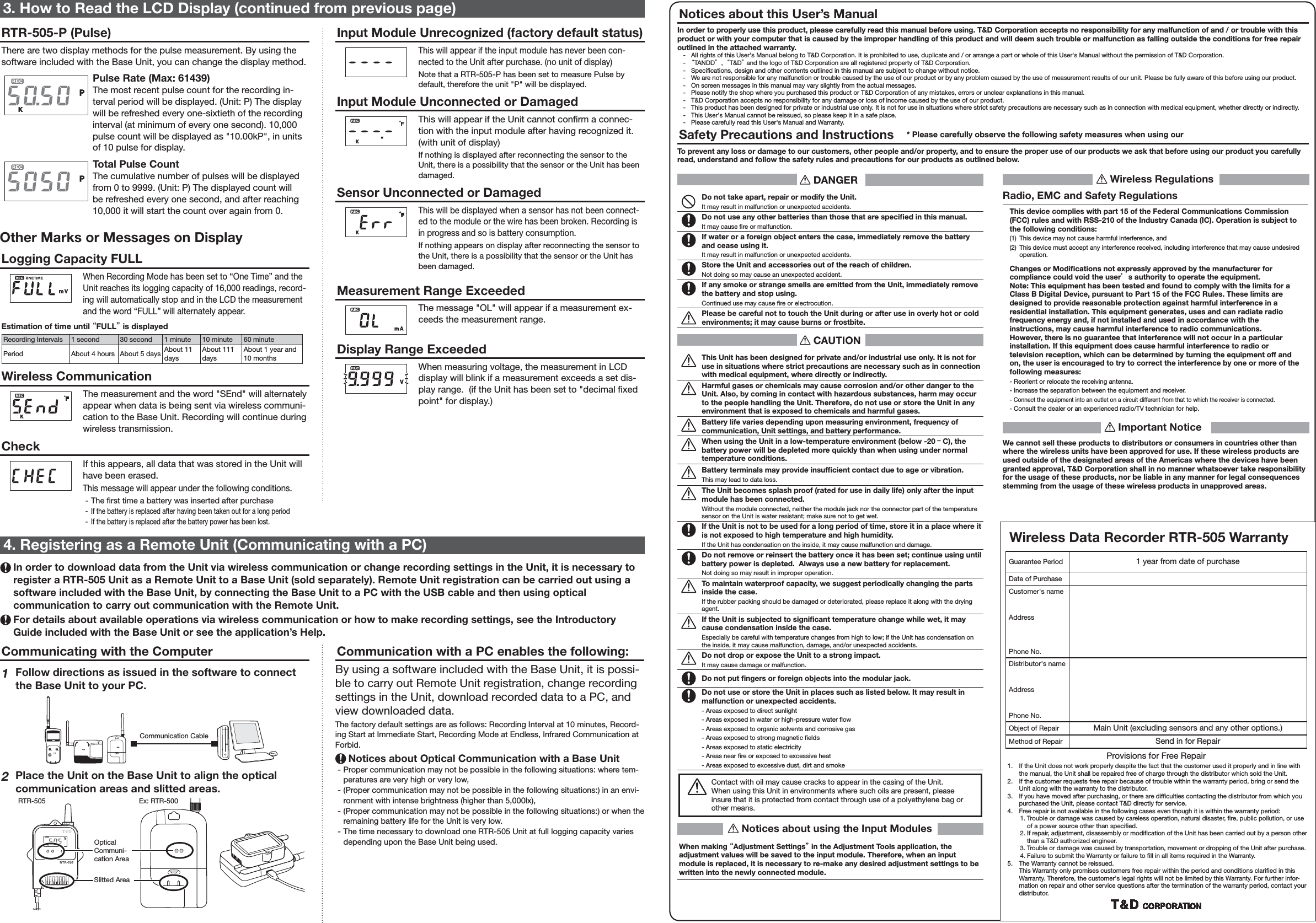
Communication with a PC enables the following:By using a software included with the Base Unit, it is possi-ble to carry out Remote Unit registration, change recording settings in the Unit, download recorded data to a PC, and view downloaded data. The factory default settings are as follows: Recording Interval at 10 minutes, Record-ing Start at Immediate Start, Recording Mode at Endless, Infrared Communication at Forbid. Notices about Optical Communication with a Base Unit - Proper communication may not be possible in the following situations: where tem-peratures are very high or very low, - (Proper communication may not be possible in the following situations:) in an envi-ronment with intense brightness (higher than 5,000lx), - (Proper communication may not be possible in the following situations:) or when the remaining battery life for the Unit is very low. - The time necessary to download one RTR-505 Unit at full logging capacity varies depending upon the Base Unit being used.Communicating with the Computer1 Follow directions as issued in the software to connect the Base Unit to your PC.Communication Cable2Place the Unit on the Base Unit to align the optical communication areas and slitted areas.RTR-505Slitted AreaEx: RTR-500Optical Communi-cation Area4. Registering as a Remote Unit (Communicating with a PC) In order to download data from the Unit via wireless communication or change recording settings in the Unit, it is necessary to register a RTR-505 Unit as a Remote Unit to a Base Unit (sold separately). Remote Unit registration can be carried out using a software included with the Base Unit, by connecting the Base Unit to a PC with the USB cable and then using optical communication to carry out communication with the Remote Unit.  For details about available operations via wireless communication or how to make recording settings, see the Introductory Guide included with the Base Unit or see the application’s Help. DANGERDo not take apart, repair or modify the Unit.It may result in malfunction or unexpected accidents.Do not use any other batteries than those that are specifi ed in this manual.It may cause  re or malfunction.If water or a foreign object enters the case, immediately remove the battery and cease using it.It may result in malfunction or unexpected accidents.Store the Unit and accessories out of the reach of children.Not doing so may cause an unexpected accident.If any smoke or strange smells are emitted from the Unit, immediately remove the battery and stop using.Continued use may cause  re or electrocution.Please be careful not to touch the Unit during or after use in overly hot or cold environments; it may cause burns or frostbite. CAUTIONThis Unit has been designed for private and/or industrial use only. It is not for use in situations where strict precautions are necessary such as in connection with medical equipment, where directly or indirectly.Harmful gases or chemicals may cause corrosion and/or other danger to the Unit. Also, by coming in contact with hazardous substances, harm may occur to the people handling the Unit. Therefore, do not use or store the Unit in any environment that is exposed to chemicals and harmful gases.Battery life varies depending upon measuring environment, frequency of communication, Unit settings, and battery performance.When using the Unit in a low-temperature environment (below -20 ーC), the battery power will be depleted more quickly than when using under normal temperature conditions.Battery terminals may provide insuffi cient contact due to age or vibration.This may lead to data loss.The Unit becomes splash proof (rated for use in daily life) only after the input module has been connected.Without the module connected, neither the module jack nor the connector part of the temperature sensor on the Unit is water resistant; make sure not to get wet. If the Unit is not to be used for a long period of time, store it in a place where it is not exposed to high temperature and high humidity.If the Unit has condensation on the inside, it may cause malfunction and damage.Do not remove or reinsert the battery once it has been set; continue using until battery power is depleted.  Always use a new battery for replacement.Not doing so may result in improper operation.To maintain waterproof capacity, we suggest periodically changing the parts inside the case.If the rubber packing should be damaged or deteriorated, please replace it along with the drying agent.If the Unit is subjected to signifi cant temperature change while wet, it may cause condensation inside the case.Especially be careful with temperature changes from high to low; if the Unit has condensation on the inside, it may cause malfunction, damage, and/or unexpected accidents.Do not drop or expose the Unit to a strong impact.It may cause damage or malfunction.Do not put fi ngers or foreign objects into the modular jack.Do not use or store the Unit in places such as listed below. It may result in malfunction or unexpected accidents.- Areas exposed to direct sunlight- Areas exposed in water or high-pressure water  ow- Areas exposed to organic solvents and corrosive gas- Areas exposed to strong magnetic  elds- Areas exposed to static electricity- Areas near  re or exposed to excessive heat- Areas exposed to excessive dust, dirt and smokeContact with oil may cause cracks to appear in the casing of the Unit.When using this Unit in environments where such oils are present, please insure that it is protected from contact through use of a polyethylene bag or other means. Notices about using the Input ModulesWhen making “Adjustment Settings” in the Adjustment Tools application, the adjustment values will be saved to the input module. Therefore, when an input module is replaced, it is necessary to re-make any desired adjustment settings to be written into the newly connected module. Wireless RegulationsRadio, EMC and Safety RegulationsThis device complies with part 15 of the Federal Communications Commission (FCC) rules and with RSS-210 of the Industry Canada (IC). Operation is subject to the following conditions:(1)  This device may not cause harmful interference, and (2)  This device must accept any interference received, including interference that may cause undesired operation.Changes or Modifi cations not expressly approved by the manufacturer for compliance could void the user’s authority to operate the equipment. Note: This equipment has been tested and found to comply with the limits for a Class B Digital Device, pursuant to Part 15 of the FCC Rules. These limits are designed to provide reasonable protection against harmful interference in a residential installation. This equipment generates, uses and can radiate radio frequency energy and, if not installed and used in accordance with the instructions, may cause harmful interference to radio communications.However, there is no guarantee that interference will not occur in a particular installation. If this equipment does cause harmful interference to radio or television reception, which can be determined by turning the equipment off and on, the user is encouraged to try to correct the interference by one or more of the following measures:- Reorient or relocate the receiving antenna.- Increase the separation between the equipment and receiver.- Connect the equipment into an outlet on a circuit different from that to which the receiver is connected.- Consult the dealer or an experienced radio/TV technician for help. Important NoticeWe cannot sell these products to distributors or consumers in countries other than where the wireless units have been approved for use. If these wireless products are used outside of the designated areas of the Americas where the devices have been granted approval, T&D Corporation shall in no manner whatsoever take responsibility for the usage of these products, nor be liable in any manner for legal consequences stemming from the usage of these wireless products in unapproved areas.3. How to Read the LCD Display (continued from previous page)RTR-505-P (Pulse)There are two display methods for the pulse measurement. By using the software included with the Base Unit, you can change the display method.Pulse Rate (Max: 61439)The most recent pulse count for the recording in-terval period will be displayed. (Unit: P) The display will be refreshed every one-sixtieth of the recording interval (at minimum of every one second). 10,000 pulse count will be displayed as "10.00kP", in units of 10 pulse for display.Total Pulse CountThe cumulative number of pulses will be displayed from 0 to 9999. (Unit: P) The displayed count will be refreshed every one second, and after reaching 10,000 it will start the count over again from 0. Other Marks or Messages on DisplayLogging Capacity FULLWhen Recording Mode has been set to “One Time” and the Unit reaches its logging capacity of 16,000 readings, record-ing will automatically stop and in the LCD the measurement and the word “FULL” will alternately appear.Estimation of time until “FULL” is displayedRecording Intervals 1 second 30 second 1 minute 10 minute 60 minutePeriod About 4 hours About 5 days About 11 daysAbout 111 daysAbout 1 year and 10 monthsWireless CommunicationThe measurement and the word "SEnd" will alternately appear when data is being sent via wireless communi-cation to the Base Unit. Recording will continue during wireless transmission.CheckIf this appears, all data that was stored in the Unit will have been erased.This message will appear under the following conditions. - The  rst time a battery was inserted after purchase - If the battery is replaced after having been taken out for a long period - If the battery is replaced after the battery power has been lost.Input Module Unrecognized (factory default status)This will appear if the input module has never been con-nected to the Unit after purchase. (no unit of display)Note that a RTR-505-P has been set to measure Pulse by default, therefore the unit "P" will be displayed.Input Module Unconnected or DamagedThis will appear if the Unit cannot con rm a connec-tion with the input module after having recognized it.  (with unit of display)If nothing is displayed after reconnecting the sensor to the Unit, there is a possibility that the sensor or the Unit has been damaged.Sensor Unconnected or DamagedThis will be displayed when a sensor has not been connect-ed to the module or the wire has been broken. Recording is in progress and so is battery consumption.If nothing appears on display after reconnecting the sensor to the Unit, there is a possibility that the sensor or the Unit has been damaged.Measurement Range ExceededThe message "OL" will appear if a measurement ex-ceeds the measurement range. Display Range ExceededWhen measuring voltage, the measurement in LCD display will blink if a measurement exceeds a set dis-play range.  (if the Unit has been set to "decimal  xed point" for display.)Notices about this User’s ManualIn order to properly use this product, please carefully read this manual before using. T&D Corporation accepts no responsibility for any malfunction of and / or trouble with this product or with your computer that is caused by the improper handling of this product and will deem such trouble or malfunction as falling outside the conditions for free repair outlined in the attached warranty.  -   All rights of this User's Manual belong to T&D Corporation. It is prohibited to use, duplicate and / or arrange a part or whole of this User's Manual without the permission of T&D Corporation.  -  “TANDD”,  “T&D” and the logo of T&D Corporation are all registered property of T&D Corporation.  -   Speci cations, design and other contents outlined in this manual are subject to change without notice.  -   We are not responsible for any malfunction or trouble caused by the use of our product or by any problem caused by the use of measurement results of our unit. Please be fully aware of this before using our product.  -   On screen messages in this manual may vary slightly from the actual messages.  -   Please notify the shop where you purchased this product or T&D Corporation of any mistakes, errors or unclear explanations in this manual.   -   T&D Corporation accepts no responsibility for any damage or loss of income caused by the use of our product.  -   This product has been designed for private or industrial use only. It is not for use in situations where strict safety precautions are necessary such as in connection with medical equipment, whether directly or indirectly.  -   This User's Manual cannot be reissued, so please keep it in a safe place.   -   Please carefully read this User's Manual and Warranty.Safety Precautions and Instructions    * Please carefully observe the following safety measures when using our To prevent any loss or damage to our customers, other people and/or property, and to ensure the proper use of our products we ask that before using our product you carefully read, understand and follow the safety rules and precautions for our products as outlined below.Wireless Data Recorder RTR-505 WarrantyGuarantee Period 1 year from date of purchaseDate of PurchaseCustomer's nameAddressPhone No.Distributor's nameAddressPhone No.Object of Repair Main Unit (excluding sensors and any other options.)Method of Repair Send in for RepairProvisions for Free Repair1.  If the Unit does not work properly despite the fact that the customer used it properly and in line with the manual, the Unit shall be repaired free of charge through the distributor which sold the Unit.2.  If the customer requests free repair because of trouble within the warranty period, bring or send the Unit along with the warranty to the distributor.  3.  If you have moved after purchasing, or there are dif culties contacting the distributor from which you purchased the Unit, please contact T&D directly for service. 4.  Free repair is not available in the following cases even though it is within the warranty period:1. Trouble or damage was caused by careless operation, natural disaster,  re, public pollution, or use of a power source other than speci ed.2. If repair, adjustment, disassembly or modi cation of the Unit has been carried out by a person other than a T&D authorized engineer.3. Trouble or damage was caused by transportation, movement or dropping of the Unit after purchase.4. Failure to submit the Warranty or failure to  ll in all items required in the Warranty.5.  The Warranty cannot be reissued.This Warranty only promises customers free repair within the period and conditions clari ed in this Warranty. Therefore, the customer's legal rights will not be limited by this Warranty. For further infor-mation on repair and other service questions after the termination of the warranty period, contact your distributor.

Navigation menu