TandD 50060 Wireless LAN Thermo Recorder User Manual Short Term Confidential 1 read first
TandD Corporation Wireless LAN Thermo Recorder Short Term Confidential 1 read first
TandD >
Contents
- 1. (Short-Term Confidential) User Manual-1_read_first
- 2. (Short-Term Confidential) User Manual-2_guide_start
- 3. 05 (Short-Term Confidential) User Manual-3_compliance_info_REV
(Short-Term Confidential) User Manual-1_read_first
Please Read First TR-71wf
TR-72wf
TR-72wf-H
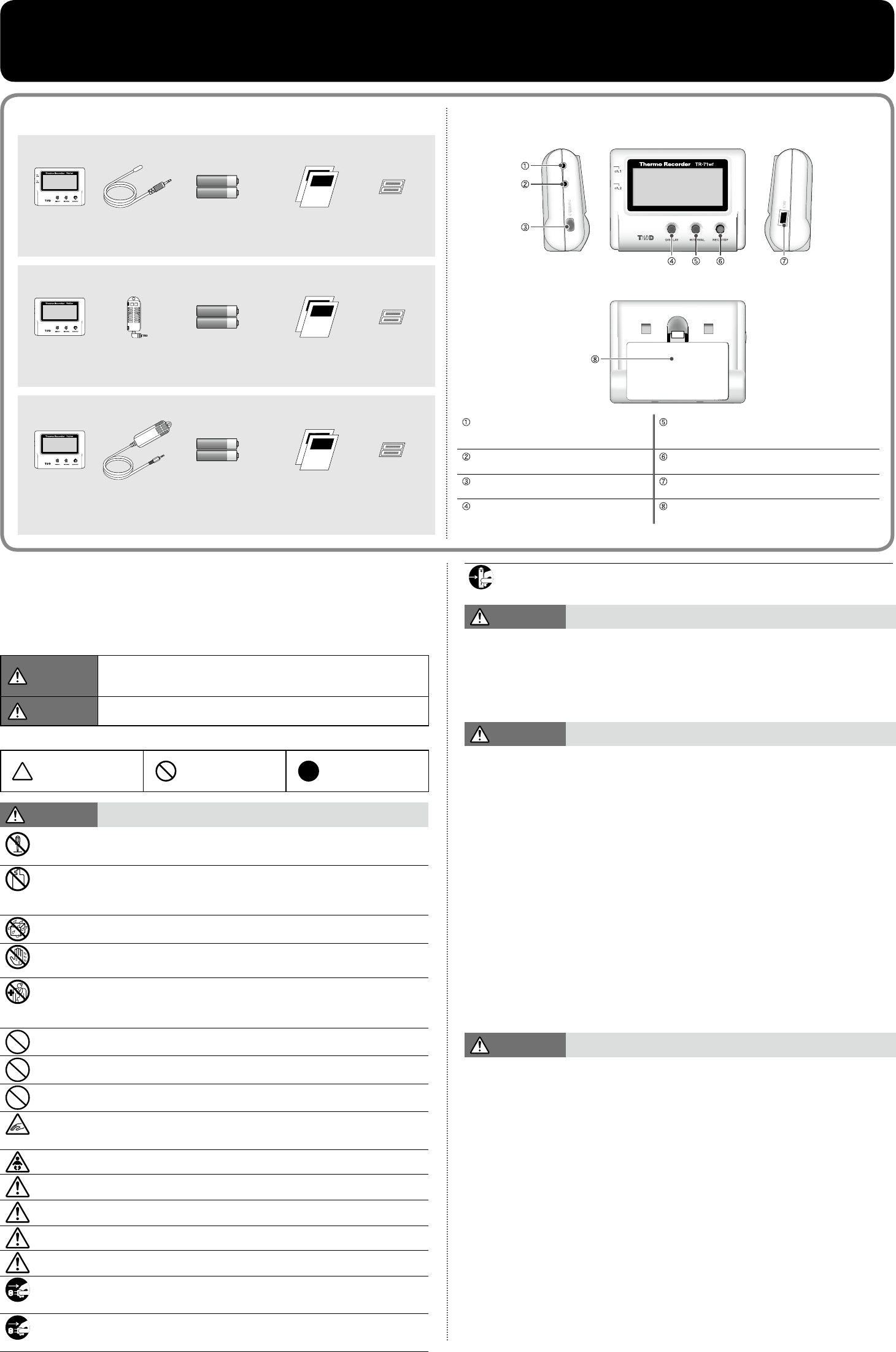
Part Names and Functions
[RIGHT SIDE][FRONT]
[BACK]
[LEFT SIDE]
Sensor Jack
Channel 1
For connecting a sensor INTERVAL Button Press to change recording/upload
interval settings or view current
settings.
Sensor Jack
Channel 2
For connecting a sensor
(TR-71wf only)
REC/STOP Button Press to start or stop recording.
POWER Button Use this to turn the device
ON and OFF.
USB Port For connecting to PC with USB
cable
DISPLAY Button Press to change LCD
display mode.
Battery Cover
Safety Precautions and Instructions
The following items should be strictly obeyed for the safe usage of this product, and for
protecting yourself and other people from bodily harm and/or damage to property