Tech America G1818A Mobile Phone User Manual G1818A Eng manual 0719
Tech Corp America Mobile Phone G1818A Eng manual 0719
manual

G1818AUserGuide

User Guide
G1818APage2
1
1
W
We
el
lc
co
om
me
e
ThankyouforpurchasingtheC1815.YourC1815ispackagedwiththe
followingstateoftheartfeatures:
VGACamera
1.7Inchscreen
AudioPlayer
FMRadio
VideoandFMRecording
DualSIM(GSM+GSM)
T‐FlashCardsupport(upto32GB)
HindiLanguageSupport
I
Im
mp
po
or
rt
ta
an
nt
t:
:
1
1.
.
P
Pl
le
ea
as
se
e
r
re
ea
ad
d
t
th
he
e
c
co
on
nt
te
en
nt
ts
s
o
of
f
t
th
hi
is
s
m
ma
an
nu
ua
al
l
t
to
o
f
fu
ul
ll
ly
y
u
ut
ti
il
li
iz
ze
e
t
th
he
e
f
fe
ea
at
tu
ur
re
es
s
o
of
f
t
th
hi
is
s
p
ph
ho
on
ne
e.
.
2
2.
.
P
Pl
le
ea
as
se
e
r
re
ea
ad
d
t
th
he
e
G
Gu
ui
id
de
el
li
in
ne
es
s
s
se
ec
ct
ti
io
on
n
p
pr
ro
ov
vi
id
de
ed
d
w
wi
it
th
h
t
th
hi
is
s
R
Re
ef
fe
er
re
en
nc
ce
e
g
gu
ui
id
de
e.
.

User Guide
G1818APage3
Table of Contents
1Welcome................................................................................2
2KnowYourPhone...................................................................6
2.1KeysandParts6
2.2InsertSIMCard6
2.2InsertSIMCard7
2.3InsertMemoryCard7
3BasicOperations....................................................................7
3.1SwitchPhoneON/OFF7
3.2Unlockthephone8
3.3Makeacall8
4NotableFeatures....................................................................8
4.1SecureyourPhone8
4.2BlacklistandWhitelist9
5Contacts.................................................................................9
5.1ViewContact10
5.2New10
5.3SMS10
5.4Call10
5.5AddtoBlacklist10
5.6AddtoWhitelist10
5.7Backup&restore11
5.8SendvCard11
5.9Others11
5.10Groups11

User Guide
G1818APage4
6CallHistory..........................................................................12
6.1ViewCallLogs12
7Tools....................................................................................12
7.1Alarm12
7.2Bluetooth12
7.3Calendar13
7.4Torchlight13
7.5Calculator13
7.6Stopwatch13
7.7Timer13
7.8Worldclock14
7.9Ebook14
8Multimedia..........................................................................14
8.1Camera14
8.2Videorecorder14
8.3Audioplayer15
8.4Imageviewer15
8.5Videoplayer15
8.6FMradio16
8.7SoundRecorder16
9Messages.............................................................................16
9.1Writemessage16
9.2Inbox17
9.3Outbox17
9.4Drafts17
9.5Sentbox17

User Guide
G1818APage5
9.6Templates17
9.7Broadcastmessage17
9.8Voicemailserver18
10FileManager........................................................................18
11Internet...............................................................................18
11.1Internet18
11.2STK18
12Games.................................................................................19
13Settings................................................................................19
13.1Profiles19
13.2Phonesettings19
13.3Displaysettings20
13.4Callsettings20
13.5Securitysettings20
13.6Connections20
14HealthandSafetyPrecautions.............................................21
15TakingCareofYourDevice...................................................23

User Guide
G1818APage6
2
2
K
Kn
no
ow
w
Y
Yo
ou
ur
r
P
Ph
ho
on
ne
e
2
2.
.1
1
K
Ke
ey
ys
s
a
an
nd
d
P
Pa
ar
rt
ts
s
Importantkeysandpartsarelistedhereforyoutousethephonebetter.
2
2.
.2
2
I
In
ns
se
er
rt
t
S
SI
IM
M
C
Ca
ar
rd
d
TheM202isaDualSIMmobilephoneallowingyoutousetwoSIMCards.
1.Switchoffthemobilephoneandremovetherearcoverandbattery.

User Guide
G1818APage7
2
2.
.2
2
I
In
ns
se
er
rt
t
S
SI
IM
M
C
Ca
ar
rd
d
1.InserttheSIMcardcorrectlyintheSIMslot(s).
2.Finally,insertthebatteryandreplacetherearcoverofthemobile
phone.
2
2.
.3
3
I
In
ns
se
er
rt
t
M
Me
em
mo
or
ry
y
C
Ca
ar
rd
d
1.Switchoffthephoneandremovetherearcoverandthebattery.
2.Insertthememorycardintotheslot.
3.Finally,insertthebatteryandtherearcoverofthemobilephone.
Note:UseonlycompatiblememorycardsapprovedbyM202.
Incompatiblecardsmaydamagetheslotorcorruptthedatastoredinthe
card.
3
3
B
Ba
as
si
ic
c
O
Op
pe
er
ra
at
ti
io
on
ns
s
3
3.
.1
1
S
Sw
wi
it
tc
ch
h
P
Ph
ho
on
ne
e
O
ON
N/
/O
OF
FF
F
ToswitchON/OFFyourphone,pressandholdtheEndkeyforafew
seconds.

User Guide
G1818APage8
3
3.
.2
2
U
Un
nl
lo
oc
ck
k
t
th
he
e
p
ph
ho
on
ne
e
Ifyoudonotusethephoneforawhile,thescreenisreplacedwitha
lockedscreen.
1.Pressanykeytoactivatethescreen.
2.PressLeftkey,andthenpress*key.
3
3.
.3
3
M
Ma
ak
ke
e
a
a
c
ca
al
ll
l
Youcanmakeacallinthefollowingways:
Enterthedesirednumberinstandbymodeandpressthe
Callkeytomakethecall.
GotoMenu>Phonebookandthenselectanddialthe
desirednumber.
JustpresstheCallkeytodialthecontactslistedinCall
logs.
Youcanalsodialacontactfromthemessages.
4
4
N
No
ot
ta
ab
bl
le
e
F
Fe
ea
at
tu
ur
re
es
s
4
4.
.1
1
S
Se
ec
cu
ur
re
e
y
yo
ou
ur
r
P
Ph
ho
on
ne
e
M
Me
en
nu
u
>
>
S
Se
et
tt
ti
in
ng
gs
s
>
>
S
Se
ec
cu
ur
ri
it
ty
y
>
>
P
Ph
ho
on
ne
e
L
Lo
oc
ck
ke
ed
d

User Guide
G1818APage9
Letyoulock/unlockyourphoneviaasecuritypasswordwhichyoucan
changeanytime.
Thedefaultsecuritycodetounlockthephoneis1234.
Note:Afteryouactivatethephonelock,youwouldbeaskedfora
passwordwhenyoupoweronyourphonenexttime.
4
4.
.2
2
B
Bl
la
ac
ck
kl
li
is
st
t
a
an
nd
d
W
Wh
hi
it
te
el
li
is
st
t
M
Me
en
nu
u
>
>
S
Se
et
tt
ti
in
ng
gs
s
>
>
S
Se
ec
cu
ur
ri
it
ty
y
>
>
B
Bl
la
ac
ck
kl
li
is
st
t
Blacklistenables you to set a list who you do not want to receive
a call and SMS from.
M
Me
en
nu
u
>
>
S
Se
et
tt
ti
in
ng
gs
s
>
>
S
Se
ec
cu
ur
ri
it
ty
y
>
>
W
Wh
hi
it
te
el
li
is
st
t
Whitelistenablesyoutosetalistwhoyouwanttoreceiveacalland
SMSfromonly.
5
5
C
Co
on
nt
ta
ac
ct
ts
s
Yourphonebookstoresallyoursavedcontactsforanytimeuse.Your
phonebookdatacanbestoredinyourSIMcardoryourphonememory.
Youcanmanageyourcontactsfromhere.
M
Me
en
nu
u
>
>
C
Co
on
nt
ta
ac
ct
ts
s

User Guide
G1818APage10
5
5.
.1
1
V
Vi
ie
ew
w
C
Co
on
nt
ta
ac
ct
t
M
Me
en
nu
u
>
>
C
Co
on
nt
ta
ac
ct
ts
s
>
>
L
Le
ef
ft
t
K
Ke
ey
y
>
>
V
Vi
ie
ew
w
C
Co
on
nt
ta
ac
ct
t
5
5.
.2
2
N
Ne
ew
w
M
Me
en
nu
u
>
>
C
Co
on
nt
ta
ac
ct
ts
s
>
>
L
Le
ef
ft
t
K
Ke
ey
y
>
>N
Ne
ew
w
5
5.
.3
3
S
SM
MS
S
M
Me
en
nu
u
>
>
C
Co
on
nt
ta
ac
ct
ts
s
>
>
L
Le
ef
ft
t
K
Ke
ey
y
>
>
S
SM
MS
S
5
5.
.4
4
C
Ca
al
ll
l
M
Me
en
nu
u
>
>
C
Co
on
nt
ta
ac
ct
ts
s
>
>
L
Le
ef
ft
t
K
Ke
ey
y
>
>
C
Ca
al
ll
l
5
5.
.5
5
A
Ad
dd
d
t
to
o
B
Bl
la
ac
ck
kl
li
is
st
t
M
Me
en
nu
u
>
>
C
Co
on
nt
ta
ac
ct
ts
s
>
>
L
Le
ef
ft
t
K
Ke
ey
y
>
>
A
Ad
dd
d
t
to
o
b
bl
la
ac
ck
kl
li
is
st
t
Allowyoutomakeacalltothecontactyouareviewing.Oryoucanjust
highlightanumberandpresstheCallkey.
5
5.
.6
6
A
Ad
dd
d
t
to
o
W
Wh
hi
it
te
el
li
is
st
t
M
Me
en
nu
u
>
>
C
Co
on
nt
ta
ac
ct
ts
s
>
>
L
Le
ef
ft
t
K
Ke
ey
y>
>
A
Ad
dd
d
t
to
o
W
Wh
hi
it
te
el
li
is
st
t
AllowyoutoaddatelephonenumberonWhitelist.

User Guide
G1818APage11
5
5.
.7
7
B
Ba
ac
ck
ku
up
p&
&r
re
es
st
to
or
re
e
M
Me
en
nu
u
>
>
C
Co
on
nt
ta
ac
ct
ts
s
>
>
L
Le
ef
ft
t
K
Ke
ey
y>
>
B
Ba
ac
ck
ku
up
p&
&R
Re
es
st
to
or
re
e
5
5.
.8
8
S
Se
en
nd
d
v
vC
Ca
ar
rd
d
M
Me
en
nu
u
>
>
C
Co
on
nt
ta
ac
ct
ts
s
>
>
L
Le
ef
ft
t
K
Ke
ey
y>
>
S
Se
en
nd
d
v
vC
Ca
ar
rd
d
A
Al
ll
lo
ow
w
y
yo
ou
u
t
to
o
s
se
en
nd
d
v
vC
Ca
ar
rd
d
t
to
o
o
ot
th
he
er
r
n
nu
um
mb
be
er
rs
s
a
an
nd
d
e
ex
xp
po
or
rt
t
v
vC
Ca
ar
rd
d.
.
5
5.
.9
9
O
Ot
th
he
er
rs
s
S
Sp
pe
ee
ed
d
d
di
ia
al
l
M
Me
en
nu
u
>
>
C
Co
on
nt
ta
ac
ct
ts
s
>
>
L
Le
ef
ft
t
K
Ke
ey
y
>
>O
Ot
th
he
er
rs
s>
>
S
Sp
pe
ee
ed
d
d
di
ia
al
l
S
Se
et
t
s
sp
pe
ee
ed
d
d
di
ia
al
l
a
an
nd
d
v
vi
ie
ew
w
m
me
em
mo
or
ry
y
s
st
ta
at
tu
us
s.
.
C
Ca
al
ll
l
M
Me
en
nu
u
>
>
C
Co
on
nt
ta
ac
ct
ts
s
>
>
L
Le
ef
ft
t
K
Ke
ey
y
>
>O
Ot
th
he
er
rs
s>
>
C
Ca
al
ll
l
M
Me
em
mo
or
ry
y
s
st
ta
at
tu
us
s
M
Me
en
nu
u
>
>
C
Co
on
nt
ta
ac
ct
ts
s>
>
L
Le
ef
ft
t
K
Ke
ey
y
>
>O
Ot
th
he
er
rs
s>
>
M
Me
em
mo
or
ry
y
s
st
ta
at
tu
us
s
CheckthememorystatusofSIM,andPhone.
5
5.
.1
10
0
G
Gr
ro
ou
up
ps
s
Menu>Phonebook>Groups

User Guide
G1818APage12
PresstheLeft/RightnavigationkeytoaccesstheGrouptab.Setupa
listofnumberswithsimilarpreferencessuchasringtone,profileetc.
6
6
C
Ca
al
ll
l
H
Hi
is
st
to
or
ry
y
6
6.
.1
1
V
Vi
ie
ew
w
C
Ca
al
ll
l
L
Lo
og
gs
s
M
Me
en
nu
u
>
>
C
Ca
al
ll
l
H
Hi
is
st
to
or
ry
y
Tip:DirectlyaccessthecalllogsofbypressingtheCallkeyinidlemode.
TheCalllogliststhecallsyouhaverecentlydialed,received,missedfor
SIM1andSIM2.
PresstheLeft/rightnavigationkeystoaccessvariouscalllogsandwork
onthecalllogs.
7
7
T
To
oo
ol
ls
s
7
7.
.1
1
A
Al
la
ar
rm
m
Menu>Tools>Alarm
Tousethealarmserviceavailablewithyourmobilephone.
7
7.
.2
2
B
Bl
lu
ue
et
to
oo
ot
th
h
M
Me
en
nu
u
>
>
T
To
oo
ol
ls
s
>
>B
Bl
lu
ue
et
to
oo
ot
th
h
ThismenuenablesyoutosetandutilizetheBluetooth.

User Guide
G1818APage13
7
7.
.3
3
C
Ca
al
le
en
nd
da
ar
r
Menu>Tools>Calendar
Thismenuenablesyoutoreviewthecalendarandtoutilizetheto‐do
list.
7
7.
.4
4
T
To
or
rc
ch
h
l
li
ig
gh
ht
t
Menu>Tools>Torchlight
Toturnon/offFlashLight.
7
7.
.5
5
C
Ca
al
lc
cu
ul
la
at
to
or
r
Menu>Tools>Calculator
Thismenuenablesyoutoutilizecalculator.
7
7.
.6
6
S
St
to
op
pw
wa
at
tc
ch
h
Menu>Tools>Worldclock
Thismenuenablesyoutoutilizethestopwatch.
7
7.
.7
7
T
Ti
im
me
er
r
Menu>Tools>Timer
Thismenuenablesyoutoutilizethetimer.

User Guide
G1818APage14
7
7.
.8
8
W
Wo
or
rl
ld
d
c
cl
lo
oc
ck
k
Menu>Tools>Worldclock
Tousetheworldclockfunction.
7
7.
.9
9
E
Eb
bo
oo
ok
k
Menu>Tools>Ebook
TreadTXTfilesonthecard
8
8
M
Mu
ul
lt
ti
im
me
ed
di
ia
a
8
8.
.1
1
C
Ca
am
me
er
ra
a
Menu>Multimedia>Camera
Presstheleftkeyincameramodetochoosevarioussettings
Shortcut keys: Press the number keys on the phone’s keypad
to choose
8
8.
.2
2
V
Vi
id
de
eo
o
r
re
ec
co
or
rd
de
er
r
Menu>Multimedia>Videorecorder
PresstheOKKeytostartrecording.
YoucanpressO
Op
pt
ti
io
on
ns
s
switchtoCameraandviceversa.
YoucanalsopressOptionskeytochoosememory

User Guide
G1818APage15
PressLeftkeytochoosevarioussettings
Shortcutkeys:Pressthenumberkeysasshortcutsonthephone’skeypad
tochoosevariousvideosettings.
8
8.
.3
3
A
Au
ud
di
io
o
p
pl
la
ay
ye
er
r
Menu>Multimedia>Audioplayer
ThephonecomeswithaninbuiltMusicthatplaysallyourfavoritesongs
storedinthephonememoryormemorycard.
Whileinmusicmode,presstheLeftkeytochoosevarious
musicoptions
AdjustVolume:Press#and*keystochangevolume.
8
8.
.4
4
I
Im
ma
ag
ge
e
v
vi
ie
ew
we
er
r
Menu>Multimedia>ImageViewer
Letyoutoviewyoursavedimages.Youcanalsosendtheimagesvia
MMSorBluetoothoruseitascontacticonorwallpaper,etc.
8
8.
.5
5
V
Vi
id
de
eo
o
p
pl
la
ay
ye
er
r
M
Me
en
nu
u
>
>
M
Mu
ul
lt
ti
im
me
ed
di
ia
a
>
>
V
Vi
id
de
eo
o
p
pl
la
ay
ye
er
r
Letyouplayvideosstoredinyourphoneormemorycard.
Press2keywhileplayingavideotochangethedisplaymode.

User Guide
G1818APage16
8
8.
.6
6
F
FM
M
r
ra
ad
di
io
o
M
Me
en
nu
u
>
>
M
Mu
ul
lt
ti
im
me
ed
di
ia
a
>
>
F
FM
M
r
ra
ad
di
io
o
YourphonecomeswithanFMradiotoletyoulistentoFMchannels.
GotoOptions>SearchChannels>AutoSearchandsaveto
fillupthechannels.
Pressthenumberkeysonyourkeypadinaccordanceto
thechannellist.
PressOKkeytostart/stoptheradio.
Pressthe#or*keytoincrease/decreasethevolume.
PresstheLeftkeyforvariousradiooptions.
8
8.
.7
7
S
So
ou
un
nd
d
R
Re
ec
co
or
rd
de
er
r
M
Me
en
nu
u
>
>
M
Mu
ul
lt
ti
im
me
ed
di
ia
a
>
>S
So
ou
un
nd
d
R
Re
ec
co
or
rd
de
er
r
Youcanrecordsurroundingsoundsusingthisfeature
9
9
M
Me
es
ss
sa
ag
ge
es
s
9
9.
.1
1
W
Wr
ri
it
te
e
m
me
es
ss
sa
ag
ge
e
M
Me
en
nu
u
>
>
M
Me
es
ss
sa
ag
ge
es
s
>
>
W
Wr
ri
it
te
e
m
me
es
ss
sa
ag
ge
e
YoucancomposeandsendSMS.PressingtheL
Le
ef
ft
t
K
Ke
ey
yduring/after
composingthemessagegivesyouahostofmessagingfeatures.
.

User Guide
G1818APage17
9
9.
.2
2
I
In
nb
bo
ox
x
M
Me
en
nu
u
>
>
M
Me
es
ss
sa
ag
ge
es
s
>
>I
In
nb
bo
ox
x
9
9.
.3
3
O
Ou
ut
tb
bo
ox
x
M
Me
en
nu
u
>
>
M
Me
es
ss
sa
ag
ge
es
s
>
>O
Ou
ut
tb
bo
ox
x
9
9.
.4
4
D
Dr
ra
af
ft
ts
s
M
Me
en
nu
u
>
>
M
Me
es
ss
sa
ag
ge
es
s
>
>D
Dr
ra
af
ft
ts
s
9
9.
.5
5
S
Se
en
nt
tb
bo
ox
x
M
Me
en
nu
u
>
>
M
Me
es
ss
sa
ag
ge
es
s
>
>S
Se
en
nt
tb
bo
ox
x
9
9.
.6
6
T
Te
em
mp
pl
la
at
te
es
s
Menu>Messages>Templates
Enterintopresetmessagetemplatesandusethem.Thesepreset
templatescansaveyoutimeifthethemeofyourmessageisthesameas
thoseexistinginthetemplate.
9
9.
.7
7
B
Br
ro
oa
ad
dc
ca
as
st
t
m
me
es
ss
sa
ag
ge
e
Menu>Messages>Broadcastmessae

User Guide
G1818APage18
9
9.
.8
8
V
Vo
oi
ic
ce
e
m
ma
ai
il
l
s
se
er
rv
ve
er
r
Menu>Messages>Voicemailserver
Youcanactivatevoicemailservicetoredirectyourincomingcalls(based
onyourcallsettings)toavoicemailserverandretrievethemlatervia
SMSalerts.
Todivertincomingcallstoavoicemailserver,gotoSettings>Phonetab>
CallDivert>Voice>(choosethedesiredcalldivertcondition)>Activate>
PhoneNumber/VoicemailNumber.
1
10
0
F
Fi
il
le
e
M
Ma
an
na
ag
ge
er
r
Tomanagethespaceofphoneormemorycard.
1
11
1
I
In
nt
te
er
rn
ne
et
t
1
11
1.
.1
1
I
In
nt
te
er
rn
ne
et
t
M
Me
en
nu
u
>
>
I
In
nt
te
er
rn
ne
et
t
Toaccessthismenu,entertheMainMenuinthestandbymodeand
thenselectInternet.Youcanusethenetwork‐relatedserviceswith
thisfunction.
YoualsocanuseSTK.
1
11
1.
.2
2
S
ST
TK
K
M
Me
en
nu
u
>
>
S
ST
TK
K

User Guide
G1818APage19
ItofferssomeextrafunctiondependonyourSIMcards.
1
12
2
G
Ga
am
me
es
s
Menu>Cames
Youmayplaythebuilt‐ingamesandperformthegame.
1
13
3
S
Se
et
tt
ti
in
ng
gs
s
Choosevariouspreferencestocustomizeyourhandsetaccordingtoyour
requirements.Youcanset:
1
13
3.
.1
1
P
Pr
ro
of
fi
il
le
es
s
M
Me
en
nu
u
>
>
S
Se
et
tt
ti
in
ng
gs
s>
>P
Pr
ro
of
fi
il
le
es
s
Activationandcustomizetherequiredprofileisnormal,silent,
meeting,indoor,outdoor,earphone,bluetooth'sstyle..
1
13
3.
.2
2
P
Ph
ho
on
ne
e
s
se
et
tt
ti
in
ng
gs
s
M
Me
en
nu
u
>
>
S
Se
et
tt
ti
in
ng
gs
s>
>P
Ph
ho
on
ne
e
s
se
et
tt
ti
in
ng
gs
s
ToperformtheDual‐SIM,calldivert,callwaiting,callbarring.,Hide
ID,Others

User Guide
G1818APage20
1
13
3.
.3
3
D
Di
is
sp
pl
la
ay
y
s
se
et
tt
ti
in
ng
gs
s
M
Me
en
nu
u
>
>
S
Se
et
tt
ti
in
ng
gs
s>
>D
Di
is
sp
pl
la
ay
y
s
se
et
tt
ti
in
ng
gs
s
PerformrelatedSettingsshownasswitchmotordrawing,wallpaper,
standbyinterface,accordingtosomeoftheprotectivescreen,backlightand
thebacklighttime,keybacklighttimesetting
1
13
3.
.4
4
C
Ca
al
ll
l
s
se
et
tt
ti
in
ng
gs
s
M
Me
en
nu
u
>
>
S
Se
et
tt
ti
in
ng
gs
s>
>C
Ca
al
ll
l
s
se
et
tt
ti
in
ng
gs
s
T
To
o
p
pe
er
rf
fo
or
rm
m
t
th
he
e
D
Du
ua
al
l‐
‐S
SI
IM
M,
,
c
ca
al
ll
l
d
di
iv
ve
er
rt
t,
,
c
ca
al
ll
l
w
wa
ai
it
ti
in
ng
g,
,c
ca
al
ll
l
b
ba
ar
rr
ri
in
ng
g.
.,
,H
Hi
id
de
e
I
ID
D,
,O
Ot
th
he
er
rs
s
1
13
3.
.5
5
S
Se
ec
cu
ur
ri
it
ty
y
s
se
et
tt
ti
in
ng
gs
s
M
Me
en
nu
u
>
>
S
Se
et
tt
ti
in
ng
gs
s>
>S
Se
ec
cu
ur
ri
it
ty
y
s
se
et
tt
ti
in
ng
gs
s
ExecuterelatedtheSIM1/2security,mobilesecurity,automatic
keyboardlock,andendkeyslockedfast,anti‐thefttrackingandfixeddialing,
blacklistandwhitelistprivacyprotection.
1
13
3.
.6
6
C
Co
on
nn
ne
ec
ct
ti
io
on
ns
s
M
Me
en
nu
u
>
>
S
Se
et
tt
ti
in
ng
gs
s>
>C
Co
on
nn
ne
ec
ct
ti
io
on
ns
s
YoucansetconnectivityincludingB‐tooth,dataaccount

User Guide
G1818APage21
1
14
4
H
He
ea
al
lt
th
h
a
an
nd
d
S
Sa
af
fe
et
ty
y
P
Pr
re
ec
ca
au
ut
ti
io
on
ns
s
Pleasereadthesesimpleguidelines.Notfollowingthemmaybedangerous
orillegal.
Yourphoneisdesignednottoexceedthelimitsofemissionofradio
wavesrecommendedbyinternationalguidelines.
SAR(specificabsorptionrate)isthemeasurementofbody‐absorbed
RFquantitywhenthephoneisinuse.SARvalueisascertained
accordingtothehighestRFlevelgeneratedduringlaboratorytests.
TheSARvalueofthephonemaydependonfactorssuchasproximity
tothenetworktower,useofaccessoriesorotheraccessories.
ThehighestSARvalueofthedeviceattheheadandbodyare
0.673W/kgrespectivelyaveragedover1gmofhumantissue.
Useawirelesshands‐freesystem(headphone,headset)withalow
powerBluetoothemitter.
PleasekeepyourcallsshortanduseSMSwhenevermoreconvenient.
Thisadviceappliesespeciallytochildren,adolescentsandpregnant
women
Prefertouseyourcellphonewhenthesignalqualityisgood.
S
SA
AR
R
C
Co
om
mp
pl
li
ia
an
nc
c
e
e
S
SA
AR
R
R
Re
ec
co
om
mm
me
en
nd
da
at
ti
io
on
n
s
s

User Guide
G1818APage22
Peoplehavingactivemedicalimplantsshouldpreferablykeepthecell
phoneatleast15cmawayfromtheimplant.
Maintainapreferabledistanceof15mmfromthedevice.
Donotusethephonewhiledriving.Whenyouhavetousethephone,
pleaseusethepersonalhands‐freekit.
Pleasedonotputthephoneontoanypassengerseatoranyplace
fromwhichitmayfalldownincaseofvehicularcollisionor
emergencybraking.
Flightisinfluencedbyinterferencecausedbythephone.Itisillegalto
useaphoneontheairplane.Pleaseturnoffyourphoneduringaflight.
YourPhone’sradiowavesmayinterferewiththefunctioningof
inadequatelyshieldedmedicaldevices.Consultaphysicianorthe
manufacturerofthemedicaldevicetodeterminewhethertheyare
adequatelyshieldedfromexternalRadioFrequency.Switchoffyour
devicewhenregulationspostedinstructyoutodoso.
Toavoidpotentialinterferencewithimplantedmedicaldevicessuchasa
pacemakerorcardioverterdefibrillator:
Alwayskeepyourphoneatleast15.3centimeters(6inches)fromthe
S
Sa
af
fe
e
D
Dr
ri
iv
vi
in
n
g
g
D
Du
ur
ri
in
ng
g
F
Fl
li
ig
gh
h
t
t
I
In
n
H
Ho
os
sp
pi
it
ta
al
l
s
s

User Guide
G1818APage23
medicaldevice.
Donotcarrythewirelessdeviceinabreastpocket.
Turnoffthephoneifthereisanyreasontosuspectthatinterferenceis
takingplace.
Followthemanufacturerdirectionsfortheimplantedmedicaldevice.
Ifyouhaveanyquestionsaboutusingyourwirelessdevicewithan
implantedmedicaldevice,consultyourhealthcareprovider.
Pleaseturnoffyourphonewhenyouareclosetoagasstationorinthe
vicinityofanyplacewherefuelandchemicalpreparations,oranyother
dangerousgoodsarestored.
1
15
5
T
Ta
ak
ki
in
ng
g
C
Ca
ar
re
e
o
of
f
Y
Yo
ou
ur
r
D
De
ev
vi
ic
ce
e
Yourdeviceisaproductofsuperiordesignandcraftsmanshipandshouldbe
handledwithcare:Thefollowingsuggestionswillhelpyouprotectyour
phone:
Keepthedevicedry.Precipitation,humidity,andalltypesofliquidsor
moisturecancontainmineralsthatwillrustelectroniccircuits.Ifyour
devicedoesgetwet,removethebatterywithoutturningonthe
device,wipeitwithadryclothandtakeittheservicecenter.
U
Un
ns
sa
af
fe
e
A
Ar
re
ea
as
s

User Guide
G1818APage24
Donotstorethedeviceinhighorcoldtemperature.High
temperaturescanshortenthelifeofelectronicdevicesanddamage
batteries.
Donotuseorstorethedeviceindusty,dirtyareas.Itsmovingparts
andelectroniccomponentscanbedamaged.
Donotattempttoopenthedeviceotherthanasinstructedinthis
guide.Repairingthisphonebyyourselfotherthanourauthorized
serviceagents/centersgoesagainstthewarrantyrules.
Donotdrop,knock,orshakethedevice.Roughhandlingcanbreak
internalcircuitboardsandfinemechanics.
Donotuseharshchemicals,cleaningsolvents,orstrongdetergentsto
cleanthedevice.Onlyuseasoft,clean,dryclothtocleanthesurface
ofthedevice.
Donotstoreyourdevicenearmagneticfieldsorallowyourdeviceto
comeincontactwithmagneticfieldsforextendedperiodoftime.
Pleaseputthebatteryinacoolandwell‐ventilatedplaceoutofdirect
sunlight.Werecommendyoutochargethebatteryatroom
temperaturerange.
Batterieshavelifecycles.Ifthetimethatthebatterypowers
equipmentbecomesmuchshorterthanusual,thebatterylifeisatan
end.Replacethebatterywithanewbatteryofthesamemakeand
B
Ba
at
tt
te
er
ry
y
R
Re
ec
co
om
mm
me
en
nd
da
at
ti
io
on
ns
s:
:
User Guide
G1818APage25
specification.
Donotdiscardthebatterywithhouseholdtrash.Pleasedisposeof
usedbatteryaccordingtoyourlocalenvironmentallawsand
guidelines.
Usemanufacturerapprovedbatteries,chargers,accessoriesand
supplies.M202willnotbeheldresponsibleforuser’ssafetywhen
usingunapprovedaccessoriesorsupplies.
1. Thecolorsandspecificationsshown/mentionedintheusermanual
maydifferfromtheactualproduct.Imagesshownarefor
representationpurposeonly.Otherproductlogosandcompany
namesmentionedhereinmaybetrademarksortradenamesoftheir
R
Re
ec
cy
yc
cl
le
e
Y
Yo
ou
ur
r
H
Ha
an
nd
ds
se
e
t
t
D
Di
is
sc
cl
la
ai
im
me
er
rs
s
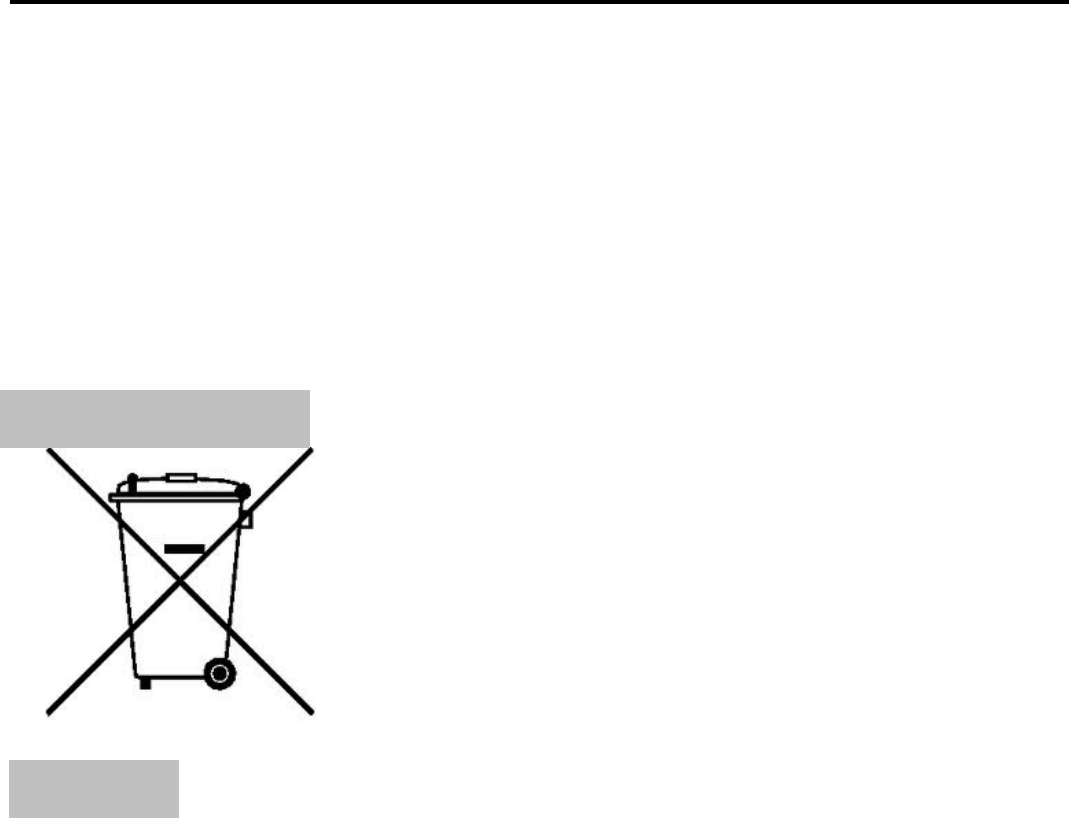
TheWEEElogo(shownattheleft)appearson
theproduct(battery,handset,andcharger)to
indicatethatthisproductmustnotbedisposed
offordumpedwithyourotherhousehold
wastes.Youareliabletodisposeofallyour
electronicorelectricalwasteequipmentby
relocatingovertothespecifiedcollectionpoint
forrecycling.ofsuchhazardouswaste.
Specifiedcollectionpointsforrecyclingofsuchhazardouswaste.
Collectionandproperrecoveryofyourelectronicwasteequipmentsat
thetimeofdisposalwillallowustohelppreservetheenvironment.
Recyclingoftheelectronicwasteequipmentwillensuresafetyof
humanhealthandenvironment.Formoreinformationonbestpractices
fordisposalofelectronicandelectricalwaste,pleasevisittoourweb
site:www.micromaxinfo.com/weee.php.

User Guide
G1818APage26
respectiveowners.
2. M202keepstherighttomakemodificationstoanyofthecontentin
thisuserguidewithoutpublicannouncementinadvance.Thecontent
ofthismanualmayvaryfromtheactualcontentdisplayedinthe
mobilephone.Insuchacase,thelattershallgovern.
Allrightsreserved.Reproduction,transfer,distributionorstorageofpart
orallofthecontentsinthisdocumentinanyformwithouttheprior
writtenpermissionofM202isstrictlyprohibited.
FCC Caution.
§ 15.19 Labelling requirements.
This device complies with part 15 of the FCC Rules. Operation is subject to the
condition that this device does not cause harmful interference.
§ 15.21 Information to user.
Any Changes or modifications not expressly approved by the party responsible for
compliance could void the user's authority to operate the equipment.
§ 15.105 Information to the user.
Note: This equipment has been tested and found to comply with the limits for a Class B
digital device, pursuant to part 15 of the FCC Rules. These limits are designed to provide
reasonable protection against harmful interference in a residential installation. This equipment
generates uses and can radiate radio frequency energy and, if not installed and used in
accordance with the instructions, may cause harmful interference to radio communications.
However, there is no guarantee that interference will not occur in a particular installation. If
this equipment does cause harmful interference to radio or television reception, which can be
determined by turning the equipment off and on, the user is encouraged to try to correct the
interference by one or more of the following measures:
-Reorient or relocate the receiving antenna.
-Increase the separation between the equipment and receiver.
C
Co
op
py
yr
ri
ig
gh
ht
t
s
s

User Guide
G1818APage27
-Connect the equipment into an outlet on a circuit different from that to which the receiver is
connected.
-Consult the dealer or an experienced radio/TV technician for help.
Specific Absorption Rate (SAR) information:
This Mobile Phone meets the government's requirements for exposure to radio waves. The
guidelines are based on standards that were developed by independent scientific organizations
through periodic and thorough evaluation of scientific studies. The standards include a
substantial safety margin designed to assure the safety of all persons regardless of age or
health.
FCC RF Exposure Information and Statement The SAR limit of USA (FCC) is 1.6 W/kg
averaged over one gram of tissue. Device types: Mobile Phone (FCC ID: 2AG7M-
G1818A) has also been tested against this SAR limit. The highest SAR value reported under
this standard during product certification for use at the head is 0.431 W/Kg and when
properly worn on the body is 0.856 W/Kg. This device was tested for typical body-worn
operations with the back of the handset kept 10mm for body worn To maintain compliance
with FCC RF exposure requirements, use accessories that maintain a 10mm for body worn.
The use of belt clips, holsters and similar accessories should not contain metallic components
in its assembly. The use of accessories that do not satisfy these requirements may not comply
with FCC RF exposure requirements, and should be avoided.
Body-worn Operation
This device was tested for typical body-worn operations. To comply with RF exposure
requirements, a minimum separation distance of 10mm for body worn must be maintained
between the user’s body and the handset, including the antenna. Third-party belt-clips,
holsters, and similar accessories used by this device should not contain any metallic
components. Body-worn accessories that do not meet these requirements may not comply
with RF exposure requirements and should be avoided. Use only the supplied or an approved
antenna.