Techcool Industry Development BH519BTC bluetooth headset User Manual
Techcool Industry Development Co., Ltd. bluetooth headset Users Manual
User manual
1
Safety Information
Note:Please read the following information before using
Electronic equipments
To avoid the side effects of electronic interference,turn off the headphone in
the place where there is clear marks to ban the using of electronic products.
Civil aviation
Turn off the headphone after boarding the plane and prohibit using the
headphone during the flight to avoid the interference to civil aviation
communication system.
Medical instruments
Do not use the headphone in hospital or near the medical instruments
without permission. If you use other personal medical equipment, such as
,the pacemaker, please consult your equipment manufacturer or gain the
relative information from your medical doctor.
Maintenance
User should not change any components of headphone and will lose the
after-sale rights if changes or re-equips the headphone without permission.
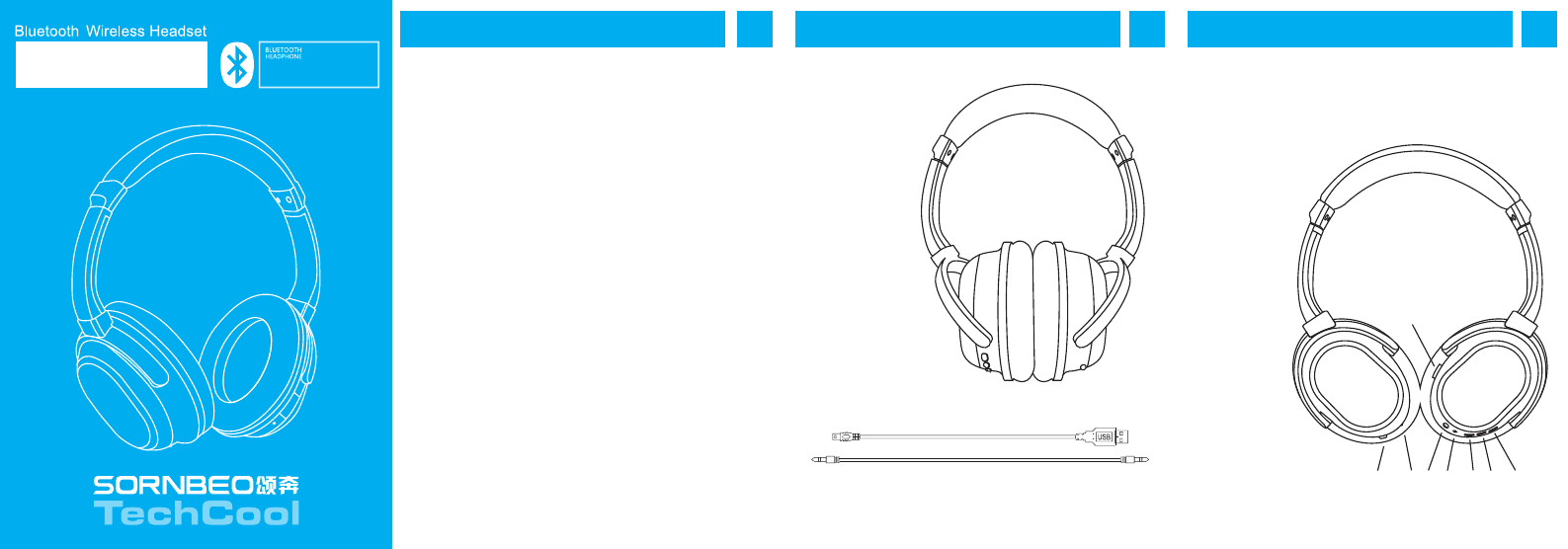
1. User Manual
2. Micro USB Cable
3. 3.5mm audio cable
Please read carefully the manual before using and
keep it as a record.
Accessories
2
Know your headphone
3
1. Micro usb slot
2. ANC power button
3. ANC LED
4. Line in slot
5. Bluetooth LED
6. Volume down button
7. Power button
8. Volume up button
BH519
USER MANUAL
1
2 3 4 5 6 7 8

Turn on: In the state of power-off, press and hold the power button,
the headset will send out "power on" prompt voice, and blue LED will
be on
Turn off: In the state of power-on, press and hold power button for 5
seconds, the headset will send out "power off" prompt voice, and red
LED will be on, Now the unit is turned off.
Pairing: In the state of power-off, press and hold power button for 3
seconds, untill the red LED and the blue LED lingt glitters in turn, and
the headset will send out "read to pair" prompt voice, the headset
eners into pairing mode, in this case, the heaset can be paired with
the bluetooth enabled devices.
The headphone will enter power-on mode if releasing power button
before the red LED and the blue LED light glitters in turn. in this case,
please turn off the power and operate it once again
Answering calls: Press the power button once to answer the incoming
calls.
Ending calls: Ongoing conversation on cellphone can be ended by
pressing the power button once.
Readial last number: The cellphone will automatically dial the last
dialed phone number by double pressing power button on the
buetooth headset, we can hear the prompt tone from the headset.
Volume control: In the state of music or calls, press volume up button
to increase the sound, press volume down button to decrease the
sound.
Previous/next: In the state of music, pressing and hold the volume up
button while come to previous song, pressing and hold the volume
down button while come to next song.
Pause/play: Press the power button to play or pause the music.
ANC control: Press the ANC power button to turn on or turn off the
ANC fuction
Specifications
45
Operation
6
Operation
7
Operation
Wired headphone function
The headphone can be used as the wired headphone. just
simply
attach 3.5mm audio cable.
In the state of power off, it can be used as the wired stereo
headphone by inserting the 3.5mm audio cable. please
adjust the
volume of sound sources when it is as the wired
headphone
FCC Warning Statement
Changes or modifications not expressly approved by the
party responsible for
compliance could void the user’s authority to operate the
equipment.
This equipment has been tested and found to comply with
the limits for a Class B digital device, pursuant to Part 15
of the FCC Rules. These limits are designed to provide
reasonable protection against harmful interference in a
residential installation. This equipment generates uses and
can radiate radio frequency energy and, if not installed
and used in accordance with the instructions, may cause
harmful interference to radio communications. However,
there is no guarantee that interference will not occur in a
particular installation. If this equipment does cause
harmful interference to radio or television reception, which
can be determined by turning the equipment off and on,
the user is encouraged to try to correct the interference by
one or more of the following measures: ‐‐Reorient or
relocate the receiving antenna.
‐‐Increase the separation between the equipment and
receiver.
‐‐Connect the equipment into an outlet on a circuit
different from that to which the receiver is connected.
‐‐Consult the dealer or an experienced radio/TV technician
for help.
Speaker parameter:
Speaker diameter: Φ40mm Impedance: Impedance: 32Ω
Sensitivity: S.P.L:110dB S.P.L.at 1KHz Rated power: 20mW
Frequency Response: 20Hz-20000Hz
Microphone parameter:
Microphone Unit: Φ4*1.5mm Φ6*2.7mm Sensitivity: -42 ± 3dB
Impedance: ≤2.2K Frequency Response: 30-16000HZ
Operating voltage: 4.2V
Bluetooth Mode:
Bluetooth version: CSR 4.0 Receiver range: 20M
Pairing code: 0000 SNR: -92dBm
Carrier frequency: 2402MHz - 2480MHz Transimit power: 4dBm(max)