Tera Tron TPS-M DSS Anti-theft device "DSS - Module" User Manual

Tera Tron GmbH DSS Anti-theft device "DSS - Module"

User Manual

TPS-K 377271*377271*377271Bedienungsanleitung deOperating instructions enMode d’emploi frIstruzioni d’uso itManual de instrucciones es
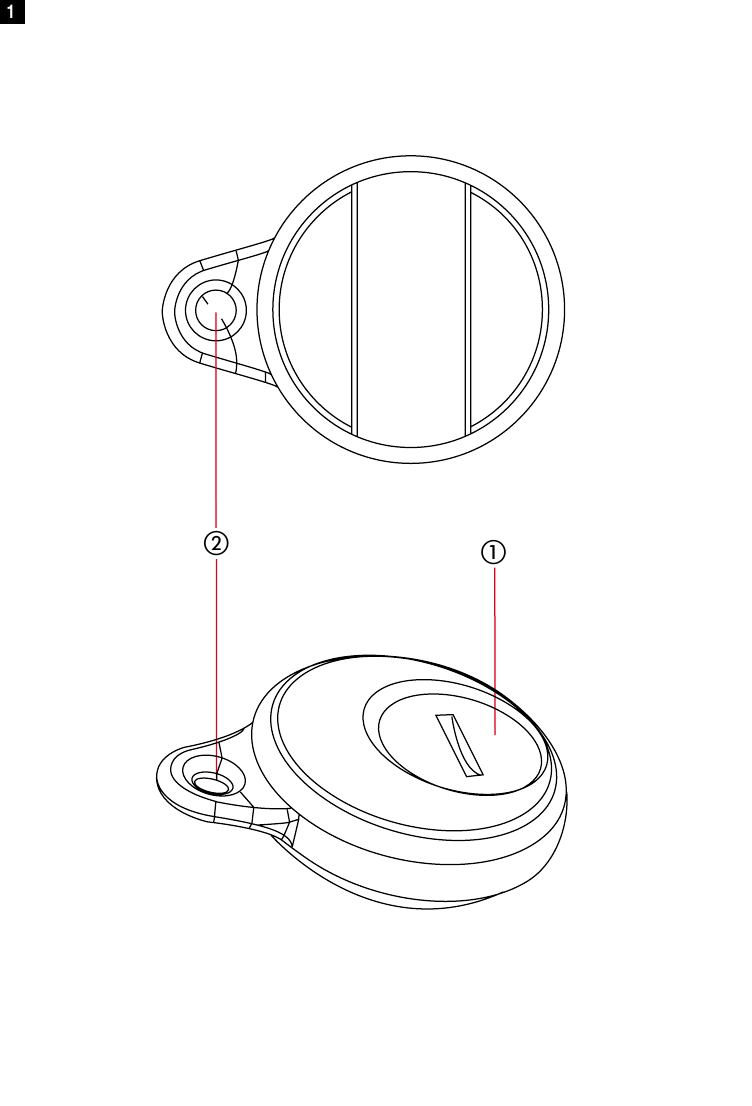
1햳햲
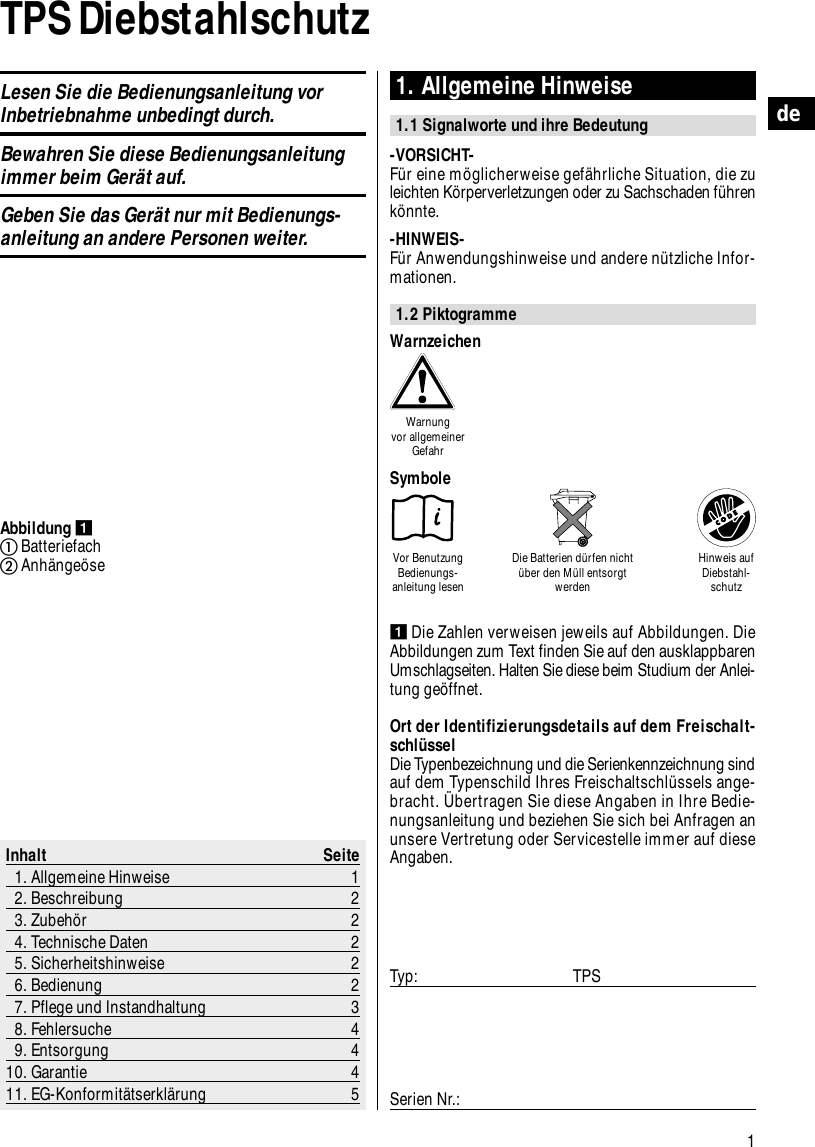
212343
*377271*Hilti CorporationFL-9494 SchaanTel.:+423/2342111Fax:+423/2342965www.hilti.comHilti = registered trademark of Hilti Corp., Schaan   W 2777  0103 10-Pos. 1   1   Printed in Liechtenstein   © 2003Right of technical and programme changes reserved   S. E. & O.377254/C
1deTPS Diebstahlschutz 1. Allgemeine Hinweise1.1 Signalworte und ihre Bedeutung-VORSICHT-Für eine möglicherweise gefährliche Situation, die zuleichten Körperverletzungen oder zu Sachschaden führenkönnte.-HINWEIS-Für Anwendungshinweise und andere nützliche Infor-mationen.1.2 PiktogrammeInhalt Seite1. Allgemeine Hinweise 12. Beschreibung 23. Zubehör 24. Technische Daten 25. Sicherheitshinweise 26. Bedienung 27. Pflege und Instandhaltung 38. Fehlersuche 49. Entsorgung 410. Garantie 411. EG-Konformitätserklärung 5Abbildung BatteriefachAnhängeöseDie Zahlen verweisen jeweils auf Abbildungen. DieAbbildungen zum Text finden Sie auf den ausklappbarenUmschlagseiten. Halten Sie diese beim Studium der Anlei-tung geöffnet.Ort der Identifizierungsdetails auf dem Freischalt-schlüsselDie Typenbezeichnung und die Serienkennzeichnung sindauf dem Typenschild Ihres Freischaltschlüssels ange-bracht. Übertragen Sie diese Angaben in Ihre Bedie-nungsanleitung und beziehen Sie sich bei Anfragen anunsere Vertretung oder Servicestelle immer auf dieseAngaben.Typ: TPSSerien Nr.:WarnzeichenWarnung vor allgemeinerGefahrVor BenutzungBedienungs-anleitung lesenDie Batterien dürfen nichtüber den Müll entsorgtwerdenHinweis aufDiebstahl-schutzSymboleLesen Sie die Bedienungsanleitung vorInbetriebnahme unbedingt durch.Bewahren Sie diese Bedienungsanleitungimmer beim Gerät auf.Geben Sie das Gerät nur mit Bedienungs-anleitung an andere Personen weiter.
allen Hilti-Freischaltschlüsseln dieses speziellen Kundenfreischalten.Anzeigen mit Lichtsignal:– Anzeige von Diebstahlschutz am Gerät (gelb blinkend).Zum Lieferumfang der Standardausrüstunggehören:– Einbauteile im Gerät– Freischaltschlüssel2de2. BeschreibungDer Diebstahlschutz (TPS) für handgeführte Elektro-werkzeuge von Hilti schützt diese wirkungsvoll vor unbe-rechtigter Benutzung. Das Gerät kann bei vorhandenem Diebstahlschutz (TPS-Modul ist im Gerät integriert) nur betrieben werden, wennder Benutzer im Besitz eines elektronischen Freischalt-schlüssels ist. Freischaltschlüssel sind bei Hilti erhält-lich. Die Freischaltschlüssel sind kundenbezogen; dasheisst alle von einem Kunden bei Hilti erworbenen Gerä-te, die über Diebstahlschutz verfügen, lassen sich von3. ZubehörFreischaltschlüssel TPS-KKarte für Arbeitsgemeinschaft (Aktivieren)Karte für Arbeitsgemeinschaft (Deaktivieren)4. Technische DatenReichweite mit Batterie 50–70 cmLithium-Batterie CR2032Technische Änderungen vorbehalten5. Sicherheitshinweise●Die Batterie darf nicht in die Hände von Kindern gelan-gen. Hat ein Kind eine Batterie geschluckt, kontaktierenSie sofort einen Arzt.●Überhitzen Sie die Batterie nicht und setzen Sie sienicht dem Feuer aus. Die Batterie kann explodieren oderes können toxische Stoffe freigesetzt werden.●Vermeiden Sie eine schnelle Entladung.●Laden Sie die Batterie nicht auf.●Verlöten Sie die Batterie nicht im Freischaltschlüssel.●-VORSICHT- Schliessen Sie die Batterie nicht kurz, siekann sich dadurch überhitzen und Verbrennungen ver-ursachen.●Öffnen Sie die Batterie nicht und setzen Sie sie nichtübermässiger mechanischer Belastung aus.6. Bedienung6.1 Gerät6.1.1 Gerät Freischalten1. Stecken Sie den Netzstecker des Geräts in die Steck-dose. Die gelbe Diebstahlschutzlampe blinkt. (DasGerät ist nun aktiviert und sucht mittels Funkübertra-gung nach einem gültigen Freischaltschlüssel.)2. Bringen Sie den Freischaltschlüssel in die Nähe desGeräts (ca. 50–70 cm). Sobald die gelbe Diebstahl-schutzlampe erlischt, ist das Gerät freigeschaltet. (DasSystem ist so gestaltet, dass der Freischaltschlüsselfür die Freigabe des Geräts üblicherweise nicht ausder Hosentasche genommen werden muss.)-HINWEIS- Die Freischaltung  des Geräts bleibt erhalten, solange dasGerät nicht von der Netzspannung getrennt wird.
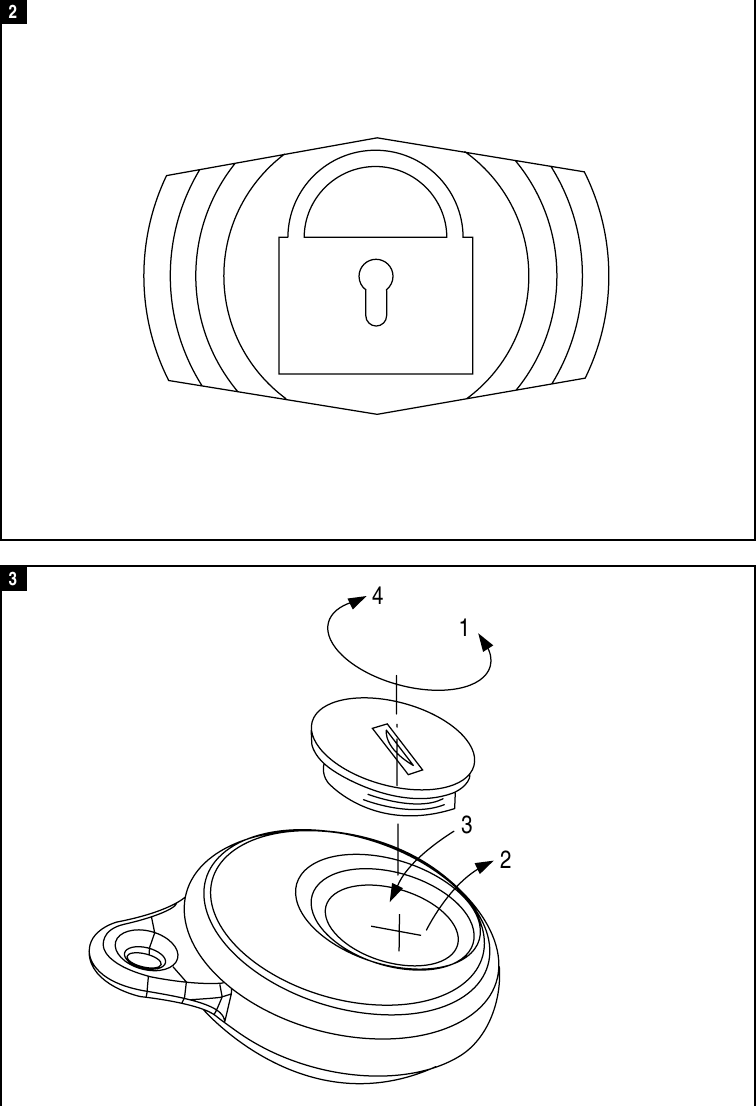
3de6.1.2 Notbetrieb Um eine komfortable Reichweite zu erhalten, sind dieFreischaltschlüssel mit einer Batterie (CR2032 Lithium-Batterie) ausgestattet. Das Gerät lässt sich auch bei lee-rer oder nicht vorhandener Batterie im Freischaltschlüs-sel freischalten, indem der Freischaltschlüssel dicht andie mit dem in der Abbildung dargestellten Symbolgekennzeichneten Stelle auf dem Gerät gehalten wird.-VORSICHT- Entfernen Sie entladene Batterien aus dem Freischalt-schlüssel.6.2 Freischaltschlüssel6.2.1 Batteriewechsel beim Freischaltschlüssel 1. Öffnen Sie die Verschlussschraube mit einer Münze(Linksdrehung).2. Entnehmen Sie die Batterie aus dem Batteriefach.3. Setzen Sie die neue Batterie, mit dem „+“ Zeichen nachoben, in das Batteriefach.4. Schliessen Sie das Batteriefach mit der Verschluss-schraube.6.2.2 Nachbestellen von Freischaltschlüsseln Freischaltschlüssel können bei Hilti nachbestellt werden.Der Verkauf eines Freischaltschlüssels erfolgt unter Anga-be der Kundennummer im Hilti Center oder CustomerService. Der Freischaltschlüssel wird an die jeweils zuder Kundennummer gespeicherten Adresse versendet,bzw. ausgehändigt, wenn sich der Kunde ausweist.6.2.3 Überprüfen des FreischaltschlüsselsWechseln Sie die Batterie im Freischaltschlüssel (siehePunkt 6.2.1), falls die Reichweite zum Freischalten desGeräts abnimmt oder nur mehr ein Freischalten im Not-betrieb (vergleiche auch Punkt 6.1.2) möglich ist.Ein nicht funktionierender Freischaltschlüssel kann imHilti Center auf Fehler analysiert werden. Falls er sich alsdefekt herausstellt, muss ein neuer Freischaltschlüsselmit den kundenspezifischen Daten programmiert werden.6.3 Arbeitsgemeinschaftskarte Um das Freischalten des Geräts durch Freischaltschlüs-sel von Partnerfirmen in einer Arbeitsgemeinschaft zuermöglichen, kann beim Hilti Center oder Customer Ser-vice eine Arbeitsgemeinschaftskarte bestellt werden.Um die Arbeitsgemeinschaft im Gerät zu aktivieren, gehenSie bitte folgendermassen vor:1. Stecken Sie den Netzstecker des Geräts in die Steck-dose. Die gelbe Diebstahlschutzlampe blinkt. 2. Sorgen Sie dafür, dass sich kein Freischaltschlüsselin der Nähe der Maschine befindet, da eine Program-mierung mit der Arbeitsgemeinschaftskarte aus Sicher-heitsgründen nur im nicht freigeschalteten Zustanddes Geräts möglich ist.3. Halten Sie die Arbeitsgemeinschaftskarte an die mitdem in der Abbildung dargestellten Symbol gekenn-zeichneten Stelle auf das Gerät bis die Diebstahl-schutzlampe erlischt. -HINWEIS-Vor diesem Schritt muss die gelbe Diebstahlschutz-lampe noch blinken (Gerät ist nicht freigeschaltet). Dieerfolgreiche Programmierung wird mit einem Freischal-ten des Geräts bestätigt (Diebstahlschutzlampe erlischt).4. Stecken Sie den Stecker des Geräts aus der Steck-dose.5. Testen Sie das Freischalten des Geräts mit einemSchlüssel einer Partnerfirma (siehe Punkt 6.1.1).6.4 Arbeitsgemeinschafts-Lösch-Karte 1. Stecken Sie den Netzstecker des Geräts in die Steck-dose. Die gelbe Diebstahlschutzlampe blinkt. 2. Sorgen Sie bitte dafür, dass kein Freischaltschlüsselsich in der Nähe der Maschine befindet, da eine Pro-grammierung mit der Löschkarte aus Sicherheits-gründen nur im nicht freigeschalteten Zustand desGerätes möglich ist.3. Halten Sie die Löschkarte an die mit dem in der Abbil-dung dargestellten Symbol gekennzeichneten Stel-le auf das Gerät bis die Diebstahlschutzlampe erlischt. -HINWEIS-Vor diesem Schritt muss die gelbe Diebstahlschutz-lampe noch blinken (Gerät ist nicht freigeschaltet). Dieerfolgreiche Programmierung wird mit einem Freischal-ten des Geräts bestätigt (Diebstahlschutzlampe erlischt).4. Ziehen Sie den Netzstecker aus der Steckdose5. Stecken Sie den Netzstecker in die Steckdose. 6. Testen Sie das Löschen der Arbeitsgemeinschaft imGerät mit einem Schlüssel einer Partnerfirma (siehePunkt 6.1.1). Das Gerät darf sich von diesem Schlüs-sel nicht mehr freischalten lassen.7. Pflege7.1 Pflege des FreischaltschlüsselsDie äussere Gehäuseschale des Freischaltschlüssels istaus einem schlagfesten Kunststoff gefertigt. ReinigenSie die Aussenseite regelmässig mit einem leicht ange-feuchteten Tuch. Verwenden Sie kein fliessendes Was-ser zur Reinigung (Die Funktion des Freischaltschlüsselskann beeinträchtigt werden. Dies hat aber keinen Ein-fluss auf die elektrische Sicherheit des Geräts).
4de8. FehlersucheFehler Mögliche Ursache BehebungFreischalten nur bei  Schwache Batterie Batteriewechselgeringem Freischaltabstand möglichFreischalten nur im  Schwache oder leere Batterie BatteriewechselNotbetrieb möglichMehrere Freischaltschlüssel befinden  Alle Freischaltschlüssel bis auf einen aussich gleichzeitig in der Nähe des Geräts der Nähe des Geräts entfernen und Freischaltvorgang wiederholenProgrammierung der  Gerät war zum Zeitpunkt der  1. Stecker aus der Steckdose ziehenArbeitsgemeinschaft nicht  Programmierung der Arbeits- 2. Sicherstellen, dass kein Freischalt-möglich gemeinschaft bereits freigeschaltet schlüssel in der Nähe des Geräts vorhanden ist (Diebstahlschutzlampe blinkt)3. Programmierung wiederholenLöschen der Arbeitsge- Gerät war zum Zeitpunkt des Löschens  1. Stecker aus der Steckdose ziehenmeinschaft nicht möglich der Arbeitsgemeinschaft bereits  2. Sicherstellen, dass kein Freischalt-freigeschaltet schlüssel in der Nähe des Geräts vorhanden ist (Diebstahlschutzlampe blinkt)3. Löschvorgang wiederholen10. Garantie  Hilti garantiert, dass das gelieferte Gerät frei von Material-oder Fertigungsfehlern ist. Diese Garantie gilt unter derVoraussetzung, dass das Gerät in Übereinstimmung mitder Hilti Bedienungsanleitung richtig eingesetzt und ge-handhabt, gepflegt und gereinigt wird, dass alle Garantie-ansprüche innerhalb von 12 Monaten (sofern nicht zwin-gende nationale Vorschriften eine längere Mindestdauervorschreiben) ab dem Verkaufsdatum (Rechnungsdatum)erfolgen und dass die technische Einheit gewahrt wird,d.h. dass nur Original Hilti Verbrauchsmaterial, Zubehör-und Ersatzteile mit dem Gerät verwendet werden.Diese Garantie umfasst die kostenlose Reparatur oderden kostenlosen Ersatz der defekten Teile. Teile, die demnormalen Verschleiss unterliegen, fallen nicht unter dieseGarantie.Weitergehende Ansprüche sind ausgeschlossen, soweitnicht zwingende nationale Vorschriften entgegenste-9. EntsorgungEntsorgen Sie die Batterien nach den nationalen oderregionalen Vorschriftenhen. Insbesondere haftet Hilti nicht für unmittelbareoder mittelbare, Mangel- oder Mangelfolgeschäden,Verluste oder Kosten im Zusammenhang mit der Ver-wendung oder wegen der Unmöglichkeit der Verwen-dung des Geräts für irgendeinen Zweck. Stillschwei-gende Zusicherungen für Verwendung oder Eignungfür einen bestimmten Zweck werden ausdrücklich aus-geschlossen. Für Reparatur oder Ersatz sind Gerät und/oder betroffe-ne Teile unverzüglich nach Feststellung des Mangels andie zuständige Hilti Marktorganisation zu senden.Die vorliegende Garantie umfasst sämtliche Garantie-verpflichtungen seitens Hilti und ersetzt alle früheren odergleichzeitigen Erklärungen, schriftlichen oder mündli-chen Verabredungen betreffend Garantien.
5de11. EG-KonformitätserklärungBezeichnung: DiebstahlschutzTypenbezeichnung: PS mit TPS-KKonstruktionsjahr: 2002Wir erklären in alleiniger Verantwortung, dass dieses Pro-dukt mit den folgenden Richtlinien und Normen überein-stimmt: EN 300220-1, -3 / EN 300330 / EN 301489-1, -3 /EN 60950.Hilti CorporationDaniel Schillinger David HruzaSenior Vice President DevelopmentDrilling and Demolition Drilling and DemolitionBusiness Unit Business UnitDecember 2002 December 2002
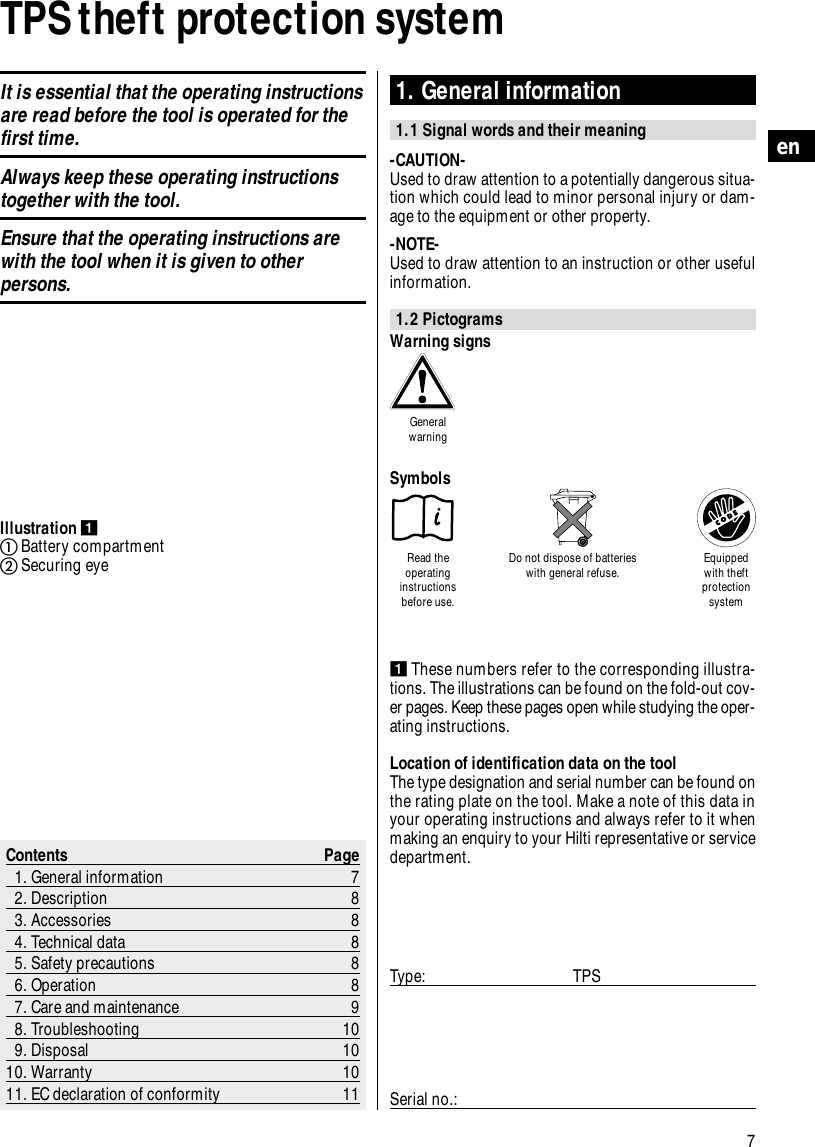
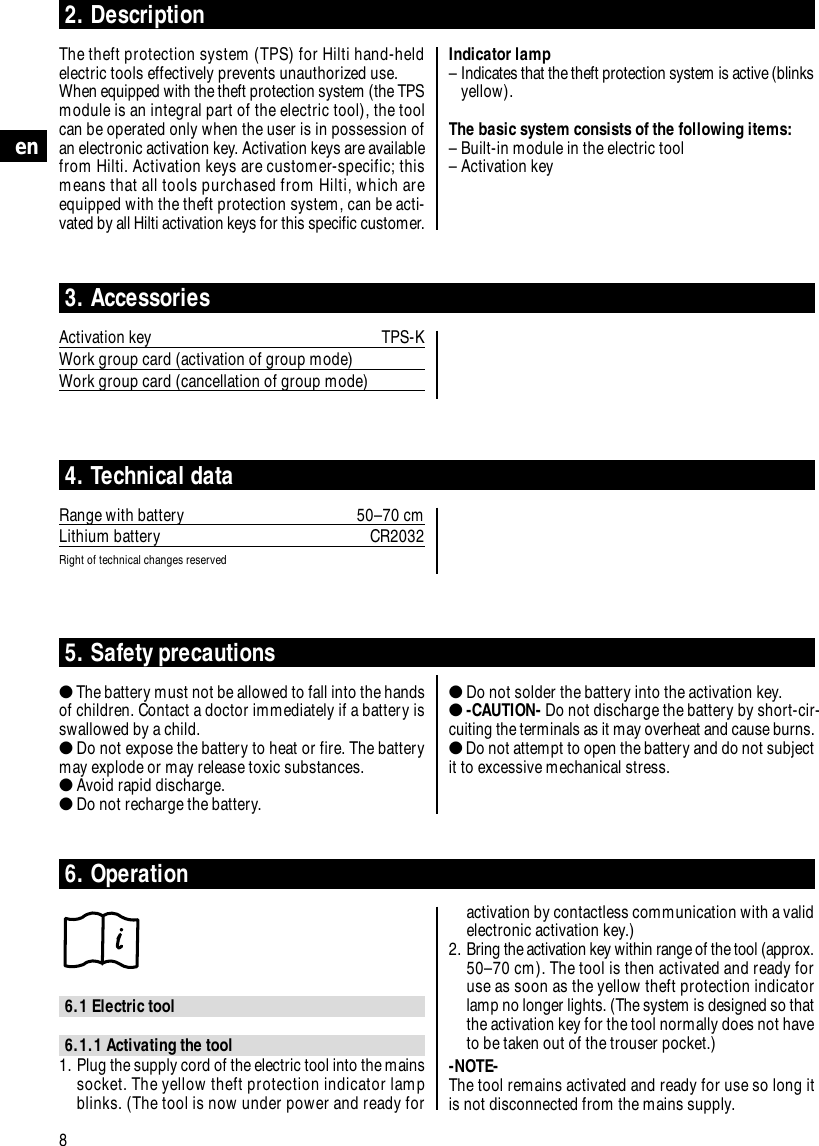
7enTPS theft protection system1. General information1.1 Signal words and their meaning-CAUTION-Used to draw attention to a potentially dangerous situa-tion which could lead to minor personal injury or dam-age to the equipment or other property.-NOTE-Used to draw attention to an instruction or other usefulinformation.1.2 PictogramsContents Page1. General information 72. Description 83. Accessories 84. Technical data 85. Safety precautions 86. Operation 87. Care and maintenance 98. Troubleshooting 109. Disposal 1010. Warranty 1011. EC declaration of conformity 11Illustration Battery compartmentSecuring eyeThese numbers refer to the corresponding illustra-tions. The illustrations can be found on the fold-out cov-er pages. Keep these pages open while studying the oper-ating instructions.Location of identification data on the toolThe type designation and serial number can be found onthe rating plate on the tool. Make a note of this data inyour operating instructions and always refer to it whenmaking an enquiry to your Hilti representative or servicedepartment.Type: TPSSerial no.:Warning signsGeneralwarningRead theoperatinginstructionsbefore use.Do not dispose of batterieswith general refuse. Equippedwith theftprotectionsystemSymbolsIt is essential that the operating instructionsare read before the tool is operated for thefirst time.Always keep these operating instructionstogether with the tool.Ensure that the operating instructions arewith the tool when it is given to otherpersons.
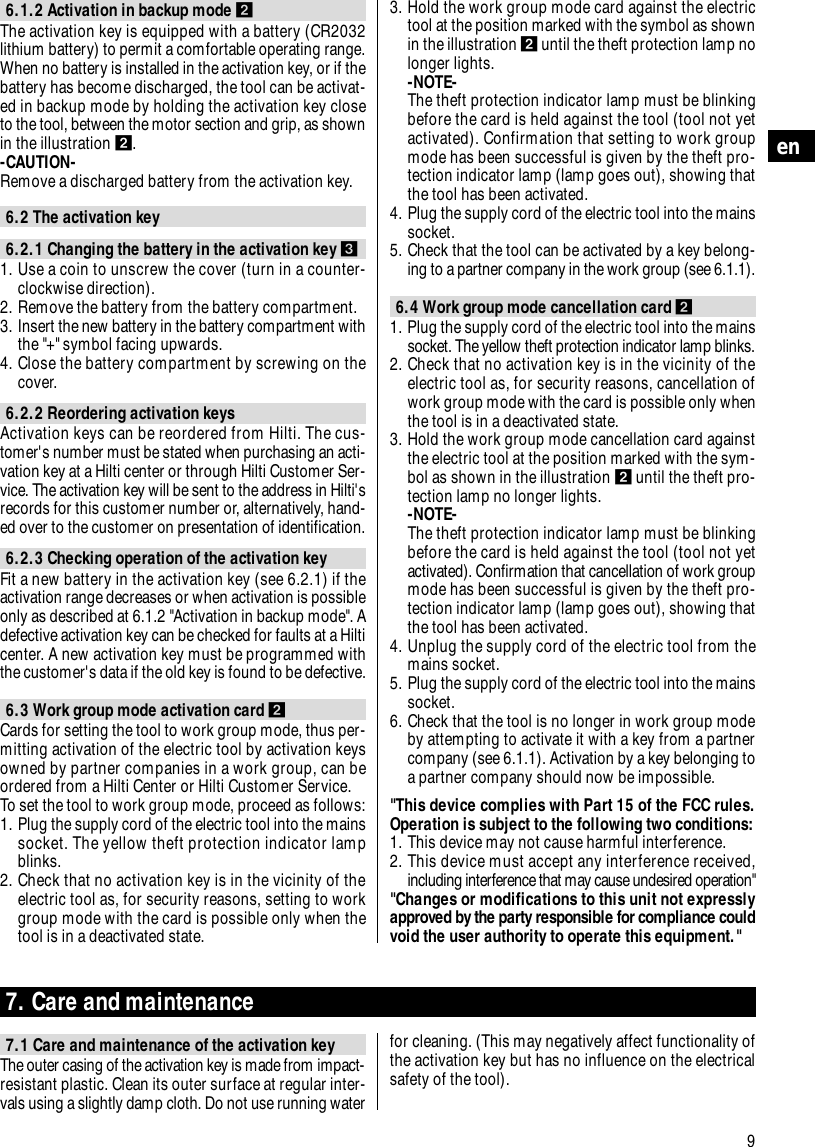
Indicator lamp– Indicates that the theft protection system is active (blinksyellow).The basic system consists of the following items:– Built-in module in the electric tool– Activation key8en2. DescriptionThe theft protection system (TPS) for Hilti hand-heldelectric tools effectively prevents unauthorized use.When equipped with the theft protection system (the TPSmodule is an integral part of the electric tool), the toolcan be operated only when the user is in possession ofan electronic activation key. Activation keys are availablefrom Hilti. Activation keys are customer-specific; thismeans that all tools purchased from Hilti, which areequipped with the theft protection system, can be acti-vated by all Hilti activation keys for this specific customer.3. AccessoriesActivation key TPS-KWork group card (activation of group mode)Work group card (cancellation of group mode)4. Technical dataRange with battery 50–70 cmLithium battery CR2032Right of technical changes reserved5. Safety precautions●The battery must not be allowed to fall into the handsof children. Contact a doctor immediately if a battery isswallowed by a child.●Do not expose the battery to heat or fire. The batterymay explode or may release toxic substances.●Avoid rapid discharge.●Do not recharge the battery.●Do not solder the battery into the activation key.●-CAUTION- Do not discharge the battery by short-cir-cuiting the terminals as it may overheat and cause burns.●Do not attempt to open the battery and do not subjectit to excessive mechanical stress.6. Operation6.1 Electric tool6.1.1 Activating the tool1. Plug the supply cord of the electric tool into the mainssocket. The yellow theft protection indicator lampblinks. (The tool is now under power and ready foractivation by contactless communication with a validelectronic activation key.)2. Bring the activation key within range of the tool (approx.50–70 cm). The tool is then activated and ready foruse as soon as the yellow theft protection indicatorlamp no longer lights. (The system is designed so thatthe activation key for the tool normally does not haveto be taken out of the trouser pocket.)-NOTE- The tool remains activated and ready for use so long itis not disconnected from the mains supply.
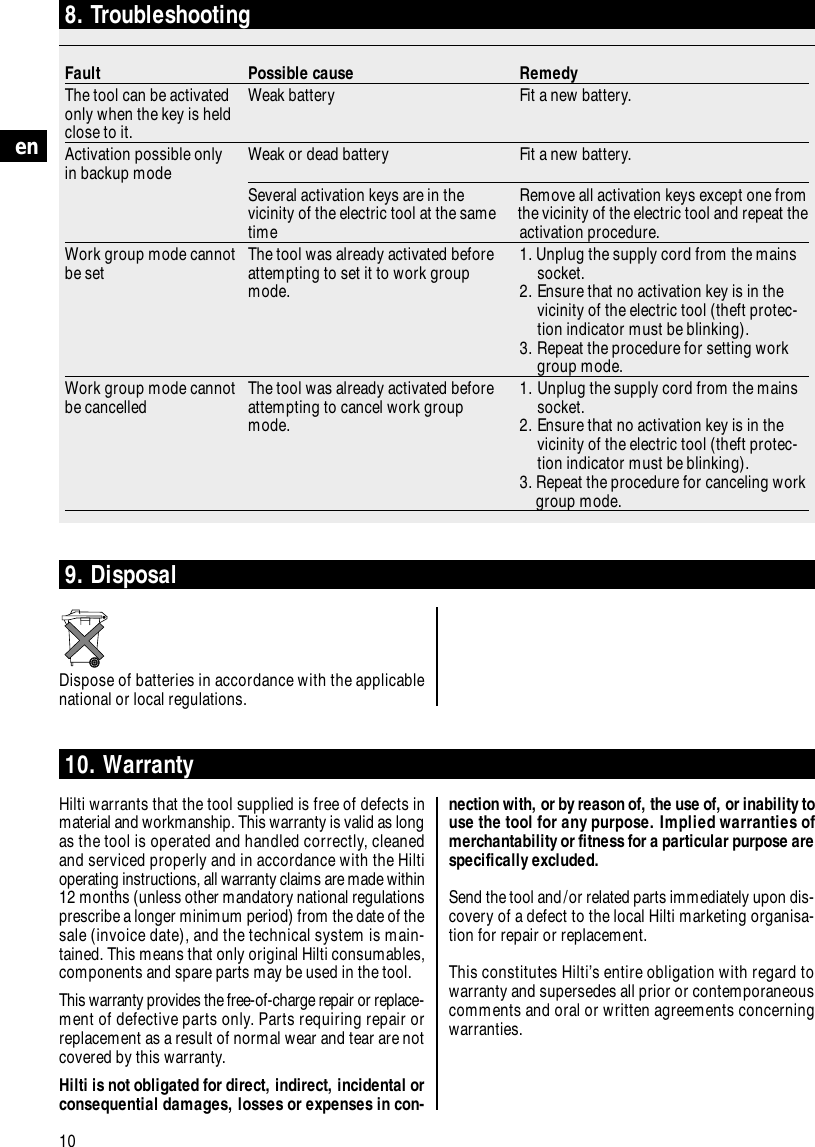
9en6.1.2 Activation in backup mode The activation key is equipped with a battery (CR2032lithium battery) to permit a comfortable operating range.When no battery is installed in the activation key, or if thebattery has become discharged, the tool can be activat-ed in backup mode by holding the activation key closeto the tool, between the motor section and grip, as shownin the illustration .-CAUTION- Remove a discharged battery from the activation key.6.2 The activation key6.2.1 Changing the battery in the activation key 1. Use a coin to unscrew the cover (turn in a counter-clockwise direction).2. Remove the battery from the battery compartment.3. Insert the new battery in the battery compartment withthe "+" symbol facing upwards.4. Close the battery compartment by screwing on thecover.6.2.2 Reordering activation keysActivation keys can be reordered from Hilti. The cus-tomer's number must be stated when purchasing an acti-vation key at a Hilti center or through Hilti Customer Ser-vice. The activation key will be sent to the address in Hilti'srecords for this customer number or, alternatively, hand-ed over to the customer on presentation of identification.6.2.3 Checking operation of the activation keyFit a new battery in the activation key (see 6.2.1) if theactivation range decreases or when activation is possibleonly as described at 6.1.2 "Activation in backup mode". Adefective activation key can be checked for faults at a Hilticenter. A new activation key must be programmed withthe customer's data if the old key is found to be defective.6.3 Work group mode activation card Cards for setting the tool to work group mode, thus per-mitting activation of the electric tool by activation keysowned by partner companies in a work group, can beordered from a Hilti Center or Hilti Customer Service.To set the tool to work group mode, proceed as follows:1. Plug the supply cord of the electric tool into the mainssocket. The yellow theft protection indicator lampblinks.2. Check that no activation key is in the vicinity of theelectric tool as, for security reasons, setting to workgroup mode with the card is possible only when thetool is in a deactivated state.3. Hold the work group mode card against the electrictool at the position marked with the symbol as shownin the illustration until the theft protection lamp nolonger lights.-NOTE-The theft protection indicator lamp must be blinkingbefore the card is held against the tool (tool not yetactivated). Confirmation that setting to work groupmode has been successful is given by the theft pro-tection indicator lamp (lamp goes out), showing thatthe tool has been activated.4. Plug the supply cord of the electric tool into the mainssocket.5. Check that the tool can be activated by a key belong-ing to a partner company in the work group (see 6.1.1).6.4 Work group mode cancellation card 1. Plug the supply cord of the electric tool into the mainssocket. The yellow theft protection indicator lamp blinks. 2. Check that no activation key is in the vicinity of theelectric tool as, for security reasons, cancellation ofwork group mode with the card is possible only whenthe tool is in a deactivated state.3. Hold the work group mode cancellation card againstthe electric tool at the position marked with the sym-bol as shown in the illustration until the theft pro-tection lamp no longer lights.-NOTE-The theft protection indicator lamp must be blinkingbefore the card is held against the tool (tool not yetactivated). Confirmation that cancellation of work groupmode has been successful is given by the theft pro-tection indicator lamp (lamp goes out), showing thatthe tool has been activated.4. Unplug the supply cord of the electric tool from themains socket.5. Plug the supply cord of the electric tool into the mainssocket.6. Check that the tool is no longer in work group modeby attempting to activate it with a key from a partnercompany (see 6.1.1). Activation by a key belonging toa partner company should now be impossible."This device complies with Part 15 of the FCC rules.Operation is subject to the following two conditions:1. This device may not cause harmful interference.2. This device must accept any interference received,including interference that may cause undesired operation""Changes or modifications to this unit not expresslyapproved by the party responsible for compliance couldvoid the user authority to operate this equipment."7. Care and maintenance7.1 Care and maintenance of the activation keyThe outer casing of the activation key is made from impact-resistant plastic. Clean its outer surface at regular inter-vals using a slightly damp cloth. Do not use running waterfor cleaning. (This may negatively affect functionality ofthe activation key but has no influence on the electricalsafety of the tool).
10en8. TroubleshootingFault Possible cause RemedyThe tool can be activated  Weak battery Fit a new battery.only when the key is heldclose to it.Activation possible only Weak or dead battery Fit a new battery.in backup modeSeveral activation keys are in the Remove all activation keys except one from vicinity of the electric tool at the same  the vicinity of the electric tool and repeat the time activation procedure.Work group mode cannot The tool was already activated before 1. Unplug the supply cord from the mainsbe set   attempting to set it to work group socket.mode. 2. Ensure that no activation key is in the vicinity of the electric tool (theft protec-tion indicator must be blinking).3. Repeat the procedure for setting workgroup mode.Work group mode cannot The tool was already activated before 1. Unplug the supply cord from the mains be cancelled attempting to cancel work group  socket.mode.  2. Ensure that no activation key is in the vicinity of the electric tool (theft protec-tion indicator must be blinking).3. Repeat the procedure for canceling workgroup mode.10. WarrantyHilti warrants that the tool supplied is free of defects inmaterial and workmanship. This warranty is valid as longas the tool is operated and handled correctly, cleanedand serviced properly and in accordance with the Hiltioperating instructions, all warranty claims are made within12 months (unless other mandatory national regulationsprescribe a longer minimum period) from the date of thesale (invoice date), and the technical system is main-tained. This means that only original Hilti consumables,components and spare parts may be used in the tool.This warranty provides the free-of-charge repair or replace-ment of defective parts only. Parts requiring repair orreplacement as a result of normal wear and tear are notcovered by this warranty.Hilti is not obligated for direct, indirect, incidental orconsequential damages, losses or expenses in con-9. DisposalDispose of batteries in accordance with the applicablenational or local regulations.nection with, or by reason of, the use of, or inability touse the tool for any purpose. Implied warranties ofmerchantability or fitness for a particular purpose arespecifically excluded.Send the tool and/or related parts immediately upon dis-covery of a defect to the local Hilti marketing organisa-tion for repair or replacement.This constitutes Hilti’s entire obligation with regard towarranty and supersedes all prior or contemporaneouscomments and oral or written agreements concerningwarranties.
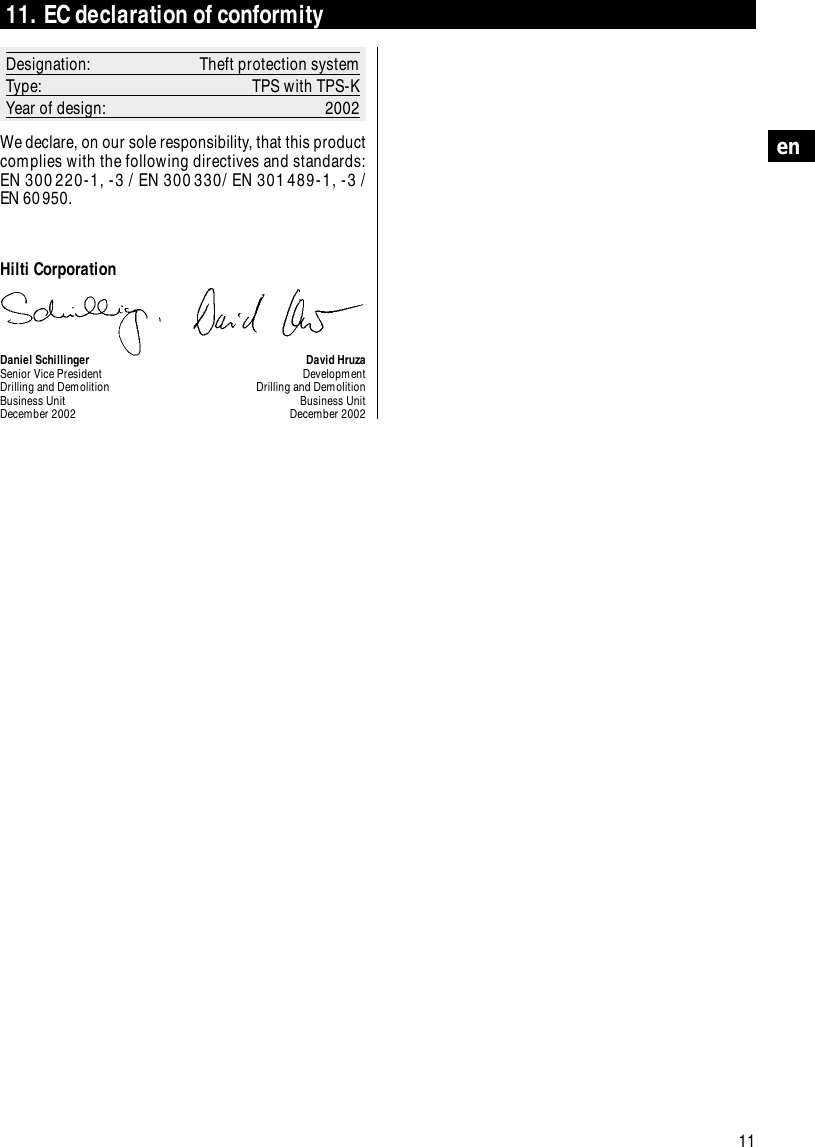
11en11. EC declaration of conformityDesignation: Theft protection systemType: TPS with TPS-KYear of design: 2002We declare, on our sole responsibility, that this productcomplies with the following directives and standards:EN 300220-1, -3 / EN 300330/ EN 301489-1, -3 / EN 60950.Hilti CorporationDaniel Schillinger David HruzaSenior Vice President DevelopmentDrilling and Demolition Drilling and DemolitionBusiness Unit Business UnitDecember 2002 December 2002

Navigation menu