The Art of Utility D026 TRUE WIRELESS EARBUDS WITH POWERBANK User Manual defunc TRUE manual R1

The Art of Utility AB TRUE WIRELESS EARBUDS WITH POWERBANK defunc TRUE manual R1

user_manual

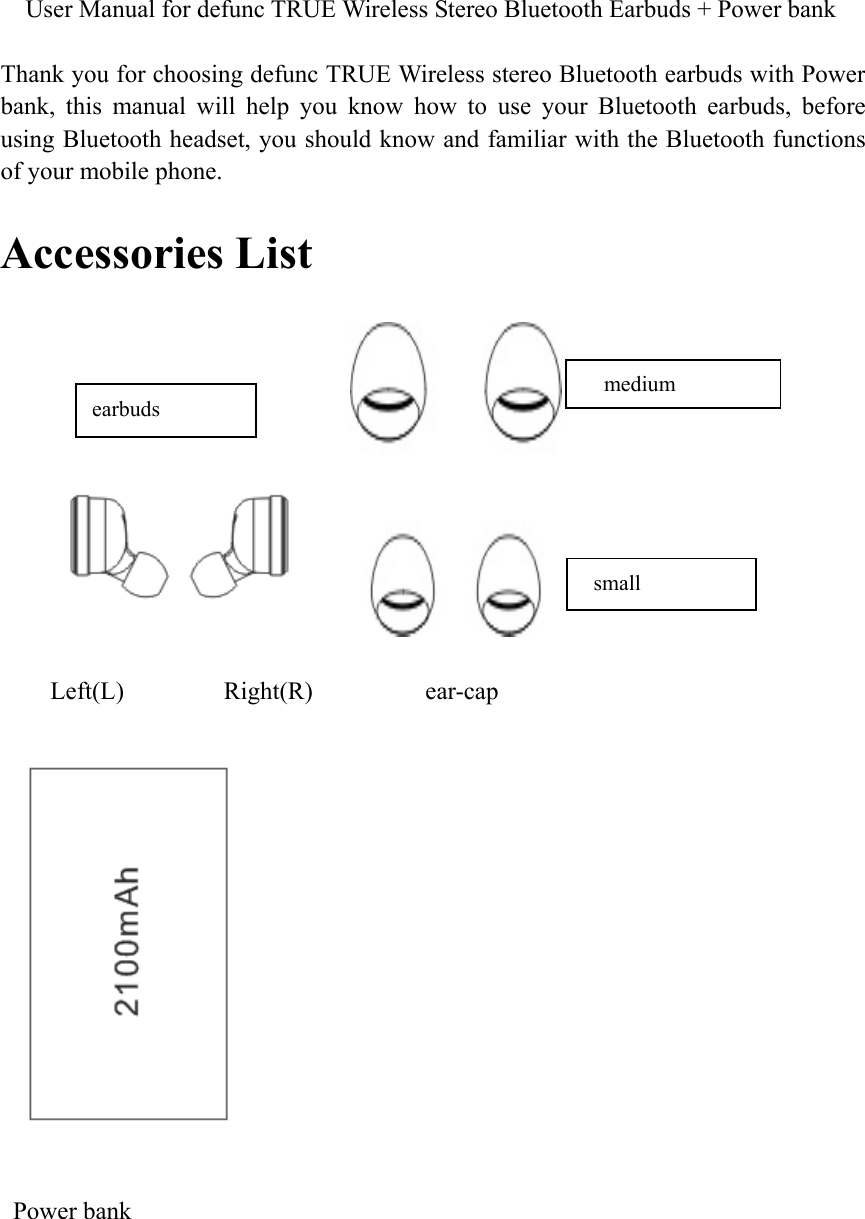
    User Manual for defunc TRUE Wireless Stereo Bluetooth Earbuds + Power bank    Thank you for choosing defunc TRUE Wireless stereo Bluetooth earbuds with Power bank,  this  manual  will  help  you  know  how  to  use  your  Bluetooth  earbuds,  before using Bluetooth headset, you should know and familiar with the Bluetooth functions of your mobile phone.  Accessories List                Left(L)        Right(R)         ear-cap      Power bank         medium   small earbuds
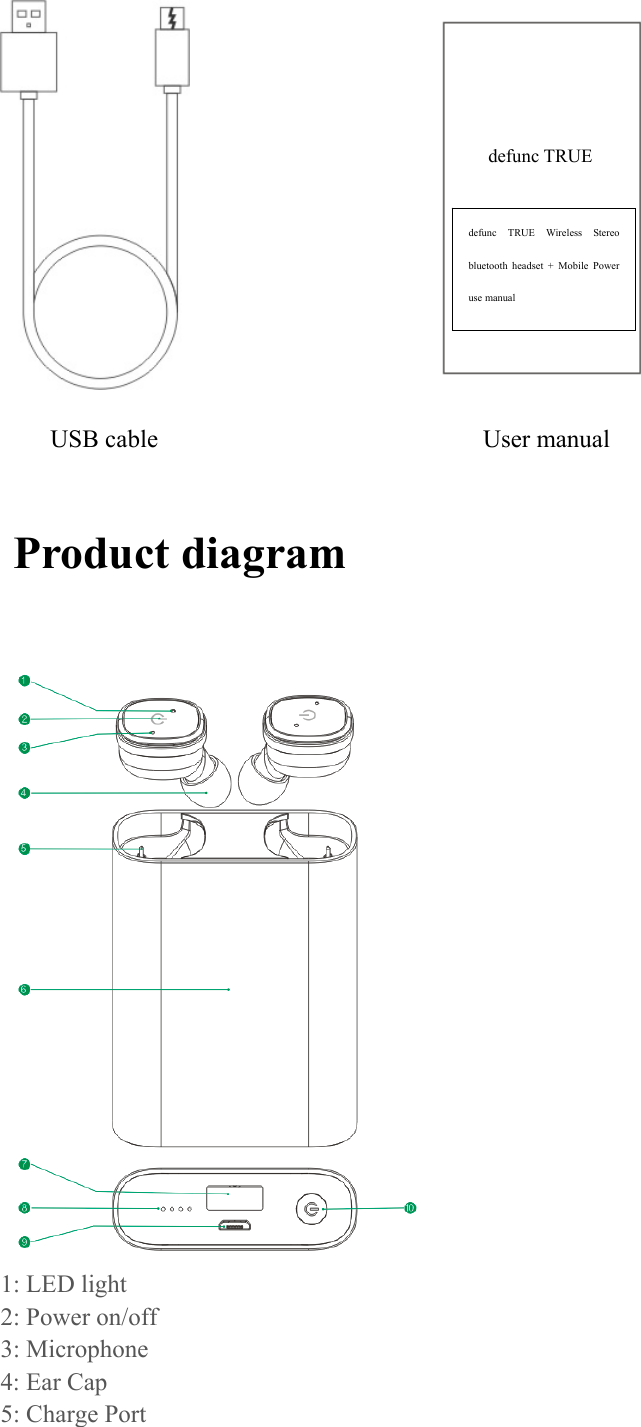
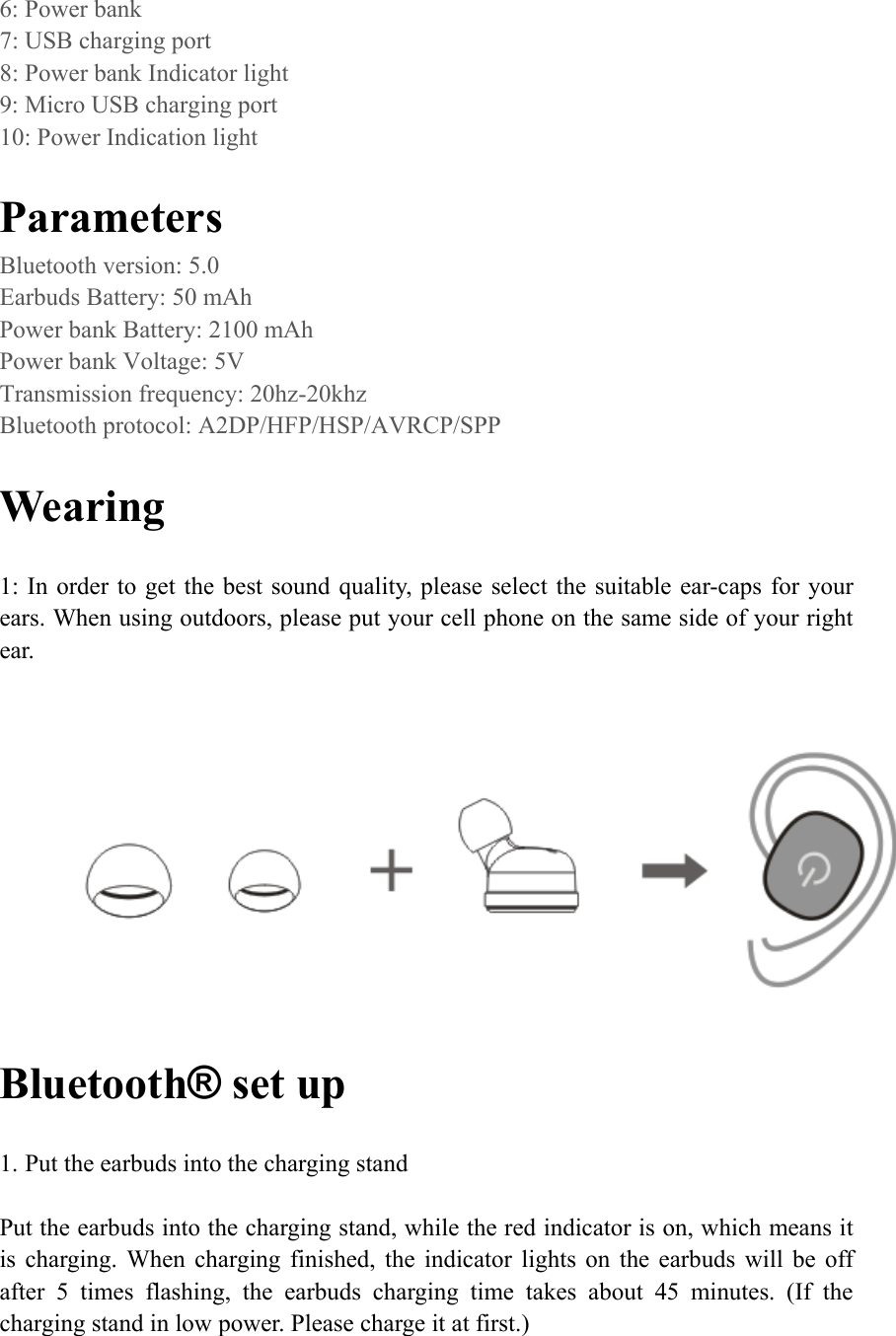
                          USB cable                          User manual    Product diagram                                     1: LED light 2: Power on/off 3: Microphone 4: Ear Cap 5: Charge Port defunc  TRUE  Wireless  Stereo bluetooth  headset  +  Mobile  Power use manual defunc TRUE
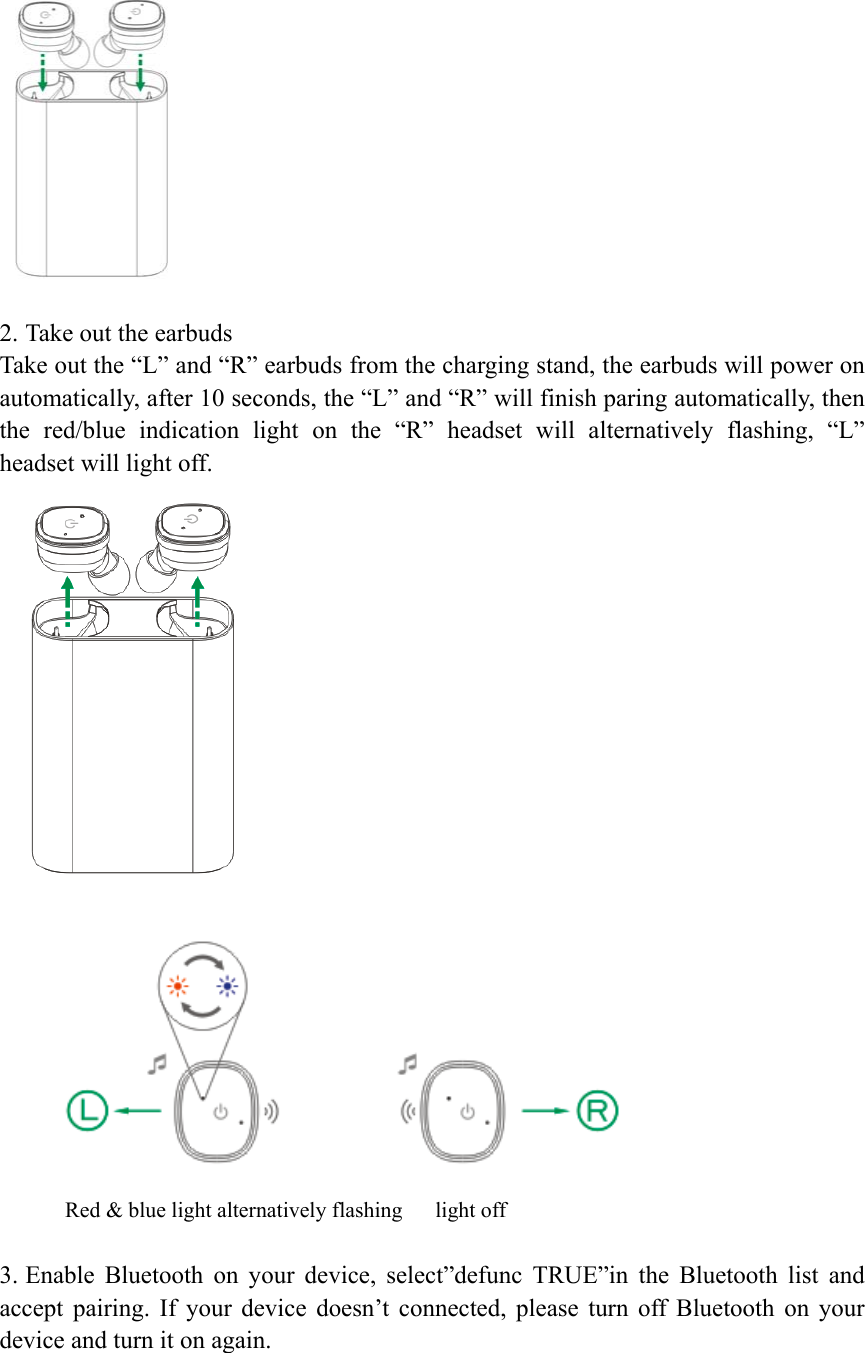
6: Power bank 7: USB charging port 8: Power bank Indicator light 9: Micro USB charging port 10: Power Indication light  Parameters Bluetooth version: 5.0 Earbuds Battery: 50 mAh Power bank Battery: 2100 mAh   Power bank Voltage: 5V Transmission frequency: 20hz-20khz Bluetooth protocol: A2DP/HFP/HSP/AVRCP/SPP  Wearing    1: In order to get the best sound quality, please select the suitable ear-caps for  your ears. When using outdoors, please put your cell phone on the same side of your right ear.     Bluetooth® set up  1. Put the earbuds into the charging stand  Put the earbuds into the charging stand, while the red indicator is on, which means it is  charging.  When  charging  finished,  the  indicator  lights  on  the  earbuds  will  be  off after  5  times  flashing,  the  earbuds  charging  time  takes  about  45  minutes.  (If  the charging stand in low power. Please charge it at first.)
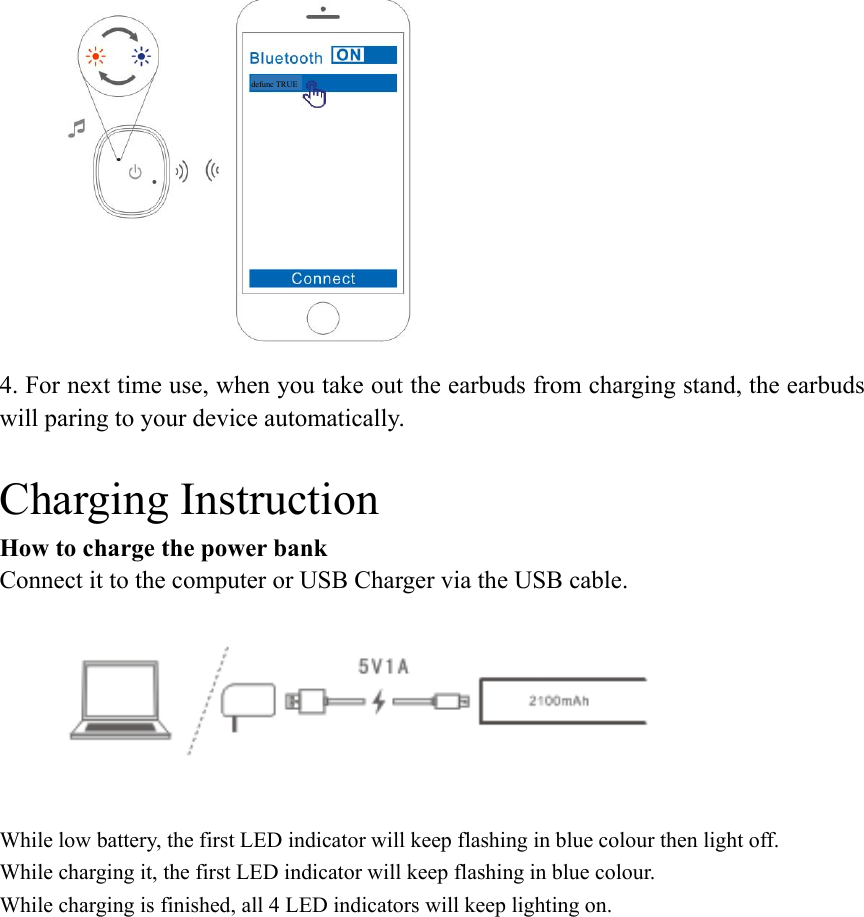
  2. Take out the earbuds Take out the “L” and “R” earbuds from the charging stand, the earbuds will power on automatically, after 10 seconds, the “L” and “R” will finish paring automatically, then the  red/blue  indication  light  on  the  “R”  headset  will  alternatively  flashing,  “L” headset will light off.   Red & blue light alternatively flashing      light off  3. Enable  Bluetooth  on  your  device,  select”defunc  TRUE”in  the  Bluetooth  list  and accept  pairing.  If  your  device  doesn’t  connected,  please  turn  off  Bluetooth  on  your device and turn it on again.
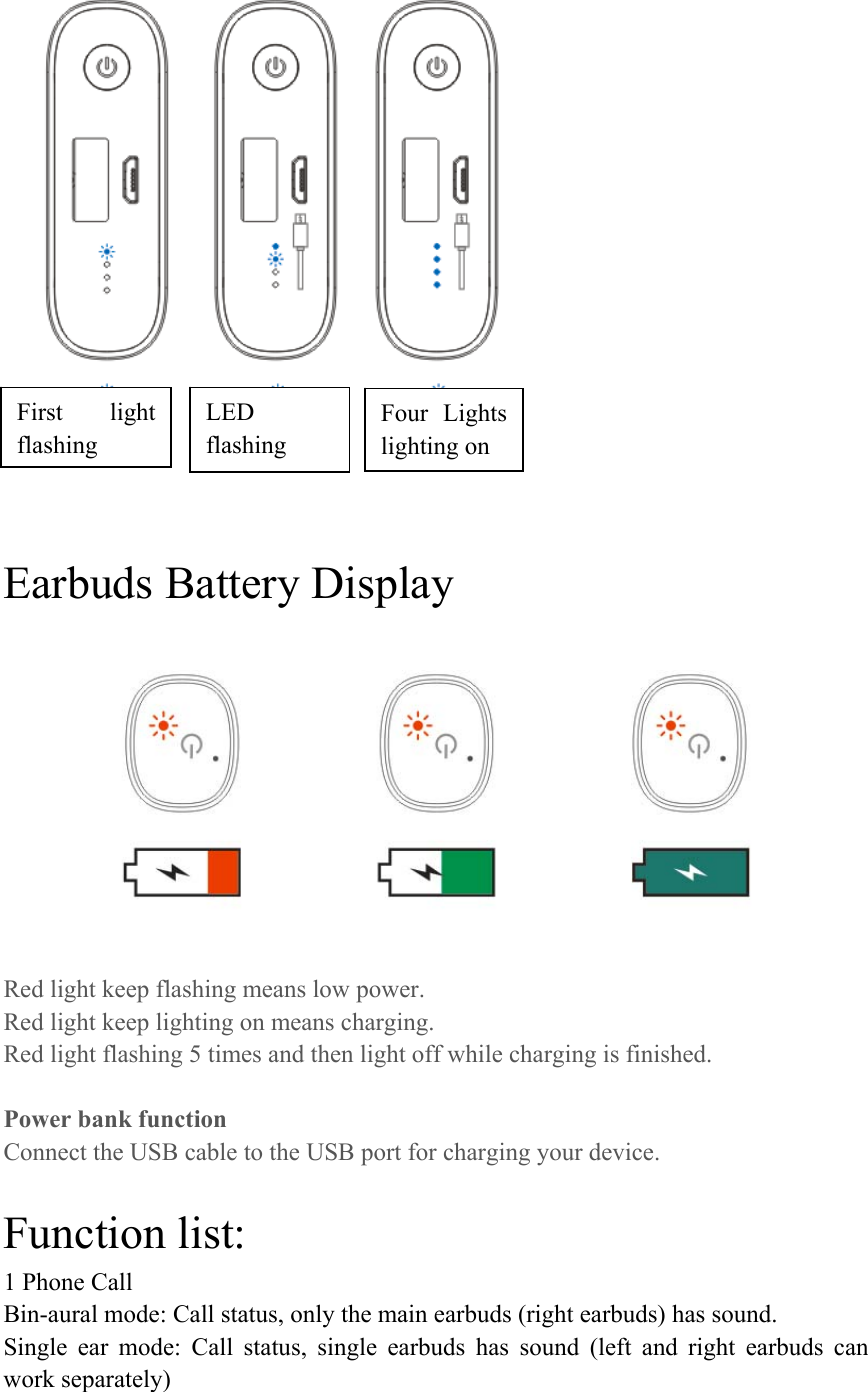
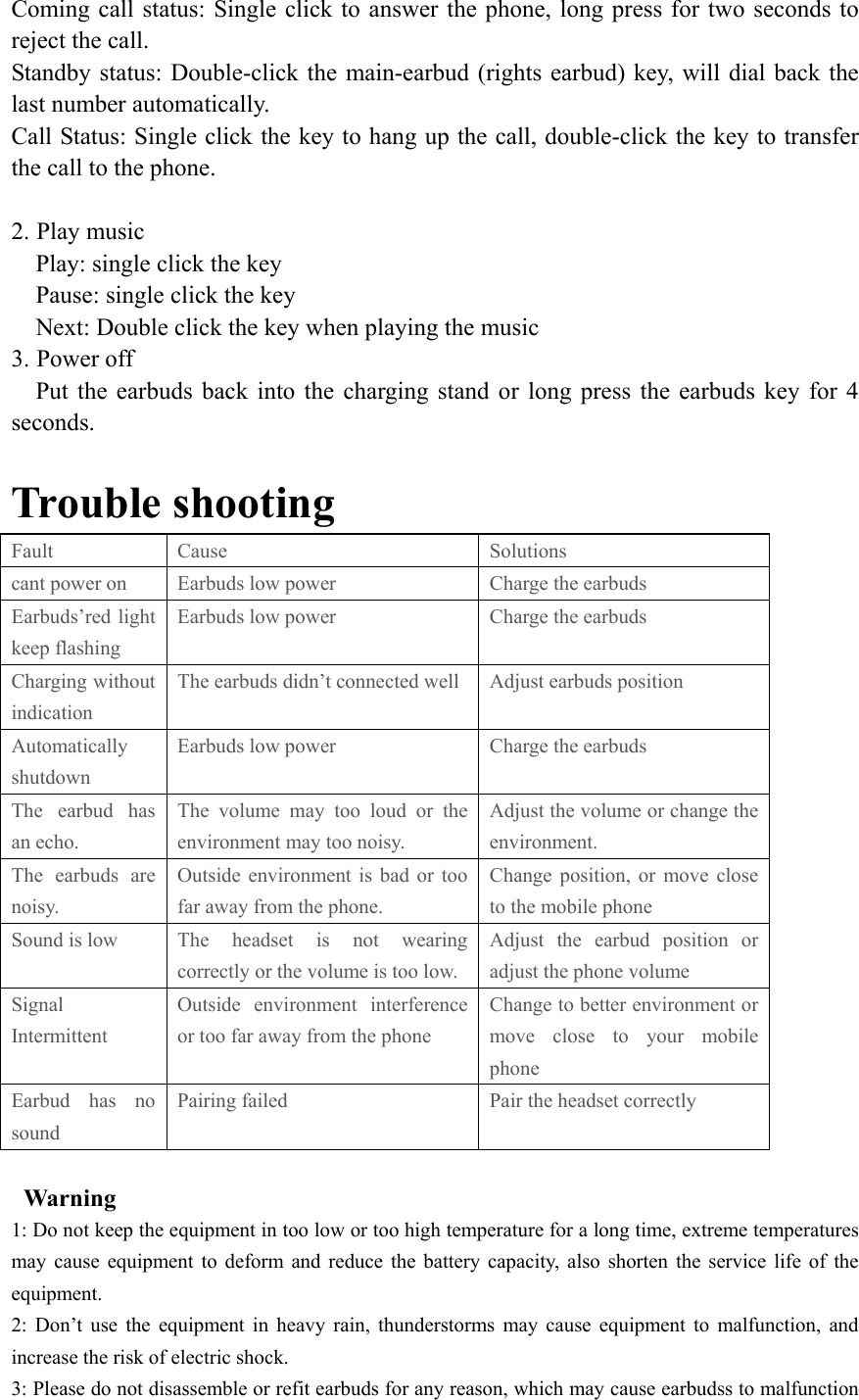
 4. For next time use, when you take out the earbuds from charging stand, the earbuds will paring to your device automatically.  Charging Instruction How to charge the power bank Connect it to the computer or USB Charger via the USB cable.  While low battery, the first LED indicator will keep flashing in blue colour then light off. While charging it, the first LED indicator will keep flashing in blue colour. While charging is finished, all 4 LED indicators will keep lighting on. defunc TRUE
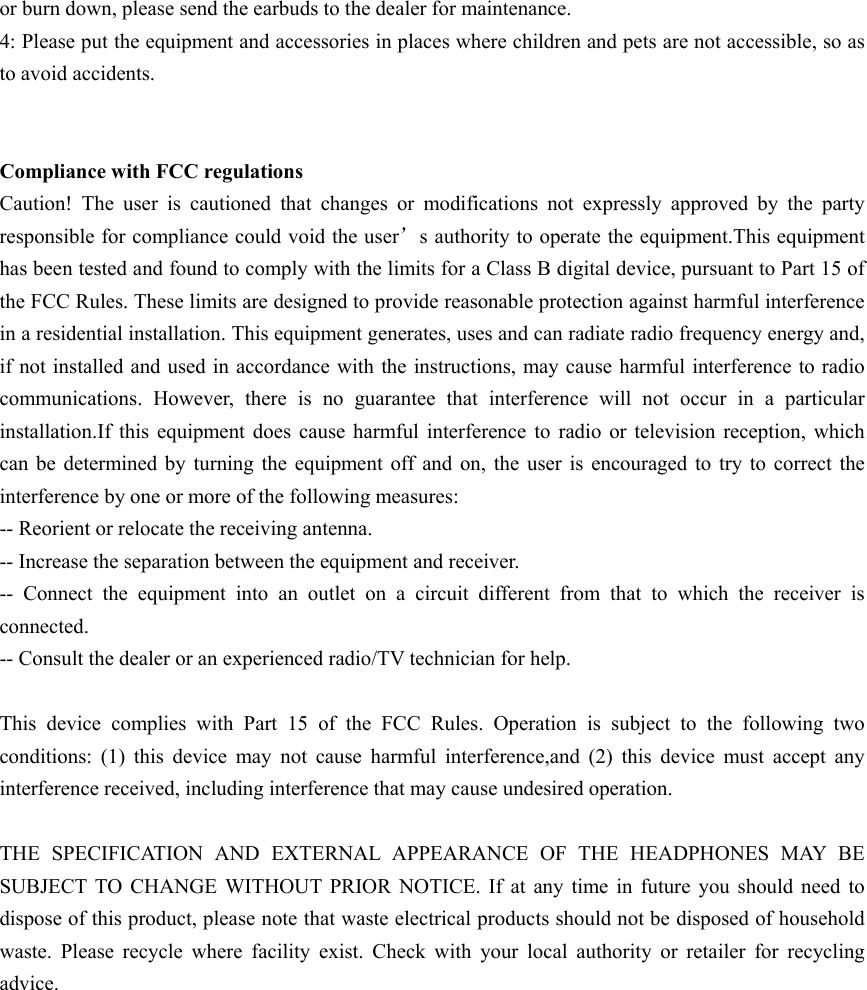
    Earbuds Battery Display  Red light keep flashing means low power. Red light keep lighting on means charging. Red light flashing 5 times and then light off while charging is finished.  Power bank function Connect the USB cable to the USB port for charging your device.  Function list: 1 Phone Call Bin-aural mode: Call status, only the main earbuds (right earbuds) has sound. Single  ear  mode:  Call  status,  single  earbuds  has  sound  (left  and  right  earbuds  can work separately) First  light flashing LED flashing Four  Lights lighting on
Coming call  status:  Single  click  to  answer  the phone, long press for two seconds to reject the call. Standby status: Double-click the main-earbud (rights earbud) key, will dial back the last number automatically. Call Status: Single click the key to hang up the call, double-click the key to transfer the call to the phone.  2. Play music     Play: single click the key     Pause: single click the key     Next: Double click the key when playing the music 3. Power off     Put  the  earbuds  back  into  the  charging stand  or  long  press  the  earbuds  key  for  4 seconds.                Trouble shooting Fault  Cause  Solutions cant power on  Earbuds low power  Charge the earbuds Earbuds’red light keep flashing Earbuds low power  Charge the earbuds Charging without indication The earbuds didn’t connected well  Adjust earbuds position Automatically shutdown Earbuds low power  Charge the earbuds The  earbud  has an echo. The volume may too loud or the environment may too noisy. Adjust the volume or change the environment. The  earbuds  are noisy. Outside environment  is  bad  or  too far away from the phone. Change  position,  or  move  close to the mobile phone Sound is low  The  headset  is  not  wearing correctly or the volume is too low. Adjust  the  earbud  position  or adjust the phone volume Signal Intermittent Outside  environment  interference or too far away from the phone Change to better environment or move  close  to  your  mobile phone Earbud  has  no sound Pairing failed  Pair the headset correctly    Warning   1: Do not keep the equipment in too low or too high temperature for a long time, extreme temperatures may  cause  equipment to  deform  and  reduce  the  battery  capacity,  also shorten the service life of the equipment. 2:  Don’t  use  the  equipment  in  heavy  rain,  thunderstorms  may  cause  equipment  to  malfunction,  and increase the risk of electric shock. 3: Please do not disassemble or refit earbuds for any reason, which may cause earbudss to malfunction
or burn down, please send the earbuds to the dealer for maintenance. 4: Please put the equipment and accessories in places where children and pets are not accessible, so as to avoid accidents.   Compliance with FCC regulations Caution!  The  user  is  cautioned  that  changes  or  modifications  not  expressly  approved  by  the  party responsible for compliance could void the user’s authority to operate the equipment.This equipment has been tested and found to comply with the limits for a Class B digital device, pursuant to Part 15 of the FCC Rules. These limits are designed to provide reasonable protection against harmful interference in a residential installation. This equipment generates, uses and can radiate radio frequency energy and, if not installed and used in accordance with the instructions, may cause harmful interference to radio communications.  However,  there  is  no  guarantee  that  interference  will  not  occur  in  a  particular installation.If  this  equipment does  cause harmful  interference  to  radio  or  television  reception,  which can  be  determined by  turning  the  equipment  off and  on,  the user is encouraged to try to correct the interference by one or more of the following measures: -- Reorient or relocate the receiving antenna. -- Increase the separation between the equipment and receiver. --  Connect  the  equipment  into  an  outlet  on  a  circuit  different  from  that  to  which  the  receiver  is connected. -- Consult the dealer or an experienced radio/TV technician for help.  This  device  complies  with  Part  15  of  the  FCC  Rules.  Operation  is  subject  to  the  following  two conditions:  (1)  this  device  may  not  cause  harmful  interference,and  (2)  this  device  must  accept  any interference received, including interference that may cause undesired operation.  THE  SPECIFICATION  AND  EXTERNAL  APPEARANCE  OF  THE  HEADPHONES  MAY BE SUBJECT  TO  CHANGE  WITHOUT  PRIOR  NOTICE.  If  at  any  time  in  future  you  should  need  to dispose of this product, please note that waste electrical products should not be disposed of household waste.  Please  recycle  where  facility  exist.  Check  with  your  local  authority  or  retailer  for  recycling advice.

Navigation menu