The Q Track Q-DOSE Simulated Dosimeter User Manual QDose Quick Start Guidev4
The Q-Track Corporation Simulated Dosimeter QDose Quick Start Guidev4
QuicK Start Guide
The Q-Track Corporation ● 2223 Drake Avenue SW 1
st
Floor ● Huntsville, AL 35805 ● www.q-track.com
Q-T
RACK
®
QT™-640
T
AG
T
RANSMITTER
Q
UICK
S
TART
G
UIDE
NOTE:
C
HARGE
B
EFORE
F
IRST
U
SE
!
F
OUR HOURS IN THE
QT-654
C
RADLE
C
HARGER
SHOULD YIELD
S
OLID
G
REEN
“C
HARGED
”
LED
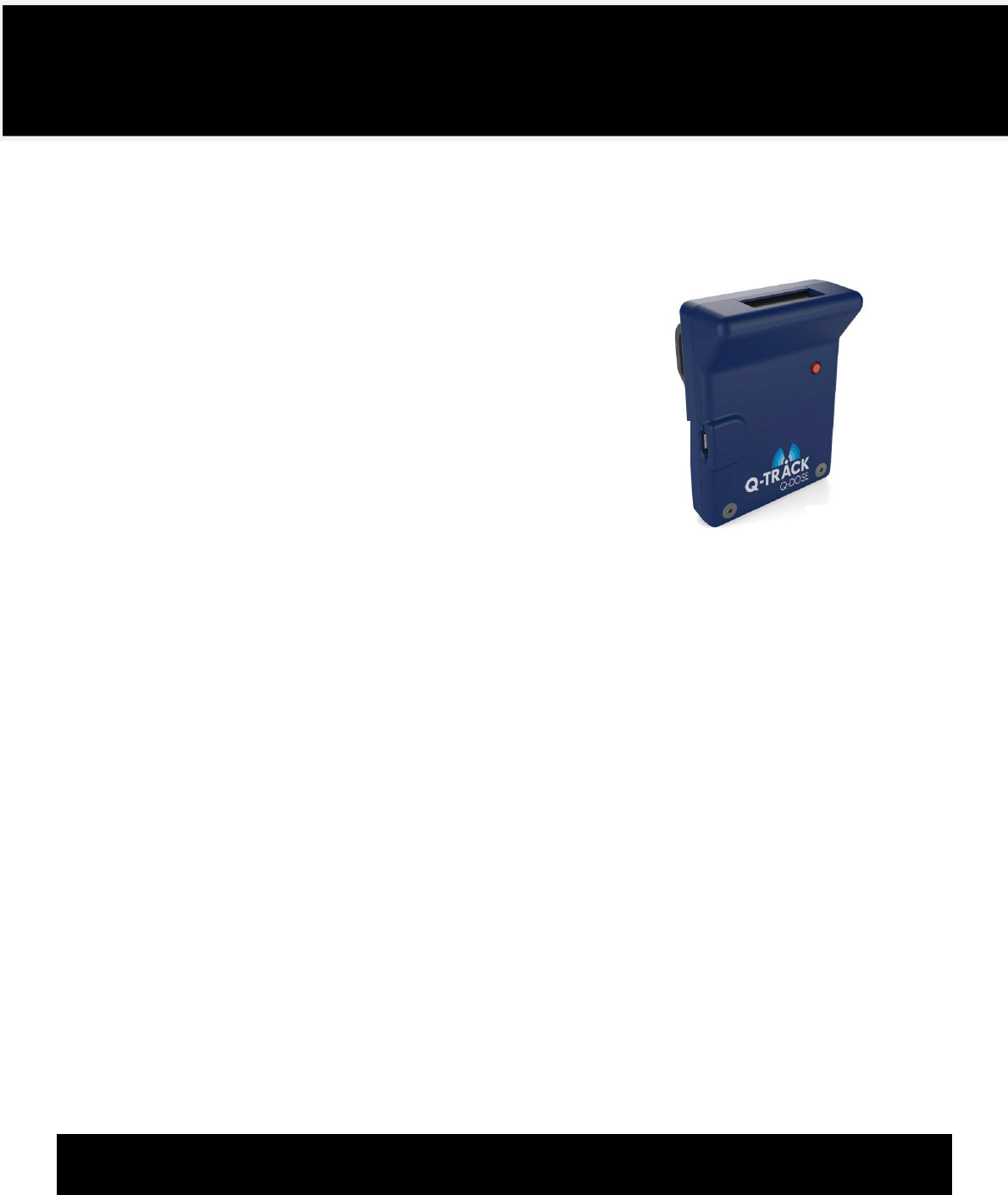
The Q-Dose™ Simulated Dosimeter emulates the functionality of the Mirion
®
DMC 2000:
Display: The display shows simulated dose and rate data and other user information.
Interfaces: Include two charging contacts and a mini-USB interface.
Button: The button toggles the Q-Dose™ through three modes of operation:
1. Sleep Mode: The Q-Dose™ goes to sleep to conserve battery life
when left in Pause mode for a prolonged period. To wake up the tag,
hold the button 3 seconds or until the display illuminates, indicating
the Q-Dose™ is in Pause mode.
2. Pause Mode: This mode allows the user to configure or view
administrative settings. Each subsequent button press cycles through
the following functions:
Change: At the change menu, wait five seconds and the text “Enter”
will appear. Then push the button again to enter Run Mode.
Frequency: Displays the frequency of the tag to which the Q Dose™
is assigned. A Q-Dose™ may be assigned to a different tag
through the Q-Track software.
MAC Address: Displays the MAC address of the device. This uniquely
identifies the Q-Dose™ in the selection dialog in the Q-Track
software.
Battery Voltage: Displays the battery voltage: 4.1V is a full charge;
3.6V denotes a low battery.
Firmware Version: Displays the version number of the Q-Dose™ firmware.
DoseAlarm: Displays the Dose Alarm set point defined in the Q-Track software.
RateAlarm: Displays the Rate Alarm set point defined in the Q-Track software.
Dose: Displays Dose Pre-Alarm set point defined in the Q-Track software.
Rate: Displays Rate Pre-Alarm set point defined in the Q-Track software.
TimeAlarm: Displays Time set point defined in the Q-Track software (under development).
Pause: Back to the beginning of the Pause options.
3. Run Mode: From Pause Mode, push the button until “Change” appears. Wait five seconds until “Enter”
appears, then push the button again to enter Run Mode. While in Run Mode, the button press will toggle
between Dose and Rate. To exit Run Mode, push and hold the button ten seconds. The display will read
“Go Out.” Push the button once more to enter Pause Mode.
The Q-Dose™ Simulated Dosimeter is a ZigBee-transceiver-equipped simulated dosimitter
emulating a Mirion
®
DMC 2000. Q-Dose™ antennas are self-contained within the plastic enclosure,
and cannot be modified or changed by the user.
Q-Track Corp. FCC ID: VJ3-Q-DOSE. This device complies with Part 15 of the FCC Rules. Operation is subject to the following
two conditions: (1) this device may not cause harmful interference, and (2) the device must accept any interference
received, including interference that may cause undesired operation. Caution: Changes or modifications not expressly
approved by the party responsible for compliance could void the user's authority to operate the equipment. This
equipment complies with FCC radiation exposure limits set forth for an uncontrolled environment.
Q-Track Corporation; Model: Q-Dose; IC: 10503A-QDOSE. This device complies with Industry Canada license-exempt RSS
standard(s). Operation is subject to the following two conditions: (1) this device may not cause interference, and (2) this
device must accept any interference, including interference that may cause undesired operation of the device. This
product meets the applicable Industry Canada technical specifications. This equipment complies with IC radiation
exposure limits set forth for an uncontrolled environment.
Cet appareil est conforme à Industrie Canada une licence standard RSS exonérés (s). Son fonctionnement est soumis aux
deux conditions suivantes: 1. Cet appareil ne doit pas provoquer d'interférences 2. Cet appareil doit accepter toute
interférence reçue, y compris les interférences pouvant provoquer un fonctionnement indésirable de l'appareil. Ce produit
est conforme aux spécifications d'Industrie Canada. Cet appareil est conforme aux limites d’exposition aux rayonnements
définies pour un environment non côntrolé.
Q-T
RACK
®
Q-D
OSE
™
S
IMULATED
D
OSIMETER
Q
UICK
S
TART
G
UIDE
NOTE:
C
HARGE
B
EFORE
F
IRST
U
SE
!
F
OUR HOURS IN THE
QT-654
C
RADLE
C
HARGER
WILL YIELD A FULL CHARGE
Mini
-
USB
Charging
Contacts
Display
Button