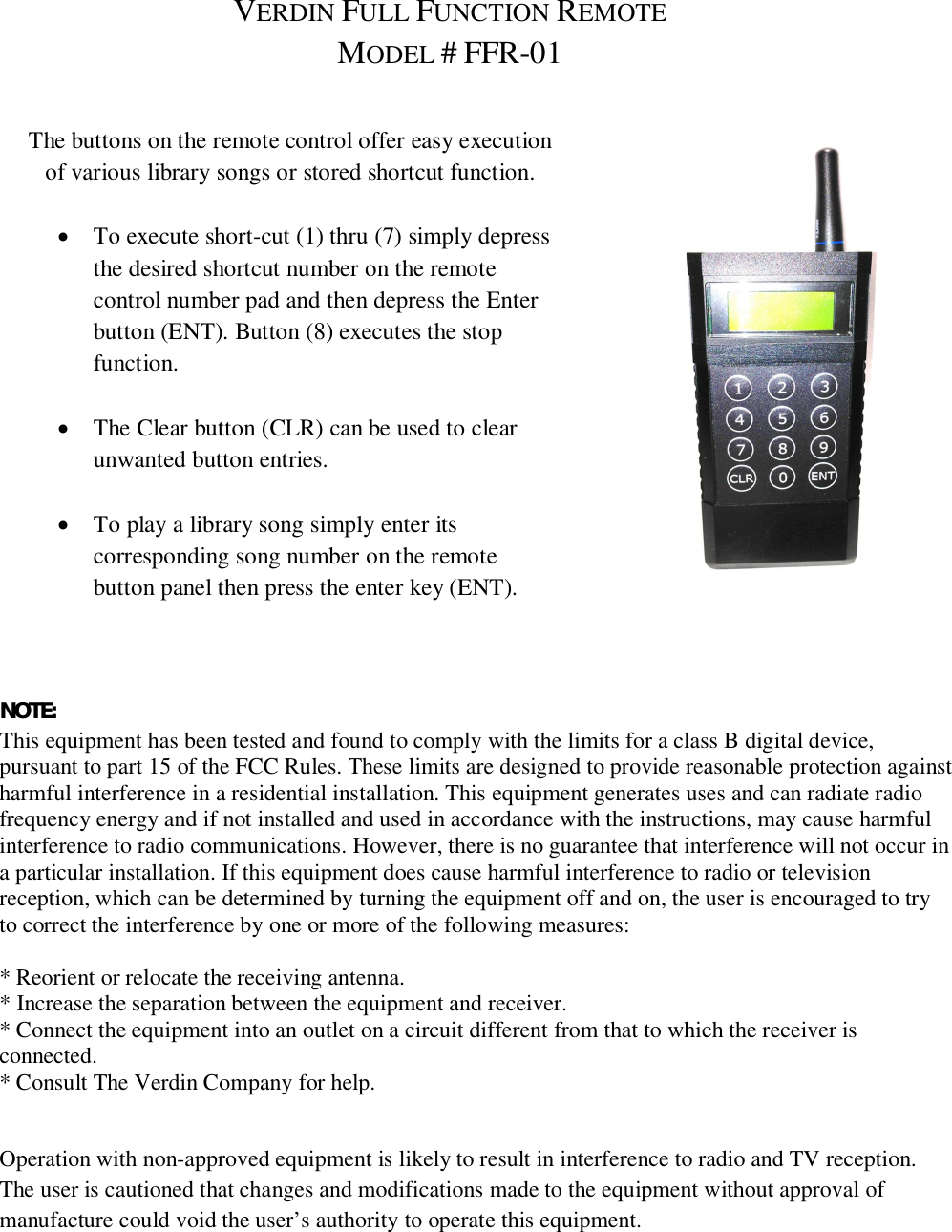
The Verdin FFR-01 Full Function Remote User Manual

The Verdin Company Full Function Remote

User Manual

VERDIN FULL FUNCTION REMOTEMODEL #FFR-01The buttons on the remote control offer easy executionof various library songs or stored shortcut function.To execute short-cut (1) thru (7) simply depressthe desired shortcut number on the remotecontrol number pad and then depress the Enterbutton (ENT). Button (8) executes the stopfunction.The Clear button (CLR) can be used to clearunwanted button entries.To play a library song simply enter itscorresponding song number on the remotebutton panel then press the enter key (ENT).NOTE:This equipment has been tested and found to comply with the limits for a class B digital device,pursuant to part 15 of the FCC Rules. These limits are designed to provide reasonable protection againstharmful interference in a residential installation. This equipment generates uses and can radiate radiofrequency energy and if not installed and used in accordance with the instructions, may cause harmfulinterference to radio communications. However, there is no guarantee that interference will not occur ina particular installation. If this equipment does cause harmful interference to radio or televisionreception, which can be determined by turning the equipment off and on, the user is encouraged to tryto correct the interference by one or more of the following measures:* Reorient or relocate the receiving antenna.* Increase the separation between the equipment and receiver.* Connect the equipment into an outlet on a circuit different from that to which the receiver isconnected.* Consult The Verdin Company for help.Operation with non-approved equipment is likely to result in interference to radio and TV reception.The user is cautioned that changes and modifications made to the equipment without approval ofmanufacture could void the user’s authority to operate this equipment.

Navigation menu