Thousandshores Technology ICBTH20 Bluetooth Headphones User Manual

Shenzhen Thousandshores Technology Co., Ltd. Bluetooth Headphones

User Manual

  Bluetooth Headphones IC-BTH20 iClever
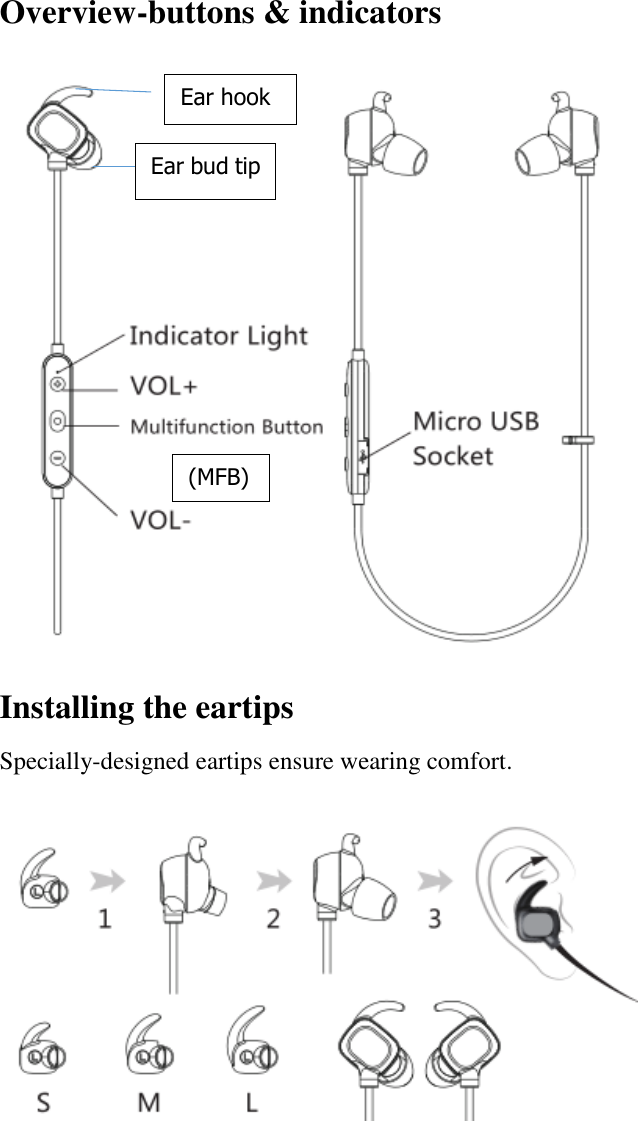
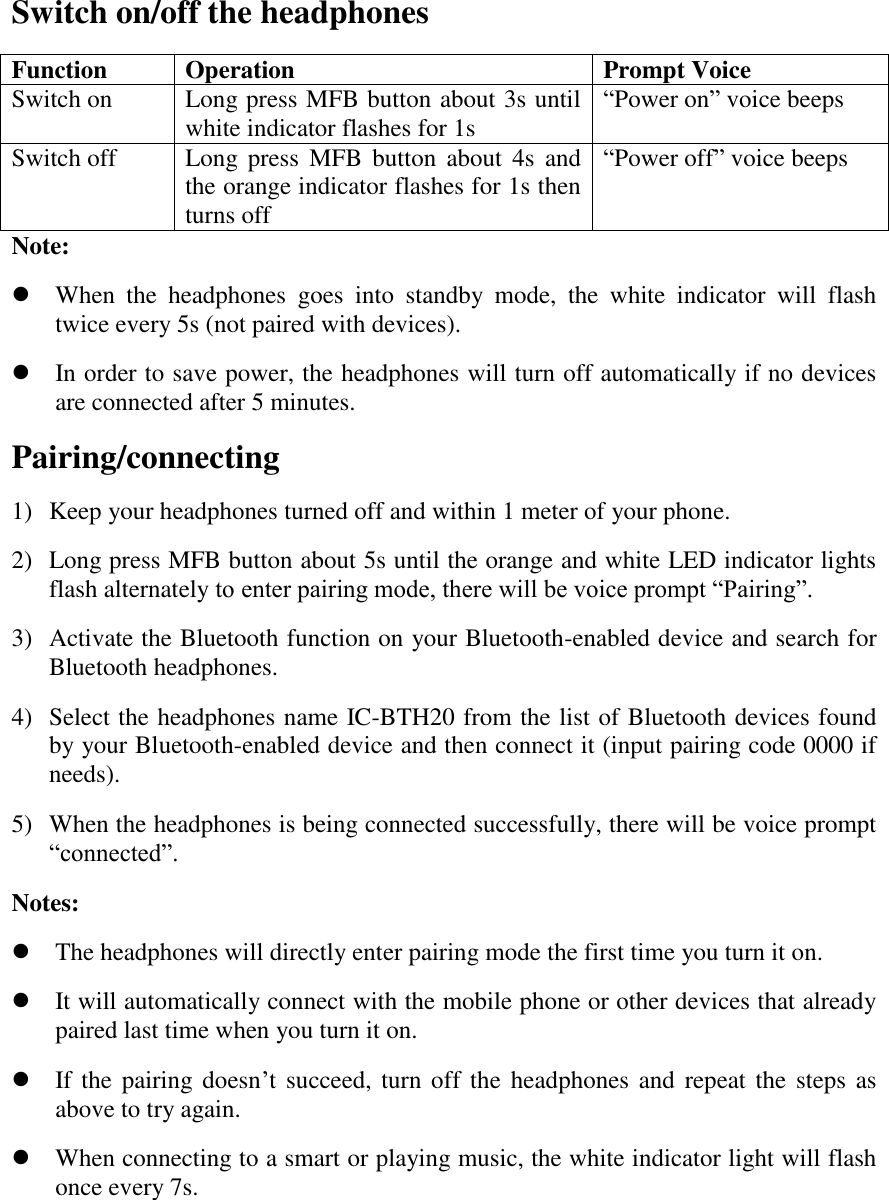
                    Overview-buttons & indicators  Installing the eartips Specially-designed eartips ensure wearing comfort.     Ear hook (MFB) Ear bud tip
Switch on/off the headphones Function Operation Prompt Voice Switch on Long press MFB button about 3s until white indicator flashes for 1s “Power on” voice beeps Switch off Long press  MFB  button  about  4s  and the orange indicator flashes for 1s then turns off “Power off” voice beeps Note:    When  the  headphones  goes  into  standby  mode,  the  white  indicator  will  flash twice every 5s (not paired with devices).  In order to save power, the headphones will turn off automatically if no devices are connected after 5 minutes. Pairing/connecting 1) Keep your headphones turned off and within 1 meter of your phone. 2) Long press MFB button about 5s until the orange and white LED indicator lights flash alternately to enter pairing mode, there will be voice prompt “Pairing”. 3) Activate the Bluetooth function on your Bluetooth-enabled device and search for Bluetooth headphones. 4) Select the headphones name IC-BTH20 from the list of Bluetooth devices found by your Bluetooth-enabled device and then connect it (input pairing code 0000 if needs). 5) When the headphones is being connected successfully, there will be voice prompt “connected”. Notes:    The headphones will directly enter pairing mode the first time you turn it on.  It will automatically connect with the mobile phone or other devices that already paired last time when you turn it on.  If the pairing doesn’t succeed, turn off the headphones and repeat the  steps as above to try again.  When connecting to a smart or playing music, the white indicator light will flash once every 7s.
Music playback Function Status  of headphones Operation Volume up Playing music Short press V+    button Volume down Playing music Short press V-  button Last song Playing music Long press V+ button about 2s Next song Playing music Long press V- button about 2s Play Pausing music Short press MFB button Pause Playing music Short press MFB button  Phone conversation Function Status  of headphones Operation Answer a call An incoming call Short press MFB button once End a call During a call Short press MFB button once Reject a call An incoming call Long press MFB button about 2s Redial  last  phone number Standby  mode (already paired) Double click MFB button Voice dialing Standby  mode (already paired) Press  MFB  and  V+  button simultaneously  (your  phone  must support this function) Call  transferring between headphones and phone During a call Long press MFB button about 2s Volume up During a call Short press V+    button Volume down During a call Short press V-  button MIC mute During a call Press V- and V+ button simultaneously Cancel MIC mute During a call Press V- and V+ button simultaneously Notes:    When dialing a call or having an incoming call, the white indicator light will flash twice every 3s or once every 1s.  When it is on the line, the white indicator light will flash once every 3s.
Charging the headphones When the battery is in low capacity, there will be a voice prompt “battery low”  and LED  indicator  flashes  every  60s  in  orange  color.  Please  charge  the  Bluetooth headphones in time. 1) Connect the other end of charging cable to a USB power outlet or computer and connect the charging cable to the charging socket on the headphones.   2) During charging, the indicator light glows in orange color. 3) When the headphones is fully charged, the orange indicator light changes to white.   Note:  The headphones need to be fully charged prior to first-time use.  After connected with an IOS device, remaining battery capacity of  headphones will be displayed on this IOS device. Reset   In standby mode, press the MFB button and V- button simultaneously for 4s to reset to  default  setting,  at  the  same  time,  the  white  and  orange  indicator  light  will simultaneously flash for 2s. FAQs and Solutions 1. How to pair the headphones with two Bluetooth devices simultaneously? Let us take two mobile phones for example. Take the  following steps to finish this operation. 1) After the Bluetooth headphones being successfully paired with 1# phone, turn off the Bluetooth function of 1# phone.   2) Try to successfully pair the headphones with 2# phone. 3) Active Bluetooth function of 1# phone and manually connect it with headphones again, finally you successfully paired the headphones with 2 phones. Note: If there is an incoming call from 2# phone when you are just answering phone call from 1# phone via the Bluetooth headphones:  Short press MFB button to end the 1# call and answer 2# call.  Double press MFB button to switch phone calls.  Short press MFB button to end phone call one by one. 2. Why I can not turn on the Bluetooth headphones?
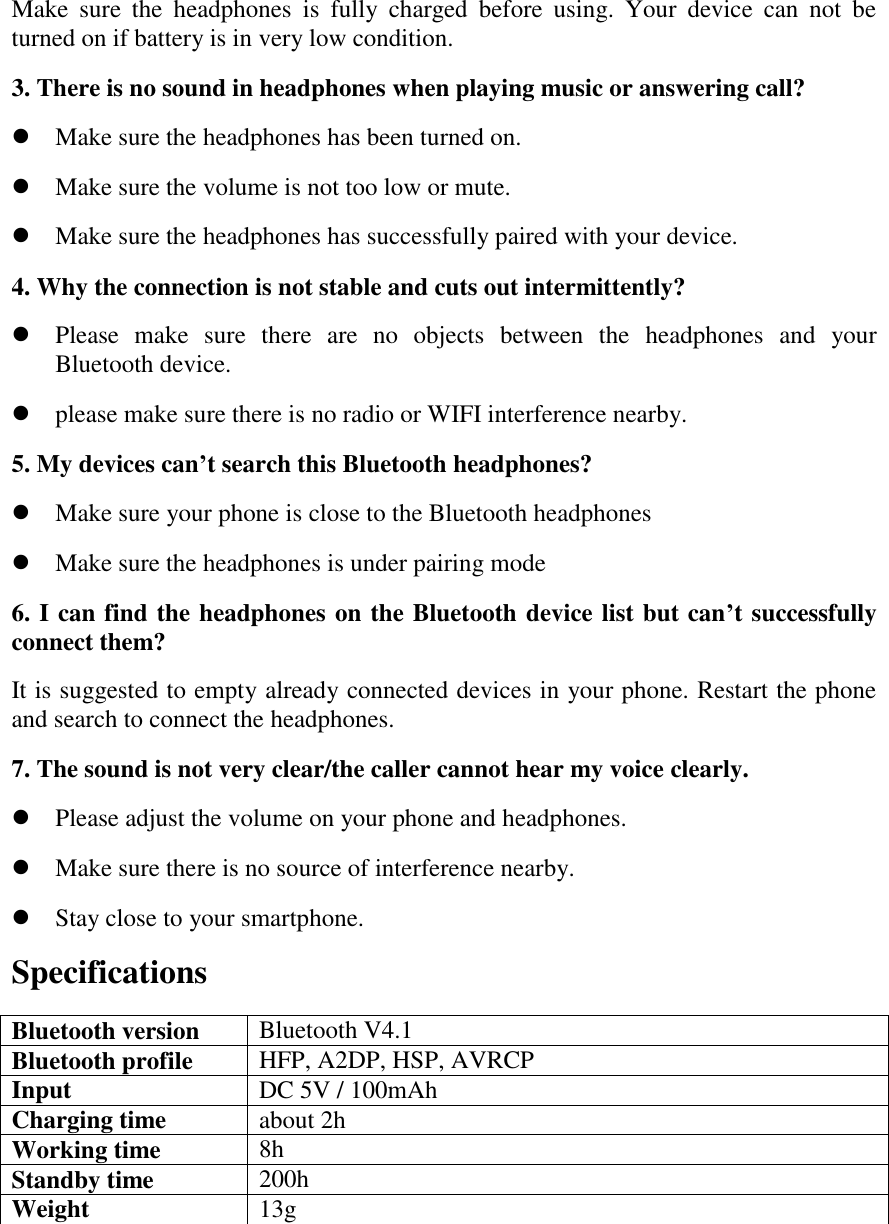
Make  sure  the  headphones  is  fully  charged  before  using.  Your  device  can  not  be turned on if battery is in very low condition. 3. There is no sound in headphones when playing music or answering call?  Make sure the headphones has been turned on.  Make sure the volume is not too low or mute.  Make sure the headphones has successfully paired with your device. 4. Why the connection is not stable and cuts out intermittently?  Please  make  sure  there  are  no  objects  between  the  headphones  and  your Bluetooth device.  please make sure there is no radio or WIFI interference nearby. 5. My devices can’t search this Bluetooth headphones?  Make sure your phone is close to the Bluetooth headphones  Make sure the headphones is under pairing mode 6. I can find the headphones on the Bluetooth device list but can’t successfully connect them? It is suggested to empty already connected devices in your phone. Restart the phone and search to connect the headphones. 7. The sound is not very clear/the caller cannot hear my voice clearly.  Please adjust the volume on your phone and headphones.  Make sure there is no source of interference nearby.  Stay close to your smartphone. Specifications Bluetooth version Bluetooth V4.1 Bluetooth profile HFP, A2DP, HSP, AVRCP Input DC 5V / 100mAh Charging time about 2h Working time 8h Standby time 200h Weight 13g
Package Contents   1× IC-BTH20 Bluetooth Stereo Headphones 1× Micro USB Cable 3 pairs × Eartips 1 × User Manual 1 × Warranty Card

Navigation menu