Tilv Technology AR-002 AR GUN User Manual
Shenzhen Tilv Technology Co., Ltd. AR GUN
User Manual
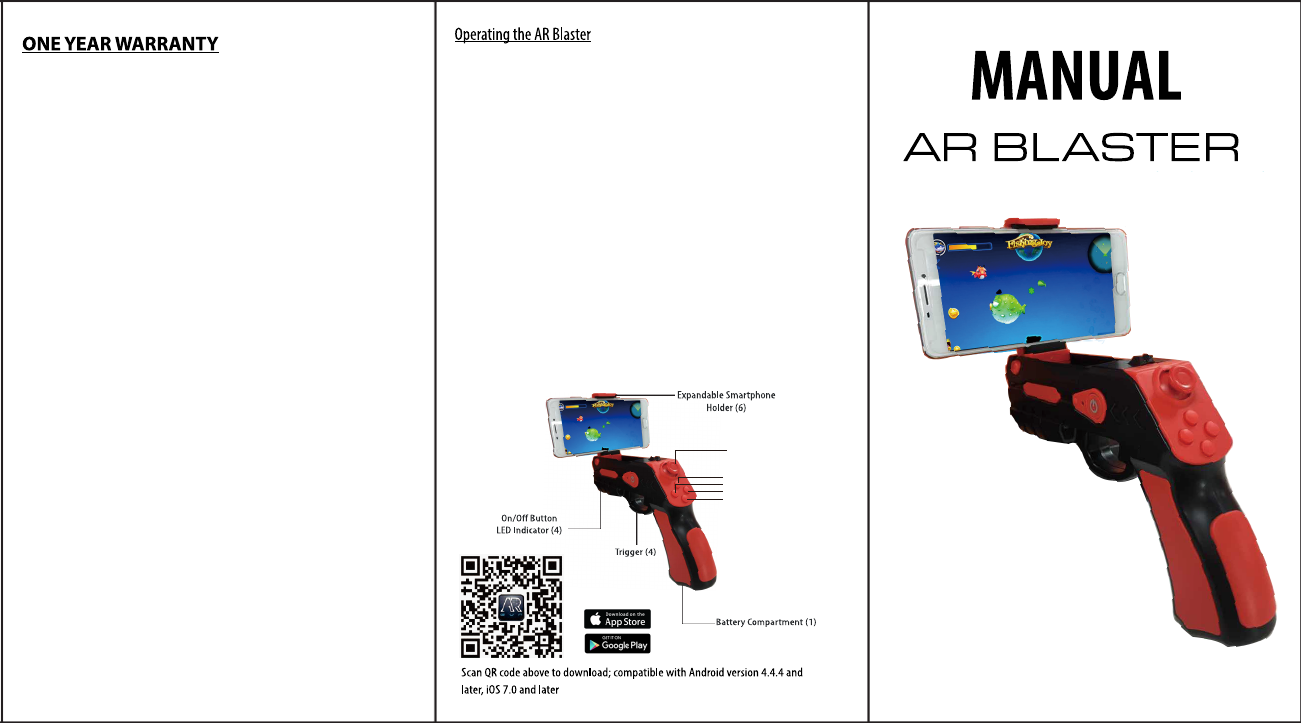
1.For the first time use, scan the QR code on item to download APP”AR
GUN” (Also can download APP from App store or Google Play Store)
2.Open the battery cover and install 2×AAA batteries(not included), then
close the battery cover(Note: Please pull out the battery when not to use
for long time ).
3. Activate the Bluetooth function on your smartphone and open the APP.
4. Hold the On/Off button for 3 seconds to turn on your AR
Blaster(Note:LED indicator flash red light,When pull your AR Blaster,the
LED indicator will turn blue.)
5.When trigger is pulled, AR Blaster and smartphone are paired.
6. Once Paired, Pull open expandable smartphone holder on top of AR
Blaster and place phone securely in holder.
7.Select game on your smartphone by touching the selected game on the
phone screen.
8.When finished playing or switching to another smartphone,hold On/Off
button for 3 seconds to power off.(Note: When AR Blaster is on or
unpaired mode, 10 seconds later red light will be off that indicate t your
AR Blaster is off and the LED indicator does not light up when pull the
trigger.)
9.Joystick functions: Direction(Forward, Backward,Left and Right)
Keys functions: shoot and Reload
Warning: Products not use for children less than 3 years old.
Joystick
Shoot
Reload

FCC Warning
This device complies with Part 15 of the FCC Rules. Operation is subject to the following two conditions:
(1) This device may not cause harmful interference, and (2) this device must accept any interference received, including
interference that may cause undesired operation.
NOTE: Any changes or modifications to this unit not expressly approved by the party responsible for compliance could void the
user's authority to operate the equipment.