Touchjet Private TP80 DLP Touch Pico Projector User Manual MPD E004 QSG

Touchjet Private Limited DLP Touch Pico Projector MPD E004 QSG

User Manual

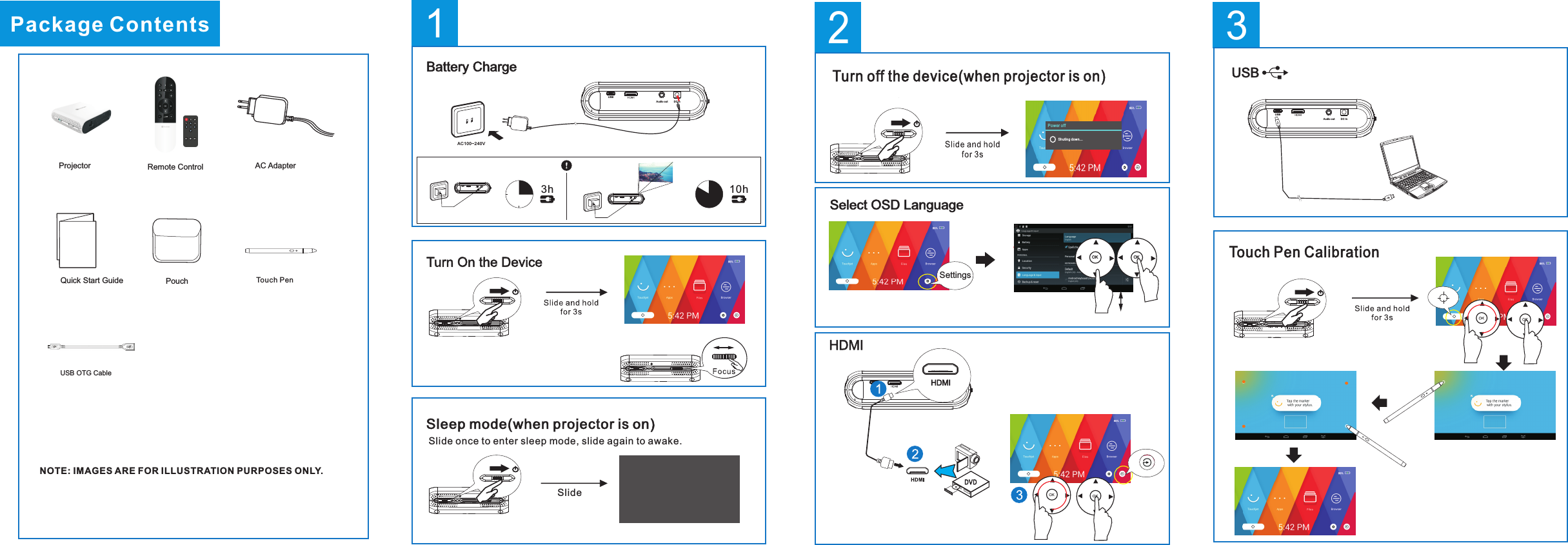
1DC inAud io outUSB2Power offShuti ng d own.. .Turn off the device(when projector is on)Select OSD LanguageSettingsOK OK3hBattery ChargeAC100~240V10hDC inAud io outUSBDC inAudio outUSBDC inAudio outUSBSleep mode(when projector is on)Slide Slide once to enter sleep mode, slide again to awake.Package ContentsAC AdapterPouchNOTE: IMAGES ARE FOR ILLUSTRATION PURPOSES ONLY.Remote ControlProjectorQuick Start GuideUSB OTG Cable Touch PenUSBDC inAud io outUSB3Touch Pen Calibration
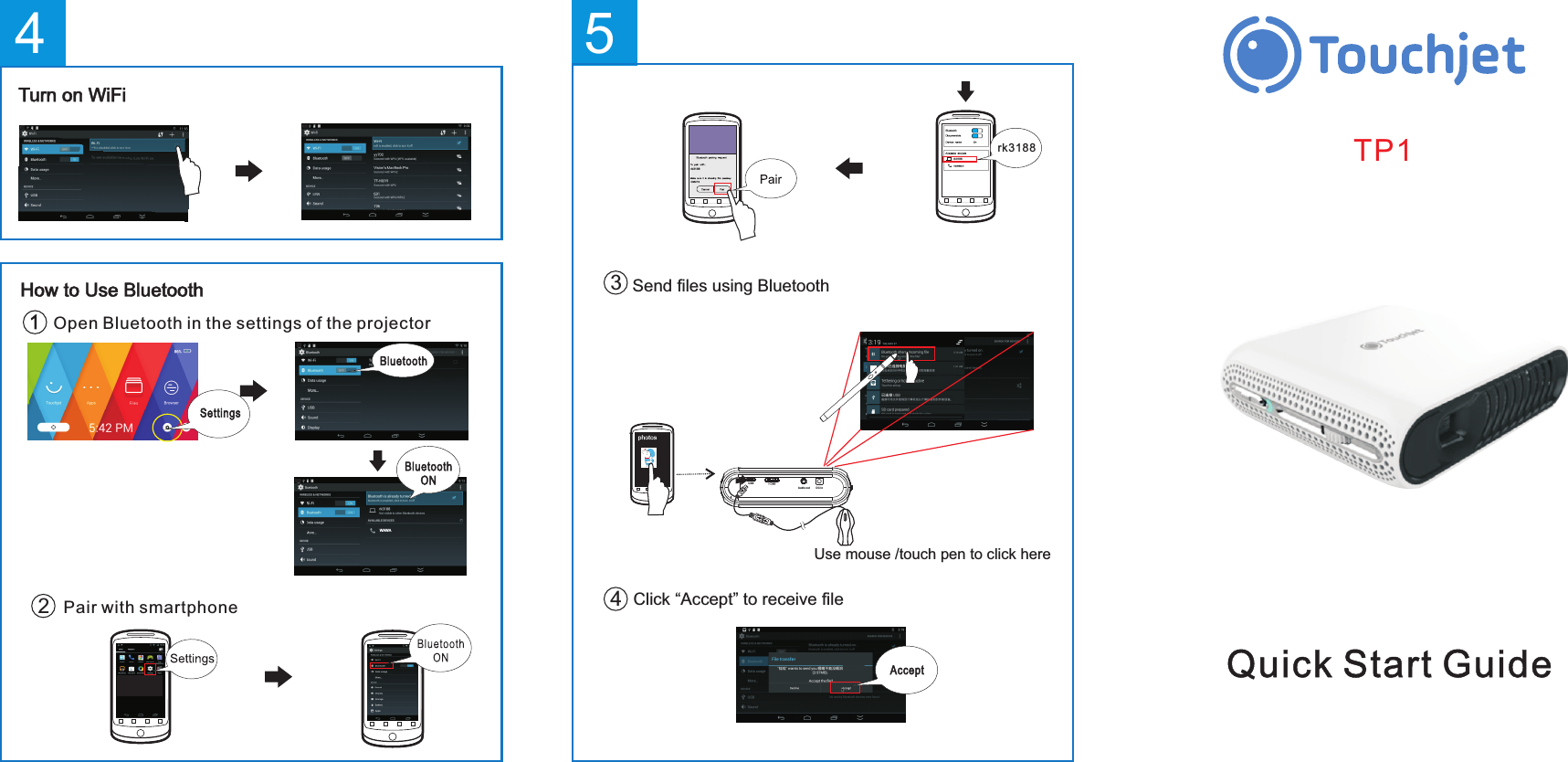
WAWAHow to Use Bluetooth Open Bluetooth in the settings of the projectorPair with smartphone24Turn on WiFiQuick Start GuideTP15Send files using BluetoothClick “Accept” to receive file图库34rk31 88rk3188rk31 88DC inAudi o outUSBUse mouse /touch pen to click here
NOTE: This equipment has been tested and found to comply with the limits for a Class B digital device, pursuant to part 15 of the FCC Rules. These limits are designed to provide reasonable protection against harmful interference in a residential installation. This equipment generates, uses and can radiate radio frequency energy and, if not installed and used in accordance with the instructions, may cause harmful interference to radio communications. However, there is no guarantee that interference will not occur in a particular installation. If this equipment does cause harmful interference to radio or television reception, which can be determined by turning the equipment off and on, the user is encouraged to try to correct the interference by one or more of the following measures: —Reorient or relocate the receiving antenna. —Increase the separation between the equipment and receiver. —Connect the equipment into an outlet on a circuit different from that to which the receiver is connected. —Consult the dealer or an experienced radio/TV technician for help. Thisdevicecomplieswithpart15oftheFCCrules.Operationissubjecttothefollowingtwoconditions:(1)thisdevicemaynotcauseharmfulinterference,and(2)thisdevicemustacceptanyinterferencereceived,includinginterferencethatmaycauseundesiredoperation.Changesormodificationstothisunitnotexpresslyapprovedbythepartyresponsibleforcompliancecouldvoidtheuser'sauthoritytooperatetheequipment.

Navigation menu