TL WR945N(EU)1.0 Datasheet
2017-01-12
: Tp-Link Tl-Wr945N(Eu)1.0-Datasheet TL-WR945N(EU)1.0-datasheet
Open the PDF directly: View PDF  .
.
Page Count: 5
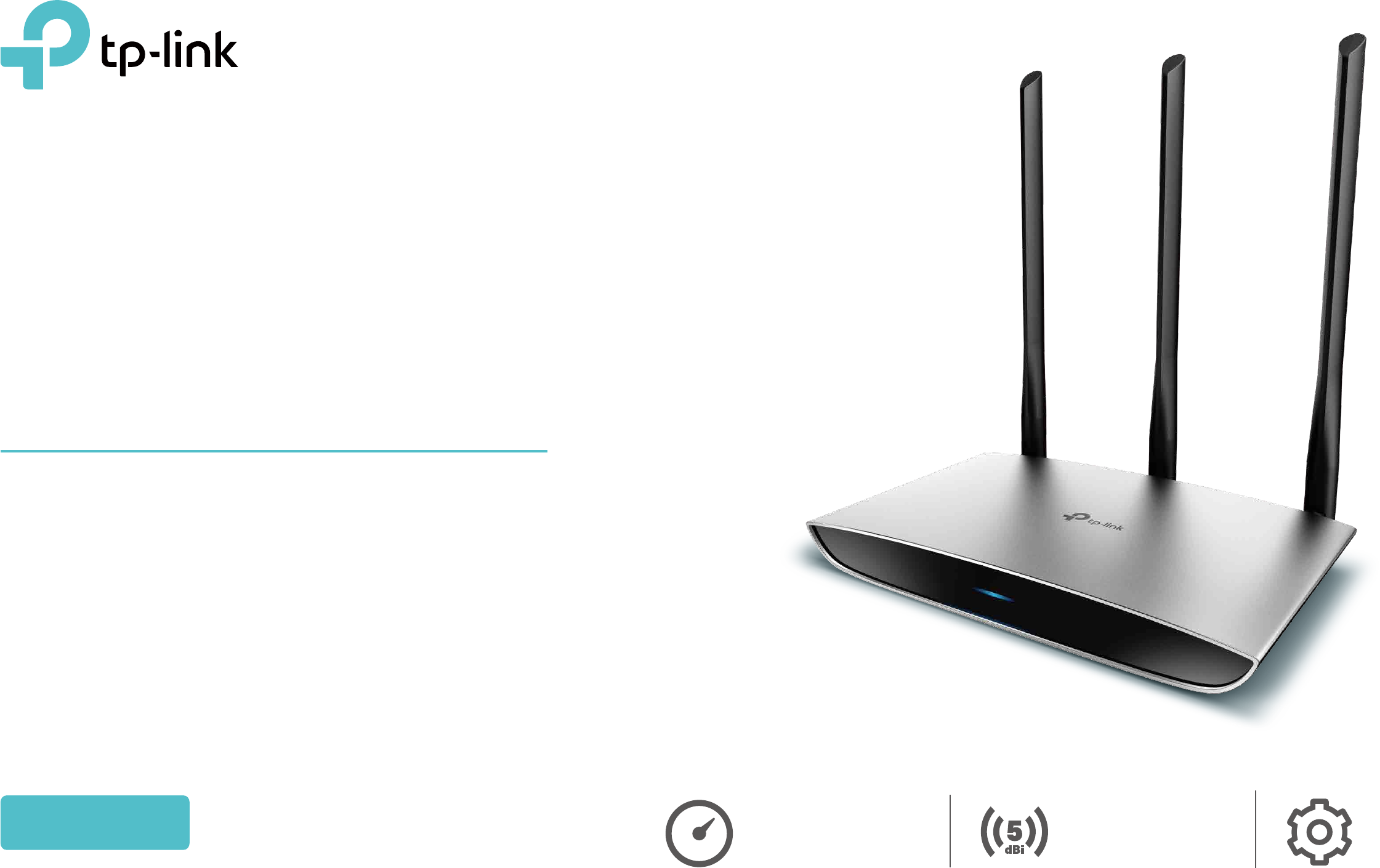
Built to Last with Faster Wi-Fi
and Metallic Exterior
450Mbps
Wireless N Router
TL-WR945N Easy Setup5dBi Antennas
450Mbps
Wireless Speed
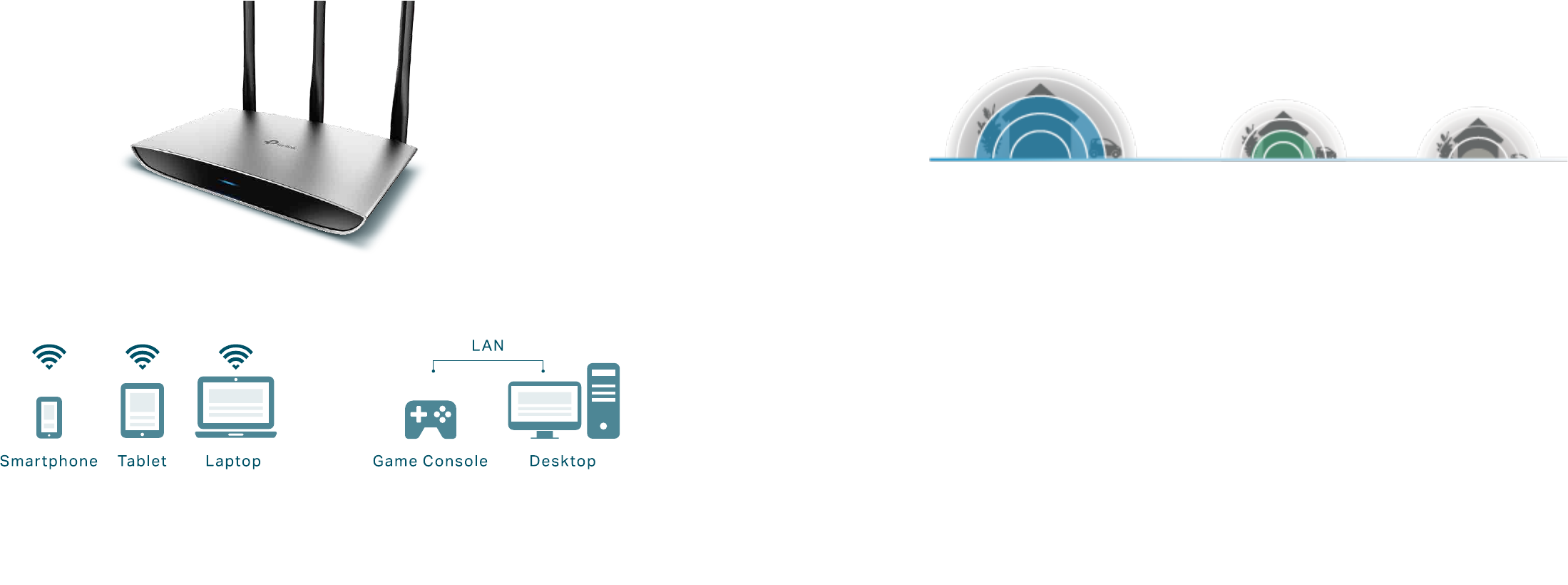
Reliable Wi-Fi to Enjoy
The TL-WR945N creates strong Wi-Fi connections of up to 450Mbps
speed for devices throughout your home. Its 3 × 3 MIMO technology
strengthens your wireless signal, and four fast Ethernet ports provide strong
wired connections for desktops, game consoles, and IPTVs. A steel exterior
nish prevents outside interference to create an overall reliable network
experience for the home or oce.
Highlights
Wireless N Speed & Range
Complying with the IEEE 802.11n standard, TL-WR945N can establish a
wireless network and get up to 15X the speed and 5X the range of
conventional 11g products.
TP-Link 450Mbps Wireless N Router TL-WR945N
450Mbps 11n 150Mbps 11n 54Mbps 11g

TP-Link 450Mbps Wireless N Router TL-WR945N
Reliability
· Intuitive Web UI– Ensures quick and simple installation without
hassle
· Fast Encryption – One-touch WPA wireless security encryption
with the WPS button
· Wi-Fi On/O – Turn On/O wireless radio using the Wi-Fi button
· Power On/O – Conveniently power on or o your router as
required
· Hassle-free Management with Tether App – Network
management is made easy with the TP-Link Tether App,
available on any Android or iOS device
· Guest Network – Keep your main network secure by creating a
separate network for friends and visitors
· Access Control – Establish a whitelist or blacklist to allow or
block certain devices from accessing the internet
· Parental Controls – Manage when and how connected devices
can access the internet
· Encryptions for Secure Network – WPA-PSK/WPA2- PSK
encryptions provide active protection against security threats
Ease of Use Security
· Wireless N Speed – 450Mbps Wi-Fi speed meets your daily
internet needs
· 802.11 n – Backward compatible with 802.11b/g products
· MIMO Technology – 3 x 3 MIMO technology improves signal
stability
· Easy Bandwidth Management – Bandwidth Control allocates
necessary speed of each connected device to ensure quality of
multimedia streaming
Features
TP-Link 450Mbps Wireless N Router TL-WR945N
Hardware
· Ethernet Ports: 4*10/100Mbps LAN Ports, 1*10/100Mbps WAN Port
· Buttons: Reset Button, Power On/O Button, Wi-Fi /WPS Button
· Antennas: 3*5dBi xed Omni Directional Antennas
· External Power Supply: 9VDC / 0.6A
· Dimensions (W x D x H): 7.3 × 4.3 × 0.9 in (185 × 110 × 24 mm)
Wireless
· Wireless Standards: IEEE 802.11n, IEEE 802.11g, IEEE
802.11b
· Frequency: 2.4 ~ 2.4835GHz
· Signal Rate:
11n: Up to 450Mbps(dynamic)
11g: Up to 54Mbps(dynamic)
11b: Up to 11Mbps(dynamic)
· Reception Sensitivity:
270M: -68dBm@10% PER
130M: -68dBm@10% PER
108M: -68dBm@10% PER
54M: -68dBm@10% PER
11M: -85dBm@8% PER
6M: -88dBm@10% PER
1M: -90dBm@8% PER
· Wireless Function: Enable/Disable Wireless Radio, WDS
Bridge, WMM, Wireless Statistics
· Wireless Security: WEP, WPA/WPA2,
WPA-PSK/WPA-PSK2
Specications
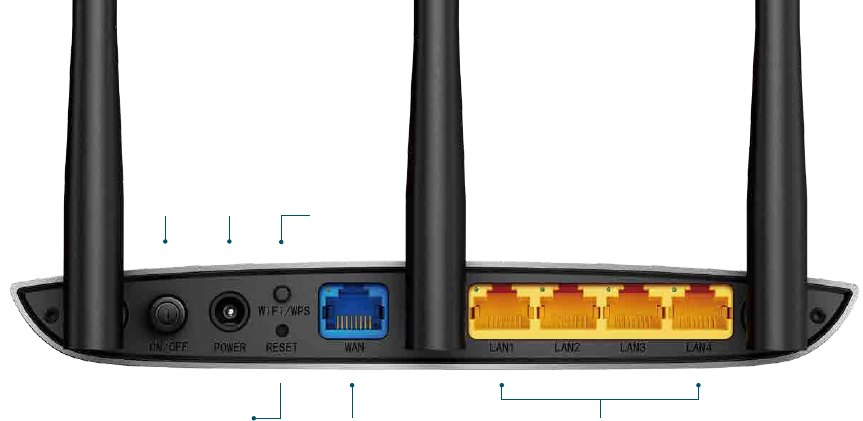
Power
On/O Wi-Fi/
WPS
Power
WAN Port
Connect to the internet
Reset LAN Ports
Connect to Computers, TVs and Game Consoles

TP-Link 450Mbps Wireless N Router TL-WR945N
Specications
· Certication
CE, RoHS, Wi-Fi
· System Requirements
Microsoft Windows 10/8.1/8/7/Vista/XP/2000/NT/98SE, MAC OS,
NetWare, UNIX or Linux
Internet Explorer 11, Firefox 12.0, Chrome 20.0, Safari 4.0, or other
Java-enabled browser
Cable or DSL Modem
Subscription with an Internet Service Provider (for internet access)
· Environment
Operating Temperature: 0℃~40℃ (32℉ ~104℉)
Storage Temperature: -40℃~70℃ (-40℉ ~158℉)
Operating Humidity: 10%~90% non-condensing
Storage Humidity: 5%~90% non-condensing
· Package Contents
450Mbps Wireless N Router TL-WR945N
Power Adapter
RJ-45 Ethernet Cable
Quick Installation Guide
OthersSoftware
· WAN Type: Dynamic IP, Static IP, PPPoE, PPTP(Dual Access), L2TP(Dual
Access), Bigpond
· DHCP: Server, DHCP Client List, Address Reservation
· Quality of Service: WMM, Bandwidth Control
· Port Forwarding: Virtual Server, Port Triggering, UPnP, DMZ
· Dynamic DNS: DynDns, Comexe, NO-IP
· Access Control: Parental Controls, Local Management Control, Host list,
Access Schedule, Rule Management
· Firewall Security: DoS, SPI Firewall, IP and MAC Address Binding
· Protocols: IPv4, IPv6
· Management: Access Control, Local Management, Remote Management
· Guest Network: 2.4GHz guest network
Specications are subject to change without notice. TP-Link is a registered trademark of TP-Link Technologies Co., Ltd. Other brands and product names are trademarks or registered trademarks of their respective holders. No part of the specications may be reproduced in any form or by any means or used
to make any derivative such as translation, transformation, or adaptation without permission from TP-Link Technologies Co., Ltd.
Maximum wireless speed of up to 450Mbps is the theoretical data rate derived from IEEE standard 802.11 specications. Actual data throughput and wireless coverage will vary due to network conditions and environmental factors including volume of network track, building materials and construction, network
overhead, actual data throughput rate, and wireless coverage.
For more information, please visit
http://www.tp-link.com/en/products/details/TL-WR945N.html
or scan the QR code left
www.tp-link.com
