Tp Link Tl Sf1008D Users Manual
TL-SF1008D to the manual adb04287-bc86-43b1-9738-0b2bf15d724b
2015-01-05
: Tp-Link Tp-Link-Tl-Sf1008D-Users-Manual-167579 tp-link-tl-sf1008d-users-manual-167579 tp-link pdf
Open the PDF directly: View PDF  .
.
Page Count: 4
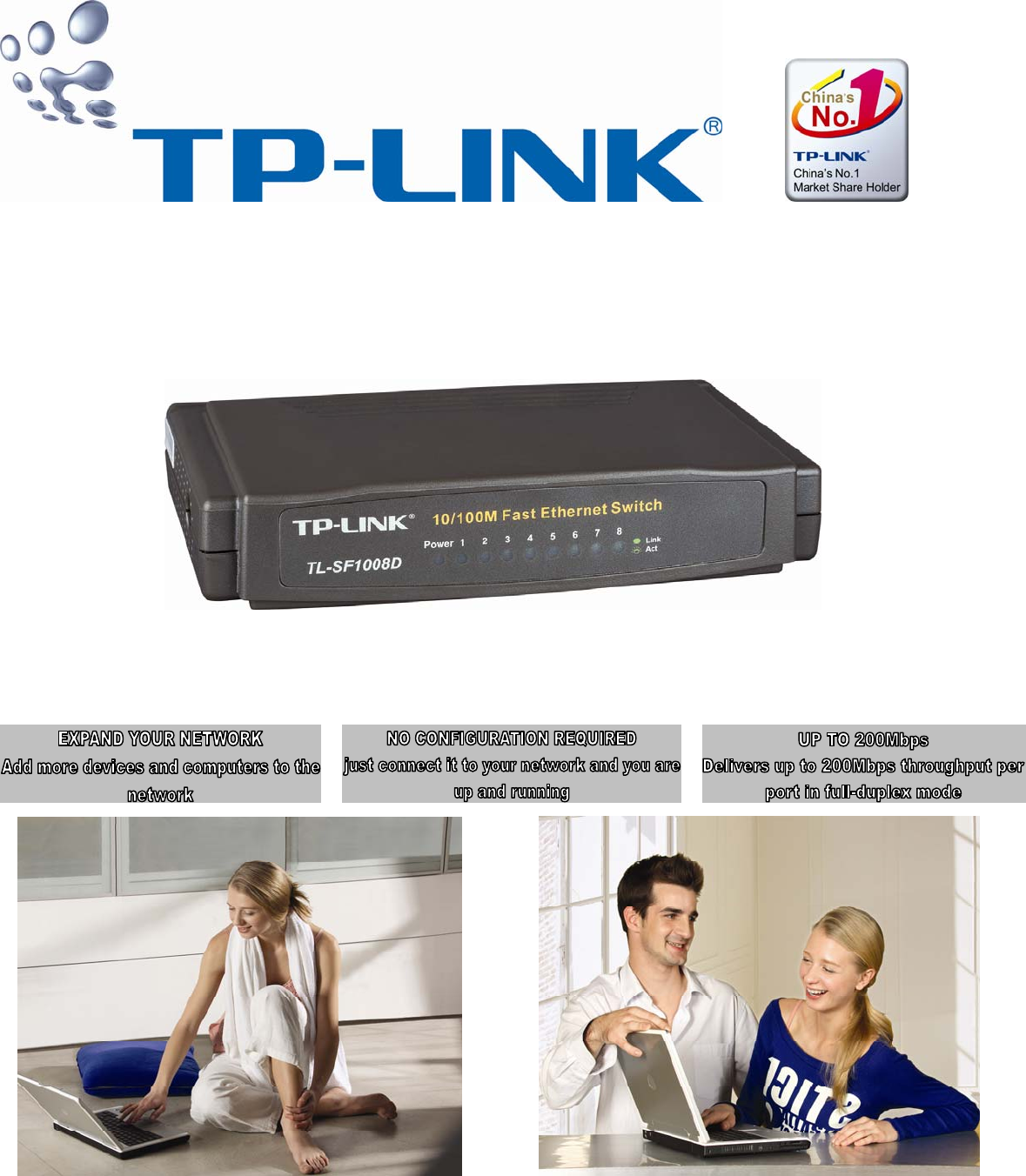
8-PORT 10/100 DESKTOP SWITCH
GREAT PERFORMANCE AND VALUE
Expand your wired home network with the TP-Link 8-Port 10/100 Desktop Switch (TL-SF1008D). This Desktop Switch fits virtually anywhere because
of its compact size. Its power connector and ports are conveniently located in the rear to avoid messy cables on the desk. This Desktop Switch can
also be mounted on a wall or underneath a desk with the included wall mounting kit.
ADD MULTIPLE COMPUTERS AND OTHER NETWORK DEVICES
By connecting this Desktop Switch to your router, you can add up to four more computers to your home network. A game console, printer, print server
,
Network-Attached Storage (NAS) or Internet camera can also be added.
SMOOTH TRAFFIC MANAGEMENT
This Desktop Switch receives and forwards traffic seamlessly with its non-blocking wire-speed architecture. Every port simultaneously supports up to
200Mbps of bandwidth, totaling 1.6Gbps of switching capacity. It minimizes bottlenecks, allowing your network to run smoothly even during the
heaviest volume of traffic.
EASY TO INSTALL AND USE
This Desktop Switch requires no configuration and installation is simple. Whether you are connecting the Desktop Switch to another switch or a
computer, there is never a need for crossover cables with Auto-MDI/MDI-X support. Additionally, the Desktop Switch auto-senses if the network
device it is connected to is running at 10Mbps or 100Mbps and adjusts accordingly. Equipped with a comprehensive LED display, you can monitor
the status and activity of every port at a glance.
With outstanding performance, quality, and features packed in a compact sized device, the TP-Link 8-Port 10/100 Desktop Switch (TL-SF1008D) is a
great selection for expanding your home network.
WHAT THIS PRODUCT DOES
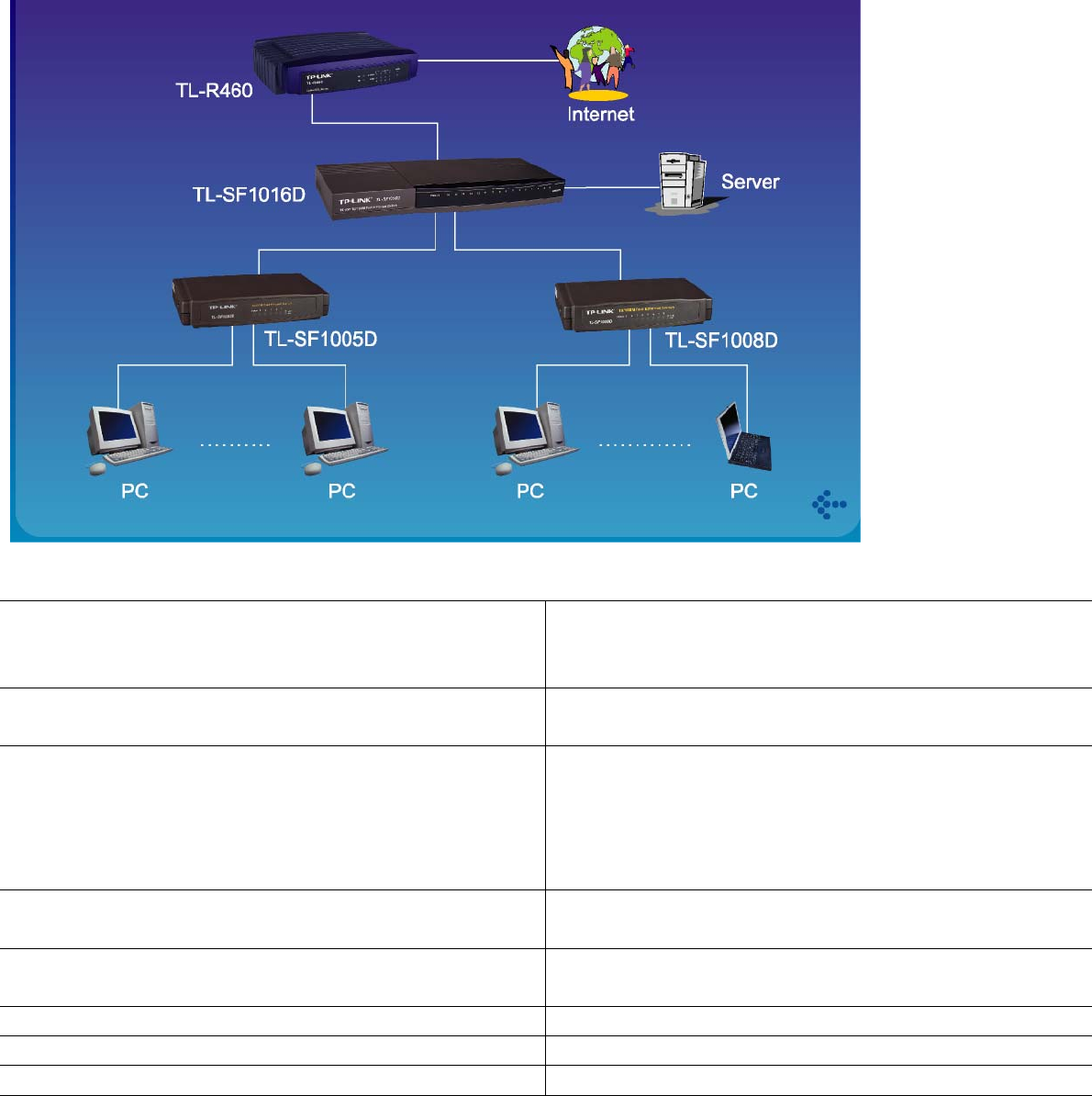
The TL-SF1008D is a 8-port 10/100Mbps Ethernet switch. By connecting the TL-SF1008D to your router, you can add up to seven computers or
other Ethernet-based devices to your home network. Add a print server, network-attached storage (NAS) or Internet camera and experience the
benefits of networking.
YOUR NETWORK SETUP
TECHNICAL SPECIFICATIONS
NETWORK PROTOCOL AND STANDARDS
z IEEE 802.3 Ethernet
z IEEE 802.3u Fast Ethernet
z IEEE 802.3x Flow Control
INTERFACE OPTIONS RJ-45: 10BASE-T, 100BASE-TX Universal UTP Cable
Recognition for Straight-through or Crossover cables
FEATURES
z Number of Ports: Eight 10/100BASE-TX
z MAC Address Table: 1k
z Switch Fabric: 1.6Gbps
z Packet Buffer Memory: 64KB Buffer
z Transmission Method: Store-and-forward
CERTIFICATIONS z FCC
z CE
LED z Per unit: Power
z Per port: Link/Activity
OPERATING TEMPERATURE 0 ~40 (32 ~104 )℃℃℉ ℉
OPERATING HUMIDITY 10%~90% (non-condensing)
DIMENSIONS 140×85×30mm (5.5×3.3×1.2in.)
MINIMUM SYSTEM REQUIREMENTS
Devices Supporting 802.3 Ethernet or
802.3u Fast Ethernet
CAT5 Ethernet Cable
Network Interface Card for Each Computer

PACKAGE CONTENTS
8-Port 10/100 Desktop Switch
AC power Adapter
User Guide
Wall-mounting screws
1. Latest software and documentation are available at http://www.tp-link.com.
2. All references to speed are for comparison purposes only. Product specifications, size, and shape are subject to change without notice, actual product appearance may differ than that depicted herein.
Specifications are subject to change without notice. is a registered trademark of TP-LINK Technologies Co., Ltd. Other brands and product names are trademarks or registered
trademarks of their respective holders. No part of the specifications may be reproduced in any form or by any means or used to make any derivative such as translation, transformation, or adaptation without
permission from TP-LINK Technologies Co., Ltd. Copyright © 2006 TP-LINK Technologies Co., Ltd. All rights reserved.
