Trail Ridge Technologies 200 QuickVu Digital Backup Camera User Manual

Trail Ridge Technologies, LLC QuickVu Digital Backup Camera

User Manual

     User’s Manual
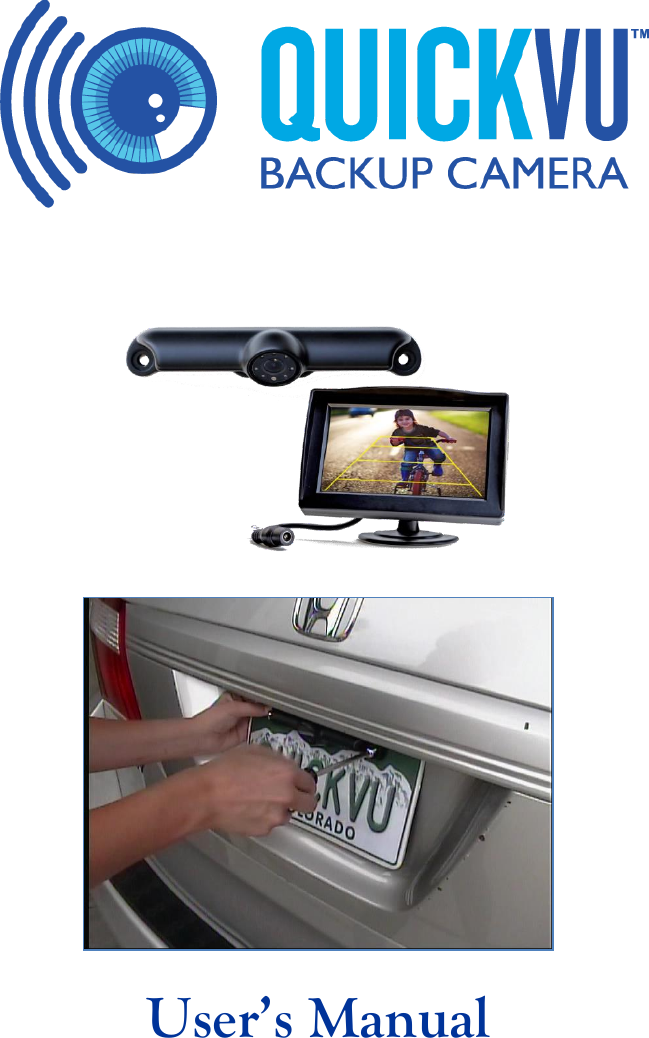
2  QuickVu™ All-Digital Wireless Backup Camera Congratulations on the purchase of your new QuickVu™ All-Digital Wireless Backup Camera!  We hope you find this product enhances the visibility and safety of your driving experience.    The QuickVu™ All-Digital Wireless Backup Camera is designed for those of us who want the convenience and enhanced visibility of a backup camera, but don’t want to drill holes in our vehicle, route wires through our vehicle, or splice into our vehicle’s electrical system.   It’s for those of us who are buying a new car and would rather not pay thousands of dollars for a factory installed backup camera.  The QuickVu™ All-Digital Wireless Backup Camera provides all of the video quality and usefulness of a wired backup camera without the headache and expense of traditional installation.  Safe and responsible drivers use many means to make sure the path behind the vehicle is safe.  Use your mirrors.    Turn your head and look behind your vehicle.    Exit the vehicle and look behind the vehicle.  Check with an observer outside the vehicle.  Now, in addition to these, you can use your QuickVu™ All-Digital Wireless Backup Camera.  Before backing up, turn on the backup camera.  Check the monitor.  If any objects or individuals are visible on the monitor, double check the area behind your vehicle to remove all obstructions before proceeding to back up. Installation Details and Alternate Installation Suggestions The following page illustrates the simple installation process most users will follow.  For more detailed instructions, or for alternative mounting suggestions, see our website:  http://QuickVuCams.com/installation/. In some cases it may be necessary to mount the QuickVu™ camera in an alternate manner to ensure proper illumination or visibility of the license plate.  Remember, you are responsible for the proper use of the QuickVu™ camera, and any installation choices are your responsibility.  Any extra hardware that may be needed (bolts, nuts, washers, brackets, strapping, etc.) are not included with the QuickVu™ All-Digital Wireless Backup Camera, but you should be able to obtain them at a local hardware or home improvement store. Operation The QuickVu™ All-Digital Wireless Backup Camera will turn on when power is supplied to the dash mounted monitor.  In many vehicles, this means that the camera will turn on automatically when the ignition switch is turned to the Accessories or On position.  See the section “On-Screen Menu” to learn how to adjust the delay before the camera turns off automatically. You may also turn the camera on or off at any time after your vehicle is started by pressing top button on the monitor.   Important:  The video monitor may take a moment to start up.  Allow time for the monitor to display an image before concluding that the path behind your vehicle is clear.  Warning:  Objects may be closer than they appear on the monitor.
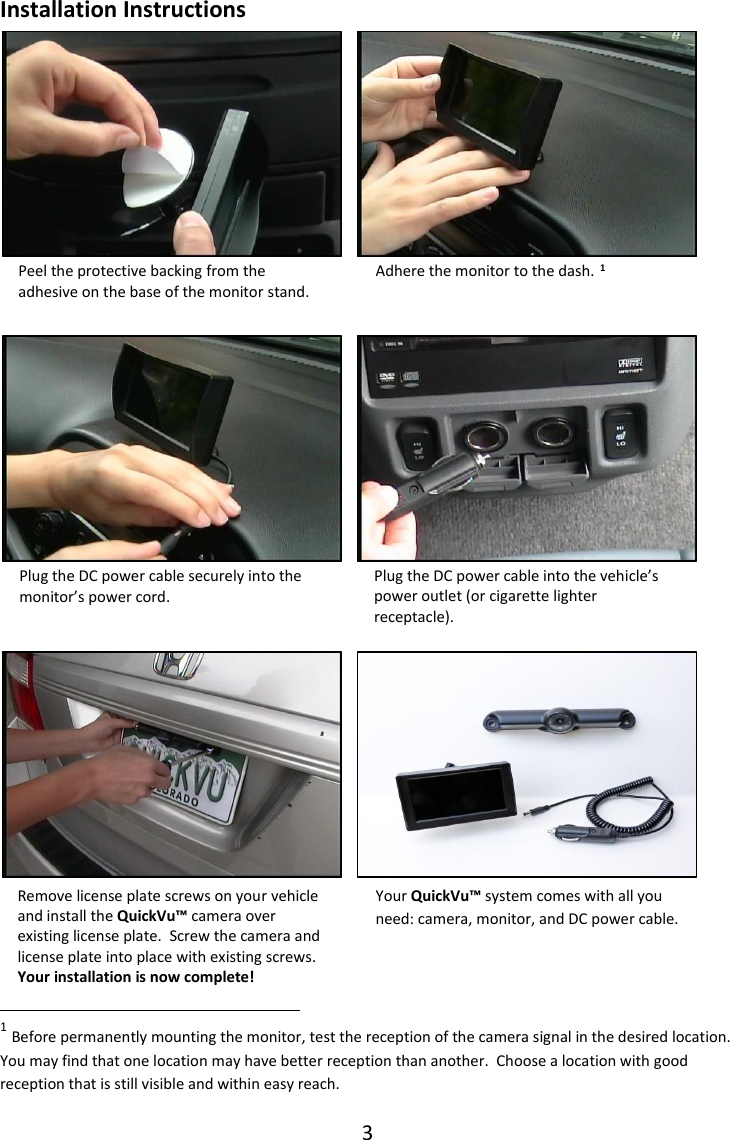
3  Adhere the monitor to the dash. Remove license plate screws on your vehicle and install the QuickVu™ camera over existing license plate.  Screw the camera and license plate into place with existing screws. Your installation is now complete!  Plug the DC power cable into the vehicle’s power outlet (or cigarette lighter receptacle). Peel the protective backing from the adhesive on the base of the monitor stand. Plug the DC power cable securely into the monitor’s power cord.   Your QuickVu™ system comes with all you need: camera, monitor, and DC power cable. Installation Instructions                     1                                                                                                                                                                                                                                      1 Before permanently mounting the monitor, test the reception of the camera signal in the desired location.  You may find that one location may have better reception than another.  Choose a location with good reception that is still visible and within easy reach.
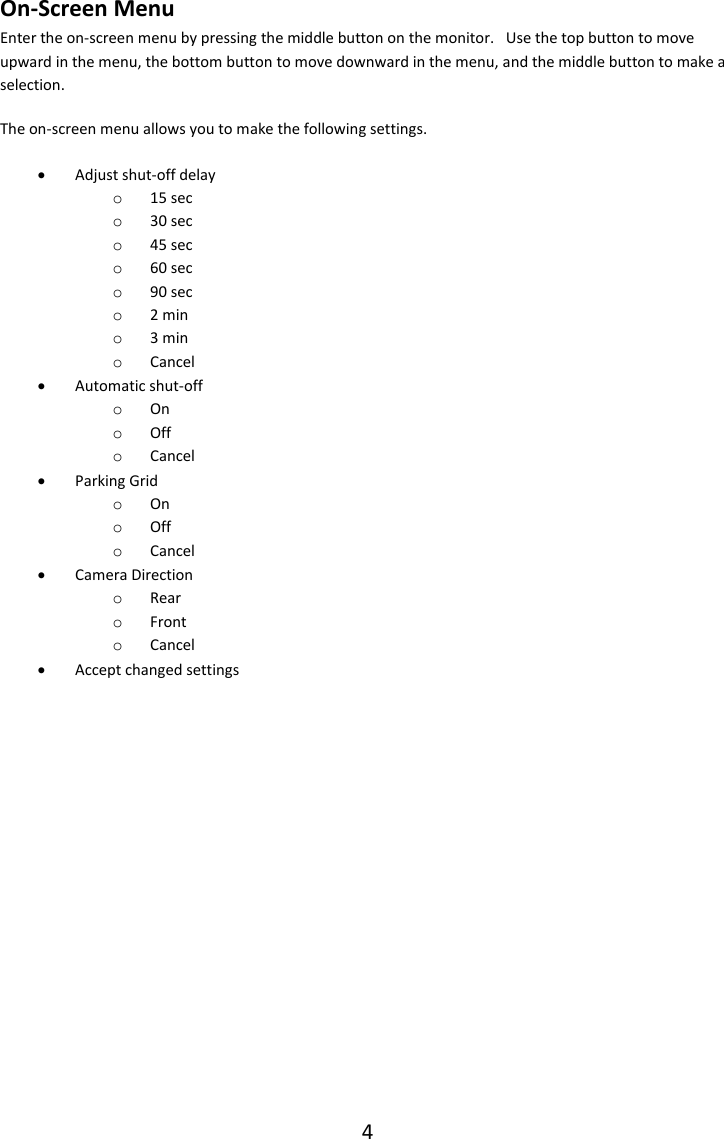
4  On-Screen Menu Enter the on-screen menu by pressing the middle button on the monitor.   Use the top button to move upward in the menu, the bottom button to move downward in the menu, and the middle button to make a selection. The on-screen menu allows you to make the following settings.  Adjust shut-off delay o 15 sec o 30 sec o 45 sec o 60 sec o 90 sec o 2 min o 3 min o Cancel  Automatic shut-off o On o Off o Cancel  Parking Grid o On o Off o Cancel  Camera Direction o Rear o Front o Cancel  Accept changed settings
5  Replacing Batteries in the Backup Camera The batteries in the QuickVu™ All-Digital Wireless Backup Camera should last several months in normal use2.  As the batteries grow weak, the monitor will display a low-battery indicator.  When you see this indicator, replace the batteries promptly, to ensure uninterrupted use of your backup camera. The camera uses two AA batteries.  For adequate power and battery life, we recommend using high-quality lithium batteries, such as Energizer® Ultimate Lithium batteries. To replace the batteries, first remove the camera from your vehicle.  Then remove the six screws that secure the battery compartment cover.  Remove the cover and note the location of the positive end of the batteries.  Remove the old batteries3, and insert the new batteries, making sure that the positive end of each battery is in the correct location4.  Note that the batteries fit very snugly.  Insert the negative end of the battery in first.  Be careful not to use excessive force as you may damage the camera’s circuitry.    With the batteries in place, replace the cover, making sure that the O-ring seals are in place around the cover and on each of the six screws.  Be careful not to over-tighten the six screws.  Re-mount the camera on your vehicle.                                                               2 Normal use would be approximately 4 uses per day, 30 seconds per use.  For example, you back out of your garage and drive to work, back out of parking space to go to lunch, back out of parking space to return to work, and then back out of parking space to drive home.  Prolonged extremes in temperature, additional usage, and battery quality will all affect actual battery life. 3 Be sure to dispose of used batteries properly. 4 If you are unsure, refer to the diagram on the sticker inside the battery compartment.
6  Troubleshooting If the monitor does not turn on within a few seconds of pressing the top button, check each of the following:  Be sure the monitor is powered.  The DC power cable must be securely plugged in to the monitor’s power cord.  The cable must also be securely plugged in to the auxiliary power outlet (cigarette lighter receptacle) of your vehicle.  Power must be on to the auxiliary power outlet -- your ignition switch should be turned to the ‘On’ position.  If the video quality is poor:  Check that the camera is clean.  Road grime, snow, or ice may reduce the quality of the video image.  Place the monitor in a different position on the dash.  In some cases, having the monitor tipped forward or backward slightly may improve reception.  Make sure the batteries in the camera are not depleted. If the video image appears to jitter or shake when the vehicle is moving:  Make sure the camera is securely mounted and the screws are not loose. If the video image does not last as long as needed:  Make sure the batteries in the camera are not depleted.  Adjust the duration the camera stays on.   See “Changing How Long the Camera Stays On.” For more troubleshooting help, see the latest tips at http://QuickVuCams.com/troubleshooting/. Contact Us For further information visit our website at http://QuickVuCams.com/, or email us at info@quickvucams.com.
7  Disclaimers The QuickVu™ All-Digital Wireless Backup Camera is intended to assist responsible drivers, but it does not relieve a driver from full responsibility for the operation of the vehicle.  While the QuickVu™ camera may help a driver to see in some traditional “blind spots,” it is the driver’s sole responsibility to avoid vehicular contact with any objects, animals, or persons.  This responsibility does not shift away from the driver whether or not the QuickVu™ camera operates as intended or expected.   By mounting and/or using the QuickVu™ All-Digital Wireless Backup Camera, you agree that you are solely responsible for the operation of your vehicle and that Trail Ridge Technologies, LLC is not responsible for any property damage, personal injury, or loss of life that may result from the operation of your vehicle.  The QuickVu™ All-Digital Wireless Backup Camera is not suitable for all vehicles.  In some cases, the camera may not provide good visibility even on smaller vehicles, such as when the license plate is not centered in the rear of the vehicle.  It is the responsibility of the user to ensure that the camera system works properly on the vehicle.  If the camera system does not work properly, return the product within 15 days to the seller for immediate refund.  Laws and regulations vary from state to state and from jurisdiction to jurisdiction.  It is the user’s responsibility to ensure that the installation and use of QuickVu™ All-Digital Wireless Backup Camera does not violate local laws and regulations.  Some things to consider include the following.  Many local jurisdictions require adequate illumination (lighting) of the license plate at night.  If regular installation of the QuickVu™ camera would block light from reaching the license plate, you may be in violation of such requirements.  In such cases, it is your responsibility to mount the camera in an alternate manner.  Some jurisdictions regulate how and where video systems may be mounted in a vehicle.  In particular, it is important that drivers not be distracted by video programs, games, or other distractions.  It is your responsibility to comply with all applicable laws and regulations.  It is your responsibility to be sure that the QuickVu™ camera does not obscure the important information on the license plate.  If regular installation of the QuickVu™ camera would obscure the license plate, you may be in violation of laws and regulations.  In such cases, it is your responsibility to mount the camera in an alternate manner.  There may be other laws or regulations that apply in your local area.  It is your responsibility to comply with them.  Trail Ridge Technologies, LLC will not be held liable for any penalties incurred by installation or usage of products in conflict with laws or regulations. If you determine that use of the QuickVu™ All-Digital Wireless Backup Camera does not comply with your local laws and regulations, return the system to the seller according to their return policy.
8  FCC Statements This equipment complies  with the  FCC  RF radiation exposure  limits set forth for  an  uncontrolled  environment.  This  equipment  should  be  installed  and operated with a minimum distance of 20 centimeters between the radiator and user  and  must  not  be  co-located  or  operating  in  conjunction  with  any  other antenna or transmitter. NOTE: This equipment has been tested and found to comply with the limits for a Class B digital device, pursuant to part 15 of the FCC Rules. These limits are designed  to  provide  reasonable  protection  against  harmful  interference  in  a residential installation. This equipment generates, uses, and can radiate radio frequency  energy  and,  if  not  installed  and  used  in  accordance  with  the instructions,  may  cause  harmful  interference  to  radio  communications. However, there is no guarantee that interference will not occur in a particular installation.  If  this  equipment  does  cause  harmful  interference  to  radio  or television reception, which can be determined by turning the equipment off and on, the user  is encouraged  to try to correct the interference by  one  or more of the following measures:  —Reorient or relocate the receiving antenna.  —Increase the separation between the equipment and receiver.  —Connect  the  equipment  into  an  outlet  on  a  circuit  different  from  that  to which the receiver is connected.  —Consult the dealer or an experienced radio/TV technician for help. CAUTION: changes or modifications to this product not expressly approved by the party responsible for compliance could void the user’s authority to operate the product. Operation is subject to the following two conditions:  (1) This device may not cause harmful interference, and (2) this device must accept any interference received, including interference that may cause undesired operation. QuickVuTM is a trademark of Trail Ridge Technologies, LLC of Fort Collins, CO. © 2016 by Trail Ridge Technologies, LLC

Navigation menu