Trinus Systems TPRF-900B Wireless Transceiver System, Base Station User Manual 1

Trinus Systems Inc. Wireless Transceiver System, Base Station 1

User Manual

Wireless Transceiver System (TPRF-900) Manual   1. Getting Started  . Introduction:    This equipment has been manufactured and tested under strict quality  control  conditions.    This Wireless  Transceiver  System  has  been  tested  within  a  1000  feet  radius.  The receiving chips use a Super Heterodyne method, while the Base and Hand sets use and coincides with a Digital Coded method.   In  case  of  frequencies  overlapping with other waves, up to 40 different  channels  can  be  selected  for clearer reception by manually using the Channel Switch button  . Equipments:             a. Base Set – 1 unit          b. Hand Set – 1 unit          c. Headset (optional)  – 2 units          d. Microphone – 1 unit          e. Rechargeable Battery – 1 pack          f. User’s Manual - 1 book     * Accessories parts are subject to change without any notice for functional improvements.  . Cautions:            a. Use only the given antenna with the Base Set          b. Do not immerse in water or keep in humid areas          c. Do not place near TV, speakers, or other electronic devices          d. Before installation, check power supply and voltage to avoid hazards          e. Do not apply force or shock to the unit          f. Do not disassemble the unit  .
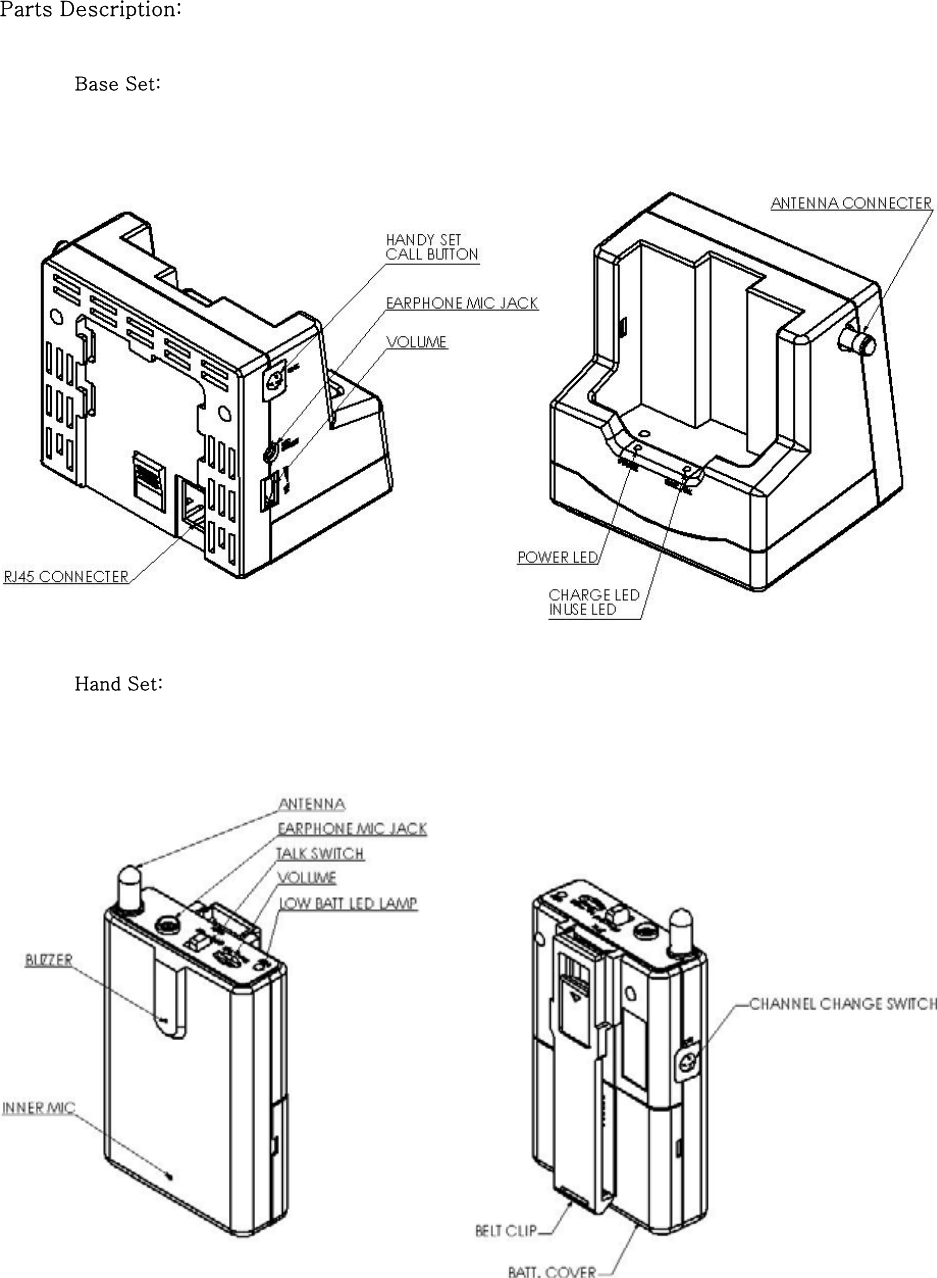
Parts Description:           Base Set:               Hand Set:
2. Functions:   This Wireless Transceiver System can automatically search, find,  and  memorize  the  best  reception within 40 channels.    Therefore, top of the line clarity and communication is guaranteed.            a. Hand Set:  The Talk ON/OFF switch, can activate the Base unit.          b. Base Set:  The RJ-45 #6 pin is used for controlling the communication.  If a LOW (TTL:”L”) signal is received,  the  communication  is  enabled  regardless  the  Hand  Set  is ON or OFF.  If a HIGH (TTL:"L") signal is received, the communication is disconnected.          c. Channel Surfing:  If reception becomes unclear, press the Channel Switch button once.            d. Security:           The  CPU  and  EEPROM  can  choose  from  one  million  different  passwords  to  prevent eavesdropping.            e. Paging:           The Base Set can page the Hand Set for communication.           f. Standby:           While charging, the Hand Set is in standby mode.          g. Communication Range:  When the Hand Set goes out of range, a warning beep will sound on the Hand Set.          h. Low Battery:           When the Hand Set is low on battery, a warning beep will sound and a warning light will appear.
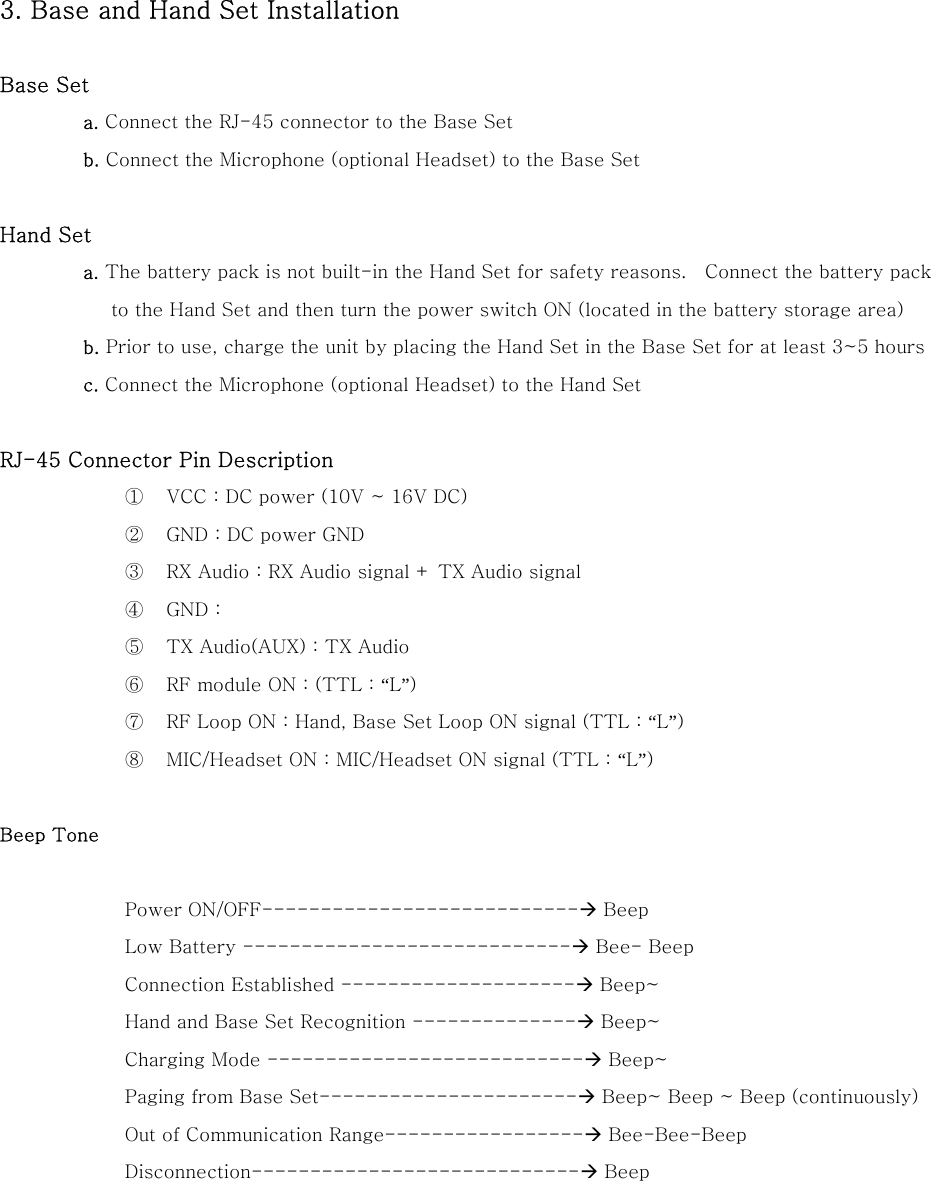
3. Base and Hand Set Installation  Base Set a. Connect the RJ-45 connector to the Base Set   b. Connect the Microphone (optional Headset) to the Base Set  Hand Set a. The battery pack is not built-in the Hand Set for safety reasons.    Connect the battery pack to the Hand Set and then turn the power switch ON (located in the battery storage area) b. Prior to use, charge the unit by placing the Hand Set in the Base Set for at least 3~5 hours   c. Connect the Microphone (optional Headset) to the Hand Set  RJ-45 Connector Pin Description ①  VCC : DC power (10V ~ 16V DC) ②  GND : DC power GND ③  RX Audio : RX Audio signal + TX Audio signal ④  GND : ⑤  TX Audio(AUX) : TX Audio ⑥  RF module ON : (TTL : “L”) ⑦  RF Loop ON : Hand, Base Set Loop ON signal (TTL : “L”) ⑧  MIC/Headset ON : MIC/Headset ON signal (TTL : “L”)  Beep Tone  Power ON/OFF---------------------------Æ Beep Low Battery ----------------------------Æ Bee- Beep Connection Established --------------------Æ Beep~ Hand and Base Set Recognition --------------Æ Beep~ Charging Mode ---------------------------Æ Beep~ Paging from Base Set----------------------Æ Beep~ Beep ~ Beep (continuously)   Out of Communication Range-----------------Æ Bee-Bee-Beep   Disconnection----------------------------Æ Beep
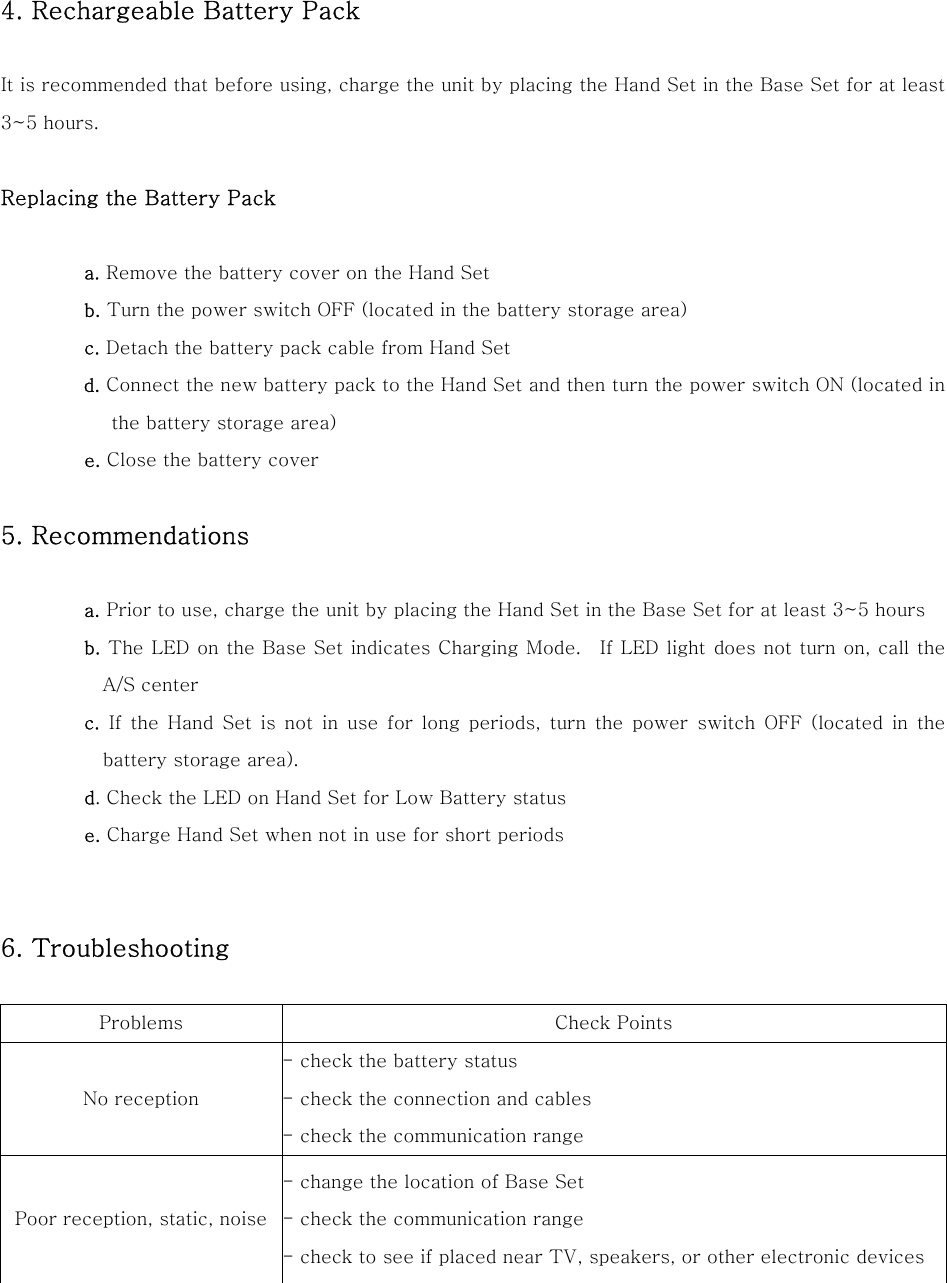
 4. Rechargeable Battery Pack  It is recommended that before using, charge the unit by placing the Hand Set in the Base Set for at least 3~5 hours.  Replacing the Battery Pack  a. Remove the battery cover on the Hand Set b. Turn the power switch OFF (located in the battery storage area) c. Detach the battery pack cable from Hand Set d. Connect the new battery pack to the Hand Set and then turn the power switch ON (located in the battery storage area)  e. Close the battery cover  5. Recommendations    a. Prior to use, charge the unit by placing the Hand Set in the Base Set for at least 3~5 hours b. The LED on the Base Set indicates Charging Mode.  If LED light does not turn on, call the A/S center c. If the Hand Set is not in use for long periods, turn the power  switch  OFF  (located  in  the battery storage area). d. Check the LED on Hand Set for Low Battery status e. Charge Hand Set when not in use for short periods   6. Troubleshooting    Problems  Check Points No reception - check the battery status - check the connection and cables - check the communication range Poor reception, static, noise - change the location of Base Set - check the communication range - check to see if placed near TV, speakers, or other electronic devices
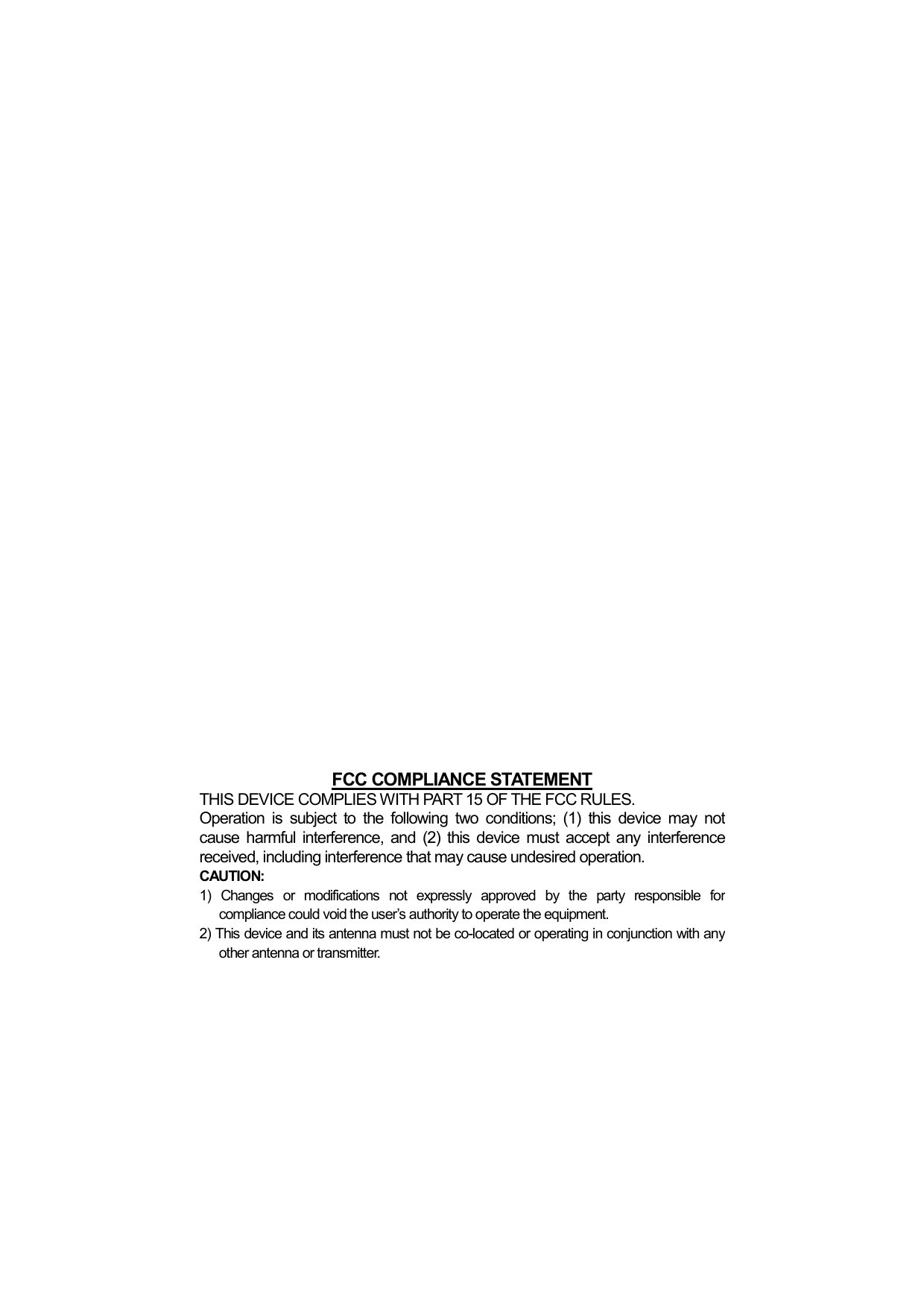
                      FCC COMPLIANCE STATEMENTTHIS DEVICE COMPLIES WITH PART 15 OF THE FCC RULES. Operation is subject to the following two conditions; (1) this device may not cause harmful interference, and (2) this device must accept any interferencereceived, including interference that may cause undesired operation. CAUTION: 1) Changes or modifications not expressly approved by the party responsible for compliance could void the user’s authority to operate the equipment. 2) This device and its antenna must not be co-located or operating in conjunction with any other antenna or transmitter.

Navigation menu