Triple C Designs AJ-86 Bluetooth SpeakerAlarm Clock User Manual Manual
Triple C Designs Bluetooth SpeakerAlarm Clock Manual
Manual
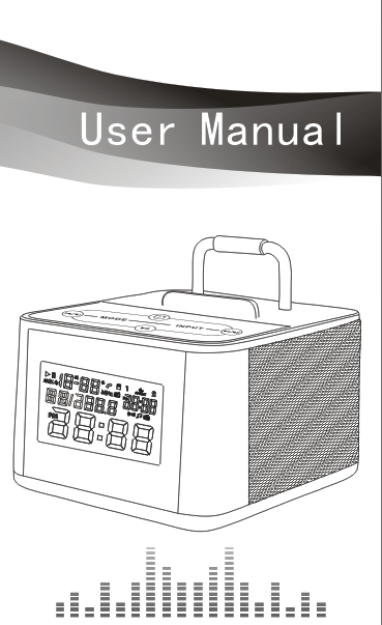
Bluetooth mini Speaker
Thank you for choosing PBTeen Alarm clock Bluetooth speaker.
Please read the instructions carefully before use.
Caution
☉ Handle the unit with care and avoid impact
☉ Do not let any liquid or chemicals come into contact with unit
☉ Do not place the unit in the vicinity of electrical or magnetic fields
☉ Do not place the unit close to heat sources or under direct sun light
☉ Do not attempt to open or repair the unit by yourself
☉ Loud sound can be unhealthy, adjust accordingly
☉ Handle waste packaging, batteries, and electronics according to law regulations
Technical Information
☉ Bluetooth version: 2.1+EDR
☉ Stereo audio play
☉ Bluetooth range: >30ft
☉ Output power: 3W+3W
☉ Distortion: <10%
☉ SNR:>70dB
☉ Audio frequency response: 100Hz-20KHz
☉ FM radio frequency range: 87.0MHz-108.0MHz
☉ Audio input: Bluetooth, TF card, AUX, FM
☉ Adjustment type: Manually on unit & by remote control
☉ Power supply: 5V 2A adaptor
Bluetooth speaker features
☉ Bluetooth hands free function
☉ MP3 play: play music directly from TF card
☉ Audio input: Easily connected to computer, digital player, mobile phone, mobile device
☉ Sleep timer: sleep time range 5-90 minutes
☉ Charger: Charge mobile phone or other mobile device Via USB charging transferring interface
Functions description
1. Clock calendar
☉ LCD screen displays year, month, day, hour, minute
☉ Calendar setting default time is TUE. 0:00,1 January 2013
Available setting time is from 1 January 1980 to 31 December 2099
2. Two sets of alarm/snooze function
☉ Alarm can be set as BB sound or song from TF card or FM radio music
☉ Alarm duration: 3 minutes
☉ Snooze duration: 5 minutes
☉ Snooze repeats: unlimited
3. TF card play function
☉ TF card slot can support capacity of 32MB~32GB
☉ Support TF card in MP3 and WMA formats
☉ Digital volume level range is 1~32, (default volume level is 20)
☉ With MP3 snooze function, snooze time is up to 90 minutes
4. FM digital frequency display
☉ FM frequency range: (87.0~108.0) MHz, tuned in increments of 100KHz
☉ Digital volume level is 1~32, (default volume level is 20)
☉ Automatic and manually frequency search
Radio sleep timer: 5-90 minutes
5. LINE IN
☉ Digital volume level is 1~32, (the default volume level is 20)
☉ Support AUX sleeping, sleep time 5-90 minutes
6. Infrared remote control function:
☉ Support 0~9 digital keys, combinations, 1~9999
☉ Support frequency search
7. LED backlight
LED backlight will be off within 2 minutes
To turn Backlight on press “ ”on the remote control
Keys description
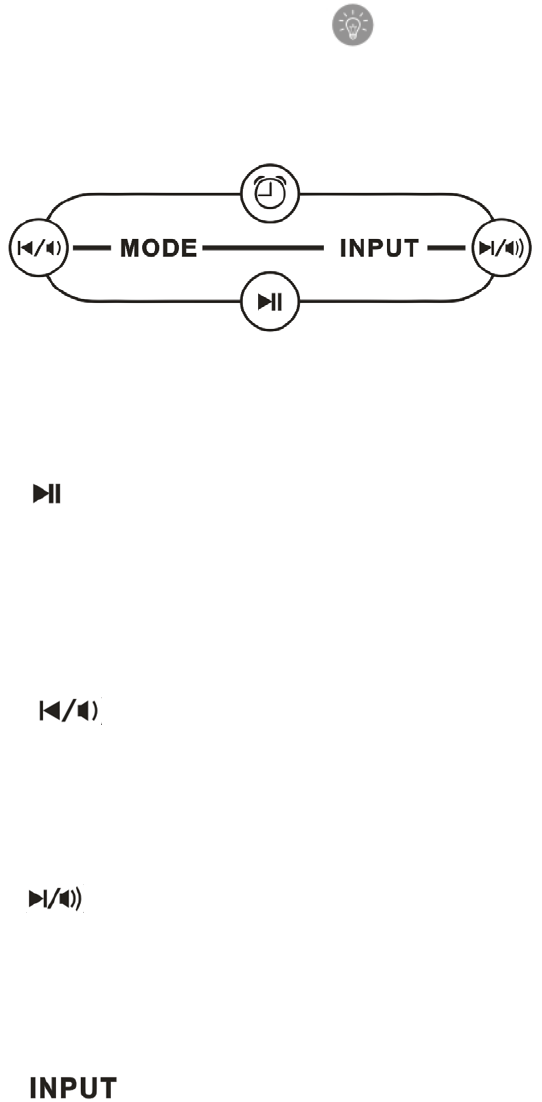
1. MODE key
☉Switch to clock displaying and alarm setting
☉Enter to clock setting mode or alarm setting mode by long press 2 seconds
2. key
☉In Bluetooth mode, force pairing mode by long press - 5 seconds
☉In play mode, short press for play or pause function
☉Answer an incoming call by short press
☉Refuse an incoming call by long press - 2 seconds
☉When alarm sounds, press the key to enter alarm snooze mode
3. key
☉Short press for previous song
☉Long press for volume adjustment
☉In FM mode - Press key to search for previous radio station
☉In volume adjustment mode - Short press for decreasing 1 unit of volume level
4. key
☉Short press for next song
☉Long press for volume adjustment
☉In FM mode - Press key to search for next radio station
☉In volume adjustment mode - Short press, for increasing 1 unit of volume level
5. key
☉Switching audio mode: Bluetooth mode, TF card mode, FM radio mode, LINE IN
mode
☉Sleep shutdown mode: when playing song, long press for setting snooze time
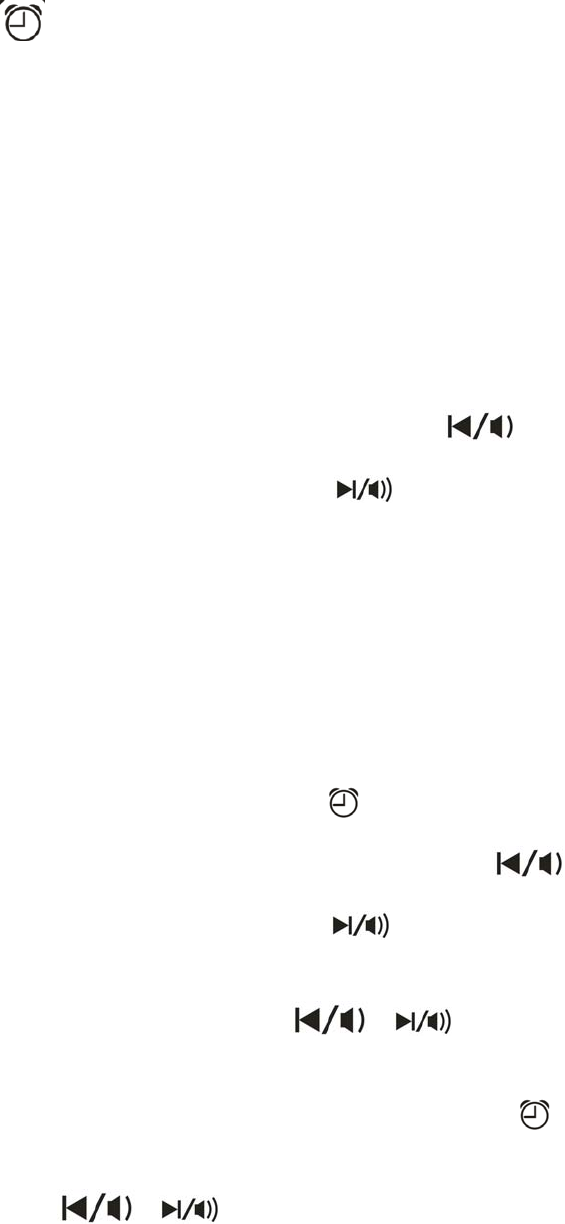
6. ( ) key
☉Turn on & off alarm 1 or alarm 2
☉In TF card mode or FM radio mode - long press for setting the playing song
or FM station as alarm
Operation instruction
1. Clock mode
☉Press MODE key to enter clock mode
☉Long press MODE key - 2 seconds to enter clock setting mode
☉Short press the key for time setting, setting order: 12/24 HR, hour, minute,
year, month, day
☉When enter adjustable status, it flashes slowly, press for
decreasing 1 unit of volume, long press for increasing 1 unit of volume,
long press, can increase or decrease 1 unit volume level quickly.
☉Week can automatically adjust according to date and month.
2. Alarm mode
☉Press MODE key to enter alarm 1 or alarm 2 mode
☉Long press MODE key - 2 seconds to enter alarm setting mode, short press
MODE key to adjust alarm time (hour and minutes), alarm types (BB,TF,FM)
and end up setting.
☉When setting AL1/AL2 alarms, press “ ”key to turn on or off.
☉When entering to adjustable status, it flashes slowly, press to
decrease 1 unit of volume level, press to increase 1 unit, long
press can increase or decrease 1 unit of volume level quickly.
☉In the alarm setting status - press / key to choose BB sound, TF card
or FM music as an alarm sound
☉Setting TF card as an alarm: in the TF card mode, long press key- for 2 seconds,
then LCD display "SET AL1" with flashing, set the playing song as an alarm, then
press / key to choose between alarm 1 or alarm 2; if no operation within 3
seconds, it will automatically return to playing mode, as shown in the below picture:
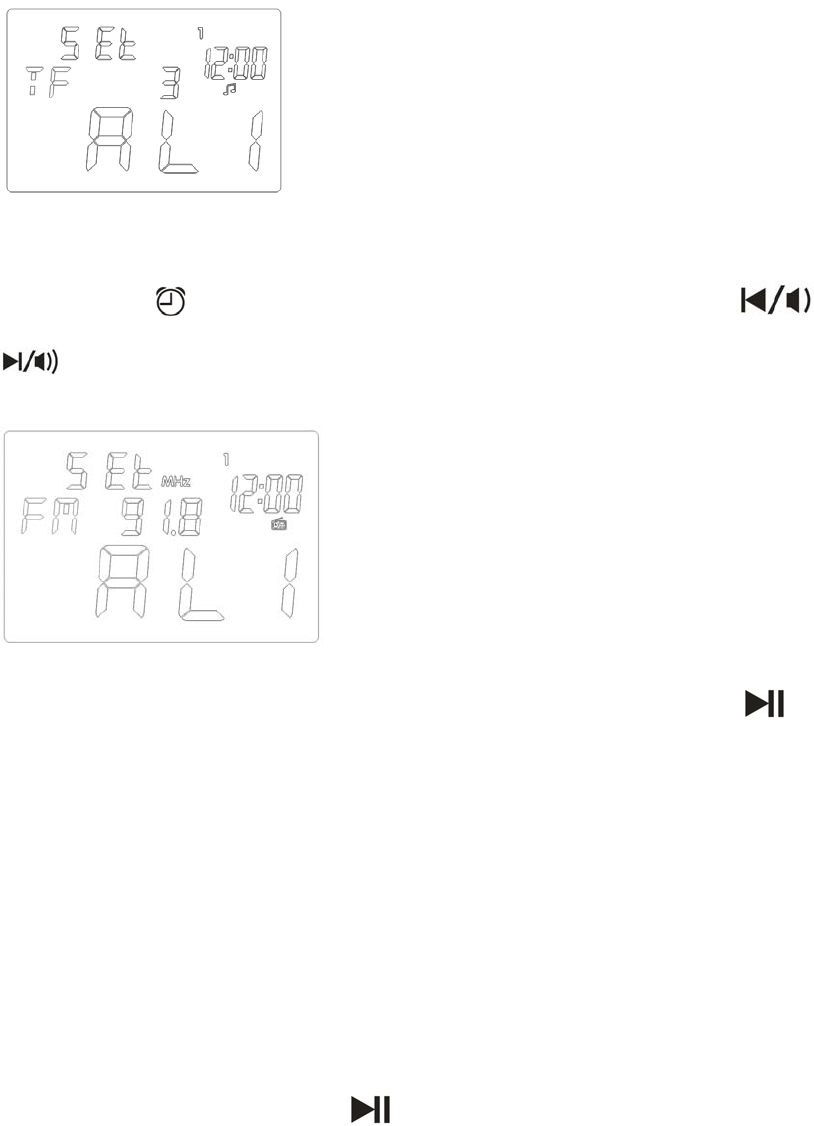
☉ FM wake up setting: in the FM mode, choose the station,
long press key for 2 seconds, display will flash "SET AL1" press /
key to choose alarm 1 or alarm 2; if no operation within 3 seconds, it will automatically
return to playing mode, as shown below
☉ Snooze function: when alarm sounds, switch on snooze function by short press key,
snooze mark will be displayed and LED backlight panel will be bright, snooze time is 5 minutes
(no snooze function in FM radio alarm)
☉ Turn off snooze function: under snooze status, turn off snooze function by
pressing any key, but do not execute the key function
☉ In alarm time setting status, it will return to time display mode if no button is pressed within
60 seconds.
☉ When alarm 1 is turned on, it displays time on alarm 1; when alarm 2 is turned
on, it displays time on alarm 2; When both alarm 1 and alarm 2 are turned
on at the same time, alarm 1 and alarm 2 alternately display every 10 seconds.
3. Bluetooth pairing connection
☉In the Bluetooth mode, long press key for 5 seconds to force entering pairing
searching mode, the Bluetooth mark will flash on the LCD screen, at this
time, speaker has already entered pairing searching status:
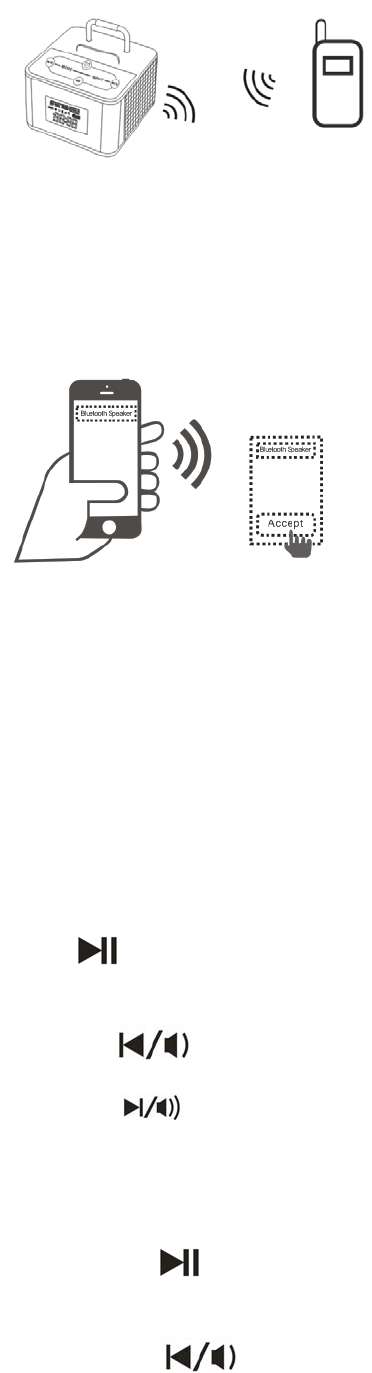
☉ Turn on Bluetooth speaker, and searching - Example for mobile phone: on the
Bluetooth searching menu, it will display "PBTeen Clock", then click it to
connect, when it is connected, speaker has a sound indication, at this time, the
Bluetooth mark on the LCD screen stop to flash and turns to long bright, and
there is a song suspending sign on the Bluetooth mark.
☉ Press INPUT key to enter Bluetooth mode, it automatically opens to pair and
re-connect with 60 seconds
4. Playing mode selection
Press INPUT key to switch Bluetooth mode, TF card mode, FM radio mode or
AUX mode (LINE IN mode)
5. Music playing
5.1 Bluetooth mode:
☉ Please refer to above paring method.
☉ After connection, play music from mobile device, and enjoy the music
☉ press key for pause and press again to continue, watch the corresponding
mark on the LCD screen.
☉ Short press key for previous song, long press to decrease volume level;
short press key for next song, long press to increase volume level.
5.2 TF card mode
☉ Insert TF card into card slot, it automatically enters TF card mode and plays
music (except during the phone call status)
☉ Short press key for pause and press again to continue, watch the
corresponding mark on the LCD screen
☉ Short press key for previous song, long press to decrease volume level;
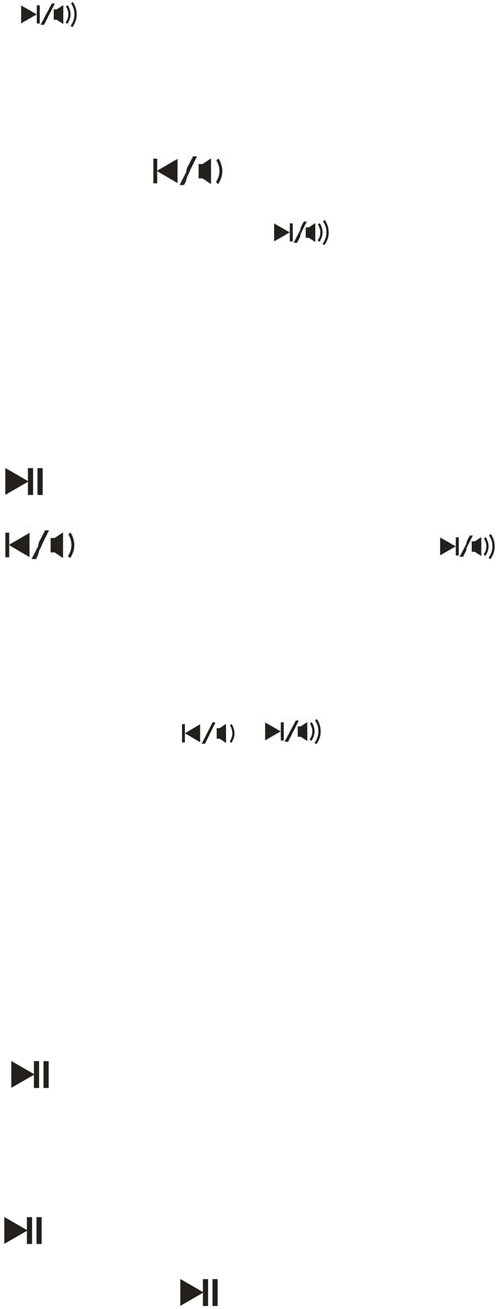
short press key for next song, long press to increase volume level.
5.3 FM radio mode
☉ Unfold the back antenna, place the speaker at a strong signal area.
☉ Enter FM mode - short press key to search previous station, long
press it to decrease volume level, short press key to search for next
station, long press it to increase volume level
☉ Under searching status, LCD screen displays radio frequency
5.4.AUX mode
☉ Insert 3.5mm audio cable between LINE IN port on speaker and player device, short
press INPUT key to enter AUX mode (LINE IN mode)
☉ Short press key to pause and press again to continue
☉ Long press key to decrease volume level, long press to
Increase volume level.
5.5. SLP mode
☉ In the Bluetooth mode, TF card, AUX or FM radio, press INPUT key for two
seconds to enter SLP mode, press / key to adjust SLP time value,
adjustment range: OFF,5,10,15,20,25,30,35,40,45,50,55,60,65,70,75,80,85,90.
If no key is pressed within 3 seconds, it will automatically confirm SLP time and
return to the original mode, or short press (INPUT )key to return to original mode.
☉ SLP mark and SLP time mark each lights alternately for 2 seconds
6. Bluetooth hands free function
☉ When mobile phone connects to speaker via Bluetooth, incoming call will sound by the
speaker and a phone icon will be displayed
☉ Short press key to receive an incoming call, speak to caller through the
microphone on the speaker. Phone icon will be displayed, when call is ended, music will come
back
☉ Long press key for 2 seconds to refuse a call
☉ When making a call, short press key to end the call
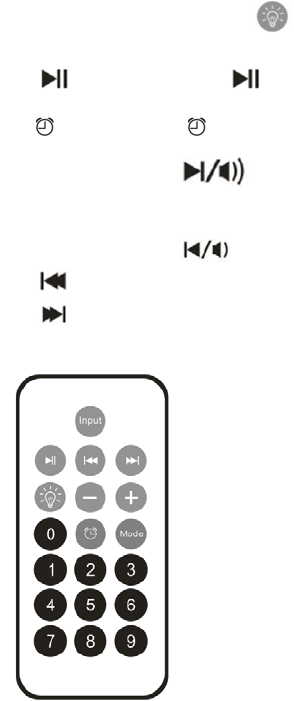
Remote control introduction
(1) Mode corresponds to MODE key;
(2) Input corresponds to INPUT key
(3)Backlight corresponds to key
(4) corresponds to
(5) corresponds to
(6) + corresponds to
(7) – corresponds to
(8) corresponds to previous song
(8) corresponds to next song
(10) Number keys 0~9
☉ In the TF card mode: input the corresponding song number, if exist, it will play
the song , song numbers are available from 1~9999:
☉ In the FM mode, input the station number, watch the screen for display confirmation.
Choose any station between 87.0~108.0MHz
Charging switch function
Charge to mobile device: charge the speaker via the accessory adaptor in on or off
status, at this time, the USB port can be inserted to charge the mobile device.
FCC STATEMENT
1. This device complies with Part 15 of the FCC Rules. Operation is subject to the following two
conditions:
(1) This device may not cause harmful interference, and
(2) This device must accept any interference received, including interference that may cause
undesired operation.
2. Changes or modifications not expressly approved by the party responsible for compliance could
void the user’s authority to operate the equipment.
This equipment has been tested and found to comply with the limits for a Class B digital device,
pursuant to part 15 of the FCC Rules. These limits are designed to provide reasonable protection
against harmful interference in a residential installation. This equipment generates, uses and can
radiate radio frequency energy and, if not installed and used in accordance with the instructions,
may cause harmful interference to radio communications. However, there is no guarantee that
interference will not occur in a particular installation. If this equipment does cause harmful
interference to radio or television reception, which can be determined by turning the equipment off
and on, the user is encouraged to try to correct the interference by one or more of the following
measures:
—Reorient or relocate the receiving antenna.
—Increase the separation between the equipment and receiver.
—Connect the equipment into an outlet on a circuit different from that to which the receiver is
connected.
—Consult the dealer or an experienced radio/ TV technician for help.
Radiation Exposure Statement:
This equipment complies with FCC radiation exposure requirement. The device can
be used in portable exposure condition without RF striction