Tsann Kuen Enterprise TSKM1702 Microwave Oven User Manual TSK M1701ME

Tsann Kuen Enterprise Co., Ltd. Microwave Oven TSK M1701ME

User Manual TSKM1701ME

    MICROWAVE OVEN  USER MANUAL TSK-M1701ME  PLEASE READ THIS MANUAL THOROUGHLY BEFORE OPERATING
MICROWAVE OVEN    1PRECAUTIONS TO AVOID POSSIBLE EXPOSURE TO EXCESSIVE MICROWAVE ENERGY a. Do not attempt to operate this oven with the door open since open-door operation can result in harmful exposure to microwave energy. It is important not to defeat or tamper with the safety interlocks. b. Do not place any object between the oven front face and the door or allow soil or cleaner residue to accumulate on sealing surfaces. c. Do not operate the oven if it is damaged. It is particularly important that the oven door close properly and that there is no damage to the: (1) door (bent), (2) hinges and latches (broken or loosened), (3) door seals and sealing surfaces. d. The oven should not be adjusted or repaired by anyone except properly qualified service personnel. IMPORTANT SAFETY INSTRUCTIONS When using electrical appliances, basic safety precautions should always be followed including the following: WARNING  –To reduce the risk of burns, electric shock, fire, injury to persons, or exposure to excessive microwave energy: 1. Read all instructions before using the appliance. 2. Read and follow the specific  “PRECAUTIONS TO AVOID POSSIBLE EXPOSURE TO EXCESSIVE MICROWAVE ENERGY  ”  found on page 1. 3. This appliance must be grounded. Connect only to properly grounded outlet. See  “GROUNDING INSTRUCTIONS  ”  found on page 3. 4. Install or locate this appliance only in accordance with the provided installation instructions. 5. Some products such as whole eggs with / without shells and sealed containers  –  for example, closed glass jars  –  are able to explode and should not be heated in this oven. 6. Use this appliance only for its intended use as described in the manual. Do not use corrosive chemicals or vapors in this appliance. This type of oven is specifically designed to heat, cook, or dry food. It is not designed for industrial or laboratory use. 7. As with any appliance, close supervision is necessary when used by children.
MICROWAVE OVEN    28. Do not operate this appliance if it has a damaged cord or plug, if it is not working properly, or if it has been damaged or dropped. 9.This appliance should be serviced only by qualified service personnel. Contact nearest authorized service facility for examination, repair or adjustment. 10. Do not cover or block any openings on the appliance. 11. Do not store this appliance outdoors. Do not use this product near water  –  for example ,near a kitchen sink, in a wet basement or near a swimming pool or similar locations. 12. Do not immerse cord or plug in water. 13. Keep cord away from heated surfaces. 14. Do not let cord hang over edge of table or counter. 15. See surface door cleaning instructions on page 16. 16. To reduce the risk of fire in the oven cavity: a. Do not overcook food. Carefully attend appliance when paper, plastic or other combustible materials are placed inside the oven to facilitate cooking. b. Remove wire twist-ties from paper or plastic bags before placing bag in oven. c. If materials inside the oven ignite, keep oven door closed, turn oven off and disconnect the power cord or shut off power at the fuse or circuit breaker panel. d. Do not use the cavity for storage purposes. Do not leave paper products, cooking utensils or food in the cavity when not in use. 17. Liquids such as water, coffee or tea are able to be overheated beyond the boiling point without appearing to be boiling. Visible bubbling or boiling when the container is removed from the microwave oven is not always present. THIS COULD RESULT IN VERY HOT LIQUIDS SUDDENLY BOILING OVER WHEN THE CONTAINER IS DISTURBED OR A SPOON OR OTHER UTENSIL IS INSERTED INTO THE LIQUID. SAVE THESE INSTRUCTIONS
MICROWAVE OVEN    3ADDITIONAL IMPORTANT SAFETY INSTRUCTIONS 1. Oversize foods or oversize metal utensils should not be inserted in a microwave oven as they may create a fire or risk of electric shock. 2. Do not clean with metal scouring pads. 3. Do not store any materials other than manufacturer  ’s recommended accessories in this oven when not in use.  WARNING: TO REDUCE THE RISK OF INJURY TO PERSONS: 1. Liquids such as water, coffee or tea are able to be overheated beyond the boiling point without appearing to be boiling. 2. Do not use narrow necked containers to boil or reheat liquids. 3. To reduce the risk of injury, stir the liquid several times before heating. 4. The liquid may splash out during or after heating or when adding ingredients (instant coffee, etc) resulting in possible harm or injury to persons. 5. After heating, allow the container to stand in microwave oven for at least 40 seconds before removing the container. 6. Do not heat water and oil, or a fat together which may cause a violent eruption.  SHORT POWER-SUPPLY CORD WARNING: a) A short power-supply cord (or detachable power-supply cord) is to be provided to reduce risks resulting from becoming entangled in or tripping over a longer cord. b) Longer detachable power-supply cords or extension cords are available and may be used if care is exercised in their use. c) If a long detachable power-supply cord or extension cord is used. 1) The marked electrical rating of the detachable power-supply cord or extension cord should be least as the electrical rating of the appliance. 2) If the appliance is of the grounded type, the extension cord should be grounding-type 3-wire
MICROWAVE OVEN    4cord, and 3) The longer cord should be arranged so that it will not drape over the counter top or table top where it can be pulled on by children or tripped over,  GROUNDING INSTRUCTIONS This appliance must be grounded. In the event of an electrical short circuit, grounding reduces the risk of electric shock by providing an escape wire for the electric current. This appliance is equipped with a cord having a grounding wire with a grounding plug. The plug must be plugged into an outlet that is properly installed and grounded. WARNING  –  Improper use of the grounding can result in a risk of electric shock. Consult a qualified electrician or serviceman if the grounding instructions are not completely understood, or if doubt exist as to whether the appliance is properly grounded. •  Do not use an extension cord. If the power supply cord is too short, have a qualified electrician or service man install an outlet near the appliance. Testing Containers and Utensils Some non-metallic containers and utensils become extremely hot when used in a microwave oven. To avoid risk of scalding, use the following procedure to determine if a container or utensil is safe for microwave use: 1. Fill a microwave-safe container with 1 cup (250 ml) of cold water. Place it in the microwave oven along with the container or utensil in question. 2. Turn the oven on maximum power for 1 minute. Do not exceed 1 minute cooking time. 3. Carefully feel the container. If the empty container is warm, do not use it for microwave cooking.  COOKWARE GUIDE  Most heat-resistant, non-metallic cookware is safe for use in your microwave oven. However, to test cookware before using, follow these steps: Place the empty cookware in the microwave oven. Measure 1 cup of water in a glass measuring cup and place it in the oven beside the cookware.
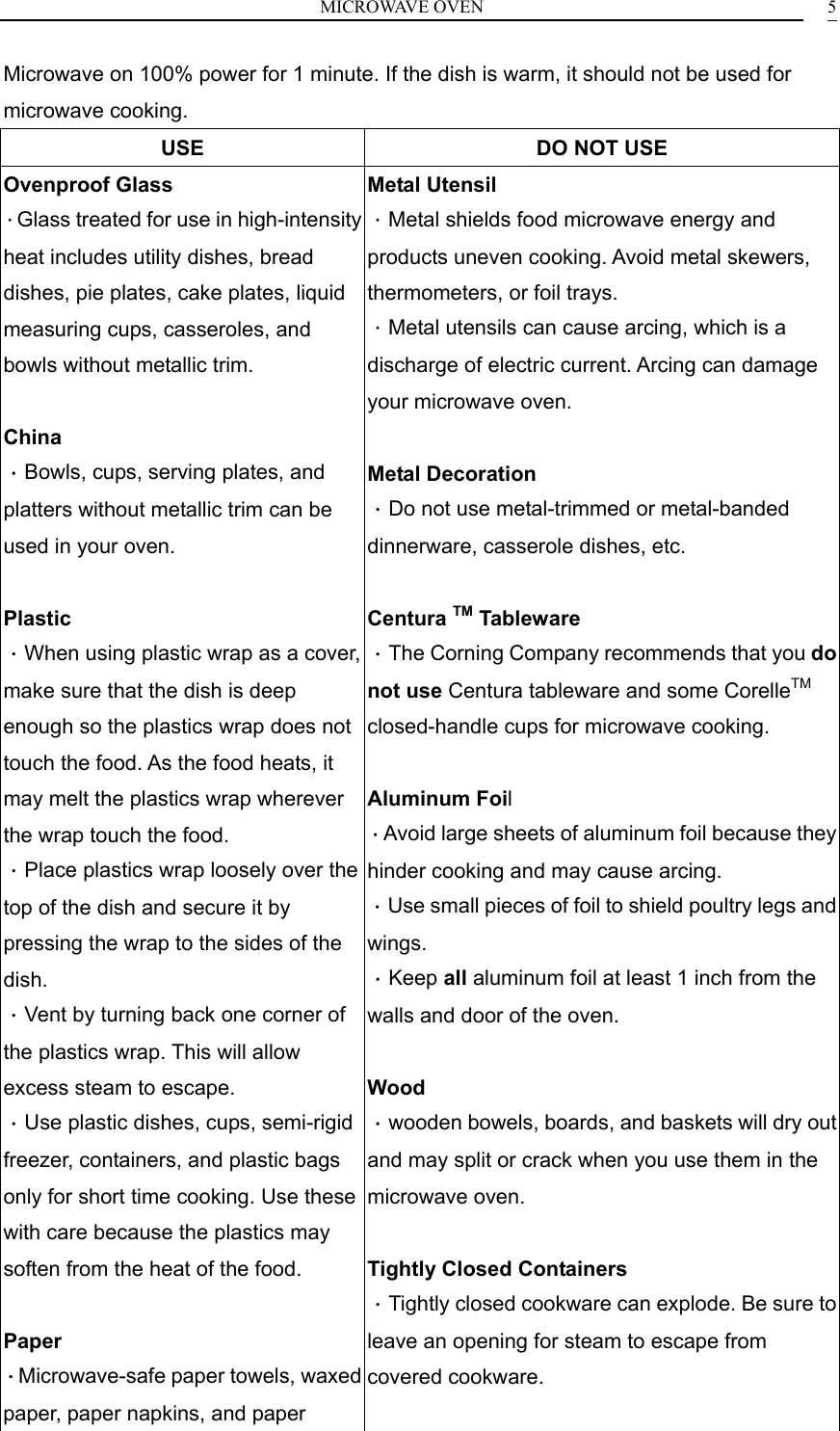
MICROWAVE OVEN    5Microwave on 100% power for 1 minute. If the dish is warm, it should not be used for microwave cooking. USE  DO NOT USE Ovenproof Glass .Glass treated for use in high-intensity heat includes utility dishes, bread dishes, pie plates, cake plates, liquid measuring cups, casseroles, and bowls without metallic trim.  China .Bowls, cups, serving plates, and platters without metallic trim can be used in your oven.  Plastic .When using plastic wrap as a cover, make sure that the dish is deep enough so the plastics wrap does not touch the food. As the food heats, it may melt the plastics wrap wherever the wrap touch the food. .Place plastics wrap loosely over the top of the dish and secure it by pressing the wrap to the sides of the dish. .Vent by turning back one corner of the plastics wrap. This will allow excess steam to escape. .Use plastic dishes, cups, semi-rigid freezer, containers, and plastic bags only for short time cooking. Use these with care because the plastics may soften from the heat of the food.  Paper .Microwave-safe paper towels, waxed paper, paper napkins, and paper Metal Utensil .Metal shields food microwave energy and products uneven cooking. Avoid metal skewers, thermometers, or foil trays. .Metal utensils can cause arcing, which is a discharge of electric current. Arcing can damage your microwave oven.  Metal Decoration .Do not use metal-trimmed or metal-banded dinnerware, casserole dishes, etc.  Centura TM Tableware .The Corning Company recommends that you do not use Centura tableware and some CorelleTM closed-handle cups for microwave cooking.  Aluminum Foil .Avoid large sheets of aluminum foil because they hinder cooking and may cause arcing. .Use small pieces of foil to shield poultry legs and wings. .Keep all aluminum foil at least 1 inch from the walls and door of the oven.  Wood .wooden bowels, boards, and baskets will dry out and may split or crack when you use them in the microwave oven.  Tightly Closed Containers .Tightly closed cookware can explode. Be sure to leave an opening for steam to escape from covered cookware.
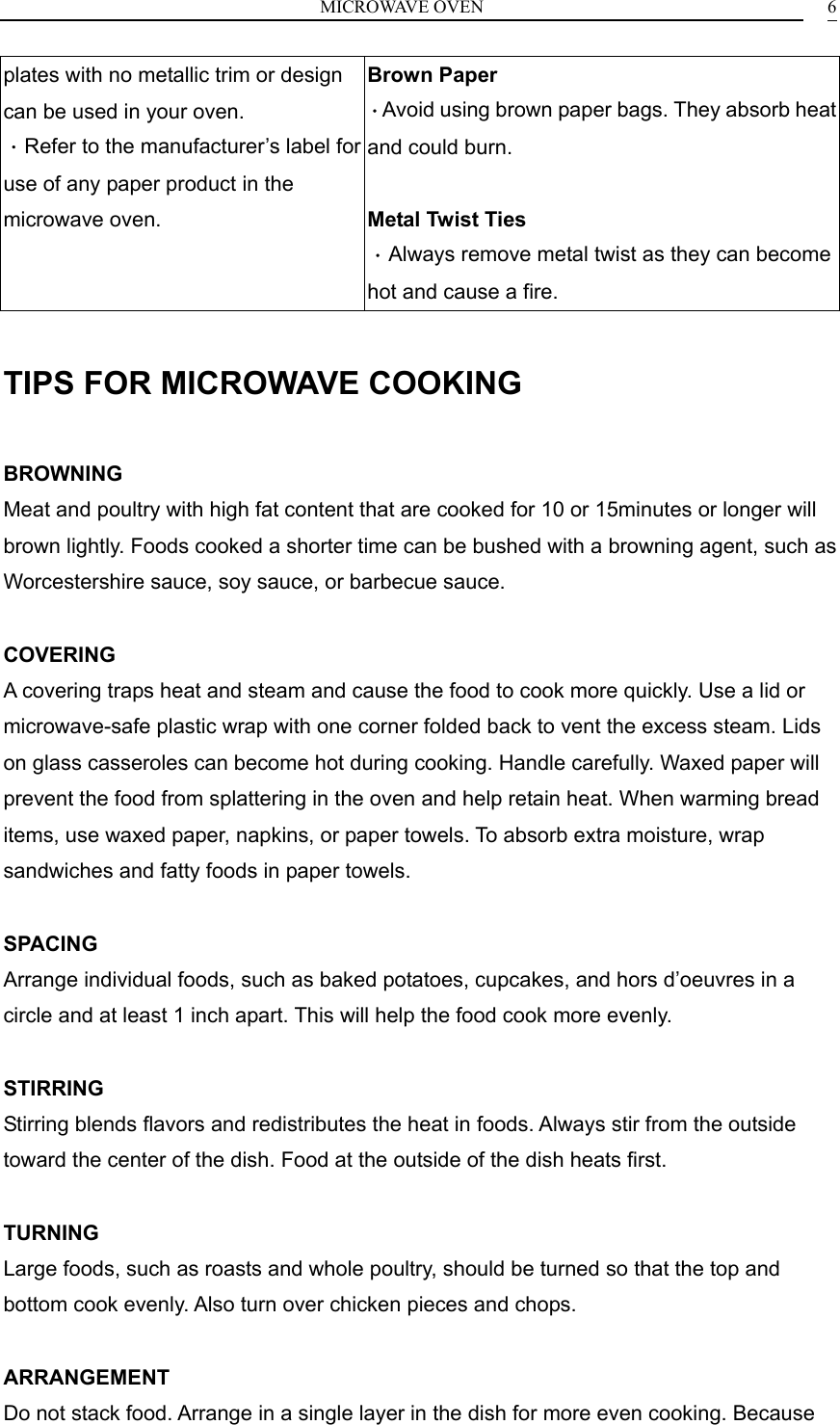
MICROWAVE OVEN    6plates with no metallic trim or design can be used in your oven. .Refer to the manufacturer’s label for use of any paper product in the microwave oven. Brown Paper .Avoid using brown paper bags. They absorb heat and could burn.  Metal Twist Ties   .Always remove metal twist as they can become hot and cause a fire.  TIPS FOR MICROWAVE COOKING  BROWNING Meat and poultry with high fat content that are cooked for 10 or 15minutes or longer will brown lightly. Foods cooked a shorter time can be bushed with a browning agent, such as Worcestershire sauce, soy sauce, or barbecue sauce.  COVERING A covering traps heat and steam and cause the food to cook more quickly. Use a lid or microwave-safe plastic wrap with one corner folded back to vent the excess steam. Lids on glass casseroles can become hot during cooking. Handle carefully. Waxed paper will prevent the food from splattering in the oven and help retain heat. When warming bread items, use waxed paper, napkins, or paper towels. To absorb extra moisture, wrap sandwiches and fatty foods in paper towels.  SPACING Arrange individual foods, such as baked potatoes, cupcakes, and hors d’oeuvres in a circle and at least 1 inch apart. This will help the food cook more evenly.  STIRRING Stirring blends flavors and redistributes the heat in foods. Always stir from the outside toward the center of the dish. Food at the outside of the dish heats first.  TURNING Large foods, such as roasts and whole poultry, should be turned so that the top and bottom cook evenly. Also turn over chicken pieces and chops.  ARRANGEMENT Do not stack food. Arrange in a single layer in the dish for more even cooking. Because
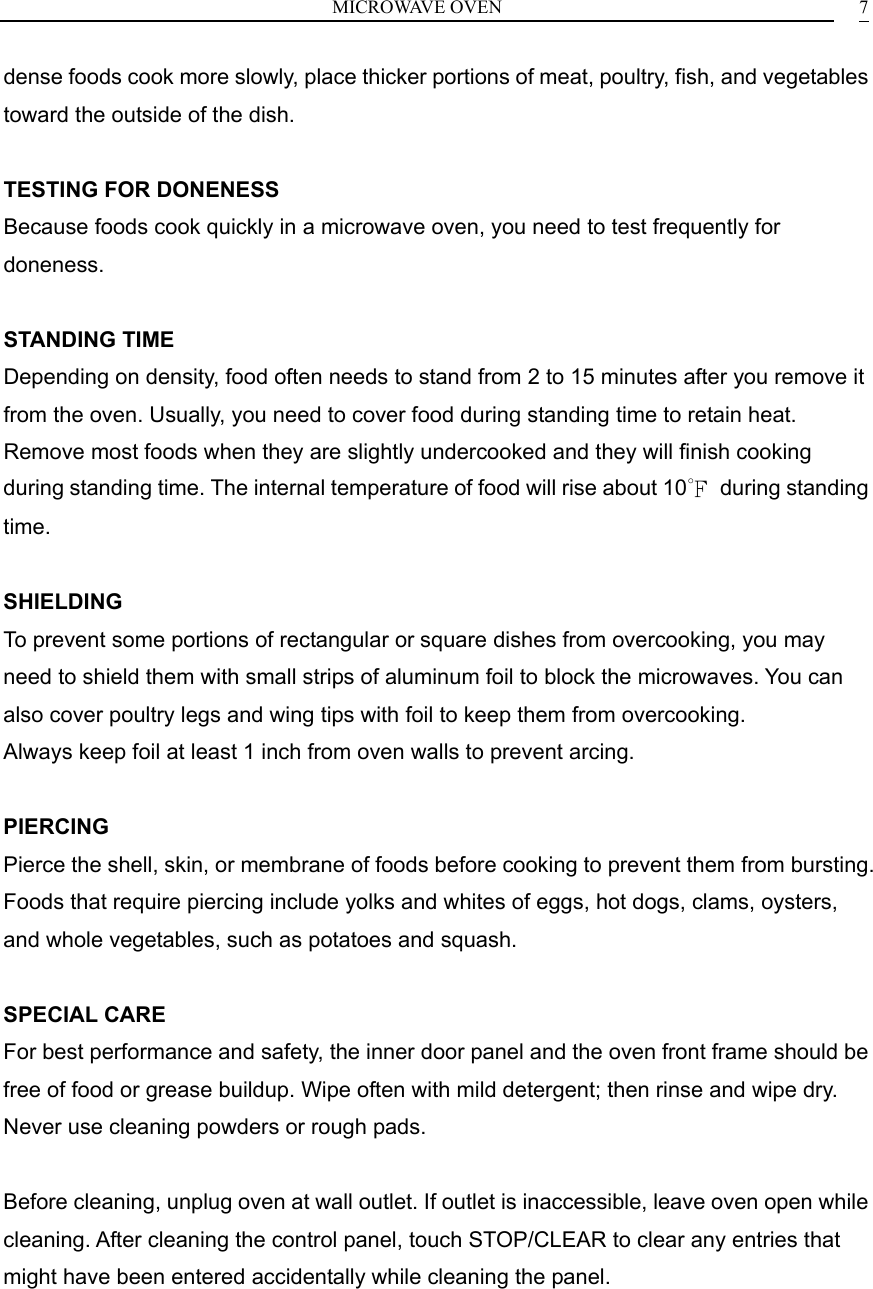
MICROWAVE OVEN    7dense foods cook more slowly, place thicker portions of meat, poultry, fish, and vegetables toward the outside of the dish.  TESTING FOR DONENESS Because foods cook quickly in a microwave oven, you need to test frequently for doneness.  STANDING TIME Depending on density, food often needs to stand from 2 to 15 minutes after you remove it from the oven. Usually, you need to cover food during standing time to retain heat. Remove most foods when they are slightly undercooked and they will finish cooking during standing time. The internal temperature of food will rise about 10℉ during standing time.  SHIELDING To prevent some portions of rectangular or square dishes from overcooking, you may need to shield them with small strips of aluminum foil to block the microwaves. You can also cover poultry legs and wing tips with foil to keep them from overcooking. Always keep foil at least 1 inch from oven walls to prevent arcing.  PIERCING Pierce the shell, skin, or membrane of foods before cooking to prevent them from bursting. Foods that require piercing include yolks and whites of eggs, hot dogs, clams, oysters, and whole vegetables, such as potatoes and squash.  SPECIAL CARE For best performance and safety, the inner door panel and the oven front frame should be free of food or grease buildup. Wipe often with mild detergent; then rinse and wipe dry. Never use cleaning powders or rough pads.  Before cleaning, unplug oven at wall outlet. If outlet is inaccessible, leave oven open while cleaning. After cleaning the control panel, touch STOP/CLEAR to clear any entries that might have been entered accidentally while cleaning the panel.
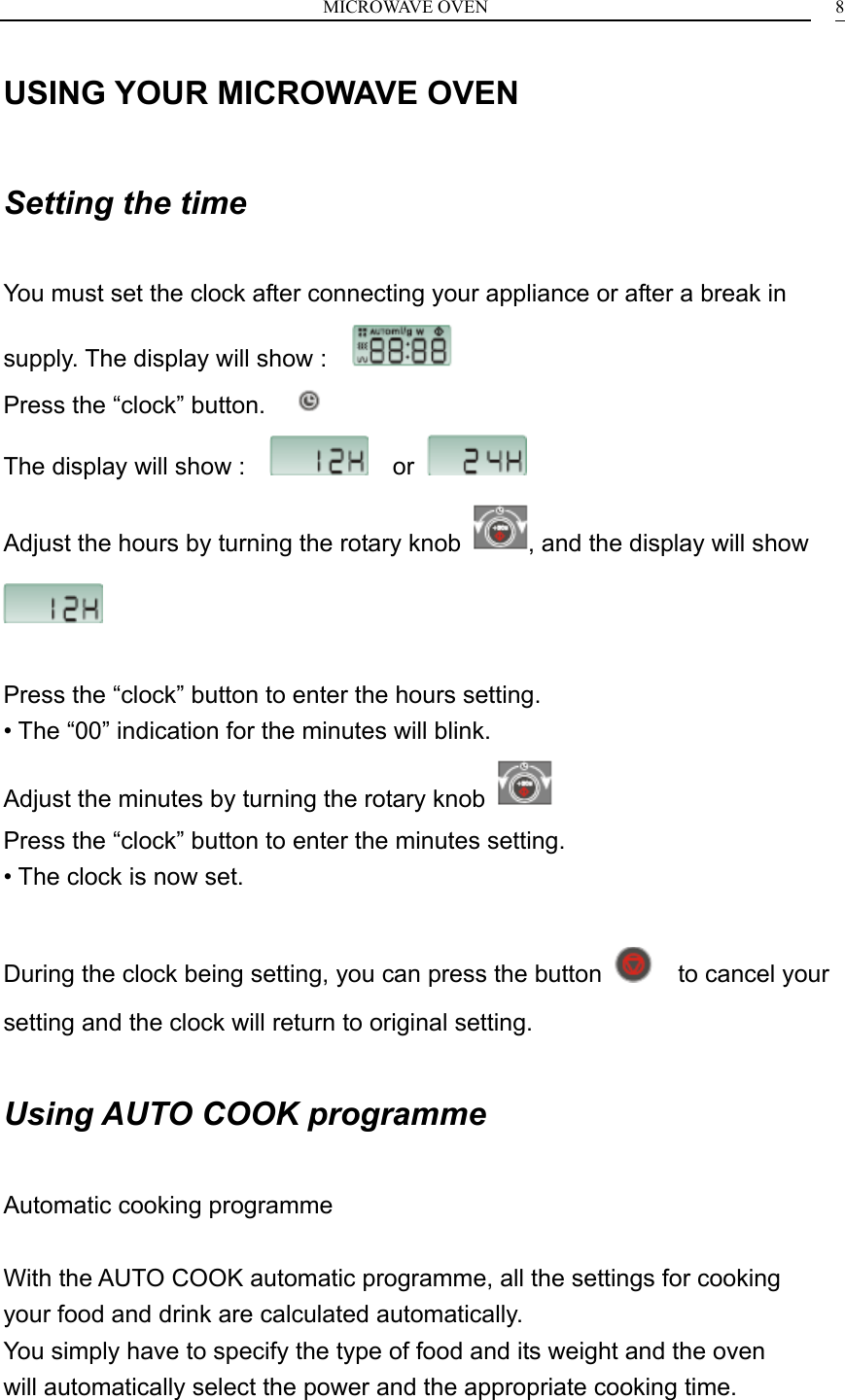
MICROWAVE OVEN    8USING YOUR MICROWAVE OVEN  Setting the time  You must set the clock after connecting your appliance or after a break in supply. The display will show :                                            Press the “clock” button.      The display will show :      or   Adjust the hours by turning the rotary knob  , and the display will show    Press the “clock” button to enter the hours setting. • The “00” indication for the minutes will blink. Adjust the minutes by turning the rotary knob   Press the “clock” button to enter the minutes setting. • The clock is now set.  During the clock being setting, you can press the button    to cancel your setting and the clock will return to original setting.  Using AUTO COOK programme  Automatic cooking programme  With the AUTO COOK automatic programme, all the settings for cooking your food and drink are calculated automatically. You simply have to specify the type of food and its weight and the oven will automatically select the power and the appropriate cooking time.
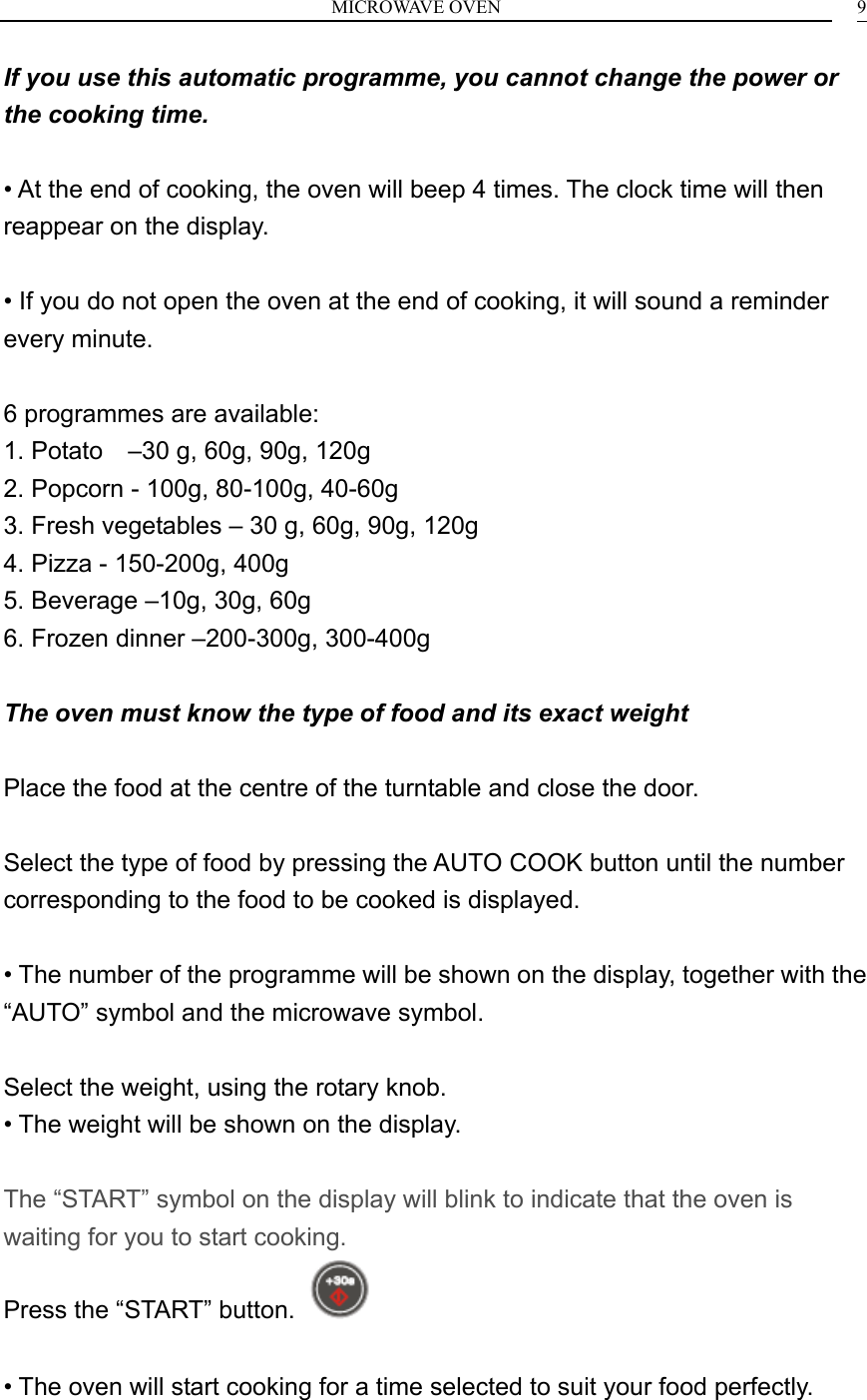
MICROWAVE OVEN    9If you use this automatic programme, you cannot change the power or the cooking time.  • At the end of cooking, the oven will beep 4 times. The clock time will then reappear on the display.  • If you do not open the oven at the end of cooking, it will sound a reminder every minute.  6 programmes are available: 1. Potato    –30 g, 60g, 90g, 120g 2. Popcorn - 100g, 80-100g, 40-60g 3. Fresh vegetables – 30 g, 60g, 90g, 120g 4. Pizza - 150-200g, 400g 5. Beverage –10g, 30g, 60g 6. Frozen dinner –200-300g, 300-400g  The oven must know the type of food and its exact weight  Place the food at the centre of the turntable and close the door.  Select the type of food by pressing the AUTO COOK button until the number corresponding to the food to be cooked is displayed.  • The number of the programme will be shown on the display, together with the “AUTO” symbol and the microwave symbol.  Select the weight, using the rotary knob. • The weight will be shown on the display.  The “START” symbol on the display will blink to indicate that the oven is waiting for you to start cooking. Press the “START” button.    • The oven will start cooking for a time selected to suit your food perfectly.
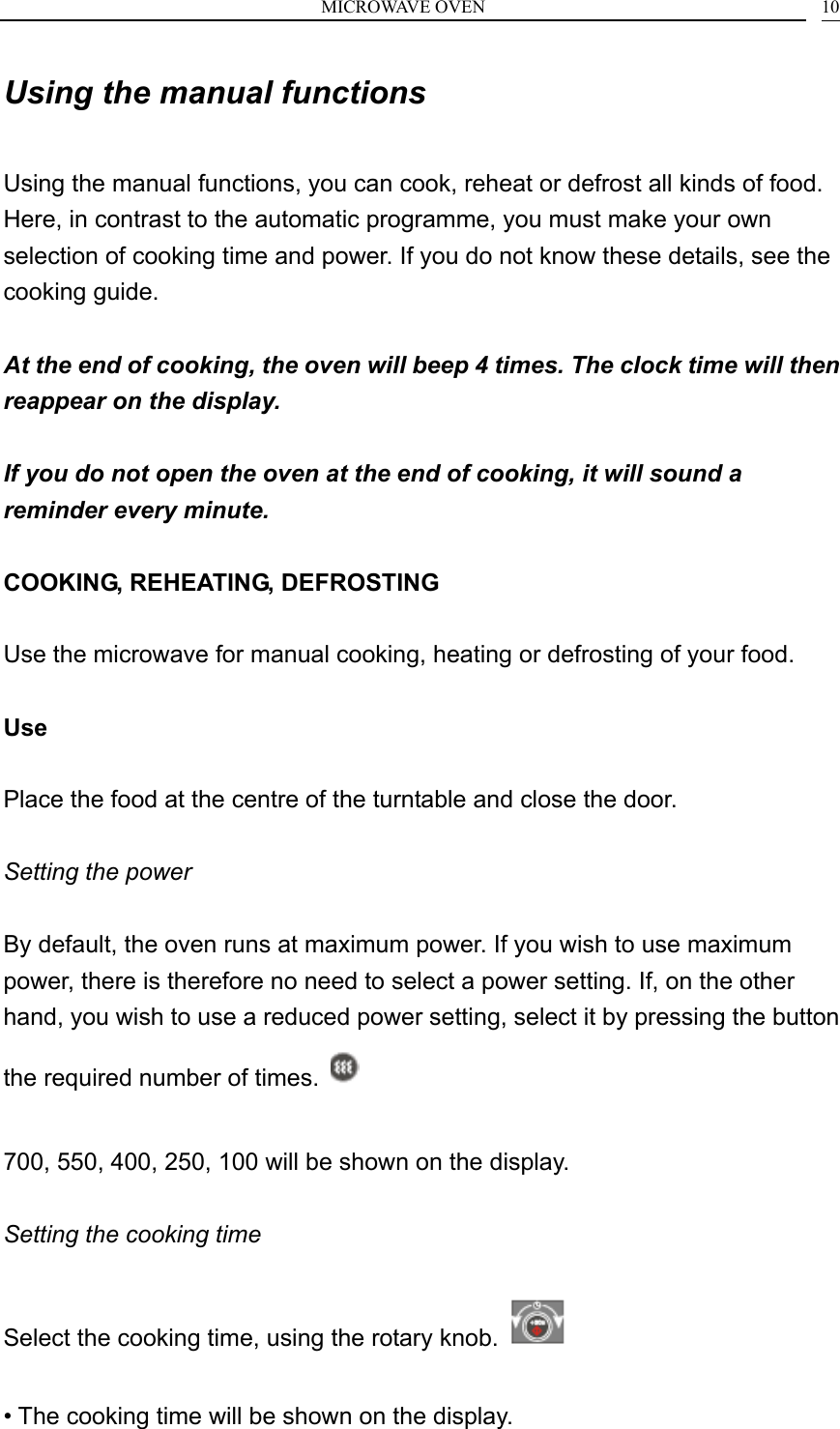
MICROWAVE OVEN    10Using the manual functions  Using the manual functions, you can cook, reheat or defrost all kinds of food. Here, in contrast to the automatic programme, you must make your own selection of cooking time and power. If you do not know these details, see the cooking guide.  At the end of cooking, the oven will beep 4 times. The clock time will then reappear on the display.  If you do not open the oven at the end of cooking, it will sound a reminder every minute.  COOKING, REHEATING, DEFROSTING  Use the microwave for manual cooking, heating or defrosting of your food.  Use  Place the food at the centre of the turntable and close the door. GB Setting the power  By default, the oven runs at maximum power. If you wish to use maximum power, there is therefore no need to select a power setting. If, on the other hand, you wish to use a reduced power setting, select it by pressing the button the required number of times.    700, 550, 400, 250, 100 will be shown on the display.  Setting the cooking time  Select the cooking time, using the rotary knob.    • The cooking time will be shown on the display.
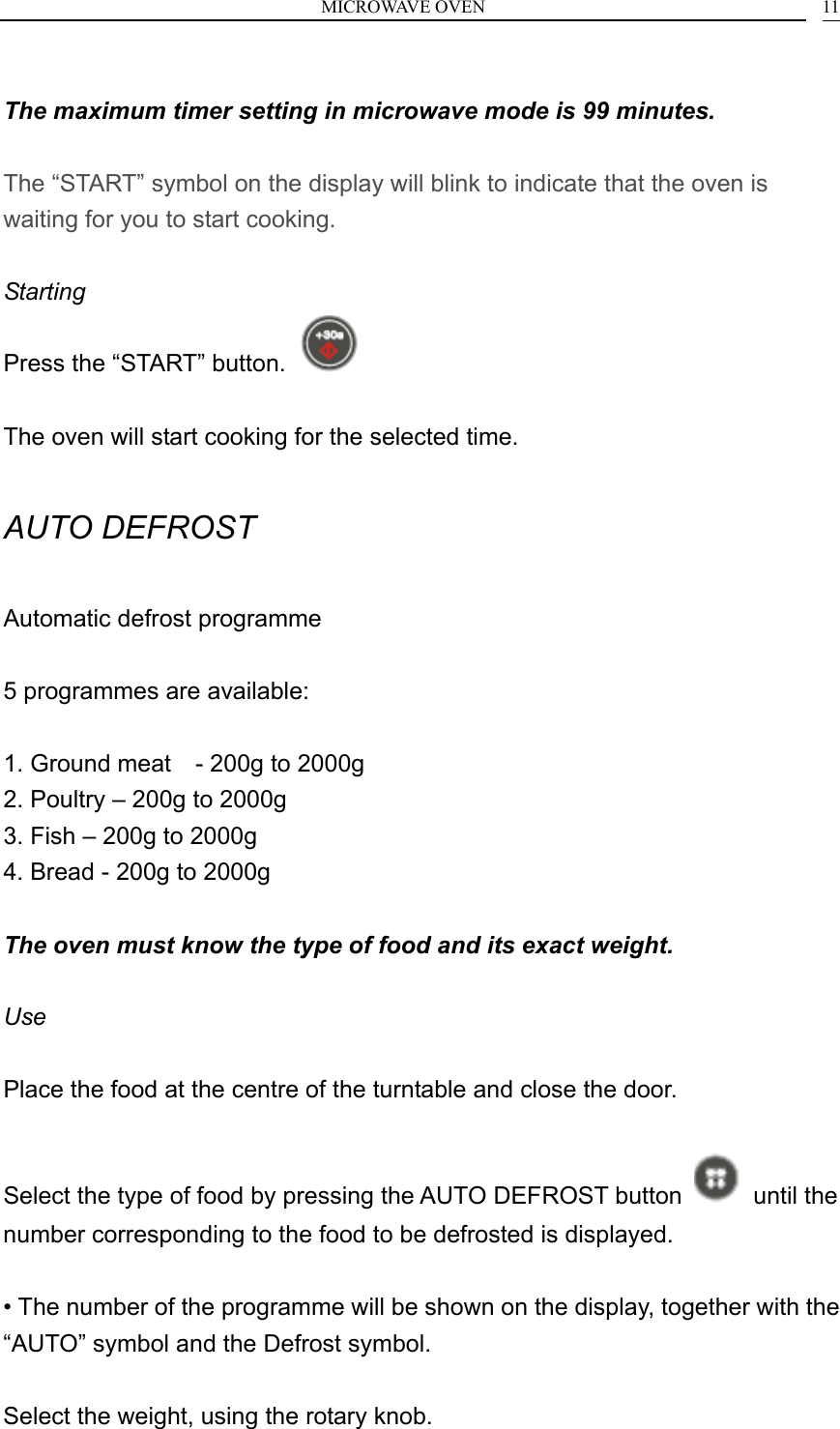
MICROWAVE OVEN    11 The maximum timer setting in microwave mode is 99 minutes.  The “START” symbol on the display will blink to indicate that the oven is waiting for you to start cooking.  Starting Press the “START” button.    The oven will start cooking for the selected time.  AUTO DEFROST  Automatic defrost programme  5 programmes are available:  1. Ground meat    - 200g to 2000g 2. Poultry – 200g to 2000g 3. Fish – 200g to 2000g 4. Bread - 200g to 2000g  The oven must know the type of food and its exact weight.  Use  Place the food at the centre of the turntable and close the door.  Select the type of food by pressing the AUTO DEFROST button   until the number corresponding to the food to be defrosted is displayed.  • The number of the programme will be shown on the display, together with the “AUTO” symbol and the Defrost symbol.  Select the weight, using the rotary knob.
MICROWAVE OVEN    12 • The weight will be shown on the display,  The “START” symbol on the display will blink to indicate that the oven is waiting for you to start defrosting.  Press the “START” button.    • The oven will start cooking for a time selected to suit your food perfectly.  Halfway through the process, the oven will beep and pause to allow you to turn the food for perfectly even defrosting.  Turn the food and press “START” to restart the defrost cycle.  QUICK REHEATING  If you wish to warm a dish or liquid very briefly, use the “Start +30 sec” button.  Use  Place the food at the centre of the turntable and close the door. Press the “START” button.    The oven will start automatically for 30 seconds at maximum power.  Each time that the “START” button is pressed, the cooking time will be increased by 30 seconds.  Adjusting the cooking time  As when using a conventional oven, you may need to make slight adjustments to the cooking, heating or defrosting times indicated in the cooking guide or on the food packaging.
MICROWAVE OVEN    13 This can be done in two ways:  Using the rotary knob    Turn the knob clockwise or anticlockwise to increase or reduce the cooking time. • The time shown on the display will change. • Changing the setting does not stop the oven.  Using the “START + 30 sec” button     Press the “START + 30 sec” button one or more times. • Each time you press the button, the time shown on the display will increase by 30 seconds. • Changing the setting does not stop the oven.  Stopping the oven  Pause You can interrupt the operation of the oven at any time to: - check the progress of cooking, - turn or stir the food, - allow the food to rest.  To do this, you can simply open the oven door or press once on the “STOP/CANCEL” button.   • The oven will stop and hold the cooking status in memory. • No change in the display will occur during the pause. The “Start” symbol on the display will blink until you restart cooking. To restart cooking, press the “START” button.    To cancel the cooking, press the “STOP/CANCEL” button again.
MICROWAVE OVEN    14• The clock time will then reappear on the display.  Cancel The “STOP/CANCEL” button can also be used to cancel entirely the current cooking or programme.  If you are currently cooking : press the “STOP/CANCEL” button twice. • At the first press, the oven will pause; at the second press, the cooking will be cancelled and the display will show the clock time again.  If you are currently setting the oven: press the “STOP/CANCEL” button once. • The current settings will be cancelled and the display will show the clock time again.  Activating the Child Safety feature  Your oven is equipped with a control locking system, which prevents its being started unintentionally or by unsupervised children. To lock : Keep the “STOP/CANCEL” button pressed for 3 seconds. • The oven will beep to indicate that the controls are locked. • The display will show “L” in place of the time. The buttons are locked. • Any attempt at starting will cause the oven to beep.  To unlock : Keep the “STOP/CANCEL” button pressed for 3 seconds. • The oven will beep to indicate that the controls are unlocked. • The display will revert from “L” to the time. GB This function is only available when the oven is stopped. After an interruption of supply, the Child Safety will be unlocked.
MICROWAVE OVEN    15Cleaning the oven  The following parts of your microwave must be cleaned regularly to avoid any accumulation of food particles and grease : • The inner and outer surfaces of your appliance, • The door and its seals, • The drive, the ring bearing and the turntable.  Make sure that the door closes correctly. Clean the outer surfaces with a soft cloth and soapy water. Rinse and dry carefully. Remove any particles or stains inside your appliance or on the ring bearing with a soapy cloth. Rinse and dry carefully. The grill element hinges down to make it easier to clean the roof of the oven. To help dislodge food particles and eliminate bad smells, put a glass of lemon juice diluted in water on the turntable and run your appliance for 2 minutes at maximum power. The steam will soften the dirty marks. Rinse and dry. Take care not to allow water to run into the ventilation holes. Never use abrasive or solvent cleaners. Clean the door seals carefully, making sure that : • There is no accumulation of particles, • Nothing prevents the door from closing properly. • Clean the inside of your appliance after every use with a suitable detergent.  Always allow your oven to cool down before cleaning it. Cleaning the accessories - glass turntable can be cleaned in the dishwasher.  Wash it with soapy water. Rinse and dry them carefully.  Your appliance must not be used if the door or door seals are damaged, for example : - broken hinges - damaged seals - internal deformation
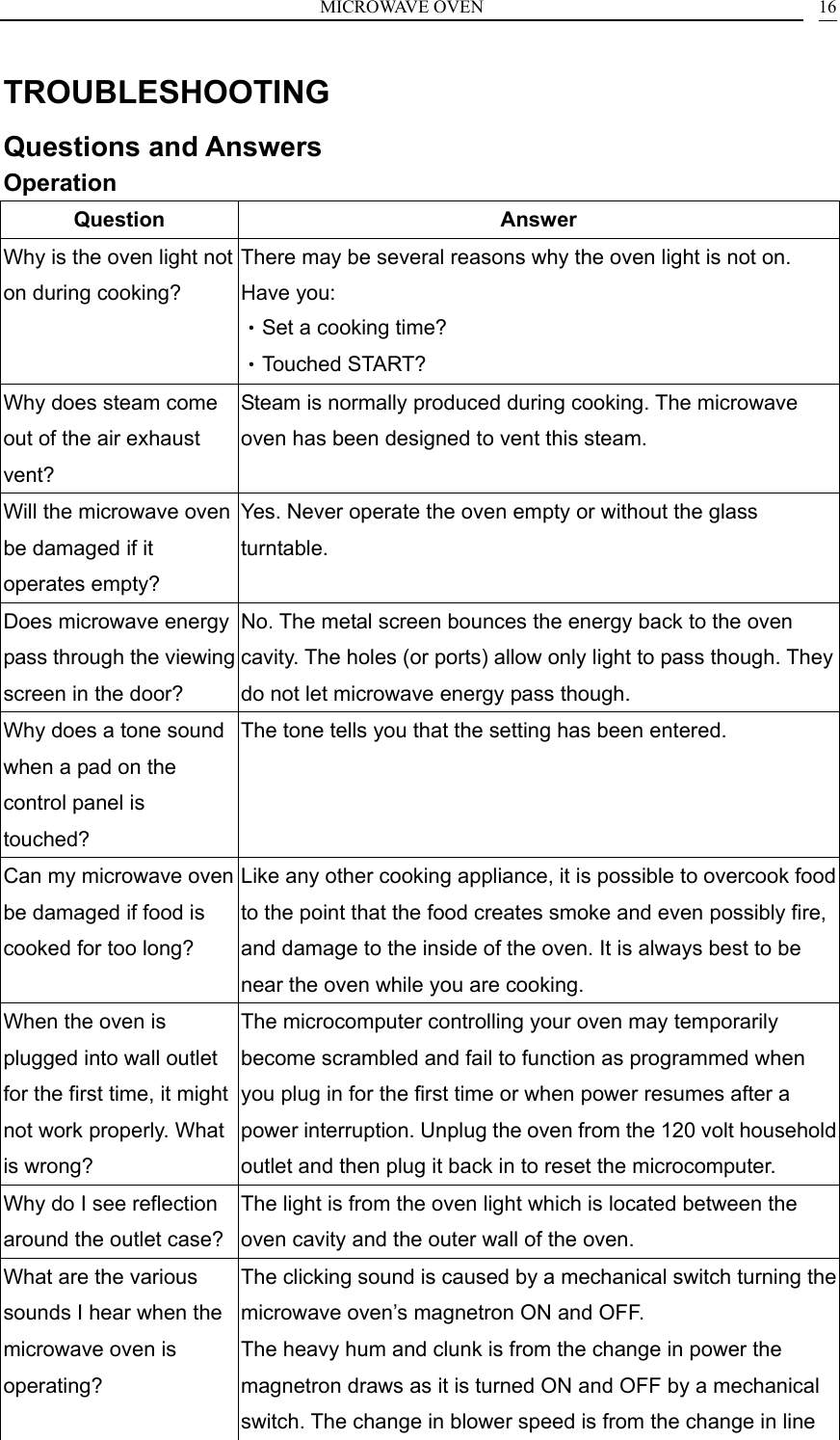
MICROWAVE OVEN    16TROUBLESHOOTING Questions and Answers Operation Question Answer Why is the oven light not on during cooking? There may be several reasons why the oven light is not on. Have you: •Set a cooking time? •Touched START? Why does steam come out of the air exhaust vent? Steam is normally produced during cooking. The microwave oven has been designed to vent this steam. Will the microwave oven be damaged if it operates empty? Yes. Never operate the oven empty or without the glass turntable. Does microwave energy pass through the viewing screen in the door? No. The metal screen bounces the energy back to the oven cavity. The holes (or ports) allow only light to pass though. They do not let microwave energy pass though. Why does a tone sound when a pad on the control panel is touched? The tone tells you that the setting has been entered. Can my microwave oven be damaged if food is cooked for too long? Like any other cooking appliance, it is possible to overcook food to the point that the food creates smoke and even possibly fire, and damage to the inside of the oven. It is always best to be near the oven while you are cooking. When the oven is plugged into wall outlet for the first time, it might not work properly. What is wrong? The microcomputer controlling your oven may temporarily become scrambled and fail to function as programmed when you plug in for the first time or when power resumes after a power interruption. Unplug the oven from the 120 volt household outlet and then plug it back in to reset the microcomputer. Why do I see reflection around the outlet case? The light is from the oven light which is located between the oven cavity and the outer wall of the oven. What are the various sounds I hear when the microwave oven is operating? The clicking sound is caused by a mechanical switch turning the microwave oven’s magnetron ON and OFF. The heavy hum and clunk is from the change in power the magnetron draws as it is turned ON and OFF by a mechanical switch. The change in blower speed is from the change in line
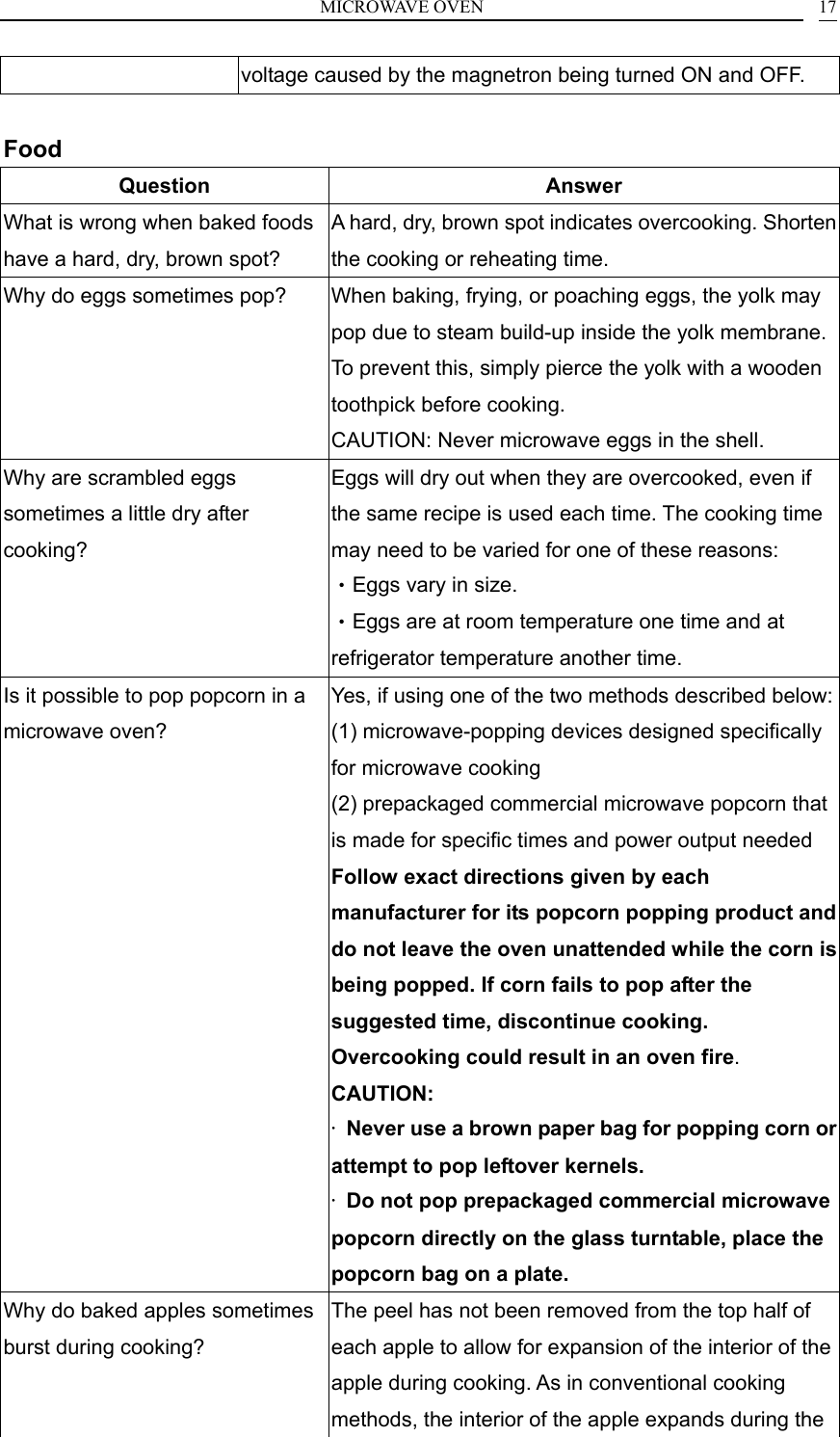
MICROWAVE OVEN    17voltage caused by the magnetron being turned ON and OFF.  Food Question Answer What is wrong when baked foods have a hard, dry, brown spot? A hard, dry, brown spot indicates overcooking. Shorten the cooking or reheating time. Why do eggs sometimes pop?  When baking, frying, or poaching eggs, the yolk may pop due to steam build-up inside the yolk membrane. To prevent this, simply pierce the yolk with a wooden toothpick before cooking.   CAUTION: Never microwave eggs in the shell.   Why are scrambled eggs sometimes a little dry after cooking? Eggs will dry out when they are overcooked, even if the same recipe is used each time. The cooking time may need to be varied for one of these reasons: •Eggs vary in size. •Eggs are at room temperature one time and at refrigerator temperature another time. Is it possible to pop popcorn in a microwave oven? Yes, if using one of the two methods described below:(1) microwave-popping devices designed specifically for microwave cooking (2) prepackaged commercial microwave popcorn that is made for specific times and power output needed Follow exact directions given by each manufacturer for its popcorn popping product and do not leave the oven unattended while the corn is being popped. If corn fails to pop after the suggested time, discontinue cooking. Overcooking could result in an oven fire. CAUTION: ·  Never use a brown paper bag for popping corn or attempt to pop leftover kernels. ·  Do not pop prepackaged commercial microwave popcorn directly on the glass turntable, place the popcorn bag on a plate. Why do baked apples sometimes burst during cooking? The peel has not been removed from the top half of each apple to allow for expansion of the interior of the apple during cooking. As in conventional cooking methods, the interior of the apple expands during the
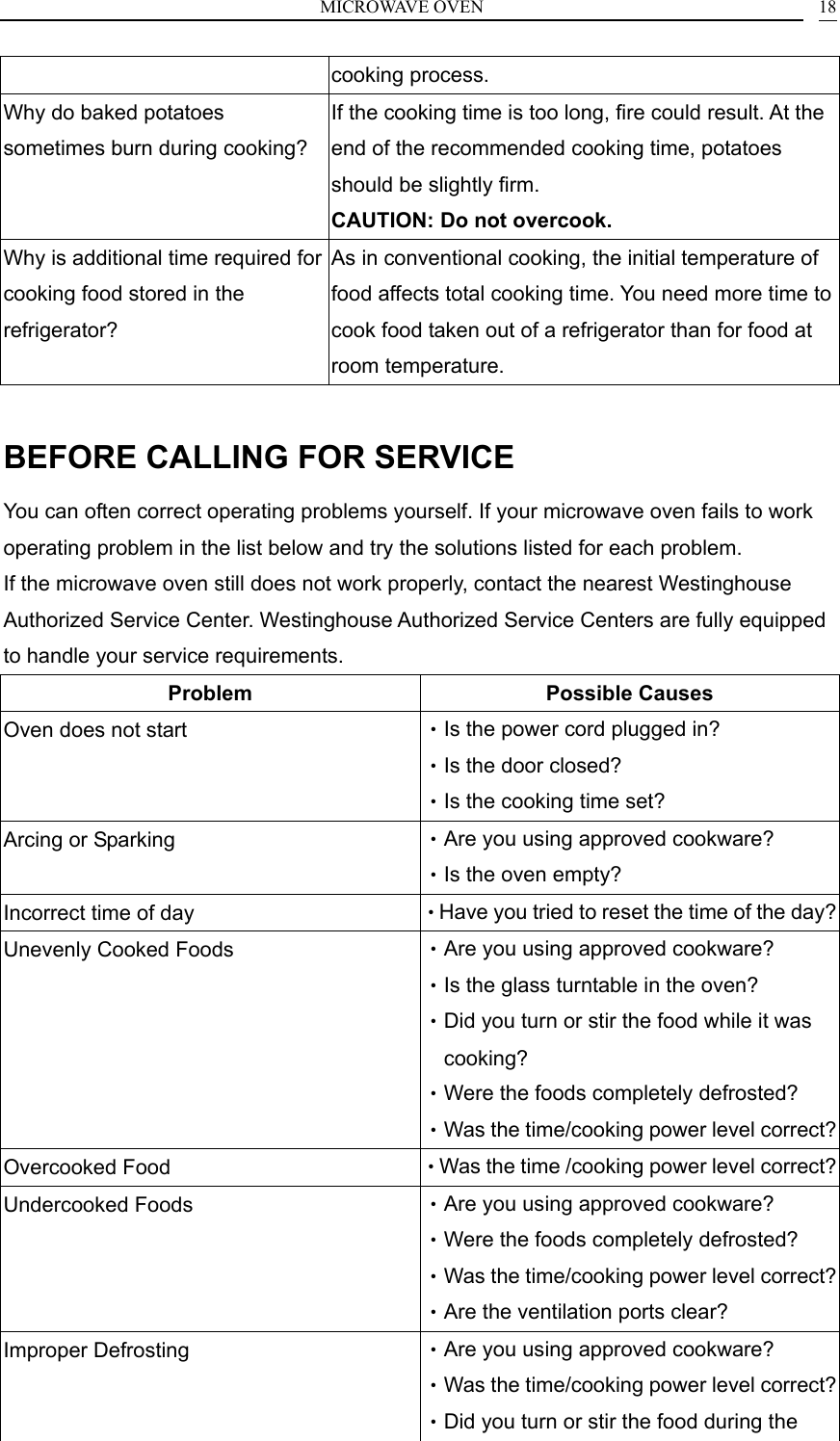
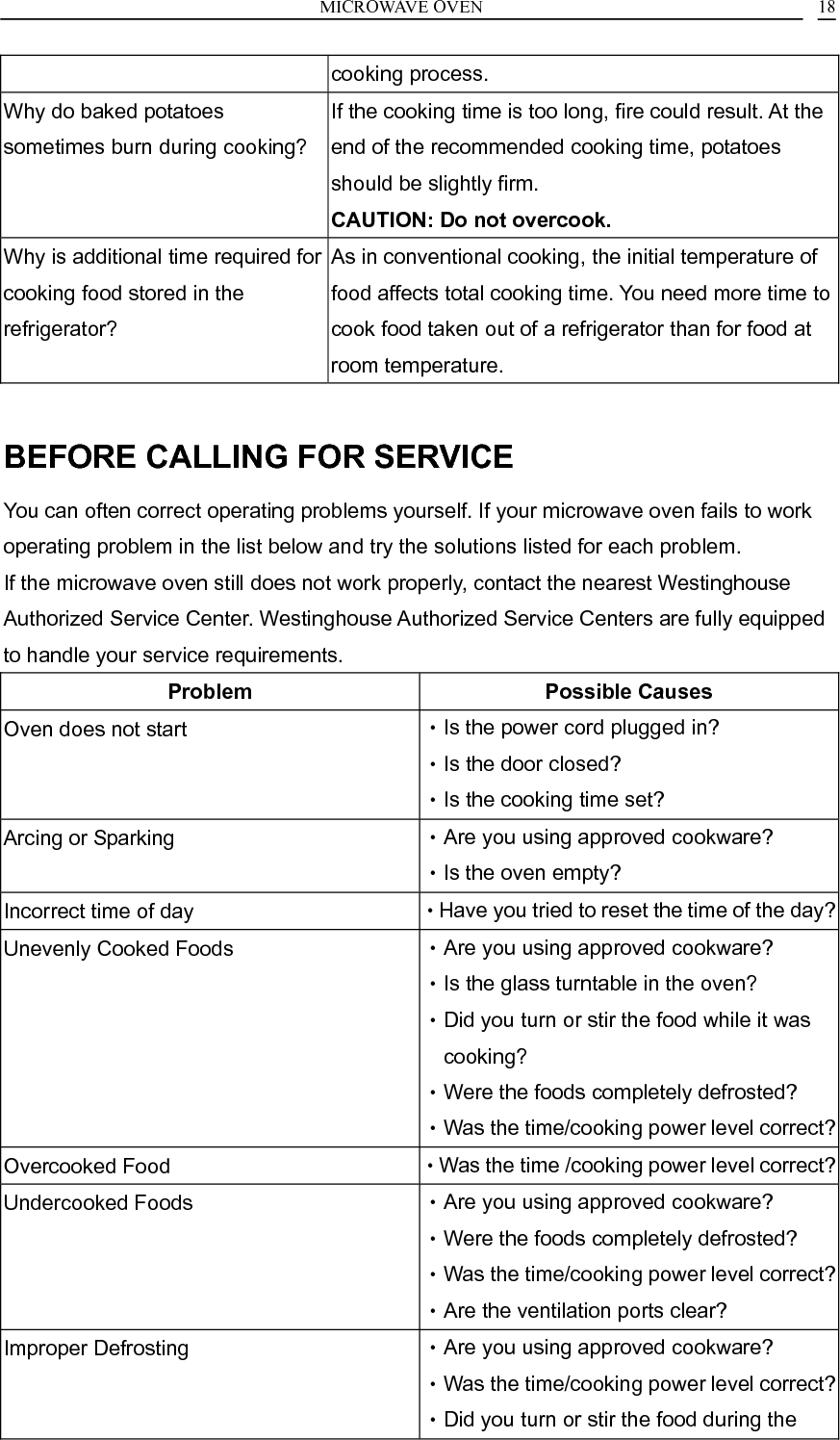
MICROWAVE OVEN    18cooking process. Why do baked potatoes sometimes burn during cooking? If the cooking time is too long, fire could result. At the end of the recommended cooking time, potatoes should be slightly firm.   CAUTION: Do not overcook. Why is additional time required for cooking food stored in the refrigerator? As in conventional cooking, the initial temperature of food affects total cooking time. You need more time to cook food taken out of a refrigerator than for food at room temperature.  BEFORE CALLING FOR SERVICE You can often correct operating problems yourself. If your microwave oven fails to work operating problem in the list below and try the solutions listed for each problem. If the microwave oven still does not work properly, contact the nearest Westinghouse Authorized Service Center. Westinghouse Authorized Service Centers are fully equipped to handle your service requirements. Problem Possible Causes Oven does not start  •Is the power cord plugged in? •Is the door closed? •Is the cooking time set? Arcing or Sparking  •Are you using approved cookware? •Is the oven empty? Incorrect time of day  •Have you tried to reset the time of the day?Unevenly Cooked Foods  •Are you using approved cookware? •Is the glass turntable in the oven? •Did you turn or stir the food while it was cooking? •Were the foods completely defrosted? •Was the time/cooking power level correct?Overcooked Food  •Was the time /cooking power level correct?Undercooked Foods  •Are you using approved cookware? •Were the foods completely defrosted? •Was the time/cooking power level correct?•Are the ventilation ports clear? Improper Defrosting  •Are you using approved cookware? •Was the time/cooking power level correct?•Did you turn or stir the food during the
MICROWAVE OVEN    19defrosting cycle?

Navigation menu