Tv Ears Listening Device Users Manual
TV Listening Device to the manual 2a49cf8c-66b7-4f78-9dbe-b31c0653e680
2015-02-03
: Tv-Ears Tv-Ears-Tv-Listening-Device-Users-Manual-460723 tv-ears-tv-listening-device-users-manual-460723 tv-ears pdf
Open the PDF directly: View PDF  .
.
Page Count: 1
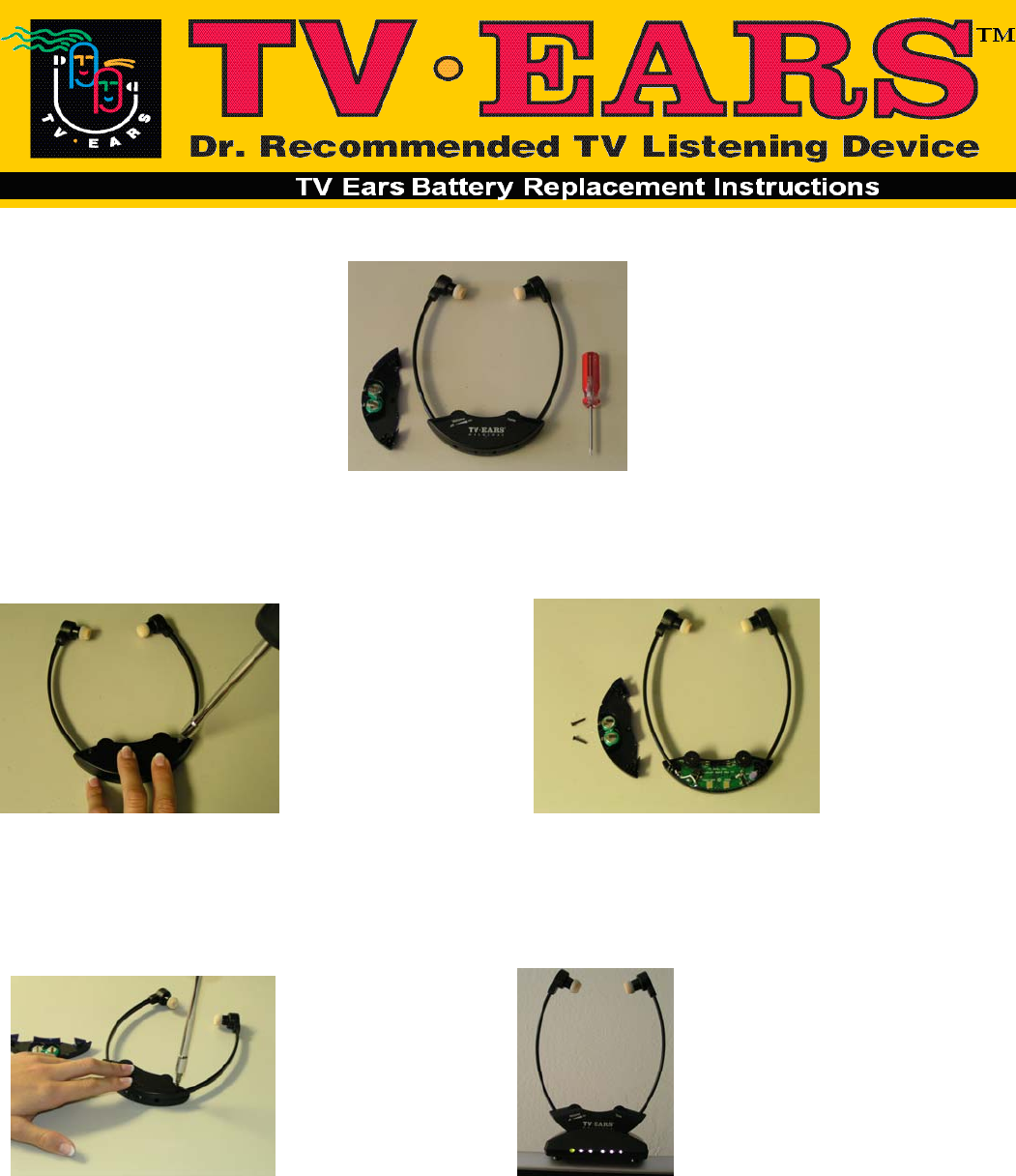
You will need your new battery faceplate, your headset, and a small Phillips screw driver.
Step 1 Step 2
Remove the two screws located on the Turn the headset over and remove the face-
back of the headset. plate with the logo and batteries attached.
Step 3 Step 4
Screw the new faceplate on the headset Make sure the headset is turned off. Place the
headset on the transmitter (charger) and allow
your TV Ears to charge for 8 hours.
TV Ears Inc. 2810 Via Orange Way Suite ‘A’ Spring Valley CA 91978
Phone: (888) 883-3277 Fax: (888) 958-7899
www.tvears.com
