U Lion Tech BRT-KT1 Bluetooth Speaker User Manual

HongKong U-Lion Tech.Co.,Limited Bluetooth Speaker Users Manual

user manual

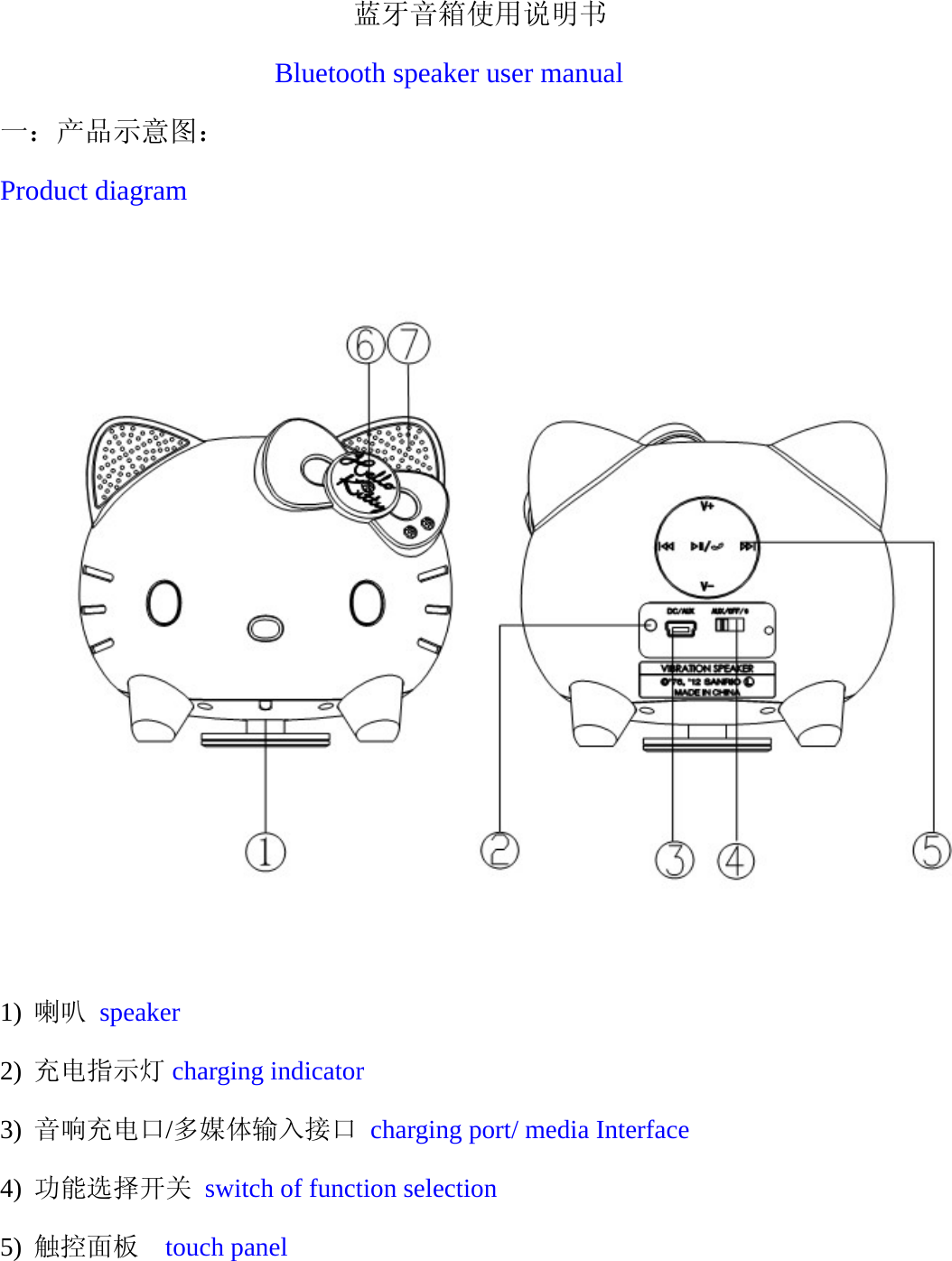
                           蓝牙音箱使用说明书  Bluetooth speaker user manual 一:产品示意图: Product diagram    1) 喇叭 speaker 2) 充电指示灯 charging indicator 3) 音响充电口/多媒体输入接口 charging port/ media Interface 4) 功能选择开关 switch of function selection 5) 触控面板  touch panel
  6) 功能状态指示灯 function status indicator 7) 咪头  microphone                                                       第一章:功能特点  Features 1)支持无线蓝牙立体声播放音乐。 Support stereo music play via wireless bluetooth 2)支持 AUX(多媒体)音频接口播放音乐。 Support music play by AUX audio interface 3)支持蓝牙通话功能。 Support mobile phone calling via bluetooth 4)内置锂电 1000MAH 电池,支持 8小时的超长的播放时间。 Support 8 hours playback time with built-in 1000MAH lithium battery
  第二章:产品参数  product parameters 频率响应:20HZ-20KHZ Frequency:20HZ-20KHZ 信噪比:≧80Db SNR≥80dB 失真度:≦0.5% Distortion Factor:  ≤0.5% 输出功率:5W Power Output: 5W 产品尺寸:55*55*126mm Product Measurement: 55*55*126mm 产品重量: Product Weight: 电池:内置锂电 1000mah Battery: built-in 1000MAH lithium battery     第三章:功能使用  How to use  一:蓝牙使用:How to use Bluetooth 开机配对: Bluetooth pairing and connection 1) 将开关拨到蓝牙状态(加上蓝牙符号)听到蓝牙嘟嘟提示音,产品将自
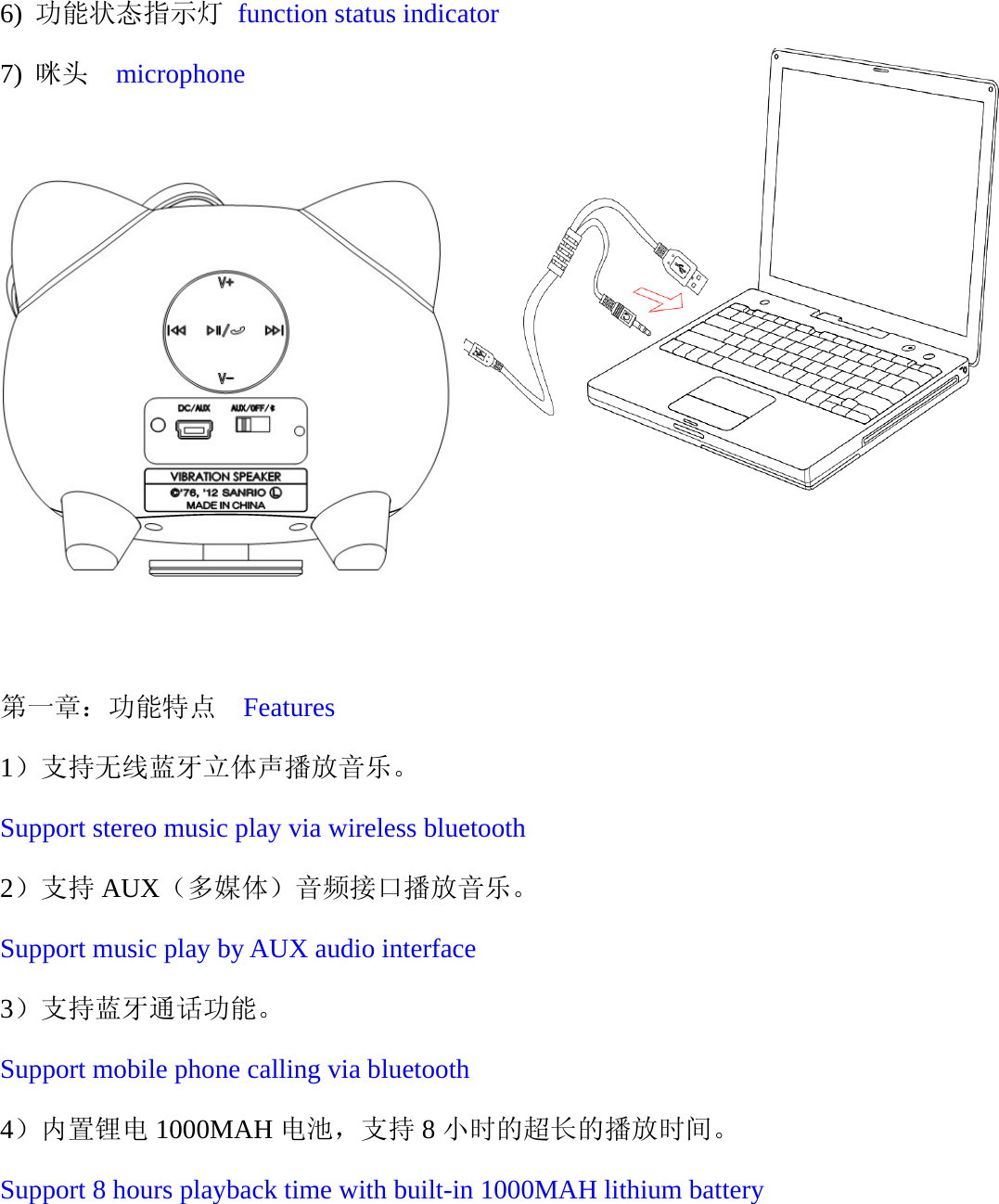
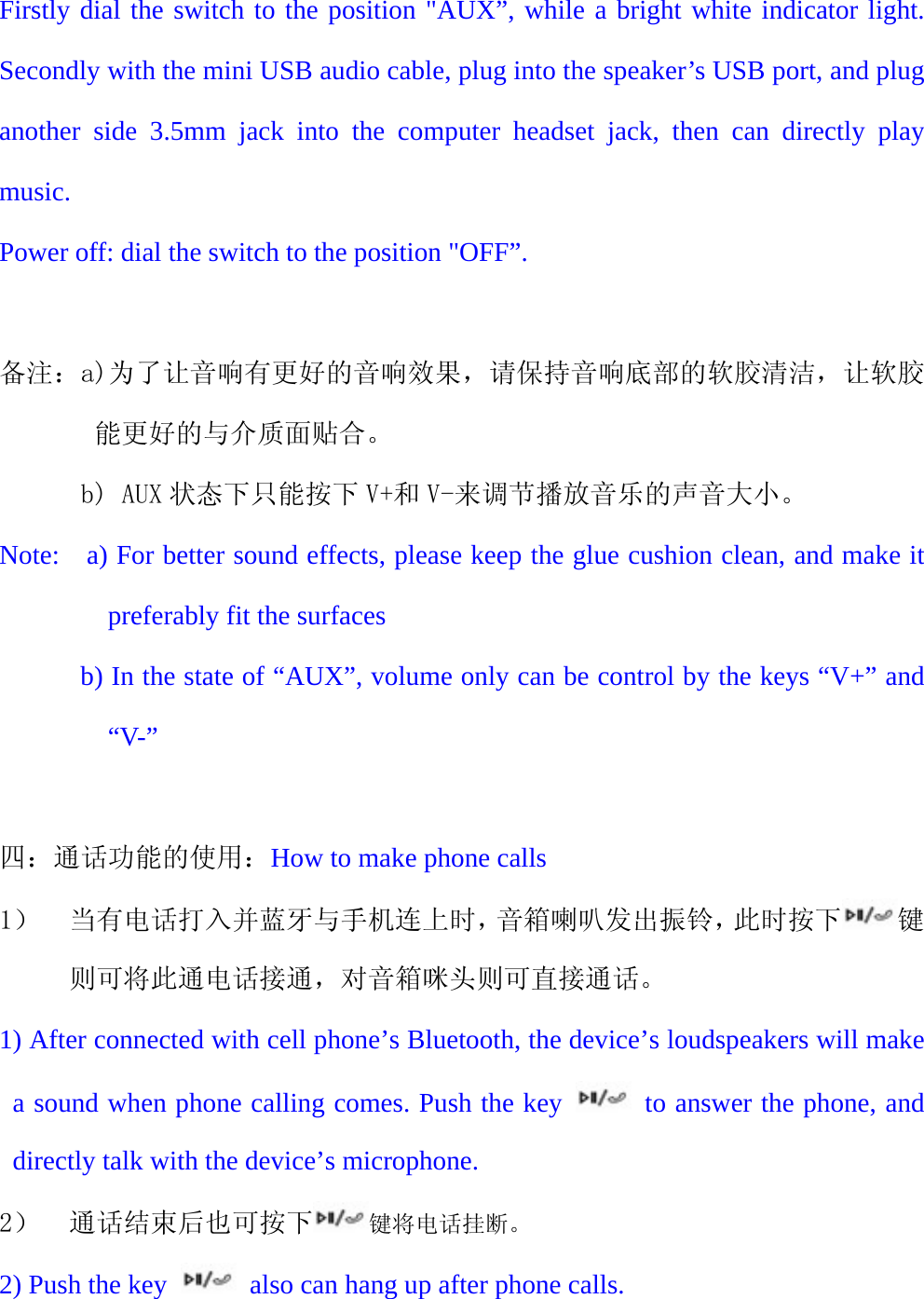
  动搜索蓝牙设备,工作指示白色灯闪,此时可以与手机蓝牙进行配对连接,用户名为:BRT-KT1,密码默认为:0000,连接成功后白色灯长亮。表示连接成功,此时可以播放音乐了。 Dial the switch to the position "Bluetooth” with the beep sound, the product will be searched for Bluetooth devices automatically. When the white indicator light flashes, the mobile phone can be paired and connected by bluetooth, showed User name: BRT-KT1 and enter “0000” as original passkey. The white indicator light will be bright constantly after connected successfully, then music playing can be performed.  二:上下曲和音量调节:Songs change and volume control 1) 成功连接到手机并播放音乐,此时可触按触控面板上对应的 、 、这三个键来调节音乐的各种状态,分别为上一曲、暂停/播放、下一曲。 When playing music after successfully connect the product to your mobile phone, you can use the corresponding keys which on touch panel  、 、  to adjust music, Previous, Play/Pause, Next respectively. 2) 按下对应的 V+和 V-可以调节播放音乐的声音大小直至感觉音量合适。 The keys V+ and V- are for volume down and volume up.    三:AUX 使用:How to use AUX 1) 将开关拨到 AUX 状态白色灯长亮,将迷你 USB 音频连接线,插入该产品的迷你 USB 接口,再将连接线的另一端 3.5 音频头插入电脑耳机插孔,直接播放音乐即可。 关机:直接将开关拨到 OFF 状态即可。
  Firstly dial the switch to the position "AUX”, while a bright white indicator light. Secondly with the mini USB audio cable, plug into the speaker’s USB port, and plug another side 3.5mm jack into the computer headset jack, then can directly play music. Power off: dial the switch to the position "OFF”.  备注:a)为了让音响有更好的音响效果,请保持音响底部的软胶清洁,让软胶能更好的与介质面贴合。       b) AUX 状态下只能按下 V+和 V-来调节播放音乐的声音大小。 Note:    a) For better sound effects, please keep the glue cushion clean, and make it preferably fit the surfaces             b) In the state of “AUX”, volume only can be control by the keys “V+” and “V-”  四:通话功能的使用:How to make phone calls 1) 当有电话打入并蓝牙与手机连上时,音箱喇叭发出振铃,此时按下 键则可将此通电话接通,对音箱咪头则可直接通话。 1) After connected with cell phone’s Bluetooth, the device’s loudspeakers will make a sound when phone calling comes. Push the key   to answer the phone, and directly talk with the device’s microphone. 2) 通话结束后也可按下 键将电话挂断。 2) Push the key    also can hang up after phone calls.
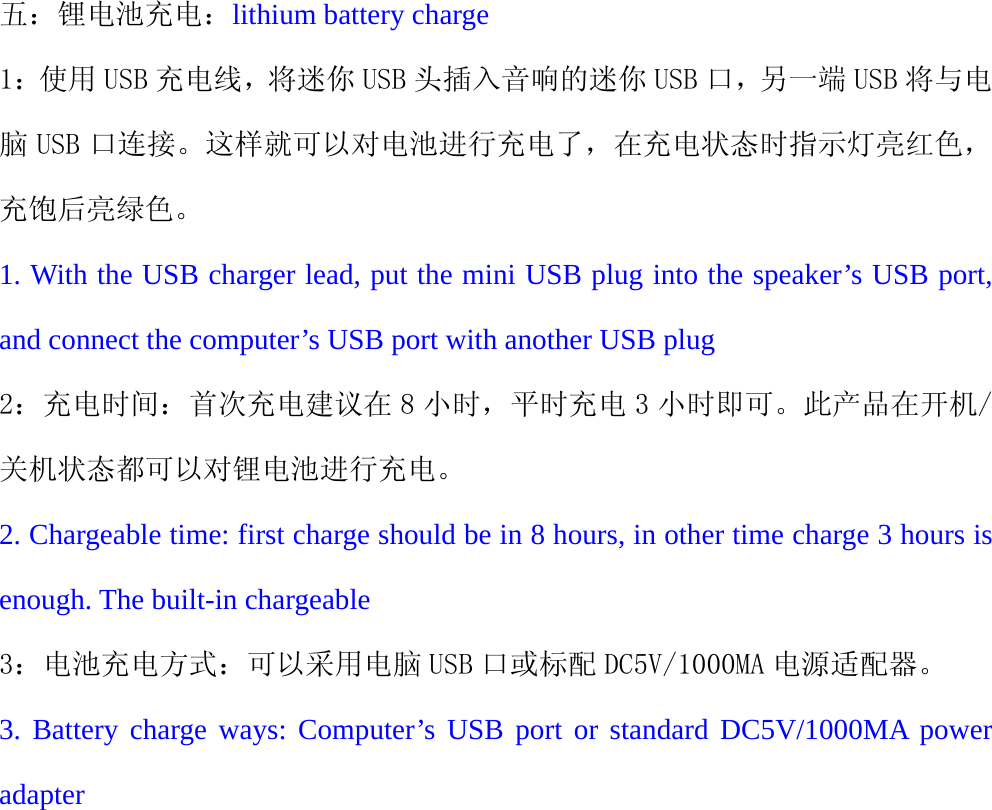
   五:锂电池充电:lithium battery charge 1:使用 USB 充电线,将迷你 USB 头插入音响的迷你 USB 口,另一端 USB 将与电脑 USB 口连接。这样就可以对电池进行充电了,在充电状态时指示灯亮红色,充饱后亮绿色。 1. With the USB charger lead, put the mini USB plug into the speaker’s USB port, and connect the computer’s USB port with another USB plug 2:充电时间:首次充电建议在 8 小时,平时充电 3 小时即可。此产品在开机/关机状态都可以对锂电池进行充电。 2. Chargeable time: first charge should be in 8 hours, in other time charge 3 hours is enough. The built-in chargeable 3:电池充电方式:可以采用电脑 USB 口或标配 DC5V/1000MA 电源适配器。 3. Battery charge ways: Computer’s USB port or standard DC5V/1000MA power adapter
   FCC Caution: Any changes or modifications not expressly approved by the party responsible for compliance could void the user's authority to operate this equipment. This device complies with Part 15 of the FCC Rules. Operation is subject to the following two conditions: (1) This device may not cause harmful interference, and (2) this device must accept any interference received, including interference that may cause undesired operation. This device and its antenna(s) must not be co-located or operating in conjunction with any other antenna or transmitter. This equipment has been tested and found to comply with the limits for a Class B digital device, pursuant to Part 15 of the FCC Rules. These limits are designed to provide reasonable protection against harmful interference in a residential installation. This equipment generates, uses and can radiate radio frequency energy and, if not installed and used in accordance with the instructions, may cause harmful interference to radio communications. However,there is no guarantee that interference will not occur in a particular installation. If this equipment does cause harmful interference to radio or television reception,which can be determined by turning the equipment off and on, the user is encouraged to try to correct the interference by one or more of the following measures: -- Reorient or relocate the receiving antenna. -- Increase the separation between the equipment and receiver. -- Connect the equipment into an outlet on a circuit different from that to which the receiver is connected. -- Consult the dealer or an experienced radio/TV technician for help.

Navigation menu