Uniwill Computer B090H2 Bluetooth USB Dongle User Manual Manual

Uniwill Computer Corporation Bluetooth USB Dongle Manual

Manual

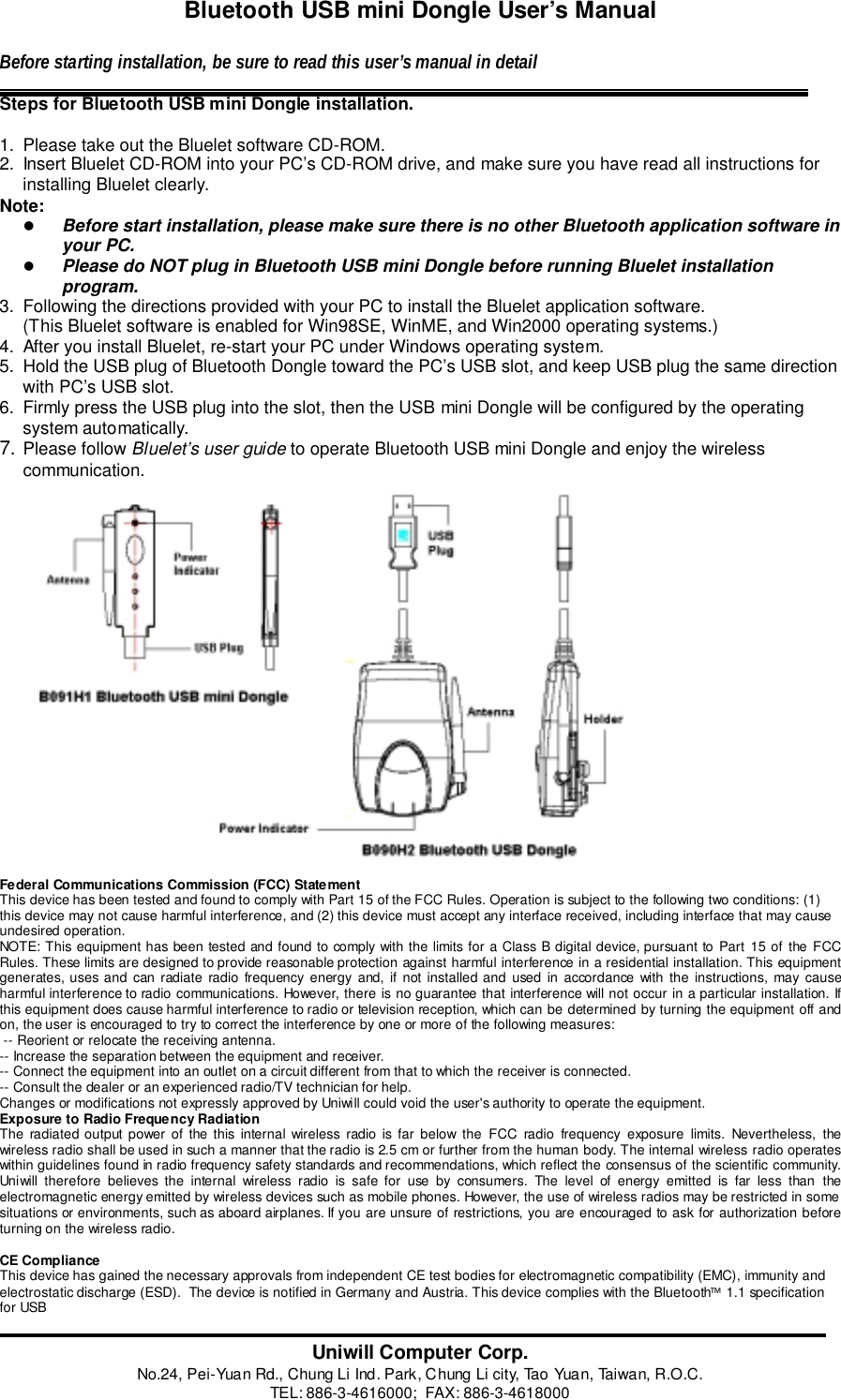
Bluetooth USB mini Dongle User’s ManualBefore starting installation, be sure to read this user’s manual in detailSteps for Bluetooth USB mini Dongle installation.1.  Please take out the Bluelet software CD-ROM.2.  Insert Bluelet CD-ROM into your PC’s CD-ROM drive, and make sure you have read all instructions forinstalling Bluelet clearly.Note:! Before start installation, please make sure there is no other Bluetooth application software inyour PC.! Please do NOT plug in Bluetooth USB mini Dongle before running Bluelet installationprogram.3.  Following the directions provided with your PC to install the Bluelet application software.(This Bluelet software is enabled for Win98SE, WinME, and Win2000 operating systems.)4.  After you install Bluelet, re-start your PC under Windows operating system.5.  Hold the USB plug of Bluetooth Dongle toward the PC’s USB slot, and keep USB plug the same directionwith PC’s USB slot.6.  Firmly press the USB plug into the slot, then the USB mini Dongle will be configured by the operatingsystem automatically.7. Please follow Bluelet’s user guide to operate Bluetooth USB mini Dongle and enjoy the wirelesscommunication.                       Federal Communications Commission (FCC) StatementThis device has been tested and found to comply with Part 15 of the FCC Rules. Operation is subject to the following two conditions: (1)this device may not cause harmful interference, and (2) this device must accept any interface received, including interface that may causeundesired operation.NOTE: This equipment has been tested and found to comply with the limits for a Class B digital device, pursuant to Part 15 of the FCCRules. These limits are designed to provide reasonable protection against harmful interference in a residential installation. This equipmentgenerates, uses and can radiate radio frequency energy and, if not installed and used in accordance with the instructions, may causeharmful interference to radio communications. However, there is no guarantee that interference will not occur in a particular installation. Ifthis equipment does cause harmful interference to radio or television reception, which can be determined by turning the equipment off andon, the user is encouraged to try to correct the interference by one or more of the following measures: -- Reorient or relocate the receiving antenna.-- Increase the separation between the equipment and receiver.-- Connect the equipment into an outlet on a circuit different from that to which the receiver is connected.-- Consult the dealer or an experienced radio/TV technician for help.Changes or modifications not expressly approved by Uniwill could void the user's authority to operate the equipment.Exposure to Radio Frequency RadiationThe radiated output power of the this internal wireless radio is far below the FCC radio frequency exposure limits. Nevertheless, thewireless radio shall be used in such a manner that the radio is 2.5 cm or further from the human body. The internal wireless radio operateswithin guidelines found in radio frequency safety standards and recommendations, which reflect the consensus of the scientific community.Uniwill therefore believes the internal wireless radio is safe for use by consumers. The level of energy emitted is far less than theelectromagnetic energy emitted by wireless devices such as mobile phones. However, the use of wireless radios may be restricted in somesituations or environments, such as aboard airplanes. If you are unsure of restrictions, you are encouraged to ask for authorization beforeturning on the wireless radio.CE ComplianceThis device has gained the necessary approvals from independent CE test bodies for electromagnetic compatibility (EMC), immunity andelectrostatic discharge (ESD).  The device is notified in Germany and Austria. This device complies with the Bluetooth 1.1 specificationfor USBUniwill Computer Corp.No.24, Pei-Yuan Rd., Chung Li Ind. Park, Chung Li city, Tao Yuan, Taiwan, R.O.C.TEL: 886-3-4616000;  FAX: 886-3-4618000

Navigation menu