Vidonn Information Technology Q2 Wireless Bone Conduction Headphones User Manual

Shenzhen Vidonn Information Technology Co., Ltd. Wireless Bone Conduction Headphones

User manual

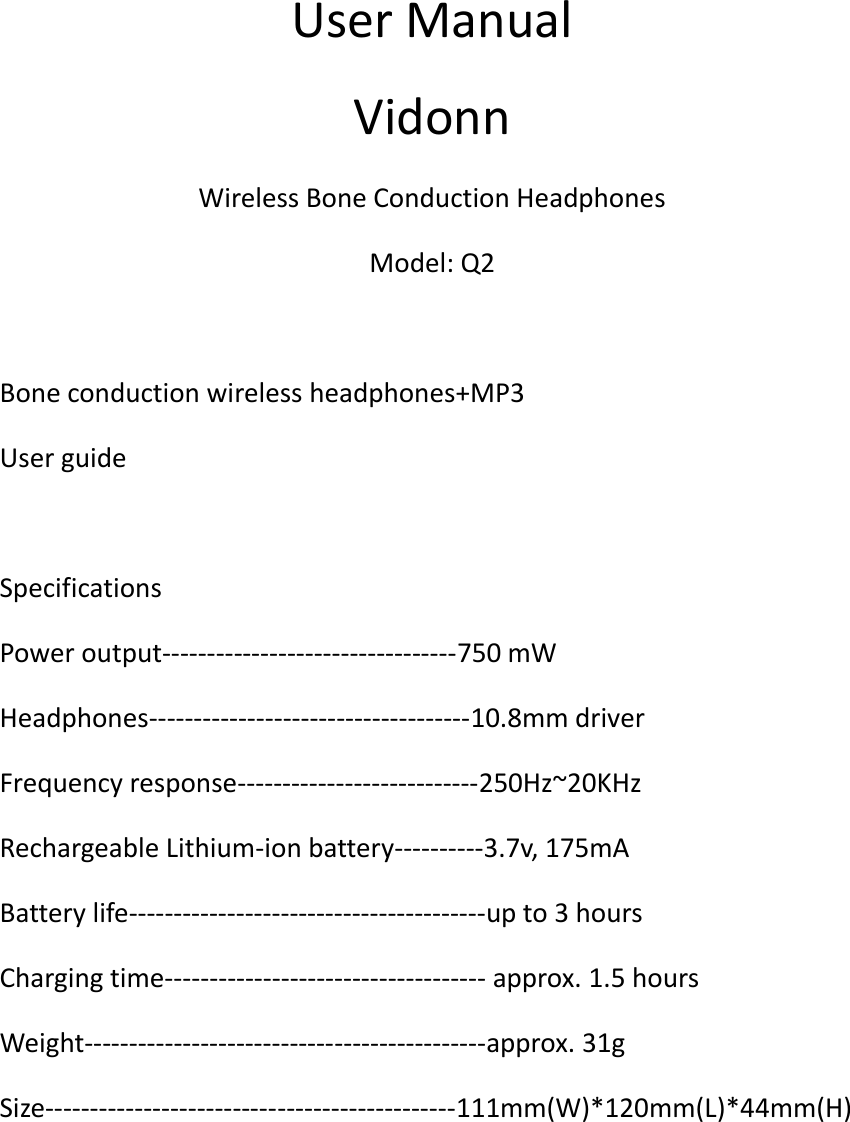
User Manual Vidonn Wireless Bone Conduction Headphones Model: Q2  Bone conduction wireless headphones+MP3 User guide  Specifications Power output---------------------------------750 mW Headphones------------------------------------10.8mm driver Frequency response---------------------------250Hz~20KHz Rechargeable Lithium-ion battery----------3.7v, 175mA Battery life----------------------------------------up to 3 hours Charging time------------------------------------ approx. 1.5 hours Weight---------------------------------------------approx. 31g Size----------------------------------------------111mm(W)*120mm(L)*44mm(H)
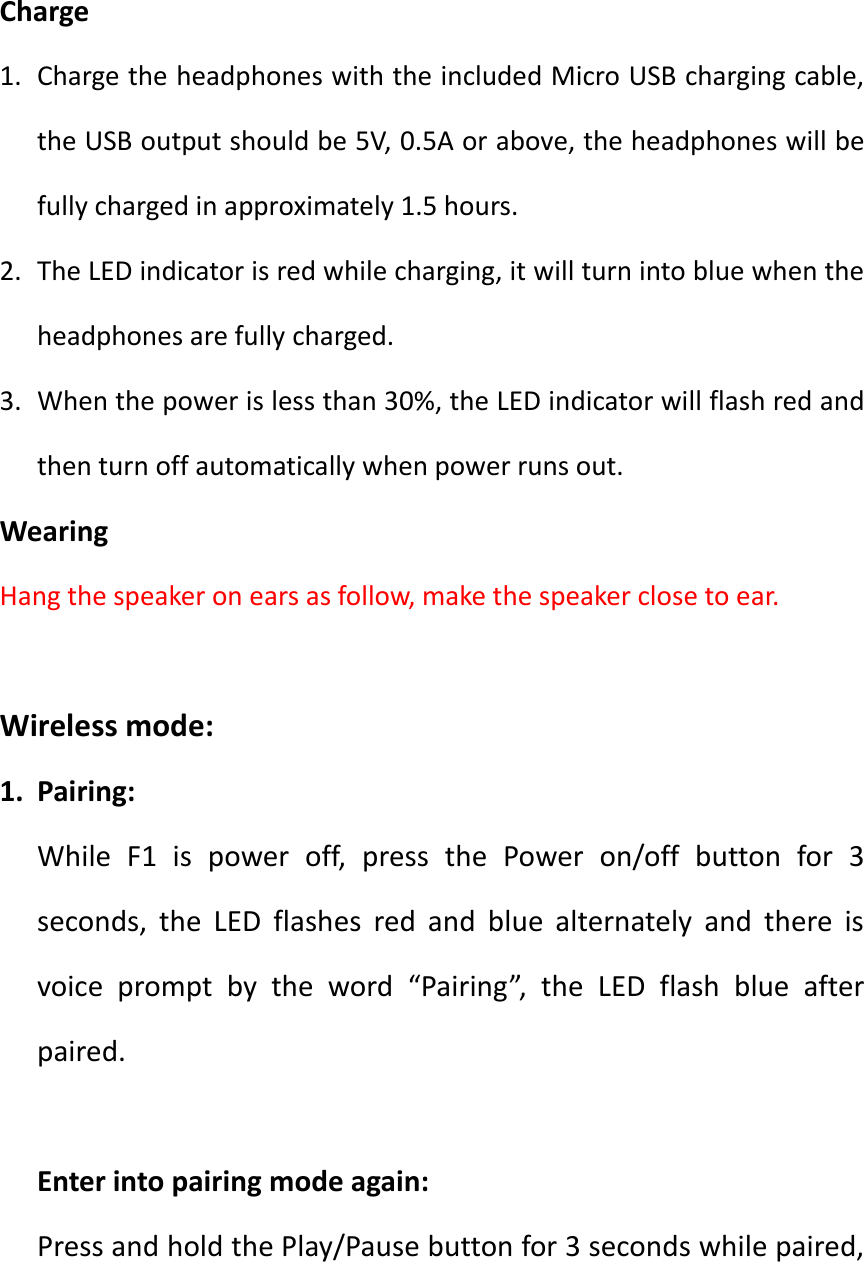
  Charge 1. Charge the headphones with the included Micro USB charging cable, the USB output should be 5V, 0.5A or above, the headphones will be fully charged in approximately 1.5 hours. 2. The LED indicator is red while charging, it will turn into blue when the headphones are fully charged. 3. When the power is less than 30%, the LED indicator will flash red and then turn off automatically when power runs out. Wearing Hang the speaker on ears as follow, make the speaker close to ear.      Wireless mode: 1. Pairing: While  F1  is  power  off,  press  the  Power  on/off  button  for  3 seconds,  the  LED  flashes  red  and  blue  alternately  and  there  is voice  prompt  by  the  word  “Pairing”,  the  LED  flash  blue  after paired.  Enter into pairing mode again: Press and hold the Play/Pause button for 3 seconds while paired,
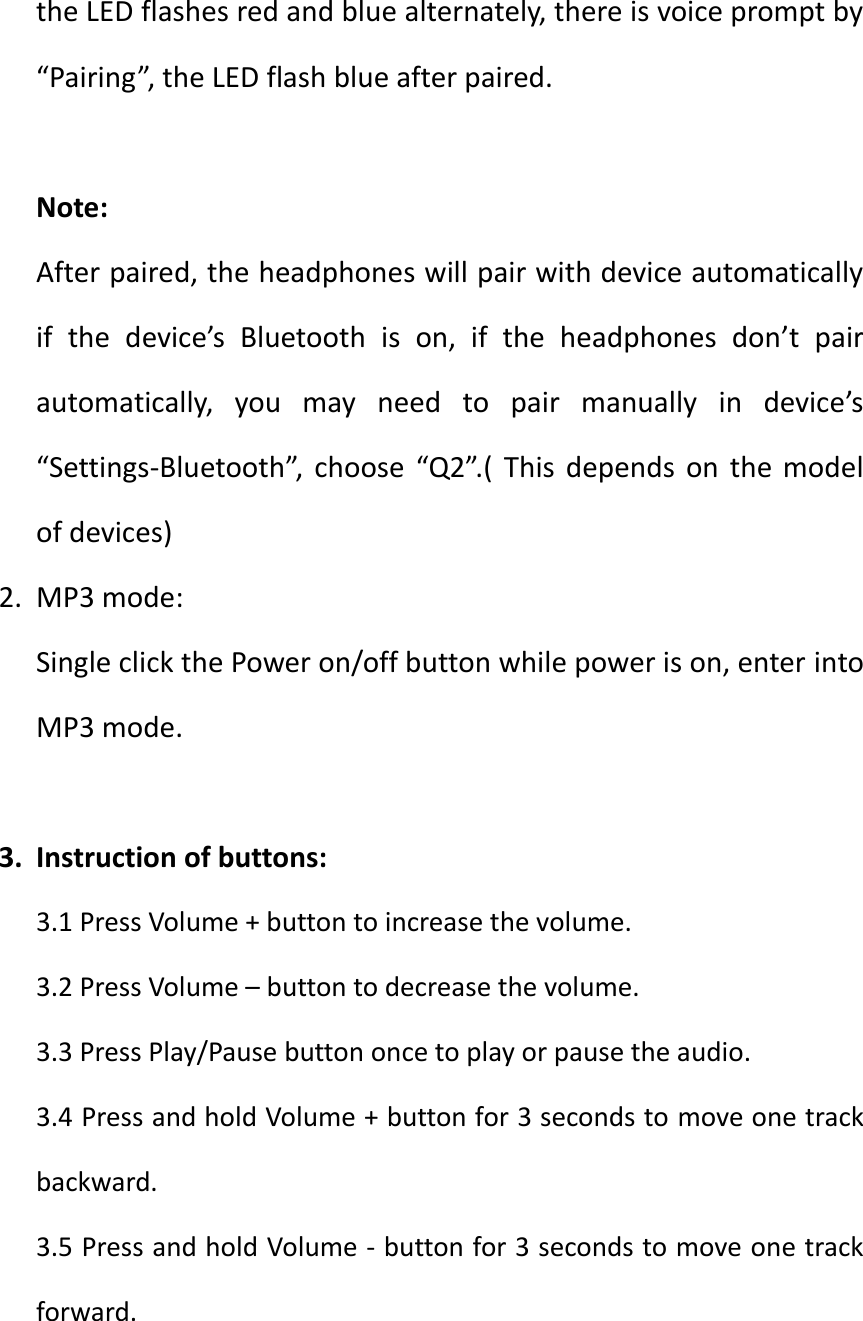
the LED flashes red and blue alternately, there is voice prompt by “Pairing”, the LED flash blue after paired.  Note: After paired, the headphones will pair with device automatically if  the  device’s  Bluetooth  is  on,  if  the  headphones  don’t  pair automatically,  you  may  need  to  pair  manually  in  device’s “Settings-Bluetooth”,  choose  “Q2”.(  This  depends  on  the  model of devices) 2. MP3 mode: Single click the Power on/off button while power is on, enter into MP3 mode.  3. Instruction of buttons: 3.1 Press Volume + button to increase the volume. 3.2 Press Volume – button to decrease the volume. 3.3 Press Play/Pause button once to play or pause the audio. 3.4 Press and hold Volume + button for 3 seconds to move one track backward. 3.5 Press and hold Volume - button for 3 seconds to move one track forward.
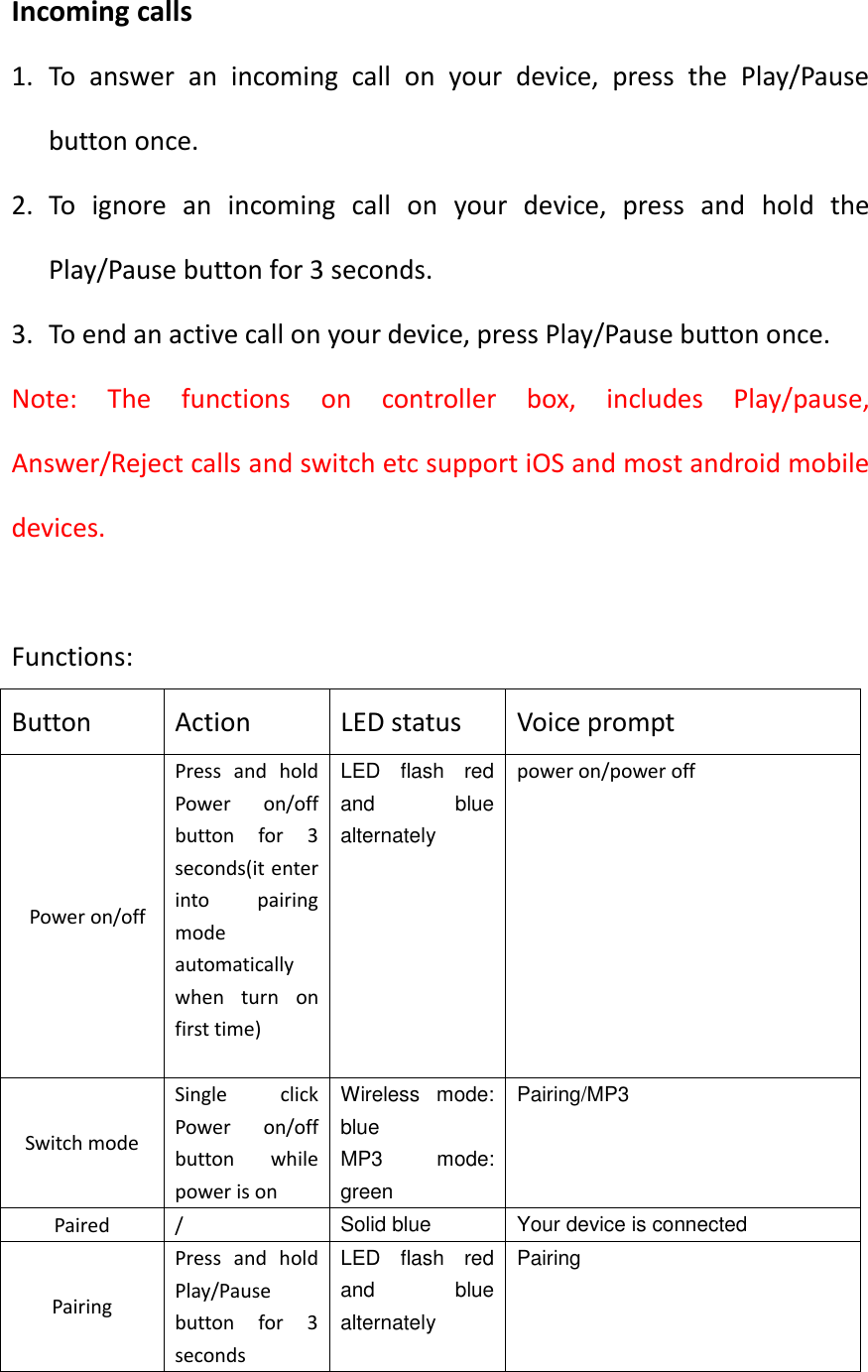
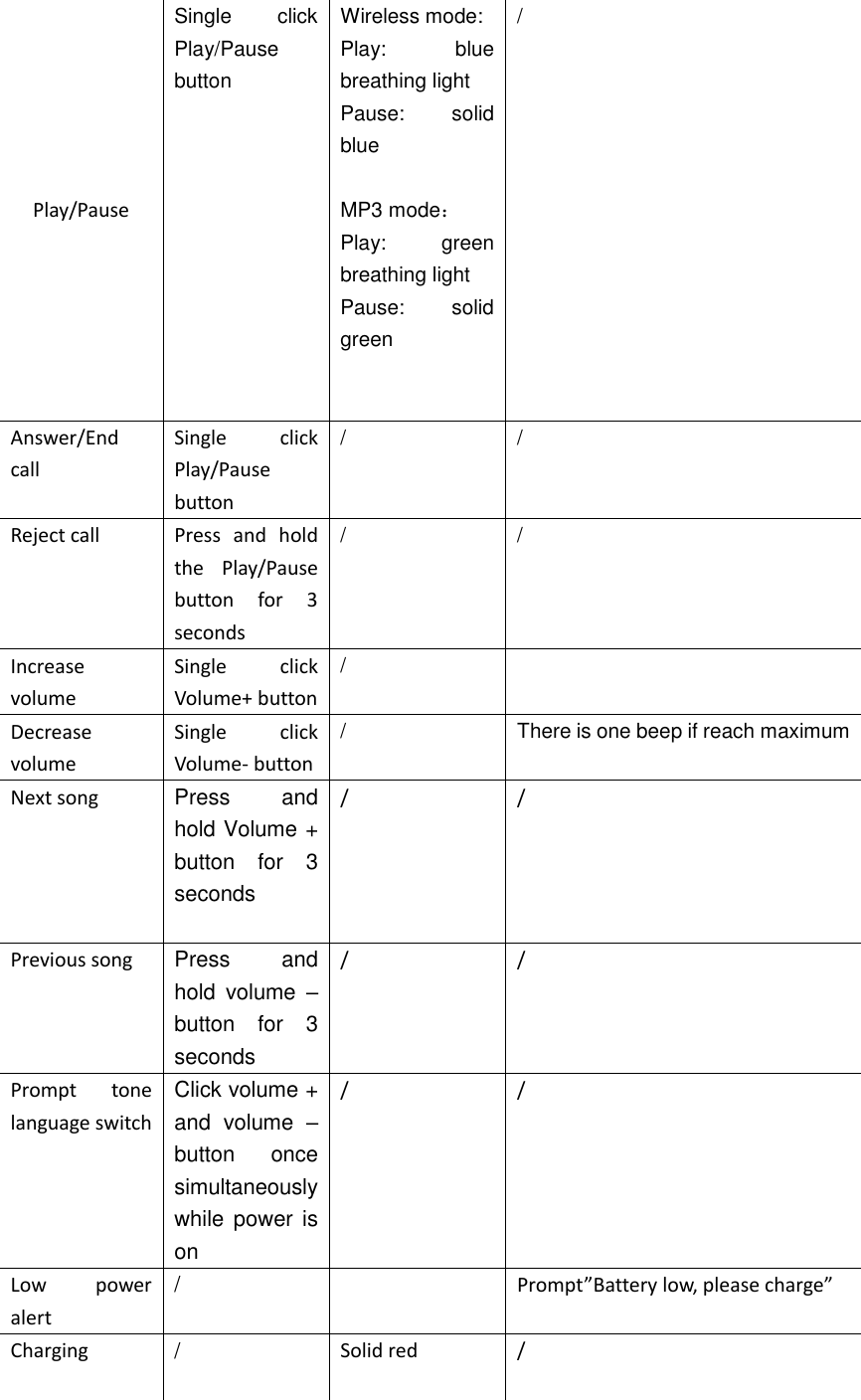
Incoming calls 1. To  answer  an  incoming  call  on  your  device,  press  the  Play/Pause button once. 2. To  ignore  an  incoming  call  on  your  device,  press  and  hold  the Play/Pause button for 3 seconds. 3. To end an active call on your device, press Play/Pause button once. Note:  The  functions  on  controller  box,  includes  Play/pause, Answer/Reject calls and switch etc support iOS and most android mobile devices.    Functions: Button Action LED status Voice prompt   Power on/off Press  and  hold Power  on/off button  for  3 seconds(it enter into  pairing mode automatically when  turn  on first time)   LED  flash  red and  blue alternately power on/power off Switch mode Single  click Power  on/off button  while power is on Wireless  mode: blue MP3  mode: green Pairing/MP3 Paired / Solid blue Your device is connected Pairing Press  and  hold Play/Pause button  for  3 seconds LED  flash  red and  blue alternately Pairing
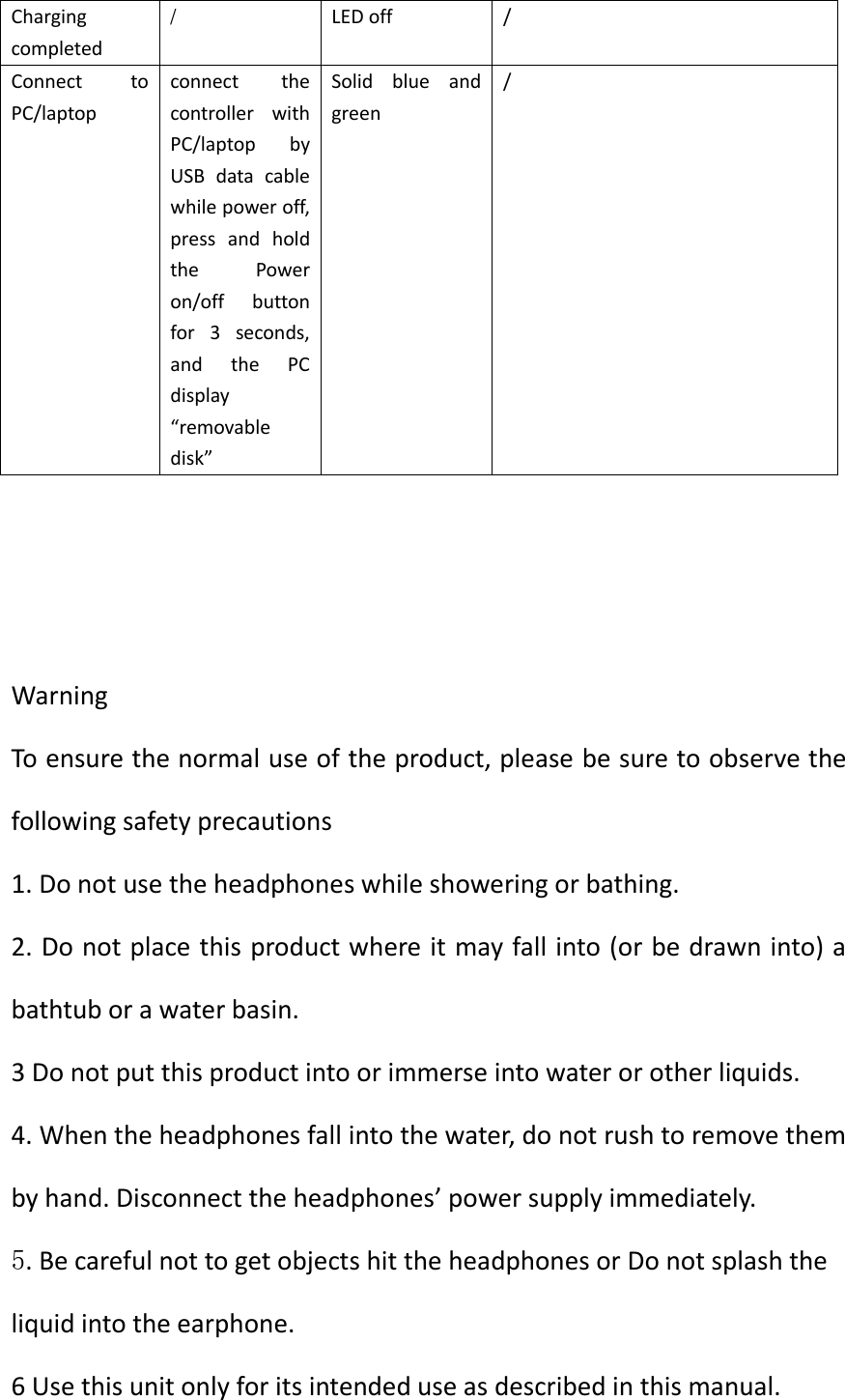
Play/Pause Single  click Play/Pause button    Wireless mode: Play:  blue breathing light Pause:  solid blue  MP3 mode: Play:  green breathing light Pause:  solid green     / Answer/End call Single  click Play/Pause button / / Reject call Press  and  hold the  Play/Pause button  for  3 seconds / / Increase volume Single  click Volume+ button /  Decrease volume Single  click Volume- button / There is one beep if reach maximum Next song Press  and hold Volume + button  for  3 seconds  / / Previous song Press  and hold  volume  – button  for  3 seconds / / Prompt  tone language switch Click volume + and  volume  – button  once simultaneously while  power is on / / Low  power alert /  Prompt”Battery low, please charge” Charging /  Solid red /
Charging completed / LED off / Connect  to PC/laptop connect  the controller  with PC/laptop  by USB  data  cable while power off, press  and  hold the  Power on/off  button for  3  seconds, and  the  PC display “removable disk” Solid  blue  and green /    Warning To ensure the normal use of the product, please be sure to observe the following safety precautions 1. Do not use the headphones while showering or bathing. 2. Do not place this product where it may fall into (or be drawn into) a bathtub or a water basin. 3 Do not put this product into or immerse into water or other liquids. 4. When the headphones fall into the water, do not rush to remove them by hand. Disconnect the headphones’ power supply immediately. 5. Be careful not to get objects hit the headphones or Do not splash the liquid into the earphone. 6 Use this unit only for its intended use as described in this manual.
7. Never drop or insert an object into any opening. 8. Protect the power cord from being walked on or pinched, particularly at plug outlets, convenience receptacles and the point where is exits the unit. 9. Do not allow cord to touch hot surfaces, wrap cord loosely around the unit when storing. 10. The unit should be situated away from direct sunlight or heat sources such  as  radiators,  electric  heaters,  heat  registers,  stoves,  or  other units(including  amplifiers)  that  produce  heat.  Avoid  placing  on  top  of stereo equipment that radiates heat. 11. Do not overload the electrical outlet. Use only the power source as indicated. 12. Don not carry this unit by its cord or use the cord as a handle. 13. Never operate this unit if it has a damaged cord or plug, if it is not working properly, or if it has been dropped or damaged, or dropped into water. If the unit’s power supply cord or plug is damaged, do not attempt to fix it yourself. 14. To avoid the risk of electric shock, do not disassemble or attempt to repair the unit. Incorrect repair can cause risk of electric shock or injury to persons when the unit is used.
Lithium-polymer battery warnings This  device  contains  a  Lithium-Polymer  battery.  The  battery  must  be recycled or disposed of properly. Contact your local waste management office for information on battery recycling or disposal. Use only the supplied cable to recharge the battery. Improper charging may damage the battery and the device. Do not attempt to open the rechargeable battery or battery pack. There are no serviceable parts inside. Keep  the  battery  out  of  reach  of  children.  If  swallowed,  consult  a physician immediately. Do  not  dispose  of  battery in  a fire as  it  may explode. The  battery  may also explode if damaged. FCC Statement This device complies with part 15 of the FCC rules. Operation is subject to the  following  two conditions: (1)  this  device may  not  cause harmful interference, and (2) this device must accept any interference received, including interference that may cause undesired operation.    Changes  or  modifications  not  expressly  approved  by  the  party responsible for compliance could void the user's authority to operate the equipment.
NOTE:  This  equipment  has  been  tested  and  found  to  comply  with  the limits for a Class B digital device, pursuant to part 15 of the FCC Rules. These  limits  are  designed  to  provide  reasonable  protection  against harmful  interference  in  a  residential  installation.  This  equipment generates  uses  and  can  radiate  radio  frequency  energy  and,  if  not installed  and  used  in  accordance  with  the  instructions,  may  cause harmful  interference  to  radio  communications.  However,  there  is  no guarantee  that interference will  not occur  in a  particular  installation. If this  equipment  does  cause  harmful  interference  to  radio  or  television reception, which can be determined by    turning the equipment off and on, the user is  encouraged  to try  to correct  the  interference  by one or more of the following measures: •Reorient or relocate the receiving antenna. •Increase the separation between the equipment and receiver. •Connect the equipment into an outlet on a circuit different from that to which the receiver is connected. •Consult the dealer or an experienced radio/TV technician for help. The device has been evaluated to meet general RF exposure requirement. The  device  can  be  used  in  portable  exposure  condition  without restriction.

Navigation menu